Specs are compiled from manufacturer listings and verified buyer reviews and can change over time — please confirm the key details on the product page before buying.
The room where your Wi-Fi dies is not a mystery — it is a physics problem, and a single router in the hallway cannot solve it. A mesh system fixes this by putting several small units around the house that talk to each other and hand your phone off as you walk. The result is one network name that hands your phone between nodes as you move from the kitchen to the garage. This guide sorts the strongest options by what they actually do well: raw speed, device capacity, dead-zone coverage, or simple setup.
This guide is built by comparing the manufacturers’ published specifications and the patterns across verified customer reviews, so you get each pick’s real strengths and trade-offs instead of marketing spin.
A mesh kit lives or dies on two things: how many devices it can hold and how much square footage it genuinely reaches. Below you’ll find the picks that get those numbers right, sorted so you can match one to your floor plan instead of guessing. The crowd favorite of the group sits at 4.0+ stars across 10,000+ ratings, and it earns that spot on coverage-per-dollar alone.
Top Picks
How To Choose The Best Mesh Wi-Fi Network
Most people buy the router with the biggest speed number and then wonder why the back bedroom still buffers. Speed is the least useful number on the box for a whole-home setup. What decides whether your calls drop is coverage per node, how many devices the system can hold at once, and whether the units can hand you off cleanly as you move. Get those three numbers right and the choice gets much simpler.
Match node count to your floor plan, not to the headline speed
A three-pack puts one unit near the modem and two more spread across the house, so the signal never has to punch through three walls to reach you. Two-packs suit apartments and smaller homes. If your house is long or has a brick chimney in the middle, more nodes beat a faster single radio every time. Check the stated coverage figure for the whole kit, not per unit.
Wi-Fi 6 versus Wi-Fi 7 — what the generation gap actually buys you
Wi-Fi 6 (the 802.11ax standard) is the current baseline and handles a normal family load fine. Wi-Fi 7 adds Multi-Link Operation, usually shortened to MLO, which lets a device pull data across more than one band at once for lower latency. You only feel that difference if you own Wi-Fi 7 hardware like a recent flagship phone or laptop. Older devices still connect, just at their own ceiling.
Watch the device ceiling — it is the quiet bottleneck
Phones, laptops, TVs, doorbells, thermostats, and robot vacuums all count. A kit rated for 75+ devices is fine for a small household and tight for a smart-home-heavy one. Kits rated for 150 to 200+ leave room to grow. If your device count already sits near that ceiling, a higher device rating is worth more than extra raw speed.
Wired backhaul versus wireless — the stability lever
Backhaul is the link between your mesh units themselves. Wireless backhaul is convenient but shares airtime with your devices, so interference can drag the whole network down. Running an Ethernet cable between nodes gives each unit a dedicated pipe and is the single biggest stability upgrade you can make if your walls allow it. Many kits support both and switch automatically.
Side-by-Side Comparison
| Model | Best For | Coverage | Speed | Device Capacity | Amazon |
|---|---|---|---|---|---|
| Amazon eero 6+ (3-pack)★ Best Overall | Gigabit plans on a budget | Up to 4,500 sq. ft. | Up to 1 Gbps | 75+ devices | Amazon |
| Tenda Nova MX12 (3-pack)Widest Reach | Huge homes on Wi-Fi 6 | Up to 7,000 sq. ft. | 2976 Mbps | — | Amazon |
| ASUS ZenWiFi BD4 (3-pack)Best Wired Pipeline | 2.5G wired devices | Up to 6,500 sq. ft. | 3600 Mbps | — | Amazon |
| Google WiFi AC1200 (3-pack) | Simple smart-home setups | Up to 4,500 sq. ft. | 1200 Mbps | — | Amazon |
| Tenda BE5100 ME6 Pro (3-pack) | Wi-Fi 7 device load | Up to 6,600 sq. ft. | 4323 Mbps | 160+ devices | Amazon |
| TP-Link Deco 7 BE23 (3-pack) | Balanced Wi-Fi 7 value | Up to 6,500 sq. ft. | 3600 Mbps | 150 devices | Amazon |
| NETGEAR Orbi 360 (3-pack) | Multi-storey coverage | Up to 6,000 sq. ft. | Up to 5 Gbps | 70 devices | Amazon |
| TP-Link Deco 7 Pro BE63 (2-pack) | Heavy device households | Up to 5,800 sq. ft. | 10 Gbps port | 200+ devices | Amazon |
| Google Nest WiFi Pro (2-pack) | Wi-Fi 6E tri-band | Up to 4,400 sq. ft. | 5.4 Gbps | — | Amazon |
| Amazon eero 7 (3-pack) | 2.5 Gbps plans, large homes | Up to 6,000 sq. ft. | Up to 1.8 Gbps | 120+ devices | Amazon |
| TP-Link Deco 7 Pro BE67 (3-pack) | Multi-gig power users | Up to 8,100 sq. ft. | 14 Gbps total | 200+ devices | Amazon |
Detailed Reviews
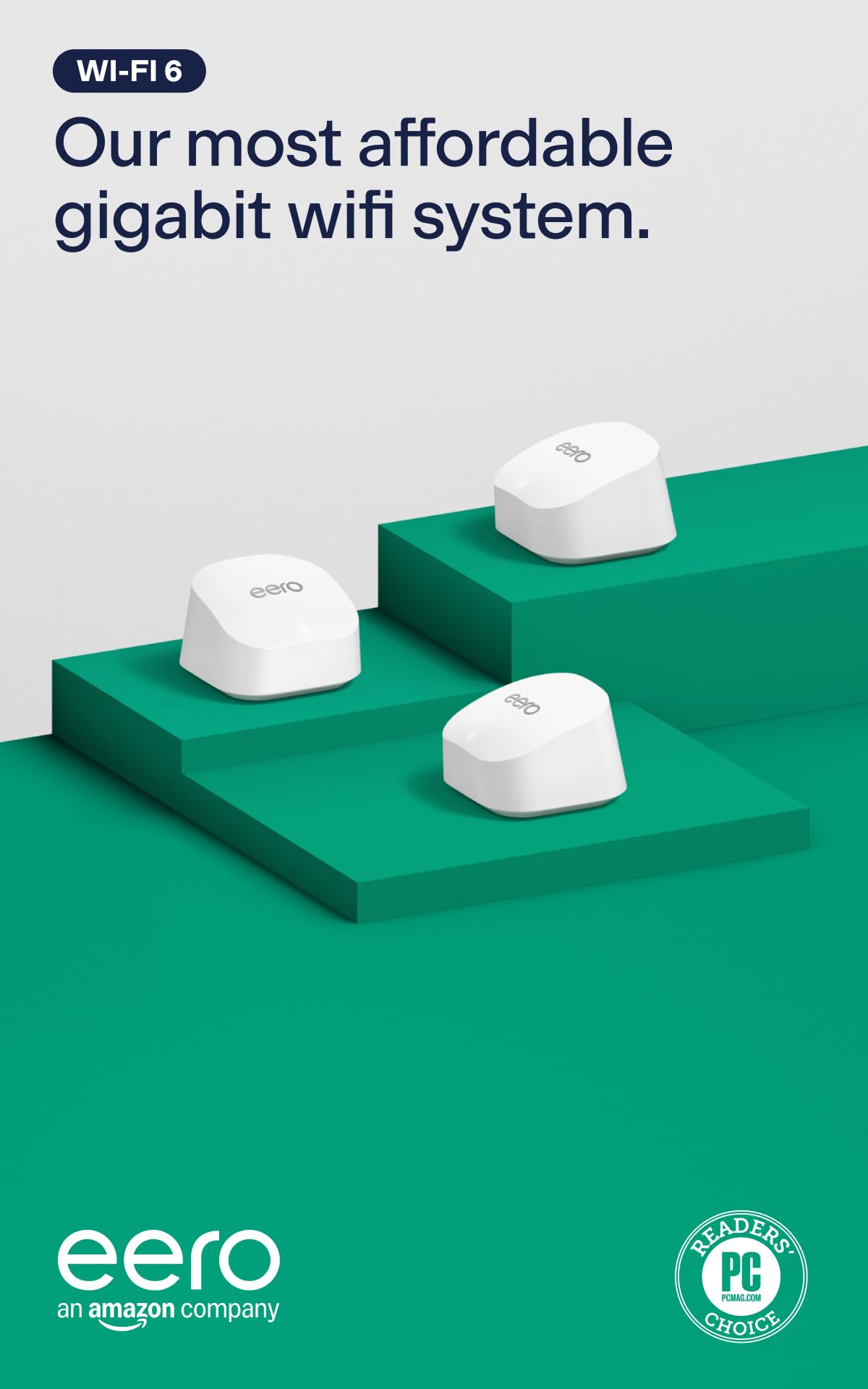
1. Amazon eero 6+ mesh wifi system (3-pack)
Our pick — 4.0+★ from 10,500+ verified ratings; the strongest balance of quality and price.
The kit that makes a gigabit plan feel worth paying for.
Here is the pick that earns the top spot: a three-unit kit that covers up to 4,500 sq. ft. and holds 75+ devices, built for internet plans up to a gigabit. That is the practical middle of the market, and it is where most homes actually land. You get Wi-Fi 6 with a 160 MHz channel — a wider lane of radio spectrum that lets the whole family work, stream, and video chat without the network folding. Backward compatibility with earlier eero units means an old node can join the mesh instead of going in the bin.
The setup is what wins people over. The eero app walks you through pairing in minutes, and the same app manages the network from anywhere. There is a smart-home hub built in too, so compatible Thread and Zigbee devices — the low-power radio standards many sensors and bulbs use — link up through the eero directly with Alexa. You can skip buying a separate hub for those. Automatic updates keep the network patched in the background.
The honest trade-off is reliability: some buyers report drop-outs that trace back to node placement or an ageing modem. In a home with a dense cluster of devices or thick walls between nodes, some setups need repositioning before they settle, and the app can only route around so much. The recurring gripe is that drop-outs show up for some households and not others, which usually traces back to node placement or an ageing modem. Compare it with the Tenda Nova MX12 below, which reaches 7,000 sq. ft. versus this kit’s 4,500 — you trade raw reach for a smoother setup and a well-supported app.
What carries it
- TrueMesh software routes traffic to cut dead spots and drop-offs
- Built-in Thread and Zigbee hub replaces a separate smart-home bridge
- 160 MHz channel support gives the family room to work and stream at once
- Backward compatible with older eero units so you can expand gradually
Where it asks patience
- 75+ device ceiling is tight once every bulb and thermostat joins
- Security add-ons beyond the basics need a separate subscription
- Some homes need node repositioning before the mesh settles
Reach for this if: your internet plan tops out around a gigabit and your home is average-sized for a three-unit kit.
Look elsewhere if: your device count is already crowded, where the 75+ ceiling becomes the limit rather than the speed.
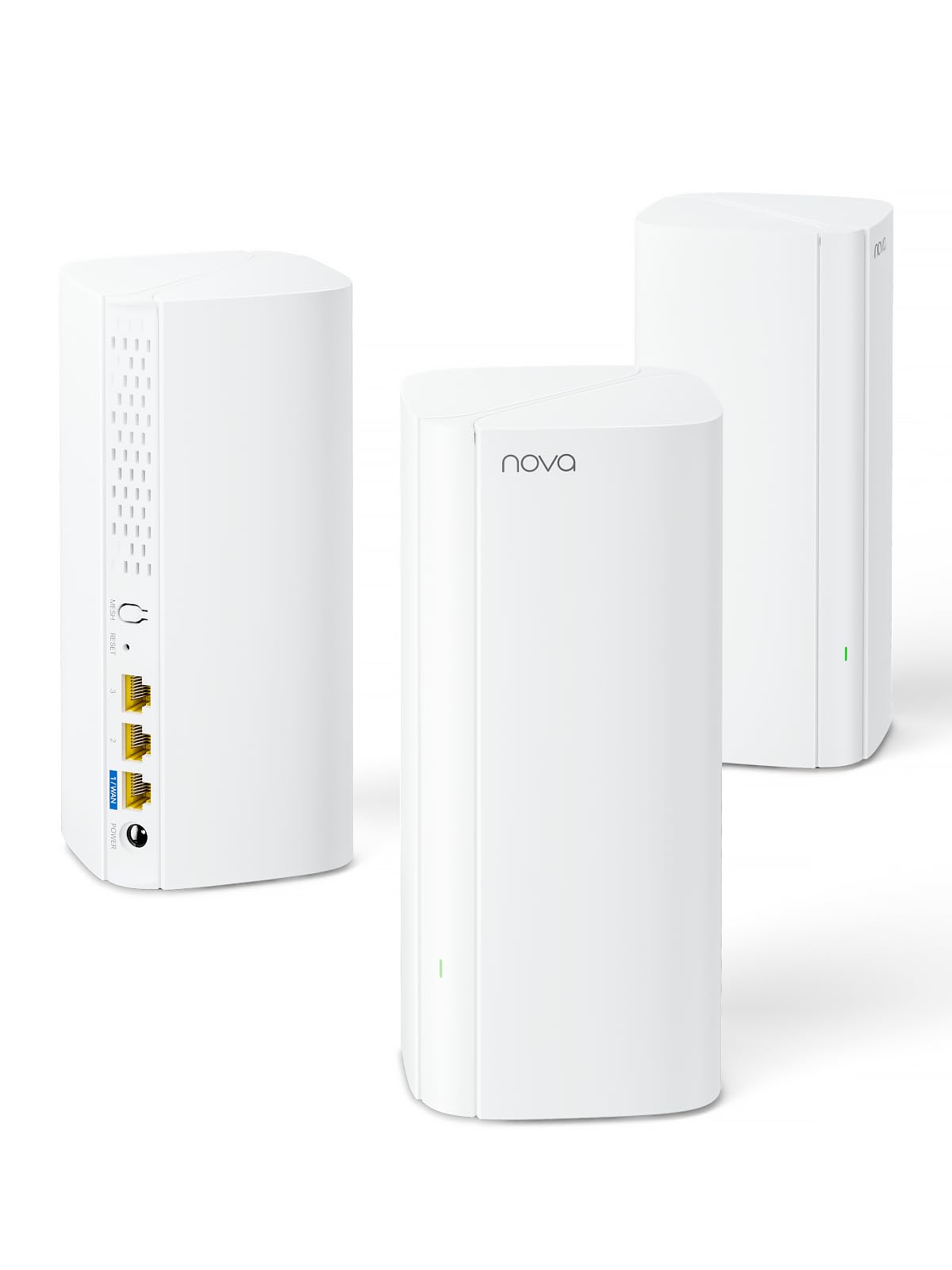
2. Tenda Nova MX12 AX3000 (3-pack)
Seven thousand square feet of Wi-Fi 6 for a long house or a spread-out villa.
If your problem is distance rather than device load, the MX12 stretches further than almost anything here. Its three nodes blanket up to 7,000 sq. ft. — versus the eero 6+ at 4,500 — with dual-band Wi-Fi 6 speeds up to 2976 Mbps. Each node carries three Gigabit Ethernet ports, so a desktop or console in a far room can plug in directly. NFC one-tap connection gets a phone on the network without typing a password, and the MESH button pairs the units without a screen full of menu digging.
Under the hood you get 160 MHz channels, OFDMA, MU-MIMO, 1024-QAM, and beamforming — the usual Wi-Fi 6 toolkit that keeps several devices running at full speed while a 4K stream plays. Beamforming is the part worth understanding: it steers the radio signal toward where your devices actually sit instead of spraying it evenly in all directions. Parental controls, a guest network, a separate IoT network for smart devices, and WPA3 encryption round it out.
Two things to check before you buy. First, the MX series does not mix with Tenda’s MW series, so do not try to bolt these onto an older Tenda mesh. Second, this is a mesh system, not a modem — you still need your own modem to reach the internet. High-speed Wi-Fi 6 routers are not without the occasional setup complaint, so the mesh button and app are worth reading up on first.
The long-shape answer: coverage is the headline here, not device count — this is the kit for a rambling floor plan where one end of the house never met the other.
Pairing caution: keep it in its own family, since the MX and MW series will not mesh together.
The long-house pick: if square footage is your bottleneck and you are running Wi-Fi 6 devices, this reaches furthest for the least fuss.
Think twice if: you want to fold an older Tenda mesh into the new one, or you run a Wi-Fi 7 phone and want the newer bands.
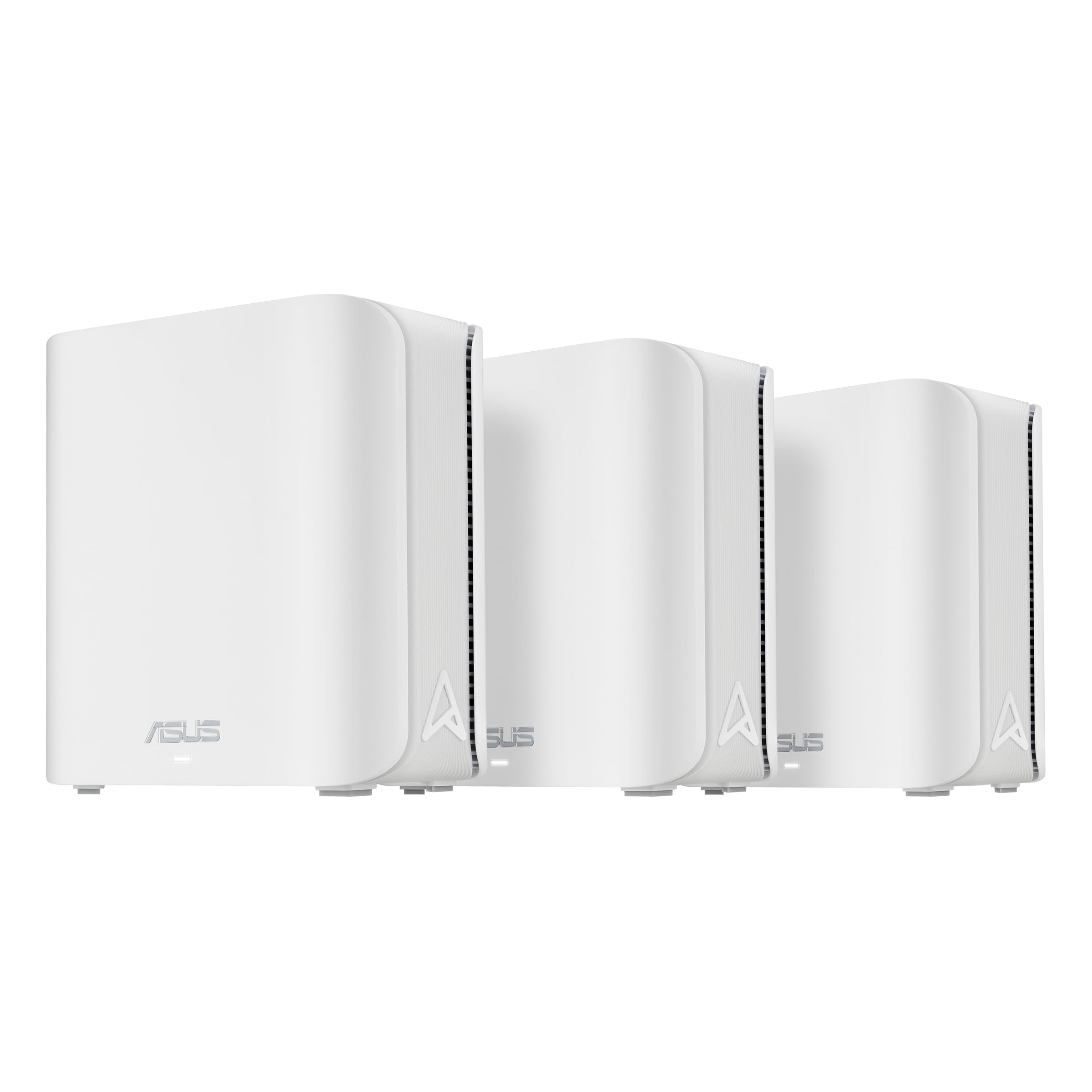
3. ASUS ZenWiFi BD4 WiFi 7 (3-pack)
A dual-band Wi-Fi 7 kit that treats your wired gear as seriously as your phones.
Wi-Fi 7 does not have to mean a 6 GHz band, and the BD4 proves it. It delivers dual-band Wi-Fi 7 speeds up to 3600 Mbps using MLO and 4K-QAM, and stretches AiMesh coverage to 6,500 sq. ft. across the three units. Each node carries dual 2.5G Ethernet ports with auto detection — the fast wired connection a NAS box or gaming PC wants so it never queues behind a phone. A quad-core 1.5 GHz processor runs the routing logic and keeps the units cool under load.
Where this kit earns its keep is security and wired stability. AiProtection Pro is commercial-grade protection built into the router, and advanced VPN support lets you tunnel in from outside the house. Four internal antennas and four high-power front-end modules — the amplifier stage that pushes the radio signal out — are what the maker says eliminates dead zones. Smart Home Master SSIDs let you carve out separate network names for IoT gear and guests.
Here is the honest read. This is a dual-band Wi-Fi 7 system, so it skips the 6 GHz band that some flagship phones love — MLO makes up for a lot, but it is a real spec to weigh. The trade-off is acceptable if your heaviest devices sit near a wired port. Compared with the cheaper Deco 7 BE23 below, which also caps at 3600 Mbps, you pay extra here for those dual 2.5G ports rather than for more speed.
The pipeline play: two 2.5G ports per node is the reason to pick this — it is a wired backbone first and a radio second.
Your pick when: the desktop, console, or NAS plugs in and you want Wi-Fi 7 for the rest without a 6 GHz bill.
Not your pick when: 6 GHz is a hard requirement for your fleet of devices.
4. Google WiFi AC1200 Mesh System (3-pack)

Three puck-shaped nodes that turn a house of smart devices into one calm network.
This one is about simplicity first. The three AC1200 routers cover up to 4,500 sq. ft. and promise smooth streaming, gaming, and browsing in every room. Data transfer tops out at 1200 Mbps — enough for everyday households, not for a gigabit-plus plan. Each unit measures about 5 inches across, so it slips onto a shelf or a bookshelf without looking like a piece of networking gear. A LAN port bandwidth spec of 1000 Mbps covers the wired connection.
Everything runs through the Google Home app. You set the network up in minutes, manage connected devices, switch on parental controls, and spin up a guest network from your phone. The system quietly rebalances so your Wi-Fi stays fast, which is the sort of background housekeeping you only notice when it is missing. The 30-day return guarantee softens the risk if it turns out to be the wrong fit for your layout.
What wins people over is how easy the whole thing is to live with — the setup and the general satisfaction with the system are the parts owners like most. The reliability record is the fair caveat: for most households it hums along, but a few find it only ran for a stretch before needing a reset. If you are eyeing a Wi-Fi 6 or 7 upgrade, note this stays on Wi-Fi 5, so it is a comfort pick rather than a speed pick.
Comfort over speed: the AC1200 ceiling is fine for browsing and streaming, and the app does the thinking for you.
Best for: a first mesh setup where you want the Wi-Fi sorted with minimum button-pushing.
Skip if: you are on a gigabit plan or buying Wi-Fi 7 hardware — this is a generation behind.
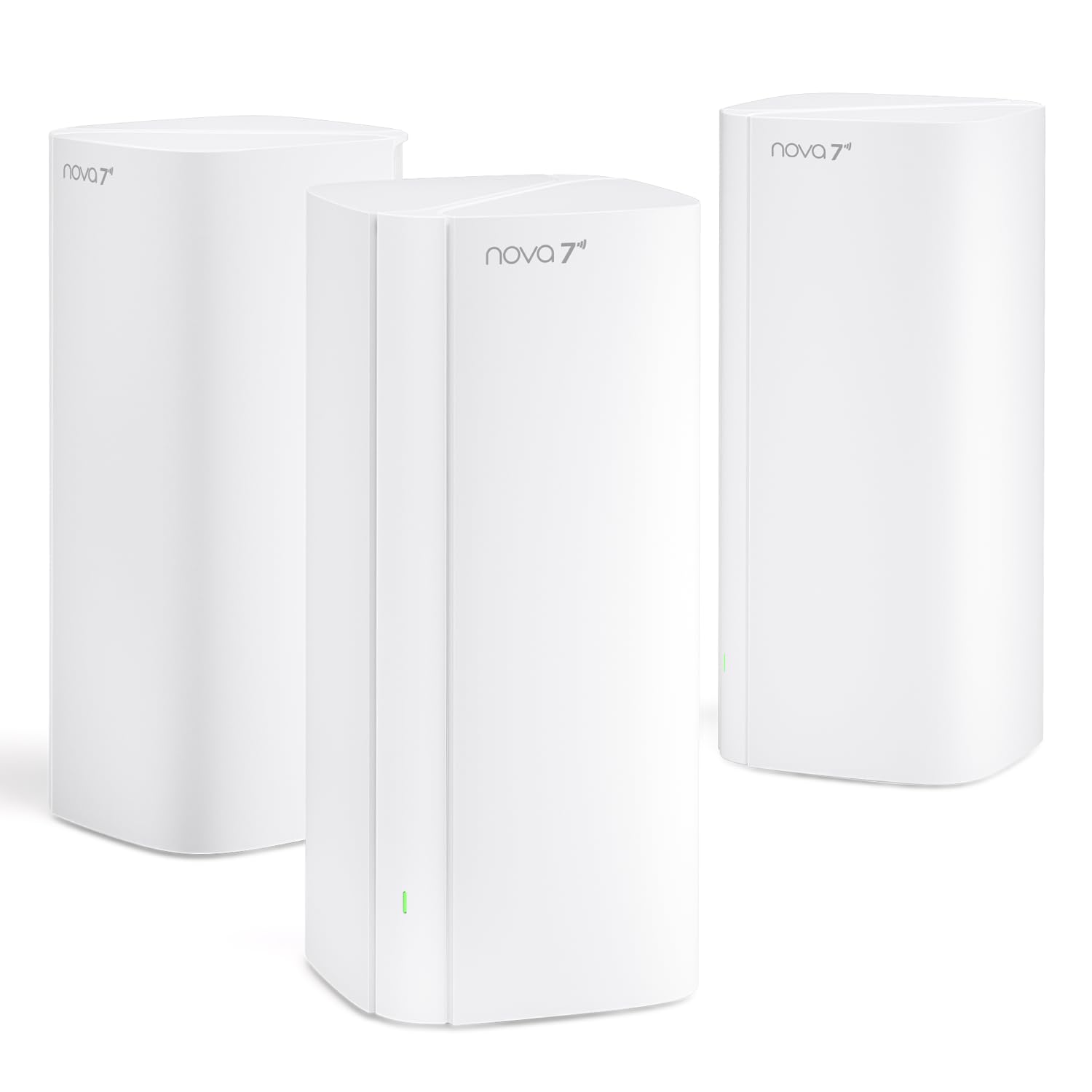
5. Tenda BE5100 WiFi 7 Mesh System (3-pack)
For the house where the device list never stops growing.
The number that matters here is 160+. That is how many devices this system is built to hold at once — versus the eero 6+ at 75+ — which is the difference between a smart home that breathes and one that chokes. Coverage runs to 6,600 sq. ft. across three nodes, and the dual-band Wi-Fi 7 radio hits 4323 Mbps on the 5 GHz band and 688 Mbps on 2.4 GHz. There is no 6 GHz band on this model, so set your expectations accordingly.
Multi-Link Operation is the feature that carries that load. MLO combines several bands into one stream, cutting latency and keeping throughput steady across a crowd of devices — phones, TVs, consoles, and the whole IoT shelf. Wired Ethernet backhaul removes wireless interference between units for a steadier mesh. A 2.5G auto-sensing WAN/LAN port handles broadband up to 2000 Mbps, and five internal antennas with five high-power FEMs push coverage into far corners.
The app side is genuinely friendly: the Tenda WiFi app sets up the network in minutes, checks status remotely, and answers to Alexa. Setup complaints are rare, though some households find the system needs a modem restart to grab an IP address on Spectrum. Speed and connectivity experiences are the mixed part — most are delighted, while a share report speed drops, which usually tracks back to placement or the broadband plan itself.
Why it earns the badge
- 160+ device capacity is the highest headroom on the list for smart-home-heavy homes
- Wired Ethernet backhaul kills the interference that drags wireless mesh down
- 2.5G auto-sensing port handles broadband up to 2000 Mbps
- MLO brings lower latency for gaming and video calls
Read the label first
- No 6 GHz band — this is a two-band Wi-Fi 7 kit
- Not compatible with Tenda’s MW3 or MW6 series
- Needs a modem restart for some Spectrum setups before it grabs an IP
Your match if: your device count runs into triple digits and you want Wi-Fi 7 without paying for a 6 GHz band.
Hold off if: you specifically want 6 GHz or you are upgrading an older Tenda mesh in place.
6. TP-Link Deco 7 BE23 Dual-Band WiFi 7 (3-pack)

Four streams per node, two 2.5G ports each, and a single network name that follows you room to room.
This is the middle path of the Wi-Fi 7 group. The BE23 uses 4-stream dual-band Wi-Fi 7 to reach 3.6 Gbps total — 2882 Mbps on the 5 GHz band and 688 Mbps on 2.4 GHz — and holds 150 devices across 6,500 sq. ft. The setup side is the strongest signal in how people talk about it: the Deco app walks you through pairing, then AI-driven roaming keeps a single network name and switches you to the strongest node as you move. Four high-gain antennas and four high-power FEMs per node do the pushing.
Wired gear is well looked after. Each unit carries two 2.5 Gbps WAN/LAN ports, so a multi-gig modem and a wired desktop or console both plug into fast pipes. Backhaul uses simultaneous wired and wireless links via MLO for steadier connections between units. TP-Link HomeShield adds a private IoT network, basic network security, and parental controls on the free tier, with advanced protection on a premium plan. A separate WPA3-encrypted IoT SSID keeps smart devices off your main network.
The reliability picture is the one to weigh. Most households find it runs beautifully as a mesh system, but a share report a dropped connection once or twice a day, which points you toward node placement and wired backhaul where possible. If you want the same 3600 Mbps without paying for the dual 2.5G ports, the ASUS BD4 above is the sibling call — otherwise this is the more forgiving pick on setup.
The balanced buy: 150 devices and 6,500 sq. ft. on Wi-Fi 7 is a sensible ceiling for a family home.
Patch the gaps: if you see occasional drops, run wired backhaul between nodes and most of it disappears.
Go here for: a family-sized Wi-Fi 7 mesh where setup should be painless and wired ports matter.
Another route if: you need a 6 GHz band or a device count past 150.
7. NETGEAR Orbi 360 Series WiFi 7 (3-pack)

A router plus two satellites built to climb floors and reach the basement.
One router and two satellites blanket up to 6,000 sq. ft. at next-gen Wi-Fi 7 speeds up to 5 Gbps, which the maker bills as 2.4X faster than Wi-Fi 6. That fits 8K streaming, gaming, VR, and video calls, and older Wi-Fi 6 and Wi-Fi 5 devices still connect. The device ceiling is 70 on one network, so a smart-home-heavy house should check that number before committing. A wired backhaul link keeps the satellites locked to the router for a steadier signal across multiple storeys.
Setup runs through the Orbi app with guided steps, and guest Wi-Fi is manageable from anywhere. Security comes switched on by default with Advanced Router Protection and automatic firmware updates. NETGEAR Armor adds a full protection suite on a 30-day free trial, with a subscription after that. If your home is bigger, you can add an Orbi 360 Series satellite for up to 2,000 sq. ft. of extra coverage rather than replacing the whole kit. It works with any cable or fiber provider and is made for use in the US only.
The honest part: connectivity and functionality experiences split, and occasional connection issues show up for some homes — usually a placement or provider-handshake problem rather than the mesh itself. If your signal needs to cross a floor or two, this is the design for it. If you are simply chasing the highest device count, the Tenda BE5100 above handles vastly more at 160+ versus this kit’s 70.
Floors over devices: the router-plus-satellite shape is aimed at multi-storey reach, not at holding every gadget in a smart home.
Made for: a two- or three-storey home where the signal has to climb and 70 devices is plenty.
Not for: a gadget-heavy house that needs to push past 70 devices at once.
8. TP-Link Deco 7 Pro BE63 Tri-Band WiFi 7 (2-pack)
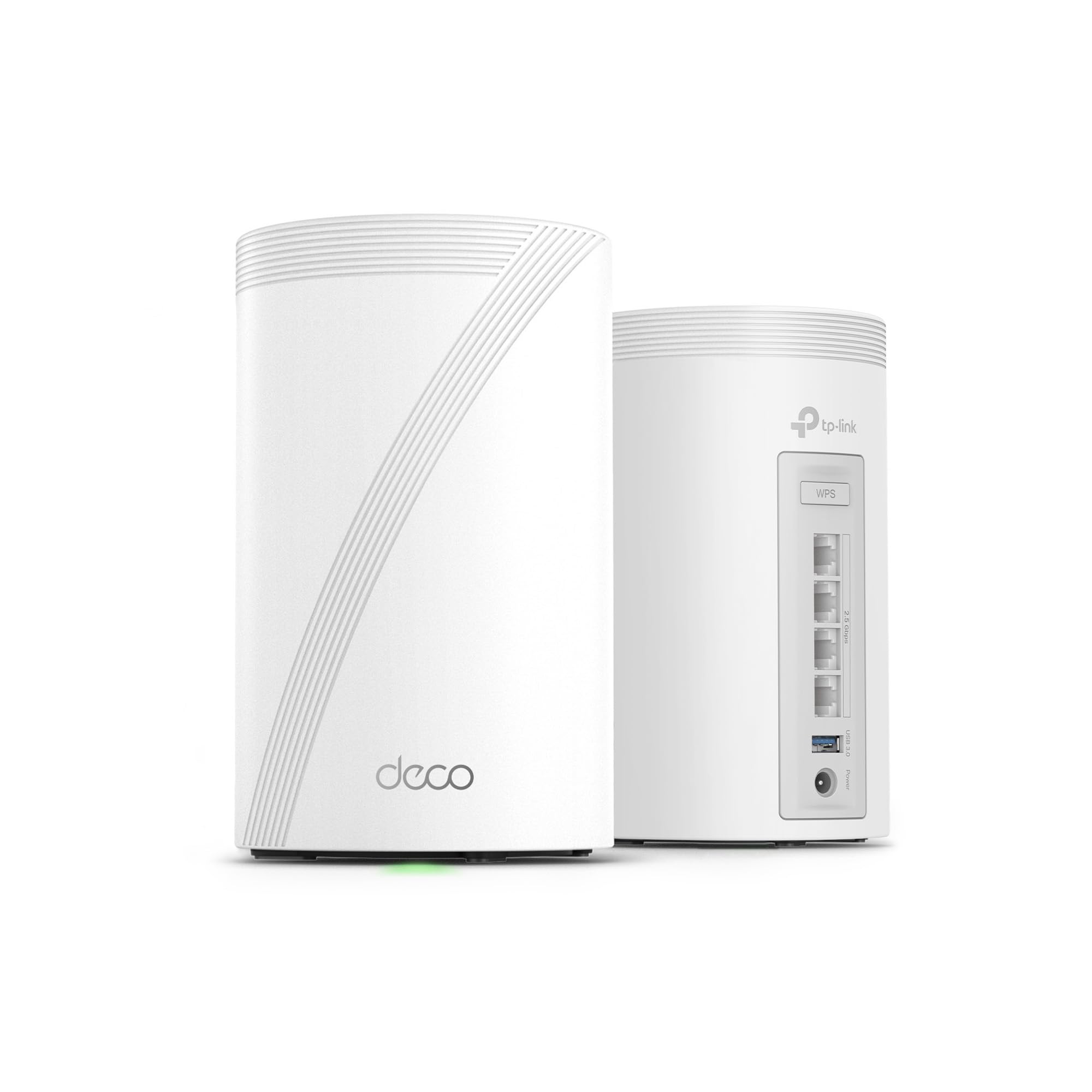
A two-node tri-band kit where the wired port outruns most homes’ whole internet plan.
Two units cover up to 5,800 sq. ft. and hold 200+ devices at once, which is the sort of headroom a busy house with consoles, work laptops, and a full smart-home shelf needs. The BE10000 tri-band radio splits into 5,188 Mbps on the 6 GHz band, 4,324 Mbps on 5 GHz, and 574 Mbps on 2.4 GHz. A future-ready 10G WAN/LAN port sits at the heart of it, alongside four 2.5G WAN/LAN ports and a USB 3.0 port, so multi-gig internet and wired gear both have somewhere fast to go.
Tri-band Wi-Fi 7 and 10G Ethernet work together to balance traffic between the two units, which is how backhaul keeps a big house stable without a third node. Each unit needs the other for that backhaul — at least two Deco units are required. The Deco App handles setup and firmware, and HomeShield brings network protection, parental controls, and real-time IoT security. AI-roaming keeps one network name as you move around.
The caveat worth saying plainly: this is a two-pack, so a very long house may want a third node for the far end even with 5,800 sq. ft. on paper. And the 6 GHz band is only useful if your devices support it — older gear falls back to 5 GHz. Compared with the BE23 above, this kit nearly doubles the stated speed and adds the 10G port, which is the step up you are paying for.
Where the money goes: the 10G port and 200+ device ceiling are the reason to step up here rather than stay on the BE23.
Built for: heavy-device homes running multi-gig broadband who want the 10G port and a tri-band radio.
Skip if: your broadband plan is modest or your devices do not touch the 6 GHz band.
9. Google Nest WiFi Pro – Wi-Fi 6E (2-pack)

The first big push into the 6 GHz band, with a self-diagnosing router that fixes some problems on its own.
Two nodes cover up to 4,400 sq. ft., but the story is the three bands: 2.4 GHz, 5 GHz, and the new 6 GHz band. That 6 GHz slice is the roomier highway — less crowded with neighbours’ networks — and Wi-Fi 6E is what open up it. Data transfer reaches 5.4 Gbps. The system continuously tunes your network, prioritises video calls, and monitors itself for issues, diagnosing and fixing some common problems without you lifting a finger.
The self-management is what owners like beyond the raw specs: it watches activity, keeps the connection strong even at the edge of coverage, and tells you which devices are on the network. You can pause access for an unknown device and run a guest network on its own password, so you never hand out your main one. Secure booting and software updates protect the router from running unauthorised software.
A real point of care: Nest WiFi Pro is not compatible with older Google Wifi or Nest Wifi generations, so this is a clean start rather than a rolling upgrade. Connectivity is the recurring gripe — with such a large pool of owners the drop-out reports are more visible than on smaller kits — so make sure your layout suits two nodes before committing. The setup itself is the part owners like most.
The 6 GHz lane: if your devices support Wi-Fi 6E, the new band is the reason to pick this over an older dual-band kit.
The clean-slate caveat: your older Google nodes will not join this mesh, so plan the switch as a full swap.
Your call when: you own Wi-Fi 6E devices and want a self-managing network that hands you the 6 GHz lane.
Look elsewhere when: you want to reuse older Google Wifi hardware or need coverage for a house longer than two nodes can reach.
10. Amazon eero 7 dual-band mesh Wi-Fi 7 (3-pack)
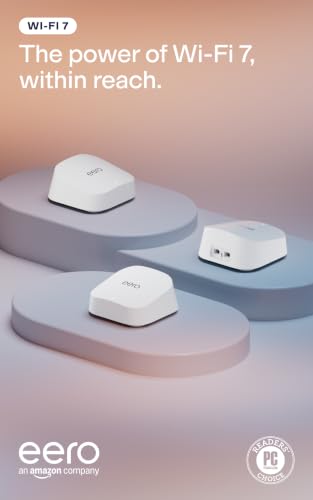
A three-node Wi-Fi 7 mesh built for a 2.5 Gbps plan, with a three-year warranty behind it.
This is eero’s budget-friendly step into Wi-Fi 7. Three nodes cover up to 6,000 sq. ft. and support 120+ devices, with two auto-sensing 2.5 GbE ports per unit and wireless speeds up to 1.8 Gbps. It handles internet plans up to 2.5 Gbps, so it is a natural fit for anyone who upgraded to multi-gig broadband. The three-year warranty is longer than most in this group, and support runs by email and phone to sort setup snags.
The software is where eero does its work. TrueMesh routes traffic away from trouble, TrueRoam keeps you on the best connection as you move, and TrueChannel picks the least-congested channel automatically. Multi-link operation, the Wi-Fi 7 feature, is on board. Backward compatibility with all earlier eero generations means spare nodes still mesh, and eero Built-in works with select Amazon Echo devices. An optional eero Plus subscription layers on ad blocking, parental controls, a password manager, and VPN.
Performance and reliability are what owners count on most, and the setup runs quick enough that most are online within a short session. The catch is the speed chatter — for some households it surges, for others it underperforms against the plan, typically around the far node. Compared with the eero 6+ at position one, this kit nearly doubles the coverage (6,000 versus 4,500 sq. ft.) and adds 2.5G ports and Wi-Fi 7.
The upgrade path: if you already trust eero, this is the natural leap — new bands, faster ports, same app.
The speed side-eye: some homes find the far node can’t keep pace with a 2.5 Gbps plan, so place it carefully.
Pick this for: a 2.5 Gbps plan and a house big enough that three nodes beat two.
Not this for: you need wired 10G throughput or a device count past 120.
11. TP-Link Deco 7 Pro BE67 Tri-Band WiFi 7 (3-pack)
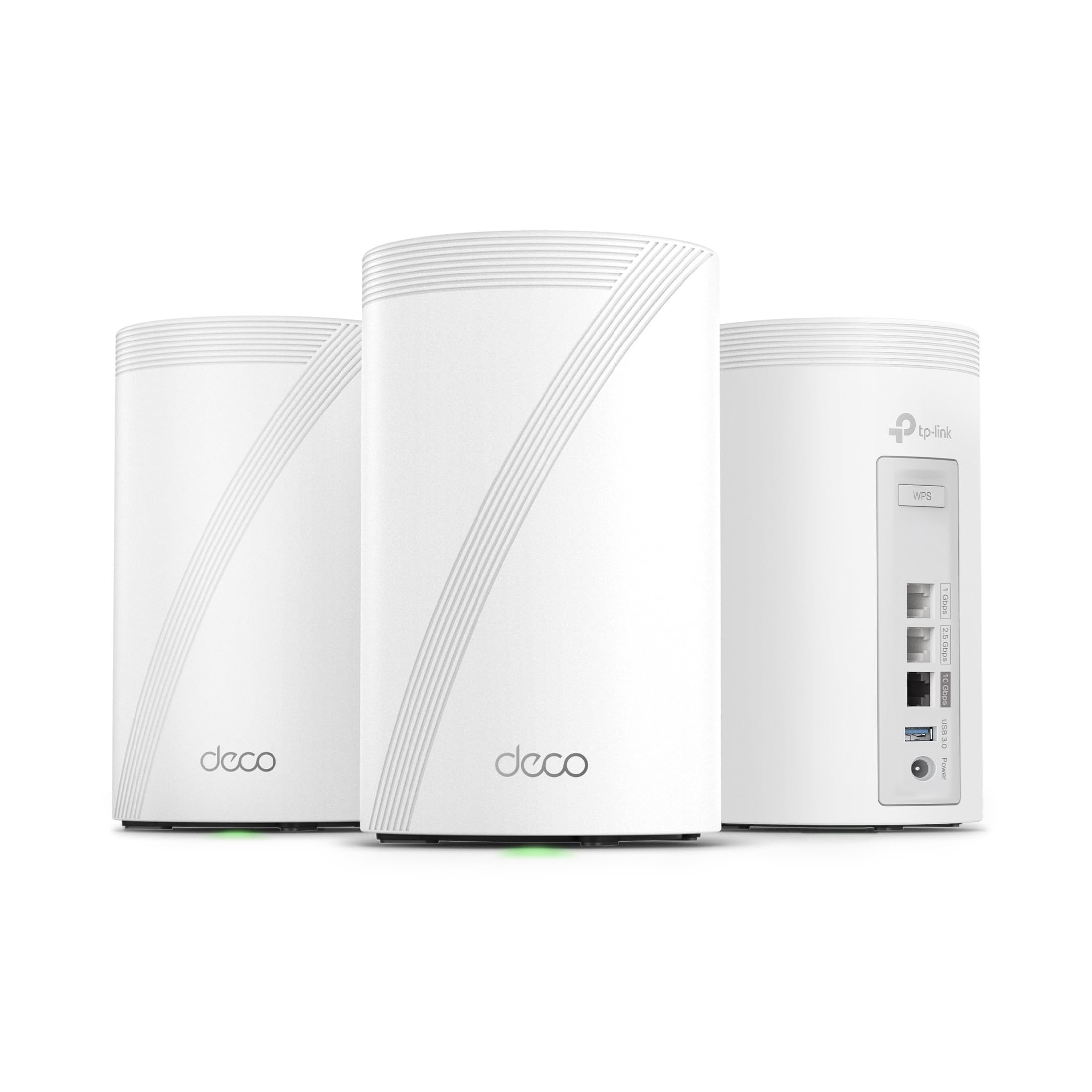
The top of the stack — eight streams, an 8,100 sq. ft. footprint, and a 10 Gbps wired backbone.
Everything here is scaled up. The BE67 uses 8-stream tri-band Wi-Fi 7 to reach up to 14 Gbps total — 8,647 Mbps on 6 GHz, 4,324 Mbps on 5 GHz, and 688 Mbps on 2.4 GHz — and covers up to 8,100 sq. ft. for over 200 devices at once. Each unit carries a 10 Gbps, a 2.5 Gbps, and a 1 Gbps WAN/LAN port plus a USB 3.0 port, so multi-gig internet up to 10 Gbps and high-speed wired gear are both catered to. That 10 Gbps backhaul link is the backbone that keeps all of it stable across three nodes.
Multi-Link Operation combines multiple bands into one stream for strong connections even while you move, and AI-driven Deco roaming keeps a single network name with automatic handoff. Setup runs through the Deco App in minutes, and the kit works with all major providers — Verizon Fios, Spectrum, Cox, Comcast — so long as you have your own modem. HomeShield brings network security, QoS, and parental controls on the free tier, and VPN client and server support lets home devices reach remote VPNs without extra software.
The honest read: this is the most throughput on the list, and it only shows it on a multi-gig plan in a genuinely large home. A gigabit plan will not reveal the 10 Gbps ports, and a smaller home will not stretch three nodes across 8,100 sq. ft. Connectivity experiences split, with some devices losing connection, so wired backhaul where your walls allow is worth the cable run. If your download plan tops out at a gigabit, the cheaper BE23 above gives you most of the Wi-Fi 7 benefit for less.
The top rung: 8,100 sq. ft. and a 10 Gbps backbone — this is the kit for a multi-gig plan and a genuinely large home.
Needs the right plan: without multi-gig broadband and enough distance to justify three nodes, the horsepower goes unused.
For the multi-gig household: if your internet plan runs past a gigabit and your house is genuinely large, this is the one that keeps up.
Overkill if: you run a standard gigabit plan — the cheaper Wi-Fi 7 picks here give you more of the same benefit for less.
Know the Specs
Coverage in square feet (and why it is an estimate)
Coverage is the reach of the whole kit — all nodes together — not a single unit. A 7,000 sq. ft. kit means the units together are rated for that area, often assuming open space and good node placement. Thick walls, brick, and metal appliances cut that number down, so treat it as a ceiling and plan a node for the far end if your floor plan is awkward.
Mbps speeds and what they mean in practice
Mbps is megabits per second, the rate data moves. A 4323 Mbps radio spec is the combined capacity of the band across all the streams, and no single device hits all of it at once. Real speed is capped by your internet plan, distance from the node, and how many devices share the air. A 2976 Mbps kit is plenty for streaming and gaming; the big numbers matter when you have multi-gig internet to feed.
Device capacity and MLO
The device rating is how many phones, TVs, sensors, and consoles the system is designed to hold at once. Multi-Link Operation (MLO) lets a Wi-Fi 7 device pull data across multiple bands at the same time, which lowers latency. That matters most in a house where many devices are online at once — a quiet two-person flat will not feel the difference.
Backhaul: the link between your nodes
Backhaul is how the mesh units talk to each other. Wireless backhaul is a radio link and shares time with your devices. Wired backhaul runs a cable between units for a dedicated connection, which is the biggest stability upgrade if your walls allow it. Many kits here support both, so you can start wireless and add a cable later.
Common Questions
Do I need a modem to use a mesh Wi-Fi system?
Will a mesh system get rid of a dead zone in my back bedroom?
Is Wi-Fi 7 worth it over Wi-Fi 6 right now?
What is the difference between dual-band and tri-band mesh?
How much coverage does a 2-pack give compared with a 3-pack?
Can I mix different mesh brands together?
Will a mesh system work with my existing internet provider and plan?
Does a mesh system work better with wired Ethernet between the nodes?
How many devices can a mesh system really handle?
Can I add a node later if I need more coverage?
The Bottom Line
For most homes the smartest buy in the mesh wi-fi network category is the eero 6+ three-pack, because it balances 4,500 sq. ft. of coverage, 75+ devices, and an app that makes setup genuinely painless — and it carries the strongest owner rating on the list at 4.0+ stars across 10,000+ ratings. If you want a reach that stretches to a long house, the Tenda MX12 goes out to 7,000 sq. ft. on Wi-Fi 6. And if a multi-gig plan and a gadget-crowded home are your reality, the Tenda BE5100 holds 160+ devices on Wi-Fi 7 without charging for a 6 GHz band you may not use.
The three eero 6+ units already carry a higher owner rating than the budget picks around them, so the rest of the list is about matching your floor plan to a coverage figure, not about chasing a better score. Pick the kit whose square footage and device count fit your house, and the next gadget you add will not push it over its ceiling.
How we choose
We do not accept paid placement. Every pick is matched to a real buyer and a real use-case; we do not hands-on test units.
Sources
Specifications: manufacturer listings and product documentation. Review insights: verified customer reviews, as of November 2026. Pricing: not shown on this page (it changes often); check the current price via the retailer link.
As an Amazon Associate, Tactical Gear Guy earns from qualifying purchases. This does not affect which products we feature.