Specs are compiled from manufacturer listings and verified buyer reviews and can change over time — please confirm the key details on the product page before buying.
Your Starlink dish gets you online, but the signal dies about thirty feet past the router. That is the real problem: the dish delivers the internet, and then a wall, a patio, a barn, a gate, or a quarter acre of yard cuts it off. A Starlink extender is the box that carries that connection the rest of the way. The ones that earn their place are built for weather, mounted outside, and fed power over the same cable that carries the data.
This guide is built by comparing the manufacturers’ published specifications and the patterns across verified customer reviews, so you get each pick’s real strengths and trade-offs instead of marketing spin.
Below, every pick is judged on the same few things that decide whether your far end of the property gets a usable signal or a spinning loading wheel. Read the spec guide first if the terms get thick — then match a box to your yard, not to a brochure. This is the shortlist that makes a starlink extender worth mounting.
Top Picks


How To Choose The Best Starlink Extender
A Starlink extender is not a general-purpose WiFi booster you plug into a hallway socket. It is a device that takes the internet your dish already delivers and hands it to a building or a patch of ground the router cannot see. The three things that decide whether it works for you are weatherproofing, how it gets power, and how far and to how many devices it can push a signal.
Start with the weather rating, not the speed number
An outdoor box lives in rain, dust, and sun, so the ingress protection rating tells you what it survives. IP67 means the enclosure is fully sealed against dust and can handle short immersion in water — the top of the ladder on this list. IP65 means it shrugs off dust and water jets, which covers most mounted-under-eave installs. An IP67 unit with sealed connectors will usually outlast a faster IP65 box, because water in the enclosure ends the install.
Check the power path before you buy
PoE (Power over Ethernet) sends electricity and data down one Ethernet cable so you can mount the box far from any outlet. Passive PoE uses the adapter in the box; active PoE (802.3af/at) draws from a PoE switch. Note that the PoE adapter itself is usually not waterproof on these units, so it has to live indoors or under cover — a detail that trips up plenty of installs.
Match the mode to the job
Repeater mode picks up your existing WiFi and rebroadcasts it — simple, but you lose some speed. AP mode (access point) takes a wired Ethernet feed and turns it into a fresh WiFi zone — faster and more stable. A point-to-point bridge is different again: two units behave like a wireless cable between two spots, which is what you want when burying a line is not possible. Know which one your install needs before you compare specifications.
Decide between a mesh node and a real outdoor unit
A Starlink mesh node is the tidy option for extending coverage indoors or just outside the house. A rugged outdoor access point with high-gain antennas is the option for a barn, a gate, a paddock, or a camera at the far fence. They solve different problems, and the picks below split cleanly along that line.
Side-by-Side Comparison
| Model | Best For | Weather Rating | Max Speed | PoE / Power | Amazon |
|---|---|---|---|---|---|
| Mekupc AX3000 Outdoor WiFi 6 Extender★ Best Overall | Whole-property coverage | IP67 | 3000Mbps combined | Passive PoE | Amazon |
| WAVLINK AX1800 Outdoor Extender (WN573HX1)Long-Range Value | Wide-area signal on a budget | IP67 | 1800 Mbps | Active + Passive PoE | Amazon |
| WAVLINK AX1800 Outdoor (RC-WN573HX1-EU)Acreage Pick | Large properties and back acres | IP67 | 1800 Mbps | Active + Passive PoE | Amazon |
| INEAUTO AX1800 Extender | Wired cameras and gigabit gear | IP65 | 1800 Mbps | Active + Passive + 28V/1A | Amazon |
| Starlink Mini Router Mesh Node | Indoor mesh expansion | — | 150 Mbps | Power supply included | Amazon |
| Burbifro Point-to-Point Bridge (CPE450) | Replacing a buried cable | IP65 | 200 Mbps | Two RJ45 LAN ports | Amazon |
| INEAUTO AX3000 Extender | High-speed multi-device coverage | IP65 | 3000 Mbps | Active + Passive PoE | Amazon |
| WAVLINK AX3000 Outdoor Extender (WN588HX3) | Fast, sealed outdoor coverage | IP67 | 3000 Mbps | Active + Passive PoE | Amazon |
| Mini Mesh Wi-Fi Router (B0GY1V6NSD) | Adding Starlink mesh nodes | — | 150 Mbps | Power supply included | Amazon |
Detailed Reviews
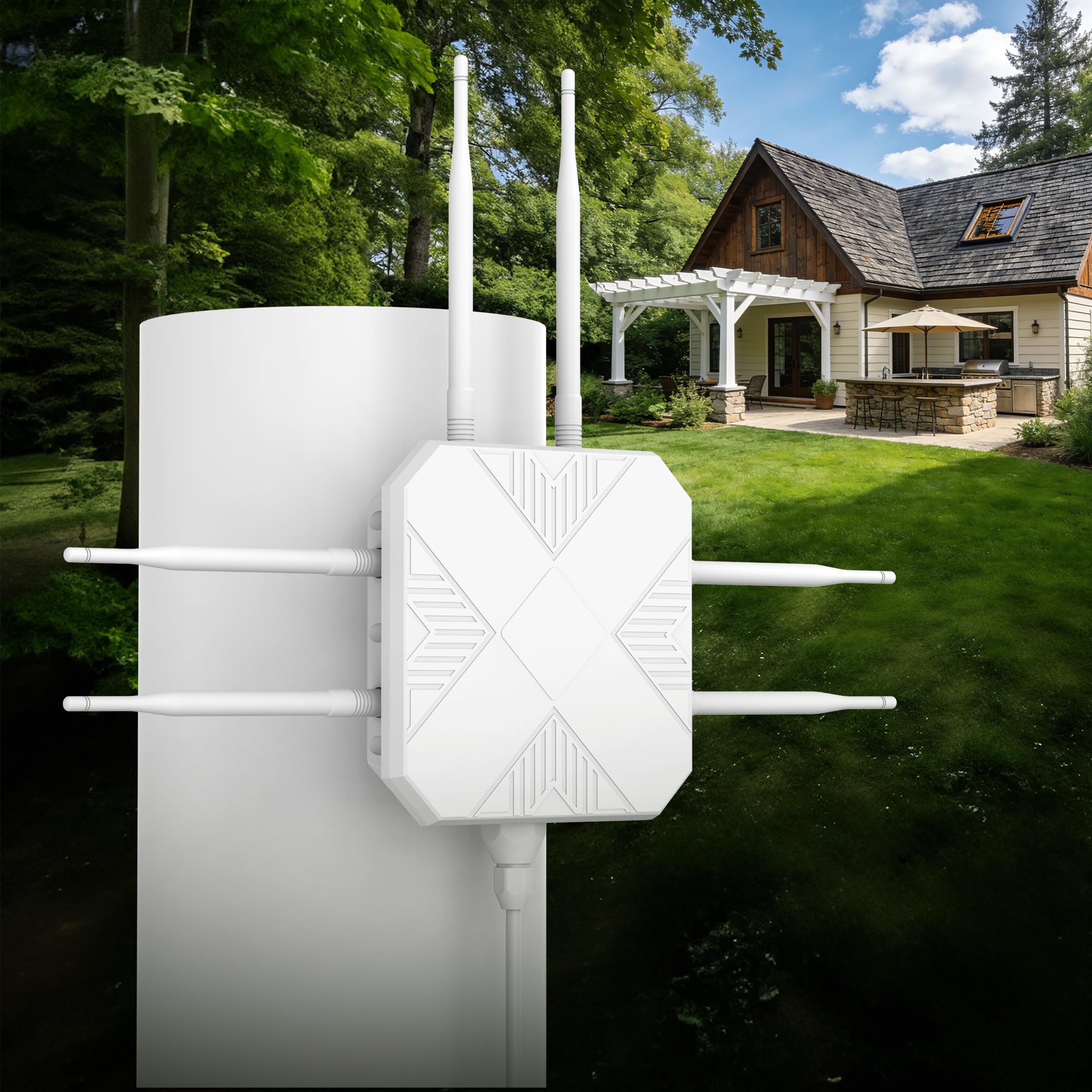
1. 2027 AX3000 Outdoor WiFi 6 Extender
Our pick — 4.5+★ from 500+ verified ratings; the strongest balance of quality and price.
Six antennas, a fully sealed IP67 shell, and more device slots than most properties will ever fill.
If your Starlink dish sits on the house and you need the connection to survive a walk to the barn, the north paddock, or a workshop a few hundred meters out, this is the box built for that job. Six 7dBi high-gain antennas (7dBi is the antenna’s push — a higher number means it focuses the signal harder in a direction) team up with six built-in amplifiers. The maker rates coverage at up to 200-300 meters in radius. The dual-band WiFi 6 radio moves 3000Mbps of combined throughput, split as 3000Mbps on 5GHz and 600Mbps on 2.4GHz.
The weatherproofing is the part that earns the top slot. The IP67 enclosure is fully dust-sealed and rated for short water immersion, backed by 15kV ESD protection (a guard against static-discharge spikes) and 6kV lightning resistance. It is rated to run from -20°C to 50°C (-4°F to 122°F), which covers hard frosts and summer heat waves. The headline for anyone running cameras, phones, and a smart TV at the same time: it holds up to 274 devices at once, well past what a typical household or farm will connect.
The catch is the power path and the wiring. This is passive PoE only, so you use the converter in the box rather than tapping an active PoE switch. And the converter is not waterproof — it has to live indoors or under shelter. Plan a CAT5E or better Ethernet run under 100m/328ft for the deployment, and treat the antenna count as a coverage tool, not a force field: thick walls and metal roofs still cut the signal. Four working modes (AP, Router, Repeater, and Hybrid) mean you are not locked into one way of wiring it, and the included mounting body holder and cable ties get it up without a trip to the hardware store.
What Makes This The Pick
- IP67 sealed shell with 15kV ESD and 6kV lightning protection for real outdoor exposure
- 3000Mbps dual-band WiFi 6 with a maker-rated 200-300 meter radius
- Handles up to 274 devices — cameras, phones, and streaming gear all at once
- Runs the -20°C to 50°C range without complaint
Where It Asks More Of You
- Passive PoE only, and the converter is not waterproof — shelter it indoors
- You supply a long enough CAT5E-or-better cable for the run
Worth mounting if: you have a large property, a farm, or an RV setup and want the most sealed, most device-friendly outdoor unit on this list.
Think about another route if: you already wired an active PoE switch and would rather not run a separate converter.
2. 2026 WAVLINK AX1800 Outdoor WiFi 6 Extender
Sealed tight, powered either way, and built to throw signal across a wide-open yard.
Reach is what this box wins on. Four 8dBi omni-directional fiberglass antennas (8dBi is a strong gain figure — the antenna focuses signal further than a low-gain one) are rated at up to 200-300m radius in line-of-sight conditions. They hold a stable link to as many as 256 devices. The WiFi 6 AX1800 radio splits into 1201 Mbps on the 5GHz band and 574 Mbps on 2.4GHz, which covers 4K streaming from a patio TV and a spread of outdoor security cameras without choking.
The PoE flexibility is the practical edge here — it accepts both 802.3 AF/AT active PoE and passive PoE, so you can feed it from the included 54V/0.3A adapter or from a PoE switch you already own. The IP67 casing handles -20°C to 50°C and shrugs off moisture, dust, a 6KV lightning hit, and 15KV static. For Starlink setups it hooks up with Gen 2/3 through the Starlink Ethernet Adapter, which makes it a real option for a remote home or an off-grid property.
The honest catch is setup and the cable in the box. The 1-meter Ethernet cable included is short for a lot of installs, so you will likely need a longer CAT5e-or-better run under 100m/328ft. And the PoE adapter has to go somewhere dry, above the lowest loop of cable, or water can short the power supply. Run a longer cable and mount the PoE adapter above the lowest cable loop, and the 8dBi antennas do the rest.
The wide-yard angle: four 8dBi fiberglass antennas and 256-device support make it the reach-first choice on this list.
The install tax: plan for a longer Ethernet run and a dry home for the PoE adapter — the 1-meter cable rarely reaches.
Reach for this if: your lot is wide and open and you want strong gain with either power method.
Look elsewhere if: you want the shortest possible setup with no extra cable shopping.
3. WAVLINK AX1800 Outdoor WiFi 6 Extender
The box aimed squarely at back acres, barns, and property lines that indoor WiFi never touches.
This is the sibling to the WAVLINK above, and it trades a little polish for a broader mode set. Four custom-engineered 8dBi fiberglass antennas put the signal out across the open air. The AX1800 dual-band radio carries MU-MIMO (multi-user MIMO — the router serves several devices at once instead of taking turns) and Beamforming (it steers the signal toward where your devices actually sit). Starlink compatibility is built in, which is why it lands on this list at all.
For a sprawling property, the coverage story is the draw: reviewers describe it reaching improved reception out in back acres and covering a spread of over 13 acres. The IP67 enclosure resists heavy rain, snow, dust, strong winds, and UV, so it is not a fair-weather device. Where it edges ahead of the AX1800 above is WISP mode on top of AP, Router, and Repeater, plus mesh support inside the WAVLINK ecosystem. Setup leans on Active 802.3af/at or Passive PoE, so one Ethernet cable does power and data.
The trade-off is real and worth naming: setup and connectivity are the mixed part of the picture, and a fair number of buyers find the configuration or the handshake to their gear more of a fight than expected. If you are comfortable with WISP mode and manual configuration, the four 8dBi antennas deliver long-range coverage. If you want a plug-in-and-forget node, a mesh router will suit you better. It is heavier than the AX1800 above and includes a proper mounting kit with a wrench and silicone pads, so a solid pole mount is within reach.
What It Brings To The Field
- Four 8dBi fiberglass antennas with MU-MIMO and Beamforming for busy networks
- IP67 rated against rain, snow, dust, wind, and UV
- AP, Router, Repeater, and WISP modes plus WAVLINK mesh support
- Full mounting kit included — wrench, silicone pads, screws, cable ties
What To Weigh First
- Configuration and connectivity are the rough edges buyers hit most
- Heftier than the AX1800 above, so plan a sturdy mount
The right tool for: large lots and farm setups where you will run a cable and want a broad mode set backing the coverage.
Probably not for: buyers who want zero configuration fuss and a fast indoor-style handoff.
4. AX1800 Outdoor WiFi 6 Extender
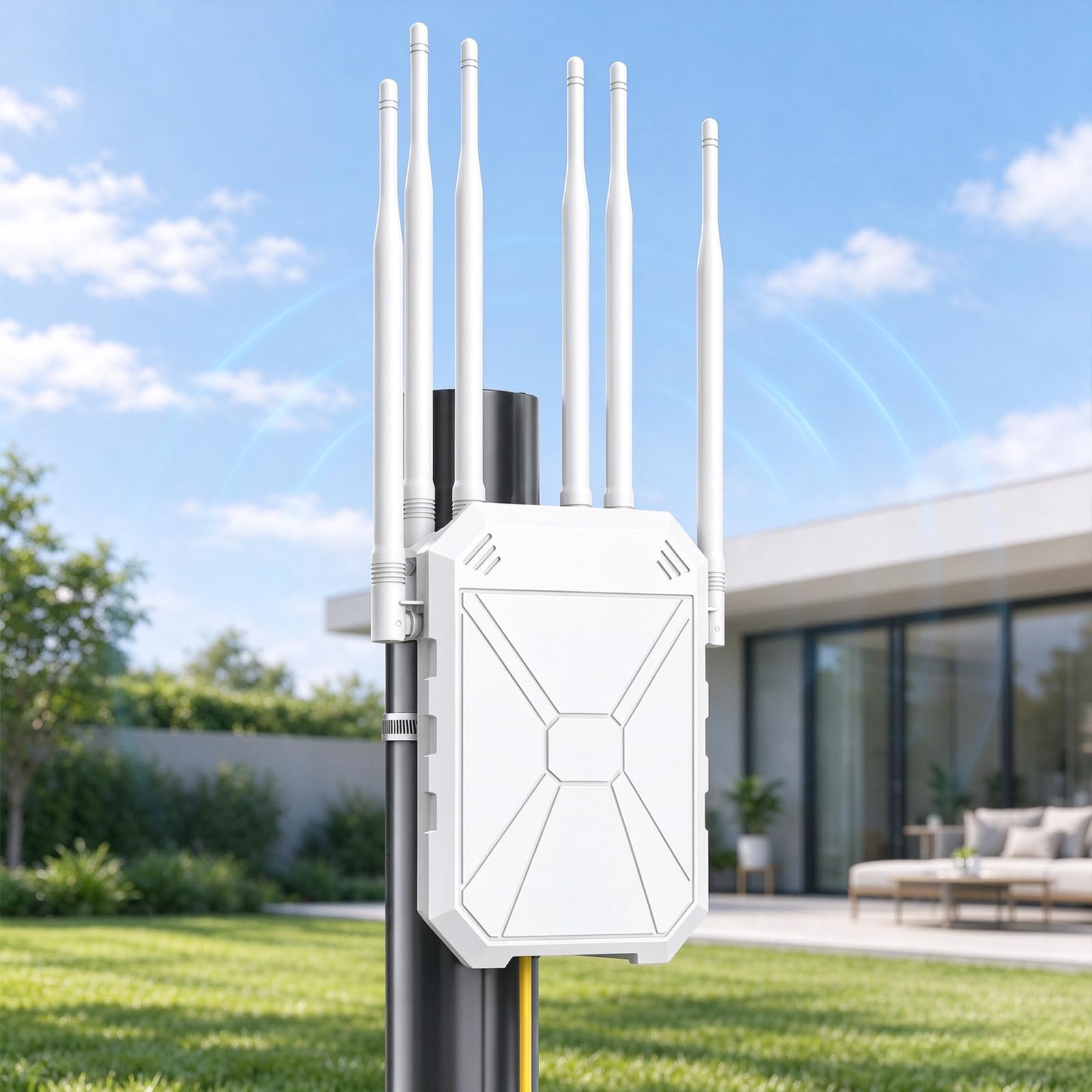
Two Gigabit ports turn an outdoor WiFi box into a wired extension hub for cameras and gear.
Most extenders hand out WiFi and nothing else. This one carries two Gigabit Ethernet ports alongside its six external antennas, which changes the math if you are running outdoor IP cameras, a network switch, or a smart device that would rather be wired. The WiFi 6 dual-band radio pushes up to 1800 Mbps (574 Mbps on 2.4GHz, 1201 Mbps on 5GHz) and supports up to 128 connected devices under suitable network conditions.
Power is flexible in a way that is genuinely handy on a farm or in a detached garage: IEEE 802.3af/at Active PoE, Passive PoE, or a 28V/1A supply. One Ethernet cable carries both power and data, so a mounting spot far from an outlet is workable. Three modes — AP to create an outdoor access point, Repeater to extend the existing WiFi, Router for a separate network — cover the common install shapes, and it supports wall or pole mounting. Starlink compatibility is there for camera-focused rural setups.
One number to hold in your head before you buy: this unit is rated IP65, not IP67. That means it handles dust and water jets but not immersion, so mount it under an eave or with the connectors facing down and sealed. Seal the connectors and face them down, since IP65 handles water jets but not immersion.
The port play: two Gigabit Ethernet ports plus up to 128 devices make it the wired-friendly pick for camera runs.
The rating to note: IP65 protects against dust and jets, not standing water — shelter it and seal the connections.
Pick this one when: you need to feed wired cameras or switches outdoors and want WiFi in the same box.
Choose the sealed-tight units instead if: your mounting spot takes direct, driving rain.
5. Starlink Mini Router
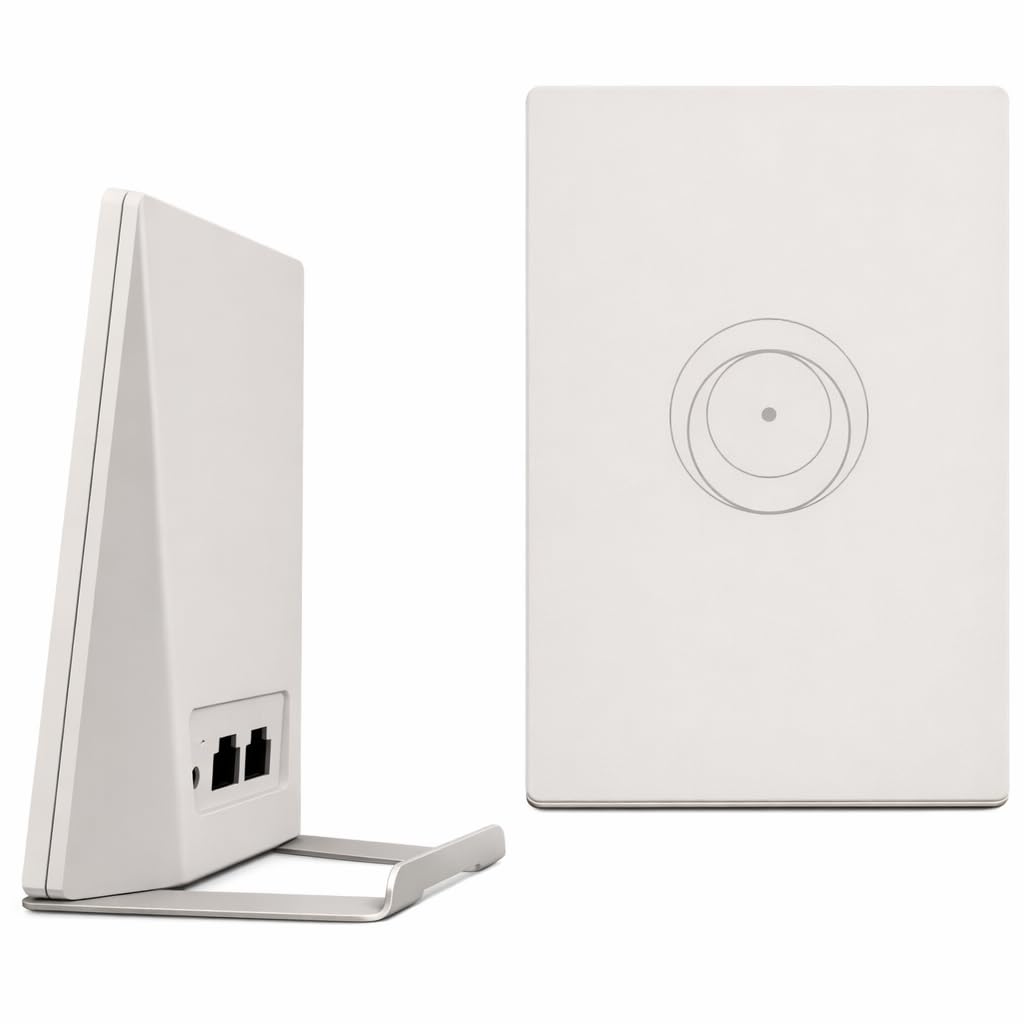
Not an outdoor tank — a tidy mesh node that slots into the Starlink system you already own.
If the dead zone is a back bedroom, a garage office, or a second building within a couple of rooms of the main router, this is the straightforward piece of the puzzle. It is a Starlink mesh node, designed to add a second WiFi point so your mesh network reaches further without cables. It supports both wired Ethernet and wireless setup, and it works with Starlink Gen 2, Gen 3, and Mini Router systems. Both a tabletop stand and wall hardware ship in the box, with wood screws, drywall anchors, and a power supply included.
The spec sheet is modest on purpose: 150 Mbps data rate and coverage rated at 1250 square feet. That is plenty for a room or two, and the practical guidance in the box says to place it within two rooms of the main router and away from concrete walls and metal appliances. It is built for convenience first, and owners find it easy to install and effective at extending the signal.
Two limits to be clear about. It is not compatible with Starlink Gen 1 routers or with third-party mesh systems, so it only makes sense if you are already inside the Starlink ecosystem. And it is an indoor node — no IP rating here, no long-range antennas, no PoE. For a barn at the far end of the property, an outdoor access point is the right tool; for indoor coverage in the Starlink family, this does the job cleanly and with almost no setup.
Made for this: Starlink households that want a simple extra WiFi point indoors with no configuration headache.
Not the tool when: your target is outdoors or more than two rooms from the main router.
6. Point to Point Starlink Internet Long Range Extender
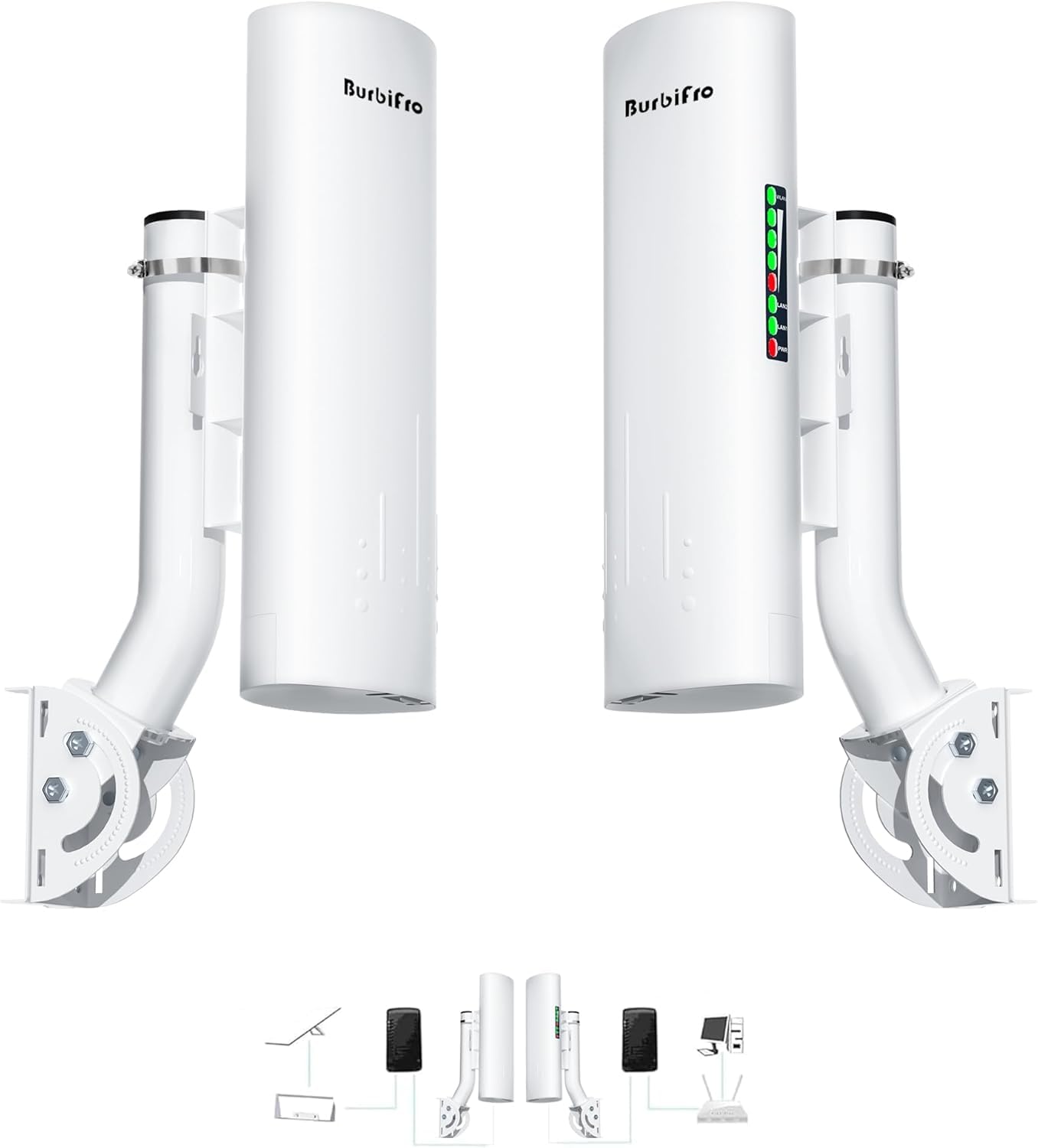
The product that behaves like a wireless cable you never have to bury.
Some installs are not about WiFi coverage at all — they are about getting an internet connection from the house to a second building without trenching. That is this unit’s job. It works as a point-to-point link, transmitting network data between two spots, so it stands in for a cable you would otherwise have to lay and bury. It is compatible with the Starlink Gen 3 Router, Standard 4 Router, Standard 4X Router, and Mini Router, and it ships as a two-pack — the pair that talks to each other.
The speed picture deserves an honest read. It carries gigabit ports, but the maker notes that because of the bridging distance, the actual throughput a user sees when transferring data is around 200 Mbps. For downloading large files, streaming HD video, or online gaming, that ceiling is fine for most uses — just do not expect the full gigabit on the box to translate into gigabit end to end. Two RJ45 LAN ports let you hang a computer, a printer, or a switch on the bridge directly. The IP65 housing handles heat, cold, and heavy rain outdoors.
This is a narrow-but-correct tool: superb when the problem is a building or a gatehouse that needs a true wired-style feed, wrong when the problem is WiFi coverage spread across a yard. If the far end already has a wired device to plug in, the bridge shines. If your goal is phones and tablets roaming a paddock, an outdoor access point is the better match.
The invisible-cable trick: a true point-to-point link with two RJ45 ports, saving a trench and a spool of cable.
The real-world number: expect about 200 Mbps at the far end despite the gigabit ports, per the maker’s own note.
Built for: connecting a detached building or gatehouse to your Starlink internet with no buried line.
The mismatch to avoid: buying it for wide WiFi coverage — that is a different job.
7. AX3000 WiFi Extender Signal Booster
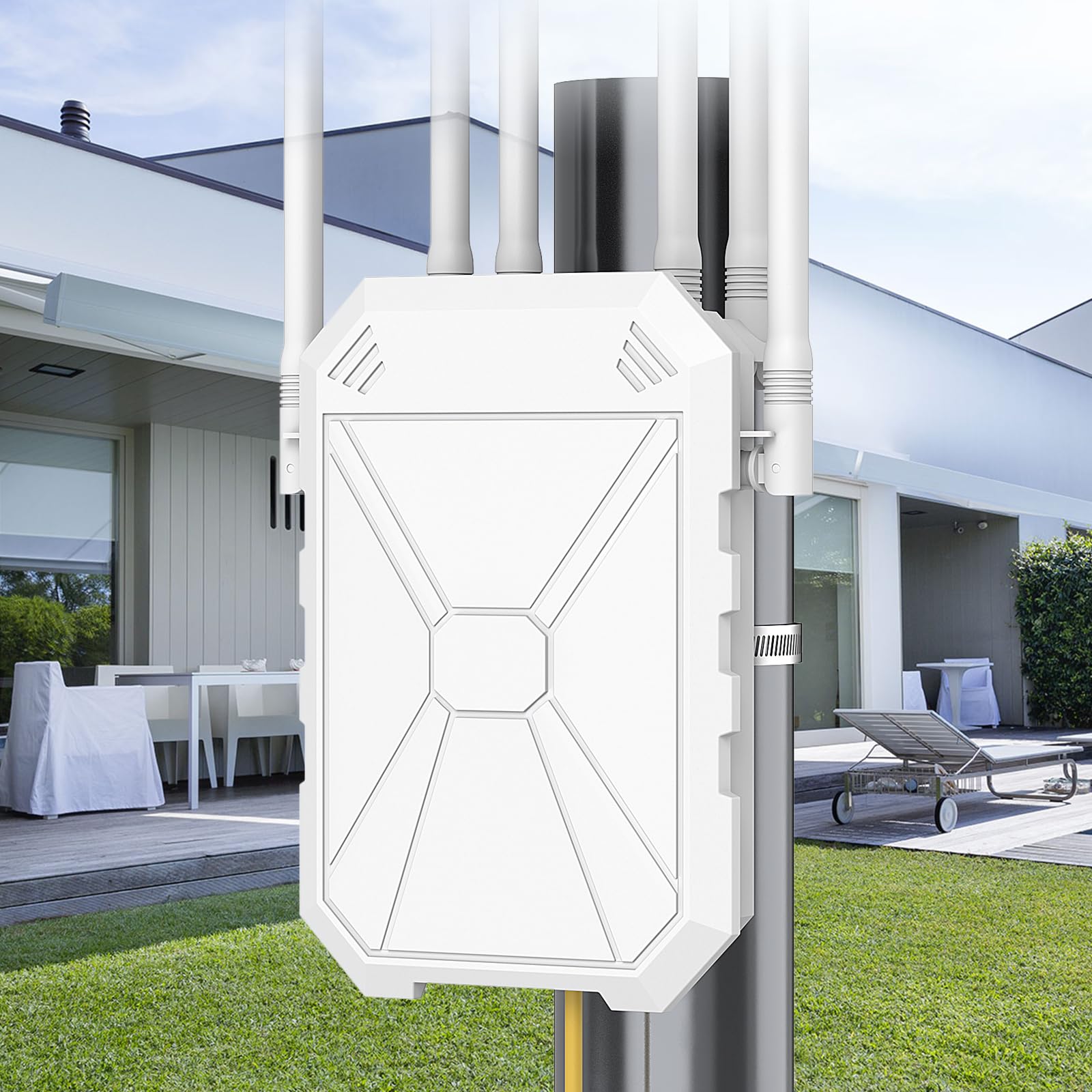
A 2.5Gbps port, six 8dBi antennas, and up to 256 devices — this one is built for a loaded outdoor network.
For a backyard, patio, pool deck, or detached workshop that has to carry a lot of gear, the raw numbers here stand out. The WiFi 6 radio is rated at 3000 Mbps, backed by two Gigabit Ethernet ports — one of them up to 2.5Gbps for faster wired transmission. Six high-gain 8dBi antennas with dual amplifiers drive a maker-rated 300m of coverage across large outdoor areas, and the unit supports up to 256 devices without lag. It works with Starlink, outdoor cameras, video doorbells, and the maker says it is compatible with over 99% of routers.
Security is a step up from the older units here: WPA3 alongside WPA2 and WPA plus their PSK versions. The IP65 housing and lightning protection keep it running in rain, snow, wind, and storms across -14°F to 122°F. AP, Router, and Repeater modes cover the common installs, and it takes 802.3AF/AT active PoE or passive PoE so one cable powers and feeds it. The included mounting kit rounds out a clean outdoor setup.
The honest caveat is placement. The maker says outright that actual performance varies significantly with distance from the router and environmental interference like thick walls or metal. That is true of any of these boxes, but it means the 300m figure is a best case, not a promise. And like the others, the PoE converter is not waterproof, so it belongs indoors. Mount it with a clear line back toward the house and the six 8dBi antennas carry up to 256 devices.
Why It Pulls Ahead
- A port up to 2.5Gbps for fast wired backhaul
- Six 8dBi antennas and up to 256 devices for busy outdoor networks
- WPA3 security on top of WPA2 and WPA
- IP65 with lightning protection across -14°F to 122°F
The Caveats To Plan Around
- The 300m reach depends heavily on placement and obstacles
- PoE converter is not waterproof — keep it dry
Best matched to: crowded outdoor networks around a pool, patio, or workshop that also want fast wired ports.
Not ideal if: your install sits behind thick walls and metal — the range figure shrinks in that reality.
8. WAVLINK AX3000 Outdoor WiFi 6 Extender
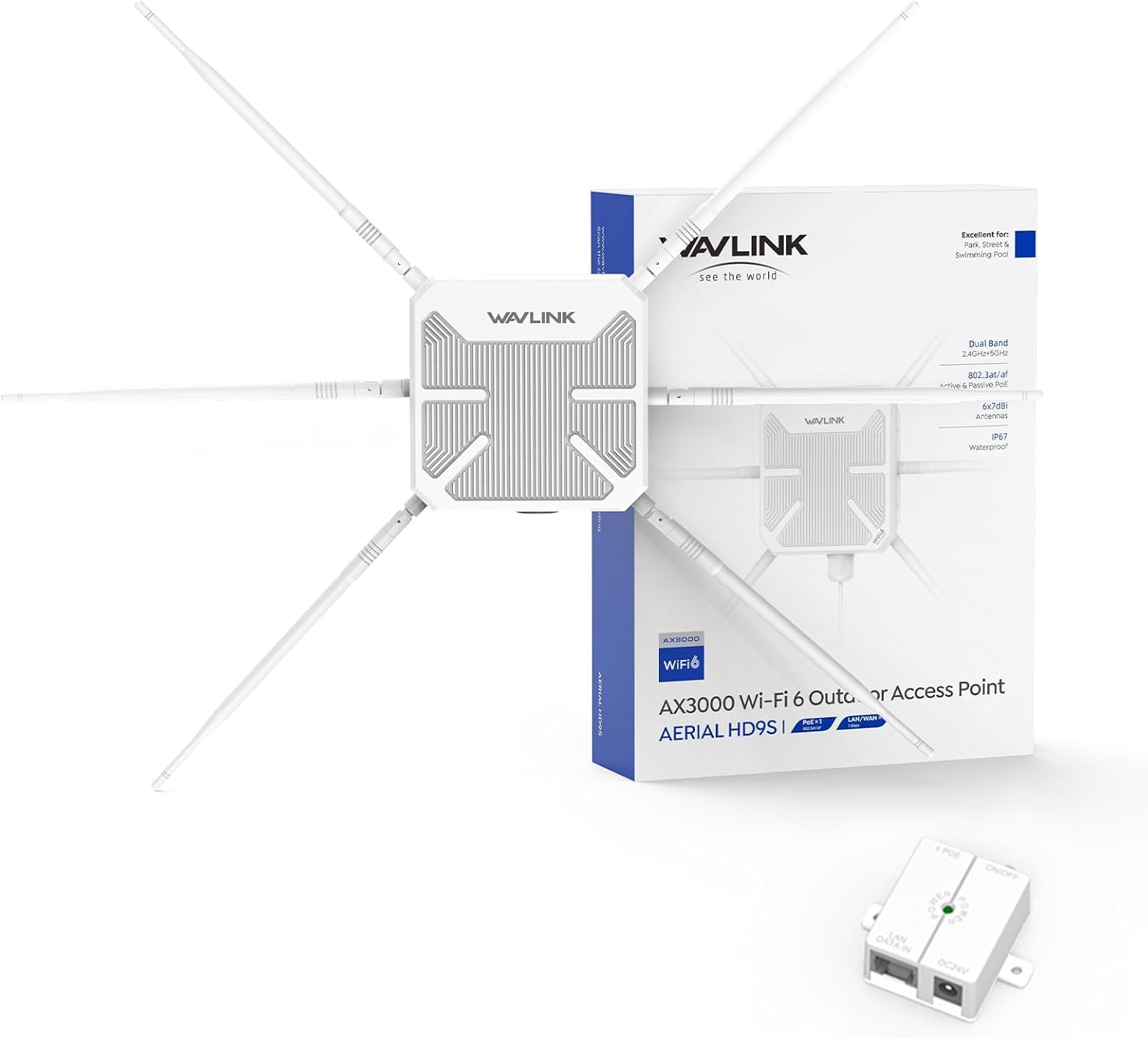
Speed and sealing in the same footprint — 3000Mbps inside an IP67 shell.
The appeal here is that you do not have to trade speed for weather protection. The WAVLINK AX3000 carries a combined 3000Mbps (2402Mbps on 5GHz and 573Mbps on 2.4GHz), split intelligently: the 5GHz band for fast nearby connections, the 2.4GHz band for longer reach to cameras and phones. Six 7dBi high-gain antennas with built-in amplifiers push coverage up to 300m/984ft in open areas. It is built for the yard, garage, barn, RV, farm, or an outbuilding.
The shell is the reassuring part. It is IP67-rated, with 15kV ESD protection and 6kV lightning protection for demanding outdoor conditions, and it holds up to rain, moisture, and shifting weather. It offers AP, Repeater, and Mesh modes, so it can create a fresh access point from a wired feed, extend an existing signal, or join a mesh with one WiFi name and password. Power and data travel over a single Ethernet cable via 802.3af/at active PoE or 48V passive PoE, and it supports a CAT5e-or-better cable up to 100m/328ft.
One consistent housekeeping note across these units applies here too: the PoE converter is not water-resistant and must be installed indoors. And a real mesh in this unit’s sense means the WAVLINK ecosystem, so do not expect it to blend with a different brand’s nodes. Shelter the converter and stay inside the WAVLINK ecosystem, and you get 3000Mbps in an IP67 shell.
Where it shines: 3000Mbps of WiFi 6 inside an IP67 body with 15kV ESD and 6kV lightning protection.
The housekeeping: the PoE converter stays indoors, and mesh works within WAVLINK’s own family.
Go here for: maximum speed in a fully sealed outdoor unit for an outbuilding or yard.
Pass if: you want your extender to mesh with a different brand’s routers.
9. Mini Mesh Wi-Fi Router
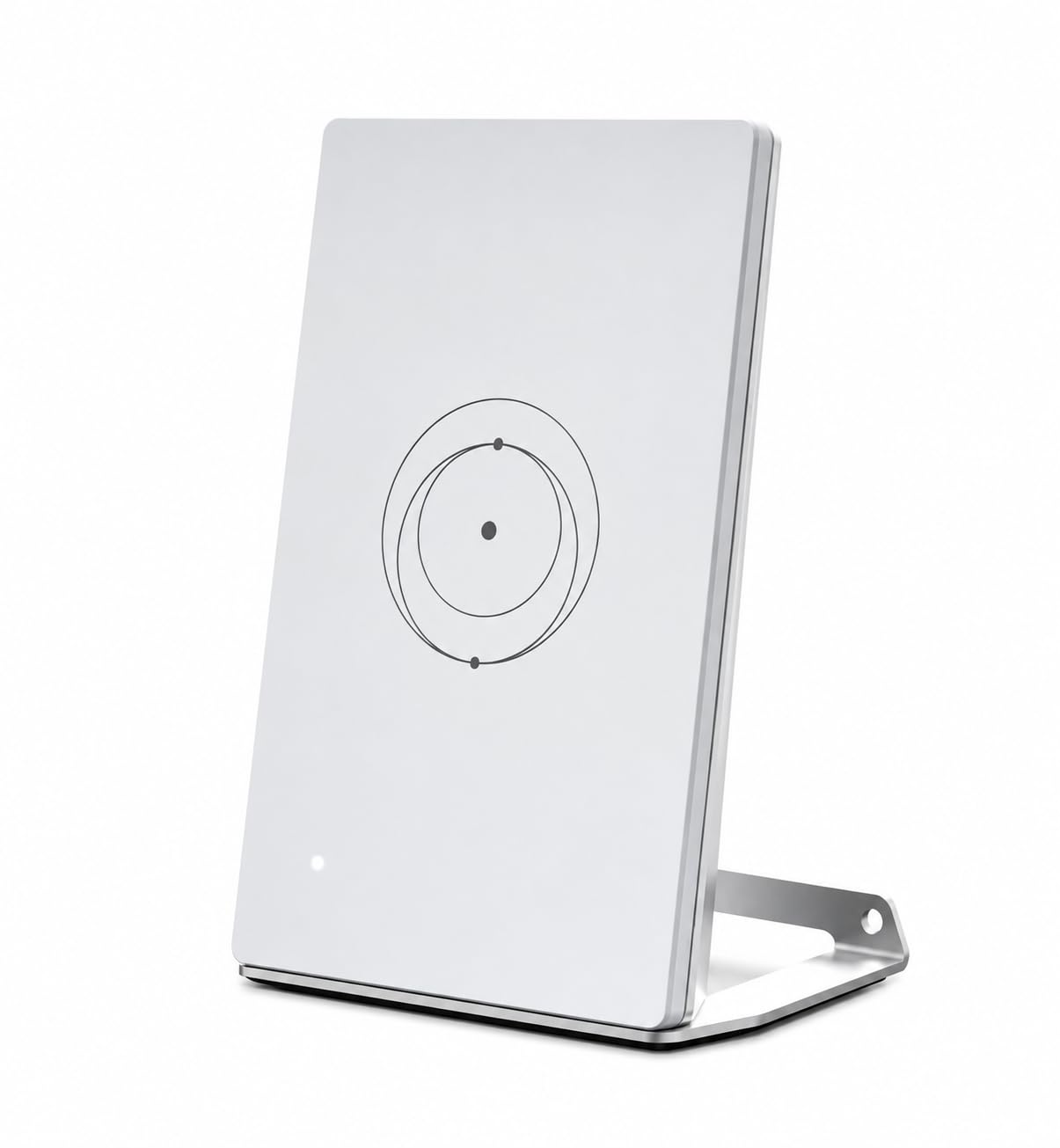
A compact Starlink mesh add-on that stretches your indoor network to 1,250 square feet.
This little router does one thing: it adds a mesh point to a Starlink system so more of the house gets signal. Coverage is rated up to 1,250 square feet, and it supports 128+ devices, which is more than enough for phones, laptops, TVs, and a growing pile of smart-home gear. Both wired Ethernet and wireless setup are supported. It works with Starlink Gen 2, Gen 3, Gen 4, and Mini systems, which makes it one of the broader compatibility stories on the list.
The setup and signal are the parts that hold up. Owners find it easy to set up and are happy with the signal strength it adds. You can mount it on the wall or set it on a table, and the box includes the power supply, stand, screws, and drywall anchors. As with the other mesh node here, placement guidance says to keep it within two rooms of the main router and away from concrete walls and metal appliances.
The limits are clear and worth knowing up front. The data rate is 150 Mbps, so treat it as an indoor coverage extender, not a speed upgrade. It does not mesh with Starlink Gen 1 routers or third-party mesh systems. And there is no weather rating — this is a living-room or office device, not a barn device. For a big property, pair it with a rugged outdoor unit; for a bedroom that keeps dropping, it is a tidy fix.
Good at this: adding a mesh point to Starlink Gen 2 through Gen 4 and Mini systems across up to 1,250 square feet.
No going outside: 150 Mbps indoor coverage with no weather rating — keep it in the house.
Choose it for: spreading indoor Starlink WiFi across a large house or an office room.
Look past it if: you need speed, outdoor mounting, or compatibility with Gen 1 or other brands.
Know the Specs
IP Rating (Weather Sealing)
The IP number tells you what an outdoor box survives. The first digit covers dust, the second covers water. IP67 means fully dust-sealed and able to handle short immersion in water — the strongest rating on this list. IP65 means dust-tight and able to take water jets, which suits a sheltered mount. Higher is better for a permanent outdoor install; choose the seal to match the exposure.
PoE (Power over Ethernet)
PoE sends power and data down a single Ethernet cable, so you can mount the box where no outlet reaches. Passive PoE uses the adapter in the box; active PoE (802.3af/at) draws from a PoE switch. Note that the converter or adapter is often not waterproof on these units and must be sheltered. Match the PoE type to the gear you already have.
Antenna Gain (dBi)
Gain is how hard an antenna focuses the signal. A 7dBi or 8dBi antenna pushes further than a low-gain one, which is why these outdoor units list the figure. More gain means more reach, but the coverage still bends around obstacles — trees, thick walls, and metal all shrink the usable range from the spec-sheet figure.
Combined Throughput vs Real Speed
A number like 3000Mbps is the combined radio capacity, not the speed one device sees. Devices share that capacity, and obstacles cut it. That is why a bridge rated with gigabit ports can still land around 200 Mbps end to end, as one maker notes. Read the speed figure as a ceiling and match it to what you actually stream and download.
Modes — AP, Repeater, Bridge, Mesh
Access point mode turns a wired feed into fresh WiFi. Repeater mode rebroadcasts an existing signal. A point-to-point bridge links two spots like a wireless cable. Mesh mode lets several nodes share one WiFi name and password. Pick the mode that fits your install — repeater is easiest, AP and bridge are more stable, mesh is cleanest for roaming devices.
Starlink Compatibility
Several units here work with Starlink Gen 2 and Gen 3 routers. Some need the Starlink Ethernet Adapter to make the wired connection, and mesh nodes typically exclude Gen 1. Starlink’s app-driven mesh also works differently from a third-party mesh. Check your own dish generation and if you need an adapter before you buy.
Common Questions
Will a Starlink extender work with my Starlink dish from the start?
Does a Starlink extender boost my internet speed?
What is the difference between IP65 and IP67 for an outdoor extender?
Can I power a Starlink extender without an outlet near it?
Is a point-to-point bridge better than a WiFi extender for a barn?
How far will an outdoor Starlink extender actually reach?
Do I need a Starlink Ethernet Adapter to connect an outdoor extender?
How many devices can a Starlink extender handle at once?
Can I use a regular WiFi extender with Starlink instead?
The Bottom Line
Most people extending a Starlink connection across a property end up happiest with the Mekupc AX3000 Outdoor Extender, because its IP67 seal, six 7dBi antennas, and 274-device capacity cover the widest range of real installs without cuts. If raw reach on a wide, open lot is your priority, the WAVLINK AX1800 Outdoor Extender gives you four 8dBi antennas and both active and passive PoE. And if the real problem is getting internet to a detached building with no buried cable, the Burbifro Point-to-Point Bridge is the one to mount.
The short version: match the mode to the job — access point for a yard, bridge for a detached building, mesh node for an indoor dead spot. A large yard or farm wants the outdoor access point with the highest sealed rating and device count. A detached building wants the point-to-point bridge. A house that keeps dropping in the back bedroom wants a mesh node. Get that match right and the dead zone at the barn, gate, or back bedroom becomes a usable connection.
How we choose
We do not accept paid placement. Every pick is matched to a real buyer and a real use-case; we do not hands-on test units.
Sources
Specifications: manufacturer listings and product documentation. Review insights: verified customer reviews, as of November 2026. Pricing: not shown on this page (it changes often); check the current price via the retailer link.
As an Amazon Associate, Tactical Gear Guy earns from qualifying purchases. This does not affect which products we feature.