Specs are compiled from manufacturer listings and verified buyer reviews and can change over time — please confirm the key details on the product page before buying.
Your iPhone says “Storage Almost Full” and suddenly every photo you take feels like a gamble. A Lightning connector to USB memory stick solves that in one move — it plugs straight into your phone’s charging port, copies your photos and videos onto the stick, and you delete them from the phone afterward. The trick is picking one that still talks to your iPhone after the next iOS update, because that is where most of these drives live or die.
This guide is built by comparing the manufacturers’ published specifications and the patterns across verified customer reviews, so you get each pick’s real strengths and trade-offs instead of marketing spin.
Some drives here need their own app before they will do anything, and others just show up as a folder. That single difference changes your whole first afternoon, so keep it in mind while you scan the picks below. Every drive here still has a Lightning plug for older iPhones, and each one is worth a look as a Lightning Connector to USB Memory Stick.
Top Picks

How To Choose The Best Lightning Connector to USB Memory Stick
These drives all do the same basic job — they give your phone a second pocket for files. What separates them is how they behave on day one, and whether they keep behaving after Apple ships a new iOS version. Here is what actually decides that.
The app is the real product
An iPhone will not browse a flash drive like a computer does. The drive has to talk to an app, and that app is what moves your photos across. A drive with a current, actively updated app keeps working after iOS updates; a drive tied to an abandoned app stops opening your files. Read the compatibility notes closely before anything else — one of the picks below has a compatibility reputation that tells the story.
MFi certification is your insurance policy
MFi stands for Made for iPhone — Apple’s licensing program for Lightning accessories. A certified drive has passed Apple’s checks and uses an approved chip, so it is far less likely to throw a “device not supported” warning. Several picks here carry that certification and it is stated plainly in their listings.
Capacity, with the fine print read out loud
A drive sold as 512GB will usually show roughly 484GB of usable space on your phone or laptop. That shortfall is normal, not a sign of a mislabeled drive. Storage makers count in decimal (1GB = 1000MB) while your operating system counts in binary (1GB = 1024MB), and a slice goes to formatting. Two of the picks here state that 484GB figure openly, which is a good sign the listing is honest.
Side-by-Side Comparison
| Model | Best For | Capacity | Connectors | Weight | Amazon |
|---|---|---|---|---|---|
| SANDISK 256GB iXpand Flash Drive Go★ Best Overall | Big-brand photo backup for Lightning iPhones | 256 GB | Lightning + USB-A (USB 3.0) | 7.2 g | Amazon |
| Techkey MFi 256GB 3-in-1Most Versatile | One stick across iPhone, Android and PC | 256 GB | Lightning + USB-A USB-C | — | Amazon |
| PNY 64GB Duo Link | Charge-and-transfer in one cable | 64 GB | Lightning + USB-A (USB 3.0) | 18.14 g | Amazon |
| SANDISK 64GB Phone Drive | Households with both Lightning and USB-C iPhones | 64 GB | Lightning + USB-C | — | Amazon |
| Cixepz MFi 512GB Photo Stick | Clearing a packed phone in one pass | 512 GB (~484GB usable) | Lightning + USB-A USB-C | — | Amazon |
| Qemoa 512GB Photo Stick | Fast transfers on a big capacity | 512 GB (~484GB usable) | Lightning + USB-A USB-C | — | Amazon |
| Cixepz 3-in-1 512GB Triangle | Owners who want the drive to feel well made | 512 GB (~484GB usable) | Lightning + USB-A USB-C | — | Amazon |
Detailed Reviews
1. SANDISK 256GB iXpand Flash Drive Go
Our pick — 4.0+★ from 25,000+ verified ratings; the strongest balance of quality and price.
A household name with a swivel head, a keyring hole, and 256GB for your photo library.
The crowd verdict here is the strongest of the group, sitting at 4.0+ stars with 25,000+ owners behind it. What that many owners agree on is how little setup the drive demands. You plug it in, the SANDISK Memory Zone app takes over, and your photos and videos back up on their own. Nothing to configure, nothing to learn.
Capacity is 256GB, and the drive carries a USB 3.0 connector (the fast blue-tongued USB-A plug) so moving files off the stick and onto a laptop does not crawl. At 7.2 g it is light enough that you forget it is in your pocket, and the swivel design covers the Lightning plug when it is not in use. The metal body takes knocks better than a bare plastic shell.
Where the picture gets more complicated is reliability over time. The functionality chatter is the loudest theme across the review pages, split roughly down the middle, and it is worth knowing before you buy. Some drives settle in fine; others give up. Treat this as a drive to keep backed up elsewhere rather than a vault, and check the SANDISK app for updates the first time you plug it in.
What holds up
- 256GB of space for photos, video and contacts
- Automatic backup through the SANDISK Memory Zone app
- Password protection that follows files across iPhone, PC and Mac
- USB 3.0 connector for quick transfers to a computer
- Swivel body with a keyring hole that keeps the plug covered
Where to slow down
- Reliability is the most-discussed theme and it splits both ways
- Requires the SANDISK app — it will not behave as a plain folder
- Built for iPhone 14 and older, so a newer USB-C iPhone needs a different pick
Go for it if: you want the most-proven name in the room and want your photo backup to happen without you thinking about it.
Have a second look if: you are on an iPhone 15 or newer — its USB-C port does not take this drive’s Lightning plug, so the SANDISK Phone Drive further down is the better fit.
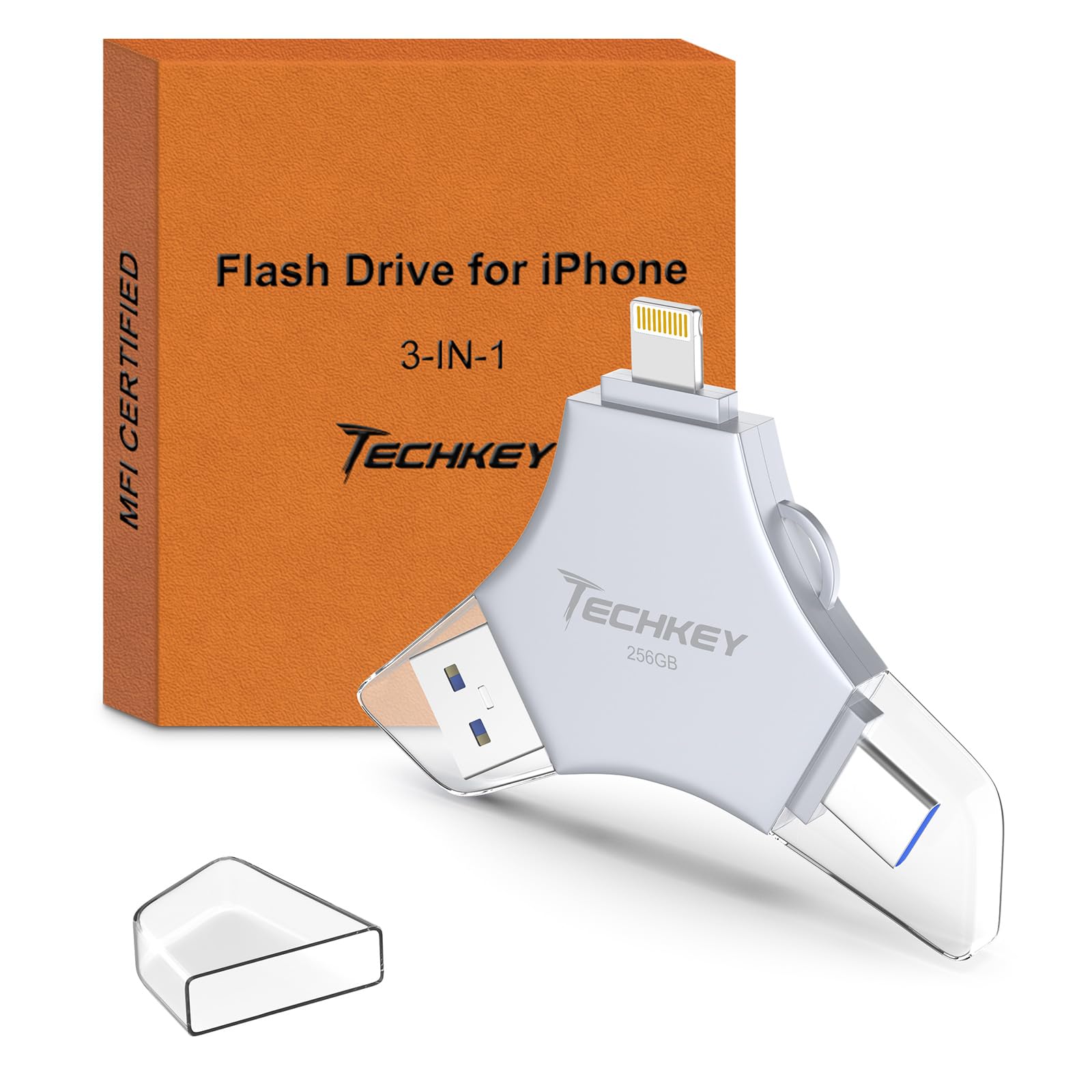
2. Techkey MFi Certified 256GB 3-in-1 Flash Drive
Three connectors on one compact body, so the drive follows you from phone to tablet to laptop.
If you want one stick that moves files across an iPhone, an Android phone and a PC without a pile of adapters, this is the pick. The USB, Lightning and Type-C connectors are all built in — Type-C being the oval port most newer phones and laptops use. It covers iOS 12.1 and above, OTG Android phones (OTG means the phone can act as a host and read the drive directly), Mac from 10.6 up, and Windows from 7 up.
The drive is metal and it is rated dustproof, drop-proof and anti-magnetic — which mostly means you can throw it in a bag with keys and not worry. It brings an MFi chip, a dedicated keyring, and a listed read speed of 40 MB/s (megabytes per second, so a big video file lands in a matter of seconds, not minutes). For reference on the capacity question, this sits at the same 256GB tier as the iXpand above but adds the USB-C connector the iXpand leaves out.
What you give up is simplicity on the iPhone side. The “U-Disk” app has to be installed first — without it the phone will not open the drive. Android and PC skip that step. The encryption feature (Touch ID or a passcode to lock the whole stick) is a real bonus if you carry sensitive documents, but it only works inside that app. Downloads here tend to be light, so read the setup notes carefully before your first trip.
Best for anyone with more than one device: this drive has three connectors (Lightning, USB-A, and USB-C), so you can move files between an iPhone, an Android phone, and a computer without carrying extra cables. That three-way layout is the reason to pick this over a pure Lightning drive. And the MFi certification (Apple’s official approval for iPhone accessories) means you are not gambling on whether the iPhone will accept it.
One thing to plan for: the U-Disk app install is non-negotiable on iOS. Budget five minutes for setup, and do it before you leave the house on a trip.
Pick this when: your household mixes iPhone and Android and you need one drive to cover both.
Think twice when: you want a plug-and-play stick with no app to install — that is not this drive.
3. SANDISK 64GB Phone Drive
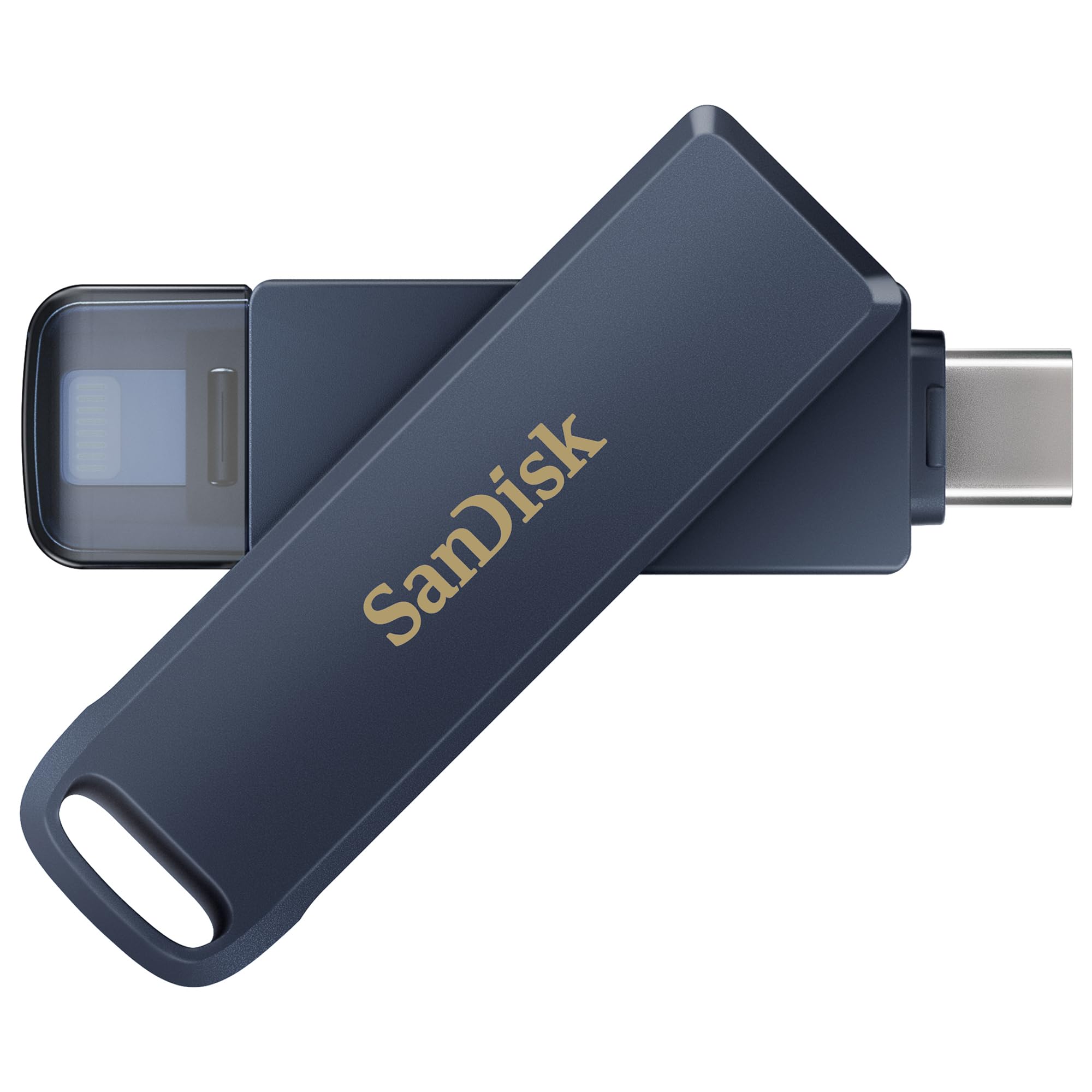
The drive to buy if your family is half Lightning phones and half USB-C phones.
Here is the practical headache this one solves: your old iPhone charges by Lightning, your newer one charges by USB-C, and you do not want two separate sticks. This drive has both connectors, and it is Made for iPhone Certified. Via USB-C it works with the SANDISK Memory Zone app or the Apple Files app; via Lightning it needs the SANDISK app. That app split is the small catch — the Lightning port is not as easy as the USB-C side.
Capacity is 64GB, which is the modest end of this list. That is plenty for clearing a phone’s worth of photos and contacts, less so if you shoot heavy video. Build quality is the theme the review pages praise most — 54 mentions landing heavily on the positive side, with owners describing it as excellent and recommending it on. Portability is right behind, described as handy for daily use.
There is a real compatibility wrinkle worth naming. Some buyers report the drive not being recognised on iPhone 16 models, and others found it will not connect cleanly through a phone case — so try your case first, or pop the phone out. Transfer speed draws both praise and complaints about slow uploads. At 64GB with password-protected encryption built into the app, it is still the simplest way to run one drive across a mixed household.
The case for the dual connector
- Works with both Lightning and USB-C iPhones
- Made for iPhone Certified build
- Build quality draws the most praise of any theme here
- Password-protected file encryption inside the app
- Manual or automatic backup with real-time progress
The honest fine print
- 64GB fills quickly with video
- Lightning side needs the SANDISK app
- Occasional reports of case interference and iPhone 16 recognition trouble
Reach for this if: you own both an older Lightning iPhone and a newer USB-C model and want one drive to serve both.
Look elsewhere if: you shoot a lot of video and need room to spare — 64GB is the ceiling here.
4. Cixepz MFi Certified 512GB 3-in-1 Photo Stick
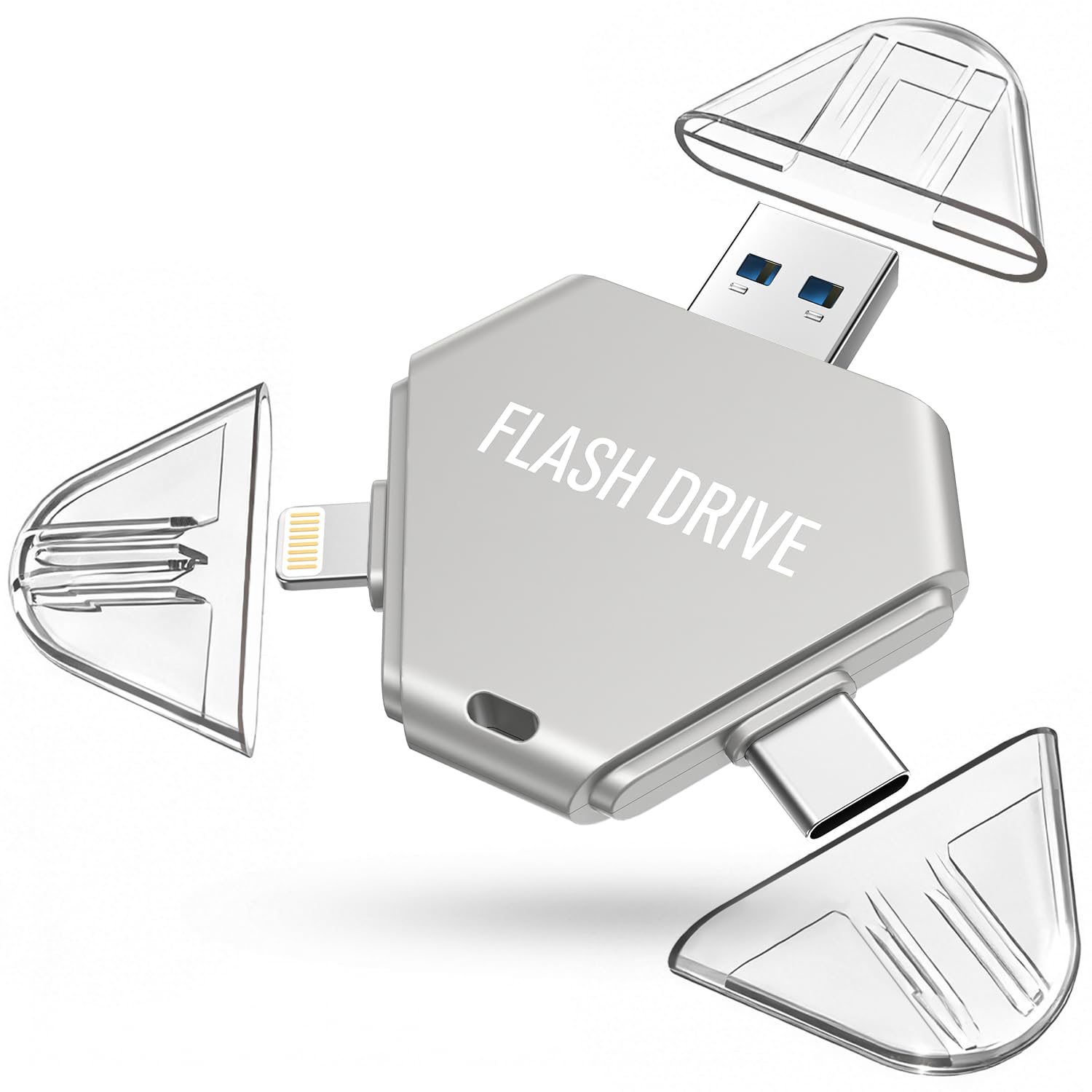
Empty a packed phone in a single pass, with three connectors and a metal shell.
The number that matters is 512GB — and this drive is honest about it, stating plainly that you will see around 484GB of usable space once your computer reads it. That is the decimal-versus-binary gap and it applies to every large drive, so no points lost there. It is an MFi certified stick with Lightning, Type-C and USB-A connectors, so it moves files between an iPhone, an OTG Android phone, a Mac or a Windows laptop with no adapters or internet connection involved.
The shell is solid metal with transparent caps that cover the three connectors against dust and scratches, and it has a triangular compact shape with a lanyard. The one-click backup saves photos, videos and contacts straight from the app, and you can view, move, copy and share files while they are still on the stick. Password protection is handled through the same app. Compatible with iOS 12.1 and up.
This is a newer listing with a lighter review base, so the track record is shorter than the SANDISK drives above. There is no stated read or write speed on the page, which means transfer pace is unknown until owners mention it. Consider it the capacity play rather than the proven workhorse — you are buying the space, not a long service history.
Why it earns its slot: 512GB is the biggest tier on this list, and the metal body with connector caps makes it a reasonable travel companion.
The thing nobody can tell you yet: transfer speed is not published. If you routinely move large video files, a drive with a stated speed is the safer bet.
The right call for: a phone that is already full and a user who wants maximum headroom in one purchase.
Hold off if: you want a drive with a long, well-documented track record — this one is newer to the market.
5. Qemoa 512GB MFi Certified Photo Stick
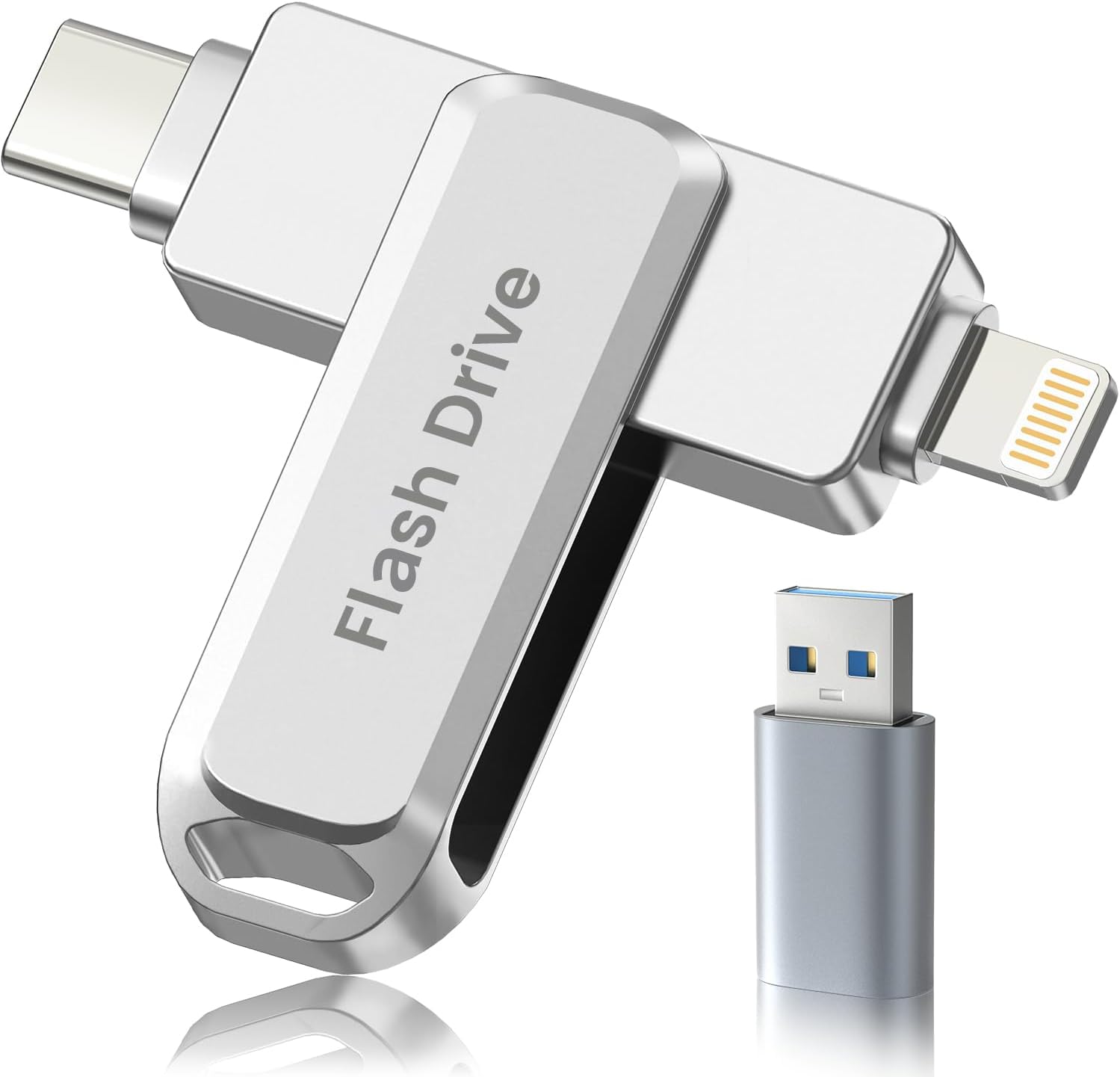
The only pick here that publishes its speeds — and they are the quickest on the list.
Speed is where this drive separates itself. Read speed is listed at up to 80MB/s and write speed at up to 40MB/s, so a large photo album copies across faster than on a drive with no stated figures. The listing is also upfront that speeds vary by host device, which is the honest way to put it. Capacity is 512GB with roughly 484GB usable after the decimal-to-binary accounting, and it carries an MFi certified chipset.
The connectors are Lightning and Type-C with an included USB adapter, giving you iPhone, iPad, Android, MacBook and Windows PC coverage. The metal casing resists dust and drops, there is a keychain hole for attaching it to a bag, and the app supports one-click backup of photos, videos and contacts. iPhone and iPad owners can also shoot photos and video directly through the app, with files landing on the drive instead of eating phone storage. It ships with a one-year warranty.
The honest trade-off is one you will hit on an older phone: the listing states it is not compatible with legacy Micro-USB ports. That rules out some very old Android handsets, though it is fine for any Lightning iPhone or OTG-enabled Android phone. The review base here is still growing, so the long-term reliability story is not written yet — the published speeds and the warranty are what you are buying.
Where the numbers speak
- Up to 80MB/s read and 40MB/s write — the only pick with stated speeds
- 512GB with the usable ~484GB stated openly
- Lightning, Type-C and a USB adapter in the box
- One-year warranty and technical support
- Shoot directly to the drive through the app
Before you commit
- No Micro-USB support, so very old Android phones are out
- A newer listing, so the reliability record is shorter
- Speed depends on the device you plug into
Choose this if: transfer speed matters to you and a published spec sheet plus a one-year warranty is worth more than a long review history.
Not for you if: you are backing up a Micro-USB Android phone — that port is out.
6. 3-in-1 USB Flash Drive MFi Certified 512GB Photo Stick, Gray

A matte-metal triangle with a connector on each side, and the happiest review pages of the bunch.
The most-loved thing about this drive is simply how well it is made. Build quality is the theme owners praise most, 21 mentions with not a single negative in the tally, and the same review pages call it reliable as well. That is a strong signal from a smaller base. The body is a solid matte-metal triangle with Lightning, Type-C and USB-A on three sides, so no adapters, no cables, no dongles — just pick the side that matches the device in your hand.
iPhone and iPad users install the companion app from the App Store; Android users just turn on OTG (a setting that lets your phone read USB drives) and plug in with no app at all. PC and Mac read it as a plain flash drive with no driver install. The app handles one-tap backup of your camera roll and contacts, and you can shoot photos or video straight to the drive so they never touch your phone’s storage. It comes with three transparent dust caps and a lanyard, plus a one-year warranty. Capacity is 512GB with roughly 484GB usable, stated right on the listing.
The trade-off is the smaller crowd behind those high marks — this is the least-reviewed of the 512GB drives here, so it is not yet battle-tested the way the SANDISK picks are. It is also a fiddly little thing in a pocket, though the lanyard and keychain loop take care of that. If matte-metal build quality matters more to you than a long review record, this is the one.
What the reviews keep circling back to: the build. Owner feedback is almost unanimous on quality, and the same pages add reliability and convenience to the list.
The trade-off to weigh: it is newer than the SANDISK drives, so you are trusting the sample rather than a long history — the one-year warranty softens that.
Buy it if: a well-built drive with a clean three-sided design matters more to you than a long review record.
Skip the upgrade if: you just want something that already has years of owner feedback — the iXpand at the top is the safer story.
7. PNY 64GB Duo Link iOS USB 3.0 OTG Flash Drive

The one drive here that charges your phone while it copies your files.
This is the only drive here with a flexible cable instead of a rigid plug. Instead of a rigid plug, the PNY uses a flexible cable design that lets you charge your iPhone and move files at the same time — a genuinely useful trick on a long trip when you only have one Lightning port. It is 64GB, it runs the same USB 3.0 speed as the rest of the group, and it works with iPhone 5 and up through iOS 8.0 and above, plus Mac from 10.8 and Windows from 7 up.
On the numbers side, this drive is on the heavier end of the group at 18.14 g versus the SANDISK iXpand’s 7.2 g — a real difference in your pocket, but a fair trade for the cable that flexes rather than bends. Owners who like it describe it as fantastic and perfect, and file transfer speed draws its own share of positive notes. The Duo Link 4 app handles backups, and your contacts can sync automatically or manually.
The catch is compatibility, and it is not a small one. This is the pick best suited to older hardware — an iPhone 5 through the era of the iPhone 7 is its balance. The review pages report it does not play well with current iOS versions and leans on a specific app to do anything at all. If your phone is modern, look up the list at the SANDISK Phone Drive instead; if you are reviving an older iPhone and want to charge and copy at once, this is genuinely useful.
Best matched with: an older Lightning iPhone (iPhone 5 through the iPhone 7 generation) where charging and transfer on one cable is the priority.
Not the pick if: you are on a current iOS version — the compatibility reports and the app dependency make it a risky first drive on a newer phone.
Know the Specs
What MFi certification actually gets you
MFi means Made for iPhone, Apple’s licensing stamp for Lightning accessories. A certified drive uses an approved chip, so it is far less likely to trigger a “device not supported” message or stop working after an iOS update. All the major picks here carry it, and it is the single best sign a drive will keep working on your phone next year.
Read speed versus write speed
Read speed is how fast the drive hands files to your computer; write speed is how fast it takes them from your phone. A drive with 80MB/s read moves a photo album fast. Only one pick here publishes both figures — the rest leave you guessing, which is why a stated speed is worth paying attention to.
Why 512GB shows as ~484GB
Drive makers count storage in decimal (1GB equals 1000MB); your operating system counts in binary (1GB equals 1024MB), and a slice goes to formatting. The gap comes from decimal-versus-binary counting plus formatting, not from a defective drive. Two picks here state the ~484GB figure outright, which is a mark of an honest listing.
The connector combination that matters
Every drive here has a Lightning plug for older iPhones. The differences come from what else is on board: USB-A for a laptop, USB-C for newer phones and MacBooks. A three-connector stick travels between devices without a dongle; a two-connector stick is smaller and simpler but ties you to those two ports.
Common Questions
Do I need to install an app before the drive will work on my iPhone?
Will a Lightning flash drive still work after an iOS update?
Why does my 512GB drive show 484GB of space instead of 512GB?
Can I use one of these drives on a newer USB-C iPhone?
Do these drives need Wi-Fi or the internet to transfer files?
Will a phone case stop the drive from plugging in?
Can I back up contacts as well as photos and videos?
Is it safe to keep sensitive files on one of these?
How fast will a large video file copy across?
Can I shoot photos straight onto the drive instead of the phone?
The Bottom Line
For most people, the strongest play in this category of lightning connector to usb memory stick is the SANDISK iXpand Flash Drive Go, because the biggest owner base on the list lines up behind the same point: it backs your photos up automatically without you thinking about it. If you want one stick for both an iPhone and an Android phone, grab the Techkey 256GB 3-in-1. And for maximum room, the Qemoa 512GB Photo Stick is the one to reach for, with its published 80MB/s read speed as the reason to trust it over the rest of the big-capacity group.
The honest nudge: the 512GB tier costs only a few dollars more than the 256GB picks, and its ~484GB of usable space holds roughly thirty times what a 16GB phone does. If your iPhone is already showing “Storage Almost Full,” the 512GB picks clear it in one pass.
How we choose
We do not accept paid placement. Every pick is matched to a real buyer and a real use-case; we do not hands-on test units.
Sources
Specifications: manufacturer listings and product documentation. Review insights: verified customer reviews, as of November 2026. Pricing: not shown on this page (it changes often); check the current price via the retailer link.
As an Amazon Associate, Tactical Gear Guy earns from qualifying purchases. This does not affect which products we feature.