Specs are compiled from manufacturer listings and verified buyer reviews and can change over time — please confirm the key details on the product page before buying.
If your thumb reaches for the phone before your brain decides to, the fix isn’t more willpower — it’s a physical barrier your hand has to deal with. That’s the whole idea behind this shelf of blockers: some are steel cards you tap on your phone to lock apps, some are timed boxes your phone sits inside until the countdown ends. The right one turns a two-second reflex into a two-step decision, and that’s usually enough to break the loop.
This guide is built by comparing the manufacturers’ published specifications and the patterns across verified customer reviews, so you get each pick’s real strengths and trade-offs instead of marketing spin.
There are two families here: app-based blockers that use a physical tag or card, and hard timed lock boxes with metal shells, dials, or countdown screens. The overview below sorts out which of these is the best phone distraction blocker for how you actually lose time.
Top Picks


How To Choose The Best Phone Distraction Blocker
Start with the honest question: do you lose time because the phone is in your hand, or because it’s in the room? A phone in your hand needs an app blocker you have to tap a tag to end. A phone in the room — on the couch, at the desk, next to the bed — needs a box it physically sits inside. Pick the wrong type and you’ll stop using it by the second week.
Tap-to-block versus box-and-wait
A tap-based device works through the lock screen itself: you choose the apps and websites to stop, then tap a small object to your phone to shut them off. It leaves the phone usable for calls, maps, and music, which is what makes it livable day to day. The catch is that the phone stays in your pocket, so the barrier is only as strong as the app.
A timed lock box goes the other direction: the phone goes in, the lid closes, and the timer decides when it comes out. You get real separation — but you also lose the phone entirely, so you need to know the timer range and whether a charging cable can run inside before you buy.
Timer range and the emergency open up
How long a box can lock tells you what it’s good for. A 5-minute-to-24-hour window (a timer range) suits study blocks and meals. A 99-day ceiling is for cutting off snacks, game controllers, or a TV remote as much as a phone. Whatever you choose, find the override story (how you get back in during an emergency) before you lock anything inside on day one — some boxes give you an emergency code, some give you a limited lifetime count of forced open up, and one of the models here offers no timed countdown at all unless you pick that mode.
Does your phone fit — and does it keep charging?
Interior depth is the number that quietly kills a purchase. A box built for a thin phone with no case won’t take a standard case, and a large-capacity box swallows a tablet along with the phone. Look for a stated interior depth and a charging slot or cable hole, so the phone can stay topped up while it’s locked away. A dead phone still in the box is a reason to never open the box again.
Side-by-Side Comparison
| Model | Best For | Block Method | Timer Range | Power | Amazon |
|---|---|---|---|---|---|
| Brick★ Best Overall | App-level blocking without giving up the phone | NFC tap tag in the Brick app | — | No batteries or charging | Amazon |
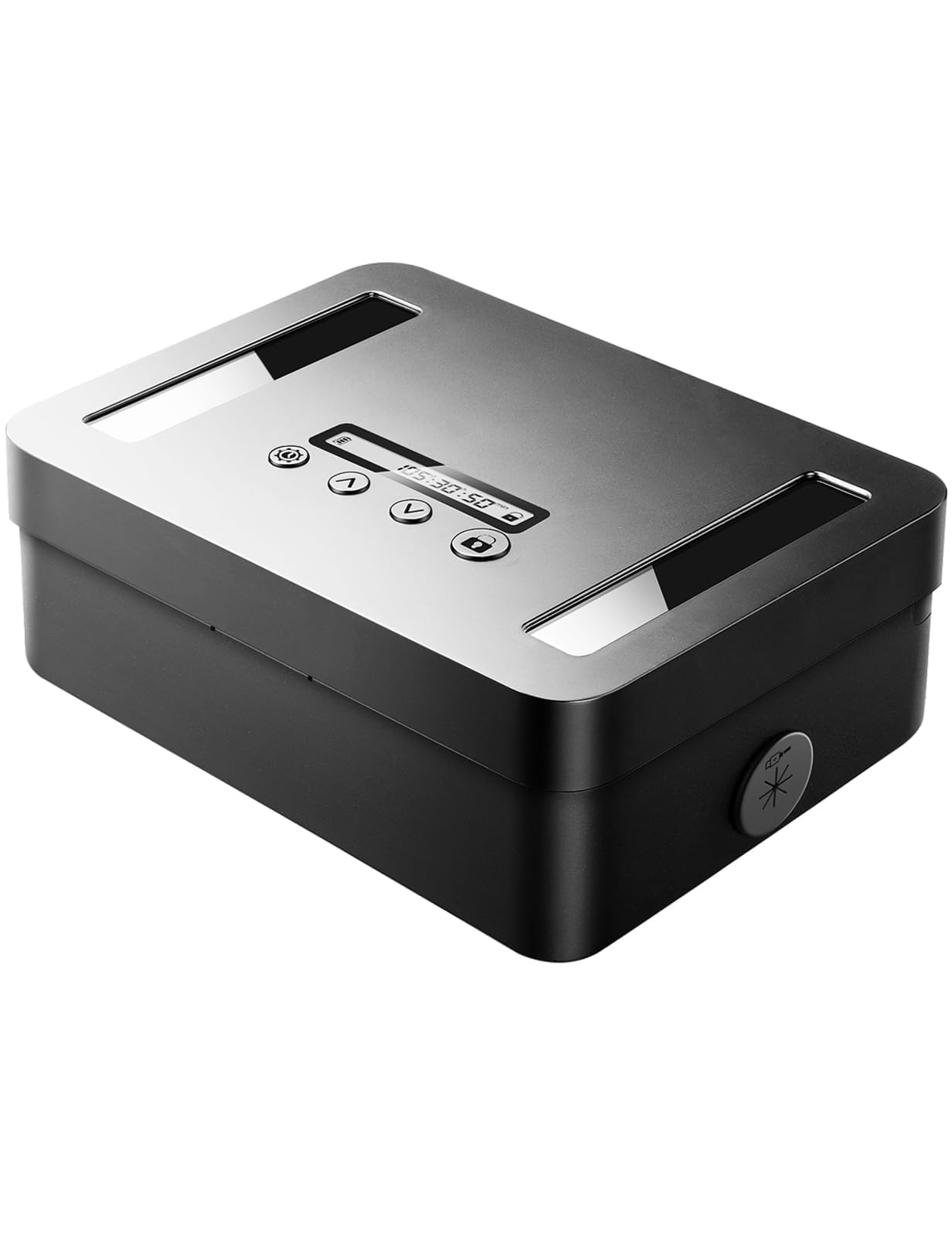
| Vaydeer Metal Time Lock BoxBudget Strongbox | Locking the phone away on a timed schedule | Electronic combination lock | — | 4×AA batteries or USB-C | Amazon |
| Shlmnbo USB Charging Lock BoxQuietest Option | Library and study sessions | Timing lock | 5 min to 24 hrs | 300mAh, USB charged | Amazon |
| Shlmnbo 90-Day Lock Box | Long stretches between charges | Timing lock | 1 min to 24 hrs | 600mAh, Lightning/Type-C | Amazon |
| ySky Timed Lock Box | Bigger phones up to 6.7 inches | Timing lock | Up to 99 hrs 59 min | Rechargeable, 50-day runtime | Amazon |
| Mindsight Personal Timed Lock Box | Picking how strict the lock is | Electronic lock, 3 modes | 1 min to 30 days | USB-C Li-ion | Amazon |
| Bloom Card | Wallet-thin app blocking | NFC stainless steel keycard | Focus sessions plus schedules | No charging | Amazon |
| Vaydeer 99-Day Metal Lock Box | Locking up phones, tablets and remotes together | Timed lock with rotary dial | Up to 99 days 23 hrs | 4×AA or Type-C emergency power | Amazon |
| iDiskk Large Timer Lock Box | Tablets and TV remotes, not just phones | Electronic timed locker | — | — | Amazon |
Detailed Reviews
1. Brick Phone Distraction Blocker for iPhone & Android
Our pick — 4.5+★ from 500+ verified ratings; the strongest balance of quality and price.
A 3.17-ounce grey puck that shuts off your worst apps with a tap — and won’t reopen until you tap again.
Brick is the pick for the person who wants to keep their phone in their pocket but stop opening TikTok in it. You open the Brick app, choose which apps and websites go dark, then tap your phone to the device to activate the lock. open up means walking back to the Brick and tapping it again. That extra physical step is the entire product — it converts an unconscious thumb swipe into a decision you have to get up and make.
The friction idea clearly lands. Focus is the theme that runs through owner feedback most completely, with productivity and reclaimed time coming up again and again, and the maker cites screen time dropping by up to 59% for users. Part of why it sticks is the tracking: a timer starts the moment you tap, and the app totals your Bricked hours and daily average, so the habit becomes something you can see rather than a vague intention.
You’ll spend your setup minutes in the app, not on the hardware. Custom modes let you block a different mix of apps for work, school, and family time, and you can leave calls, maps, and music fully available — which is exactly why this beats a lock box for anyone who still needs their phone during the day. The honest catch is consistency: the recurring gripe in owner reports is that it sometimes works smoothly and sometimes doesn’t, so treat it as a habit tool rather than a guaranteed wall. It calls for iPhone on iOS 18 or newer and Android 12 or newer.
What makes Brick the top pick
- The tap-to-lock, tap-to-open up step adds real friction between you and a scroll.
- No batteries and no charging — the magnet and anti-slip silicone base just sit there.
- Separate work, school, and family modes block a different set of apps each time.
- Built-in focus timer logs your Bricked hours and daily average so progress is visible.
Where it asks a little patience
- Reliability is the most-discussed topic in the reviews, and it splits both ways.
- It blocks apps and websites, not the phone itself — you still carry it everywhere.
- Needs iOS 18 or newer, or Android 12 or newer, to run the app at all.
Get this if: you want your phone to stay useful for calls and maps while the doomscroll apps stay shut.
Think twice if: you’d rather your phone be physically out of reach — that’s a lock box job, not a Brick job.
2. Vaydeer Metal Time Lock Box
A 2.6-liter black metal safe for your phone, your snacks, and your one weak hour of the evening.
This is the entry point into hard timed locking, and it’s built like something you’d bolt down rather than a plastic tray with a lid. The shell is metal, the box measures 6″D x 8.3″W x 3″H, and the lock is an electronic combination the timer controls. Inside, you can put a phone, a game console, the TV remote, keys, snacks, medicine, or alcohol — the point is that anything you want a pause from gets the same treatment as the phone.
Build and function are what hold up. Owners talk about it being well-made and sturdy rather than cheap-feeling, and it does the one job reliably. The practical touches matter more than they sound: a charger cable hole lets you keep the phone inside and still top it up, and a child lock button keeps small hands from poking at whatever’s inside. There’s also an emergency open up function for the day something genuinely has to come out early, with the steps printed on the service card in the box.
The trade-off is that getting in and out takes some learning, and opinion splits on whether the everyday handling is convenient. Power is the other thing to plan for: it runs on 4×AA batteries that aren’t included, and an external USB-C port lets you force an open up if the batteries die mid-lock. Also note the depth — at 6 inches, this is a box to set on a desk or shelf, not one to slip into a jacket pocket.
Where it shines: a metal body, a cable hole for charging inside, a child lock, and an emergency open up path — plenty of real function for the entry tier.
The trade-off to plan around: batteries are not included and the routine of setting and opening takes some hands-on learning, so budget a few minutes to read the manual before the first lock.
Reach for this if: you want a solid shared household box that holds more than a phone — snacks, remotes, controllers, keys.
Look elsewhere if: you need something you can carry in a bag or pocket, because this one lives on a table.
3. Shlmnbo USB Charging Phone Lock Box with Timer
Set the timer from 5 minutes to 24 hours, then press the lock button three times so it never beeps in a library.
For a student working in a shared space, a lock box that makes noise is a lock box you stop using. This one handles that directly: press the lock button on the left three times in a row and it drops into silent mode, so the countdown never announces itself in a reading room or a dorm. The timer window runs from 5 minutes to 24 hours, which covers a single study block, a meal, or a full night if you set it that way.
The physical side is built for a backpack. It weighs 5.76 ounces, which puts it among the lighter boxes here — the Vaydeer Metal box is a desk-bound safe by comparison. The internal size is 6.53″ × 3.36″ × 0.55″, sized for most smartphone models, with a small four-leaf clover skylight hole on the back. Get the orientation right and the difference is big: face-up, you can still answer calls and listen to music; flip it and the phone is completely cut off from touch, music, and calls.
You charge it over USB, and the 300mAh battery (a small rechargeable cell) fills in about an hour and runs up to 60 days of continuous use — the version listed for locked-away long stretches here is the one with a 600mAh battery, so this sits at the shorter end of that pair. The recurring story on durability is the one to weigh honestly: some owners find it well made, others report it failing basic functions over time. Buy it for the silent-mode trick and the slim fit, and treat it as a light-use tool.
Best for: students and library-goers who need a lock box that stays completely quiet on the desk.
Second thought: the timer can’t be overridden until it ends, and the long-term build quality divides opinion, so keep your expectations to light, careful use.
4. Shlmnbo 90-Day Phone Lock Box with Timer
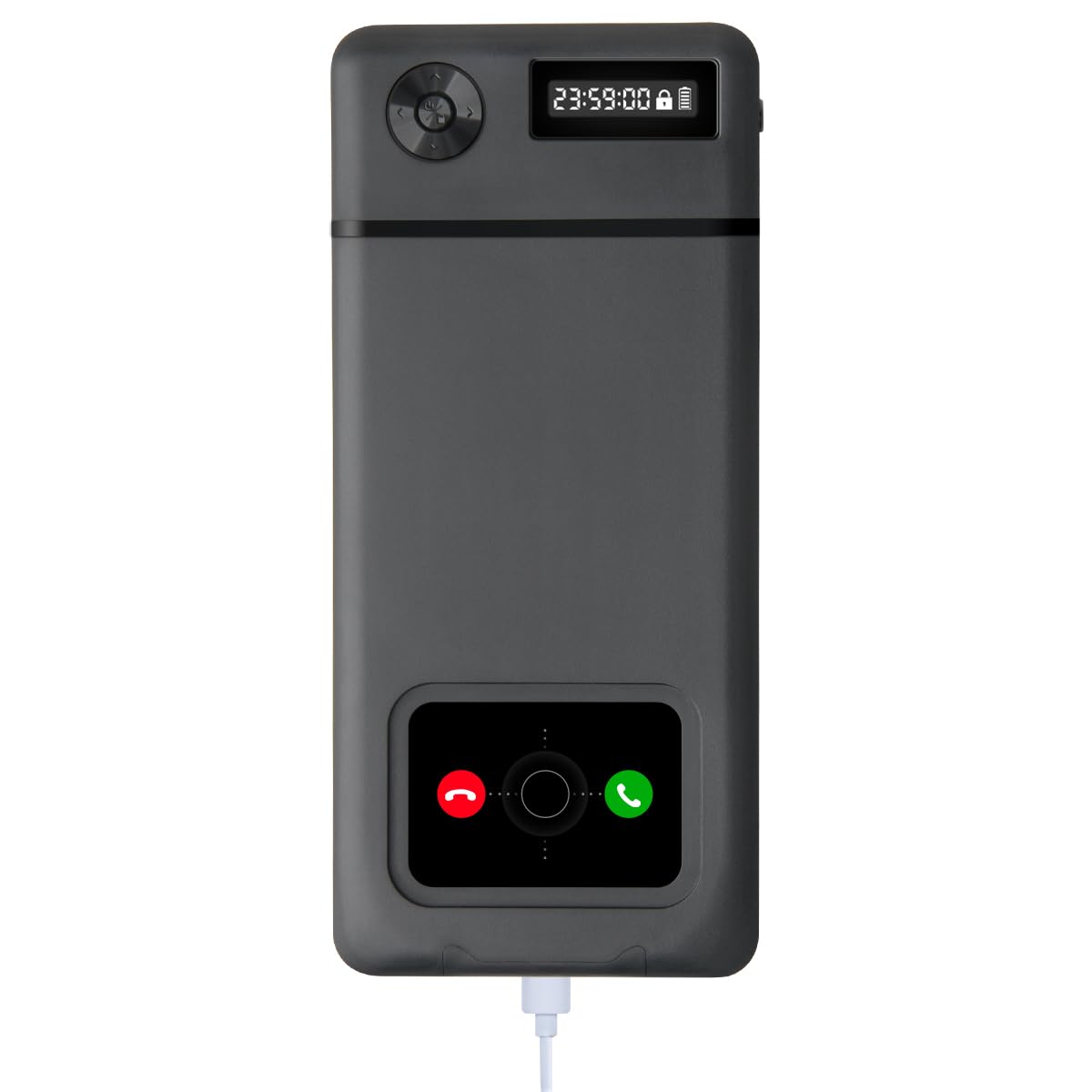
Six hundred milliamp-hours of battery means the countdown still runs two months after you last plugged it in.
You get more time between charges here than on the slim model above. The 600mAh battery (a rechargeable cell with double the capacity of the 300mAh one) takes about an hour to fill and then runs 60 to 90 days of continuous use — a real gap if you resent hunting for a cable every few weeks. The lock timer ranges from 1 minute to 24 hours, so a quick 20-minute phone break is as easy to set as a full evening.
You can keep your phone charging while it’s locked away, thanks to the port arrangement. Lightning and Type-C cables (the two common charging plugs) are both supported, so an iPhone or an Android phone can stay on the charger while it sits inside — a low battery is the number one reason people quit a lock box, and this addresses it. The body is high-performance ABS resin (a tough plastic) with more impact resistance than earlier versions of this style, measuring 8.46″ × 3.74″ × 0.94″ outside, and there’s silicone lining inside so the phone isn’t grinding against hard plastic. Press the lock button five times to switch on silent mode.
One thing to decide before you buy: forced open up are rationed. The listing says the container can only be emergency-opened five times across its whole life, which is fine for a box you use as intended but worth knowing on day one. The lid orientation trick — front up lets calls and music through, back up blocks everything — works the same way as its sibling model.
The clear win: a 600mAh cell and 60 to 90 days between charges, plus both Lightning and Type-C support so either phone platform can charge while locked.
The fine print: emergency open up are limited to five for the life of the product, so treat the timer setting as a real commitment rather than a guess.
Pick it when: you want a set-and-forget box that runs for months and plays nice with both charging standards.
Look on if: you want a generous override system to lean on — the five-use lifetime limit is the catch here.
5. ySky Timed Lock Box for iPhone & Android

Built for the big-phone crowd — an interior sized to take a 6.7-inch handset, case clearance aside.
If you carry a Plus or a Pro Max, most lock boxes feel like a shoebox for a hiking boot. This one is sized for the largest of them: the interior measures about 16.6 × 9 × 1.58 cm (6.53 × 3.54 × 0.62 inches) and the listing names iPhone 15, 15 Pro, 15 Plus, 15 Pro Max, 14, 14 Pro, 13 Pro, 13, 12 Pro Max, 12, 11, X, XR, XS, and 8 series plus Android phones. Folded phones and anything over 6.7 inches are out.
The timer is generous. It maxes out at 99 hours and 59 minutes, with a standby time over 90 days on a full charge and 50 days of maximum working time. Setting it is a deliberate two-step: press the power button twice to confirm the time, then a 10-second countdown gives you a hesitation window where one more press cancels the whole thing. That small pause is genuinely useful when you set a lock in a bad mood.
What you give up is access. The box is opaque, so lock-screen notifications vanish, and the only way to take a call or play music is through headphones, Siri, or the small holes in the shell. The other honest point is durability — some owners find it works exactly as intended and helps cut the habit, while others report the lock failing to engage or the body feeling flimsy. It’s a light plastic pouch-style box, not a safe.
Reasons it earns a slot
- Interior space handles phones up to 6.7 inches, which rules out a lot of rivals.
- A 99-hour 59-minute maximum timer covers a full weekend away from the phone.
- The 10-second hesitation countdown lets you back out before the lock engages.
- Calls and music still work through headphones, Siri, or the small ear holes.
Things to plan around
- Opaque lid means no screen, no notifications, no quick glance at anything.
- Build quality and durability come in for a fair share of complaints.
- Folded phones and anything over 6.7 inches simply will not fit.
This one suits: large-phone owners who want a lock with a truly long timer and a built-in pause before it engages.
The honest limit: it’s plastic and it shows — treat it gently and it’ll do its job, but it isn’t built to survive being dropped or forced.
6. Mindsight Personal Timed Lock Box

Three levels of strictness in one box — from a lock you can override to one with no code at all.
What makes the Mindsight different from every plastic box beside it is that you choose how hard the lid will be to open before you close it. Fortress Mode is a timed countdown with no open up code, Standard Mode runs the same countdown but hands you a code, and Lockbox Only skips the timer entirely. The countdown itself runs anywhere from 1 minute to 30 days, which is a wider band than most of the field offers.
Owners describe the build as solid and the routine as simple. The numbers back up a box people actually keep using: the focus and productivity angle comes up repeatedly, with the box framed as a true day-changer for staying on task, and safety and ease of use both draw heavily positive notes. There’s a custom-designed kid-safe lock to stop forced openings, and the box takes small items too — vapes, cigarettes, cash, credit cards — so it handles more than one temptation at a time.
Fit is where you need to check yourself before ordering. The interior is listed at 7 × 3.3 ×.65 inches and it’s rated for one phone with a standard case, not an XL case. A charging slot lets the phone stay powered while it’s inside. The battery is the one thing to watch: it’s a USB-C Li-ion pack, and the feedback on charging is genuinely split, so plug it in on a schedule rather than trusting it to always be ready.
Why it stands out: three commitment modes let you pick your own strictness, and the 1-minute-to-30-day timer is among the most flexible windows in this lineup.
The one to monitor: the USB-C battery’s charging behavior is inconsistent in owner reports, so keep the cable handy rather than assuming weeks of standby.
Worth it if: you want to dial the strictness up or down depending on the day instead of committing to one fixed level of lock.
skip it if: your phone is bigger than a standard case allows, since the.65-inch interior depth leaves no room for a thick cover.
7. Bloom Card App Blocker & Screen Time Tool
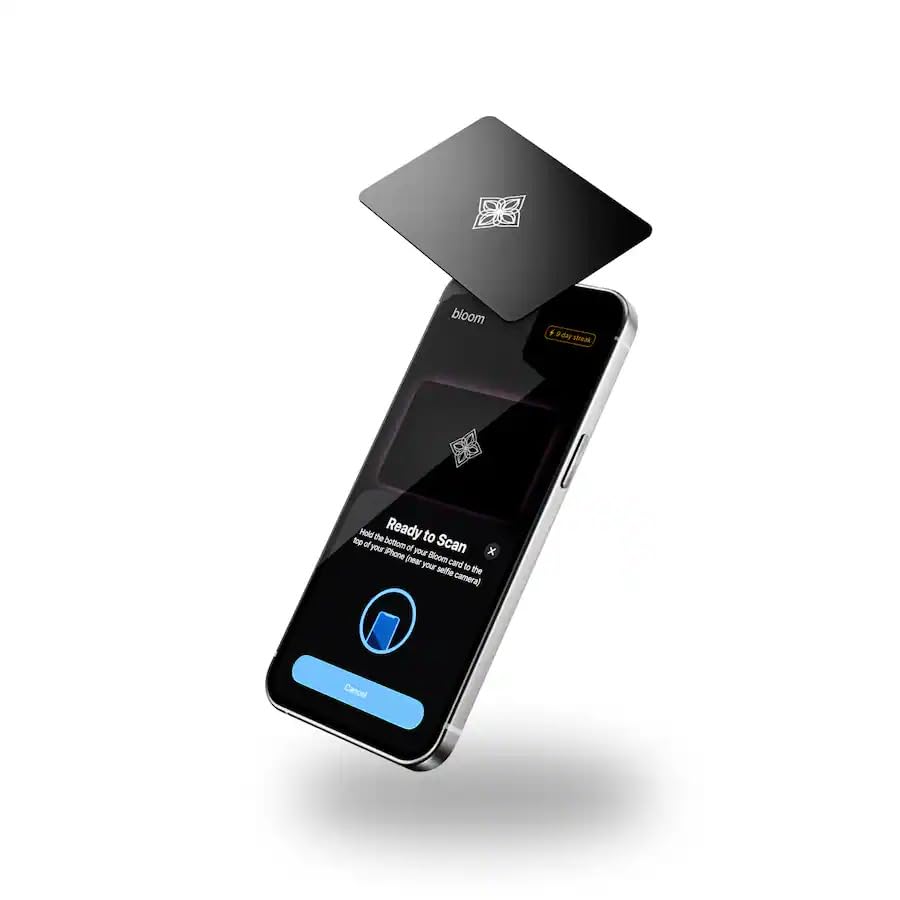
A 1.76-ounce stainless steel keycard that blocks apps and websites the moment you tap it.
Bloom solves the exact loophole that kills screen-time apps: you can always ignore a notification that says “time’s up.” A physical card removes that option. Tap the stainless steel NFC keycard (NFC being the same short-range tap tech as a contactless payment) to your phone and a focus session starts, blocking distracting apps like TikTok, Instagram, and YouTube plus chosen websites. Leave the card behind and those apps stay locked until you tap it again.
What buyers keep coming back to is the cleverness of the thing — that a small metal card beats an app you’ve already decided to ignore. The app covers the practical extras: focus schedules, child mode, break timers, emergency exits, and adult content blocking. Because it’s built for iPhone and Android and includes full access to the Bloom app with no subscription, the recurring cost question disappears. It also needs no charging at all, so it does its job whether or not you ever think about it.
The weak point is consistency. Reports split sharply — some say it works cleanly and does exactly what it should, others hit occasional glitches. It’s also a small card at 1.76 ounces, so it will disappear into a wallet or a bag pocket, which is the point — but the whole system depends on that card being nearby when you want to open up.
What wins people over
- A physical NFC tap is harder to ignore than a screen-time nudge you can dismiss.
- No subscription attached — the Bloom app comes with the card.
- No charging needed, and it weighs just 1.76 ounces for wallet carry.
- Includes focus schedules, child mode, break timers, and adult content blocking.
Where it asks for patience
- Reliability splits opinion — some report glitches, some report a clean run.
- The card has to be within reach of the phone for a tap, so it lives in a pocket or wallet.
- It blocks apps and websites, not the phone — it won’t stop you picking it up.
The right fit: anyone who already tried screen-time apps and quietly ignored them — a physical tap card is a harder habit to cheat.
The guardrail: expect the occasional glitch and keep the card close, since both the lock and the open up run through it.
8. Vaydeer Metal Timed Lock Box, 99-Day Timer
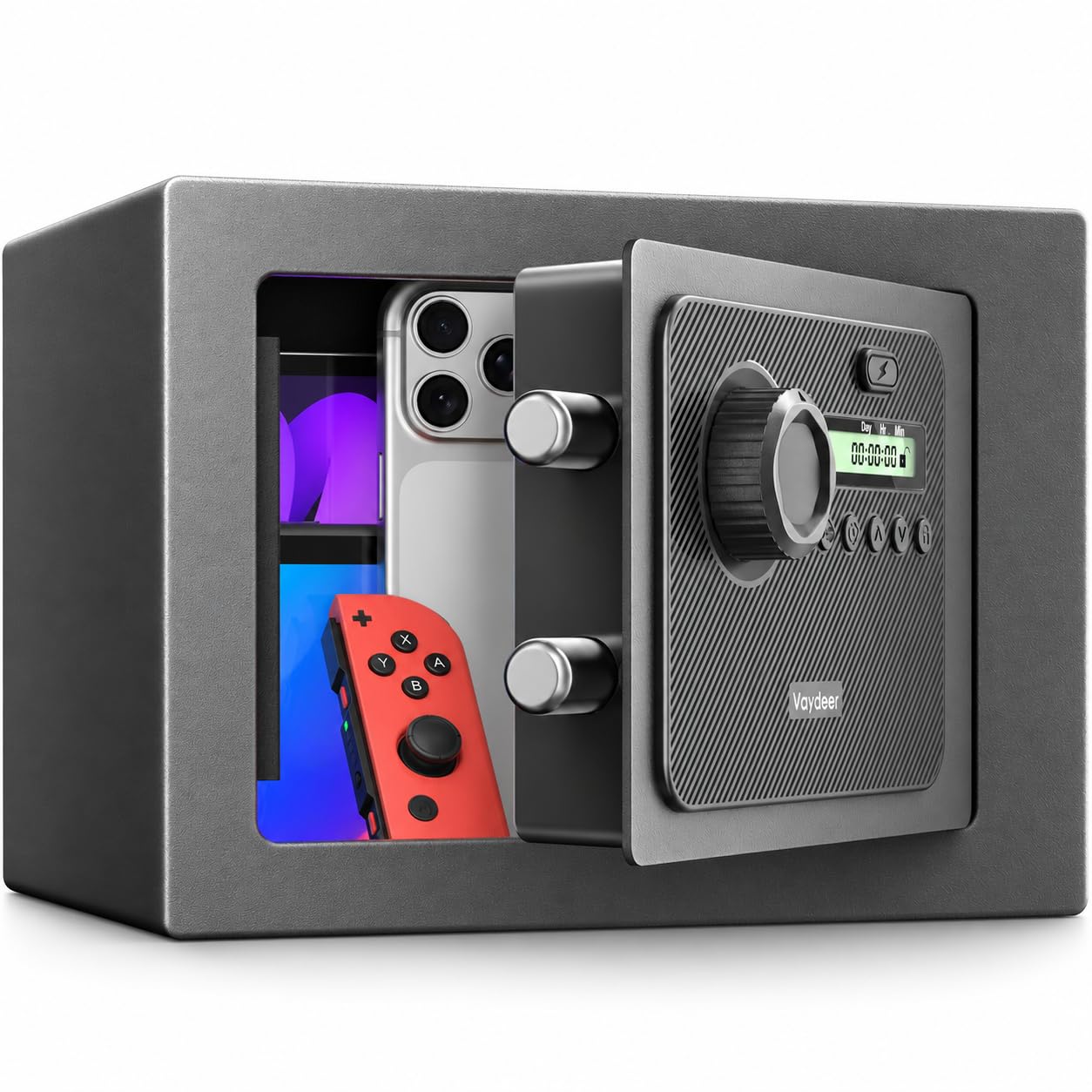
A four-pound black metal safe that swallows the whole family’s phones — and the remotes and controllers too.
This is the one for a household, not a phone. The interior measures 9.03 × 6.77 × 6.71 inches and holds up to 15-20 phones depending on thickness, or 3-4 tablets up to 8.5 inches, or 5-6 game controllers. Put every phone in the house inside, close the lid, and the whole evening changes — nobody’s reaching for a screen when the screens are all in one locked box. The digital screen shows the remaining lock time and a rotary dial sets it, with a maximum of 99 days and 23 hours.
The metal exterior is what makes it feel like a real barrier rather than a plastic tray. Owners call it the best on the market, singling out the high-quality build and the metal shell specifically, and the safe-inspired lock is designed to resist being forced open. It runs on 4×AA batteries that aren’t included, and a Type-C emergency power port covers the day the batteries give out. There’s also an emergency open up card in the box.
The honest caveat is durability at the long end — reports mix, with some finding it very tough and some seeing wear after repeated use — and setting and opening takes a bit of learning with the dial. Given the size and the 4-pound weight, this is furniture, not travel gear. Its charging function is the bright spot for mixed-household use.
The headline: 15-20 phone capacity and a 99-day 23-hour timer make this the communal answer — one box, every device, one countdown.
The honest catch: it’s a 4-pound desk-or-shelf unit that takes some getting used to, and long-term durability opinions are divided, so store it somewhere it won’t get knocked around.
Choose it for: collecting the whole family’s phones and controllers in one metal box with a very long timer.
Not for: anyone who wants to carry a lock box to a café — 4 pounds and 9 inches deep won’t ride in a bag comfortably.
9. iDiskk Large Timer Lock Box for iPad & Phone
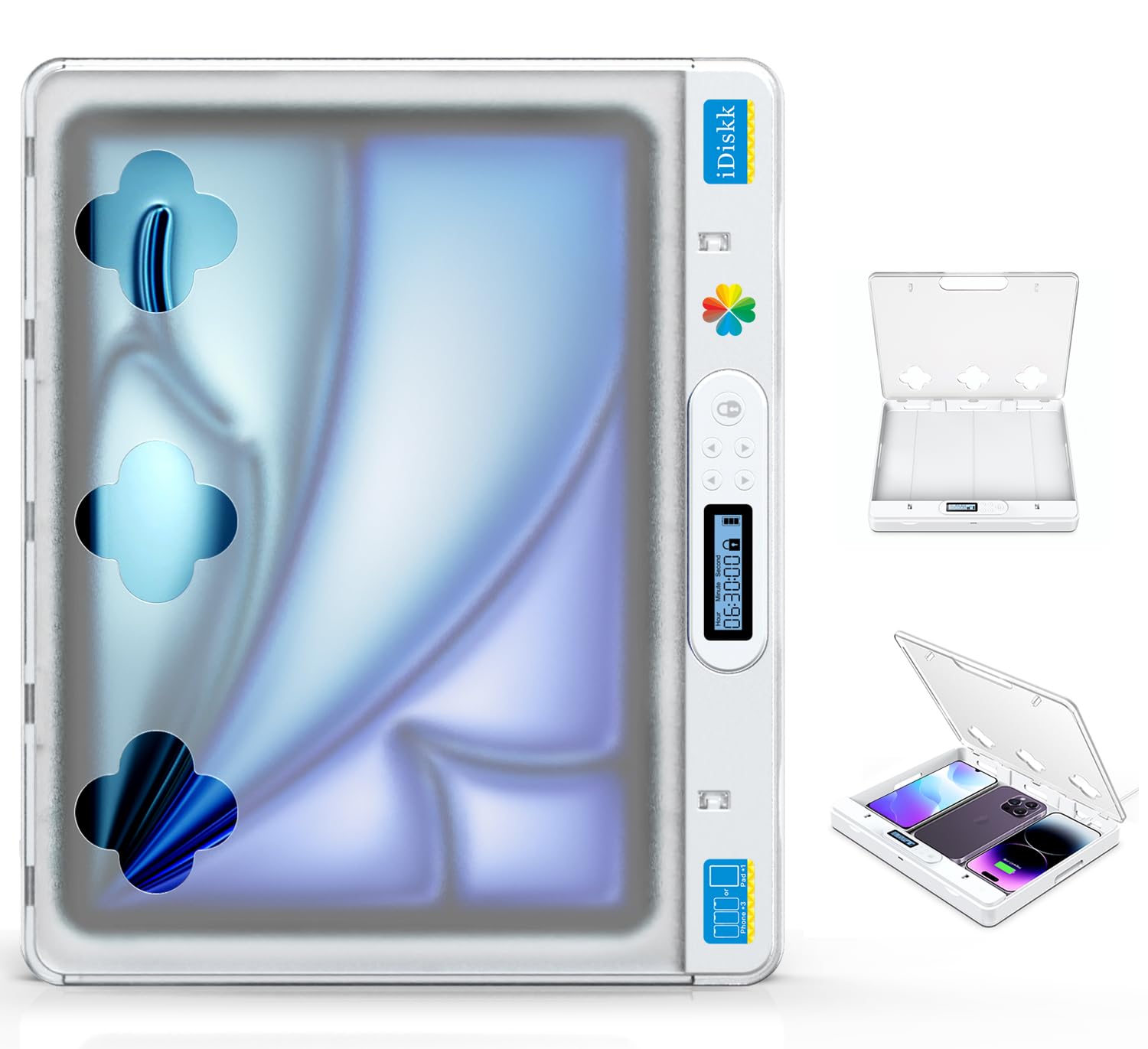
A timed locker built for the iPad as much as the phone — and the TV remote, if that’s the real problem.
The reason to consider an iDiskk over the small boxes is simple: it’s one of the few here named specifically for tablets as well as phones, and it’s built to hold the TV remote too. That matters because a lot of screen time isn’t the phone at all — it’s the iPad on the couch or the remote on the coffee table. It’s a timed electronic locker intended to break that habit loop by making the device physically unavailable until the countdown ends.
Function is where it holds up: buyers report it does its job well, describing it as a helpful tool that promotes discipline and productivity, and the remote-control function comes in for specific praise because removing the remote cuts off the whole TV rather than one app. Ease of use draws consistently friendly feedback — barely anyone finds it complicated to operate. It’s aimed at kids and adults both, so a shared household can use one box for everyone.
The real caveat is the mechanism itself. Locking is the topic with the widest spread of opinion, and a meaningful share of owners mention trouble getting it to lock properly. It’s also flagged as fragile in some reports, so it’s a box to place and leave, not to force or drop. Worth knowing before you commit a device that has a screen you can’t get to if the lock misbehaves.
Built for: households where the iPad and the TV remote are the actual distraction, not just the phone.
Go carefully if: you’re relying on a rock-solid lock mechanism — that’s the one area where feedback is least settled, so test the lock before you trust it with a device.
Know the Specs
Interior depth (why a phone with a case may not fit)
Depth is the front-to-back measurement inside the box, and a phone with a standard case adds real thickness. That’s why some boxes list a case requirement: the Mindsight sits at.65 inches interior depth and is rated for one phone with a standard case, no XL cases. Measure your actual phone in its case before you buy — a box that won’t close with your phone in it is the single most common reason people return one.
Battery capacity in mAh and runtime
Milliamp-hours (mAh) is a measure of how much charge the battery stores — more mAh usually means a longer wait between plug-ins. The 300mAh box here charges in about an hour and runs up to 60 days, while the 600mAh version runs 60 to 90 days. Battery-powered boxes using 4×AA cells work differently: you swap the batteries rather than recharge, and you should confirm what’s included before ordering.
NFC versus a timed electronic lock
NFC (near-field communication) is the short-range tap tech inside a contactless card — that’s how the Brick and the Bloom Card trigger a focus mode. It requires no charging and no wiring, but the phone must be near the card. A timed electronic lock, by contrast, runs a countdown in hardware and won’t release until the time is up regardless of where your phone is. NFC is soft friction; the timed lock is hard friction.
Emergency override and lock-out risk
Every timed box eventually forces the question: what if you need the phone back before the timer ends? The options differ widely — some offer an emergency code, some force an open up through a USB-C port when batteries die, and some ration emergency openings to five for the product’s lifetime. Read that detail first, because on a box where the timer cannot be overridden, the only exit is waiting.
Common Questions
Will my phone still charge while it’s locked in the box?
Can I get my phone out early if there’s an emergency?
Is an NFC card like Brick or Bloom better than a timed lock box?
What size phone fits a timer lock box?
Can I use one of these to lock up snacks or a game controller?
How long can a timed lock box stay locked?
Will a lock box wake me up with a beep or alarm?
Do the app blockers work on both iPhone and Android?
What’s the difference between an app blocker card and a screen-time app I already have?
The Bottom Line
If the goal is fewer hours in your most distracting apps without sacrificing a usable phone, the Brick is the pick — it turns one thumb swipe into a deliberate tap and tracks the focus time you get back, so you can see the habit change. For a strict physical barrier, the Mindsight gives you three commitment modes, and the Vaydeer 99-Day box handles the whole family’s phones and controllers at once. Whichever you choose, check the interior depth against your phone in its case and read the override rules before the first lock — those two details decide whether the box becomes a routine or a drawer ornament.
How we choose
We do not accept paid placement. Every pick is matched to a real buyer and a real use-case; we do not hands-on test units.
Sources
Specifications: manufacturer listings and product documentation. Review insights: verified customer reviews, as of November 2026. Pricing: not shown on this page (it changes often); check the current price via the retailer link.
As an Amazon Associate, Tactical Gear Guy earns from qualifying purchases. This does not affect which products we feature.