Specs are compiled from manufacturer listings and verified buyer reviews and can change over time — please confirm the key details on the product page before buying.
If you want real multi-color and multi-material prints without stopping to swap spools by hand, the Snapmaker U1 is the machine to beat. It runs four separate toolheads and changes between them in about 5 seconds, so a four-color model prints in one sitting instead of becoming a weekend project.
This guide is built by comparing the manufacturers’ published specifications and the patterns across verified customer reviews, so you get each pick’s real strengths and trade-offs instead of marketing spin.
Toolhead count, tool-change speed and build volume decide most of the buying here, and the paragraphs below break down which multi-colour machine fits your bench. These are the picks that make a multi tool head 3d printer worth owning.
Top Picks


How To Choose The Best Multi Tool Head 3D Printer
The multi-toolhead printers here solve one specific problem: a single-nozzle machine has to unload and purge filament every time a colour changes. That purge clogs your spool, wastes hours, and leaves a tiny bin of stringy leftovers. A tool changer sidesteps the whole routine by parking one print head and grabbing another.
Start with the tool count, because it caps your colors
A four-toolhead machine loads four filaments at once, and that is your out-of-the-box color ceiling. Expansion boxes can push the count higher, but each one costs more bench space and more money. Work backward from the model you want to print, not from the maximum a listing advertises.
Build volume is your real footprint
Build volume is the cube of space the printer can fill, listed as three numbers in millimetres. A 270 × 270 × 270 mm chamber handles most desktop models, while a 350 × 350 × 350 mm chamber lets you print a large enclosure in one piece instead of splitting and gluing it. Bigger volume also means a heavier machine that needs a solid bench.
Tool-change speed and waste
A tool changer measured in single-digit seconds cuts idle time out of every layer that carries more than one color. Waste reduction is the other half of that argument: fewer purge cycles means more of your spool ends up in the model rather than the bin. Both numbers show up in the specs below, and both matter on long multi-colour jobs.
Materials decide which jobs you can take
Stiff everyday filament like PLA is the easy part. Flexible TPU, water-soluble PVA supports, and engineering blends like PA-CF ask for higher nozzle temperatures and dedicated extrusion paths. A machine with independent extruders per material keeps feed consistent, which is exactly what flexible filament needs.
Side-by-Side Comparison
| Model | Best For | Toolheads / Extruders | Build Volume | Max Print Speed | Amazon |
|---|---|---|---|---|---|
| Snapmaker U1★ Best Overall | Balanced all-rounder | 4 toolheads, 5s changer | 270 × 270 × 270 mm | 500 mm/s | Amazon |
| ANYCUBIC Kobra XBest Value | Compact print farms | Native 4-color, up to 19 | 260 × 260 × 260 mm | — | Amazon |
| FLASHFORGE AD5XFastest Four-Color | Fast four-color starter | IFS 4-color system | — | 600 mm/s | Amazon |
| Creality K2 SE 4C | First multi-color machine | 4-color ready | 220 × 215 × 245 mm | 500 mm/s | Amazon |
| FLASHFORGE Creator 5 | Engineering materials | 4 toolheads, 7s changer | — | 600 mm/s | Amazon |
| FLASHFORGE Creator 5 (Extruder) | Multi-color TPU work | 4 independent extruders | 256 × 256 × 256 mm | 600 mm/s | Amazon |
| Anycubic Kobra S1 Max | Large one-piece prints | 4-color, up to 16 | 350 × 350 × 350 mm | 600 mm/s | Amazon |
| Creality K2 Plus Combo | Quiet large-format runs | CFS, up to 16 colors | 350 × 350 × 350 mm | 600 mm/s | Amazon |
| Snapmaker Artisan | Workshop multi-craft | Dual extrusion | 400 × 400 × 400 mm | — | Amazon |
| Original Prusa XL | Studio-grade dual material | 2 toolheads | 14.17 × 14.17 × 14.17 in | — | Amazon |
Detailed Reviews
1. Snapmaker U1 3D Printer, 4-Toolhead with 5s Toolchanger
Our pick — 4.5+★ from 300+ verified ratings; the strongest balance of quality and price.
Four toolheads parked and preheated, swapping in five seconds flat
This is the machine that made the four-toolhead idea click for a lot of buyers. The SnapSwap system holds four independent toolheads with filament already loaded and warmed, so a four-color job runs without you standing over the spool holder. A tool change takes about 5 seconds versus roughly 2 minutes on a purge-based setup, and that saving repeats at every color boundary in the model.
What wins people over is the build and print consistency: quality is the most-discussed subject by a wide margin, with owners describing it as a machine that behaves properly from the first print. The carbon fiber X-axis rails on the CoreXY frame (a belt-and-rail motion system that keeps the head stable) let it reach 500 mm/s while keeping the 270 × 270 × 270 mm build volume accurate.
The honest catch is weight. At 57.9 lb it lands far heavier than the ANYCUBIC Kobra X at 20.9 lb, so plan a permanent bench rather than carrying it between rooms. Snapmaker rates the toolhead locking mechanism for over 1,000,000 swaps, and the one-year warranty covers the machine while you put that figure to work.
Where the U1 pulls ahead
- Four preheated toolheads mean genuine multi-color and multi-material printing with no manual filament swaps
- 500 mm/s on a rigid CoreXY frame with carbon fiber X-axis rails keeps speed and accuracy together
- Runs rigid, flexible, and water-soluble support materials in a single print job
- Auto toolhead offset calibration and vibration compensation cut the fiddly setup work
What to weigh first
- At 57.9 lb it is a permanent-bench machine, not something you move around
- Four toolheads mean more components to calibrate and keep clean over time
Reach for this if: you print multi-color models regularly and want the swap handled for you at 5 seconds a change.
Think twice if: your bench is temporary or you need to pack the machine away between sessions.
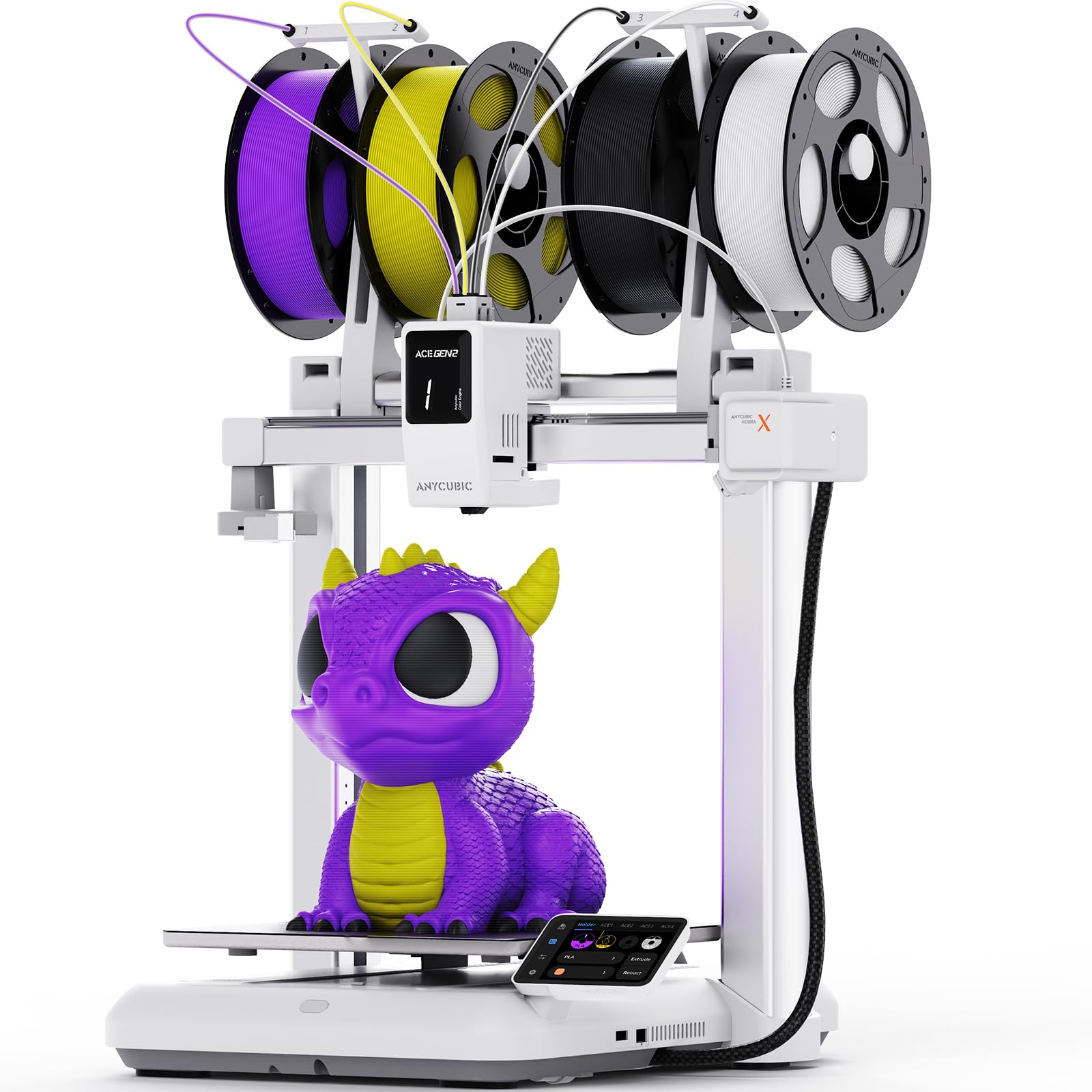
2. ANYCUBIC Kobra X 3D Printer, Native 4-Color, Up to 19-Color
Nineteen colors on a bench where most printers barely fit
If you are running a small print farm or squeezing machines onto one workbench, the Kobra X makes its case on footprint. The spool holder sits vertically on top rather than in a side box, and the whole unit weighs 20.9 lb against the Snapmaker U1’s 57.9 lb. Moving it between stations is a one-person job.
Color expansion is the headline: native 4-color from the start, stretching to 19 colors when you add ACE 2 Pro units. Anycubic’s figures put filament change length 81.25% shorter, so each spool yields more parts and less purge waste lands in the bin. The LeviQ 3.0 system maps 49 points across the bed so the first layer lands evenly without you turning screws by hand.
Performance is what draws the most approval — it’s the subject buyers bring up most often, and the overall read is that it clears expectations for a standalone machine. Reliability is the split note: some units run for the long haul and some quit inside the first month. Treat that as a reason to buy from a seller with a clean return path rather than a reason to write off the model.
The farm math: up to 19 colors, a 260 × 260 × 260 mm build area, and a 720P camera with AI spaghetti detection so a failed print pauses itself instead of eating a spool overnight.
Weight it honestly: reliability is a genuine coin-flip in the feedback, so a warranty-friendly seller matters more here than on the picks above.
Suits you when: bench space is tight and you want the widest color range without a huge chassis.
Pass if: you need proven long-term reliability above everything else.
3. FLASHFORGE AD5X Multi-Material 3D Printer
The speed leader of the four-color group, at 600 mm/s
Speed is where the AD5X separates itself. It tops out at 600 mm/s with acceleration up to 20,000 mm/s², which puts it ahead of the Snapmaker U1’s 500 mm/s on raw pace. The all-metal CoreXY structure (a frame layout that moves the print head on rigid rails) plus vibration suppression keeps layers lined up while it sprints.
The Intelligent Filament System, or IFS, lets it print several colors and materials at once across PLA, TPU, PETG, SILK, PLA-CF and PETG-CF. Four spools sit side by side rather than stacked, and the modular build keeps the footprint down to roughly 14.8 × 16.26 × 14.29 inches — noticeably more compact than the Snapmaker U1’s 22.6 × 13 × 14.2 inches.
Quality is the aspect that earns the most goodwill, with print output regularly called beautiful. The counterweight is reliability: it is the recurring split note, with stories of machines running flawlessly alongside stories of a unit failing partway through a job. Durability is the weakest thread in the feedback, so factor in a careful first-week test of filament runout recovery.
The pace argument: 600 mm/s and 20,000 mm/s² acceleration on a compact CoreXY frame, with full auto bed leveling handling the first layer for you.
The honest gap: connectivity is a mixed bag and some units stop mid-print, so keep the first few jobs short while you learn the machine’s mood.
Best matched to: makers who want four-color output and the fastest head in this group.
Look elsewhere if: a spotless reliability record is your first requirement.
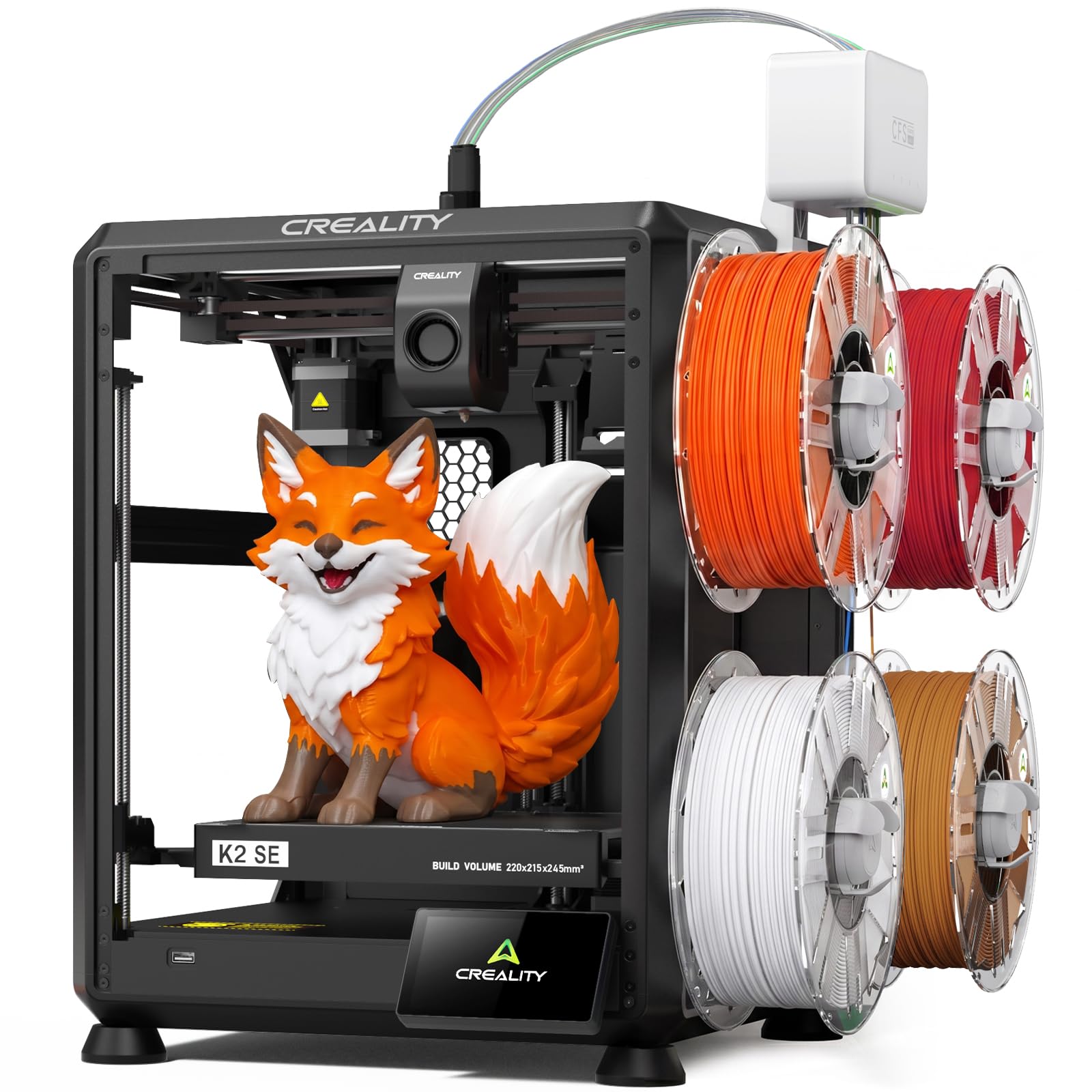
4. Creality K2 SE 4C Multi-Color 3D Printer
Arrives built, levels itself, and prints four colors from day one
For a first multi-color machine, assembly is usually the wall you hit before you ever print anything. The K2 SE 4C ships fully assembled, so you unpack it and start. Creality rates its multi-color setup at 37% less space than the K2 SE Combo, which matters when your bench is already crowded.
Speed is what surprises people most. It hits 500 mm/s with peak acceleration of 20,000 mm/s² on a CoreXY frame, and the die-cast aluminum frame with bilateral crossbeams keeps vibration from shifting layers. Targeted auto bed leveling scans only the area your model will occupy, which means a shorter leveling routine before each job.
What wins people over is how approachable it feels as a starter machine, and print quality comes away clean with no defects reported in the feedback. Reliability is the split note, with failures mentioned alongside machines that run great — and durability is the softer thread, including a mainboard failure mentioned after several months. Build volume of 220 × 215 × 245 mm is the smallest in this group, so scale your models before you commit.
The beginner-friendly bits
- Ships fully assembled with auto bed leveling, so there is no build step before your first print
- 500 mm/s CoreXY printing on a rigid die-cast aluminum frame
- Power loss recovery and skip-partial-failure protection keep a long job from being wasted
- Native root access and Fluidd UI support give you deep control when you outgrow the basics
Where it asks patience
- 220 × 215 × 245 mm build volume is the tightest here, so big models need splitting
- Connectivity drew the most consistent criticism in the feedback
Pick it for: a first multi-color printer where setup should not be a project of its own.
Caveat to plan around: the small build chamber rules out large single-piece prints.
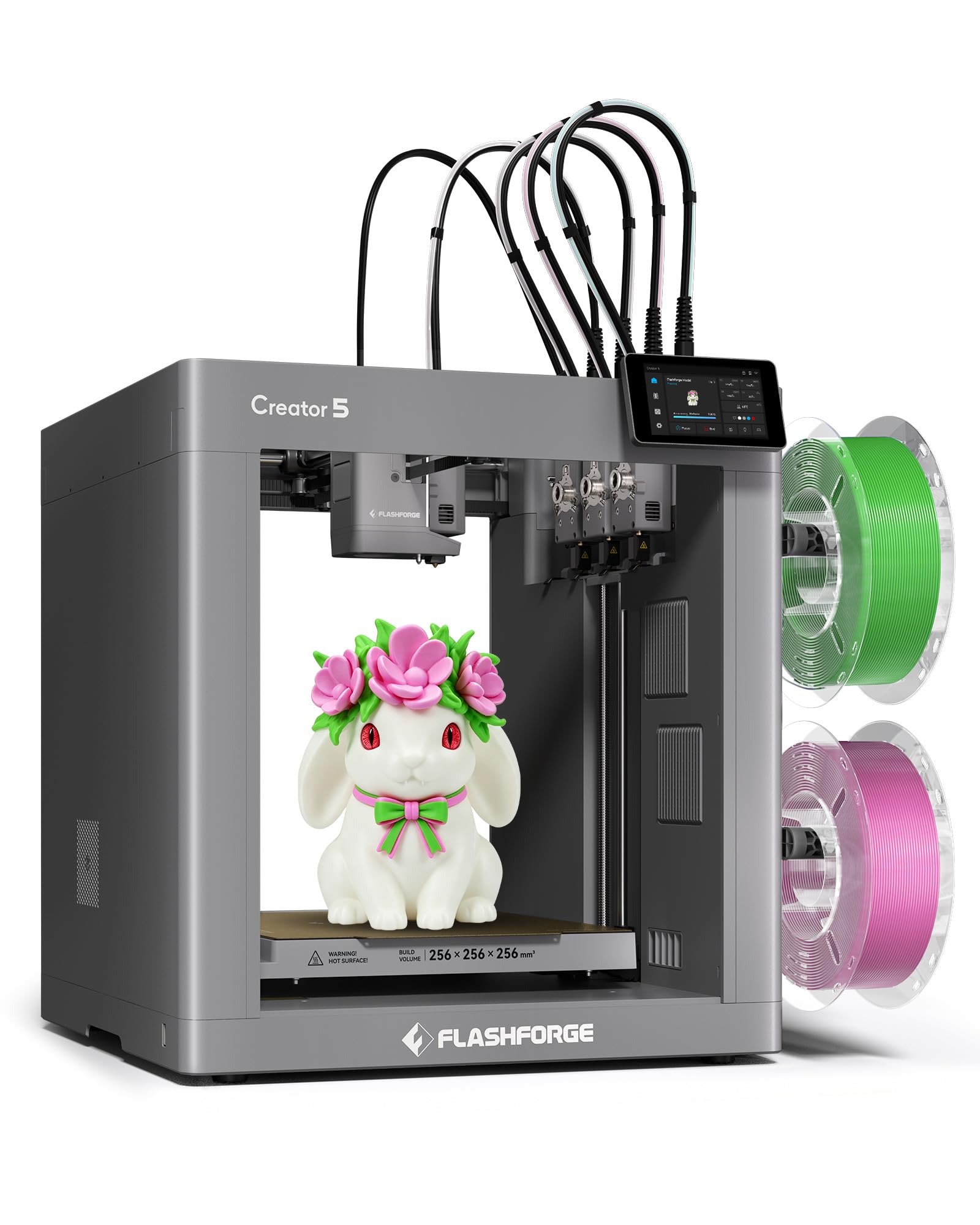
5. FLASHFORGE Creator 5 3D Printer
Hardened steel nozzles built for carbon-fiber filament, not just PLA
Most four-color machines are tuned for pretty models. The Creator 5 is aimed at parts that have to hold up. Hardened steel nozzles rated to 320°C and a 32mm³/s flow rate let it run PA-CF and other carbon-fiber reinforced composites alongside PLA, PETG and TPU 95A.
The FlashSwap tool changer swaps between four independent toolheads in 7 seconds with no purging and no color bleeding, and Flashforge rates the setup at nearly 84% material efficiency. Toolhead offset calibration holds alignment within 0.04mm, and the all-metal CoreXY frame carries 600 mm/s printing at up to 30,000 mm/s² acceleration. That puts it right alongside the Creality K2 Plus Combo’s 600 mm/s and 30000 mm/s² figures, and ahead of the 7-second changer is a fine trade against the Snapmaker U1’s 5 seconds.
Owners gravitate toward how straightforward it is to run, with a short learning curve and quick setup standing out. Reliability is the softer side of the story, with some machines failing inside the first 30 days and jam-related notes appearing more than any other single gripe. Start with a spool of plain PLA to learn the tool changer before you load expensive engineering filament.
Why engineers lean in: 320°C hardened nozzles, 0.04mm alignment tolerance, and a 30,000 mm/s² ceiling put this in production-part territory.
The trade-off to know: jam reports are the most common complaint, so keep spare filament paths clean and budget your first week as a shakedown.
The right fit: functional parts in carbon-fiber blends, where nozzle temperature and alignment tolerance decide success.
Hold off if: you only print decorative PLA figures and want the simplest possible machine.
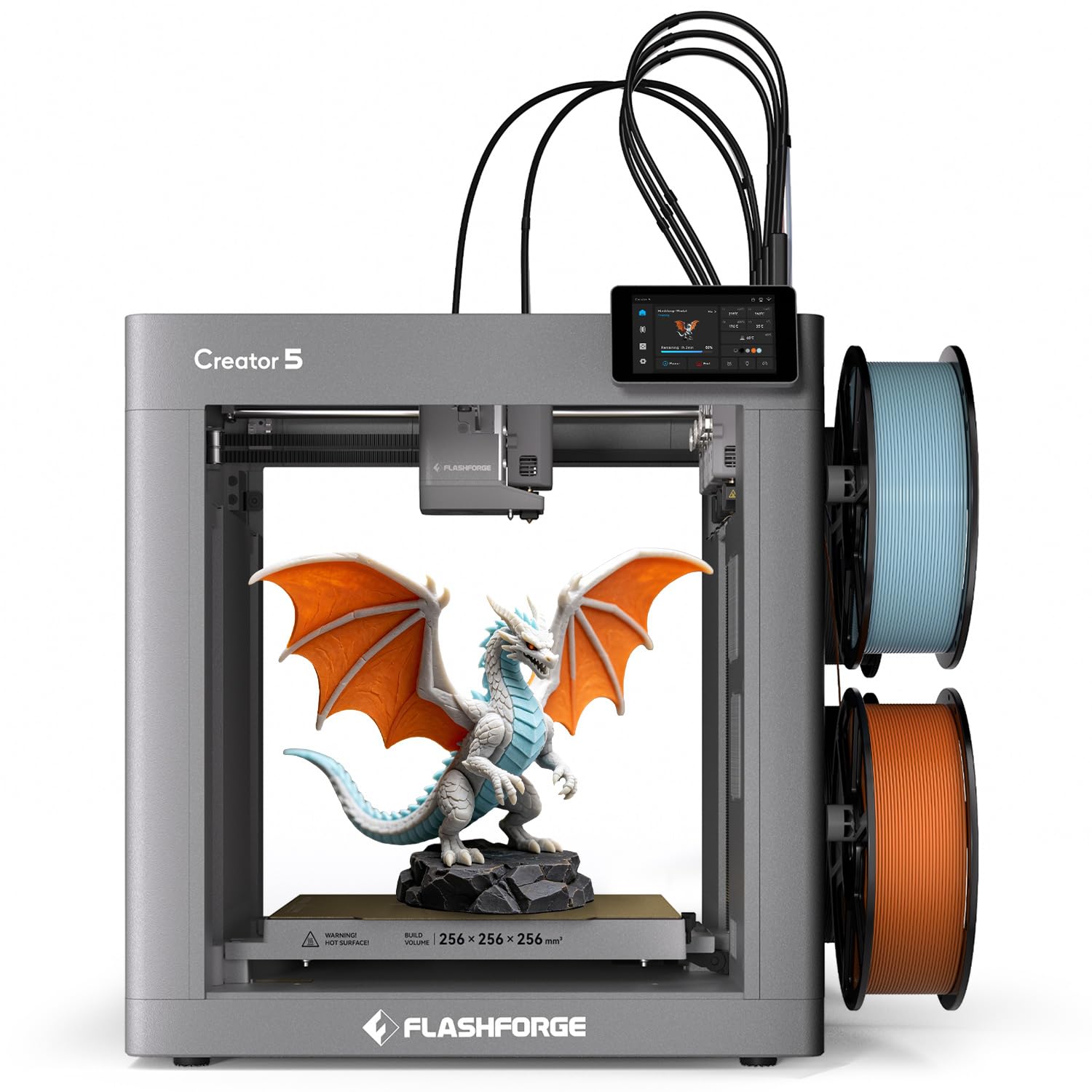
6. FLASHFORGE Creator 5 with 4 Independent Extruders
Four direct-drive extruders, one dedicated path for each material
This is the multi-material build for anyone whose projects mix stiff and squishy filament. Each of the four extruders is direct-drive and fully independent, so flexible TPU runs through its own feed path instead of being dragged through a shared one. Multi-color TPU projects, normally the hardest thing to ask of a filament system, sit inside its comfort zone.
Per Flashforge’s figures, color changes finish up to five times faster than on a single-nozzle machine running repeated load and unload cycles. The CoreXY frame reaches 600 mm/s with 30,000 mm/s² acceleration plus automatic flow compensation, and the 256 × 256 × 256 mm chamber gives you more room than the 260 × 260 × 260 mm on the Kobra X only by a hair — close enough that you should choose on extruder architecture, not volume.
Setup and nozzle swaps are the practical wins here. Tool-free nozzle changes take about 30 seconds, the 4-inch touchscreen covers 9 languages, and AI failure detection pauses the job on an anomaly. The 30.9 lb weight keeps it movable if you reorganize your bench.
For the tinkerer: independent direct-drive extrusion is the cleanest way to keep flexible filament feeding evenly across a four-color job.
Buyer note: this is a quieter listing than the 4-toolhead Creator 5, so read the toolchanger spec carefully if swapping heads is what you actually want.
Worth choosing if: flexible TPU in multiple colors is the job you have in mind.
Second-guess it if: you want a physical tool changer rather than independent extruders.
7. Anycubic Kobra S1 Max Combo 3D Printer
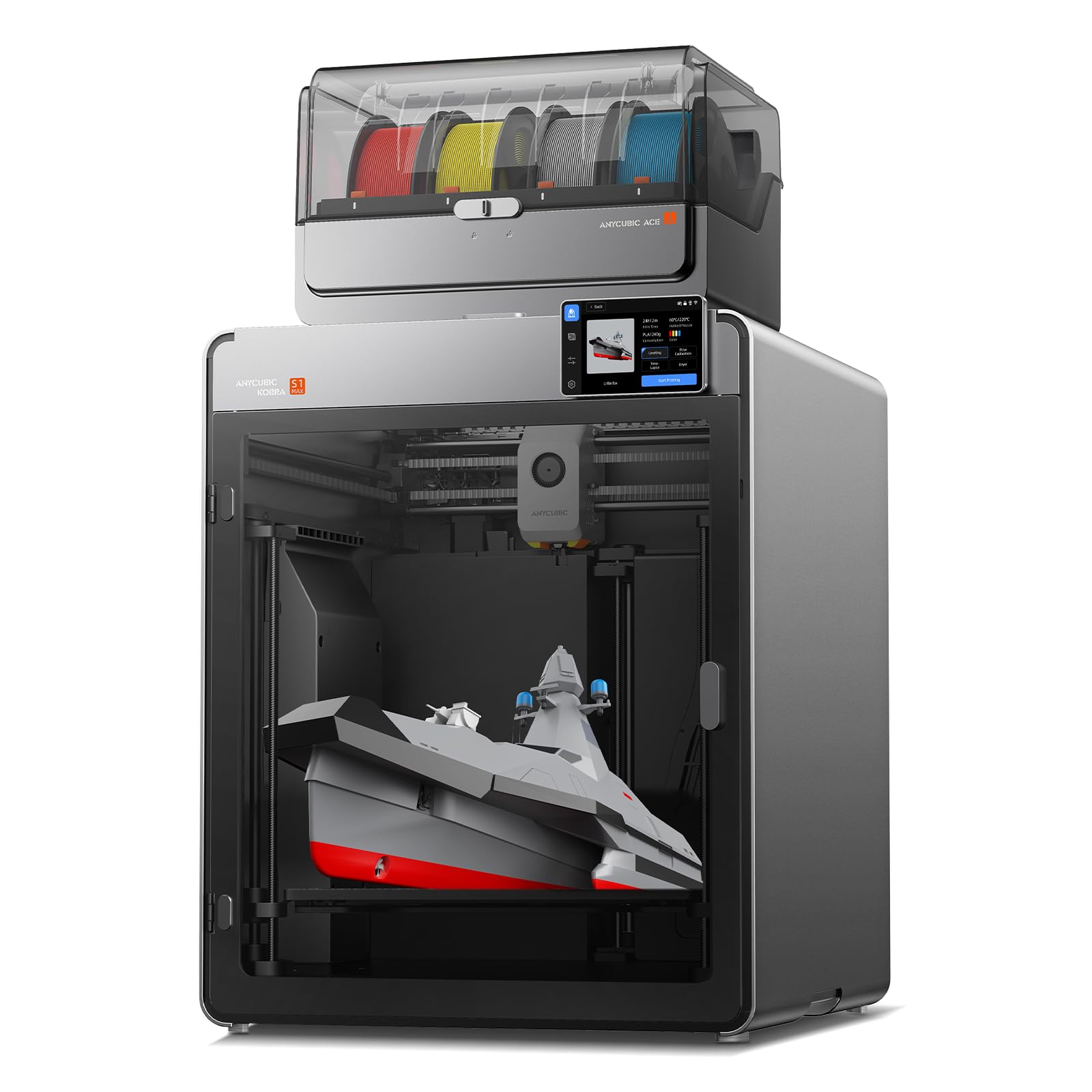
A 350mm cube of build space inside a fully enclosed frame
When a model is too big to split and glue, the S1 Max is the answer. Its 350 × 350 × 350 mm³ chamber takes full-scale prototypes and large enclosures in one piece, and the fully enclosed all-metal CoreXY frame keeps tall prints from wobbling as the head climbs.
Speed matches the high end of this group at 600 mm/s with 20,000 mm/s² acceleration. The ACE 2 Pro box gives you 4-color printing from the start, expandable to 16 colors with four boxes. A 65°C heated chamber and 350°C hotend let it run ABS, ASA and other engineering materials without the warping that plagues open-frame machines.
This is a newer listing with a smaller feedback pool, and the honest read is mixed on both print quality and reliability — some units impress and some throw errors and stop. Weigh that against the enclosed 350mm chamber, which no other machine here pairs with a heated build environment. At 77.8 lb it wants a dedicated table.
The enclosure advantage: a 65°C heated chamber plus 350°C hotend is what lets ABS and ASA print without cracking.
Size up the risk: the feedback pool is small and split, so the warranty and return terms deserve a close read before you commit.
Go here when: one-piece large prints or warm-chamber engineering materials are your priority.
Reconsider if: you want a long, well-established track record behind the model.
8. Creality K2 Plus Combo 3D Printer with CFS
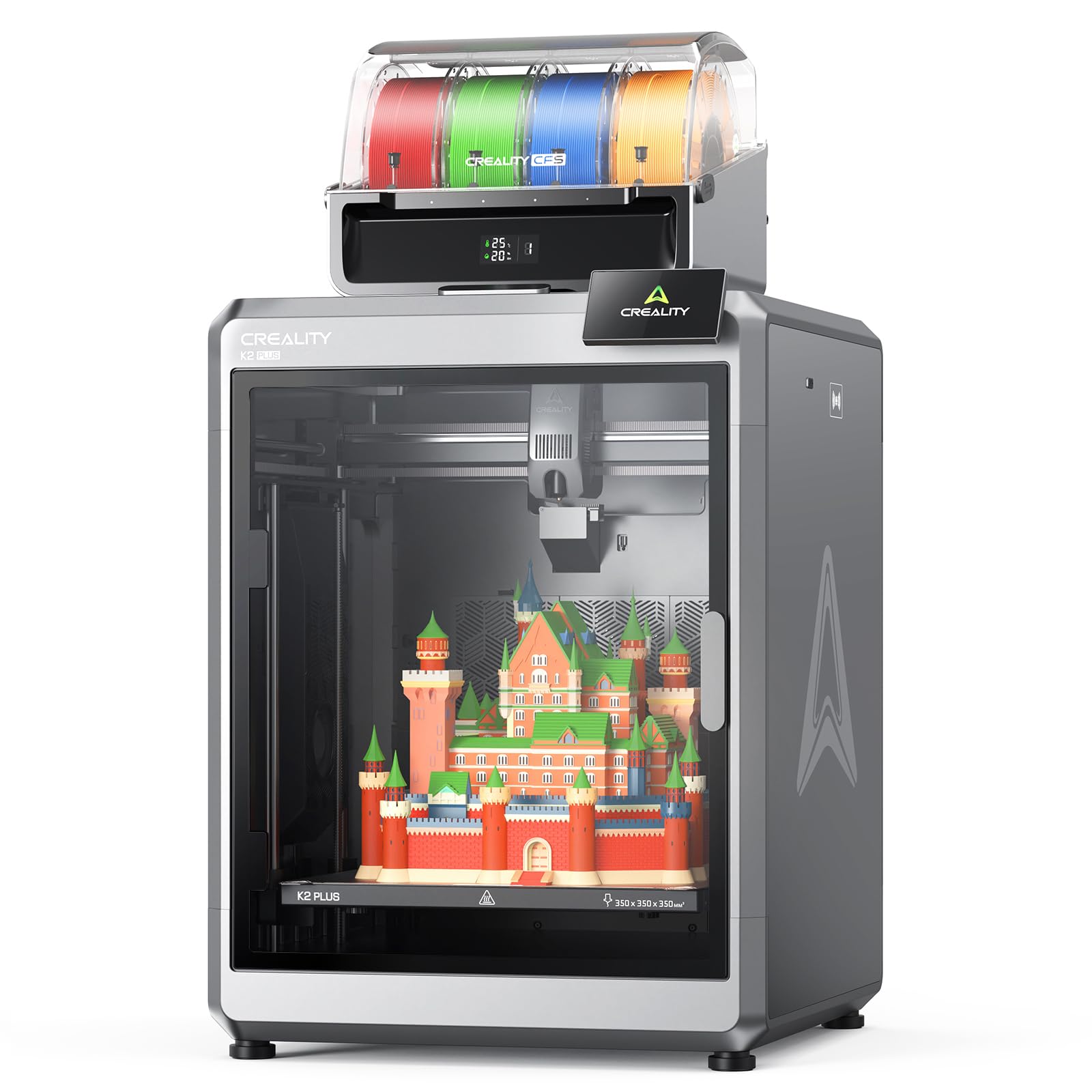
Large-format printing quiet enough to sit beside your desk
Noise is the spec that rarely gets a line on a listing, and it is the one that decides whether a printer lives in your office or the garage. Creality rates the K2 Plus Combo at ≤45 dB at 300 mm/s, a level it compares to typing on a laptop. Step-servo motors and balanced fans do the quieting.
The same motors push it to 600 mm/s with 30,000 mm/s² acceleration, and the 350 × 350 × 350 mm build area matches the Kobra S1 Max for large one-piece work. One CFS unit is included for multi-color printing, and stacking up to four CFS units reaches 16 colors — though you buy the extra three separately.
Ease of use is the clearest positive thread, helped by the machine arriving fully assembled with self-tests for leveling and fan calibration on startup. Reliability and print quality both read mixed, with plate adhesion the most common practical complaint and durability the weaker thread. Build quality lands somewhere between sturdy and under-engineered depending on which unit you get.
The office argument: ≤45 dB at 300 mm/s plus a 350mm build cube makes this the pick for shared spaces.
Plan the extras: only one CFS unit ships in the box, so budget for three more to reach 16 colors.
Made for: a home office or studio where the printer runs nearby while you work.
Skip past if: you want the most color boxes included straight out of the carton.
9. Snapmaker Artisan 3D Printer

A 400mm work cube you can upgrade into a laser and CNC rig
The Artisan is a different animal from the four-color machines above. It runs dual extrusion rather than four toolheads, but it pairs that with the largest work area here — 400 × 400 × 400 mm — and a quick-swap design that lets you trade the print head for laser engraving or CNC carving modules. This listing is the 3D printing version only; the 3-in-1 modules are bought separately.
Steel guide rails ground to micron level and a one-piece die-cast base plate give it the rigidity of a workshop tool, which is why it can hold steadiness under high-speed CNC work. The dual-extrusion module uses 7:5:1 planetary plus dual extrusion gears for steadier feed. A 7-inch touchscreen shows live job status, both nozzle temperatures and G-code previews, and you can swap modules without powering down.
Quality is the positive thread in the feedback, with the 3-in-1 concept drawing genuine praise. Both build quality and value draw split reactions, and the price tier is premium — this is a workshop investment, not an impulse buy. At 79.8 lb, plan a permanent station.
Why the workshop crowd watches it: dual extrusion plus a modular head system covers printing, laser work and CNC from one frame.
The cost of flexibility: the 3-in-1 modules cost extra, so the true entry price for all three crafts sits well above this listing.
Built for: a small shop or maker space that wants one rigid frame for printing, engraving and carving.
Not the pick if: four-color printing is your only goal.
10. Original Prusa XL 2-Toolhead Multi-Material 3D Printer
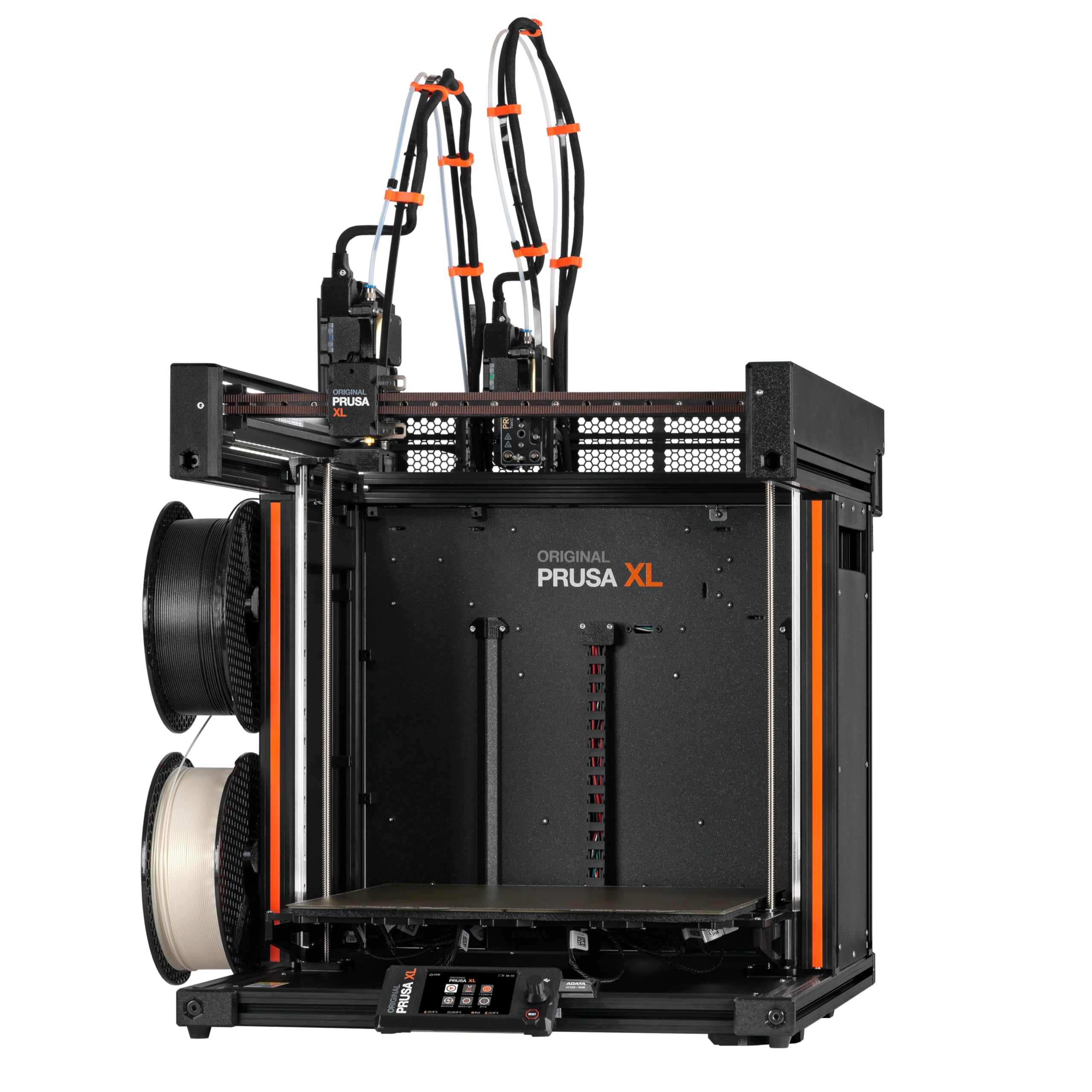
Two toolheads, a segmented bed, and the Prusa software stack behind them
The XL makes a narrow, specific bet: two toolheads instead of four, but each one doing multi-material duty with minimal purge. That suits soluble support structures on complex geometry, where you need one material for the model and one that dissolves away afterward. Its build volume is stated as 14.17 × 14.17 × 14.17 in.
The segmented heated bed is the standout engineering detail. It warms only the zones your model touches, which reduces warping on large prints and keeps first-layer adhesion consistent across the full plate. A stable CoreXY motion system carries that across multi-material operations, and the whole workflow ties into PrusaSlicer and Printables.com.
Feedback on the XL splits cleanly. Some owners call it an outstanding machine while others find it unreliable, and value draws the same divide — a great buy to some, an expensive toy to others. Prusa backs it with lifetime technical assistance and 24-hour customer service, and the box includes one Satin print sheet and a 1 kg spool of Prusament PLA. Some parts, including the LCD and extruder assembly, ship separately packed for transport and need fitting at home.
The Prusa argument: segmented bed heating, a two-tool material workflow, and the PrusaSlicer ecosystem in one large-format frame.
Budget for reality: 2 toolheads is half the color capacity of the four-toolhead machines here, so this is a materials tool rather than a color machine.
Right call for: studios that need two-material printing with soluble supports and want the Prusa software workflow.
Wrong call if: you want four colors in a single job.
Know the Specs
Toolheads and tool changers
A toolhead is the assembly that heats and feeds one filament; a tool changer parks one and picks up another. Four toolheads give you four materials loaded at once, and a change time of 5 or 7 seconds replaces the old minute-plus purge cycle. The more toolheads, the fewer color changes spend time sitting idle.
Build volume
Three numbers in millimetres describe the cube of space a printer can fill. A 270 × 270 × 270 mm chamber covers most desktop models, and 350 × 350 × 350 mm lets you print a large enclosure in one piece. If a model exceeds the cube, you split it and glue — a step most makers would rather skip.
Print speed and acceleration
Speed in mm/s tells you how fast the head travels in a straight line; acceleration in mm/s² tells you how quickly it gets there and slows back down for corners. A machine at 600 mm/s with 30,000 mm/s² finishes a dense model faster than one at 500 mm/s, but only a rigid frame and vibration compensation keep the layers aligned at that pace.
Heated chamber and hotend temperature
A heated chamber warms the air around the print so engineering materials cool slowly and resist warping. Hotend temperature is the ceiling for what filament the nozzle can melt. ABS and ASA want a warm chamber; carbon-fiber blends want a hardened nozzle and higher heat.
Common Questions
Is a four-toolhead printer better than a single-nozzle machine that swaps filament?
How many colors can a multi toolhead printer actually print at once?
Does a tool changer waste less filament than purging?
Can these printers run flexible TPU and carbon-fiber filament?
How big a model can I print in one piece?
Will a 600 mm/s printer actually be faster on a real model?
Do I need an enclosed printer for ABS and ASA?
How heavy are these machines to move and set up?
What is a segmented heated bed and does it matter?
How noisy is a multi-color printer in a home office?
The Bottom Line
For most people, the multi tool head 3d printer worth building around is the Snapmaker U1, because its 5-second tool changer turns four-color work into a single uninterrupted print. If flexible TPU and multi-material parts are the job, the Flashforge Creator 5 with four independent extruders keeps each filament on its own feed path. And when a model simply will not fit anywhere else, the 350 × 350 × 350 mm chamber on the Anycubic Kobra S1 Max is the reason to reach for it.
How we choose
We do not accept paid placement. Every pick is matched to a real buyer and a real use-case; we do not hands-on test units.
Sources
Specifications: manufacturer listings and product documentation. Review insights: verified customer reviews, as of November 2026. Pricing: not shown on this page (it changes often); check the current price via the retailer link.
As an Amazon Associate, Tactical Gear Guy earns from qualifying purchases. This does not affect which products we feature.