Specs are compiled from manufacturer listings and verified buyer reviews and can change over time — please confirm the key details on the product page before buying.
Your left hand deserves a mouse shaped for it, not a right-handed curve you fight all day. Every pick below is either a true left-handed ergonomic shape or a symmetric body that puts your left thumb in charge. The HP 400 Quiet is the one that keeps showing up on lefty desks for good reason: quiet clicks, a soft silicone shell and a battery rated in years, not weeks.
This guide is built by comparing the manufacturers’ published specifications and the patterns across verified customer reviews, so you get each pick’s real strengths and trade-offs instead of marketing spin.
Some of these mice tilt your wrist at 54 degrees, some adjust sensitivity on the fly, and some run for years on one battery. You’ll see exactly which left-handers each one suits — including a couple of small-hand-only designs that will feel wrong if you buy blind — in this breakdown of the best wireless mouse for left hand buyers.
Top Picks


How To Choose The Best Wireless Mouse for Left Hand
The first thing to understand is that “left-handed mouse” means two different things. Some are sculpted exclusively for a left hand, with the left-click under your index finger on the right side of the body. Others are ambidextrous, meaning a symmetric body that works equally well in either hand. Both work for a lefty; they just feel different. Scaled shapes cradle your palm, while symmetric shapes ask your fingers to do the work with less support under the palm.
Tilt angle and wrist posture
A vertical mouse turns your hand sideways into a handshake position rather than laying it flat. The SANWA designs here use a 54° tilt angle, and the Logitech Lift uses a 57-degree shape. A steeper angle puts less twist through your forearm on long sessions. The trade-off is a short adjustment window — expect a week or two before the new grip feels automatic.
Hand size decides more than features
This is where most lefty buyers get burned. Several picks here are built for small to medium hands specifically. The Sanwa pair list a body around 4.12 inches long, and the second Perixx design caps at a hand length under 7.5 inches. The Lekvey and MEETION units lean toward medium and large hands instead. Measure your hand from the base of the palm to the tip of your middle finger before you commit.
Battery chemistry versus recharging
AA-powered designs last a long time between swaps. The HP 400 rates its single AA at 24 months and the ELECOM at 16 months. Rechargeable builds trade that for a Type-C or wireless charging pad, so you plug in instead of hunting for batteries. Neither is wrong — it depends on whether you’d rather keep spares in a drawer or keep a cable on the desk.
Side-by-Side Comparison
| Model | Best For | Hand Fit | DPI Range | Power | Amazon |
|---|---|---|---|---|---|
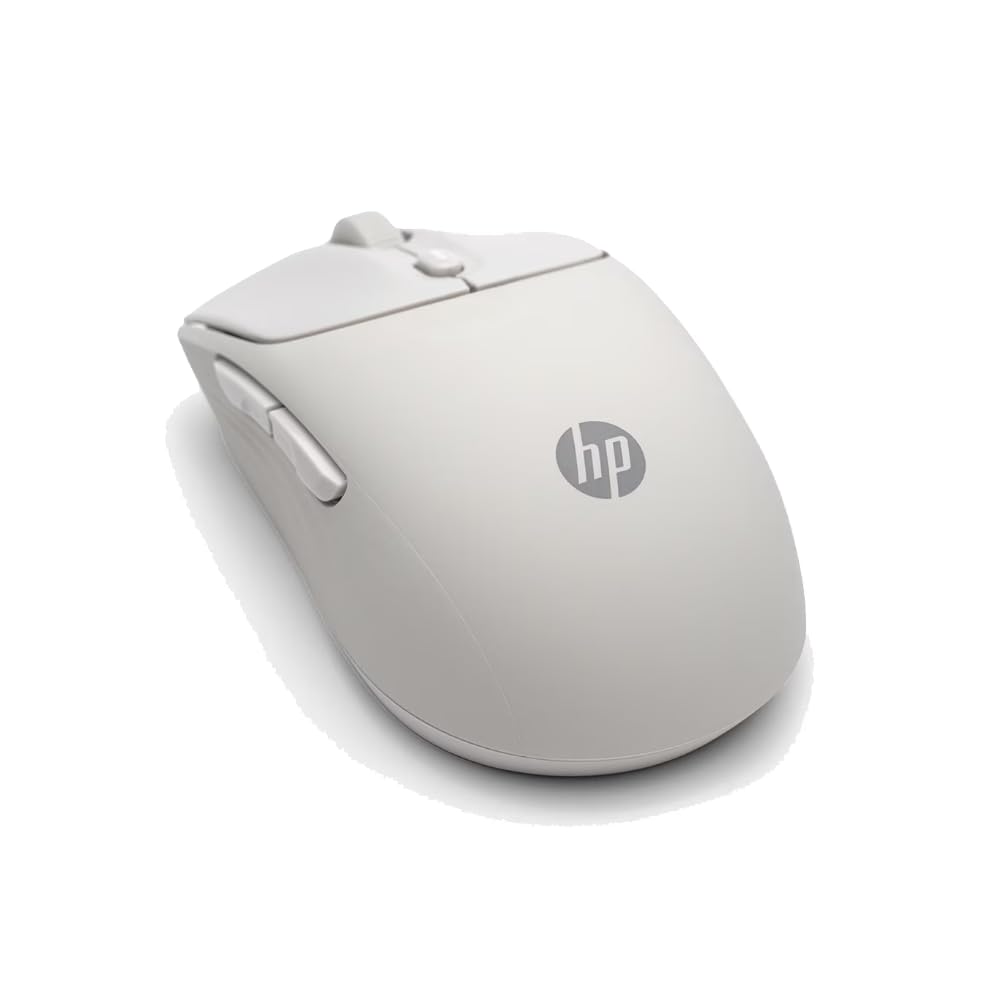
| HP 400 Quiet Wireless★ Best Overall | Quiet all-day office use | Ambidextrous | Up to 6000 | 24 months, 1 AA | Amazon |
| SANWA 2.4G LeftySmall-Hand Specialist | Small to medium left hands | Left, small-medium | 800 / 1200 / 1600 | 210 hours, 1 AA | Amazon |
| Perixx PERIMICE-713LRDual-Charge Pick | Dual charging flexibility | Left vertical | 1000 / 1600 / 2400 / 3200 | Rechargeable USB-C | Amazon |
| MEETION Vertical RGB | Medium to large hands, RGB | Left, medium-large | 1200 / 1600 / 2400 / 3200 | Rechargeable, 2 months | Amazon |
| Lekvey Lefty Vertical | Long battery on a budget | Left, medium-large | 1000 / 1200 / 1600 | 6 months, 2 AAA | Amazon |
| ELECOM EX-G Left | Silent meetings, L-size | Left, L-size | 2000 | 16 months, 1 AA | Amazon |
| SANWA Multi-Device | Switching between 3 devices | Left, small-medium | 800 / 1200 / 1600 | 300mAh rechargeable | Amazon |
| Perixx Perimice-719LR | Smaller left hands | Left, under 7.5 in | 1000 / 1600 / 2400 / 3200 | Rechargeable USB-C | Amazon |
| Logitech Lift Left | Steep 57-degree vertical tilt | Left vertical | — | 24 months, 1 AA | Amazon |
Detailed Reviews
1. HP 400 Wireless Mouse
Our pick — 4.5+★ from 350+ verified ratings; the strongest balance of quality and price.
The quiet ambidextrous workhorse that lets your left hand take charge without a learning curve.
Two things make the HP 400 the easy default for a lefty desk. The body is ambidextrous, so a left hand sits on it exactly as naturally as a right one does. And the battery figure is the best in this group — 24 months on one AA battery, against 2 months from the MEETION rechargeable and 6 months from the Lekvey on two AAAs. You put a battery in and forget it for a couple of years.
The ceiling on sensitivity is higher than almost anything else here too. It tops out at 6000 DPI, which is the measure of how far the cursor travels per inch of hand movement, so you can cross a wide monitor with a small wrist flick. The closest small lefty pick, the SANWA 2.4G, caps at 1600 DPI. If you work on a large screen or a multi-monitor setup, the HP’s 6000 DPI ceiling covers ground with far less arm travel than the SANWA’s 1600.
The physical design is where the personality lives. The shell is silicone rubber rather than hard plastic, and the maple color is one of five options. It also carries at least 40% post-consumer recycled material and FSC certified packaging, which matters if you’d rather not add more plastic to a drawer. What wins people over across the whole run of reviews is build quality, followed by how quiet the buttons are — the clicks are tuned so a shared office or a late-night desk partner never hears you. Scroll is a two-way affair, with vertical and horizontal options plus the Microsoft Wheel shortcut on the center button, so your most-used command becomes one press instead of a menu hunt.
Where it pulls ahead
- 24-month AA battery is the longest figure in this entire lineup
- 6000 DPI adjustability beats the 1600 DPI ceiling on the small SANWA lefty
- Silicone rubber shell is soft under the palm and quietly built to be wiped down
- Bluetooth or 2.4GHz dongle gives you two pairing routes from the start
Before you check out
- An ambidextrous body gives no sculpted thumb shelf or tilt, so it is a flat-hand mouse
- At 4.64 inches long it runs large in a small left hand
- Colour stock shifts between the five options, so your first choice may not be available
Best match: a lefty who wants a flat, familiar shape, near-silent clicks and a battery that outlasts your next laptop.
Look elsewhere: if you specifically want a vertical tilt to change your wrist angle, since this body stays flat.
2. SANWA 2.4G Wireless Left Handed Mouse, Lefty Ergonomic Mouse
A genuinely tiny lefty vertical mouse — and the 71 g body means your wrist barely notices it moving.
Weight is the headline for the small-handed lefty. At 71 g this SANWA is the lightest thing in the guide, well under the 130 g of the Perixx PERIMICE-713LR — 83% more weight on that Perixx, by the numbers. Pick the SANWA up and it feels closer to a small pebble than a peripheral. For a cramped desk or a laptop bag, 71 g and a 4.12-inch body slip into a side pocket the 130 g Perixx vertical won’t.
The shape is a 54° tilt angle, so your palm sits rotated rather than flat, with a thumb rest under an egg-shaped body measuring 4.12 by 2.64 by 2.28 inches. That geometry is cut for small to medium left hands specifically, and the 2.4G receiver stows in the bottom so it never goes missing. Cursor speed runs on three DPI steps — 800, 1200 and 1600 — with a two-sided forward and back pair for jumping between pages. Two catches worth knowing: those navigation buttons do nothing on a Mac, and the AA battery isn’t included, so plan for one at the same time.
What carries this pick is fit and comfort. The ergonomics are the aspect that shows up most in its buyer feedback, with the shape drawing praise and the small scale drawing the occasional complaint only from hands that needed more room. If a full-size vertical mouse has always felt like holding a grapefruit, this 4.12-inch body is the correction.
Why it earns the slot: left-handed vertical shaping at 71 g is rare — most tall vertical bodies here run two or nearly three times heavier.
The honest catch: the forward and back buttons are dead on macOS, so Mac users pay for navigation hardware they cannot use.
Reach for this: when your hand is on the smaller side and a standard vertical body feels like a brick in your palm.
Size up instead: if you wear a large glove — this body will feel cramped by the end of a workday.
3. Perixx PERIMICE-713LR Vertical Mouse
Charge it by cable or drop it on a wireless pad — the only lefty here that gives you both routes.
Never buying AA batteries again is the whole argument for the PERIMICE-713LR. It charges over a Type-C port with the included cable, and it also accepts wireless charging on a Qi pad. That second option is what makes it genuinely different: a flat wireless charging pad on your desk means you drop the mouse on it between tasks and never think about charge at all. Perixx rates the charging at up to 7.5W for compatible iPhones, 10W for Samsung Galaxy S series, and 5W for other Qi devices.
Four DPI steps — 1000, 1600, 2400 and 3200 — let you slow the cursor down for spreadsheet cell-picking or speed it up for a wide desktop. The vertical body puts your wrist in the handshake position Perixx designed it for, at 4.92 inches long and 130 g. There are six buttons including forward and back, though those two sit out on macOS and none of the six are programmable. The scroll wheel is silky with no tactile steps, which some hands love and others find vague when they want to land precisely on a menu item.
Responsiveness is the honest sticking point. Buyer feedback on this model splits down the middle on tracking and cursor behavior, with a working unit delighting and an occasional one drawing grumbles. The physical quality is the part that mostly earns praise. Treat it as a mouse with a short adjustment window — Perixx itself says most users need one to two weeks to adapt.
what separates it: You can charge it two ways on the same left-handed vertical body — USB-C wired charging plus Qi wireless charging (a charging pad you set the mouse on). Nothing else in this lineup offers both.
One caveat to size: the smooth scroll wheel has no tactile detents, so clicky-wheel fans will feel the absence every time they scroll.
Worth it for: desk setups where a charging cable always ends up tangled and a wireless pad would solve the problem cleanly.
Think twice: if you rely on a stepped scroll wheel to feel your way through documents.
4. MEETION Left-Handed Ergonomic Vertical Wireless RGB Mouse
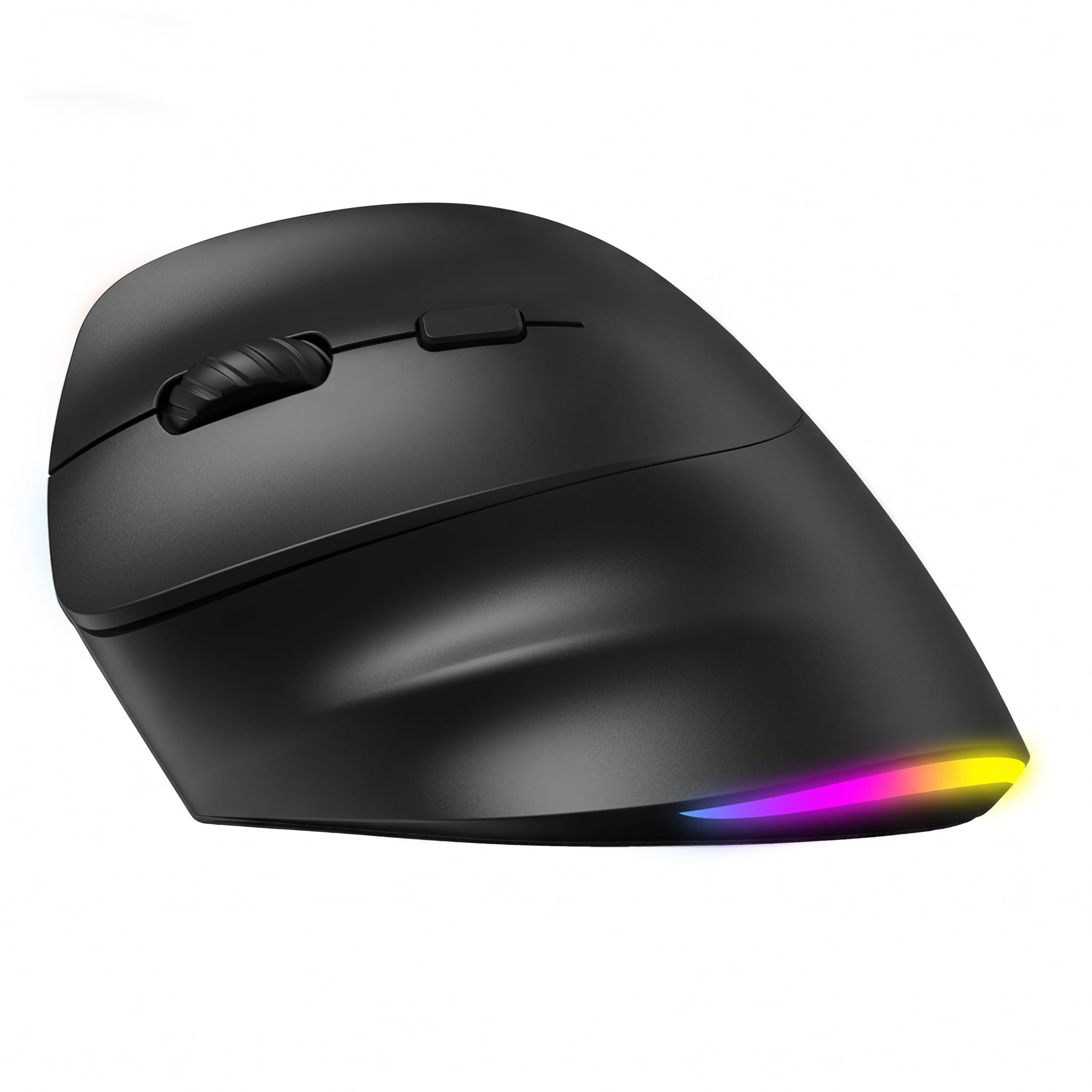
Six buttons, four DPI steps and a light show you can actually turn off when the battery matters.
The MEETION gives you the most hardware in one left-handed body. Six buttons beats the five on the HP 400 outright, and the dual connection means Bluetooth plus a 2.4GHz dongle, so you can pair it to a laptop and a desktop and hop between them. Four DPI levels — 1200, 1600, 2400 and 3200 — cover everything from casual clicking to detail work like photo editing or a spreadsheet with tight cells. Forward and back buttons sit where a left thumb can find them.
Battery life depends entirely on the light show. With the RGB off, the built-in rechargeable cell is rated up to 2 months per charge. Leave the lighting on and that drops to roughly 1 month. It’s the shortest figure here next to the HP 400’s 24-month AA, so if you want to set and forget, keep the lights dark and plug in on a schedule.
Hand size decides whether this one works for you, and MEETION is upfront about it. The body is 4.3 by 3.1 by 2.8 inches at 0.24 pounds and built for medium to large hands — the manufacturer openly points smaller-handed buyers toward the dimensions before ordering. The smooth exterior glides cleanly across a desk, though if you habitually lift and reposition the mouse mid-task you’ll notice the finish offers less purchase than a textured shell. It works with Windows, macOS 10.10 and later, and Linux, and MEETION suggests Bluetooth when the wireless band around you is crowded.
What you gain: six buttons and dual Bluetooth/2.4GHz covers more devices and more shortcuts than any single-connection pick here.
What you give up: the rechargeable cell is measured in months not years, and the lights cut that short window roughly in half.
Go for it: medium-to-large left hands that want light, shortcuts and a second connection type without spending premium.
Skip the fit risk: if your hand is small — check that 4.3-inch body length against your own palm first.
5. Lekvey Left Handed Mouse
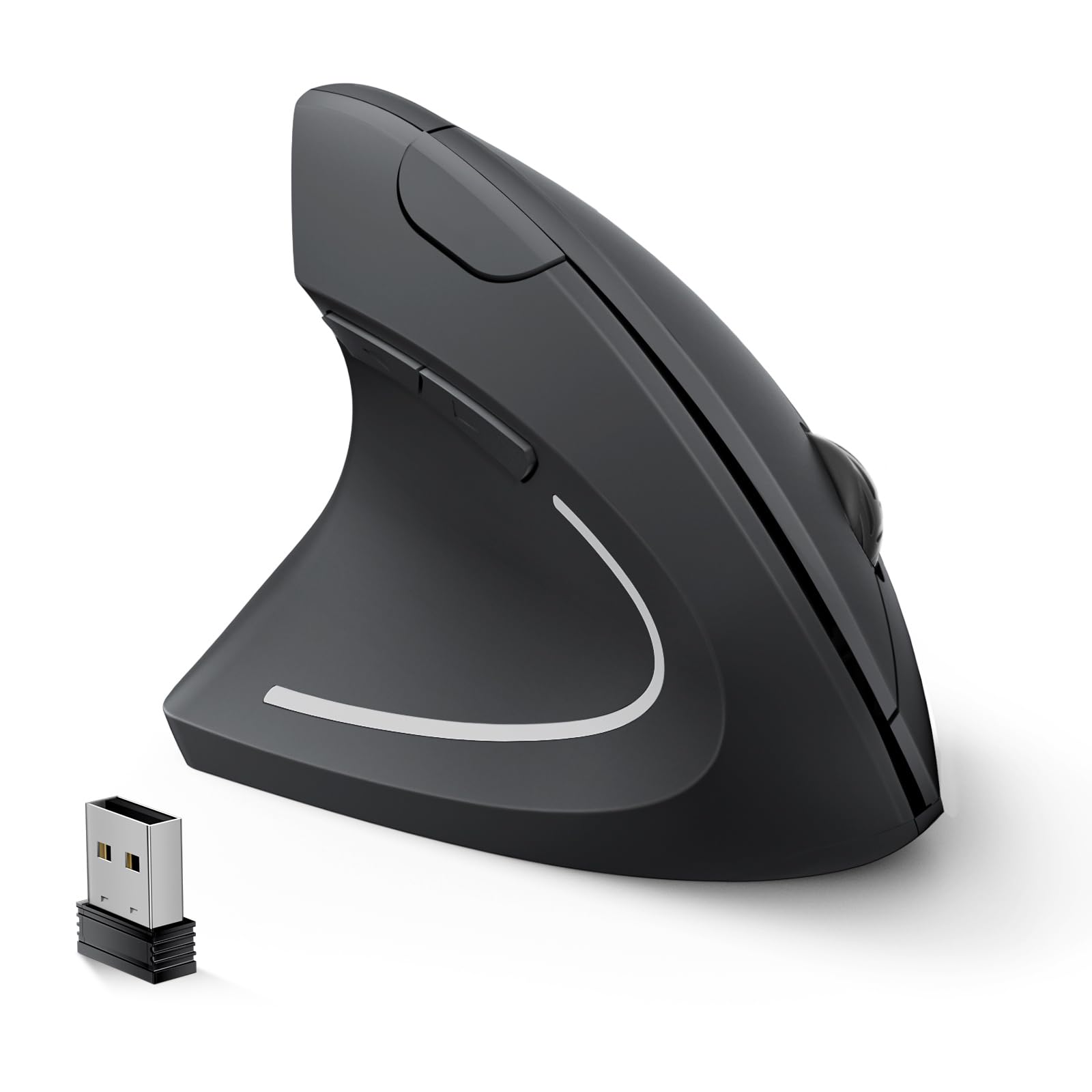
Two AAA batteries, six months of clicking, and a sleep mode that does the housekeeping for you.
The pitch here is simple: throw in two AAA batteries and walk away. Lekvey rates it at up to 6 months of power, and the mouse drops itself into sleep mode after 10 minutes of sitting idle — click any button and it wakes. For a desk that sees intermittent use, that 10-minute idle timer stops the slow drain between sessions. The body is a vertical handshake shape sized 5 by 3 by 2.5 inches and aimed at medium and large hands, with three DPI levels at 1000, 1200 and 1600 and a forward/back pair for browsing.
Setup is genuinely nothing. The 2.4GHz receiver plugs straight into USB-A and stores in the mouse body when you travel — no pairing sequence, no driver install. Clicks on the left and right buttons are muted, so a library or an open-plan office stays happy. It works across Windows 2000 through 11, macOS and Linux, though Bluetooth and USB-C are both off the table.
Where this one asks patience is long-term reliability. Feedback on that front is genuinely split — plenty of buyers report smooth sailing and the ergonomic shape earning real devotion, while a handful describe a unit that gave up after a few weeks or shut off on its own. Wrist comfort itself draws near-unanimous praise from buyers, which is what people are really paying for. Go in knowing the shape is excellent and the electronics carry normal budget-mouse variance.
The convincing case
- Six months on two AAA cells with a 10-minute auto-sleep that protects the battery
- True plug-and-play 2.4GHz — no pairing, no software, receiver hides in the base
- Muted clicks suit libraries, shared offices and late-night desks
What to weigh first
- Reliability is the most-discussed topic around this model and the reports genuinely split
- No Bluetooth and no USB-C, so it is a USB-A port or nothing
- At 5 inches long it will overwhelm a small hand
Suits you if: you want a vertical lefty shape, near-silent buttons and months between battery swaps with zero setup fuss.
Better to pass: if you need Bluetooth or USB-C connectivity, because this one only speaks 2.4GHz over USB-A.
6. ELECOM Left Hand Bluetooth Wireless Ergonomic Mouse, EX-G

Built so the left click lands under your index finger, on the right side of the body where it belongs.
ELECOM did the detail work on this one. The left click sits on the right side of the body on purpose, so your index finger does the main operation the way a lefty’s hand actually falls. The silent switch makes no ticking sound, which is the point of this pick — you can work through a meeting, an early morning, or a late night at home without a single audible click. It runs on Bluetooth, one AA battery rated at 16 months.
Height and angle are shaped so you sit from palm to wrist to arm in a relaxed posture, and the L-size body measures 3.1 by 4.7 by 2.3 inches at 3.5 oz. Sensitivity fixes at 2000 DPI, which is a fixed setting rather than a menu of steps, so no tuning around different tasks. There are five buttons, and the ELECOM Mouse Assistant software lets you reassign them if you want a shortcut where the defaults sit. A 2-year warranty backs the whole thing, longer than the 12-month cover on the Perixx options.
Comfort and value are the two places this mouse reliably scores. Ergonomics draw more debate — some hands call it the best left-hand ergo mouse they have owned, others report it doesn’t suit their grip. Since the body is an L-size with a fixed angle, your hand dimensions are the deciding vote here, not the spec sheet.
The standout: a left click placed on the right side under the index finger plus a truly silent switch makes this the meeting-room specialist of the group.
Fair warning: ergonomics split opinions and the DPI is fixed at 2000, so there is no dialing the cursor speed in.
Made for you: long conference calls or shared rooms where a single click carries, and larger left hands that want Bluetooth.
Not the pick: if you like to switch DPI between precise work and fast cursor sweeps — this one stays put at 2000.
7. SANWA Left Handed Ergonomic Mouse
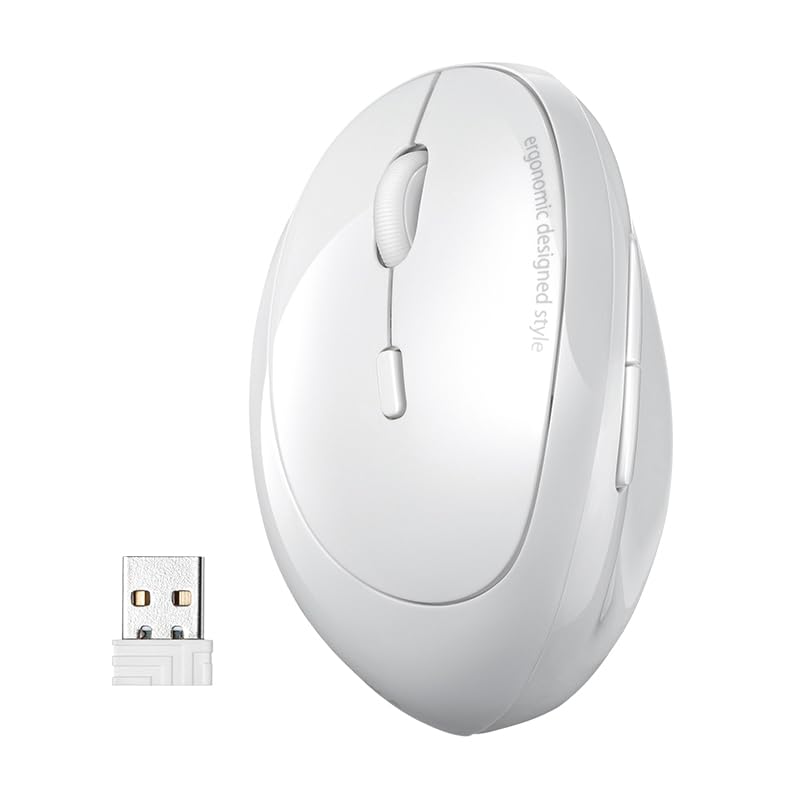
One lefty mouse for three machines — 2.4GHz plus dual Bluetooth 5.2, switched at the press of a button.
If your desk runs a laptop, a desktop and a tablet, this is the one that keeps up. It carries 2.4GHz wireless (a plug-in USB receiver) plus dual Bluetooth 5.2 connections and flips between up to three devices, with a stable range of up to 32 ft — so you can move from the desktop to the tablet without unplugging a receiver. The 54° tilt angle and thumb rest follow the same lefty shape as the smaller Sanwa, at 4.13 by 2.63 inches and 81 g — noticeably lighter than the 130 g Perixx vertical, and the small-to-medium hand fit carries over.
Power is a built-in 300mAh rechargeable cell, topped up over the included Type-C cable, so no battery runs to the shop. Cursor speed steps through 800, 1200 and 1600 DPI. Buttons can be reassigned through SANWA’s software, and the two-sided forward and back pair makes page-hopping quick. Two boundaries to note: on a Mac the forward and back buttons and button programming both stop working, and Sanwa lists this as not fully compatible with Apple products despite the iPad and macOS version support.
It’s the newer sibling of the small Sanwa in this guide, and the trade is simple: you surrender a hair of lightness and gain three-device switching plus a rechargeable cell. For a mixed-device workspace, that’s the right swap: three-device switching and a rechargeable cell for a hair more weight.
Why it earns its place: three-device switching on a left-handed 54° vertical body at 81 g makes it the most connected lefty mouse in the lineup.
The honest limit: the forward and back buttons and the programmable functions are both disabled on Mac.
Pick this when: one mouse needs to move between a laptop, a desktop and a tablet without replugging anything.
Look past it: if you work primarily on a Mac and expect the side buttons and custom shortcuts to function.
8. Perixx Perimice-719LR Left Handed Wireless Vertical Mouse
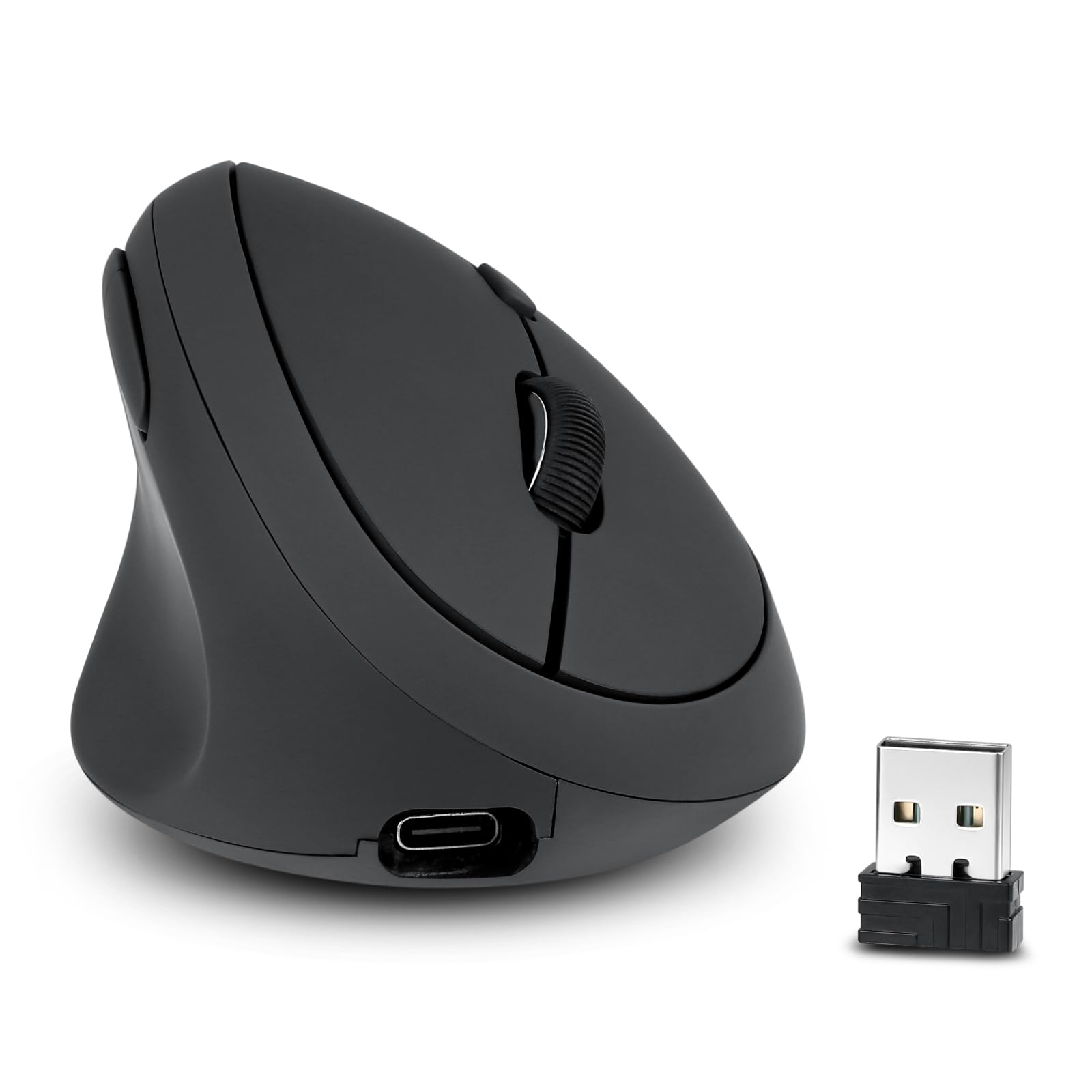
A lefty vertical built to a measured hand size — under 7.5 inches, or it isn’t the mouse for you.
Perixx puts a number on fit here, which almost nobody does. The Perimice-719LR is designed for hand lengths under 7.5 inches (19.05 cm), measured from the base of your palm to the tip of your middle finger. That single spec turns hand-fit guesswork into a ten-second measurement from palm base to middle fingertip. If you’re under the line, this is a left-handed vertical body tuned to your grip; if you’re over it, move on to the larger MEETION or Lekvey instead.
Inside that fit, the hardware is generous. Four DPI steps — 1000, 1600, 2400 and 3200 — the same quick-adjust range as the Perixx PERIMICE-713LR. Six buttons, including forward and back. Charging works two ways again: Type-C over the included cable or a Qi wireless pad, rated at up to 7.5W for compatible iPhones, 10W for Samsung Galaxy S series, and 5W for other Qi devices. The soft rubber coating gives your palm a grippy surface for long sessions, and the vertical angle puts the wrist into the handshake position Perixx builds around.
Two Perixx caveats carry over. The back and forward buttons do nothing on macOS, and none of the six buttons are programmable, so you buy the layout you get. Perixx also notes the smooth wheel has no tactile steps and the ergonomic shape asks for a one to two week adjustment before your grip settles. A 12-month limited warranty covers the hardware.
What makes it click
- An explicit 7.5-inch hand-length cutoff takes the guesswork out of ordering
- USB-C and Qi wireless charging both on tap, with the same four DPI steps as the 713LR
- Soft rubber coating keeps a firm hold through long sessions
Where it holds back
- Buttons aren’t programmable and the side pair is dead on Mac
- The smooth wheel has no stepped detents for tactile feedback
- Over the 7.5-inch hand length, the body simply won’t fit right
The right fit: small-to-medium left hands that want rechargeable vertical comfort and two charging routes.
Pass it over: if your hand measures past that 7.5-inch cutoff, or if you need custom button mapping.
9. Logitech Lift Left Vertical Ergonomic Mouse (Renewed)

The steepest lean in the lineup — a 57-degree lift mouse built around a whole different wrist posture.
Where the Sanwa pair sit at 54°, the Logitech Lift pushes the vertical angle to 57 degrees, and that extra lean is the whole reason to consider it. You rest your hand upright through the day against a softly textured grip with a snug thumb rest, and the Lfit runs on Bluetooth or the included Logi Bolt USB receiver for a 10-metre wireless range. The battery is rated at 24 months on one AA — the same long-haul figure the HP 400 carries, and far beyond the month-scale rechargeable builds.
The feel is deliberately quiet and smooth. Buttons are whisper-quiet and easy to reach, and the SmartWheel scroll glides rather than clicks. Logitech states the mouse was designed, developed, tested and approved against criteria set out by leading ergonomists, which is a manufacturer description of the design process rather than an outcome you should expect. At 125 g it is one of the heavier bodies here, close to the 130 g Perixx vertical.
Two things to know before committing. First, this is a renewed unit, so it’s a refurbished mouse rather than a fresh box. Second, responsiveness splits opinion among buyers, with functional use drawing the bulk of the praise and an occasional unit reported to track with lag. If you want the 57-degree tilt and the 24-month AA battery, the trade is a four-button layout and renewed condition.
What stands out: a 57-degree tilt plus a 24-month AA battery makes this the steepest-angle, lowest-maintenance lefty vertical here.
What to accept: it arrives renewed, and only four buttons means fewer shortcuts than the six-button verticals.
A strong fit: lefties who have tried a shallow vertical mouse and want a steeper, more upright hand position with real battery endurance.
Weigh first: if you want a brand-new unit or a big button count, this renewed four-button build isn’t the right trade.
Know the Specs
DPI (cursor sensitivity)
DPI is how far the cursor travels across the screen for each inch you move the mouse. Higher numbers mean faster cursor movement with less hand travel — a help on a wide monitor. The HP 400 offers up to 6000 DPI, the MEETION and both Perixx bodies step to 3200, and the SANWA and Lekvey models top out at 1600. Designers who need precise, slow placement often prefer lower settings; people flicking across a wall of windows want the higher range.
Tilt angle and handshake posture
A vertical mouse rotates your hand so your thumb faces inward rather than lying flat. The Sanwa models use a 54° tilt angle and the Logitech Lift a 57-degree shape. The larger the angle, the more upright your wrist sits, and the more your forearm rests in a neutral position. Vertical shapes usually need a one to two week adjustment before your grip stops reaching for the old flat mouse.
Hand size before feature list
This category punishes buying without measuring. The two Sanwa bodies are cut for small to medium hands, and the Perimice-719LR caps at a hand length under 7.5 inches. The Lekvey and MEETION units are aimed at medium and large hands instead. Measure base-of-palm to middle-fingertip before you order, because no DPI setting can rescue a body that’s the wrong size.
Battery versus rechargeable
AA-powered mice here list endurance in months: 24 for the HP 400, 16 for the ELECOM, and 6 for the Lekvey on two AAAs. Rechargeable designs offer USB-C or Qi wireless charging instead. Months-per-battery means rarely thinking about power; rechargeable means plugging in on a cycle but never hunting for batteries. Neither is superior — it’s a preference about maintenance.
Common Questions
Can I use an ambidextrous wireless mouse comfortably with my left hand?
Why do the side buttons stop working on a Mac?
How do I measure my hand for a left-handed vertical mouse?
Can a wireless mouse connect over Bluetooth and a USB receiver at the same time?
Is the PERIMICE-713LR different from the Perimice-719LR?
Will a vertical left-handed mouse help my wrist pain?
How long does a new AA battery last in these left-handed mice?
Do these left-handed mice work on a tablet or iPad?
What is the difference between a renewed and a new left-handed mouse?
Do the quiet buttons on these mice still click loudly when I type?
The Bottom Line
For most left-handed buyers, the wireless mouse for left hand winner is the HP 400 Quiet Wireless because an ambidextrous silicone body, near-silent clicks and a 24-month AA battery deliver the lowest-maintenance daily driver in the group. If you want a vertical tilt with three-device switching, reach for the SANWA Multi-Device with its 54° angle and Bluetooth 5.2. And for small left hands that want rechargeable comfort, the Perixx Perimice-719LR with its clear 7.5-inch fit guide is the one to grab.
One honest nudge: measure your hand before you commit to any vertical pick, then pick the shape that matches. In left-handed mice, hand length decides comfort — a 4.12-inch body will cramp a large palm no matter how many DPI steps it offers.
How we choose
We do not accept paid placement. Every pick is matched to a real buyer and a real use-case; we do not hands-on test units.
Sources
Specifications: manufacturer listings and product documentation. Review insights: verified customer reviews, as of November 2026. Pricing: not shown on this page (it changes often); check the current price via the retailer link.
As an Amazon Associate, Tactical Gear Guy earns from qualifying purchases. This does not affect which products we feature.