Specs are compiled from manufacturer listings and verified buyer reviews and can change over time — please confirm the key details on the product page before buying.
You want a touch panel that answers a fingertip, takes voice commands, and keeps working when the Wi-Fi drops. The catch almost no one tells you up front: most of these switches need a neutral wire in the wall box, and half the disappointment in this category comes from buying the right panel for the wrong wiring. This guide sorts that out first, then ranks the nine touch panels worth your money.
This guide is built by comparing the manufacturers’ published specifications and the patterns across verified customer reviews, so you get each pick’s real strengths and trade-offs instead of marketing spin.
Below you get the wiring realities spelled out in plain terms, a side-by-side table of the specs that actually decide whether a panel fits your home, and honest notes on where each model falls short. Every pick here is a genuine Wi-Fi touch switch, so you can focus on the one that matches your wall box with the best Wi-Fi touch light switch for your rooms.
Top Picks
How To Choose The Best Wi-Fi Touch Light Switch
Your touch switch only works if four things match your home: the wiring in the box, the number of gangs (the separate buttons on one panel), the amp rating (how much electrical current it can safely carry) against your fixture load, and if you want a plain on/off switch or a dimmer. Get those four right, and the brand choice depends on app and glass finish.
Check your wall box for a neutral wire before anything else
A neutral wire is the white return line that lets a smart switch keep its Wi-Fi radio powered even when the light is off. Without one, the panel simply will not run, and this is the single most common reason a switch gets returned. Every pick on this list except one dimmer specification notes neutral-wire requirements in its own listing, so open the box and count the wires first.
Match the gang count to the switches you are replacing
A gang is one switch position on a plate. A 1-gang panel replaces a single switch, a 3-gang panel fills a three-switch plate, and buying the wrong count means cutting drywall or returning the unit. Measure your existing plate and count the rockers before you order.
Read the amp rating against what you are switching
Amps tell you how much current the switch can pass to your fixture. A 15 A panel carries a heavier lighting load than a 10 A panel, which matters if you are running a circuit with several fixtures on it. If your fixture draws close to the panel’s limit, step up to a higher-rated switch rather than running it at the ceiling.
Decide if you want a dimmer or a plain switch
A plain touch switch only turns the light fully on or fully off. A dimmer lets you slide brightness between percentages, which is what you want in a bedroom or living room. Note that dimmers often will not work with smart bulbs, since the bulb controls its own brightness.
Side-by-Side Comparison
| Model | Best For | Current Rating | Gangs | IP Rating | Amazon |
|---|---|---|---|---|---|
| MOES WiFi Smart Touch Wall Light Switch★ Best Overall | Best overall for 3-way circuits | 10 A | 1 Gang | IP54 | Amazon |
| Lesim Smart Switch 2-PackBest Two-Pack | Two rooms on one order | 15 A | 2 Gang | IP54 | Amazon |
| MoesGo WiFi Smart Wall Light SwitchBlack Glass Look | Black glass look with 3-way linking | 10 A | 3 Gang | IP54 | Amazon |
| Lesim Double Smart Home Light Switch | Double switch on one plate | 15 A | 2 Gang | IPX8 | Amazon |
| GHome Smart Dimmer Light Switch | Dimming a whole room | 4 A | 3 Pack, Single Pole | — | Amazon |
| Lesim Smart Light Switch 1 Gang | Simple single-switch swap | 15 A | 1 Gang | IP65 | Amazon |
| SONOFF NSPanel Smart Switch | Thermostat and scene control | 10 A | 2 Gang | — | Amazon |
| ZINDRA Smart Touch Wall Light Switch | Apple Home and Matter users | 5 A | 3 Gang | IP44 | Amazon |
| Lesim Wi-Fi Smart Light Switch 3 Gang | Filling a 3-switch plate | 15 A | 3 Gang | IP82 | Amazon |
Detailed Reviews
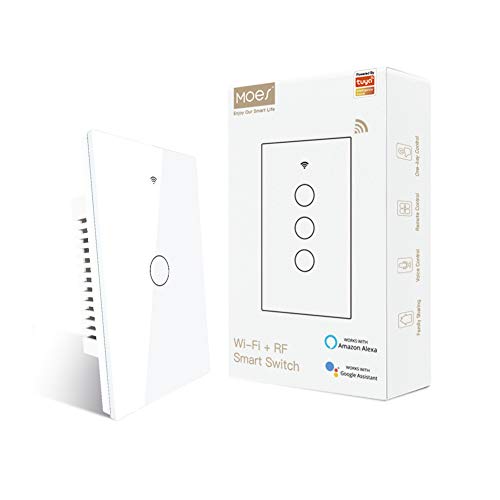
1. MOES WiFi Smart Touch Wall Light Switch 1 Gang
Our pick — 4.0+★ from 150+ verified ratings; the strongest balance of quality and price.
The one that hops between a plain single switch and a two-switch hallway without rewiring.
Start with the feature that decides a hallway light: this panel works as a single pole switch or as half of a 3-way circuit, where two switches control one light. You buy two units and link them in the app through multi-control association. That is the pair of switches at either end of a landing, which most glass touch panels simply cannot do.
The panel itself is an anti-scratch tempered glass face rated IP54 — the second digit means it shrugs off dust and splashes, so a kitchen or utility room wall is fine. Control is genuinely flexible here, and that is the whole reason it tops the list. You get touch, the Smart Life app, Alexa and Google voice, plus a built-in RF433 receiver that takes a separate remote coded to 1527 (the remote itself is not in the box). Each method runs independently, so a Wi-Fi hiccup never takes the wall button out of action. It carries a 10 A current rating, so budget your fixture load around that figure rather than a heavier 15 A circuit.
Wired in a single pole setup it behaves like any other Wi-Fi touch panel, and the anti-scratch glass holds up to daily finger traffic. If your router broadcasts both bands under one name, split them before you start the app.
The reasons it takes first
- Works as a single pole switch or one half of a 3-way pair — a rare trick at this level
- Anti-scratch tempered glass face rated IP54 for dust and splash resistance
- Four independent control routes: touch, app, voice, and RF433 remote
- Timers and countdowns down to 1 minute, plus app access sharing for the household
Where it asks more of you
- Neutral wire required in the box — no neutral, no power to the radio
- 2.4 GHz Wi-Fi only, so a 5 GHz-only router setting blocks pairing
- 10 A rating means lighter circuits than the 15 A panels below
- The RF433 remote is sold separately
Reach for this if: you have a hallway or stairwell with two switches on one light and want both to be smart.
Look elsewhere if: your wall box has no neutral wire — every function here depends on it.
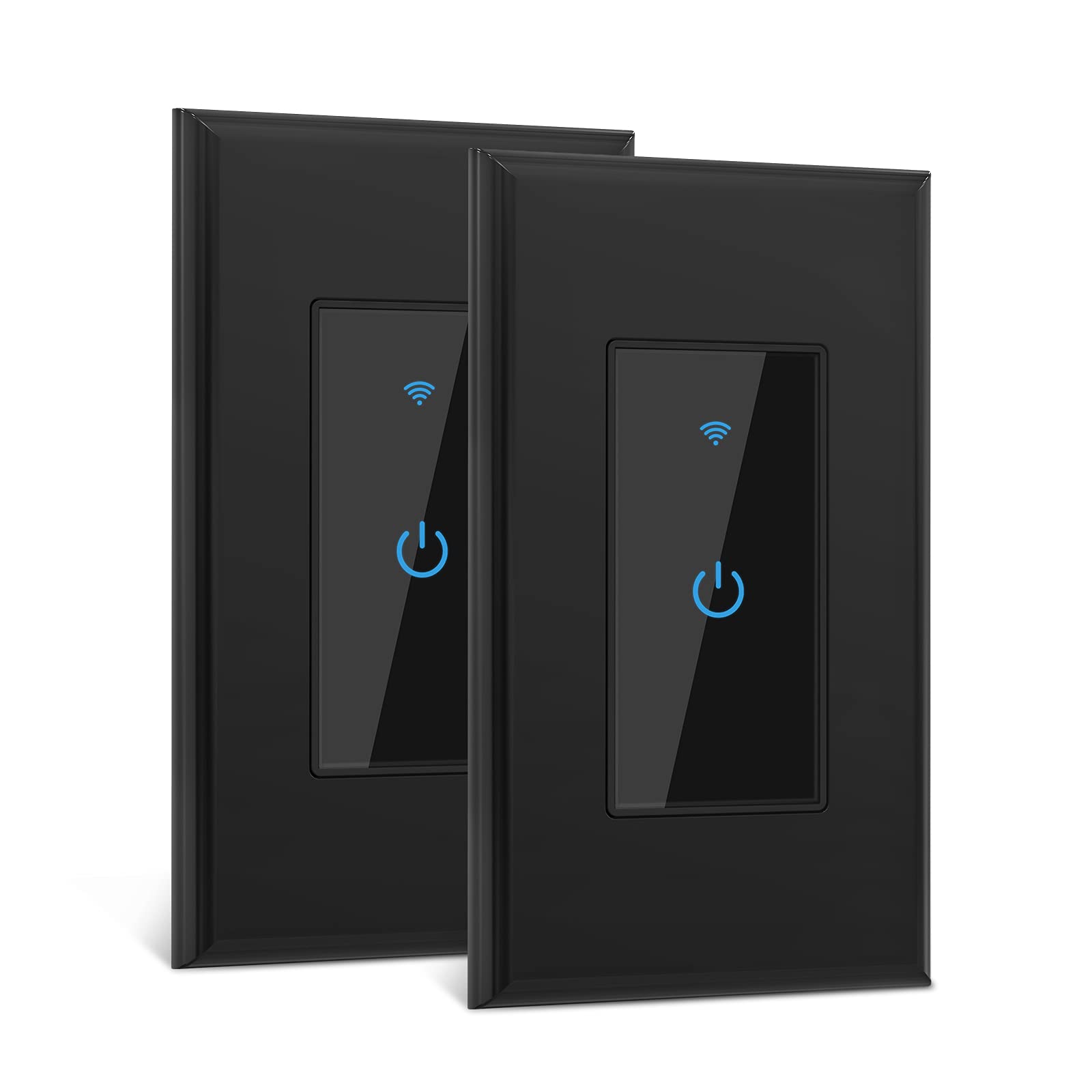
2. Lesim Smart Switch B602-2Gang
Two black glass panels, one order — enough to do a matching pair of rooms.
The number that decides this one is the 15 A current rating. That is the heavier of the two ratings that turn up in this batch of touch panels, and it gives you more room if your circuit is carrying several fixtures. The MOES above sits at 10 A by comparison.
You get two units in the box, both in black, both with the ultra-slim embedded glass design that sits nearly flush to the wall. Control runs through the Smart Life app, Alexa, Google Assistant, and voice commands, with scheduling so a light switches itself on at a set time while you are away. The contact material is copper and brass, and the actuation is capacitive touch on the glass face.
Here is the honest part of the picture: the panel feels premium on the wall, yet the face plate is the weak point over the long run, with a handful of owners describing it coming loose. Treat the plate gently when you press and it holds fine. Wiring matches the rest of the category — single pole only, neutral wire required, 2.4 GHz Wi-Fi only.
What you are really buying: two matching slim glass switches, a 15 A rating, and app plus voice control for the price of a single premium panel elsewhere on this list.
The plate caveat: the glass and the magnetic face plate are the parts to baby — press with a fingertip, not a knuckle, and expect it to feel solid rather than engineered like a commercial switch.
The right buy when: two rooms need the same switch look and a 15 A rating suits your circuit.
Think twice when: you plan to press it hard in a busy household — the face plate wants a light touch.
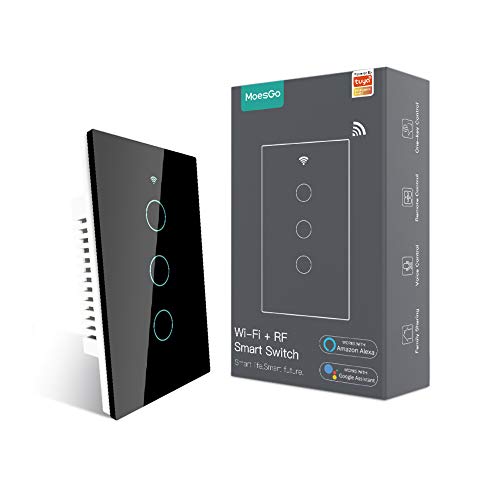
3. MoesGo WiFi Smart Wall Light Switch 3 Gang
Three switches of black tempered glass on one plate, with a warranty behind them.
If you are filling a three-switch plate, this is one of the few panels here that does it with a black glass face, and it carries a full 2-year warranty plus a 60-day refund guarantee. A 2-year warranty is rare among these glass panels, most of which carry none.
It works as a single pole switch or as part of a 3-way pair — you need two units to make the pair run. Control comes from Smart Life or Tuya, from touch on the anti-scratch tempered glass, from Alexa or Google voice, or from an RF433 remote coded to 1527 (remote not included). Each route works on its own, so a dead app never locks out the physical button. Timers and countdowns run from 1 minute upward in the app.
The 10 A rating and the neutral-wire requirement are the two things to check before ordering. It only pairs on 2.4 GHz Wi-Fi. Once wired in, reviewers report the three gangs switching cleanly. The recurring note across the reviews is the pairing staying stable long-term, so give the panel a strong 2.4 GHz signal rather than a weak spot in a far corner.
Why this earns a slot
- Three gangs in one black tempered-glass plate
- Full 2-year warranty and a 60-day refund guarantee
- Single pole or 3-way linking, with RF433 remote support as a fourth route
- Timers, schedule, countdown, plus backlight on/off and last-state memory
What to go in knowing
- Neutral wire needed in the box
- 2.4 GHz Wi-Fi only
- 10 A rating, not the heavier 15 A
- Long-term pairing stability is the point to watch
Choose it for: the flat-out looks of black glass across three switches, with a real warranty as backup.
Pass it over for: a kitchen circuit that needs more than 10 A of headroom.
4. Double Smart Home Light Switch

A double switch with a 40ms touch response and the best water rating on this list.
Two things stand out on the data sheet. Touch registers in 40 milliseconds — a blink is longer — so the glass answers the instant your finger lands. And the panel carries an IPX8 rating, the highest water-protection figure across all nine picks here; the MoesGo and MOES panels sit at IP54 by comparison. That IPX8 rating matters on a kitchen or utility wall near a sink, where IP54 panels are only splash-resistant.
It is a double switch, so two lights on one plate, controlled by tempered glass touch, voice through Alexa or Google Assistant, and the Smart Life app for schedules, scenes, and group control. The blue backlight shows on/off clearly in the dark without throwing light into the room. The current rating is 15 A, matching the Lesim two-pack and the three-gang panel below.
Wiring is the usual trade: neutral wire required, single pole only, no 3-way, no dimming, 2.4 GHz Wi-Fi only. Installation draws the most praise in the review pages — the wiring slots are straightforward once the neutral is there. The one thing to keep an eye on is the touch layer, where a small number of units have gone unresponsive over time. Wipe the glass with a dry cloth rather than a wet one to keep the touch layer responsive.
The standout spec: 40ms touch response and an IPX8 water rating put this ahead of the MOES and MoesGo panels on splash protection, which is what you want on a wall that sees steam.
Things to know: no 3-way support and no dimming — this is a plain on/off double switch, so a hallway with two switches on one light needs the MOES or MoesGo instead.
Fits like a glove when: one plate controls two lights and you want the snappiest touch panel in the bunch.
Not your match when: you are wiring a 3-way hallway or want dimming.
5. GHome Smart Dimmer Light Switch SW2
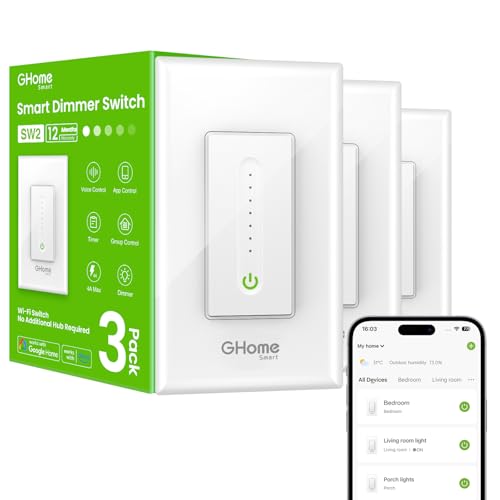
The only panel here that slides brightness from 1% to 100% under your fingertip.
Everything else on this list turns a light fully on or fully off. This one dims, from 1% to 100%, by sliding a finger across a touch surface driven by a built-in touch chip, or by setting a range in the app. That makes it the pick for a bedroom, a dining room, or anywhere a hard-on light feels harsh. Three units ship in the box, so a whole floor can match.
The output figures tell you what to expect: the panel runs at 4 A MAX on a 120V circuit, with a max output of 150W for LED, 150W for CFL, and 450W for incandescent. Check your bulbs against those numbers before you buy a heavy fixture. The makers also added a range setting aimed at the flicker some bulbs show at very low brightness, and it is worth using it if yours dims unevenly at the bottom end.
Alexa and Google voice both work, plus schedules and timers — the sort of automation that turns a porch light on 30 minutes after sunset and off before sunrise. Neutral wire and 2.4 GHz Wi-Fi are both required. One limit to stare at honestly: it will not work with smart bulbs, since the bulb controls its own brightness. This is a dimmer for ordinary bulbs.
What makes it the dimmer to beat
- Finger-slide dimming across the full 1% to 100% range
- Output caps laid out plainly: 150W LED, 150W CFL, 450W incandescent
- Three switches in one pack for a matching floor
- Timers and sunrise/sunset schedules through the app
Where it will not suit you
- 4 A rating — the lightest current ceiling on this list
- Won’t work with smart bulbs
- Neutral wire and 2.4 GHz Wi-Fi required
- Some bulbs still flicker at very low brightness unless you set the range
Worth grabbing for: anyone who wants to dial brightness down rather than snap it on and off, especially across three switches.
Hold off for: a high-load fixture or a room full of smart bulbs — this panel and those bulbs do not play together.
6. Smart Light Switch 1 Gang

One switch, one light, one straight swap — with a 15 A rating behind it.
Single gang, single pole, UL certified, no hub needed. If you have one switch controlling one light and no interest in multi-way circuits, this is the least complicated panel in the batch. The build is the ultra-slim embedded design with a scratch-resistant glass face, and the touch is capacitive — a light finger tap rather than a press.
The number that matters for a heavier circuit is the 15 A current rating, the same figure the Lesim two-pack and double switch carry. Voice control covers Alexa on Echo, Dot and Tap plus Google Assistant, and the Smart Life app handles remote control, groups, and schedules. The blue accent light on the panel reads nicely in the dark and earns its mention in the look of the thing.
Installation is where this panel wins people. The directions are simple and the setup flows — one of the smoother swaps in this batch. The honest caveat is the Wi-Fi pairing, which works for most and stalls for some, so confirm your router runs 2.4 GHz before you start. A few note that shared app control across phones took patience to sort out.
The install story: simple directions and a smooth setup give this panel the least painful first hour of the single-gang options — with a 15 A rating as extra reassurance on a busy circuit.
The pairing caveat: Wi-Fi setup is the point where this panel gets mixed results — set your router to 2.4 GHz and pair before mounting, not after.
Pick it for: a straightforward one-light swap where ease of installation matters most.
Skip the hassle for: a hallway needing two switches — this is a single-pole-only panel.
7. SONOFF Smart Switch 2-Switch Panel
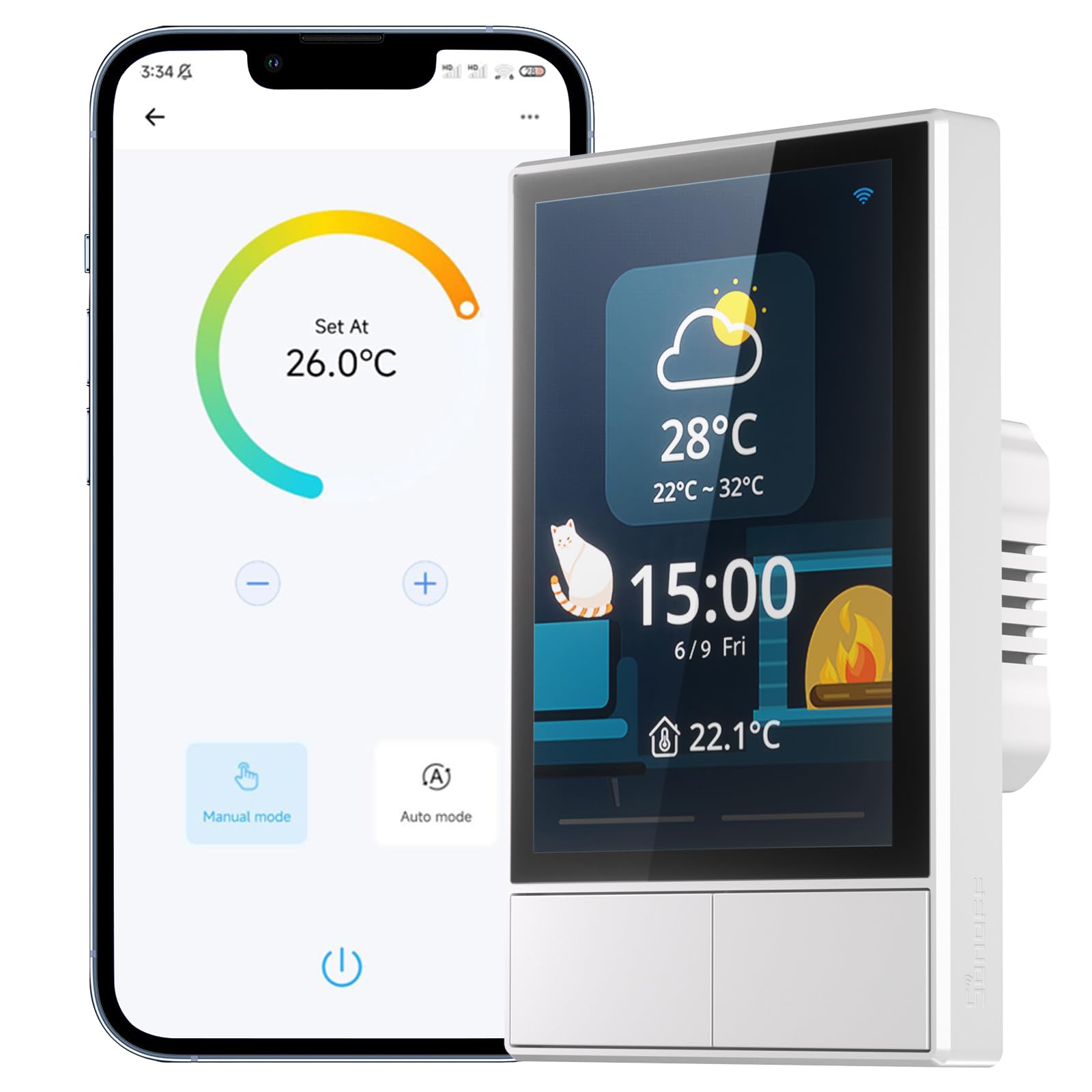
Not just a switch — a wall panel with a thermostat, a clock, and the weather on it.
This is the odd one out on the list, and that is the appeal. The NSPanel packs a built-in thermostat that triggers heating or cooling to hold a set room temperature, a display for time, date, indoor and outdoor temperature, and a scene controller that runs grouped SONOFF devices with one tap. It is the only pick here that doubles as a small wall control center rather than a plain on/off panel.
Control comes four ways: the touchscreen, the dual-channel switches, the eWeLink app, or voice through Alexa, Alice, Google Home, and even Siri shortcuts. The current rating is 10 A and the circuit type is 2-way. Pairing runs on 2.4 GHz Wi-Fi — hold the device for 5 seconds to enter pairing mode, then add it in eWeLink.
Be clear on the trade-off before you buy. This panel rewards anyone already living inside the SONOFF ecosystem, where its scene control on grouped devices is the reason to own it. Outside that ecosystem, compatibility is the sticking point, and the listing states plainly that SmartThings is not supported. Think of it as a control panel for a SONOFF home, not a universal switch for any home.
What it does that no other pick can
- Built-in thermostat triggers heating or cooling to hold a room temperature
- Live indoor and outdoor temperature, time, and date on the panel
- Scene control for grouped SONOFF devices with a single tap
- Voice via Alexa, Google Home, Alice, and Siri shortcuts
Where it stops short
- Not compatible with SmartThings, per the listing
- Compatibility complaints are the strongest negative theme in the reviews
- 10 A rating and 2.4 GHz Wi-Fi only
- Full value needs a house already running SONOFF devices
The smart choice when: you want a wall panel that runs scenes and holds a room’s temperature, and you already run SONOFF gear.
Look at a simpler panel when: your automation runs on SmartThings — the listing says this panel won’t talk to it.
8. Smart Touch Wall Light Switch 3Gang – 3Pack
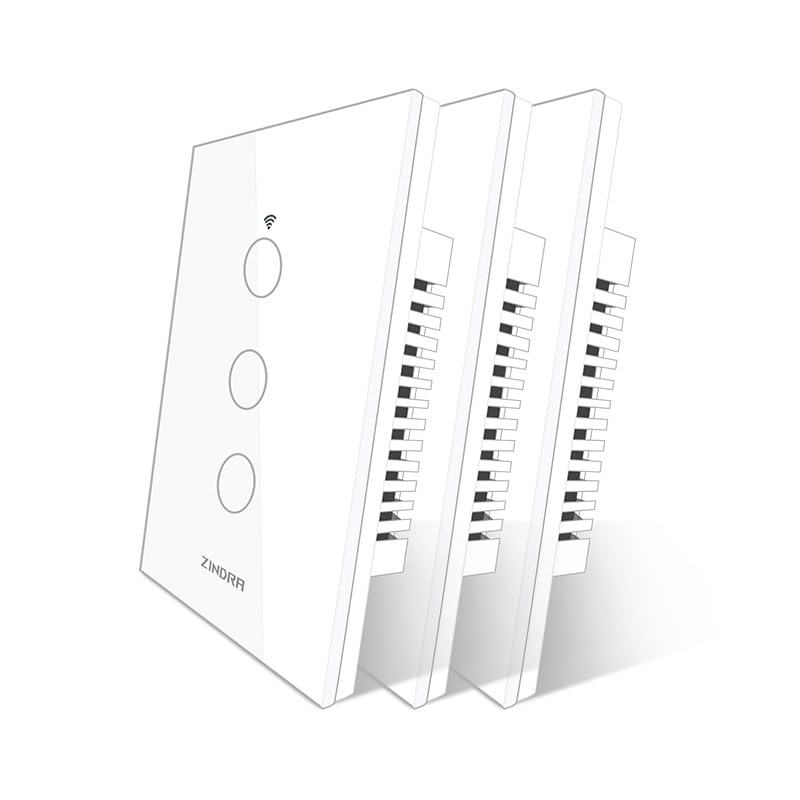
Matter support is the draw — this panel speaks Apple Home, Alexa, and Google locally.
Most panels on this list talk to Alexa and Google. This one adds Matter, which is the shared smart-home standard that lets one device appear in Apple Home, Alexa, and Google Home at once. Control runs locally through those platforms, so a tap responds without a round trip to a cloud server, and multi-admin lets more than one platform manage it. For an iPhone household that has been locked out of this category, that is the point of the panel.
The face is tempered glass that resists scratches and smudges, and the looks are the strongest theme in the feedback — it is a clean modern plate. You get a 3-gang panel with three units in the pack, timers, schedules, and countdowns, plus a flame-retardant housing with overload protection. The neutral wire is required, the circuit is single pole at 120V, and Wi-Fi runs on 2.4 GHz with no hub needed.
Two figures deserve a hard look. The current rating is 5 A, the lowest of the nine picks here, so keep this one on a light circuit. And connectivity is the weak link — pairing and staying connected is the recurring complaint, with reports of the switch dropping off Wi-Fi. Mount it within strong 2.4 GHz range of the router, since drop-offs are the recurring complaint.
Why Matter changes the math: Apple Home, Alexa, and Google Home all reach this panel through Matter, which is a route the MOES and MoesGo panels above cannot offer — and it runs locally for quick response.
Two numbers to weigh: a 5 A current rating is the lightest load ceiling here, and a strong 2.4 GHz signal is not optional given how often connectivity comes up as an issue.
Go this way if: you run Apple Home or want one panel visible across every major platform.
Turn away if: you need a heavy load circuit or your router is far from the switch wall.
9. Wi-Fi Smart Light Switch 3 Gang
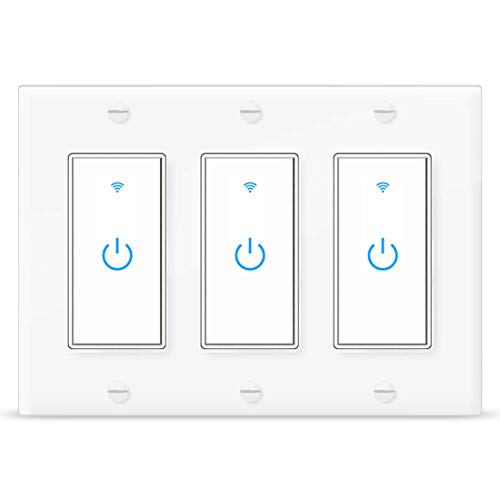
Three switches on one plate with a matte surface and a 15 A rating underneath.
Fill a three-switch plate without a glossy glass finish and this is the panel that does it. The surface is a skin-like matte rather than reflective tempered glass, which suits modern decors and hides fingerprints. The ultra-slim profile leaves more room in the electrical box for wiring, which helps when three circuits meet in one place. The current rating is 15 A, the heavier of the two figures in this batch, and the unit is UL certified with a single pole circuit.
Touch runs at a 40 millisecond response, so the glass answers instantly, and the blue backlight shows state without throwing light into the room. Voice control covers Alexa and Google Assistant, with the Smart Life app handling schedules, scenes, group control, and sharing the switch across phones. No hub is required, and pairing runs on 2.4 GHz Wi-Fi with the neutral wire in place.
The looks are the part that holds up best in the feedback, with the matte finish doing most of the work. The reliability story is the one to read carefully — reports of units going offline or failing show up often enough to take seriously on a three-gang load. Mount it on a strong 2.4 GHz signal, and weigh that one failure here takes out three lights at once.
The three-gang case: a matte 3-gang plate with 40ms touch response, a 15 A rating, and UL certification — a strong spec sheet for a plate covering three lights.
The reliability read: some units go offline or fail, so treat a three-gang install as the place to buy on reliability, not just looks — and keep the signal strong.
Reach for it if: a matte finish on three switches appeals more than glossy glass, and 15 A of headroom helps.
Pause on it if: you need rock-solid long-term reliability over three lights at once.
Know the Specs
Current Rating (Amps)
Amps tell you how much current the switch can pass to your lights. A higher figure like 15 A carries a heavier fixture load than a 10 A or 5 A panel. If your circuit is running several fixtures on one switch, match the panel to the load rather than running a low-rated switch near its ceiling.
Neutral Wire Requirement
A neutral wire is the white return line in the wall box that lets a smart switch keep its Wi-Fi radio powered even when the light is off. Every panel on this list needs one. If your box only has a live and a switch leg, the switch will not run without rewiring, so check before you order.
2.4 GHz vs 5 GHz Wi-Fi
Every touch switch here pairs on the 2.4 GHz band, which reaches farther through walls than 5 GHz. A 5 GHz-only router setting blocks pairing, so make sure your network broadcasts 2.4 GHz before you start the app. If your router uses one name for both bands, split them first.
IP Rating
The IP rating tells you how well the panel handles dust and water. IP54 means dust-resistant and splash-resistant, which suits a kitchen or utility wall. IPX8 is a higher water-protection figure but does not state dust protection, so read both digits where both are given.
Common Questions
Do I really need a neutral wire for a Wi-Fi touch light switch?
Will a Wi-Fi touch switch work with a 5 GHz router?
Can I use a Wi-Fi touch switch for a hallway with two switches on one light?
How many lights can one touch switch control?
Does a Wi-Fi touch light switch work with smart bulbs?
Can a smart dimmer switch control ordinary LED bulbs?
What is the difference between a touch switch and a push-button switch?
Can I control a Wi-Fi touch light switch with my voice?
Does Matter support change which switch I should buy?
Can a smart switch be set to turn lights on at sunset?
The Bottom Line
For most homes, the wi-fi touch light switch winner is the MOES WiFi Smart Touch Wall Light Switch. It fits the most homes because one panel handles both single-pole wiring (one switch controls the light) and 3-way wiring (two switches control the same light), adds RF433 remote control (a radio handset that works without Wi-Fi) as a fourth way to control it, and carries a 10 A rating (it can safely carry 10 amps of current) with IP54 splash protection (resists splashes from any direction) — a rare combination. If you want dimming instead of plain on/off, grab the GHome Smart Dimmer Light Switch with its 1%–100% slide, so you can set the light from a faint 1% glow to full 100% brightness. And for a control center that runs scenes and manages room temperature, the SONOFF NSPanel is the one to reach for — provided your home already runs SONOFF gear.
How we choose
We do not accept paid placement. Every pick is matched to a real buyer and a real use-case; we do not hands-on test units.
Sources
Specifications: manufacturer listings and product documentation. Review insights: verified customer reviews, as of November 2026. Pricing: not shown on this page (it changes often); check the current price via the retailer link.
As an Amazon Associate, Tactical Gear Guy earns from qualifying purchases. This does not affect which products we feature.