Specs are compiled from manufacturer listings and verified buyer reviews and can change over time — please confirm the key details on the product page before buying.
If one room in your house always drops the video call, you do not need to spend big on a whole-home network. A mesh system replaces your single router with two or three small units that share one network name, so your phone, TV and laptop stay connected as you walk from room to room. More coverage does not have to mean more money — a two-pack rated for 2,500 sq. ft. costs less than a three-pack rated for 5,500, so match the kit to your floor space and device count. Below are eight mesh kits, ordered from best overall down to budget-friendly, each judged on the specs that actually change your daily connection.
This guide is built by comparing the manufacturers’ published specifications and the patterns across verified customer reviews, so you get each pick’s real strengths and trade-offs instead of marketing spin.
Every pick below is judged on three specs: square-foot coverage, Wi-Fi standard and device capacity. Here are eight mesh kits for a normal home and a normal budget, ranked from best overall to cheapest.
Top Picks


How To Choose The Best Low Cost Wi-Fi Mesh
You are choosing between coverage you can trust and a price that stays sensible. The three things that decide whether a kit feels like money well spent are coverage in square feet, the Wi-Fi standard it runs, and how many devices it can hold at once.
Match coverage to your square footage, not the biggest number on the box
Every mesh kit lists a coverage figure in square feet. A three-pack rated for 5,500 square feet is meant for a house with multiple floors, while a two-pack rated for 2,500 square feet suits a smaller home or a flat. Walls, floors and even a microwave in the way all cut that number down in real use, so aim slightly above your actual floor space.
Wi-Fi 5 or Wi-Fi 6 — which standard earns its price
Wi-Fi 5 kits run on the older standard and handle streaming, browsing and video calls without drama on a normal internet plan. Wi-Fi 6 kits add the newer standard and tend to hold up better when many devices are online at once. If your plan is modest and your device count is low, a Wi-Fi 5 kit saves you money without slowing you down.
Count your devices before you pick a capacity number
Each kit lists a device limit — the number of phones, laptops, smart plugs, cameras and TVs it can serve at the same time. A kit rated for 100 devices is fine for a typical family; one rated for 150 or more handles a smart-home setup with room to spare. Exceed it and everything online starts to crawl.
Wired ports and backhaul matter more than you think
A Gigabit Ethernet port lets you plug in a console or PC for a direct, steady connection. Wired backhaul means the mesh units talk to each other over a cable rather than over the air, which keeps speed stable across a big house. Check how many ports each unit has if you plan to wire anything.
Side-by-Side Comparison
| Model | Best For | Coverage | Wi-Fi Standard | Device Capacity | Amazon |
|---|---|---|---|---|---|
| TP-Link Deco S4 (3-Pack) | Most homes | 5,500 sq. ft. | AC1900 Dual-Band Wi-Fi 5 | Up to 100 devices | Amazon |
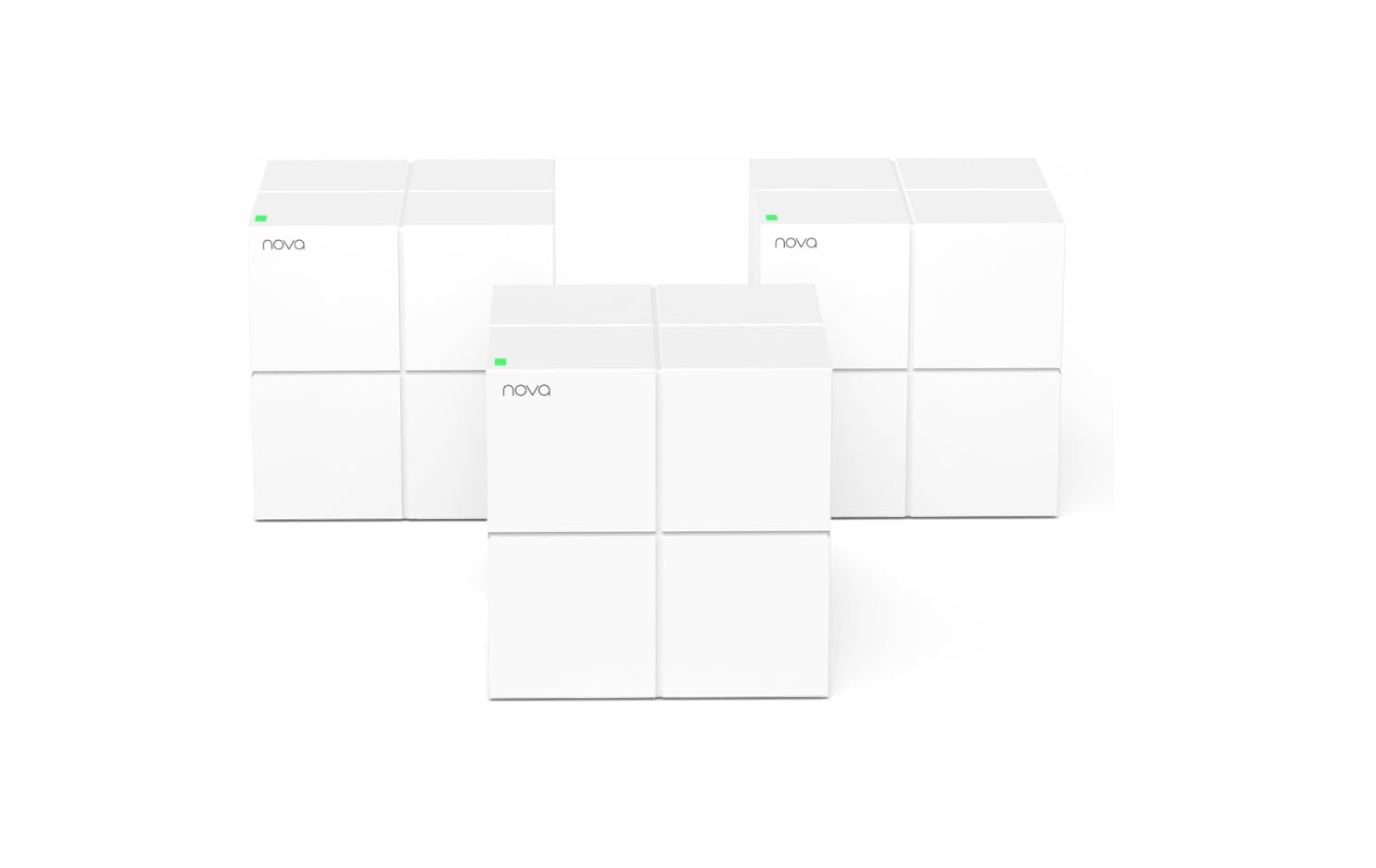
| Tenda Nova MW6 (3-Pack) | Big multi-bedroom houses | 6,000 sq. ft. | AC1200 Dual-Band | Up to 90 devices | Amazon |
| NETGEAR Nighthawk MK72 | Wi-Fi 6 on a budget | 3,000 sq. ft. | AX3000 Wi-Fi 6 | Up to 35 devices | Amazon |
| NETGEAR Nighthawk MK6W | Large homes on Wi-Fi 6 | 4,500 sq. ft. | AX1500 Dual-Band Wi-Fi 6 | — | Amazon |
| TP-Link Deco X55 (3-Pack) | Heavy device loads | 6,500 sq. ft. | AX3000 Wi-Fi 6 | Up to 150 devices | Amazon |
| Google Nest WiFi Pro (2-Pack) | Simple Google homes | 4,400 sq. ft. per router | Wi-Fi 6E Tri-Band | — | Amazon |
Detailed Reviews
1. TP-Link Deco S4 Mesh AC1900 WiFi System, Deco S4(3-Pack)
Three units, 5,500 square feet and one network name — the practical default.
For a full house that still wants a sensible price, this kit is the one to beat. It is a three-unit mesh system that covers up to 5,500 square feet, so a two-floor home with a garage and a back bedroom stays connected on one name and password. That coverage is the headline: it is rated for 5,500 square feet, while the Deco E3 two-pack handles 2,500 — a difference you genuinely feel in a large, spread-out house.
Speed comes from a Wi-Fi 5 design delivering up to 1300 Mbps on the 5 GHz band and 600 Mbps on the 2.4 GHz band. In plain terms, that is plenty of headroom for streaming on several screens while someone else games and a third person works on a laptop. It also connects up to 100 devices, which covers a family plus the smart plugs, cameras and TVs around them. Each unit carries Ethernet ports and supports wired backhaul, so you can run a cable between units for steadier speed.
The trade-off is speed versus the newer Wi-Fi 6 and Wi-Fi 7 kits further down this list — those push peak numbers higher, and this one stays on the older Wi-Fi 5 standard. For most homes on a normal internet plan the difference rarely shows. Where it does show is in a dense house packed with bandwidth-hungry devices all at once; if that describes you, look at the Deco X55 below. For a normal internet plan and a house under 5,500 sq. ft., this is the coverage-per-dollar pick.
What earns the top spot
- Covers up to 5,500 square feet with three mesh units on one network name
- Holds up to 100 devices at once — family plus smart home gear
- Gigabit Ethernet ports and wired backhaul support for stable speeds
Where it holds back
- Stays on Wi-Fi 5, so peak speed trails the Wi-Fi 6 and Wi-Fi 7 picks
- A modem is still required for most internet providers
The smart default: a large family home that wants full coverage and one simple network without paying for the newest standard.
Think again if: you have a gigabit-plus plan and a house full of devices all pulling data at once.
2. TP-Link Deco E3(2-Pack) AC1200 Whole Home Mesh WiFi System
A three-pack that promises the biggest coverage number here for a mid-range price.
On paper this is the coverage champion of the value tier. Three units combine into a mesh network rated for 6,000 square feet, and the listing also describes 3,500 square feet of whole-home coverage across four to six bedrooms. Either way, it is built for a sprawling home where a single router gave up long ago. Owners routinely report full signal through 4,000 sq ft houses after installing it.
It runs AC1200 dual-band with MU-MIMO (which serves several devices at once) and beamforming (which steers signal toward where your devices sit). It connects up to 90 devices, so phones, laptops, cameras and smart-home gear all fit. Setup through the Tenda app is quick, and a new node can be added in three steps if you later need more reach. The strong value case is the star here: 4.0+ stars across 11,000+ ratings, with performance and quality each drawing the most positive attention.
The catch is reliability. Beyond the first few months, a recurring group of owners mention units that stop working or connections that fail to hold, and speed occasionally drops to a fraction of normal. It is not a universal problem, but it is the most-discussed trade-off, and it is what keeps this off the top spot. Buy it for a 4,000–6,000 sq. ft. house where coverage per dollar beats set-and-forget reliability.
The coverage story: 6,000 square feet from a three-pack is the largest coverage promise in the value group, and it holds up in multi-bedroom houses.
The reliability caveat: a recurring set of owners see nodes drop out over time — the one honest risk before you buy.
Pick this when: you have a big, multi-bedroom house and coverage per dollar is what matters most.
Look elsewhere if: you want a set-and-forget system that never needs a restart.
3. NETGEAR Nighthawk MK72
The cheapest way onto Wi-Fi 6, with a router-and-satellite pair that covers 3,000 square feet.
If you want the newer Wi-Fi 6 standard without jumping to a premium kit, this two-piece system gets you there. One router and one satellite form a mesh rated for up to 3,000 square feet and up to 35 devices — a good match for a smaller home or a flat with a moderate device count. It replaces your existing router and works with cable, fiber, DSL and cellular home internet.
The AX3000 dual-band design is the standout: NETGEAR states it delivers up to 2.5x the performance of Wi-Fi 5, which in practice means smoother streaming and less strain when several people are online at once. Setup through the free Nighthawk app is the part that draws the most praise from owners, and signal strength and coverage both land positively. There is one 1 Gig WAN port for your internet input, plus a 1 Gig Ethernet port on the router and one on the satellite for a console, PC or smart TV.
The catch is reliability, and the device limit. Customers note a split experience — many find it excellent, while others hit frequent disconnections and Wi-Fi drops. And with a 35-device ceiling, a house packed with smart plugs and cameras can outgrow it quickly. Add the 30-day NETGEAR Armor security trial that turns into a paid subscription, and you have a kit that suits a modest connected home far better than a fully loaded smart house.
Why it earns a place
- Brings Wi-Fi 6 at the lowest price tier in the group
- Router and satellite cover up to 3,000 square feet
- Works with cable, fiber, DSL and cellular internet
Where it stops short
- 35-device limit is tight for a smart-home setup
- Reliability is the most-discussed concern among owners
- The Armor security features require a paid subscription after the trial
A fit for: a smaller home that wants Wi-Fi 6 and only has a handful of devices online.
Skip if: your house is packed with smart gear or you need coverage beyond a compact floor plan.
4. Netgear Nighthawk Mesh WiFi 6 System (MK6W)

Three Wi-Fi 6 units for a bigger house, built to take on extra satellites later.
Where the MK72 stops at two pieces, this kit spreads three units across up to 4,500 square feet. The MR60 router plus two satellites run a dual-band AX1500 Wi-Fi 6 network, and it supports Easy Mesh, so you can add more satellites as your house or device count grows. For a two-floor home on Wi-Fi 6, that coverage figure is a comfortable margin over the 3,000 square feet of the MK72.
The AX1500 standard on both 2.4GHz and 5GHz keeps connections steady across phones, laptops and TVs, and the listing lists a maximum LAN rate of 1000 Mbps alongside three LAN ports for wired gear. Setup and device management run through the Nighthawk app, so you can manage what is connected from your phone. It is a solid pick if coverage across a larger floor plan matters more to you than the peak speed of a pricier kit.
One thing to weigh before buying: this kit sits in the premium tier yet carries a Wi-Fi 6 rating that overlaps cheaper two-piece systems here. If you only need to cover a compact home, the MK72 above delivers Wi-Fi 6 for less. Reach for this MK6W when the 4,500-square-foot coverage and the promise of adding satellites later is exactly what your house needs and a smaller pair simply would not reach.
The spread: three units cover up to 4,500 square feet, giving a multi-floor home real headroom over the two-piece kits.
The value question: Easy Mesh expansion is the main upgrade — if you will not add satellites, a cheaper two-pack covers a compact home just fine.
Made for: a larger home that wants Wi-Fi 6 now and room to add satellites as needs grow.
Reconsider if: your floor plan is compact and a cheaper two-piece system would already reach every room.
5. TP-Link Deco X55 AX3000 WiFi 6 Mesh System, Deco X55(3-pack)

The heaviest lifter of the group — 6,500 square feet and 150 devices on Wi-Fi 6.
If your house looks more like a small office — laptops, consoles, cameras, phones and a smart thermostat all online at once — this is the pick built for that load. It is a three-unit Wi-Fi 6 mesh that covers up to 6,500 square feet and connects up to 150 devices, the largest capacity in the group. That is a big step up from the Deco S4’s 100-device ceiling.
Speed comes from AX3000 Wi-Fi 6, split as 2×2/HE160 at 2402 Mbps plus 2×2 at 574 Mbps. In everyday terms, that is enough headroom for 4K streaming, gaming and a house full of video calls at the same time. Each unit carries three Gigabit Ethernet ports, so six in total across the three, and all support wired backhaul. The Deco app sets it up in minutes, and TP-Link HomeShield adds basic network security and parental controls at no cost.
The trade-off is value, not capability. Owners split on whether the price reflects what they get, and connectivity draws mixed notes, with a set of buyers reporting frequent disconnections. It is not the norm, but it is the most-discussed concern. Weigh it against the far cheaper Deco S4: if your device count is under a hundred and your plan is modest, the S4’s 5,500 square feet does the same job for less. Step up to the X55 when 150 devices and AX3000 speed are what your household actually needs.
What it delivers
- 6,500 square feet and up to 150 devices — the largest capacity here
- AX3000 Wi-Fi 6 with 2402 Mbps on the 5 GHz band
- Six Gigabit Ethernet ports total across the three units, with wired backhaul
What to weigh
- Owners disagree on whether the price matches the performance
- Connectivity is mixed — some buyers hit repeated disconnections
The one for: a busy, device-heavy home that wants big coverage and Wi-Fi 6 with room to add more.
Overkill if: your home is small and your device count well under a hundred.
6. Google Nest WiFi Pro – Wi-Fi 6E – 2 Pack – Fog

A self-diagnosing mesh with a third 6 GHz band — the easiest to live with, if not the fastest.
For a Google household that values simplicity over raw numbers, this two-pack is the smooth operator. It uses Wi-Fi 6E, which adds a new 6 GHz band alongside 2.4 GHz and 5 GHz, and each router can cover up to 4,400 square feet. It is tri-band, and the 6 GHz channel keeps newer devices off the congested bands the rest of your gear shares. Setup is the part buyers praise most, and the two-pack is easy to place around a large home.
The self-managing side is the real draw. Nest Wifi Pro monitors itself, diagnoses network issues and can fix some common problems on its own, and it prioritizes video calls so your work-from-home hours stay steady. Secure booting and software updates help guard against router hacks, and you can see every connected device and pause access for unknown ones. One important note: this is not compatible with older generations of Google Wifi or Nest Wifi, so it is a fresh-start system rather than an add-on.
The honest trade-off is reliability and value. Some shoppers say dropped signals and daily network resets, and opinions split on whether it justifies the premium. It also carries the highest price tier of the group, which is a lot to spend on a system built around ease rather than speed. Buy it if you are already in the Google ecosystem and want something that quietly keeps itself healthy. If you want the most coverage per dollar, the Deco S4 gets you further for far less.
What it does well: Wi-Fi 6E with a dedicated 6 GHz band, self-diagnosing software and call prioritization that keeps work calls stable.
The honest caveat: reports of dropped signals and a premium price make it a fit for Google loyalists, not a value leader.
A natural fit if: you already run Google devices and want a self-maintaining mesh that is simple to set up.
Look elsewhere if: you want the most coverage for the money or need to add to an existing Nest Wifi setup.
Know the Specs
Coverage in square feet
This is the area a kit claims to fill with a usable signal, usually measured for the whole set of units together. A two-pack rated for 2,500 square feet is meant for a smaller home, while a three-pack rated for 5,500 or more suits a house with multiple floors. Walls, floors and appliances like microwaves all cut that figure down, so aim a little above your real floor space.
Wi-Fi standard — Wi-Fi 5, 6, 6E and 7
The standard decides how the kit talks to your devices and how it handles many at once. Wi-Fi 5 (AC ratings) is the older, cheaper standard that still handles streaming and calls. Wi-Fi 6 (AX ratings) holds up better with lots of devices, Wi-Fi 6E adds a 6 GHz band, and Wi-Fi 7 (BE ratings) is the newest and fastest. Your devices must support a newer standard to benefit from it.
Device capacity
Each kit lists how many devices it can serve at once — phones, laptops, TVs, cameras, smart plugs and so on. A kit rated for 100 devices is fine for most families. Push past the limit and everything online slows down. Count your connected gear before you choose a number, and leave a little room to grow.
Ethernet ports and wired backhaul
Gigabit Ethernet ports let you plug in a console, PC or TV for a steady wired link. Wired backhaul means the mesh units talk over a cable instead of the air, which keeps speed stable across a big house. More ports per unit give you more places to plug in — count them if you plan to wire anything up.
Common Questions
Will a mesh system replace my existing router completely?
Do I still need a modem to use a mesh system?
How is a mesh node different from a range extender?
How many square feet does a three-pack actually cover?
Is Wi-Fi 6 worth it over Wi-Fi 5 for a normal home?
Will a mesh system work with my internet provider?
Can I add more units later to extend coverage?
Do mesh systems support wired connections for consoles and PCs?
Will a mesh system help if my only problem is one dead room?
Does a newer standard like Wi-Fi 7 speed up older devices?
The Bottom Line
For most homes, the low cost wi-fi mesh winner is the TP-Link Deco S4 because it covers up to 5,500 square feet, holds up to 100 devices and sets up on one network name without paying for the newest standard. If your house is packed with devices and you want Wi-Fi 6 headroom, grab the TP-Link Deco X55. And for the smallest, cheapest fix for a flat or a single dead room, the TP-Link Deco E3 is the one to reach for. Match the coverage number to your floor space and the device limit to your gear, and any of these will end the dead-zone routine without overpaying for speed your plan cannot feed.
How we choose
We do not accept paid placement. Every pick is matched to a real buyer and a real use-case; we do not hands-on test units.
Sources
Specifications: manufacturer listings and product documentation. Review insights: verified customer reviews, as of November 2026. Pricing: not shown on this page (it changes often); check the current price via the retailer link.
As an Amazon Associate, Tactical Gear Guy earns from qualifying purchases. This does not affect which products we feature.