Specs are compiled from manufacturer listings and verified buyer reviews and can change over time — please confirm the key details on the product page before buying.
If you have a stack of retro consoles and a modern TV with no matching input, you need a converter that turns the console’s analog RGB signal into a clean HDMI picture. The Kaico OSSC 1.8 does that job better than anything else on this list. Quick disclosure: this roundup uses flexible matching for converters that take an RGB (component or SCART) analog signal and output HDMI, so not every pick is the exact model number you searched for. The nearest same-type unit serves the same purpose, and every pick below genuinely does that conversion.
This guide is built by comparing the manufacturers’ published specifications and the patterns across verified customer reviews, so you get each pick’s real strengths and trade-offs instead of marketing spin.
Below you will find seven converters sorted by what they actually do for a retro setup, from a scan converter that turns 240p into razor-sharp pixels to simple plug-and-play boxes for a DVD player. My full breakdown of the best rgb to hdmi converter covers every input type, output resolution, and real-world catch you need to weigh before buying.
Top Picks

How To Choose The Best RGB to HDMI Converter
The first thing to settle is which analog signal your console or player actually sends out. RGB over SCART, component YPbPr over five RCA plugs, and VGA are different formats, and a converter built for one will not read the other. Get that match wrong and you get a black screen, a grey screen, or a picture with the colors scrambled.
Match the input to your cable, not to the console name
A Super Nintendo, Saturn, or Mega Drive outputs RGB over a SCART cable, so you need a converter that explicitly accepts RGB SCART. A PS2 or original Xbox can output component through five RCA plugs, which needs a YPbPr input instead. Some converters handle both, and that flexibility matters if your shelf holds more than one generation of hardware.
Decide if you want a scaler or a line doubler
A basic scaler takes whatever resolution comes in and stretches it to a standard HDMI output like 720p or 1080p. A line doubler built for retro gaming treats a 240p signal differently, repeating scanlines so old pixel art stays crisp instead of turning into a blurry smear. If you care about how a 16-bit game looks on a modern TV, the second type is what you want.
Check the output resolutions before you buy
Look at the list of HDMI output modes on the spec sheet and confirm one of them matches what your display likes best. A converter limited to 640 x 480 will look soft on a 4K panel, while one that offers 720p, 960p, or 1080p gives the display more to work with. The scaler engine is what decides whether an odd source resolution lands cleanly or arrives distorted.
Side-by-Side Comparison
| Model | Best For | Input Types | Max HDMI Output | Power Draw | Amazon |
|---|---|---|---|---|---|
| Kaico OSSC 1.8★ Best Overall | Sharpest retro picture | SCART, Component, VGA | 1080p | 5 watts | Amazon |
| Mcbazel SCART RGB to HDMITop Performer | All-round retro scaler | SCART, Component, VGA | 1080p | 24 watts | Amazon |
| Mcbazel OSSC v1.6 | Budget line doubler | SCART, Component, VGA | — | 5 watts | Amazon |
| Scart/HDMI to HDMI Box | SCART plus audio routing | SCART, HDMI | 1080p | — | Amazon |
| Component to HDMI (SUNNATCH) | DVD and PS2 players | Component YPbPr | 1080p | — | Amazon |
| YPbPr to HDMI (Anber-Tech) | Zoom and picture tuning | Component YPbPr | 1080p | 5 watts | Amazon |
Detailed Reviews
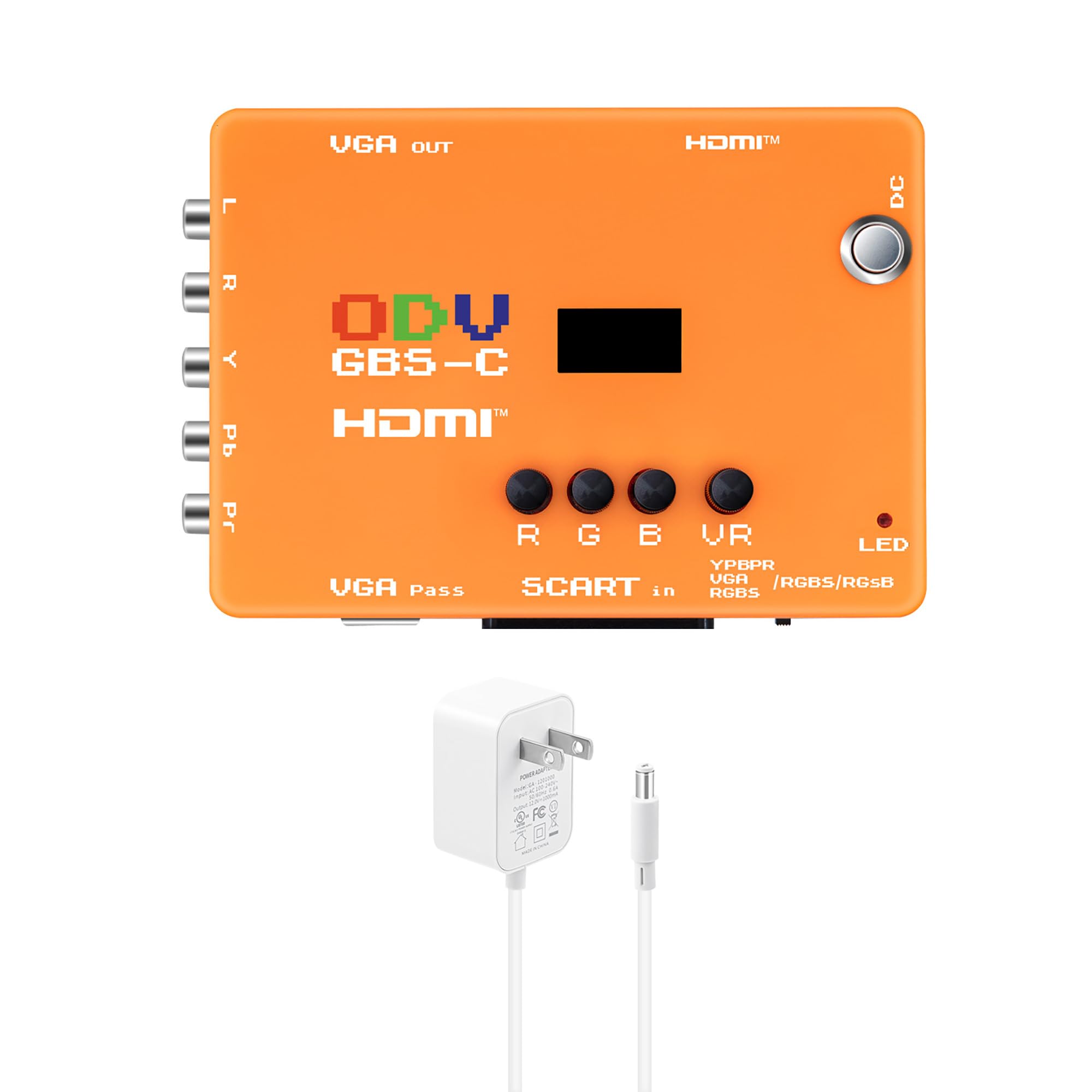
1. Kaico OSSC 1.8 Scan Converter
Our pick — 4.5+★ from 650+ verified ratings; the strongest balance of quality and price.
The retro scaler that keeps old pixel art sharp instead of smearing it into mush.
For anyone who wants a 16-bit console to look right on a modern panel, this is the pick that matters. The version 1.8 firmware adds a 6x output mode with pixel repeat and shadow mask emulation (a filter that mimics the scanlines of an old CRT), so a 240p game arrives at 1080p with its edges intact. That is the whole reason a scan converter exists, and it is where this one earns its keep over the cheaper boxes further down.
It accepts SCART RGB, component YPbPr, and VGA, which covers Spectrum, Amiga, SNES, PAL GameCube, Saturn, Mega Drive, and PlayStation hardware. Buyers praise the build — it feels like a proper piece of kit rather than a bare PCB in a shell — and it runs on a modest 5 watts. Keep a real RGB SCART cable on hand, because the unit only works with RGB inputs and the cable is not included. A Nintendo 64, a non-RGB modified NES, or an NTSC GameCube will not work here at all, since those output S-Video rather than RGB.
Here is the honest catch: value is the one thing that splits opinion. This is a serious scaler at a serious tier. It draws just 1 A of current and 5 watts nominal power, so compare that to the Mcbazel board’s 2 A and 10 watts if power budget on your shelf matters. It also measures 3.54 x 1.57 x 7.87 inches, and that long footprint needs some breathing room behind the TV. Compatibility is the second live question, so confirm your console is on the supported list before you commit.
Where this scan converter shines
- 6x output mode with pixel repeat and shadow mask keeps pixel art crisp at 1080p
- Handles SCART RGB, component YPbPr, and VGA from one box
- No lag reported, so timing-sensitive games stay playable
- Low 5-watt nominal draw and 1 A current rating
What to sort out first
- Needs a quality RGB SCART cable, sold separately
- S-Video consoles like the N64 and NTSC GameCube are out
- Premium tier pricing that some buyers find steep
Worth the outlay for: a retro purist with a shelf of RGB-modded consoles who wants pixel-perfect output and no perceptible input lag.
Read the compatibility list twice if: your console runs on S-Video, because this unit will not read it at all.
2. Mcbazel SCART RGB to HDMI Converter
One box that reads SCART, component, and VGA — and tunes color with three knobs.
If your collection mixes a Saturn with a PS2 and a Dreamcast, this converter spares you from buying three separate boxes. It accepts RGBS/SCART, YPbPr component, and VGA/RGBHV, and covers PS1, PS2, PS3, Saturn, Dreamcast, SNES (except Jr), and Neo Geo hardware. The three R/G/B knobs let you correct color drift right on the unit, though they only affect RGBS or RGBHV sources and do nothing for YPbPr.
The output side is where it separates itself. It processes 240p, 480i, and 480p input, uses dynamic deinterlacing to turn 480i into a progressive picture, and offers 720p, 960p, or 1080p HDMI output. There is a scanline effect too, but it needs configuring and only works at 240p. You get a separate 3.5mm audio input and output for headphones or speakers, plus an LED display and front buttons, with WiFi letting you adjust settings from a phone or computer.
Buyers praise that it works from the start, and it downscales too — a 480i or 480p signal can drop to 240p. The trade-off worth knowing is setup: the sync selector on the SCART side has to match your source, and a wrong position gives you no picture, flicker, or a grey screen. For N64, GameCube, or Wii you need the separate ODV-II converter. Firmware updates run over USB to a computer, and video cables are not in the box.
Why it earns second spot: four ports, dual audio routing, and switchable 720p/960p/1080p output make it the most flexible pick for a mixed console shelf.
The setup tax: the sync selector and signal-type menu are unforgiving of a wrong setting — read the manual before the first power-on.
Reach for this if: you own several RGB consoles of different generations and want one converter with a WiFi settings page to handle all of them.
Look elsewhere if: you only need to connect a single N64 or GameCube, since that path requires extra hardware this box does not include.
3. Mcbazel OSSC v1.6 Scan Converter

The same open-source scaler family as the top pick, at a lower rung of the ladder.
This is the earlier v1.6 build of the OSSC, and it does the same core job: take RGB over SCART, component, or VGA and send it to HDMI. It runs on 5 volts and 1 A with a 5-watt nominal draw, so it matches the Kaico on power despite sitting lower on the shelf. You get a remote control in the box, though it needs two AAA batteries that are not included.
Compatibility follows the same rules as the newer model. It works with Spectrum, Amiga, SNES, PAL GameCube, Saturn, Mega Drive, PlayStation, and more. It will not work with a Nintendo 64, a non-RGB modded NES, or an NTSC GameCube. It also refuses converted or split cable connections, and a JP21 cable setup needs a JP21 adapter. High-quality RGB SCART remains mandatory and is not included.
This one measures 9.45 x 6.81 x 2.76 inches and weighs 0.41 kg, so it is the bulkier box of the two OSSC options. The maker is blunt about it: do not buy this unless you understand what it does and how it works. That warning is fair, because a scan converter rewards a buyer who knows their cable type. The 1 A current and 5-watt draw also line up exactly with the Kaico, so the savings here come from the firmware generation rather than the power side.
The value read: an open-source scan converter with a bundled remote and power supply, aimed at buyers who want the OSSC approach without the top-tier outlay.
Honest limit: the v1.6 firmware predates the 6x output mode and HDR additions on the Kaico 1.8, so pixel-art purists may feel the gap.
Good fit for: a patient retro tinkerer who wants OSSC-style line doubling and does not mind an older firmware revision.
Think twice if: your SCART cabling is the split or converted type, because this unit will not accept it.
4. Scart/ Hdmi to Hdmi Converter Box
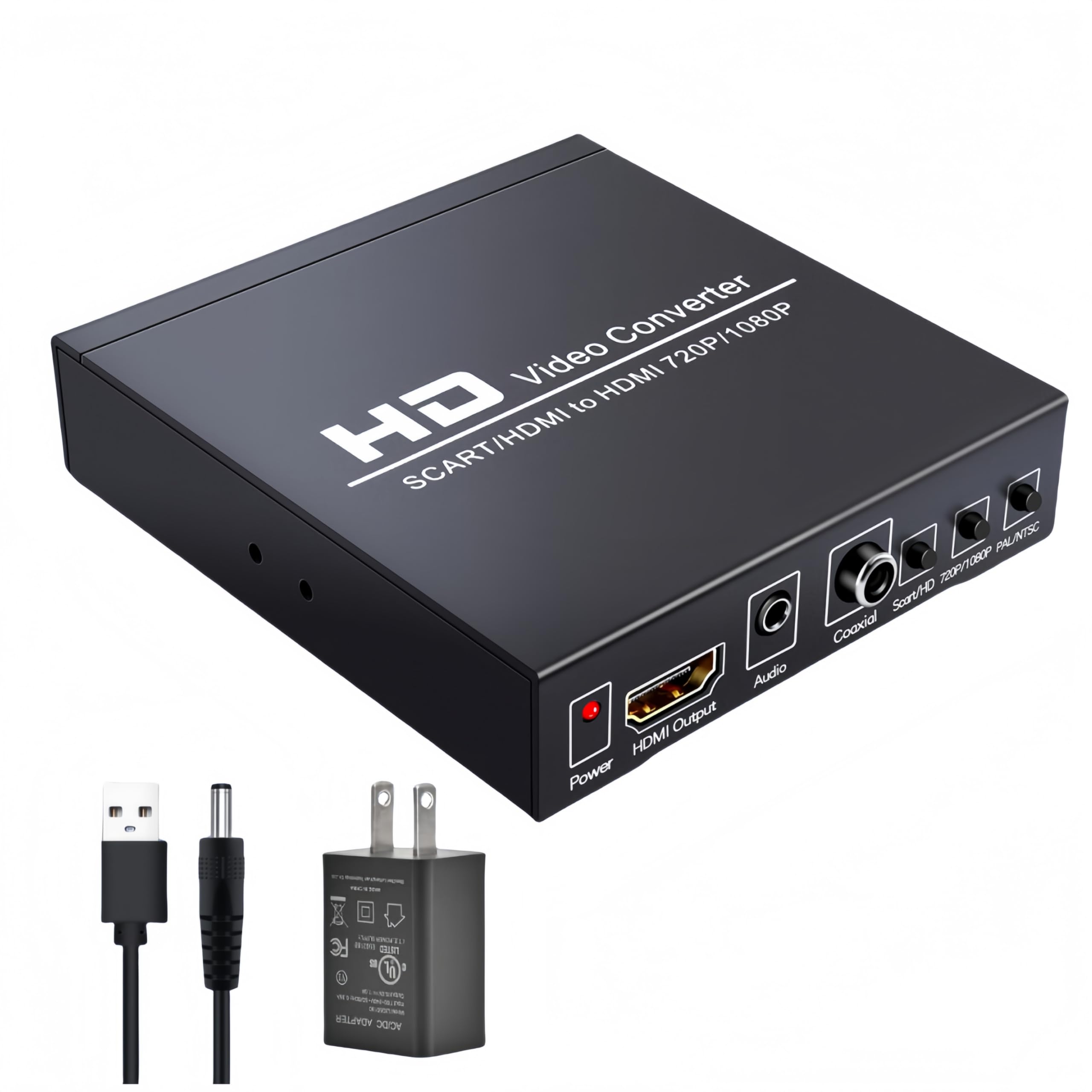
A SCART-to-HDMI scaler that also gives your sound somewhere to go.
Plug a Sky box, DVD player, set-top box, or a PS2, PS3, PSP, Wii, or Xbox 360 into the SCART side and this box upscales the signal to HDMI at 720p or 1080p. It handles RGB and composite video, detecting the source at 50 or 60Hz automatically, and it remembers your output resolution so you are not re-selecting it every session. There is also a pass-through HDMI input if you want to run a separate HD source through the same box.
The audio side is the real differentiator. SCART audio is folded into the HDMI output and also passed through to a 3.5mm jack or coaxial output, so headphones or an amplifier can run alongside your TV. That weight tells you it is a substantial box — at 347.2 g it is far heavier than the Mcbazel arcade board at 108 g. Buyers consistently call this a budget-friendly alternative to a dedicated scaling box, and its clean styling suits a media rack.
The catch is consistency. Function results are split, with some units doing the job and others arriving dead from the start. Picture quality is decent rather than pixel-perfect, and a small delay is noticeable on some setups — fine for a DVD, not ideal for a frame-perfect fighting game. Treat this as a reliable everyday upscaler for video content, not a tournament-grade gaming solution.
What it does well: converts SCART RGB and composite to HDMI at 720p or 1080p, with 3.5mm and coaxial audio outputs for a clean sound path.
Fair warning: input lag and picture perfection are the weak spots, so competitive retro players should look up the list instead.
Buy this for: a retro setup or old DVD player where sound needs its own output and a little lag will not ruin the evening.
Skip it for: skill-based games that demand frame-perfect timing, where the slight delay becomes a real handicap.
5. Component to HDMI Converter 5RCA

A problem-solver for the black-and-white picture that plagues cheap component adapters.
This box connects a component source — a DVD player, a PSP, a PS2 — to an HDMI display, and the built-in scaler is the part you are paying for. It targets the classic failure modes: no video, black-and-white pictures, distorted images, a picture that cuts in and out, and the dreaded DVD menu that vanishes the moment the movie starts. If you have ever hit one of those walls, this converter is designed to clear it.
You choose the output yourself with the button on the unit — 800 x 600 at 60Hz, 1024 x 768 at 60Hz, 1280 x 1024 at 60Hz, 720P at 60Hz, or 1080P at 60Hz. It is component in, HDMI out, with no software to install. The chassis is aluminum and white, it carries six ports, and it draws 1 A at 5 volts, so it stays modest on the power side. It measures 4.53 x 3.23 x 0.91 inches, which is compact enough to tuck beside a media player.
Where it wobbles is the same place many component converters do. Some buyers find it works just fine, while others report it will not work with a PS2 at all. Picture quality splits between very good and lower contrast between objects. Connection dropouts with DVD players also show up in the feedback. The scaler engine is genuinely useful when your source resolution does not match your display, so it is a strong pick for a mixed shelf — as long as the specific player you own is known to play nice.
The scaler advantage: five selectable HDMI output resolutions and a chip built to fix picture problems that stump simpler adapters.
The compat question: PS2 owners are the most vocal about failures here, so confirm your exact model before relying on it.
Best matched to: a DVD player or older console whose resolution fights your TV, where the selectable output button saves the day.
Double-check before buying if: a PS2 is your main source, since that console draws the most complaints in the feedback.
6. YPbPr to HDMI Converter
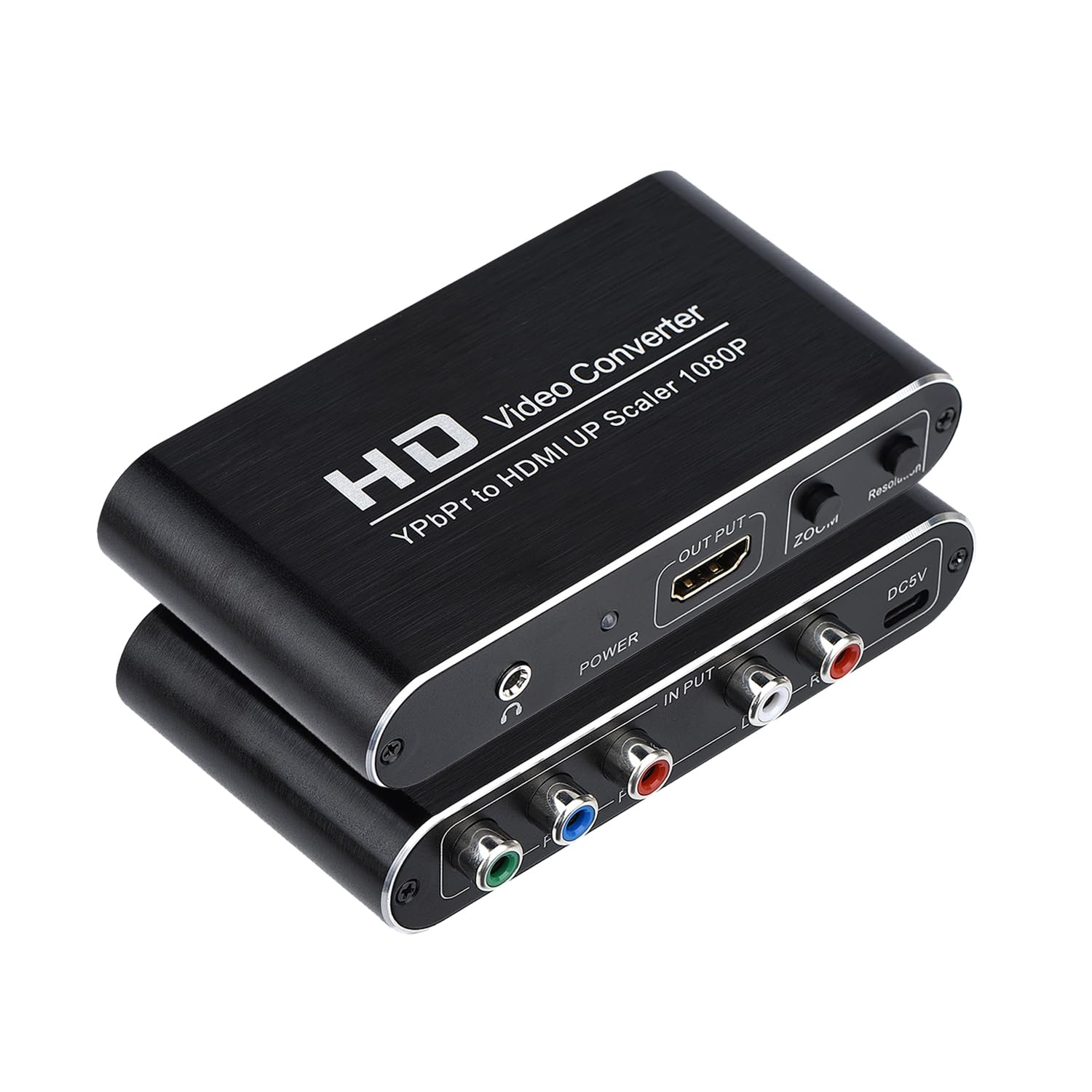
Five zoom modes for taming a picture that won’t fit your screen.
Say you have an Xbox 360, a PS2, a PS3, or an old DVD player pushing component video, and the image lands too small or awkwardly cropped on your HDMI panel. This converter has a zoom function with five modes for gradual picture enlargement, so you can size the image to the display without touching the source. Just know the zoom only adjusts size — it does not change frame rate or resolution.
The scaler engine handles a broad input range: 480i/p at 60Hz, 576i/p at 50Hz, 720p at 50 or 60Hz, and 1080i/p at 50 or 60Hz. On the way out you get 800 x 600 at 60Hz, 1024 x 768 at 60Hz, 1280 x 1024 at 60Hz, 720P at 60Hz, or 1080P at 60Hz. It converts component video and analog audio into HDMI plus a 3.5mm audio output. This matters for the comparison: its input voltage is listed at 1 volt against the SUNNATCH converter’s 5 volts, so the two are not interchangeable on the power side. It draws 1 A and 5 watts nominal.
Direction is the one rule you cannot break. This is component in and HDMI out, full stop, and it will not work in reverse. It also needs a true YPbPr output, not a plain RCA output, and if you wire it wrong you get no signal at all. Feedback is split evenly between setups where it works as expected and setups where it simply does not, and a few report unstable display or video signal trouble. Set your expectations around the zoom feature and check your cable type first.
Standout feature: five zoom modes let you resize the picture on the display, a rare control at this tier.
Hard requirement: a real YPbPr output on your source device — an RCA composite plug will leave you with a blank screen.
Pick it when: your component source lands at the wrong size on a modern TV and you want the zoom control to fix it.
Pass if: your device only offers composite RCA output, because this converter needs proper YPbPr and will not reverse.
Know the Specs
Input Signal: SCART, Component, and VGA
These three formats are not interchangeable. SCART carries RGB along with sync, component YPbPr splits color into three separate channels across five RCA plugs, and VGA is the older PC-style connection. A converter only reads the formats its board supports. Check the input list on the spec sheet against the cable coming out of your console, and remember that S-Video is a fourth, separate format that most RGB converters will not accept.
Scaler Engine and Output Resolution
The scaler is the chip that takes whatever resolution arrives and rebuilds it for HDMI. Basic units stretch a signal to 720p or 1080p, while a line doubler repeats scanlines to preserve 240p pixel art. Output options like 800 x 600, 1024 x 768, 1280 x 1024, 720P, and 1080P let you match your display’s preference. More output modes mean more chances to land a clean, sharp image.
Power Draw and Current Rating
These small converters run on low voltage, often 5 volts, and draw anywhere from 1 A to 2 A depending on the board. Nominal power figures like 5 watts or 10 watts tell you how much headroom your supply needs. A board that requires a 5V/2A supply will not run reliably off a weaker adapter. Check the included power supply, or note that one is not in the box, before you buy.
Latency and Deinterlacing
Latency is the delay between the console sending a frame and the TV showing it. A dedicated gaming scaler tends to add little to none, while a basic video upscaler can add a slight delay you notice in fast games. Deinterlacing matters too: a 480i signal from many consoles is interlaced, and dynamic deinterlacing turns it into a clean progressive picture. Both specs decide whether a converter suits action games or just movie playback.
Common Questions
Will an RGB to HDMI converter work with a Nintendo 64?
What is the difference between SCART and component YPbPr?
Do I need a special cable for a scan converter?
Can these converters work in reverse from HDMI to component?
Why does my picture show up in black and white?
Is a scan converter good for fast action games?
How should I power an arcade converter board?
Can I scale a retro picture down instead of up?
What resolution should I set my converter to?
Will a converter work with a JP21 SCART cable?
The Bottom Line
The clear winner among these RGB to HDMI converters is the Kaico OSSC 1.8, because its 6x output mode with pixel repeat and shadow mask keeps retro pixel art sharp at 1080p with no reported lag — the exact job a scan converter exists to do. It holds 4.5+ stars across 600+ owners, the highest rating here. If you want one box to read SCART, component, and VGA across several consoles with room to tune color, the Mcbazel SCART RGB to HDMI is the flexible second. And for an arcade build where you mount a bare board inside a cabinet, the Mcbazel RGB to HDMI Converter Board is the one to reach for.
If you want the sharpest possible retro picture, move on the Kaico OSSC sooner rather than later — it is the crowd favorite, and the version 1.8 firmware separates it from the older v1.6 model further up this list.
How we choose
We do not accept paid placement. Every pick is matched to a real buyer and a real use-case; we do not hands-on test units.
Sources
Specifications: manufacturer listings and product documentation. Review insights: verified customer reviews, as of November 2026. Pricing: not shown on this page (it changes often); check the current price via the retailer link.
As an Amazon Associate, Tactical Gear Guy earns from qualifying purchases. This does not affect which products we feature.