Specs are compiled from manufacturer listings and verified buyer reviews and can change over time — please confirm the key details on the product page before buying.
Most tablets that advertise a USB port give you one narrow jack and call it a day. That is fine until you want to plug in a mouse, a flash drive, or a controller and find there is nowhere to put it. This guide is about the tablets that genuinely give you room to connect.
This guide is built by comparing the manufacturers’ published specifications and the patterns across verified customer reviews, so you get each pick’s real strengths and trade-offs instead of marketing spin.
You will see which tablets give you USB-A and USB-C together, which ones lean on a single port, and which ones put a full Windows desktop behind the glass. Every pick below can genuinely take a peripheral, so here is the honest rundown of the best Tablet PC with USB.
Top Picks

How To Choose The Best Tablet PC with USB
The first thing to work out is what you actually want to plug in. A USB-C port on its own will charge the tablet and take a dongle, but it will not swallow a standard USB-A plug without an adapter. If you want to connect a mouse, a keyboard, or a memory stick straight into the tablet with no fuss, you want a model that lists both USB-A and USB-C in its port list.
Check the port list, not the marketing line
A product description that says “USB” tells you almost nothing. Look for the words USB-A, USB-C, or USB 3.0 written plainly. Those tell you the shape of the socket and whether it can carry data at speed. A tablet with USB-A and USB-C together is the most flexible choice for work, because you can charge on one and plug in a peripheral on the other at the same time.
Decide if you want Android or Windows
Android tablets are built around apps and touch. They boot fast, they are simple to set up, and they are happy as a reading and streaming device. Windows tablets run full desktop software, which matters if you need a program that only exists on a PC. The trade-off is that Windows on a small screen can feel cramped, and battery life tends to be shorter than on an Android slate.
Look at the screen before anything else
You will stare at this screen every day, so the resolution and the refresh rate matter more than the processor for most people. A higher refresh rate, measured in hertz, makes scrolling and swiping feel smoother. Resolution measured in pixels decides how sharp text looks. Both numbers are listed on every spec sheet, so compare them directly rather than trusting the word “vibrant”.
Weigh the battery against the weight
Big batteries add grams. A tablet that lasts all day in your bag is usually a little heavier than one built to be featherlight. Check the milliamp-hour figure and the stated hours of use together. If you plan to leave the house with it every morning, a lighter chassis and a smaller cell often beat a heavier unit with a bigger number on the box.
Side-by-Side Comparison
| Model | Best For | Screen | Battery | USB Ports | Amazon |
|---|---|---|---|---|---|
| Samsung Galaxy Tab S7★ Best Overall | All-round performance | 11-inch TFT LCD | 8000 mAh, 15 hours | USB-C | Amazon |
| Microsoft Surface ProPremium Windows Pick | Premium Windows work | 13-inch, 2880 x 1920, 120Hz | 15.5 hours | Two USB-C / USB4 | Amazon |
| Samsung Galaxy Tab S10+Best Big Screen | Big-screen Android | 12.4-inch AMOLED, 120Hz | — | USB | Amazon |
| CHUWI Hi10 Max | Drawing and design | 12.96-inch, 2880 x 1920 | 37.12 watt-hours | 2x USB-C, USB-A 3.2 | Amazon |
| Fusion5 FWIN232 PRO N5 (USA) | Windows with warranty cover | 10.1-inch, 1920 x 1080, 500 nits | 6000 mAh, 5 hours | USB-C, USB-A, micro HDMI | Amazon |
| Fusion5 FWIN232 PRO N5 | Budget Windows desktop | 10.1-inch, 1920 x 1200 | 6000 mAh, 5 hours | USB 3.0, USB-C, micro HDMI | Amazon |
| Microsoft Surface Go 2 | Compact Windows tablet | 10.5-inch, 1920 x 1280, 60Hz | 9 hours | USB-C | Amazon |
| TCL TAB 10 Gen 4 | Light everyday Android | 10.1-inch FHD, 1920 x 1200 | 6000 mAh | USB-C | Amazon |
| Samsung Galaxy Tab A11 | Small and budget-friendly | 8.7-inch, 90Hz | 5100 mAh, 12 hours | USB-C 2.0 | Amazon |
Detailed Reviews
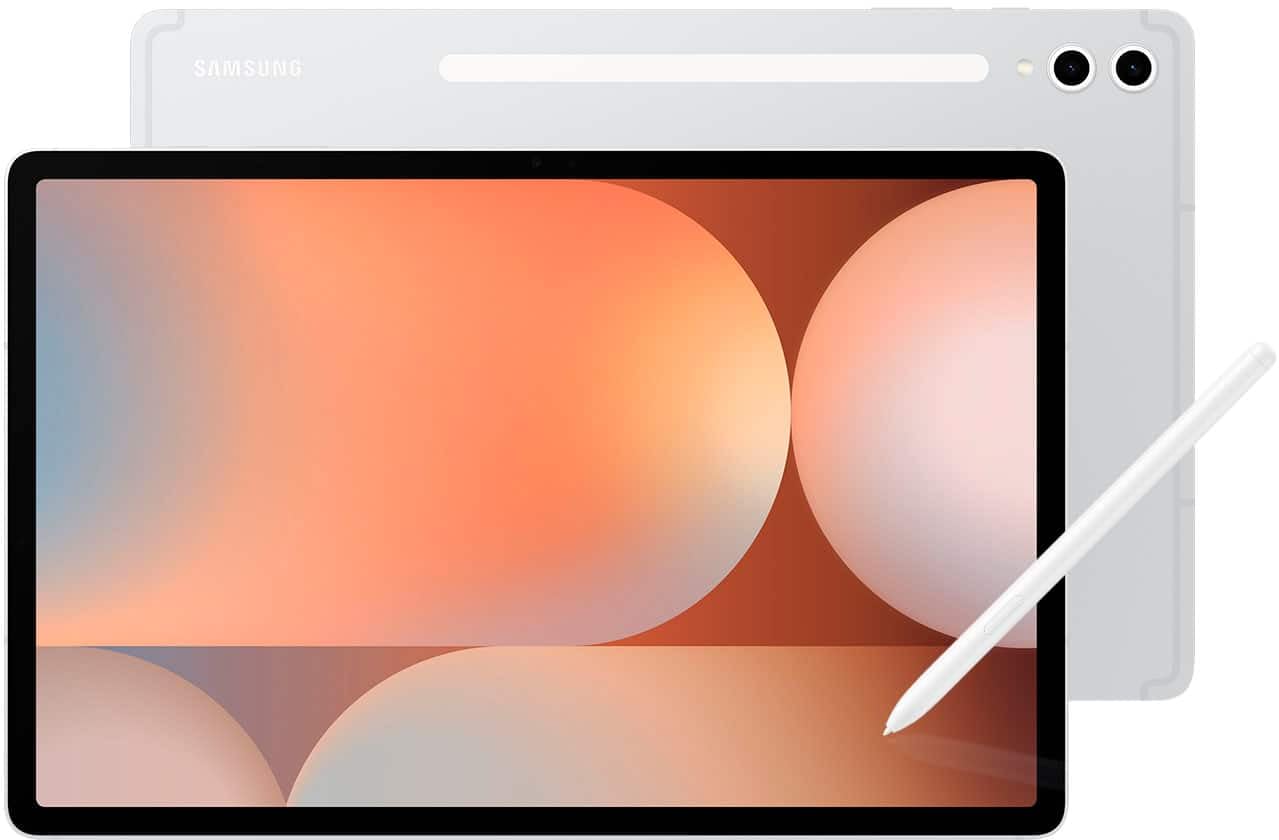
1. Samsung Galaxy Tab S7 11-inch Android Tablet 128GB
Our pick — 4.5+★ from 8,500+ verified ratings; the strongest balance of quality and price.
An 11-inch Android tablet with a 15-hour battery and an included S Pen
You get 15 hours of rated battery life from an 8000 milliamp-hour cell (a measure of battery capacity), so you can leave the charger at home for a full day of work. That is a genuine all-day figure rather than a hopeful one, and owners treat it that way: the phrase that keeps coming up in the review pages is that the battery “lasts for days” on email, web browsing, and YouTube. Compare it to the Surface Go 2, which rates 9 hours from a smaller unit, and the Samsung gives you a lot more time away from a socket.
Performance is where this tablet has earned its reputation. Owners routinely describe it as working like a medium laptop, and the SDM865 Pro chip running up to 3.09 GHz backs that up. The 11-inch TFT LCD screen does the job for streaming and note-taking, and the included S Pen with 9ms latency is responsive enough for handwritten notes. DeX mode turns the interface into something closer to a desktop, though you will need the optional keyboard to get the full effect.
Your USB-C port handles charging, data, and peripherals, so a dongle gets you a mouse and a flash drive. The honest catch is the S Pen: it attaches magnetically and holds on loosely, so it can come free if the tablet gets knocked around in a bag. A small number of units have also failed to hold a charge over time. Neither is common, and the underlying tablet is a strong all-rounder.
What earns the top spot
- 15 hours of rated battery life from an 8000 milliamp-hour cell keeps it alive all day
- SDM865 Pro chip at up to 3.09 GHz handles everyday apps and multitasking without strain
- S Pen included in the box with 9ms latency for notes and sketches
- USB-C port for charging and plugging in peripherals
Where it asks for care
- The S Pen attaches loosely and can detach inside a bag
- The keyboard that makes DeX mode useful is sold separately
Go for it if: you want one Android tablet that handles streaming, notes, and light work without hunting for a charger.
Think twice if: a stylus that stays firmly attached matters to you more than raw processing power.
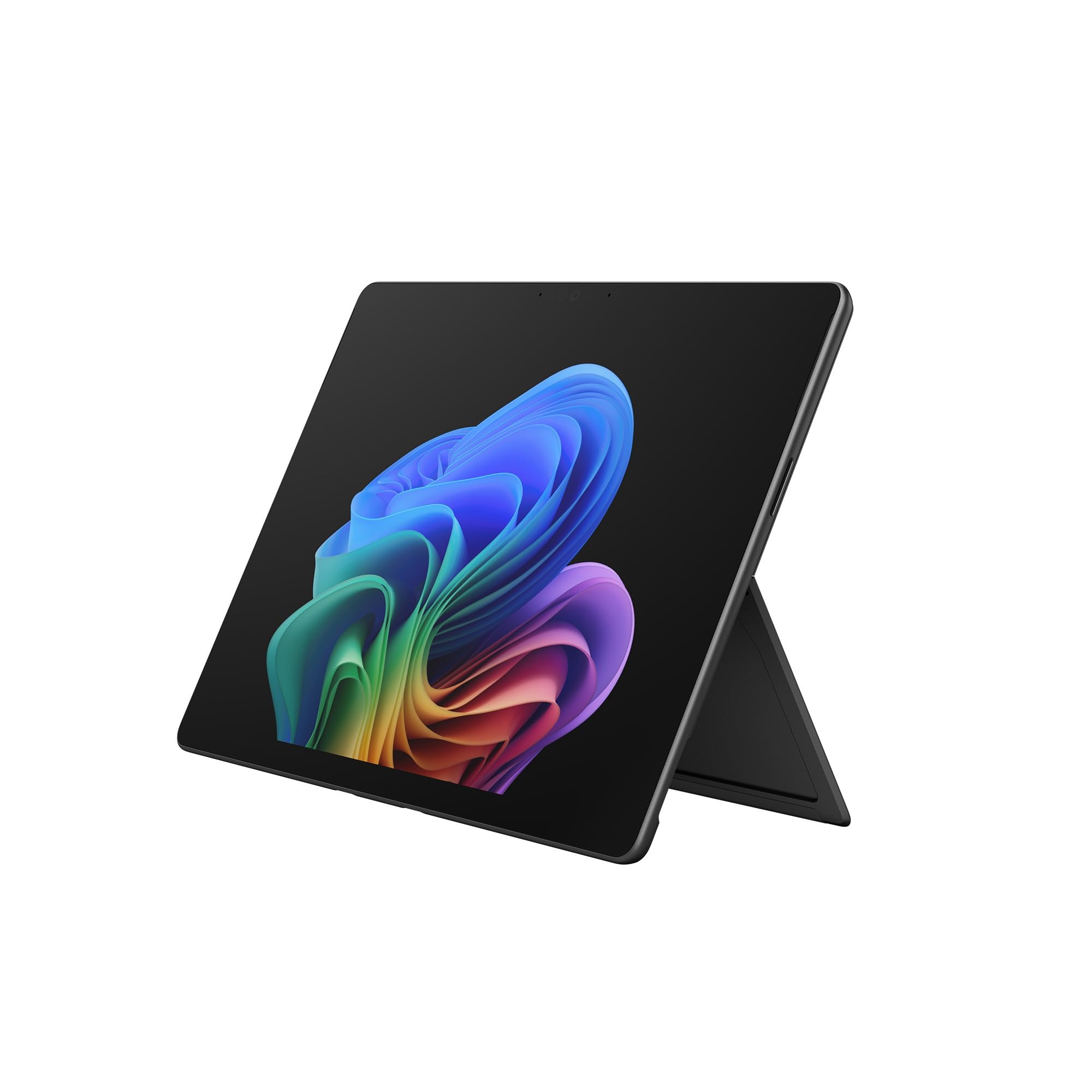
2. Microsoft Surface Pro 13-inch
A 13-inch Windows 2-in-1 with two USB4 ports and a 120Hz screen
Two USB-C / USB4 ports is the detail that matters most here. USB4 is the newer, faster version of the USB-C connector, and having two of them means you can charge the tablet and drive an external monitor at the same time. Microsoft says those ports can feed three 4K monitors at once, which turns this into a genuine desk setup when you are not on the move.
At 1.97 lbs (895 g) it is light enough to hold one-handed for a while, and the 165° kickstand props it up for drawing or watching. The 13-inch PixelSense screen runs at 2880 x 1920 with a 120Hz refresh rate, so scrolling and pen strokes stay smooth instead of smearing. Battery is rated at up to 15.5 hours of video playback, driven by the Snapdragon X2 Plus processor running up to 4 GHz. The 16GB of RAM and 512GB SSD mean it will not stumble with a pile of browser tabs open.
Windows 11 Copilot+ gives you the full desktop software library, which is the whole reason to pick a Windows tablet over an Android one. The catch is in the fine print: the keyboard and the Surface Slim Pen are both sold separately, and a tablet with no keyboard is really a slab. Budget for those extras before you commit.
The port story: two USB-C / USB4 sockets beat the single port on most tablets here, because one can charge while the other runs a screen or a drive.
What you give up: no USB-A socket without an adapter, and the keyboard and pen are extra purchases.
Reach for this if: you want a real Windows machine that doubles as a drawing tablet and a desk workstation.
Look elsewhere if: you need a standard USB-A slot without hunting for a dongle.
3. Samsung Galaxy Tab S10+ Plus 12.4” 512GB Android Tablet
A 12.4-inch AMOLED Android tablet with a 120Hz refresh rate
A 12.4-inch AMOLED panel is the headline here. AMOLED is a screen type where each pixel lights itself, which is why owners describe the display as bright and full of contrast. Resolution runs at 2800 x 1752 with a 120Hz refresh rate, so text stays sharp and scrolling feels fluid. The MediaTek Dimensity 9300+ processor keeps up with multitasking without drama.
Connectivity is listed as Bluetooth, USB, and Wi-Fi, so you get the USB socket you came for alongside wireless options. Samsung’s Galaxy AI tools are part of the package too: Sketch to Image turns a rough drawing into a rendered picture, and Note Assist summarises recorded lectures and meetings. If you take a lot of notes in class or in conference rooms, that is a genuinely useful trick rather than a gimmick.
The recurring honest gripe on this model is durability talk. Some units arrive with a fault, and a handful of buyers wonder aloud whether a tablet this large and thin will survive a busy bag. It is a small share of the whole picture, and most owners are happy with the build. Just know that this is a big sheet of glass and treat it like one.
Why the size pays off: the 12.4-inch AMOLED at 120Hz is the reason to choose this over a smaller slate — reading, drawing, and split-screen work all get more room.
The honest limit: a screen this size makes the tablet a handful to hold one-handed, and glass this large rewards a case.
Best match for: note-takers, readers, and anyone who wants a big bright panel to work on all day.
Not the one for: travellers who want something that slips into a jacket pocket.
4. CHUWI Hi10 Max AI Tablet
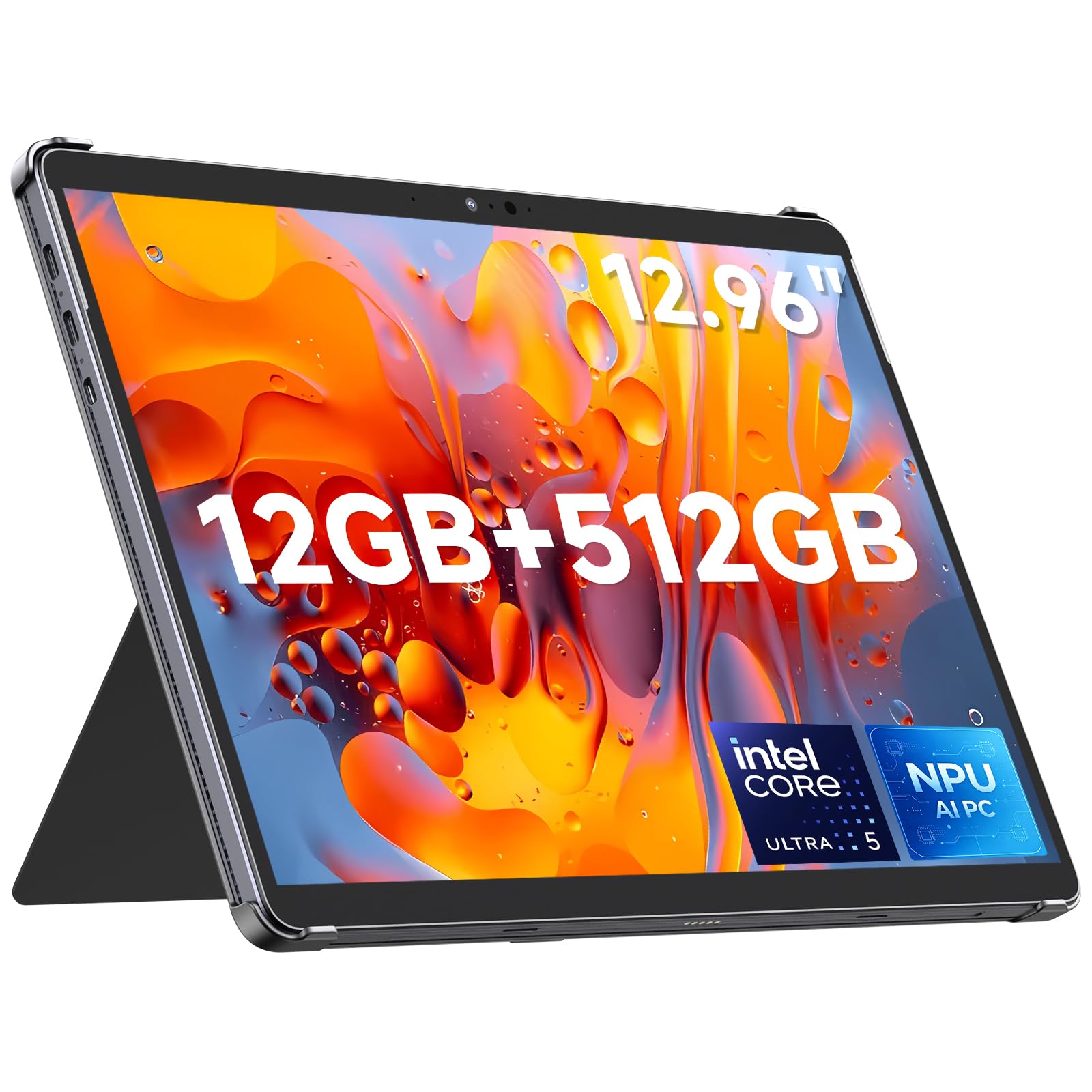
Two USB-C ports, a USB-A 3.2 socket, micro HDMI, and a headphone jack on one tablet
Count the sockets: two full-function USB-C ports, one USB-A 3.2 Gen1 port, micro HDMI 1.4, and a 3.5mm audio jack. That is the widest port selection on this list. The USB-C ports carry USB 3.2 Gen2 data and PD fast charging, so one can top up the battery while the other drives an external display. USB-A means a standard mouse or flash drive plugs in with no adapter at all.
The screen is a 12.96-inch 2880 x 1920 IPS panel with a 3:2 aspect ratio, which gives you more vertical space than a widescreen tablet — useful for documents and long web pages. Full lamination cuts the gap between the glass and the pixels, so a stylus feels like it is touching the ink directly. The MPP2.0 stylus is sold separately, and the Intel Core Ultra 5 125U chip with 12GB of LPDDR5 RAM handles office apps and light editing without strain.
Plan for one setup step: Windows 11 activation keys ship with the device but can occasionally need a manual nudge, and the seller asks that you send the serial number from the back of the unit if that happens. It is an inconvenience rather than a fault, but it is worth knowing before you set it up.
What the spec sheet promises
- Two USB-C ports plus a USB-A 3.2 Gen1 socket — the only pick here with a built-in USB-A
- 12.96-inch 2880 x 1920 IPS display with a 3:2 shape that suits documents
- Intel Core Ultra 5 125U up to 4.3 GHz with 12GB LPDDR5 RAM
- 512GB SSD that can be upgraded up to 1TB internally
The fine print worth reading
- The stylus and the magnetic keyboard are both extra purchases
- Windows activation can occasionally need a manual key request from the seller
Pick this one if: you want a Windows tablet where you can plug in a mouse, a drive, and a monitor without buying a single adapter.
Pass it by if: you want a ready-to-go package with a pen in the box.
5. Fusion5 10.1” Windows 11 Tablet PC
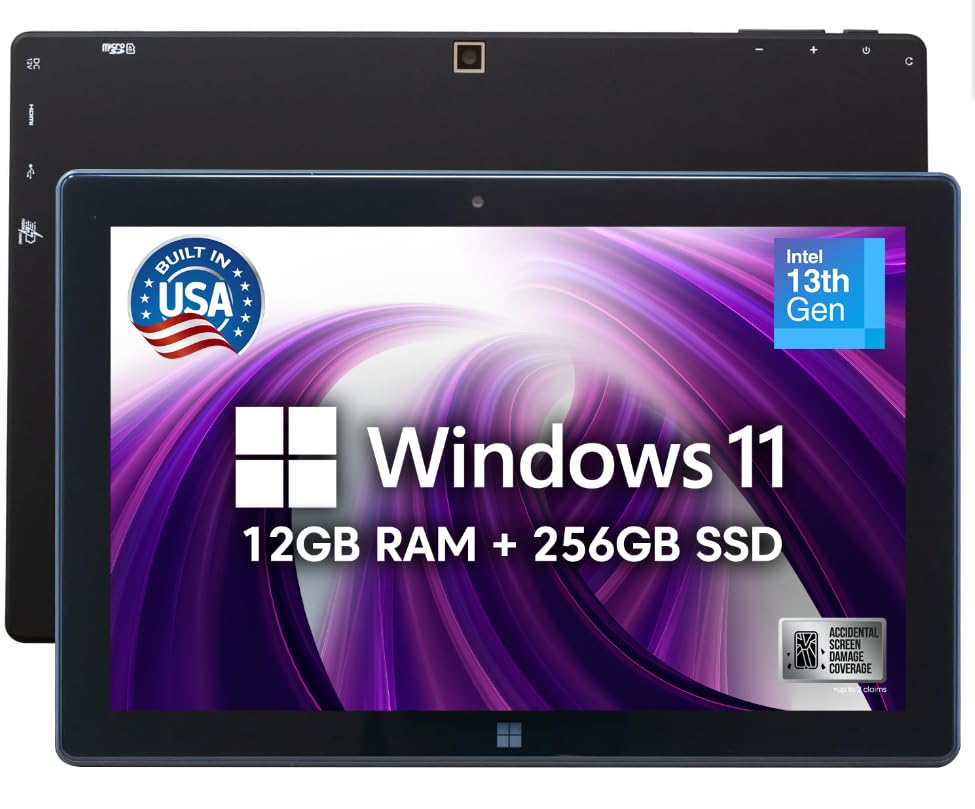
A 10.1-inch Windows tablet with 24-month cover for two accidental damage incidents
Two things set this Fusion5 apart from its cheaper sibling. The first is the warranty: a 24-month full cover that includes protection for up to two accidental damage incidents. Drop it, spill on it, and you are covered, provided you scan the QR code to register the device. The second is the memory, with 12GB of RAM and a 256GB SSD against the 8GB and 256GB on the lower model.
The 10.1-inch 1920 x 1080 IPS screen hits 500 nits of brightness, which is enough to see it clearly in a bright room. The Alder Lake N100 quad-core processor turbos up to 3.4 GHz, and the port list gives you USB-C, USB-A, micro HDMI, and a headphone jack — so a full-size mouse and a monitor both plug straight in. A 36W Type-C charger is included in the box, which is more than many tablets bother to supply.
Battery life is the trade-off you should weigh. The 6000 milliamp-hour cell is rated at 5 hours, and the honest reporting from long-term owners is that a heavy load like video wears it down faster than that. If this lives on a desk near a socket, that is a non-issue. If you want it on a plane for a long haul, keep a charger close.
Where the money goes: real USB-A and USB-C sockets, 12GB of RAM, and a warranty that actually covers a dropped tablet.
The honest trade-off: 5 hours of rated battery means this is happier on a desk than on a long journey.
Well suited to: workshop, garage, and desk use where a dropped tablet is a real risk and a socket is always nearby.
Less suited to: all-day travel where you cannot reach a charger.
6. Fusion5 10.1″ Windows 11 Full HD Tablet PC – FWIN232 PRO N5

A 10.1-inch Windows 11 tablet with USB 3.0, USB-C, and micro HDMI
If you want to run real Windows software on the cheap, the port layout here is the argument. You get USB 3.0, USB-C, micro HDMI, and a microSD slot that takes cards up to 512GB. That combination means a mouse, a monitor, and extra storage all connect without a hub. The 10.1-inch 1920 x 1200 IPS screen is sharp, and the N100 chip clocks up to 3.4 GHz with 8GB of LPDDR5 RAM and a 256GB m.2 SSD.
Owners tend to use this for practical jobs rather than entertainment. It runs Creator software, it talks to a GPS unit over Wi-Fi, and it handles a Windows desktop in a form you can carry. Setup is quick and the build feels sturdy in the hand.
The honest caveat is heat. The same compact chassis that makes it portable also traps warmth, and under load the processor slows itself down to stay cool. The 6000 milliamp-hour battery is rated at 5 hours, and heavy video use drains it faster. Treat it as a desk companion that travels, not a media machine for a long flight.
What makes it worth a look: USB 3.0 and USB-C together on a Windows tablet is the flexibility most budget slates skip.
Where it runs warm: sustained heavy tasks push the thermals, and speed drops as a result.
Right for you if: you need specific Windows software on a small screen and you plug in peripherals regularly.
Wrong for you if: you want a cool, quiet tablet for long video sessions.
7. Microsoft Surface Go 2

A 1.15 lb Windows tablet with a 10.5-inch 1920 x 1280 touchscreen
At 1.15 lbs, this is the lightest tablet on the list by a clear margin. The 10.5-inch PixelSense screen runs 1920 x 1280 at 216 ppi with 10-point touch, and the Intel Core m3-8100Y chip reaches 3.4 GHz. That is faster on paper than the Samsung Tab S7’s 3.09 GHz, though the Surface Go 2 gives up ground elsewhere: its battery is rated at 9 hours, which is 6 hours short of the Samsung’s 15-hour figure.
This is a renewed unit, which means Microsoft refurbished it and Amazon sells it as Renewed. Buyers report units arriving looking like new, with clean screens and working cameras, and several note the battery still holding a high share of its original capacity. The USB-C port carries data and charging, and there is a 3.5mm headphone jack plus a Surface Connect port for the official dock. A microSDXC reader adds storage.
Because it is a refurbished device, battery condition varies from unit to unit — that is the nature of Renewed stock rather than a flaw in the model. If you want a near-new battery guaranteed, this is not the safe bet. If you want a genuine Windows tablet at the lowest outlay, it is hard to argue with.
The case for the Go 2
- 1.15 lbs makes it the easiest tablet here to carry all day
- Core m3-8100Y at 3.4 GHz runs full Windows 11 Professional
- USB-C, headphone jack, and Surface Connect for docking
- 1920 x 1280 at 216 ppi keeps small text readable
What to know before buying
- Renewed stock means battery health varies between units
- 9 hours of rated life is modest next to the Android picks
- Type Cover keyboard and other accessories are sold separately
Choose it when: you want full Windows in the lightest possible package for travel and field work.
Skip it when: you need a guaranteed fresh battery rather than a refurbished one.
8. TCL TAB 10 Gen 4 Android Tablet, 10.1″ FHD Display, 4+128GB
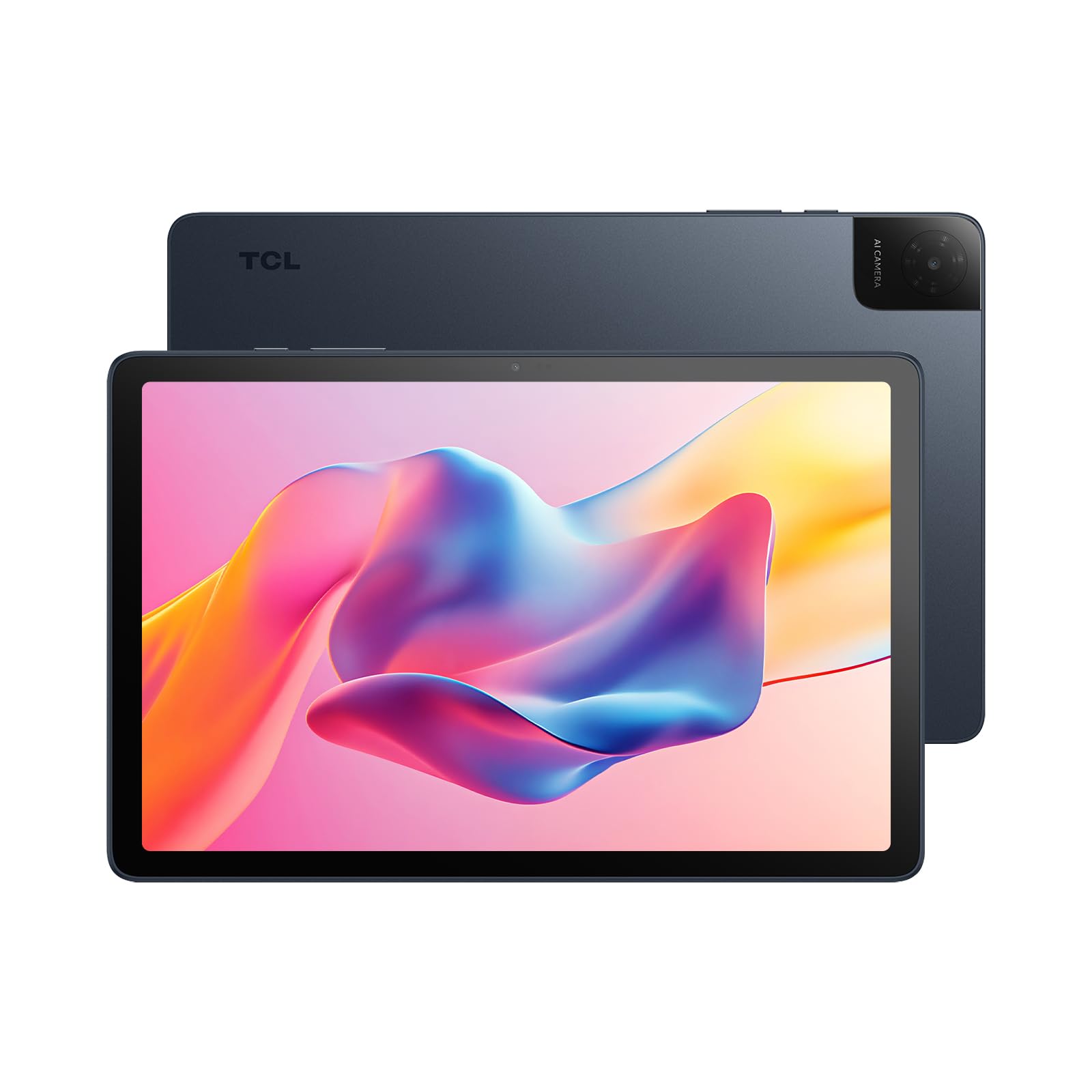
A 395g metal Android tablet with a 10.1-inch 1920 x 1200 display
The 10.1-inch IPS display runs 1920 x 1200 in a 16:10 shape, and TCL’s picture processing gives it a paper-like reading mode that several owners single out as the best thing about it. At 395g (0.87 lb) and 7.55mm thin, it slips into a work bag without you noticing. The unibody metal body makes it feel more expensive than its place on this list suggests.
Inside is an MTK MT8786V/N octa-core processor with 4GB of physical RAM and 128GB of storage, expandable via microSD up to 1TB. A 6000 milliamp-hour battery with 18W fast charging keeps it going through a day of classes or commutes, and USB-C plus a 3.5mm headphone jack cover the wired connections you are most likely to want. Kids Space and Google Family Link are both built in if a child will be using it.
Performance is where you should set expectations. It handles browsing, documents, and streaming cleanly, but the processor is not built for heavy gaming or demanding apps. The 4GB of base RAM is modest, though the listed RAM expansion helps with daily multitasking. For schoolwork and reading, that is enough.
What stands out: the metal chassis at 395g and the 1920 x 1200 screen pair up to make a tablet that feels nicer than its tier.
What holds it back: the octa-core chip and 4GB of RAM are tuned for everyday tasks, not heavy apps.
Made for: students, commuters, and families who want a light Android tablet for reading, notes, and video.
Not built for: demanding games or heavy multitasking with lots of apps open.
9. Samsung Galaxy Tab A11
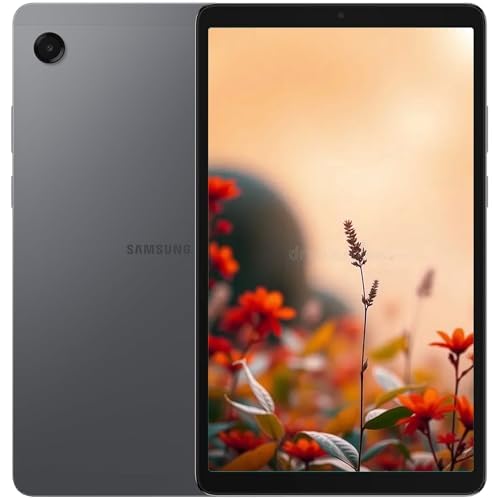
A small Samsung slate that keeps the essentials
The 8.7-inch screen runs at a 90Hz refresh rate, which is 30Hz smoother than the Surface Go 2’s 60Hz panel — a real difference you feel every time you flick through a list. Resolution is 1340 x 800 in a 16:10 shape, and the screen is a TFT panel with 16 million colours. The 5100 milliamp-hour battery is rated at 12 hours, which is well short of the 8000 milliamp-hour cell in the Tab S7 above, but this is a far smaller and lighter device.
Inside is a MediaTek Helio G99 octa-core chip with 4GB of RAM and 64GB of storage, expandable through a microSD slot that takes cards up to 2TB. USB-C 2.0 handles charging and data, Bluetooth 5.3 covers wireless accessories, and there is a 3.5mm headphone jack. Android 15 with One UI 7 ships on it with updates coming.
Two things to know before you buy. First, this is an international model with no warranty, and no charger is included in the box. Second, the 8.7-inch size splits opinion — some love it for one-handed use, others find it smaller than expected. Neither is a fault; it is simply a size decision you should make before you order.
The budget case: a 90Hz screen, Bluetooth 5.3, and a microSD slot up to 2TB is a lot of capability at this end of the list.
The catch: no charger in the box and no warranty, since this is an international version.
Buy it if: you want a small, light Samsung tablet for reading and browsing and you already own a USB-C charger.
Leave it if: you want a warranty and a wall adapter in the box.
Know the Specs
USB-C vs USB-A: what the difference means for you
USB-C is the small oval connector that most modern tablets use for charging and data. It is reversible, so it goes in either way up. USB-A is the older rectangular socket that full-size mice and flash drives still use. A tablet with only USB-C needs an adapter before a standard drive will fit, while a tablet with a USB-A socket takes it directly. When a spec sheet lists both, you get the most flexibility without buying anything extra.
Refresh rate and resolution in plain terms
Refresh rate is measured in hertz and tells you how many times per second the screen redraws. A 120Hz panel updates twice as often as a 60Hz one, which is why scrolling looks smoother on it. Resolution is the pixel count — 2880 x 1920 gives you far more detail than 1340 x 800. Both numbers matter together: a high resolution on a small screen looks crisp, while a high refresh rate makes every swipe feel more immediate.
Common Questions
Will a standard USB mouse work on a USB-C tablet?
Can I connect a flash drive to the Samsung Galaxy Tab S7?
What does the mAh figure on a tablet battery actually tell me?
Is a Windows tablet better than an Android one?
Do these tablets come with a keyboard?
Can I expand the storage on these tablets?
How do I know if a tablet has a real USB port?
Are the Android tablets here good for taking notes with a stylus?
What should I check on a renewed tablet?
Can I plug a monitor into these tablets?
The Bottom Line
For most people, the tablet pc with usb worth buying first is the Samsung Galaxy Tab S7. Its 15-hour battery and SDM865 Pro chip make it an everyday machine that rarely needs a charger, and the USB-C port keeps it flexible. If you need full Windows software and the widest port selection on this list, the CHUWI Hi10 Max gives you two USB-C ports plus a USB-A socket with no adapter needed. And for a light, budget-friendly Android tablet that still runs a 90Hz screen, the Samsung Galaxy Tab A11 covers the basics without asking much of your wallet.
Decide first if you need a Windows program or an Android app, then pick the tablet that gives you the ports for the devices you actually plug in. That single decision narrows this list faster than any spec sheet will.
How we choose
We do not accept paid placement. Every pick is matched to a real buyer and a real use-case; we do not hands-on test units.
Sources
Specifications: manufacturer listings and product documentation. Review insights: verified customer reviews, as of November 2026. Pricing: not shown on this page (it changes often); check the current price via the retailer link.
As an Amazon Associate, Tactical Gear Guy earns from qualifying purchases. This does not affect which products we feature.