Specs are compiled from manufacturer listings and verified buyer reviews and can change over time — please confirm the key details on the product page before buying.
Two screens at eye level, a clear sweep of desk beneath them, and arms that stay put instead of sagging by lunchtime. A dual monitor stand lives or dies on three specs: per-arm weight capacity, arm reach, and whether the joint holds its angle once you let go. The stand that wins on all three is the ELG gas-spring arm — 4.5+ stars across thousands of owners, and the rare mount that handles screens up to 35 inches.
This guide is built by comparing the manufacturers’ published specifications and the patterns across verified customer reviews, so you get each pick’s real strengths and trade-offs instead of marketing spin.
Below you will find nine mounts sorted by what they hold best, from ultrawide-ready gas arms to simple steel poles, so you can match one to your desk and your screens. Each pick here is a Top Rated Dual Monitor Stand for a specific desk and screen combo, not a one-size answer.
Top Picks

How To Choose The Best Top Rated Dual Monitor Stand
Most buyers start with the screen size and stop there. That is the wrong first move. A dual monitor stand has to carry the actual weight of your two panels on two separate arms, and the weight figure is what decides whether the arm sags or stays where you put it. Match the per-arm weight limit and the clamp or grommet fit to your desk, and the rest of the spec sheet matters far less.
Start with weight, not inches
Every mount here lists a per-arm weight limit, usually somewhere between 19.8 lbs and 44 lbs. Weigh one of your monitors, or look it up on the spec sheet, then double-check the stand clears it with room to spare. A 27-inch panel often lands well under 19.8 lbs, while a large ultrawide can sit close to 30 lbs or more — that is the line where a light-duty stand starts to lose its hold.
Check how the stand meets your desk
Clamp and grommet mounts grip the edge or a drilled hole in your desktop, and they need a solid wood or metal surface to bite into. A free-standing base simply sits on top with no clamp at all, which suits glass tops, thick desktops, or desks with a back panel where a clamp will not reach. Measure your desk thickness before you commit — several mounts here specify a maximum, and one is not suited to glass or plastic at all.
Decide how often you move the screens
If your monitors go up and down daily, a gas-spring arm lets you reposition a heavy screen with a light push. If the screens stay put for months, a fixed hinge pole mount does the same holding job for less. The trade-off is honest: gas arms cost more and need a tension screw dialled in to your monitor’s weight, while fixed arms ask you to loosen a bolt whenever you want a new angle.
Think about reach and stacking
Long arms let two big panels sit side by side without fighting for the same space, and a tall centre pole lets you stack one screen above the other for a vertical layout. If you plan to put a pair of wide curved screens next to each other, check the extension length as carefully as the weight limit.
Side-by-Side Comparison
| Model | Best For | Screen Range | Weight Per Arm | Max Extension | Amazon |
|---|---|---|---|---|---|
| ELG Dual Monitor Stand★ Best Overall | Big screens and full motion | 17″–35″ | 19.8 lbs | 21.37″ | Amazon |
| Dual Monitor Stand FreeliftBudget Champion | Tight budgets, standard desks | 22″–32″ | 19.8 lbs | 19.5″ | Amazon |
| BONTEC Dual Monitor Desk MountTop Performer | Set-and-forget office setups | 13″–27″ | 22 lbs | 17″ | Amazon |
| HUANUO Glass Base Stand | Glass and clamp-unfriendly desks | 13″–32″ | 22 lbs | 18.7″ pole | Amazon |
| VIVO TeleSpan | Flush-to-wall ultrawide pairs | 27″–38″ | 22 lbs | 24″–39.5″ span | Amazon |
| Acer Dual Monitor Arm | Mixed gas-spring layouts | 17″–32″ | 19.8 lbs | 21.25″ | Amazon |
| PUTORSEN Heavy Duty Arm | Stacking two large panels | 17″–49″ | 44 lbs | 19.69″ pole | Amazon |
| VIVO Ultrawide V200VW | Very heavy ultrawide arms | 17″–45″ | 44 lbs | 11″ lift | Amazon |
| Mount-It! Gas Spring Mount | Long-term support and warranty | 13″–32″ | 19.8 lbs | 13″ lift | Amazon |
Detailed Reviews
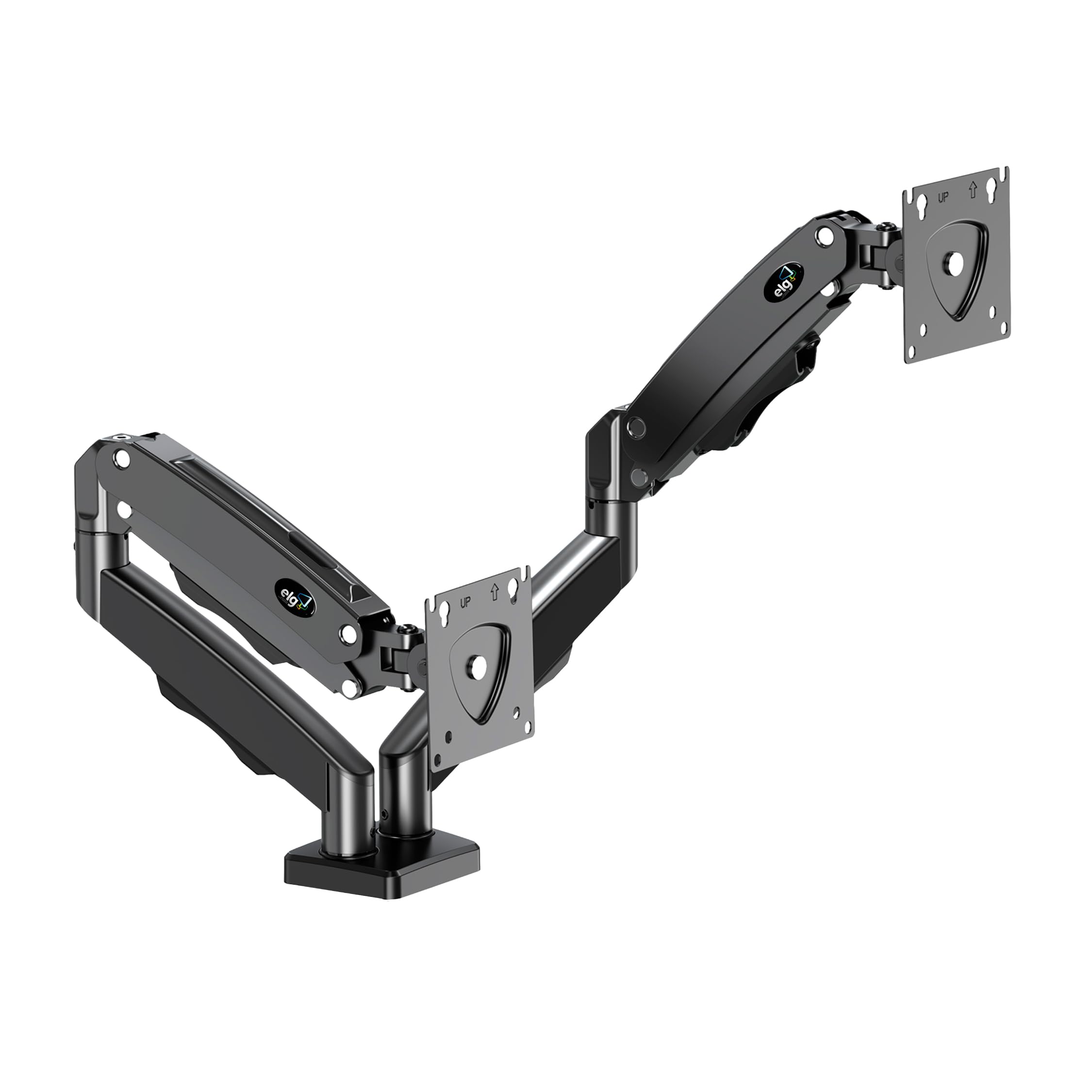
1. ELG Dual Monitor Stand, Gas Spring with Independent Arms
Our pick — 4.5+★ from 7,000+ verified ratings; the strongest balance of quality and price.
A gas-spring pair of arms that swallows big screens and holds eye level without a fight.
The number that seals this one is 35 inches — the largest panel the gas arms are rated to carry, against 27 inches on the BONTEC pole mount further down. That gap is the difference between squeezing your current screens onto a mount and having a mount that will still fit the bigger display you upgrade to later.
Hold two screens on independent arms and the whole point is that the left one does not drag the right one around. Owners put it plainly: moving a panel to portrait and straight back to landscape takes seconds, and the tilt joint has enough tension control that a screen stays where you aimed it rather than drifting down overnight. Raising and lowering is a light push on the gas spring, and the stand is rated for panels from 4.4 to 19.8 lbs each. The C-clamp and grommet base fit desks from 0.39 to 3.5 inches thick, so most home and office tops are covered either way.
Built from aluminium alloy and carbon steel, with cables routed inside the arms, it clears the desk of two sets of base feet and the spaghetti behind them. The honest catch sits in the pole: height tops out at 16.14 inches of lift, so if you run a very tall monitor or like your screens perched high, measure your seated eye level before you buy. It is also the heaviest box of the mid-range group at 5.4 kg, so plan on a two-hand lift when it arrives.
Where the money goes
- Fits panels up to 35 inches — the widest gas-arm range here short of the ultrawide specialists
- 21.37 inches of reach lets two big screens sit shoulder to shoulder
- Independent arms mean one screen moves without disturbing the other
- Clamp or grommet base covers desks from 0.39 to 3.5 inches thick
Where it asks a little back
- 16.14 inches of height travel is modest for very tall screens
- At 5.4 kg it is a solid lump to unbox and mount alone
- You will need to dial in the gas tension to your monitor’s weight on first setup
Buy it for: anyone running 27- to 35-inch panels who wants smooth gas-assisted height changes every day.
Measure first: your desk depth and the height you actually sit at, because the pole has a ceiling.
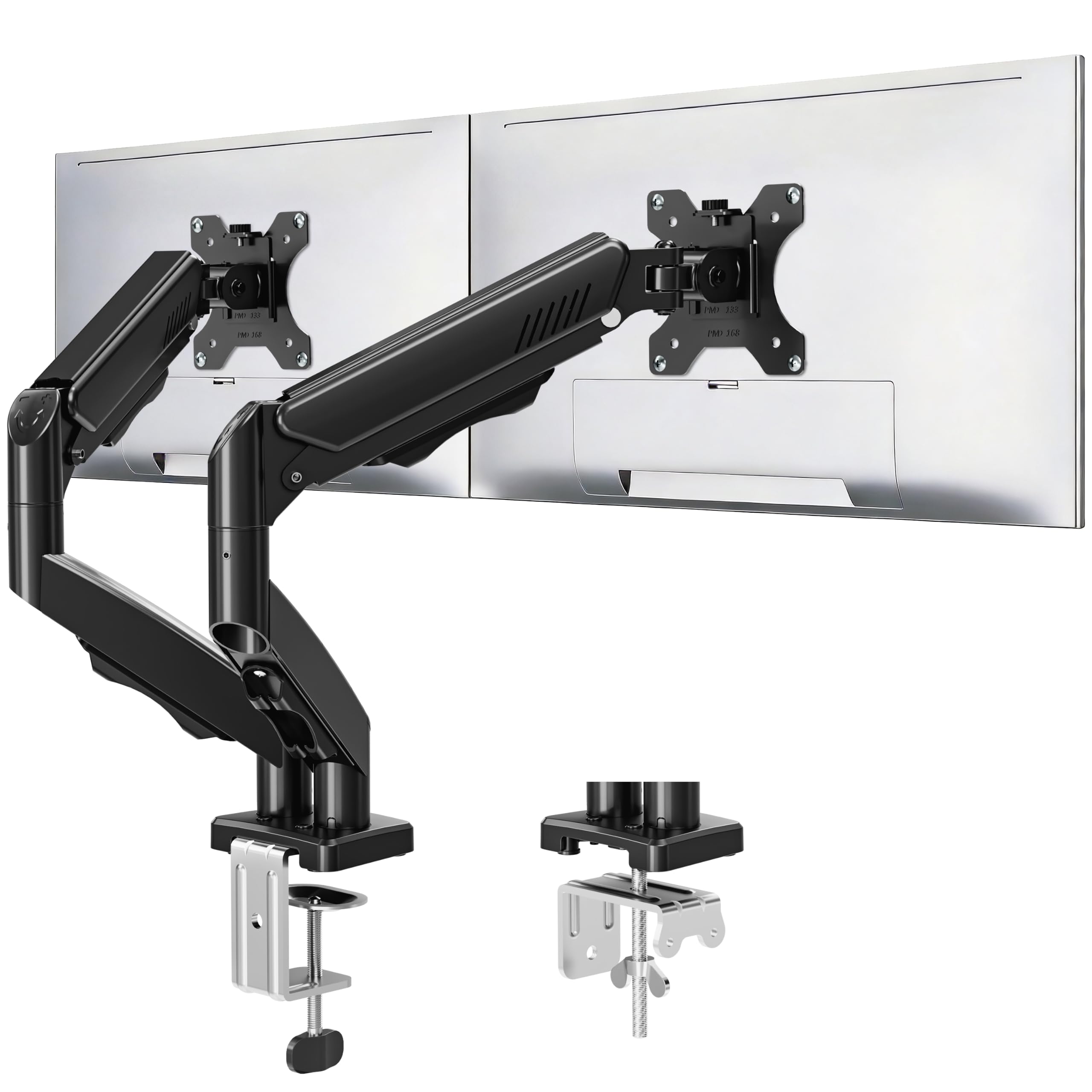
2. Dual Monitor Stand Freelift, Fits up to 32 Inch
The entry ticket to a two-arm desk: it costs the least here and still lifts, tilts, and swivels.
This is the cheapest way onto a proper articulating dual arm, and it is honest about its range: 22 to 32 inches, 4.4 to 19.8 lbs per arm, VESA 75×75 and 100×100. That 22-inch minimum is the highest floor in this group — the BONTEC starts at 13 inches — so if you run small 19- or 21-inch panels, this one is not the fit. For a pair of 24- to 32-inch screens it is right in its lane.
What wins people over here is the build relative to the outlay; the construction gets the most goodwill of anything about it, and the assembly is quick with the included hardware and instructions. The arms extend to 19.5 inches and rise to 16.9 inches, with 90 degrees of upward tilt, 180 degrees of swivel, and full rotation into portrait. Cables tuck inside the arms, and the clamp fits desks from 0.39 to 2.76 inches thick, with a grommet option through a 0.39- to 2.36-inch hole.
Here is the fair warning before you hand over the card: this is a position-it-and-leave-it arm, not a playground for constant repositioning. Tightening the joints properly matters, and a monitor that will not hold its vertical height is the recurring frustration when tension is set wrong — the mount rewards a careful first adjustment. Serious gamers who nudge their screens around mid-session are better served higher up this list; a plain home office or school desk is squarely in its comfort zone.
The setup routine that matters: unbox, clamp, then spend ten minutes tensioning each joint against the weight of the actual monitor before you call it done. Tensioned that way, it holds a standard desk layout all day.
Best fit for: a first dual-screen desk on 24- to 32-inch panels where the layout settles into place and stays.
Look elsewhere if: you move your screens hourly, or your panels are smaller than 22 inches.
3. BONTEC Dual Monitor Desk Mount, 13-27 Inch
A heavy-gauge steel pole mount in white that traders, coders, and office desks have leaned on for years.
Built from high-grade alloy steel with a 22 lbs per arm limit, this is the mount anyone who uses two screens for a living should know about. It carries pairs up to 27 inches — and 27-inch 4K panels are exactly what it is reported to hold without drama. Clamp a solid steel mount to a hardwood desk and you get a hold that barely moves, which is why the quality and sturdiness of the build are what the market talks about most.
The motion is honest full-motion: 90 degrees of tilt in each direction, 180 degrees of swivel, and 360 degrees of rotation, with 17 inches of reach. That reach is where the BONTEC trails the ELG above, and its tilt range is 90 degrees against the HUANUO glass base’s 45 degrees and the Freelift’s 90 — the point being this is a fixed-hinge pole arm rather than a gas-assisted lift. Height slides on the centre pole and locks with a bolt, so adjust it, tighten it, and leave it.
The company’s own instruction is blunt and worth heeding: do not push past 27 inches, and tighten the VESA plate firmly so the screen cannot drop. The recurring caveat is the pole length — tall desks may want a riser or a chair tweak to hit true eye level. Two mounting paths are included, a C-clamp for desks up to 3.35 inches and a grommet base for holes up to 3.35 inches with desk thickness from 0.39 to 3.15 inches, plus cable routing and a tool-storage slot.
What earns its spot
- Steel build rated to 22 lbs per arm for a rock-solid fixed hold
- 90° tilt, 180° swivel, 360° rotation across 17 inches of reach
- Clamp and grommet bases plus integrated cable routing
- Ships in a white finish that suits lighter desk setups
What to plan around
- 27-inch ceiling — larger panels are out
- The pole runs short for very tall users and high desks
- Fixed hinges mean loosening a bolt to change angle, not a light push
Reach for this if: your two screens are 27 inches or under and you want a steel hold you can set once.
Not for you if: you expect to raise and lower heavy panels by hand every morning.
4. HUANUO Free Standing Dual Monitor Stand, Glass Base
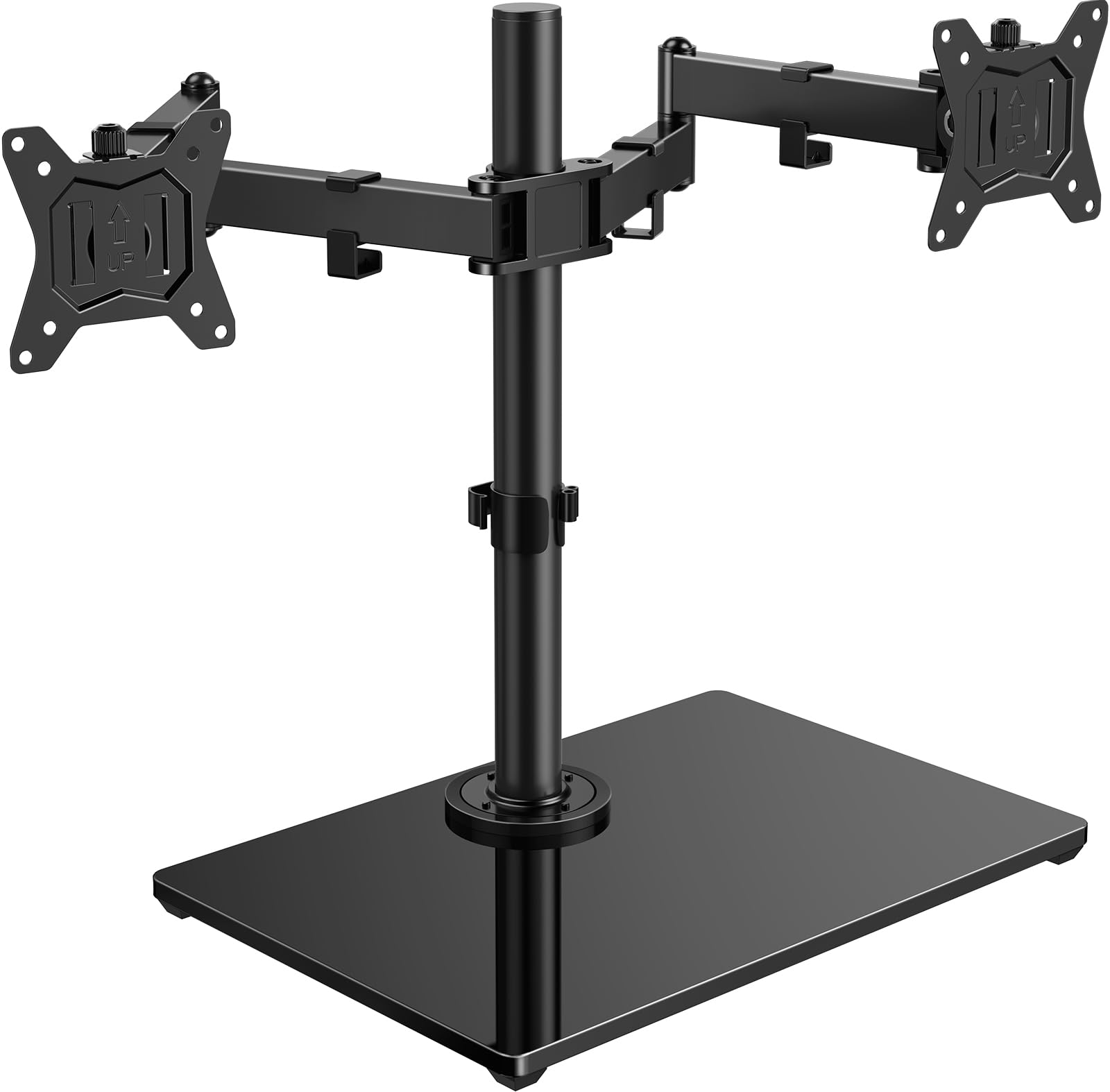
No clamp, no drill — a tempered glass slab you simply set down and slide into place.
For anyone whose desk is glass, wall-facing, extra thick, or crossed with a bar where a clamp cannot bite, this is the pick that sidesteps the whole problem. The oversized 11.8 x 16.5 inch tempered glass base carries five anti-slip pads underneath to protect the surface and hold the mount steady, and the stand shifts like a desktop device when you want to change screen distance or move to another table. It fits panels from 13 to 32 inches, holds 22 lbs per arm, and takes both 75×75 and 100×100 VESA patterns.
The 13-inch floor is the lowest in this whole group — the Freelift starts at 22 inches — so smaller panels are welcomed here where other mounts shut them out. The included grommet kit adds a second, fixed mode for a wider adjustment range if you ever do settle in one spot. Swivel runs 180 degrees, tilt reaches 80 degrees upward and 50 degrees downward, and rotation goes a full 360 degrees, all riding an 18.7-inch pole you raise with the supplied hex key.
The trade-off to weigh is the glass footprint and strength. The 11.8-pound base eats more desktop than a clamp does, and it will not sit where a riser shelf hovers above the desk. Setup also asks for patience: the instructions have been called vague in spots, and the hardware bags are the most-complained-about part — sort every screw against a printed sheet before you start and it goes far smoother. Once assembled, the two-screens-in-one-place payoff is real, and it frees noticeably more desk than two separate stands did.
The idea that makes it different: it works on glass tops and crossbar desks that clamp mounts simply cannot grip, with a base you can reposition without unclamping anything.
Go for it when: your desk edge is glass, thick, blocked, or drilled nowhere in sight.
Skip if: your desk has a riser shelf overhead or you need every inch of surface free.
5. VIVO TeleSpan Dual Monitor Desk Mount
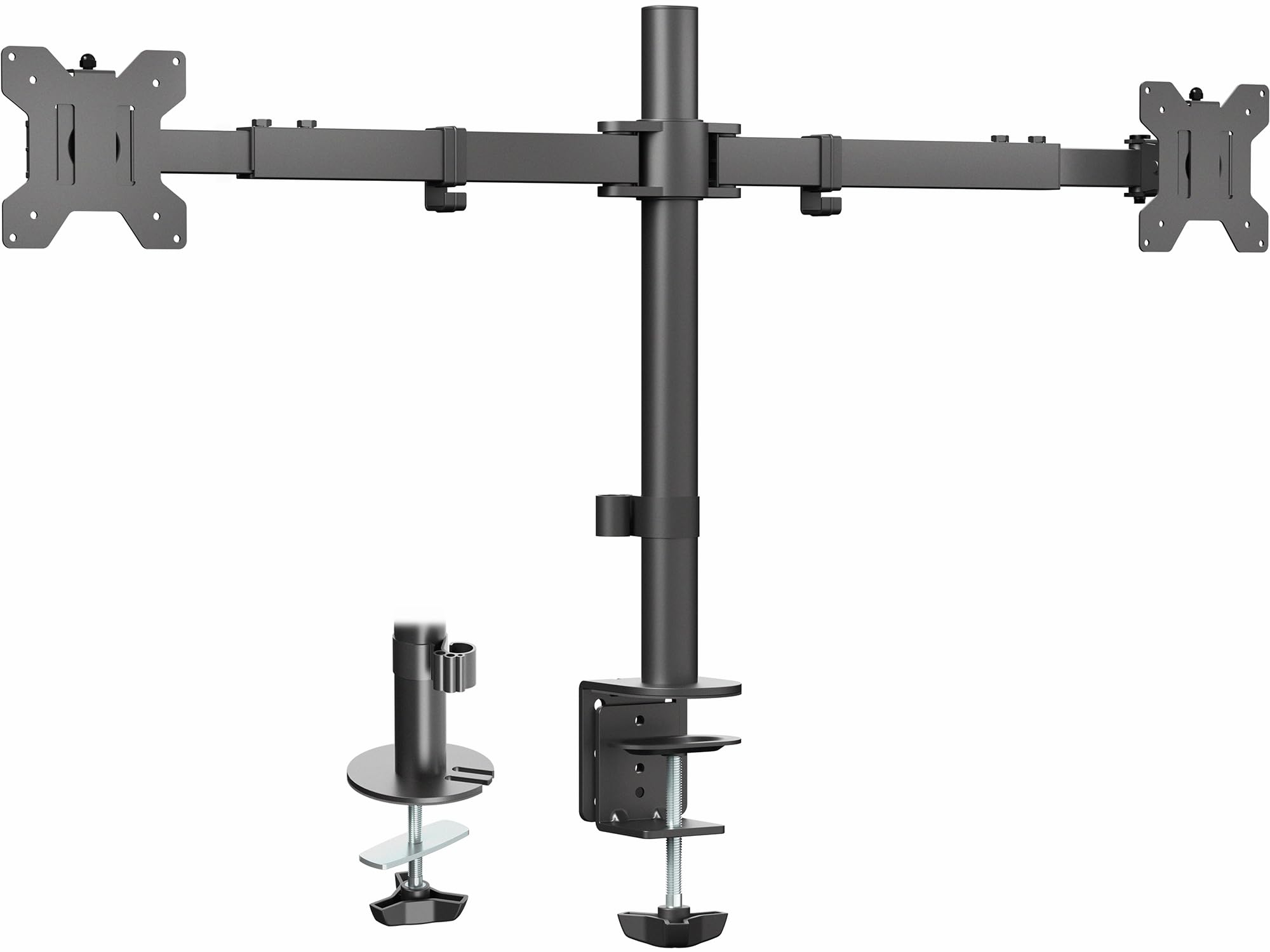
Telescoping arms that expand straight outward so nothing pokes past the back edge of your desk.
Sit a desk right up against a wall and most dual arm mounts punish you — the arms bow backward and collide with the paint. The TeleSpan solves it by sliding its arms into each other and expanding sideways instead, spanning 24 to 39.5 inches bracket to bracket with nothing behind the desk line. It holds panels from 27 to 38 inches at 22 lbs per arm, and it takes the ultrawide pairs that shorter mounts cannot carry.
It is the mount built for the double-wide workstation: two 38-inch panels, two 34-inch ultrawides, or a mixed pair with one 30-inch and one larger, all included by the sizing. The telescoping reach also means you can align two screens edge to edge without the arms fighting. Tilt runs +90 to -90 degrees, swivel 180 degrees, rotation a full 360 degrees, and height adjusts along the centre pole, with detachable VESA brackets to speed the mounting.
The caveat is adjustability nuance: the VESA brackets themselves do not carry independent height trim, so fine height matching has to come from the pole and the arm joints, and a few find the tilt joint needs a firm hand to hold its angle with heavier panels. The stand clamps to desks up to 3.25 inches thick or uses a grommet mount, and it is a wall-friendly answer that few competitors even offer.
Why wall-facing desks want it
- Arms expand outward, so nothing extends past the desk’s back edge
- Holds 27- to 38-inch panels at 22 lbs per arm — real ultrawide territory
- 24- to 39.5-inch span lines two wide screens edge to edge
The small print
- VESA brackets lack their own height trim
- Heavy panels may need the tilt joint tightened firmly
- Desk clamp tops out at 3.25 inches thick
Ideal for: a wall-hugging desk carrying two curved ultrawides that need to sit flat against it.
Think twice if: you rely on per-bracket height tweaks to line two mismatched panels up.
6. Acer Dual Monitor Arm, Gas Spring VESA Mount
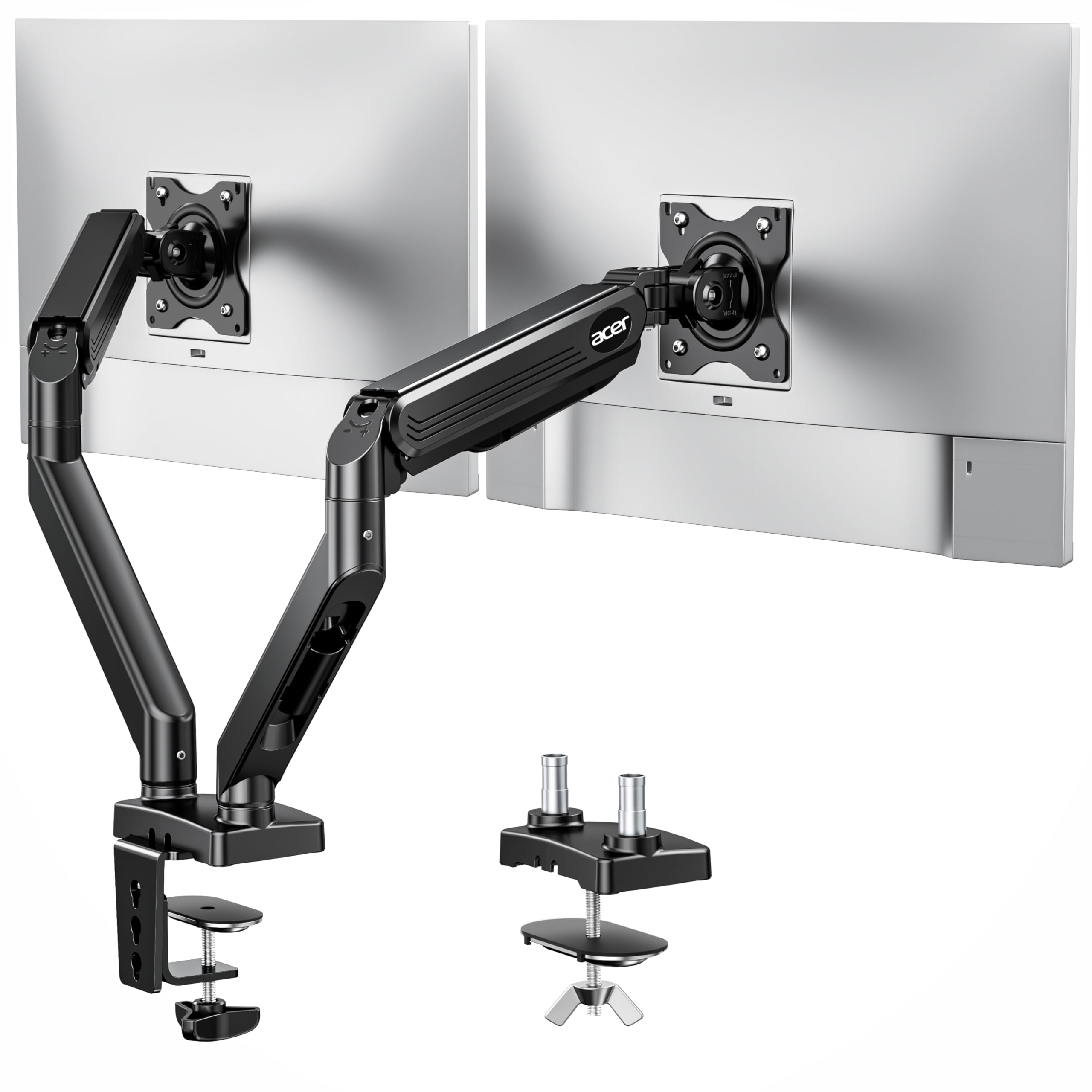
A gas-assisted arm from a name you know, tuned to raise a heavy panel with a nudge.
Here is the reach headline that separates this Acer from the BONTEC pole: 21.25 inches of extension and 18.1 inches of height adjustment, gas-spring assisted so a heavy panel floats up rather than being hauled. It handles 17- to 32-inch screens at 4.4 to 19.8 lbs per arm, and the articulation is generous — 360-degree rotation, +90/-60 degree tilt, and ±90 degree swivel. The alloy steel and aluminium build carries over 20,000 durability tests in the spec.
The adjustment is genuinely free: the tension screw is turned up for heavier monitors and down for lighter ones, and it supports dual horizontal, horizontal-and-vertical, dual vertical, and cross-horizontal layouts. Cable clips are hidden along the arms. The C-clamp or grommet base fits desks from 0.59 to 3.15 inches thick with a hole over 10 mm, and the grommet path is the sturdier choice on solid wood.
There is also a strict compatibility line worth respecting: this mount is not suited to glass or plastic desktop surfaces, so a glass-topped desk sends you to the HUANUO above. Measure your desk depth first, as the maker themselves urges.
What stands out in daily use: gas-assisted lift means a big screen goes where your hand puts it, and the four layout options cover most two-screen arrangements.
The right call for: a mixed horizontal-and-vertical setup on a solid wood desk where screens need frequent nudging.
Step away if: your desktop is glass or plastic, or you need a steep downward tilt.
7. PUTORSEN Heavy Duty Dual Monitor Arm, 17-49″
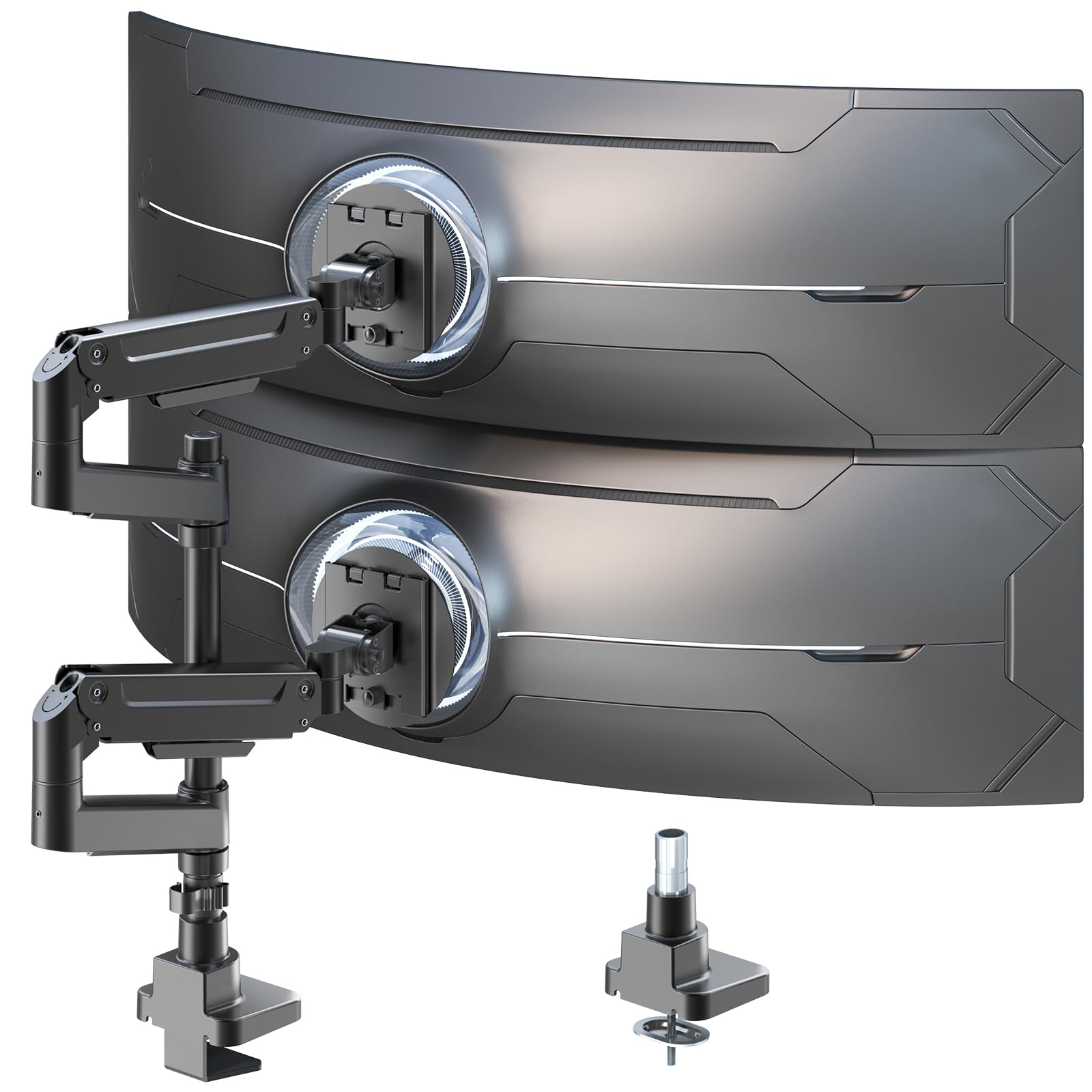
The stacker: a 19.69-inch pole built to hang two huge panels one above the other.
Two 44 lbs per arm limits are what set the heavyweight mounts apart, and this PUTORSEN clears the ELG’s 19.8 lbs by a wide margin. Panels from 17 to 49 inches are in scope, which reaches well past the 35-inch ceiling of the gas-arm crowd and makes a 34-inch ultrawide pair an easy fit rather than a squeak. The extra-tall 19.69-inch pole is the design’s reason for being: it lets you stack two wide screens vertically for a tall wall of work.
Gas-spring arms from premium-grade aluminium and steel carry the height changes, tuned to the monitor’s weight with the included Allen wrench. Tilt runs +50 to -20 degrees, swivel ±90 degrees, and rotation a full 360 degrees for portrait or landscape swaps. Both 75×75 and 100×100 VESA patterns are supported, and if your display is non-VESA you will need a separate adapter. Cables route along the arms.
Owners are firm about the hold — it locks monitors in place with no wobble — and the assembly is easier than the bulk suggests, with two mounting options to pick from. The honest limit is adjustability: the joints carry a firmness that a few find less than silky for frequent repositioning, and matching the arm tension to the exact weight of a heavy panel takes a little trial. For a fixed stacked or side-by-side ultrawide layout it is a load-bearing workhorse.
The case for the heavy build
- 44 lbs per arm carries large ultrawides without distress
- 49-inch ceiling and tall 19.69-inch pole enable vertical stacking
- Gas-spring movement tuned via an Allen wrench
- Two mounting options for different desk types
The honest limits
- Joint firmness can feel stiff for very frequent repositioning
- Non-VESA monitors need a separately sold adapter
- Its size is overkill for small panels
Built for: two large ultrawides stacked or spanning wide, where hold stability beats light touch.
Overkill if: you are mounting a pair of small 24-inch screens.
8. VIVO Dual Ultrawide Monitor Mount, Up to 45″
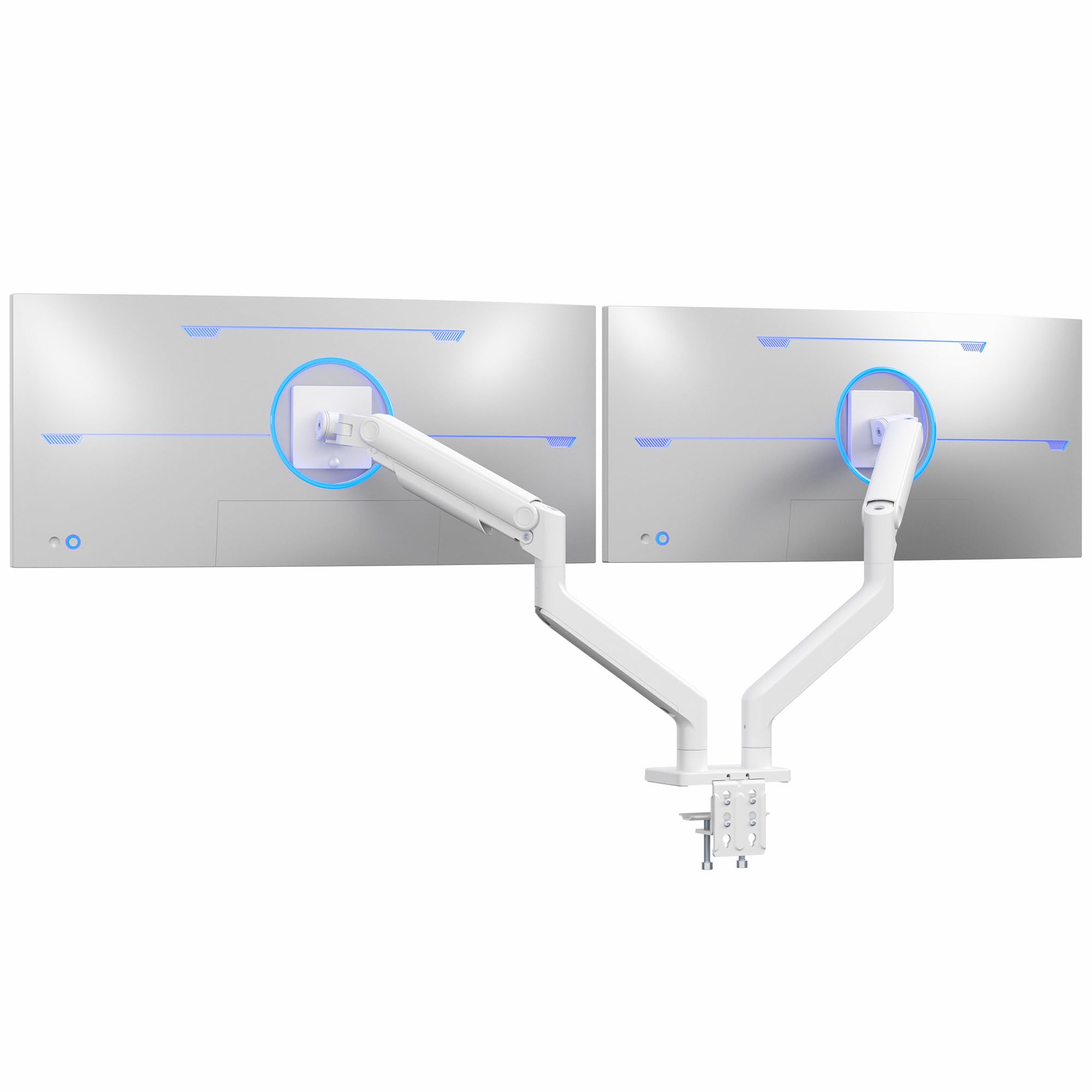
A two-arm mount braced for 45-inch panels and the weight that comes with them.
When both screens are ultrawides, this is the mount that does not flinch. Each arm carries up to 44 lbs and stretches to a 45-inch panel, with 75×75 and 100×100 VESA holes. Spring-assist arms counterbalance the weight so repositioning a big screen takes a light hand rather than a heave. The desk clamp fixes to tops up to 3.2 inches thick, or the optional grommet base for up to 1.4 inches.
The tilting head is built for large glass: +50 to -20 degrees of tilt, 180 degrees of swivel, 360 degrees of rotation, and 11 inches of spring-lift height travel. Detachable VESA plates make mounting easier, and cable covers keep the wiring tucked away. Setup and stability sit at the top of what people highlight — reviewers running two 32-inch panels and dual 34-inch ultrawides report the arms hold them secure, even on a standing desk that gets bumped.
Two things to know before you buy. It is the heaviest unit here by a stretch at 20.1 pounds, most of that the steel and the counterbalance springs, so treat unboxing as a two-person job. And the premium feel comes with the highest outlay in this line-up, so if your panels are 27 inches or less, the ELG up top handles them for less mass and money. The white finish is also the only pale option in a group of black mounts, which suits a lighter room.
What it solves: genuine ultrawide duty — 44 lbs per arm and a 45-inch ceiling means two very large screens are carried without sag or wobble.
The honest bill: 20.1 pounds of stand and a premium outlay, worth it only if your screens are big enough to need it.
Right for: two 34- to 45-inch ultrawides that a normal consumer arm cannot hold.
Not worth it if: your screens are standard-sized and a lighter, cheaper mount already fits.
9. Mount-It! Dual Monitor Arm Desk Mount, Gas Spring
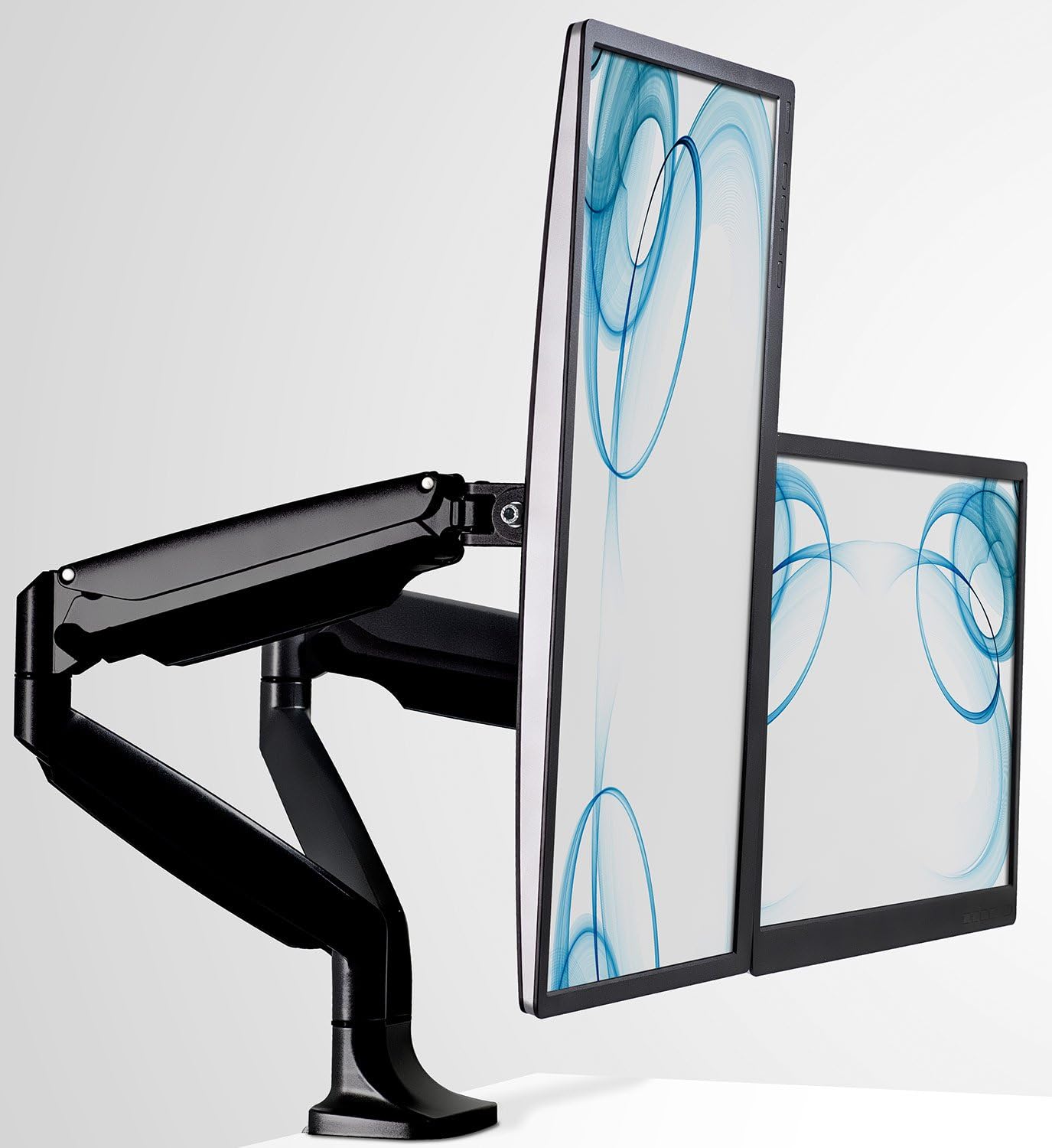
A gas arm with a lifetime warranty and US support — the buy-once answer if that matters to you.
Most mounts here stand behind their build for a season; this one is backed for as long as you own it, with US-based product support in the box. It carries two flat or curved monitors from 13 to 32 inches, each 2.2 to 19.8 lbs, on 75×75 or 100×100 VESA holes, with gas-spring arms and an adjustable counterbalance. That 13-inch floor is lower than the Freelift’s 22, so small panels have a place here too.
Each screen moves independently: 13 inches of gas-spring height travel, 90 degrees of tilt up or down, 180 degrees of swivel each way, and 360 degrees of rotation. Quick-release VESA plates slide out so a monitor can be swapped without dismantling the arm. Cables run under removable covers, and the clamp fits desk edges 0.4 to 3.35 inches thick or a grommet through a desktop up to 3.15 inches. Hardware and hex wrenches come included; you supply the Phillips screwdriver.
The friction point is the counterbalance: the tension screws can take some wrestling, and a light monitor on a fresh arm may not hold its angle until the tension is dialled right. The maker also recommends a quarterly check that clamp and joints stay snug. There is a strict fit rule too — it installs on any desk except glass — and the top tilt has its practical limits with heavier panels. Long-term owners who set it once report it running silently with no sag over years of use.
Why pay up here
- Lifetime manufacturer warranty with US product support
- 13-inch floor fits smaller panels the Freelift excludes
- Quick-release VESA plates make screen swaps easy
- Covers 90° tilt, 180° swivel, 360° rotation, 13 inches of lift
Where patience is required
- Counterbalance screws take some dialling in to a specific monitor
- Not suitable for glass desktops
- Quarterly snugness checks are recommended
Choose this if: you want a supported, warrantied mount you will set once and keep for years.
Pass if: you have a glass desk or want to change angles all day long.
Know the Specs
Weight capacity per arm
This is the load one arm can carry on its own, and it is the single figure that decides whether a screen droops. The mounts here range from 19.8 lbs on the lighter arms up to 44 lbs on the heavyweight PUTORSEN and VIVO ultrawide models. Weigh one of your monitors and leave headroom — a panel close to the limit is a panel that sags.
Screen size range
The minimum and maximum diagonal a stand accepts, measured corner to corner. Both ends matter: a stand that starts at 22 inches will not hold a small 19-inch panel, and one capped at 27 inches will not take a 32-inch upgrade. Match your pair to the range, not just the maximum.
VESA pattern
The square hole layout on the back of your monitor, given as 75x75mm or 100x100mm. Measure centre to centre across the four holes, then across and down, and confirm the stand lists that pattern. Almost every mount here supports both sizes.
Extension and height travel
Extension is how far an arm reaches out from the pole; height travel is how far it rises and falls. More extension lets two wide screens sit side by side; tall travel keeps a heavy screen near eye level. Gas-spring arms give more lift with less effort than fixed hinge arms.
Clamp versus grommet base
A clamp grips the desk edge and needs a solid material; a grommet bolts through a hole drilled in the desktop. Some mounts add a free-standing glass base that clamps to nothing. Check your desk thickness and surface type against the listed limits — one mount here is not suited to glass or plastic.
Tilt, swivel, and rotation
Tilt angles the screen up or down, swivel turns it left or right, and rotation spins it into portrait. These three decide your viewing comfort and whether a vertical layout is possible. Most mounts here offer the full range; check that tilt matches how far down you want to angle a screen.
Common Questions
How do I know if my monitor will fit a dual monitor stand?
Can I use a dual monitor stand on a glass desk?
What is the difference between a gas spring arm and a fixed hinge arm?
How much weight can a dual monitor arm hold?
Can I stack two monitors vertically on one stand?
Will a dual monitor stand stop my screens from sagging?
How thick a desk can a clamp or grommet mount fit?
Do I need a dual monitor stand if I already have two single stands?
Can two different-sized monitors share one dual stand?
Is a free-standing base better than a clamp?
The Bottom Line
For most people the top rated dual monitor stand is the ELG gas-spring stand, because it carries screens up to 35 inches at 19.8 lbs per arm, reaches 21.37 inches, and moves a heavy panel with a light push — the combination that suits the widest range of desks and screens. If you want a steel hold you set once for 27-inch panels, grab the BONTEC pole mount. And for two huge ultrawides that a standard arm cannot carry, the VIVO Ultrawide at 44 lbs per arm is the one to reach for.
Weigh your monitors and measure your desk thickness before you order — those two numbers, plus the VESA hole spacing, tell you instantly which of these nine will hold your pair.
Among the mid-range picks, the ELG’s 35-inch ceiling and 21.37 inches of reach keep paying off as your screens grow.
How we choose
We do not accept paid placement. Every pick is matched to a real buyer and a real use-case; we do not hands-on test units.
Sources
Specifications: manufacturer listings and product documentation. Review insights: verified customer reviews, as of November 2026. Pricing: not shown on this page (it changes often); check the current price via the retailer link.
As an Amazon Associate, Tactical Gear Guy earns from qualifying purchases. This does not affect which products we feature.