Specs are compiled from manufacturer listings and verified buyer reviews and can change over time — please confirm the key details on the product page before buying.
You need an office color printer that produces client-ready documents every morning without draining your supply budget or making you fight the network. The short answer: a laser-class all-in-one with automatic two-sided printing and a document feeder covers most offices best, and tank-style inkjets win when you print heavy color volume on a tight budget. This guide walks through nine real machines, tells you exactly who each one suits, and flags the honest trade-off you will live with.
This guide is built by comparing the manufacturers’ published specifications and the patterns across verified customer reviews, so you get each pick’s real strengths and trade-offs instead of marketing spin.
Office printing punishes the wrong choice every single week, so the picks below are sorted by what actually costs you time: toner math, paper handling, and network behavior. The single most useful question is whether your color volume can justify the supplies cost, and that is exactly what these office color printers help you answer before you buy.
Top Picks

How To Choose The Best Office Color Printers
The first decision is not brand — it is ink type. A laser printer fuses color toner powder onto the page, which keeps text razor-sharp and means the toner sits in a cartridge until you use it. An inkjet or tank printer sprays liquid ink, which handles photos and heavy color graphics better. For an office that prints reports, contracts, and slide decks, laser usually wins on sharpness and standby behavior. For an office that prints flyers, proofs, and photo-heavy brochures on a budget, a refillable tank makes more sense.
Cost per page and the toner trap
The purchase price is only the entry fee; the per-page cost of toner is what you actually pay over the machine’s life. The big number is what each page costs you, and that is set by cartridge yield. A standard-yield cartridge that ships with the printer is usually a starter. You want to know the high-yield and super-high-yield replacements exist, and roughly how many pages they cover. A machine that ships with full-capacity toner can run months before you buy anything. A machine with tiny starter cartridges can have you ordering supplies in week three.
Paper handling decides your workday
An automatic document feeder (ADF) is the tray that grabs a stack of originals and pulls them through the scanner one page at a time. Without one, you hand-place every page on the glass. Duplex — meaning automatic two-sided printing — saves paper and looks more professional on contracts. If your office scans signed forms, single-pass duplex scanning flips and reads both sides in one trip, which cuts a ten-page packet down to a few seconds.
Network stability beats spec sheets
A printer that drops its Wi-Fi connection every other day costs you more time than a slower model that stays reliably connected. Look for dual-band wireless (2.4GHz and 5GHz) and, just as important, a Gigabit Ethernet port. Wired networking sidesteps most of the driver and connection complaints that show up in owner feedback. If you run a shared office, wire the printer to the router and let everyone print to it over the local network.
Side-by-Side Comparison
| Model | Best For | Color Speed | Best Key Feature | Duplex | Amazon |
|---|---|---|---|---|---|
| Brother MFC-L8930CDW★ Best Overall | Heavy office volume | 33 ppm | 80-page ADF, 7″ touchscreen | Automatic | Amazon |
| HP OfficeJet Pro 9125Best Value | Entry-level office setup | 18 pages_per_minute | 250-sheet tray, 3-mo Instant Ink | Automatic | Amazon |
| Canon MegaTank MAXIFY GX2020Best for Bulk Ink | High-volume color inkjet | 10 | 3,000-page ink set, 35-sheet ADF | Automatic | Amazon |
| Epson EcoTank ET-4950 | Low-cost print volume | 9 pages_per_minute | Cartridge-free, 250-sheet tray | Automatic | Amazon |
| Xerox C245 | Small-desk color laser | 26 pages_per_minute | 50-sheet ADF, 1,500 pages/month | Automatic | Amazon |
| Canon imageCLASS MF753Cdw II | Fast color laser workhorse | 35 pages_per_minute | 7-second first page out | Automatic | Amazon |
| HP Color LaserJet Pro MFP 3301fdw | Compact team printing | 26 pages_per_minute | TerraJet toner, single-pass scan | Automatic | Amazon |
| Brother MFC-L3780CDW | Small business all-rounder | 31 pages_per_minute | Dual-band Wi-Fi, Gigabit Ethernet | Automatic | Amazon |
| Xerox VersaLink C405/DN | Department-scale workload | 36 | One-year Xerox warranty, ConnectKey apps | Yes | Amazon |
Detailed Reviews
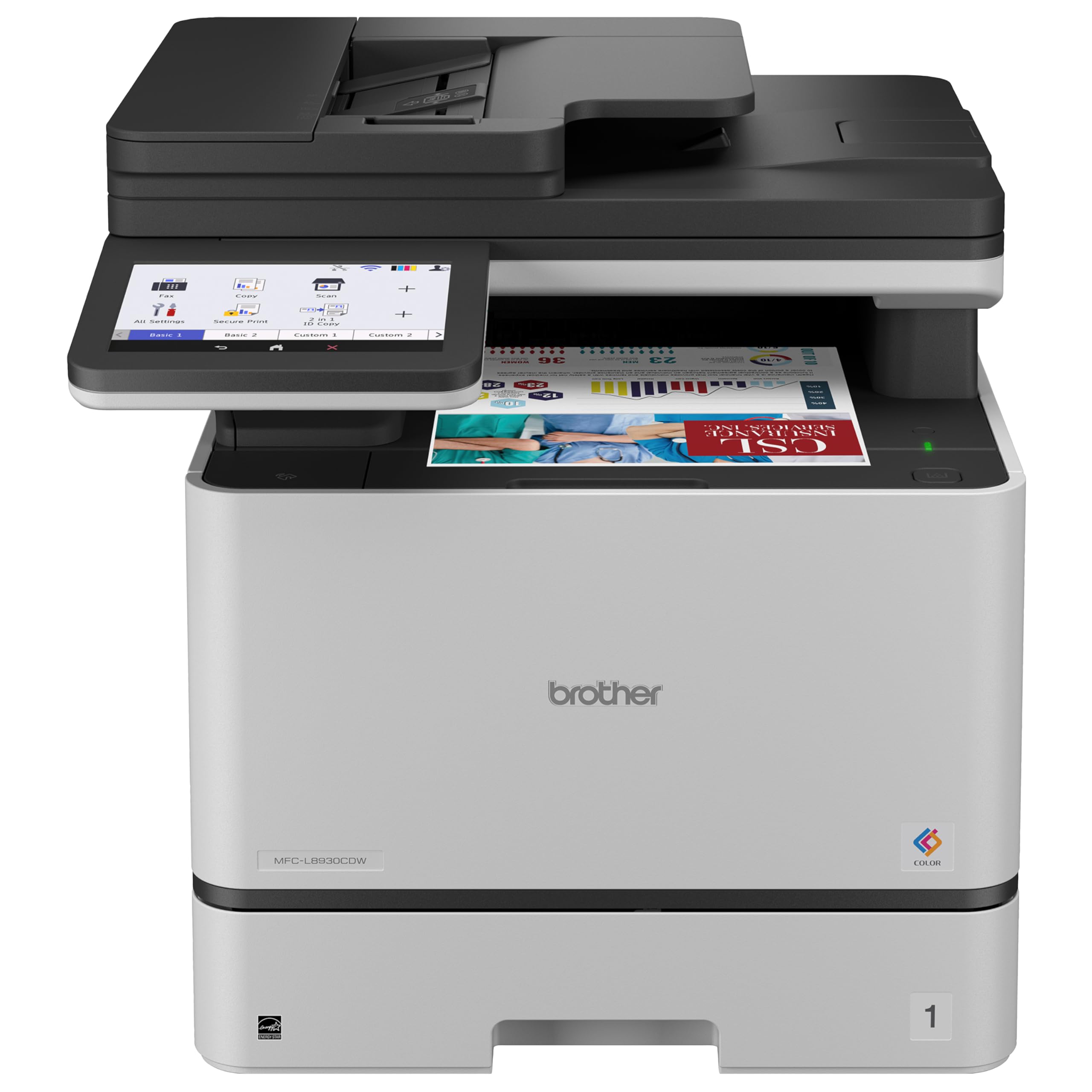
1. Brother MFC-L8930CDW Business Color Laser All-in-One
Our pick — 4.0+★ from 200+ verified ratings; the strongest balance of quality and price.
The color laser that ships with full toner and scans a whole packet in seconds.
For an office that runs color documents all day, this machine earns its place by shipping with real toner instead of starter cartridges. You get a Brother Genuine 3,000-page black cartridge and a 1,800-page color set in the box, so your first supply order is months away rather than weeks. When you do reorder, the TN635XXL super high yield replacements are rated for 7,500 pages black and 6,500 pages color — the kind of yield that turns supply cost from a monthly headache into an annual line item.
The scanning side is where it separates from cheaper office machines. Two-sided scanning runs up to 104ipm (images per minute, meaning pages it can capture in a minute), through an 80-page auto document feeder, and the glass takes legal-size originals. That combination matters if your office processes signed contracts or files scanned forms to SharePoint. Brother also lets you build up to 64 customized shortcuts on the 7” color touchscreen, so the three jobs you run every morning sit one tap from the home screen.
Security is unusually complete for this tier. Triple Layer Security covers the device, documents in transit, and the network, and there is an integrated NFC card reader (a tap-to-authenticate badge reader) so only approved staff release print jobs. Connectivity covers dual-band wireless (both 2.4GHz and 5GHz) plus Gigabit Ethernet, and the unit is 25% smaller than the previous model according to Brother. One physical reality to plan for: it measures 20.7″D x 16.1″W x 21.6″H and weighs 71.2 pounds, so it wants a dedicated stand rather than a shared desk. The other recurring note in owner feedback is an occasional error that stops a print run until cleared.
Where this machine earns its keep
- Full 3,000-page black and 1,800-page color toner ships in the box, so no early supply run.
- 80-page auto document feeder with two-sided scanning up to 104ipm clears packet jobs fast.
- Gigabit Ethernet plus dual-band Wi-Fi gives your IT setup a stable wired anchor.
- NFC badge authentication and Triple Layer Security suit shared-office print control.
The realities to weigh first
- At 20.7″D x 16.1″W x 21.6″H and 71.2 pounds it needs real floor or stand space.
- An occasional lost print run to an error message is the recurring grip in owner feedback.
- Claims processing asks for the quick color turnaround that color laser delivers more consistently than inkjet.
Built for: offices that print and scan color every weekday and want supply costs predictable.
Think twice: if desk footprint and weight are tight constraints in your room.
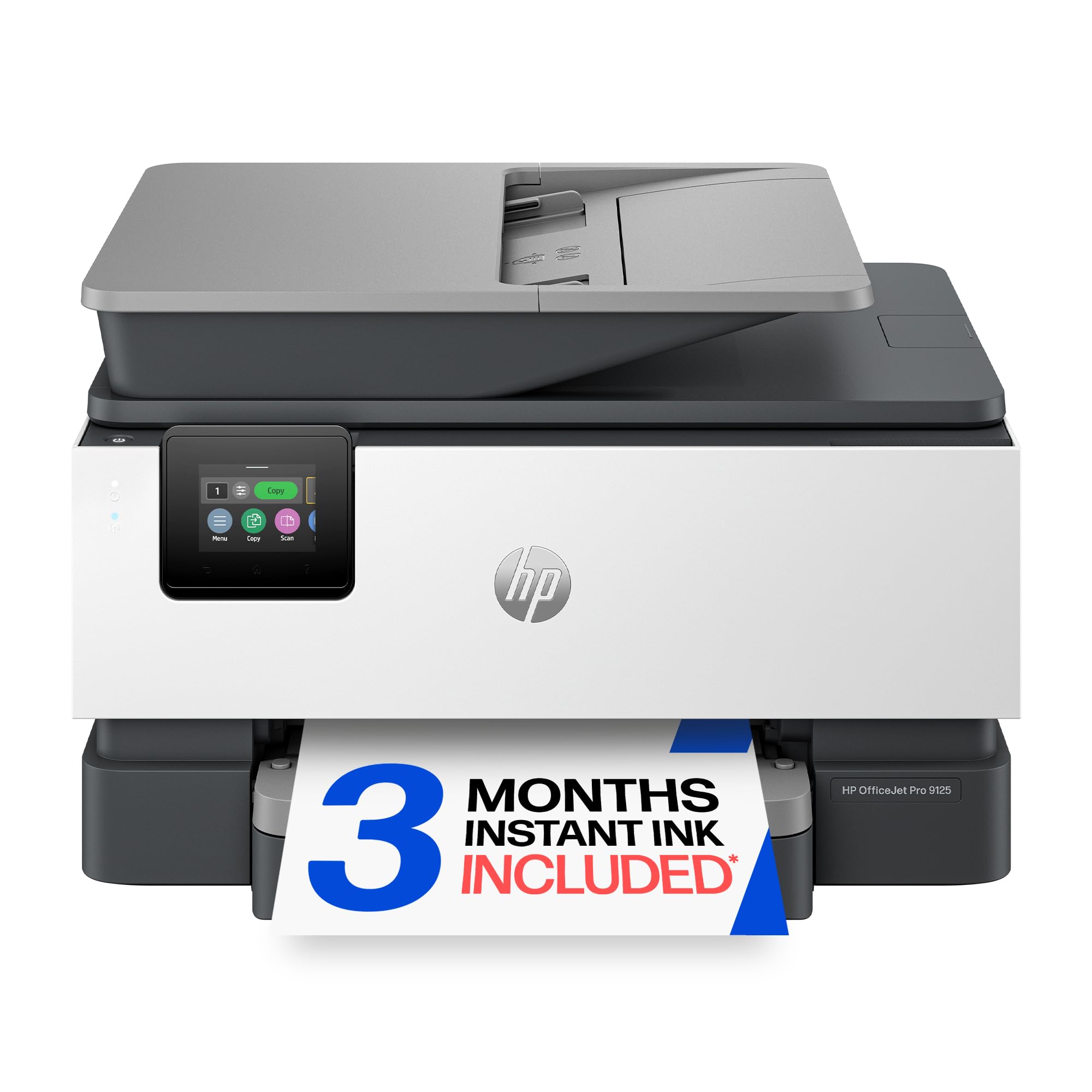
2. HP OfficeJet Pro 9125 Printer
An entry-level office inkjet that moves fast on color and adds a 3-month ink trial.
If you are setting up a first office printer and want a low entry point, this is the one that keeps color documents moving at a serious clip. It prints black at 22 pages_per_minute and color at 18 pages_per_minute, and that color figure beats the Epson EcoTank ET-4950’s 9 pages_per_minute outright. Its black number also edges the Epson at 22 versus 18 pages_per_minute. First page out takes 11 seconds, so short jobs do not hold you up between meetings.
Paper handling is office-grade for this tier. You get a 250-sheet input tray, an auto document feeder, automatic two-sided printing and scanning, and fax. The 2.7-inch color touchscreen uses a phone-like menu, which shortens the learning curve for staff who have never configured a printer. HP’s dual-band Wi-Fi is designed to detect and reset connection issues on its own, and HP Wolf Pro Security adds a protection layer on the network side. The HP app handles print, scan, copy, and fax from a phone.
The honest catch is supplies. The 3-month Instant Ink trial ends and a monthly fee applies unless you cancel, and the machine is firmware-locked to HP-chipped cartridges only. Owner feedback splits between people who find setup easy and people who fight the connection, and the recurring gripes land on the paper output tray and on plastic that feels less substantial than business hardware. If you mostly print reports and presentations in moderate volume, the subscription cost is a fair trade for the fast color output. If you print thousands of color pages, a laser or tank unit will serve you better.
Best for the first office: a small team that needs color slides, brochures, and flyers out the door on a modest entry point, with a 250-sheet tray and phone printing built in.
The honest catch: the Instant Ink subscription turns into a monthly bill after the trial, and non-HP cartridges are blocked by the firmware.
Worth it when: you want fast color prints and app control without spending laser money.
Walk away when: your monthly print count is high enough that subscription ink becomes a recurring cost line you resent.
3. Canon MegaTank MAXIFY GX2020 Printer
A refillable tank inkjet that covers thousands of pages before you pour ink again.
The pitch here is simple: one set of GI-25 pigment ink bottles covers up to 3,000 black and 3,000 color pages. If your office prints full-color flyers, menus, or proof sheets and you are tired of replacing cartridges, refillable tanks change the cost math. You refill with bottles, watch the tank level, and skip the chip games entirely. Quality is the thing that wins people over most here — the document output satisfies the crowd that cares about clean, readable color pages, and setup is the second-strongest point, with the on-screen prompts walking you through first-time configuration.
Office features are solid for the class. The 2.7-inch LCD color touchscreen handles navigation, automatic two-sided printing saves paper on long documents, and a 35-sheet auto document feeder takes the tedium out of scanning multi-page forms. Print speeds run 15 black and 10 color, which is slower than the laser picks above — fine for a small office, slow if you are churning out big runs. It copies and scans as well, and there is fax on board.
Two things to know before you commit. Tank inkjets are not built for the heavy duty cycle that a laser handles, so this is a moderate-volume workhorse rather than a department printer. The tank capacity, though, is the reason to buy this one, and the ink barely moves even after a lot of printing.
The tank case: 3,000 black and 3,000 color pages on a single ink set with refill bottles that key into their own color tanks, so no cartridge recycling and no chip lockout.
The catch to plan for: the 35-sheet feeder prefers light stacks, and 10 color pages_per_minute will feel slow next to a 26 or 31 page_per_minute laser.
This one fits: color-heavy offices that print graphics and want supply cost to disappear.
Pass on it: if most of your work is high-speed text output at scale.
4. Epson EcoTank ET-4950 Printer
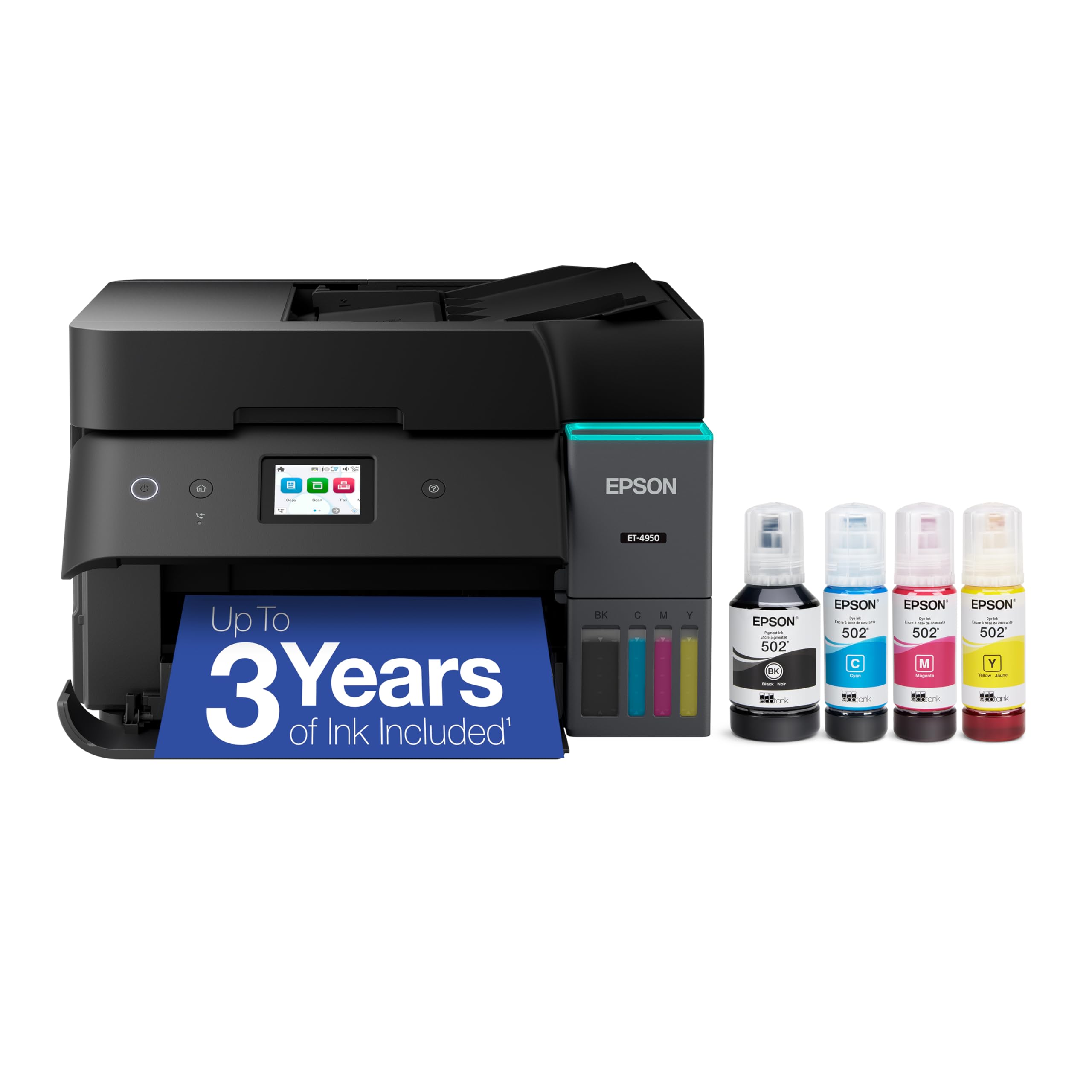
A tank printer small enough for a corner desk that still holds a full 250-sheet tray.
Space is the quiet deciding factor in small offices, and this Epson makes its case on footprint before anything else. It measures 13.7″D x 14.8″W x 9.4″H, which is far tighter than the Brother MFC-L8930CDW at 20.7″D x 16.1″W x 21.6″H. You still get a high-capacity 250-sheet paper tray, an auto document feeder, fax, and automatic two-sided printing, copying, and scanning. For a home office or consultancy with a narrow desk, that combination is rare.
Ink economics are the other half of the story. The box includes one 502 Black bottle at 127 mL and one each of Cyan, Magenta, and Yellow at 70 mL, rated for up to 6,600 pages black and 5,500 color. Epson notes that each replacement bottle set is equivalent to about 80 cartridges. The uniquely keyed EcoFit bottles lock onto the matching tank so you cannot pour the wrong color into the wrong well. Print speeds run 18 pages_per_minute black and 9 pages_per_minute color with zero warmup time, which clears short jobs quickly and starts instantly.
What owners value most is the printer quality itself — reliable output without the cartridge lock-in of a traditional inkjet. Setup gets strong marks, with detailed step-by-step instructions and app-driven pairing for phone and computer. The recurring caveat is connectivity: some offices find Wi-Fi pairing fussy, and AirPrint from an iPhone is a known sticking point. If you have an Ethernet drop, use it, because the wired port is there and it sidesteps the wireless handshake entirely.
What makes it a corner-desk win
- Compact 13.7″D x 14.8″W x 9.4″H body fits where a full laser will not.
- 250-sheet tray and auto document feeder are both present despite the small frame.
- Up to 6,600 black and 5,500 color pages from the included ink bottles.
- Zero warmup means the first page starts printing immediately.
Where it will slow you down
- 9 pages_per_minute color is the slowest color figure on this list.
- Wi-Fi pairing draws complaints, and AirPrint needs patience on iPhone.
- Tank inkjet output suits documents and graphics better than high-volume laser runs.
Pick this if: your desk is short on depth and you want tank economics in a small box.
Look past it if: color throughput speed is your top priority.
5. Xerox C245 Printer
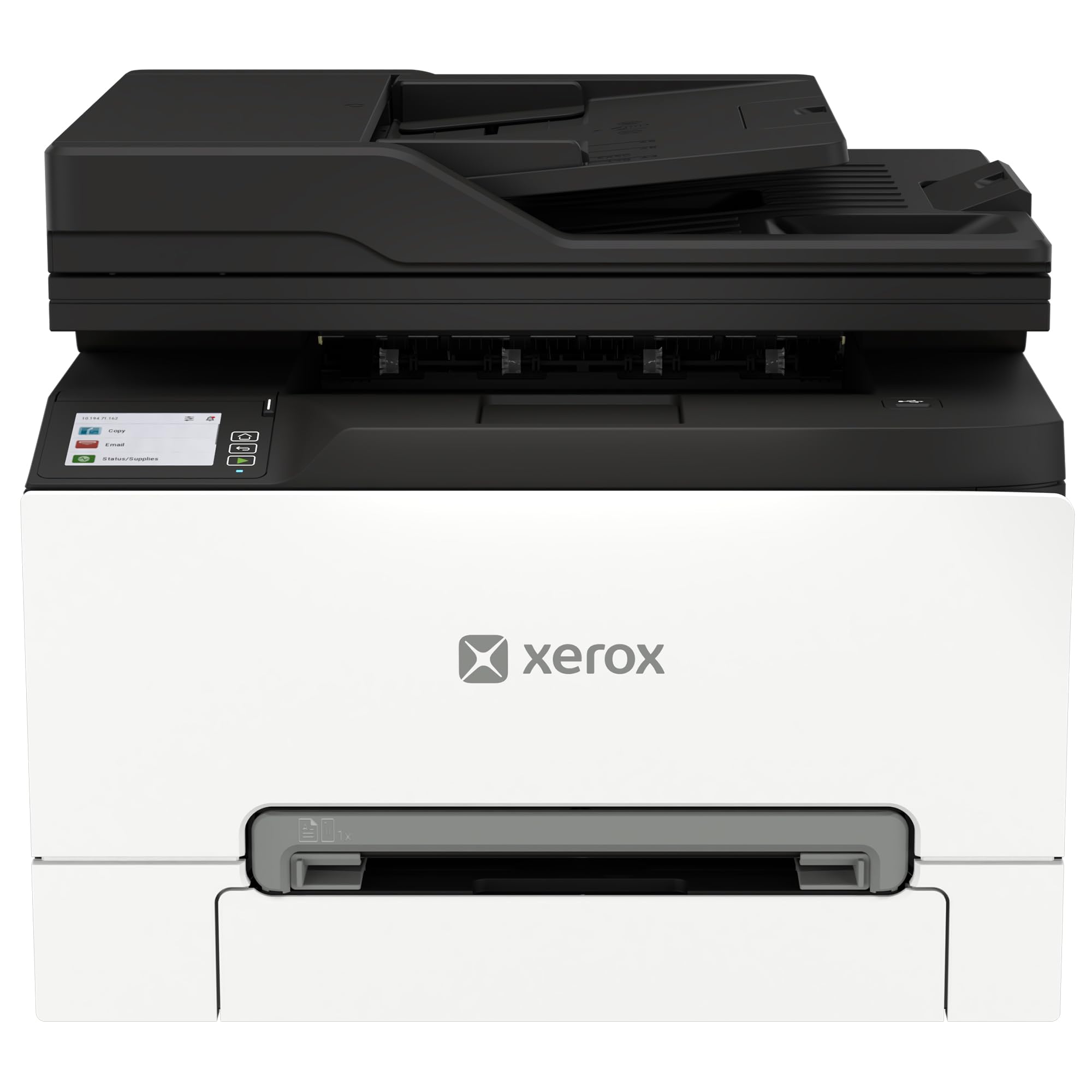
A full color laser multifunction trimmed to fit a small desk without giving up speed.
Most color laser all-in-ones assume you have a spare table. This one assumes you do not. It measures 15.7″D x 16.2″W x 13.6″H and weighs 42.8 pounds, so it drops onto a compact desk where the bigger Brother and Canon units would not. Despite the small frame it prints, scans, and copies at 26 pages_per_minute in both black and color, and the 50-sheet document feeder keeps multi-page jobs moving. For a consultant or remote team working from a spare room, that is a real advantage.
Xerox frames this as built for up to 1,500 pages per month, which tells you the intended duty cycle honestly: a small professional office, not a print room. Standard-yield toner covers lighter use, and high-yield options exist to lower total cost over time. Connectivity includes dual-band Wi-Fi, Apple AirPrint, and Mopria, so phones and tablets print without drivers. The Xerox Easy Assist app runs a guided installation instead of the traditional manual-and-driver maze. It is sold exclusively for Amazon customers in North America.
One thing you should know going in: the print, scan, and copy trio is the whole feature set, and fax is not part of it. That is fine for most modern offices that email contracts, but a legal or medical practice still faxing should look elsewhere. If your workflow is digital and your desk is small, this is the tightest color laser package here.
The small-desk math: 26 pages_per_minute in color at a 15.7″D x 16.2″W x 13.6″H footprint beat most full-size office lasers on space while matching them on speed.
Confirm before buying: no fax function, and the 1,500-page monthly rating sets a ceiling on how hard you should run it.
Reach for this if: you want laser color speed on a compact desk and your documents travel by email.
Check the fit if: a fax line is still part of your office routine.
6. Canon imageCLASS MF753Cdw II Printer

Thirty-five pages a minute in color with a seven-second first page and full 4-in-1 function.
When the office runs a deadline, the number that matters is how fast the first page appears. This Canon turns that around in 7 seconds, then sustains 35 pages_per_minute in both black and color. Compare that to the HP Color LaserJet Pro MFP 3301fdw at 26 pages_per_minute in each, and the Canon leads on raw throughput. It is a 4-in-1 machine with print, scan, copy, and fax, automatic duplex, and Canon Genuine Toner 069 installed in a starter set that includes 1,100 pages of color and a 2,100-page standard black cartridge.
Output quality is what drives the reputation. The pages read as clean and color-accurate, and owners who have used inkjet previously often describe the difference as decisive for text-heavy reports and graphics. Setup is straightforward enough that staff who dislike app installs report success connecting directly without one. Duplex printing holds its speed, which is not always true on machines in this class.
The friction to understand is network behavior. Wired LAN or Wi-Fi can occasionally drop a job, and the fix that works most reliably is installing the Canon drivers rather than the generic PCL set. Paper jams show up in a handful of reports, so load the tray evenly and keep the paper stock dry. For a busy office that needs 35-page-per-minute color output, the speed justifies working around the occasional network drop.
The throughput verdict: 35 pages_per_minute in color, 7 seconds to first page, and duplex printing that does not slow down are a strong combination for deadline-driven offices.
Set it up wired: network drops happen on wireless, and the Canon driver package is the safer install path than generic drivers.
Best for: offices where color pages need to leave the tray now, not after lunch.
Worth knowing: the toner starter set is modest, so plan for a high-yield order before a big print push.
7. HP Color LaserJet Pro MFP 3301fdw Wireless All-in-One
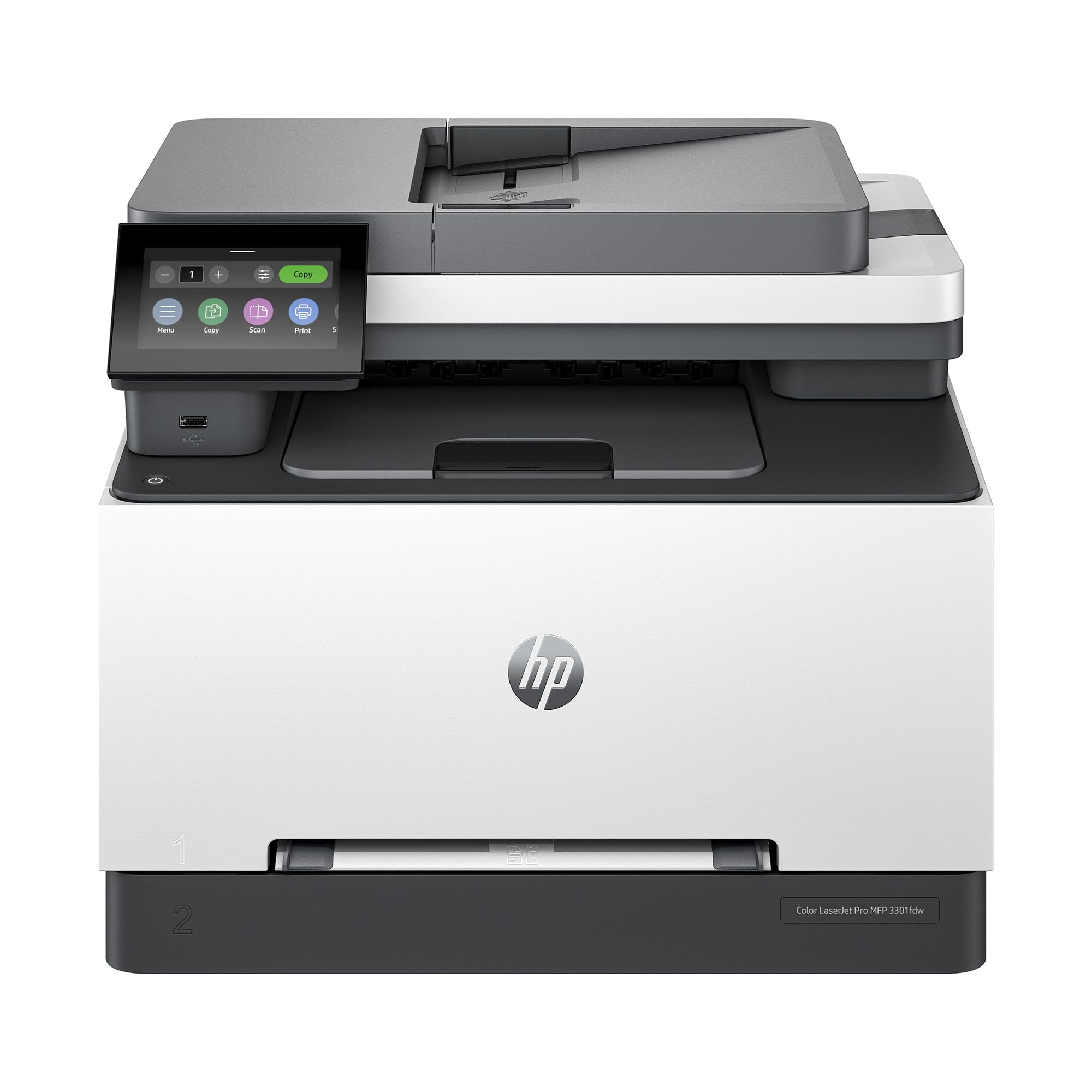
A laser workgroup printer with vivid TerraJet toner and two-sided single-pass scanning.
For a small team sharing one device, the appeal here is features per dollar in a laser body. It prints 26 pages_per_minute in black and 26 in color, with a 250-sheet input tray, an auto document feeder, automatic two-sided printing, and two-sided single-pass scanning. Single-pass means the scanner captures both sides of a sheet in one pass rather than turning it over, which cuts scan time on multi-page packets. HP’s next-generation TerraJet toner is the technology behind the more vivid color output, and HP Wolf Pro Security protects the network side.
Where this machine needs honest expectation-setting is durability and connection. Owner feedback is split — plenty of users describe fast, dependable printing with strong output, and a significant number report errors that require power-cycling to clear jobs, plus Wi-Fi connections that go offline without warning. HP’s self-reset wireless is designed to auto-recover, but the wired Ethernet port is the more reliable path if your office has a drop. Plan the device’s expected life against its warranty window, and keep a support contact on file rather than assuming set-and-forget.
The cartridge situation mirrors the OfficeJet: this printer is built to accept only HP-chipped cartridges, and periodic firmware updates enforce that. Budget for genuine toner. If your team prints a moderate volume of reports and presentations and wants fast color, the feature set fits. If your volume is high, a laser with a longer duty cycle will serve you better than this inkjet.
The team-office upside
- Two-sided single-pass scanning saves real minutes on multi-page jobs.
- TerraJet toner produces richer color on reports and presentations.
- 26 pages_per_minute in both black and color keeps a shared queue moving.
The honest downshifts
- Connection drops and error stops appear in enough feedback to warrant a wired setup.
- Firmware restricts you to HP-chipped cartridges, so no third-party toner savings.
- Hardware feel is lighter than the business-tier laser picks here.
Choose it when: a small team needs color laser speed, duplex scanning, and fax in one box.
Reconsider if: your office runs high volume or expects long uninterrupted service years.
8. Brother MFC-L3780CDW Printer

A small-business laser that prints and scans fast and connects almost any way you can name.
The connection menu here is unusually complete for the class. You get dual-band wireless on 2.4GHz and 5GHz, Gigabit Ethernet, Wi-Fi Direct, and a USB port for a single local computer. That matters in a small business where laptops, tablets, and a shared desktop all need to print without a fight. It prints 31 pages_per_minute in black and 31 in color, and scans at up to 29/22 ipm (images per minute, black and color) with single-pass duplex copy and scan, so a two-sided packet processes in one trip through the feeder.
Output quality is the strongest part of the reputation, and setup draws praise for being quick — one account of a ten-minute install-and-connect to Wi-Fi is typical. Owners also like that the 2,400×600 dpi resolution holds up on dense text, and that the unit is smaller than an equivalent laser. Brother Genuine TN229 comes in Standard, High, and Super High Yield levels, and the Refresh EZ Print subscription exists for offices that want toner delivered on schedule rather than ordered in a panic.
What tempers the recommendation is the toner-level cost and the mixed color reports. Color output is fine for internal documents and client handouts but not quite at the level of a high-end production laser. A small number of longer-term buyers report servicing needs showing up years in, which is normal for office hardware rather than alarming — but it is a reason to keep the warranty information accessible and buy from a source with clear support terms.
Connectivity is the real feature: dual-band Wi-Fi, Gigabit Ethernet, Wi-Fi Direct, and USB mean almost any device in the office gets a print path.
The trade to absorb: color output is good but not production-grade, and the machine carries a premium hardware price relative to entry-level laser picks.
Meant for: small businesses that need multi-device networking and fast duplex scanning.
Less ideal if: your color work needs to satisfy a picky design client.
9. Xerox VersaLink C405/DN Color Laser MultiFunction Printer

The department-scale Xerox that treats its touchscreen like a phone and honors a full one-year warranty.
This is the machine you buy when one printer serves a whole department. It runs 36 pages_per_minute in color and the same in black, which is the highest color figure on this list and ahead of the Brother MFC-L8930CDW’s 33 pages_per_minute. The touchscreen is the stand-out experience: Xerox designed it around the gestural, app-based feel of a phone, so complex jobs take fewer steps than a traditional printer menu. Preloaded ConnectKey apps handle common office tasks, and the Xerox App Gallery adds functions like a translation service for scanned documents.
On the output side, owners who like this machine describe fast, excellent printing and rock-solid scanning. The starter toner ships in real quantities — 2,000 pages each of cyan, magenta, and yellow, plus 3,000 pages of black — which tells you it is designed for a working office rather than a light home setup. Connectivity includes Ethernet and USB for wired deployment, which suits a shared-floor arrangement better than wireless ever does. Xerox includes a standard one-year warranty, and the setup wizards are IT-free by design.
The cost to understand is toner. Genuine Xerox cartridges are the recurring expense, and this machine wants them — third-party savings are a compromise. Wireless printing shows up as an error source in owner feedback, so plan to use the wired port rather than Wi-Fi. For a department that prints heavy volume, the cost per page still lands where a managed machine should, but for a small office printing a few dozen pages a week, this is more device than you need.
The case for it: 36 pages_per_minute in color, a full one-year Xerox warranty, and starter toner that runs 3,000 pages black and 2,000 per color cartridge.
The bill that follows: genuine Xerox toner is the recurring cost, and wireless is unreliable enough that wired Ethernet is the right deployment.
Right for: a department or shared floor that needs volume, speed, and a service commitment.
Overkill for: a home office that prints a few sheets a day.
Know the Specs
Pages per Minute (ppm)
This is the print speed rating, telling you how many pages the machine finishes in a minute once it starts. A higher ppm number means a big print job clears faster, but only if the whole job sustains it. Duplex printing, heavy paper, and color-heavy pages often pull the real number below the rating. For an office that prints reports and presentations daily, 26 pages_per_minute and up feels comfortable. For light use, 15 to 18 pages_per_minute is fine and often cheaper to buy.
Cartridge and Tank Yield
Yield is the page count a toner cartridge or ink bottle is rated to produce. A 3,000-page black toner cartridge or a 3,000-page tank set tells you how long you go between supply orders. Always compare the yield of the cartridges the printer ships with against the high-yield replacements you would buy later. Starter cartridges are often lower than standard, so a machine with a generous starter is genuinely cheaper to own over the first months. High-yield and super-high-yield options exist to push your cost per page down as volume climbs.
Auto Document Feeder (ADF)
The ADF is the tray that pulls originals through the scanner automatically. Without one, you place every page by hand on the glass. The sheet capacity of the feeder — 35, 50, or 80 sheets — sets how big a packet you can load in one go. Single-pass duplex scanning captures both sides of a sheet in one pass, which is the big time save on double-sided contracts and forms.
Duplex Printing
Duplex means the printer flips the page automatically and prints on both sides. It halves paper use and looks more professional on contracts, newsletters, and proposals. Nearly every machine in this class offers automatic duplex, but the important detail is whether duplex printing holds its speed. Some machines drop to a crawl when duplex is engaged, which matters if you print double-sided documents all day.
Connectivity and Network Behavior
Dual-band wireless means the printer can use the 2.4GHz band for range or the 5GHz band for less interference. Gigabit Ethernet is the wired port, and it is the most stable way to share a printer in an office. Wi-Fi Direct lets a device connect to the printer without going through the office router. A printer that stays connected on wired Ethernet solves most of the driver and connection headaches reported on wireless setups.
Duty Cycle and Monthly Volume
Duty cycle is the page volume the maker says the machine can handle per month without pushing it out of spec. A 1,500-page monthly rating fits a small professional office. A department-scale machine is built for multiples of that. Staying under the rating keeps the printer reliable longer, so match the rating to your real monthly print count rather than your peak week.
Common Questions
Is a color laser better than an inkjet for an office?
How long does toner last in an office color printer?
Do I need an auto document feeder for scanning?
Can I use third-party toner in an office color printer?
What does duplex printing actually save in an office?
Is wireless printing reliable enough for a shared office?
What is single-pass duplex scanning and why does it matter?
How many pages per month can a small office printer handle?
Should I choose a tank inkjet or a laser for high color volume?
Does a color laser printer need a dedicated power circuit?
The Bottom Line
For most offices,the office color printers winner is the Brother MFC-L8930CDW because it ships with full 3,000-page black and 1,800-page color toner, scans two-sided at up to 104ipm through an 80-page feeder, and gives your IT setup Gigabit Ethernet plus badge-secured printing. If you want the fastest color page out of the tray, grab the Canon imageCLASS MF753Cdw II at 35 pages_per_minute with a 7-second first page, and it even leads the HP Color LaserJet Pro MFP 3301fdw on color speed, 35 versus 26 pages_per_minute. And for color-heavy flyer and proof work on a small desk, the Canon MegaTank MAXIFY GX2020 is the one to reach for, because one ink set covers 3,000 black and 3,000 color pages.
The honest nudge: laser picks like the Brother MFC-L8930CDW and Canon imageCLASS cost more up front, but their high-yield toner and duty ratings keep a working office out of the supply aisle every month. If your desk is narrow, the Xerox C245 packs 26 pages_per_minute color into a 15.7″D x 16.2″W x 13.6″H body — just remember it has no fax. Pick the machine whose monthly duty rating covers your busiest month, not your quietest one.
How we choose
We do not accept paid placement. Every pick is matched to a real buyer and a real use-case; we do not hands-on test units.
Sources
Specifications: manufacturer listings and product documentation. Review insights: verified customer reviews, as of November 2026. Pricing: not shown on this page (it changes often); check the current price via the retailer link.
As an Amazon Associate, Tactical Gear Guy earns from qualifying purchases. This does not affect which products we feature.