Specs are compiled from manufacturer listings and verified buyer reviews and can change over time — please confirm the key details on the product page before buying.
If you want the sharpest picture your gaming PC can push into your eyes, buy on two numbers: resolution per eye and refresh rate in Hz (how many times per second the screen redraws). Everything else on a tethered headset — the cable, the tracking cameras, the strap — exists to serve those two figures. This guide walks through nine PC-tethered headsets so you can match one to your graphics card, your room, and the games you actually play.
This guide is built by comparing the manufacturers’ published specifications and the patterns across verified customer reviews, so you get each pick’s real strengths and trade-offs instead of marketing spin.
A quick note before the picks: this list uses flexible, human-like matching for tethered headsets — meaning every option here wires into a PC rather than running on its own — so not every pick is the exact model or spec you may have searched for, but each one serves the same job. The short version: resolution per eye and refresh rate decide how good a tethered VR headset feels, so weigh those first.
Top Picks

How To Choose The Best Tethered VR Headset
Buying a tethered headset is really a question about your PC. The headset is only as good as the graphics card feeding it, so pick a display that your machine can actually drive at its native refresh rate. Below are the four decisions that separate a happy purchase from a frustrating one.
Resolution per eye versus total resolution
Look at the number for one eye, not the combined figure. A headset quoting 2880 x 2880 per eye gives each eye a dense grid of pixels, which keeps distant text and cockpit instruments readable. A headset at 1440 x 1600 per eye is lighter on your graphics card but softer on fine detail. The per-eye figure is the honest measure of sharpness — a high combined number split across two lenses can still look soft up close.
Refresh rate and comfort
Refresh rate is how many frames per second the screen can show, written in Hz. Higher is smoother and generally easier on your stomach during fast motion, and the range here runs from 72 Hz up to 120 Hz. If you are prone to motion discomfort, a higher refresh rate is the spec worth paying for. Just confirm your graphics card can hold that frame rate in the games you play, or the headset will sit below its ceiling.
Tracking: base stations or cameras on the headset
Outside-in tracking relies on base stations you mount around your room, which requires drilling or clamping and a clear play space. Inside-out tracking uses cameras built into the headset, so setup is faster and more portable. Base-station systems tend to hold sub-millimetre accuracy for room-scale play, while inside-out systems trade a little of that for convenience.
The cable and your room
Every pick here is tethered, so plan a cable run from your PC to wherever you stand or sit. A DisplayPort or HDMI connection carries the video, and a USB connection carries tracking data and audio. Think about cable length, whether you will play seated at a desk or standing in a clear space, and where the cable can safely trail without catching your feet.
Side-by-Side Comparison
| Model | Best For | Resolution Per Eye | Refresh Rate | Field of View | Amazon |
|---|---|---|---|---|---|
| Oculus Rift★ Best Overall | First-time PC VR on a budget | 1920 x 1080 | 90 Hz | 110 degrees | Amazon |
| Valve IndexTop Performer | Widest view on a mid-range budget | 1440 x 1600 | 120 Hz | 120 degrees | Amazon |
| Pimax Crystal LightSim Specialist | Flight sims and racing rigs | 2880 x 2880 | 120 Hz | — | Amazon |
| Oculus Rift S | Easy inside-out setup | 1440 x 1600 | 80 Hz | 1000 | Amazon |
| HTC Vive Focus Vision | PC VR with mixed reality | 2448 x 2448 | 90 Hz | 120 degrees | Amazon |
| HTC Vive Pro 2 | High-res SteamVR play | 4896 x 2448 | 120 Hz | 120 degrees | Amazon |
| Pimax Crystal Super | Ultra-sharp simulation | 3840 x 3840 | 72 Hz | 127 degrees | Amazon |
Detailed Reviews
1. Oculus Rift – Virtual Reality Headset
The OLED original that proved PC virtual reality could feel like a place, not a screen.
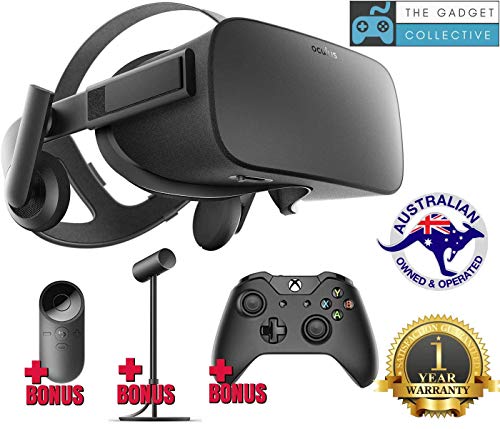
For a first desktop setup, the Oculus Rift is the safest all-in introduction. It ships as a complete kit — headset, Oculus Touch controllers, and the game package that includes Lucky’s Tale — so you are not hunting for accessories before your first session. The display is an OLED panel at 1920 x 1080 pixels per eye, and OLED brings deep blacks that make dark corridors in a horror game genuinely dark. Refresh rate sits at 90 Hz, which is fast enough that camera pans stay smooth.
What draws people back to the Rift is the sense of actually being inside a scene. The 110-degree field of view is narrower than the Valve Index’s 120 degrees, so the edges of your vision still fade quickly. That gap is real, but the immersion carries the experience anyway. The tracking system — a set of external sensors watching the headset — is precise and low-latency, so head movement lands where you expect it. Just budget time for the setup, since the sensors need positioning and the USB 3.0 chipset on your PC has to cooperate.
The honest trade-off is image sharpness and cable fuss. At 1920 x 1080 per eye, fine text in menus looks softer than on newer high-resolution panels. Comfort varies too: the headset is light on the face, but people with sensitive stomachs sometimes feel motion sickness after 20 to 30 minutes of intense movement. Plan to play in shorter sessions and build tolerance slowly. This is also a Facebook-account-login system, so you need that account before you play anything.
Where the Rift still wins
- OLED panel at 1920 x 1080 per eye gives strong contrast for dark scenes.
- 90 Hz refresh rate keeps fast head turns smooth.
- Full kit includes Touch controllers and Lucky’s Tale from the start.
- 110-degree field of view with precise external sensor tracking.
What it asks of you
- Soft on fine detail compared to 2880 x 2880 and 3840 x 3840 panels.
- Setup depends on a USB 3.0 chipset and sensor placement.
- Requires a Facebook account to log in and play.
Reach for it if: this is your first PC headset and you want a complete, manageable kit with OLED contrast.
Think twice if: you chase maximum per-eye sharpness or want to avoid an account login before play.
2. Valve Index VR Headset, Black, for PC/SteamVR
A wide-angle, high-refresh display that makes PC VR feel roomy and quick.
Two numbers tell you almost everything about the Index: 120 degrees of field of view and a 120 Hz refresh rate. That field of view is wider than the Oculus Rift – Virtual Reality Headset’s 110 degrees, so the black border around your vision sits farther out. That extra 10 degrees over the Oculus Rift – Virtual Reality Headset’s 110 degrees matters most in racing and cockpit games, where the wider peripheral window keeps rival cars and side instruments in view. The 120 Hz screen is the other headline — it redraws 50% faster than the Oculus Rift S at 80 Hz, which keeps fast head turns crisp in shooters and racing games. Per-eye resolution is 1440 x 1600 on an OLED panel.
Read the listing carefully before you buy: this is headset only. Controllers and base stations are sold separately, and the listing warns the package may not include the head strap adjustment pad. That means your final outlay climbs above the headline number once you add the parts needed to actually play. On the other hand, the headset is designed with a microphone built in, so voice chat works without a separate headset.
What the spec sheet says: a 120-degree view and 120 Hz refresh, both a step above the older Oculus hardware.
The part to weigh: bare-headset packaging means the accessories bill lands on top, so budget for controllers and stations from the start.
Worth choosing for: PC players who already own SteamVR gear and want a wide, fast display.
Less suited to: anyone expecting a plug-in-and-play box with everything included.
3. Pimax Crystal Light VR Headset for PC
Built for the flight-sim crowd who count rivets on cockpit panels.
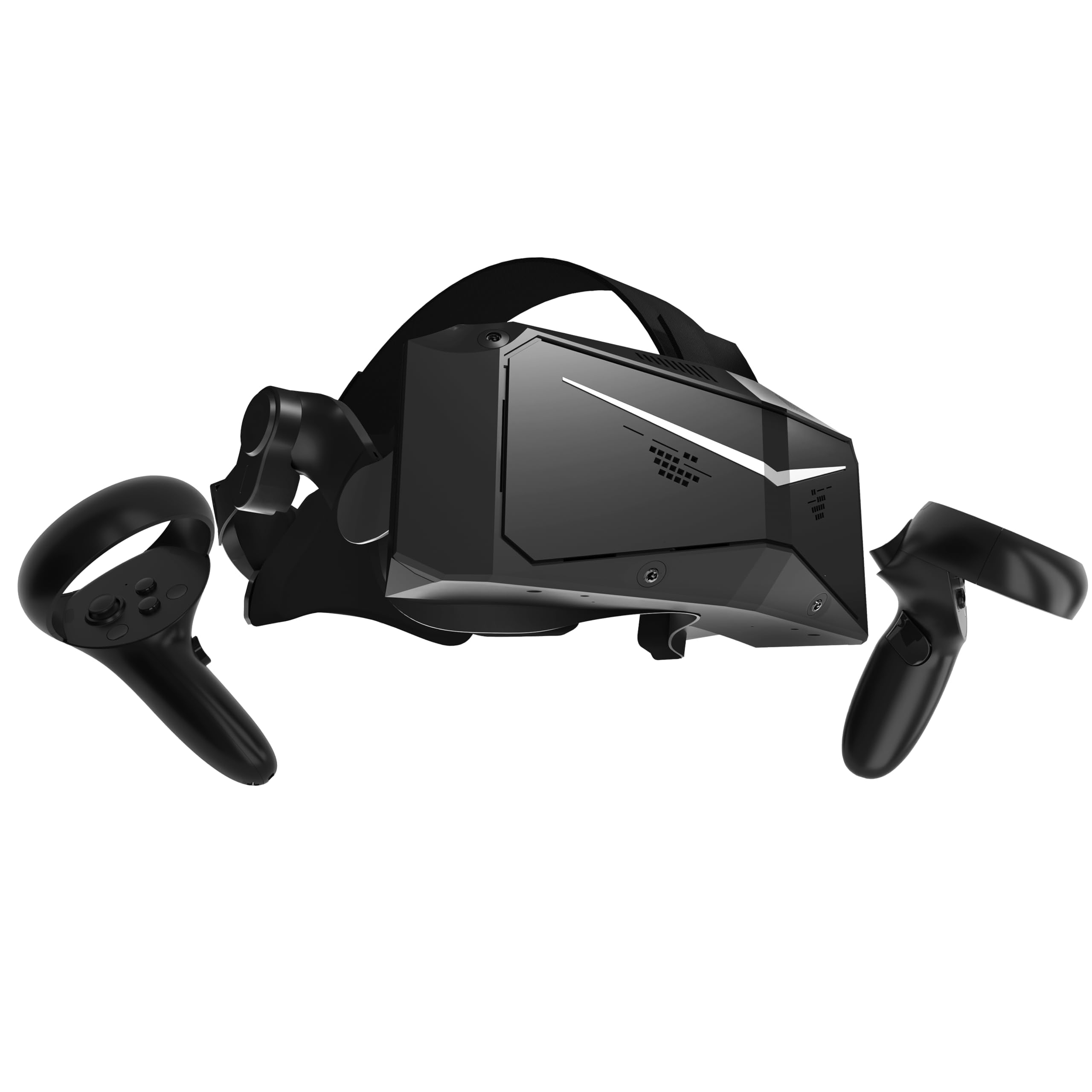
If you sit in a racing rig or a flight simulator, the Crystal Light is the reason to spend. It runs 2880 x 2880 pixels per eye on a QLED panel — a huge jump over the Valve Index’s 1440 x 1600, which means gauges, maps, and distant terrain stay legible at a glance. QLED with local dimming (backlight zones that dim independently) pushes high contrast, so night flights and tunnel scenes keep their depth. The 120 Hz refresh rate matches the Valve Index’s 120 Hz, so motion stays quick even at this resolution.
The tracking is inside-out, using cameras on the headset itself, so you skip base stations entirely. There is also eye tracking and adjustable headband for longer sessions. The glass aspheric lens is built to cut distortion toward the edges. It works with SteamVR controllers like the Valve Index Knuckles or HTC VIVE if you already have them.
The catch is weight and the graphics card bill. At 815 grams (28 ounces), this is one of the heavier headsets here — noticeably more heft than the lighter Oculus kits. Pushing 2880 x 2880 per eye at 120 Hz demands a strong PC, and the fixed 2.0 foveated rendering (which renders high detail where you look and less in the edges) helps, but a mid-range card will struggle to hold 120 Hz. Buy this if sharpness is the whole point of your setup.
Sharpness that pays off: 2880 x 2880 per eye is the highest per-eye figure until the Pimax Crystal Super, and it shows in sim cockpits.
Weigh the hardware: at 815 grams it asks for a sturdy neck and a strong GPU to drive it at 120 Hz.
Pick it for: sim racers and pilots who want dense, readable detail and inside-out tracking.
Hold off if: your graphics card cannot push high resolution at fast refresh rates.
4. Oculus Rift S PC-Powered VR Gaming Headset

The no-base-station Rift that gets you playing without drilling walls.
The Rift S solves the setup headache. Its tracking cameras sit on the headset, so there are no external sensors to mount and no room-scale rigging to build. The display is an LCD at 1440 x 1600 per eye — sharper in resolution than the original Oculus Rift’s 1920 x 1080 — but it runs at 80 Hz, slower than the original’s 90 Hz and well below the Valve Index’s 120 Hz. Audio is built into the headset, so you do not add a separate set of headphones.
Trust is where this one divides. The price lands for beginners, but reviews split sharply between units that work as expected and units that arrive faulty. Compatibility is the recurring snag: several buyers hit cable and connector problems, and some PCs simply refuse to talk to it. The flip side is that this is the easiest of the Rift line to set up and the cheapest-feeling entry into serious PC VR.
Why beginners pick it
- Inside-out camera tracking means no base stations to mount.
- Bulit-in VR audio saves the separate headphone step.
- 1440 x 1600 per eye on an LCD panel.
Where it can frustrate
- 80 Hz refresh is the slowest fast-display option on this list.
- Compatibility and connector issues show up across reviews.
- Some units fail, so buy from a seller with a clear return policy.
Best fit: a first-time buyer who wants plug-and-play tracking and does not want to mount sensors.
Ask yourself first: whether your PC is on the supported list and whether the seller takes returns.
5. HTC Vive Pro Eye Virtual Reality System
Sharp 5K optics and a swappable battery, wrapped in a connectivity puzzle.
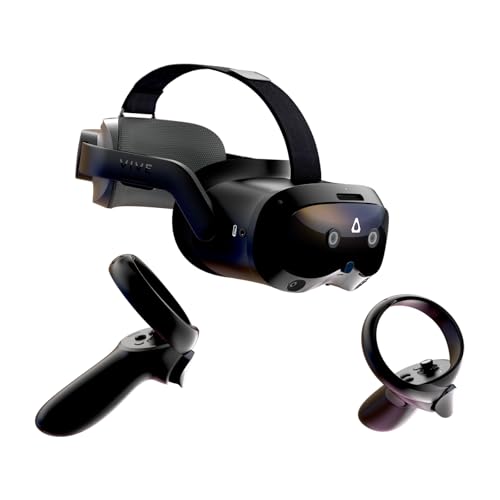
The Focus Vision brings a 2448 x 2448 per-eye LCD up to a 120-degree field of view and 90 Hz. It can run as a PC headset in DisplayPort mode for a lossless feed straight from your graphics card. It also brings built-in eye tracking, low-light hand tracking, and a depth sensor for mixed reality, so you can map your room and see the scene around you. Comfort is its strongest card: the balanced headband, auto-IPD (which lines the lenses up with your pupils automatically), and 3D spatial audio make long sessions easy on the face.
The living-space detail note is the hot-swappable battery. A reserve front battery keeps power running long enough to swap in a spare, which takes seconds. That is a nice touch if you game for long stretches.
Where it gets rocky is value and connection stability. The eye and face tracking only pay off if you actually use them, so the price feels steep when they sit idle. Reviews also flag unstable wireless and power issues, which matters because PC VR streaming over Wi-Fi wants your PC wired to the router by Ethernet. If your network is not solid, expect to spend time on setup.
Nail the connection: wire the PC to your router for the PC VR streaming mode; a messy Wi-Fi path undercuts the whole experience.
Key strength: sharp 5K-class visuals, comfortable fit, and hot-swappable battery for long sessions.
Reach for it when: you want comfort, sharp visuals, and mixed reality in a headset you can also use for standalone sessions.
Look elsewhere if: your network is unreliable or you will not use eye and face tracking.
6. HTC VIVE Pro 2 Virtual Reality System

A 5K combined-resolution SteamVR headset that pairs sharpness with a fast 120 Hz panel.
The Pro 2 clears the older Vive Pro on both fronts: 4896 x 2448 combined resolution and a 120 Hz refresh rate. That is the same 120 Hz ceiling as the Valve Index, but with a higher pixel count feeding it. A 120-degree field of view puts you inside the scene with room to spare. The IPD dial lets you match the lenses to the distance between your pupils in millimetres, which eases eye strain on long sessions. It is built to fit a wide range of head sizes and vision types, glasses included.
Reliability is the rub. Reviews report units that fail early, and the value conversation heats up because the kit asks a lot for what it delivers. Controller comfort and base-station setup also come up — the controllers feel awkward to some, and getting the SteamVR base stations running took hours in at least one case. If you already own SteamVR base stations, the value math improves.
The pitch: 4896 x 2448 combined and 120 Hz, plus an IPD dial and glasses-friendly fit.
The risk: early-failure reports and a setup-heavy base-station path mean buying from a seller with solid returns is smart.
Pick it if: you already live in SteamVR with base stations and want a sharp 120 Hz panel.
Wait if: you are new to base-station setups or want the simplest possible install.
7. Pimax Crystal Super VR Headset
The pixel-count king — 3840 x 3840 per eye for people who read cockpit labels.
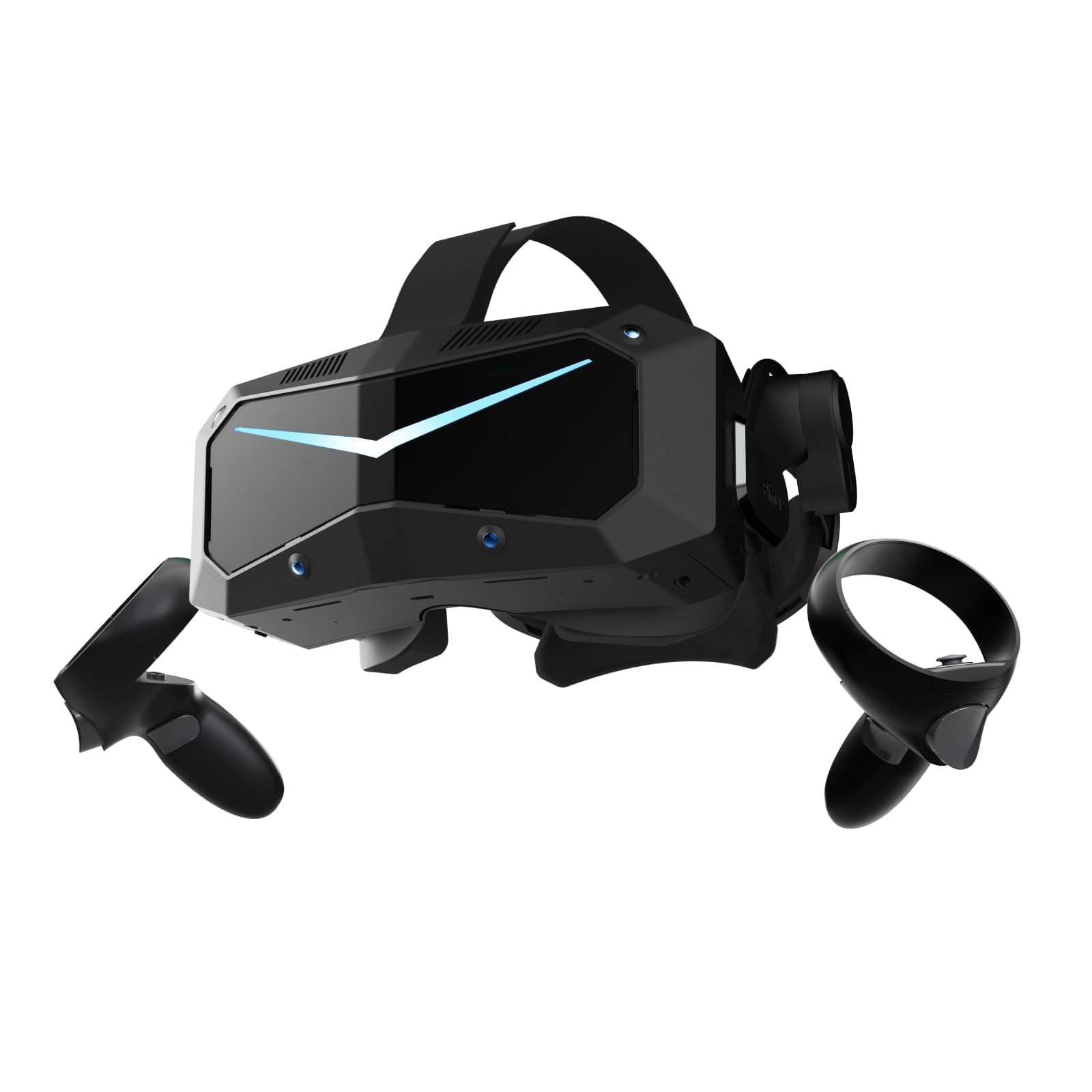
The Crystal Super exists for one reason: maximum sharpness. It runs 3840 x 3840 pixels per eye with 57PPD, a measure of pixel density (pixels per degree of your vision) that makes fine text and detail pop. The QLED plus MiniLED panel adds local dimming for contrast and depth. Combined with a 106-degree horizontal field of view and variable refresh rates of 72 Hz and 90 Hz, it is tuned for simulators and slower-paced detail work more than twitch shooters. Automatic IPD adjustment from 58 to 72mm fits a range of faces.
Comfort gets real attention: balanced weight, a replaceable facial interface, and a removable head cushion. You also get a high-fidelity microphone and 3D spatial audio through speakers, so no extra headset is needed. Eye tracking and available Lighthouse tracker support keep it flexible for different setups.
The careful bit is patience. Setup is not obvious, and getting settings dialed to your specific PC takes time. Sharpness is also concentrated in the forward view, so detail drops toward the edges. Finally, build luck varies: lens scratches have been reported on some units, so check your first headset carefully during the return window.
Highest resolution: 3840 x 3840 per eye at 57PPD outpaces every other headset on this list.
Plan for tuning: setup takes time and forward clarity is stronger than the edges, so budget an evening to get it right.
The one for: dedicated sim pilots who want the densest per-eye image available.
Not for: anyone who wants a two-minute install or maximum frame rate over sharpness.
Know the Specs
Resolution Per Eye
This is the pixel grid each lens shows one eye. A higher figure keeps distant text and gauges readable. A headset at 2880 x 2880 per eye is far denser than one at 1440 x 1600. When you compare two headsets, match per-eye to per-eye, not the combined number.
Refresh Rate in Hz
Hz counts how many frames per second the screen can redraw. Higher is smoother and generally easier on the stomach during fast motion. This list runs from 72 Hz on the Pimax Crystal Super up to 120 Hz on several picks. Confirm your graphics card can hit that frame rate in your games.
Field of View
FOV is the angle you can see through the lenses. A 110-degree view is common; a 120-degree view places the edges farther out. Wider FOV pulls you deeper into sims and shooters, but it also asks more of the graphics card because more is on screen.
Tracking Type
Inside-out tracking uses cameras on the headset, so setup is quick. Outside-in tracking relies on base stations around your room, holding high accuracy for room-scale play. Base-station systems like the Vive Pro CE reach up to 7M x 7M, while inside-out systems need only a clear space around you.
Common Questions
What does tethered mean for a VR headset?
Will my PC run a tethered VR headset?
Is inside-out tracking as good as base stations?
Does field of view really change immersion?
What refresh rate should I aim for?
Do I need a Facebook account for the Oculus headsets?
How much room do I need for room-scale VR?
Is a heavier headset a problem for long sessions?
What is eye tracking useful for in a VR headset?
Why do some headsets need an Ethernet cable to the router?
The Bottom Line
For most PC players stepping into tethering, the Oculus Rift – Virtual Reality Headset wins because it gives you a complete kit — OLED display at 90 Hz, Touch controllers, and a full game included — without hunting for parts. It is also the friendliest first step into tethered VR, since the box includes everything you need to play. If you want a wider view and faster refresh, the Valve Index with its 120-degree field of view and 120 Hz panel is the one to reach for. And if you are a sim pilot chasing the densest image on the market, the Pimax Crystal Super with 3840 x 3840 per eye earns the splurge. Whichever you choose, match it to your graphics card first — a great panel on a PC that cannot drive it is wasted.
How we choose
We do not accept paid placement. Every pick is matched to a real buyer and a real use-case; we do not hands-on test units.
Sources
Specifications: manufacturer listings and product documentation. Review insights: verified customer reviews, as of November 2026. Pricing: not shown on this page (it changes often); check the current price via the retailer link.
As an Amazon Associate, Tactical Gear Guy earns from qualifying purchases. This does not affect which products we feature.