Specs are compiled from manufacturer listings and verified buyer reviews and can change over time — please confirm the key details on the product page before buying.
You have four Joy-Con 2 controllers, a match starting in an hour, and one cable. A dedicated charging dock is the fix: it holds two pairs at once and tops them up while you do something else. The picks below all take power over USB-C (a common oval connector that carries both power and data), all fit the Switch 2 Joy-Con 2 rails, and all cost roughly the same. So the real decision is how many controllers you need charged, if you want lights on your desk, and whether you also want to charge older Switch 1 Joy-Cons.
This guide is built by comparing the manufacturers’ published specifications and the patterns across verified customer reviews, so you get each pick’s real strengths and trade-offs instead of marketing spin.
Most docks do the same core job, so the differences come down to port count, charge time, and whether the safety chip actually cuts power when the battery fills. Here is what separates them, and which one suits your setup.
Top Picks

How To Choose The Best Switch 2 Controller Charger
The Switch 2 Joy-Con 2 controllers attach to the console magnetically, not by sliding down a rail like the originals. That single change is why some older docks simply do not work with them. Before you buy anything, check that the listing names Joy-Con 2 or Nintendo Switch 2 explicitly — a dock built for 2017 or OLED Joy-Cons will not line up with the new magnetic contacts.
Magnetic slots versus slide-in slots
A magnetic slot pulls the controller into place on its own, so you set it down and it starts charging. That matters at the end of a session when you are tired and just want to drop four controllers and walk away. Slide-in slots work like the original Joy-Con rails: you push the controller down a channel. Some docks carry both kinds so one station covers your old and new controllers.
How many controllers do you actually need charged
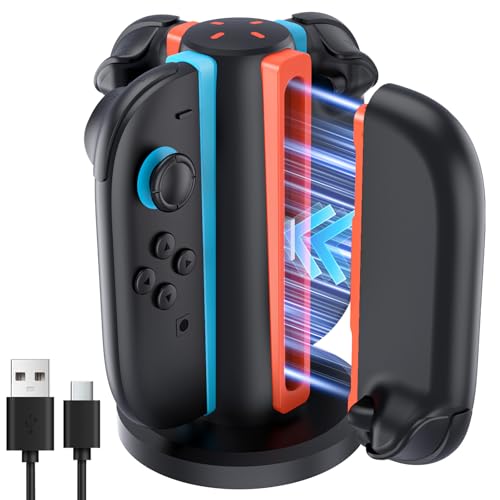
Most of these docks charge four Joy-Con 2 units at once, which is two full pairs. If you only own one pair, a four-port dock still works, but you are paying for real estate you will not use. If you run four-player local sessions, a four-port dock with a fast full-charge time is the thing to hunt for.
Why the safety chip is not a marketing line
A dock that sits plugged in overnight needs to stop pulling power once the battery is full. Look for a listing that names overcharge, overcurrent, overvoltage, and short-circuit protection. Several docks here also cut off charging at a set battery level, which is the practical version of that promise.
Power source and cable length
Every dock on this list draws power over USB-C, which means you can feed it from the console dock, a wall adapter, a PC, or a powered hub. The catch is that none of the cheapest docks ship with a wall adapter, and the included cables vary in length. Read the cable spec before you assume it will reach your setup.
Side-by-Side Comparison
| Model | Best For | Ports | Amperage | Switch 1 Support | Amazon |
|---|---|---|---|---|---|
| FYOUNG Switch 2/1 Both Charger★ Best Overall | Mixed Switch 1 and Switch 2 households | 8 (4 magnetic + 4 slide-in) | 2 A | Yes | Amazon |
| Switch-2-Joycon-Charger (JAVRUNWOF)Top Performer | Fastest full charge of four controllers | 4 magnetic | 2.4 A | No | Amazon |
| AceGamer 4-In-1 Charging DockCompact Pick | No-fuss plug-and-play docking | 4 magnetic | — | No | Amazon |
| FASTSNAIL Switch Controller Charger | One dock for both Joy-Con generations | 8 (4 magnetic + 4 slide-in) | 2 A | Yes | Amazon |
| Rysker 9 RGB Joycon 2 Charging Dock | Desk display with lighting control | 4 magnetic | 2 A | No | Amazon |
| Mumba Magnetic Charging Station | Protecting the Joy-Con magnetic rails | 4 magnetic | 2 A | No | Amazon |
| JSAUX EnergyFlow JoyCon Charging Dock | RGB light bar on a gaming desk | 4 magnetic | — | No | Amazon |
| NinABXY Upgraded Switch 2 Charging Dock | Late-night sessions with lights fully off | 4 magnetic | 2 A | No | Amazon |
| afbptek Switch 2 Joy Con Charging Station | Simple slide-in storage on a budget | 4 slide-in | 1000 milliamps | No | Amazon |
Detailed Reviews
1. FYOUNG Controller Charger
Our pick — 4.5+★ from 550+ verified ratings; the strongest balance of quality and price.
Eight charging interfaces in one folding stand — the dock that covers both Joy-Con generations without a second purchase.
This is the pick for a household where the Switch 2 sits next to an older Switch 1 or OLED, because most docks here only speak to one generation. The FYOUNG station carries 4 magnetic charging ports for Joy-Con 2 and 4 slide-in charging ports for the original Joy-Cons, all on a single base. That means the same stand that tops up your new controllers also handles the old pair you still use for Mario Kart nights, and you stop hunting for a second cable.
What wins people over is that it simply works across both generations — functionality is the thing buyers bring up most in the feedback pools. Owners describe dropping controllers in and letting the dock do the rest, with quick charging and an easy connection to the base. The magnetic contacts do the grabbing on the Switch 2 side, so you are not pushing the controller down a rail every time. It draws 2 amps over USB-C, which is enough to feed a full station from the console dock or a wall brick.
The honest trade-off is the cable. The included cord runs short, so you will want an extension or a closer power source if the dock sits behind a TV. A handful of owners also note the front indicator lights stay on rather than sleeping with the dock. Neither breaks the experience, but plan your setup around a nearby outlet. It holds 4.5+ stars from a deep pool of buyer feedback, and the value angle — one dock for two console generations — is what keeps it at the top.
What earns its place up top
- 4 magnetic ports for Joy-Con 2 plus 4 slide-in ports for original Joy-Cons on one base
- 2 A draw over USB-C, so it charges happily from the console dock, a hub, or a wall adapter
- Folds down to roughly phone weight, so it slips into a backpack for travel
- Built-in intelligent chip cuts power on overcharge or short circuit
Where it asks you to compromise
- Included cable is short — you may need an extension depending on desk layout
- Front indicator lights stay lit rather than dimming with the dock
Reach for this if: you still play on a Switch 1 or OLED alongside your Switch 2 and want one station for every Joy-Con in the house.
Look elsewhere if: you only own Joy-Con 2 controllers and want the absolute smallest footprint on your shelf.
2. Switch-2-Joycon-Charger
Four Joy-Con 2 controllers, full in 2.5 hours, with the highest amperage on this list.
If you want the four-controller job done fastest, look here first. This dock pulls 2.4 amps, and next to the FYOUNG’s 2 amps that is a 20% more current available to spread across the slots. In practice, that headroom matters when you slot four controllers in at once and want them all back in the rotation quickly rather than trickling in one after another.
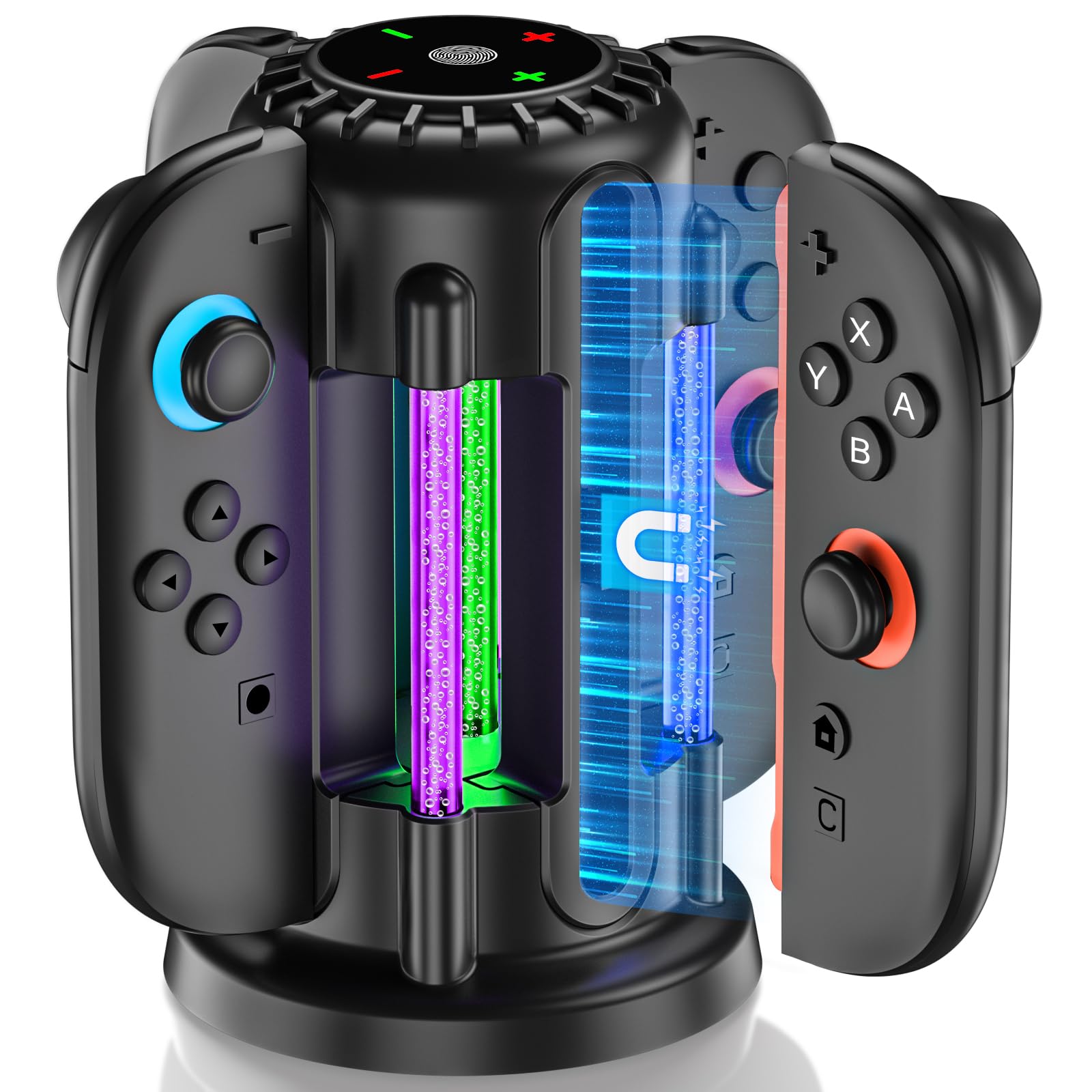
The maker rates a full charge of four Joy-Con controllers in 2.5 hours, and the magnetic slots grab each controller as soon as it gets close. Which side goes where is not something you have to solve at 1 a.m. — the slot marked “+” is for the right Joy-Con and the “-” slot is for the left. A built-in anti-overcharge chip stops the flow when the battery reaches 80% — the real value here for a dock that stays plugged in overnight.
The part that divides people is the lighting. There are 9 RGB ambient settings and 4 light effects — light off, six fixed colours, a breathing mode, and a monochrome alternation — driven by a fingerprint-style touch switch. Short tap to change colours, long press to kill the lights. If you want a quiet black dock with no glow, that is more machinery than you asked for. If your desk is already a lit-up setup, it fits right in.
Where your money goes: 2.4 A of current, eight RGB presets, and a charge cut-off at 80% — the safety behaviour, not the lights, is the strongest case for this one.
One thing to sort before it ships: no wall adapter is in the box, so you need a 5V/3A source or a spare USB port ready on arrival.
The one-line case: pick it for the fastest four-up charge and a desk that likes some colour.
The counterweight: the lighting rig is a lot of feature for anyone who just wants controllers topped up silently.
3. AceGamer 4-In-1 Charging Dock for Nintendo Switch 2 Joy-Con
No plus-side hunting, no rail alignment — four controllers go in face-up or face-down and charge either way.
AceGamer solves the one annoyance every magnetic dock owner knows: the moment of hesitating over which way the controller faces. Each of the four slots supports a left or right Joy-Con 2 in any orientation, so front-to-back placement never matters. You set the controller down, the magnets grab it, and charging starts. That is the whole interaction, and it is why this one suits a shared living-room setup where guests are the ones putting controllers back.
Power comes in over USB-C from the console dock, a charging hub, or a wall charger, and the maker rates a full charge in about 2.5 hours. The smart chip inside handles current limiting plus over-current, under-voltage, over-voltage, and short-circuit protection, and the panel is fireproof-rated in the listing. Red LEDs while charging, blue once a controller is full or the slot sits on standby — the status is readable from across the room.
Weighing this against the FYOUNG above: the AceGamer is a Switch 2-only station, so if you still have original Joy-Cons, it will not take them. That is the clear limit. For pure Switch 2 households that want a clean matte dock with anti-slip pads and no fuss, it delivers exactly what the listing promises.
The detail that sells it: any-direction slots mean no misalignment issues and no damage from forcing a controller the wrong way round.
The honest gap: Switch 2 Joy-Con 2 only — original 2017 and OLED Joy-Cons have no home here.
Who it fits: a Switch 2-only household that wants drop-and-go charging with zero orientation guesswork.
Who should keep looking: anyone with a mixed shelf of old and new Joy-Cons.
4. FASTSNAIL Switch Controller Charger
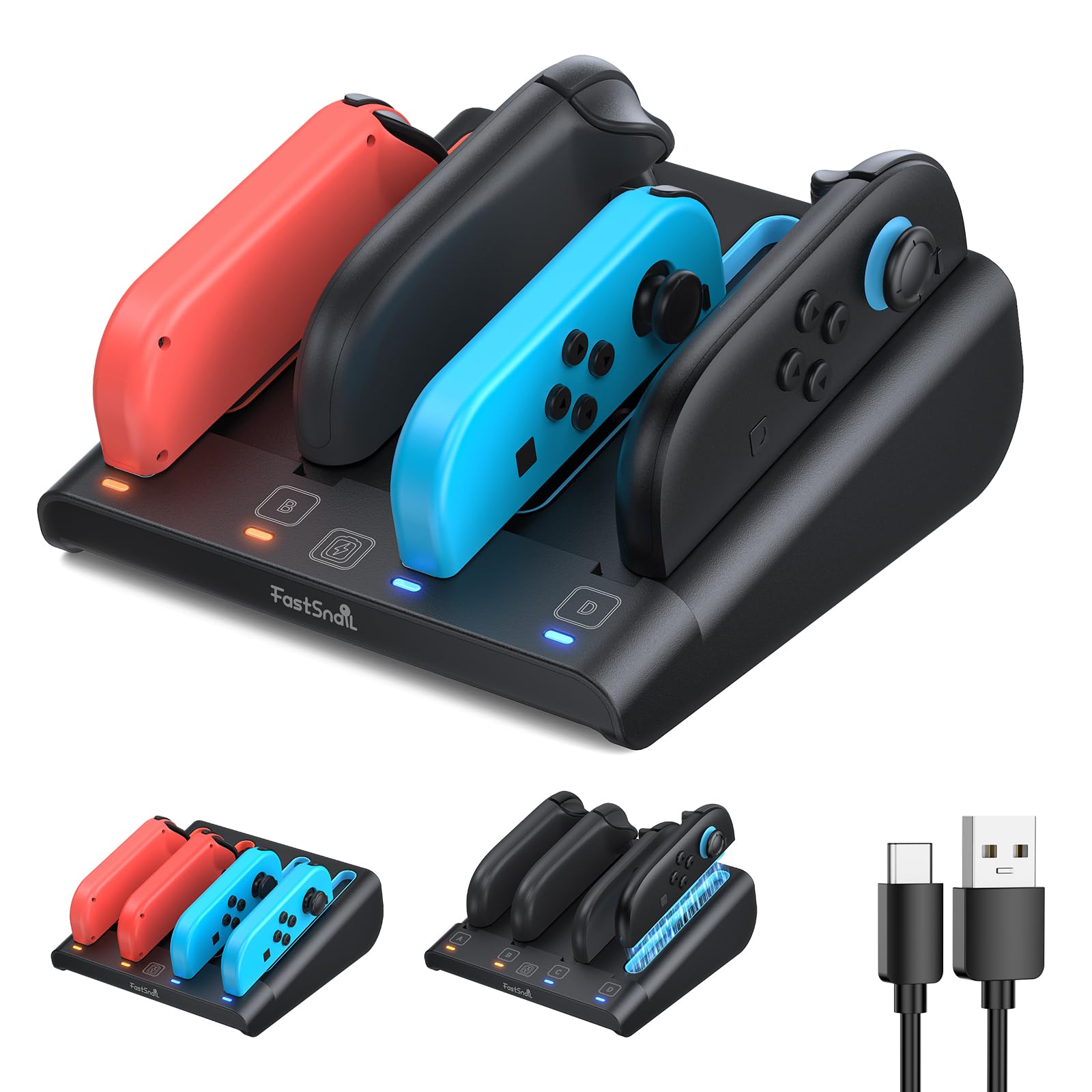
A dual-generation dock with its own power switch — so you can cut the draw entirely when the shelf is full.
FASTSNAIL’s station carries 8 charging interfaces too: 4 magnetic for Joy-Con 2 and 4 slide-in for the original Joy-Cons. It pulls 2 amps over USB-C, and the maker rates a full charge in roughly 2.5 to 3 hours. Where it separates from the FYOUNG is the one-touch power switch on the base — you can shut charging off completely instead of leaving a live station sitting there. For a dock that never gets unplugged, that is a genuinely useful little lever.
The feedback trends toward the practical. Functionality is what owners talk about most, and the recurring line is that it happily takes both Joy-Con generations on one stand. There is a strong convenience angle to charging several controllers at once, and the LED indicators — blue for full or standby, orange while charging — take the guesswork out of whether a pair is ready.
Two honest notes. Owners mention that third-party controller grips can crowd the slots, so if your Joy-Cons wear chunky grips, they may not sit side by side. And the build reads a touch light in hand with both controllers loaded, so treat the base with a bit of care. Neither outweighs the value of covering two generations with a switchable power draw.
Reasons owners keep it plugged in
- 8 interfaces cover Joy-Con 2 and original Joy-Cons on one base
- One-touch switch cuts charging entirely to save power and prevent overcharge
- Blue and orange indicators give a clear read on each controller’s status
- Built-in intelligent chip guards against overcharge, short circuit, over-voltage, and over-current
Small things to plan around
- Bulkier third-party grips can crowd neighbouring slots
- Frame feels a little light with both controllers seated
Pick it when: two console generations share your shelf and you want a hard off switch on the charging.
Think twice if: your Joy-Cons live in thick silicone grips all day.
5. Rysker Switch 2 Joycon Charger with 9 RGBs
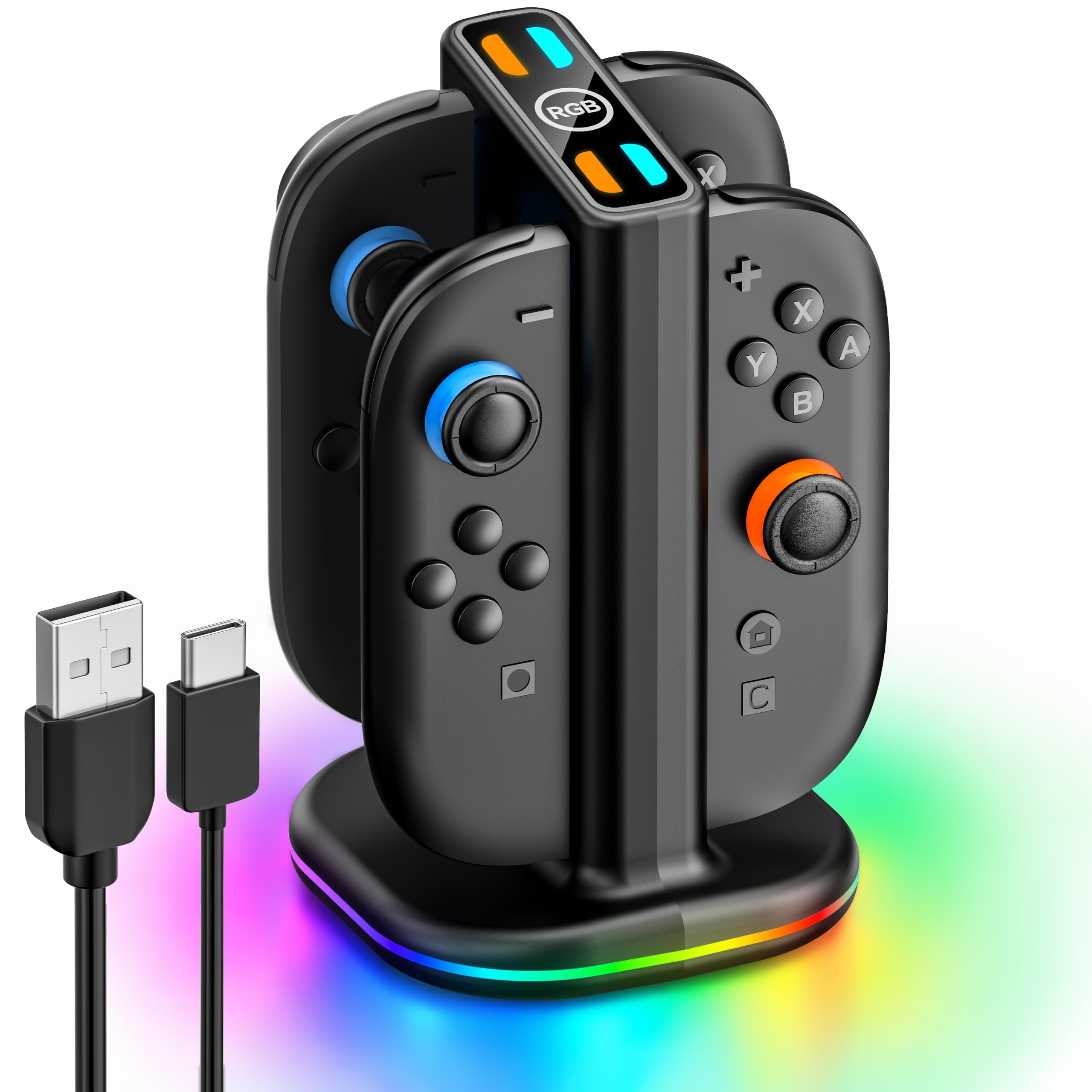
Upright, tidy, and lit — a charging stand that doubles as a display piece for fourJoy-Con 2 controllers.
This is the dock for someone whose gaming desk is part of the setup, not hidden under a TV. It stands upright at just 5.28 ounces, holds four Joy-Con 2 controllers, and charges them all in about 2.5 hours. The dual-directional magnetic slots mean you never worry about the plus and minus sides, and the maker points out that the magnetic hold also saves wear on the Joy-Con’s own magnetic rails compared with repeatedly plugging in.
The lighting is the headline and it is adjustable rather than fixed. Nine modes are on offer — seven static hues plus two dynamic animations — cycled with an LED button on top. Tap to move through them, hold for three seconds to switch the illumination off. That on-off control is what keeps this from being a desk toy you resent at night. Clear LED indicators on the top read blue for standby or full, orange while charging.
What owners describe is a charger that keeps the set organised and looking deliberate. The small footprint comes up a lot — it takes up very little desk space for four controllers and some glow. Just know the lighting is the reason to choose it over the plainer docks here; if you want zero ambience, the money goes toward something you will switch off.
The case for it: nine RGB modes with a three-second kill switch, wrapped around a four-slot charger that stands upright in 5.28 ounces of plastic.
The trade: it is Switch 2-only, and the RGB is the whole reason to pick it over a cheaper-feeling lightless dock.
Go this way if: your controllers live on the desk and you want them displayed with a glow you control.
Go another way if: you want the dock invisible and unlit.
6. Mumba Magnetic Charging Station
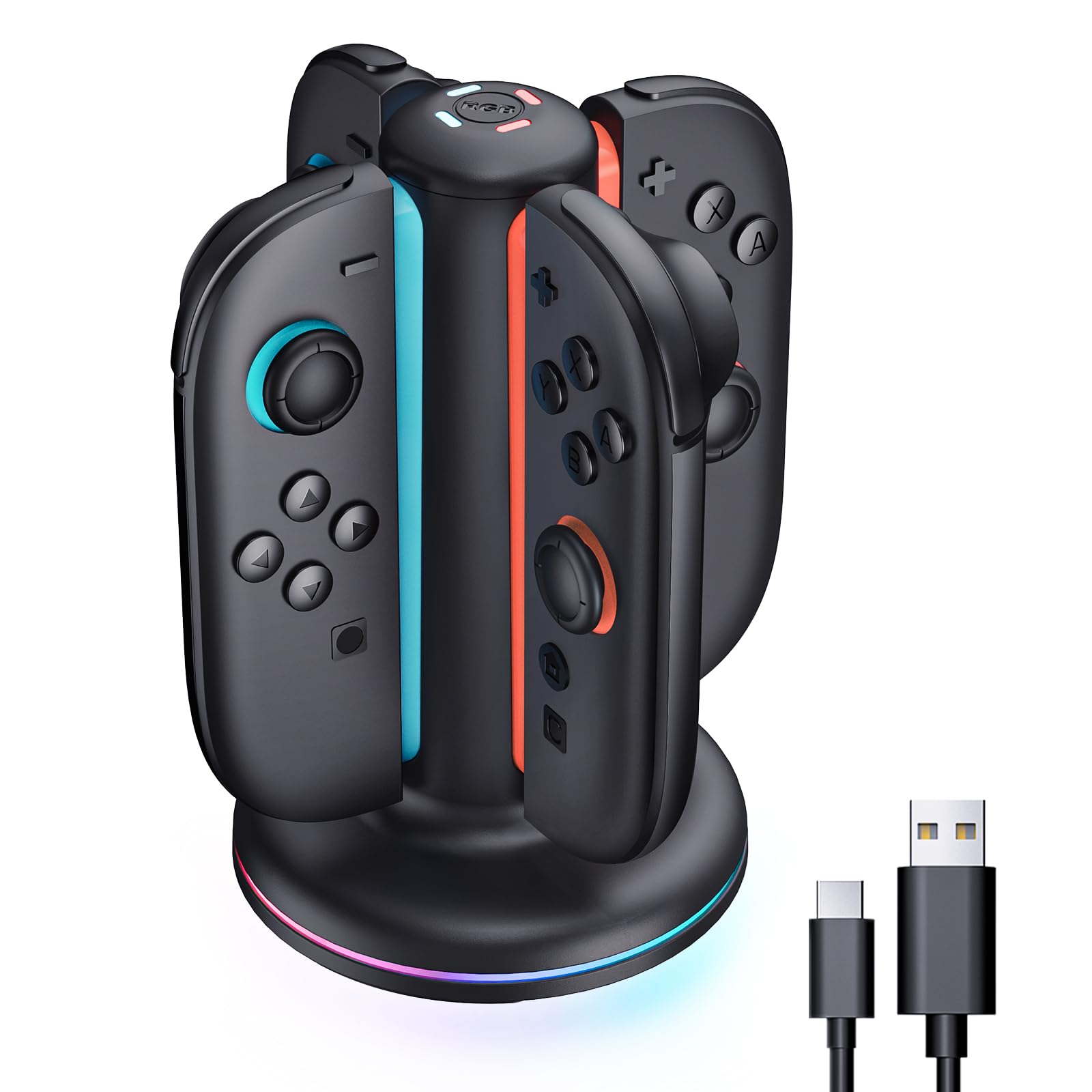
Built around one worry: that the Joy-Con’s own magnetic rails wear out from constant plugging.
Mumba sells this dock on a specific idea — that the magnetic surface does the holding, so the controller’s own magnetic rails are not worked as hard every time you dock. The listing is direct about it: a firm connection, and less wear on the Joy-Con’s rails over time. If you have ever wondered how long those little rails last on a controller you plug and unplug daily, that is the design bet you are buying here.
It charges four Joy-Con 2 controllers at 2 amps over USB-C, and the reversible slots take either side without alignment fuss. Inside is an intelligent chip that handles overcharge, overheat, and short-circuit protection, and the maker says it stops power automatically once the batteries are full. On the outside there is 9-colour RGB with fast and slow cycling modes, individual LEDs that glow orange while charging and blue when full, and a button you hold to switch the lights off.
The spec that decides it for some buyers: it arrives with a 0.8m USB-A to Type-C cable, and there is no wall adapter in the box. That is a shorter cable than some rivals here, so check the distance to your power source. If it reaches, what you get is a dock that reads as more considered than the budget options, with the rail-wear angle as its loudest argument.
The differentiator: the magnetic hold is designed to spare the Joy-Con’s own rails from daily friction.
The catch: a 0.8m cable and no adapter in the box means you may need to buy or reposition a power source.
The fit: you dock and undock four controllers every single day and want the hold doing the work instead of the rails.
The misfit: a power outlet more than a metre from your desk.
7. JSAUX EnergyFlow JoyCon Charging Dock for Switch 2
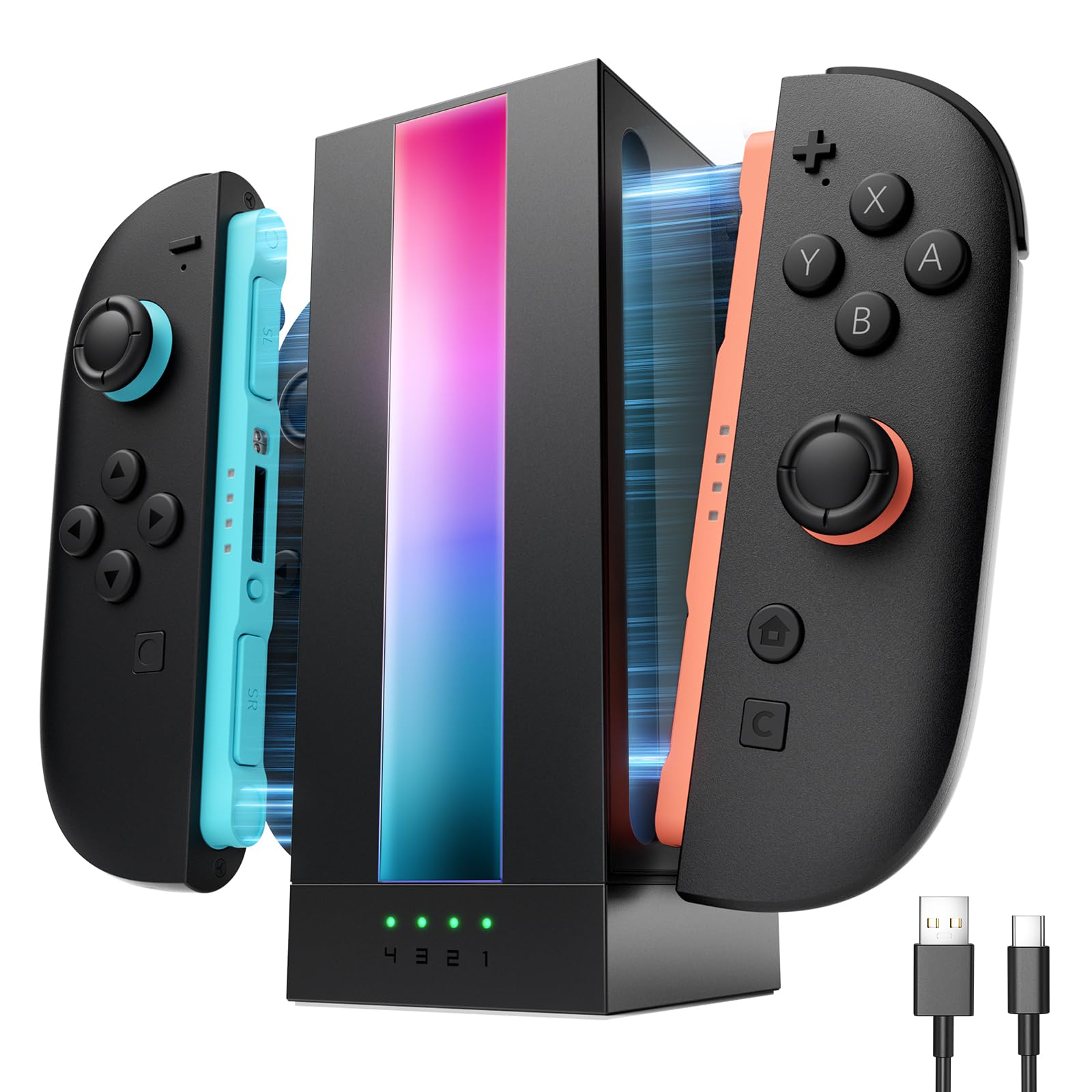
Two full pairs, charged in about 2.5 hours, with the longest cable of the docks here.
The JSAUX EnergyFlow is built for the four-player couch session — two pairs of Joy-Con 2 controllers charging at once, all four back in play in around 2.5 hours. It ships with a 1.5m USB-C cable, which is longer than the 0.8m cord on the Mumba and the short cord on the FYOUNG. If your dock sits on a shelf a little way from the outlet, that extra reach is the kind of detail you only appreciate after the first setup.
Each port has its own LED indicator, and the code is easy to remember: flashing green means charging, solid green means full or standby. One-touch RGB lighting runs along the bar and switches off with a button on top. The intelligent chip inside covers short-circuit, overcurrent, overvoltage, overheating, and overcharge protection. The listing also carries a one-year manufacturer warranty.
One thing to get right on day one: the slots are marked, and the minus and plus symbols on the Joy-Con need to line up with the matching symbols on the dock. That is a Switch 2-specific alignment point rather than a universal fit, and getting it wrong is how people end up frustrated. Follow the markings and the rest is drop-in simple.
What stands out: a 1.5 m USB-C cable — long enough for most shelves — plus a one-year manufacturer warranty and per-port green status lights.
What to get right: match the plus and minus symbols to the dock markings; it is the difference between charging and fiddling.
Choose it for: four-player nights where two pairs cycle through the dock and the socket is a metre or so away.
Pass it over for: mixing old Joy-Cons into the same dock — this one is Switch 2 only.
8. NinABXY Upgraded Switch 2 Charging Dock with 8 RGB Lights
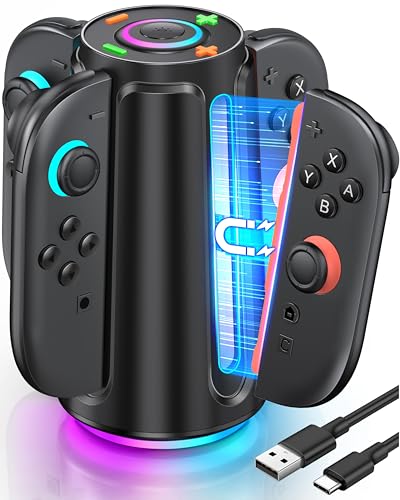
A two-hour full charge on four controllers, plus a night mode that kills every LED without stopping the charge.
The number that separates this one is charge time: the maker rates two pairs of Switch 2 controllers — four in total — at just 2 hours, against the 2.5 hours most docks here quote. The listing also quotes 20+ hours of gameplay per fully charged controller. For a bedroom or a living room where the dock is part of the furniture rather than a charging-only tool, that pairing of speed and quiet matters.
The night mode is the feature most docks skip. A three-second press of the top button turns off all LEDs — including the charging status lights — while charging carries on. The eight lighting modes cover chasing lights, fast and slow breathing, solid colours, and gradients, all cycled with a short press and no app involved. When the lights are on, the status system glows orange during charging and green when full or when a slot is empty.
Charging performance is what owners praise most. Controllers connect tightly, and people report it working as described over a few months of use. The mixed note is ease of use — the recurring gripe being that the charging connection is not always seated cleanly, so give each Joy-Con a firm push until it clicks. With a smart chip guarding overcharging, overheating, and short circuits, and a compact stand that keeps four controllers organised, it is a strong pick for the room where you actually play.
what separates it
- 2-hour full charge for four controllers, with 20+ hours of gameplay quoted per controller
- Night mode switches off every LED while charging continues
- 8 lighting modes plus one-touch cycling, no app needed
- Smart chip protects against overcharging, overheating, and short circuits
What to watch for
- Seating takes a firm push — controllers do not always click on the first try
- Switch 2 Joy-Con 2 only, so older controllers have no slot here
Best for: bedroom and living-room setups where a glowing dock at 1 a.m. would be a problem.
Not for: anyone wanting old Joy-Cons charged on the same stand.
9. afbptek Switch 2 Joy Con Charging Station
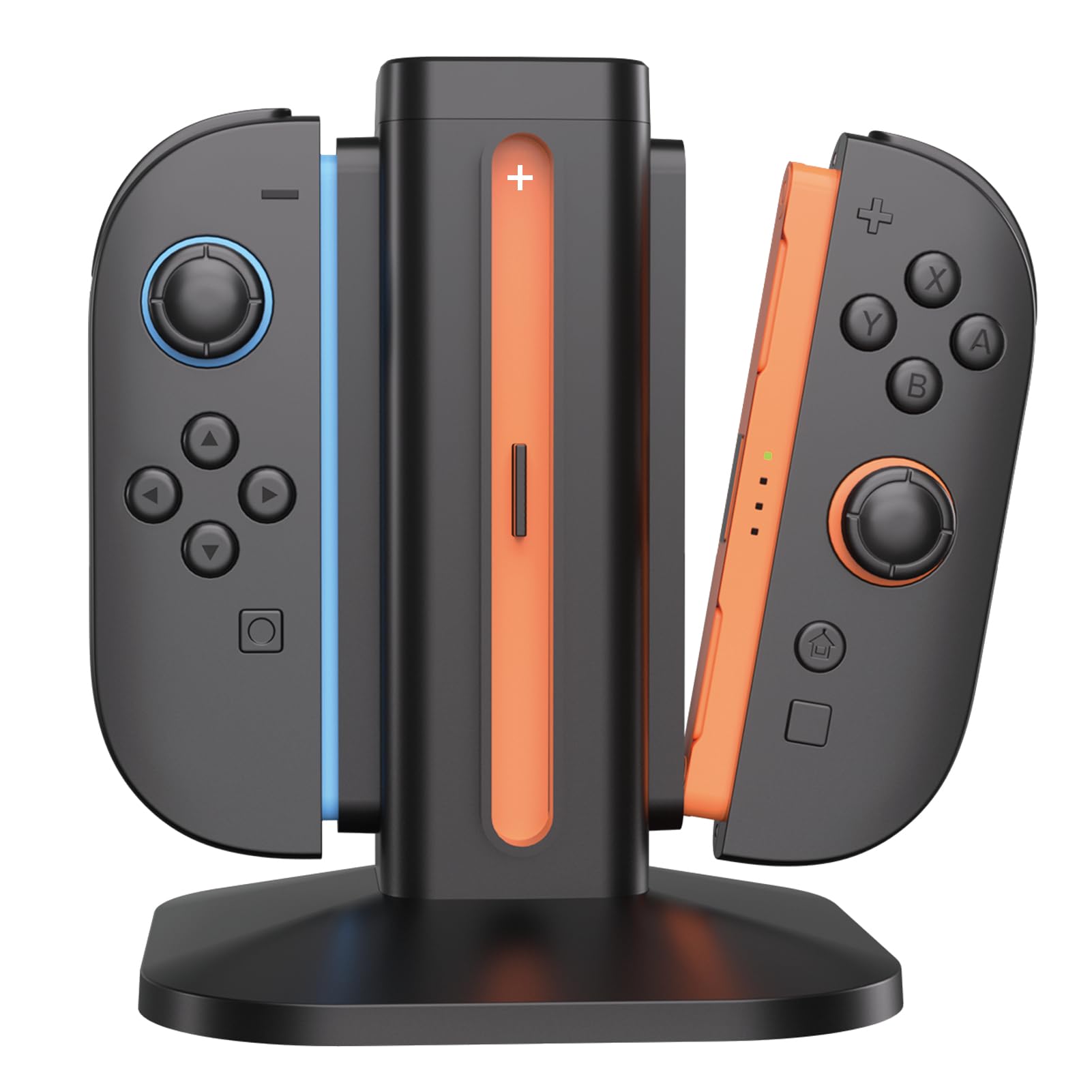
The no-frills option: four slide-in slots, LED status, and a stable black base that just holds the controllers.
Not everyone wants RGB, and this station is pitched straight at the person who does not. It charges up to 4 Joy-Con controllers at once, with built-in smart LED indicators showing the real-time status of each slot. Power comes in over USB-C at 1000 milliamps, so it runs happily off a hub or a wall adapter, and it is built within the same two-amp ceiling that the four-port docks here generally work inside.
The physical design is the tell. A modern black finish with a stable base that resists tipping, and slide-in slots that let you dock and pull controllers without fuss. Where the FYOUNG and FASTSNAIL carry both magnetic Joy-Con 2 ports and old-style slide-in ports, this one’s slots are the slide-in kind, so it is built around controlled insertion rather than snap-and-drop. It is a Switch 2 Joy-Con L/R station and that is the whole brief.
Consider it the plain spartan choice — the one you buy because it holds four controllers in a stack, shows you when they are full, and does not light up the room. It is a four-port station for Switch 2-only households that want the job done with no extras attached.
The straightforward case: four slots, LED status lights, a stable base, and powered off USB-C.
The plain truth: slide-in slots rather than magnetic snap-in, so it suits a tidy stored setup more than a drop-and-go one.
Worth it if: you want four controllers charged and displayed with no lighting fuss at all.
Not the pick if: you want magnetic drop-and-go or anything beyond Switch 2 controllers.
Know the Specs
Amperage (the current the dock draws)
Amperage is the amount of current a dock pulls from its power source, measured in amps. More current available means the dock can spread charging across several controllers without slowing down. The docks here range from 2 amps up to 2.4 amps, and the higher figure sits on the JAVRUNWOF dock. If you charge four controllers at once, more amps is the difference between all four finishing close together and one trailing behind.
Magnetic versus slide-in interfaces
A magnetic interface aligns itself, so the controller seats with a slight pull and starts charging. A slide-in interface works like the original Joy-Con rails — you guide the controller down a channel. Magnetic slots are faster to use and the reason a drop-and-go routine feels right. Slide-in slots can accommodate older Joy-Cons, which is why the dual-generation docks here carry both kinds on one base.
Overcharge protection and the cut-off level
A dock that stays plugged in needs to stop feeding power when the batteries are full. The listings describe intelligent chips that guard against overcharge, overcurrent, overvoltage, and short circuit. One dock here goes further and stops charging when the battery reaches 80%. That matters most if you leave controllers docked overnight out of habit rather than because they are empty.
Charge time for four controllers
Most four-port docks here rate a full charge in around 2.5 hours, with one quoting 2 hours and the FASTSNAIL listing at 2.5 to 3 hours. Treat these as the maker’s figures for charging four controllers at once from empty. If you only ever charge one pair, the difference between docks matters less than the number of slots and whether the slots fit your generation of Joy-Con.
Common Questions
Will these chargers work with original Switch 1 Joy-Cons?
Do I need to plug the dock into the Switch 2 console to charge?
How long does a full charge take on four controllers?
What does the amperage rating actually mean for charging speed?
Is it safe to leave Joy-Con 2 controllers on the dock overnight?
Can I dock a Joy-Con 2 the wrong way round?
Do these docks charge Joy-Con 2 controller grips or third-party pads?
Will a Switch 2 controller charger work with the original Switch dock?
What is the difference between a magnetic and a slide-in charging slot?
Should I buy a four-port dock if I only own one pair of controllers?
The Bottom Line
For most people, the switch 2 controller charger answer is the FYOUNG Switch 2/1 Both Charger. Eight interfaces cover both Joy-Con generations, it draws 2 amps over USB-C, and it folds down for travel — the combination that fits a mixed household better than any single-generation dock here. If you want the fastest four-up charge, the JAVRUNWOF Switch-2-Joycon-Charger holds the highest amperage at 2.4 and cuts charging at 80%. And if your dock sits in a bedroom, the NinABXY Upgraded Dock gives you the two-hour charge and a night mode that turns every light off while it keeps charging.
Every dock here does the core job: hold your Joy-Cons, charge them over USB-C, and cut power when they are full. Pick by generation first — Switch 2 only or both — then by if you want lights, a longer cable, or a faster four-controller charge. The FYOUNG covers the widest range of setups, and that is why it sits at the top.
How we choose
We do not accept paid placement. Every pick is matched to a real buyer and a real use-case; we do not hands-on test units.
Sources
Specifications: manufacturer listings and product documentation. Review insights: verified customer reviews, as of November 2026. Pricing: not shown on this page (it changes often); check the current price via the retailer link.
As an Amazon Associate, Tactical Gear Guy earns from qualifying purchases. This does not affect which products we feature.