Specs are compiled from manufacturer listings and verified buyer reviews and can change over time — please confirm the key details on the product page before buying.
Most drone repairs fail for one boring reason: the part was made for a different airframe. A set of blades listed for a Mini 3 Pro will not spin correctly on a plain Mini 3, and a battery sold as a “replacement” can be a millimeter too tall to seat. This guide sorts the spare parts that actually match a named drone from the ones that only claim to, and it puts the fitters, the power cells, and the safety gear in plain terms so you can fix what you own without buying a whole new aircraft.
This guide is built by comparing the manufacturers’ published specifications and the patterns across verified customer reviews, so you get each pick’s real strengths and trade-offs instead of marketing spin.
You will see which arms, props, and cells drop straight in, which ones need a steady hand with a T5 driver, and where a small accessory changes how you fly. The short version is that fitment beats every other claim on the listing, and this breakdown of the parts for drones is organized around exactly that.
Top Picks

How To Choose The Best Parts for Drones
Drone parts are not interchangeable the way phone cases are. A propeller is balanced for one motor pod, a battery is molded to one bay, and an arm hinge is machined for one airframe. Before anything else, check that the model name on the part matches the model name on your drone. If those two strings do not match letter for letter, stop reading the listing.
Match the sub-model, not just the brand
“For DJI Mini” is not a fitment. The Mini 3, Mini 3 Pro, Mini 4 Pro, Mini 4K, and Mini 2 SE are separate airframes with separate hubs. Some sellers list a range that includes your model but excludes the one you actually own. Check the compatibility line for the precise model, and read the exclusions too — listings often say a part fits the Mini 3 Pro but not the Mini 3.
Understand how drone batteries are rated
A battery listing gives you three numbers that matter: voltage in volts, capacity in milliamp-hours (mAh — the size of the fuel tank), and the cell count such as 1S or 3S (how many cells are wired in series). A 1S pack runs a tiny whoop-style FPV quad. A 3S pack like 11.1V feeds a larger camera drone. Chemistry matters as well — LiHV charges slightly higher than standard LiPo, and it will only work on drones built to accept that. A pack with the wrong voltage simply will not run your aircraft.
Budget your repair against the drone’s value
A hinge set is the cheapest way to keep an aircraft flying when a crash cracks the arm. The same logic applies to a 32-piece prop bundle: buying replacements in bulk means you are not grounded for a week after a single chipped blade. Spend up to the cost of the part you are replacing, but never let a cheap substitute put a motor or an airframe at risk.
Side-by-Side Comparison
The table puts the key spec for each part family side by side, so you can compare a hinge set against a battery without opening nine listings.
| Model | Best For | What It Is | Key Spec | Compatibility | Amazon |
|---|---|---|---|---|---|
| Ruko R111S Remote ID Module★ Best Overall | Staying FAA-legal and finding a lost aircraft | Remote ID module with GPS and beeper | 3 hours battery life | Ruko, DJI, and many other drones over 250g | Amazon |
| Front Arm Axis Replacement for Mini 3/Mini 3 ProBest Repair Value | Fixing a cracked or loose front arm hinge | Two front arm shafts with 6 screws and tools | 1.13 ounces | DJI Mini 3 and Mini 3 Pro only | Amazon |
| 32 Pcs Propellers for Mini 4K, Mini 2, Mini 2 SE & Mini SEBulk Best Buy | Bulk spare blades for the Mini 2 family | 32 blades, 48 screws, 3 screwdrivers | 0.634 ounces | DJI Mini 4K, Mini 2, Mini 2 SE, Mini SE | Amazon |
| 32PCS Propellers for Mini 4 Pro & Mini 3 Pro | Bulk spare blades for the Mini Pro line | 32 blades, 48 screws, 3 screwdrivers | 2.08 ounces | DJI Mini 4 Pro and Mini 3 Pro only | Amazon |
| BETAFPV Lava II 1S 320mAh LiHV | FPV whoop racing and freestyle | Five 1S LiHV cells with BT2.0 connector | 3.8 volts | 1S whoops with BT2.0, such as Air65 and Meteor65 Pro | Amazon |
| DJI Neo Intelligent Flight Battery | Extending Neo 2 flight time | Genuine DJI flight battery | Up to 19 minutes flight time | DJI Neo 2 | Amazon |
| HOVERAir X1 Battery | Spare cells for the X1 selfie drone | Intelligent flight battery | 1050 mAh | HOVERAir X1 only, not X1 PRO or PROMAX | Amazon |
| Potensic Atom 2 Original Smart Battery | Second battery for the Atom 2 | 2230mAh 17.18Wh intelligent flight battery | 32 minutes max flight | Potensic ATOM 2 only | Amazon |
| Blomiky 11.1V 3S 2500mAh Li-po | Replacing an aging 3S pack | 3S 2500mAh Li-po replacement cell | 27.75Wh | RUKO F11 series, SJRC F11, DEERC DE22 Pro, Contixo F24 | Amazon |
Detailed Reviews
1. Ruko R111S Remote ID Module
Our pick — 4.5+★ from 950+ verified ratings; the strongest balance of quality and price.
The safety net that makes your drone legal and findable in the same 13.5g package
If your drone weighs over 250g, this module is the part that keeps it on the right side of FAA rules. Remote ID is the broadcast standard that tells authorities where your aircraft is and who is flying it. The R111S handles that job while also doing something more useful day to day: with the built-in beeper switched on, a downed aircraft in tall grass starts chirping so you can walk straight to it.
The physical size is the reason people actually keep it mounted. At 13.5g (0.48oz) and 1.3 x 1.1 x 0.5 inch, it barely changes the balance of a lightweight drone. Compare it to a full sparing camera payload and you can see why it earns a permanent spot on the frame. Charging takes 40 minutes from the included USB-A to USB-C cable, and a full charge holds for up to 3 hours with the buzzer off or up to 2.5 hours with it on — enough for a long afternoon or several back-to-back flights.
The install bundle covers almost any airframe: two hook-and-loop pads, two double-sided tapes, one adjustable zip tie mount, and eight self-locking zip ties. That means one module can hop between aircraft instead of one per drone. Real-time tracking runs through the module’s app and pairs with the aircraft’s own positioning, and the maker lists a 500-1000 meter dual-positioning range. The one habit to build is charging from a low-wattage source — it is fussy about high-power chargers and will simply refuse a fast brick.
What earns it the top slot
- Built-in beeper makes a lost aircraft audible rather than invisible
- 13.5g and 1.3 x 1.1 x 0.5 inch keeps it out of the way on small drones
- 40-minute charge and up to 3 hours with the buzzer off
- Mounting kit included, so one unit serves several aircraft
- Works across Ruko, DJI Mini, Mavic, Avata, and many other models over 250g
Where it asks more of you
- Needs a low-wattage charger; a fast charger brick can stop it charging
- Battery life sits at the top of the wish list, with some owners wanting a longer window per charge
- Bluetooth pairing is the weak link in a small number of setups
Best for: anyone flying a drone above 250g who wants the legal box ticked and a better chance of finding a crashed aircraft.
Worth knowing: keep a basic low-wattage charger in your bag, because this module will not accept a high-power brick.
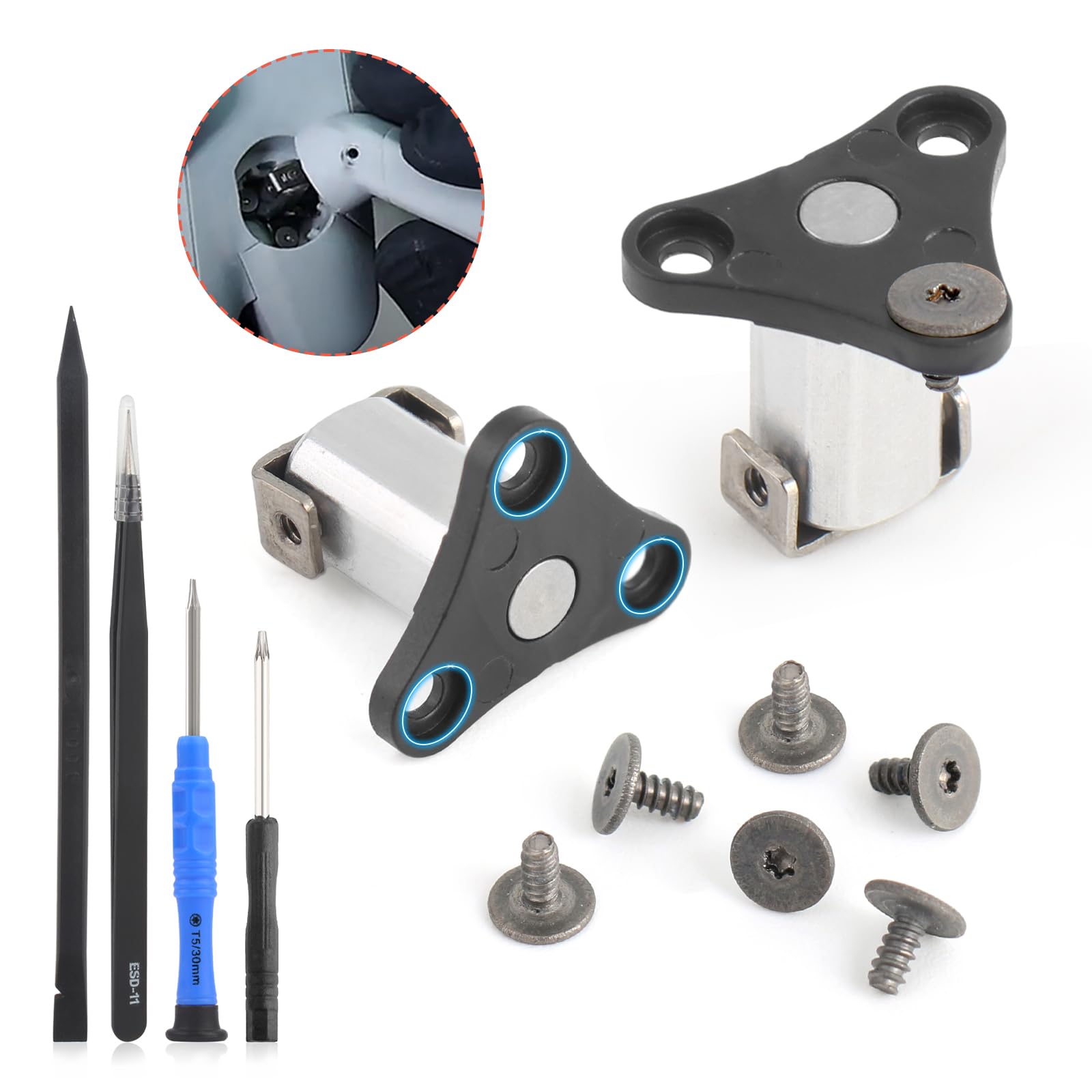
2. 2Pcs Front Arm Axis Replacement for DJI Mini 3
Two hinges and a screwdriver between a cracked arm and a parked drone
A Mini 3 Pro that has taken a hard knock or flown long enough to loosen its front hinge stops folding straight, and that usually means it will not fly right. This kit replaces that joint. You get two front arm shafts, six matching screws, and a set of drivers so the job can happen on a kitchen table rather than at a repair shop. The maker’s own guidance is blunt and worth repeating: if you have not done this before, hand it to a professional.
What wins people over is the quality of the machined parts — buyers consistently rate them above the cost of the alternative, and more than one describes the fix as an affordable route compared to replacing the whole aircraft. A hinge that fits without added weight matters on a Mini 3, because every gram up front shifts how the drone balances in the air. Buyers report the repair takes minutes once the tools are out, and at least one left the repair in place for a year with the drone still flying as before.
Check your model name carefully here. This kit is machined only for the DJI Mini 3 Pro and the Mini 3, and it will not fit any other airframe. The included tools — a T5 and T4 screwdriver, tweezers, and a crowbar — are the small parts that make the difference between a smooth install and a stripped screw head. skip it if your drone is a Mini 2, Mini 4 Pro, or any brand other than DJI.
Repair math: a hinge replacement is the cheapest way to keep a crashed Mini 3 in the air, and the parts arrive with everything needed to do the job.
Reach for this if you own a Mini 3 or Mini 3 Pro with a loose or broken front arm and want the fix on your own bench.
Look elsewhere if you fly anything other than those two models — the hinge geometry is specific and will not seat on another frame.
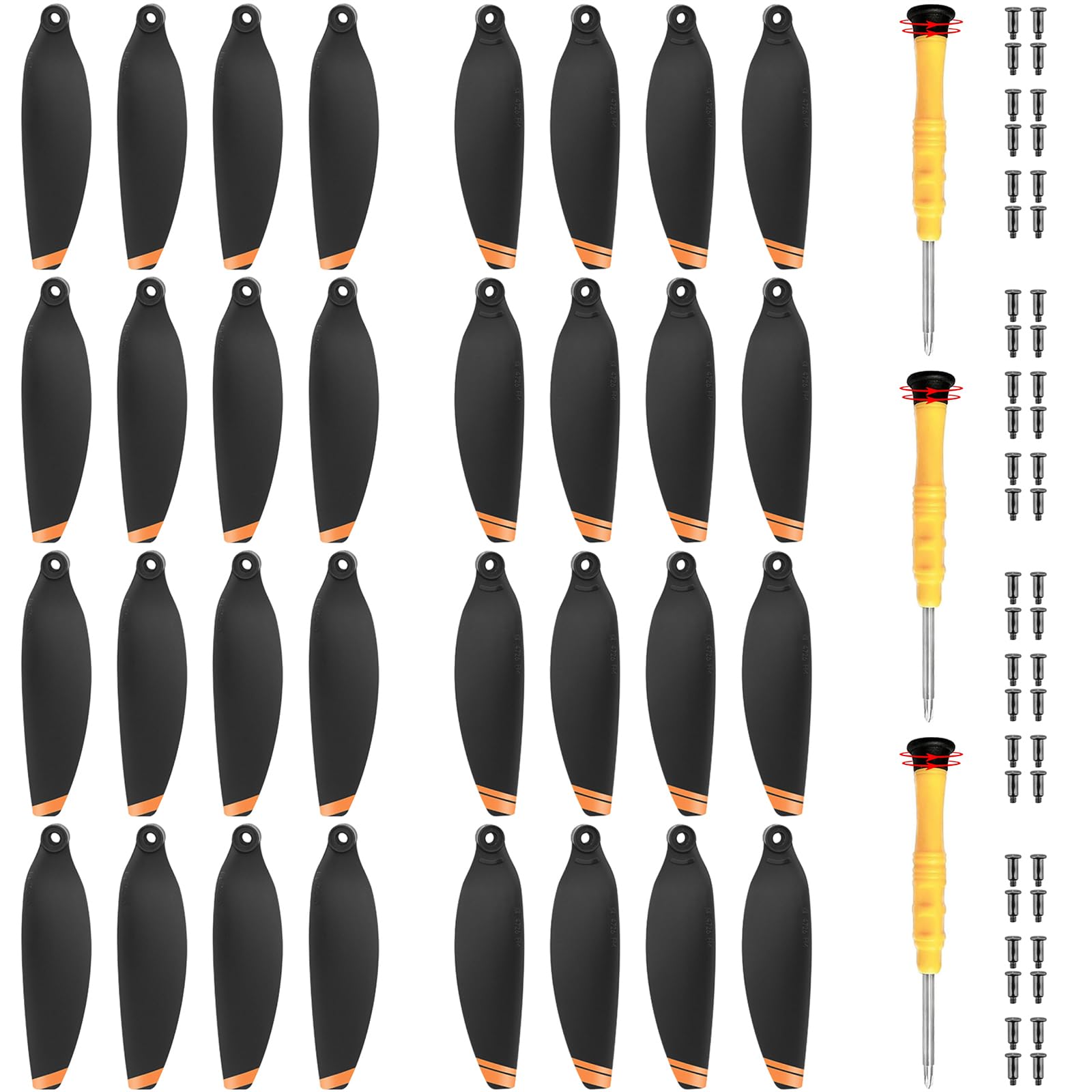
3. 32 Pcs Propellers Blades for DJI Mini 4K
A full season of spare blades that weigh less than a single AA cell
Chipped props are the most common reason a Mini sits in a drawer. This bundle answers that with 32 blades, 48 screws, and three screwdrivers, so you stop rationing the one spare set that came in the case. The blades are built for the Mini 4K, Mini 2, Mini 2 SE, and Mini SE, and the set is not an OEM part — the maker says so directly, and the fit and performance are what buyers judge it on.
Weight is the plainest way to see the difference between this set and the Mini 4 Pro bundle further down the list. These blades weigh 0.634 ounces per pack — if you set them beside the Mini 4 Pro set at 2.08 ounces, the lighter airframe on these is why they are tuned to the smaller motors. Lighter spinning mass means the drone holds its balance without the props fighting it, which is exactly what you want on a beginner-friendly Mini 4K.
The low-noise claim comes from a painted orange tip the maker uses in place of the rubber-tipped originals. Owners mention no change in battery life or handling, and a few think the blades are a touch more rigid than stock. There is a small catch: the blades do not come with an orientation guide, so line them up against the stock props before you install them. A blade mounted the wrong way looks correct and flies badly.
The value read: what the Mini 2 family needs is a pile of spare blades and a driver, and this pack covers that in one go with 32 props and 3 tools.
Pick this one if you fly a Mini 4K, Mini 2, Mini 2 SE, or Mini SE and want spare blades on the shelf before a chip grounds you.
Not for you if you fly a Mini 3 Pro or Mini 4 Pro — this set is tuned to the smaller minis and will not seat on those hubs.
4. 32PCS Propellers for DJI Mini 4 Pro

The bulk blade set that fixes a chipped Mini Pro without a trip to the shop
This is the same 32-blade, 48-screw, 3-driver package as the Mini 2 set above, but tuned to a different airframe. It fits the Mini 4 Pro and Mini 3 Pro only — not the standard Mini 3, and not the smaller minis. That distinction is the entire ballgame: a prop that fits the wrong hub throws vibration through the frame, and a Mini Pro chipped on a rock is a drone that will not fly straight until you swap the blade.
In raw weight, this set is 2.08 ounces versus 0.634 ounces for the Mini 2 blades, which tells you it is built for a heavier prop disc. The trade-off buyers mention most often is the screws. A small number find the included fasteners too short or too soft to seat properly on a Mini 3 Pro. The good news is that the blades themselves get praise, and the package includes three screwdrivers with rotating ends that fit the DJI screws — a small detail that stops a stripped head ruining the job.
Because the propellers are not OEM parts, line up one new blade next to a stock one on the same motor before you commit to the whole set. If the blades match, this bundle keeps you supplied for a long while. The screw question is the one honest snag here. Pair this kit with a spare set of quality screws if you plan to do the job on the field.
Ticks the right boxes
- 32 blades, 48 screws, and 3 screwdrivers in one box
- Blades listed for the Mini 4 Pro and Mini 3 Pro
- Bulk spares mean a chip no longer costs you a flight day
- Fitment matches the OEM blades for the models it names
Set aside a little care
- The included screws are the weak point — some owners find them short or soft
- Not compatible with the standard Mini 3, so check your model name
- Not OEM, so inspect orientation against the stock blade before installing
Best fit for a Mini 4 Pro or Mini 3 Pro owner who wants a drawer full of spare blades and knows to use a good screw.
Think twice if your airframe is the standard Mini 3 — that hub takes a different propeller and this set will not seat.
5. BETAFPV Lava II 1S 320mAh LiHV Battery
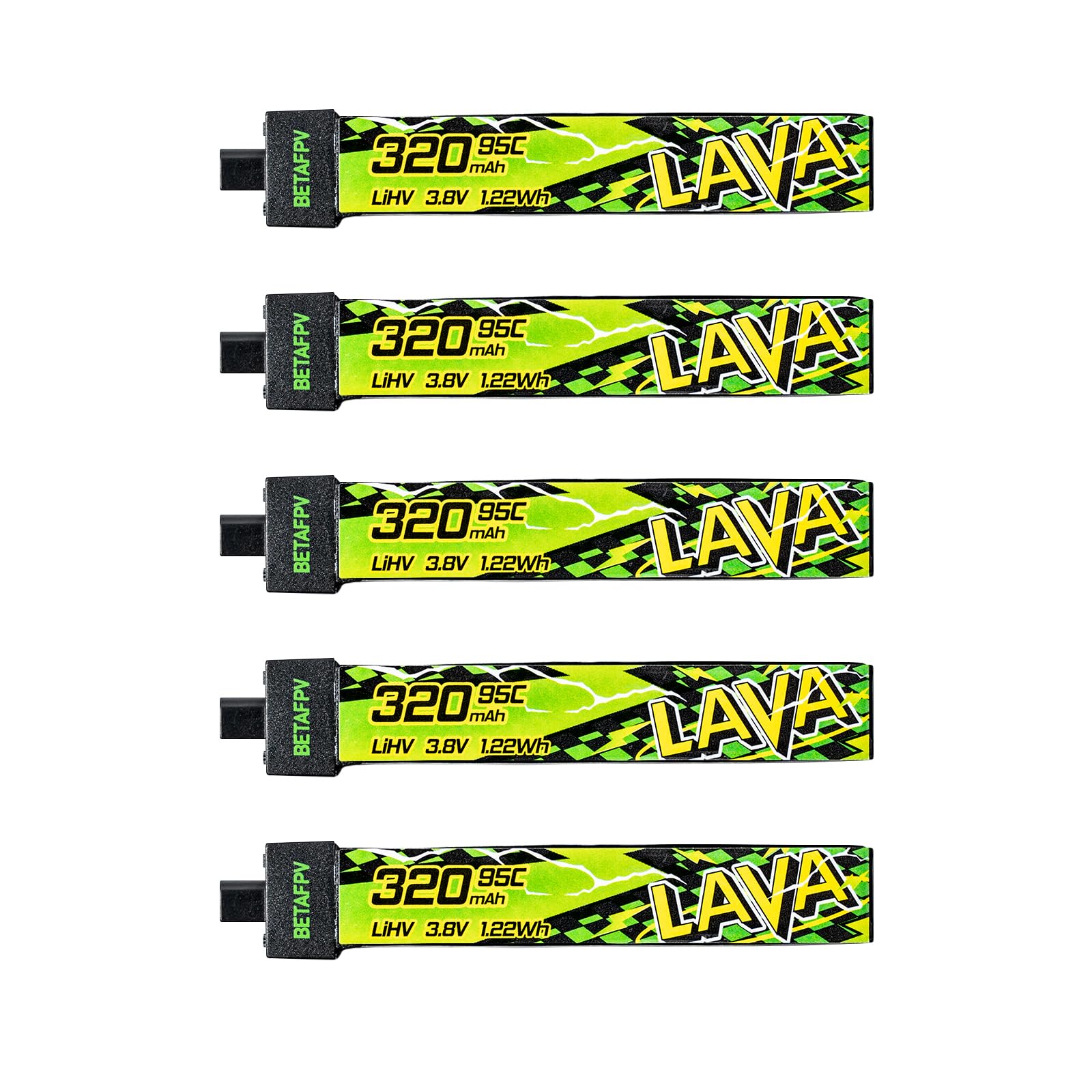
Five tiny cells built for whoop racing, where a second per lap is the whole point
If you fly a 1S whoop like the Air65, Meteor65 Pro, or Cetus FPV Kit, this pack is the fuel line. Each cell runs at 3.8 volts and 320mAh, and the 95C discharge rating (a measure of how hard a battery can dump current without sagging) is the part racers care about. A higher C-rating means the motors get full power on a hard throttle punch instead of a soft, sagging response.
What wins people over is the battery quality — that is the single most praised thing about this pack, and the performance sits right behind it. Owners describe it as the most reliable cell of a test group when comparing brands for race day. One buyer measured 30-45 seconds more flight time per flight, a small gain that stacks up over an afternoon of racing. The BT2.0 connector is a friction-fit type, so you must match it to a drone with the same connector — a BT2.0 frame will not take an XT30 pack and vice versa.
There is one recurring snag to plan for. Occasionally a cell arrives dead or weak from the start, and that is the thing to test before you trust a fresh pack on race day. Charge each one, check the cell voltage on the charger, and only then pack them in the race bag. At 1.6 ounces for the set, they add almost nothing to a whoop that already weighs very little, which is exactly what makes a 1S class fly cleanly.
Race-day read: if your whoop runs BT2.0 and 1S, the 95C rating and light 1.6-ounce pack are a direct upgrade in punch and flight time.
Grab this pack if you race or freestyle a 1S whoop and want punchy, consistent cells with a BT2.0 plug.
Pass on it if your drone uses a different connector or a higher cell count — the wrong plug cannot be adapted safely on a 1S airframe.
6. DJI Neo Intelligent Flight Battery, Compatibility Neo 2
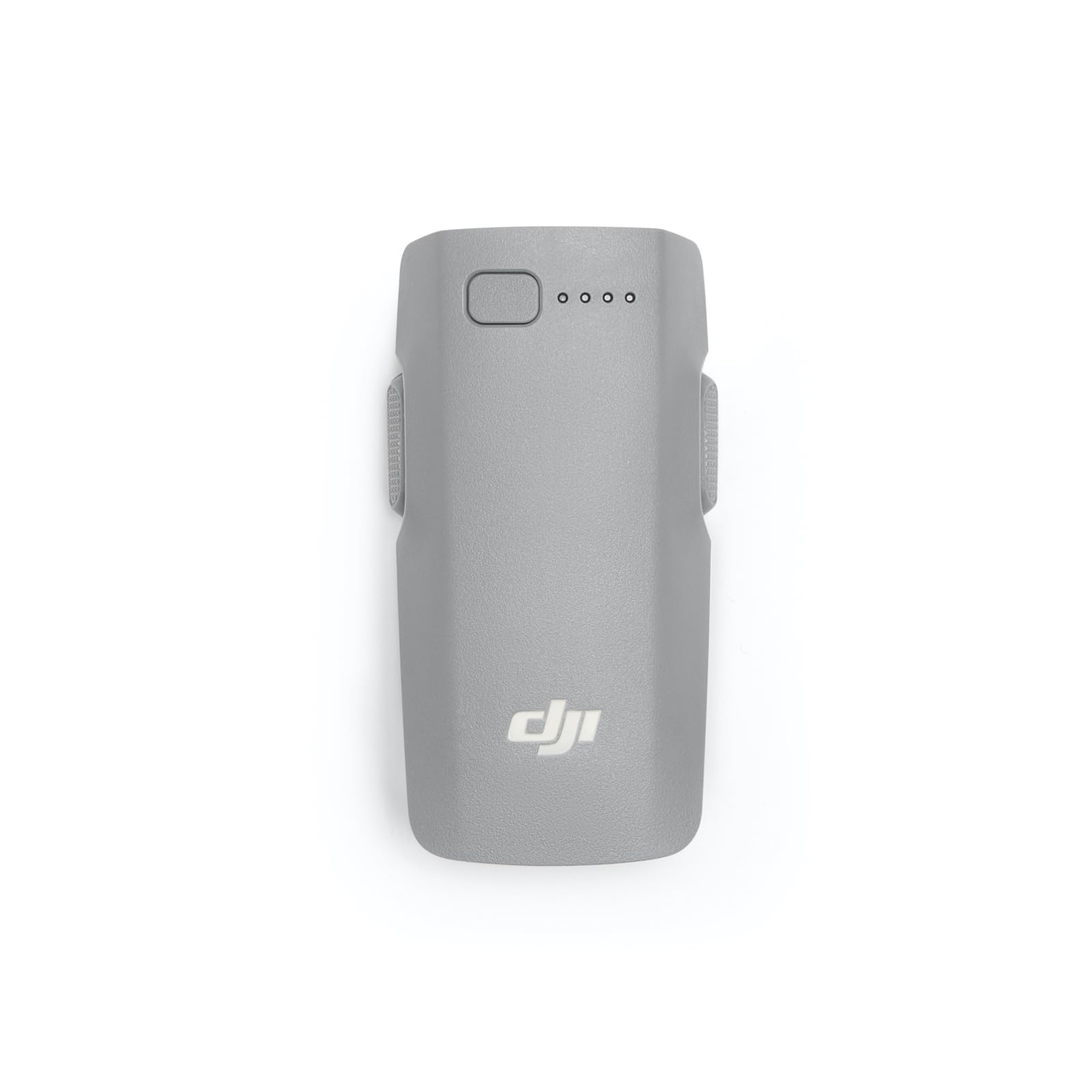
The official Neo 2 cell that keeps the palm-launch routine going past 20 takeoffs
A Neo 2 is a drone you launch from your palm for short, close-range clips, and the flight time is the whole rhythm of that. DJI rates this battery for up to 19 minutes of flight, measured flying forward at 4 m/s in a windless environment 20 meters above sea level with 1080p/30fps recording and the video mode off. In plain terms, that is a careful flying figure, and real flight will land somewhere under it depending on wind and how hard you push the motors.
More useful for the Neo 2’s palm-launch routine: DJI rates a full charge for over 20 takeoff and landing excursions in succession, using the Circle, Rocket, and Dronie modes at default settings. If your flying is a string of short clips from a hiking trail or a rooftop, that is what you feel day to day — a cell that carries you through a shoot without a mid-session recharge. Buyers confirm it is a sealed, genuine DJI cell that passes the charging and state-of-charge checks.
The catch is price. A single OEM cell sits near the top of the accessory price ladder, and buyers openly wish DJI offered a multi-pack discount. You also do not get more flight time than the drone’s own limits — 19 minutes is 19 minutes. If you want longer sessions, the answer is a second battery rather than a bigger one, because the Neo 2 bay is molded for this exact cell.
What you pay for: a sealed DJI cell that plugs into the Neo 2 with no adapters, no fitment guesswork, and the drone’s own battery management handling the rest.
Buy this if you own a Neo 2 and want a second genuine cell so a palm-launch session is not cut short by a recharge break.
Hold off if you own the original Neo — this battery is listed for the Neo 2 only and the compatibility line is narrow.
7. HOVERAir Batteries Accessory X1 Black

A spare cell for the X1 that buys you another run of pre-programmed flight paths
The HOVERAir X1 launches itself and flies canned paths, so its battery is measured in flights rather than minutes. Each cell is rated for approximately 20 intelligent flight paths, which is the number that matters if your X1 is a hiking companion or a family-event camera. Carry a spare and you double the number of runs before you have to find a socket. The cell is 1050 mAh and 12 volts, and it is rated to multiple layers of protection against over-charging, over-discharging, short-circuiting, over-voltage, over-current, and overheating.
What wins people over is the quality of the cell — that is the praise it draws, and it holds charge across hot and freezing temperatures in real use. It is light enough that packing two extra cells does not weigh down the pouch. The certification list — FCC, RoHS, and CE — is the paper trail you want on a small drone battery, and the seller’s warning is worth repeating: this battery fits the X1 only, not the X1 PRO or PROMAX.
The recurring gripe is battery life. The X1 is a small, hard-flying drone, and cells that see heavy use are known to swell over time, which is when they start lasting only a handful of minutes. That does not mean this cell is bad — it means that a swelling cell is a signal to retire it, not to keep pushing a full charge through it. Store spares around half charge and rotate between cells to spread the wear.
The honest read: a good X1 cell buys about 20 flights, and the smart move is two cells rotated rather than one cell hammered to death.
Worth it for X1 owners who want a second cell so an outing lasts longer than one battery’s run of flight paths.
Not the right cell for an X1 PRO or PROMAX, or for any drone outside the X1 line — the housing and voltage are specific to that airframe.
8. Potensic Atom 2 Original Smart Battery 1 Pack
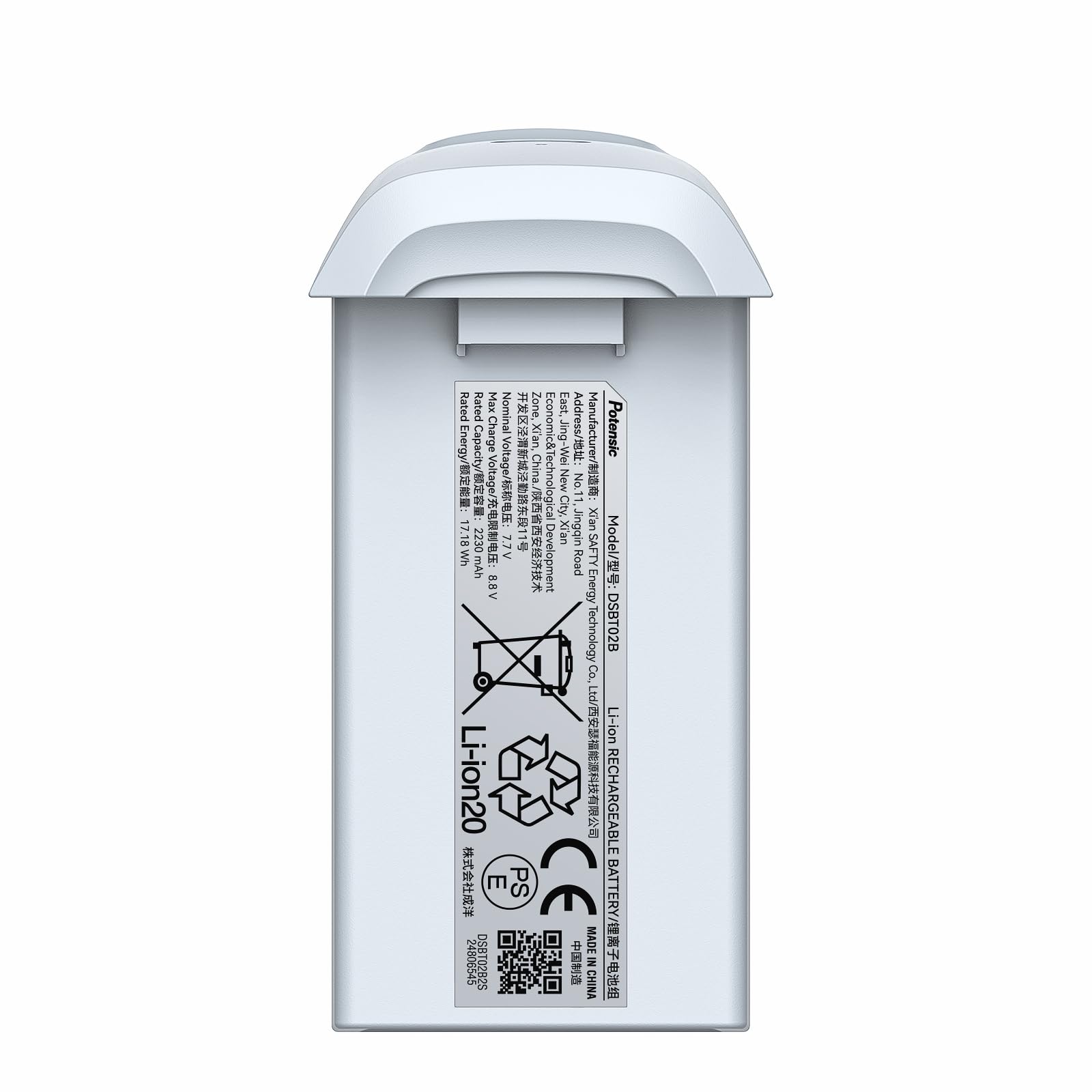
The 32-minute cell that turns the Atom 2 into a longer shooting session
Battery life is the thing people change when they buy a second drone battery, and this one is rated for a max of 32 minutes of flight on a single cell. That is the number to compare against the Neo 2’s 19-minute cap — 32 minutes is a markedly longer single-session window. Owners describe good charge capacity for a flight in the half-hour range, though as with any flight figure the real-world run depends on wind, camera work, and how hard you climb.
The cell is a 2230mAh 17.18Wh intelligent flight battery, and it carries the drone’s own power management rather than sitting outside it. That is a small spec on paper and a big difference in use: it means the drone reads the cell, reports percentage accurately, and charges in the same cycle it was designed for. The battery quality is what draws the praise, with battery life close behind. It is also a Potensic original, sold as a single replacement cell.
A year of limited warranty covers the cell, which is unusual at this accessory level. The honest limit is compatibility. This is an ATOM 2 battery and it will not run the earlier Atom or any other airframe, so you do not get flexibility across a fleet. If you fly the Atom 2, that is not a problem. If you are building a mixed hangar, this cell is a single-purpose buy.
The case for it: 32 minutes, real power management, and a year of coverage on a cell that fits exactly one model — the Atom 2.
Choose this when the Atom 2 is your drone and you want the longest single-cell window it can carry.
Skip it for any other Potensic model or any non-Potensic drone — the bay and the connector are specific to the Atom 2.
9. Blomiky 11.1V 3S 2500mAh Li-po Battery
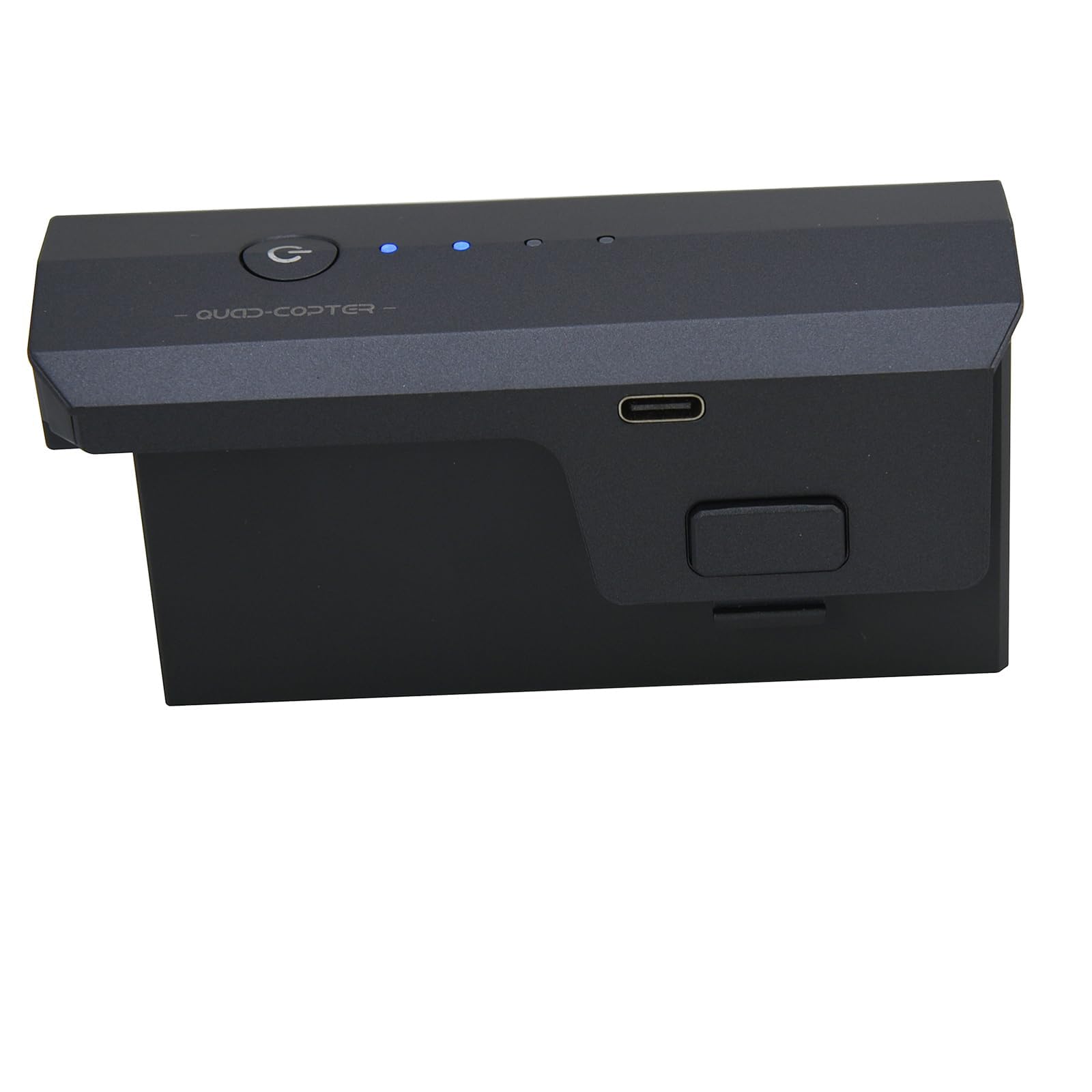
A third-party 3S pack that brings an older camera drone back online
This is the cell for drones a few years old, where the original pack is tired and the maker no longer sells one. It is rated 11.1 volts, 3S, and 2500mAh at 27.75Wh, and it is sized for RUKO F11 series, SJRC F11, DEERC DE22 Pro, and Contixo F24 airframes. The 3S figure means three cells wired in series, which is the voltage class those camera drones use — a 1S or 2S pack simply will not run them.
The battery quality is the praise it draws, with functionality very close behind. Owners describe it as a solid backup that works as advertised and delivers field flight time close to the maker’s claim. That is the honest best case. The reality of third-party packs is variation, and the pattern here is power dropping off when a cell sits in storage for a long stretch. Charge it to about half before storage, and top it up before a flight day, and you avoid most of that problem.
The thing to check first is physical size. This cell has a molded shape for specific drone bays, and there are reports of a pack swelling until it no longer fits the bay. Measure the old battery against the 4.08 x 1.7 x 1.88 inch footprint before you buy, and if it does not match, do not force it. A 3S cell that swells will not go into the bay the drone was built around, and the fit is the one bad variable this cell cannot fix.
Worth checking: match the footprint to your old cell, match the grey or black color variant of the RUKO model, and this pack does the job it was made for.
Reach for it when your older RUKO, SJRC, DEERC, or Contixo drone’s original pack has aged out and no OEM cell exists any longer.
Do not force it if the footprint is a few millimeters off or the model is the white-color version — the fit and voltage are both specific to the black and grey airframes.
Know the Specs
Battery Voltage and Cell Count
Look at the voltage in volts and the S-count, such as 1S or 3S. A 1S pack runs around 3.8 to 4.2 volts and drives small whoop drones like the BETAFPV Lava II. A 3S pack at 11.1 volts feeds a larger camera drone such as the RUKO F11. The two are not interchangeable: a 1S cell in a 3S airframe will not spin the motors, and a 3S pack in a 1S slot will not fit the bay. Match the voltage first, then the capacity in mAh.
Discharge Rate and Connectors
The C-rating tells you how hard a cell can release current without sagging — a 95C pack like the Lava II is built for the high current draw of race motors. The connector is the other half of that story. BT2.0 is a friction-fit plug used on 1S whoops; a drone built for BT2.0 will not accept an XT30 pack, and the two are not safely adapted. Check the plug on your drone and buy the battery with the same connector type.
Fitment and Model Match
Most drone-part returns come from listings that name the brand but not the sub-model. A propeller set sold for the Mini 4 Pro and Mini 3 Pro will not fit the standard Mini 3, and a front arm hinge made for the Mini 3 will not seat on a Mini 2. Read the compatibility line for the exact model and the exclusions before you buy, and check for the word OEM if you care about matching stock components.
Weight and Balance
Every part you add changes how the aircraft balances. A 13.5g Remote ID module is small enough to ignore. A heavier prop set shifts the disc mass, which is why the Mini 4 Pro blades weigh 2.08 ounces while the Mini 2 blades weigh 0.634 ounces — the motors are tuned to the lighter disc. On a small drone, keep added parts light and add weight only when the part earns it.
Common Questions
Will a propeller set for the Mini 3 Pro fit the standard Mini 3?
Do I need a Remote ID module for my drone?
How do I charge a battery that will not take a charge?
Is a 1S whoop battery interchangeable with a 3S camera drone battery?
How can I tell if a drone battery is genuine OEM?
Is a front arm hinge replacement something I can do myself?
Will a battery for the HOVERAir X1 work in the X1 PRO or PROMAX?
How long does a drone flight battery last before it needs replacing?
Do the bulk propeller sets come with the tools I need?
Can I use a third-party battery in a DJI or Potensic drone?
The Bottom Line
For most people, the right first purchase among the parts for drones is the Ruko R111S Remote ID Module, because it covers the legal requirement and gives you a beeper to find adowned aircraft in the same 13.5g unit. If you just cracked a front arm, the 2Pcs Front Arm Axis Replacement is the fix — the highest-rated pick on this list and built for the Mini 3 and Mini 3 Pro only. And for anyone flying a 1S whoop, the BETAFPV Lava II delivers the punch and the reliability a race day demands. The Remote ID module is the only pick here that covers both the FAA requirement and lost-drone recovery in one 13.5g unit.
How we choose
We do not accept paid placement. Every pick is matched to a real buyer and a real use-case; we do not hands-on test units.
Sources
Specifications: manufacturer listings and product documentation. Review insights: verified customer reviews, as of November 2026. Pricing: not shown on this page (it changes often); check the current price via the retailer link.
As an Amazon Associate, Tactical Gear Guy earns from qualifying purchases. This does not affect which products we feature.