Specs are compiled from manufacturer listings and verified buyer reviews and can change over time — please confirm the key details on the product page before buying.
If your desk space is tight but you still want real 3D printing, buy a compact machine that levels itself and leaves you enough room for a monitor. The Bambu Lab A1 is the one to beat: it is the crowd favorite here at 4.5+ stars across 700+ ratings, and it calibrates on its own so you can go from box to first print without touching a knob. The picks below all fit a small footprint, and each one is here because it solves a different problem.
This guide is built by comparing the manufacturers’ published specifications and the patterns across verified customer reviews, so you get each pick’s real strengths and trade-offs instead of marketing spin.
You will see where a resin machine beats a filament one on fine detail, and where a kids-first printer trades speed for simplicity. Every pick below earns its spot on footprint, calibration, and what actually comes off the build plate — which is exactly how you narrow down the right small form factor 3d printer for your own desk.
Top Picks

How To Choose The Best Small Form Factor 3D Printer
A small printer is not just a shrunken version of a big one. The parts that matter change when the machine has to live on a desk beside your keyboard. Here are the four things to weigh before you buy.
Build volume versus the box on your desk
The build volume is the actual space a print can occupy — for example the Creality K2 SE gives you 220 × 215 × 245 mm of usable room. That number matters far more than the outer dimensions of the machine. A printer with a tall outer frame can still be narrow enough for a bookshelf. Measure the shelf, then compare the footprint spec, not the shipping box.
Auto leveling is the feature that saves your weekends
Bed leveling sets the gap between the nozzle (the tip that squirts melted plastic) and the build plate. Get it wrong and the first layer peels up or the nozzle scrapes. One-click and full-auto systems do this measurement for you with a sensor. Look for words like CR Touch, auto Z-offset, or 16-point leveling in the listing — that tells you the machine probes the bed itself.
FDM or resin: pick your detail level
Filament printers (FDM) melt plastic wire and are the friendlier choice for a home desk. Resin printers cure liquid plastic with a light screen and produce finer surface detail, but they need gloves and careful handling. If you want miniature figures with crisp edges, resin wins. If you want toy parts and functional brackets, filament is calmer to live with.
Speed ratings and what they really mean
Top speed in mm/s is a headline number. Acceleration in mm/s² tells you how fast the print head reaches that speed, and that is what you feel in real print times. A machine quoting 10,000 mm/s² reaches its cruising speed far quicker than one at 2,500 mm/s². Both numbers together, not speed alone, decide whether a small part takes minutes or an hour.
Side-by-Side Comparison
Every printer below is sorted so a buyer can scan the three specs that decide the purchase. Weight tells you how easily the machine moves from desk to closet. Build volume tells you what fits on the plate. Speed tells you how quickly a small part finishes.
| Model | Best For | Build Volume | Top Speed | Weight | Amazon |
|---|---|---|---|---|---|
| Bambu Lab A1★ Best Overall | All-round starter | — | 10,000 mm/s² accel | 22 lb | Amazon |
| TEQStone M1 MiniKids and First-Timers | Kids and first-timers | — | 250 mm/s | 8.8 lb | Amazon |
| Creality Ender 3 V3 SEValue Learner | Learning the craft | — | 250 mm/s | 19.8 lb | Amazon |
| ANYCUBIC Photon Mono 4 | Fine miniature detail | 6.04 x 3.42 x 6.49 in | — | 7.7 lb | Amazon |
| TINA2S | Dorm and classroom | — | — | 6.4 lb | Amazon |
| AOSEED AI Printer | Supervised kid use | — | 400 mm/s peak | 8.82 lb | Amazon |
| FLASHFORGE Adventurer 5M | Speed on a budget | 220 x 220 x 220 mm | 600 mm/s | 23.8 lb | Amazon |
| Creality K2 SE | Multicolor projects | 220 x 215 x 245 mm | 500 mm/s | 27.5 lb | Amazon |
| Bambu Lab P1S | Enclosed all-rounder | — | 500 mm/s | 38.9 lb | Amazon |
Detailed Reviews
1. Bambu Lab A1 3D Printer
Our pick — 4.5+★ from 750+ verified ratings; the strongest balance of quality and price.
The desk printer that calibrates itself, so your first print happens minutes after unboxing, not days.
What a beginner actually wants is a machine that works before you understand it. The A1 delivers that: full-auto calibration handles the Z-offset (the nozzle height above the plate) and bed leveling on its own, so there are no paper-shim rituals. Owners describe it as a workhorse that prints straight from the start. A 10-year-old can run it independently.
Speed is the second thing you feel. The A1 accelerates at 10,000 mm/s² — a measure of how quickly the print head reaches its fast travel speed. Against the Creality Ender 3 V3 SE at 2,500 mm/s², the Bambu figure is a straight 4.0x gap on paper, and in practice it means small brackets and toys finish in a fraction of the wait. Active flow rate compensation keeps the extruded plastic even while it moves that fast, so the speed does not cost you surface quality.
Where owners push back is the multicolor path. The A1 does single-color printing from the start; the AMS lite (the four-spool feeder) is a separate buy or comes in the Combo version, and the extra tubing and accessories it adds are a whole second setup. Plan on plain PLA first and treat color as an upgrade. At 22 pounds and measuring 21.76 x 20.83 x 12.87 inches, it wants a real desk corner rather than a shelf — noticeably heavier and larger than the ANYCUBIC Photon Mono 4 at 7.7 pounds and 10 x 10 x 15 inches.
Quiet matters more than you think when the machine sits three feet away. Active motor noise canceling keeps the A1 from dominating a room, and the touchscreen and 1-clip quick-swap nozzle mean maintenance is a two-minute job rather than a rebuild.
What earns the top spot
- Full-auto calibration removes the biggest beginner failure point
- 10,000 mm/s² acceleration finishes small parts in a hurry
- Active motor noise canceling keeps desk work calm
- 1-clip nozzle swap makes cleaning and changing simple
What to know before ordering
- Multicolor needs the AMS lite, which is a separate cost and setup
- At 22 lb it is a fixed-desk machine, not a pack-and-go one
Take this one if: you want the least possible friction between a spool and a finished print, and you have a permanent desk corner to give it.
Hold off if: multicolor is your whole reason for buying — the AMS lite is not in the base box.
2. TEQStone M1 Mini 3D Printer
The 8.8-pound starter box built around one idea: nobody should have to touch a leveling knob.
Set this beside a kid’s desk and the appeal is immediate. It comes with pre-sliced models already on the SD card, so the first print needs no computer and no slicing software. Setup runs about 15 minutes from unboxing. The 16-point fully automatic leveling system probes the plate and compensates for uneven spots, and the auto nozzle cleaning routine handles the second-print routine that usually goes wrong. A first-timer genuinely does not touch anything.
The direct drive extruder is the detail that lifts this above typical budget starters. It feeds filament from a geared unit sitting right at the nozzle, which lets it push flexible TPU as well as plain PLA. Cheaper Bowden-style printers (where the filament travels through a long tube) struggle with soft material. That opens up squeezable toys and wearable items, not just rigid shapes.
Speed lands at 250 mm/s, and the listed benchmark is a standard boat model in 29 minutes — the kind of number that matters when a nine-year-old is watching. Owners rave about the print quality, and it fits a 10.1 x 15.9 x 10.6-inch footprint. One honest limit: the material menu tops out at PLA and TPU, so PETG is off the table for now. That rarely bothers a first printer.
Family-desk fit: quiet enough to run in a bedroom, light enough at 8.8 pounds to shift between rooms, and the spring steel PEI plate pops prints off without a scraper.
Safety detail worth naming: filament break detection pauses the job if the spool runs dry, which saves a half-finished toy.
Reach for this if: a child will be the primary operator and you want zero calibration help needed from you.
Look elsewhere if: you already know you need PETG or engineering filaments.
3. Creality Ender 3 V3 SE
A patient teacher of a printer — it makes you learn the craft, then rewards you for it.
The Ender 3 V3 SE is the pick for someone who wants to understand 3D printing rather than just press start. It runs at 250 mm/s with 2,500 mm/s² acceleration, which is real speed but a clear step below the Bambu A1’s 10,000 mm/s² — the Bambu reaches its cruising pace roughly four times faster by that measure. What you get instead is a machine that teaches you what a first layer should look like. Owners put it the same way: it makes you learn the craft, and then it just works.
The hardware under the hood is more serious than the price tier suggests. CR Touch auto leveling and automatic Z-offset get you a reliable first layer, backed by dual synchronized Z-axis lead screws and precision Y-axis linear shafts that cut down on wobble across long jobs. The Sprite direct drive extruder feeds PLA, PETG, and TPU without complaint, and the flexible PC spring steel plate releases parts with a quick flex. A 32-bit silent mainboard keeps the volume down for a corner-of-the-room setup.
Be honest about the two soft spots before you commit. Setup instructions are the most-discussed weak point — the assembly itself is straightforward because most parts only fit one way, but the paperwork is thin. And this is a hobbyist’s machine: consistency improves as you learn the machine.
What it rewards: quality hardware and a genuine learning curve — a real starting point for someone who wants to tinker, not just consume.
The fair caveat: expect to spend an evening dialing it in; the manual will not do that for you.
Made for: tinkerers and students who want to understand every part of the process.
Not the one for: anyone who wants a hands-off appliance — the setup asks for your attention.
4. ANYCUBIC Photon Mono 4 Resin 3D Printer

Miniature detail that filament simply cannot reach, from a machine that weighs less than a gallon of paint.
This is a different animal from everything else here. Resin printing uses a light screen to cure liquid plastic layer by layer, and the Mono 4’s 7-inch 10K mono LCD pushes a 9024×5120 resolution with each pixel measuring just 17×17μm. Translate that: edges stay crisp on figures only an inch and a half tall. The LighTurbo matrix light source spreads the exposure evenly to keep layer lines and rasterization out of the surface.
It is also the smallest and lightest pick on this list at 7.7 pounds and 10 x 10 x 15 inches — a genuine shelf unit. Compare that with the Bambu A1’s 22 pounds and 21.76 x 20.83 x 12.87 inches and you can see why resin suits a tight corner. The build volume lands at 6.04 x 3.42 x 6.49 inches, enough for miniatures and small jewelry-scale parts rather than big functional brackets.
Setup is friendly for a resin machine. Four-point leveling means you tighten the screws once and stop repeating the job, and power-loss recovery resumes a print after an outage so you are not wasting resin. The laser-engraved platform improves grip so models do not peel mid-print. Now the honest part: resin is wet, sticky work. Gloves are not optional, and spilled resin on the body can damage the unit. Some owners find models cling to the plate harder than they would like, so a flex plate add-on is worth budgeting for. The machine does not support the Anycubic app.
Where it shines: detail and precision per square inch of desk space — the crown jewel is that 17×17μm pixel pitch on the 10K screen.
The commitment: gloves, ventilation, and a cleanup routine every single session.
Pick this for: tabletop miniatures, jewelry masters, and any job where surface detail is the whole point.
Skip it for: a kid’s first printer — liquid resin handling is an adult job.
5. TINA2S Fully Assembled Mini 3D Printer

Six and a half pounds, a bed that levels itself, and a spool already in the box.
If the printer has to survive a dorm move or a classroom rotation, weight becomes a feature. The TINA2S comes in at 6.4 pounds and measures 8.3 x 8.3 x 11.4 inches, so it lifts off a desk with one hand. It arrives fully assembled with 10M of PLA filament, a microSD card loaded with models and slicing software, and auto leveling — plus a dual Z-axis rail that keeps the gantry steady for cleaner layers.
What sells it is the short path from box to print. Pre-loaded files on the card mean the first job runs in about three minutes. One-touch filament loading and retracting handles the fiddly part, and the 2.4-inch LCD and flexible magnetic plate keep daily operation simple. Beginners are the audience, and that is where it lands: the instruction booklet is readable, the wireless connection brings in files from a cloud app, and the short start time makes it feel less like a project and more like a hobby.
The honest limit is speed and material scope. It is not the fastest machine here, and it prefers PLA, PLA pro, and TPU. One real house rule from the manufacturer: use the included magnetic platform plate or a comparable metal plate. A non-metal plate confuses the proximity sensor and causes malfunctions. Respect that and the TINA2S stays reliable. Printed detail lands surprisingly well for the size, and the whole thing runs quietly enough for shared living space.
Why students pick it: light, assembled, and running within minutes — no build project standing between you and a first print.
The one rule: stick to the magnetic metal plate it ships with, because the sensor depends on it.
Ideal for: crowded desks, dorms, and classrooms where the printer moves between rooms.
Better options exist if: you want a wide material menu or top-end speed.
6. AOSEED AI 3D Printer for Kids
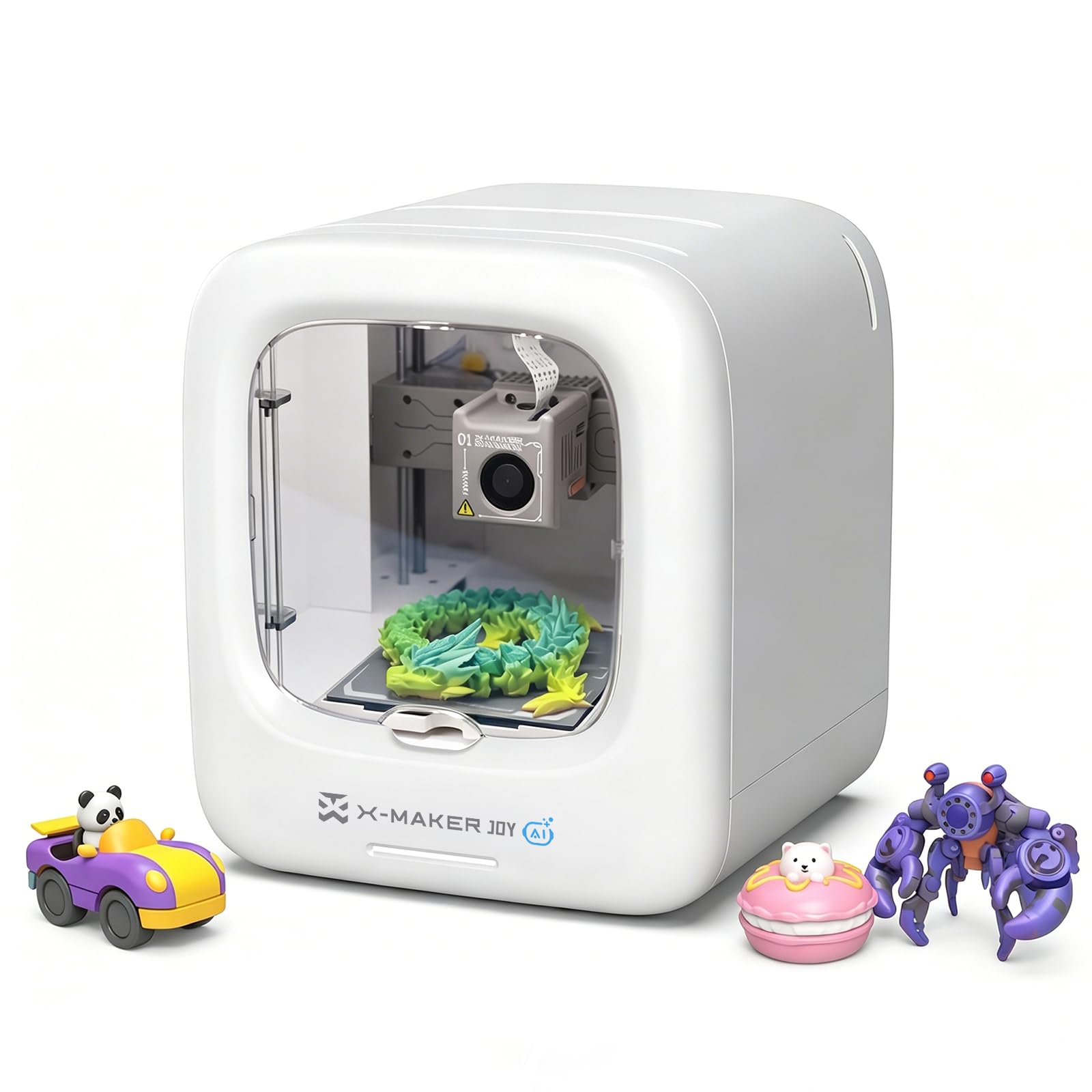
A closed box with a camera, an AI design helper, and no leveling ritual anywhere in sight.
Most kid-focused printers ask parents to trust an open frame. This one closes it up. The enclosed, pinch-resistant body gives you confidence when a child is at the controls, and the leveling-free platform means nobody crouches with a sheet of paper. Its PLA is tested to TÜV Rheinland ISO 16000, an indoor air-quality standard for emissions.
What keeps a kid engaged is the software, and this is where it departs from every other pick. AI Doodle turns voice, text, or image prompts into a printable model with no design skill. AI MiniMe converts a photo into a cartoon-style figure, and MINIMAKIE lets them build personalized avatars. There are 20,000+ print-tested models in the library with 1,000+ added weekly, plus 16 mini and 2 premium design modules. A single built-in camera streams progress to a phone and stitches time-lapse videos automatically.
Speed is well past kid-printer expectations. It runs 220–250 mm/s with peaks to 400 mm/s, so a small toy can finish in about 20 minutes — that number is what keeps attention from drifting. Precision reaches 0.05 mm, a quick-release nozzle simplifies filament swaps, and runout detection pauses before a job fails. One thing to know upfront: this prints single-color only. Multicolor designs mean printing separate parts in different colors and assembling them. In 11.42 x 10.63 x 12.2 inches and 8.82 pounds, it still fits a bedroom desk.
The parent argument: enclosed body, quiet operation, and a leveling-free plate remove the three worries that stop families buying.
The honest catch: single-color only — plan your projects around that.
For households where: a child drives the projects and a parent wants a closed, supervised machine with creative software.
Not the pick for: anyone chasing multicolor prints or open-filament freedom.
7. FLASHFORGE Adventurer 5M

The 600 mm/s Core XY machine that hits its cruising speed in a blink and heats in under a minute.
Speed is the reason to look here. The Adventurer 5M runs a Core XY motion system with up to 20,000 mm/s² acceleration and a 600 mm/s maximum, reaching that top speed from a stop in 0.025 seconds. It also heats the nozzle from cold to 200°C in 35 seconds with 50W of heating power. Put those together and small parts come off the plate sooner than almost anything else in this group — a 32mm³/s flow rate keeps the extrusion even while it moves.
Setup is genuinely quick. One-click full-auto leveling calibrates the bed for you, and the path from unboxing to first print runs about 10 minutes. Vibration compensation removes ghosting (the faint echoes you sometimes see on fast prints), and the 280°C quick-detachable nozzle handles PLA, PETG, and TPU on the 0.4mm nozzle, plus PLA-CF and PETG-CF on a 0.6mm one. Filament runout detection and power-loss recovery both pause and resume so a spool change or a power blip does not waste the job.
Two things temper the pitch. First, this is an open-frame printer, and the manufacturer says it suits open, well-ventilated spaces — an enclosed model is a better fit for a small closed room. Second, at 23.8 pounds and 14.29 x 15.83 x 17.64 inches it is a fixed-position desk machine rather than something you shift around. Set against the single-sided plates on cheaper units, the dual-sided PEI coating plate is the nicer daily touch for popping parts loose.
The speed read: a 10-minute setup and 600 mm/s top speed make this the pick for prototype churn and repeated small parts.
What to weigh: open frame and 23.8 pounds — it belongs on a bench, not in a cramped shared room.
The one for: makers who print the same small part over and over and want each run done fast.
Think twice if: the printer must sit in a closed, unventilated space.
8. Creality K2 SE 3D Printer

A big build volume squeezed into a desktop frame, ready to grow into sixteen-color work.
Start with the space, because it is the standout number: 220 × 215 × 245 mm of build volume. That is the largest usable print area among the compact picks here, and it still fits a desktop footprint. The difference is visible next to the ANYCUBIC Photon Mono 4’s 6.04 x 3.42 x 6.49 inch volume — a full-size prop or a helmet section is a different conversation entirely on the K2 SE.
Then there is the color path. One Color Filament System (CFS) holds four spools, and chaining up to four CFS units gets you as many as 16 colors for figurines, cosplay props, and decor. The CFS is sold separately, so a plain single-color setup is your starting state. Under the hood, a die-cast aluminum alloy frame reinforced with gussets and crossbeams cuts vibration for tighter dimensional accuracy, and auto leveling probes only the active print area to speed up setup. Input shaping keeps ringing out of fast prints.
Owners praise the out-of-box print quality across multiple materials and the quick touchscreen-guided calibration. Speed reaches 500 mm/s, and the upgraded direct drive combines a quick-swap nozzle, runout sensor, and automatic magnetic cutter. The honest note is noise — this one gets loud in a shared room, and TPU prints can come out a little stringy. If the machine lives in a busy space, the Flashforge open frame or an enclosed pick is a calmer neighbor.
The growth argument: 220 × 215 × 245 mm plus a 16-color ceiling means this machine does not run out of room as your projects scale up.
The trade: it is loud enough to notice, and the CFS costs extra to open up color.
Choose it when: large prop work and eventual multicolor are on your roadmap and the machine can live in its own room.
Pass if: your desk is shared with people who need quiet.
9. Bambu Lab P1S 3D Printer

The enclosed workhorse for advanced filaments, set up in 15 minutes flat.
A full enclosure is not a cosmetic feature — it changes which materials you can run. The P1S wraps its print chamber completely, which the manufacturer says improves performance on advanced filaments. That opens up ABS and ASA alongside PLA, PETG, TPU, PVA, and PET on the ideal list, with PA and PC as capable. Carbon and glass fiber reinforced polymers are not recommended. If you have been wanting to print ABS parts for car interiors or outdoor gear, that enclosure is the reason this machine is on the short list.
The speed spec matches the bigger Bambu story: 500 mm/s with 20,000 mm/s² acceleration. Auto bed leveling handles the plate for you, setup takes about 15 minutes, and the whole package works from the start — print quality is what owners praise most by a wide margin, with reliability close behind. Sending a print from a phone is part of the day-to-day workflow. Up to 16 colors is available as well, though the AMS unit is required and sold separately.
Size is the thing to check against your desk. At 38.9 pounds and 15.31 x 18.03 x 15.31 inches, the P1S is the heaviest pick here by a margin over the 22-pound A1 and an order of magnitude past the 7.7-pound resin machine. It is a fixed installation, not a machine you lift. Owner reports on durability are mixed, so plan a solid bench rather than a flimsy shelf.
Where it earns its keep: enclosure plus 500 mm/s makes it the pick for ABS and ASA parts that need to come out straight.
Be honest about: 38.9 pounds means it stays put once you place it.
The right call for: anyone moving past PLA into enclosed-filament work with a permanent bench.
And not for: a small shelf or a printer that travels.
Know the Specs
Build Volume and Footprint
Build volume is the space a print can occupy, normally quoted in millimeters or inches across X, Y, and Z. Footprint is the size of the machine itself. They are not the same — a printer with a 220 x 215 x 245 mm build area like the K2 SE still tucks onto a desktop, while the box around it is larger than that. Measure your shelf, then compare the machine footprint spec, and check the build volume separately against the parts you want to print.
Acceleration in mm/s²
Acceleration describes how quickly the print head reaches its travel speed, measured in mm/s². A higher figure means less time lost slowing and speeding up around every corner. That matters most on small parts, where turns come constantly — a 20,000 mm/s² machine spends far less time decelerating than a 2,500 mm/s² one. Look at acceleration alongside top speed, because top speed alone means little if the head takes a while to get there.
Auto Leveling and Z-Offset
Leveling sets the gap between the nozzle and the build plate, and Z-offset is the fine height adjustment for that gap. Auto systems sense the plate and set both for you. Look for named systems like CR Touch, 16-point leveling, or full-auto calibration. This is the single feature that separates a beginner-friendly printer from one that needs tinkering, because a bad first layer is the most common reason a new print fails.
Direct Drive Extruder
The extruder is the motor that pushes filament into the hot nozzle. A direct drive unit sits right at the nozzle, giving tighter control over feeding and making soft materials like TPU possible. Older Bowden setups push filament through a long tube, which can bind on flexible material. If printed toys and wearable items are on your list, direct drive is worth looking for in the listing.
Common Questions
Will a small form factor 3D printer fit on a normal desk?
Is a resin printer better than a filament printer for fine details?
How long does it take to set up a compact 3D printer?
Do I need to level the print bed manually on these printers?
What materials can a compact printer handle?
Can I print in multiple colors on a small printer?
Is a larger build volume worth the extra desk space?
How loud is a compact 3D printer in a bedroom?
What happens if the filament runs out mid-print?
Do I need special safety gear for a resin printer?
The Bottom Line
The pick that suits most desks is the Bambu Lab A1. Full-auto calibration means you print instead of tinker, and 10,000 mm/s² acceleration gets small parts done quickly. If a child will run the machine, the TEQStone M1 Mini gives you 16-point auto leveling and flexible TPU support in an 8.8-pound box. And if fine miniature detail is the goal, the ANYCUBIC Photon Mono 4 brings 10K resin resolution to a 7.7-pound shelf machine. Start with the one that matches your desk and your material list, and the rest of the decision settles itself.
How we choose
We do not accept paid placement. Every pick is matched to a real buyer and a real use-case; we do not hands-on test units.
Sources
Specifications: manufacturer listings and product documentation. Review insights: verified customer reviews, as of November 2026. Pricing: not shown on this page (it changes often); check the current price via the retailer link.
As an Amazon Associate, Tactical Gear Guy earns from qualifying purchases. This does not affect which products we feature.