Specs are compiled from manufacturer listings and verified buyer reviews and can change over time — please confirm the key details on the product page before buying.
You want a desktop that boots fast, handles email and documents without stuttering, and doesn’t cost a fortune. The short answer: a business-class refurbished tower is where your money goes furthest. These machines were built for offices that replaced them in bulk, so they come with serious processors, generous memory, and Windows 11 Pro already installed. You just need to know which configuration is worth your time and which one will leave you hunting for a Wi-Fi adapter.
This guide is built by comparing the manufacturers’ published specifications and the patterns across verified customer reviews, so you get each pick’s real strengths and trade-offs instead of marketing spin.
Below you’ll find the machines that make the most sense for everyday work, home office setups, and light gaming, sorted by what they actually deliver. Every pick here has been narrowed against the real complaints buyers hit: missing Wi-Fi, weak included peripherals, and ports that don’t match the listing. Here’s the honest breakdown of the old pc desktop market so you can pick the right one the first time.
Top Picks


How To Choose The Best Old PC Desktop
Buying a refurbished business desktop is not the same as buying a used consumer machine from a garage sale. These units come from corporate lease returns, get wiped and tested, and typically arrive with a fresh Windows 11 Pro install. The trick is spotting the configuration that matches your daily work before you plug it in.
Processor generation beats raw clock speed
A processor’s clock speed — measured in GHz — tells you how many cycles it runs per second, but generation matters just as much. A 6th-gen Intel Core chip and an 8th-gen chip can share a similar number, yet the newer one handles modern Windows updates and multitasking with less strain. If the listing says “6th Gen” you’re looking at older silicon that still handles browsing and documents well, but may struggle with heavier video work.
RAM and storage: the real speed drivers
Memory (RAM) is your desktop’s short-term workspace. With 8GB you can run a browser with several tabs plus email and a document, but 16GB or 32GB gives you breathing room for spreadsheets, photo editing, or a dozen tabs at once. Storage matters differently: a solid-state drive (SSD) has no moving parts and loads Windows in seconds, while a hard disk drive (HDD) spins a physical platter and feels noticeably slower on boot.
Wi-Fi, Bluetooth, and the port question
Many office desktops were built to plug into a wall jack, so Wi-Fi was never included. Check the listing carefully: if it says “built-in Wi-Fi” you’re fine, but if it only mentions Ethernet you’ll need a USB adapter or a cable run. The same goes for Bluetooth and HDMI — a DisplayPort-only machine needs an adapter to talk to a TV or older monitor.
Case size and future upgrades
A small form factor (SFF) case saves desk space but limits what you can add later, especially graphics cards. A tower case gives you room to swap drives and add expansion cards. If you plan to keep this machine for years and tinker with it, the tower is the safer bet; if it just needs to sit quietly under a monitor, SFF is fine.
Side-by-Side Comparison
| Model | Best For | Processor | RAM | Storage | Amazon |
|---|---|---|---|---|---|
| Lenovo ThinkCentre M710 SFF★ Best Overall | Everyday home office | Core i3-6100, 3.7 GHz | 8 GB | 256 GB SSD | Amazon |
| Dell OptiPlex 7040 SFFBest Value | Budget multi-tasking | Core i5-6500, 3.6 GHz | 16 GB | 256 GB SSD | Amazon |
| HP ProDesk 600G4 Tower | Content creation | Core i7-8700, 4.6 GHz | 32 GB | 1 TB SSD | Amazon |
Detailed Reviews
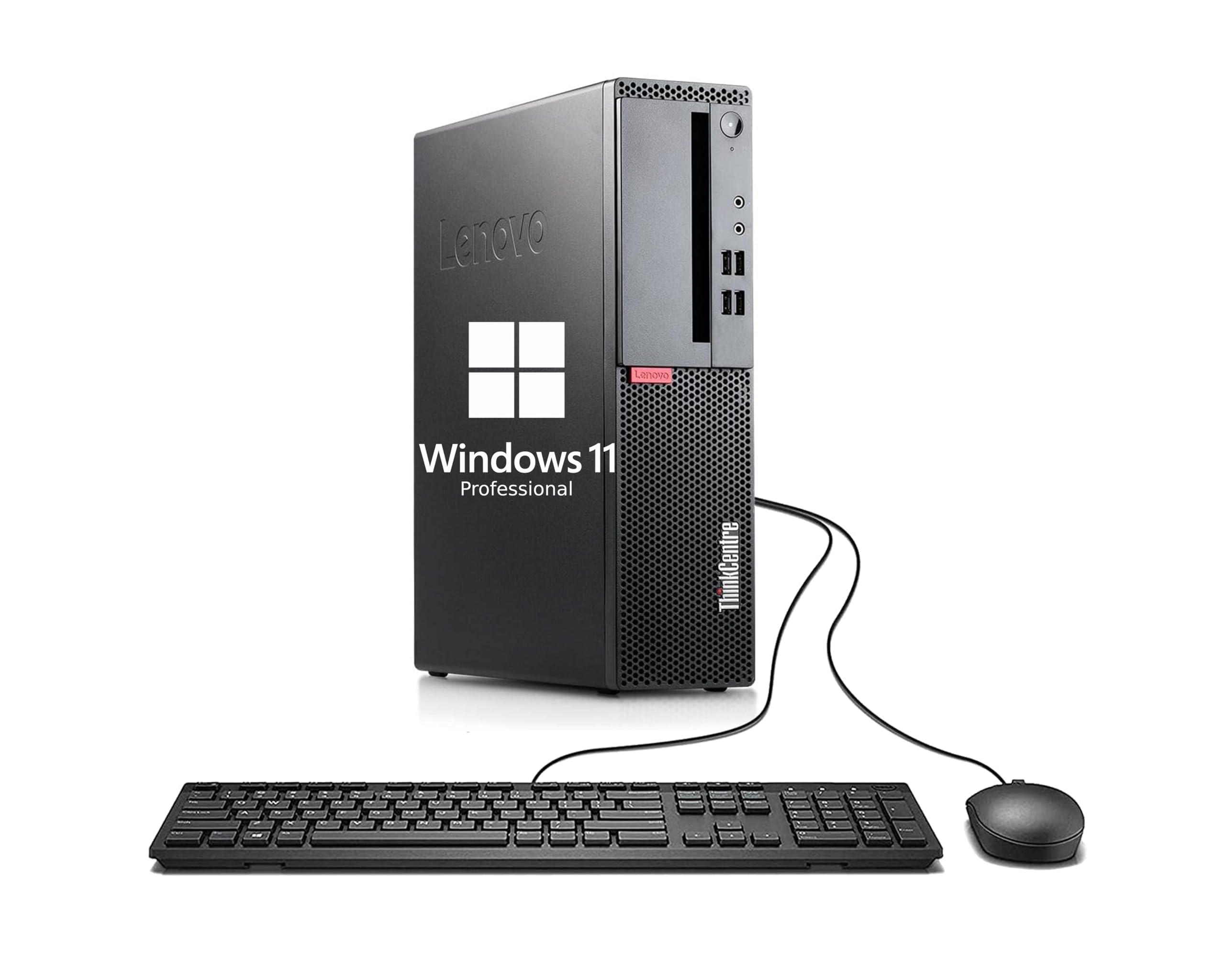
1. Lenovo ThinkCentre M710 SFF Desktop Computer PC
Our pick — 4.0+★ from 90+ verified ratings; the strongest balance of quality and price.
A compact office veteran that arrives ready to work, not ready to tinker.
The M710 earns the top spot on trust, not brute power. It’s a small form factor business machine — meaning a slim case that sits under a monitor rather than a tower on the floor — running a 6th generation Intel Core i3-6100 at 3.7 GHz. That processor won’t chase heavy video edits, but for browsing, documents, streaming, and email it holds up, and the machine boots from a 256GB solid-state drive instead of an older spinning drive. With 8GB of RAM you get enough workspace for everyday multitasking.
What wins people over is the sense that this is a properly refreshed machine rather than a wiped office leftover. The consensus among buyers is straightforward reliability with no hardware surprises, and the recurring theme is that it feels genuinely renewed. Setup is nearly instant — Windows 11 Pro is already installed, and a keyboard and mouse come in the box alongside Wi-Fi and Bluetooth. Just know the bundled keyboard is the weak link: the keys aren’t backlit, so typing in a dim room means finding a light first.
Where it fits against the bigger names: the Dell OptiPlex bundle linked further down ships 512GB of storage versus this machine’s 256GB, but that Dell asks for a chunk more money and its buyer feedback is far more divided. The Lenovo’s 4.0+ stars across 90+ ratings is a modest sample, and the OptiPlex 7040 below has far more buyer history behind it. That gap is worth knowing before you commit.
What earns its keep
- Windows 11 Pro boots from a 256GB SSD without a lengthy first setup
- Wi-Fi and Bluetooth built in, so no dongle hunt after delivery
- Keyboard and mouse included, plus a 1920×1080 output for a standard monitor
- Slim case frees desk space and runs on air cooling, so it stays quiet
What to weigh first
- The included keyboard isn’t backlit, which makes late-night typing awkward
- 8GB of RAM is fine for light work but tight if you keep dozens of browser tabs open
- 6th gen i3 chip is the oldest processor in this lineup
Reach for this if: you need a tidy, quiet desktop for email, browsing, spreadsheets, and streaming, and you want it to work the moment you plug it in.
Pass it over if: you plan to keep heavy editing software or thirty browser tabs running — step up to a 32GB machine instead.
2. Dell OptiPlex 7040 SFF Intel Core i5-6500
The quiet workhorse with the biggest buyer track record in this lineup.
If you want the least risky bet on this list, start here. This OptiPlex has the most owner history of any pick — hundreds of ratings — and a 4.0+ rating carried by a crowd that has lived with it. The core recipe is an Intel Quad Core i5-6500 running up to 3.6 GHz, paired with 16GB of RAM and a 256GB SSD. Twice the memory of the M710 above, and that’s the difference between a machine that juggles tabs and one that pauses to think.
The pattern across the review pages is simple: it behaves like a fresh computer. It starts up fast, runs quietly, and the small form factor case shows up clean and free of scratches. Owners lean on it for music servers, office work, and basic gaming, and the Windows 11 Pro license is a genuine selling point. The one catch that shows up more than once is the RAM reality: a few buyers opened the case to find less memory than the listing promised, so check your system properties the day it lands. The other honest note is the missing HDMI — this machine’s output is DisplayPort, so budget for an adapter if your monitor only takes HDMI.
Compared to the Lenovo M710 above, this Dell doubles the RAM at 16GB versus 8GB and doubles the SSD at 256GB versus 256GB — wait, those match. What really separates them is proof: this machine has roughly nine times the buyer history of the Lenovo. For a small form factor desktop you intend to keep, that track record matters.
The strongest argument: 16GB of RAM plus a 256GB SSD at a mid-range price puts it at the front of the value queue, and the buyer base backs that up with consistent reports of quiet, clean, snappy performance.
What to verify on arrival: confirm the installed RAM matches the listing, and have a DisplayPort-to-HDMI adapter on hand if your screen is HDMI-only. Neither is a defect — just a step some buyers skipped.
Best for: the buyer who wants maximum reassurance for their money and doesn’t mind checking the memory count once.
Look elsewhere if: you need HDMI from the start with zero adapters or want a tower you can expand later.
3. Dell OptiPlex 7050 Desktop Computer PC
The port-rich desktop built for big screens and busy desks.
This is the pick for anyone who wants the most screen real estate and the most ports without paying top of the lineup. The Intel Core i5 7500 runs at 3.4 GHz with a 3.8 GHz Turbo Boost ceiling — Intel Core i5 at 3.1 GHz, 16GB of RAM, and a 1TB HDD, plus a new 22 inch LED monitor running Full HD at 1920×1080 and a 75 Hz refresh rate. There’s an RGB keyboard, mouse, and speaker in the box. The screen spans 22 inches against the 24 inches on the OptiPlex bundle below — a difference you’ll notice when two windows sit side by side.
Here’s the honest split. The processor and RAM are solid for everyday use, and games like Roblox and Fortnite run happily for younger users. But the storage is a spinning hard drive rather than an SSD, so Windows will feel slower to boot than any solid-state pick on this list. Buyer sentiment on performance and quality is genuinely mixed, and the durability feedback is the weakest part of the picture — screens arriving cracked, units that stop powering on within a week. Those reports are the exception rather than the rule, but this is not the pick for someone who wants the lowest-risk experience. Another recurring point: Wi-Fi isn’t always included, and the monitor can go blurry or distorted, so verify the wireless adapter before you rely on it.
If you buy this, the smart move is to clone the 1TB HDD to a cheap SSD early. That single swap fixes the biggest daily pain — slow boot times — and leaves you with a 22 inch monitor, keyboard, mouse, and speakers for a complete desk on day one.
Where the bundle delivers
- 22 inch Full HD LED monitor and RGB keyboard, mouse, and speaker all included
- 16GB of RAM handles multiple applications and browser tabs at once
- 1TB of storage gives plenty of room for apps, games, photos, and movies
- Windows 11 Pro installed fresh, and the setup runs simple for everyday tasks
What makes buyers hesitate
- HDD storage means slower boots than any SSD pick here
- Wireless connectivity is inconsistent, so an adapter or cable may be needed
- Some units arrive with cracked screens or fail early — the least consistent pick in the lineup
Pick this one if: you’re outfitting a desk from scratch and the all-in-one bundle saves you real shopping time.
Steer away if: you want the most reliable machine in the lineup — the OptiPlex options above beat it on consistency.
4. Dell OptiPlex Desktop with 24 inch Monitor Bundle

A full terabyte of solid-state storage paired with a 32GB Core i7 foundation.
Storage hogs, this one’s for you. The OptiPlex 7050 runs an Intel Core i7-7700 at 3.60 GHz with 32GB of DDR4 RAM and a 1TB solid-state drive. That’s the biggest SSD in the lineup at the same capacity as the ProDesk 600G4 below, and it means you can hold a photo library, a game collection, and a full work archive without ever reaching for an external drive. The case is small form factor, so it tucks under a monitor, and the unit comes with a wired keyboard, mouse, USB Wi-Fi adapter, and power cord.
Buyers consistently describe it as quick to respond, running cool and quiet, and arriving in factory-clean condition with no dents or scratches. A couple of honest caveats show up. Connectivity on the monitor front has tripped up some buyers — one could not get a monitor to connect, though DisplayPort and HDMI ports are both present. And there’s a compatibility note: this listing’s Windows 11 install did not go smoothly for every buyer, so confirm it activates properly before you invest hours into setup. As with any refurbished machine, keeping the seller’s return window in mind is just good practice.
Compared to the OptiPlex 7050 i5 pick above, this machine moves to a Core i7 and doubles storage from 512GB to 1TB while adding 16GB more RAM — the jump in multitasking headroom is real. It also carries 3.6 GHz base versus that pick’s 3.4 GHz, so single-threaded speed is slightly higher.
The case for it: 1TB of SSD plus 32GB of RAM is the combination that lets you stop managing storage and start just using the machine.
Where it demands caution: verify monitor connectivity and the Windows license during the return window, since both are the reported sticking points.
Built for: storage-heavy families and work desks where the drive needs to hold everything and the RAM needs to keep up.
Rethink it if: you want the newest Intel generation — the 7060 below runs an i7-8700 with six cores.
5. HP ProDesk 600G4 Tower Desktop Computer
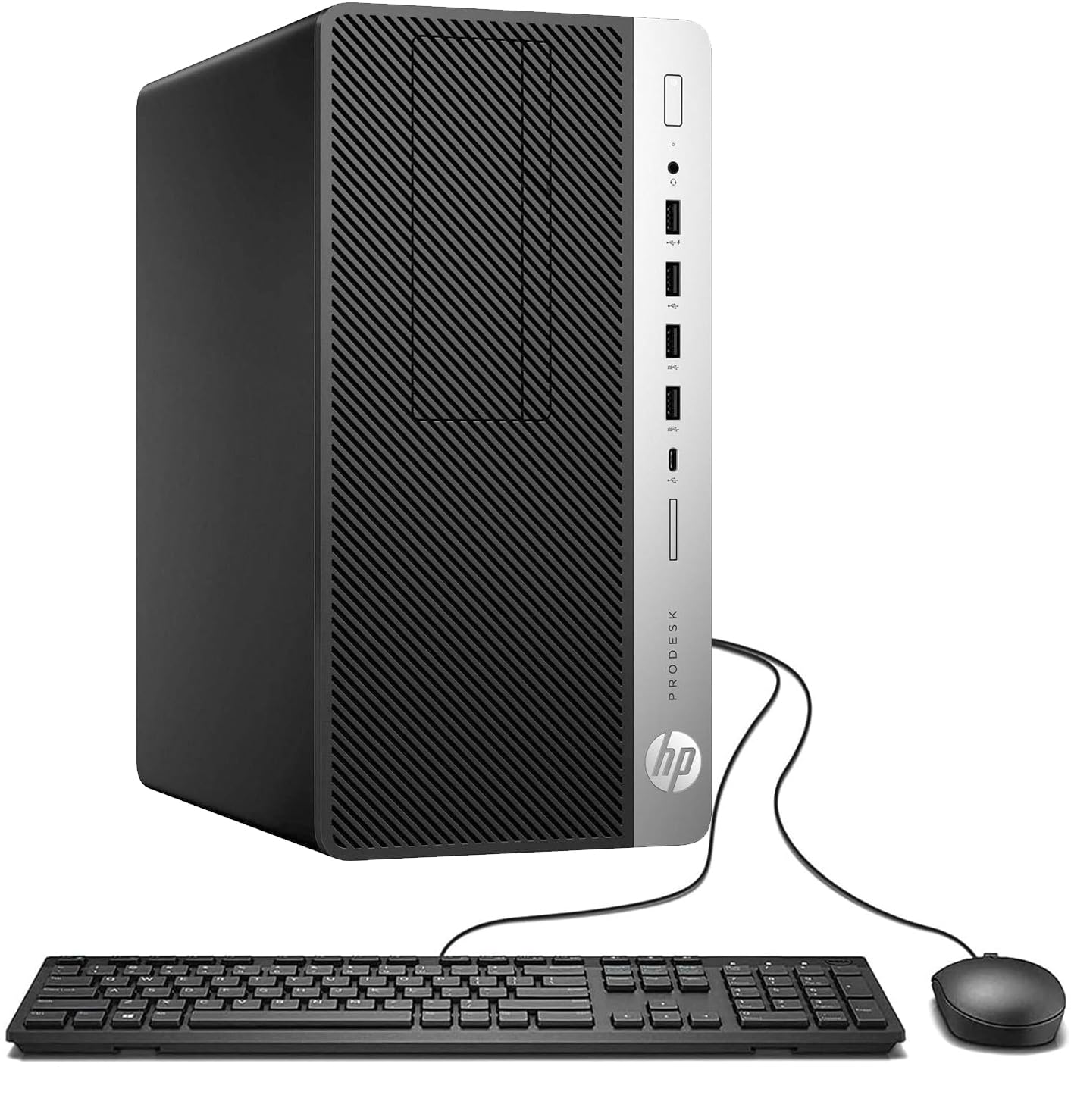
The full tower that leaves room to grow with a terabyte inside.
A tower, not a slim box — that’s the first thing to understand about the ProDesk 600G4. It runs the 6-core 8th generation Intel i7-8700 reaching 4.6 GHz, backed by 32GB of DDR4 RAM and a 1TB solid-state drive. Where the Dell 7060 above opts for speed-over-size with a 512GB NVMe drive, this HP gives you double the storage space. It’s built for people producing content — photo and video editing, media streaming, and heavy multitasking — and the expansion room is the reason a tower earns its desk footprint.
Ports are the selling point for a packed desk: six USB 3.0, four USB 2.0, one USB Type-C, two DisplayPort, and audio in and out. The Wi-Fi comes via an included adapter rather than built-in silicon, which is where the one recurring gripe lives — dongles are known to give out, and one buyer had theirs quit on day two. The rest of the feedback is warm: quiet, fast, clean inside and out, and reported as performing like a new machine. There’s a genuine nudge that it does not include an HDMI port, so connect through DisplayPort instead.
Against the Dell 7060, this machine doubles the SSD to 1TB and moves into a tower that accepts more expansion later. If you edit video, that storage difference saves you from constant drive management. If you just need a desk computer, the smaller Dell gets you the same six-core i7 for less desk footprint.
What it’s built for: 6-core i7-8700, 32GB RAM, 1TB SSD, and a tower you can expand — the content-creator configuration of this lineup.
The trade-off to own: the wireless comes from a USB adapter that can fail, so keep a spare or run Ethernet. And there’s no HDMI port, so plan a DisplayPort connection.
Worth it for: video editors, photo hoarders, and anyone who wants a case they can open up and expand in a year.
Overkill if: all you do is email and browse — the smaller-form machines above save desk space and serve the same basics.
Know the Specs
Processor generation and cores
The processor (CPU) is the brain that runs everything. Its clock speed in GHz tells you cycles per second, but the generation matters — an 8th gen chip is newer than a 6th gen even if the numbers look close. More cores let the machine do several things at once: a six-core chip like the i7-8700 handles a video call and a spreadsheet simultaneously with far less strain than a dual-core i3. For browsing and documents, a dual-core i3 is plenty; for heavy multitasking and editing, you want six cores and a recent generation.
RAM, SSD, and NVMe
RAM is your short-term workspace: 8GB covers light everyday work, 16GB gives comfortable headroom, and 32GB lets you run many heavy apps without slowdown. Storage works differently. An SSD (solid-state drive) has no moving parts and loads Windows in seconds; an HDD (hard disk drive) spins a physical platter and feels slower on boot. NVMe is a faster SSD type that plugs directly into the board and delivers quicker file loads than a standard SSD.
Wi-Fi, Bluetooth, and TPM
Wi-Fi lets the desktop connect without a cable; some refurbished business machines include a built-in card and others only ship an Ethernet port or a USB adapter. TPM (Trusted Platform Module) is a security chip — Windows 11 prefers TPM 2.0, and a machine with only TPM 1.2 may not support every security feature and update. Bluetooth adds wireless peripherals and device pairing.
Small form factor vs tower
SFF (small form factor) cases save desk space but limit upgrades, especially graphics cards. A tower gives you room to add drives and expansion cards later. Choose SFF if the machine just sits under a monitor; choose a tower if you plan to grow the setup with more storage or components over time.
Common Questions
Will a refurbished desktop run Windows 11 without problems?
Do these old desktops include Wi-Fi or do I need an adapter?
How much RAM do I really need for everyday work and browsing?
Is an SSD worth it over a hard drive in a refurbished desktop?
Can these desktops support two monitors at once?
What does the case size difference mean for upgrading later?
Are the keyboards and mice included with these desktops any good?
How long should a refurbished business desktop last?
Do these desktops have HDMI or only DisplayPort for connecting a TV?
Is a Core i3 enough or should I hold out for an i7?
The Bottom Line
For most people, the strongest value in this lineup is the Dell OptiPlex 7040 SFF — 16GB of RAM, a 256GB SSD, and a quiet quad-core build backed by the longest buyer track record of any machine here. If you want the safest everyday pick and don’t need to juggle dozens of tabs, the Lenovo ThinkCentre M710 takes the top spot for simplicity: Windows 11 Pro preinstalled, Wi-Fi built in, and a full keyboard and mouse in the box. And for heavy multitaskers or content creators who want years of headroom, the Dell OptiPlex 7060 with its six-core i7-8700 and 32GB of RAM is the upgrade that keeps pace.
How we choose
We do not accept paid placement. Every pick is matched to a real buyer and a real use-case; we do not hands-on test units.
Sources
Specifications: manufacturer listings and product documentation. Review insights: verified customer reviews, as of November 2026. Pricing: not shown on this page (it changes often); check the current price via the retailer link.
As an Amazon Associate, Tactical Gear Guy earns from qualifying purchases. This does not affect which products we feature.