Specs are compiled from manufacturer listings and verified buyer reviews and can change over time — please confirm the key details on the product page before buying.
If your kids start asking “are we there yet” before you leave the driveway, a rear entertainment screen is the fix. The right Tahoe setup keeps the second and third rows quiet, plays their shows without you fiddling with a remote, and mounts to the headrest or ceiling without wrecking the interior. The wrong one glitches mid-movie, crops the picture, or arrives missing brackets, and you spend the trip fighting with it instead of driving.
This guide is built by comparing the manufacturers’ published specifications and the patterns across verified customer reviews, so you get each pick’s real strengths and trade-offs instead of marketing spin.
What follows breaks down nine real options for a Tahoe, ranked by who they actually suit, from ceiling-mounted DVD players to Android headrest pairs that stream Netflix over Wi-Fi. Use the comparison table to scan screens and specs fast, then dig into the pick that matches your seating and your wiring comfort. The picks below are framed to help you choose the right aftermarket rear entertainment system for tahoe.
Top Picks
How To Choose The Best Aftermarket Rear Entertainment System for Tahoe
A Tahoe gives you a wide cabin with a third row, so the first decision is simple: who needs the screen and how far back they sit. A ceiling-mounted flip-down unit hangs overhead and serves the whole cabin, while a headrest monitor mounts to the back of the front seats and keeps the picture close to a specific passenger. Get that call right and the rest of the specs fall into place.
Ceiling flip-down vs headrest clamp
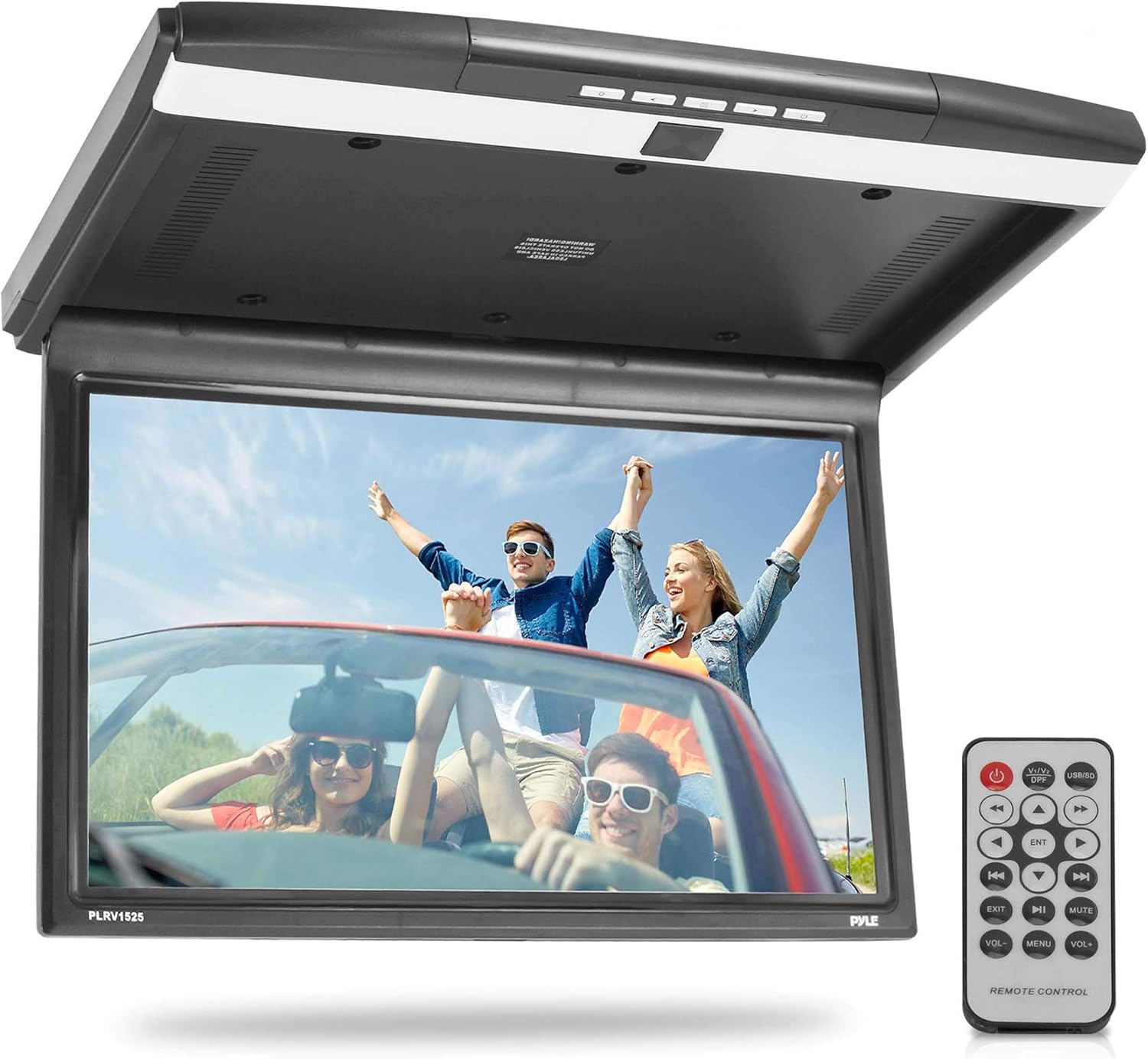
A ceiling unit like the Pyle PLRV1525 bolts to the roof and flips down when it is movie time. That puts the screen above everyone’s heads, which helps when a child in the third row needs to see. A headrest monitor, by contrast, straps or bolts to a seat post and sits right in front of one passenger. Many of these clamp on a universal metal bracket the maker says works with more than 98% of vehicles on the market, which makes them a low-commitment choice if you lease or plan to trade in.
Screen resolution you can actually see
Daylight is the enemy of in-car screens. Look for a panel that lists a clear pixel count, whether it is 1920×1080 (a Full HD panel), 1920×1200, or 1680×800. A lower count like 1280×800 or 1366×768 is fine for a smaller screen but starts to look soft on a big one. An IPS panel (a screen type that keeps colors steady from side angles) matters in a Tahoe because a passenger sitting off to one side still gets a clear picture.
How the sound reaches the back seats
Every unit here has its own speakers, but built-in speakers can be thin. The better options send audio to wireless Bluetooth headphones, IR (infrared) headphones, or your car speakers through an FM transmitter, so you tune the radio and the monitor to the same channel. That last trick keeps the sound off the front seats while the kids watch. If you want quiet, plan on a headphone setup.
Android smarts vs a simple disc player
Pick your media source first, because it splits the whole list in two. An Android unit runs apps like a tablet and installs Netflix or YouTube from Google Play. A basic DVD unit plays discs and files from a USB or SD card. The Android models cost more and need a Wi-Fi or phone hotspot connection to stream, while the disc players work with no internet at all. Decide if you want streaming apps or plug-in media, then narrow the list.
Side-by-Side Comparison
| Model | Best For | Resolution | Screen Size | Mount Type | Amazon |
|---|---|---|---|---|---|
| Seventour 15.6″ Android Headrest Pair★ Best Overall | Running two apps at once | 1920×1080 | 15.6 in | Headrest bracket | Amazon |
| Pyle PLRV1525 15.6″ Flip-DownBudget Pick | Third-row viewing on a budget | 1680×800 | 15.6 in | Ceiling flip-down | Amazon |
| XTRONS CM173HD 17.3″ OverheadBest Display | Biggest screen for the money | 1920×1080 | 17.3 in | Ceiling flip-down | Amazon |
| Pyle PLRD146 13.3″ DVD Flip-Down | Disc playback with no internet | 1280×800 | 13.3 in | Ceiling flip-down | Amazon |
| XTRONS CM157AF 15.6″ Android | Streaming apps overhead | 1366×768 | 15.6 in | Ceiling flip-down | Amazon |
| AINAVI 13.5″ Headrest Pair | Two kids, two separate screens | 1920×1280 | 13.5 in | Headrest bracket | Amazon |
| Seventour 14″ Headrest Monitor | Sharp single-seat picture | 2240×1400 | 14 in | Headrest bracket | Amazon |
| WONNIE 13.3″ Headrest Monitor | Premium streaming build | 1920×1200 | 13.3 in | Headrest bracket | Amazon |
| AINAVI 16″ Headrest Pair | Largest headrest screens | 1920×1200 | 16 in | Headrest bracket | Amazon |
Detailed Reviews
1. Seventour 15.6″ Android Car TV Headrest Monitor (Pair)
Our pick — 4.0+★ from 50+ verified ratings; the strongest balance of quality and price.
Two 15.6-inch Android screens that let each kid pick their own show.
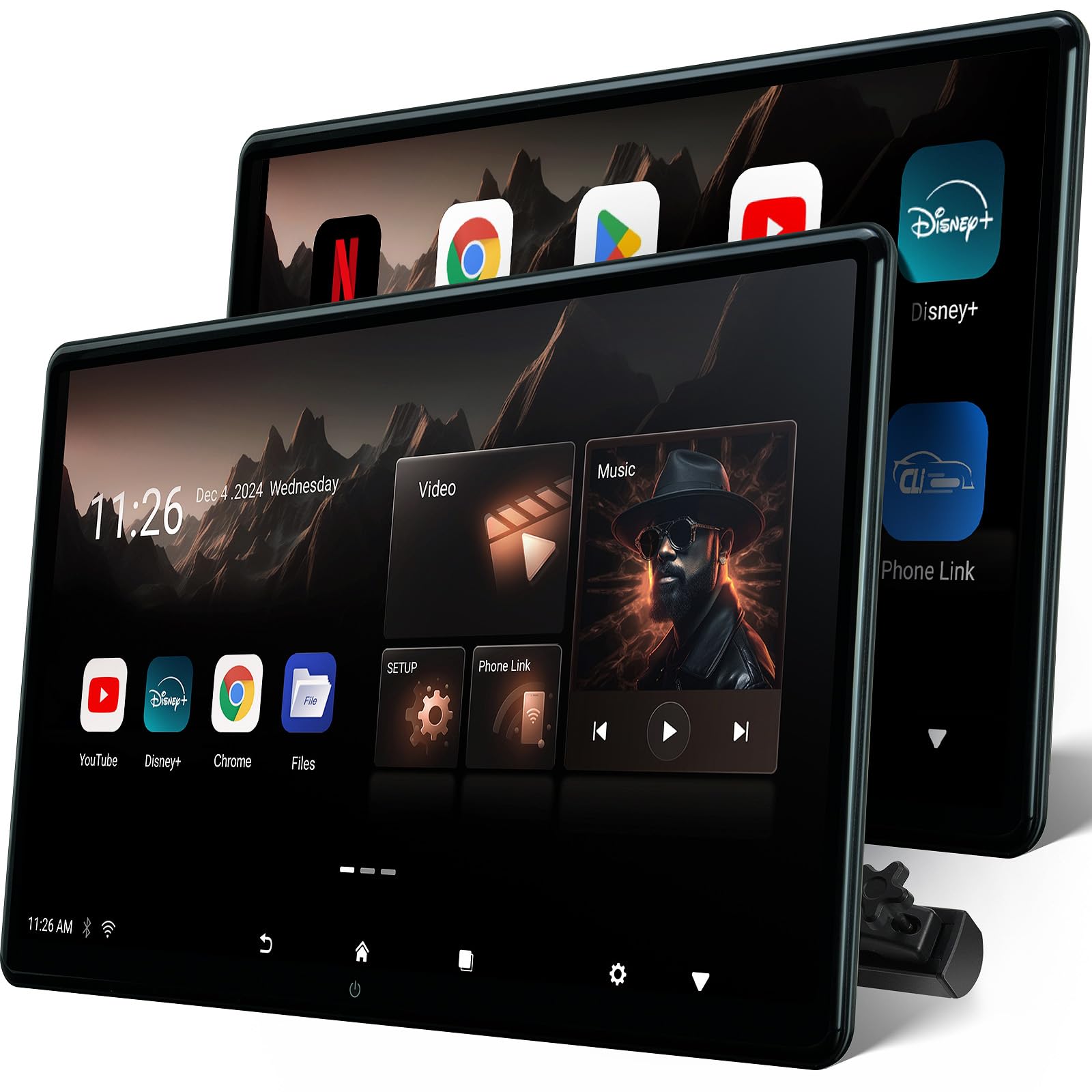
If two children share the back of a Tahoe and both want a different movie, this pair is the fit. You get two 15.6-inch IPS touch screens, each with a Full HD 1920×1080 picture, so a movie looks crisp on both headrests at once. The IPS panel keeps that picture steady from an angle, which matters when a child leans sideways in the third row. Owners praise the build quality most, which matters with kids kicking at the screens.
Under the hood is an Android 13.0 system with 4 GB of RAM and 64 GB of storage, plus Wi-Fi 5G/2.4 GHz that connects to your phone’s hotspot. That RAM and storage lead is real: this pair runs 4 GB vs the XTRONS CM157AF overhead player’s 2 GB, and 64 GB vs its 32 GB, roughly double on both. You can install apps from Google Play or APKPure, and iOS AirPlay and Android Miracast handle screen mirroring. There is even a MyCar Link app that lets you sync and control the rear screens from the driver’s seat, which means you can start a show for the kids without climbing back.
Ports run deep: HDMI input and output for a PS4, PS5, Fire TV stick, or TV box, plus USB and micro SD with support for up to 1 TB USB drives. Connect the two screens with an HDMI cable and one image mirrors to both without loss. Sound comes through built-in speakers, wireless Bluetooth or wired headphones, or an FM transmitter that pipes audio to your car speakers on a matching channel. The honest catch is the mirroring: the phone-screen link can lag and stutter on some units, and functionality splits opinion among owners. Setup and daily managing, though, generally get the friendly nods.
What earns the top spot
- Two Full HD 1920×1080 screens with 4 GB RAM and 64 GB storage each
- Universal metal bracket the maker says fits more than 98% of cars
- Dual power adapters so each screen can also run at home
Where it needs patience
- Wireless mirroring can lag and glitch on some units
- FM audio and Bluetooth need a little setup to get clean sound
Best for: Families with two kids who each want their own screen and a steady Full HD picture.
Worth knowing: Rely on the apps and drives for shows; treat phone mirroring as a bonus, not the main plan.
2. Pyle PLRV1525 15.6-Inch Overhead Flip-Down Monitor
A big ceiling screen that hangs above the whole cabin for all three rows.
You hang this one from the roof, flip it down, and the whole Tahoe can see it. The 15.6-inch LCD lays out a 1680×800 picture, and owners keep coming back to the size: it is the kind of screen that lets a child in the third row out of a Suburban or Tahoe follow along. Owners praise the picture quality most, the part that makes a road trip feel like a rolling theater.
Audio is deliberately flexible. A built-in IR transmitter beams the sound to IR headphones, and an FM transmitter lets you play it through your vehicle’s radio and existing speakers. Built-in stereo speakers cover the rest, and it reads MP3, MP4, MP5, JPG, MPEG4, and WMA files off a USB drive or SD card up to 32 GB. Front-panel buttons keep control within reach, and it has AV input/output plus one HDMI input for an external device. At 6.8 pounds it is a substantial piece of hardware, so plan on a solid install rather than a quick clip-on.
Here is the trade-off to weigh. It is a disc-and-file player rather than an Android tablet, so there are no streaming apps built in; bring your own media or an external stick. A few owners have had the screen stop after months and needed the warranty, and some found the sound thin or input connections fussy. Size and picture, though, are what owners walk away talking about.
The ceiling advantage: A flip-down reaches the back row in a way a headrest screen cannot, and the 15.6-inch panel is large enough to share.
The catch to plan for: Budget for headphones and a clean FM channel to make the most of the sound.
Reach for this if: You want one screen visible from every row and you already carry movies on a USB drive.
Look elsewhere if: You need built-in Netflix or YouTube, which this disc player does not run.
3. XTRONS CM173HD 17.3-Inch FHD Overhead Monitor
A 17.3-inch Full HD ceiling screen built to share across a wide cabin.
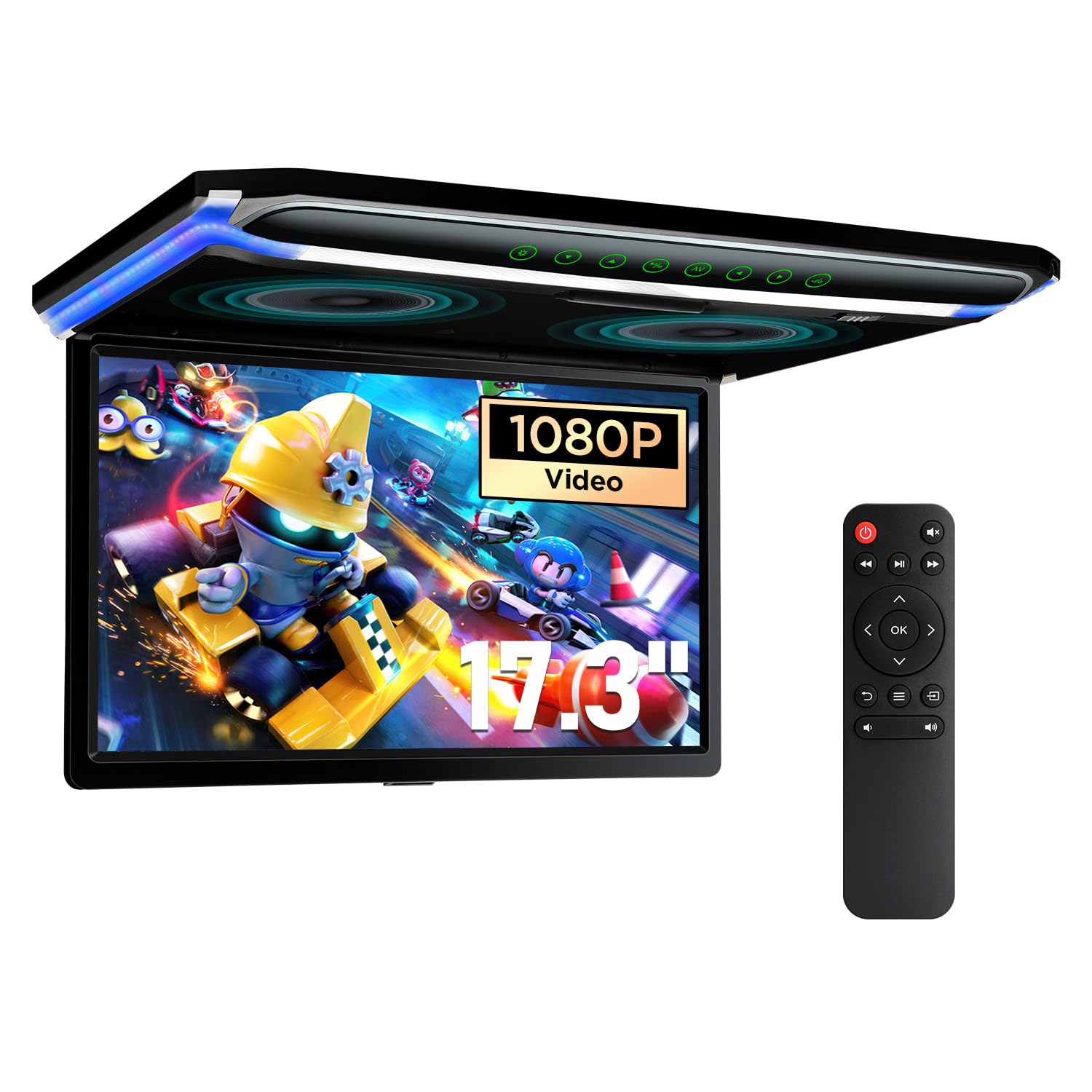
This is the largest screen in the lineup, and the size shows in the specs. The 17.3-inch panel runs 1920×1080, so it is sharper and bigger than the Pyle 13.3-inch flip-down’s 1280×800 at 13.3 inches. A child at the far end of the third row still gets a readable picture, and the 130-degree rotating mount lets you angle it toward whoever is watching. A blue LED light bar and an ultra-thin body keep it looking tidy against the headliner.
The connectivity is straightforward and capable. There is an HDMI port for streaming sticks and consoles, IR and USB for audio and accessories, and a touch panel for control. It supports positive and negative door control, and the picture quality is the part that draws the most compliments. Movies look sharp at 1080p, and the display holds up well when a passenger is off to the side.
Two things to go in knowing. First, this is a monitor only; there is no DVD drive, so stream or plug in your own source. Second, watch how you power a streaming stick: Fire TV Sticks and similar dongles pull more power than the unit’s USB port supplies. Power those from a separate adapter or a car charger that meets their needs, because an underpowered source can drop out or show a black screen. With that sorted, the big sharp picture is the reason to pick it.
Screen size that pays off: 17.3 inches at 1920×1080 makes this the clearest way to reach the whole Tahoe cabin from one ceiling unit.
No disc drive: Plan on a Fire TV stick, console, or drive loaded with files rather than a physical DVD.
Go here when: A big, sharp overhead picture matters more than built-in streaming apps.
Bring your own power: Keep a dedicated charger ready for any streaming dongle so it does not brown out mid-movie.
4. Pyle PLRD146 13.3-Inch Roof Mount DVD Player Monitor

The pick that still spins discs, for cabins that never touched a streaming app.
Some families just want to hand a kid a DVD and hit the road, and that is exactly this unit’s job. The 13.3-inch widescreen lays out 1280×800 pixels with a 500:1 contrast ratio and 450 cd/sq.M brightness, and a built-in IR transmitter sends sound to wireless IR headphones. It reads MP3, MP4, MP5, JPG, MPEG4, WMA, and AVI files, and you can load music and movies from a PC onto an SD card or USB flash drive. Three interchangeable housing covers let you match it to your trim.
Owners consistently praise the 13.3-inch screen size, and DIY installers say it fits easily. It runs on DC 12V and auto-switches between PAL and NTSC video, and the HDMI input adds an external device option. If your Tahoe is a dedicated road-trip rig with a stack of favorite discs, this is the plug-and-play, no-internet answer. 13.3 inches is also realistically sized for a flip-down that does not crowd the headliner.
Buyers report two recurring concerns: the internal speakers run quiet, and the picture can fail after a while. Treat that as an honest fit note rather than a sure thing for heavy daily use. Install it well and keep the discs coming, and the disc-first design is genuinely convenient. Buy it for the format you actually use, not for streaming it cannot do.
Made for: A Tahoe that carries DVDs, USB drives, and SD cards instead of a hotspot.
Weigh the volume: Pair it with IR headphones so watching does not depend on the onboard speakers.
5. XTRONS CM157AF 15.6-Inch Android Overhead Player
A ceiling-mounted Android screen that installs Netflix and YouTube on its own.
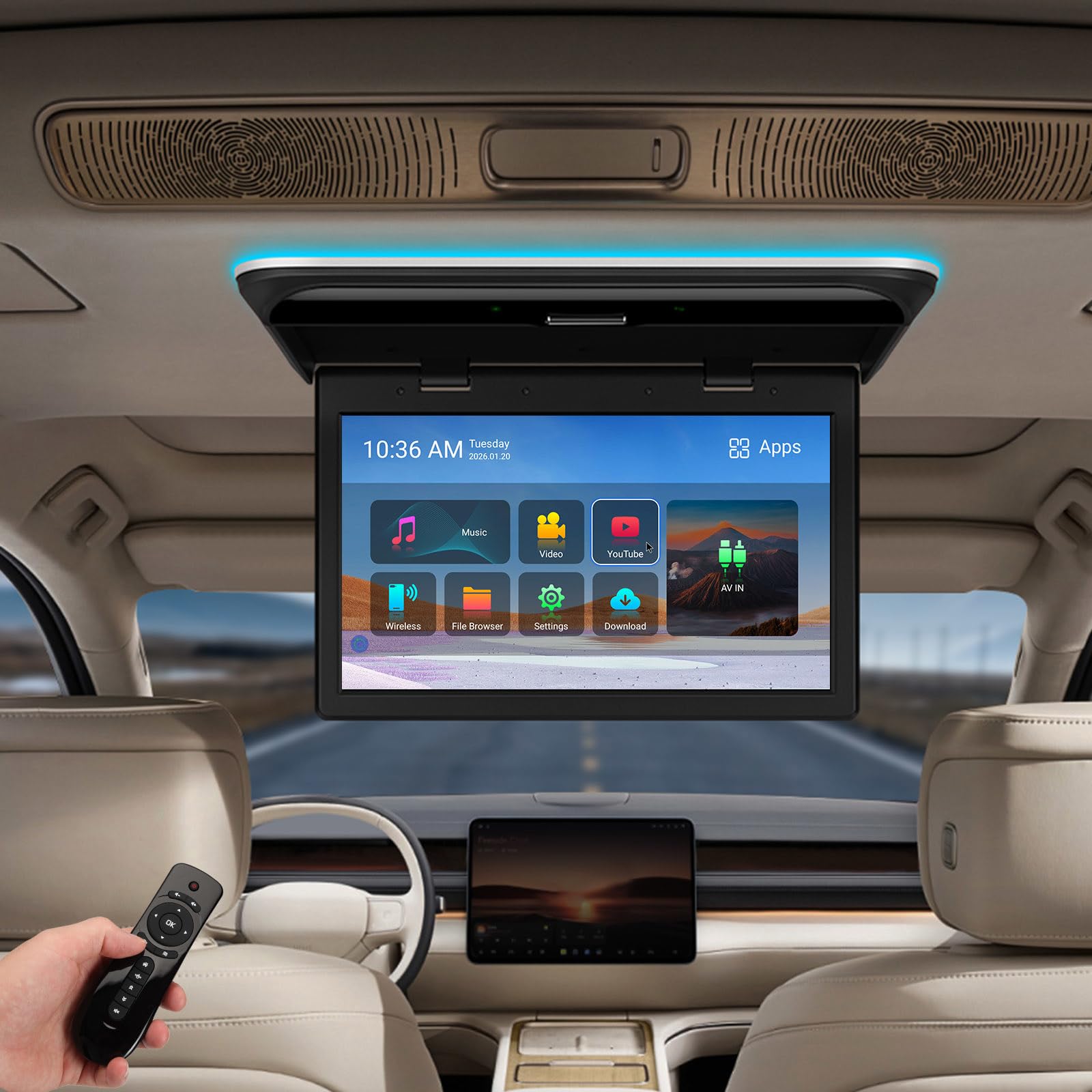
This one combines the overhead convenience of a flip-down with the smarts of a tablet. It runs a full Android OS, so you can install Netflix, YouTube, and games from an APK, and it plays 4K, 1080p, or standard files off a USB drive. The 15.6-inch screen flips down manually up to 120 degrees, letting you angle it toward whichever row is watching, and the ultra-thin body tucks flush into the headliner when it is up.
The 15.6-inch screen is an HD panel at 1366×768, so a shared overhead movie looks fine but not razor-sharp. That is a step down in sharpness from the Full HD 1920×1080 panels on the Seventour pair and the XTRONS CM173HD. Connectivity is generous: HDMI, USB, and RCA inputs (standard plugs for video and audio) for consoles, cameras, or a TV box, plus wireless screen mirroring to share a phone. Audio gives you choice — built-in stereo speakers, Bluetooth headphones, an FM transmitter (sends sound to your car radio), or IR wireless headphones (infrared, line-of-sight wireless audio).
Installing it is pitched as a DIY job thanks to the universal fit and a fold size of 425mm x 320mm meant to suit standard roof compartments. It runs on DC 10V-18V, which covers most vehicle electrical systems, but double-check your Tahoe’s roof space before you commit. Since it is a newer listing, there is less owner history to lean on than the established picks, so buy it for the Android streaming ability rather than a long track record. For overhead apps in a Tahoe, it is the clean answer.
Choose this to: Get a big overhead Android screen that streams apps and angles 120 degrees toward the seats.
Check first: Confirm the 425mm x 320mm fold size clears your Tahoe’s roof compartment before ordering.
6. AINAVI 13.5″ Android Car TV Headrest Monitor (Pair)
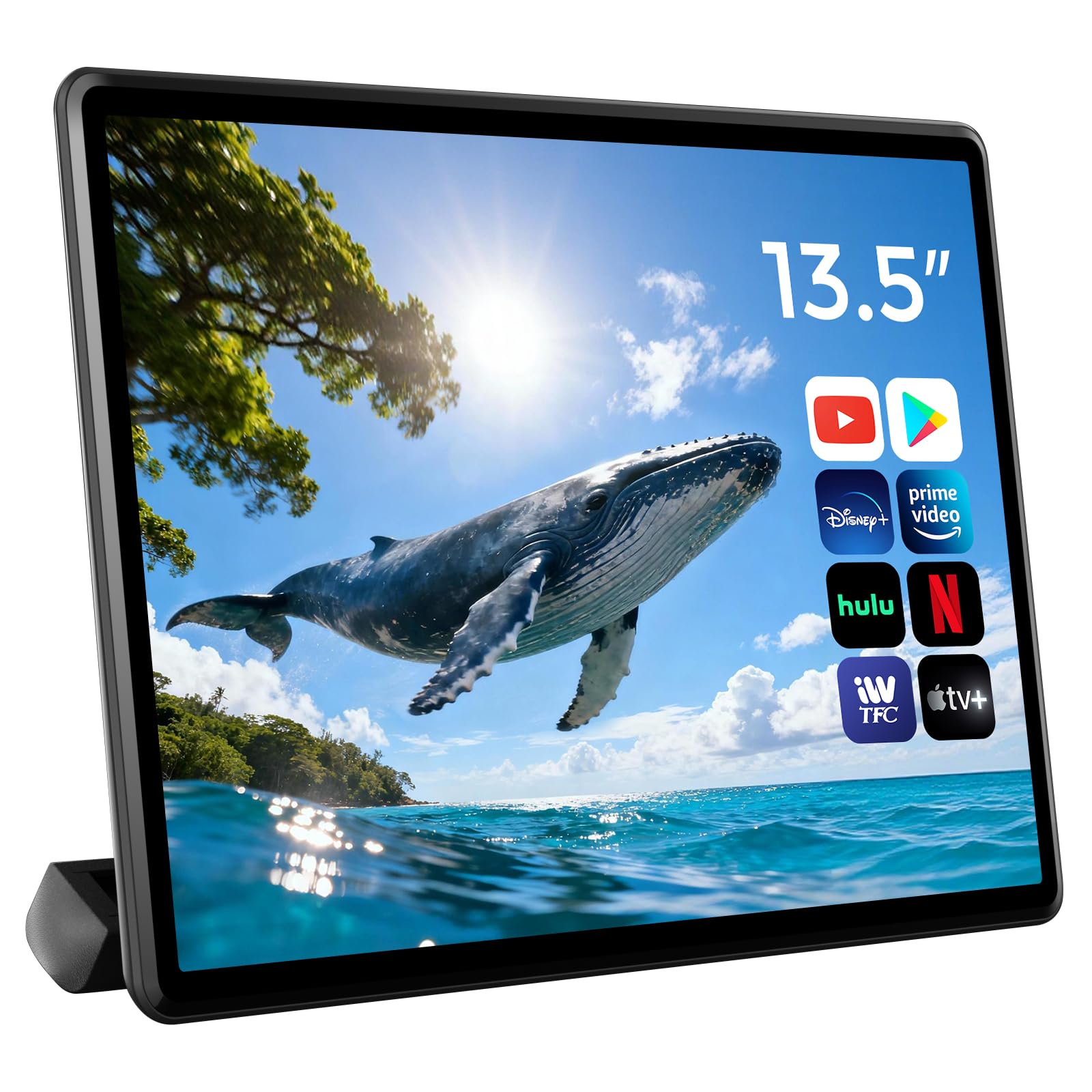
Two Android headrest screens, each sharp enough to run its own app at once.
Two children, two movies, no arguments: that is what this pair is for. Each 13.5-inch screen runs 1920×1280 on an IPS panel, giving clear, bright images from an angle, and both run Android 13 with 2 GB of RAM and 32 GB of storage. You can grab apps from Google Play or APKPure, and 4K video playback and Wi-Fi 5G/2.4 GHz keep the streaming moving over a phone hotspot. The MyCar Link app lets you control the rear screens from the driver’s seat.
Connections are flexible. HDMI input and output, USB, and a 3.5mm headphone jack cover a PS4, PS5, iPad, or a USB drive, and the two screens can play different movies or the same one synced over an HDMI cable. Audio comes through the built-in speaker, an FM transmitter to the car radio, Bluetooth, or wired headphones. The kit even ships with two 12V DC adapters for home use and a cigarette lighter cable for the car, plus the universal mounting brackets.
One helpful extra: OTA cloud updates push new system software to each screen, so the pair can gain improvements over time. Since this is a newer listing, there is limited owner feedback to draw on compared to the long-running picks, so weigh it on the specs and the dual-screen setup. If each kid wants their own 1920×1280 Android screen, this is a tidy way to deliver it without going overhead.
Built for divided attention: Two IPS screens at 1920×1280 let each child stream their own show instead of negotiating one.
Fresh on the shelf: Being a newer listing, it leans on its spec sheet rather than a long review history.
Best paired with: Two kids who never agree, since each screen runs its own apps independently.
Keep in mind: You will set up each screen’s Wi-Fi and apps separately on first use.
7. Seventour 14″ Android Car TV Headrest Monitor
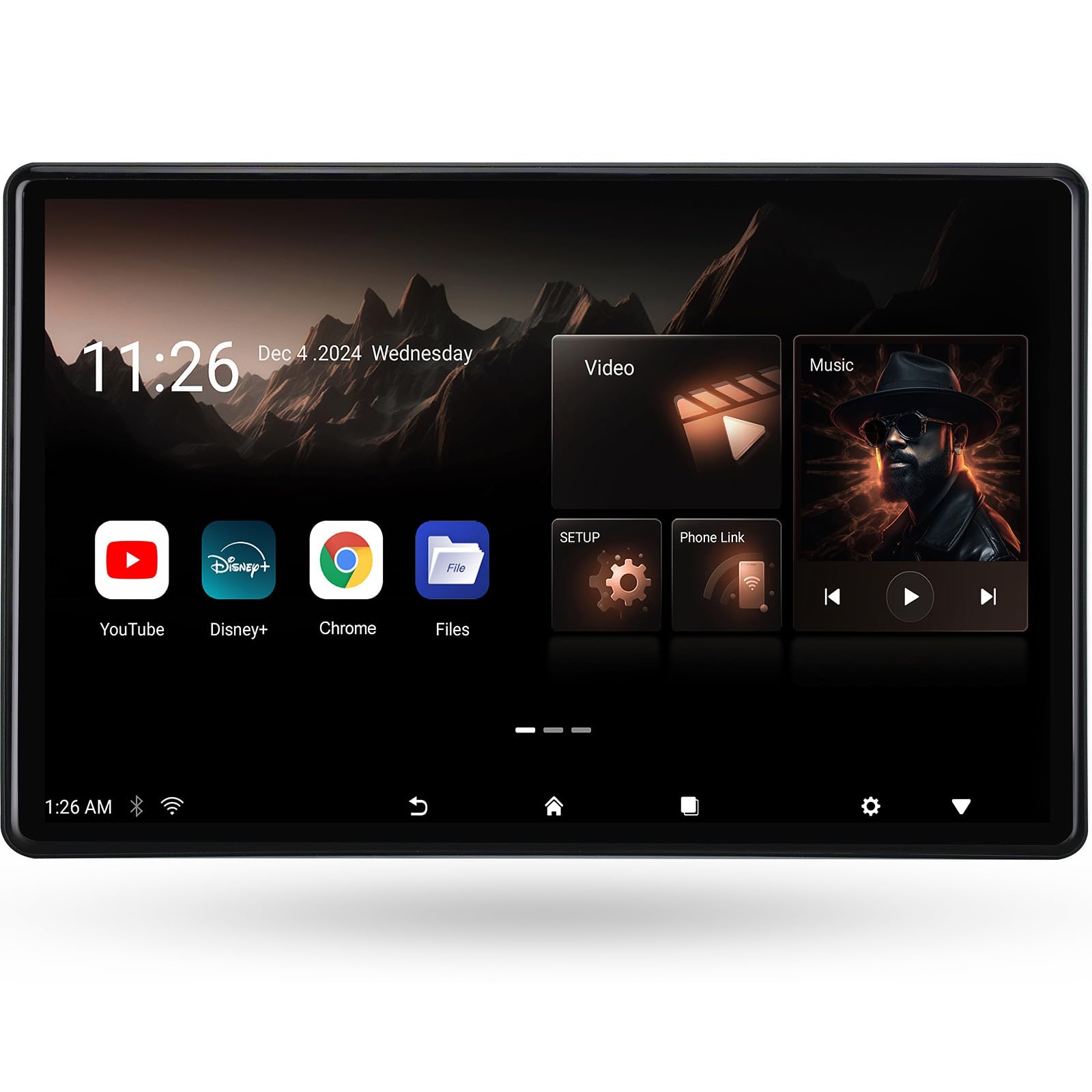
The single headrest monitor with the highest pixel count on this list.
If one passenger wants the crispest possible picture, this 14-inch panel delivers it. The screen runs 2240×1400 on an IPS touch display, the highest resolution in the lineup, so fine detail in a movie stays sharp and touch response is smooth. Underneath is Android 13.0 with Wi-Fi 5G/2.4 GHz, letting you install YouTube, Netflix, Disney+, Prime Video, HBO, and TikTok from Google Play or APKPure and connect to a phone hotspot.
It covers the practical bases for a Tahoe. A solid metal bracket is billed as fitting more than 98% of car models, and dual power adapters let it run in the car or at home. HDMI input and output handle a PS4, PS5, Fire TV stick, or TV box, and USB plus micro SD support up to 1 TB USB drives. For audio you get built-in speakers, wireless Bluetooth or wired headphones, or an FM transmitter to the car radio. iOS AirPlay and Android Miracast, plus the MyCar Link app, let you mirror and control it from up front.
OTA cloud updates keep the system current, and the maker backs it with a replacement for quality issues within 6 months and free repair within 1 year. The main thing to note is that this is a single monitor, so if two kids need their own screen you are buying two or pairing it with another unit. For one seat that wants the sharpest 2240×1400 picture here, it is hard to argue with.
Why the picture stands out
- 2240×1400 IPS touchscreen, the densest pixels in this roundup
- Android 13 with 4 GB RAM and 64 GB storage for installed apps
- OTA updates plus a 6-month replacement and 1-year repair term
The trade to weigh
- Ships as a single monitor, so two passengers means a second unit
- At-home and in-car power both need their own adapters plugged in
Ideal for: One seat that deserves the sharpest 2240×1400 screen and full Android apps.
Second unit needed: If a sibling wants a screen too, budget for a matching monitor.
8. WONNIE 13.3″ Car TV Headrest Monitor
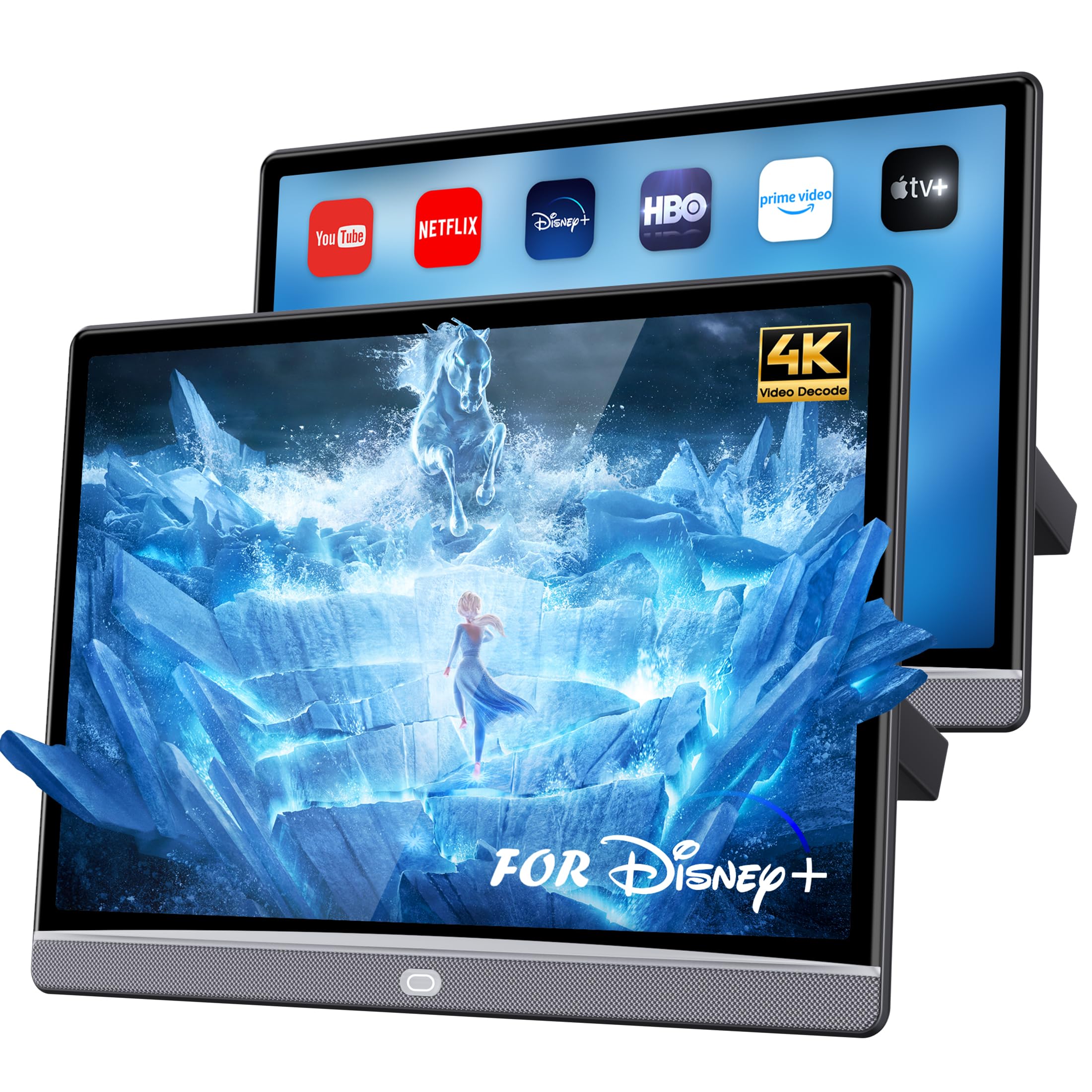
A premium headrest tablet that pairs a sharp screen with serious memory.
This is the headrest monitor for a family that wants the tablet experience without handing over a loose device. The 13.3-inch capacitive touch display runs 1920×1200 with 4K playback and a built-in GPU for smooth performance. Under the screen is Android 13 with 4 GB of RAM and 64 GB of storage, so switching between movies, games, and music stays fluid, and you can install apps from Google Play or APKPure. The 1920×1200 IPS screen stays sharp and easy to view from any angle.
You control it from the driver’s seat with an app-based MyCar Link remote, so no reaching back mid-drive. Miracast and AirPlay (two wireless screen-sharing standards) handle phone mirroring. Audio comes from dual stereo surround speakers or wired/Bluetooth headphones, with an FM transmitter to your car speakers as a bonus. For ports you get HDMI, USB, and a TF card slot (a small memory card slot) so a console or streaming stick connects right up, and HDMI sync lets two screens play the same content together. The universal metal bracket is billed by the maker as fitting 98% of vehicles with tool-free installation, and it ships with dual power adapters for car and home.
Reliability is the honest footnote. Some find the system goes glitchy over months, with the volume or speaker dropping out, and a few point to apps that do not work as expected. Value feels like the sticking point for those buyers. For most buyers, the sharp 1920×1200 screen and easy setup are the draw; treat the app experience as a work in progress rather than a polished platform. A 1-year warranty backs the buy.
Go for it if: You want a big, sharp 1920×1200 Android screen and 64 GB of storage for a premium headrest setup.
Factor in: Streaming app behavior can be inconsistent over time, so keep your core watching simple.
9. AINAVI 16″ Android 13 Headrest Monitor (Pair)

The biggest headrest screens here, two 16-inch panels for a wide cabin.
When screen real estate matters most, this pair leads on size. Each of the two screens is a 16-inch 1920×1200 touch display that plays 4K video files, and both run real Android 13 with 4 GB of RAM and 64 GB of storage. A Cortex A55 CPU keeps things moving, and the system is Google Play Protect certified, so installing apps from Google Play or APKPure is a normal, safe process. You can stream YouTube, Netflix, Disney+, Prime Video, HBO, and TikTok over 5G/2.4 GHz Wi-Fi or a phone hotspot.
The mirroring setup is thoughtful. iOS AirPlay and Android Miracast are supported, and the maker says it specifically resolved a Samsung phone screen-casting issue. Turn on the MyCar Link app on your phone, and the driver can power the screen on and choose what the child watches. HDMI input and output let two screens play the same movie at once, or connect a PS4, PS5, Xbox, computer, or TV box as a display. Wired and Bluetooth headphones, built-in speakers, and an FM transmitter round out audio. Colorful LED lights and a customizable wallpaper add some character.
Two fit notes to check before buying. This is a plug-and-play headrest setup with a universal bracket billed as fitting 98% of cars, but it only fits seats with a 130-200mm spacing between the round poles, so measure your Tahoe’s posts first. And it uses two power options, a DC adapter or the car charger, with no built-in battery, meaning it runs only plugged in. This is a newer listing with limited owner history, so judge it on the 16-inch 1920×1200 spec and the dual-screen build. For maximum headrest size in a Tahoe, it delivers.
Size leads the way: Two 16-inch 1920×1200 Android screens make this the biggest headrest option in this group.
Measure the posts: It fits seats with 130-200mm between the round poles, and there is no built-in battery to fall back on.
Pick this when: You want the largest headrest screens and two full Android 13 setups out of one box.
Measure before you buy: Confirm your seat-post spacing falls within 130-200mm, since fitment depends on it.
Know the Specs
Screen resolution and panel type
Resolution is the pixel count, and more pixels mean finer detail on a movie. Look for a Full HD 1920×1080 or higher if you want crisp images, versus 1366×768 or 1280×800 on smaller or budget panels. Panel type matters too: an IPS screen keeps colors and contrast steady when you watch from an angle, which helps in a wide Tahoe cabin where the third row sits off to one side. A blue light or LED color scheme is cosmetic; the pixel count and panel type are what you actually see.
Android memory and storage
An Android unit lists RAM and ROM, like 4GB + 64GB. RAM is the working memory that keeps app switching smooth; more of it means fewer stutters between Netflix and YouTube. ROM is storage for downloaded apps, shows, and files, so 64GB holds more offline content than 32GB. If you plan to download movies before a trip, the storage number is the one to watch. If you mostly stream over a hotspot, the RAM number keeps the experience tidy.
Audio routing: speakers, headphones, FM
Every unit here produces sound somehow, but the way it reaches the seats differs. Built-in stereo speakers need no setup but can be thin. Wireless Bluetooth and IR headphones keep the cabin quiet and give clear sound to each passenger. An FM transmitter sends audio through your car’s radio, tuned to a matching channel, so the kids hear it on the vehicle speakers. If quiet is the goal, plan on headphones; that is the setting that keeps the driver undistracted.
Power and fitment
Ceiling and headrest units draw vehicle power, often listed as DC 12V or a DC 10V-18V range. A universal mounting bracket is common, and makers often quote fitment like “more than 98% of cars,” but that is a general guide rather than a guarantee for your Tahoe. Headrest units sometimes specify post spacing, such as 130-200mm between the round poles, so measure before you buy. Some streaming sticks pull more power than a monitor’s USB port supplies, so power those separately to avoid dropouts.
Common Questions
Will a headrest monitor fit my Tahoe’s front seats?
Do I need internet for an Android car TV to work?
Can two screens play the same movie at once?
How do I get the audio to the back seats without the driver hearing it?
Does a ceiling flip-down screen or a headrest screen serve the third row better?
Why does my Fire TV stick show a black screen on an overhead monitor?
Do these systems include a built-in battery so I can use them away from the car?
What resolution do I need to see the picture clearly from the third row?
Can I control the rear screens from the driver’s seat?
Is a DVD player or an Android screen better for a long road trip?
The Bottom Line
Two kids, two shows, no arguing: that is why the Seventour 15.6″ Android headrest pair is the strongest all-around pick for a Tahoe. Each Full HD 1920×1080 screen has 4 GB of RAM (working memory for apps) and 64 GB of storage, so each child streams their own show without fighting over one picture. If you would rather hang one screen overhead that reaches all three rows, the Pyle PLRV1525 gets it done on a budget-friendly footing. And if a single seat deserves the sharpest picture here, the Seventour 14″ delivers the highest 2240×1400 resolution in the group. Whichever you pick, measure your Tahoe’s seat posts and roof space first so it fits right the first time.
How we choose
We do not accept paid placement. Every pick is matched to a real buyer and a real use-case; we do not hands-on test units.
Sources
Specifications: manufacturer listings and product documentation. Review insights: verified customer reviews, as of November 2026. Pricing: not shown on this page (it changes often); check the current price via the retailer link.
As an Amazon Associate, Tactical Gear Guy earns from qualifying purchases. This does not affect which products we feature.