Specs are compiled from manufacturer listings and verified buyer reviews and can change over time — please confirm the key details on the product page before buying.
Flour, steam, and a wet thumb hitting the glass every morning kill more kitchen tablets than screen size ever does. You need a screen you can wipe down, a stand that holds its angle while your hands are covered in dough, and apps that stay on the recipe page instead of sliding into a notification feed. Below are nine tablets that each solve a different piece of that problem: some prop themselves up on a dock, some live under the child-proofing, some are the one you carry from the counter to the couch without thinking about it.
This guide is built by comparing the manufacturers’ published specifications and the patterns across verified customer reviews, so you get each pick’s real strengths and trade-offs instead of marketing spin.
The list is ordered from the countertop workhorses that carry a kitchen duty first down to the big-screen splurge tabs you buy for the whole family. Read on for the only breakdown of tablets for kitchen counter that pairs every spec with what it actually does on a wet, crowded, poorly lit worktop.
Top Picks

How To Choose The Best Tablets for Kitchen Counter
A kitchen tablet fails in three ways: the screen washes out under cabinet lighting, the stand collapses while you are kneading, and the battery dies mid-recipe because you left it displaying a photo frame all afternoon. Your decision depends on which of those three failures you are willing to tolerate, because no single cheap tablet fixes all of them at once.
Start with how the tablet stands up, not how big it is
A tablet that lies flat on the counter is a tablet you never use while cooking, because you cannot see it from the stove. A dock, a folio cover with a built-in stand, or a foldable case turns a flat slab into a hands-free display. That stand is the difference between a recipe you glance at and one you abandon for your phone. If the tablet is meant to live on the counter permanently, favor a model that includes its stand in the box rather than one that sells you a separate case later.
Screen type: LCD versus OLED for a bright kitchen
An LCD panel (Liquid Crystal Display) lights the whole screen from behind and handles glare more predictably under overhead kitchen lights. An OLED panel (Organic Light Emitting Diode) shuts off individual pixels to produce deeper blacks and richer color, which looks wetter and more saturated but can feel shinier in a bright room. IPS panels (In-Plane Switching) keep colors and brightness consistent when you look at the screen off-angle, which matters when the tablet is propped to the side of your chopping board rather than directly in front of you. For a counter tablet, an IPS LCD is the more forgiving choice.
Battery life in hours, not in claims
A tablet used only for recipe reading between 10-minute steps can survive on a small battery. A tablet used as a photo frame, a clock, or a kids’ video machine needs a much bigger capacity in milliamp-hours (mAh — the standard unit of battery storage). Look at the ratings for real playback hours, and note that a photo frame or always-on clock drains the battery far faster than reading a recipe page and then closing the screen.
Storage and the MicroSD slot
Recipes take almost no space. What eats storage on a kitchen tablet is downloaded video, music playlists for cooking, and the photo library that turns the tablet into a mini display. A microSD card slot lets you add expanded storage later, and several of these models list support for cards of up to 1TB or 2TB of expanded memory. If you plan on the tablet being the family photo display, that slot saves you from buying a pricier higher-capacity model up front.
Side-by-Side Comparison
| Model | Best For | Display | Battery | Stands Itself Up? | Amazon |
|---|---|---|---|---|---|
| Apple iPad mini (A17 Pro)★ Best Overall | Counter to couch carry | 8.3-inch Liquid Retina | All-day battery life | No — needs a case | Amazon |
| Lenovo Tab OneBest for Budget Counters | Budget recipe reader | 8.7-inch HD, 60Hz | Up to 12.5 hours streaming | Yes — folio case included | Amazon |
| Jeazans 10.1” Android Tablet with DockThe Dock Station | Dock-only counter station | 10-inch 1280×800 IPS | 5 hours; 6000mAh | Yes — dock included | Amazon |
| YOBANSE 10 Inch Tablet with Keyboard | Grocery list to cookbook bundle | 10.1-inch HD, 60Hz | 16 hours; 8000mAh | Yes — foldable case | Amazon |
| Samsung Galaxy Tab A11 WiFi | Compact counter corner | 8.7-inch 1340×800, 90Hz | 12 hours; 5100mAh | No — case sold separately | Amazon |
| TCL TAB 10 Gen 4 | Family and homeschool kitchen use | 10.1-inch IPS FHD 1920×1200 | 6000mAh; 18W charging | No — case sold separately | Amazon |
| Samsung Galaxy Tab A 8.7 (A11) | Big battery, light duty | 8.7-inch | 10000mAh; 12 hours | No — case sold separately | Amazon |
| Amazon Alexa Tablet 11 | Smart-home hub on the counter | 11-inch 2.5K, 90Hz | Up to 15 hours video | No — case sold separately | Amazon |
| HONOR MagicPad2 | Whole-family premium display | 12.3-inch OLED 3K, 144Hz | 10050mAh | No — case sold separately | Amazon |
Detailed Reviews
1. Apple iPad mini (A17 Pro)
Our pick — 4.5+★ from 3,000+ verified ratings; the strongest balance of quality and price.
The counter tablet you actually pick up — small enough to hold in one floury hand, fast enough to never stall on a recipe page.
Here is the number that decides it: 10.4 ounces. That is the whole weight of this iPad mini, which means you can balance it on the edge of a cutting board with one hand while the other stirs. Owners put it in cargo shorts pockets, and it slips into a drawer when the counters need clearing. The 8.3-inch Liquid Retina display carries True Tone and ultralow reflectivity, so the recipe page stays readable under a bright overhead light instead of turning into a mirror.
Speed is not a marketing word here. The A17 Pro chip and the Wi-Fi 6E radio (the newer, less-crowded Wi-Fi band) mean a recipe loads and a grocery-list sync happens without the little pause that makes you reach back for your phone. Owners describe scrolling as stutter-free and repeatedly name the 8.3-inch size as the best part. What wins most owners over is build quality — it feels solid in a way most cheap counter tablets do not. Touch ID built into the top button open up it with a wet-ish thumb without typing a passcode.
Battery life is the one honest split. Some buyers report two days of use, others only about three hours, so treat the “all-day battery life” label as optimistic if you leave it streaming video on the counter. Pair it with a wide-angle Smart Folio or a stand you buy separately, because there is no kickstand in the box. It is also the smaller screen on this list — if you want a giant recipe view, the TCL and YONBANSE models give you more inches for far less.
What earns it the top slot
- 10.4 ounces — the lightest way to hold a recipe with one hand
- 8.3-inch Liquid Retina with True Tone and ultralow reflectivity
- A17 Pro chip and Wi-Fi 6E keep apps and syncing instant
- 128GB starting storage leaves room for video and cookbooks
Where it asks you to compromise
- No stand or case in the box — you will buy one
- Battery reports range from two days to about three hours
Reach for this if: you want one small tablet that reads a recipe at the stove and rides along to the couch or the car.
Look elsewhere if: you need a stand included or a large, shareable screen for the whole family.
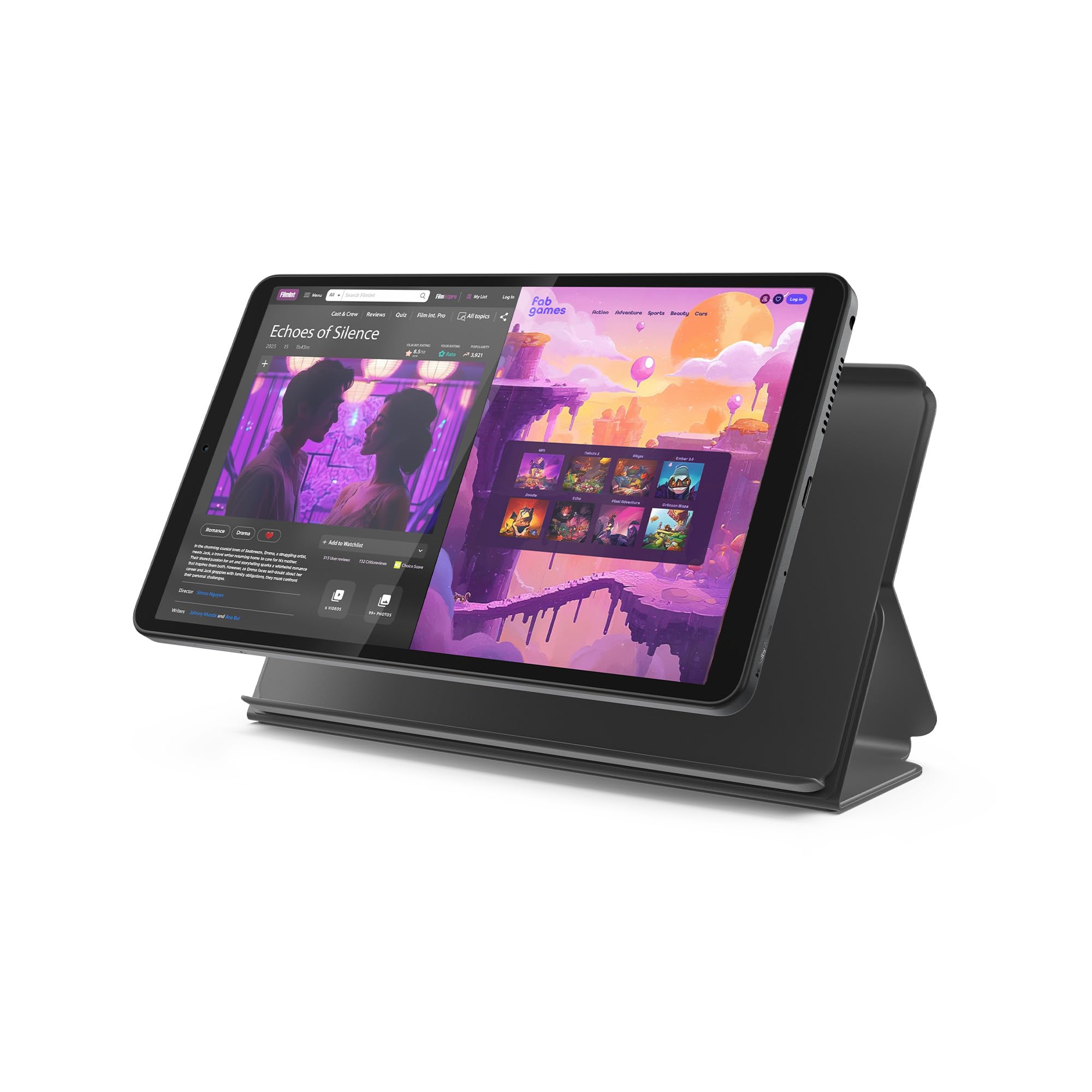
2. Lenovo Tab One
The entry-level counter tablet that arrives with its own stand and outlasts the whole dinner prep.
Start with the number that makes a kitchen tablet usable: 12.5 hours. That is how long Lenovo rates this Tab One for unplugged YouTube streaming, against roughly 5 hours on the docked Jeazans model. A tablet that lives through an afternoon of cooking videos without hunting for a charger changes how often you actually reach for it. Lenovo also built in 15W charging, which it describes as faster than previous models.
You get hands-free viewing straight from the start, because the included folio case wraps the tablet for protection and folds into a built-in stand — no separate purchase needed. The unit weighs under a pound and has an 8.7-inch HD display at 480 nits of brightness (a measure of how bright the screen glows — enough for a normally lit kitchen, not for direct sun through a window). Dual Dolby Atmos speakers give recipes and podcasts more body than you expect from a tab this small.
The MediaTek Helio G85 chip and 60Hz refresh rate handle reading and video fine, but performance is the honest weak spot. Boot-up can feel slow, and some buyers found the software setup more laborious than expected. Owners who call it the best small Android tab for a kid are the ones who value the 8.7-inch size and low price over raw speed. If your counter use is a recipe page, a video, and a timer, this is plenty. If you want to run a spreadsheet while streaming, look up the list.
What buyers rate highest: the overall quality-to-size balance — at 8.31 x 4.91 x 0.33 inches it sits in the hand small enough to tuck into a purse or a drawer, and the HD display holds text sharply enough to read without eyestrain.
The honest trade-off: that same Helio G85 chip can boot slowly and set-up took more than a few buyers by surprise, so this is a kitchen companion, not a mini laptop.
Why it belongs here: it is the only pick that hands you the stand, the screen, and a long streaming runtime together on a budget.
What to know before you order: expect a slow start-up and a basic screen that is honest rather than vivid.
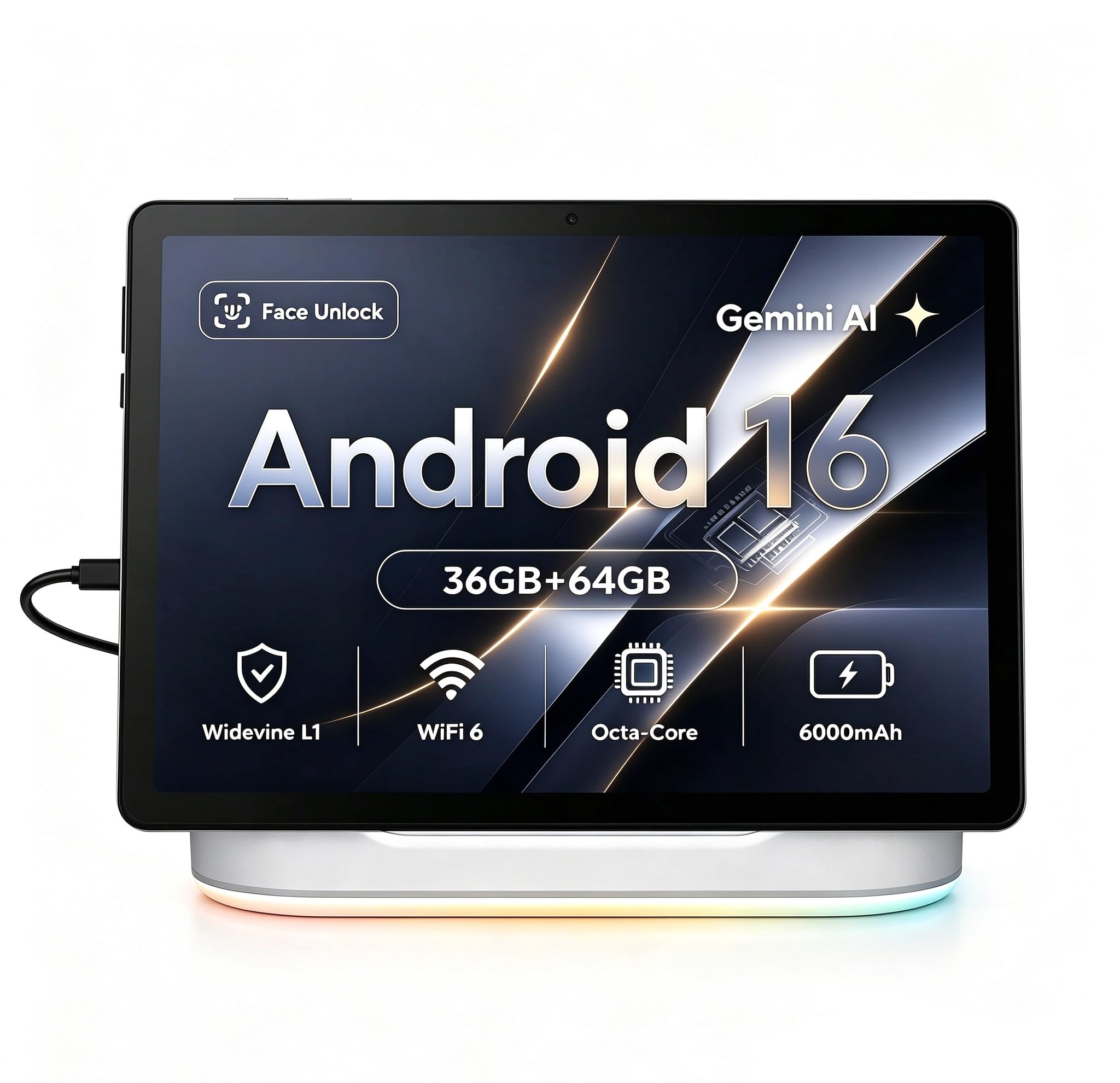
3. Jeazans 10.1” Android Tablet with Dock Station
A tablet plus a countertop dock that turns it into a speaker, a clock, and a digital photo frame.
Most tablets ask you to buy a stand. This one includes a dock that keeps the tablet charged through magnetic contacts, doubles as a stereo speaker with music-synced ambient lights, and offers 8 built-in white noise modes. It also runs a clock screensaver and digital photo frame, which is the actual reason to consider this for a kitchen counter: it becomes a thing that stays there all day rather than a tablet you put away.
The 36GB of RAM is the headline number — versus 4GB on the Lenovo Tab One, a wide gap that translates into juggling a recipe app, a browser tab and a music stream at once. The 10-inch 800×1280 IPS screen keeps colors consistent off-angle, so a recipe remains readable from the side of the counter. Wi-Fi 6 and Bluetooth 5.4 handle dual-band 2.4G/5G connections. The 6000mAh battery supports Type-C charging and wireless charging on the dock.
The honest limit is the runtime: 5 hours of battery average life means this tablet wants to live on its dock, and off the dock it is a short trip. It is also the newest listing in this group, so long-term durability is unproven compared with the Samsung and Apple models. But as a permanent counter station — clock, photos, speaker, and recipe window — the included dock does the work that four separate purchases would otherwise do.
The real pitch: for anyone whose kitchen tablet plan is “prop it up and leave it there,” the dock bundle does three jobs — charging, clock, photo frame — that no other pick here bundles.
Best matched to: a countertop that wants a permanent clock-and-recipe station with sound built in.
A fair caveat: the 5-hour battery makes it a dock-first tablet, so travel use is not the point.
4. YOBANSE 10 Inch Tablet with Keyboard
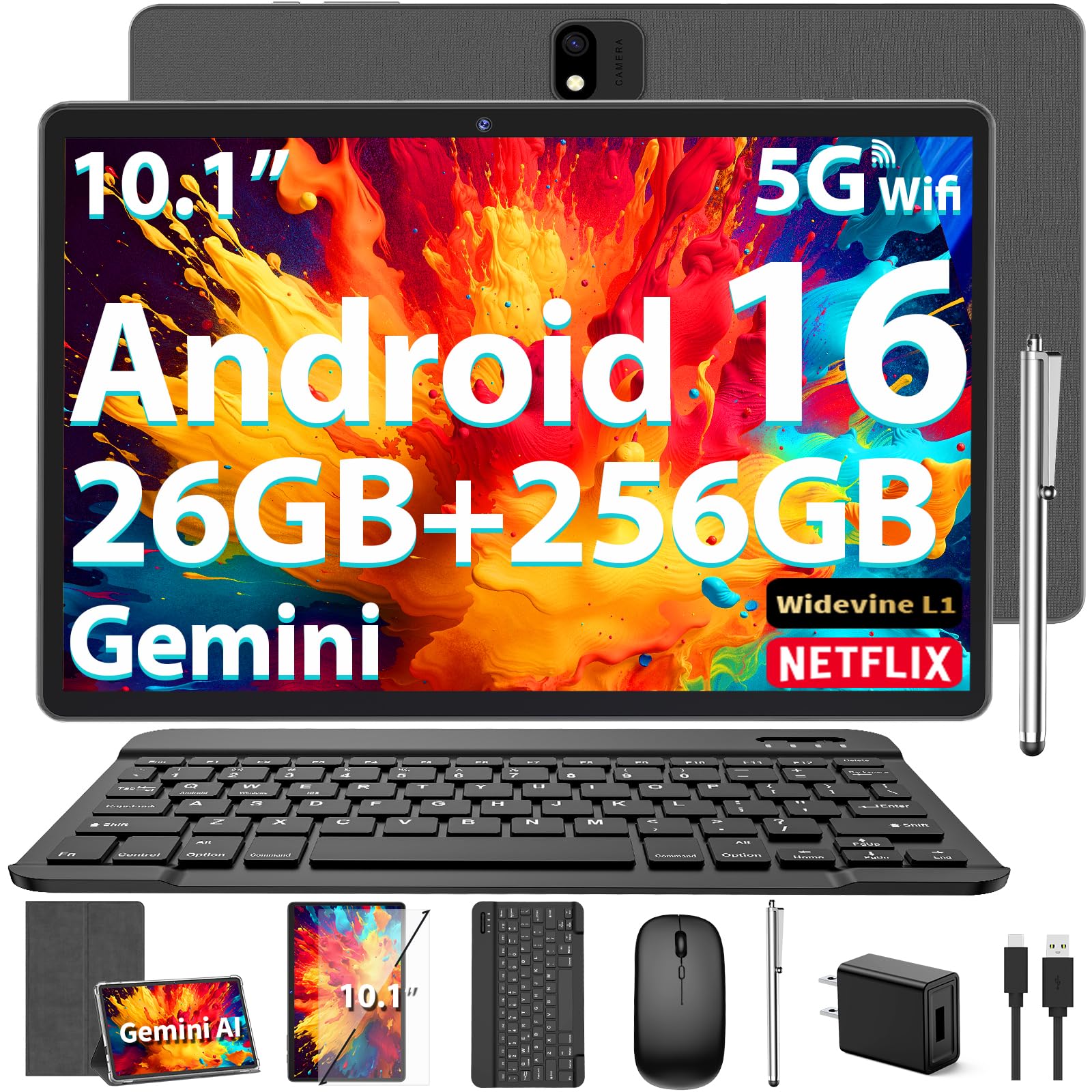
The bundle that turns your counter tablet into a grocery-list machine, complete with keyboard, mouse, and stylus.
Two numbers make this pick different from the Lenovo. The first is 256GB of storage against Lenovo’s 64GB — a fourfold gap that makes room for offline recipe books, downloaded video, and photo collections without a card. The second is 26GB of RAM, which the listing breaks down as 6GB of real memory plus 20GB of virtual memory, so the tablet can hold several apps open while you compare three versions of the same sauce.
The 8000mAh battery is rated for 16 hours of average life, which puts it near the top of this group for endurance away from a socket. A 10.1-inch HD display is paired with Widevine L1 certification — that matters because L1 is the streaming level that lets you watch Netflix and Prime Video in Full HD rather than a softened version. The bundle includes a foldable case, screen protector, keyboard, mouse, stylus and charging gear, and a PC Mode flips it into a document-editing setup. Buyers calling it a great deal point to the included keyboard, mouse, stylus and case as the reason.
The catch is connectivity. This tablet cannot make phone calls and takes no SIM card, which is fine for a kitchen but worth knowing if you wanted it as a travel device. A few owners mention keyboard and mouse pairing trouble, and one noted the browser struggling with many tabs open. For a counter where it stays put and mostly reads recipes and streams video, those limits rarely bite.
Where it pulls ahead
- 256GB storage and 26GB RAM hold every cookbook and tab
- 16-hour battery average life keeps it ready through the day
- Widevine L1 lets streaming apps play in Full HD
- Keyboard, mouse, stylus and case all ride in the box
Before you commit
- No SIM slot, so no phone calls or cellular data
- Some buyers hit trouble pairing the keyboard and mouse
The deciding factor: if you want one purchase to cover recipe reading, list typing and Full HD streaming, this bundle does all three.
The one limit to accept: it is a Wi-Fi-only tablet with no phone-call option.
5. Samsung Galaxy Tab A11 WiFi
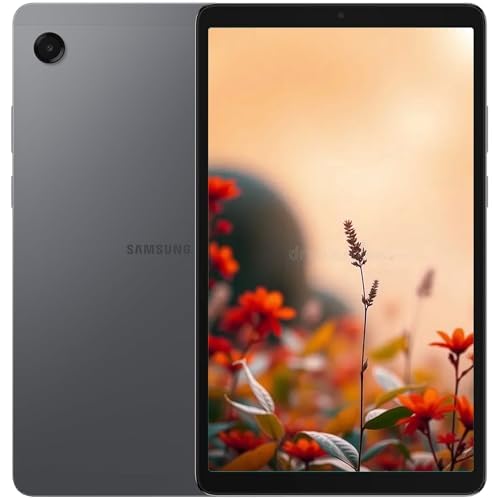
A small Samsung that runs its screen at 90Hz, so scrolling a long ingredient list feels smoother.
The 90Hz refresh rate is the number to start with. That means the screen redraws 90 times per second, so flicking through a long step-by-step recipe or a shopping list feels less jumpy than the 60Hz screens on the Lenovo and the YOBANSE. Samsung pairs that with a 1340 x 800 WXGA+ display and the Mediatek Helio G99 chip built on a 6nm process. For reading at a counter, that is a smoother feel than the basic budget tabs give you.
Runtime lands at 12 hours of average battery life from a 5100mAh cell, which is realistic for a day of on-and-off recipe glancing. Storage is 64GB paired with 4GB of RAM, and the microSD slot accepts a card for up to 2TB of expanded memory — plenty of room for a photo slideshow of the family’s meals. Android 15 with One UI 7 sits on top, with updates coming. An 8MP rear and 5MP front camera handle quick shots of a finished plate or a video chat while you cook.
Two honest notes. The charger is not included, so plan on using a USB-C charger you already own. And the international Latin American version means the country selection may not appear during setup — Samsung’s own instructions say to pick any country and it updates later once you connect to Wi-Fi. Owners consistently call the 8.7-inch size nice and setup easy, though speed reviews split between quick and slow. For a counter corner where it reads recipes and shows family photos, the 90Hz refresh and the Samsung app ecosystem are the reasons to pick it over the cheaper Lenovo.
Why the smaller size works here: at 8.7 inches with no footprint beyond a small trivet, this is the tab that fits where counters are short of space.
Suits you when: your counter space is tight and you want smooth scrolling from a known brand.
Might not suit: you need a charger in the box or a display larger than a paperback.
6. TCL TAB 10 Gen 4
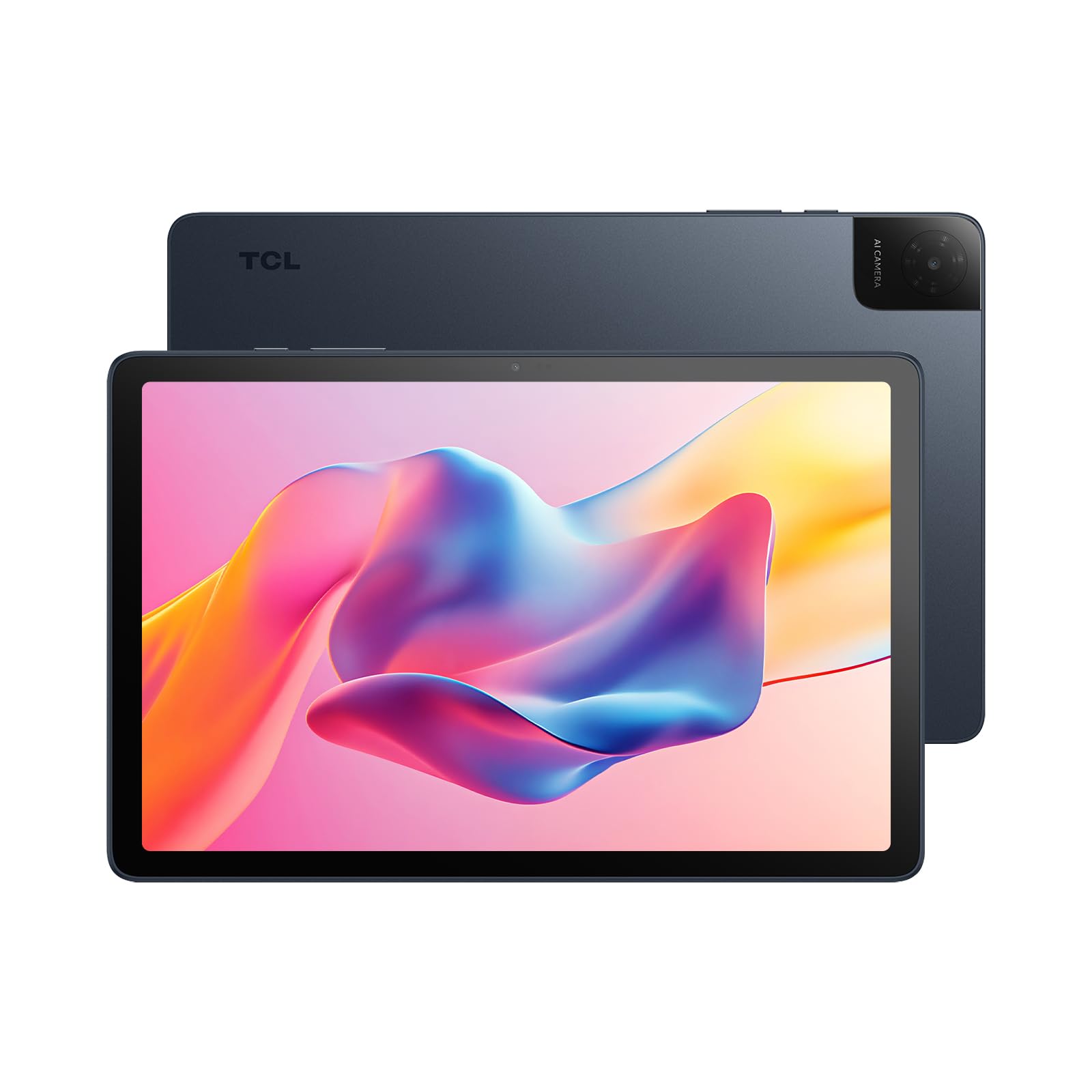
The sharpest screen of the value picks, with a 1920×1200 IPS panel that stays readable at the counter angle.
Look at 1920 x 1200. That is the resolution on this 10.1-inch IPS FHD display, and it puts it well above the 1280 x 800 screens on the cheaper tablets here. This is the panel made for reading a dense recipe or watching a cooking show with the family gathered around. TCL adds NXTVISION processing and dual speakers with a Sound Booster that raises audio volume by up to 200% — useful when the exhaust fan is running.
The 6000mAh battery is paired with 18W fast charging, which helps reduce charging time but requires a compatible charger sold separately. The MTK MT8786V/N octa-core chip with NXTURBO optimization cuts power and heat during light work. Android 15 supports responsive app switching, and 4GB of physical RAM plus 8GB of RAM expansion keeps a recipe and a browser tab open together. Storage is 128GB and the microSD slot takes cards up to 1TB.
Family features are the other reason this pick earns its place. Kids Space and Google Family Link let parents filter content and manage screen time, and Eye Comfort mode keeps reading more comfortable. The 5MP front camera handles video calls with grandparents, and the 8MP rear camera snaps the finished dish. Performance is the mixed note: it handles daily browsing and streaming, but do not expect it to keep pace with the HONOR with demanding games or heavy multitasking.
The screen and family angle
- 1920 x 1200 IPS panel — the sharpest of the value picks
- 6000mAh battery with 18W fast charging support
- Kids Space and Family Link controls for family use
- 128GB storage with room for a 1TB card
What to go in knowing
- The 18W charger is not included
- Heavy multitasking and games are outside its comfort zone
Who this is for: households where the counter tablet doubles as a learning and streaming screen for the kids.
The trade-off to weigh: it does daily tasks well and asks you to bring your own fast charger.
7. Samsung Galaxy Tab A 8.7 (A11)
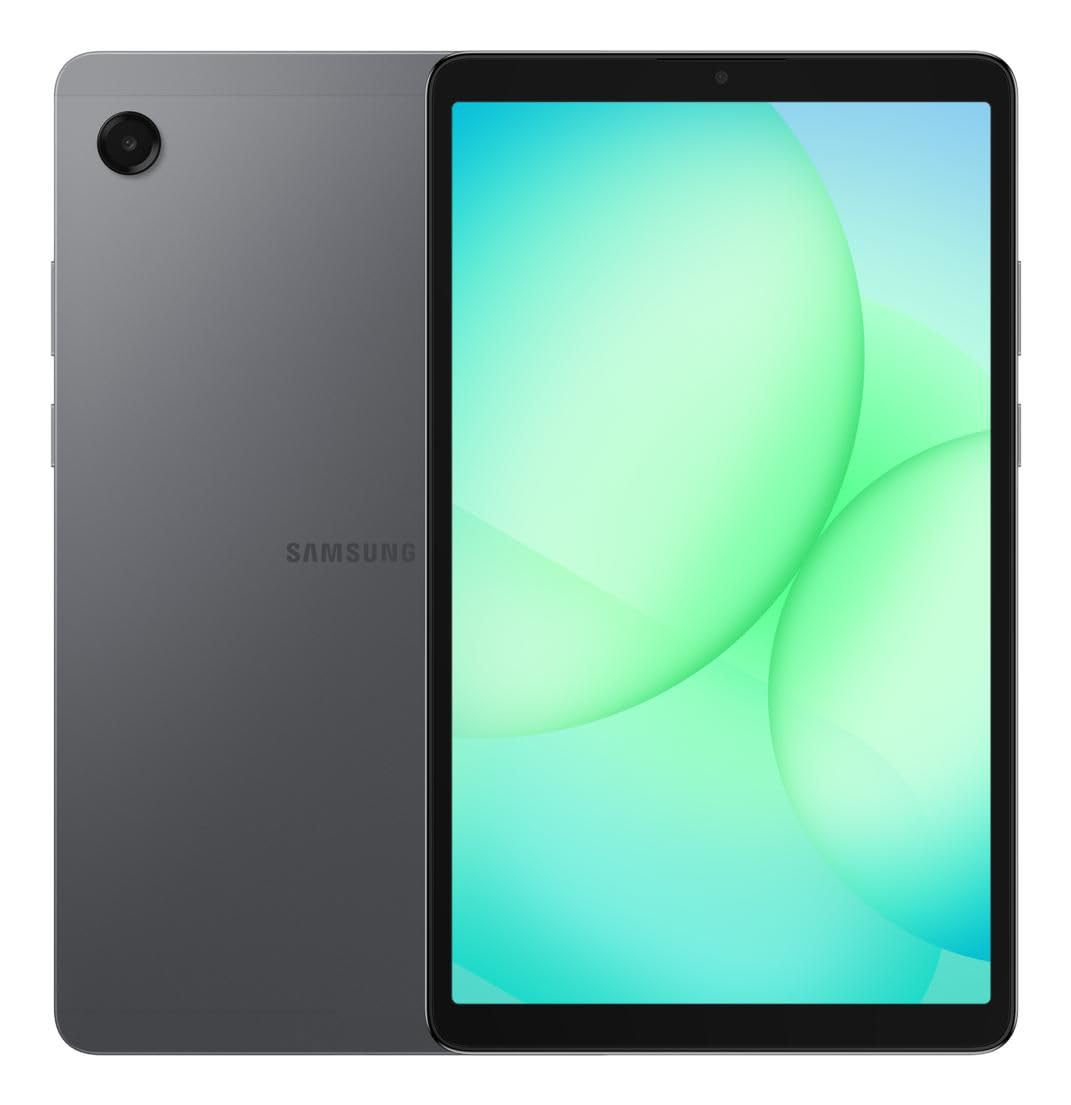
A 10000mAh cell in an 8.7-inch body — the endurance number that makes this one a leave-it-on machine.
10000mAh is the figure worth circling. The listed battery capacity is nearly twice the 5100mAh in the smaller A11 WiFi model, and it is rated at 12 hours of average battery life. For a counter tablet that stays awake as a recipe screen or a photo display between charges, that capacity is the practical difference between a daily top-up and a once-a-week one.
The rest of the package is the familiar 8.7-inch Samsung shape. The rear camera is 8MP with a 5MP front, the aspect ratio is 16:10, and there is a microSDXC slot for expandable storage. It runs a Samsung tablet build of Android with the One UI layer, and the 64GB of storage covers the recipe apps and downloaded video you would realistically use at a counter. The Wi-Fi and 4G/5G bands in the spec list reflect the hardware radio, so double-check your listing if you specifically need a cellular version.
Compatibility is the one thing to get right before ordering. Buyers here report mixed results region to region — a random country selection sometimes blocked Google apps until the device was reconnected, and side-button placement differs from older models. If you buy through a listing with a clear warranty and returns path, those setup headaches are solvable. The 8.7-inch size is the other honest limitation: it is a compact screen, so a recipe sits in one column rather than spread wide.
Read the battery spec first: 10000mAh is the reason to pick this model over the smaller A11, and the 8.7-inch footprint makes it an easy fit beside a coffee maker.
Read the region note too: setup country issues show up in buyer reports, so confirm the seller and returns before you commit.
Pick this for: a compact, heavily endurance-focused counter tablet that stays awake without constant charging.
Skip the impulse if: you need a wide recipe view or want a plug-and-play region setup.
8. Amazon Alexa Tablet 11
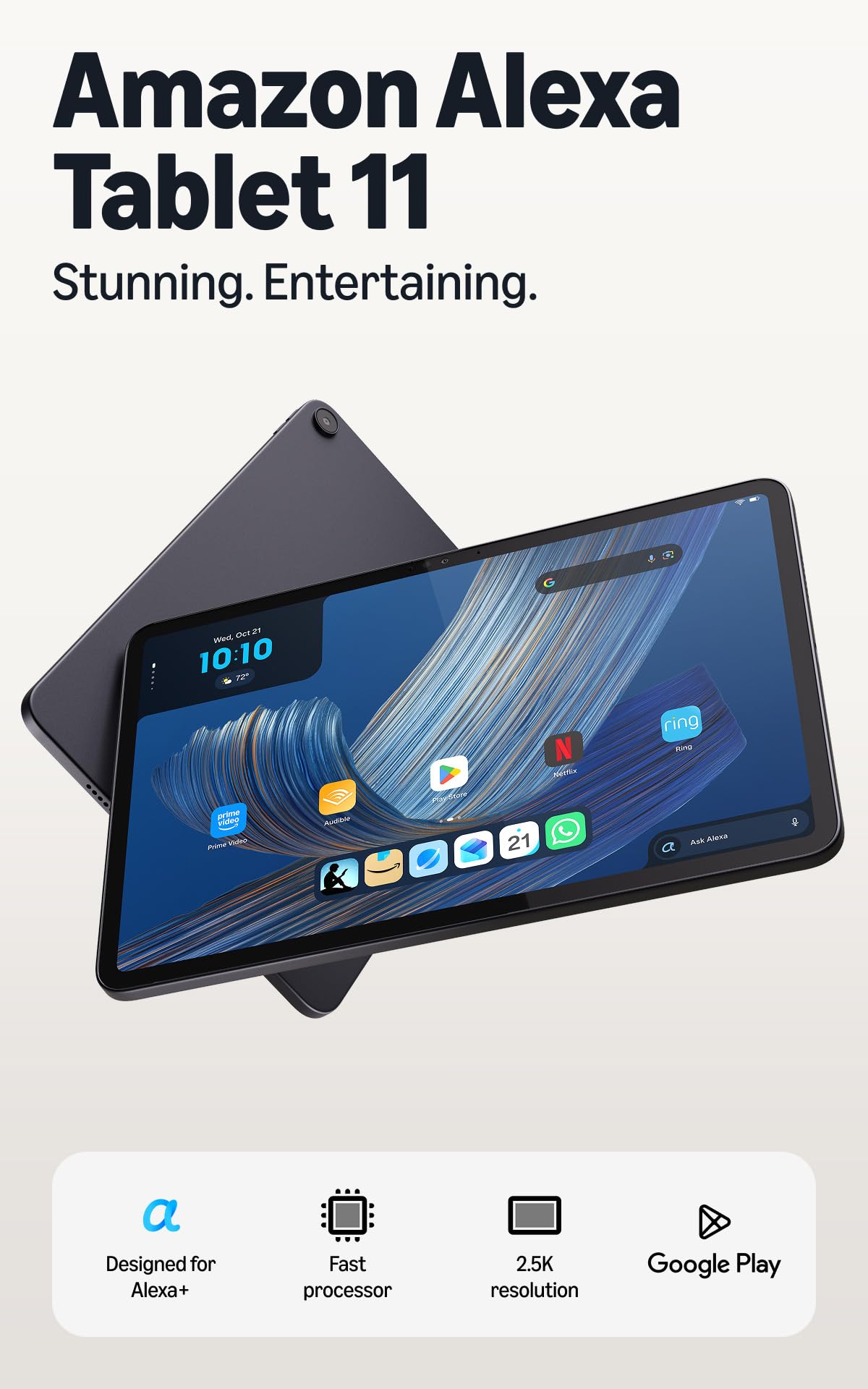
The counter tablet that doubles as a smart-home remote — dim the lights, check the cameras, then read the recipe.
2.5K resolution on an 11-inch screen is the first thing to notice, with a 90Hz refresh rate smoothing the scroll. Watch, read, and create in sharp detail and vivid color, with dual Dolby Atmos speakers handling cooking podcasts. Battery life is rated at up to 15 hours of video playback, putting it among the longest-running screens here. It runs a full 8-core chip with 8GB of RAM and Wi-Fi 6 for streaming, reading, and multitasking.
What separates this from every other pick is Alexa. From the tablet you can dim the lights, check cameras, start movie night, or set routines, and the built-in Amazon apps — Prime Video, Kindle, Audible, Amazon Music, Amazon Luna — sync across devices with single sign-on. It also ships with Google Play, so the apps you already know are available. The aluminum unibody keeps the 11-inch slab thin and light enough to move around the counter.
The honest caveat is performance. Buyers split on speed — some call it fast next to other Android tablets, others report erratic moments and unresponsive touch. Setup can also feel complicated if you are used to a simple tablet, since the Alexa and Google sign-in layers stack on top of each other. For a family that wants the counter tablet to control the lights and stream cooking shows over the bar, the smart-home reach is worth those quirks. For a recipe-only tab, simpler options cost less and do the one job cleanly.
Why the smart-home layer matters
- 11-inch 2.5K display at 90Hz gives sharp, smooth scrolling
- Up to 15 hours of video playback on a charge
- Alexa controls lights, cameras and routines from one screen
- Google Play access means the usual apps, not a walled store
Where it can frustrate
- Speed and touch occasionally behave inconsistently
- Setup layers Alexa and Google accounts, which slows you down
Go for it when: the kitchen is already smart and you want one screen to run the lights, the streaming, and the recipes.
Think again if: you want a frictionless setup or only ever read recipes.
9. HONOR MagicPad2

The biggest, brightest screen in the group — a 12.3-inch OLED that makes a recipe or a movie look like a showpiece.
3000 x 1920 pixels across 12.3 inches, on OLED with 1.07 billion colors and the DCI-P3 wide color gamut. That is the whole point of this pick: a kitchen tablet that doubles as the family’s display screen for movies at the bar. The 144Hz refresh rate is the smoothest in this group, so even scrolling a long grocery list feels silky. A Snapdragon 8s Gen 3 platform with 12GB of RAM and 256GB of storage handles the heavy lifting.
Battery is 10050mAh, which supports a day of mixed photo-frame and video use. Wi-Fi 6 and Bluetooth 5.3 handle connectivity, and the 13MP rear and 9MP front cameras cover quick shots and video calls. Android 14 with MagicOS 8.0.1 does the software side, and the 16:9 aspect ratio makes the screen natural for video rather than for reading a two-column cookbook. The white colorway looks clean in a bright kitchen, and the big screen is the draw for a family counter.
This is the largest and most premium tablet here, and it is priced accordingly. It has no built-in stand, so plan on a case, and a 12.3-inch slab is not the kind of thing you carry around one-handed. If you want the biggest, best-looking screen sitting on the counter and you mostly use it for watching and viewing photos, this is the one. If a recipe reader who holds the tab is the goal, the iPad mini is the lighter and more carryable choice.
The standout spec: 12.3-inch OLED at 3000 x 1920 with a 144Hz refresh — the sharpest and smoothest panel in this list, and the biggest.
Worth it for: the household that wants one big, gorgeous counter display for movies, photos, and streaming.
The catch: it is the priciest and heaviest pick here, and it will need a stand.
Know the Specs
Display technology: OLED versus IPS LCD
An IPS LCD (In-Plane Switching Liquid Crystal Display) has a backlight behind the whole panel, which keeps brightness and color steady when you look at it from an angle. That matters on a counter where the tablet is off to the side of your hands. OLED (Organic Light Emitting Diode) turns each pixel on and off on its own, giving deeper blacks and richer colors, and tends to look more striking for video. The trade-off is that OLED often looks shinier in bright rooms. For recipe reading, IPS is forgiving; for movie nights, OLED wins.
Battery capacity versus battery life
Capacity is how much energy the tablet stores, measured in mAh (milliamp-hours). Life is how long it actually runs, measured in hours. A bigger capacity does not always mean more hours, because a bigger, brighter screen drains faster. A dock or photo frame around the clock drains far quicker than reading a recipe then closing the screen. Match the listed hours to how you actually use the counter tablet, not to the biggest number on the box.
Refresh rate in hertz
Refresh rate is how many times per second the screen redraws, measured in Hz. At 60Hz, a flick through a long recipe list can look a touch jumpy. At 90Hz or 144Hz, that same motion is smoother. Higher refresh rates also draw more battery, so a balance between smoothness and runtime is the goal. For a kitchen tab used mostly for reading, 60Hz is fine; for constant streaming and scrolling, the higher rates feel better.
RAM, storage, and the MicroSD slot
RAM is the short-term workspace that keeps apps open, measured in GB or with virtual expansion. More RAM means you can have a recipe, a browser, and a music stream open at once without the tablet dropping one. Storage is where recipes, video, and photos live, measured in GB. A microSD card slot lets you add a card later for extra storage — several of these tablets list support for cards of up to 1TB or 2TB. If the tablet is your family’s photo display, that slot is worth checking for.
Common Questions
Will a tablet fit in the corner of a small kitchen counter?
Do I need a stand, or can the tablet prop against the wall?
Is OLED better than LCD for a bright kitchen?
How many hours should a kitchen tablet’s battery last?
Can I add storage to a kitchen tablet later?
Which is better for kids in the kitchen, Fire or full Android?
Will the tablet survive a splash or flour spill?
Is 8GB of RAM enough for a counter tablet?
Does a keyboard case make sense on a kitchen counter?
Should I buy a tablet with cellular or Wi-Fi only?
The Bottom Line
For most kitchens, the iPad mini wins because it is the one you actually pick up — 10.4 ounces, an 8.3-inch Liquid Retina screen, and a chip that never makes you wait while the onions catch. If you want the stand included and a full day of streaming on a budget, the Lenovo Tab One gives you that with its 12.5-hour YouTube rating and a folio case that folds into a stand. And for a permanent counter station that runs as a clock, a speaker, and a photo frame, the Jeazans 10.1” with Dock Station is the one that never gets put away.
If the family gathers around the counter more than you stand at it, the HONOR MagicPad2 is the screen they will fight over — a 12.3-inch OLED at 3000 x 1920 pixels with a 144Hz refresh (a measure of how many times per second the screen redraws — smoother motion) that no other pick here matches. The TCL TAB 10 Gen 4 is the quieter family choice, with its 1920 x 1200 IPS panel (a screen type with wide viewing angles) and Kids Space controls.
Before you order, settle two things: if you want the stand in the box or will buy a case, and if you need the tablet to leave the counter. That single question separates the iPad mini and the Lenovo from the docks and the big-screen HONOR. The iPad mini’s 4.5+ star rating from thousands of owners is the highest among the small screens here, and that record backs its top spot for a carry-anywhere kitchen tab.
How we choose
We do not accept paid placement. Every pick is matched to a real buyer and a real use-case; we do not hands-on test units.
Sources
Specifications: manufacturer listings and product documentation. Review insights: verified customer reviews, as of November 2026. Pricing: not shown on this page (it changes often); check the current price via the retailer link.
As an Amazon Associate, Tactical Gear Guy earns from qualifying purchases. This does not affect which products we feature.