Specs are compiled from manufacturer listings and verified buyer reviews and can change over time — please confirm the key details on the product page before buying.
Before you buy a Windstream DSL modem, match the model to the exact DSL line type at your address — ADSL, VDSL, or vectoring. Windstream runs both older ADSL connections and newer VDSL and “Enhanced” or “Premium” lines, and a modem built for one type can sit there with every light blinking and still never get you online. Match it and setup takes minutes; miss it and the modem blinks but never syncs. This guide walks you through which boxes fit which lines, what the spec numbers actually mean for your download speed, and where each pick makes the most sense.
This guide is built by comparing the manufacturers’ published specifications and the patterns across verified customer reviews, so you get each pick’s real strengths and trade-offs instead of marketing spin.
You will see which boxes handle vectoring, which ones are locked to a single provider, and which ones quietly save you a monthly rental fee. Below is the full rundown of windstream dsl modem options, sorted by line type and form factor.
Top Picks


How To Choose The Best Windstream DSL Modem
A DSL modem is not a router, and the difference decides whether you get online at all. A router only has to be fast enough for your plan. A modem has to speak the exact signalling standard on your copper line — G.992.3 for ADSL2, G.993.2 for VDSL2 — or its speed and Wi-Fi ratings mean nothing. So the checklist below starts with line type, then moves to speed and Wi-Fi.
Match the modem to your line type first
ADSL, ADSL2+ and VDSL are different ways of pushing data down a copper phone line, and each one uses its own signalling standard. A box that lists G.992.1 and G.992.3 handles plain ADSL. A box that also lists G.993.2 and G.993.5 handles VDSL2 and vectoring. Vectoring is a noise-cancelling technique that lets a VDSL line run closer to its rated speed. If your Windstream plan is an “Enhanced” or “Premium” connection, you generally need a VDSL-capable box. If you are on an older “Standard” ADSL plan, a VDSL-only box may not connect at all.
Decide between a modem-only unit and a combo
A modem-only box does one job: it turns the phone line into an Ethernet connection. You then plug in your own router for Wi-Fi. This is the cleaner setup if you already own a router you like, and it keeps the Wi-Fi hardware separate so you can upgrade it later. A combo box folds the modem and the Wi-Fi router into one case, which means fewer wires and one less power brick. The trade-off is that when either half ages out, you replace the whole thing.
Check the downstream and upstream ratings
Two numbers on the spec sheet matter for real speed: downstream and upstream. Downstream is what you pull from the internet, and upstream is what you send. A modem rated far above your paid plan is fine — it just runs below its ceiling. A modem rated below your plan is the problem, because it becomes the bottleneck no matter what Windstream sends down the line.
Know your login settings before you unplug the old box
Windstream connections typically authenticate with a PPPoE username and password, and some lines carry a VLAN tag that has to be set correctly. If you are pairing a modem-only box with your own router, the PPPoE login usually goes on the router, not the modem. Double-tagging the line is a common mistake that produces a connection that looks alive but never loads a page.
Side-by-Side Comparison
| Model | Best For | Line Support | Downstream Rating | Form Factor | Amazon |
|---|---|---|---|---|---|
| DrayTek Vigor 167★ Best Overall | Vectoring and VDSL lines with your own router | ADSL through VDSL2 with vectoring | 300 Mbps | Modem only | Amazon |
| CenturyLink C4000BZFastest Wi-Fi | Fast Wi-Fi on an ADSL or VDSL line | ADSL and VDSL up to 17a | 3 Gbps | Modem-router combo | Amazon |
| D-Link DSL-2750BSimple Setup | Simple single-band home Wi-Fi | ADSL2+ | 300 Mbps | Modem-router combo | Amazon |
| Netgear DM111PSP | Renting-free ADSL with a separate router | ADSL2+ | — | Modem only | Amazon |
| Actiontec GT784WN | ADSL homes that want Wi-Fi built in | ADSL2+ up to 24 Mbps downstream | 300 Mbps | Modem-router combo | Amazon |
| CenturyLink C2000T | Windstream service with an IPTV box | ADSL and VDSL | 343 Mbps | Modem-router combo | Amazon |
| Actiontec T3200 | Windstream and TDS gigabit plans | DSL (confirm with provider) | 1000 Mbps | Modem-router combo | Amazon |
| Motorola MD1600 | Non-bonded, non-vectoring Frontier and Windstream lines | VDSL2 and ADSL2+, non-bonded | 100 Mbps | Modem-router combo | Amazon |
| Arris NVG343BQ | Windstream Enhanced and Premium connections | VDSL only, no standard ADSL | 1000 Mbps | Modem-router combo | Amazon |
Detailed Reviews
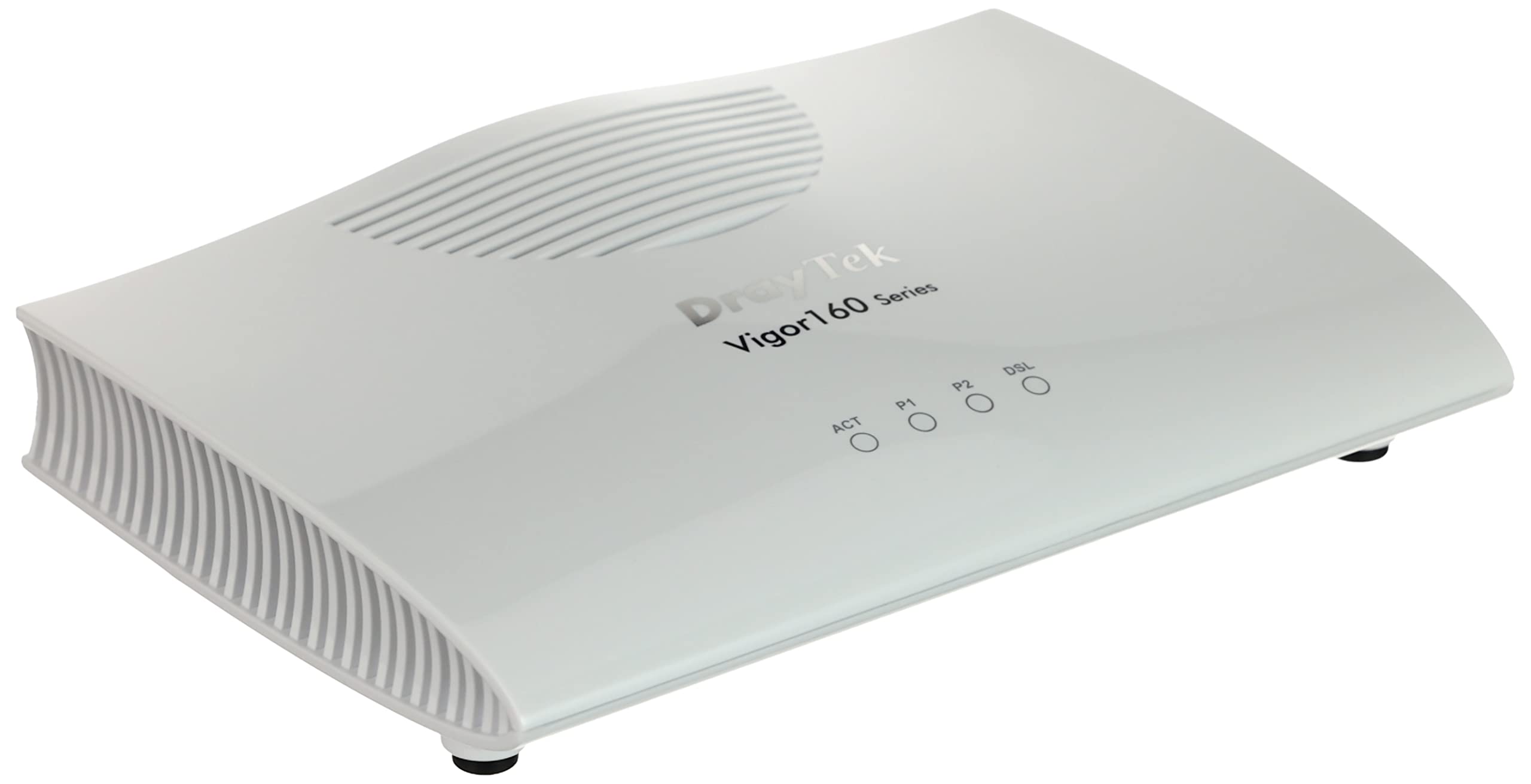
1. DrayTek Vigor 167 Supervectoring/VDSL2/ADSL2+ Modem
Our pick — 4.5+★ from 400+ verified ratings; the strongest balance of quality and price.
The box that speaks every DSL dialect Windstream runs, including vectoring.
If you want the widest compatibility net you can cast on a Windstream line, this is the unit to start with. It supports ITU-T G.992.1 ADSL G.dmt, G.992.3 ADSL2, G.992.5 ADSL2+, G.993.1, VDSL, G.993.2 VDSL2, G.993.5 vectoring, and G.997.1 — which in plain terms means it can fall back through the older standards and still find its footing. Its VDSL profile list covers 8a, 8b, 8c, 8d, 12a, 12b, 17a, 30a and 35b, so it also handles the wide 35b bandplan that most consumer combos skip.
This is a modem only, and that is the point. It hands off a clean Ethernet connection to whichever router you already own. The maker ships it preconfigured as modem only with VLAN tag 7 already set, and the setup note is explicit: your Netgear router needs PPPoE dial-up configured and NO VLAN tagging enabled on it. Skip that and the line gets tagged twice, which is the classic reason a brand-new install shows a live connection but loads nothing.
The honest limits are real. Upstream tops out at 30 megabits per second, which is fine for a home upload but modest next to the D-Link DSL-2750B’s 150 megabits per second figure. That gap matters if you push large files out or run a busy video call schedule. There is also no Wi-Fi inside it at all, so the total cost of getting online includes whatever router you pair with it.
Where it pulls ahead
- Runs the full ladder from ADSL through VDSL2 and vectoring, including the 35b profile
- Falls back to the ADSL2/2+ standard automatically if the newer line type is not there
- 300 Mbps data transfer rate headroom on the Ethernet side
- Modem-only design keeps your own router in charge of Wi-Fi and firewall rules
What to weigh first
- 30 megabits per second maximum upstream is the lowest ceiling in this lineup
- Preconfigured with VLAN tag 7 — your router must run PPPoE with no VLAN tagging
- No wireless radio, so a separate router is mandatory
Worth it for: Windstream customers on vectoring or VDSL2 who already own a router they trust.
Think twice if: you want the modem to also be your Wi-Fi source, because this one has no radio inside.
2. CenturyLink C4000BZ Modem Router Bright Speed (Renewed)
A Wi-Fi half that finally keeps up with a house full of screens.
You can stream a 4K show in one room while someone games in another, because this box was built for that load. Its wireless side is rated up to 3 Gbps (gigabits per second, a measure of Wi-Fi speed) — split as 600 plus 2400 Mbps across two streams — so heavy traffic in two rooms stays smooth. It supports 160 MHz channels (wide lanes of Wi-Fi spectrum) that double the width available on 80 MHz channels for compatible laptops and phones. It also uses 1024-QAM (a denser signal encoding that packs more data per transmission), which the listing describes as a 38% increase in data rate compared to 256-QAM 802.11ac. On the DSL side it supports all ADSL or VDSL profiles up to 17a (the profile is the speed standard your phone line uses).
A dual-core processor handles the routing work, and the box carries a 2-pound weight so it sits still on a shelf. It is a renewed unit, which is worth knowing before you order. Setup is the part that consistently goes smoothly here — the install is quick and the menu layout is straightforward enough that owners describe it as a simple swap for a tired old CenturyLink router.
The catch worth naming: reliability is the open question. Some buyers report a unit that ran fine and then quit well inside a year, and a couple of buyers found their connection was actually slower than the 13-year-old modem they replaced. That is not the typical story, but on a renewed modem it is a genuine variable. Buy this for the wireless speed and the easy setup, and treat the hardware itself as something to test thoroughly in the first weeks.
The Wi-Fi payoff: a 160 MHz channel and 1024-QAM modulation mean newer phones and laptops get more throughput than a plain 802.11ac combo can deliver, and the 3 Gbps rating gives you room to grow.
The fair caveat: reliability shows up as the most-discussed topic on this listing and the sentiment is divided, so a short return window is your friend.
Reach for this if: your Windstream line is ADSL or VDSL up to 17a and the Wi-Fi inside the house is the weak link.
Look elsewhere if: you need a bonded or vectoring VDSL line handled, because 17a is the ceiling here.
3. D-Link DSL Wireless N ADSL2+ Modem Router DSL-2750B
Four wired ports and a one-touch pairing button for a plain ADSL2+ line.
For an ADSL2+ connection where you want a couple of devices plugged in by cable, this box covers the basics without asking much of you. It carries four LAN Fast Ethernet ports for wired gear and one WAN ADSL port for the phone line. The wireless side runs 802.11b/g/n up to 300 Mbps on a single band, in the 2.4 GHz to 2.484 GHz range. A WPS button handles one-touch encryption so you are not typing a long passphrase into a printer.
Compared with the Actiontec GT784WN above, the wired ceiling is the thing to notice — the LAN ports here are rated at 100 Mbps, and the maximum upstream rate is 150 megabits per second. That upstream figure is actually well ahead of the 30 megabits per second the DrayTek Vigor 167 tops out at, which is a genuine advantage if you send a lot of data outward. Downstream sits at 300 Mbps.
The single-band radio is the trade-off you accept. Everything shares the 2.4 GHz space, so a crowded apartment building is not its happy place. If your devices are a phone, a laptop and a TV, that is fine. If you have a dozen gadgets all wanting bandwidth at once, a dual-band combo will serve you better.
Who it clicks with: an ADSL2+ household with a handful of wired devices and no appetite for configuration screens.
Where it gives ground: one band only, so heavy multi-device Wi-Fi traffic will feel the squeeze.
Good match: a small home on an ADSL2+ Windstream line that wants wired ports and a quick WPS pairing.
Less ideal: anyone on VDSL or a vectoring line, since this box lists ADSL2+ support only.
4. Netgear Broadband ADSL2 Plus Modem (DM111PSP-100NAS)

The bare-bones ADSL box that just wants to hand off a clean signal.
The most common way this model gets used is as a straight replacement for a rented ADSL modem, with a separate router doing the Wi-Fi. It weighs 6.7 ounces and sits in a compact footprint, so it tucks behind a desk without drama. Setup with the included installation disk runs about 10 minutes according to owner accounts, and once it is dialed in it holds a connection without the constant reset cycle that sends people shopping in the first place.
Check your provider before you order, because this modem will NOT work with cable internet providers like Comcast, Time Warner, Cox or Charter. It also will not work with non-ADSL services like Verizon FIOS, AT&T U-verse or CenturyLink VDSL. The compatibility line on the listing is unusually blunt about that, and it is the single most important thing to check before you buy. If your Windstream connection is ADSL2+ (an older phone-line broadband standard), you are in the right territory. If it is VDSL (a faster phone-line standard), close the tab.
On the positive side, quality and function are what this box is known for. It brings a 1 USB 2.0 port and a 1 USB 3.0 port along with it, runs on 100-240 volts, and covers Windows, Mac OS, UNIX and Linux machines. The counterweight is reliability: a handful of buyers have opened a box that was dead on arrival and had to send it back. That is a small slice of an otherwise well-liked modem, but it is worth a quick test on day one.
Why people keep buying it
- Works cleanly on ADSL2+ and installs in roughly 10 minutes with the included disk
- Compact 6.7-ounce body and 100-240 volt input for flexible placement
- Runs on Windows, Mac OS, UNIX and Linux without extra drivers
- Ends the rental fee cycle on a plain ADSL line
Where it stops
- Hard no on cable providers and on VDSL services like CenturyLink
- Some units arrive dead and need a return
- No Wi-Fi inside, so a separate router is required
Buy this one when: your line is ADSL2+ and you already have a router you like.
Pass on it when: your Windstream service is VDSL or you are unsure which type you have.
5. Actiontec 300 Mbps Wireless-N ADSL Modem Router (GT784WN)

Three devices in one case, preconfigured to detect your line by itself.
This is the box that shows up most often in Windstream and CenturyLink ADSL households, and the reason is simple: it does the whole job in one case. It is a full-rate ADSL 2/2+ modem, a 4-port switch and a 300 Mbps wireless-N router combined. Four 10/100 Ethernet LAN ports and one ADSL port handle the wiring. Setup is preconfigured and auto-detects your service settings, so most people plug in and go.
Speed is where it earns its keep. Owners routinely describe their connection more than doubling after the swap, and the downstream spec supports ADSL2+ at speeds up to 24 Mbps. It ships with a high-grade firewall, parental controls, TKIP and AES encryption, 802.1x authentication, pre-shared key support and MAC address filtering. The wireless gear on the other end can be older and still connect, because 802.11n stays backwards compatible with the earlier standards.
Compared with the CenturyLink C2000T, the raw transfer figures differ: this one lists a 300 megabytes per second data transfer rate against the C2000T’s 343 megabytes per second. What wins people over here is the sheer number of households running it happily. The recurring gripe is the occasional hard reset when the connection gets moody, and a small set of buyers found their specific provider setup fought the auto-detect. It also will not work with Verizon FIOS, AT&T U-verse or cable systems like Comcast, Time Warner, Cablevision, Cox or Charter.
The long track record: this is the most-reviewed ADSL combo in the group by a wide margin, and the bulk of that history is positive on quality and function.
The honest wrinkle: every so often it needs a hard reset to come back to life, and provider-specific quirks can stall the auto-detect.
The right call for: a Windstream ADSL (not VDSL) home that wants modem, switch and Wi-Fi in a single box.
Not the right call for: VDSL lines, or anyone who wants dual-band Wi-Fi instead of a single 2.4 GHz band.
6. CenturyLink Technicolor C2000T Modem Router

Built for a TV box on the coax and a phone on the same gateway.
Most DSL modems ignore the coax cable already running through your walls. This one puts it to work: a built-in HPNA 3.1 compliant adapter pushes data and video around the house over existing coax wiring, which is exactly what an IPTV setup wants. It also carries POTS phone connectors so a phone or fax can ride the same gateway once it is registered with a VoIP service.
On the wireless side it runs Wireless-N for clear signals and extended range, with a 343 megabytes per second data transfer rate and a 5 GHz frequency listing. Security covers a firewall and WEP encryption, and WPS lets you join the network with a button press or a PIN instead of typing a long key into every device. Windstream service in particular is where owners mention it working well, and installation is a short job once the password goes in — a few minutes of waiting on the first boot is normal.
Ask yourself if you need the coax and phone features at all. If you only want Wi-Fi, you are paying for hardware you will not use. If you have an IPTV box (a TV service box that expects a coax cable feed) or a landline phone you want to keep alive, this is one of the few boxes in the group that handles both.
What it solves: coax-based video distribution, VoIP phone ports and Wireless-N Wi-Fi in one gateway, with WPS pairing for guests and printers.
What to consider: it is a renewed unit and it is Wireless-N rather than the newer 802.11ac standard, so the Wi-Fi ceiling is modest.
Worth choosing for: a Windstream household running an IPTV box off coax or keeping a landline phone alive.
Better to skip for: a plain internet-only setup where coax and phone ports are dead weight.
7. Windstream Actiontec T3200 Router/Modem

The Windstream-branded combo built for a gigabit plan on paper.
Read the spec line and this looks like the obvious upgrade: speeds up to 1 Gbps (1000 Mbps), dual-band 2.4 GHz and 5 GHz wireless, four Ethernet ports, one phone/DSL port and one USB host port. The 802.11ac wireless is a generation newer than the Wireless-N boxes elsewhere on this list, and the gigabit port rating means wired devices are not the bottleneck.
The important line is the compatibility note. It is built for Windstream and TDS internet service, and the listing tells you to call any other DSL provider first to confirm before ordering. That is not a suggestion — it is a requirement. A Windstream line is the happy path here, and the specific brand match on the case is what makes it plug-and-play for that service.
The buyer reports are the honest part. Function is the loudest theme on this listing, and the reports are not flattering: multiple customers note it never connected properly even after Windstream approval and a technician visit, and more than one went back to renting the carrier’s own box. A couple of owners also describe a short service life. On a renewed gigabit combo (a refurbished unit that handles gigabit speeds), that is the risk to weigh. Order it with a return plan in place and test the connection the day it lands.
What the spec sheet promises
- Up to 1 Gbps (1000 Mbps) rated speeds for a gigabit-tier DSL plan
- Dual-band 2.4 GHz and 5 GHz 802.11ac wireless with four Ethernet ports
- USB host port and a phone/DSL port for a landline connection
- Built and branded for Windstream and TDS service
What owners run into
- Reviewers point out units that never connected, even after provider approval
- Some describe a short working life before failure
- Renewed condition adds a variable you cannot see before it ships
The fit for: a Windstream customer on a premium gigabit tier who wants the provider-matched box and will test it immediately.
The miss for: anyone who needs a guaranteed first-time connection without a backup plan.
8. Motorola MD1600 Modem + WiFi AC1600 Router

A combo with US-based support and a warranty to back it up.
This one is narrower than it first looks, and the listing is refreshing about it. The MD1600 does not work with bonded VDSL, bonded ADSL, or VDSL vectoring, and it is never compatible with Verizon, AT&T, Comcast, Charter Spectrum, Cox or other cable services. What it does cover is non-bonded, non-vectoring ADSL and VDSL from Frontier, Windstream, TDS Telecom and Fairpoint. If that is your line, it is a strong fit. If not, nothing else about it will save the sale.
The package itself is generous. It combines a VDSL2/ADSL2+ modem with a full-featured AC1600 WiFi Gigabit Router, four Gig-E ports, a firewall, WPA/WPA2 wireless security, IPv4 and IPv6 support and VPN capability. A USB 2.0 host port takes a storage drive for network attached storage with DLNA media sharing. Internet speeds run up to 100 Mbps depending on the service tier, and the box weighs 13.6 ounces.
The support side is the real differentiator here: US-based specialists and a 2-year warranty from the maker. Owners describe installs under 15 minutes, signals that hold steady across several devices with no lag, and a setup wizard that walks you through the steps. The friction point is that you do have to call your provider for a couple of account details before the router will authenticate — a quick call, but a call nonetheless. A few buyers on AT&T DSL found the signal acquisition slow, which fits the provider restrictions above.
Where it earns trust: AC1600 Wi-Fi, four gigabit LAN ports, VPN support, a USB 2.0 storage port with DLNA sharing, and a 2-year warranty with US-based support behind it.
Where to check your line twice: no bonded or vectoring support and no Verizon, AT&T or cable compatibility — one wrong assumption and it is the wrong box.
Made for: a Frontier, Windstream, TDS or Fairpoint line that is non-bonded and non-vectoring, where a warranty and real support matter.
Wrong box for: bonded or vectoring VDSL, or any AT&T, Verizon or cable connection.
9. Windstream Arris NVG343BQ Router/Modem

A premium-tier Windstream box that will not touch a standard ADSL line.
This is the most narrowly aimed unit in the group. It carries Windstream firmware for activation on “Enhanced” and “Premium” connections and does NOT support the older “Standard” ADSL, ADSL2 or ADSL2+ connections at all. That single line decides the whole purchase. If Windstream has you on an Enhanced or Premium tier, this box is designed for exactly that. If you are on a Standard tier, plug it in and you will get nowhere.
The wireless hardware is the draw. Dual-band 5 GHz and 2.4 GHz 802.11ac with beamforming technology steers the signal toward your devices, and the data transfer rate is rated at 1000 Mbps. The listing positions it as superior wireless connectivity versus the Sagemcom F@st 4320 and a potential alternative to the Actiontec T3200 for about half the price. It sits at 5 pounds, so it is a substantial box rather than a desk puck.
The caution here is that this is a specialized device resting on a thin base of owner reports, and the listing makes no effort to hide that its compatibility is limited. Order it only after you have confirmed your Windstream tier in writing or on the phone. When the line type matches, the beamforming Wi-Fi and gigabit rating give you the premium experience the name suggests.
The match to make: Windstream Enhanced or Premium connection, 802.11ac dual-band with beamforming, 1000 Mbps rated transfer speed.
The hard stop: no support for Standard ADSL, ADSL2 or ADSL2+ lines — confirm your tier before you buy.
The one to grab if: your Windstream plan is Enhanced or Premium and you want beamforming Wi-Fi at a gigabit rating.
The one to leave if: you are on a Standard ADSL tier, where this box simply will not activate.
Know the Specs
Line Standards: ADSL vs VDSL vs Vectoring
ADSL, ADSL2+ and VDSL are the signalling standards a modem uses on a copper phone line. A box that lists G.992.1, G.992.3 and G.992.5 handles the ADSL family. A box that lists G.993.2 adds VDSL2, and one that adds G.993.5 handles vectoring — a noise-cancelling technique that lets a VDSL line run closer to its rated speed. Check the listing for those standard numbers before you buy, not after.
Downstream vs Upstream Rating
Downstream is the speed you pull from the internet; upstream is the speed you send. Both are ceilings, not promises, because your paid plan sets the real limit. A modem rated above your plan just runs below its ceiling. A modem rated below your plan becomes the bottleneck. On this list those ceilings range from 100 Mbps on the Motorola MD1600 to 3 Gbps on the CenturyLink C4000BZ, with the gigabit-rated Windstream boxes at 1000 Mbps.
Modem Only vs Modem-Router Combo
A modem-only box turns the phone line into Ethernet and stops there, so your own router handles Wi-Fi. A combo folds both into one case. Combos mean fewer wires and one less power brick, but when either half ages out you replace the whole thing. Modem-only units let you upgrade the Wi-Fi side on its own schedule, at the cost of one extra box on the shelf.
Frequency Bands and Channel Width
A dual-band box runs both 2.4 GHz and 5 GHz. The 2.4 GHz band reaches further through walls, while 5 GHz carries more data over shorter distances. Channel width matters too: a box supporting 160 MHz channels can double the throughput of an 80 MHz channel on compatible devices, and 1024-QAM modulation packs more data into each signal than 256-QAM. A single-band box keeps everything on one crowded band.
Common Questions
Will any of these modems work on my Windstream line?
Do I need a modem with vectoring support?
Can I use a modem-only box with my own router?
Why is my new modem slower than my old one?
What is the difference between ADSL2+ and VDSL?
Can I keep my landline phone and still use a DSL modem?
Do these modems work with cable internet providers?
How long does a DSL modem typically last?
Will WPS make setup quicker?
What should I check before replacing a rented Windstream modem?
The Bottom Line
If your Windstream line is an advanced one, the windstream dsl modem that earns the top spot is the DrayTek Vigor 167. It covers every standard from ADSL through VDSL2 with vectoring (a noise-cancelling technique that steadies your line), so you get the widest compatibility window of any box here. If you want Wi-Fi built into the same case and a fast wireless rating, reach for the CenturyLink C4000BZ. And if your line is a long-standing ADSL2+ connection from Windstream, the Actiontec GT784WN has the deepest track record of any combo in this lineup and simply gets out of the way.
The single most important purchase step is confirming your line type with Windstream before you order. Get that right and any of these boxes will serve you well. Get it wrong and none will.
How we choose
We do not accept paid placement. Every pick is matched to a real buyer and a real use-case; we do not hands-on test units.
Sources
Specifications: manufacturer listings and product documentation. Review insights: verified customer reviews, as of November 2026. Pricing: not shown on this page (it changes often); check the current price via the retailer link.
As an Amazon Associate, Tactical Gear Guy earns from qualifying purchases. This does not affect which products we feature.