Specs are compiled from manufacturer listings and verified buyer reviews and can change over time — please confirm the key details on the product page before buying.
A streaming stick adds apps, voice search, and 4K to the TV you already own. A streaming stick is a small dongle that plugs straight into your TV’s HDMI port (the rectangular video input socket) and turns it into a smart TV with apps, voice search, and 4K picture. The short answer: the Amazon Fire TV Stick 4K Plus is the one to buy for most people, because it pairs 4K and Dolby Vision with Wi-Fi 6 for a smoother picture on a busy home network.
This guide is built by comparing the manufacturers’ published specifications and the patterns across verified customer reviews, so you get each pick’s real strengths and trade-offs instead of marketing spin.
Some sticks plug in and hide behind the TV, while others need a power cable and a spare outlet. Others lean on older Wi-Fi and stutter when the house fills up with phones. Below are the differences that actually change how a stick performs, so you can match one to your TV and router. My picks for the smart tv streaming stick cover every budget and every TV in the house.
Top Picks
How To Choose The Best Smart TV Streaming Stick
A streaming stick is judged on three things: how stable its Wi-Fi connection is, what picture formats it can pass to your TV, and whether it runs a certified app store. Get those three right and the remote layout and menu design are just details. Get any of them wrong and you will be fighting buffering or restarting the stick nightly.
Wi-Fi band support decides whether 4K plays without buffering
A 4K stream carries roughly four times the data of a normal HD stream. A stick on an older Wi-Fi connection will fight every phone and laptop in the house for bandwidth. Wi-Fi 6 (the newer wireless standard that handles many devices at once) keeps the picture steady when the family is online. Wi-Fi 6E goes a step further by using a separate, less crowded radio band.
Picture formats: HDR10+, Dolby Vision, and what your TV can actually show
HDR10+ and Dolby Vision are dynamic brightness formats. They tell your TV how bright or dark each scene should be, frame by frame. Dolby Atmos does the same job for sound, placing audio around the room instead of just left and right. Your TV and soundbar have to support the same format to benefit — a stick that offers them costs nothing extra, but check your TV’s specs first.
Size, power, and whether it blocks your HDMI ports
A slim stick plugs into HDMI and sits flush, so it will not block the neighboring port. A chunkier one can push into the next input, which matters on a TV with tight spacing. Some sticks power themselves straight from the TV’s HDMI port; others need the supplied adapter and an outlet. In a bedroom with one free socket, that difference decides where the TV goes.
Certified app stores versus generic Android boxes
A Google-certified or Fire TV stick gives you the real Netflix, Disney+, and Prime Video apps, with proper 4K support and updates. A generic Android box may claim thousands of apps but fail to run the big streaming services in high resolution, or need sideloaded workarounds. For everyday watching, certification matters more than raw storage numbers.
Side-by-Side Comparison
| Model | Best For | Max Resolution | Wi-Fi Standard | Storage / RAM | Amazon |
|---|---|---|---|---|---|
| Amazon Fire TV Stick 4K Plus★ Best Overall | Most people, most TVs | 4K Ultra HD with Dolby Vision | Wi-Fi 6 | — | Amazon |
| Roku Streaming Stick PlusMost Travel-Ready | Simple interface, travel bag | 4K with HDR10+ | Not listed (Bluetooth, Wi-Fi) | — | Amazon |
| Amazon Fire TV Stick 4K MaxMost Powerful | Whole-home streaming and gaming | 4K Ultra HD with Dolby Vision | Wi-Fi 6E | 16GB | Amazon |
| Xiaomi TV Stick 4K (2nd Gen) | Cinema-grade picture and sound | 4K with Dolby Vision & HDR10+ | Wi-Fi 6 | 8GB | Amazon |
| Google Chromecast with Google TV (4K) | Casting from your phone | Up to 4K HDR | Not listed (Bluetooth, Wi-Fi) | — | Amazon |
| Google Chromecast TV HD | Reviving an older 1080p TV | HD (no 4K listed) | Not listed (Bluetooth, Wi-Fi) | 8GB | Amazon |
| ONN Android TV 2K FHD Stick | Cheap upgrade for a spare TV | 2K FHD | Not listed (Wi-Fi) | — | Amazon |
| KP2 Android TV Stick | Google-certified Android TV | 4K Ultra HD via HDMI 2.1 | Not listed (Bluetooth, Wi-Fi) | 8GB ROM / 2GB RAM | Amazon |
| H96MAX TV Stick 4K | Spec sheet on paper | 4K (60Hz), H.265 | Dual-band Wi-Fi 6 (802.11ac listed) | 16GB / 2GB RAM | Amazon |
Detailed Reviews
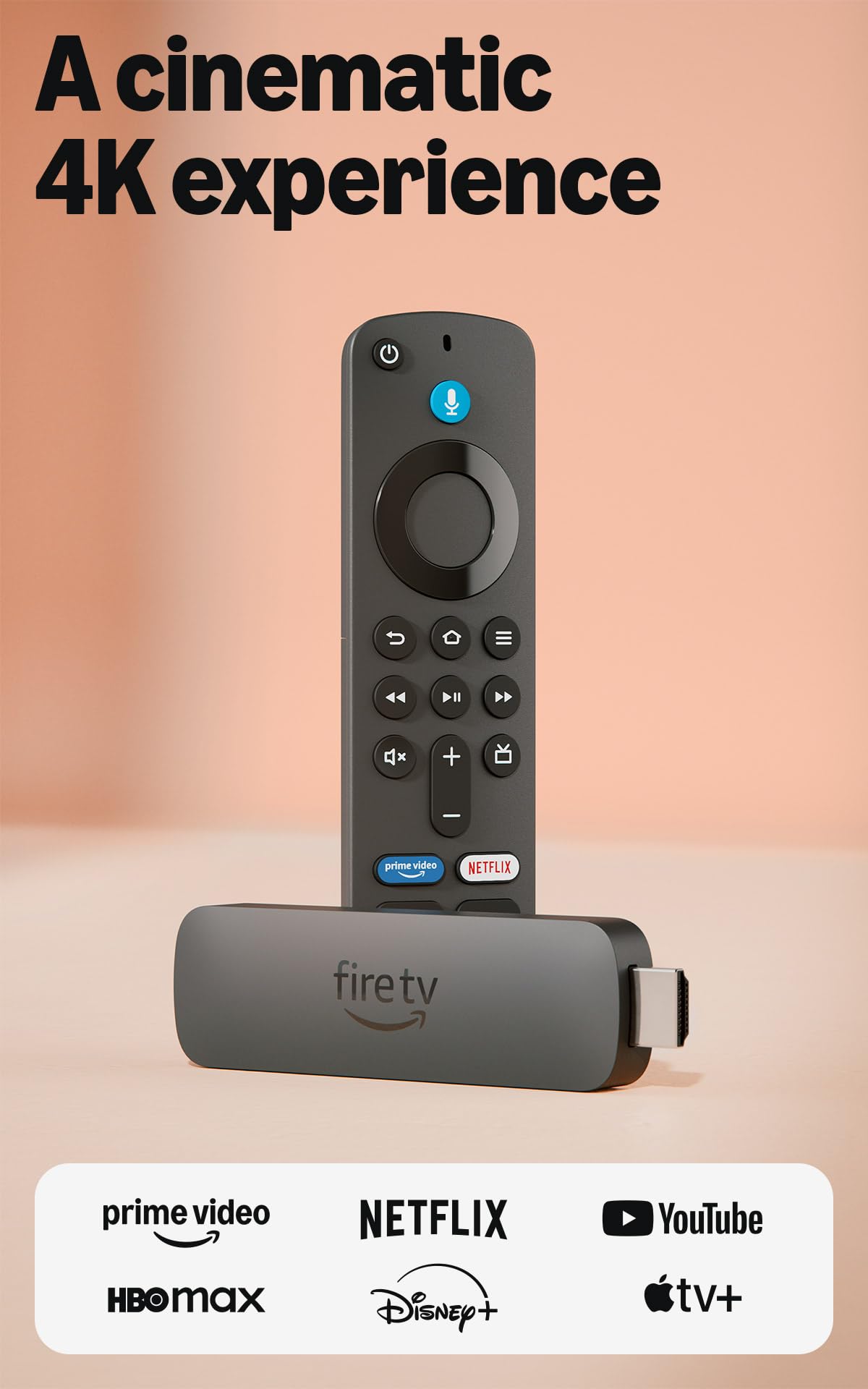
1. Amazon Fire TV Stick 4K Plus with AI-powered Fire TV Search
Our pick — 4.5+★ from 116,500+ verified ratings; the strongest balance of quality and price.
The default answer for a reason: 4K, Dolby Vision, and Wi-Fi 6 in one small dongle.
If you have a 4K TV and a household full of phones and laptops, this is the stick to buy. It supports Wi-Fi 6, the newer wireless standard built to hold a steady picture when everyone else is online. You get native 4K Ultra HD with Dolby Vision and HDR10+ (two dynamic brightness formats that adjust each scene), plus Dolby Atmos audio for height and depth in movies.
Setup is genuinely simple. The supplied Alexa Voice Remote has preset app buttons and controls your TV’s power and volume, so the TV remote can stay in the drawer. The cloud gaming piece is real too: you can stream titles like Call of Duty: Black Ops 7 and Hogwarts Legacy through Xbox Game Pass or Luna, with a subscription and a compatible controller sold separately.
What wins people over most, judging by the sheer volume of owner feedback, is the picture and the value. The recurring gripe is the remote — some units arrive failing to pair, and a few buyers report losing sound until a daily restart. Those are real, but they sit against a huge base of happy owners, so the honest read is this: if your remote pairs cleanly, this is the smoothest path to 4K for the money.
What earns it the crown
- Wi-Fi 6 keeps 4K stable when other devices are pulling on the router
- Dolby Vision, HDR10+ and Dolby Atmos all supported in one small stick
- Voice remote handles TV power and volume, so one remote covers everything
- Cloud gaming through Xbox Game Pass and Luna, no console needed
Straight talk before you buy
- The remote is the weak link — pairing failures show up in owner feedback
- Cloud gaming needs a paid subscription and a separate controller
- A handful of owners restart daily to fix a sound drop-out
Buy this if: you own a 4K TV and want the biggest app library with a voice remote that replaces your TV clicker.
Look at the Roku instead if: a rock-solid simple remote matters more to you than cloud gaming and Alexa.
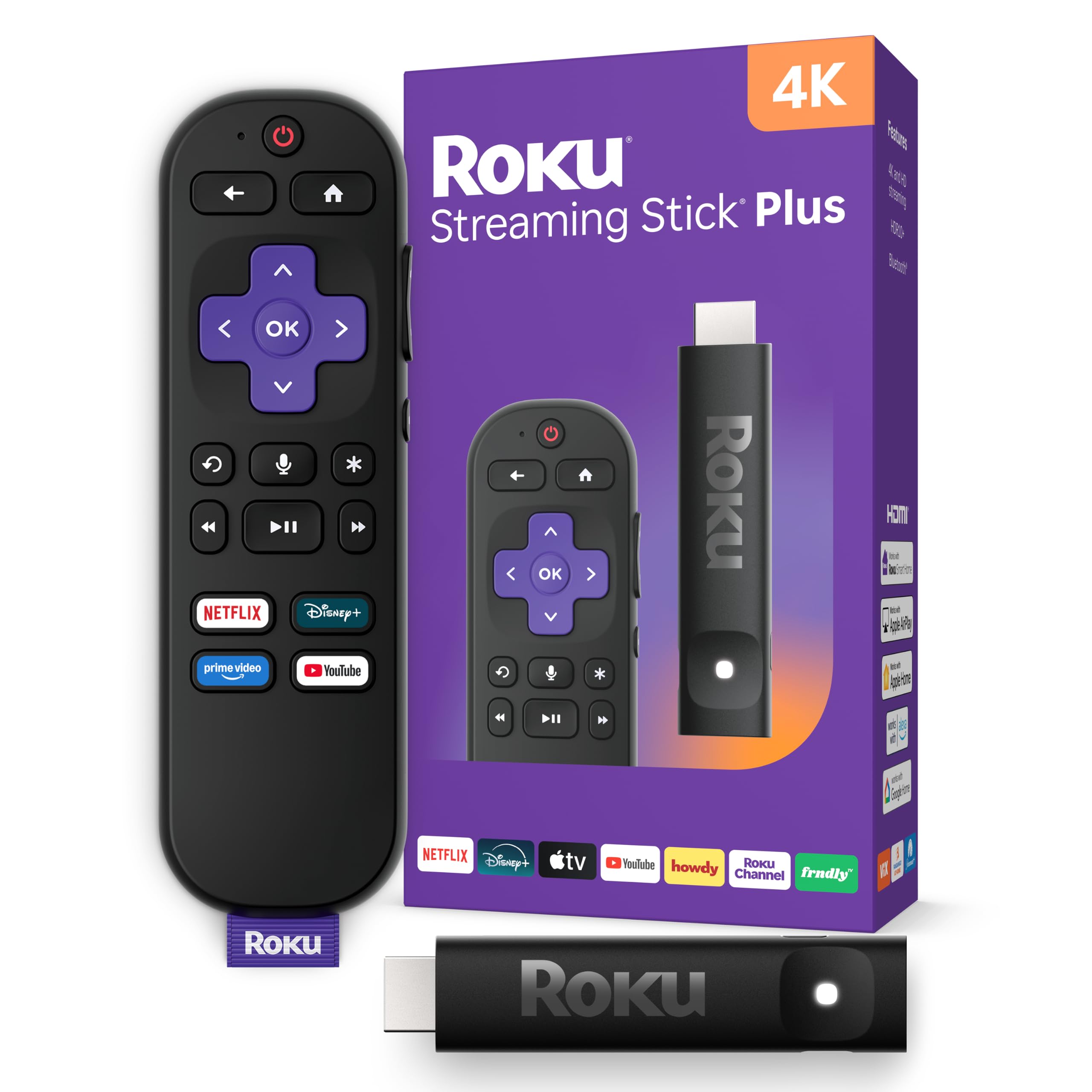
2. Roku Streaming Stick Plus with Voice Remote – 4K & HDR10+
The 0.8-inch-wide sliver that hides behind your TV and never needs an outlet.
Roku’s take on the stick form factor is the most space-efficient here at 3.7″L x 0.8″W x 0.5″H, which means it sits flush against the back of the TV and leaves the HDMI ports on either side free. It powers straight from the TV’s own HDMI connection, so there is no power adapter hunting for a socket. That is the difference between mounting a TV cleanly on a wall and draping a cable down to the floor.
Comparing weight: the Roku comes in at 80 g, while the H96MAX on this list is 60 g. The H96MAX is the lighter dongle, but the Roku turns that extra weight into a fanless, cable-free design that disappears behind the screen. For travel, it is a genuinely useful trick — you can sign into your own Roku account on a hotel TV and skip logging into someone else’s device.
The thing that consistently gets praised is picture quality, with reliability close behind. Owners mention easy setup, an interface that is intuitive to navigate, and dependable 4K streaming without buffering. The remote receives a mix of feedback — some find it responsive and simple, while a few report it dropping commands or the Wi-Fi connection. For a bedroom TV or a second set, that trade-off rarely bites.
The streaming platform edge: You can watch free movies, live TV, and sports right on the home screen, so you don’t need a subscription to start watching. Roku’s home screen puts free movies, live TV, and sports above the paid apps, so you can start watching without a subscription.
The size advantage in practice: at 0.5 inches tall and 0.8 inches wide, it will not crowd a neighboring HDMI port, which matters on slim TVs where ports are packed tight.
Reach for it if: you want a clean wall mount, a travel stick, or a second TV that needs no extra power brick.
Think twice if: your router is weak in that room — connectivity is the one area where feedback splits.
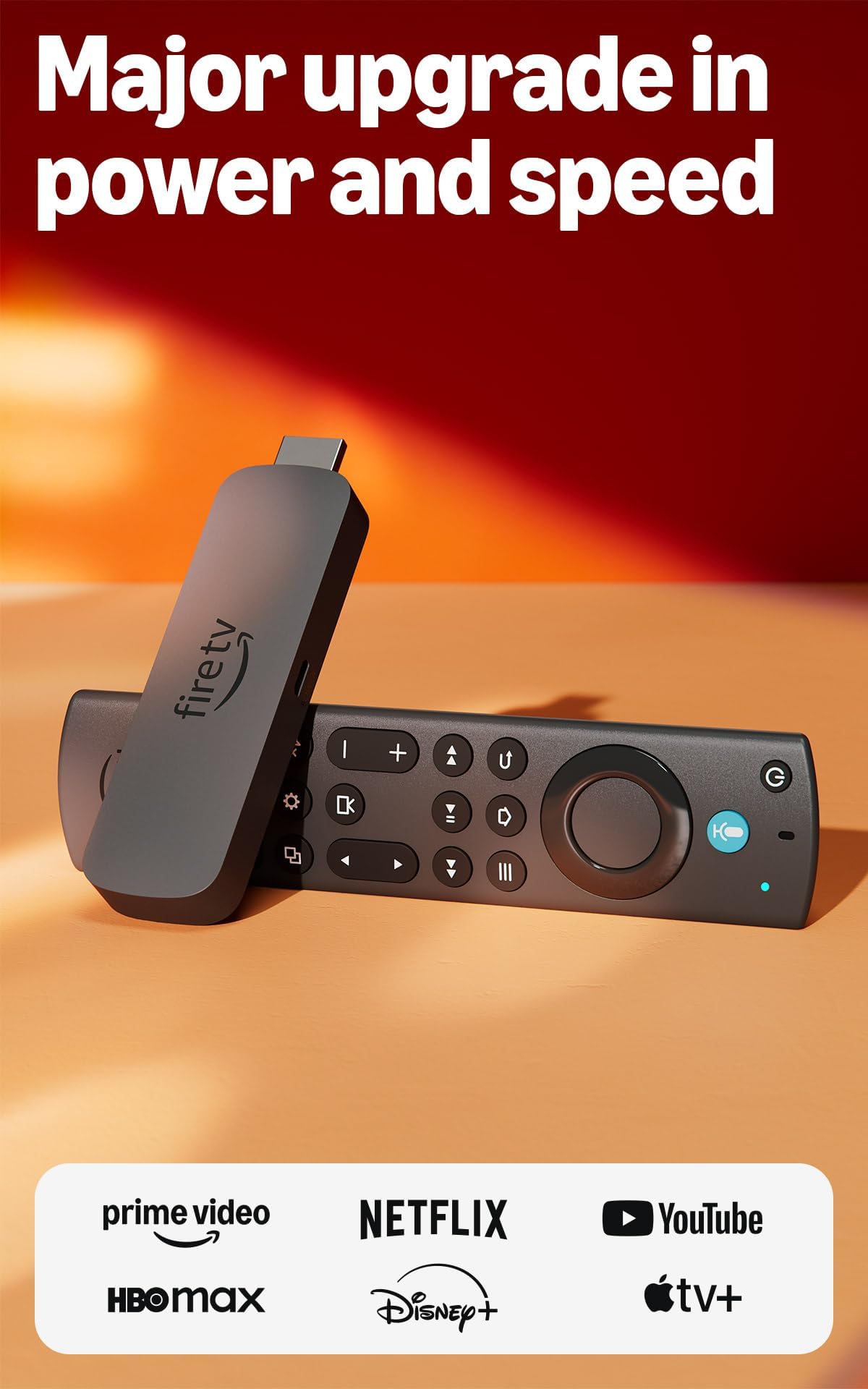
3. Amazon Fire TV Stick 4K Max (newest model)
The one with the bigger brain: double the storage and the newest Wi-Fi band.
Here is the lead: this is the top-tier Fire stick, and it carries 16GB of storage — double that of the Fire TV Stick 4K Plus and other Amazon streaming sticks. That headroom matters if you install a lot of apps or games, because storage fill-up is what makes a stick feel slow over time.
Wi-Fi 6E is the headline connectivity upgrade. It adds access to a less crowded radio band, so a 4K stream stays fluid when the household is streaming on multiple screens at once. Under the hood there is a more powerful processor for faster app starts and smoother navigation, and it is the one Amazon pick here that lets you run high-end games through Amazon Luna free with a Prime membership.
The extras are where this earns its premium tier. Fire TV Ambient Experience turns the idle screen into a rotating gallery of over 2,000 artworks. The upgraded remote adds a recents button and dedicated channel buttons for surfing live TV. The recurring complaints are familiar to the platform: ambient art can cause an occasional freeze, and a few customers note the remote’s back cover popping off. The picture and speed, though, are consistently described as excellent.
Where the extra money goes: the 16GB storage and faster processor make this the better future-proof pick if you plan to install games, not just streaming apps.
Pick it for: a busy household where multiple streams run at once and you want the fastest app launches with the most storage.
Stay with the 4K Plus if: your router cannot broadcast Wi-Fi 6E, since the extra band advantage needs a compatible router.
4. XIAOMI TV Stick 4K (2nd Gen) with Google TV
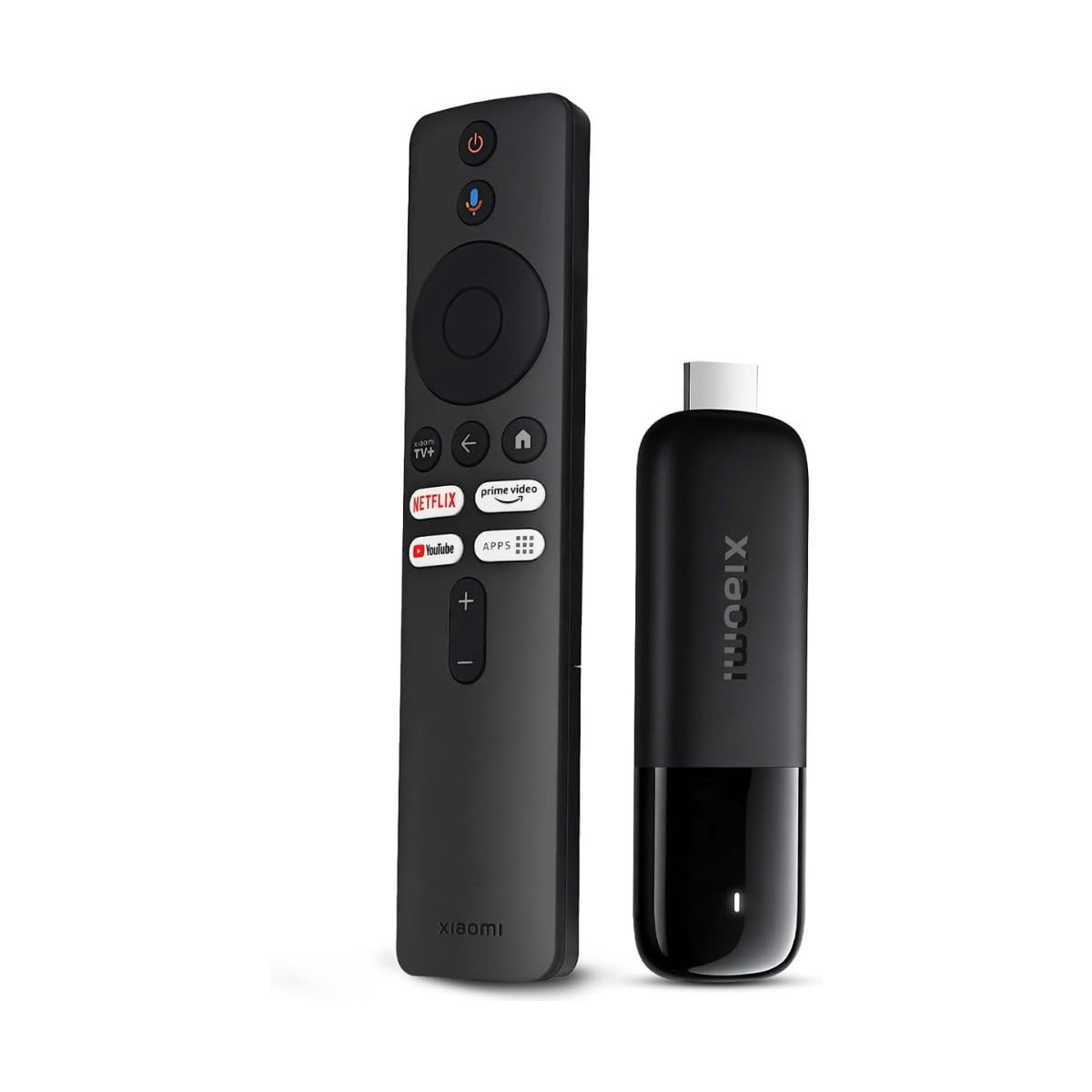
A 6nm chip and full Dolby both ways, at under 30 grams in your palm.
Xiaomi is chasing the home-cinema buyer here. You get 4K Ultra HD (a sharp 3,840 x 2,160 picture) with Dolby Vision and HDR10+ (two HDR formats that brighten highlights and deepen shadows), so dark scenes keep their detail. For sound you get Dolby Atmos and DTS:X (surround-sound formats that place effects around the room), the full set of premium audio and video formats. A 6nm quad-core CPU (a processor built on a 6-nanometer design) runs at 2.5GHz; a smaller nanometer number means it runs cooler and sips less power while holding speed.
Google TV curates your shows across apps into one watchlist, and the Bluetooth voice remote covers search and smart-home control. Wi-Fi 6 (dual-band) keeps 4K playback more stable when others are online. There is a genuine travel angle too: the stick is pocket-sized at 28 g, so any hotel TV or monitor becomes your own streaming center with your profiles and apps intact.
One honest note before you commit: this model has a much smaller body of owner feedback than the Fire and Roku picks, so you are buying more on spec than on long-term track record. The hardware specs are genuinely strong, though, and the plug-and-play HDMI setup means no subscription to a particular platform.
Why the chip matters: the smaller 6nm process is what lets this stream 4K without the stutter that older, hotter chips show when the network gets busy.
This one is for: the buyer who wants a big-screen cinema feel and a stick that slips into a bag for trips.
Play safe instead if: you want a long, proven review history before you spend — the Fire and Roku sticks have far more owners behind them.
5. Google Chromecast with Google TV – 4K HDR (Snow)

Your phone becomes the remote, and your watchlist follows your subscriptions.
If you watch mostly by throwing a video from your phone to the big screen, Google’s approach fits your habits better than a stick that lives in a menu. You get up to 4K HDR, and the home screen pulls shows from all your services into one place, with recommendations based on what you subscribe to and actually watch. The Google Assistant button on the remote handles voice search, volume, inputs, and hands-free answers.
Google TV pulls titles from every service you subscribe to into one watchlist, so you search once instead of app by app. Setup is simple — plug into the HDMI port, connect to Wi-Fi, and you are streaming. This bundle also adds a pouch and a cleaning cloth, which is a small thing but a nice touch for a stick that lives in a bag.
What buyers like most is the overall quality and the way casting from a phone just works. The mixed zone is connectivity — a share of owners hit connection issues, and this bundle has a much smaller review base than the Fire and Roku picks. The remote runs on the smaller side too, which is fine for most hands but worth knowing if yours are large.
Who it fits: Android phone owners who already cast to a TV at home and want the watchlist and voice search to feel native.
Go Google if: casting from your phone and a unified watchlist are the way you actually watch TV.
Check your router first if: your Wi-Fi has been flaky in that room — connection complaints are the one honest caveat here.
6. Google Chromecast TV HD

For the 1080p set in the spare room that deserves a second life.
Not every TV needs a 4K stick. If your set tops out at HD, this Google model puts the same Google TV interface, Bluetooth and Wi-Fi connectivity, and an HDMI plug into a smaller package. It carries 8GB of storage, which is plenty for a handful of streaming apps. The voice remote is app-controlled, so setup and navigation stay familiar.
What owners talk about is exactly what it is designed to do: easy setup. It revives an older TV and makes modern programming simple to reach. The performance notes are positive too, with owners using it for phone-to-TV mirroring and as a general Android TV device.
The catch you should weigh: this listing’s technical detail is thin, and the naming suggests it is a regional variant. It does not list 4K, so do not buy it if a 4K upgrade is the plan — this is the fix for a spare HD set, not the main event.
Suits you if: you have an HD TV in a bedroom, kitchen, or rental and want modern apps on it simply.
Not the one if: you want 4K — check the 4K Chromecast or a Fire stick instead.
7. ONN Android TV 2K FHD Streaming Stick
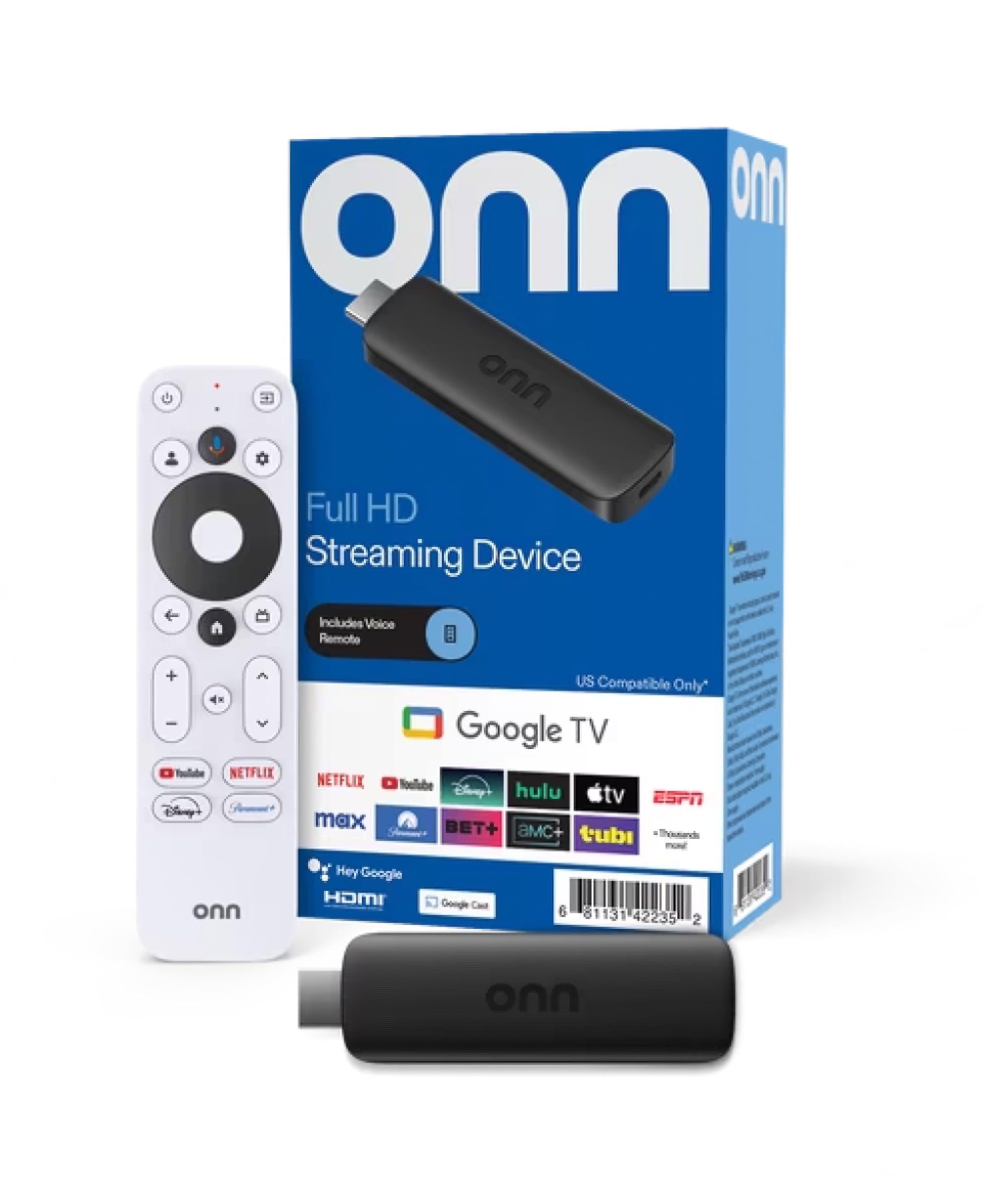
A wallet-friendly way to add apps and voice control to a spare screen.
This is the entry-level option, and it is honest about it: 2K FHD resolution rather than 4K, plus Chromecast built in so you can throw photos, videos, and music from your phone, tablet, or PC to the TV. The box includes the stick, an 11.8-inch HDMI cable, a remote that takes two AAA batteries (supplied), and a power adapter. A virtual assistant lives behind the mic button on the remote, and the Play Store opens up thousands of apps.
Setup is a strong point — one owner setting up parental controls found it remarkably easy, and the quality is what gets praised most. Performance and value land as mixed in the feedback, and connectivity is the real weak spot: a couple of owners could not get it onto a Wi-Fi network or phone hotspot. It is also worth knowing this stick is built for the US market, with a regional limitation that one owner worked around with a VPN.
The frequent comparison is to a Chromecast but at a lower tier, and several owners recommend it over pricier names for a spare set. If the room’s router signal is strong and 2K is enough, it earns its place. If the signal is faint, this is the one most likely to struggle.
The value read: you are paying budget-tier money for a 2K stick with voice control and casting, which is enough for a guest room or a secondary TV where 4K would be wasted.
Worth grabbing if: you want to add apps and voice search to a spare HD screen without spending much.
Skip the stress if: your Wi-Fi is weak or you stream in 4K — go for the Fire 4K Plus instead.
8. KP2 Android TV Stick 2GB RAM 8GB ROM

The Google-certified Android TV that runs the real Netflix and Disney+ apps.
Certification is the reason to look here. This stick is Google-certified, so Netflix, YouTube, Prime Video, and Disney+ run natively rather than through workarounds. Under the hood it pairs an Amlogic S905Y4 quad-core processor with 2GB of RAM and 8GB of ROM, and it delivers 4K Ultra HD through HDMI 2.1 with HDR support, Dolby Atmos sound, and Chromecast built in. Google Play adds over 5,000 apps, including the major streaming services running natively.
It is white, which is a nice change from the sea of black dongles, and its compact design makes it easy to move between TVs. The quality is the point owners agree on most. The remote is where the feedback splits — some find it compatible across both of their TVs and clear in use, while a minority say it struggles at a distance and the stick freezes occasionally.
The 4K HDR and HDMI 2.1 combo is solid for the tier, though, and the Android TV interface keeps everything in one place.
Good match for: Android users who want a certified 4K Android TV stick with Chromecast and Dolby Atmos.
Hold off if: you want a deep review history or a remote that never misses — the mixed remote feedback is worth knowing.
9. H96MAX TV Stick 4K Ultra HD Media Player
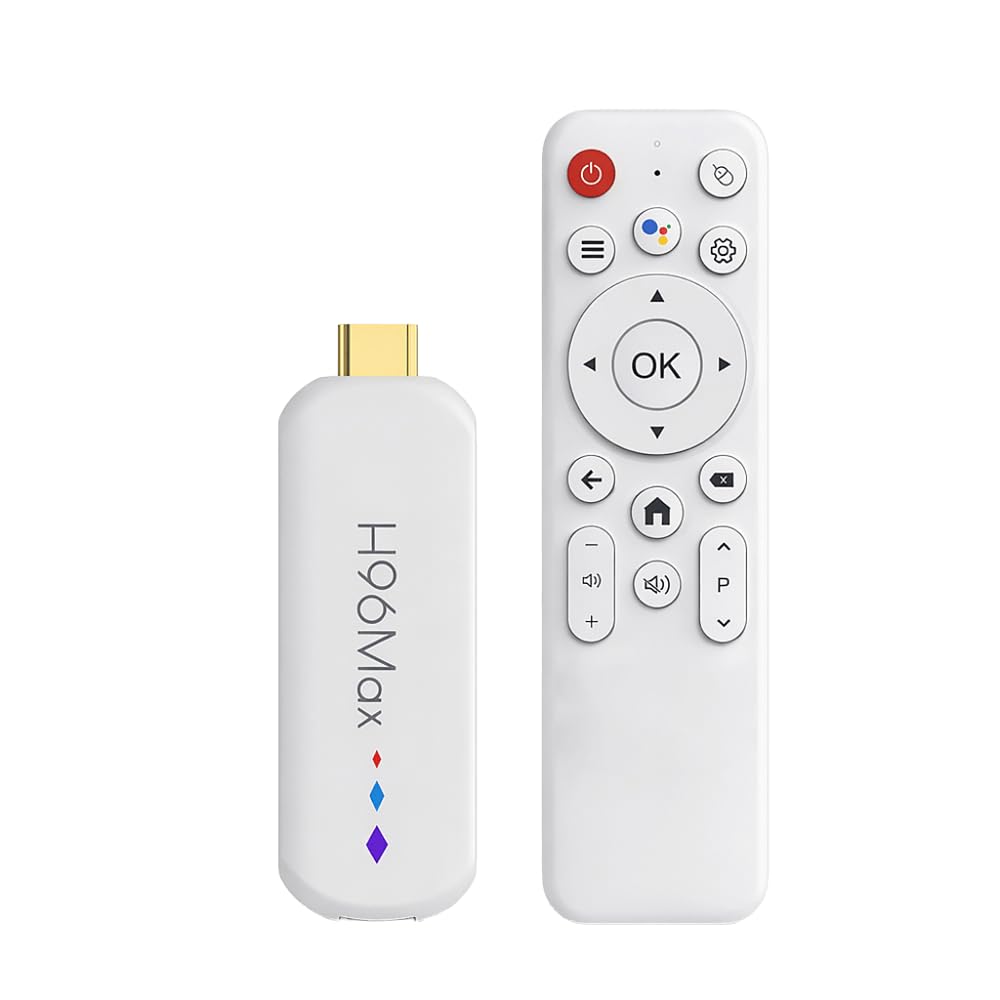
The biggest paper spec here, and the most uneven real-world record.
On paper this is the most generously equipped generic Android stick. You get 16GB of storage (room for apps and downloads), 2GB of RAM (working memory for smooth switching), a quad-core CPU, Android 14.0, dual-band Wi-Fi 6 (the newer, faster Wi-Fi), Bluetooth 5.0, a USB 3.0 port, an Ethernet port (for a wired connection), and 4K HDR with H.265 decoding (a codec that shrinks video files so they stream with less data). It weighs 60 g, lighter than the Roku’s 80 g, and the package includes the unit, an HDMI cable, a remote, and a manual.
The problem is the track record. Reviewers point out reliability issues with this stick, noting that it freezes after a month of use and restarts on its own, and the quality feedback leans negative — several describe it as a waste of money. The 4.13″L x 4.13″W x 0.74″H body is also chunkier than the Roku’s 3.7″L x 0.8″W x 0.5″H, so it is more likely to crowd a neighboring HDMI port on a packed back panel.
If you are the type who likes to tinker with sideloaded apps and the price-to-spec math, the hardware list is tempting. For everyday family watching, though, the reliability feedback makes this the riskiest pick on the list, and the certified sticks from Fire, Roku, and Google are the safer path to the same 4K.
Where it wins: the spec sheet — 16GB storage, USB 3.0, and Ethernet are features you rarely see on a generic stick.
Buy it only if: you enjoy sideloading and do not mind tinkering with an open Android box.
Everyone else: put the stability of a certified stick ahead of the extra ports and storage.
Know the Specs
Wi-Fi 6 and Wi-Fi 6E
Wi-Fi is the radio link between your stick and router, and the band support decides how well 4K holds up when other devices are online. Wi-Fi 6 handles many devices at once without dropping the stream, while Wi-Fi 6E adds a fresh, less crowded band for cleaner performance if your router supports it. A stick with Wi-Fi 6E on an older router still works, it just cannot use the extra band.
HDR10+, Dolby Vision and Dolby Atmos
HDR formats control brightness and contrast scene by scene, so dark scenes stay detailed instead of muddy. Dolby Vision is one such format; HDR10+ is another. Dolby Atmos places sound around the room instead of just left and right. A stick that supports these passes the better picture and sound to your TV only if the TV and soundbar support the same formats.
RAM and Storage
RAM is the working memory a stick uses to keep apps running smoothly, and storage is where apps and downloads live. A stick with only a few gigabytes of storage fills up fast once you install games or big apps, which makes it feel sluggish over time. More storage headroom keeps the menus snappy for longer.
Certification and App Stores
A Google-certified or Fire TV stick runs the official Netflix, Disney+, and Prime Video apps with proper 4K support. A generic Android box may list thousands of apps, but the big streaming services often run in lower resolution or need a workaround. Certification is what guarantees the major apps behave the way they do on a smart TV.
Common Questions
Will a streaming stick work on an older TV without smart features?
Do I need a 4K stick if my TV is only 1080p?
What is the difference between Wi-Fi 6 and Wi-Fi 6E on a streaming stick?
Does a streaming stick need a power outlet?
Will a 4K streaming stick block my TV’s other HDMI ports?
Do I need a subscription to use a streaming stick?
Can I take a streaming stick to a hotel and sign in with my own account?
Why do some streaming sticks freeze or restart on their own?
Is a Google-certified stick better than a generic Android TV box?
Can I cast from my phone to a streaming stick?
The Bottom Line
For most people, the smart tv streaming stick winner is the Amazon Fire TV Stick 4K Plus. It folds 4K, Dolby Vision, Dolby Atmos, and Wi-Fi 6 into one small dongle, and its voice remote replaces your TV clicker. If you want the extra storage and the newest Wi-Fi band, the Fire TV Stick 4K Max is the step up. And for a clean wall mount or a travel bag, reach for the Roku Streaming Stick Plus — it powers from the TV itself and hides behind the screen.
How we choose
We do not accept paid placement. Every pick is matched to a real buyer and a real use-case; we do not hands-on test units.
Sources
Specifications: manufacturer listings and product documentation. Review insights: verified customer reviews, as of November 2026. Pricing: not shown on this page (it changes often); check the current price via the retailer link.
As an Amazon Associate, Tactical Gear Guy earns from qualifying purchases. This does not affect which products we feature.