Specs are compiled from manufacturer listings and verified buyer reviews and can change over time — please confirm the key details on the product page before buying.
If you only take one thing from this page, take this: the printer that produces the prettiest print is rarely the printer that keeps you printing. Large-format photo printers live or die on ink cost, paper feeding, and whether the thing still works in year three. Below, eleven wide-format machines are broken down by what they actually do well and where the money quietly drains out.
This guide is built by comparing the manufacturers’ published specifications and the patterns across verified customer reviews, so you get each pick’s real strengths and trade-offs instead of marketing spin.
One housekeeping note: this list uses flexible matching for wide-format output, meaning every pick here feeds sheets at 13×19 inches or larger, but not every model is the exact number you pictured. The nearest same-type size serves the same job. Every pick here clears 13×19 inches, so the real choice is ink type, running cost, and footprint — and this large photo printer roundup sorts all three for you.
Top Picks


How To Choose The Best Large Photo Printer
Start with the finished print, not the machine. Decide the biggest sheet you genuinely need — 13×19 inches covers gallery-style prints and poster mockups, while a 17-inch or 24-inch carriage opens up roll printing and oversized art. Then work backwards to the ink system, because that is where the money goes after you buy.
Pigment ink versus dye ink changes everything downstream
Pigment ink sits on top of the paper and tends to resist fading, which matters if a print will hang in daylight or be sold. Dye ink soaks in and often delivers punchier color straight out of the gate. The trade-off is real: pigment printers can be fussier about clogs when they sit idle, while dye prints can shift over time. Neither is wrong — it depends on whether you are selling archival work or printing party photos.
Count the ink channels, not the cartridges
A 6-color system adds light cyan and light magenta for smoother skin tones and gradients. An 8-color or 9-color system usually adds gray or light gray for black-and-white work, plus sometimes red or violet to widen the color range. More channels means better transitions in skies, skin, and shadows — but it also means more cartridges to keep stocked, and one empty channel can stop the whole job.
Paper handling is the boring spec that decides your week
Rear single-sheet feeds accept thick fine-art stock but make you babysit every print. A front cassette holds a stack but tops out at thinner paper. Roll feeders let a 24-inch plotter run long banners unattended. If you print canvas or heavy cardstock, look hard at whether the path is straight and front-to-back, and check whether the driver actually offers the custom sizes you use.
Running cost beats sticker shock every time
Watch for two numbers: how much ink ships in the box, and how often the printer runs a maintenance cycle. Small starter cartridges and frequent self-cleaning can burn through a set of ink before you have sold a single print. Bulk-tank designs and high-capacity cartridges look expensive upfront but often settle down to a lower cost per sheet once you are printing steadily.
Side-by-Side Comparison
| Model | Best For | Ink System | Max Print Width | Color Speed | Amazon |
|---|---|---|---|---|---|
| Canon imagePROGRAF PRO-310★ Best Overall | Best overall for archival color work | 9-color pigment + Chroma Optimizer | 13 inches | 2 ppm | Amazon |
| Canon PIXMA Pro9000 Mark IIBudget Entry | Budget entry into 13×19 dye printing | 8-color dye | 13 inches | 1 ppm | Amazon |
| Epson Artisan 1430 | Household wide format with CD printing | 6-color Claria dye | 13 inches | 2.8 ppm | Amazon |
Detailed Reviews
1. Canon imagePROGRAF PRO-310
Our pick — 4.0+★ from 100+ verified ratings; the strongest balance of quality and price.
Pigment ink, a Chroma Optimizer coat, and gallery-grade blacks in a desktop footprint.
For anyone selling prints, the nine-color pigment system plus a Chroma Optimizer is the headline — that extra clear-ink channel lays down a uniform coat that evens out gloss and adds scratch resistance. Translated: your glossy 13×19 does not show bronzing in the highlights and survives handling on the way to a frame. This is the pick for a working photographer or an artist doing small-edition runs at home on a 13-inch carriage.
The matte black channel is worth calling out separately. It raises black density and widens the dark-tone range, so deep shadows in a moody landscape stay separated instead of collapsing into one flat mass. Setup is reported as straightforward from the box, and the 3-inch color LCD lets you check ink levels and status without a laptop in the loop. Canon keeps the anti-clogging system and skew correction on board, which is the pair that keeps a pigment machine alive when it sits for a couple of weeks.
Here is the honest catch. The color page rate is 2 pages per minute and there is no automatic duplex — this is not a document printer and should not be asked to be one. The other real cost is ink, both the price of the cartridges and how much gets burned during routine maintenance cycles. The PRO-310 gives you the widest color and the best dark-tone reproduction in this group; the trade-off is that it wants a steady print schedule and a real ink budget to stay happy.
What earns it the top slot
- Nine pigment inks plus Chroma Optimizer — even gloss and better scratch resistance on glossy stock
- Matte black raises density and opens up deep shadow detail
- Anti-clogging system and skew correction keep pigment nozzles clean between jobs
- 3-inch color LCD for ink and status checks without a computer
Where it asks you to compromise
- 2 pages per minute in color — a print run takes real time
- Simplex only, with no automatic two-sided printing
- Ink price and maintenance waste are the two most-discussed downsides of this machine
Best home lab for color: reach for this if you sell glossy or fine-art prints at 13×19 and want maximum color range with a protective top coat.
Reconsider if: you need office-speed document output or a duplex path — the PRO-310 times at 2 pages per minute in color and prints one-sided only.
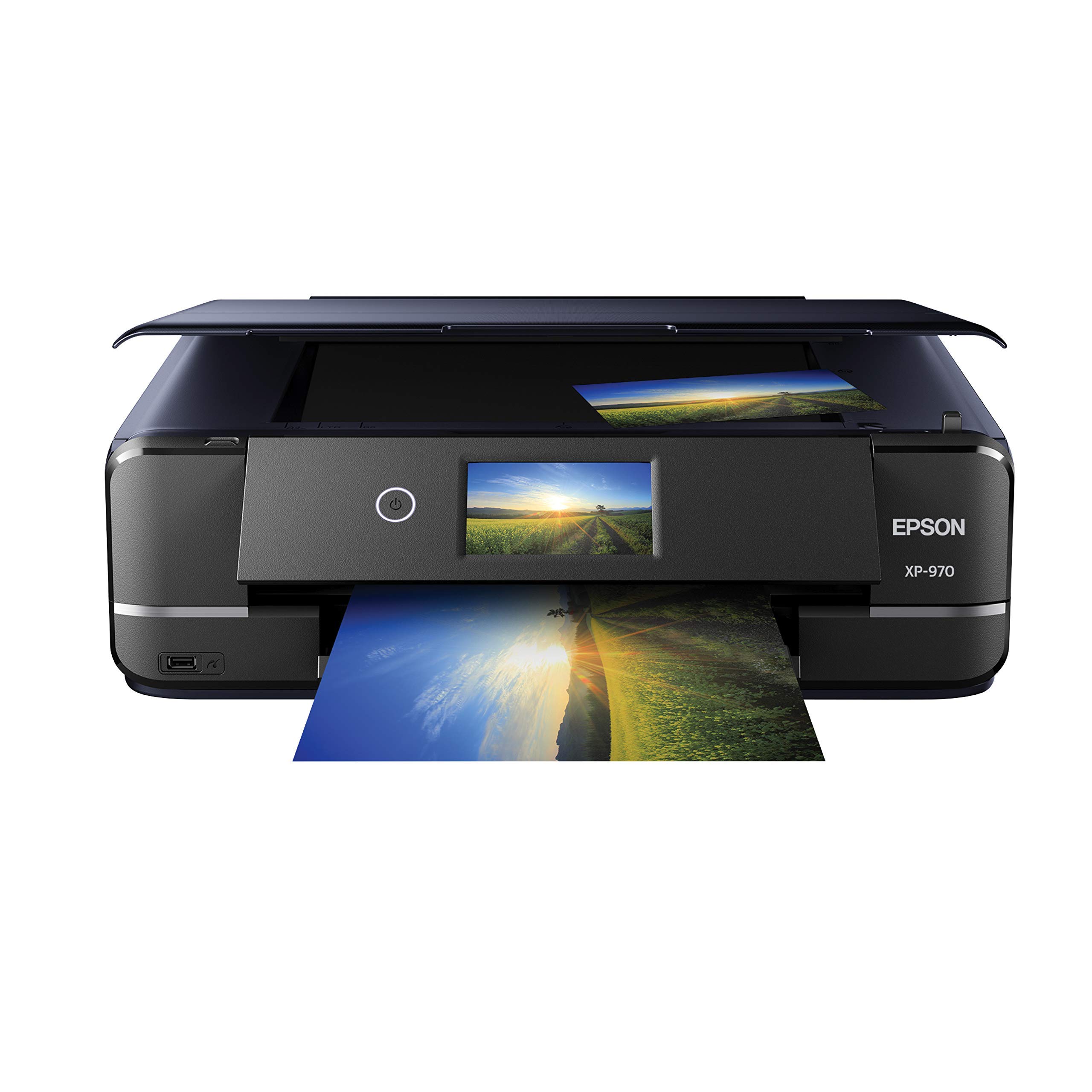
2. Epson Expression Photo XP-970
The rare wide-format machine that also scans and copies — no second box on the desk.
Wide-format photo printers usually print and nothing else. The XP-970 breaks that pattern with copy and scan functions built into the same chassis, plus a fold-over scan lid that holds an original flat while the lamp passes. If you are archiving reference shots or duplicating a sketch before you print it large, this saves you buying a separate flatbed. The six Claria Photo HD dye cartridges cover black, cyan, magenta, yellow, and two light shades for smoother skin tones.
On the document side it is the fastest machine in this roundup at 8 pages per minute in color and 8.5 in black and white — a genuine gap against the Canon PRO-310, which times 2 pages per minute in color. Automatic duplex and auto power-off are both here, so it can run as a household printer between photo sessions. Voice control rounds out the interface alongside thesor, which shrinks the desk space it demands.
The honest caveat is reliability variance. Paper-size recognition has been a persistent frustration, and auto duplex sometimes errors out mid-job. Heavy photo printing on thick stock runs through the rear tray one sheet at a time. None of that undoes the ink economics — it just means this is the pick for someone who values cheap, frequent printing over flawless automation.
The reason it earns a spot: refillable bottles plus 17 pages per minute mono make this the cheapest per-sheet wide-format machine in this lineup by a wide margin.
The quirk to accept: paper-size sensing is imperfect, so expect to confirm the sheet setting by hand now and then.
Made for volume: pick this if ink cost per print is your number one concern and you print large sheets often.
Not your machine if: you demand set-and-forget duplexing or you only print a handful of photos a month.
3. Canon PIXMA Pro9000 Mark II Inkjet Photo Printer
An older eight-ink dye machine that still turns out 13×19 prints in roughly two minutes.
The Pro9000 Mark II carries eight dye inks and a 4800×2400 dpi FINE printhead, which is the resolution figure that decides how fine the detail looks on a large sheet. It prints a photo-lab-quality 11×14 color photo in approximately 1 minute 23 seconds, and it supports fine-art paper up to 13×19 through two separate paper paths, one of them a front feeder for heavy stock. Ambient Light Correction adjusts color output to match the lighting where a print will be displayed — a small touch that keeps a framed print from shifting tone once it is on the wall.
Owners of this model describe output that is vivid and sharply saturated, sometimes a shade more saturated than strictly natural. The dye inks are also noted as stretching further per cartridge than some competing pigment setups. The Easy-PhotoPrint Pro plug-in handles the professional workflow if you are printing from a computer rather than a phone.
Two realities to weigh. It is slow: 1 page per minute in both black and color, the same rate as the Canon PIXMA PRO-100 below. And it is physically big — 26 inches wide by 13.9 deep — so measure your bench before it arrives. But for an entry point into 13×19 dye printing with a real printhead and a fine-art path, this remains a sensible low-cost way in.
Why it still earns a spot
- 4800×2400 dpi FINE printhead for fine detail at full size
- Two paper paths, including a front feeder for heavy fine-art stock
- Ambient Light Correction tunes color for the display condition
- Eight dye inks with a reputation for rich saturation
Where it will test your patience
- 1 page per minute in both black and color — a slow machine
- A 26-inch-wide body needs a genuinely wide table
- Dye ink, so archival longevity trails the pigment picks
The low-cost way into 13×19: best for someone who wants real dye-ink print quality on a budget and has the bench space to take a wide body.
Take a different route if: you need document speed — at 1 page per minute this is strictly a photo machine.
4. Epson SureColor P700
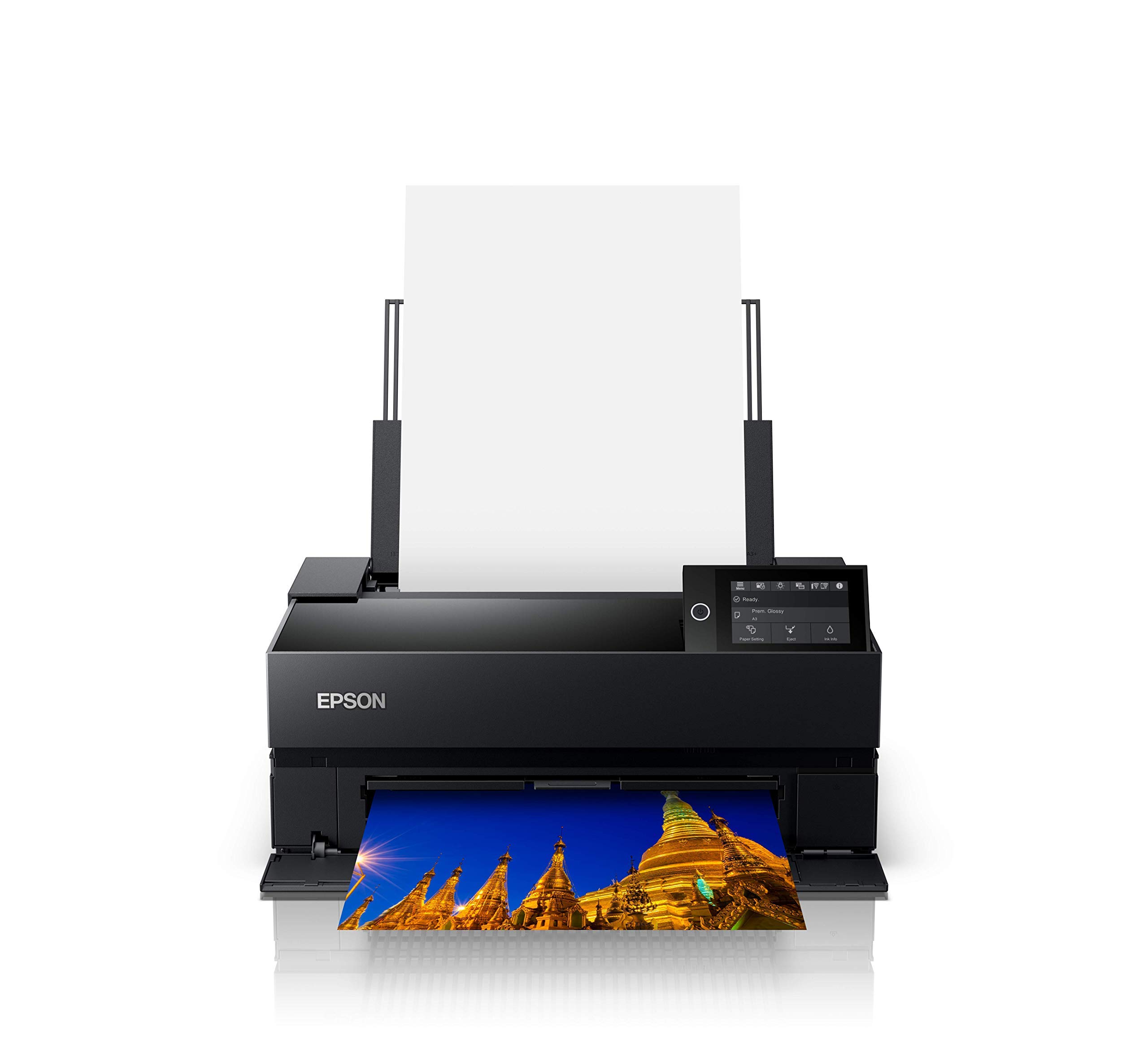
Violet ink, no black switching, and a 10-channel head built for black-and-white purity.
Two design choices define the P700. First, UltraChrome PRO10 adds a violet channel that widens the printable colohitectural drawings, posters, and banner-length work within reach on a desktop. It ships with 280 mL of ink total, 70 mL per color across four bottles — more starter ink than most of the competition ships with. Document throughput is brisk at 20 pages per minute in black and white and 15 in color.
The paper size capability is what buyers single out most: full D-size drawings come out of this instead of going to a print shop. Setup can genuinely be simple if you follow Canon’s video walkthroughs, and the tiltable touchscreen with animated install guides plus top and front access for refills makes the maintenance side less daunting. ENERGY STAR and EPEAT Gold ratings round out the spec sheet.
Be clear-eyed about the compromises. Print quality is the most-discussed topic and it splits — a good stretch of owners get crisp, clean output, while others get blank pages or alignment that wanders, and drivers can be temperamental on Windows 11. Roll loading is the recurring friction point, and high-quality mode runs slow. At 71 pounds and 44 inches deep, this also needs its own dedicated surface.
Why it stands apart
- 24-inch roll and sheet output — D-size drawings without a print shop run
- 280 mL of ink included, 70 mL per color
- 20 ppm mono and 15 ppm color for a wide-format plotter
- Tiltable touchscreen, animated guides, front and top access for servicing
What to plan around
- Roll loading takes practice and produces feed errors for some owners
- Output quality varies unit to unit, and Windows 11 drivers can be fussy
- High-quality mode is slow, and the machine needs 44 inches of depth
Built for the big sheet: the right call if you routinely need 24-inch drawings or posters and want to stop outsourcing them.
Choose a 13-inch model instead if: roll loading and driver tinkering are not something you want to learn.
5. Epson Stylus Photo R3000

Borderless 13×19 photos, CD and DVD printing, and a Wi-Fi connection straight from your phone.
Some jobs no other printer in this roundup handles: the Artisan 1430 prints directly onto printable CDs and DVDs using the included tray. Combine that with borderless Hi-Def output up to 13×19 and six Claria inks, and you get a printer that covers household photo work in a way the dedicated fine-art machines cannot. You can print from a phone or tablet without a computer in the chain, which matters if the printer lives away from your desk.
Color output is the big draw — owners describe results that beat long-standing brand loyalties, with rich color and sharp detail. Wide-format printing up to 13×19 with the edge-to-edge option is well-loved for framing and gifts. Ink installation is clean and setup is quick, and the six-cartridge system keeps replacement manageable.
The honest note is durability. Long-term reliability is the most-debated subject around this model, and a handful of units have failed within the first year. Driver reinstallations have been a chore for some owners running it daily. At 2.8 pages per minute in both black and color, it is also not built for document volume. Buy it for the borderless photos and the CD printing; expect to treat it kindly.
Nothing else here does this: CD and DVD printing plus borderless 13×19 from a phone makes it the family photo machine of the group.
Manage your expectations: driver maintenance and long-term reliability are the two areas where owners mention the most friction.
The family and gift printer: go here if borderless 13×19 prints and CD/DVD labels are the goal and you want phone-based printing.
Different fit needed if: you plan to run it hard every day and expect it to hold up like a production machine.
Know the Specs
Ink Type — Pigment Versus Dye
Pigment ink particles sit on the surface of the paper, which is why pigment machines like the Canon imagePROGRAF PRO-310 and Epson SureColor P700 are chosen for archival work and framed prints. Dye ink dissolves into the coating for vivid, saturated color straight away, which is what you see in the Canon PIXMA PRO-200S and the Epson Artisan 1430. Pigment usually wins on fade resistance; dye usually wins on instant punch and often on price. Match the ink type to how long the print needs to last and how it will be displayed.
Ink Channels and Color Gamut
Each ink channel is one color the printer can lay down. A 6-color set like the Epson EcoTank ET-15000 adds light cyan and light magenta for smoother transitions. An 8-color or 9-color set adds gray or light gray for neutral black-and-white, and sometimes red or violet to widen the color range. More channels means better gradients and finer skin tones, but it also means more cartridges to buy and one more point where a job can stall. Choose based on whether you print color critical work or mostly documents.
Maximum Print Width and Paper Path
The print width is the widest sheet the printer can feed. Most models here top out at 13 inches, which covers 13×19 sheets — the standard large-format photo size. The Canon imagePROGRAF TC-21 goes to 24 inches on roll media, which is the choice for architectural drawings and posters. Paper path matters just as much: a rear single-sheet feed accepts thick fine-art stock but demands attention, while a front cassette holds a stack but limits thickness. Check both before you commit to a media type.
Print Speed and Its Real-World Meaning
Pages per minute is a document metric, and it does not describe photo output well. A printer rated at 2 pages per minute in color, like the Canon imagePROGRAF PRO-310, is still fast enough for photos because the page rate refers to text-heavy documents. For photo work, look at the time for a specific sheet size — the Canon PIXMA PRO-200S quotes 90 seconds for a bordered A3+ and 53 seconds for a bordered 8×10. That number tells you more about a print run than any pages-per-minute figure.
Common Questions
Will a 13-inch printer actually print 13×19 photos, or just 13-inch-wide paper?
Do I need a pigment printer or a dye printer for photos I plan to frame?
How much ink comes in the box with these printers?
Can these printers handle thick fine-art paper and canvas?
Why do these photo printers have such slow pages-per-minute ratings?
Is a 17-inch or 24-inch printer worth it over a 13-inch model?
Will third-party ink cartridges damage a wide-format printer?
How long does a large photo print last on the wall?
Do I need a computer to print from these photo printers?
What maintenance does a pigment photo printer need between jobs?
Can a wide-format photo printer double as an office document printer?
The Bottom Line
For most people chasing the large photo printer decision, the Canon imagePROGRAF PRO-310 is the machine to beat. Nine pigment inks plus a Chroma Optimizer give you the widest color range and the best dark-tone reproduction at 13×19, and the matte black channel keeps shadows from going flat. It is the pick that earns its keep if the prints matter.
If ink cost per sheet is what keeps you up at night, the Epson EcoTank ET-15000 is the smarter long game — refillable bottles and 17 pages per minute in mono make it the volume workhorse of this group. And if the job needs a 24-inch sheet, the Canon imagePROGRAF TC-21 is the one that stops the print-shop runs.
One last thought before you commit: the cheapest to buy is rarely the cheapest to run. Weigh the ink that ships in the box, the cost of a full replacement set, and how often the machine will run maintenance cycles. A printer you run every week beats a bargain that sits idle with clogged nozzles.
How we choose
We do not accept paid placement. Every pick is matched to a real buyer and a real use-case; we do not hands-on test units.
Sources
Specifications: manufacturer listings and product documentation. Review insights: verified customer reviews, as of November 2026. Pricing: not shown on this page (it changes often); check the current price via the retailer link.
As an Amazon Associate, Tactical Gear Guy earns from qualifying purchases. This does not affect which products we feature.