Specs are compiled from manufacturer listings and verified buyer reviews and can change over time — please confirm the key details on the product page before buying.
You want a rose gold keyboard and mouse that looks good on your desk and still types the way you need it to. The trouble is that most blush-toned combos sell on color alone and hide a laggy mouse or noisy keys behind the pretty finish. This guide separates the specs that matter from the paint job, so you know which set earns desk space and which one is only photogenic.
This guide is built by comparing the manufacturers’ published specifications and the patterns across verified customer reviews, so you get each pick’s real strengths and trade-offs instead of marketing spin.
What separates a set you keep from one you return is how the keys feel after an eight-hour day and whether the mouse tracks when you actually need it. Here are the rose gold keyboard and mouse sets worth your desk space right now.
Top Picks

How To Choose The Best Rose Gold Keyboard and Mouse
Buying a blush-toned set is not the same as buying a quality peripheral. The finish caught your eye, but switch type, mouse DPI, and battery life decide whether you still like it in six months. Three things carry the most weight.
Keycap shape and switch type decide how it sounds
Round typewriter caps on a membrane board give you a deep, clicky clack that some people love and open-plan offices hate. Flat scissor switches, the same kind you find on a laptop, sit lower and type quieter with shorter travel. If you take calls at your desk or share a room, lean toward the scissor-style sets and check whether a silicone skin cover comes in the box.
The mouse is the weak link in most combos
Nearly every rose gold combo pairs a decent board with a basic mouse, and the mouse is where the money gets cut. Look for a stated DPI range (the sensitivity settings you can step through) and a 2-in-1 nano receiver so both devices share one USB port. A silent-click mouse is a genuine bonus in a shared space, but track whether the click and the cursor movement are reliable — that is the single most common regret in this category.
Rechargeable versus batteries, and how many devices you switch between
A rechargeable set charges by USB-C and skips the AA scramble, though a fully drained board may need a few minutes plugged in before it wakes. Battery sets run on standard cells and often ship with them included. If you jump between a laptop, a desktop, and a tablet, a multi-device set with a dedicated switch button saves you from re-pairing all day.
Side-by-Side Comparison
| Model | Best For | Connectivity | Layout | Power | Amazon |
|---|---|---|---|---|---|
| Logitech POP ICON Combo★ Best Overall | Style plus multi-device | Bluetooth (3 devices) | Compact QWERTY | Replaceable batteries | Amazon |
| GALENMORO Slim Flat SilentTightest Footprint | Tight desks on a budget | 2.4G USB + USB-C adapter | 90% full-size with pad | 4 AAA batteries | Amazon |
| seenda COE401Multi-Device Pick | Multi-device travel | Bluetooth + 2.4G (3 devices) | Compact with keypad | Rechargeable USB-C | Amazon |
| TT-FOPETT Retro Typewriter | Retro desk styling | 2.4G USB nano receiver | 104-key full-size | 2 AA batteries | Amazon |
| FENIFOX Rechargeable | Long battery life | 2.4G USB + USB-C adapter | Compact with keypad | Rechargeable USB-C | Amazon |
| TopMate Ultra Slim | Big-value full-size | 2.4G USB nano receiver | Full-size QWERTY | AA/AAA included | Amazon |
| Vssoplor Ultra Slim | All-day office typing | 2.4G USB nano receiver | Full-size with pad | Rechargeable | Amazon |
Detailed Reviews
1. Logitech POP ICON Keyboard and Mouse Combo
Our pick — 4.5+★ from 550+ verified ratings; the strongest balance of quality and price.
The only set here with 3-device Bluetooth, silent keys, and a 3-year keyboard battery rating.
This is the set to buy if you want the rose gold look without giving up reliability or multi-device flexibility. The POP ICON connects by Bluetooth to up to 3 devices — your laptop, phone, or tablet — and you hop between them with a press of a button. That button lives on a compact board with contoured, low-profile keys, so the whole thing takes less desk space than a full-size keyboard.
What wins people over is the quiet. The keys are membrane-based and low-profile, so typing does not clatter across an open office, and the mouse uses Logitech’s Silent Touch clicks to keep the noise down. Then there is the battery story: the keyboard is rated for a 3-year battery life and the mouse for a 2-year battery life, with an auto-sleep mode that sips power when you walk away. Batteries are included, so nothing extra to buy on day one.
The catch is that those are replaceable batteries, not a rechargeable cell — you will swap cells eventually rather than plug in a cable. There are also 4 customizable Action Keys that only reach their full potential through the Logi Options+ app, so the shortcut layer is something you set up rather than something it does for you from the start. At 1.8 pounds the combo has real weight to it, which keeps it planted on the desk but makes it a desk set rather than a bag companion.
What earns the top spot
- Bluetooth pairing to 3 devices with a single button switch — no re-pairing dance between laptop and tablet
- Quiet low-profile keys plus a Silent Touch mouse for shared rooms and late-night work
- 3-year keyboard and 2-year mouse battery-life ratings mean very few battery changes
- 4 customizable Action Keys and a contoured, compact footprint
Where it asks a little of you
- Runs on replaceable batteries rather than a USB-C rechargeable cell
- The shortcut keys rely on the companion app to feel worth setting up
- At 1.8 pounds it is more desk anchor than travel accessory
Worth it if: you want the rose gold statement and need to bounce between a laptop, phone, and tablet without a dongle swap.
Think again if: you would rather plug in a USB-C cable than swap AA batteries down the road.
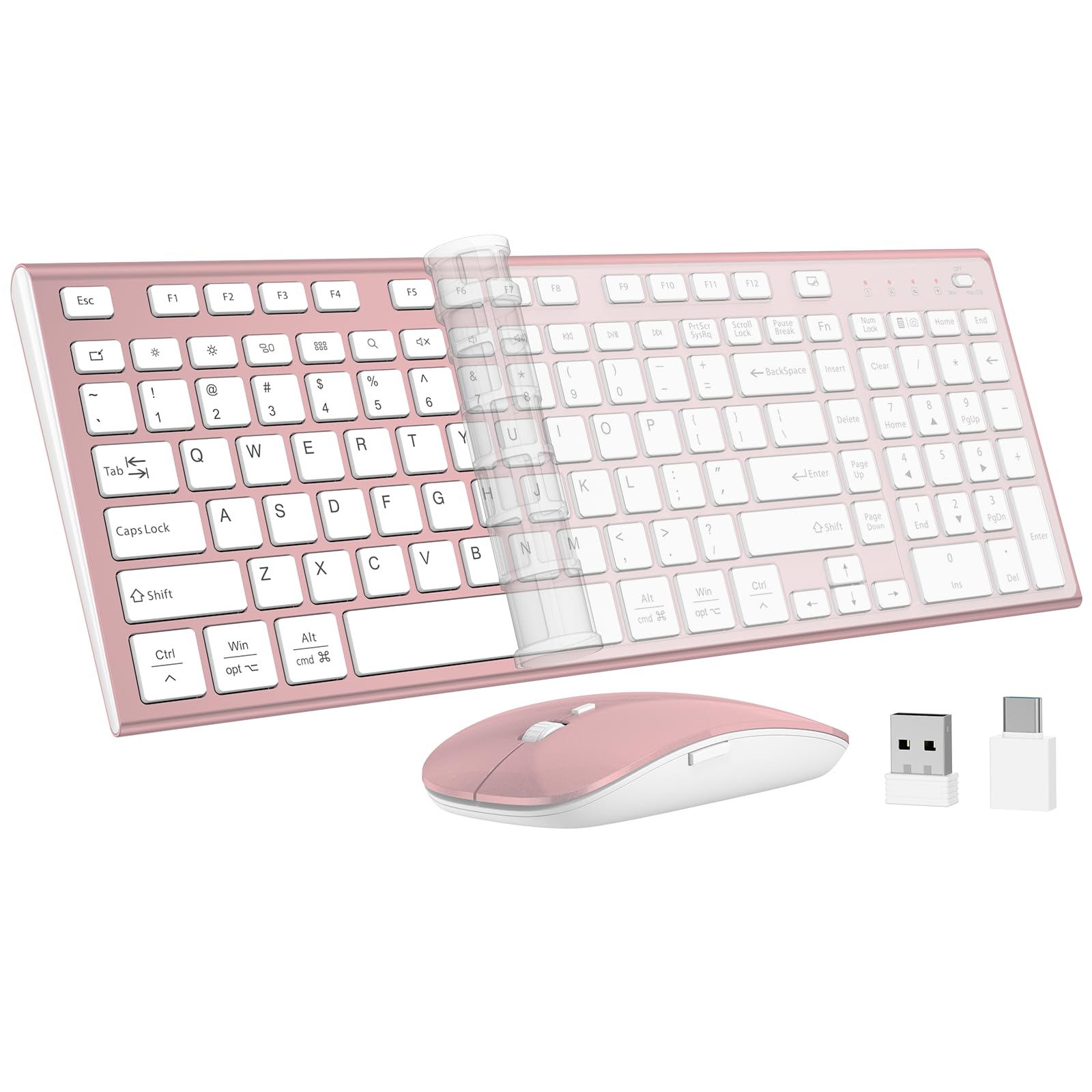
2. Keyboard and Mouse Wireless Rose Pink
A tiny desk gets a full number pad and a soft-touch board without giving up the pink.
If your desk is a corner of the kitchen counter, this is the one that actually fits. It uses a 90% full-size compact layout — that means you still get the number pad but the board takes noticeably less room than a standard full-size keyboard. At 0.79 kg it is lighter than the retro typewriter pick here, which sits at 0.9 kg, so it is the easier of the two to slide into a bag or move around a shared space.
The keys are silicone-covered and scissor-switch based, and the mouse has silent buttons, so the whole set leans quiet. The mouse steps through 5 adjustable DPI levels up to 3200, giving you a range of cursor speeds for precision work or fast movement. You get one 2.4G USB receiver plus a USB-C adapter for modern laptops, and the connection is rated out to 33ft/10m. There is also a Windows/macOS toggle switch so you do not have to relearn a set of Fn combos when you swap machines.
Here is the honest part: the mouse is where this set draws mixed feedback, and some buyers report lag or a cursor that wanders. The keyboard gets the praise for its sleek build, and a thin transparent cover is a nice touch against spills, but the keys feel a little different with it on until you adjust. If a rock-solid pointer is your top priority, a pricier set will serve you better.
The build people notice: the keyboard quality is what gets called out most, and it reads as a much more expensive board than it is — sleek, soft-touch, and tidy on a small desk.
The trade to weigh: budget-tier sets like this one live or die on the mouse, so treat the pointer as the part you are gambling on.
Great fit for: students and small-desk workers who need the number pad but not the bulk, and who keep the pointer work light.
One thing to know: the mouse is the less predictable half of the pair — if cursor accuracy is critical, look to a higher-rated set.
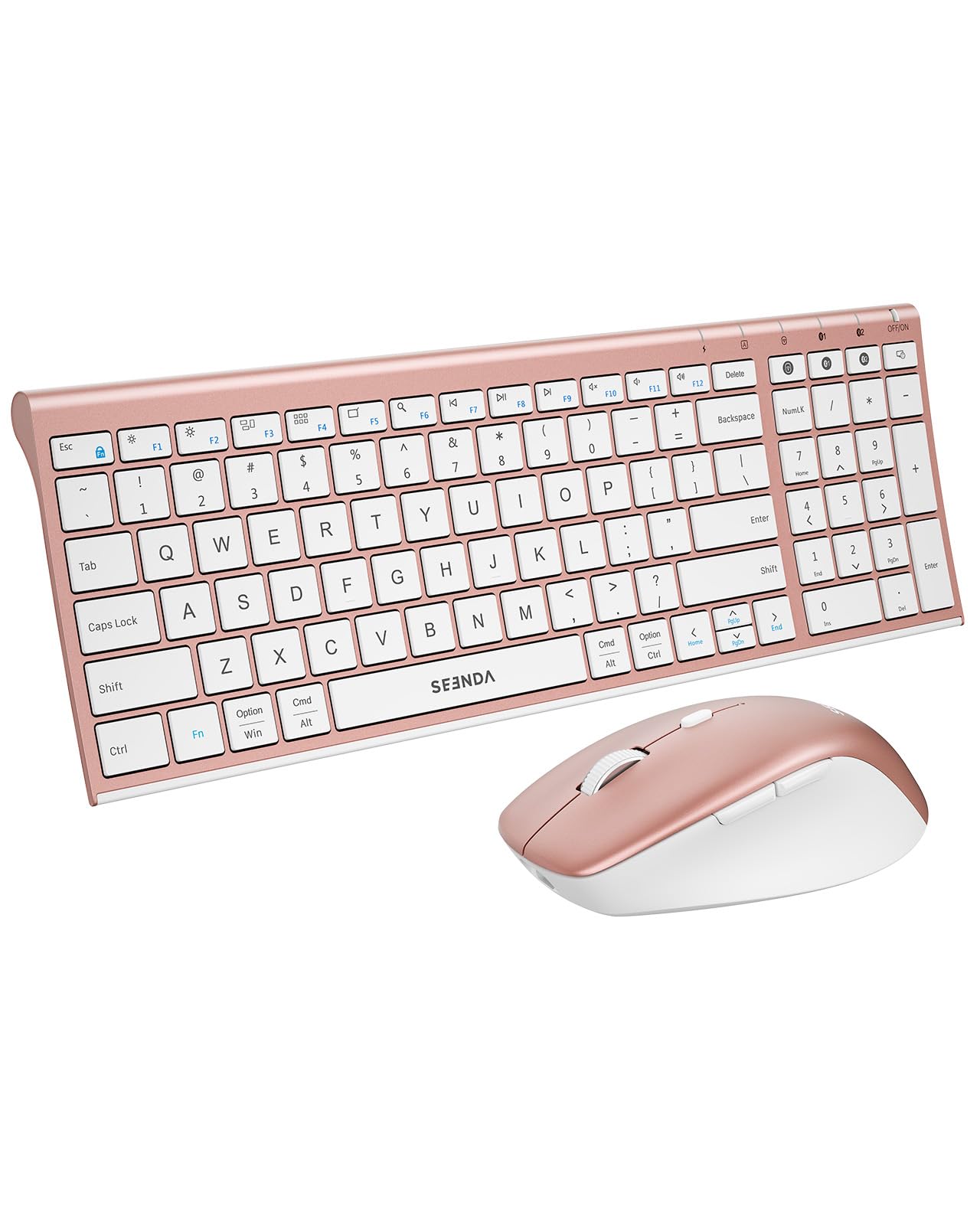
3. seenda COE401 Keyboard and Mouse Combo
Three devices, one slim board, and a USB-C port instead of a battery drawer.
This is the commuter’s combo. It pairs to up to 3 devices over Bluetooth or 2.4G USB, so you can leave the laptop docked and still jump to a tablet or a second computer with a button press. At 480 g it is the lightest set on this list — noticeably lighter than both the 0.9 kg retro board and the 0.79 kg slim pink set — which is exactly what you want when the keyboard travels in a backpack five days a week.
The board is a compact flat design that still keeps a numeric keypad, and the low-profile scissor-switch keys give it a quiet, laptop-like feel. The mouse steps through 4 DPI levels for precision, and the whole set charges by USB-C with a rated 60-90 days of runtime and auto-sleep (10 minutes for the mouse, 30 for the keyboard) to stretch it further. Compatibility is broad — Windows, macOS, iPadOS, iOS, and Android are all covered in Bluetooth mode, and there is a 2-year warranty support line behind it.
The recurring gripe is the mouse holding up over time, and a few owners find the board smaller than expected. The Bluetooth 5.0 requirement is worth checking against your gear too, and the 2.4G USB mode is Windows-only. None of that dents the sheer value of a board this light with a keypad and three-device switching.
Why it travels well: build quality is the thing people praise, and the light weight plus a protective feel in a backpack makes it a natural fit for hybrid work.
Worth knowing: the compact board can feel smaller under your hands than the photos suggest, so give yourself a day to adjust.
Pick this if: you shuttle between a laptop, a tablet, and a desk PC and want one light set to rule all three.
Look elsewhere if: you need a road-tough mouse that will survive years of daily mileage.
4. Wireless Keyboard and Mouse Combo Retro
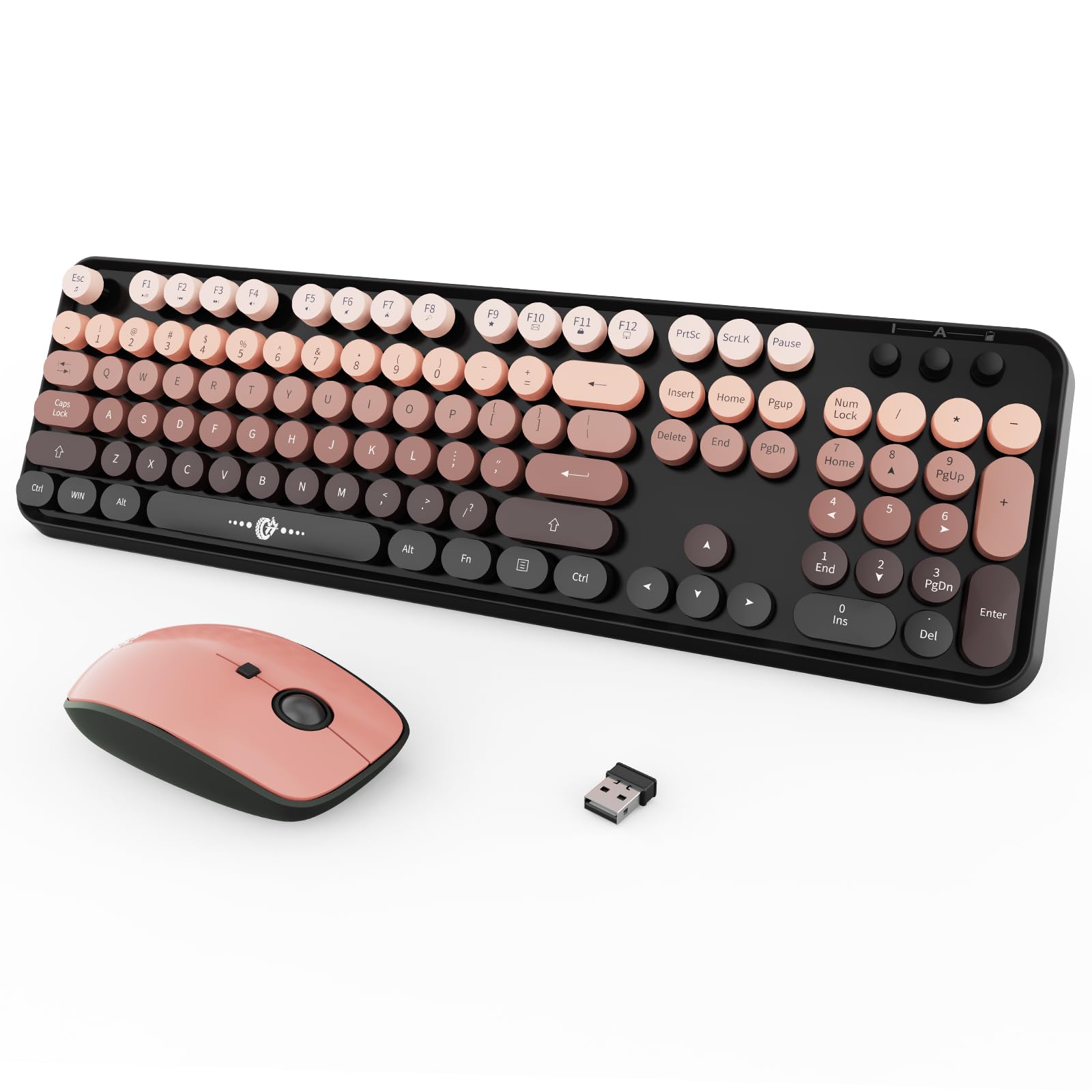
Round floating keys and a black-and-rose-gold finish for a desk that looks like a set piece.
This board is the aesthetic play, and it leans into it hard. The 104-key full-size layout uses rounded, retro typewriter keycaps in a black and rose gold colorway that turns heads.
Functionally it is a straight 2.4GHz set with a 35-foot working range and a 2-in-1 nano receiver, so both devices share one USB port and there is no extra software to install. There are 13 multimedia hot keys for music, email, and the web, and an auto-sleep mode kicks in after 60 seconds of inactivity to stretch the 2 AA batteries. The round keycaps give it a soft, clicky typing feel that many people find comfortable for long sessions.
Quiet is not its strong suit — the clackety clack is part of the charm but a poor match for a call center or a shared bedroom. The build also feels lighter and less sturdy than the Logitech, and the mouse tracking draws mixed reports. It is a looker for a home office, not a workstation workhorse.
The eye-catcher: appearance is the second thing people rave about after quality, and the color and key feel land as strongly as the photos promise.
Set your expectations: this is a louder, lighter-feeling board — treat it as décor-first and keep the heavy typing for a sturdier set.
Best for: the home office where the desk is on display and the typing is casual.
Not for: quiet shared spaces or anyone who needs a rugged, precision pointer.
5. Rechargeable Wireless Keyboard and Mouse
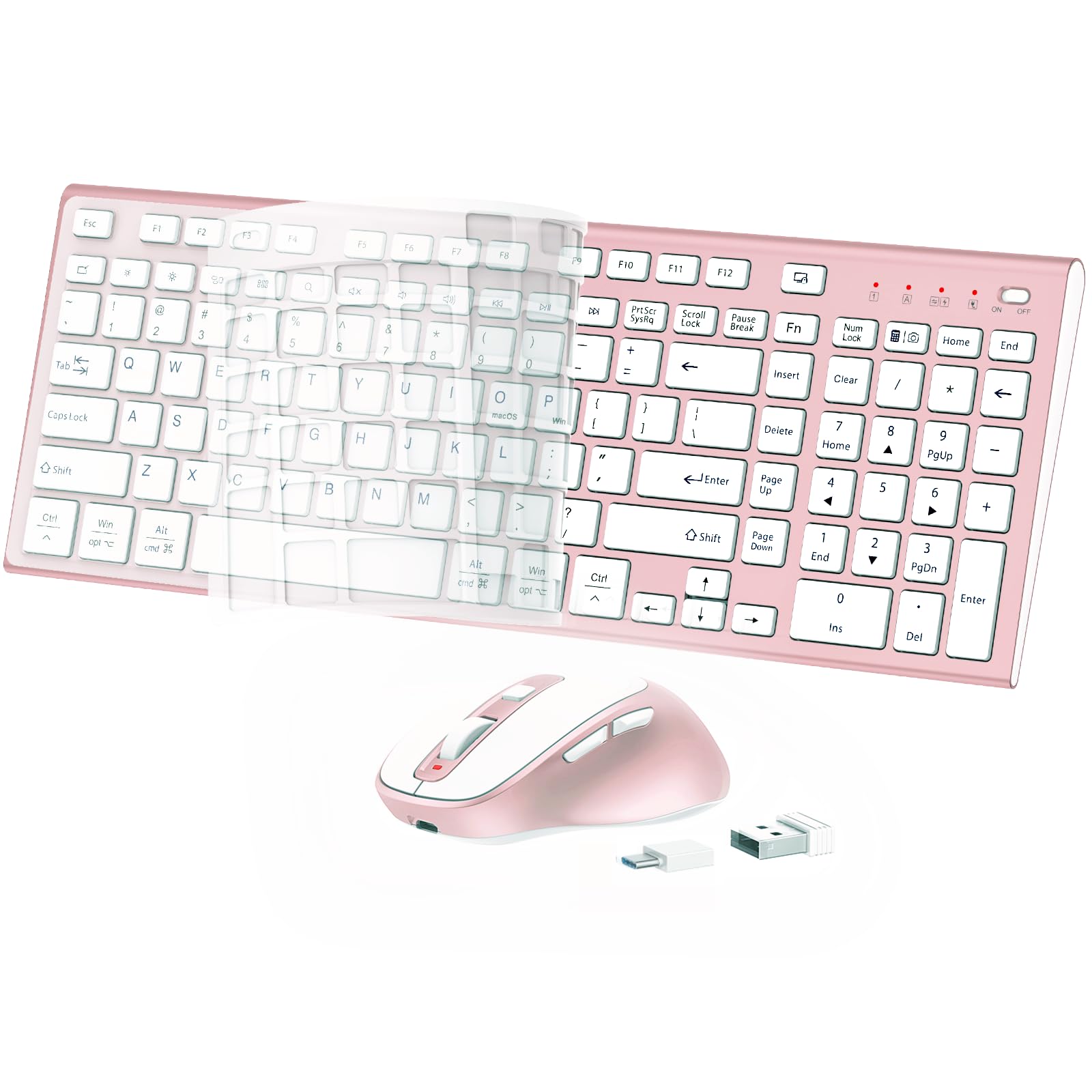
A rechargeable pink set that goes months between plug-ins, skin on or off.
If battery anxiety is your thing, this set addresses it directly. It fully charges in 1.7 hours and is rated to last 1.2–2 months per charge, with a low-voltage indicator that warns you before it dies. The one quirk: if you drain it completely, it needs a few minutes on the cable before it wakes up. That is a battery-health safeguard, not a defect.
The typing story is genuinely customizable. A silicone skin ships in the box and quiets the keystrokes dramatically while blocking dust and spills — leave it off and the scissor-switch keys feel crisper. The mouse has silent buttons with no skin needed, and both run off one nano receiver out to 33ft. The compact layout keeps a number pad while saving desk space, the kickstand feet let you pick your angle, and the mouse’s side buttons handle forward/back on Windows (macOS skips those extras).
The mixed signals here are around long-term reliability on the keyboard, and Mac users lose the shortcut keys as advertised. The white-and-rose colorway is a looker, though — the aesthetic is a big part of the draw. At 640 g it is a mid-weight set that sits happily on one desk rather than traveling.
Why the battery wins it fans
- 1.7-hour full charge rated for 1.2–2 months per charge — plug in a few times a year, not a few times a month
- Silicone skin included quiets the keys and guards against crumbs and spills
- Independent multimedia keys (volume, brightness, calculator, lock) with no Fn combos
What to weigh before you click buy
- Keyboard reliability is the soft spot owners mention over time
- Mac users don’t get the shortcut keys working as advertised
- A fully drained set needs a short pre-charge before it wakes
Reach for this if: you hate battery runs and want a quiet pink set with a skin for a tidy, spill-resistant desk.
Pass if: you are on macOS and rely on those multimedia shortcuts every day.
6. TopMate Wireless Keyboard and Mouse Ultra Slim

A 0.8-inch full-size set with a number pad, 12 function keys, and a silent 5-DPI mouse.
This one is the volume play, and it earns its crowd. The body measures just 0.8in thick — a genuinely slim ABS shell that saves desk space and slips into a laptop bag. The full-size board keeps the number pad and 12 function keys for music, volume, and mail, and it connects over stable 2.4G out to 10m with a nano receiver that stores in the bottom of the mouse.
What people love most is the quiet. The scissor-switch keys keep noise low, and the silent mouse steps through 5 DPI levels (800/1200/1600/2000/2400) so you can dial in the cursor speed. AA and AAA batteries are included, with a rated 3–5 month life depending on use, and a keyboard cover ships in the box to fend off dust and the odd spill. A 2-year warranty backs the set.
The honest caveat is durability over the long haul — some customers note the board or mouse giving out sooner than they would like, and a handful find the keys stick or the pointer doesn’t glide smoothly. The hot keys also don’t fully work with Mac. It is a great-value set for light-to-moderate use, not a decade-long investment.
What sells it: the sleek look and the near-silent typing are the two things that win people over, and at this price the polish is a pleasant surprise.
The long-view caveat: treat this as a well-priced workhorse for a few good years rather than a buy-once board.
A smart buy for: anyone who wants a full-size, ultra-slim set with a cover and included batteries without stretching the budget.
Not the pick for: Mac-heavy workflows that need every function key, or buyers who expect a decade of service.
7. Vssoplor Wireless Keyboard and Mouse
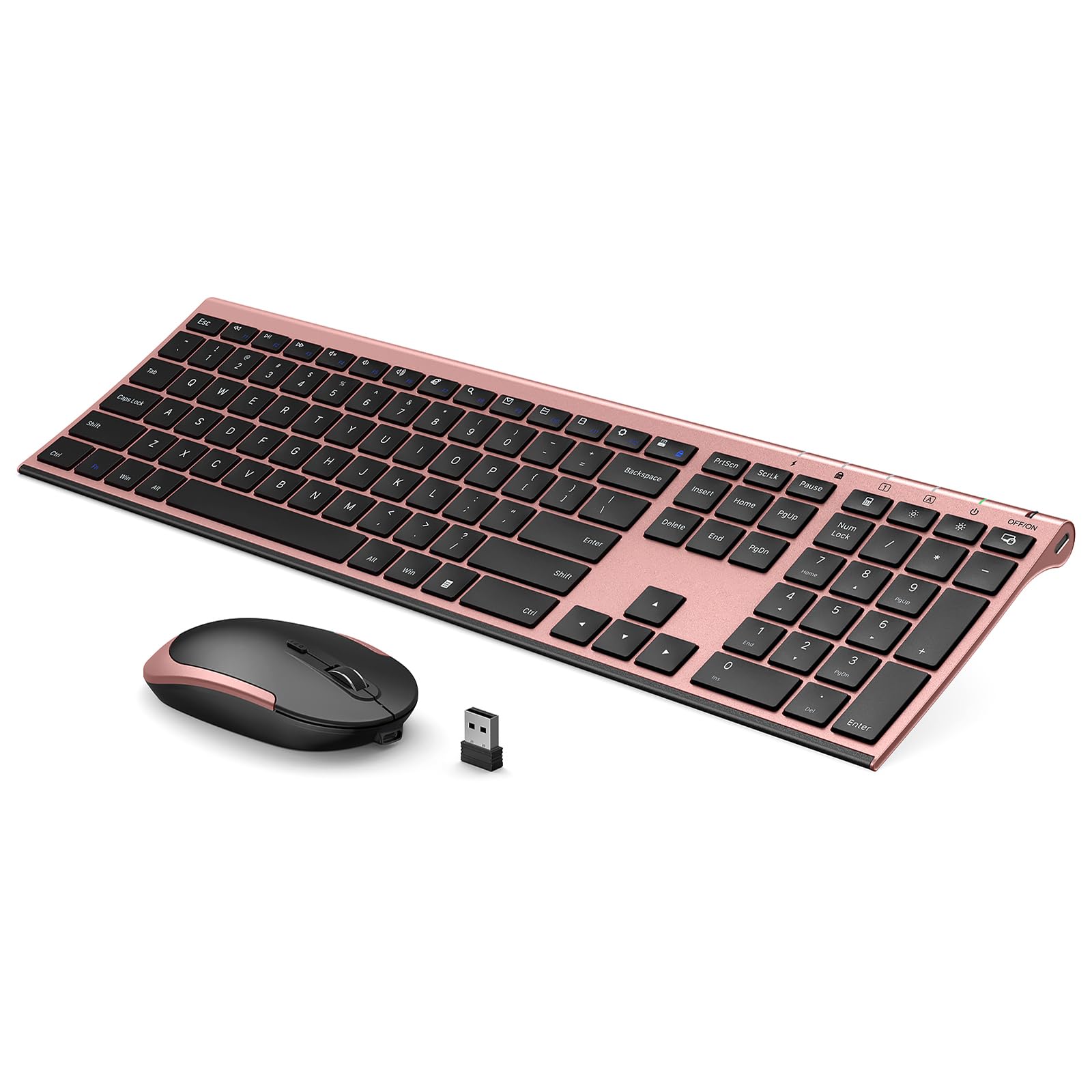
The most-reviewed set here: 4.0+ stars from 10,000+ owners, a full number pad, and near-silent scissor keys.
If you want the safest bet in rose gold, this is it. It has the deepest track record of any set here by a wide margin — 4.0+ stars across 10,000+ owners — and it keeps that score with a full-size layout, a separate number pad, and a 5.5mm slim profile that sits flat under your wrists. For a work-from-home desk, that low profile is the daily comfort win.
Connection is stable 2.4GHz out to 33ft with a single nano receiver stored in the mouse’s battery compartment, so both devices take one USB port. Premium scissor switches keep the keystrokes whisper-quiet — quiet enough to type through calls — and the mouse has 3 adjustable DPI levels (1000/1600/2400) for switching sensitivity on the fly. The rechargeable set has an intelligent auto-sleep mode that wakes on any keypress or click, stretching a single charge over months of use.
There is not much to complain about, but the mouse is where the odd report of early wear lands, and the power switch lives in the top-right corner of the keyboard — easy to miss at first. Setup is plug-and-play with no drivers, which is exactly what you want from a set this popular.
Why the crowd trusts it
- 4.0+ stars across 10,000+ owners — the most-reviewed set on this list
- 5.5mm flat profile with premium scissor switches, easy on wrists and near-silent
- Rechargeable with smart auto-sleep, so a charge stretches months for WFH use
- Full number pad plus 3 DPI levels on the mouse for data-entry work
Small things to know
- The mouse is where the occasional early-wear report lands
- The power switch in the top-right corner is easy to overlook on first setup
- It is a desk set, not a travel one — the full-size footprint stays put
The safe bet: office workers and WFH typists who want quiet keys, a full keypad, and a set that holds its charge.
Consider before buying: the full-size footprint wants a real desk, so it is not a bag companion.
Know the Specs
Switch type and key travel
The switch is the mechanism under each key, and it decides both the sound and the feel. Scissor switches sit low and feel like a laptop key — short travel, quiet, precise. Membrane boards with taller caps give you more of a deep clack and a softer, bouncier press. If you share space or take calls, scissor-style sets with a silicone skin are the safer pick for noise.
DPI and the mouse
DPI is the sensitivity of the mouse — how far the cursor moves for a given physical push. A higher DPI is faster and lower is more precise. Sets with adjustable DPI levels let you step up or down without visiting settings. The mouse is where budget combos cut corners, so the number of DPI steps and whether clicks are silent are worth checking before you buy.
Rechargeable versus replaceable batteries
A rechargeable set runs on a built-in cell and charges by USB-C, so you trade a cable every few weeks or months for never buying batteries. Replaceable-battery sets run on standard AA or AAA cells and often ship with them included, which means a quick swap rather than a wait at the wall. Go rechargeable for convenience, batteries for instant recovery if a cell dies.
Connectivity and device switching
Most combos use a 2.4G USB nano receiver that plugs into a USB port and pairs both devices, often with a USB-C adapter for newer laptops. Bluetooth sets let you pair to multiple devices and switch between them by button or shortcut. If you move between a laptop, tablet, and desktop, multi-device Bluetooth saves you from re-pairing. If you just need it to work with one computer, a simple 2.4G receiver is the least fuss.
Common Questions
Will a rose gold keyboard and mouse set work with my Mac?
Are these combo keyboards quiet enough for a shared office?
How long does the battery actually last?
What does DPI mean and does it matter for everyday work?
Can I use the keyboard and mouse with more than one device?
Do these sets need a driver or software to work?
Is a rechargeable set better than one that takes batteries?
Will the number pad fit on a small desk?
How do I clean the keyboard if I spill something on it?
Do these combos have backlighting for working at night?
The Bottom Line
For most people, the rose gold keyboard and mouse winner is the Logitech POP ICON Combo because it pairs the rose gold look with quiet keys, 3-device Bluetooth, and battery ratings that keep you away from the battery drawer for years. If you want the widest safety net of owner experience and an all-day office board, the Vssoplor Ultra Slim is the one to reach for. And for a desk that turns heads with round keys and a black-and-rose finish, the TT-FOPETT Retro Typewriter earns its spot. Take the Vssoplor, for instance — it holds 4.0+ stars across 10,000+ owners, a track record that makes the choice easy for anyone who wants to buy once. Whichever you pick, match the switch type and mouse to how you actually work — the rose gold finish is the bonus, not the deciding spec.
How we choose
We do not accept paid placement. Every pick is matched to a real buyer and a real use-case; we do not hands-on test units.
Sources
Specifications: manufacturer listings and product documentation. Review insights: verified customer reviews, as of November 2026. Pricing: not shown on this page (it changes often); check the current price via the retailer link.
As an Amazon Associate, Tactical Gear Guy earns from qualifying purchases. This does not affect which products we feature.