Specs are compiled from manufacturer listings and verified buyer reviews and can change over time — please confirm the key details on the product page before buying.
You want a USB-A flash drive that copies your files once, keeps them, and still works next year. The catch is that plenty of cheap thumb drives read fast on paper and then crawl or fail in real life — so the practical answer is to buy on read speed, build, and honest capacity, not on the biggest number printed on the package. Every pick below plugs into a standard rectangular USB-A port, which is the older port you still find on laptops, desktops, TVs, and car stereos.
This guide is built by comparing the manufacturers’ published specifications and the patterns across verified customer reviews, so you get each pick’s real strengths and trade-offs instead of marketing spin.
Some drives are built for a quick file hand-off and some are built to survive a backpack for years. The list below splits them by what you actually need, from a wallet-friendly 32GB workhorse to a metal-cased drive rated for 400MB/s reads. Here is the practical short list of the usb-a flash drive options worth your money today.
Top Picks


How To Choose The Best USB-A Flash Drive
A flash drive is one of the few gadgets where the box numbers tell only half the story. The other half is how the thing behaves once it is sliding around in your pocket for a year. Start with what you are moving — a handful of Word documents behaves nothing like a 3GB video file — then buy the speed and the shell that match.
Read speed versus write speed — why one number lies
Read speed is how fast the drive hands a file to your computer; write speed is how fast it accepts one. The headline on most packaging is the read figure, and that is the number you feel when you open a file, not when you save it. A drive that reads at 150MB/s can still write far slower, which is why a folder of photos sometimes seems to take forever to copy over.
The USB 3.x label soup, decoded
USB 3.0, USB 3.1 Gen 1, and USB 3.2 Gen 1 are effectively the same speed tier — they just got renamed over the years. Any of them will run at full speed in a blue or otherwise USB 3-marked port and drop back to slower USB 2.0 speeds in an older port. If you plug a fast drive into a USB 2.0 slot, the drive is not broken; the port is the bottleneck.
Capacity you can actually use
A 128GB drive never shows 128GB of free space in your file manager, because the drive reserves some of it for formatting and system files. One pick here lists at least 115GB usable out of 128GB, which is normal. Plan your real storage around the usable figure, not the marketing capacity, and reformat to exFAT or NTFS if you regularly move single files larger than 4GB.
Build quality, caps, and how you carry it
Plastic bodies flex and eventually crack; metal bodies shrug off keys and coins in a bag. Capless designs — a sliding collar or a swivel cap — remove the single most-lost piece of any flash drive. A keyring loop turns the drive into something you never leave on a desk, which is the quiet reason most people lose data in the first place.
Side-by-Side Comparison
| Model | Best For | Capacity | Interface | Rated Read Speed | Amazon |
|---|---|---|---|---|---|
| SanDisk 32GB Ultra USB 3.0★ Best Overall | Everyday file hand-offs | 32 GB | USB 3.0 | Up to 100MB/s | Amazon |
| Lexar E31 64GBBest for Keyrings | Keyring carry | 64 GB | USB 3.2 Gen 1 | Up to 100MB/s | Amazon |
| PNY Turbo Attaché 3 (3-Pack)Bulk Value Pick | Bulk storage on a budget | 64 GB each | USB 3.0 | Up to 100MB/s | Amazon |
| SanDisk 128GB Ultra Flair | Big files, fast reads | 128 GB | USB 3.0 | Up to 150MB/s | Amazon |
| Amazon Basics 128GB USB 3.1 | High capacity, retractable | 128 GB | USB 3.1 Gen 1 | Up to 130MB/s | Amazon |
| Samsung BAR Plus 128GB | Speed and rugged casing | 128 GB | USB 3.2 Gen 1 | Up to 300 MB/s | Amazon |
| SamData 32GB 2-Pack | Colour-coded light storage | 32 GB each | USB 2.0 | — | Amazon |
| MAKACTUA 10-Pack 16GB | Classroom or handout packs | 16 GB each | USB 2.0 | 20 MB/s | Amazon |
Detailed Reviews
1. SanDisk 32GB Ultra USB 3.0 Flash Drive (SDCZ48-032G-UAM46)
Our pick — 4.5+★ from 134,000+ verified ratings; the strongest balance of quality and price.
The 32GB USB 3.0 stick that reads at up to 100MB/s and costs less than a takeaway.
This is the pick for anyone who moves documents, photos, and the odd movie between a work PC and a home laptop. It runs up to 100MB/s in a USB 3.0 port — that is the read speed, meaning how quickly it hands a file back to your computer — and it drops back to USB 2.0 speeds in an older slot without complaint. The 32GB capacity is the sensible middle: enough for a working folder and a film, not so much that you stop tidying it.
Build quality is what carries this drive. Owners who run it for months on end in things like a TV used in commercial settings report no heat trouble and no slowdowns opening files. It is also big enough to find in a pocket, which sounds trivial until you lose a thumbnail-sized stick down a sofa cushion. The included SanDisk SecureAccess software lets you password-protect a private folder — that is file-level password protection, not full-disk encryption — and it is covered by a 5-year limited warranty.
The honest catch is the plastic shell. A handful of buyers find it flexes and feels cheap in the hand, which is the trade-off for the low weight. Write speed is also the weaker half of the 100MB/s story, so a giant folder of video files takes noticeably longer to save than to open. Neither is a reason to walk away from a drive this dependable; just do not expect it to feel like a metal-bodied premium stick.
Where it earns its place
- 100MB/s read speed means files open quickly on both PC and Mac
- 32GB holds a full working folder plus media, in your palm
- SecureAccess password protection for a private folder
- 5-year limited warranty backs up the everyday use
What to go in knowing
- Plastic body feels flexy next to metal-cased alternatives
- Write speed trails the 100MB/s read figure noticeably
- 32GB is quickly outgrown if you archive video
Reach for this if: you want a proven everyday stick for school, work, or TV files and you value reliability over flashy looks.
Look elsewhere if: you need to shift single video files over 4GB regularly — go up to a 128GB drive instead.
2. Lexar E31 64GB USB 3.2 Gen 1 Flash Drive
A 5.3g all-metal 64GB stick with an integrated keyring loop that rides with your keys.
If losing drives is your personal curse, start here. The all-metal body with an integrated keyring loop turns the E31 into something that rides with your car keys instead of disappearing into a drawer. At 5.3g it is genuinely featherweight — compare that to the SanDisk 32GB Ultra at 13.61g, and you get a sense of how much lighter this sits in a pocket. Both drives carry the same up-to-100MB/s read rating, so you are picking on build and carry style rather than raw speed.
Plug and play is real here: no drivers, no software, and it works across PCs, laptops, TVs, car audio systems, and other USB-enabled gear. The 64GB capacity is the useful upgrade over a 32GB stick if you keep a photo library and a few HD videos together. Lexar rate the drive through testing in its own Quality Labs across more than 1,100 digital devices, and it carries a 2-year limited warranty.
The trade-off is the swivel-free design — there is no cap to lose, but there is also nothing to cover the plug when it is off your keyring. It is small enough that it could go through a wash cycle unnoticed. Keep it looped and it is one of the more sensible everyday carries at this size.
What the spec sheet really buys you: 64GB at up to 100MB/s in a 5.3g metal shell, so the drive disappears on your keyring and still swallows a photo library plus video.
One limitation worth flagging: the compact body has no cap, so the exposed plug deserves a quick look before you shove it in a bag pocket.
Best for: commuters, students, and anyone whose last three drives are currently lost somewhere in the house.
Think twice if: you want a drive you can clip to a lanyard and forget — this loop works, but there is no cap to protect the plug in transit.
3. PNY 64GB Turbo Attaché 3 USB 3.0 Flash Drive 3-Pack
Three 64GB USB 3.0 sticks in one pack for splitting work files, photos, and backups.
Buying in a three-pack solves a problem no single drive can: separating work files, personal photos, and a backup copy so one failure does not take everything with it. Each drive holds 64GB and reads at up to 100MB/s over USB 3.0, which PNY describe as up to 10 times faster than a standard USB 2.0 stick. The cap-less sliding collar means there is nothing to lose, and a shockproof rating covers the occasional drop off a desk.
What wins people over here is the sheer working capacity — 64GB handles movies, video, music, and document archives without a second thought. The big caveat is consistency across the set. Some users report one of the three failing to be recognized within weeks, and write speeds split between genuinely quick and disappointingly slow. Treat the pack as your chance to keep a spare rather than trust all three equally.
The sliding collar is also the most-complained-about detail — it can be stiff to operate when new, so give it a few cycles before you judge it. If you want three cheap, large drives to spread your files across, this is the pack that does it.
Why three beats one
- Three separate 64GB drives for spreading files, backups, and hand-offs
- Up to 100MB/s read speed over USB 3.0
- Capless sliding collar and shockproof build for daily handling
Where it can sting
- Reliability is not perfectly even across all three units
- Some users find the sliding collar stiff to move
- Write speeds vary between drives in the same pack
Pick this when: you would rather have three ordinary 64GB drives than one expensive one you cannot replace.
Skip the pack if: your files are irreplaceable and you need a single guaranteed daily driver — spread the risk instead.
4. SanDisk 128GB Ultra Flair USB-A Flash Drive
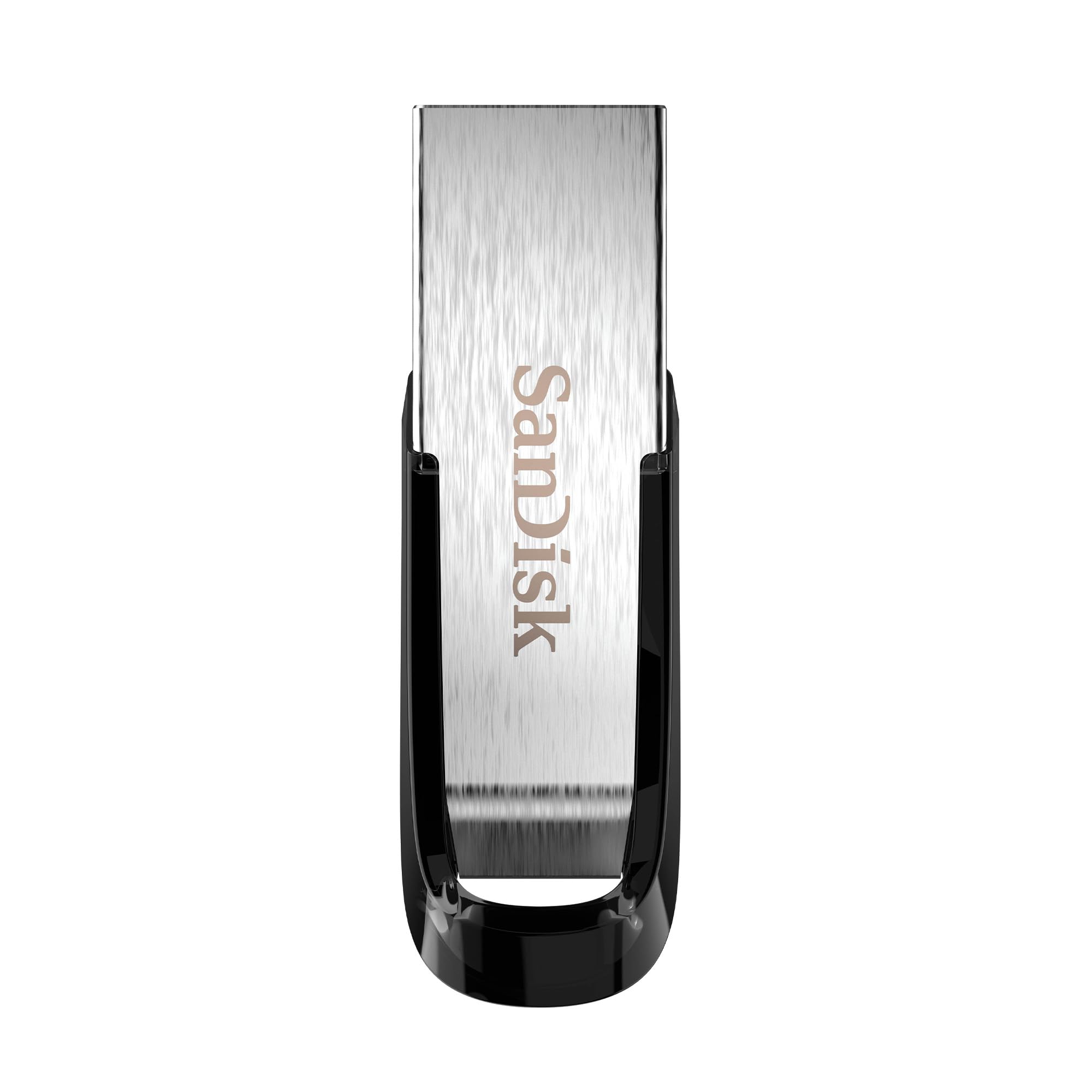
Up to 150MB/s reads on 128GB — a full-length movie in under 30 seconds.
When your files are video, this is the drive that stops the coffee break. SanDisk rate it at up to 150MB/s read — a clear step over the 100MB/s of the 32GB Ultra and the Lexar E31 — and they say a full-length movie transfers in less than 30 seconds on a USB 3.0 host. The 128GB capacity means you can carry a real media library instead of trimming it.
The casing is metal, and that matters for a drive living in a bag or a pocket. Owners who have dropped it report the housing holding up well. Password protection uses 128-bit AES encryption — a strong, widely used lock for a private folder — and works across Windows and Mac with the right software download. It is also a genuinely compact stick, with buyers describing it as small but mighty when moving large files between computers.
The recurring note worth knowing: it warms up during big transfers. The metal body carries heat, and a few owners find it warmer than expected, though most say it does not affect performance. Write speed also sits below the headline read figure, so dumping a huge folder onto it takes longer than pulling one off. Both are normal for a drive this fast at this capacity.
The number that sells it: up to 150MB/s read speed on 128GB, meaning a full-length movie moves in under 30 seconds on a USB 3.0 port.
Set expectations on: the drive gets warm during sustained transfers, and its write speed trails the read speed — true of nearly every fast stick, not a defect.
Go for it if: you move video, photo libraries, or big backups and want the fastest read in this group at a sensible capacity.
Not for you if: you only ever swap small documents — a 32GB drive covers that and costs you less.
5. Amazon Basics 128GB Ultra Fast USB 3.1 Flash Drive

128GB of retractable storage — roughly 32,000 12MP photos or 488 minutes of 1080P video.
This is the drive for anyone who wants a single big bucket rather than several small ones. The 128GB capacity is enormous next to the 32GB SanDisk Ultra — four times the room, by Amazon’s own figures — and at least 115GB of it is usable after the drive’s own housekeeping. Retractable design means the plug slides away instead of relying on a cap you will lose.
Reads run up to 130MB/s and writes up to 30MB/s, which is the clearest split in this whole list. That write figure is the one you feel when copying a folder across, and it is why some buyers describe slow saves. Reading back the same files is noticeably quicker. The key hole on the body lets you loop it to a bag, and there is a retractable telescopic design to keep the connector safe.
The function side is well liked — it works as a plug-and-play stick with no drivers, and the FAT32 default format suits Windows and Mac straight away. The catch worth planning around: files over 4GB need a reformat to exFAT or NTFS first, since FAT32 cannot hold a single file that large. A few users also find the plastic housing less than tough, so treat it as a desk-to-bag drive rather than a rugged one.
Why the big bucket wins
- 128GB with at least 115GB usable after formatting
- Up to 130MB/s read speed for quick file access
- Retractable plug and key hole for carry without a cap
- FAT32 default works on Windows and Mac without setup
Before you commit
- Up to 30MB/s write speed means big saves are the slow part
- Plastic housing is less rugged than metal-cased rivals
- Large single files need a reformat away from FAT32
Choose this for: archiving photos, slide shows, and office files where you want maximum room and fast reads.
Pass if: you regularly write huge folders in one go and cannot stomach 30MB/s writes.
6. Samsung BAR Plus 128GB USB Flash Drive (MUF-128BE4/AM)

The 128GB metal-cased drive rated at up to 300 MB/s that moves a 3GB 4K video in about 10 seconds.
Speed is the whole point of the BAR Plus. Samsung rate it at up to 300 MB/s read — double the up-to-150MB/s of the Ultra Flair — and say a 3GB 4K UHD file moves from the drive to your PC in just 10 seconds. On a 128GB drive that combination is aimed squarely at video editors, photographers, and anyone hauling 4K footage between machines.
The casing is where it separates from the pack. Samsung describe the metal body as waterproof, shock-proof, temperature-proof, magnet-proof, and X-ray-proof, and back it with a 5-year limited warranty. That means a drive that shrugs off a coffee spill or a trip through airport scanning. The integrated keyring stops accidental loss, and buyers report it being narrow enough not to block the USB port next to it — a small thing that matters on a laptop with two ports side by side.
Real-world speed has a ceiling. Some owners find they get around 230 MB/s at best rather than the full 300 MB/s, which is expected since the quoted figure is best-case. The other long-term wear point is cosmetic: the coating around the keyring loop can rub away over months of pocket carry. Neither affects how the drive works, but it is worth knowing before you buy the most expensive stick here.
What the extra spend buys
- Up to 300 MB/s read — the fastest drive in this group
- Rated waterproof, shock-proof, temperature-proof, magnet-proof, and X-ray-proof
- 5-year limited warranty and integrated keyring
- Slim body sits without blocking the next USB port
Fine print to weigh
- Real-world reads often land nearer 230 MB/s than the 300 MB/s rating
- Coating near the keyring can wear with heavy pocket carry
- The highest outlay in this lineup
Worth it for: photo and video work, or any job where 300 MB/s reads and a tough metal body justify the top-tier spend.
Not the fit if: you only shuffle documents — the Ultra Flair gets you 150MB/s for far less.
7. SamData 32GB USB 2.0 Flash Drive 2-Pack (Black & Blue)

Two colour-coded 32GB USB 2.0 sticks for sorting files at the lowest outlay.
Colour-coding sounds like a gimmick until you are hunting for the wedding clips. This two-pack gives you black and blue drives, each 32GB, so you can split work from personal files without labelling a thing. It is USB 2.0, which is the older slower standard — that matters if you are moving large videos over time, but for documents, music, and slide decks it does the job. An LED indicator flashes for transfer status so you know when to unplug.
Plug and play across Windows, Mac OS, and Linux means no software fuss. The metal clip rotates 360 degrees around the ABS plastic body and doubles as capless protection for the USB plug, so there is no cap to lose. 32GB is enough for thousands of photos or a couple of thousand slides at a time — several owners have used these to scan and move large slide and film archives without trouble.
The caution is reliability at this price tier. Some users report drives stopping after a month or transferring slower than expected, so keep the second drive as a backup and don’t make either your only copy of something important. For throwaway files, hand-offs to colleagues, and everyday light storage, the pair does what it should.
The budget reality: two 32GB USB 2.0 drives with a rotating metal clip and LED light — a genuinely cheap way to colour-separate your files.
Plan the backup: USB 2.0 writes are slow, and reliability at this tier is uneven, so never rely on a single unit for the only copy of anything.
Suits you if: you need two simple, cheap drives for school or office files and want to tell them apart at a glance.
Better elsewhere if: your data is irreplaceable or you transfer big video — the speed and durability are not there.
8. MAKACTUA 10-Pack 16GB USB 2.0 Thumb Drives (10 Colors)
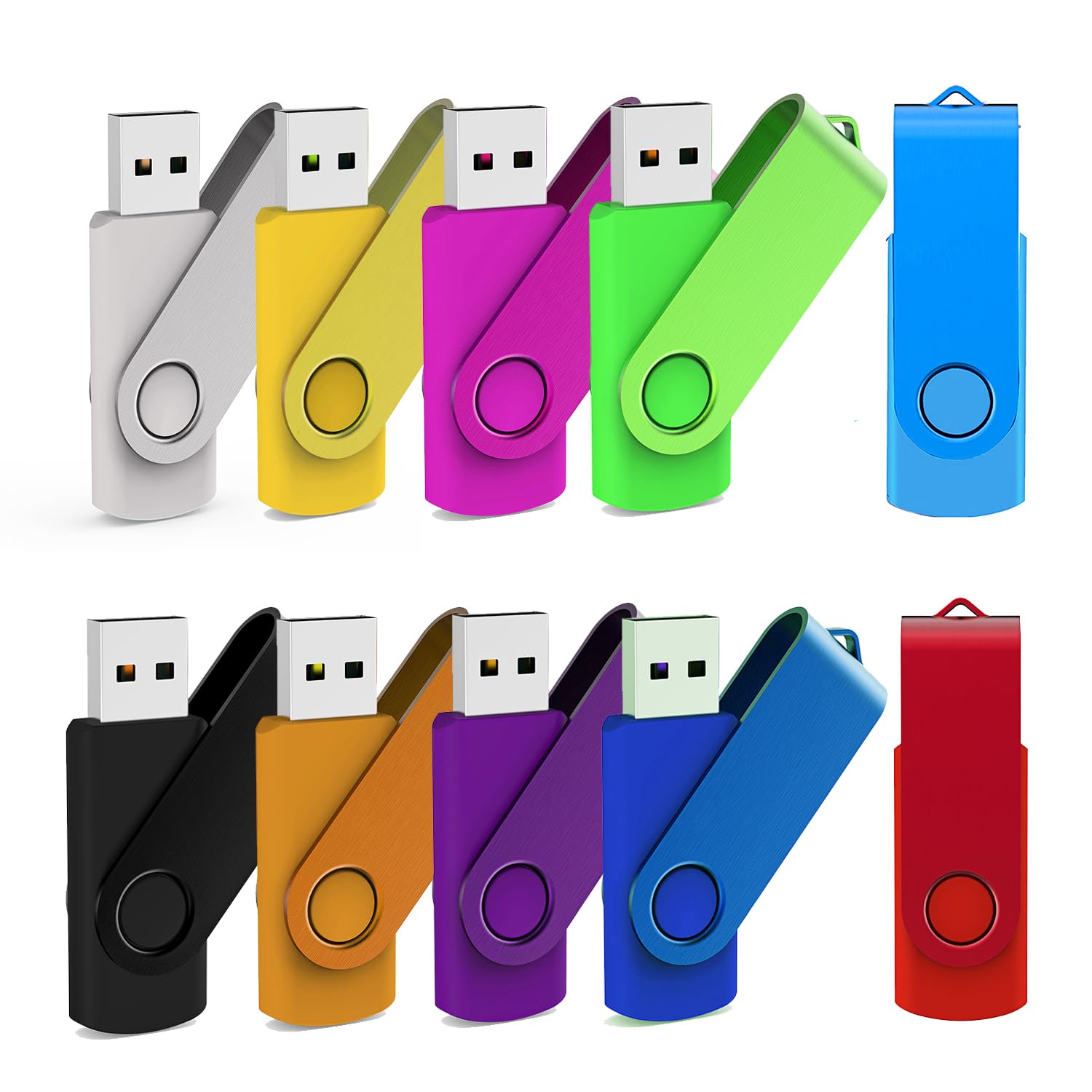
Ten colour-coded 16GB USB 2.0 drives for handing one to each student or team member.
There is a specific buyer for this pack: the teacher handing out drives, the workshop lead, the IT person arming a small team. You get ten 16GB USB 2.0 drives in ten different colours, each with a red LED that flashes while it works. The read speed is listed at 20 megabytes per second, which is USB 2.0 territory — fine for documents and photos, slow for video.
Compatibility is broad: TVs, desktops, notebooks, car audio, and other USB-enabled devices, plus Windows, Linux, and Mac OS. The metal swivel cap with its loop means no separate cap to lose, and a portable key-sized body drops into a pocket or clips to a key ring. Colour-coding ten drives makes them easy to assign to classes, teams, or projects.
At this price per drive, expect budget-tier consistency. A couple of drives in a pack can arrive dead or fail a few transfers in, and reformatting does not always revive them. That is the honest trade-off at this tier — buy it as a pack of handouts, test the units before you rely on them, and keep the survivors for the files that matter.
The draw of the ten-pack
- Ten 16GB drives in ten colours for easy assignment
- Swivel metal cap with loop, so no separate cap to lose
- Works across Windows, Mac OS, Linux, TVs, and car audio
- Read speed 20 MB/s suits documents and photos
The tier tells the truth
- Some drives in a pack can arrive dead or fail early
- USB 2.0 speeds make video transfers slow
- 16GB per drive fills fast with photos or media
Made for: teachers, trainers, and team leads who need a stack of cheap, colour-coded drives to hand out.
Wrong tool if: you need one dependable drive for your own large files — buy a single higher-capacity drive instead.
Know the Specs
Read speed vs write speed
Read speed is how fast a drive hands files back to your computer; write speed is how fast it accepts them. Packaging tends to shout the read number because it is bigger, but write speed is what you feel when saving a folder. The SanDisk Ultra Flair reads at up to 150MB/s, while the Amazon Basics reads at up to 130MB/s but writes at only up to 30MB/s — a gap you notice when copying, not when opening.
USB 3.0, 3.1 Gen 1, and 3.2 Gen 1
These three labels describe the same speed tier — a drive rated any of them runs at full speed in a USB 3 port and drops to slower USB 2.0 speeds in an older slot. Plug a fast drive into a USB 2.0 port and it still works; it just moves files more slowly than its rating. The Samsung BAR Plus lists USB 3.2 Gen 1, the Amazon Basics USB 3.1 Gen 1, and the SanDisk drives USB 3.0.
Capacity, usable space, and FAT32
A 128GB drive never shows the full figure in your file manager because the drive reserves some space for formatting. One drive here lists at least 115GB usable from 128GB. Many drives ship formatted FAT32, which cannot hold a single file larger than 4GB — reformat to exFAT or NTFS when you move big video files. Reformatting erases the drive, so empty it first.
Build, caps, and rugged ratings
Metal bodies resist flex and knocks better than ABS plastic. Capless designs — a sliding collar, a swivel cap, or a retractable plug — remove the piece most likely to be lost. Rugged ratings like waterproof, shock-proof, and X-ray-proof describe what a drive is built to survive; the Samsung BAR Plus is listed with all of these plus a 5-year limited warranty.
Common Questions
Will a USB 3.2 Gen 1 flash drive work in an older USB 2.0 port?
Why does my 128GB USB-A flash drive show less than 128GB of free space?
Can I copy a 4GB video file onto these drives straight from the start?
What is the difference between read speed and write speed on a flash drive?
Is a metal-cased USB drive better than a plastic one?
How do I keep a flash drive from getting lost?
Are the ten drives in the MAKACTUA pack all the same capacity?
Can these flash drives move files from a Mac to a PC?
Should I buy a three-pack or ten-pack instead of one high-capacity drive?
The Bottom Line
For most people, the usb-a flash drive to buy is the SanDisk 32GB Ultra — it reads at up to 100MB/s, includes password protection, carries a 5-year limited warranty, and has proven itself in constant use. If you want the fastest drive here, the Samsung BAR Plus leads on speed and rugged metal build with up to 300 MB/s reads. And for bulk hand-outs, the MAKACTUA 10-pack spreads 16GB drives across a whole classroom.
The single nudge that matters: match the drive to the job. A 32GB workhorse covers documents and everyday hand-offs, a 128GB drive covers media and backups, and a multi-pack covers everyone else. Buy for the files you actually move, not the biggest number on the box, and you will pick right the first time.
How we choose
We do not accept paid placement. Every pick is matched to a real buyer and a real use-case; we do not hands-on test units.
Sources
Specifications: manufacturer listings and product documentation. Review insights: verified customer reviews, as of November 2026. Pricing: not shown on this page (it changes often); check the current price via the retailer link.
As an Amazon Associate, Tactical Gear Guy earns from qualifying purchases. This does not affect which products we feature.