Specs are compiled from manufacturer listings and verified buyer reviews and can change over time — please confirm the key details on the product page before buying.
If your PC roars like a hairdryer during a game, the fix is usually the case fans, not the processor. A good case fan moves hot air out of the chassis while staying quiet enough that you forget it is running. The catch is that fan listings bury the specs that matter — CFM, mmH2O, and dB — under words like “silent” and “premium.” This guide cuts straight to the three specs that decide everything — airflow, static pressure, and noise — and tells you which fan fits which build.
This guide is built by comparing the manufacturers’ published specifications and the patterns across verified customer reviews, so you get each pick’s real strengths and trade-offs instead of marketing spin.
Below you will find nine fans, from budget three-packs to premium single units, each checked against airflow, static pressure, and noise so your next upgrade actually cools. This breakdown of pc case cooling focuses on the specs that decide whether your build runs quiet or loud.
Top Picks

How To Choose The Best PC Case Cooling
The single most common mistake is buying the biggest airflow number you can find. Airflow tells you how much air a fan moves in open space, but your case is not open space. The moment air has to squeeze through a dust filter, a mesh front panel, or a radiator’s fins, resistance builds up — and that is where static pressure takes over.
Airflow vs. Static Pressure — Which Number Matters
Airflow, measured in CFM (cubic feet per minute), is the volume of air a fan pushes when nothing is in its way. That number suits a wide-open case with a clear front intake. Static pressure, measured in mmH2O — the force a fan uses to push air through resistance — matters more when a filter, mesh, or radiator sits right behind the blades. A fan with high pressure keeps pushing even when the path is tight.
In practice, most gaming builds have some restriction, so a fan with both decent CFM and decent mmH2O covers you best. The Thermalright TL-M12Q X3, for example, pairs 68.9CFM with 2.21mmH2O — pressure that beats the Thermalright TL-C14C-S X3’s 1.93 mm H2O by a clear margin.
RPM, PWM, and Noise
RPM (revolutions per minute) is how fast the fan blades spin, and higher is not automatically better. A fan that spins to 3000 rpm can move serious air, but it will roar doing it. PWM (pulse-width modulation) lets your motherboard dial the speed up and down automatically based on temperature.
A 4-pin PWM header is what enables that control. Some fans also stop entirely below a certain PWM signal — a semi-passive feature that keeps the machine silent at idle. Look for a wide speed range so the fan can whisper at desktop duty and ramp up only when you game.
Size and Fit
Fan size is fixed by your case’s mounting points — 120mm and 140mm are the two you will see here. A larger 140mm fan can move the same air at lower RPM, which usually means less noise. Check how many mounts your case has and whether your radiator needs a specific size before you buy.
Side-by-Side Comparison
| Model | Best For | Max Speed | Airflow | Noise Level | Amazon |
|---|---|---|---|---|---|
| Noctua NF-A14x25 G2 PWM★ Best Overall | Quiet all-round cooling | 1500 rpm | — | 24.8 db | Amazon |
| Thermalright TL-C14C-S X3Best Value | Budget ARGB three-pack | 1500 rpm | 75.8 cfm | 26.4 db | Amazon |
| Thermalright TL-M12Q X3Best RGB Look | RGB builds with strong pressure | 2000 rpm | 68.9 cfm | 28.2 db | Amazon |
| ARCTIC P12 Pro A-RGB | High-speed radiator cooling | 3000 rpm | 77 cfm | — | Amazon |
| ARCTIC P14 Pro PST 5 Pack | Filling a whole case on a budget | 1800 rpm | — | — | Amazon |
| Thermaltake CT120 EX ARGB | Clean cable management | 2000 rpm | 57.05 cfm | 28.5 db | Amazon |
| be quiet! Pure Wings 3 Triple Pack | Max noise reduction | 1600 rpm | 49.9 cfm | 25.5 db | Amazon |
| be quiet! Silent Wings Pro 4 140mm | Premium radiator performance | 2400 rpm | 97.4 cfm | 36.8 db | Amazon |
| Noctua NF-A12x25 G2 PWM | Small builds and near-silent daily use | 1800 rpm | 107.3 cubic meter per hour | 22.5 db | Amazon |
Detailed Reviews
1. Noctua NF-A14x25 G2 PWM, High-Performance Quiet Fan 140mm
Our pick — 4.5+★ from 500+ verified ratings; the strongest balance of quality and price.
A single 140mm fan that keeps a whole workstation quiet while the CPU stays cool.
What makes this fan the top pick is its blend of quiet operation and flexible positioning. Its 1500 rpm speed range lets it idle near-silent and still ramp up when the load climbs. A noise rating of 24.8 db puts it among the calmest fans in this group, and the Sterrox LCP material makes the blades stiffer than standard plastic, which cuts vibration at the frame.
Its spec sheet covers both bases: it is built for high airflow and high static pressure, so it works as a case fan or bolted to a radiator. The fan even stops entirely at 0% PWM — a semi-passive touch that leaves the machine silent when the PC is barely working. As owners put it: “Owners praise the build quality and the complete accessory kit, and report CPU temperatures dropping about 1°C.”
The honest catch is that a single fan will not outfit a whole case, and the included accessory kit — anti-vibration mounts, a 14cm gasket, a Low-Noise Adaptor, an extension and a splitter cable — is generous, but the noise rating tells you it is built for a tuner. This is the fan to buy when you want to stop hearing the PC, not when you need to flood a case with cheap airflow.
Where It Wins
- 24.8 db noise level with a 1500 rpm ceiling — quiet at idle, strong under load
- Stiff Sterrox LCP blades for low vibration and long bearing life
- Handles high airflow and high static pressure, so radiators and mesh panels are both fair game
- Rich kit: anti-vibration mounts, 14cm gasket, Low-Noise Adaptor, splitter and extensions
Where It Costs You
- One fan per box, so a full case swap adds up fast
- Premium bearing and materials mean a higher per-unit cost
Buy this one if: you want a single airflow-and-pressure fan that stays quiet in daily use and moves serious air on a radiator.
Think twice if: you need five fans on a tight budget — the ARCTIC five-pack below is the value route.
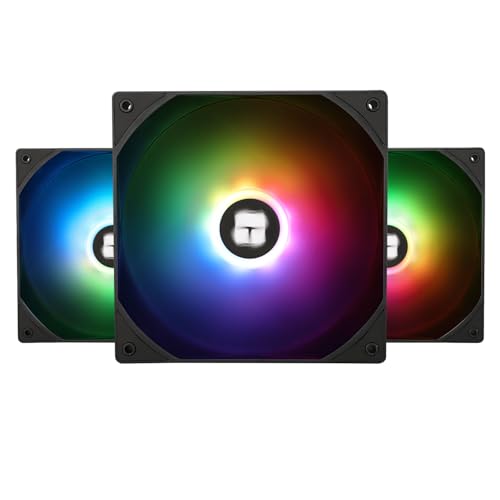
2. Thermalright TL-C14C-S X3 CPU Fan
Three 140mm ARGB fans for less than what many single fans cost — the value play for a whole case.
The number that jumps out is 75.8CFM on a 140mm frame, pushed at a 1500 rpm ceiling with a noise rating of just 26.4 db. Those specs make it a genuine contender for a case fan or a CPU cooler, and the 1.93mm H2O of pressure means it holds up when a finned radiator sits behind it. The value story is what wins people over most — the price-to-performance here is the reason it lands near the front of this pack.
The ARGB side is no afterthought either: high-brightness atomizing blades spread the light rather than leaving hot spots, and up to 17 lighting modes sync through a 5V 3-pin header on your motherboard. Expect the plastic to feel budget in the hand, and know that the fans emit a little noise even at their lowest speed — both par for the money.
What you should factor in is mounting: each fan is 140mm, so squares cut for 120mm mounts will not take them. Also plan for a motherboard ARGB header if you want the lights managed; there is no hub in the box. For a first-time builder filling three slots without a big spend, the trade-offs are easy to live with.
The real draw: three 140mm fans, 75.8CFM each, and ARGB that syncs from the motherboard — a combination that normally costs more per fan than this pack does for all three.
Well-known limit: no RGB hub, no daisy-chain controller, and the housing feels light plastic.
Fits best: budget-and-RGB builds that need three matching 140mm fans and a motherboard with a 5V 3-pin header.
Choose differently if: you are running a radiator-only setup and want zero low-speed hum.
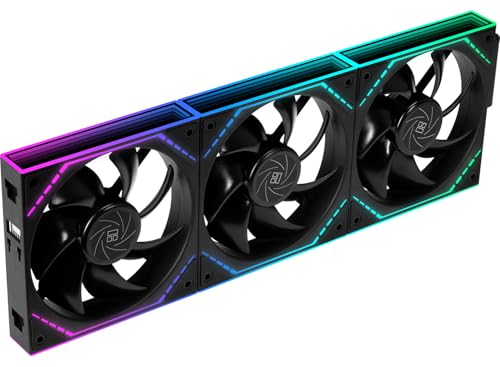
3. Thermalright TL-M12Q X3 PC Case Fans
Infinity-mirror lighting on both sides plus 2.21mmH2O of pressure — for glass-panel builds that still need to breathe.
Two specs define this fan: a 2000 rpm ceiling that reaches 68.9CFM, and 2.21mmH2O of static pressure. That pressure figure beats the Thermalright TL-C14C-S X3’s 1.93 mm H2O by a clear 15%, so it is the better of the two Thermalright packs when you mount fans against a filter, mesh front, or radiator. It is a 120mm fan, so it slots into tighter mounts that the 140mm packs cannot fill.
What draws attention is the dual-side infinity mirror — the fans look filled in from either angle, which matters in a glass-panel case where you see the back of intake fans. A single cable per fan handles both power and ARGB thanks to the daisy-chain design, which makes routing through a compact case far cleaner than running a separate RGB run to every blade.
The honest limit is noise: 28.2 db at full tilt, and a few buyers report the fans get a touch louder after a few weeks of running. If you cap the PWM curve around 60-70% in normal use, most of that disappears. Fit note: three 120mm fans will not fill 140mm mounts, so confirm your case’s positions first.
Why it earns a slot: the pressure figure is the story — 2.21mmH2O punches through restricted front panels and radiators where low-pressure RGB fans stall out.
Small caveat: no separate RGB hub in the box, so a motherboard with a 5V ARGB header is the clean way to run the lights.
Reach for this if: your build has a glass panel and you want the lighting visible from the back of the intake fans too.
Look elsewhere if: you want pure quiet and no lighting — the be quiet! packs below are the silence-first route.
4. ARCTIC P12 Pro A-RGB – 3 Pack – 120 mm PWM Fan, 600-3000 RPM
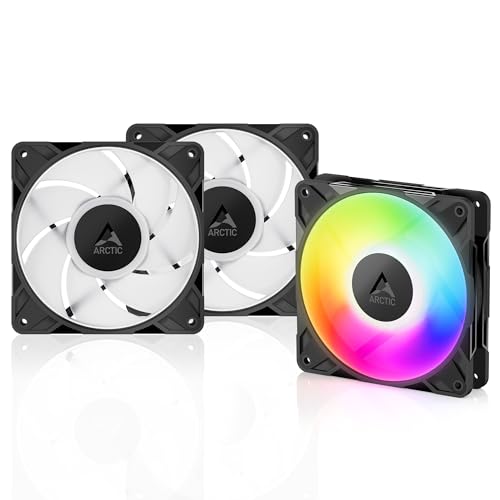
The 3000 rpm ceiling makes this the high-pressure radiator fan that laughs at a thick AIO stack.
If pressure and speed top your list, this fan’s 3000 rpm ceiling stands above the group. That is double the Noctua NF-A14x25 G2’s 1500 rpm, and it comes with 77CFM of airflow. High static pressure is the point — dense radiators, narrow perforated panels and mesh filters barely slow the airflow down. The fluid dynamic bearing is self-lubricating, which is the quiet-at-low-speed part of the equation.
What wins people over is the build and the ceiling: owners mention a 7°C drop in idle CPU temperature and rate them above similarly priced RGB fans. The PWM control spins the fan down to a full stop below 5% signal, so the machine is silent when idle. The RGB lighting is smooth rather than dotted — you can’t see individual LED diodes.
The catch is noise at the top of the range. At 3000 rpm these fans are loud — buyers describe the sound as close to a small jet — so the 3000 rpm peak is for bursts, not idling. Set a fan curve that stays under a few thousand RPM for normal use and the performance-to-sound balance improves sharply. There is also no included splitter hub, so a multi-fan setup needs a header plan.
Standout spec: 3000 rpm and 77CFM with high static pressure — the most aggressive airflow-per-fan speed in this group for radiators and dense filters.
Plan around this: the top speed is loud; use it as a cooling burst, not a permanent setting.
Suits: AIO radiators, water-cooling loops, and any build where cooling headroom matters more than a whisper.
Not for: a bedroom media PC where even a gentle hum is a distraction.
5. ARCTIC P14 Pro PST, 5 Pack – 140 mm PWM Fan, 400-2500 RPM
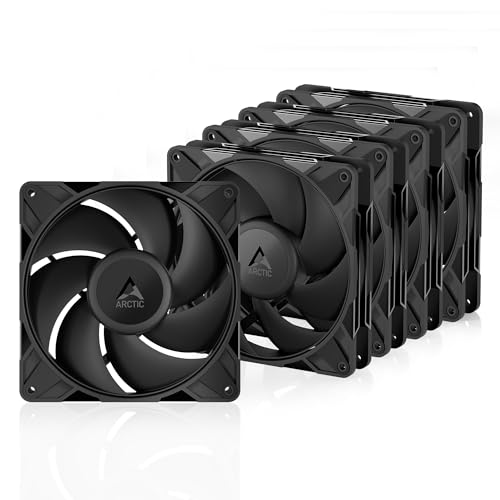
Five 140mm fans in one box — the straightforward way to fill every mount in a mid-tower.
The headline is the quantity: five 140mm fans for the cost of what a single premium fan often runs. Each is 242 g, and here the contrast with the Thermalright TL-C14C-S X3 pack — three fans at 100 g apiece — makes the ARCTIC units noticeably heftier, which tends to track with stiffer housings and less rattle. The PST (PWM sharing) design lets you chain several fans onto one motherboard header with the included splitter cable, which is the practical win for a case with only a few 4-pin ports.
What owners consistently point to is the airflow-per-dollar. Customers note strong airflow that stays quiet below roughly 1400-1500 rpm, with one citing a 3-4°C drop in a home-built workstation. The 1800 rpm top speed and semi-passive stop below 5% PWM mean the fans can idle in silence and ramp only when you push the machine.
Two things to plan for. First, the mounting holes are not threaded, so the included screws can be a fight — have a small screwdriver and patience, or pre-tap the holes. Second, at maximum speed the fans are audibly loud. Keep the curve moderate and you get the best of both. The all-black look also keeps a glass-panel build clean without adding light.
What Buyers Get
- Five 140mm PWM fans plus splitter cables — enough to fill a full tower
- Solid static pressure for radiators and mesh panels
- Fully stops below 5% PWM for silent idle
- All-black finish that reads clean in a lit case
What To Plan For
- Untapped mounting holes make the included screws fiddly
- Louder than the premium single fans at high rpm
Ideal for: the builder who wants to fill every mount and still stay budget-friendly.
Skip if: your case only has a couple of 140mm positions — the extra fans will sit unused.
6. Thermaltake CT120 EX ARGB Sync PC Cooling Fan (3-Fan Pack)
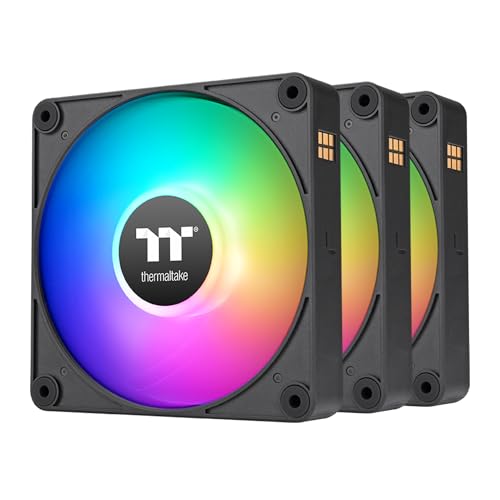
Magnets between the fans replace cables — the cleaner build you get when routing matters.
What sets this pack apart is MagForce 2.0: the fans snap together with magnets so a three-fan airflow run needs one cable, not three. That spec is why it lands high on cable-management lists — no wire spaghetti between fans, which matters most in a small case where you can see every strand behind the glass. Each fan runs to a 2000 rpm ceiling and pushes 57.05CFM against 28.5 db of noise.
The lighting spec is generous: 9 addressable LEDs per fan, synced through a 5V motherboard header with 16.8 million colors available in the sync software. Owners like the look and the anti-vibration mounting system built into each frame. The hydraulic bearing is the quiet-running part — it keeps the fans smooth at moderate speed.
The magnet link is not a lock — the connection can slip if you try to move all three fans at once, so handle them as a unit when installing. The CFM figure is also the lowest of the mid-priced ARGB packs here, so a radiator-heavy build may prefer a higher-pressure fan. For a lighting-first build with good wire control, the trade-offs are minor.
The magnet does the work: one cable to a whole three-fan row — a genuine time-saver when you are routing behind a tight side panel.
Fit note: the magnetic joint holds position, not stress; lift the trio with a hand underneath.
Worth it for: small cases, glass-panel builds, and anyone who hates cable management.
Pass on it if: your build is radiator-heavy and needs maximum pressure per fan.
7. be quiet! Pure Wings 3 120mm Black PWM Triple Pack
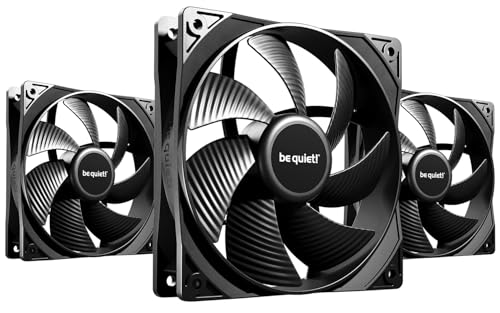
Three fans rated at just 25.5 db — the pick for people who want to hear their games, not their machine.
Noise is the number that matters here, and 25.5 db across three fans is quiet in anyone’s book. The 1600 rpm ceiling and 49.9CFM airflow are modest — this is not a radiator monster — but the 7 airflow-tune blades are shaped to cut turbulence, which keeps the sound smooth rather than whiny. A newly designed frame outlet minimizes air leaks, and the rifle bearing gives a rated lifespan of 80,000 hours.
What wins people over most is, fittingly, how little you notice them. Buyers describe the fans as barely audible even up to moderately high settings, and note a solid rubber-corner mounting that dampens vibration into the case. The PWM capability lets fan curves keep them spinning slowly until real heat arrives — exactly the behavior you want for a quiet desk build.
One practical gap to know: the pack ships with fans only, so you need your own mounting hardware for a radiator and a controller or splitter for multiple fans on one header. The 49.9CFM airflow also means it is a case-venting fan first, radiator fan second. If your build lives on a mesh front and moderate heat, these deliver real quiet at a sensible price.
Silence-first pick: 25.5 db with rubber corner mounts, 7 turbulence-cutting blades, and an 80,000-hour rifle bearing — a long-quiet combination at a very reasonable price.
Mind the box contents: no radiator screws, no fan hub.
Go here for: quiet gaming and office builds with room for three 120mm mounts.
Turn elsewhere for: a high-thermal-load PC that needs maximum airflow headroom.
8. be quiet! Silent Wings Pro 4 140mm PWM High-Speed Case Fan

A mechanical speed switch lets you choose whisper, strong, or flat-out — the flexible big-fan option.
That switch is the defining feature. It lets you flip the fan’s maximum PWM speed between medium, high, and ultra-high (up to 3000 rpm) — a set-it-per-build choice rather than a software curve. Paired with 97.4CFM airflow and a funnel-shaped outlet for extremely high pressure, this fan is aimed square at radiators and big heat sinks. Its 6-pole motor and fluid dynamic bearing keep vibration low for a fan that moves this much air.
What wins people over is how quiet it runs at regular speed. Owners call it nearly inaudible at low rpm while gaming and praise the components, with one reporting an 8°C drop in CPU temperature. The included vibration-damping corners on all four mount points also help — a small detail that pays off in a silent build.
Be honest about the top end: at maximum speed the noise rating hits 36.8 db, the loudest figure in this group. That is the price of pushing 97.4CFM through a single 140mm frame. Set the speed switch to medium or high and let the 6-pole motor handle smoothness, and the fan stays civil. There is no RGB here — this is function over show.
Why It Stands Out
- Mechanical speed switch: medium, high, or ultra-high up to 3000 rpm
- 97.4CFM airflow with high static pressure for radiators and big coolers
- 6-pole motor and fluid dynamic bearing keep vibration down
- Anti-vibration mounting corners at all four points
What It Asks of You
- 36.8 db at full speed is the noisiest setting in this lineup
- No lighting, and the chassis is built for the radiator first
Best used by: water-cooled builders who want a single high-pressure 140mm fan and control over its top speed.
Consider another pick if: your budget is tight or you want ARGB lighting on every fan.
9. Noctua NF-A12x25 G2 PWM, High-Performance Quiet Fan 120mm

The 120mm fan for tight cases — 22.5 db is the quietest rating in this entire group.
When space is short, the 120mm frame of this fan fits mounts that the 140mm units cannot. The measured noise is 22.5 db, the lowest here, and the 1800 rpm ceiling means you can keep it turning fast without tolerance. The Sterrox LCP blades and ultra-tight tip clearance are the engineering behind that — stiff, low-vibration blades that keep pressure high even at the smaller size.
Owners consistently report that swapping out the stock fans quiets the whole machine. They start near-silent at idle and stay composed at 80% speed — an important detail if your motherboard’s curve is not tightly tuned. The accessory kit is the same rich loadout as its 140mm sibling: anti-vibration mounts, a 12cm gasket, a Low-Noise Adaptor, and a Y-splitter and extension.
The trade-off is cost. A single fan, and the value question comes up more here than with the multi-packs. If you are building in a small form-factor case where only one or two fans fit, the cost-per-slot is low and this is the sensible choice. If you need to fill five positions, look at the ARCTIC five-pack below instead.
Small-case answer: 22.5 db and 1800 rpm in a 120mm body — when your case has only a couple of 120mm spots, this is the fan to buy.
One caveat: retail price is high per unit, so it rewards tight builds over full ones.
Choose this if: your case needs 120mm fans and you want top-tier silence at the same time.
Go smaller-scale if: your case is a full tower that needs five or more fans — buy a multi-pack instead.
Know the Specs
Airflow (CFM)
CFM, or cubic feet per minute, measures how much air a fan moves when no obstruction is in the way. A case with a clear, wide-open front intake benefits most from a high-CFM fan. The catch: CFM numbers are quoted without a filter or radiator in the path, so they overstate real-world performance in a tight case. Use CFM as your first filter and static pressure as your second.
Static Pressure (mmH2O)
Static pressure, measured in millimeters of water column, is the force a fan uses to push air through resistance. Filters, fine mesh, and radiator fins all create resistance, and low-pressure fans stall out against them. A fan with a high mmH2O figure keeps pushing when the path narrows. This is the number to check before you bolt a fan to an AIO radiator.
Speed Range and PWM
RPM is your fan’s spin speed. A wide PWM range lets the fan whisper at idle and ramp up under load, so you are not hearing full speed during desktop work. Fans that stop entirely below 5% PWM are a semi-passive feature — they only spin when heat demands it. Pair that with a motherboard PWM header and a sensible fan curve and you get near-silence on light loads.
Noise Level (dB)
Decibels measure sound pressure, and small differences matter a lot to the ear — a jump of a few dB is noticeable. A 22.5 db fan is calmer than a 28 db one; the quietest fans in this group sit in the low 20s, while high-speed fans can reach the mid-30s at full tilt. If the machine lives in a bedroom, prioritize the quieter number over the higher airflow.
Common Questions
Will a 140mm fan fit where my case lists a 120mm mount?
Is higher airflow always better for case cooling?
How do I connect three fans when my motherboard has only one PWM header?
Do I need a special header to control ARGB lighting?
Can a case fan be mounted on a CPU cooler or radiator?
How long do PC case fans typically last?
Why do my fans get loud at full speed and how can I reduce it?
What does it mean if a fan stops at low PWM signal?
Should my case fans push air in or pull it out?
Is a three-pack worth it over buying single premium fans?
The Bottom Line
For most builds, the pc case cooling winner is the Noctua NF-A14x25 G2 PWM because it pairs 24.8 db quietness with 1500 rpm flexibility and high static pressure for both case and radiator duty. If you want a whole-case fill without the spend, the ARCTIC P14 Pro PST five-pack covers five mounts and still idles silently. And for an RGB build where cable clutter is the enemy, the Thermaltake CT120 EX ARGB uses magnets instead of wires. Pick your fan size first, then the noise rating — that order solves almost every build.
How we choose
We do not accept paid placement. Every pick is matched to a real buyer and a real use-case; we do not hands-on test units.
Sources
Specifications: manufacturer listings and product documentation. Review insights: verified customer reviews, as of November 2026. Pricing: not shown on this page (it changes often); check the current price via the retailer link.
As an Amazon Associate, Tactical Gear Guy earns from qualifying purchases. This does not affect which products we feature.