Specs are compiled from manufacturer listings and verified buyer reviews and can change over time — please confirm the key details on the product page before buying.
Recording a phone call sounds simple until you try it — your phone’s built-in recorder grabs your voice and mumbles the person on the other end into nothing. That is the problem every pick here solves: each device captures both sides of the conversation, so the words that matter survive the call. Below you’ll find nine call recorders sorted by what they actually do well, from AI note takers that live on the back of your phone to landline boxes that log every inbound and outbound call automatically.
This guide is built by comparing the manufacturers’ published specifications and the patterns across verified customer reviews, so you get each pick’s real strengths and trade-offs instead of marketing spin.
The first decision is whether you’re recording a mobile call or a desk phone, and everything else follows from there. Here is the honest shortlist of the best recorder for phone calls.
Top Picks


How To Choose The Best Recorder for Phone Calls
Most bad call-recording experiences come from one mistake: buying a device built for the wrong kind of phone. A landline box cannot hear your mobile call, and a Bluetooth clip can’t tap a desk phone’s handset line. Fix that match first and the rest of the shopping gets easy.
Match the recorder to the phone you actually use
If your calls happen on an iPhone or Android handset, you want a device that records both sides wirelessly — often through Bluetooth — because your phone’s own recorder rarely captures the far end clearly. If you’re on a desk phone at home or in an office, you need a landline unit that hooks into the phone line itself. A few devices try to do both, but the ones that do one thing well are usually the safer buy.
Check how each side of the conversation gets captured
Capturing your own voice is trivial. Capturing the person you’re talking to is the hard part, and the method matters more than any spec sheet headline. Some devices use a sensor pressed against the phone body to pick up the earpiece vibration. Others record the audio stream directly over Bluetooth. Landline units tap the line voltage. Know which method you’re buying and you’ll know whether it fits your call.
Decide if you need AI transcription and summaries
Plenty of modern call recorders now add AI that turns a recording into a written transcript, a summary, and a to-do list. That’s genuinely useful for meetings and client calls — but the AI almost always runs on a paid plan after a free monthly allowance runs out. If all you need is a clean audio file for your own records, a plain recorder without a subscription is simpler and cheaper to own long term.
Side-by-Side Comparison
| Model | Best For | Records | Storage | Battery / Power | Amazon |
|---|---|---|---|---|---|
| Plaud Note AI Voice Recorder★ Best Overall | Phone + meeting AI notes | Cell calls & in-person | 64 GB | 30 hours | Amazon |
| Plaud Note Pro AI Voice RecorderTop Performer | Professionals & teams | Cell calls & in-person | 64 GB | 30 hours | Amazon |
| TR600 Landline RecorderLandline Specialist | Analog, IP & digital lines | Landline (auto/manual) | 16 GB | 12 hours recording | Amazon |
| Call Assistant SD | Desk phone, caller ID log | Landline (auto/manual) | 8 GB card / 4 GB | 3 AAA batteries | Amazon |
| PR200 Cell Phone Recorder | Long-run Bluetooth cell recording | Cell calls + voice memo | 4 GB / 8 GB | 12 hours | Amazon |
| OpenNote AI Earbuds | Wearable recording + live translation | Calls, meetings, lectures | 1 hr live / 2 hr call on-bud | 53 hours with case | Amazon |
| RecDot AI Earbuds | Noisy-environment call capture | Calls, meetings, lectures | 1 hr live / 2 hr call on-bud | 36 hours with case | Amazon |
| Voice-Trek VP-20 + TP8 | Evidence & telephone pickup | Phone via TP8 + in-person | 8 GB | 2100 hours recording | Amazon |
| Telephone Recorder 16GB USB | Budget landline auto-record | Analog landline | 16 GB included / 8 GB | Powered from phone line | Amazon |
Detailed Reviews
1. Plaud Note AI Voice Recorder
Our pick — 4.5+★ from 5,000+ verified ratings; the strongest balance of quality and price.
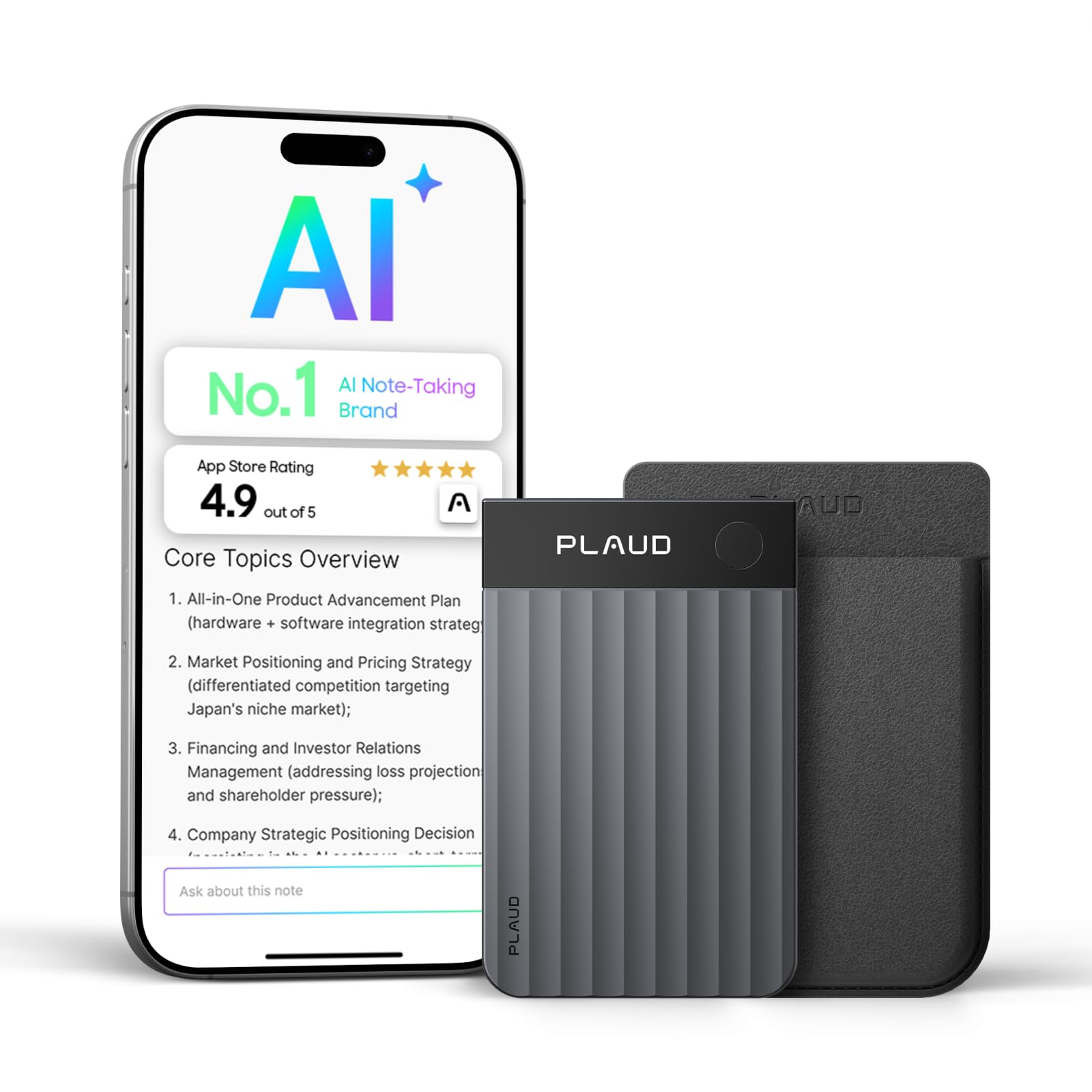
The credit-card-thin AI note taker that sticks to your phone and hears the far end of the call.
You get the best all-round call recorder here because it solves the part that trips everyone up — hearing the other person. A Vibration Conduction Sensor (a small sensor that picks up the sound vibrating through your phone’s body) captures the call audio, while a normal mode handles face-to-face meetings. That split is why it handles both a client call and a boardroom in the same afternoon. It measures just 0.12 inches thin and 1.06 oz light, so it disappears on the back of your phone.
Local storage is the headline that separates it from most rivals in this list. The Plaud Note holds 64 GB of audio on the device, versus 4 GB on the PR200 Cell Phone Recorder, so your archive lives on the card and not in someone’s cloud. You also get 30 hours of continuous recording and 60 days of standby time — a full working month of calls without a panic charge. Files save as WAV, which most editing and transcript tools read without fuss.
You get transcripts in 112 languages (written versions of the call) plus summaries and to-do lists from over 10,000 templates (ready-made formats). That is the real draw if you live on calls: the call ends and the notes already exist. The catch is ownership cost. A free Starter Plan covers 300 transcription minutes a month, and going past that means a paid plan — the trade-off that comes up again and again in the value discussion, and the reason some buyers treat this as a subscription tool rather than a one-time recorder.
What earns it the top spot
- 64 GB of on-device storage — enough that you rarely touch the archive, versus 4 GB on the PR200.
- 30 hours of recording plus 60 days of standby keeps it ready far longer between charges.
- Dedicated phone-call mode with a vibration sensor, so both sides of the call come through.
- 112-language transcription and 10,000+ templates turn a call into written notes on their own.
What to weigh first
- Transcription beyond 300 free minutes a month needs a paid plan.
- On-device file format is WAV, which takes more room than MP3 per hour of audio.
- It depends on the app for its best features — you’re buying into an ecosystem, not just hardware.
Point it at: anyone on constant client calls who wants the transcript written before they’ve put the phone down.
Think twice if: you want a recorder that works fully offline with no monthly plan attached.
2. Plaud Note Pro AI Voice Recorder
Four microphones that reach 5 meters, in a body thinner than a stack of business cards.
Where the standard Plaud Note is a personal note taker, the Pro version is built for the person who runs the meeting. Four microphones capture voices from up to 5 meters (16.4 feet) away, so a conference table’s worth of people lands in the recording without a lapel mic. It detects both in-person conversations and phone calls automatically, and the Plaud Desktop software covers online meetings on your computer. A 0.95-inch display shows recording status and battery level, so you’re never guessing whether it’s actually on.
The two Plauds share a lot of hardware on paper — both carry a 64 GB capacity and a 30-hour battery spec. The Pro version adds recording endurance: 30 hours in Enhance mode or 50 hours in Endurance mode. At 30 g, it sits in the same featherweight class as the standard model’s 30 g, so you won’t notice it in a pocket either way. It also carries iF, Red Dot Design, and 2026 Good Design Awards.
Long-term users rate it strong for reliability under heavy use — lectures, meetings, and client calls week after week. The Pro model leans on the “Plaud Agent” feature, which turns a finished conversation into a structured email, report, or spreadsheet rather than just a transcript. The honest sticking point is value: the same free 300-minute Starter Plan applies, and the plan upgrade path is identical to the non-Pro. If you live in meetings on a computer, the extra reach and desktop support are worth it. If you mostly record one-on-one calls, the standard Note does the same job for less.
Where it pulls ahead: a four-mic array (four microphones working together) with a 5-meter pickup (it hears from about 16 feet away) is the concrete edge over the standard Note — a whole meeting table gets captured, not just the nearest speaker, and the desktop app extends that to online calls.
The honest boundary: you’re paying the Pro premium for meeting coverage and workflow tools, so a solo caller who never records more than one voice per room is over-buying here. The transcription allowance and paid tiers are the same as the standard model.
Reach for this if: your calls happen on a desk with other people in the room and you want them transcribed automatically.
Look elsewhere if: you only ever record one-to-one phone calls — the standard Plaud Note covers that for less.
3. TR600 Landline Phone Call Recorder
A desk-side box that records every landline call automatically and never runs out of space.
This is the pick for anyone recording a work desk phone rather than a mobile handset. It hooks into analog, IP, and digital phone lines — the digital support is the piece that separates it from simpler landline boxes that only handle analog. Set it to auto-record every inbound and outbound call, or flip to manual and click a button to record only the calls you want. The 16 GB card comes included and each file lands in chronological order with a time and date stamp.
Loop recording (when the card fills up, the newest calls write over the oldest) is the feature that matters most for long-term use — recording never stops because you forgot to clear the card. When you want the audio, pull the SD card and play it on any Mac or Windows computer with no extra software. An external speaker and a 3.5 mm headphone jack let you review right at the desk. It also switches into a voice-recorder mode for meetings and lectures, which makes it a two-job device.
Buyers praise its build quality and compatibility, especially that it works with digital phone systems — genuinely rare in this category. Setup is where patience is required. Instructions get described as confusing, and the display doesn’t always match what the manual shows, so budget an hour with the paperwork before you trust it. Once it’s running, though, it does the one job a landline recorder must do: it never misses a call and never eats your archive.
Reasons it earns a spot
- Handles analog, IP, and digital phone lines — the digital support is rare at this tier.
- Loop recording means the 16 GB card keeps working forever without manual clearing.
- Time/date stamped files drop onto any Mac or Windows computer with no software.
- Doubles as a meeting and lecture voice recorder when the phone is quiet.
Where you’ll spend patience
- The instructions are notoriously hard to follow and don’t always match the screen.
- Setup has a genuine learning curve — plan to fiddle before it’s dialed in.
- Uses 2 AAA batteries, so you’ll keep spares on hand.
Built for: the home-office or small-business desk that wants every landline call captured without thinking about it.
Heads up: the manual is confusing enough that you should set it up when you have an hour free, not five minutes.
4. Voice-Trek VP-20 + TP8 Call Recording Set

An Olympus recorder bundled with a telephone pickup for clean, evidence-grade call capture.
The VP-20 is a proper pocket voice recorder first, and the TP8 telephone pickup is what turns it into a call recorder. The TP8 clips near the phone and picks up the call audio so both sides land clearly — the bundle is explicitly aimed at call answers and evidence recording. That makes it the pick for anyone who needs a clean, replayable file of a call rather than an AI summary. The 8 GB of built-in memory allows continuous recording for long meetings, and the body is slim enough to sit in a pocket or bag.
Where it pulls ahead of the smaller call gadgets is battery endurance. The recording spec runs to 2,100 hours, versus 30 hours on the Plaud Note family — a durable choice for anyone recording across days without a recharge. An omnidirectional stereo microphone gathers sound from all directions, and a scrub-and-snap filter cuts out the handling noise from pockets and paper. One-touch recording and a self-timer make it fast to start without digging through menus.
Files save as MP3, which keeps storage efficient compared with WAV recorders, and a USB connection drops them straight onto a PC. The VP-20 is designed for the casual, catch-it-now sort of recording, which suits a caller who wants to start fast and sort later. The trade-off is that it has no video or AI transcript on board — you get clean audio, and anything else you do with it, you do on your computer.
The case for it: the TP8 pickup (a microphone model) plus 2,100 hours of recording time makes this a durable choice if you’re documenting calls over weeks rather than minutes, and the stereo omnidirectional mic (it picks up sound from all directions) handles the room side of the job too.
The limitation: it’s audio only — no on-device transcription or AI summary — so the archive is yours to manage. It’s also the priciest pick here, which makes sense for evidence use rather than casual note taking.
Choose it when: you need clean, replayable call recordings — evidence, disputes, or interviews — and want storage and battery life that last.
Pass on it if: you expect the recorder to write your transcripts for you — this one gives you audio files only.
5. PR200 Cell Phone Call Recording Device, Bluetooth Enabled

A tiny Bluetooth clip with 576 hours of recording capacity and a built-in speaker.
If your biggest worry is storage, the PR200 is the answer. It carries a spec of 576 hours of recording capacity, versus 30 hours on the Plaud Note. That’s the largest capacity in this list — months of calls stack up before you ever clear the archive. It pairs over Bluetooth 5 with iPhones, Android phones, and simple phones alike, and it can also work as a standalone voice recorder for meetings, lectures, and memos. At 22.68 g it’s lighter than the 30 g Plaud Note Pro, and it’s small enough to disappear in a pocket.
The built-in speaker lets you listen back on the spot, and a built-in USB plug turns the whole device into a flash drive — plug it into any Mac or Windows machine and the files are there, no cable or software needed. That’s a genuinely handy design touch for a small-call device. Battery life runs 12 hours, shorter than the 30 hours on the Plaud Note, so plan a recharge between long shifts rather than relying on it daily.
Buyers like the build quality and the fuss-free Bluetooth pairing, which works on the first try for most people. The repeated caveat is audio volume: the playback can be quiet, and the far end of a call can be hard to hear on a busy line. For a clean, high-value cell-call recorder that your phone barely notices, this is a sensible pick. Just set your expectations on the volume.
Why it’s a value pick: 576 hours of recording capacity makes it the storage king in this list, and the built-in USB plug means playback needs no companion app or cable.
What to plan for: 12 hours of battery life means you charge it more often than the Plaud models, and quiet playback keeps it from being a watch-anywhere device.
Right for you if: you want months of call storage in a Bluetooth device you clip on and forget.
Look past it if: you need loud, room-filling playback of your calls — the speaker runs quiet.
6. OpenNote Open-Ear AI Note Taker and Voice Recorder Earbuds
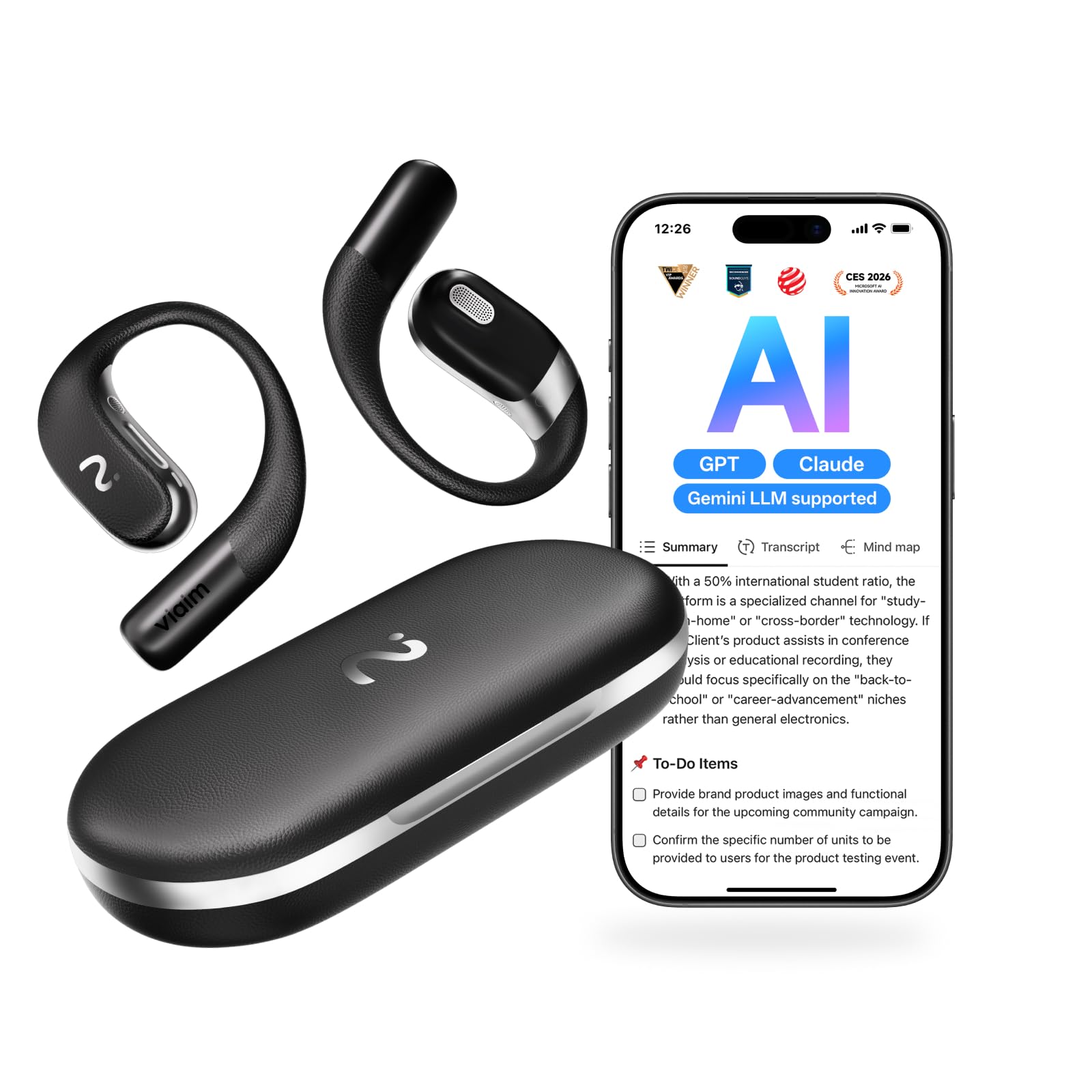
Record calls without leaving your ears free — open-ear buds that double as a note taker.
The OpenNote records phone calls, meetings, and lectures while keeping your ears open to the room. That’s the point of the open-ear design: you stay aware of your surroundings while the earbud quietly captures both sides of a conversation. A pinch on the touch area starts a recording without opening an app — the “FlashRecord” feature saves up to one hour of in-person audio or two hours of call audio to the earbud itself. After syncing, the viaim app generates transcripts, summaries, and action items across 145 languages.
The battery number is the standout here. Total life with the charging case runs to 53 hours, versus 36 hours on the RecDot below — a meaningful edge if you’re recording through a full workday and forget to charge. Each earbud weighs 0.37 oz (10.5 g), and a 10-minute quick charge gives you up to 3 hours of use. A slight IP55 rating (a water-resistance grade that handles splashes and sweat) adds everyday durability, and the recording data is protected with AES-256 encryption and TLS transfer during sync.
Buyers single out the sound quality and comfort — the open-ear fit stays comfortable through long sessions, and the mic handles calls clearly. Connect to the viaim desktop app too, and OpenNote records your computer-based meetings with live transcription. The Basic tier covers 600 transcription minutes a month per account, shared across devices, and heavier use needs the paid Pro or Ultra tiers. Call-recording capture is the one mixed note in the mix — it’s excellent for presentations and meetings, less consistent for some phone calls — so test it on your own handset before relying on it for client calls.
Why it fits daily work
- 53-hour battery with the case — beaten only by the RecDot’s rival when you compare the pair, and it outlasts it.
- Open-ear design keeps you aware of the room while the earbud records the call.
- FlashRecord starts recording with a pinch, no app, no fumbling.
- 145-language transcription with a free 600-minute monthly allowance.
Fit notes worth knowing
- Call recording clarity can vary — best for presentations and meetings first.
- On-bud storage is limited to one hour in-person or two hours on calls before syncing.
- Advanced AI features sit behind paid Pro and Ultra tiers.
Best match: students and professionals who want meeting and lecture capture without a device stuck to their phone.
Not quite for: the caller who needs proven, consistent two-way phone-call audio above all else.
7. RecDot AI Voice Recorder Earbuds
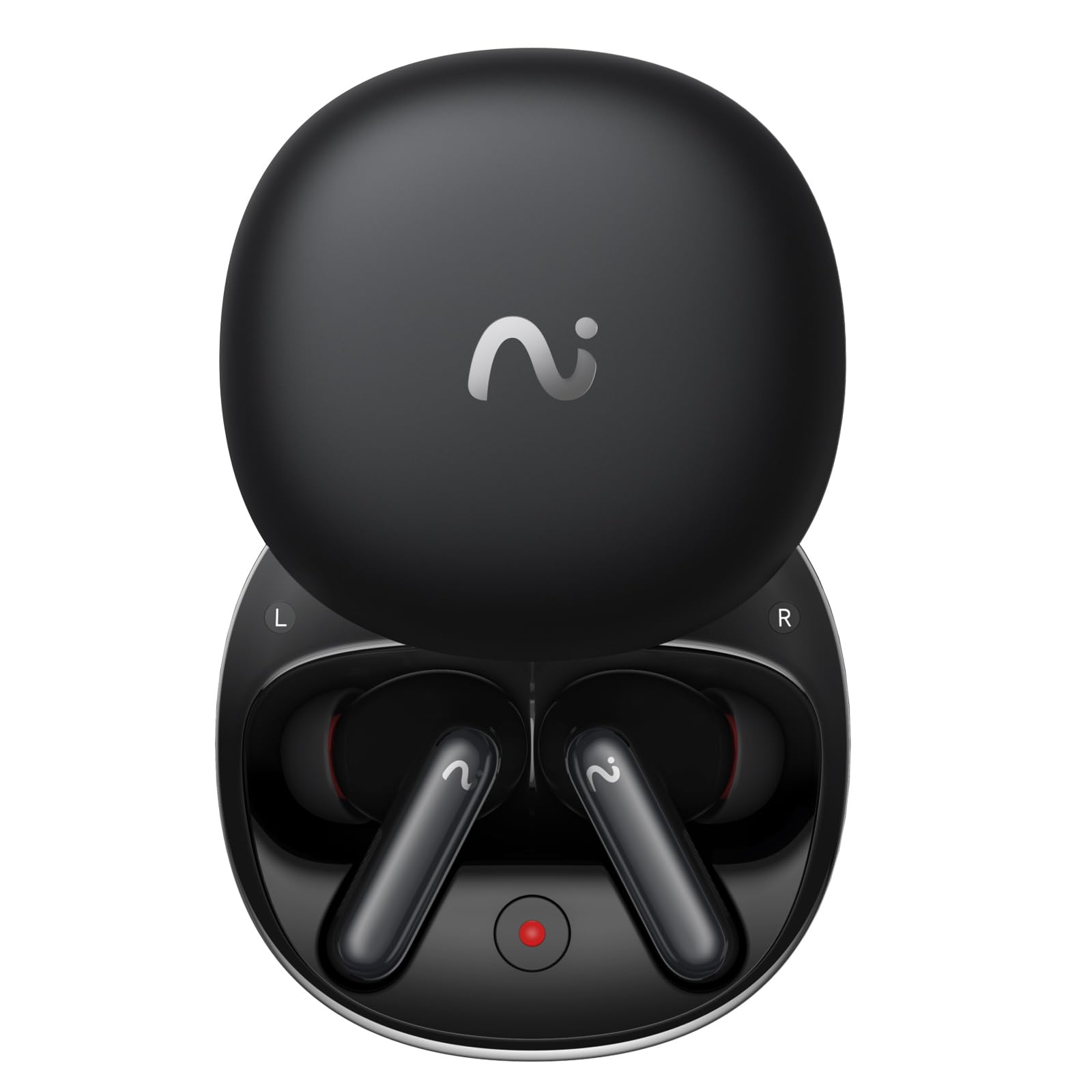
Built for the noisiest places to take a call — 48 dB noise cancelling in recorder earbuds.
If your calls happen where it’s loud, the RecDot’s 48 dB hybrid ANC (active noise cancellation that filters background sound) is the feature that earns its place. That spec is what makes it suited to a trading floor, a shared office, or a busy street where other recorders get drowned out. It records calls, meetings, interviews, and lectures, then syncs to the viaim app for AI transcripts, summaries, and action items across 145 languages. Either a red FlashRecord button in the case or the earbud stem quick-record control starts a recording without opening the app.
Battery life is a reasonable middle — 36 hours with the case, versus 53 hours on the OpenNote above. Each 0.17 oz earbud carries up to 9 hours on its own charge. That shorter total means charging a bit more often if you’re recording all day, but it covers a full shift comfortably. On-device recording holds up to 69 minutes of in-person audio or up to 138 minutes of call audio before you need to sync, and the secure-recording spec adds AES-256 encryption and TLS transfer for sensitive conversations.
The standout praise is sound quality in noisy environments — the noise cancelling holds up surprisingly well for earbuds this size. Transcription is accurate enough day to day, with only small errors that are easy to correct. There is a caveat worth knowing before you commit to it as a phone-call tool: recording can occasionally drop out on some calls, and early users describe the software side as still a little rough in places. For capturing conversations on a loud floor, it’s the right tool. For logging every minute of a critical client call, test it first.
what separates it: the 48 dB hybrid ANC (active noise cancellation, which cuts background sound by 48 decibels) is the strongest noise-reduction figure among the earbud recorders here, and the RecDot is the pick when your call happens somewhere loud.
What to know: 36 hours of battery trails the OpenNote’s 53 hours, and early users call out occasional recording dropouts — check it on your handset before you depend on it for critical calls.
Pick it for: busy, noisy environments where you still need to capture the conversation.
Skip it for: quiet, critical calls you cannot afford to lose — a dedicated recorder built only for that job is safer.
8. Call Assistant SD Digital Phone Call Recorder

A standalone desktop box that records the line and logs who called, ready to review on an LCD.
It records analog, IP, and digital desktop phones, and it keeps a log of caller ID and every number you dialed out — with the call time, date, and duration stamped to each entry. An LCD screen shows call status and caller ID in real time, so you can see what’s live before you decide to record it. Set it to auto-record all inbound and outbound calls, or record manually with a button when you want control.
Storage is generous: it ships with an 8 GB card that holds up to 1,280 hours of recording, and the memory is expandable if you outgrow it. That 1,280-hour capacity dwarfs the TR600’s 12-hour battery spec, and it makes this the pick for anyone who needs the whole line — personal and business — captured for months. Files save as WAV, and the XTR desktop software (plus a 3.5 mm headphone jack for listening) makes it easy to review and organize.
What buyers report is genuinely split — some units perform well and are easy to work through for anyone familiar with consumer electronics, while a smaller share of units act up over time and need a daily reset. The recurring grumbles are sound quality and instructions, so set expectations on both. The reason it stays on a list like this is that when it’s working, it genuinely does the whole job: it records each line, it stamps the caller ID, and it lets you review without a computer. The honest buy is for a patient desk user who wants the full paper trail, not a plug-and-panic setup.
The strong side: caller ID logging with time and date stamps, plus a 1,280-hour recording capacity on the 8 GB card, gives a full paper trail of calls most other devices ignore.
The fair warning: reliability splits down the middle in owner reports, so this suits a buyer who’s prepared to reset a fussy unit rather than one who wants silent set-and-forget operation.
Consider it when: you need the full landline paper trail — who called, when, and for how long — and don’t mind a bit of hands-on care.
Look elsewhere if: you want a recorder that quietly runs for a year with zero maintenance.
9. 16GB USB Telephone Voice Recorder

A tiny line-powered box that records every analog home or office call with no charging.
The appeal of this budget landline recorder is dead simple: plug it into your phone line and it draws power from the line itself, so there’s nothing to charge. It ships with a 16 GB memory card, supports up to 32 GB, and saves each conversation as a WAV file you can pull onto a computer. It’s built for analog telephone systems only, and its embedded system runs without needing a PC attached — a set-it-and-leave-it option for a home phone or small office line.
Setup is genuinely plug-and-play for the analog user: connect the line in and line out cables, flip the power switch, and automatic recording kicks in on each call. Where it fits is the basic home landline capturing calls for your own records — the fact that it draws no external power means it’s ready whenever the phone rings. The catch is compatibility. On any line with a DSL modem or a digital system, expect lower volume and more background noise, because it isn’t built for those lines. Analog-only is the rule here.
The honest caveat, and the reason it sits at the bottom of this list, is that this is a value pick for a reason. The quality reports are genuinely mixed, with some units failing to read the SD card and playback sound that owners describe as noisy. If you’re on a true analog line and just need a basic automatic recorder without spending much, it does the job. If you want consistency and clean audio, step up to one of the desk units above.
What it gets right: the line-powered design and included 16 GB card make it the lowest-effort analog option — no charging, no software, just a WAV file on the card.
What to accept: it’s analog-only and the build and playback quality are the most basic in this list, so treat it as a starter recorder rather than a long-term workhorse.
Good call if: you have a plain analog landline and want automatic call recording with zero charging or setup fuss.
Not for you if: your line is DSL or digital, or you want clean, consistent playback audio.
Know the Specs
Recording time vs. storage capacity
The two numbers work together, and mixing them up causes most return-worthy surprises. “Recording time” is how long the device can record before storage fills, while “storage capacity” in GB is the raw memory the card or chip holds. A device with 64 GB can hold far more audio than one with 4 GB, but the format matters too — a WAV file takes more space per hour than an MP3. Check both numbers, not just the bigger-sounding one.
How the far voice gets captured
Recording your own voice is easy; the person on the other end is the hard part. Devices here use different methods — a vibration sensor pressed against the phone, a Bluetooth audio stream, a telephone pickup clipped near the receiver, or a direct line tap on a landline. Each one fits a different phone. Match the method to the call you take, and you avoid the single most common failure: a recording where you can hear only yourself.
Common Questions
Will a Bluetooth call recorder work on both iPhone and Android?
Can I record phone calls on a landline without a computer?
Does the TR600 work with digital and IP phones or only analog lines?
How long can a call recorder run before running out of storage?
Do the AI recorders require a subscription after the free plan?
Can the OpenNote and RecDot earbuds record a call without my phone?
Is the TP8 telephone pickup included with the Voice-Trek VP-20?
Why does a vibrating earbud or sensor recorder hear the other person better?
Do I need to warn people I’m recording a phone call?
What file format do these call recorders save in and can I edit them?
The Bottom Line
For most callers the winner in this recorder for phone calls roundup is the Plaud Note, because its vibration sensor (a small motion sensor that picks up sound through the phone’s body) captures both sides of a cell call and its 64 GB of on-device storage plus 30-hour battery keep the archive intact. It’s the most natural pick for anyone who lives on the phone and wants the transcript written for them.
If your calls come through a desk or landline, reach for the TR600, which handles analog, IP, and digital lines and records automatically with loop recording so storage never runs out.
And for a noisy office or trading floor where you still need the conversation captured, the RecDot earbuds bring 48 dB of noise cancelling to the job. Whichever you choose, the reliable move is to match the recorder to the phone line you actually use — that one decision, made well, is worth more than any single spec on the box.
How we choose
We do not accept paid placement. Every pick is matched to a real buyer and a real use-case; we do not hands-on test units.
Sources
Specifications: manufacturer listings and product documentation. Review insights: verified customer reviews, as of November 2026. Pricing: not shown on this page (it changes often); check the current price via the retailer link.
As an Amazon Associate, Tactical Gear Guy earns from qualifying purchases. This does not affect which products we feature.