Specs are compiled from manufacturer listings and verified buyer reviews and can change over time — please confirm the key details on the product page before buying.
Buying a laptop for a small business is really a bet on the next four or five years of your workday. The machine has to open every morning, run your spreadsheets and video calls at once, and still have a port free for the printer. This guide covers the models that hold up to that grind, sorted by what each one does best. The crowd favorite here is the Lenovo ThinkPad E16 Gen 3, a 4.6-star machine with 300+ ratings behind it, and the picks below run from budget office units to carbon-fiber travel laptops.
This guide is built by comparing the manufacturers’ published specifications and the patterns across verified customer reviews, so you get each pick’s real strengths and trade-offs instead of marketing spin.
You will see which specs actually change your day and which ones are just noise on the box, all so you can choose the right machine for your own desk. Here is what to know before you buy any of the small business laptop computers below.
Top Picks

How To Choose The Best Small Business Laptop Computers
A business laptop is a tool you will use for hours every day, so the boring specs matter more than the flashy ones. You want a machine that boots fast, runs your apps side by side, and does not leave you hunting for an adapter before a client meeting. The sections below explain the handful of choices that actually change your experience.
Start with ports, not just the processor
A Thunderbolt 4 port is a single connector that carries data at 40Gbps, video to an external monitor, and power in both directions. That means one cable to a dock can replace a tangle of adapters on your desk. Ethernet (RJ-45) is the wired network jack that many offices still rely on for a stable connection during big file transfers. If you regularly plug into a projector, a wired network, or a second screen, count the ports on each model before you fall for its benchmark score.
Understand RAM and storage in plain terms
RAM is your laptop’s short-term workspace — the more you have, the more browser tabs, spreadsheets, and video calls it can juggle at once without slowing down. Storage, meanwhile, is where your files live permanently. A 1TB SSD (solid-state drive, a fast chip-based drive with no spinning parts) holds a large archive of contracts, client photos, and presentations, and it opens them in a blink compared with an older mechanical drive. DDR5 is simply the newer generation of that RAM, which moves data faster than the older DDR4 standard.
Choose a display size that fits how you work
A 16-inch panel with a 1920×1200 resolution gives you a tall rectangle of workspace, so long spreadsheets and documents need less scrolling than on a shorter 1920×1080 screen. A 15.6-inch model is the classic balance of screen space and bag-friendliness. If you work across two or three windows at once, the extra vertical room is worth more than a slightly smaller chassis.
Side-by-Side Comparison
| Model | Best For | Processor | Memory & Storage | Display | Amazon |
|---|---|---|---|---|---|
| Lenovo ThinkPad E16 Gen 3★ Best Overall | All-around business workhorse | Intel Core Ultra 5 225H, up to 4.8 GHz | 32GB DDR5 / 1TB SSD | 16″ 1920×1200 anti-glare | Amazon |
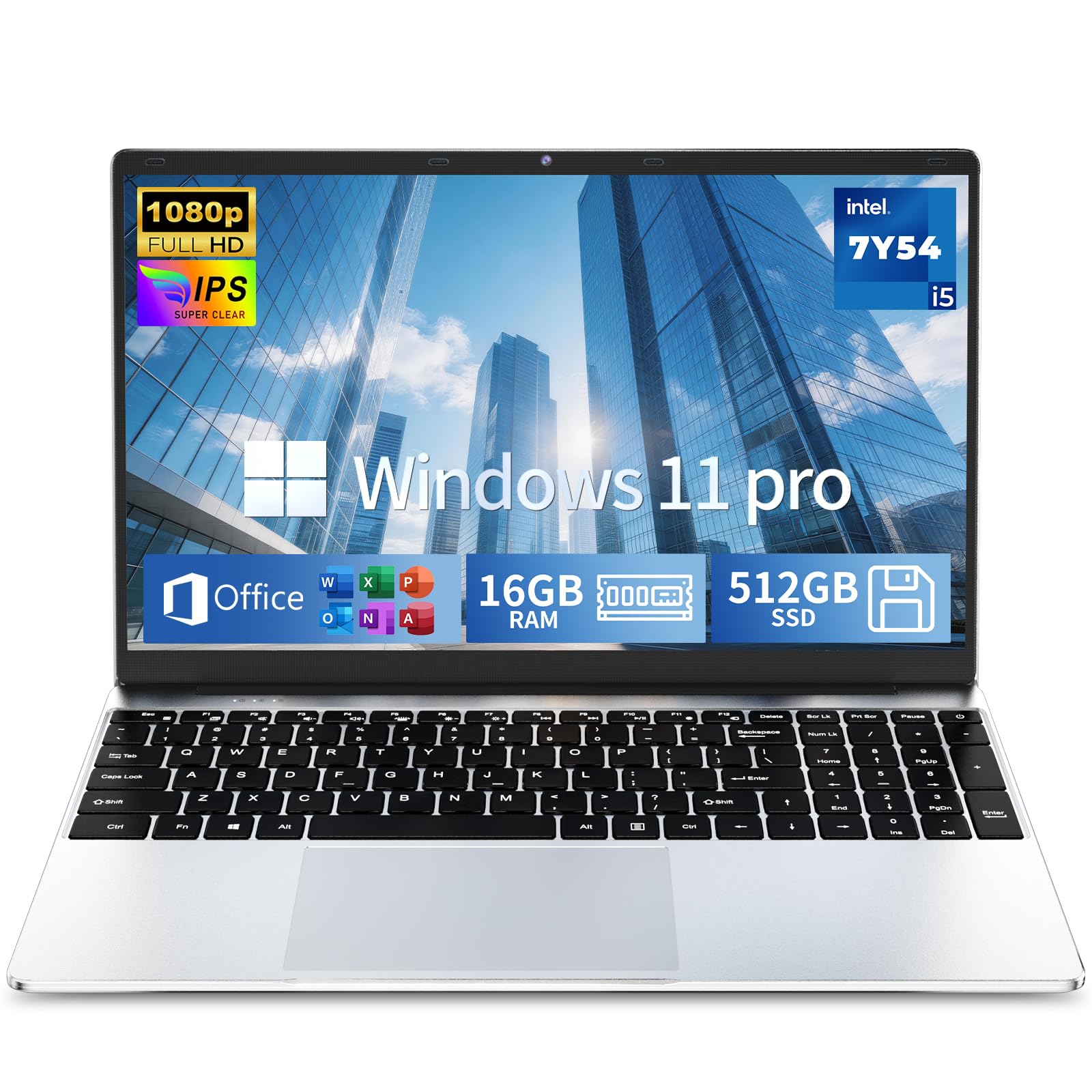
| 2026 Flagship 15.6″ Business LaptopBest Value | Budget-conscious students and staff | Intel Core i5-7Y54, up to 3.2 GHz | 16GB RAM / 512GB SSD | 15.6″ 1920×1080 IPS anti-glare | Amazon |
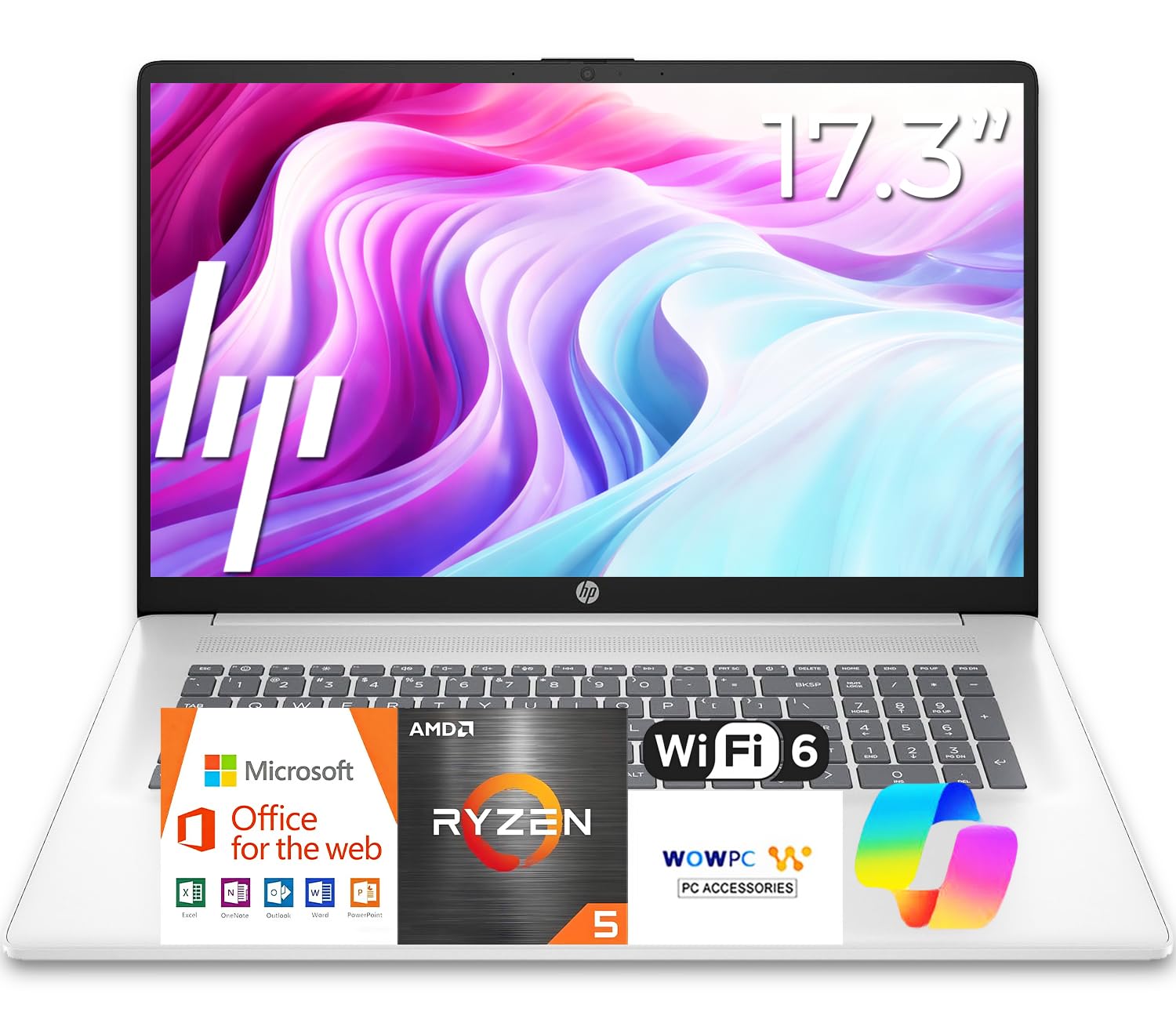
| HP 17 inch Business LaptopBig-Screen Pick | Big screen and full number pad | AMD Ryzen 5 7430U, up to 3.8 GHz | 16GB RAM / 512GB SSD | 17.3″ 1920×1080 anti-glare | Amazon |
| Lenovo ThinkPad E16 (Ultra 7) | AI-accelerated performance | Intel Core Ultra 7 255H, up to 5.1 GHz | 24GB DDR5 / 1TB SSD | 16″ 1920×1200 IPS, 300 nits | Amazon |
| Lenovo ThinkPad T16 | Executive travel and security | Intel Core Ultra 7 255U, up to 5.2 GHz | 32GB DDR5 / 1TB SSD | 16″ 1920×1200 WUXGA IPS | Amazon |
| HP EliteBook 16″ | Bright display and low blue light | Intel Core Ultra 7 255U, up to 5.2 GHz | 32GB DDR5 / 1TB SSD | 16″ 1920×1200 anti-glare, 400 nits | Amazon |
| Dell Pro 16 | Enterprise deployment with Copilot key | Intel Core Ultra 7 255U, up to 5.2 GHz | 32GB DDR5 / 1TB SSD | 16″ 1920×1200 IPS, 400 nits | Amazon |
Detailed Reviews
1. Lenovo ThinkPad E16 Gen 3, 32GB DDR5 RAM, 1TB SSD
Our pick — 4.5+★ from 300+ verified ratings; the strongest balance of quality and price.
The workhorse that gives you a full desktop of ports and a 16-inch anti-glare view.
The headline for a small business buyer is the 16-inch anti-glare screen at 1920×1200 resolution. That extra vertical height means one more row of a spreadsheet and less scrolling through contracts all day. Inside, the Intel Core Ultra 5 225H processor (a Meteor Lake chip) runs up to 4.8 GHz, which keeps video calls and document editing feeling snappy. It also carries an integrated AI Boost NPU — a dedicated chip for on-device AI tasks — that powers features like background noise suppression during meetings.
Where this laptop really earns its keep is connectivity. You get Thunderbolt 4 (the 40Gbps port that also carries power and video), standard USB-A, HDMI, and Ethernet on one chassis. So the projector at a client’s office, the wired network at your desk, and an external monitor all connect without a bag of adapters. The 32GB of DDR5 RAM is the newer, faster memory generation, and it lets you keep dozens of tabs and apps open at once. A 1TB SSD gives you fast boot times and room for years of client files. Charging is handled by the included 65W USB-C adapter, which can top the machine up during a lunch break.
Security is handled in layers for a machine that might leave the office. There is a fingerprint power button, a physical camera shutter you can slide over the lens, and Windows 11 Pro with encryption built in. The backlit keyboard lets you type in a dim hotel room. The catch worth knowing is weight: this is a 16-inch business machine, so it is not the lightest thing to carry daily — if you commute on foot every day, a slimmer 15-inch unit will feel easier in a bag. It is the pick for a small business that wants one laptop to be the office, the meeting room, and the travel machine.
What this machine does for you
- Thunderbolt 4 plus HDMI, Ethernet, and USB-A on one body — no docking dongle required.
- 32GB DDR5 memory keeps a dozen apps open without stutter.
- Fingerprint login, camera shutter, and Windows 11 Pro encryption from the start.
- Backlit keyboard makes late-night typing comfortable.
Where it asks for patience
- A 16-inch chassis is a real carry load for a daily walking commute.
- The 65W USB-C charger is a separate brick you will need to pack for a full top-up.
Your best bet if: you want one laptop to anchor the whole business — docked at a desk, carried to clients, and secure when it travels.
Pass on it if: you need the most featherweight bag on the market more than you need ports and screen room.
2. 2026 Flagship 15.6″ Business Laptop, 16GB RAM, 512GB SSD
Entry-level money, but with software and support baked into the deal.
This is the laptop you hand to a new hire without wincing. At 3.5 pounds it slips into a shoulder bag, and the 15.6-inch Full HD anti-glare IPS screen (1920×1080) keeps documents sharp through a long day. The Intel Core i5-7Y54 processor tops out at 3.2 GHz — modest next to the ThinkPad E16’s 4.8 GHz — so this is a machine for email, spreadsheets, and cloud apps rather than heavy editing. What you do get is 16GB of RAM and a 512GB SSD, which is plenty of room for contracts, client files, and presentations, and it means several programs run at once without bogging down.
The real draw is what comes pre-installed. Windows 11 Pro is loaded, and so is Office 365 Business — you contact the seller to receive the account after delivery, so set that up early. There is also a factory fan cooling system to keep heat away during long meetings, a backlit keyboard for dim rooms, and a fingerprint reader for quick logins. The two-year warranty with 24/7 online support is a standout for a machine at this tier, since most entry units stop at one year.
The trade-off is raw horsepower. That i5 chip is an older-generation part, so video rendering and huge data sets will feel slower than the premium picks here. Treat this as a reliable everyday office machine, not a creative workstation. For a small team that mostly lives in browser tabs and Word documents, it is a sensible way to stretch a hardware budget.
Software already aboard: Windows 11 Pro plus an Office 365 Business license means less setup cost and time on day one.
The speed ceiling: 3.2 GHz will feel leisurely compared with the 5.0 GHz Dell below — fine for admin work, not for rendering.
Reach for this if: you are equipping a team on a tight budget and want productivity software included.
Look elsewhere if: your day involves video editing or heavy multitasking that demands a faster processor.
3. HP 17 inch Business Laptop, AMD Ryzen 5, 16GB RAM, 512GB SSD
The biggest screen here, paired with a full number pad for anyone who lives in spreadsheets.
If your work is accounting, invoicing, or data entry, the 17.3-inch anti-glare FHD display on this HP is a genuinely different experience from a 15.6-inch panel. It shows more columns at once, and the brushed full-size keyboard includes a 10-key number pad so you can enter figures at speed. Battery life is rated at 12 hours, the longest figure in this lineup, and HP Fast Charge tops it up quickly between meetings.
The AMD Ryzen 5 7430U processor runs up to 3.8 GHz, and with 16GB of RAM the machine handles multitasking, web browsing, and video calls without complaint. Performance is the thing owners praise most about this model, and it shows in the way it keeps up across spreadsheets and streaming. The 720p camera and digital microphones handle video chats, and Windows 11 with built-in AI Copilot helps you organize tasks and summarize information. Office 365 for Web is included, so basic document editing works right away in the browser.
Two honest notes to weigh. The screen is not a touchscreen, which some buyers expect at this size. And a few owners find the pause and shift keys combined into one key unusual to type on until you adjust. Neither is a deal-breaker for the spreadsheet-heavy user — they are simply the quirks of this specific keyboard and panel. For a desk-bound role that occasionally travels, the extra screen real estate is worth more than portability.
The 17-inch advantage: a 17.3-inch panel and a 10-key pad make long number-crunching sessions faster and easier on the eyes.
Keyboard adjustment: the combined pause and shift key takes a little getting used to for touch typists.
Built for: bookkeepers, analysts, and anyone who wants a big screen and a number pad on the desk.
Think twice if: you need a touchscreen or a bag-friendly size for daily commuting.
4. Lenovo V15 G4 Business Laptop, Ryzen 3, 16GB DDR5, 1TB SSD
A big 32GB memory pool in a workaday Dell shell, built for serious tab hoarders.
If your workday is fifty browser tabs, a spreadsheet, and a video call running together, 32GB of RAM is the headline here. That is twice the memory of several picks in this lineup, and it means your machine has room to hold more in memory at once without slowing. The Intel i5-1155G7 (four cores, eight threads) reaches 4.5 GHz, which is plenty for office software, and the 1TB SSD boots fast and stores your whole archive. The 15.6-inch Full HD IPS touchscreen gives you a bright, tap-friendly workspace, and there is a numeric keypad for figures.
Setup is the thing that keeps coming up in owner feedback — buyers describe it as easy to get running, and the storage and speed get steady praise. Wi-Fi 5 and Bluetooth handle connectivity, and there are two USB 3.2 Type-A ports, a USB 2.0 port, HDMI, an SD card reader, and a headphone/mic combo jack. Windows 11 Professional with a one-year manufacturer warranty rounds it out.
The honest caveat is the chassis and battery. The battery is rated at 7 hours and some durability feedback flags the hinge as a weak point under rough handling — treat it as an office machine rather than a rugged traveler. That 220-nit screen is also on the dimmer side outdoors. For a fixed desk where it rarely leaves the room, the memory advantage is real value.
The memory story: 32GB of RAM is the most here short of the V-Series V15, ideal for parallel apps and browser tabs.
Keep it on the desk: 7-hour battery and mixed long-term durability feedback suit stationary work better than travel.
Good match for: a stationary small-business workstation that runs many programs at once.
Less ideal if: you need a rugged travel machine with long battery life.
5. Lenovo ThinkPad E16 Laptop, Intel Ultra 7 255H
A 16-core Ultra 7 with a real AI engine and a 16-inch screen built to take knocks.
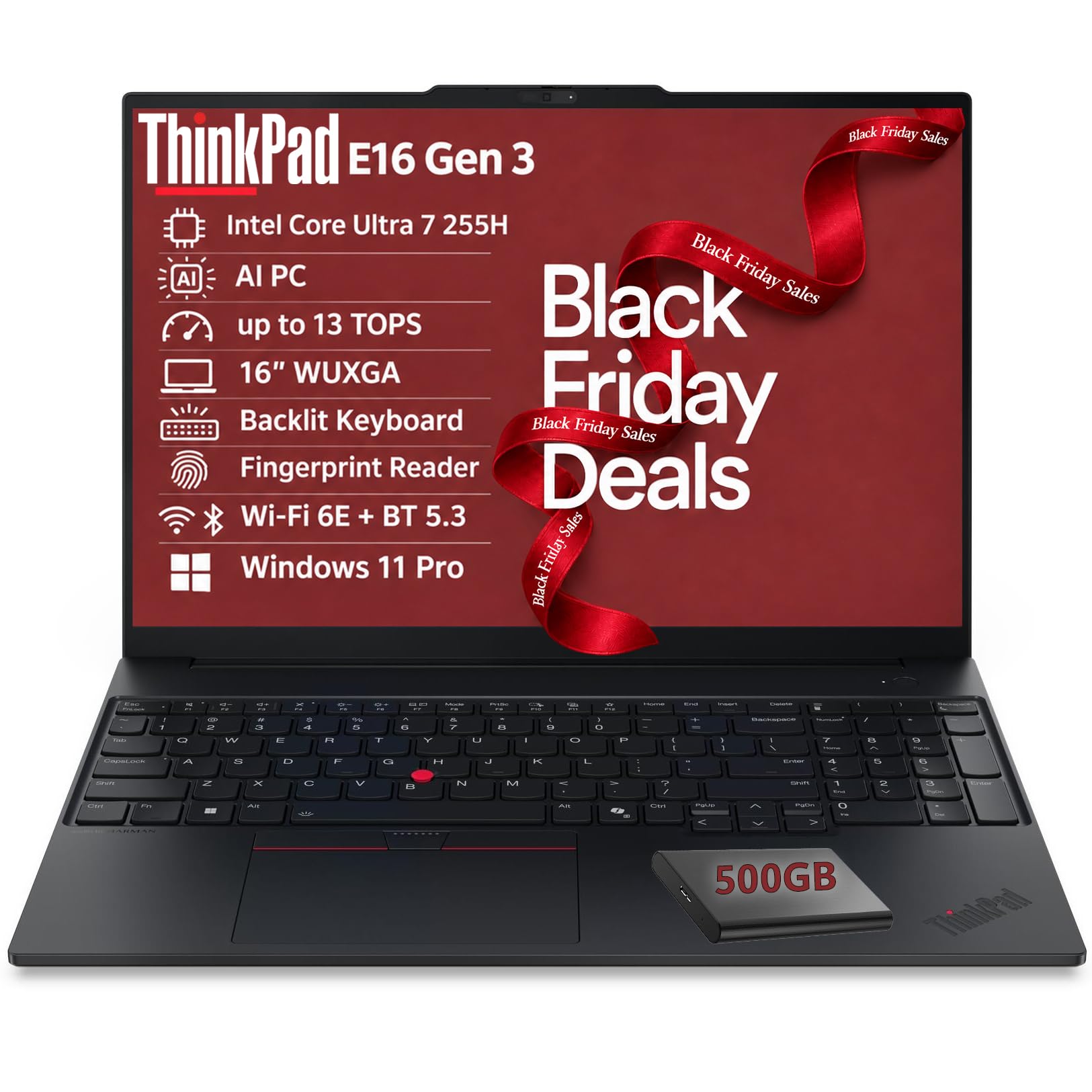
Start with the processor: the Intel Core Ultra 7 255H packs 16 cores and 16 threads and reaches 5.1 GHz in Turbo, with 24MB of Smart Cache. That is a serious step up in parallel processing from the entry picks. It adds an Intel AI Boost NPU rated at up to 13 TOPS — a measure of how many AI operations per second the dedicated chip can handle — for background features like noise suppression and content summaries. The Intel Arc 140T graphics chip also handles everyday creative work better than basic integrated graphics. With 24GB of DDR5 RAM and a 1TB PCIe SSD, it boots fast and switches apps instantly.
The 16-inch WUXGA IPS display (1920×1200) offers 300 nits of brightness with an anti-glare coat, so it stays readable in a bright office. The chassis is aluminum top and bottom for a firmer feel, and the whole machine starts at 1.65kg (3.64 lbs), which is genuinely portable for a 16-inch unit. Connectivity covers one USB-A 5Gbps, one always-on USB-A 10Gbps, a Thunderbolt 4/USB4 port at 40Gbps, HDMI 2.1, and an RJ-45 Ethernet jack. Wi-Fi 6E and Bluetooth 5.3 keep wireless connections current.
Security is enterprise-grade: a discrete TPM 2.0 chip, a fingerprint reader built into the power button, an IR camera for facial recognition, a privacy shutter, and a Kensington Nano lock slot. It is tested to MIL-STD-810H for drops, vibration, dust, and temperature swings — a real assurance for a laptop that commutes. It is heavier than a 14-inch ultraportable, so factor that into a walking commute.
Power and AI: 16 cores at 5.1 GHz plus a 13-TOPS NPU and the Arc 140T graphics handle both heavy multitasking and light creative work.
Toughness: MIL-STD-810H testing and an aluminum chassis add confidence for a machine that travels.
Made for: a growing business that needs headroom for AI-assisted apps and creative work without sacrificing travel durability.
Consider a lighter option if: a 1.65kg 16-inch body is a genuine weight concern for a daily commute.
6. Lenovo ThinkPad T16, Ultra 7 255U, 32GB DDR5 RAM, 1TB SSD
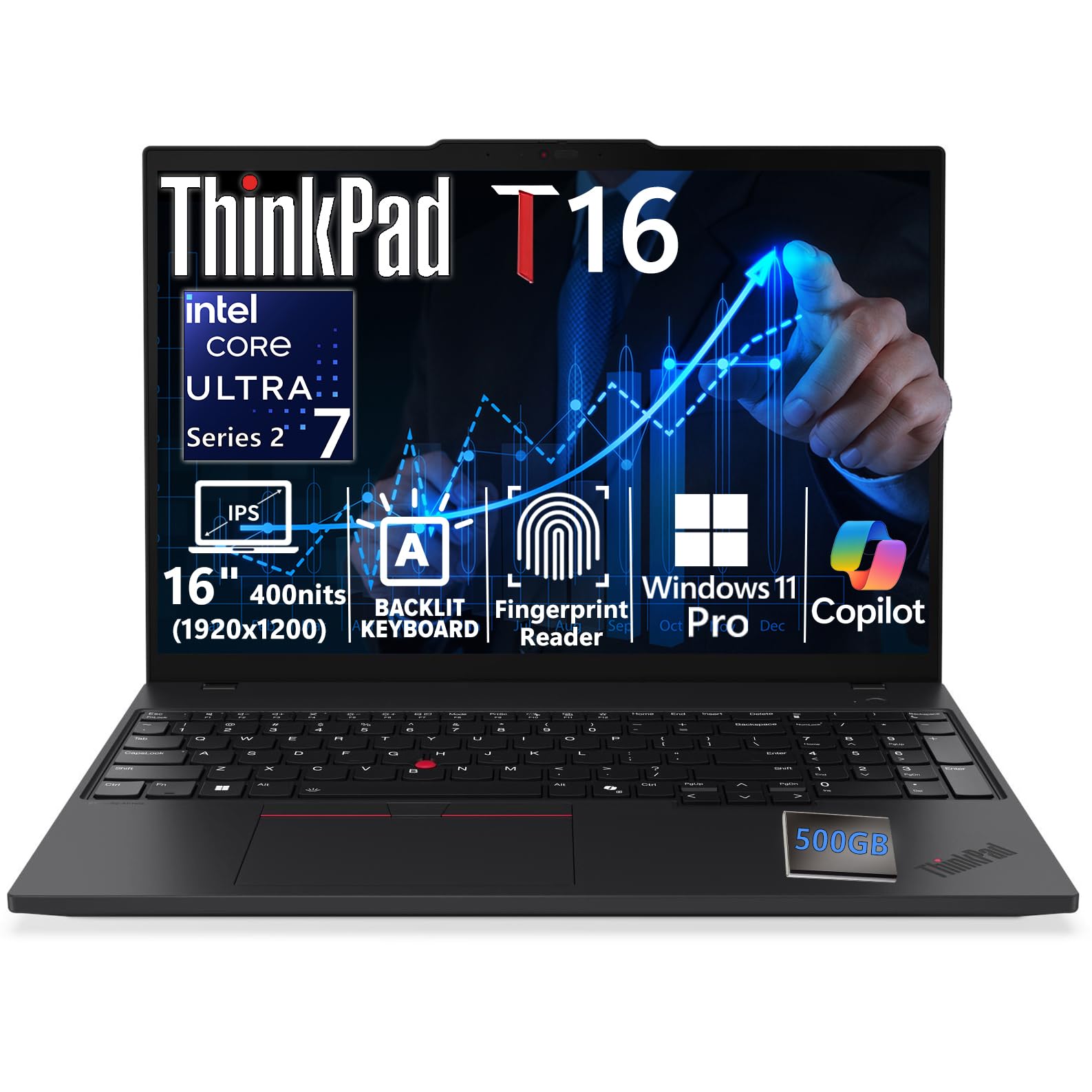
The carbon-fiber flagship for the person who lives out of a carry-on.
This is the model meant for long flights and client-site weeks. The 16-inch WUXGA display runs 1920×1200 in a 16:10 shape, which the maker pitches as more vertical room than a Full HD panel — helpful for long documents and code. The Intel Core Ultra 7 255U runs 12 cores and 14 threads up to 5.2 GHz, with 32GB of DDR5 RAM and a 1TB PCIe 4.0 NVMe SSD that uses Opal 2.0 hardware encryption for security. It also has an Intel AI Boost NPU for video meetings and business apps.
What owners value most is the value the package represents for the hardware inside — the combination of a fast chip, generous memory, and travel build lands well. The chassis uses a carbon-fiber-reinforced shell (PC plus 20% CF) and is tested to MIL-STD-810H, so it stands up to the road. You get a backlit ThinkPad keyboard, dual Thunderbolt 4 ports, HDMI 2.1, Wi-Fi 6E, Gigabit Ethernet, a 5MP camera with shutter, a fingerprint reader, and 65W USB-C fast charging.
The follow-up question a buyer should ask is about performance consistency. The processor draws mixed feedback — some find it handles streaming and browsing with no trouble, while others hit odd quirks that a settings reset can fix. It is a business-travel machine first, so plan for standard office workloads rather than heavy creative rendering. For a founder or field rep who wants enterprise security and durability in one bag, this is a strong fit.
Built for the road: carbon-fiber-reinforced chassis, MIL-STD-810H testing, and 65W USB-C charging keep it ready at a moment’s notice.
Performance consistency: mixed owner feedback means it is best for standard office loads rather than heavy rendering.
The right call for: executives and field reps who need durable, secure, travel-ready business hardware.
Not the best pick if: your workload leans on heavy creative rendering that demands steady top-end speed.
7. HP EliteBook 16″ Business Laptop, Ultra 7, 32GB RAM, 1TB SSD
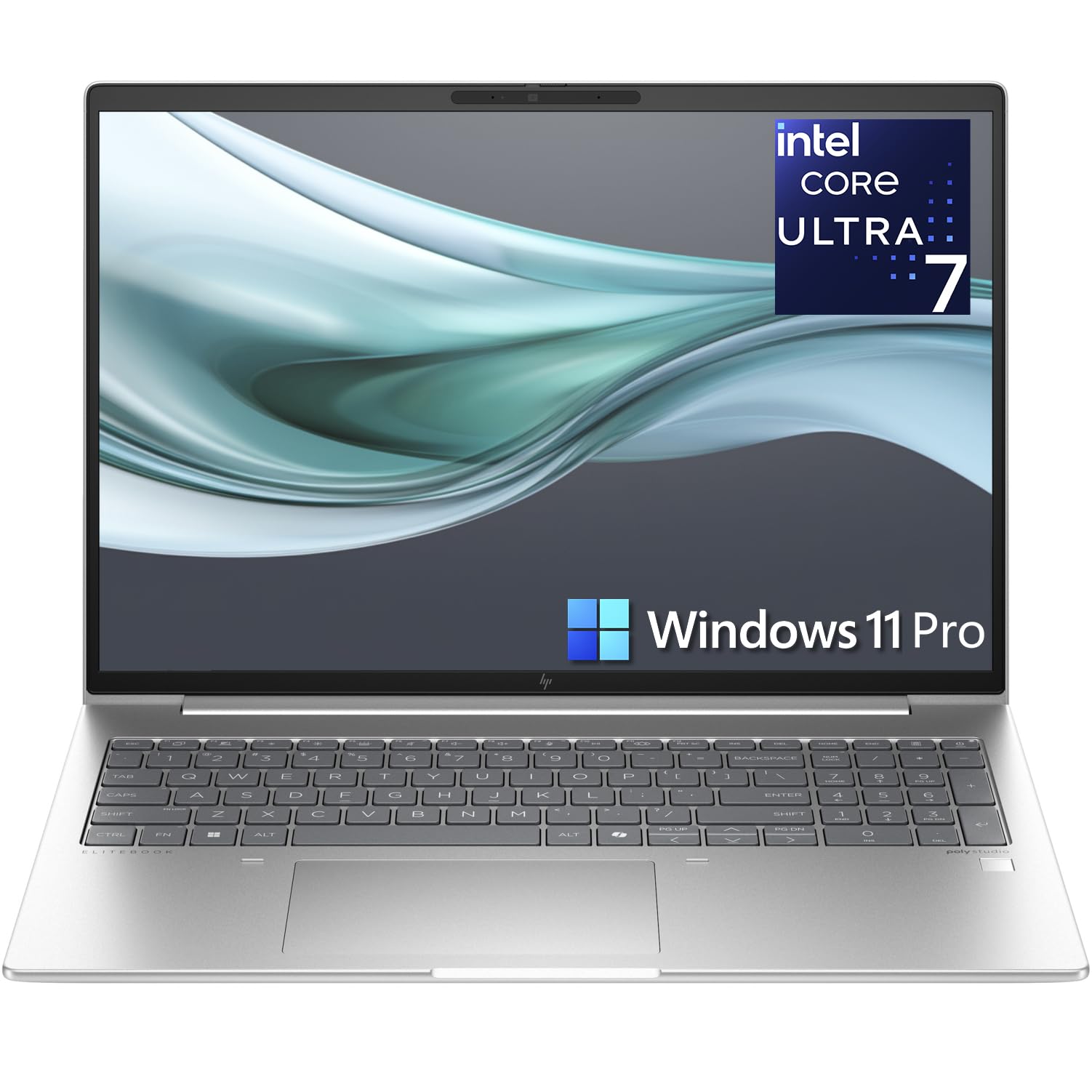
A 400-nit screen with low-blue-light filtering for people glued to a display all day.
The display is the reason to look here. This 16-inch anti-glare WUXGA panel runs 1920×1200 at 400 nits, and HP says it shows 20% more content than a 15.6-inch screen — the extra height means less scrolling. Low Blue Light filtering cuts the blue-heavy glow that tires your eyes over an eight-hour workday. Behind it sits an Intel Core Ultra 7 with AI acceleration up to 5.2 GHz across 12 cores, plus 32GB of DDR5 RAM and a 1TB PCIe SSD, so video calls, coding, and Excel run side by side without lag.
Weighing 3.86 lb with all-day battery and 65W fast charging, it is built to work away from the desk. You get dual Thunderbolt 4 ports, Wi-Fi 6E, and an RJ-45 Ethernet port for a wired connection in conference rooms and home offices. A fingerprint reader with Windows 11 Professional and BitLocker encryption handles secure login, and the maker uses a quality-first pitch that buyers have compared favorably against a Mac.
The honest note is on long-term reliability, which draws mixed feedback — some units work without a hitch after months, while a few report crashing early. That is normal variance in any laptop line; check the warranty and keep your data backed up. If a bright, easy-on-the-eyes screen for eight-hour days is your priority, this delivers it.
Display comfort: 400 nits and Low Blue Light filtering ease strain across long sessions.
Reliability variance: mixed long-term feedback makes a solid backup routine worthwhile.
Best suited to: professionals who stare at a screen all day and prize brightness and eye comfort.
Weigh the alternative if: long-term reliability certainty matters more than display comfort.
8. Dell Pro 16 Business Laptop
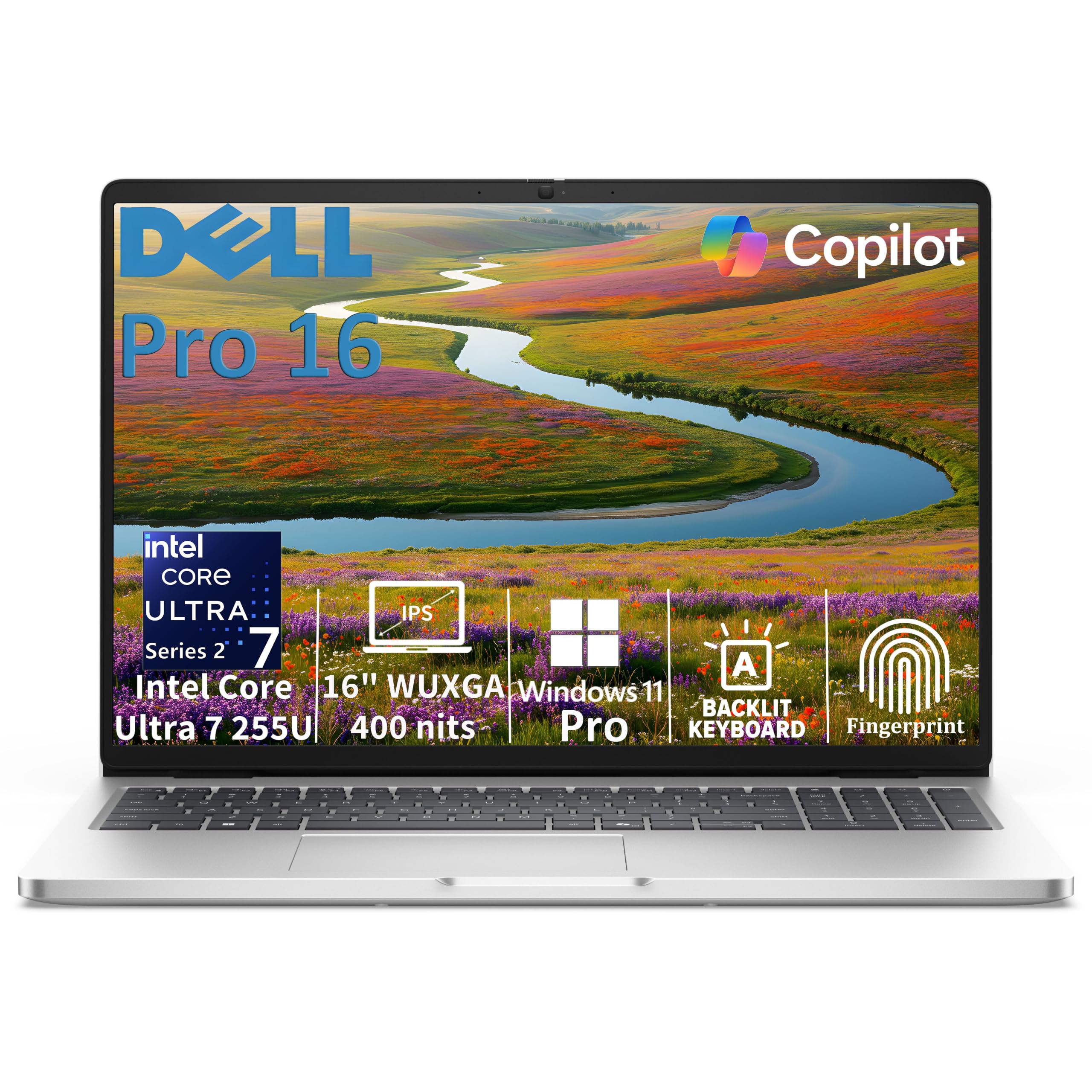
The dedicated Copilot key and a 12-TOPS NPU make this the AI-forward desk machine.
For a team rolling out AI-assisted workflows, the Dell Pro 16 puts the tools right at your fingertips. A dedicated Copilot key launches AI assistance instantly, and the Intel Core Ultra 7 255U (12 cores, up to 5.2 GHz) carries a 12 TOPS NPU to accelerate those tasks. With 32GB of DDR5 RAM and a 1TB SSD, it stays quick under a heavy app load. The 16-inch non-touch FHD+ IPS display runs 400 nits with anti-glare coating, so it holds up in a bright office.
Security and management are built for shared and enterprise environments. There is a fingerprint reader on the palm rest, a wedge-shaped lock slot for a security cable, a camera shutter, and an IR camera for Windows Hello facial recognition. Connectivity is generous: Thunderbolt 4 at 40Gbps, a USB-C port at 10Gbps with DisplayPort Alt Mode, two USB-A ports (one with PowerShare), HDMI 2.1, Gigabit Ethernet, Wi-Fi 6E, and Bluetooth 5.4. It weighs in starting at 4.23 lbs with a metallic platinum silver finish and a backlit keyboard with number pad, and it carries EPEAT Gold with Climate+ certification.
The trade-off is travel weight — 4.23 lbs is on the heavier side for a daily commute, so it is happiest on a desk or in a rolling bag. The 65W USB-C adapter refills it between meetings. For businesses that want enterprise security, a bright screen, and AI shortcuts from the start, this is a well-rounded deployment machine.
Why it fits the enterprise desk
- Dedicated Copilot key and 12-TOPS NPU put AI assistance one press away.
- Fingerprint reader, IR camera, camera shutter, and lock slot layer the security.
- 400-nit anti-glare display holds up in bright rooms.
Weight and travel reality
- Starting at 4.23 lbs, it is a heavier carry for daily commutes.
- Non-touch panel is a consideration if you prefer tapping through documents.
Made for: businesses standardizing on Windows 11 Pro who want AI shortcuts and layered security in one deployment-ready machine.
Think about a lighter unit if: you carry the laptop on foot every day rather than setting it on a desk.
Know the Specs
Processor speed and cores
The processor is your laptop’s engine, and its speed is measured in GHz (gigahertz, or billions of cycles per second). A higher top speed means apps open and respond faster, which is why the 5.0 GHz i7 feels quicker than a 3.2 GHz chip on heavy tasks. Cores are the number of independent work lanes the chip has — more cores handle more simultaneous jobs, from a video call to a spreadsheet recalc. Turbo Boost is the short burst of extra speed a chip uses when it needs a quick lift.
What the NPU does
An NPU, or neural processing unit, is a small dedicated chip for AI tasks like background noise removal, live captions, and content summaries. It is measured in TOPS, or trillions of operations per second — the higher the number, the more AI work the chip can do per second. Running these tasks on the NPU instead of the main processor keeps the laptop cooler and saves battery, so video meetings stay efficient on long days.
Display resolution and brightness
Resolution is the number of pixels — the tiny dots of light that make up the image — written as horizontal by vertical. A 1920×1200 screen gives you more vertical rows than a 1920×1080 panel, which means fewer scrolls through spreadsheets. Brightness is measured in nits, and a 400-nit panel stays readable in a sunlit office where a 220-nit screen can look washed out. An anti-glare coat cuts reflections from overhead lights and windows.
Ports and wireless standards
Thunderbolt 4 is a single port that moves data at 40Gbps (gigabits per second), carries video to a monitor, and delivers power — one cable to a dock can replace a mess of adapters. USB-A is the older rectangular plug your mouse and printer still use, while USB-C is the newer oval. Wi-Fi 6E is a newer wireless standard than Wi-Fi 5 and handles crowded office airwaves better. An RJ-45 Ethernet port gives you a wired connection when wireless is unreliable.
Common Questions
Will a 15.6-inch or 16-inch business laptop fit in a standard laptop bag?
Do business laptops come with Windows 11 Pro already installed?
Is 16GB of RAM enough for running a small business day to day?
What is the difference between an SSD and a regular hard drive for a work laptop?
Can I connect two monitors to these business laptops?
Which business laptops here have a wired Ethernet port?
How much battery life should I expect from a business laptop on a workday?
Is a touchscreen worth it for a small business laptop?
Are these laptops tough enough to survive travel and rough handling?
Do these laptops need a separate docking station?
The Bottom Line
For most small businesses, the small business laptop computers winner is the Lenovo ThinkPad E16 Gen 3 because it balances a 16-inch 1920×1200 anti-glare screen, 32GB of DDR5 RAM, and a full set of Thunderbolt 4, HDMI, Ethernet, and USB-A ports in one durable body. If you want a big screen and a number pad for number-crunching, grab the HP 17 inch Business Laptop. And for a team that needs premium AI performance with military-grade toughness, the Lenovo ThinkPad E16 Ultra 7 is the one to reach for.
One last nudge worth acting on: the ThinkPad E16 Gen 3 holds the highest rating in this lineup while still covering the full business checklist of ports, memory, and security, which makes it the safest single-laptop choice for a growing business.
How we choose
We do not accept paid placement. Every pick is matched to a real buyer and a real use-case; we do not hands-on test units.
Sources
Specifications: manufacturer listings and product documentation. Review insights: verified customer reviews, as of November 2026. Pricing: not shown on this page (it changes often); check the current price via the retailer link.
As an Amazon Associate, Tactical Gear Guy earns from qualifying purchases. This does not affect which products we feature.