Specs are compiled from manufacturer listings and verified buyer reviews and can change over time — please confirm the key details on the product page before buying.
Your photos, movies, and work files can live on your own hardware instead of a monthly cloud bill — and on an all-flash NAS they open instantly, with no spinning drive to wait on. That is what a home NAS (a box on your network that stores files for every device) running on solid-state drives gives you. The catch is that “SSD NAS for home” covers wildly different machines: some are tiny all-flash boxes with six M.2 slots (flat, gum-stick-shaped drive slots), others are big multi-bay units that use one or two SSDs as a speed layer in front of regular hard drives. Below you get ten real options, what each one is genuinely good at, and which one fits your setup.
This guide is built by comparing the manufacturers’ published specifications and the patterns across verified customer reviews, so you get each pick’s real strengths and trade-offs instead of marketing spin.
Some units ship diskless and need drives bought separately, and a few arrive with no memory or operating system at all. That single detail changes your real cost to get running, so every pick below flags it clearly. Read on for the ssd nas for home picks, matched to how you actually store files.
Top Picks


How To Choose The Best SSD NAS for Home
Your first decision is not brand or price — it is if you want an all-flash box or a hybrid. An all-flash NAS fills every slot with M.2 NVMe drives (the gum-stick-shaped sticks that plug flat into the board). A hybrid uses big spinning hard drives for bulk storage and SSDs as a cache layer in front. All-flash runs silent and answers instantly; hybrid gives you far more terabytes for the same spend.
Count your SSD slots before anything else
Look for how many M.2 NVMe slots the unit actually has. Four slots let you run a RAID array of fast drives or split apps and media apart. Two slots is enough for a cache. On some machines one slot is already taken by the boot drive, so check the fine print before you plan a full array.
Match the network port to your switch
A 10GbE port (10 gigabits per second) can move a large video file in seconds — but only if your router or switch also handles 10GbE. If your home network tops out at 1GbE, a 2.5GbE or 10GbE port on the NAS will sit partly idle until you upgrade the network side. Buy the fastest port your router or switch can actually feed.
Decide how much RAM and CPU you need
Plain file storage needs very little. Running Plex with 4K transcoding, several Docker containers, or a virtual machine wants more cores and more memory. Check whether RAM is soldered or upgradeable — some units let you swap in much larger modules later, others lock you to what ships.
Side-by-Side Comparison
| Model | Best For | SSD Slots | Network | Included RAM | Amazon |
|---|---|---|---|---|---|
| UGREEN DXP4800 Plus★ Best Overall | All-round family and small-team hub | 128G SSD + 4 bays | 1x 10GbE + 1x 2.5GbE | 8GB DDR5 | Amazon |
| LincStation N1Budget Champion | Tight-budget all-flash starter | 4x M.2 NVMe | 2.5GbE | 16GB | Amazon |
| Asustor AS5402TMost Versatile | Fast cache on a two-bay base | 4x M.2 NVMe | Dual 2.5GbE | 4GB DDR4 | Amazon |
| AOOSTAR WTR PRO | DIY lab builders who supply their own parts | 2x M.2 NVMe | 2x 2.5GbE | None included | Amazon |
| QNAP TS-264-8G | Media collectors who want a polished OS | 2x M.2 PCIe Gen3x2 | Dual 2.5GbE | 8GB | Amazon |
| Asustor Flashstor 6 FS6706T | Quiet studio all-flash array | 6x M.2 NVMe | Dual 2.5GbE | 4GB DDR4 | Amazon |
| TERRAMASTER F8 SSD | Small-footprint eight-slot flash box | 8x M.2 2280 NVMe | 10GbE | 8GB DDR5 | Amazon |
| UGREEN DXP480T Plus | Video editors on an all-flash workflow | 4x M.2 NVMe | 10GbE + Wi-Fi 6 | 8GB DDR5 | Amazon |
| MINISFORUM N5 Pro | Power users running VMs and AI workloads | 3x M.2 / 2x U.2 | 10GbE + 5GbE | 16GB DDR5 | Amazon |
Detailed Reviews
1. UGREEN DXP4800 Plus 4-Bay NAS
Our pick — 4.5+★ from 600+ verified ratings; the strongest balance of quality and price.
A 10-gigabit pipe, four bays, and a genuinely calm fan make this the easiest home hub to live with.
What makes the DXP4800 Plus the pick here is how little you have to think about it. The 10GbE port (10 gigabits per second) plus the 2.5GbE port give you a fast lane for big files and a normal lane for everything else. Add the 128G SSD it ships with and you have a boot and app drive ready before you buy a single hard disk.
The capacity ceiling is where this one separates from the smaller boxes. UGREEN lists up to 144TB here, against 96TB on the AOOSTAR WTR PRO, so big media libraries have more headroom. The Intel 5-core CPU and 8GB of DDR5 memory handle Docker containers and virtual machines, and Plex runs through Docker. Families get the AI photo album that sorts by face, scene, object, and location, and the app spans Windows, macOS, iOS, Android, browsers, and smart TVs.
The honest part: drives are not included, so the listed capacity assumes RAID 0 with compatible drives you buy separately. The DXP4800 Plus is also wired only — no Wi-Fi. That is fine next to your router and annoying if you wanted to tuck it in a closet far from a cable. Performance is what wins people over here, with setup close behind; buyers report the whole thing takes about two hours to configure and the interface explains itself. The 4.5+ star score across 600+ ratings backs the pattern up. One recurring theme is durability — a report of a drive failing early shows why RAID matters more than any single spec.
What earns its keep
- 10GbE and 2.5GbE ports together, so fast transfers and everyday traffic do not fight over one lane
- 144TB ceiling beats the AOOSTAR WTR PRO’s 96TB by a wide margin for large libraries
- 8GB DDR5 memory and a 5-core Intel CPU handle Docker and VMs without strain
- 128G built-in SSD means the system runs before you install drives
- Quiet enough to sit on a desk — buyers compare it favorably to a bare SSD plugged into a router
Where it asks for patience
- Drives are sold separately, so the capacity figure is a ceiling not a starting point
- Wired Ethernet only — no Wi-Fi on this model
- Value sits in the mixed zone for some buyers comparing against rival brands
Reach for this if: you want one box that stores the family archive, runs Plex through Docker, and moves large files fast without a drive whirring in the background.
Look elsewhere if: you need Wi-Fi built in or want drives bundled in the box.
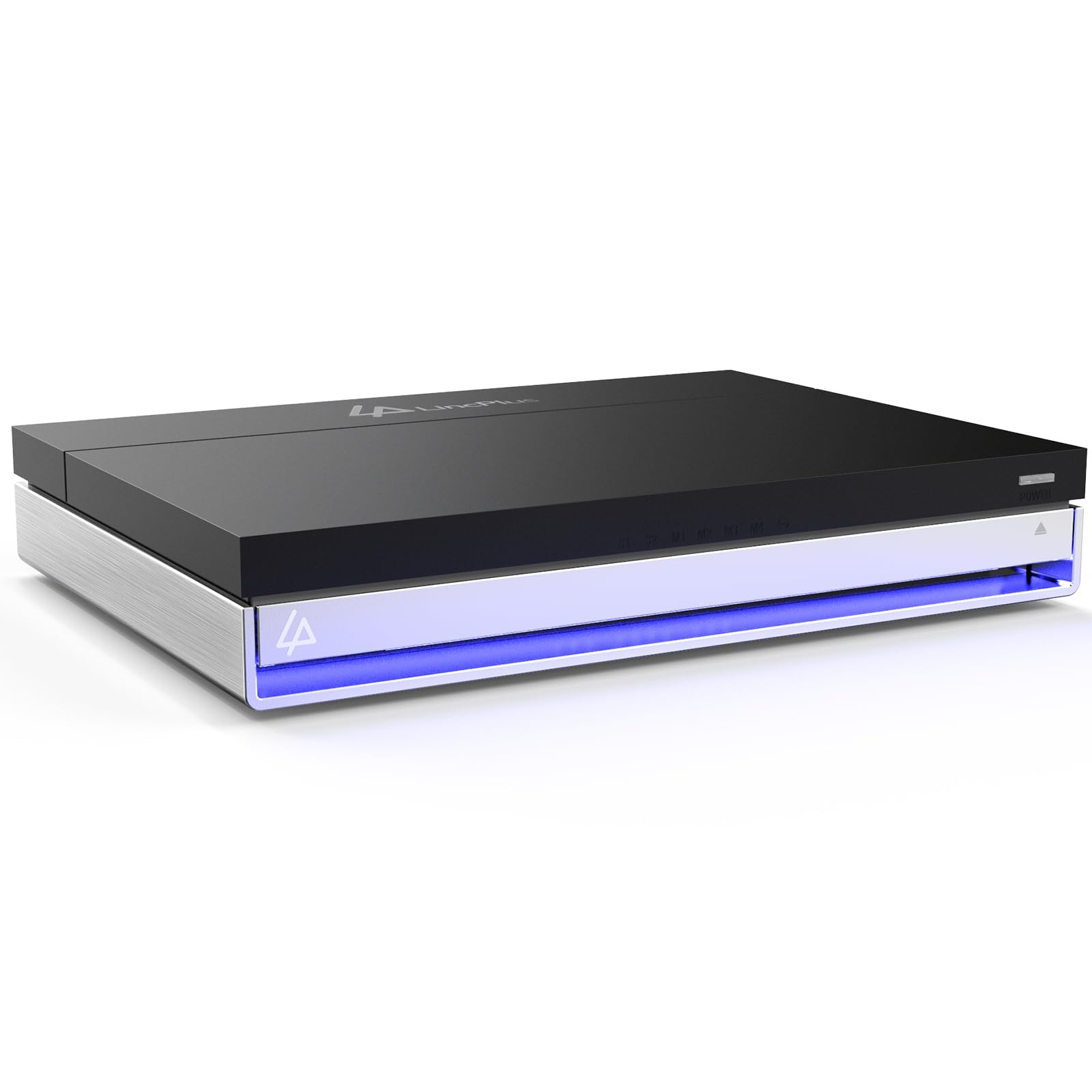
2. LincStation N1 6-Bay NAS
Six drive slots and an Unraid license packed into a body the size of a thick paperback.
Four dedicated M.2 NVMe slots plus two 2.5-inch SATA bays is a layout you rarely see at the entry point. You put fast NVMe drives on apps, virtual machines, and cache, and let the two SATA bays carry cheaper bulk storage. The 16GB of RAM is the standout number — that is four times the 4GB the Asustor AS5402T ships with, and it means Docker containers and a Plex library do not fight for memory on day one.
The Intel N5105 quad-core runs the show, backed by 128GB of eMMC for the system. Unraid comes included as a starter license, and that matters because Unraid lets you mix drives of different sizes instead of forcing identical disks. Cooling is flexible too — a Smart Mode that adjusts fan speed to temperature, or a fixed speed when you want maximum airflow during long jobs. Ports cover 2.5GbE, USB-C at 5Gbps, dual USB 3.2 Gen2 Type-A, HDMI 2.0 for direct 4K output, and a 3.5mm audio jack.
Functionality is the part owners agree on — it does the home storage and media server job it is asked to do. Setup and build quality are the split opinions, so this suits someone willing to learn Unraid rather than someone who wants a sealed appliance. A vocal minority wrestles with RAID configuration before it clicks. What it does well is get you into an all-flash home server with a fast processor and generous memory without stepping into premium territory.
The memory math: 16GB of RAM from the start is the single biggest advantage here over the AS5402T’s 4GB — it buys you room to run several containers at once.
Plan for a learning curve: Unraid is powerful and flexible, but it rewards tinkering; treat setup as a weekend project, not a plug-in step.
Suits: the tinkerer who wants four NVMe slots and 16GB of memory without paying flagship money.
Not for: anyone who wants zero configuration and a one-click setup.
3. Asustor AS5402T 2 Bay NAS
Four NVMe slots on a two-bay chassis — double the flash room the AOOSTAR WTR PRO gives you.
That 4x M.2 NVMe count is the headline and it is not padding. Against the AOOSTAR WTR PRO’s 2x M.2 NVMe, this doubles your all-flash capacity ceiling and gives you room for a proper NVMe RAID array or a split between cache and app storage. The four slots are for caching or full flash, and Asustor rates them for higher IOPS and lower latency — which translates to scrub times, container starts, and Plex library loads that do not stall.
The Intel N5105 quad-core CPU tops out at 2 GHz. Compare that to the AOOSTAR’s 4.5GHz ceiling and this is a less muscular processor for heavy multitasking. What it does have is dual 2.5GbE with link aggregation, HDMI 2.0b for direct display output, and USB 3.2 Gen2 ports for fast external expansion. DDR4 memory starts at 4GB and expands to 16GB. Hardware transcoding handles 4K playback for Plex across smart TVs and phones.
Setup is the part owners consistently like — Asustor’s documentation is solid, Plex installs cleanly, and the M.2 drives go in without drama. Reliability reads mixed, so treat the drives and your RAID choice as your real safety net rather than the box itself. Adding a TP-Link Omada SDN controller onto this machine is a bonus one buyer found, which hints at how much you can pile onto it. Slightly higher price than the manufacturer site comes up as a note, not a dealbreaker.
Why the slots win: four NVMe positions means you can run an all-flash array and still keep a cache volume — the 2 GHz ceiling is the trade you accept for that flexibility.
One thing to weigh: if you plan heavy VM work, the slower clock here will feel it next to the AOOSTAR’s 4.5GHz chip.
Right for: anyone who wants maximum NVMe room and solid Plex performance in a compact two-bay footprint.
Think twice if: your workload leans on raw CPU speed for many concurrent virtual machines.
4. AOOSTAR WTR PRO AMD R7 5825U
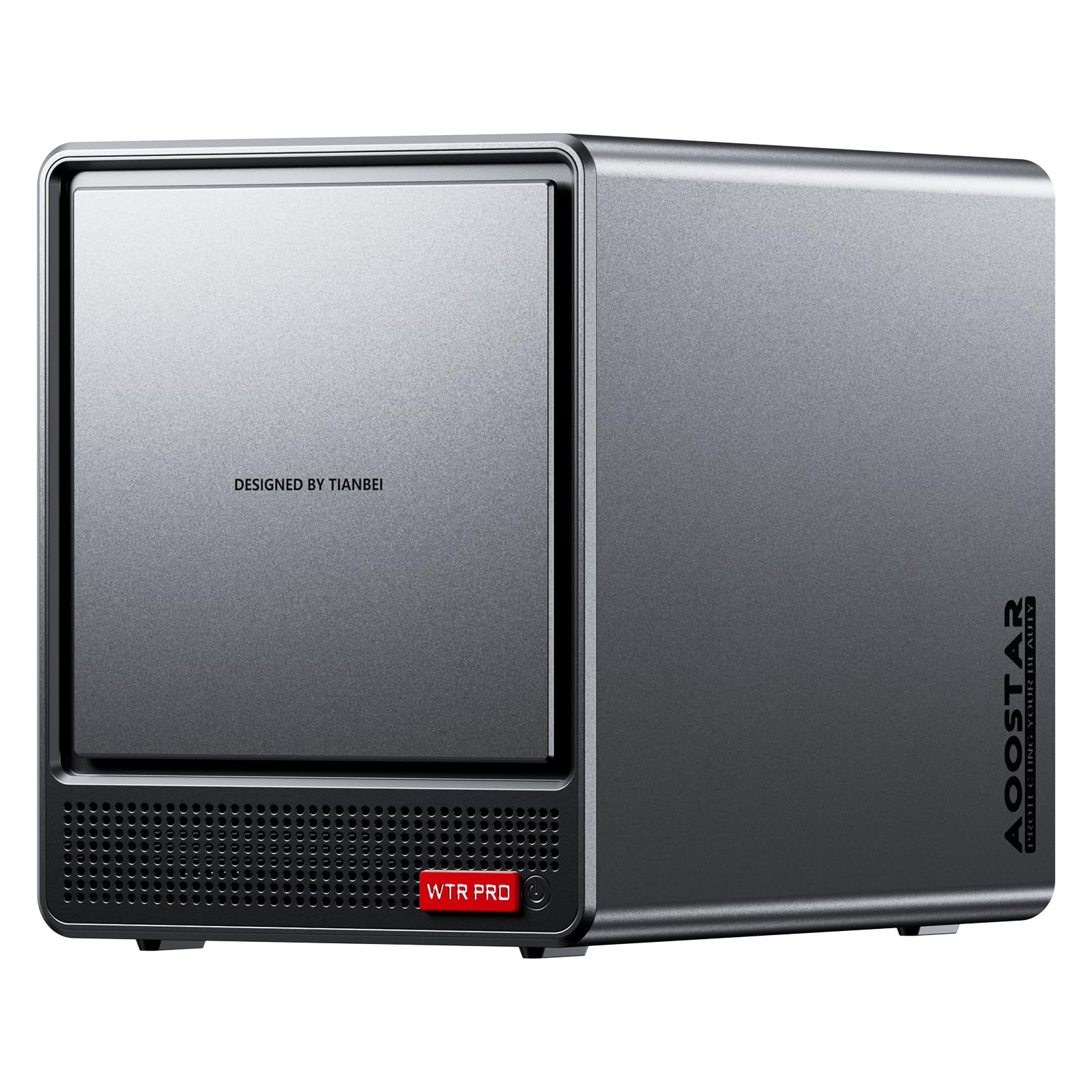
Bare-metal hardware for builders who want an 8-core chip and will bring their own memory.
Nothing else on this list ships without RAM, SSD, and OS — and that is exactly the point. The AMD R7 5825U runs 8 cores and 16 threads up to 4.5GHz, against the 2 GHz ceiling on the Asustor AS5402T. That gap is the reason this box shrugs off simultaneous file storage, downloads, virtual machines, and Docker containers. You install whatever software you want: OPNsense, OpenWrt, Unraid, Proxmox, or Windows. A buyer running ZFS with direct disk access called the speed and safety a big step up from a branded equivalent.
The four HDD bays hold up to 96TB total with two M.2 NVMe slots on top. RAID 0, 1, and 5 are all supported. Interfaces run wide: two 2.5GbE Intel I226V ports, USB-C, dual USB 3.2 Gen2, HDMI, DisplayPort, USB 2.0, a TF card slot, and Bluetooth 5.2. The all-metal case with a 12cm rear fan keeps heat moving and noise down. Idle power sits at 8W, rising to 37W with all disks running, per one owner’s measurement — a real number for anyone watching a home-lab electricity bill.
The trade-off is total control in exchange for total responsibility. You supply the memory, the drives, and the operating system, and troubleshooting lands on you. Reliability shows up as the most-discussed aspect, and a report of a dead drive bay after several weeks is the kind of thing you want a return window for. Buy this if you enjoy building your own NAS from bare hardware. skip it if you want a box that arrives ready.
Strongest cards
- AMD R7 5825U at 4.5GHz across 8 cores and 16 threads — the fastest chip here
- Four HDD bays plus two M.2 NVMe slots for 96TB of mixed storage
- Two 2.5GbE Intel I226V ports and a wide port spread for lab use
- All-metal case with a 12cm rear fan keeps noise low under load
What you take on
- Ships with no RAM, no SSD, and no OS — you buy and install all three
- One owner hit a defective drive bay after weeks of use, so confirm the warranty window
- Setup and software choices are entirely on you
Best fit: the home-lab builder who wants a fast bare-metal box and already has parts on the shelf.
Wrong pick if: you want to plug in drives and log in, not install an operating system.
5. QNAP TS-264-8G-US 2 Bay NAS
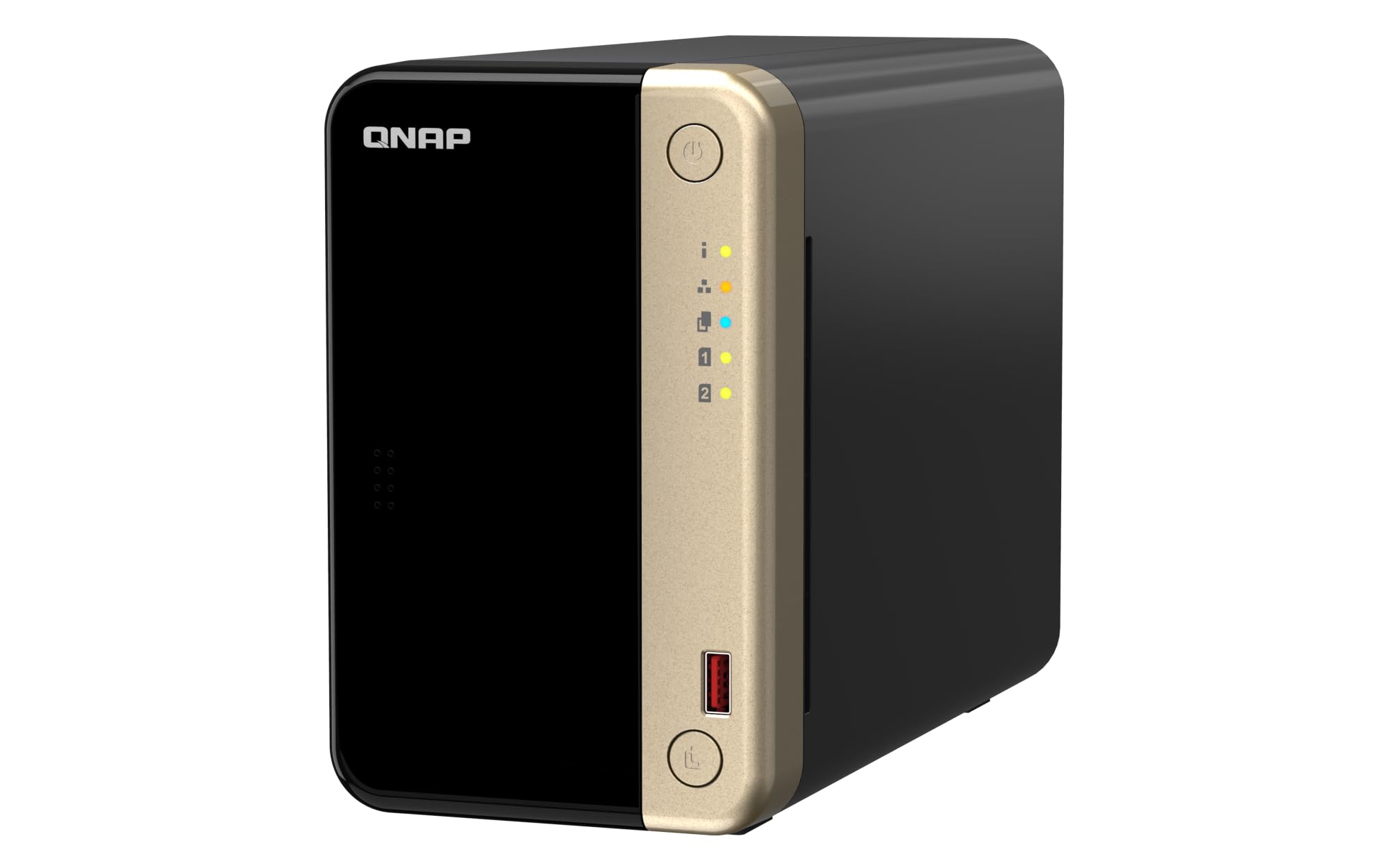
An Intel quad-core that bursts to 2.9 GHz, wrapped in the friendliest software on this list.
This is the box for someone who wants the NAS to feel like an app, not a project. The Intel quad-core CPU bursts up to 2.9 GHz with 8GB of RAM installed, and the setup walks you through every step. Two M.2 PCIe Gen3x2 NVMe slots let you run cache acceleration or an SSD storage pool for a speed layer over the spinning drives. Ports include dual 2.5GbE (2.5G/1G/100M) plus USB 3.2 Gen 2 Type-A at up to 10Gb/s.
Media collectors pick this one for its storage: two bays of SATA 6 Gb/s (a standard drive connection) at 7200 rpm, so a big movie library fits on fast spinning disks. The memory is upgradeable too — one buyer moved from 8GB to 32GB after opening the case and finding two slots. Buyers praise the performance most, and the 2.5GbE port (2.5-gigabit Ethernet, about 2.5x the speed of standard gigabit) is singled out as a real step up over gigabit. The Qfile Pro and Qsync apps handle automatic phone backups in the background.
Two things to know. Some units report network disconnections, which usually traces back to cabling or switch settings rather than the box. And noise lands in the mixed zone — a soft hum that one reviewer noted you stop noticing after a few minutes. If an always-on machine in your living space would bother you, plan where it goes before you buy.
Where it earns trust: upgradeable RAM, a polished OS, and a 2.5GbE pair make this the low-friction choice for a family media library.
The caveat to size: if your network gear is older gigabit, the fast ports here will not pay off until you upgrade the switch side.
Pick this if: you want a set-and-forget two-bay with an app store and clear setup guidance.
Consider the alternative if: you need more drive bays than two for a growing archive.
6. Asustor Flashstor 6 FS6706T

Six M.2 NVMe slots means no spinning platters at all — the quietest path to a big home library.
Every slot here is flash. Six M.2 NVMe positions take you into serious all-flash territory, and the Intel Celeron N5105 quad-core keeps the library moving. Dual 2.5GbE ports handle the network side, with USB 3.2 Gen2 and HDMI 2.0b for expansion and direct playback. Because there are no mechanical drives, the box runs cool and near-silent — the kind of thing you forget is on your desk in a studio.
Quality is the aspect that wins people over, and installation follows close behind. NVMe drives slot in with little fuss, and the memory can be upgraded. Plex servers get up and running with a few drives and grow from there. One buyer ran it for six months without trouble. The all-flash layout also means 4K hardware transcoding and fast reads for a media library that would otherwise need a spinning array.
Two honest notes. The retaining clips that hold drives in place are thin plastic — fine for installing a drive, fragile if you plan to swap often. And the setup instructions push you toward an app when a quick default-password note would do. Neither stops this from being the right choice for a quiet, all-flash home server.
The all-flash payoff: no hard drives means no whir, no vibration, and no heat spike sitting next to your monitor.
Care note: treat the SSD retaining clips gently — they are built for installation, not repeated swaps.
Choose it for: a silent all-flash media library where drive noise would ruin the room.
Reconsider if: you want to hot-swap drives often or prefer a one-click guided setup.
7. TERRAMASTER F8 SSD 8-Bay NAS
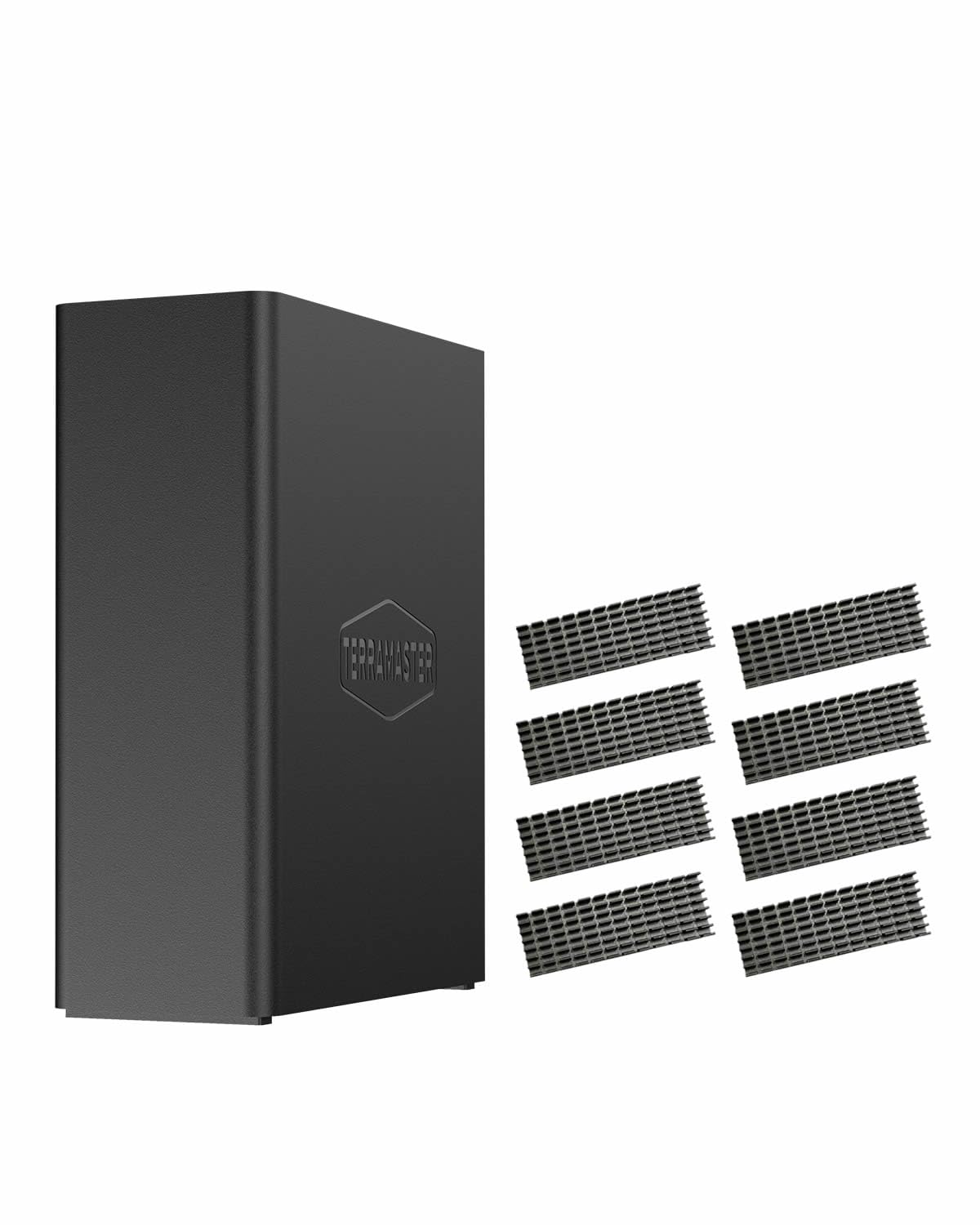
Eight NVMe slots in a body the size of a paperback book — and near-silent while it works.
Count the slots: eight M.2 2280 NVMe positions, each holding up to 8TB for a 64TB ceiling. That is the most slots on this list, and it comes in a chassis described as palm-sized — about the size of a paperback, no heavier than two phones. The Intel N95 quad-core runs four threads up to 3.4GHz with UHD graphics, matched to 8GB of DDR5 at 4800MHz. A 10GbE port pushes up to 1024MB/s.
The 10GbE port is the number that changes how you work. At 1024MB/s, large video files move in a fraction of the time a gigabit line would take, and the SSD-based design keeps standby noise below 19dB — quiet enough to sit beside you while you edit. Heat gets real attention too: heat sinks on each drive plus a convection design and silent fans. The Business Backup Suite bundles centralized backup, TerraSync, Duple Backup, CloudSync, and snapshot protection against ransomware.
The trade-off is the premium ask for a niche layout. Where the UGREEN DXP4800 Plus holds 144TB across four full-size bays, this tops out at 64TB across eight M.2 sticks — and M.2 drives cost more per terabyte than 3.5-inch disks. You are paying for silence and a tiny footprint, not raw capacity per dollar. Buy it for a quiet desk setup, not a bulk archive.
Why it stands out
- Eight M.2 NVMe slots — the most flash room here — for a 64TB ceiling
- 10GbE at up to 1024MB/s makes big file moves feel instant
- Standby noise below 19dB and a body the size of a paperback
- Heat sinks per drive plus a convection design keep it stable
The honest limits
- M.2 drives cost more per terabyte than full-size disks, so raw capacity is the priciest here
- The plastic enclosure is lighter than the metal options on this list
- Diskless — drives are yours to buy
Made for: the setup where the NAS lives next to you and quiet matters as much as speed.
Not built for: the cheapest terabyte — if raw capacity per dollar rules, a bay-based box wins.
8. UGREEN NAS DXP480T Plus

A 12th Gen Intel i5 all-flash box with Wi-Fi 6 — the one that skips the network cable entirely.
Wi-Fi 6 built in sets this apart from every wired-only pick here. You can place it where the signal lives instead of where the cable reaches. Behind that flexibility sits a 12th Gen 10-core, 12-thread Intel Core i5 chip and 8GB of DDR5 memory, a processing jump over the quad-core Celeron machines. The 10GbE port reaches peak speeds of 1250MB/s, and four M.2 NVMe slots support JBOD, Basic, RAID 0/1/5/6/10 with a 32TB ceiling.
For an edit suite, the fast reads are the point — the all-flash design gives near-instant access while you cut video, so you stop waiting on drives. Build quality and stability are what earn trust here; the box is described as rock-solid with reads and writes near theoretical limits. The single NAS app folds storage manager, files, photos, and more into one place instead of scattering functions across separate downloads. A 128G boot SSD keeps the system separate from your media.
Value sits at the premium end, and that is the honest shape of it — you are paying for the i5, the Wi-Fi 6, and the all-flash layout in one chassis. Reliability reports land in the mixed zone, which is where knowing your support channel helps. A buyer noted support replied within an hour to fix a small problem, so the after-sales side does show up when needed.
The Wi-Fi 6 edge: no other pick here offers wireless, so this is the one for a room with no easy Ethernet run.
What it costs: the all-flash design and i5 chip put it in premium territory — expect less capacity per dollar than a bay-based unit.
Ideal for: the editor who wants an all-flash i5 box with the freedom to skip the cable.
Look at the four-bay sibling if: you want larger drives and a wired-only setup for less.
9. MINISFORUM N5 Pro 5-Bay NAS

An AMD Ryzen AI 9 chip with 24 threads, dual fast network ports, and room for 188TB.
The processor here is in a different class. The AMD Ryzen AI 9 HX PRO 370 runs 12 cores and 24 threads up to 5.1GHz with up to 80 TOPS of AI compute, and the Radeon 890M graphics handles everything from media decoding to games. Five SATA bays plus three M.2 NVMe slots (or one M.2 plus two U.2) reach a 188TB ceiling. Networking pairs a 10GbE port with a 5GbE port, and link aggregation can combine them.
Memory is the part that separates this from consumer boxes. Two DDR5 SO-DIMM slots at 5600 MT/s take you up to 96GB with ECC support — the error-correcting kind that catches bit errors to protect business files. Note the factory 16GB module does not support ECC, so ECC needs a module swap. MinisCloud OS runs on the built-in 128GB SSD with ZFS snapshots, LZ4 compression, multi-user isolation, Docker apps, and AI photo albums. The slide-out motherboard makes RAM and SSD upgrades quick, and dual 9025 fans cool the drive bays.
The catch is the fine print. The system disk occupies one of the three M.2 slots, so using all three means removing the system disk and losing MinisCloud OS. Noise lands in the mixed zone — the dual fans are there for a reason on this much hardware. MinisCloud OS is full-featured but lighter on polish than some rivals. Buy this for raw compute and expandability, not a plug-and-play setup.
The muscle: 12 cores, 24 threads, 80 TOPS, and ECC memory up to 96GB — this is the most expandable machine here.
Read the note first: the pre-installed system drive eats one M.2 slot, so full slot use means customizing the OS install.
The pick for: a home-lab builder running many VMs, AI workloads, or heavy concurrent file access.
Skip if: you want a light OS from the start and no interest in the slot trade-offs.
Know the Specs
M.2 NVMe Slots
An M.2 NVMe slot is a flat socket for a gum-stick-shaped SSD that talks directly to the CPU over PCIe. More slots means more all-flash capacity or more cache room. Watch the count and the drive size the slot accepts — most here use 2280-length drives. On some units one slot is already taken by the boot drive, so confirm how many are free before planning an array.
Network Ports
A 2.5GbE port (2.5 gigabits per second) beats standard gigabit for file transfers, and 10GbE goes further still — 10GbE models here list speeds like 1250MB/s and 1024MB/s. The port only helps if your router or switch handles the same speed. Dual ports support link aggregation to team them for more throughput or redundancy.
RAM and CPU
CPU cores and memory decide how many jobs the NAS can run at once. A 4GB starting point handles plain file storage; 8GB and up opens up Docker containers and virtual machines. Some units let you upgrade memory later, others lock you to what ships. The processor class — quad-core Celeron versus 10-core i5 or 12-core Ryzen — sets the ceiling for heavy workloads.
Diskless and Drive Capacity
Diskless means no drives are included, and the listed capacity is the ceiling with drives you buy separately. Check the drive type each unit accepts — full-size 3.5-inch disks for bays, or 2280-length NVMe for flash slots. M.2 drives cost more per terabyte than full-size disks, but they run silent and faster.
Common Questions
Do I need drives to use a diskless NAS from the start?
Will a 10GbE NAS run faster on my existing home network?
Is an all-flash SSD NAS better than one with hard drives?
How much RAM do I need for Plex and Docker?
Can these NAS units run virtual machines?
What does the system drive being pre-installed mean for my SSD slots?
Can I mix SSDs and hard drives in the same NAS?
How noisy is an SSD NAS compared to one with spinning drives?
Do I need RAID, and which level should I pick?
Will a NAS like this work with my phone and smart TV?
What is the difference between 2.5GbE and 10GbE in daily use?
The Bottom Line
For most homes the ssd nas for home winner is the UGREEN DXP4800 Plus because it pairs a 10GbE port (10-gigabit Ethernet, for very fast file moves) with a 2.5GbE lane, 8GB of DDR5 memory, and a 144TB ceiling in one quiet chassis — so family backups, Plex through Docker, and large file moves all fit without asking you to trade one for another. If absolute silence next to your desk matters more than capacity, the UGREEN DXP480T Plus brings the Wi-Fi 6 freedom and 10GbE speed of an all-flash i5 box. And for the home-lab builder running many virtual machines with room to grow to 96GB of ECC memory (memory that catches and corrects errors), the MINISFORUM N5 Pro is the one to reach for.
One honest nudge: buy the network port and SSD slot count you will actually grow into, not the biggest number on the page. Match your switch to the NAS port, count your flash slots against your media library, and confirm whether you supply drives, memory, or an OS — then the DXP4800 Plus stops being the safe default and starts being the box that fits how you store files.
How we choose
We do not accept paid placement. Every pick is matched to a real buyer and a real use-case; we do not hands-on test units.
Sources
Specifications: manufacturer listings and product documentation. Review insights: verified customer reviews, as of November 2026. Pricing: not shown on this page (it changes often); check the current price via the retailer link.
As an Amazon Associate, Tactical Gear Guy earns from qualifying purchases. This does not affect which products we feature.