Specs are compiled from manufacturer listings and verified buyer reviews and can change over time — please confirm the key details on the product page before buying.
You want a screen that still speaks VGA, still fits a square hole in your rack, and still shows a security feed without stretching faces sideways. That is the whole job. The picks below are the ones that actually do it, sorted by what they are genuinely good at rather than by what looks impressive on a spec sheet.
This guide is built by comparing the manufacturers’ published specifications and the patterns across verified customer reviews, so you get each pick’s real strengths and trade-offs instead of marketing spin.
A square panel is not a downgrade for legacy workstations and camera walls — it is the correct shape. The list below covers the practical, no-nonsense old computer monitors worth wiring into a bench, a counter or a cabinet today.
Top Picks


How To Choose The Best Old Computer Monitors
The mistake almost every first-time buyer makes is shopping by screen size alone. A big panel running the wrong aspect ratio gives you black bars, squashed text, or a camera feed where faces look like they were drawn by a child. Get the shape and the input right first, then worry about the rest.
Match the aspect ratio to what you are feeding it
Legacy PCs, point-of-sale terminals and most analog camera recorders output a squarish picture. A 4:3 panel (four units wide for every three tall) or a 5:4 panel shows that picture edge to edge with nothing cropped. A widescreen panel has to stretch or pad it, and both look wrong on a work screen you stare at for hours.
Check native resolution before you check anything else
Native resolution is the exact pixel grid the panel is physically built to display. A 1280 x 1024 panel fed a 1280 x 1024 signal shows razor-sharp text. Feed it a 1080p signal instead and it has to rescale, which softens small menu text — fine for video, less fine for a spreadsheet.
Confirm the ports your old hardware actually uses
VGA is the analogue connector almost every older workstation still has. BNC is the round twist-lock connector used by analog CCTV cameras and recorders. AV handles composite video. HDMI covers anything modern. Count how many of those you need before buying, because a monitor missing your one required port is useless no matter how good the panel is.
Decide between desk stand and wall mount
VESA mounting means the back of the monitor has a standard square hole pattern so you can bolt it to a wall bracket or a cabinet frame. A 75 x 75 mm or 100 x 100 mm pattern is the common size — check which one your bracket uses, because they are not interchangeable.
Side-by-Side Comparison
| Model | Best For | Screen Size | Native Resolution | Brightness | Amazon |
|---|---|---|---|---|---|
| Eyoyo 12 Inch HDMI Monitor★ Best Overall | Tight spaces and mixed inputs | 12 inch | 800 x 600 | 400 cd | Amazon |
| Dell P1914S 19-inchTop Performer | Adjustable desk work | 19 inch | 1280 x 1024 | 250 cd | Amazon |
| 17″ Square Monitor with 45% sRGBBest for Cameras | Cheap CCTV desk screen | 17 inch | 1280 x 1024 | 250 cd | Amazon |
| Thinlerain 17-inch 4:3 | Retro console hookups | 17 inch | 1280 x 1024 | 250 cd | Amazon |
| JaiHo 14 Inch 4:3 | Small counter and equipment stations | 14 inch | 1024 x 768 | 400 cd/m2 | Amazon |
| JaiHo 17 Inch Square | Retro PC and analogue camera desks | 17 inch | 1280 x 1024 | 250 cd | Amazon |
| RetroArcade 19 Inch CRT Replacement | Upright cabinet swaps | 19 inch | 1024 x 768 | 250 cd/m² | Amazon |
| UNICO 26 inch Arcade Monitor | Big cabinet rebuilds | 26 inch | 1024 x 768 | — | Amazon |
Detailed Reviews
1. Eyoyo 12 Inch HDMI Monitor
Our pick — 4.0+★ from 100+ verified ratings; the strongest balance of quality and price.
One small square screen that swallows every connector in your junk drawer.
Fitting a monitor onto a crowded bench is usually the hard part, not the picture. This one is 12 inches across in a 4:3 shape, which is small enough to sit beside a Raspberry Pi without swallowing the whole worktop. It carries more input types than anything else here: HDMI, VGA, USB, AV and BNC all live on the back, so a laptop, a DSLR, a security camera and a retro console can all reach the same panel.
It is also the brightest pick on this list at 400 cd/m², which is a measure of how much light the screen throws out. That headroom helps at a dim security desk and on a shelf where daylight hits the glass. The wide 165° viewing angle means two people can read the same feed side by side without the far side going muddy. And the image flip function — left, right, down, up — exists for a real reason: when a camera or teleprompter rig is mounted upside down, you correct it inside the menu instead of upside-down in your head.
The honest catch is picture sharpness for serious computer work. The panel tops out at 800 x 600, so small text arrives chunky, and that is the trade-off the review pages keep circling. It is a monitoring and specialty screen, not a word-processing screen. Size is what wins people over here — it disappears into a small footprint, and that is exactly what a bench build or a home automation dashboard needs. At 4.0+ stars across 100+ ratings, it is the most-reviewed pick here, and the price holds up against what it does.
What earns it the top spot
- Six input types on one panel — HDMI, VGA, USB, AV, BNC and audio out
- 400 cd/m² brightness, the highest on this list
- 165° viewing angle so a second person can read the same feed
- Image flip in all four directions for inverted rigs and teleprompters
- VESA 75 mm bracket and a desk stand both in the box
- Dual built-in speakers plus a remote for input switching
Where it asks you to compromise
- 800 x 600 is a low pixel count — fine text looks coarse, so it is not a document screen
- The BNC port reads CVBS analogue only; SDI, TVI, CVI and AHD cameras need a converter
- Worth checking your intended use first, because the price feels steep if you only want a plain second screen
Go for it when: you need one compact screen that can accept a camera feed, a Pi, a console and a laptop without cable-swapping.
Look elsewhere when: the screen will mostly show spreadsheets or long documents — step up to a 1280 x 1024 panel.
2. Dell P1914S Black 19-inch 1280 x 1024 IPS Monitor (Renewed)
The one that pivots, swivels and tilts until your neck stops complaining.
The stand is the reason this earns a spot near the top. Height adjustment, pivot, swivel and tilt all work together, so you can drop the screen to eye level, spin it into a tall portrait column for long documents, or angle it away from a window glare. Very few square panels below the premium tier offer that range. Owners turning it 180 degrees to read like a tablet screen is a genuine use of the pivot, not a gimmick.
On raw picture comparison it beats the Eyoyo comfortably — 1280 x 1024 pixels against 800 x 600 is a big jump in usable desktop space, and its 1000:1 contrast ratio against the Eyoyo’s 450:1 means dark areas stay dark instead of washing grey. At 8ms response time it is also slower than the 5ms on the Thinlerain, so fast-motion gaming is not its lane. For writing, spreadsheets and web browsing on an older desktop, the sharpness is the whole point.
This is a certified refurbished unit, which means it was tested, cleaned and repackaged, ships with a minimum 90-day warranty, and may turn up in a plain box. A couple of buyers have found dead pixels on arrival or cables that look well-used. Read that as a shipping lottery rather than a design flaw — if the panel itself is clean, the screen is genuinely good, and the 178° viewing angle holds up from an angle. Owners rate the 1280 x 1024 IPS picture first and the refurbished price a close second.
The refurb gamble: you are buying a tested used panel with a 90-day warranty in a generic box — that is the deal, and it is why owners happily order a second one.
Right call for: a desk workstation that needs height and portrait adjustment plus a USB hub on the back.
Think twice about: buying it as a gaming monitor — 8ms and a 1280 x 1024 grid will not keep up.
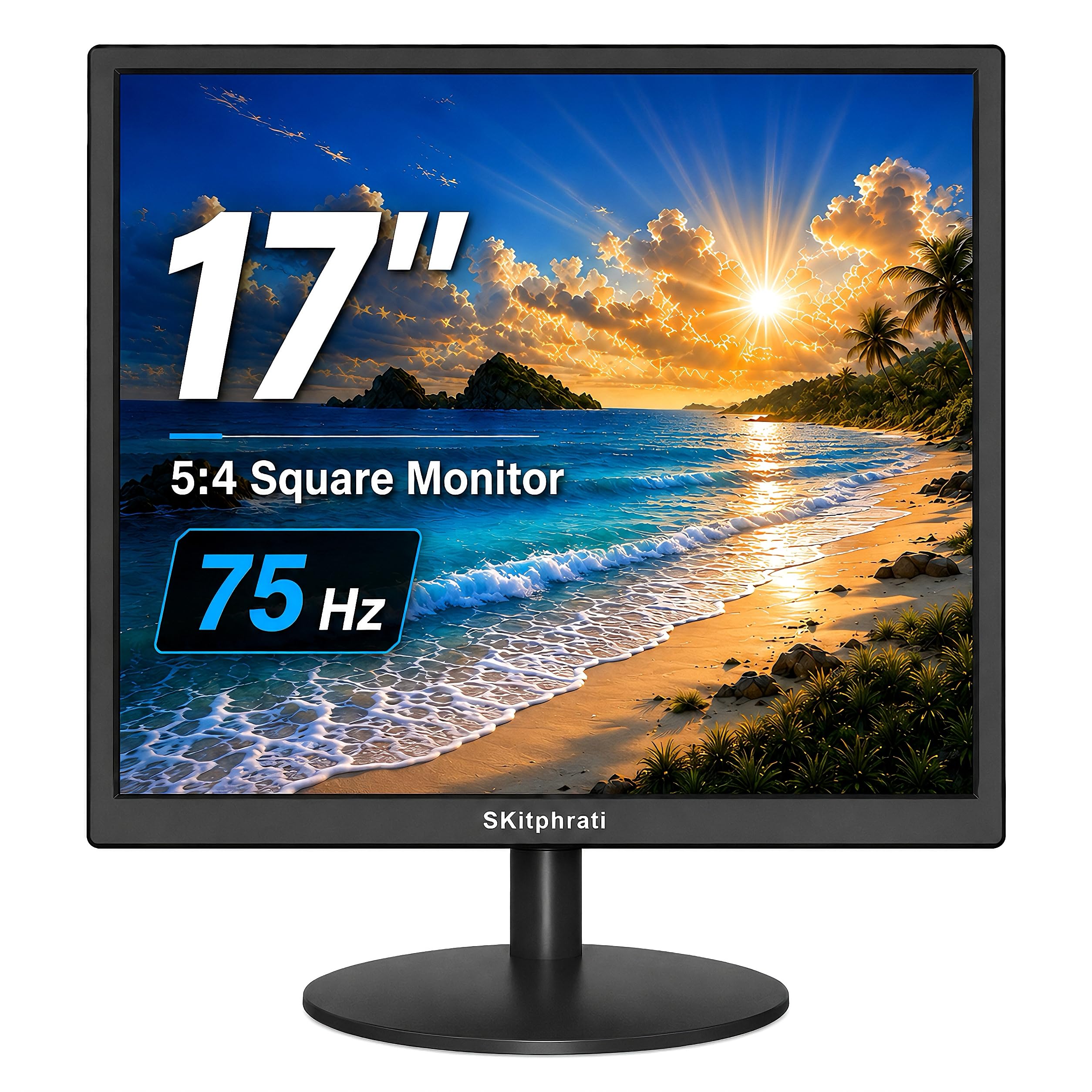
3. 17″ Square Monitor
Extra vertical height for editing, coding and a wall of camera feeds.
If your work lives in columns — spreadsheets, code, a document you scroll for hours — the 5:4 shape here is the quiet hero. It is taller than a standard wide screen of the same width, so you see more lines at once before touching the scroll wheel. The 1280 x 1024 panel runs at 75 Hz, meaning it redraws the image 75 times a second, and that takes the edge off scrolling and cursor movement compared with a slower panel.
Against the JaiHo 17-inch further down, this one is brighter at 250 cd versus 250 cd on paper but reads considerably better in practice thanks to the 1000:1 contrast ratio. Feed it a CCTV recorder and the picture holds shape with no letterboxing. Photographers reviewing medium-format or square compositions get a frame that matches what they shot. The 45% sRGB colour correction figure is a claim about colour coverage, not a promise of print-grade accuracy — treat it as a reasonable office panel, not a colour-grading reference monitor.
Hold it to the right standard and it is a solid budget desk screen for a home office or a shop counter. Where it falls down is glass and light: the glossy finish throws reflections badly in a bright room, the panel is not especially bright to begin with, and some units have shown surface imperfections after a month of use. Keep it out of direct window glare and it behaves. Owners praise the build quality first and the low cost second.
The reasons it earns a desk
- 5:4 shape gives extra vertical room for code and documents
- 75 Hz refresh keeps scrolling smooth
- VESA 100 mm pattern for a wall bracket
- HDMI and VGA both present, plus an HDMI cable and power supply in the box
- Install and control layout is straightforward enough to set up in minutes
What to plan around
- Glossy glass turns a bright room into a mirror
- Brightness is modest at 250 cd — no fighting direct sun
- Not every unit survives long-term without surface marks
The pick for you if: a dim-ish room, a camera wall, or a code editor is where this screen will live.
Pass it by if: your desk sits under a window — the glossy panel will fight you every afternoon.
4. Thinlerain PC Monitor 17-inch

Cheap enough to treat as a disposable task screen — and honest owners say exactly that.
The pitch here is narrow and clear. It is a 17-inch 4:3 LED panel at 1280 x 1024, it has one HDMI input and one VGA input, it carries two 1.5W speakers, and it sits on a desk stand or hangs on a 100 x 100 mm VESA bracket. The manufacturer is upfront in the listing that this is a low-resolution monitor.
Where it genuinely shines is retro hardware. Replacing a rotting LCD panel in an older machine, or giving a PS3, PS4, Xbox 360 or Switch a square screen that does not stretch the image, is exactly the job it was built for. The 5ms response time is actually faster than the 8ms on the Dell above, which matters if you are the sort of person who notices motion blur in a side-scroller. Viewing angles and colour are the weak spots — think calibrated settings and patience rather than plug-and-praise.
Colour accuracy is the recurring gripe. Multiple screens in use as a second monitor have shown colour casts that no amount of menu fiddling fully removes, and one unit was described as too dark even at full brightness. That makes it a poor fit for photo editing or design work. Buy it as a second display, a security camera view or a retro console screen and its modest price makes a lot of sense — several owners say they would simply replace it rather than fight it.
The replacement maths: a screen you would happily bin and rebuy is a different product to one you expect to last a decade. Judge it on that footing.
Buy it because: you want a square screen for a console or a low-stakes second display without agonising over the cost.
Do not buy it for: colour-accurate work — the cast is not something the menu fixes.
5. JaiHo 17 Inch Square LCD Monitor, 1280×1024, VGA HDMI BNC

A 5:4 screen that speaks to Commodore 64s, TI-99s and analogue recorders alike.
Astonishingly few modern panels still carry a BNC connector, and that single port is what makes this one matter. BNC is the twist-lock round connector analogue CCTV cameras and recorders use, and alongside it you get AV, HDMI and VGA plus a USB port that will play photo and video files off a stick. That combination covers a DVR, a Raspberry Pi, an old desktop and a retro console on one screen without a switch box.
The panel reads 1280 x 1024 natively in a 5:4 frame, which is what classic desktop software was drawn for. C64 and TI-99 owners have connected over AV and reported the correct 4:3-style shape with no stretching. A 175° viewing angle keeps the picture readable across a monitoring room, and the built-in 10W speaker means you get audio without dragging a separate set of speakers onto the desk. A remote handles input switching when the screen is bolted up high.
Two things to weigh. The measured brightness in the spec table is 250 cd, well below the 450 cd/m² the listing text claims — and owners do report the field of view narrowing before colours start to shift, so sit closer to head-on. There are also accounts of a unit that began popping loudly and would not power off, which is a rare dud rather than a pattern. For retro PC rebuilding, owners keep coming back to the screen quality.
Worth wiring in if: a genuine BNC port plus AV is the deciding factor for your recorder or classic machine.
Worth skipping if: you only need HDMI — the Eyoyo covers that with more inputs and a brighter panel.
6. JaiHo 14 Inch LCD VGA Monitor
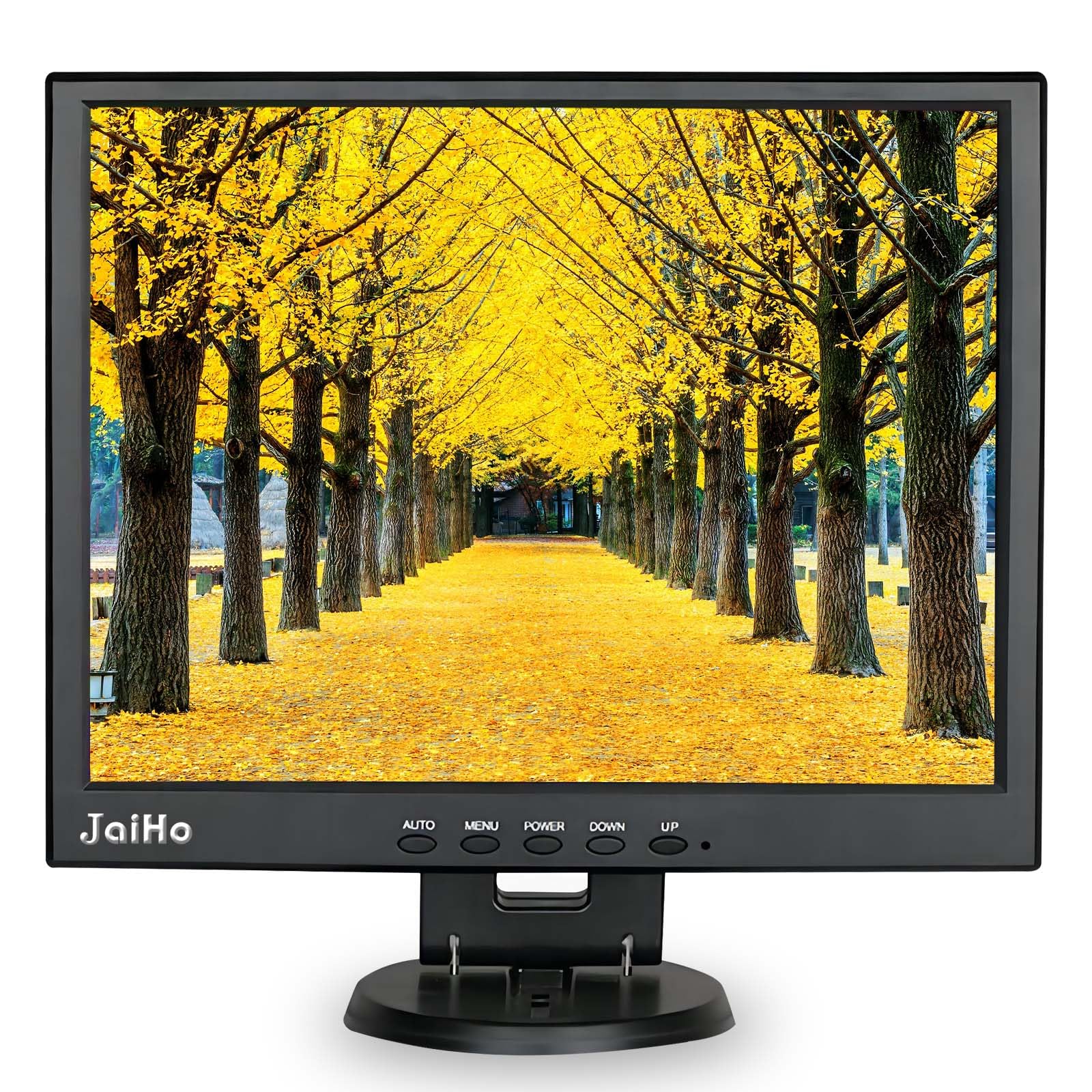
A small bench screen for a service counter where space is measured in inches.
Fourteen inches across in a 4:3 frame with 1024 x 768 resolution is a deliberate size choice. It is small enough to sit on an equipment rack or a till counter without dominating it, and the 400 cd/m² rating is genuinely bright for a panel this size — noticeably stronger than the 250 cd on the 17-inch rivals here. The anti-glare finish also means the overhead strip lights in a shop do not turn the screen into a mirror.
The port spread is unusual for the money. VGA and HDMI handle computers and recorders, while BNC and AV take analogue camera feeds, and a USB port plays media from a thumb drive. It scales a 1080p HDMI signal down to the native 1024 x 768 grid, which keeps the picture whole rather than cropping it. A 75 x 75 mm VESA pattern and an included wall bracket mean you can hang it above a counter, and the remote handles input switching when the front buttons are boxed in by shelving.
Where it stumbles is the panel itself. Blacks read closer to mid-grey than true black, and the sharpness is workmanlike rather than crisp. Treat it as an instrument screen — a menu, a camera view, a till interface — and it earns its place. It suits a small service station where one person works head-on at a till or rack.
Head-on only: the viewing angle is the honest limit here — plan the desk layout around a single seated viewer.
Made for: a till counter, a workshop rack or a compact camera station with one person watching.
Not made for: a shared viewing screen in a room where people stand off to the side.
7. RetroArcade 19 Inch Arcade Monitor

Swap a dying tube for a flat 4:3 panel without rebuilding the whole cabinet.
The whole reason this kit exists is the CRT mount included in the box. Dropping a new screen into an upright arcade cabinet normally means fabricating brackets, and this one arrives ready to bolt into the old tube’s place. It ships Jamma and Mame ready, which is the wiring standard most upright cabinets use, so the board connects the way the original did.
The panel itself is a 19-inch 4:3 LCD at 1024 x 768 with D-Sub and VGA connections, 250 cd/m² brightness and a 450:1 contrast ratio. That contrast figure is well below the 1000:1 you get on the square LCD monitors above, so deep arcade blacks will read a touch flatter — acceptable for a cabinet behind smoked glass, less ideal for a bright showroom. The 4:3 shape is the real prize, because it keeps sprite art at correct proportions instead of stretching it wide.
It is the highest-rated pick here at 4.5+ stars, though from only 20+ ratings — strong enthusiasm from a small crowd. Fewer buyers means fewer voices, so weigh it as strong enthusiasm from a small crowd rather than a mass verdict. The other thing to confirm before ordering is the depth: a 2-inch deep panel behind a 16-inch wide chassis needs to match your cabinet’s interior. Check that measurement against your own machine first.
Buy it when: you are replacing the tube in an upright cabinet and want a bracket that already fits.
Measure first if: your cabinet has unusual interior depth — confirm the fit before committing to a niche part.
8. UNICO 26 inch Arcade Monitor, 4:3 Ratio for HDMI/VGA/CGA/EGA

Twenty-six inches of flat panel that finally fits the big cabinets nobody wanted to gut.
The problem this solves is specific: 4:3 flat panels in the 25-inch-and-up bracket are scarce, and the makers of large arcade cabinets know it. This 26-inch panel comes in that same 4:3 ratio and is built to suit the majority of 26-inch arcade machines, including Arcade 1UP builds. The panel is 1024 x 768 LCD, and because it is LCD rather than a tube, it sidesteps the burn-in that eventually claims every CRT in a static-score cabinet.
Input flexibility is where it gets serious. CGA and EGA are the old arcade and early-PC graphics standards, and this monitor accepts both, alongside HDMI and DB15 VGA. That means one panel can serve an original board and a modern MAME build. Connectors are built into the back for quick install and removal, and a pre-installed mounting bracket plus a 12V 3A power supply both come in the box. Owners praise the picture quality and reliability above all else.
The one nuance worth flagging is that it is not a true 4:3 panel in every mode, which people have noticed. It still produces the experience the cabinet was built for, but purists chasing exact original geometry should expect an approximation rather than a perfect match. At 3.26 kg it is easy enough to lift into a cabinet alone.
Why a cabinet builder wants it
- 26-inch panel in a 4:3 shape, a size flat panels rarely reach
- CGA, EGA, HDMI and DB15 VGA all accepted on one unit
- No burn-in risk the way a CRT would have
- Pre-installed mounting bracket and 12V 3A adapter included
- Deep blacks with no visible washout in normal cabinet viewing
The realism check
- Not a true 4:3 panel in every mode — close to original, not identical
- Colour wants a dial-in before it looks its best
- Premium cabinet part, so cheaper desk screens beat it on plain value
The one to reach for: a 26-inch cabinet rebuild where a true 4:3 flat panel is the whole search.
Wrong tool for: a desk setup — this is a cabinet component priced as one.
Know the Specs
Aspect ratio — the shape of the picture
Aspect ratio is the relationship between a screen’s width and its height. A 4:3 panel is four units wide for every three tall, which is the shape legacy PCs and most analogue camera systems output. A 5:4 panel is slightly taller still, giving extra vertical room for documents and code. Buying the wrong shape means your picture gets stretched, padded with black bars, or cropped — none of which you want on a screen you depend on.
Native resolution and why lower can be sharper
Native resolution is the exact pixel grid the panel is physically built around. Feed a screen its native signal and text comes out crisp with no processing. Feed it something larger, like a 1080p signal into a 1024 x 768 panel, and the monitor has to rescale, which softens fine detail. A smaller native number is not automatically worse — it is only worse if you are forcing a higher-resolution signal into it every day.
Brightness in cd/m² (also written nits)
Brightness measures how much light the screen throws out. Higher numbers win in bright rooms and near windows; lower numbers can still look perfectly good in a dim office. On this list the range runs from 250 cd up to 400 cd, so if your screen lives near daylight, aim higher.
Contrast ratio and viewing angle
Contrast ratio compares the brightest white to the deepest black the panel can produce. A 1000:1 panel keeps dark scenes looking dark; a 450:1 panel will read a little grey in the shadows. Viewing angle tells you how far off-centre you can sit before colours shift — and a headline figure like 165° or 178° still means you should sit reasonably head-on for the best picture.
Inputs: VGA, BNC, AV and HDMI
VGA is the analogue connector on almost every older workstation. BNC is the round twist-lock connector for analogue CCTV cameras and recorders, and it only reads CVBS analogue signals on some units — SDI, TVI, CVI and AHD cameras need a converter. AV handles composite video for retro consoles. HDMI carries digital video and audio on one cable and can be scaled down to a square panel’s native grid.
VESA mounting and response time
VESA is a standard square hole pattern on the back of a monitor so it can be bolted to a bracket. Common sizes are 75 x 75 mm and 100 x 100 mm, and they do not interchange. Response time, measured in milliseconds, is how quickly a pixel changes colour — a lower number means less visible blur in fast motion, so a 5ms panel tracks moving images more cleanly than an 8ms one.
Common Questions
Will a square monitor work with my old VGA desktop PC?
Can I connect a BNC security camera directly to these monitors?
Why does my 1080p signal look soft on a 1280 x 1024 screen?
Is a 4:3 monitor better than a widescreen for CCTV viewing?
What is the difference between 75 x 75 mm and 100 x 100 mm VESA mounting?
Can I use one of these as a second monitor for a modern laptop?
Do these monitors have built-in speakers?
Is a certified refurbished monitor a safe buy?
What is the difference between CGA, EGA and VGA inputs on an arcade monitor?
Will an LCD arcade replacement match the look of the original CRT?
The Bottom Line
For most people hunting old computer monitors, the winner is the Eyoyo 12 Inch HDMI Monitor — it is the only pick that covers HDMI, VGA, USB, AV and BNC on one small panel, and its 400 cd/m² brightness is the strongest here. One nudge if you are still deciding: it holds 4.0+ stars across 100+ ratings, the largest review pool on this list. If a genuinely adjustable desk stand matters more than input count, the Dell P1914S pivots, swivels and tilts at 1280 x 1024. And for a cabinet rebuild where a true 4:3 flat panel is the entire search, the UNICO 26 inch Arcade Monitor is the one to reach for.
How we choose
We do not accept paid placement. Every pick is matched to a real buyer and a real use-case; we do not hands-on test units.
Sources
Specifications: manufacturer listings and product documentation. Review insights: verified customer reviews, as of November 2026. Pricing: not shown on this page (it changes often); check the current price via the retailer link.
As an Amazon Associate, Tactical Gear Guy earns from qualifying purchases. This does not affect which products we feature.