Specs are compiled from manufacturer listings and verified buyer reviews and can change over time — please confirm the key details on the product page before buying.
If your smart TV has an Ethernet port but your router sits three rooms away, you do not need to drill holes in the wall. You need a small box that grabs your Wi-Fi and hands it to the TV through a short network cable. That is the entire job of a wireless internet adapter for TV, and picking the wrong one is why so many people end up returning them.
This guide is built by comparing the manufacturers’ published specifications and the patterns across verified customer reviews, so you get each pick’s real strengths and trade-offs instead of marketing spin.
Your TV needs one of two things: a bridge that feeds its Ethernet port, or a casting dongle that mirrors a phone screen. Listings mix those two jobs up constantly. Below, every pick is sorted by what it actually does, so you can match one to your TV in a couple of minutes with this wireless internet adapter for tv shortlist built for real living rooms.
Top Picks


How To Choose The Best Wireless Internet Adapter for TV
Start by looking at the back of your TV. If it has a square network jack (an RJ45 Ethernet port), you want a Wi-Fi bridge — a box that joins your Wi-Fi network and passes the internet to that jack through a cable. If it has no network jack and you mainly want to throw phone photos or a laptop screen onto the panel, a casting dongle is the right tool instead.
Decide which job you actually have
A bridge makes a wired-only TV behave like a Wi-Fi TV, which is what most people mean by a wireless internet adapter. A dongle plugs into HDMI and mirrors whatever is on your phone or laptop. Buying the wrong one is the single most common reason these gadgets get sent back.
Check the Ethernet port speed, not just the Wi-Fi number
A box sold as “1200Mbps” may still hand your TV a port capped at 100Mbps, because the headline number describes the wireless link, not the cable output. For streaming a 4K show, a Fast Ethernet (100Mbps) port is usually plenty. For big local file transfers or a NAS drive, a Gigabit port is the one you want.
Think about where the adapter will sit
2.4GHz Wi-Fi reaches further and pushes through walls better; 5GHz is faster but shorter-range. An adapter with two external antennas has a better shot at holding a signal through a floor than a bare internal one. Plan to place the unit somewhere with at least a modest signal, then run a short cable to the TV.
Side-by-Side Comparison
| Model | Best For | Type | Rated Speed | Ethernet Port | Amazon |
|---|---|---|---|---|---|
| BrosTrend Dual Band 1200Mbps WiFi Bridge★ Best Overall | Wired TVs that need Wi-Fi | Wi-Fi bridge | 1200 Mbps | RJ45 | Amazon |
| WASOCA Wireless HDMI Display AdapterTop Rated | Phone-to-TV mirroring | HDMI casting dongle | 1080P output | — | Amazon |
| AIMIBO 4K Wireless HDMI Display DongleBest for Presentations | Presentations and photos | HDMI casting dongle | 4K | — | Amazon |
| BrosTrend AC1200 WiFi to Gigabit Ethernet Adapter | High-speed wired devices | Wi-Fi bridge | 1200 Mbps | Gigabit (1 Gbps) | Amazon |
| Sony USB Wi-Fi Adapter | Sony Bravia owners | USB Wi-Fi adapter | — | — | Amazon |
| JUCONU 4K 1080P Wireless HDMI Adapter | Android and Windows casting | HDMI casting dongle | 4K at 30Hz / 1080P at 60Hz | — | Amazon |
| AllAboutAdapters Wired LAN to Wireless Adapter | Budget bridge for AV gear | Bridge + repeater | 300 Mbps | RJ45 | Amazon |
| Vonets VAP11N-300 Mini WiFi Bridge | Tiny USB-powered setups | Mini bridge/repeater | 300 Mbps | RJ45 | Amazon |
Detailed Reviews
1. BrosTrend Dual Band 1200Mbps WiFi Bridge
Our pick — 4.0+★ from 850+ verified ratings; the strongest balance of quality and price.
A wired TV, a distant router, and no desire to run cable — this bridge handles that exact problem.
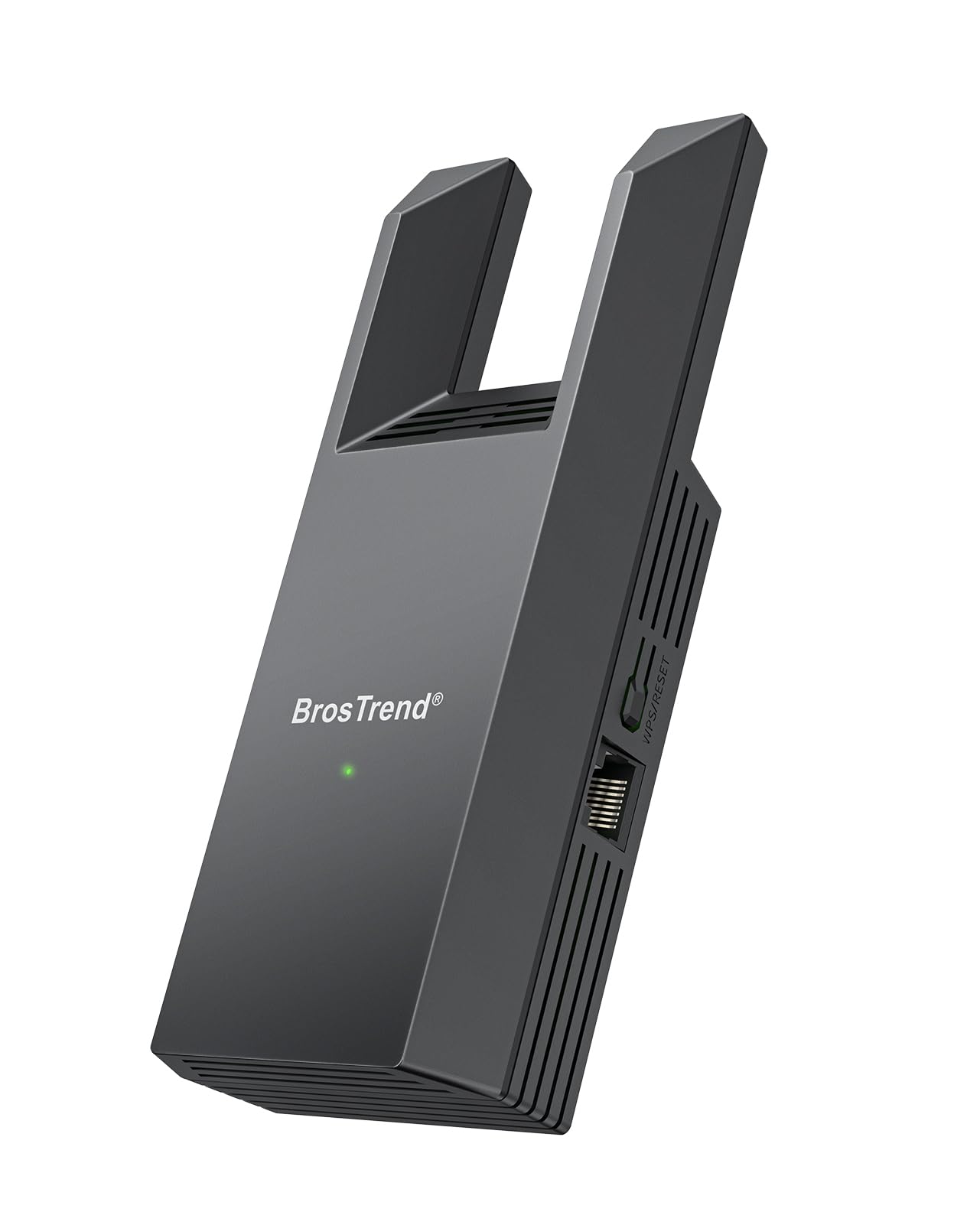
If your TV only knows how to take a cable, this is the box to plug into it. The BrosTrend Dual Band 1200Mbps WiFi Bridge joins your home Wi-Fi and feeds the internet to any device with an RJ45 port (the standard square network jack) — smart TV, Blu-ray player, game console, printer, desktop PC, Raspberry Pi. You skip the long cable run, and you skip a driver install (no software to load first).
The number you will see on the label is 1200Mbps, and that describes the wireless link on 5GHz. That is what lets a 4K YouTube stream play without pausing, and it makes this bridge the fastest wireless uplink in this group — the Vonets VAP11N-300 sits at 300Mbps on 2.4GHz only. Setup takes minutes via the WPS button on your router, or through a browser page if you prefer to pick the network manually. Pairing through WPS is the faster path for most people.
The catch sits at the port, not the radio. The RJ45 output is a standard Ethernet port, so the cable to your TV tops out well under the wireless figure, and people who bought it expecting full 1200Mbps at the TV jack have called that out. Treat 1200Mbps as the wireless link and it all makes sense. Also worth knowing: there is no switch to turn off the extender half, so it always broadcasts a Wi-Fi signal too, which annoyed a small slice of buyers who only wanted a wired hand-off.
Where it earns its keep
- 1200Mbps dual-band wireless link — fast enough for 4K streaming
- Two external antennas pull a signal through walls and floors better than internal ones
- WPS pairing in seconds, plus a web page for manual network picking
- Works on any device with an RJ45 network jack
What to plan around
- Ethernet output is capped below the 1200Mbps wireless figure
- Extender mode cannot be turned off
- Signal and speed hold up better close to the router than far from it
Reach for this if: your TV is wired-only and your router is too far to run a cable, especially if you want the fastest wireless link in this group.
Look elsewhere if: you demand full Gigabit at the TV jack or you need to disable extender broadcasting.
2. WASOCA Wireless HDMI Display Adapter
The mirroring dongle that treats 1080P as the goal and gets the picture to the panel cleanly.
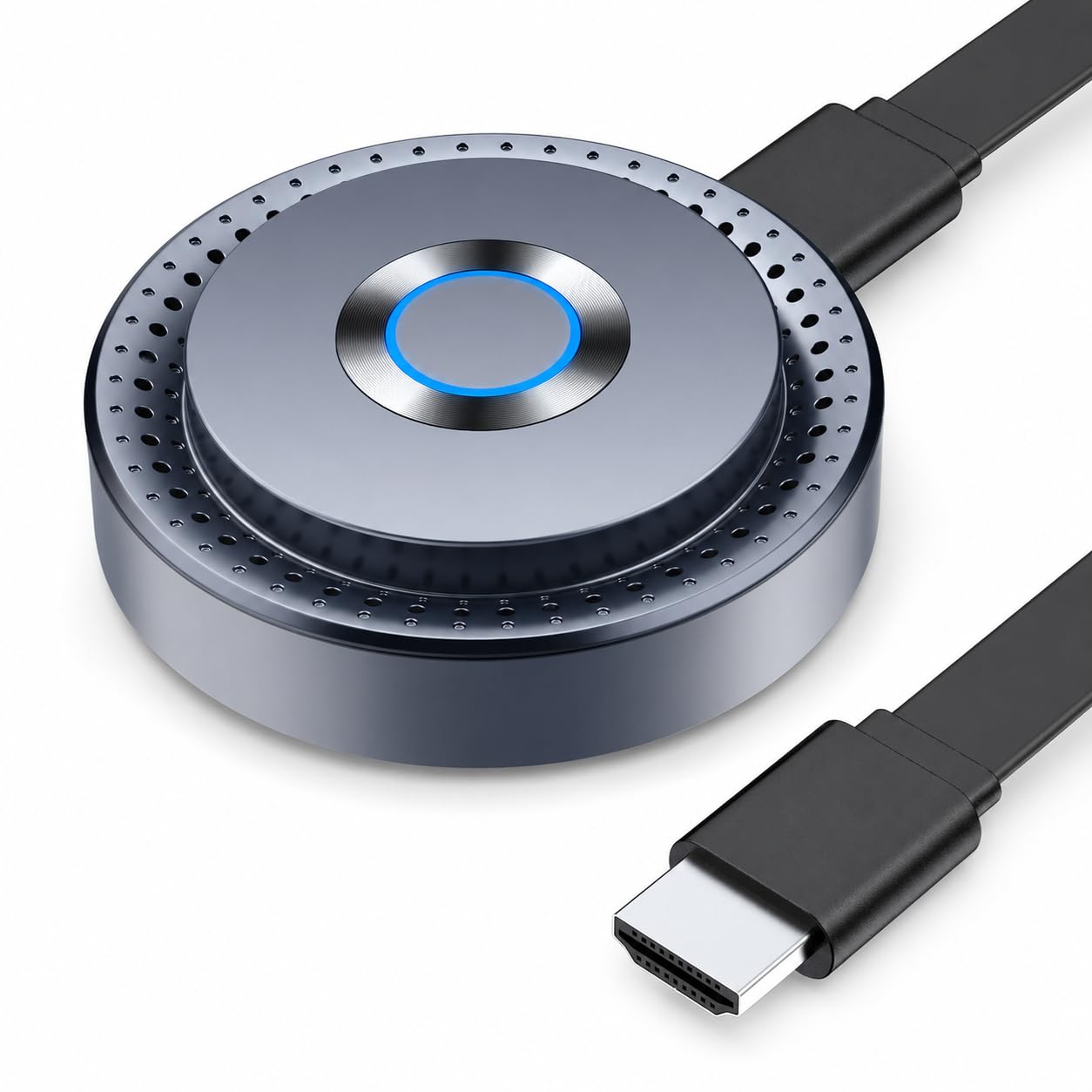
This one is a different animal from the bridges above. It plugs into an HDMI input on your TV, monitor or projector, takes power over the included USB cable, and mirrors a compatible iPhone, iPad or Mac screen using AirPlay, Miracast or DLNA. There is no Ethernet jack and no router pairing — you are throwing a screen, not wiring a device.
What stands out is the honest output spec: it decodes 4K content but outputs 1080P Full HD. That is the resolution most TV mirroring actually needs, and it keeps the picture stable. Dual-band Wi-Fi runs 2.4GHz or 5GHz, with a transmission distance up to 98 ft / 30 m, and 5GHz is the better pick when your phone and dongle are in the same room, since it cuts interference. Setup is genuinely plug-and-play, and a 5V/1A or higher USB power source is recommended so it stays reliable.
The honest limit: HDCP-encrypted apps like Netflix, Prime Video and Hulu will not mirror here — that is a copyright handshake the dongle cannot pass. Use it for photos, presentations, web content and your own video files, and it does its job. DLNA casting also lets you send supported media without mirroring the whole screen, which saves battery on the phone.
What it does well: AirPlay, Miracast and DLNA in one HDMI stick, 5GHz support for a cleaner link, and a 30 m reach that covers a normal living room end to end.
What it does not do: protected streaming apps. If Netflix on the big screen is the whole point, keep reading the bridge picks instead.
Best fit: iPhone, iPad and Mac owners who want photos, slides and browser video on the TV without a cable.
Skip when: your plan depends on paid streaming apps that require HDCP.
3. AIMIBO 4K Wireless HDMI Display Dongle
Built for the meeting room: mirror or extend your laptop screen with no app and no Wi-Fi network.
Where the WASOCA dongle tops out at 1080P output, the AIMIBO pushes 4K screen mirroring over HDMI and switches automatically between 2.4G and 5G Wi-Fi. It covers iOS, Mac, Android and Windows from one stick, and it needs no apps, no Wi-Fi and no Bluetooth — plug in HDMI plus power and you are mirroring. The working range is 65 ft, which is enough to sit at the back of a classroom or conference table.
what separates it is Extend Mode. Mirror Mode copies your phone or laptop straight onto the panel. Extend Mode lets you view TV content while still working on the phone. For spreadsheets, slides and photo sharing, that split is the difference between a gadget and a tool. A remote control is included, so you switch modes without reaching behind the TV.
This is a presenting and sharing accessory, not a way to give a wired-only TV a permanent internet connection. If your actual need is Netflix running on the TV every night, a bridge is still the right answer, and this dongle will not replace it. Buy it for the laptop-to-projector job and it fits neatly.
The draw: 4K mirroring, AirPlay/Miracast/DLNA support, and a 65 ft range that covers a roomy meeting space without a network.
The trade-off: it is not a Wi-Fi bridge, so it will not feed a permanent connection into a wired-only TV.
Pick it for: sales pitches, classroom lectures and photo sharing from a phone or laptop.
Not the one for: a TV that needs to join your home network and stay online.
4. BrosTrend AC1200 WiFi to Gigabit Ethernet Adapter
The bridge that refuses to bottleneck you at the port: Gigabit out, AC1200 in.
Most cheap bridges hand your TV a 100Mbps port and call it a day. This BrosTrend gives you a Gigabit RJ45 port (1 Gbps) instead, so the cable side can move data far faster than a standard Fast Ethernet jack. That matters when you are pulling big files to a NAS or downloading a game to a console, not just streaming a movie.
The wireless side is AC1200 dual-band — 5GHz up to 867Mbps and 2.4GHz up to 300Mbps — which keeps a reliable uplink to the router. It works with any wired device: smart TV, desktop, laptop, printer, game console, Blu-ray player, VoIP phone. No driver or software install. You can pair with WPS in seconds or use the web interface from a phone or tablet.
Buyers consistently describe setup as a breeze, the link as stable after the first week, and older TVs as a win. This is the pick if your set predates built-in Wi-Fi. The honest note: the unit is a little chunky at 0.17 kg, with a longer body than the N300 below. That only matters if you are cramming it into a tight media cabinet.
The real advantages
- Gigabit Ethernet port beats the 100Mbps cap on cheaper bridges
- AC1200 dual-band keeps the wireless uplink quick
- WPS pairing or browser setup, no drivers
- Fits older TVs, NAS drives and game consoles alike
The honest notes
- Bigger body than the mini-wattage bridges — check cabinet clearance
- Gigabit only helps if your router and device can both use it
Choose it when: speed at the jack matters — NAS, downloads, game installs, or a modern TV you want wired at full pace.
Overkill if: you only stream video and your router is a standard 100Mbps setup.
5. Sony USB Wi-Fi Adapter

A single-brand fix: it exists to put Sony’s own sets on Wi-Fi, and it does that one thing.
This is a USB Wi-Fi adapter built for Sony’s 2010 TVs and home video products — a Bravia-specific path to Wi-Fi, not a universal bridge. It supports Wi-Fi Protected Setup (the button-based pairing that skips password typing), and it draws power and data through the USB port on the TV itself, so there is no separate brick or cable run to worry about.
Among Sony owners the pattern is clear: Amazon Prime movies stream with little or no buffering, the signal holds to a router roughly 20 feet away, and setup is straightforward. The people who get on with it are almost always the ones who own the matching Bravia set. Compatibility is the deciding factor here, and it is a narrow lane.
Now the straight talk. It is the most expensive pick in this group, and a share of buyers with non-Sony devices or older models report connection trouble and lost signals. The manual is thin, and some found setup harder than expected. If you own a compatible Bravia and want an original Sony part, it is the clean choice; otherwise a universal bridge will reach the same goal for far less.
Why it earns a slot: built-in WPS support and a USB form factor that needs no extra cable, on the exact TVs it names.
Read first: the compatibility list is 2010-era Sony products, and outside that list it can struggle — confirm your model before buying.
The right call for: a Sony Bravia owner who wants the brand’s own part and a plug-in USB fit.
Step back if: your TV is not a listed Sony model, or you simply want the cheapest reliable path to Wi-Fi.
6. JUCONU 4K 1080P Wireless HDMI Display Adapter

A casting stick that is honest about its targets: strong on Android and Windows, cautious on Apple.
The JUCONU is a wireless HDMI dongle that moves video from a phone, tablet or laptop to a TV, monitor or projector with no app and no Bluetooth. The supported resolutions are 4K x 2K at 30Hz plus 1080P at 60Hz, 1080P at 30Hz, 3D and 720P. Extend Mode lets it cast video to the TV while you keep using the phone.
Where it separates itself from the WASOCA and AIMIBO is its split personality across platforms. On Android and Windows, it is built for encrypted projection apps and is listed as supporting Netflix, Prime Video, YouTube, TikTok, Hulu and more. On Apple devices it handles Safari, Office apps and similar, but explicitly will not mirror HDCP-protected apps like Netflix or Amazon Video. If you are an Android household, this is the more capable of the casting picks.
The mixed reports land on the same theme: it works well for some apps and devices and not others, and picture quality drew complaints from a smaller set of buyers. Treat the app compatibility list as the real spec to check before you buy, since behavior varies app by app. It is not built for wired-only TVs that need a permanent Wi-Fi connection.
Where it shines
- 4K at 30Hz and 1080P at 60Hz output modes
- Extend Mode keeps the phone free while video plays
- Strong Android and Windows app support
Where to be careful
- Apple devices cannot mirror HDCP-protected apps
- App-by-app compatibility means checking your specific service first
Made for: Android and Windows users casting to a TV or projector who want a wide app list and an extend option.
Check first: your streaming app’s DRM rules on your device type, since that is where the mixed reports originate.
7. AllAboutAdapters Wired LAN to Wireless Adapter

Two jobs in one box: it turns a wired device into a Wi-Fi device, and it repeats the signal too.
AllAboutAdapters sells this as both a Wi-Fi bridge and a repeater. In bridge mode it connects to any existing Wi-Fi router and gives a wired device (smart TV, Blu-ray player, game console, IP camera, printer) wireless internet over its RJ45 port. In repeater mode it extends your Wi-Fi coverage into a dead spot. The rated speed is 300Mbps max, and it supports 802.11n up to 150Mbps plus the older 802.11g and 802.11b standards.
Setup runs through a local web page in a browser on a computer — the maker says about five minutes. It supports WPA2, WPA and WEP encryption, and it can pass DC power through to an IP device, which is handy if the relay, camera or switch needs a feed. It runs from a USB port or the included DC power adapter. Maximum wireless transmission range is listed up to 300ft or 100m.
Buyers report a clean split: solid bridge performance once configured, but rough setup. Once it is configured, it does the bridge job well for months. But owners mention the instructions are hard to read and small, and a share of buyers found the web setup cumbersome or received a unit that did not hold configuration. Budget extra patience for the configuration step, and this adapter earns its low-cost place.
Its niche: dual bridge-and-repeater function, legacy 802.11b/g/n support, and DC power pass-through for AV and security gear.
Buyer caution: web-based setup is not plug-and-play, and setup trouble is where most of the friction lives.
For you if: you want an inexpensive bridge that also repeats Wi-Fi, with old standards supported.
Not for: anyone who needs a five-minute out-of-the-box experience.
8. Vonets VAP11N-300 Mini WiFi Bridge

The pocket-sized industrial bridge: tiny body, USB power, and three ways to feed it.
This is the smallest bridge in the group, and the industrial angle is genuinely its charm. It runs on a wide voltage range of DC5V-15V and takes power three ways — a DC2.5 power hole, a DC2.0 plug, or a USB port — so it can share power with the device it is serving. It handles Wi-Fi to wired and wired to Wi-Fi in both directions. The wireless rate is 300Mbps on 2.4GHz, and point-to-point transmission reaches up to 60 meters with no obstacle and less than 50 meters for video.
Setup is the thing buyers nod to: compact, easy to configure, and working without fuss once set. Compact, easy to configure, working without fuss once set — and USB power is repeatedly called out as a thoughtful touch. It is built for gear like electronic scales, DVRs, IP cameras, network printers and small robotics.
The honest warning is stability over time. Some buyers reported losing the configuration after a power cut, which means the network has to be re-entered, and a share simply could not get it working at all. If the unit will live behind a device you rarely touch, keep the configuration steps saved somewhere. This is a niche, industrial pick, not the one for a living-room TV.
Worth noting: three power options, wide 5V-15V input, dual bridge/repeater direction, and a 60 m point-to-point reach without obstacles.
The caveat: configuration can be lost on a power cut, and getting the initial setup working has a real failure rate.
Choose it when: a small fixed device needs Wi-Fi and you have USB power handy.
Pass on it if: you want a plug-and-play bridge for a main TV, or you cannot tolerate re-setup after a power cut.
Know the Specs
Wi-Fi bridge versus HDMI casting dongle
A bridge joins your existing Wi-Fi network and feeds a wired device’s RJ45 port. A casting dongle plugs into HDMI and mirrors a phone or laptop screen. They look similar in listings but solve opposite problems — match this to the port (or lack of one) on the back of your TV before anything else.
The Ethernet rate on the port
Fast Ethernet tops out at 100Mbps; a Gigabit port reaches 1 Gbps. Choose based on the device — a streaming TV can live happily on Fast Ethernet, while a NAS, game console or large downloads want Gigabit. This is the number most buyers overlook on the wireless figure.
2.4GHz versus 5GHz Wi-Fi
2.4GHz reaches further and pushes through walls; 5GHz is faster but shorter-range. A bridge with dual-band wireless and external antennas is the flexible option when the router is not in the same room. Match the band to distance, not just the headline speed.
Setup methods: WPS versus web GUI
WPS pairing is a button on the router and pairs in seconds; the web GUI (a browser page served by the adapter) lets you pick a specific network and change settings. Bridges that support both tend to suit more households, while older or more industrial units often rely on the web page alone.
Common Questions
Will a Wi-Fi bridge work with my smart TV that only has an Ethernet port?
What is the difference between a Wi-Fi bridge and a screen-mirroring dongle for a TV?
Why does the adapter say 1200Mbps but my TV’s port is slower?
Will a casting dongle mirror Netflix to my TV?
Can I use the Sony USB Wi-Fi Adapter with a non-Sony TV?
Will a mini bridge like the Vonets lose its settings?
Do I need a wall charger for these adapters?
How far can a casting dongle reach from the TV?
The Bottom Line
For most people, the wireless internet adapter for tv winner is the BrosTrend Dual Band 1200Mbps WiFi Bridge. It handles the most common case — a wired-only TV on the other side of the house from the router — with a 1200Mbps dual-band link and WPS push-button pairing that takes minutes. If you want speed at the cable end for a NAS, console or a modern TV, the BrosTrend AC1200 WiFi to Gigabit Ethernet Adapter reaches Gigabit. And for phone-to-TV casting or a presentation setup, the WASOCA Wireless HDMI Display Adapter is the cleanest mirror option in this group — it carries the sharpest verified rating in this group, though on a smaller review base than the bridges.
How we choose
We do not accept paid placement. Every pick is matched to a real buyer and a real use-case; we do not hands-on test units.
Sources
Specifications: manufacturer listings and product documentation. Review insights: verified customer reviews, as of November 2026. Pricing: not shown on this page (it changes often); check the current price via the retailer link.
As an Amazon Associate, Tactical Gear Guy earns from qualifying purchases. This does not affect which products we feature.