Specs are compiled from manufacturer listings and verified buyer reviews and can change over time — please confirm the key details on the product page before buying.
You want numbers you can trust when you hit into a screen at home. That is the whole game with a professional golf simulator. The wrong unit will flatter your slice, miss one in ten shots, or drop its connection mid-round — and you will not find out until it is already in your garage. This guide separates the units that track real ball flight from the ones that only look expensive on the spec sheet.
This guide is built by comparing the manufacturers’ published specifications and the patterns across verified customer reviews, so you get each pick’s real strengths and trade-offs instead of marketing spin.
Two technologies divide this shelf: camera systems that photograph the ball through impact, and radar units that track its flight. The camera route tends to demand a proper PC and a wired connection, while radar is happier outdoors. Here is what actually holds up when you are buying a professional golf simulator.
Top Picks


How To Choose The Best Professional Golf Simulator
The first decision is not brand or budget — it is whether camera or radar tracking fits the room you actually have. Get that wrong and no PC spec or software bundle will save the setup.
Camera or radar — pick your room first
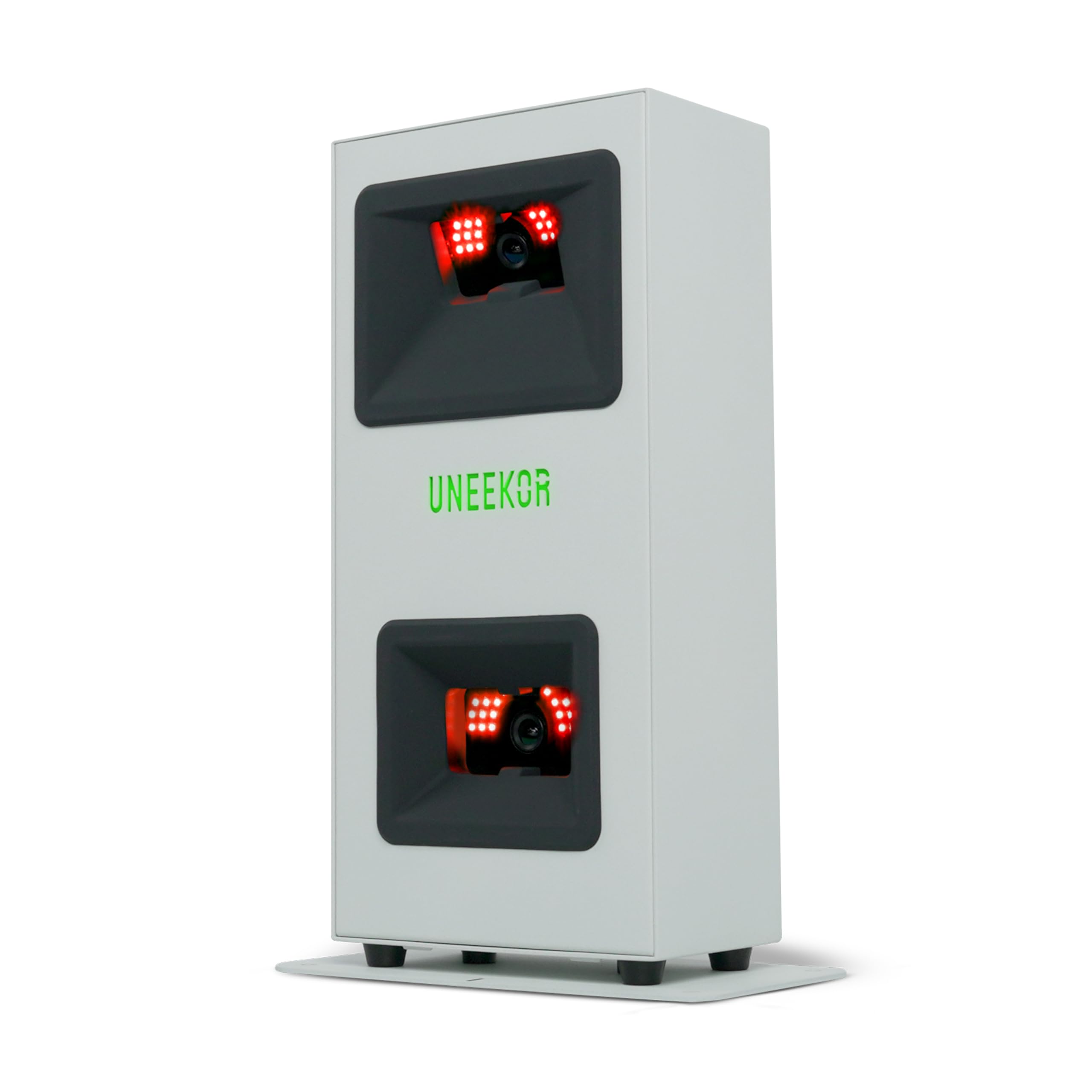
Camera units like the Uneekor EYE MINI line photograph the ball through impact using infrared cameras. They read the dimples on a normal ball, so you do not need marked or special balls. The trade-off is that they want a dedicated indoor bay with a wired Ethernet connection and a PC that meets the published spec.
Radar units track the ball’s flight using Doppler radar (a radio signal that bounces off a moving object). They travel better and often work outdoors, but indoors the ball only flies a few feet before it hits the screen, so the unit is working from a short sample. That is why indoor accuracy complaints cluster around radar units.
The PC requirement is a real line item
Several camera-based simulators here are sold as the launch monitor only and require a Windows PC to run. The EYE MINI CORE asks for 32 GB of RAM and an NVIDIA RTX 3060 Ti or equivalent. The EYE MINI LITE asks for an RTX 3060 with 6 GB for VIEW software, and an RTX 4070 with 16 GB if you want simulation plus AI features. Neither runs on Mac or Linux. Check your tower against those numbers before you buy anything.
Data points versus data you use
A long data list looks impressive on a product page but tells you nothing about read reliability. What matters is whether the unit reliably reads the shots you actually hit — including thin strikes and soft wedges around the green. Ball speed, launch angle, spin rate, and carry distance are the four that change how you practise. Club path and face angle tell you why the ball went where it went.
Subscriptions and software compatibility
Some units bundle a year of software or a trial of course packages; others require an active membership to open up virtual rounds. Third-party software like GSPro, E6 Connect, and TGC 2019 usually needs its own subscription. Add that to your budget line, not the hardware line.
Side-by-Side Comparison
| Model | Best For | Tracking Tech | Setup Requirement | Battery / Power | Amazon |
|---|---|---|---|---|---|
| Garmin Approach R50★ Best Overall | All-in-one with a built-in screen | 3-camera system | Standalone, no PC | 4 hours | Amazon |
| SkyTrak+ (Previous Generation)Best Portable Hybrid | Portable indoor radar-and-camera hybrid | Doppler radar + photometric camera | Wi-Fi, no PC required | Rechargeable, 16 oz unit | Amazon |
| EYE MINI CORE | Dedicated indoor bay with a strong PC | Dual infrared cameras | PC required, 32 GB RAM | Wired Ethernet, mains powered | Amazon |
| FlightScope Mevo Gen2 | Range and outdoor portability | 3D Doppler radar + Fusion Tracking | iPad or iPhone app | 6 hours | Amazon |
| SkyTrak ST MAX | Software bundle included | Not stated in listing | Dual USB-C, charge and play | 1 Lithium Polymer battery | Amazon |
| EYE MINI LITE | Full club and ball data with impact video | Dual high-speed cameras | PC required, 16 GB RAM | Mains powered | Amazon |
Detailed Reviews
1. Garmin Approach R50, Premium Golf Launch Monitor & Simulator
Our pick — 4.0+★ from 60+ verified ratings; the strongest balance of quality and price.
One box, one screen, no PC tower sitting next to your hitting mat.
The Garmin Approach R50 is the crowd favourite on this shelf by a wide margin — 4.0+ stars from 60+ owners — and the reason is simple. It packs a 10″ built-in colour touchscreen, so you pick a course, check your numbers, or replay an impact video without plugging into anything. Most rivals here are a sensor waiting for a laptop to tell them what to do. This one is the whole control room.
Three cameras do the measuring, and it tracks ball speed, launch angle, face to path, plus spin rate and spin axis both indoors and outside. Face to path needs the tracking sticker that ships in the box — a small thing, but worth knowing before you start swinging. A built-in barometer reads atmospheric pressure to adjust carry distances for your location. Training mode logs stats per club and draws a shot dispersion chart. You can play virtual rounds with putting for up to four players across more than 43,000 courses through Home Tee Hero, which requires an active Garmin Golf membership.
Where it stumbles is accuracy — that is the one thing owners split on, and the split is real. Some find the numbers dialled in; the recurring gripe is carry distances reading low. Read the trade-off plainly: this is a superb home simulator and practice device, and a less certain tour-level fitting tool. The 4-hour battery is half of what the FlightScope Mevo Gen2 offers (6 hours), so if range sessions are your main use, note that gap.
What wins you over
- A 10″ colour touchscreen that runs courses, stats, and impact video with no external display
- Three cameras tracking ball data indoors and on the range
- High-speed impact video gives you a visual, not just a number
- HDMI out to a monitor or projector for a bigger picture
Where you should look elsewhere
- Owner reports of carry distances reading short are the most-discussed issue
- Virtual rounds and tournaments need an active Garmin Golf membership
- 4-hour battery is shorter than some radar rivals
Reach for this if: you want one device that does display, tracking, and simulation without a PC in the room.
Think twice if: you need a tool you will trust for exact carry yardage over a fitting session.
2. SkyTrak+ Launch Monitor
A 16-ounce radar-and-camera hybrid that turns a garage mat into a smart range.
SkyTrak+ pairs Doppler radar with an improved photometric camera to read club head speed, smash factor, club path, and face angle. At 16 ounces it travels easily, and at 6 x 3 x 12 inches it is more compact than the EYE MINI CORE at 6.5 x 3.38 x 13.9 inches. The Play & Improve plan opens WGT by TopGolf and TruGolf E6 Connect across more than 100,000 courses. Set-up is genuinely quick — one hit area went from mat to a working smart range in half an hour of owner time.
The honest picture is a device that shines when it reads, and occasionally does not. The biggest thing buyers talk about is reliability, and the mixed verdict is fair. Shots go missing — one owner logged 10 to 12 no-reads out of roughly 200 swings. Lob wedges around the green are the frequent blind spot. Network reconnection after a couple of weeks has been a reported headache for some. The warranty is 6 months or 25,000 shots read, so register that before you assume long-term coverage.
Software compatibility is the other buying decision. This generation is not compatible with GSPro, the most popular third-party sim package, which stings if GSPro is your plan. If you can live with the Play & Improve bundle and want a light, packable unit, the SkyTrak+ earns its spot.
The practical read: strong accuracy that occasionally drops a shot, packaged in a unit light enough to carry to the range — a fair trade for anyone who accepts the 25,000-shot warranty ceiling.
Pick it when: you want radar-and-camera tracking without a PC and do not need GSPro.
Pass if: GSPro compatibility or lob-wedge reads around the green are non-negotiable.
3. EYE MINI CORE Golf Launch Monitor & Simulator
Two infrared cameras, fifteen data points, and no marked-ball tax.
For a dedicated indoor bay, the EYE MINI CORE is the sharpest value in the camera camp. Dual infrared cameras deliver 15 ball data points — ball speed, launch angle, side angle, back spin, side spin, spin axis, ball flight type, carry, run, total distance, apex, distance to apex, flight time, angle of descent, and side total. Shot detection registers in 0.02 ms, and the 12″ L x 8″ W hitting zone gives you room to swing without hunting for the sensor.
Dimple Optix is the feature that changes daily use. It reads the dimples on any ball, so you play the ball you trust instead of buying marked ones. The aluminum chassis is built to be left in place, and the wired Ethernet connection is made for a permanent setup. What most impresses owners is the build — it reads like a serious instrument, not a toy. Accuracy comes second in the praise, and the misses are rare enough that it rarely costs you a practice swing. It works with GSPro, E6 Connect, TGC 2019, and Creative Golf 3D, each with its own subscription plus a Uneekor Pro membership or higher. The included VIEW Player Package covers a virtual driving range, 100 session reports, and a 3-month Ultimate Package trial with 20 courses in REFINE+.
Here is the catch, and it is a hard one. This is a PC-dependent, indoor-only device. You need Windows 10 (22H2, 64-bit) or Windows 11, an Intel Core i5 12th Gen or AMD Ryzen 5 5000 or later, 32 GB RAM, an NVIDIA RTX 3060 Ti or equivalent, and 200 GB free storage. No Mac, no Linux. If your PC cannot meet that, budget for a new one before you budget for the monitor. Club data and Club Optix impact video are add-ons through a paid software upgrade, not included.
The case for it
- 15 ball data points from dual infrared cameras
- Dimple Optix reads any ball without stickers
- Aluminum chassis with a 1-year warranty
- 1,280 club stickers and CAT-6 cable included
What it asks of you
- Requires a PC meeting a heavy spec (32 GB RAM, RTX 3060 Ti class)
- Indoor use only — not a range device
- Club data and impact video are paid upgrades
- GSPro and others need separate subscriptions
Fit check: buy this once your PC already meets the spec and your bay has an Ethernet drop.
Wrong pick if: you want to take a unit to the range or run it off a laptop you have not checked.
4. FlightScope Mevo Gen2 Launch Monitor
Pocket-sized radar that runs all day and asks for no annual fee.
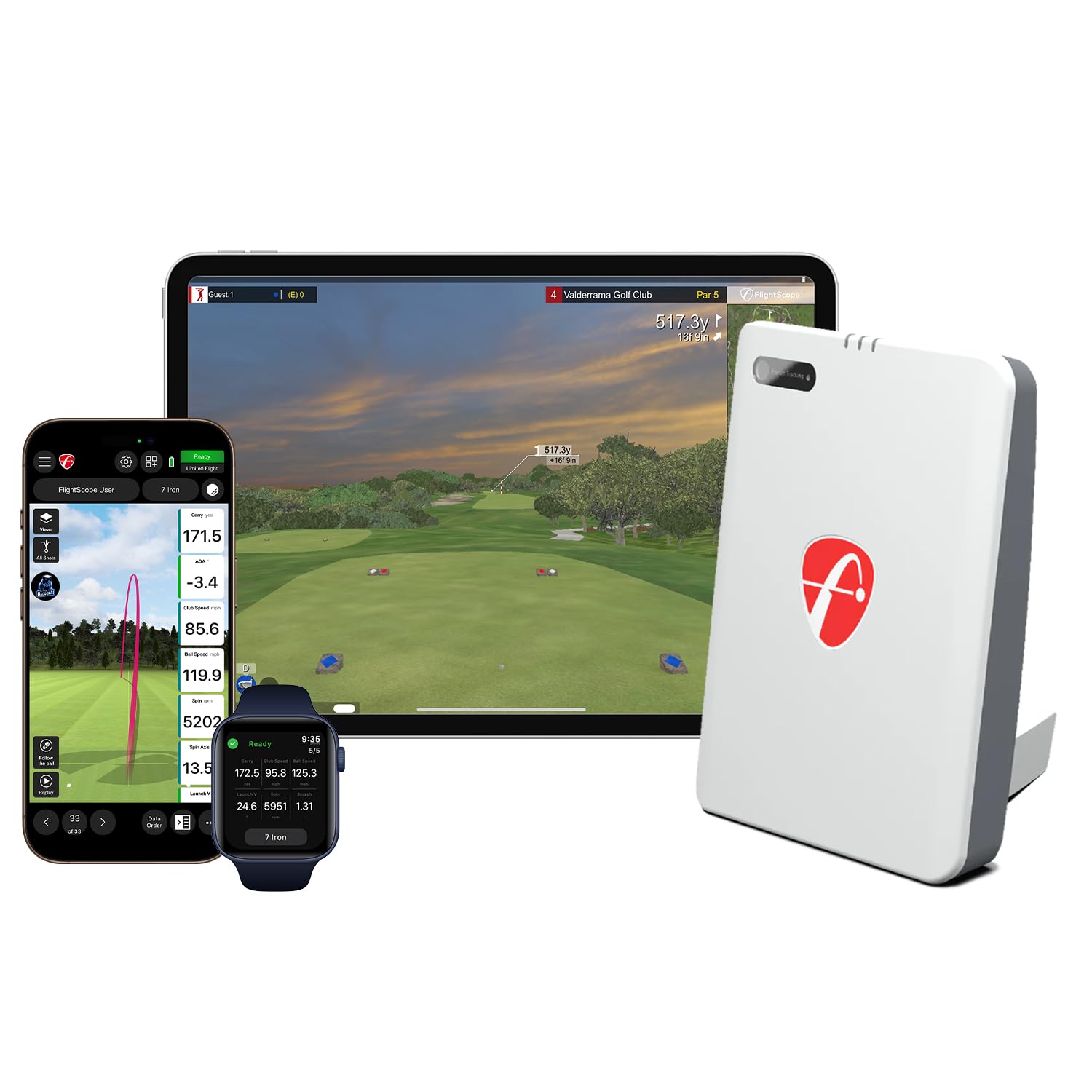
At 1.1 pounds this is the lightest unit on the list, and it doubles the Garmin Approach R50’s battery life — 6 hours versus 4. FlightScope’s Fusion Tracking combines 3D Doppler radar with synchronized high-speed image processing, and the unit logs 20 full swing, chipping, and putting parameters. Eight E6 Connect courses ship with lifetime access, including Kiawah Ocean Course and Torrey Pines. There is no annual license fee, which is a genuine cost advantage over the subscription-dependent camera units.
The Shot Tracer renders the full flight path in 3D inside your swing video, with overlays for clubhead speed, ball speed, and carry distance. A front-facing camera records each swing, and FS Golf auto-clips and saves every video. You can link up to three mobile devices plus the internal camera for multi-angle coaching. A range ball setting adjusts the data when you are hitting the worn balls at a public range — thoughtful for the outdoor crowd.
Now the honest part. The problem areas here are functionality, set-up, and connectivity, and none of them are one-off complaints. Distance readings that run way off are the recurring theme, and connection drops have cost owners serious time. One device can connect at a time, which undercuts the multi-device pitch if two kids want to share it. A firmware update has improved easy connecting for some, but distance accuracy remains the question mark. Treat it as a range and practice tool with video feedback, not as your indoor simulator’s measurement brain.
What it does well: portable radar that runs six hours per charge, includes eight courses with no subscription, and records your swing with overlays.
Where to set expectations: connection stability and distance accuracy are the two things to test early and decide on fast.
The right buyer: someone who practises outdoors and wants swing video more than a fixed indoor number.
Look elsewhere if: you need a permanently wired bay that never drops its link.
5. SkyTrak ST MAX Launch Monitor
A year of software built in, and a five-pound body you can move anywhere.
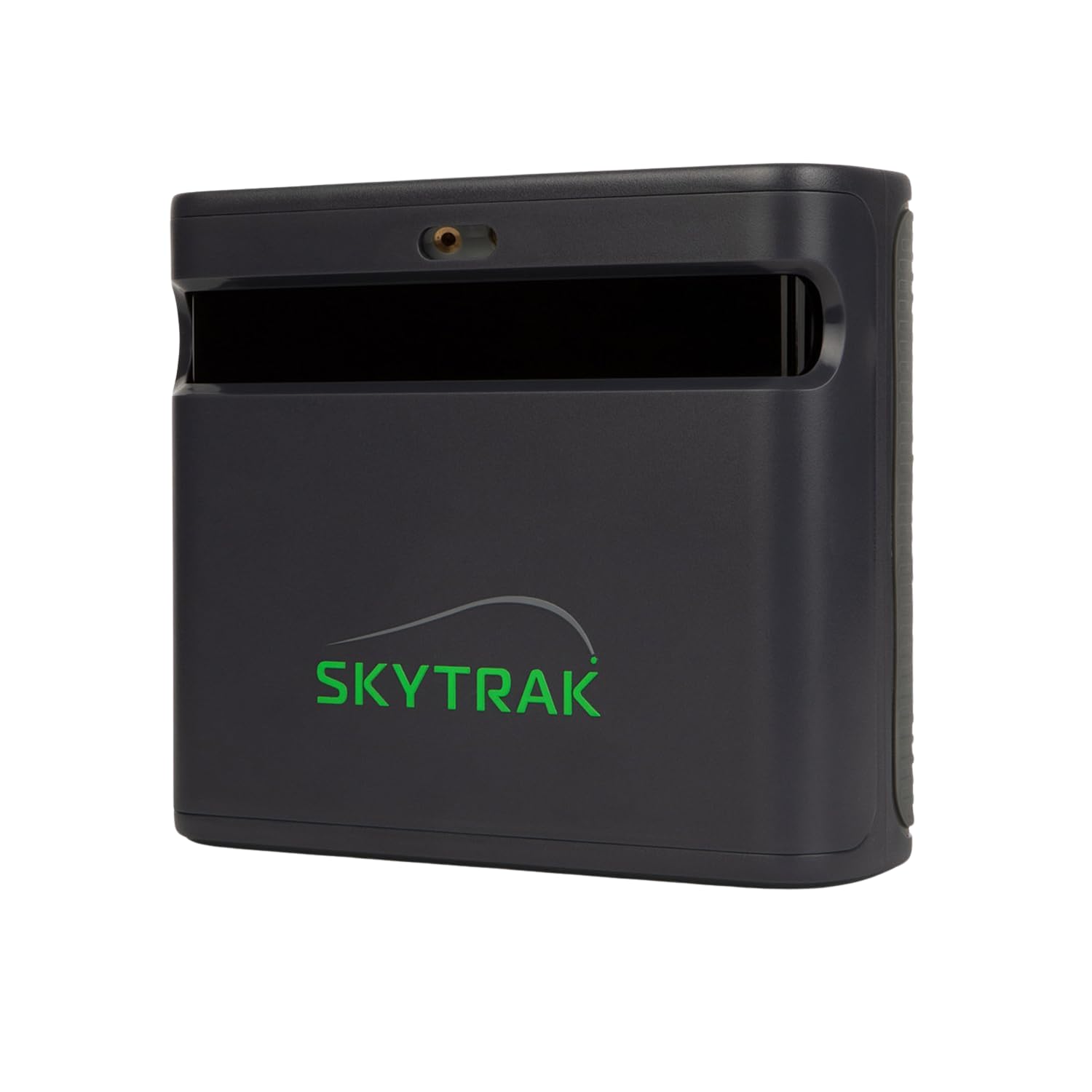
The ST MAX is the pick for anyone who hates discovering the software bill after the hardware bill. One year of Core Foresight software comes included, so your first twelve months are covered. It measures carry, total distance, ball speed, spin, launch angle, club head speed, smash factor, club path, face angle, and face-to-path. GOLFTEC Speed Training is exclusive to this model, with guided drills and measurable insights to build swing speed.
At 5 pounds it is heavier than the 16-ounce SkyTrak+ but lighter than the EYE MINI units, so it can move between setups. Dual USB-C ports let you charge and transfer data at once. The redesigned modular interior targets long-term calibration stability — practical, because a monitor that drifts out of calibration mid-season is useless. Built-in tools cover skills assessments, bag mapping, randomized practice, and a wedge matrix for dialling your distances.
Two things to weigh honestly. There is no customer review body for this model yet, so unlike the rest of the list you are buying on the spec sheet and the included software alone. And the listing does not state the tracking technology, so if a specific sensor type matters to you, confirm before you buy.
Straight talk: the included Core Foresight year and GOLFTEC drills are the real draw — a full 12 months of software you do not re-buy.
Best suited to: the buyer who wants software included from day one and a unit light enough to relocate.
Worth confirming first: the tracking technology and full club-data accuracy against your own setup before committing.
6. EYE MINI LITE Golf Launch Monitor & Simulator
The all-in package: 19 metrics, impact video, and a lower PC bar than its sibling.
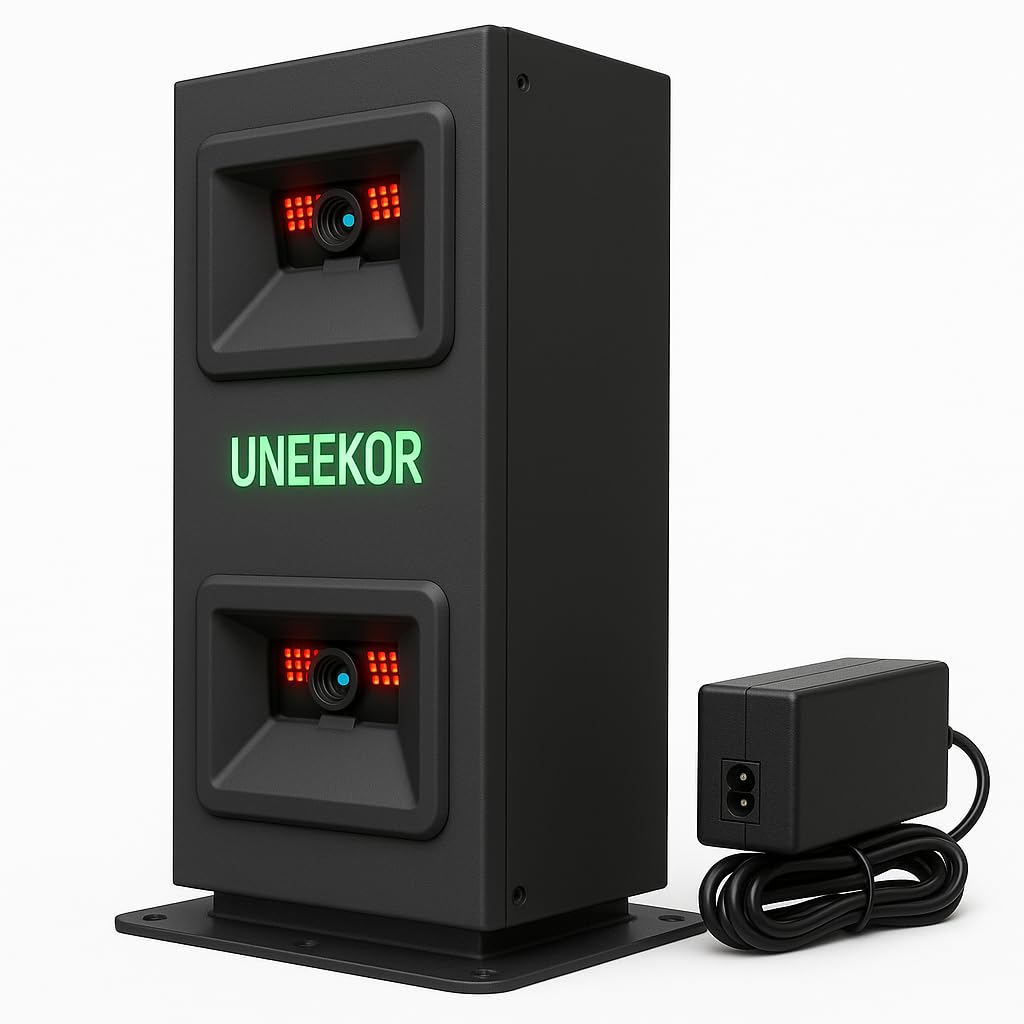
Take the EYE MINI CORE, add club data and impact video to the base price, and you arrive roughly here. The LITE delivers 19 ball and club data points from the start using dual high-speed cameras and infrared sensors, and it includes Club Optix real-time visuals of your club at impact. Dimple Optix reads any dimple pattern, so ordinary balls work. It also asks for less from your PC than the CORE — 16 GB of RAM and an RTX 3060 with 6 GB for VIEW software, versus 32 GB and an RTX 3060 Ti.
Owners who upgraded from Garmin R10 and SkyTrak units describe this as a leap, and what they prize most is the quality. Accuracy is close behind — almost no misreads across putting, wedges, irons, and driver. There is no lag waiting for a shot to register. The VIEW Player Package includes 100 session reports, and a 3-month Ultimate Package trial opens REFINE+ with 20 courses and GameDay 4K competitive modes, which need a dual display. GSPro, E6 Connect, TGC19, and Creative Golf 3D all work, each on its own subscription. A Uneekor Pro membership or higher is required for third-party play.
Be realistic about the software side. The mixed feedback here centres on functionality, and specifically software behaviour, with some buyers hitting conflicts their support attributed to antivirus. And the simulation-plus-AI path is a much steeper PC ask — an i7 12th Gen or Ryzen 7 with 32 GB RAM, an RTX 4070 with 16 GB, and dual displays. If you only want the indoor range and third-party sims, the lighter spec is fine.
Choose it for: full club and ball data with impact video, without needing the CORE’s heavier PC spec.
Slow down if: you have a weak PC or expect software to install without any troubleshooting.
Know the Specs
Camera vs Radar Tracking
Camera units use infrared cameras to photograph the ball through impact. They read dimple patterns, work with ordinary balls, and suit a fixed indoor bay. Radar units track the ball with Doppler radio signals, travel well, and suit outdoor range use. Indoors, the short flight window makes camera systems more reliable for the numbers you rely on.
Dimple Optix Explained
Dimple Optix reads the actual dimple pattern on your ball through the strike. The practical effect: no marked or special balls required, so you practise with the ball you play and get numbers that match your gamer.
Ball Data vs Club Data
Ball data covers what the ball does — speed, launch angle, spin, carry. Club data covers the swing itself — club speed, path, face angle. Ball data only is enough for practice. Club data tells you why the ball did what it did, and on some units it is a paid upgrade.
PC Requirements
Several camera simulators run from a Windows PC, not a phone. The EYE MINI CORE asks for 32 GB RAM and an RTX 3060 Ti class GPU. The EYE MINI LITE asks for 16 GB and an RTX 3060 for VIEW software, with a steeper spec for simulation plus AI. Mac and Linux are not supported on the CORE.
Common Questions
Can I use a professional golf simulator without a PC?
Does the EYE MINI CORE need marked balls?
Will the EYE MINI units run on a Mac?
Is GSPro compatible with the SkyTrak+?
Do I need a subscription for virtual courses?
How long does the FlightScope Mevo Gen2 battery last?
What is the SkyTrak+ warranty?
Can a golf simulator read putts indoors?
Is camera or radar better indoors for club data?
How much space does the hitting zone need?
The Bottom Line
For most online reviews of a professional golf simulator, the winner is the Garmin Approach R50 because it does screen, tracking, and simulation in one box with no PC in the room. If you want a fixed indoor bay with 15 ball data points and a build that reads like an instrument, the EYE MINI CORE is the pick — provided your PC meets its spec. And for range sessions and outdoor practice, the FlightScope Mevo Gen2 gives you six hours on a charge and eight courses with no annual fee. The device that earns its place on this shelf is the one that fits your room and your PC, so match the tracking type to your space before you commit.
How we choose
We do not accept paid placement. Every pick is matched to a real buyer and a real use-case; we do not hands-on test units.
Sources
Specifications: manufacturer listings and product documentation. Review insights: verified customer reviews, as of November 2026. Pricing: not shown on this page (it changes often); check the current price via the retailer link.
As an Amazon Associate, Tactical Gear Guy earns from qualifying purchases. This does not affect which products we feature.