Specs are compiled from manufacturer listings and verified buyer reviews and can change over time — please confirm the key details on the product page before buying.
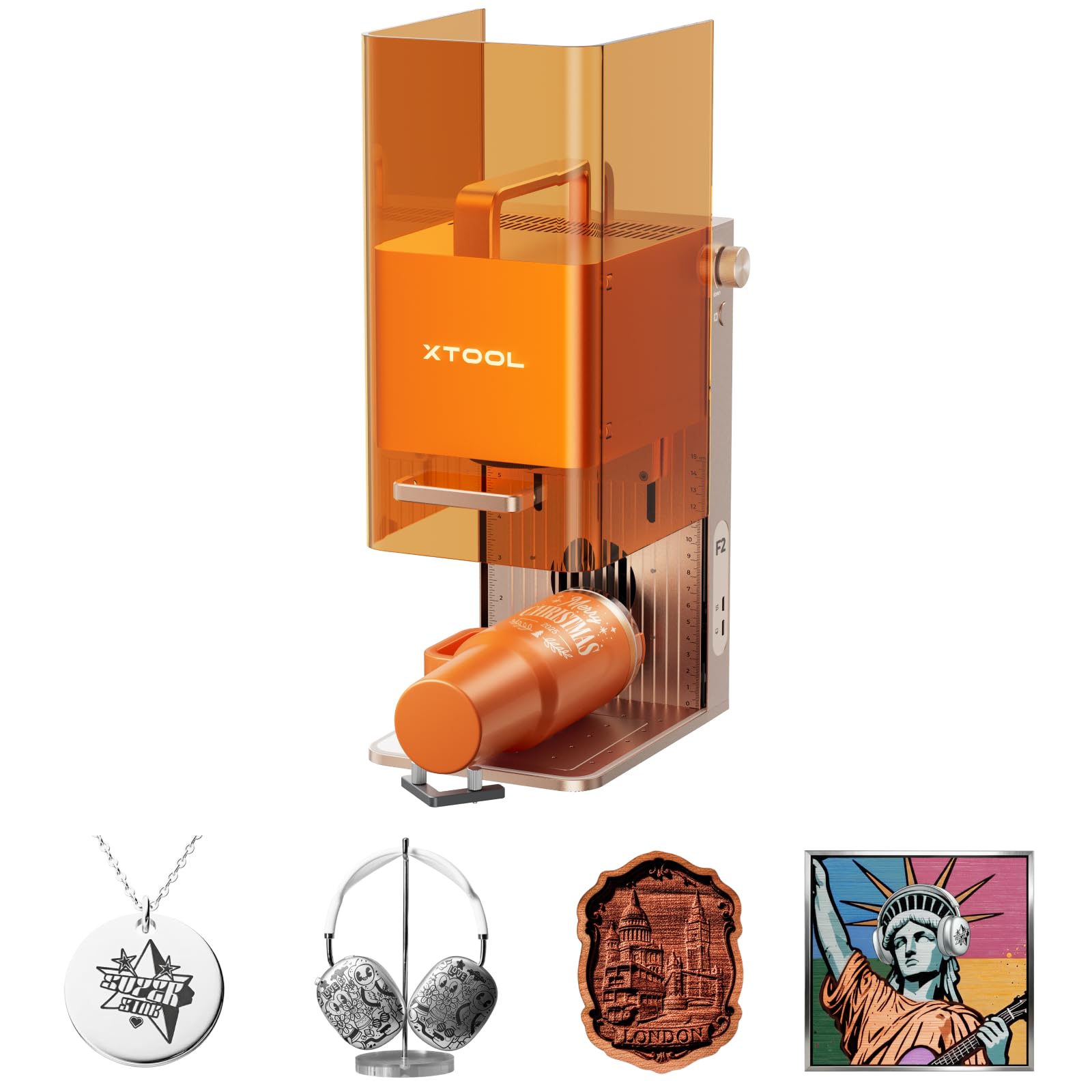
For most people, the xTool F2 is the one to beat. It pairs a 15W diode laser (a light beam that cuts and engraves) with a 5W IR laser (an infrared beam that marks metal), so you can mark metal and cut thick stock from one small box. After that, your choice depends on two things: how big a bed you need and if you want an open frame or an enclosed cabinet. This guide covers ten real machines and explains which one fits which job.
This guide is built by comparing the manufacturers’ published specifications and the patterns across verified customer reviews, so you get each pick’s real strengths and trade-offs instead of marketing spin.
Two specs decide almost everything here: the laser’s real optical power and the size of the work area. You will see both spelled out side by side before any recommendation, so you can match a machine to your workbench and your project size. That side-by-side comparison is the whole point of this guide.
Top Picks

How To Choose The Best Portable Laser Engraver and Cutter
A laser engraver and cutter is a desktop machine that burns designs into wood, leather, acrylic and coated metal with a focused beam. Buying one badly is expensive; buying one well means matching three specs to your actual projects. Those three are optical power, work area, and the size of the focused spot.
Optical Power Tells You What It Can Cut
Optical output power, measured in watts, sets how deep and how fast the beam cuts. A 10W module cuts thinner stock than a 12W one, and a 15W diode handles thicker material in fewer passes. Watch for inflated numbers: a listing quoting “60,000mW” is describing the electrical draw of the whole system, not the light hitting your material. Look for a stated optical or output wattage instead.
Work Area Decides Whether a Project Fits
The working area is the rectangle the laser head can reach, usually given in millimeters. A 400 x 400mm bed takes a standard sheet of coasters or a phone case in one pass. Anything smaller means tiling a design across two runs, which risks a visible seam where the two halves meet.
Spot Size and Air Assist Change the Finish
The compressed spot is the width of the beam where it lands, quoted in millimeters such as 0.06 x 0.06mm. A tighter spot keeps small lettering crisp; a fatter one scorches detail. Air assist is a small nozzle that blows air at the cut point, which clears smoke and reduces charring on wood — a built-in air-assist port is worth having if you plan to cut rather than just etch.
Enclosed or Open Frame?
An open-frame machine exposes the beam and the smoke, so it belongs in a garage or workshop with ventilation and safety glasses on hand. An enclosed cabinet with a viewing window and a lid sensor is the safer pick for a kitchen table or a home office, because the beam stops when the lid lifts. If you plan to demo at markets or craft fairs, weight matters too — anything around 4.6 kg is genuinely carryable.
Side-by-Side Comparison
| Model | Best For | Laser Power | Work Area | Weight | Amazon |
|---|---|---|---|---|---|
| xTool F2 Dual Laser★ Best Overall | Metal marking plus cutting in one box | 15W diode + 5W IR | — | 10 lb | Amazon |
| Creality Falcon 10WBudget Entry | Budget wood and leather projects | 10W | 15.7″ × 16.3″ | 7.05 lb | Amazon |
| ATOMSTACK Swift 12WLightest Frame | Easy assembly with magnetic cover | 12W | 300 × 300 mm | 6.19 lb | Amazon |
| Longer RAY5 20W | Big bed and fast travel | 20W | 15.75″ × 15.76″ | 8.2 lb | Amazon |
| Longer RAY5 10W | Touchscreen control and offline work | 10W | 400 × 400 mm | 9.33 lb | Amazon |
| ATOMSTACK A10 Pro V2 | Wide expandability and app control | 10W | 410 × 380 mm | 12.47 lb | Amazon |
| IKIER Flex 12W | Enclosed desktop workspace | 12W | — | 11.49 lb | Amazon |
| Ortur Laser Master 2 Pro S2 | Fast assembly with safety sensors | 10000mW | 390 × 410 mm | 10.46 lb | Amazon |
| AlgoLaser Pixi 10W | No-computer touchscreen workflow | 10W | — | 8.53 lb | Amazon |
| xTool M2 10W | Enclosed crafting with dual cameras | 10W | — | 36.2 lb | Amazon |
Detailed Reviews
1. xTool F2 5W IR & 15W Diode Dual Laser Engraver
Our pick — 4.5+★ from 100+ verified ratings; the strongest balance of quality and price.
Two lasers in one sealed box, so you can mark steel and cut walnut without swapping machines.
Here is the trick that puts the F2 at the top: it carries both a 15W diode laser and a 5W IR laser in the same housing. The diode does the heavy cutting and 3D embossing, while the infrared head delivers deep, dark color marking on metal. That second head is the rare part. Most open-frame machines will etch a coated business card and stop there; this one handles bare metal surfaces, which is why it covers 300+ materials according to the maker.
Speed is the other headline. xTool rates it up to 6000mm/s, which they say puts a card engraving down in just 3 seconds. Compared with the 10,000mm/min flash of the Creality Falcon, this is in a different league entirely for batch work. A 50MP camera looks down at the bed and lines up small pieces to 0.1mm accuracy, so you are not nudging a coaster around by hand or wasting blanks.
Here is the catch, stated plainly: this is a Class 4 laser (an open-machine safety class), so you need to treat it that way. At 10 pounds, it is the heaviest of the compact enclosed-style units here — still portable, but not pocketable. And “metal” does not mean every metal: the listing promises color marking on metal, but engraving solid bronze coins cleanly is a different job, and one buyer found those coins did not emboss as hoped.
dual laser versatility
- Dual 15W diode plus 5W IR head for metal marking and heavy cutting
- Rated to 6000mm/s with a claimed 3-second card engraving
- 50MP camera plus material presets cut setup guesswork for newcomers
- Ships fully assembled, so you are engraving the same day
setup cost climbs
- Class 4 laser output — ventilation and safety glasses are not optional
- Solid metal like bronze coins may not emboss the way the listing implies
- At 10 pounds it is the heavier end of the compact portables
buy it for: small-batch personalization on metal, wood and leather, especially if you take it to markets.
think twice if: your only job is cutting plywood — a cheaper open-frame diode does that fine.
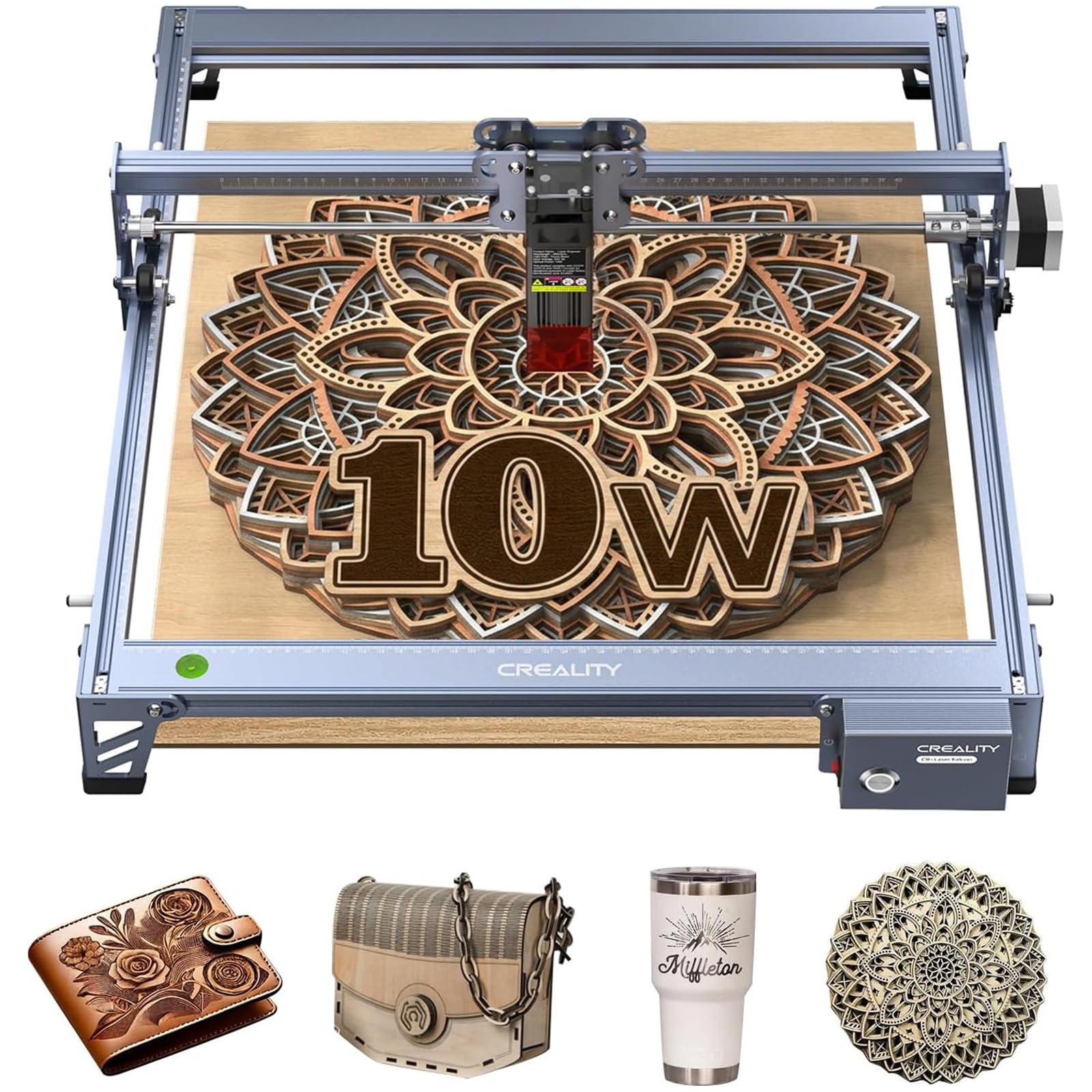
2. Creality Falcon 10W Laser Engraver
A big bed and a real 10W head for the price of a decent hand tool.
If you want a first machine that can cut as well as etch, the Falcon is the value play. Its 10W optical output cuts 5mm basswood or 3mm black acrylic in a single pass according to Creality, and the compressed spot of 0.06 x 0.06mm keeps lettering sharp. The 15.7″ × 16.3″ working area is the part that matters most for real projects — it swallows larger designs without tiling.
What wins people over is the cutting performance: it has sliced through quarter-inch pine and 1/4″ birch plywood in a few passes by owner accounts. It has sliced through quarter-inch pine and 1/4″ birch plywood in a few passes by owner accounts. The aluminum alloy frame and steel shaft rail guidance give it a stable base for consistent passes.
Honest caveats stay on the table. This is a 10,000mm/min machine while the Longer RAY5 20W runs 24,000 mm/min, so batch work will feel slower here. There is also a genuine connectivity risk: the software handoff is the recurring frustration, with drivers that refuse to talk to a computer being the most cited letdown. The software has a learning curve, and assembly goes smoother if you are comfortable with computers. An anti-UV acrylic filter rated to filter 97% of UV rays sits in the laser module, and goggles are in the box, which is welcome on an open frame like this.
pick this one if: you want the largest cutting bed for the least outlay and you are happy tinkering with LightBurn or LaserGRBL.
walk away if: you need plug-and-play software — the connection step is where this machine trips people up.
3. ATOMSTACK Swift 12W Laser Engraver and Cutter
The travel-friendly frame that out-powers the Creality on paper while weighing less than a gallon of paint.
The Swift’s number is 12W of true optical output, and that beats the Creality Falcon’s 10W head. More wattage means deeper cuts and fewer passes on the same board. Its 0.06 x 0.08mm focal spot is razor thin, which is exactly what you want for high-contrast lettering on wood, metal and acrylic. Its speed is rated to 400mm/s, which the maker lists as 24,000mm/min, so it is not a slow machine either.
Portability is where this one earns a following. At 6.19 pounds it is the lightest full-frame cutter in this group — a full 3.81 pounds lighter than the 10-pound xTool F2. The 300 x 300mm engraving area is compact, so it suits coasters, keychains and small signs rather than full sheets.
The safety kit is unusually complete for the size. A removable magnetic protective cover plus professional safety glasses provide UV protection during runs, and assembly is quick. Connection runs over Type-C or USB, and it works with the ATOMSTACK app, LightBurn and LaserGRBL on Windows, Mac or phone. Where it will feel small is large signage — 300 x 300mm will not take a big board, and that is the trade-off for the low weight.
light swift frame: 6.19 pounds makes it the one to pack in a car for pop-ups and craft fairs.
power ceiling limits: the 300 x 300mm bed is the smallest here, so oversize signs need tiling or a bigger machine.
worth it for: makers who move their gear between home and shows, and want 12W cutting in a compact footprint.
look elsewhere if: your projects regularly exceed a 300 x 300mm sheet.
4. Longer New Upgrade RAY5 Laser Engraver Cutter
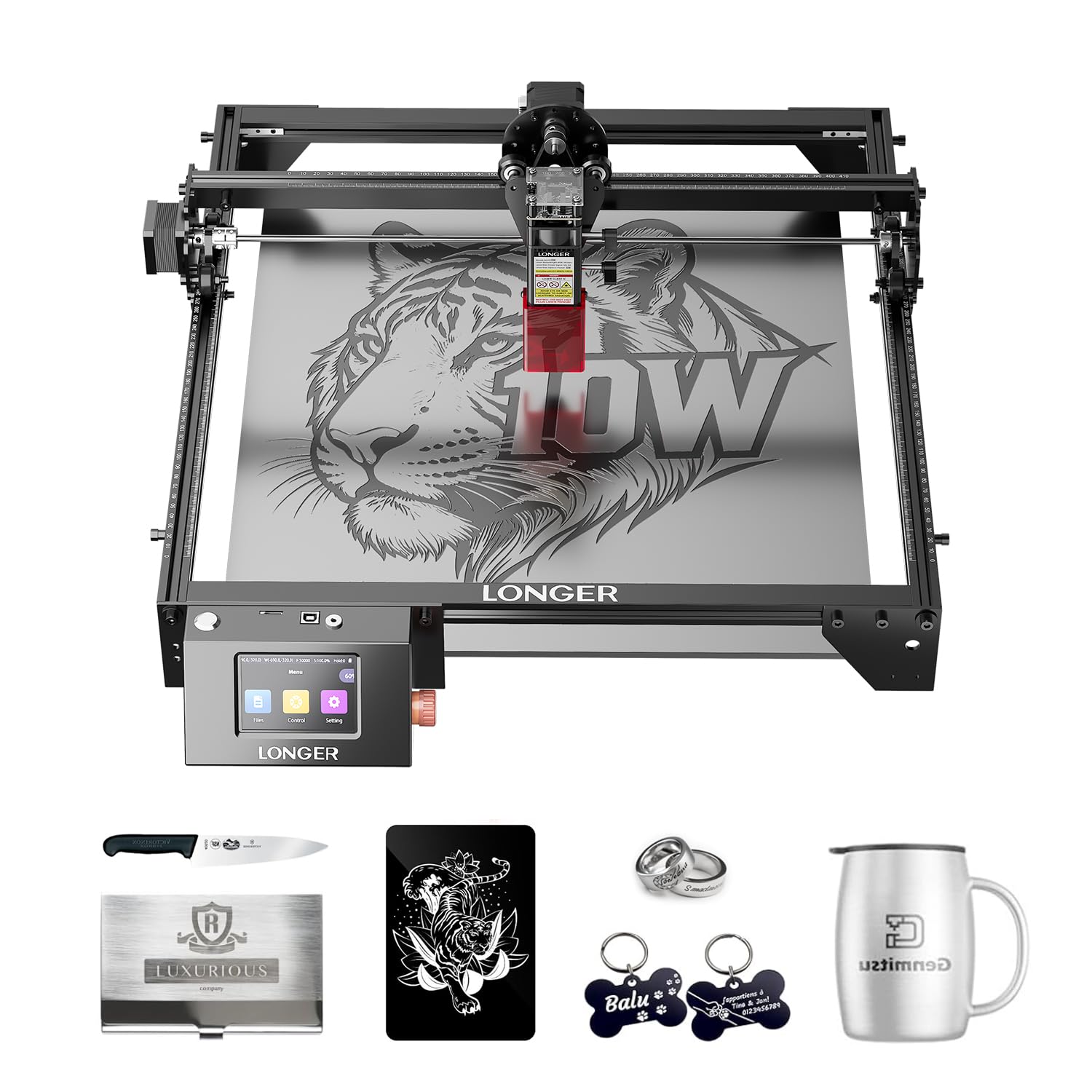
A 20W dual-beam head that cuts 20mm wood and still travels at 24,000 mm/min.
Speed is the whole story here. This RAY5 reaches 24,000 mm/min, while the Creality Falcon tops out at 10,000mm/min — a wide gap that shows the moment you run a batch. That speed pairs with a claimed ability to cut through 0.8″ (20mm) wood boards and 1.2″ (30mm) acrylic sheets, which is serious cutting for a desktop frame. The 400 x 400mm working area fits the 15.75″ × 15.76″ bed size quoted in the listing.
Owners rate build quality highest, with assembly a close second thanks to hardware sorted into separate bags for each step. The 32-bit core motherboard keeps motion smooth, and you can send jobs four ways: Wi-Fi, USB, the app, or a TF card. Offline operation and the 3.5-inch touchscreen mean you can run it without a laptop tethered to it.
There is an expansion path too. Longer’s extension kit opens the work area to 33.46″ × 15.75″, which the maker describes as increasing workspace by 200% — that is a manufacturer figure, not an independent test. What to plan around: it is an open frame with a protective cover and glasses, and its built-in shake sensor stops the machine on abnormal movement. Some buyers report laser issues mixed in with the praise, though the broader experience reads positive. Setup takes a little patience, and at 8.2 pounds it is not the lightest to cart around.
reach for this if: cut volume matters and you want a big bed plus fast travel for small-business runs.
look past it if: you want a sealed cabinet for kitchen-table use — this is an open frame.
5. Longer RAY5 10W Laser Engraver
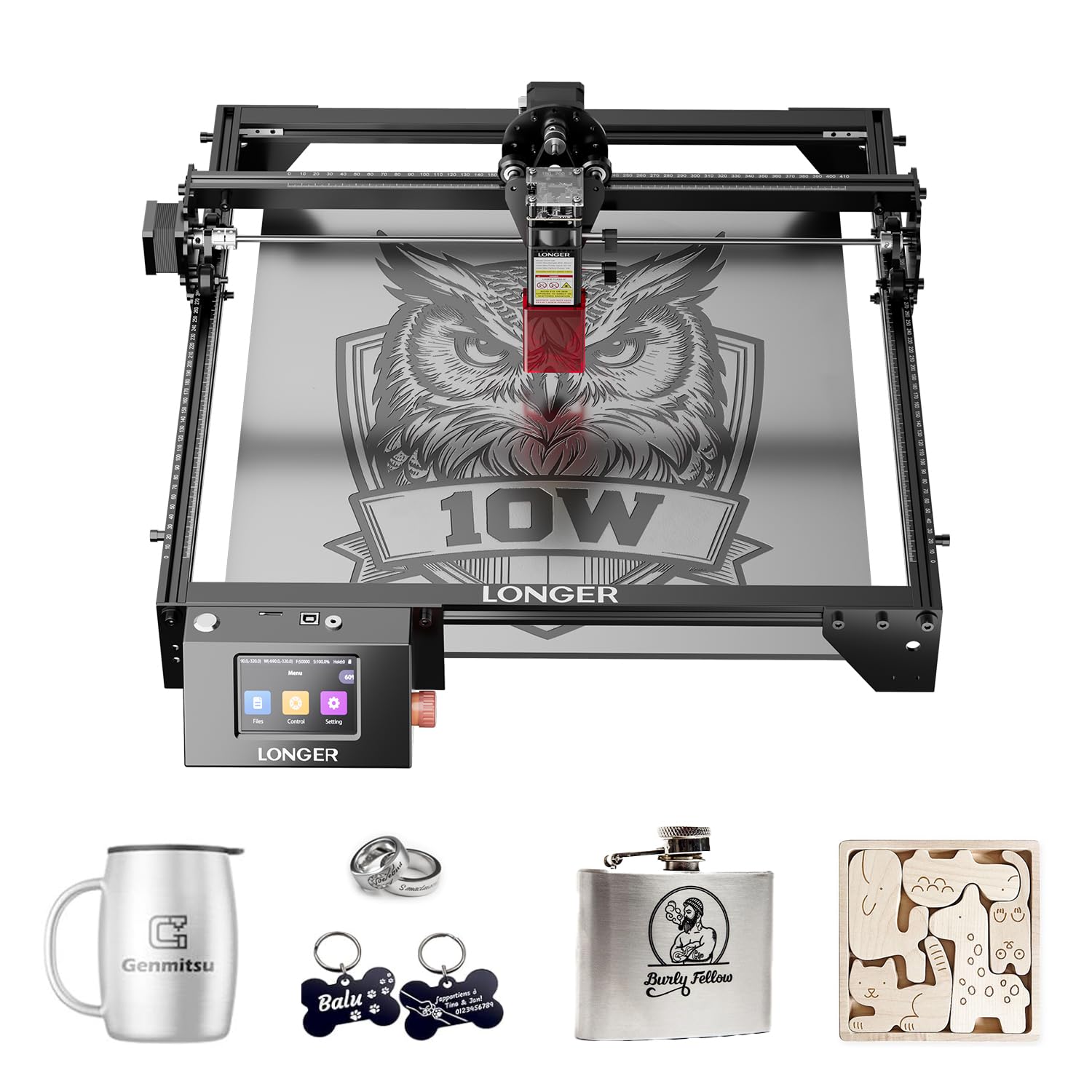
Offline jobs, a 3.5-inch touchscreen, and 10W of clean cutting in a 14.7-inch frame.
Want to engrave without a laptop chained to the machine? The RAY5 10W has a built-in 3.5-inch touchscreen and four transmission routes — Wi-Fi, USB cable, app and TF card — with offline operation supported. That alone makes it friendlier than most rivals here. Its 10W head cuts through 0.8-inch (20mm) wood and 1.2-inch (30mm) acrylic, and the 400 x 400mm bed handles a standard coaster sheet in one pass.
Precision is the selling point to check first. Its spot is 0.06 x 0.06mm, so fine detail lands cleanly. Its top speed is 10,000mm/min, the same 10,000-class figure as the Falcon, so speed is a tie rather than a win. What owners actually rate is straightforwardness: it is compatible with LightBurn and LaserGRBL, and many start on the free LaserGRBL program the same day it arrives.
The honest limit is durability. The touch panel and the internals are the weak point in a minority of runs, with a panel that dies early being the repeated complaint alongside a machine that quit after a few months. The quality of the frame itself reads solid, and support performance is well regarded. Bear in mind it is also the second-heaviest of the Longer frames at 9.33 pounds, so it stays put on a bench.
proven ray5 value
- 3.5-inch touchscreen and four transfer methods including TF card offline work
- 0.06 x 0.06mm spot for crisp small lettering
- 400 x 400mm bed cuts 20mm wood and 30mm acrylic
- Works with LightBurn and LaserGRBL out of the gate
modest wattage
- Durability is mixed — touch panels and internals are the known failure points
- 9.33 pounds sits it firmly on the bench rather than in a bag
suits: hobbyists who want standalone control and a reliable 10W cutting bed without hooking up a computer.
not ideal for: anyone who expects a machine to run heavy daily loads for years — treat the electronics gently.
6. ATOMSTACK A10 Pro V2 Laser Engraver
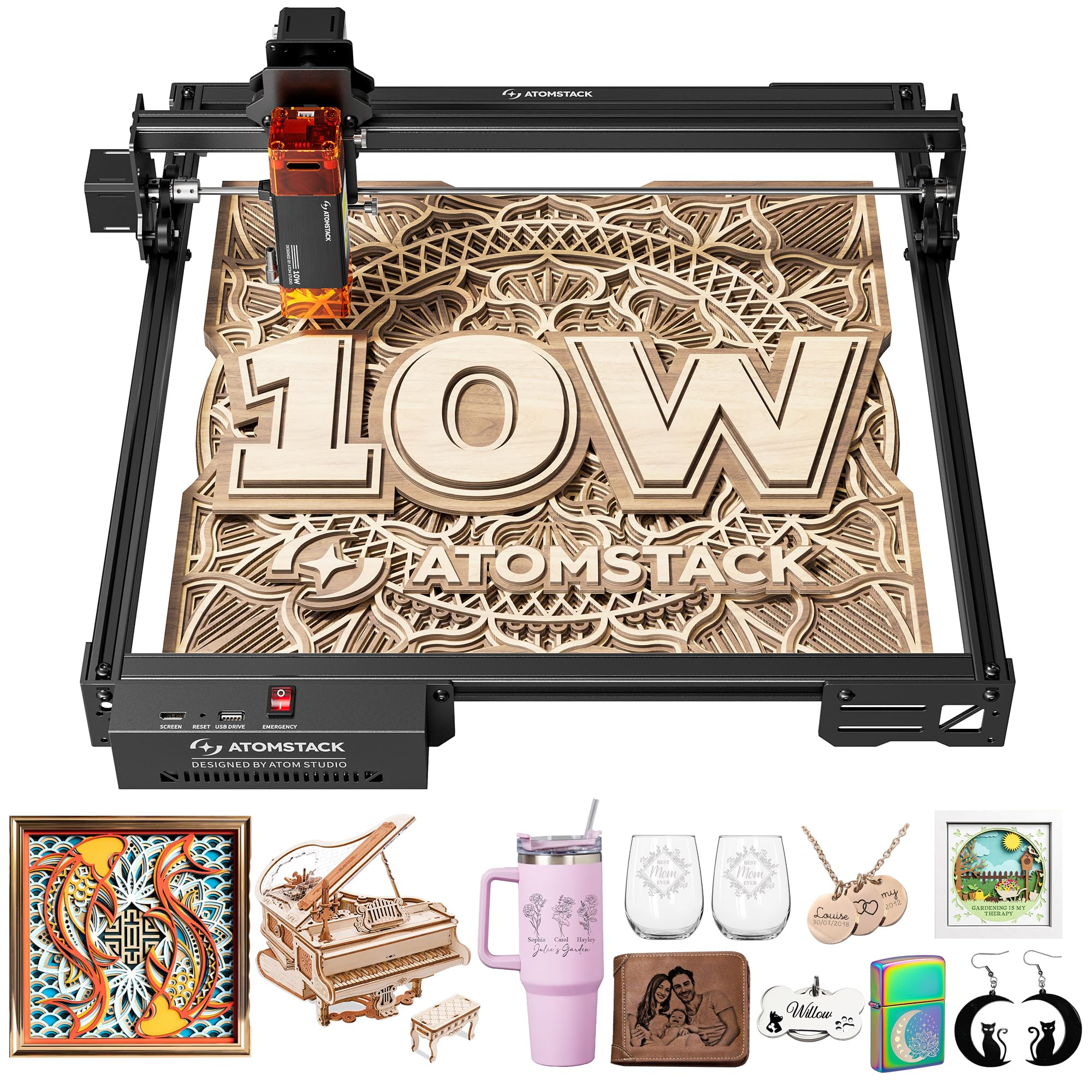
A big 410 x 380mm bed, a magnetic safety cover, and room to grow with LightBurn.
The A10 Pro V2’s strongest suit is the work area. Its 410 x 380mm bed is the largest of the ATOMSTACK machines here, so it takes a wider sheet than the Swift’s 300 x 300mm. The head is a 10W module, listed at 10 watts in the specs, with a magnetic removable cover and included safety glasses for eye protection during runs.
Expandability is the second hook. It connects by Type-C or USB and works with ATOMSTACK’s own app and PC software plus LightBurn and LaserGRBL. Speed is stated as 400mm/s, the same class of number the Swift quotes. There is a screw-rod driven axis and long focal length under it all, which keeps motion steady.
Two things deserve a straight answer. The listing’s “60000 mW” figure describes the broader system, not the light hitting your material — the 10-watt spec is the one to trust, and it sits below both the 12W Swift and the 20W RAY5. And at 12.47 pounds this is a heavy bench unit, so it is not a portable pick in any real sense despite the model name. Owners mention it works but the learning curve is steep, so come with patience for the software.
solid a10 frame: a wide 410 x 380mm bed with magnetic cover, safety glasses and four-route connectivity.
software learning curve: the headline wattage is a system figure — the true 10W output is below the 12W and 20W cuts in this roundup.
best match for: workshop tinkerers who want a broad bed and full software choice.
skip if: you need a machine light enough to carry to events — 12.47 pounds stays on the bench.
7. IKIER Flex 12W Laser Engraving Machine
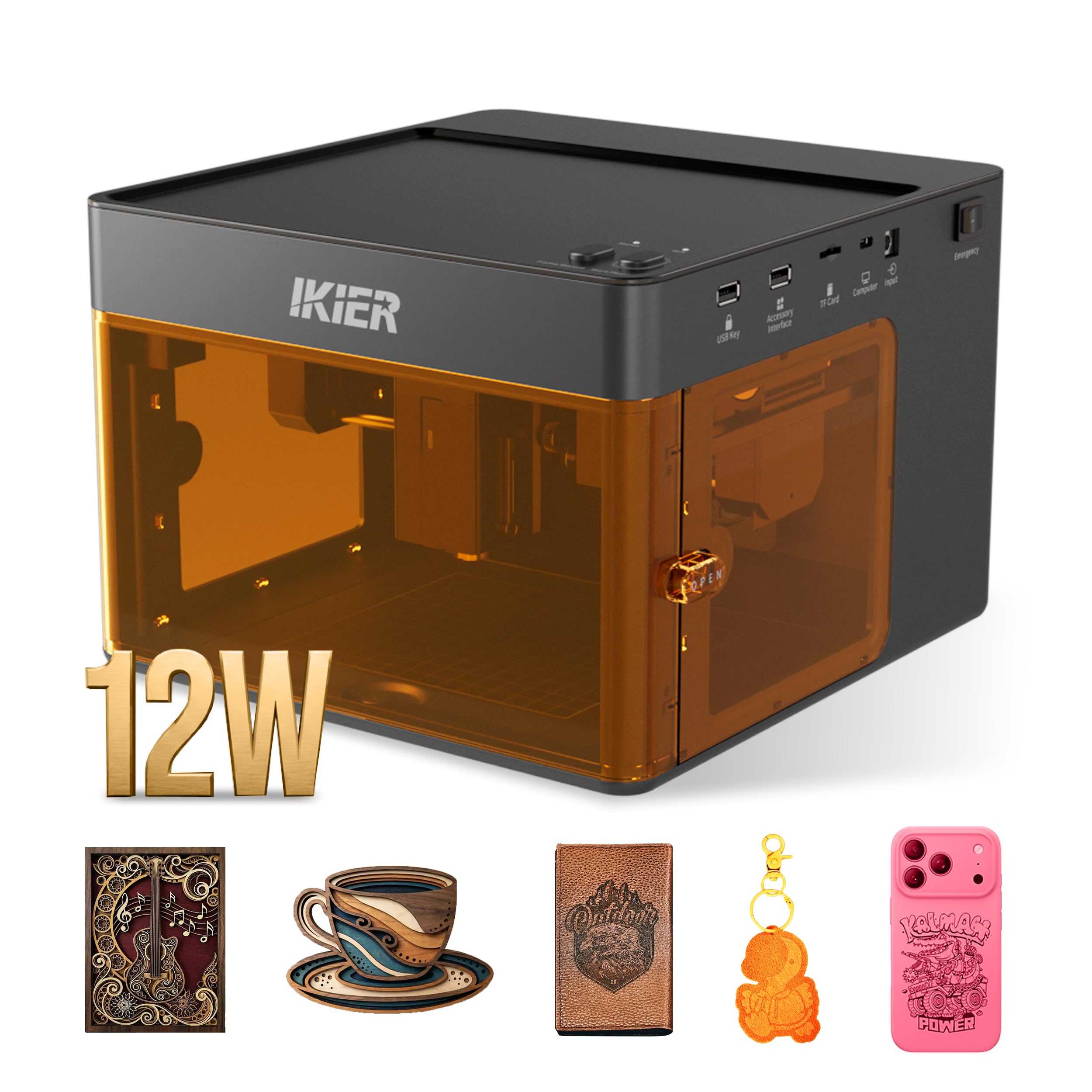
An enclosed 12W cabinet that hides the beam behind a viewing window.
The Flex’s defining trait is the enclosed housing. Unlike the open RAY5 and Falcon frames above, the beam sits behind a windowed cabinet, so it belongs on a desk rather than strictly in a garage. IKIER lists it as an FDA Class 1 laser system with a 5mW laser output classification, which is the safety category, distinct from the 12W diode that does the actual cutting. That 12W diode handles detailed engraving and cutting on suitable craft materials like wood and leather.
Speed is rated up to 10,000 mm/min, and you adjust speed and power by material, thickness and detail — thin line art runs fast, filled graphics need more passes. That is normal for this class. The single-laser version you see here does not include an infrared module; the dual-laser Flex 12W + 1.2W Infrared version is a separate purchase if you want metal marking.
Here is the honest read: this is the lightest fully enclosed pick at 11.49 pounds, with a 365-day warranty and 24/7 support behind it. The catch is that all that cabinetry means you give up the huge bed the open frames offer, and the enclosure needs ventilation and material-specific practice to run safely. If contained indoor operation is your priority, that is a fair trade.
ideal for: apartment or home-office makers who want the beam enclosed and a viewing window while it works.
less suited to: sheet-size signage — an open 400mm frame gives you more bed for similar money.
8. Ortur Laser Master 2 Pro S2 10000mW
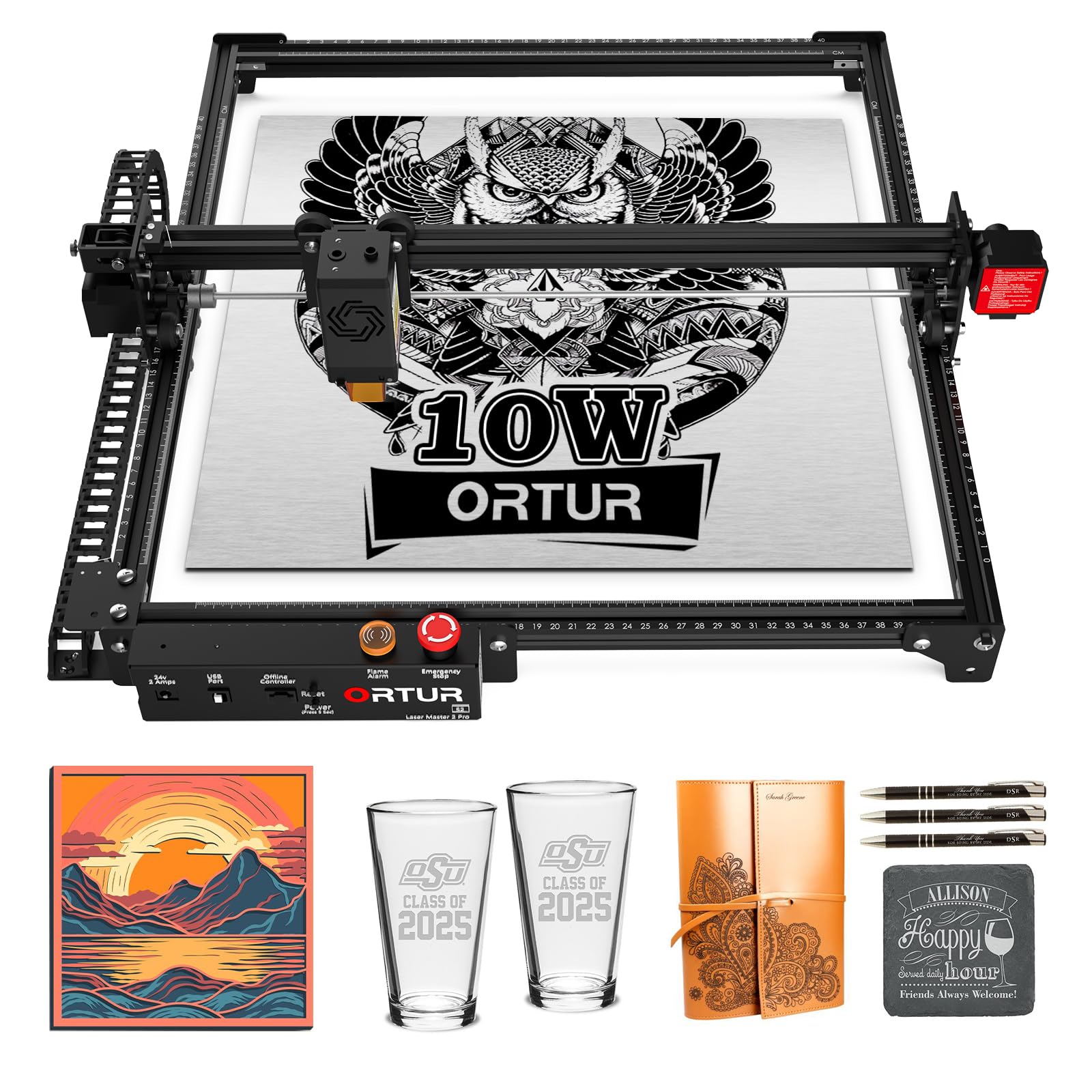
Four built-in safety cutoffs and a 15,000mm/min head on a full metal frame.
Ortur’s edge is the safety stack, and it is genuinely unusual. Four features work together — active position protection, an auto-stop when the USB disconnects, an emergency stop switch with a flame alarm, and exposure-time detection and limitation. For a machine you plan to leave running in a workshop, that last one matters more than any speed figure.
The cutting side is strong too. A true 10000mW (10W) module with dual fan cooling is rated to cut 30mm acrylic and 20mm wood. Its compressed spot is 0.05 x 0.1mm, and the module weighs just 235g, which helps it reach 15,000mm/min. A 390 x 410mm bed handles generous designs, and a built-in air-assist interface is there specifically for cutting jobs.
Two things to weigh honestly. The 15,000mm/min figure lands short of the RAY5’s 24,000 mm/min, so big batch runs will be slower here. And setup is the recurring friction — the full-metal modular frame assembles in about 10-15 minutes for a seasoned owner, but newcomers can find the configuration side difficult. The platform handles LightBurn and LaserGRBL across Windows and Mac, and file formats run from SVG and DXF to JPG and PNG.
choose it when: safety cutoffs and a metal frame matter more than raw speed on your bench.
think again if: you have never touched a laser and want it running in ten minutes flat — the setup has a learning curve.
9. AlgoLaser Pixi 10W Portable Laser Engraver
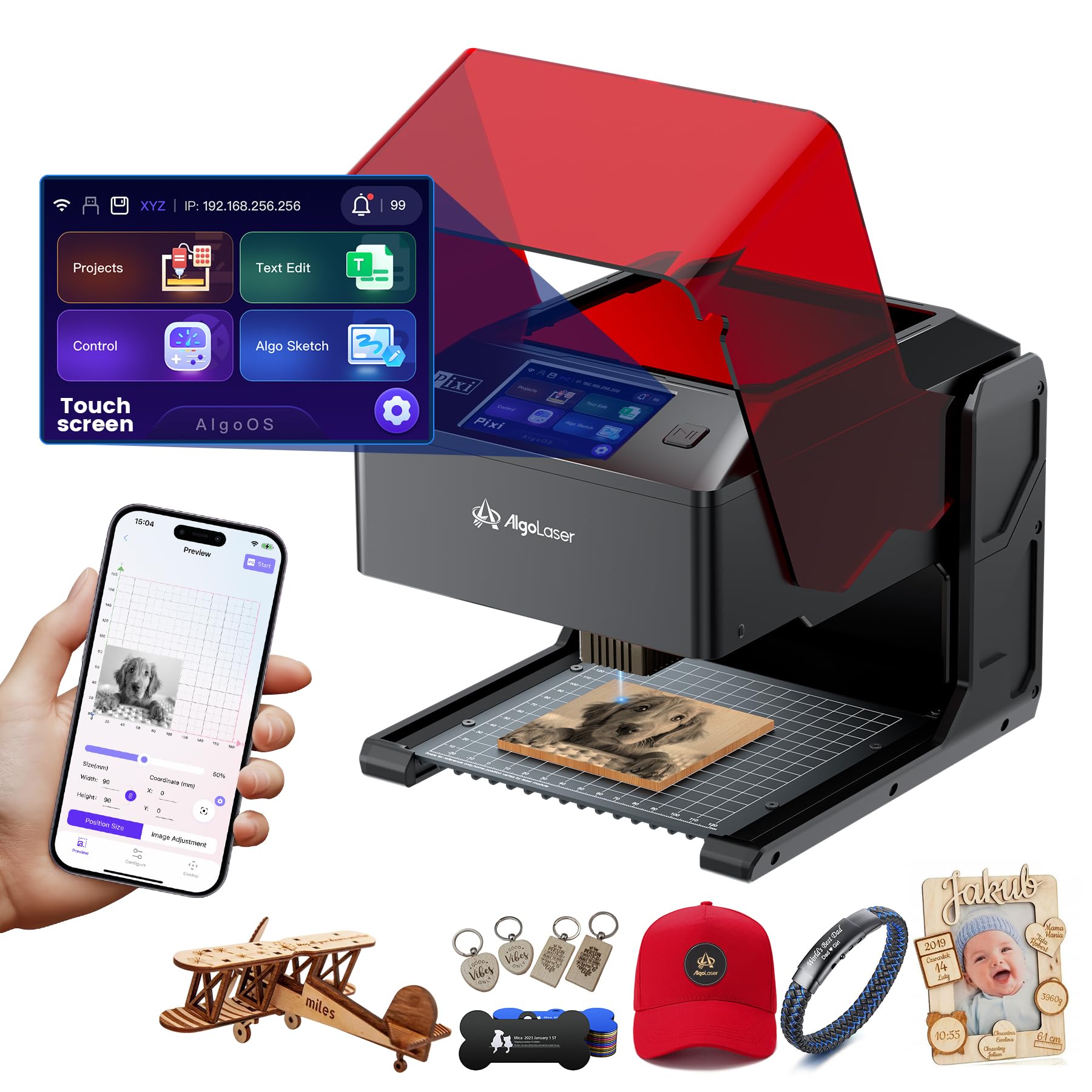
Draw straight on the touchscreen and engrave without a computer anywhere in sight.
The Pixi is built for people who do not want a laptop in the loop. It runs AlgoOS 2.0 with a 3.5-inch touchscreen, so you draw or upload designs right on the machine and start engraving. Its AlgoSketch feature captures hand-drawn artwork, and AlgoType produces text. Preloaded templates and step-by-step tutorials mean the first project is possible within minutes of unboxing.
Safety is the other reason to consider it. A certified Class 1 laser system with an automatic safety door stops the beam the instant the lid lifts and will not resume until it is shut, and a password-protected lock screen adds a layer. That makes it a reasonable fit for a home with kids about, provided you still wear goggles and ventilate.
The honest gap is the software experience. Owners find the app and the machine’s own operating system do not line up — they carry different options and layouts, which causes confusion when you alternate between them. Wireless and tablet control work, and a honeycomb bed is the standout component that earns warm mentions. At 8.53 pounds it is compact, though the Class 1 enclosure is the real reason it stays on a table.
portable pixi design
- AlgoOS 2.0 with 3.5-inch touchscreen — no computer needed
- Auto-pause safety door with Class 1 certification
- AlgoSketch hand-draw input and preloaded templates
- USB-C and WiFi with offline and mobile control
small engraving bed
- App and machine OS use different menus and layouts, which gets confusing
- Results still depend on learning your material settings
made for: educators, craft-stall sellers and beginners who want screen-driven engraving with a sealed lid.
skip it for: heavy cutting work — 10W and a small footprint suit etching more than volume cutting.
10. xTool M2 10W Laser Engraver
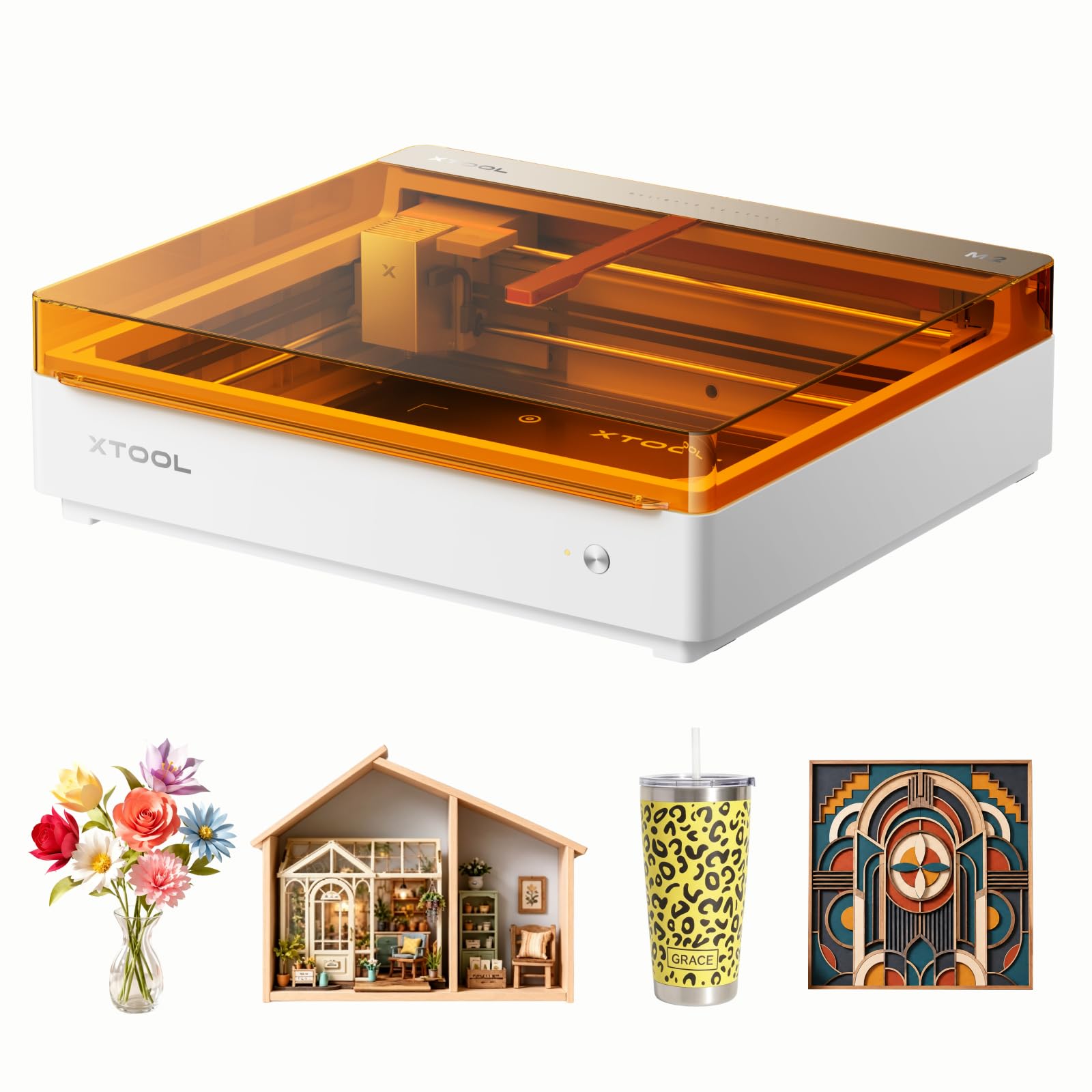
Twin cameras line up the job so you can place and go without measuring twice.
The M2 is built around a Place & Go workflow. Built-in dual cameras preview the workspace in real time, and xTool’s ACS system fuses that camera view with motion control for accurate positioning. You drop your blank in, see it on screen, and line up the design on the spot. A 10W diode head comes standard, and you can add a CMYK inkjet module or a 3W IR laser if you want full-color printing or metal marking — both are sold separately.
The software is the friendly part. xTool Studio offers hundreds of ready-to-use templates and an AI image generator, so ideas can go from text to finished piece quickly. The machine is fully enclosed with Class 1 safety and real-time monitoring, which makes it one of the few here genuinely comfortable on a kitchen benchtop. The materials list runs to wood, leather, felt, fabric and paper.
Now the limits, and they are plain. The M2 weighs 36.2 pounds — over three times the F2’s 10 pounds — so “portable” is not a word that applies here; this is a permanent fixture on a sturdy surface. Add-ons like the inkjet module and RA3 Lite rotary are not included, so the full-color capability costs extra. The skill ceiling is also higher than the marketing suggests, with deep menus under the simple exterior. For a crafter who wants a contained, camera-guided setup without moving it, that is still a strong case.
will suit: home crafters and small businesses who want a sealed, camera-aligned workstation that never leaves the room.
wrong pick if: you plan to carry the machine anywhere — at 36.2 pounds it is a bench resident.
Know the Specs
Optical Output Power and Spot Size
Optical power is the wattage of the light actually reaching your material — a 10W head versus a 12W or 20W head. The listed number tells you roughly how deep and how fast it cuts: a 20W head handles thicker stock in fewer passes than a 10W one. Spot size is the other half. A compressed spot quoted as 0.06 x 0.06mm keeps fine text crisp; a fatter spot blurs detail and scorches edges. Buy based on the optical wattage and the spot dimension, not on a system-wide mW figure.
Work Area, Speed and Safety Class
The work area is the rectangle the head can reach, usually in millimeters like 400 x 400mm. It decides whether a project fits in one pass or has to be tiled across two runs. Speed, quoted in mm/min, controls batch time, so 24,000 mm/min finishes a run far faster than a 10,000mm/min machine. Safety class matters just as much: a Class 1 enclosed cabinet is built to contain the beam, while a Class 4 open frame requires goggles and ventilation on every job.
Common Questions
Can a 10W laser really cut wood, or is it only for engraving?
What does the mW number on the listing actually mean?
Is an enclosed laser safe to use inside a house?
Do I need a computer to run these machines?
Which materials can a diode laser engrave and cut?
How big a work area do I need for coasters and phone cases?
Can I carry one of these to a craft fair?
What is air assist and do I need it for cutting?
Is a Class 1 laser better than a Class 4 for home use?
How long does it take to assemble one of these machines?
The Bottom Line
For most people, the xTool F2 is the clear winner for the best best portable laser engraver and cutter. It pairs a 15W diode for cutting with a 5W IR head for metal marking, and the 50MP camera makes setup fast. If you want a sealed cabinet for quiet home use, the IKIER Flex encloses a 12W diode behind a viewing window. For pure cutting speed on a big bed, the Longer RAY5 runs at 24,000 mm/min (millimeters per minute) with a 400 x 400mm working area. Pick the machine whose power, bed size, or enclosure matches the work you actually do.
How we choose
We do not accept paid placement. Every pick is matched to a real buyer and a real use-case; we do not hands-on test units.
Sources
Specifications: manufacturer listings and product documentation. Review insights: verified customer reviews, as of November 2026. Pricing: not shown on this page (it changes often); check the current price via the retailer link.
As an Amazon Associate, Tactical Gear Guy earns from qualifying purchases. This does not affect which products we feature.