Specs are compiled from manufacturer listings and verified buyer reviews and can change over time — please confirm the key details on the product page before buying.
A cracked tablet screen does not have to mean a new tablet. A replacement glass digitizer — the touch panel that sits under the front glass — restores a cracked tablet for a fraction of a new device’s price. The catch is that most bad purchases in this category are not quality failures — they are the wrong model number ordered in a hurry. This guide walks you through seven kits that fit specific iPads and Galaxy Tabs, so you can match your exact model and get your screen working again.
This guide is built by comparing the manufacturers’ published specifications and the patterns across verified customer reviews, so you get each pick’s real strengths and trade-offs instead of marketing spin.
The single biggest mistake is skipping the model check before you order. Every kit below names the exact model numbers it fits, so you can confirm yours first and avoid the return trip. Checking that code before you order is what separates a smooth repair from a costly misfit.
Top Picks
How To Choose The Best Tablet Screen Replacement
A screen replacement is a precision part, not a generic accessory. Buy the wrong one and you get a kit that will not fit, a touch panel that misreads your finger, or a repair that fails because the adhesive was never included. The four checks below cover what actually decides whether your repair works.
Confirm the model number, not just the product name
Every listing names a tablet family — “Galaxy Tab A7,” “iPad 10th Generation” — but the model number is what the part is machined to. On a Samsung Tab you usually find it in Settings under About device, or on the back cover as a code like T500, T505, T220, or SM-X210. On the iPad kits here you check Settings, General, About, Model Name, or read the A-number on the back cover. A kit built for T500 will not seat in a T220 frame, even though both are called a Tab A7.
Decide if you want the glass digitizer alone or the full LCD assembly
A glass digitizer replacement is the front touch layer only. A full LCD assembly includes the display underneath, so it covers image problems like dead pixels and false colour, not just a cracked surface. The iPad 10th Gen kit here is a digitizer without LCD, which means your existing display must still be working. The Samsung kits that ship as full assemblies handle deeper damage but cost more and are heavier to handle during installation.
Check what tools and adhesive come in the box
Most kits include pry tools and screwdrivers, but adhesive is the part that gets left out. Several Samsung kits here ship without double-sided tape or glue, so you need your own to seat the screen in the frame. Budget for that before you start, and never force a tool that does not fit — it scratches the device. Test the new screen before you glue it down.
Weigh the difficulty against your experience
iPad digitizer swaps are the fussiest job in this list because you transfer the original microphone, camera holder, and small magnets to keep every function. Samsung full-assembly swaps are more forgiving but still need care around the flex cable and gold pins. If you have never opened a tablet, watch a model-specific video first — most of these makers point you to one.
Side-by-Side Comparison
| Model | Best For | Fits | Type | Weight | Amazon |
|---|---|---|---|---|---|
| GoodFixer for 2022 iPad 10th Gen / 2025 iPad A16★ Best Overall | iPad owners keeping Touch ID | 10.9″ iPad 10 / 11″ iPad 11 | Digitizer, no LCD | — | Amazon |
| ZTOOYO Galaxy Tab A7 Lite KitBudget Pick | Budget A7 Lite repair | Tab A7 Lite T220, T227 | LCD, no frame | 10.8 oz | Amazon |
| THIRDPOLE Tab A7 10.4 2020 T500 T505 | Full assembly with frame | Tab A7 10.4 2020 T500, T505 | Full LCD assembly, White | 12.6 oz | Amazon |
| Yondista Galaxy Tab A9+ Assembly | Kids’ tablets and heavy use | Tab A9+ SM-X210, X215, X216B | Full LCD assembly, 11.0″ | 14.4 oz | Amazon |
| HQB-STAR Tab A8 10.5 2021 Assembly | Big-screen Tab A8 owners | Tab A8 10.5 2021 SM-X200, SM-X205 | Full LCD assembly, 10.5″ | 15.5 oz | Amazon |
| HQB-STAR Tab A9 Plus 11″ Wi-Fi | Straightforward A9+ swap | Tab A9+ 11″ Wi-Fi | Full LCD assembly | 14 oz | Amazon |
| Eaglewireless Tab S7 FE 12.4″ | Large-format Tab S7 FE | Tab S7 FE SM-T730, T733, T736, T738U, T735, T737 | Full LCD assembly + adhesive strip | 1.12 lb | Amazon |
Detailed Reviews
1. GoodFixer 2022 iPad 10th Gen Screen Replacement Kit
Our pick — 4.0+★ from 400+ verified ratings; the strongest balance of quality and price.
The iPad digitizer that keeps Touch ID and Apple Pencil working after the swap
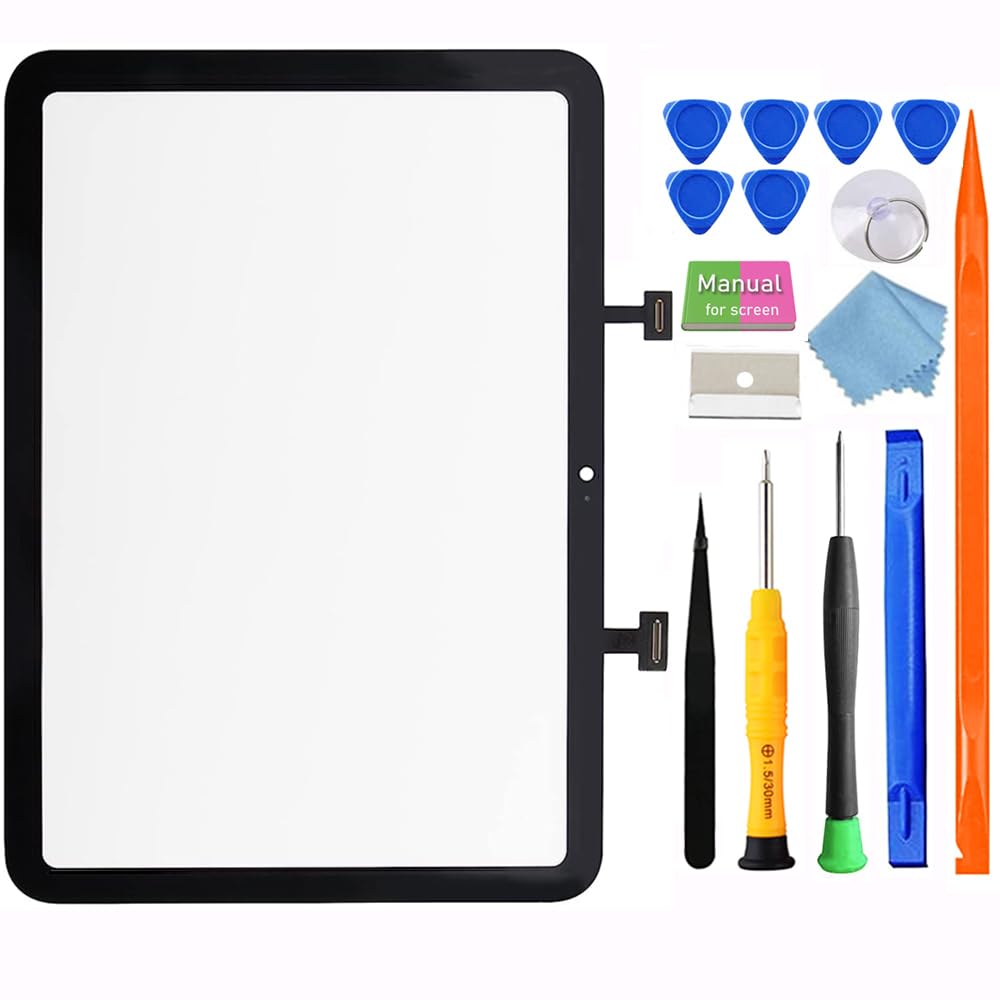
If your iPad 10th Gen or A16 has a cracked front but a working picture underneath, this is the kit that gets you back to normal. It is a glass touch screen digitizer without an LCD, sized for the 10.9-inch iPad 10 and the 11-inch iPad 11. Before you order, confirm your model in Settings under General, About, Model Name, or read the A-number on the back cover. This kit covers A2696, A2757, A2777, A3354, and A3355 only, and it will not fit the iPad Pro or iPad Air, so the model check is the whole game here.
What makes this the top pick is how much of the original iPad you keep. Touch ID still works because you move the original microphone, camera holder, and small magnets onto the new glass, which keeps every function the same as before. That transfer step is the reason iPad repairs are fussier than Samsung swaps — slow down and follow the maker’s video. Owners widely report the panel feels original-equivalent and avoids the “unknown part” error some aftermarket iPad screens throw. Owners also note the Apple Pencil tracks like it did before the crack.
The one honest caution is glass strength. The digitizer is thin, and pressing too hard while seating the adhesive has cracked at least one panel before it ever turned on. Set the screen in gently and let the adhesive do the work. The trade-off you accept for a genuine-feeling Touch ID and Pencil experience is a panel that needs a light touch during install. Owners widely call this the money-saver that put a one-year-old iPad back in service instead of sending it to the bin.
Exact 10th Gen fit
- Keeps Touch ID and Apple Pencil working after the swap
- Ships with a repair tool set and an instructional video link
- Buyers report an original-equivalent feel with no “unknown part” error
Adhesive needs patience
- Glass is thin — too much press force during install has cracked panels
- Requires transferring the microphone, camera holder, and magnets yourself
Buy for A16 swaps: you own an iPad 10th Gen or A16 with a working display and a cracked front, and you want Touch ID and Pencil intact.
Skip for older iPads: your iPad already shows image problems — this kit has no LCD, so a dead-pixel or dark display needs a different part.
2. ZTOOYO Screen Replacement Kit for Samsung Galaxy Tab A7 Lite
The lightest, cheapest route back to a working A7 Lite screen
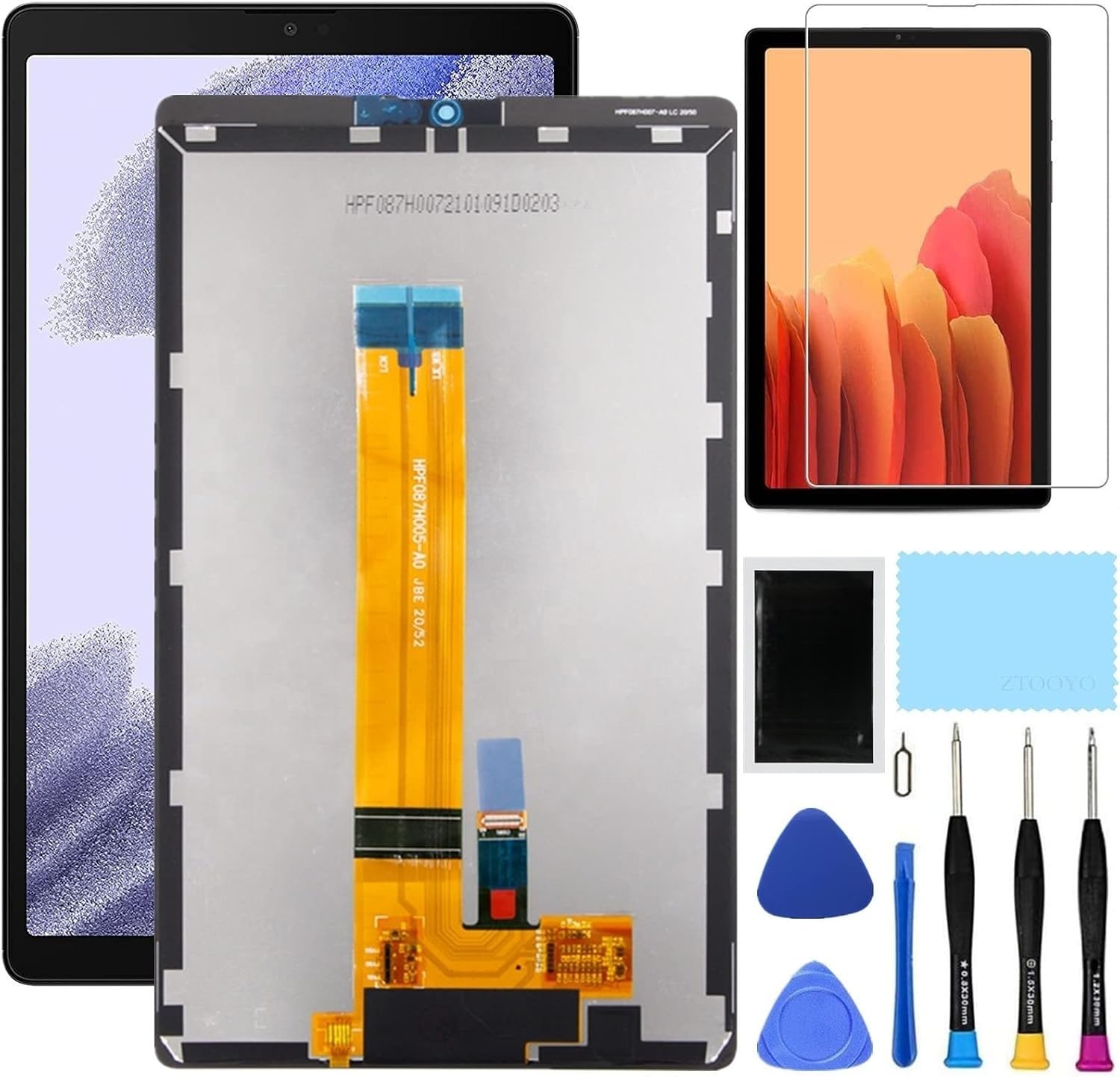
For a Tab A7 Lite with a smashed front, this kit is the low-cost entry point. It is built for the T220 and T227 models, and it ships as a screen plus a screen protector and a full repair kit. At 10.8 ounces it is a notably lighter package than the larger Samsung assemblies here, and the box footprint of 7.09 x 4.72 x 1.97 inches matches the compact tablet it fixes.
One thing to plan for before it arrives: there is no frame. You seat this screen directly onto your existing chassis, which is fine if your A7 Lite frame is straight and the original mounting points are intact. Owners who expected a frame from the listing were disappointed, so treat the “no frame” detail as the deciding factor. The screen itself fits well and functions once installed, and the touch response is reported as fine.
Two practical caveats come up again and again. First, the bundled tools are basic — the screwdrivers are not magnetic and the removal tool is plastic, so a decent phillips driver of your own helps. Second, you will want your own double-sided tape or glue to secure the battery and seat the screen, because adhesive is not in the box. Add those two small extras and this becomes a genuinely cheap fix. If your A7 Lite has a bent frame or you want a frame already attached, step up to a full assembly.
Full kit included: the value here is a working A7 Lite screen for a compact kit, with the caveat that you supply the tools and adhesive that make the install hold.
Grab for A7 LTE: you have a T220 or T227 with a sound frame and you are comfortable sourcing your own tape and a magnetic driver.
Pay more for glass: you want a frame pre-attached or a sturdier tool set in the box.
3. THIRDPOLE Samsung Galaxy Tab A7 10.4 T500 T505 Screen Replacement

A full white panel assembly for the 10.4-inch Tab A7, delivered wholesale
It is a full LCD display with touch digitizer for the 10.4-inch Tab A7 2020, models T500 and T505, so it covers dead pixels, false colour, and touch inactivity in one part. The white finish only matters if your Tab A7 is white — match that before you buy. It weighs 12.6 ounces and arrives in a 12 x 8.5 x 1.5 inch box, packed to survive shipping.
Installation is the easy part. Owners find it seats well, and the panel works from the start once installed. The catch that shows up most often is adhesive — this kit does not include the tape or glue to seat the screen, and there is no double-sided tape to hold the battery. Buy an adhesive strip or glue before you start. A few owners also note the panel is a very delicate part, so handle it with care and do not force the flex cable.
One point that saves a wasted purchase: before ordering, confirm the fault is the screen and not the motherboard or power supply. A faulty motherboard will not be fixed by any screen assembly. If your tablet is dark but powers on, have a technician test it. This kit carries a 30-day money-back window and a 3-month warranty, which gives you some room if a unit arrives dead.
Choose for tight budgets: you have a white T500 or T505 with display or touch damage, and you can supply your own adhesive.
Avoid if clumsy hands: you are unsure whether the fault is the screen or the board — test first.
4. Yondista Samsung Galaxy Tab A9+ LCD Assembly

The A9+ assembly for tablets that take a beating in kids’ hands
A Tab A9+ that lives in a backpack or gets dropped by a child is exactly what this assembly is built to fix. It covers the 11.0-inch Tab A9+ in models SM-X210, SM-X215, and SM-X216B. The kit includes the LCD screen and a full set of replacement tools, packed in a sturdy box to survive shipping so the panel is not chipped on arrival. It is the heavier of the A9+ options here at 14.4 ounces.
Buyer feedback on this one is more mixed than on the top picks. The tool kit and sturdy box are real wins, and several families report a working screen that looks like the original again after the swap. But quality and durability feedback leans mixed — some units worked as expected, while a few arrived chipped or developed ghost touches (unwanted taps you did not make) within days. That does not make it a bad part. It means you should inspect the panel the moment it lands and message the seller through Amazon if it arrives damaged, rather than pushing ahead with the install.
The manufacturer itself flags the biggest risk: only take this on if you know how to install it. Improper installation can damage the motherboard or power supply and turn a screen fix into a dead tablet. If you are not confident, this is the one to hand to a technician. Confirm your model number first — SM-X210, SM-X215, and SM-X216B only — because a misfit here costs you the part and the return.
Best for A9 Plus: A9+ owners who want a tool-included assembly for a tablet that sees hard daily use, and who will inspect on arrival.
Not for A9 base: first-timers uncomfortable opening a device — this is not a panel to learn on.
5. HQB-STAR Samsung Galaxy Tab A8 10.5 2021 LCD Display Digitizer

The 10.5-inch A8 panel for a full display-and-touch rebuild
Tab A8 owners get a full LCD display digitizer here, built for the 10.5-inch 2021 model in SM-X200 and SM-X205 variants. It is a complete assembly, so it handles cracks, damaged glass, dead pixels, and unresponsive touch in a single part. The panel is specified to match the original A8 dimensions and reproduce colour accurately. It is the heavier option at 15.5 ounces, which is expected for a 10.5-inch panel.
The listing here is on the sparse side compared with the iPad and A7 kits — there is no customer-feedback trail to lean on, so you are buying on the published fit and spec rather than owner experience. That means the model check matters even more. Confirm SM-X200 or SM-X205 on your device before ordering, and make sure your fault really is the screen. A panel that is the wrong model or a tablet with a board fault will waste the part either way.
On the plus side, the tool set is included and the assembly ships in a sturdy box, so you are not chasing a driver or worrying about a chipped panel on the way. What you supply is patience: full assemblies need the old adhesive fully removed before the new screen seats flat. Take your time on that step and the fit is the easy part of the job.
Bright A8 display: this is a complete 10.5-inch A8 assembly (the screen and touch layer as one unit) for owners who will confirm the SM-X200 or SM-X205 model code and want the display and touch rebuilt in one go. The trade-off is a thin public feedback trail and the need for your own adhesive-removal care.
Pick for A8 repairs: you have an SM-X200 or SM-X205 Tab A8 with both display and touch damage and want it all replaced together.
Look elsewhere for OLED: you want a repair backed by lots of owner feedback — this listing is light on it.
6. HQB-STAR Tab A9+ 11″ Wi-Fi LCD Screen Replacement
A no-fuss full panel for the 11-inch A9+ Wi-Fi crowd
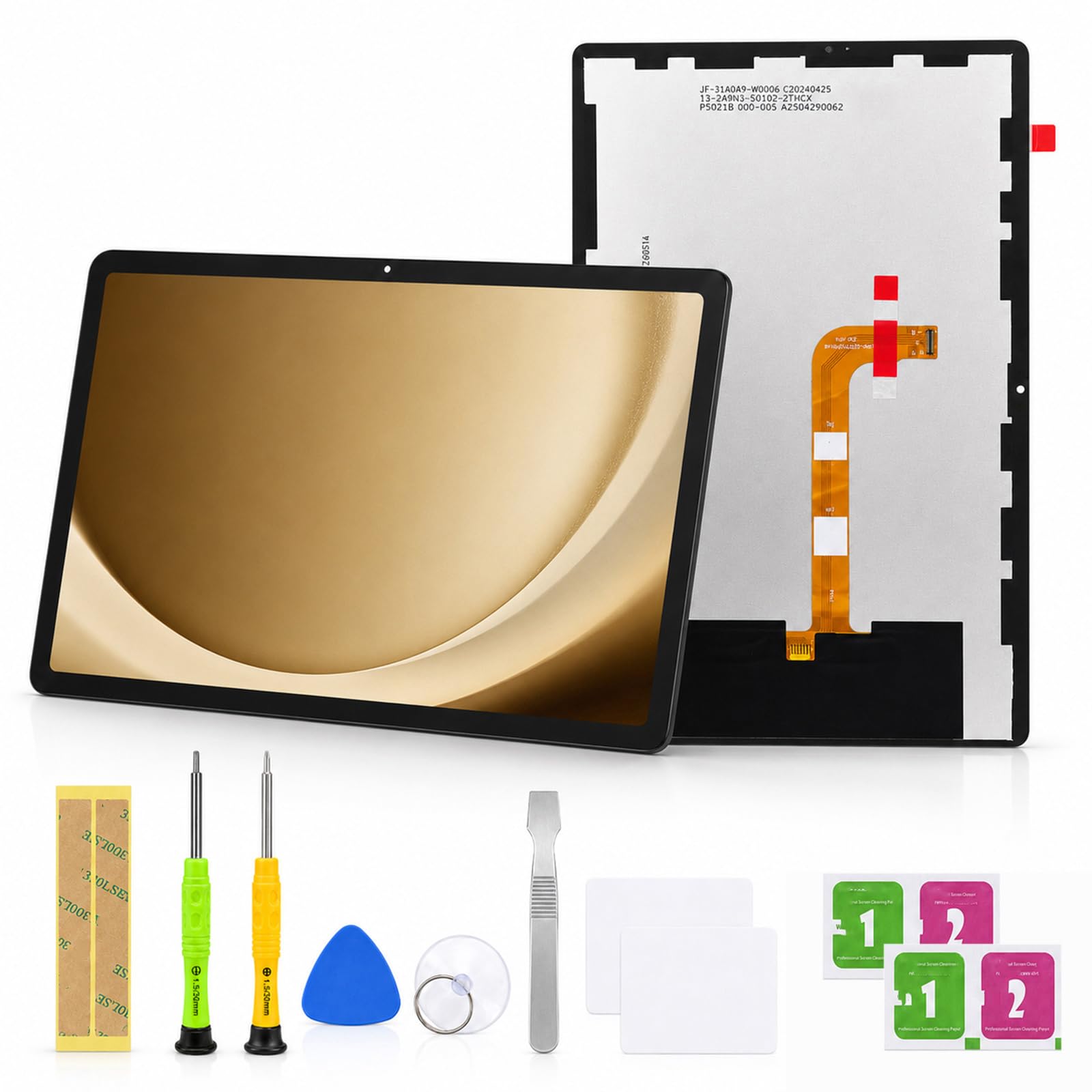
If your A9+ Wi-Fi has a cracked or unresponsive front, this assembly gets the display and touch back in one part. It is built to match the original 11-inch A9+ dimensions, so it fits the same frame. Touch sensitivity is specified to mirror the factory screen. At 14 ounces it is a shade lighter than the Yondista A9+ assembly above, and the two are close in price tier — so the deciding factor is model certainty and how much feedback you want behind the pick.
This is a Wi-Fi model kit, and that detail matters. The A9+ comes in Wi-Fi and cellular variants with different part codes, so confirm your exact tablet before buying. The box footprint of 11.54 x 7.56 x 1.85 inches is sized for the 11-inch panel, and the assembly ships in a sturdy box. With no owner-feedback trail on this listing, you are buying on the published fit and the maker’s spec, so the model check is your protection.
The job itself is the same as any full assembly: remove every trace of the old adhesive, seat the new screen flat, and test touch before you commit to the final press. Do not force the flex cable. Done patiently, an A9+ assembly swap is one of the more manageable repairs on this list. Do it hurriedly and you risk the very board damage that turns a screen fix into a dead device.
Take for bulk fixes: you own an 11-inch A9+ Wi-Fi and want the display and touch replaced together with a panel built to the original dimensions.
Confirm model first: you are unsure whether your A9+ is the Wi-Fi or cellular variant — the codes differ.
7. Eaglewireless LCD Display Touch Screen Assembly for Samsung Galaxy Tab S7 FE 12.4″

The 12.4-inch panel that ships with its own adhesive strip
For a big-screen S7 FE with a cracked front, this is the assembly that comes with the sticky part included. It fits the 12.4-inch Tab S7 FE in models SM-T730, T733, T736, T738U, T735, and T737, and it does not fit the standard Tab S7 11-inch T870 or T875. At 1.12 pounds it is the heaviest part on this list, which tracks with a 12.4-inch panel. It ships with the LCD assembly, free tools, and an adhesive strip, in a 12.6 x 8.74 x 2.32 inch box.
That included adhesive strip answers the complaint that dogs several other Samsung kits here — no chasing down tape. Owners mention a clean fit, an easy install, and excellent visual quality. The thing to know up front is S Pen support. The touch assembly brings the display back, but the S Pen does not respond the way it did on a factory panel for some owners. If you sketch or take notes with the stylus, weigh that before you buy. If you mostly read, stream, and tap, it is a non-issue.
Two other cautions from the wider feedback. First, the panel can come out slightly green compared with the original — a fair trade for a mid-range part, but noticeable side by side. Second, the glass is fragile; a panel that cracked corner to corner without being dropped is rare but possible, so inspect it on arrival and test before installation. The included adhesive strips and full tool set are exactly what you want for the S7 FE’s large frame.
Large screen ready
- Ships with an adhesive strip and complete tool set
- Customers note a clean fit, easy install, and excellent visual quality
- The heaviest, largest panel here — built for the 12.4-inch S7 FE frame
Heavy frame weight
- S Pen response is the recurring mixed point — the stylus may not work like the original
- Some panels read slightly green next to the factory screen
- Glass is fragile — inspect on arrival and test before seating it
Make this your pick: you own an SM-T730/T733/T736/T738U/T735/T737 S7 FE and want the biggest panel here with adhesive and tools included.
Think twice if rushed: you rely on the S Pen for drawing or notes — the stylus behavior is the one place this kit falls short of the original.
Know the Specs
Digitizer vs. full LCD assembly
A digitizer is the front touch layer — the glass you tap. A full LCD assembly adds the display underneath, so it handles dead pixels and false colour as well as a cracked surface. If your picture is already dead or discolored, you need the full assembly, not the digitizer alone.
Model number match
The exact code — T500, T220, SM-X210, A2696 — is what the part is machined to. A kit built for one code will not seat in another model’s frame, even when both share a family name. Confirm the code on the back cover or in Settings before ordering.
Frame or no frame
A frame-attached assembly seats onto your tablet as one piece. A no-frame kit means you mount the screen directly to your existing chassis, which only works if your frame is straight and the mounting points are intact. Check which one you are buying.
Included tools and adhesive
Tools are common; adhesive is the part that gets left out. Several Samsung kits here ship without double-sided tape or glue, so budget for your own before starting. A magnetic driver helps, since some bundled screwdrivers are not.
Common Questions
How do I find my tablet’s model number before ordering a screen?
What is the difference between a digitizer and a full LCD assembly?
Will a replacement screen keep my Touch ID or S Pen working?
Do these screen kits come with adhesive and tools?
Why does my new screen have ghost touches or dead spots after installation?
Can I replace a tablet screen myself with no experience?
What if my tablet’s fault is not the screen at all?
Will my new panel look exactly like the original screen?
Does the S7 FE kit fit the regular Tab S7 11-inch?
What is the difference between a no-frame kit and a frame-attached assembly?
The Bottom Line
For most buyers, the tablet screen replacement winner is the GoodFixer iPad kit because it keeps Touch ID and Apple Pencil working and ships with a tool set and video guidance. If you have a Tab A7 10.4 and want a full white assembly, reach for the THIRDPOLE A7 kit. And for the large-format S7 FE, the Eaglewireless 12.4-inch assembly brings its own adhesive strip so you can skip the tape hunt.
Whichever pick fits your model, confirm the code on the back cover before you order. Matching the part to your exact model code is the single step that prevents the most failed installs.
How we choose
We do not accept paid placement. Every pick is matched to a real buyer and a real use-case; we do not hands-on test units.
Sources
Specifications: manufacturer listings and product documentation. Review insights: verified customer reviews, as of November 2026. Pricing: not shown on this page (it changes often); check the current price via the retailer link.
As an Amazon Associate, Tactical Gear Guy earns from qualifying purchases. This does not affect which products we feature.