Specs are compiled from manufacturer listings and verified buyer reviews and can change over time — please confirm the key details on the product page before buying.
If you want the short answer: the iPad 11-inch with the A16 chip is the tablet most students should buy, and the Lenovo Idea Tab Pro is the smarter pick if you want a big screen without paying flagship money. Everything below explains why those two sit at the top — and which of the nine others fits a specific kind of student better.
This guide is built by comparing the manufacturers’ published specifications and the patterns across verified customer reviews, so you get each pick’s real strengths and trade-offs instead of marketing spin.
A student tablet has to hold up for four years of notes, PDFs, and late-night reading. These are the recommended tablets for students that hold up on screen quality, stylus input, and battery life.
Top Picks


How To Choose The Best Recommended Tablets for Students
Start with how you take notes, not with the spec sheet. If you write by hand in lectures, a tablet with an included pen and a screen that resists smudging will earn its keep. If you mostly read PDFs and type essays, screen size and storage matter more than stylus pressure.
The pen question comes first
Pressure levels tell you how sensitively a stylus reads your hand — the TCL NXTPAPER 11 Plus and the TCL TAB A1 both list 4,096 levels, which produces thicker and thinner strokes as you press harder. A pen that needs no charging is one less cable in your bag, and the S Pen on the Galaxy Tab S6 Lite works that way.
Glossy or paper-like: pick your reading surface
A glossy panel gives you punchy video and deep contrast, which helps for streaming lectures. A matte, paper-finish screen cuts glare in a bright library and feels closer to a notebook under the pen. Neither is better — they suit different study habits.
Battery capacity in plain terms
Capacity in mAh is the size of the fuel tank, and manufacturer runtime figures are always estimated for a specific task. A larger tank does not guarantee more hours, but it gives you more headroom on a long day away from a wall socket.
Side-by-Side Comparison
| Model | Best For | Display | Storage | Battery | Amazon |
|---|---|---|---|---|---|
| Apple iPad 11-inch (A16)★ Best Overall | Most students | 11-inch Liquid Retina | 128GB | All-day (Apple rating) | Amazon |
| Lenovo Idea TabBest Budget Study Pick | Lecture notes on a budget | 11-inch 2.5K, 90Hz | 128GB | 12 hours | Amazon |
| TCL TAB A1 NXTPAPEREasiest on the Eyes | Heavy reading sessions | 11-inch 2.1K, 90Hz | 128GB | 8,000mAh | Amazon |
| TCL NXTPAPER 11 Plus | Drawing and note-taking mix | 11.5-inch 2.2K, 120Hz | 256GB | 8,000mAh | Amazon |
| Like-New Amazon Kindle Scribe | Focus with no notifications | 10.2-inch, 300 ppi | 32GB | Read for months (Amazon rating) | Amazon |
| Lenovo Idea Tab Pro | Big-screen multitasking | 12.7-inch 3K, 90Hz | 128GB | 10,200mAh | Amazon |
| Samsung Galaxy Tab S11 | Premium all-rounder | 11-inch Dynamic AMOLED 2X | 256GB | 18 hours | Amazon |
| Samsung Galaxy Tab S9 | Durable premium pick | 11-inch Dynamic AMOLED 2X | 256GB | 15 hours | Amazon |
| Microsoft Surface Pro | Laptop replacement for essays | 12-inch LCD | 256GB | 16 hours | Amazon |
| Apple iPad Pro 11-inch (M5) | Design, video, and heavy apps | 11-inch Ultra Retina XDR | 256GB | All-day (Apple rating) | Amazon |
Detailed Reviews
1. Apple iPad 11-inch 128GB
Our pick — 4.5+★ from 30,500+ verified ratings; the strongest balance of quality and price.
The tablet that handles four years of lectures, PDFs, and note apps without slowing down.
The A16 chip is the reason this one leads. It is the engine that opens apps instantly, keeps a lecture PDF and a note app side by side, and still renders video without stutter. Owners describe apps launching instantly, which is the kind of thing you stop noticing only because it never gets in your way.
Storage starts at 128GB here, and the sizing gap against the entry Samsung Galaxy Tab S6 Lite is real: 128GB versus 64GB. That headroom matters when you are downloading lecture recordings, scanned readings, and a photo library across a whole semester. The 11-inch Liquid Retina display with True Tone shifts color temperature to match your room, so late-night reading is easier on your eyes than a fixed white panel.
What wins people over is the battery and the setup. The consensus in the review pages is that the battery genuinely carries a full day and that getting from unboxing to a working study setup takes minutes, not an evening of fiddling. Pairing an Apple Pencil works the way you would hope — the USB-C version turns the screen into a canvas for handwriting in any text field through Scribble.
What you get
- A16 chip keeps apps opening instantly, even with several running at once
- 128GB of built-in storage, one of the larger starting capacities on this list
- Touch ID on the top button for quick open up and secure app sign-ins
- 12MP front camera with Center Stage for seminar video calls and group projects
Where it asks more
- The Pencil and Magic Keyboard Folio are sold separately, so note-taking adds cost
- Storage climbs to 512GB only if you pay for the step up
- Touch ID rather than Face ID, which takes a moment longer in a dim lecture hall
Buy this one: most students, from first-year lectures through final-year dissertations, will get the smoothest daily experience here.
Think twice: if you want a pen in the box, the Galaxy Tab S6 Lite and both TCL pens are included — this one is not.
2. Lenovo Idea Tab 11″
A pen, a case, and a sharp screen without the flagship bill.
This is the entry-level pick that arrives ready to work. The Tab Pen and a folio case are both in the box, so you open it and start writing rather than shopping for accessories. The screen is an 11-inch 2.5K IPS touchscreen running at 90Hz, which means the image redraws 90 times a second — smooth enough that your handwriting trails the pen tightly instead of lagging behind it.
Two numbers set it apart from the pricier TCL NXTPAPER 11 Plus overhead. This Lenovo carries 4GB of memory against that tablet’s 8GB, and its 90Hz panel sits below the 120Hz of the TCL. The practical result is that heavy split-screen work feels more strained here, and fast scrolling is a touch less fluid. For a single note app and a reading window at a time, both are fine.
Buyers point to the display and the value most — a crisp, clear picture and a good price for what you get. Lenovo also bundles four study apps including Lenovo AI Note and MyScript Calculator, and the 20W charger tops it back up between classes. The split in the reviews is on performance: some find it works well, others hit real lag when they push it hard. Treat it as a note-and-read machine and it delivers; treat it as a gaming rig and the MediaTek Dimensity 6300 will show its limits.
Screen per dollar: a 2.5K panel plus a pen and case in one box is the strongest bundled package on this list for the money.
The honest limit: 4GB of memory is the tightest on this page, so keep your open tabs modest and it stays responsive.
Reach for this if: your day is lectures, readings, and handwritten notes, and you would rather not pay for headroom you will not use.
Look elsewhere if: you plan to juggle a dozen browser tabs while a note app runs — the gap in memory will show.
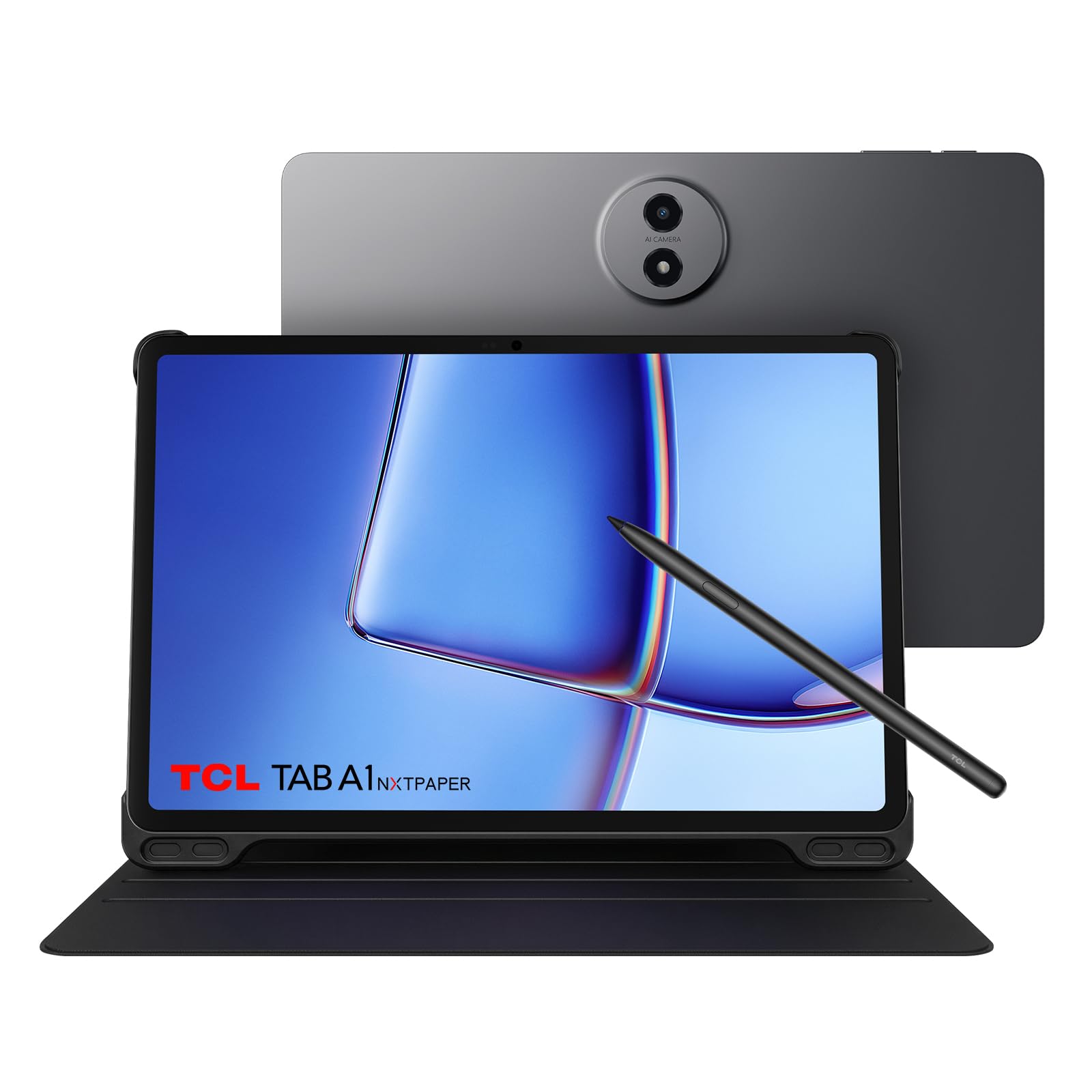
3. TCL TAB A1 NXTPAPER — 11″ 2.1K 90Hz, 6+128GB
The matte one built for the student who reads more than they stream.
Read three hundred pages a week and glare becomes the enemy. This tablet’s 11-inch 2.1K NXTPAPER panel is matte and paper-textured, and it carries TÜV Rheinland certification for low blue light. In a sunlit library that means the page stays readable instead of turning into a mirror, and your eyes get a softer image than a glossy glass slab.
Three VersaView modes let you switch the panel’s character from Settings: Ink Paper for reading and notes, Color Paper for softer tones, and Standard for video. Pair that with the optional T-Pen 2, which reads 4,096 pressure levels across two interchangeable tips, and handwriting starts to feel like a fine-liner rather than a mouse. The 8,000mAh battery and 20W charging support cover the day, though you will need to supply your own charger.
The thing everyone raves about is raw responsiveness for the money — the review pages read heavily on speed and screen quality rather than on features. What is genuinely mixed is the stylus: some find the T-Pen good for writing, others do not. If pen input is central to your studies, spend the extra for the NXTPAPER 11 Plus below and its included stylus rather than buying this one and adding a pen. There is also no charger in the box, so budget for that on day one.
Reading comfort: the paper finish is the standout — in a bright room it beats any glossy panel on this list for long documents.
Bundle gap: stylus and charger are separate purchases here, which narrows the value if you need both.
Best fit: humanities and law students who live inside PDFs and want a screen that behaves like paper.
One caveat: the stylus is optional and reviews on it split, so try it in person if handwriting is your main input.
4. TCL NXTPAPER 11 Plus — 11.5″ 2.2K 120Hz, 8+256GB

Double the storage of the iPad, and a stylus already in the box.
Here is the comparison that decides a lot of shopping carts: this tablet carries 256GB of storage, while the iPad 11-inch above starts at 128GB — twice the room for downloaded lectures, textbook PDFs, and a photo library. The memory gap swings the same way too, 8GB here against the 4GB Lenovo Idea Tab. When you keep eight tabs open during a research session, that difference shows up as fewer refreshes and less waiting.
The 11.5-inch 2.2K panel runs at 120Hz, so the image redraws 120 times a second, and it is also the largest screen on the mid-range shelf at 11.5 inches against the Lenovo’s 11 inches. Drawing and note-taking feel closer to paper than anything else here, because the T-PEN stylus with 4,096 pressure levels ships in the box alongside a flip cover that doubles as a stand.
Owners describe this as a well-built Android tablet with battery life that lasts an entire day of classes, and they point to multitasking with split-screen and floating windows as where it shines. Built-in AI tools for voice memos, translation, and note refinement do real work here. The recurring gripe is on raw performance under load — it is a MediaTek Helio G100, and heavy creative apps will feel the ceiling. One more detail worth knowing: there is no microSD slot, so the 256GB you buy is all the storage you will ever have.
Why it earns the slot
- 256GB of built-in storage, double what the iPad 11-inch starts with
- 8GB of memory, twice the Lenovo Idea Tab’s 4GB
- 120Hz panel keeps handwriting and scrolling visibly smoother than 90Hz models
- Stylus and flip cover included, so there is nothing extra to buy
- 8,000mAh battery with 33W fast charging and reverse charging for your earbuds
What to plan around
- No microSD expansion, so pick your storage size for the long haul
- The MediaTek Helio G100 is an everyday chip — heavy video editing will slow down
- Charger not included despite the 33W fast charging support
The math that matters: twice the storage and a free stylus is a hard value case to argue with for a note-taking student.
Worth a pause: if your course means 4K video editing or 3D modelling, step up to a flagship chip instead.
5. Amazon Kindle Scribe 32GB

A digital notebook with no app store, no notifications, and no social feed to scroll.
This is the one product on the list that is not trying to be a computer, and that is exactly the point. No notifications, no social media, no app store to wander into. You open it, you write, you read. The 10.2-inch glare-free display runs at 300 ppi, meaning 300 pixels per inch, which is dense enough that text looks like print and handwriting stays crisp at normal reading distance.
The Premium Pen needs no setup and no charging, so it works the moment you pick it up. Built-in AI tools convert messy handwriting into readable font and summarize your notes, which is a genuine time saver when you are turning three weeks of lecture scribbles into a study sheet. Importing PDFs through Send to Kindle means you can mark up a reading directly on the page, and Active Canvas opens space in the margin when you need more room.
Writing feel is the thing that wins people over — it lands as pen on paper, and it is built for work notes rather than entertainment. The honest limit is compatibility: this is a Kindle, not an Android tablet, so the note apps, browser tabs, and Google ecosystem other students lean on are not here. Battery life is a different order of magnitude too — Amazon rates it for months of reading and weeks of writing on a single charge, which makes a charger almost an afterthought.
The trade you make: you give up apps and a browser, and in return you get a screen and a pen that behave like a notebook.
Who should care: students whose coursework is reading and longhand notes rather than software.
Perfect for: the reader who wants a distraction-free writing surface and a library in one slab.
Not for: anyone who needs to run a full app ecosystem or edit spreadsheets — that job needs a real tablet.
6. Lenovo Idea Tab Pro 12.7″

A 12.7-inch canvas for students who read two documents at once.
Screen real estate is the headline. The 12.7-inch 3K LCD gives you room to run a textbook PDF beside a note app without shrinking either one to a sliver. That is a different way of working than a 10.4-inch panel allows, and for research-heavy courses it changes the whole rhythm of a study session.
Underneath sits a MediaTek Dimensity 8300 with 8GB of memory and Wi-Fi 6E connectivity, which covers faster downloads and smoother multitasking than the entry-level Lenovo Idea Tab. The 10,200mAh battery is the biggest on this list, and Lenovo rates it for 11 hours of unplugged video streaming. When it does run down, 45W quick charging gets you back into an assignment quickly.
Performance is what owners talk about most, and the reviews back it up — the processor handles Android games and heavy apps without complaint, and the included Tab Pen Plus shows noticeably lower stylus latency than cheaper pens. Quad JBL Dolby Atmos speakers make lecture audio intelligible without headphones. What is mixed is battery life and weight: a 12.7-inch slab is a substantial thing to carry, and the runtime figures do not always match real days. The one thing to plan for is the keyboard, which is not included.
Reasons it leads the mid-range
- 12.7-inch 3K LCD, the largest screen on this list
- MediaTek Dimensity 8300 with Wi-Fi 6E for fast downloads and smooth multitasking
- 10,200mAh battery, the largest capacity here
- Pen and folio case included with 45W quick charging support
Trade-offs to weigh
- A 12.7-inch body adds real weight to a backpack
- Battery life is a mixed bag depending on how you use it
- No keyboard in the box
Go for it when: your work is document-heavy and screen space saves you real time.
Know the cost: that big panel is not featherweight, so if you walk miles between lectures, check the heft first.
7. Samsung Galaxy Tab S11 256GB WiFi — Galaxy AI, IP68, Silver
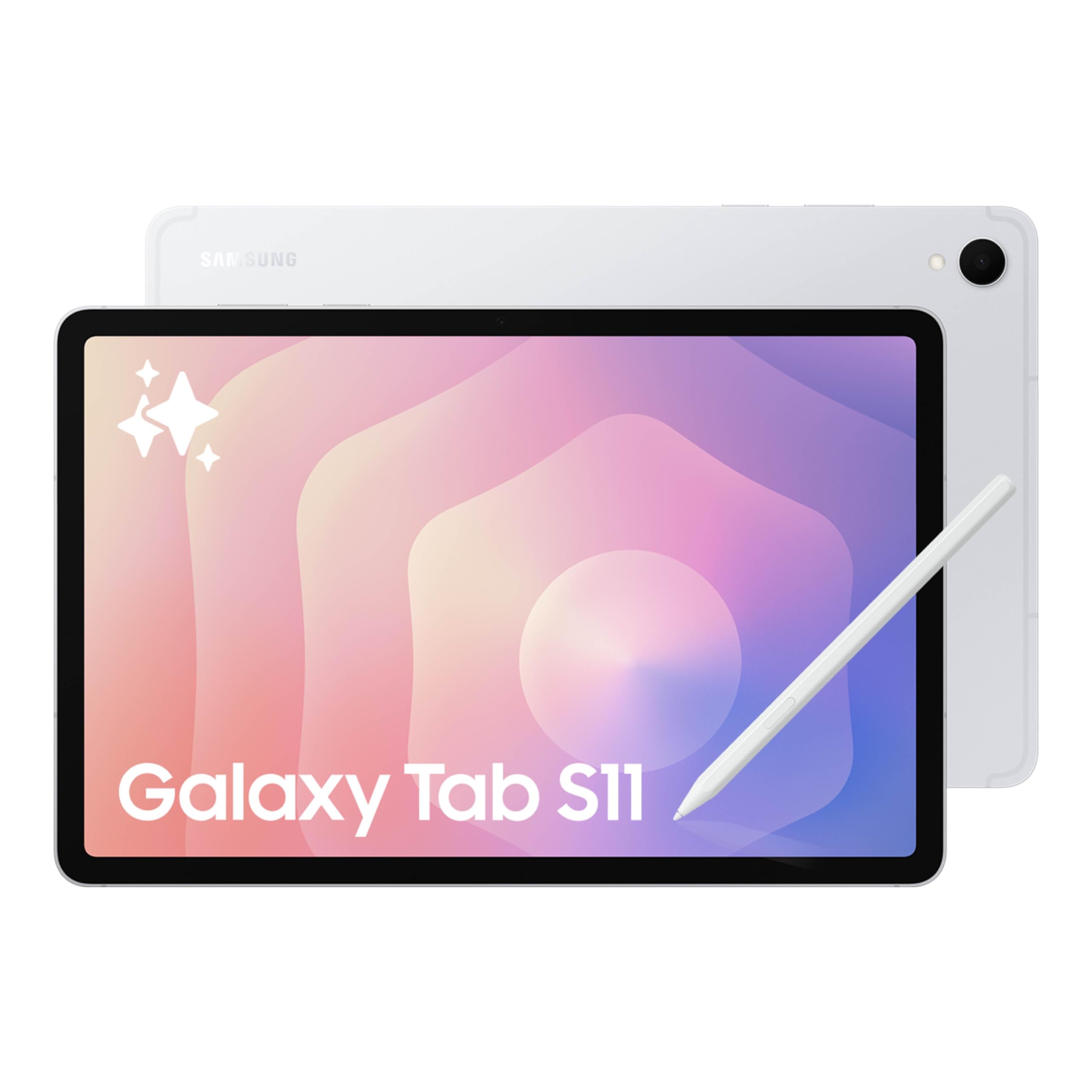
An AMOLED panel with true blacks that keeps late-night reading easy on the eyes.
AMOLED is the reason this screen wins. Each pixel lights itself rather than relying on a backlight, so black text sits on true black and colors look richer than on the LCD panels above. An 11-inch Dynamic AMOLED 2X with Vision Booster keeps text sharp in bright rooms, which is exactly what you want when you are squinting at slides between classes.
The 12GB of memory is the largest on this page. That means the tablets opens the wide range of Android apps and switches between them without stalling, which is the difference between a smooth research session and watching a spinner. Expandable storage through a microSD card gives you room to keep downloads and offline video without deleting anything.
Battery life is where expectations should be set. Samsung rates it for up to 18 hours, but the reviews on real runtime are mixed — some report excellent performance, others find it merely okay. Treat 18 hours as a best case for light reading rather than a promise for a heavy day of split-screen work. On the positive side, owners praise the display and the speed, and the included S Pen with Note Assist pulls tidy summaries out of messy lecture notes.
The two big wins: AMOLED contrast and 12GB of RAM, the highest memory figure on this list.
Set expectations: rated runtime is a ceiling, not a floor — plan a charger if you run apps all day.
Pick this for: students who want the best-looking screen and enough memory to multitask without compromise.
Reconsider if: battery life is your single biggest priority — the rated hours do not always hold up under heavy use.
8. Samsung Galaxy Tab S9 256GB

The one with an IP68 rating you can carry through a rainstorm without thinking twice.
An IP68 rating is the number that separates this tablet from every other pick here. IP68 means it is sealed against dust and protected against water immersion, and Samsung calls it one of the only water- and dust-resistant tablets on the market. For a student hauling gear between buildings in wet weather, that is not a gimmick — it is insurance.
The Snapdragon 8 Gen 2 processor is described by Samsung as its most powerful tablet processor yet, and the 15-hour battery figure supports long stretches away from an outlet. Wi-Fi 7 handles the connection side so downloads and streaming stay smooth. An 11-inch Dynamic AMOLED 2X screen with Vision Booster rounds out the package, giving the same strong contrast as the Tab S11 above.
Owners call out the build and the speed as the reasons it satisfies — it runs faster than the work laptops some students carry, and it fits well in a bag. The honest question is price-to-value: it is a premium tablet, and if your main use is reading and writing, the Tab S11 or the Idea Tab Pro deliver the same core experience for less. Step up if you want the weather-sealed frame and the top-tier chip.
Standout strengths
- IP68 dust and water resistance, unique on this list
- Snapdragon 8 Gen 2 processor for fast app switching and gaming
- Armor Aluminum frame built to protect against bumps
- Wi-Fi 7 connectivity, with an S Pen included
Honest trade-offs
- Premium pricing relative to rivals doing similar daily work
- Battery life figures draw mixed feedback
- Overkill for a plain reading-and-notes routine
Built for: the student who will not baby their kit and wants a sealed, fast tablet for the long haul.
Skip the upgrade if: you take notes indoors and never leave the library — cheaper tablets do that job equally well.
9. Microsoft Surface Pro 2-in-1 256GB

Runs full Windows 11 desktop software that Android and iPadOS tablets cannot.
Some courses need a real operating system, and this is the pick that delivers it. Windows 11 runs on a Snapdragon X Plus processor with 16GB of RAM and 256GB of storage, so the desktop software, Excel files, and browser extensions that an Android or iPadOS tablet cannot touch all run here.
The flexibility is real: use it flat as a tablet, prop it on the built-in kickstand for video, or attach the Surface Pro Keyboard and it turns into a laptop. Microsoft rates it for up to 16 hours of battery life, and the AI engine it describes as handling up to 45 trillion operations per second supports the Copilot+ tools for writing and summarizing. The 12-inch PixelSense display is sharp enough for both drafting and long reading sessions.
Reliability and value get mixed signals in the reviews — some buyers report a flawless machine while others were unhappy with their unit, and the sale does not include a power charger, which several notice. Go in eyes open and it is the most capable machine on this list for coursework that demands a full desktop.
Why it is here: 16GB of RAM and a real Windows desktop make it the only pick that runs conventional PC software without compromise.
Plan the extras: no charger in the box and the keyboard is sold separately, so budget for both.
Right for: engineering, business, or design students whose software only exists on Windows.
Weigh before you buy: if your coursework is not Windows-only, an iPad or Android tablet gets you through for far less hassle.
10. Apple iPad Pro 11-inch M5 256GB
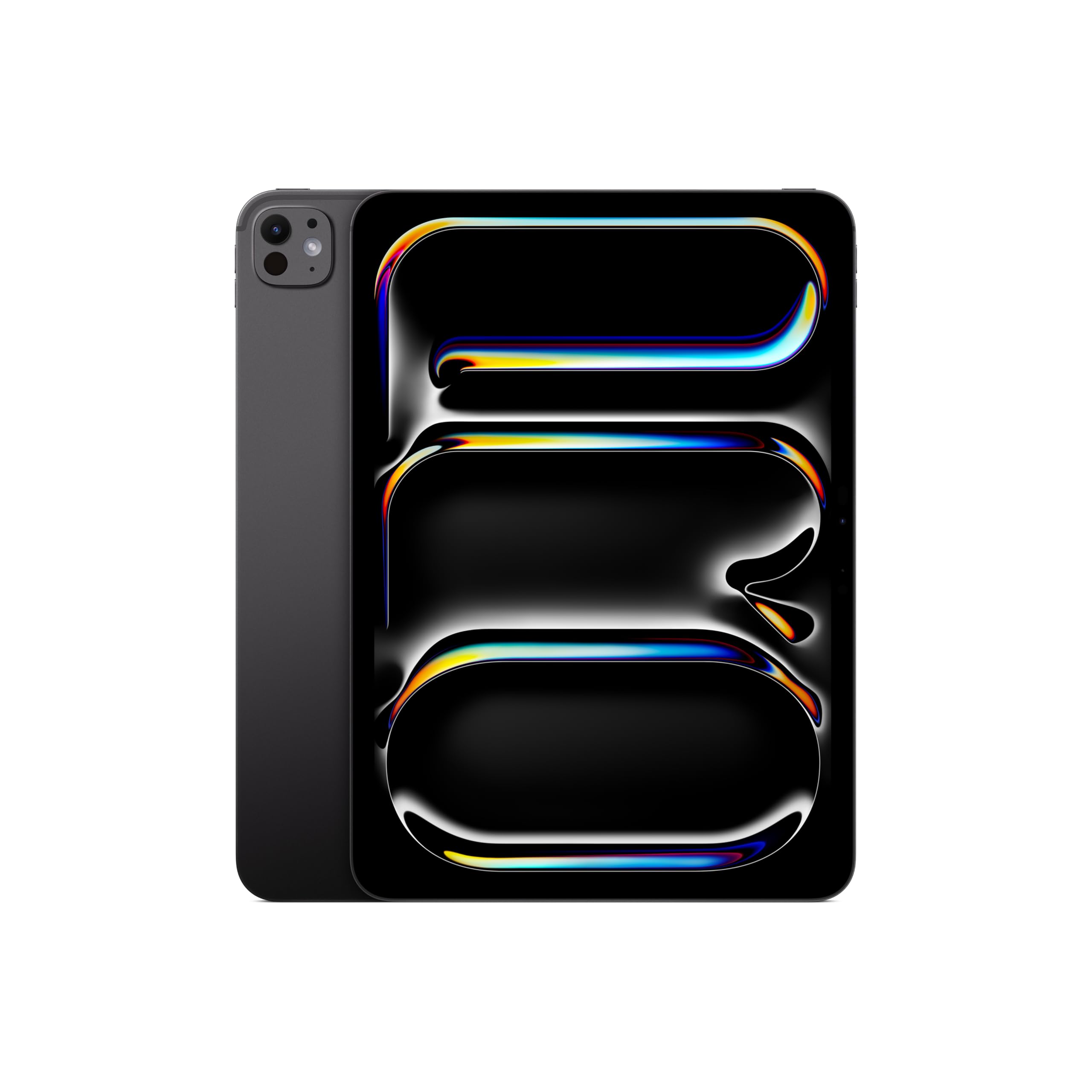
The one for the design student who needs a color-accurate screen and a drawing surface in one device.
At 15.7 ounces, this iPad Pro is defined by what it can do rather than how it feels — but that weight figure matters when you hold it up to sketch for an hour straight. The M5 chip does the heavy lifting, with Neural Accelerators for AI tasks and enough headroom for pro apps that would leave a mid-range tablet behind.
The Ultra Retina XDR display is the reason to choose the Pro over the standard iPad — extreme brightness, precise contrast, ProMotion, P3 wide color, and True Tone all combine into a panel that handles color-critical work, video editing, and precise illustration. A LiDAR Scanner measures depth for augmented-reality work, and Wi-Fi 7 connectivity keeps large file transfers quick. The 11-inch size stays portable enough to carry every day.
Speed and screen are what owners rave about — it leaves cheaper machines so far behind that it can plainly outrun budget laptops on everyday tasks.
For the heavy hitters: XDR display, M5 chip, and LiDAR make it the only pick that does professional-grade creative work.
What to know first: Pencil and keyboard are extra, so the working setup costs more than the tablet sticker.
Choose it if: your degree is design, film, or architecture, and the screen and chip are doing real work for you.
It is a lot of tablet: for lectures and readings, the standard iPad or the NXTPAPER 11 Plus covers it comfortably.
Know the Specs
Refresh rate (Hz)
Hertz is how many times per second the screen redraws the image. A 120Hz panel like the NXTPAPER 11 Plus redraws twice as often as a 60Hz one, which makes scrolling and handwriting trail your pen more tightly. A 90Hz screen sits between the two and is plenty smooth for notes — the difference shows mainly when you flick through pages fast.
Battery capacity (mAh)
Milliamp-hours measure how much charge the battery holds, like the size of a fuel tank. A 10,200mAh battery in the Idea Tab Pro holds more charge than an 8,000mAh one, but manufacturer runtime figures — 12 hours here, 18 hours there — are always estimates for a specific task. Read them as a ceiling for light use, not a guarantee for a heavy day.
Screen resolution and ppi
Resolution counts the pixels across and down, while ppi counts pixels per inch of glass. Higher ppi means denser, crisper text, which is what the 300 ppi Kindle Scribe delivers on a 10.2-inch panel. A 2.5K or 3K LCD gives you a large, sharp workspace for side-by-side windows, which matters more on a big screen than on a small one.
Stylus pressure levels
Pressure levels tell you how finely a pen reads your handwriting. A 4,096-level pen like the T-Pen on the NXTPAPER 11 Plus varies line thickness as you press harder, so shading and quick signatures look natural. A pen that needs no charging, like the S Pen on the Tab S6 Lite, trades some sensitivity for the convenience of never plugging it in.
Common Questions
Is an iPad or an Android tablet better for a student?
Do I need a stylus to take notes on a tablet?
How much storage does a student tablet need?
Will a student tablet last all four years of a degree?
Can I use a student tablet as a laptop replacement?
What is the difference between a glossy and a paper-like display?
Do tablets for students come with a charger?
Is a bigger screen better for taking notes?
What does an IP68 rating mean on a tablet?
How many pressure levels should a note-taking stylus have?
Can a tablet run Zoom and Google Classroom at the same time?
The Bottom Line
For most students, the recommended tablets for students winner is the iPad 11-inch with the A16 chip, because it pairs instant app performance and all-day battery with the largest app ecosystem you can carry to a lecture. If you want a pen and a case in the box without paying flagship prices, the TCL NXTPAPER 11 Plus gives you 256GB of storage and a 120Hz display. And for a screen big enough to run two documents at once, the Lenovo Idea Tab Pro is the one to reach for.
One thing worth knowing before you order: the iPad is the crowd favorite — 4.5+ stars across 30,000+ owners — a track record worth weighing for a tablet you will carry for four years.
How we choose
We do not accept paid placement. Every pick is matched to a real buyer and a real use-case; we do not hands-on test units.
Sources
Specifications: manufacturer listings and product documentation. Review insights: verified customer reviews, as of November 2026. Pricing: not shown on this page (it changes often); check the current price via the retailer link.
As an Amazon Associate, Tactical Gear Guy earns from qualifying purchases. This does not affect which products we feature.