Specs are compiled from manufacturer listings and verified buyer reviews and can change over time — please confirm the key details on the product page before buying.
Your teammates flinch every time you click your mouse, and your friends can hear your keyboard better than your callouts. That’s the real problem a USB gaming microphone has to fix, and only a proper condenser capsule with a tight pickup pattern actually does it. Below you’ll find the picks worth plugging into your PC, sorted by what each one is genuinely good at.
This guide is built by comparing the manufacturers’ published specifications and the patterns across verified customer reviews, so you get each pick’s real strengths and trade-offs instead of marketing spin.
Every mic here connects over USB and uses a condenser capsule, so there are no drivers or audio interfaces to wrestle with. The details below cover what each one captures, what it misses, and who it actually suits. This rundown of the best USB condenser microphone for gaming will tell you which one belongs on your desk.
Top Picks

How To Choose The Best USB Condenser Microphone for Gaming
The single most useful decision you’ll make is which pickup pattern you need, because that one choice controls how much of your room leaks into voice chat. A pattern is simply a shape of listening — a map of which directions the capsule hears well and which directions it ignores.
Pickup pattern first, everything else second
A cardioid pattern listens mostly to the front and rejects the rear, which is why solo gaming and streaming mics use it. A supercardioid version narrows that front cone further, so it turns away even more keyboard clatter and mouse clicking from the sides. If you also record two guests or a whole table of people, you’ll want a mic with omni and bidirectional modes stacked in. The four-pattern mics here cover all of that from one desk stand.
The controls you’ll actually touch mid-match
Tap-to-mute is the one button you’ll hit constantly, and a soft-touch capacitive pad is quieter than a mechanical click when you’re live. A gain knob lets you raise or lower how much the capsule hears without opening software. A 3.5mm headphone jack gives you zero-latency monitoring, so you hear yourself the instant you speak instead of a beat late.
What the spec sheet numbers mean for your voice
You get your whole voice captured, from the deep rumble in your chest to the sharp hiss of “s” sounds, because the frequency response is 20 Hz to 20 kHz — the full range a human ear can hear. The 24-bit/96 kHz sample rate is the recording detail level, and higher numbers mean your voice’s shape is captured more precisely. Neither number tells you the tone, but both mean the capsule isn’t cutting corners on range.
Build and mounting matter more than you think
An aluminum or steel body resists the desk bumps that would otherwise thump through your audio. A built-in shock mount or shock absorber decouples the capsule from those vibrations so a knocked mouse pad doesn’t sound like a drum hit. A pop filter sits in front of the capsule to soften hard “p” and “b” blasts that would otherwise clip your commentary.
Side-by-Side Comparison
| Model | Best For | Pickup Patterns | Sampling / Frequency | Headphone Monitoring | Amazon |
|---|---|---|---|---|---|
| HyperX QuadCast 2★ Best Overall | Best overall sound | Four selectable (per listing) | 24-bit / 96 kHz; 20 Hz–20 kHz | Yes (built-in jack) | Amazon |
| UGREEN USB Gaming MicrophoneBudget Standout | Budget solo streaming | Cardioid | 24-bit / 96 kHz; 20 Hz–20 kHz | Yes (3.5mm, zero-latency) | Amazon |
| FIFINE A8 PlusMost Versatile | Multi-pattern flexibility | Four selectable | S/N over 70 dB; up to 20 kHz | Yes (headphone jack) | Amazon |
| Razer Seiren V2 X | Rejecting typing noise | Supercardioid | Up to 20 kHz | Yes (headset into mic) | Amazon |
| Blue Yeti | All-round creator desk mic | Four selectable | 20 Hz–20 kHz | Yes (no-latency) | Amazon |
| HyperX QuadCast (Renewed) | Four patterns, less money | Four selectable | Up to 20 kHz | Yes (headphone jack) | Amazon |
| Razer Seiren V3 Chroma | Reactive RGB setups | Supercardioid | 20 Hz–20 kHz | Yes (per listing) | Amazon |
| Blue Yeti Nano | Small desks and cameras | Cardioid and omni | 20 kHz | Yes (onboard volume) | Amazon |
| Audio-Technica AT2020USB-X | Pure vocal fidelity | Cardioid | 24-bit / 96 kHz; 20 Hz–20 kHz | Yes (built-in jack) | Amazon |
Detailed Reviews
1. HyperX QuadCast 2 USB Gaming Microphone
Our pick — 4.5+★ from 950+ verified ratings; the strongest balance of quality and price.
Recording-studio detail in a gaming mic that sits on your desk and asks nothing of you.
You get studio-grade voice without learning audio software, because it records at 24-bit/96 kHz — a detail level where your voice’s shape is captured precisely rather than smoothed over. It also covers a 20 Hz to 20 kHz range, which spans everything your ears can hear, so your low chest rumble and high “s” sounds both come through intact. The 32-ohm impedance (a measure of electrical resistance in the signal path) and stereo sound mode round out a signal that reads clean on the other end of a Discord call.
The sound itself wins people over, by a wide margin over anything else about this mic. The build backs it up: an aluminum body that shrugs off desk knocks, a 9.84 ft USB-C cable that reaches from a floor tower to your monitor shelf without an extension, and a tap-to-mute top that responds to a light touch rather than a hard press. It’s plug-and-play over USB Type-C (the oval connector used on most modern laptops and phones), so it works on a laptop or desktop the moment you connect it. That combination is why it takes the top spot here.
The catch is the RGB lighting, which splits opinion — some love the glow, others find it distracting on camera. It isn’t a dealbreaker so much as a taste call, and the mic’s audio doesn’t depend on it. Also worth knowing: at 7.17 x 5.31 x 9.5 inches it takes up real desk space, so a tiny setup will feel it. The QuadCast 2 backs its 4.5+ star average across 900+ ratings with 24-bit/96 kHz capture, not RGB tricks.
Where it earns its keep
- 24-bit/96 kHz capture with a 20 Hz–20 kHz range gives broadcast-grade vocal detail.
- Aluminum enclosure handles daily desk life without rattling your audio.
- 9.84 ft USB-C cable gives you genuine placement freedom.
- Tap-to-mute responds to a touch, so muting mid-match stays quiet.
What to weigh first
- RGB lighting is a love-it-or-leave-it feature, not a neutral one.
- The footprint is substantial — 7.17 x 5.31 x 9.5 inches of desk.
Reach for this if: you want the cleanest voice on the call without touching a single audio setting.
Pass if: your desk is already crowded and you need a mic that disappears into a corner.
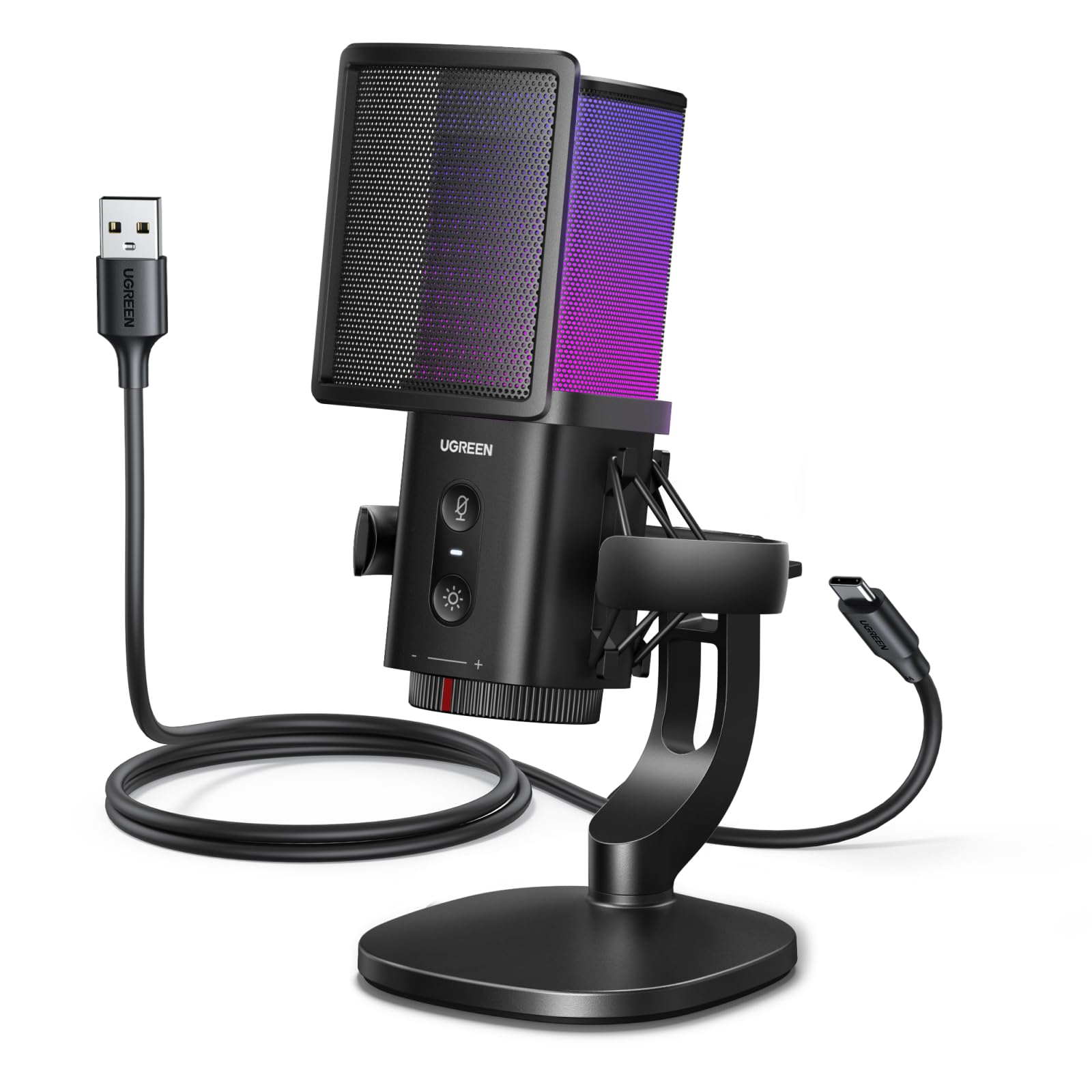
2. UGREEN USB Gaming Microphone
The entry-level mic that borrows a flagship’s sampling rate and throws in noise suppression.
Here’s the number that makes this one worth a look: it samples at 96 kHz, the same high detail level as the HyperX QuadCast 2 at the top of this list. Compare the two frequency response figures and the gap is stark — the UGREEN reaches 96 KHz against the FIFINE A8 Plus at 20 KHz. For a beginner who wants to sound good on Discord or a first Twitch stream without a learning curve, that’s a lot of capture detail for an entry-level slot.
The cardioid pattern is tuned specifically for solo work — it focuses on your voice from the front and pushes down room noise from the sides. An adaptive noise suppression chip handles ambient sound on top of that, which is the feature that saves you if you game next to a noisy fan or an open window. You get seven RGB lighting modes you can cycle with one tap, plus a gain knob, a one-tap mute, a pop filter, and a shock mount, all built in. Its 34 dB noise figure is the lowest among the mics here, so it picks up less self-noise. It’s also genuinely cross-platform, working on PC, PS4, PS5, Switch, Steam Deck, Mac, and iPhone 15 or newer with a USB-C to USB-C data cable.
The honest limits are worth hearing before you buy. It won’t work with Xbox at all. The maker suggests placing it 8–12 inches from your mouth, and it will screech if you sit it next to desktop speakers — that’s the price of a sensitive capsule. Rounding it out, it measures 7.87 x 3.94 x 3.15 inches, which is compact enough for a small desk. It’s a strong first mic for solo play, less so for a shared room.
Beginner-friendly by design: no drivers, no software, a one-tap mute and seven lighting modes you switch right on the body — it’s built to be unboxed and used.
Know before you plug in: Xbox is off the menu, and the sensitive capsule means no desktop speakers nearby.
The smart starter move: a first proper condenser for solo streamers who want high sampling detail without a setup ritual.
Look elsewhere if: you play on Xbox or share a room with a loud PC fan you can’t move.
3. FIFINE A8 Plus USB Gaming Condenser Microphone
One mic that flips from solo gaming to a two-person podcast with a tap on the center.
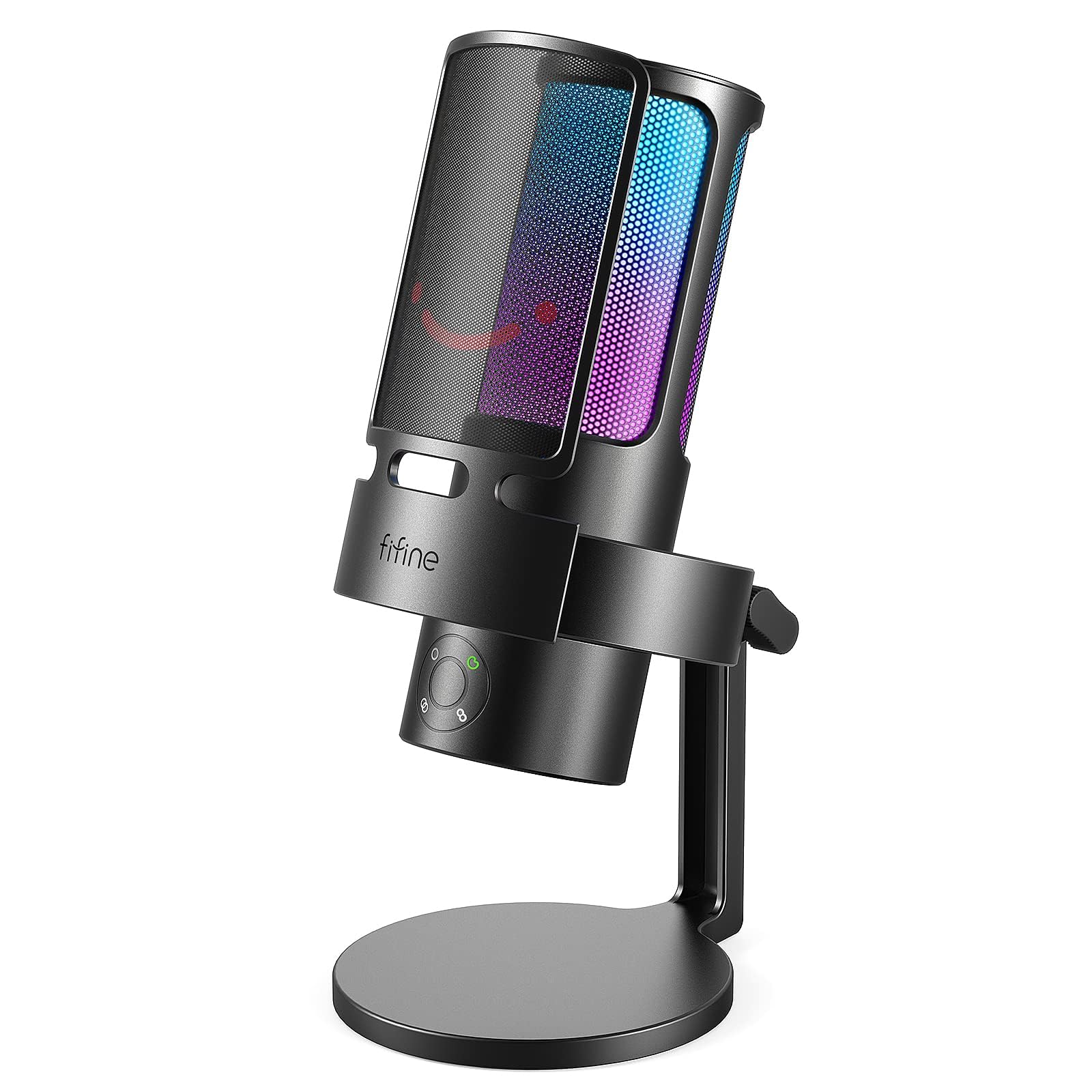
If your desk does double duty — clutch callouts on Friday, a two-person interview on Sunday — the four-pattern setup here is the reason to pick it. A triple capsule array gives you cardioid for solo play, stereo for capturing width, omni-directional for a room full of people, and bi-directional for face-to-face conversation. That’s four different listening shapes from a single stand, and you switch them by tapping the center of the mic. The condenser capsule smooths your voice so teammates hear you as if you were sitting right next to them, helped by a signal-to-noise ratio above 70 dB that tightens the audio and cuts hiss.
The controls are laid out for live use. A headphone jack gives you game voice monitoring without random cutouts, and a gain knob adjusts sensitivity so your recording stays consistent from stream to stream. A tap-to-mute button saves you from setting up a hotkey — useful when you’re mid-match in OBS or a full-screen game. There’s a separate volume control for your headphones too, so you can balance game music against friend chat. The RGB ring rolls through colors like a rainbow or holds a single shade, and you can switch it off entirely for a discreet look on a work call.
The trade-off to know: at 20 KHz its frequency response tops out far below the 96 KHz figure the UGREEN quotes above, so it isn’t the detail king of this list. It’s a flexibility play, not a fidelity play. The package includes a 6.6 ft USB cable, a shock mount, a pop filter, and a pivot mount, which is a lot of hardware folded into the price. It’s automatically recognized on PC and PS5 with no fuss in Windows or Mac OS. For a streamer who also records, the pattern choice alone justifies it.
The four-pattern case: cardioid, stereo, omni, and bi-directional from one tap — you stop needing a second mic for interviews or group recordings.
The honest asterisk: its 20 KHz ceiling trails the higher-sampling rivals here, so buy it for versatility rather than the last word in detail.
Made for the multi-job desk: gamers who also record podcasts, interviews, or group content from the same setup.
Wrong pick if: you only ever talk solo and want maximum capture detail above all else.
4. Razer Seiren V2 X USB Condenser Microphone

Built for mechanical keyboards — the pattern that listens front-on and ignores everything beside you.
Your keyboard clatter gets turned down before it reaches your teammates, thanks to a supercardioid pickup pattern (a mic direction that rejects sound from the back and sides). A supercardioid is a tighter version of a cardioid, so it turns away more of the room than a standard front-facing pattern. With a loud mechanical keyboard and a clicky mouse, that’s the difference between “we can hear your callouts” and “we can hear you typing over your callouts.” The 25mm condenser capsule (the part that converts sound into signal) delivers high sensitivity that captures your voice accurately, especially in higher frequencies, so your voice stays crisp rather than muffled.
It tucks into a tight desk corner without crowding your monitor, because the 2.36 x 53.35 x 2.36 inch body is the most compact footprint of the mid-range group here — a real gap against the UGREEN at 7.87 x 3.94 x 3.15 inches. An integrated digital limiter (a circuit that caps loud peaks) automatically prevents clipping and peaking, so a sudden shout doesn’t blow out your stream. Mic monitoring through a headset plugged into the mic lets you hear your own levels. A built-in shock absorber dampens knocks and bumps so no one on the far end hears a thump. Gain and mute buttons sit on the body for quick access mid-round.
What it wants from you: speak directly into the top of the mic, not the side, or the supercardioid pattern works against you. Its 78 dB noise figure and plastic enclosure keep it in the mid-range materials class rather than the aluminum tier. As a package it’s easy to set up and well built, with sound clarity that holds its own against far more expensive studio names. If keyboard noise is your daily battle, this is the one that ends it.
The noise-rejection argument
- Supercardioid pattern turns away typing and mouse clicks better than a plain cardioid.
- Digital limiter stops clipping before a shout wrecks the stream.
- Compact 2.36 x 53.35 x 2.36 inch footprint saves desk real estate.
- Built-in shock absorber kills knock and bump noise.
The fine print
- You must aim it at the top of the capsule for the pattern to work properly.
- Plastic enclosure, not metal, at this price tier.
Right answer for: keyboard-heavy players who are tired of apologizing for their switches.
Think twice if: you record from the side of your desk — this mic wants you in front of it.
5. Logitech Creators Blue Yeti USB Microphone

The desk mic that became a streaming standard, and still does more jobs than most rivals.
Where the Yeti earns its place is breadth. A custom three-capsule array produces what the maker calls broadcast-quality sound, and you can flip between cardioid, omni, bidirectional, and stereo patterns without buying a second mic. That’s four recording shapes for vocals, instruments, podcasts, and group calls. Onboard controls put headphone volume, pattern selection, instant mute, and mic gain right on the body, so you never break flow to open a settings panel. An adjustable desktop stand lets you angle the capsule at your mouth, and no-latency monitoring tracks your voice in real time.
You get broadcast-style voice polish without extra gear, because the Blue VO!CE software layers vocal treatment, modulation effects, and HD audio samples onto your recording — an extra layer that separates it from a plain speaker mic. Its metal enclosure is the sturdiest construction in this guide, and the 20 Hz to 20 kHz range covers the full audible spectrum. This is the most established mic on this page by a wide margin, with years of owner experience behind it. Nothing here feels like a first attempt.
It also carries a big physical presence on a desk. As owners put it, it’s great for podcasting, webinars, and Skype — that’s the company it keeps. For a creator who wants one mic to cover streaming, recording, and meetings without a second purchase, it’s a proven all-rounder.
Breadth as the selling point: four patterns, onboard gain and mute, no-latency monitoring, and Blue VO!CE effects all in one metal-bodied unit.
Size it honestly: its 100 dB noise figure means a quiet room matters more here than with the tighter capsules above.
Built for: creators who record everything from game streams to podcasts and want a single workhorse.
Not the pick if: your gaming space is echoey or next to a busy shared room.
6. HyperX QuadCast USB Condenser Gaming Microphone (Renewed)
Four patterns and a shock mount, in a renewed package that skips the factory-fresh markup.
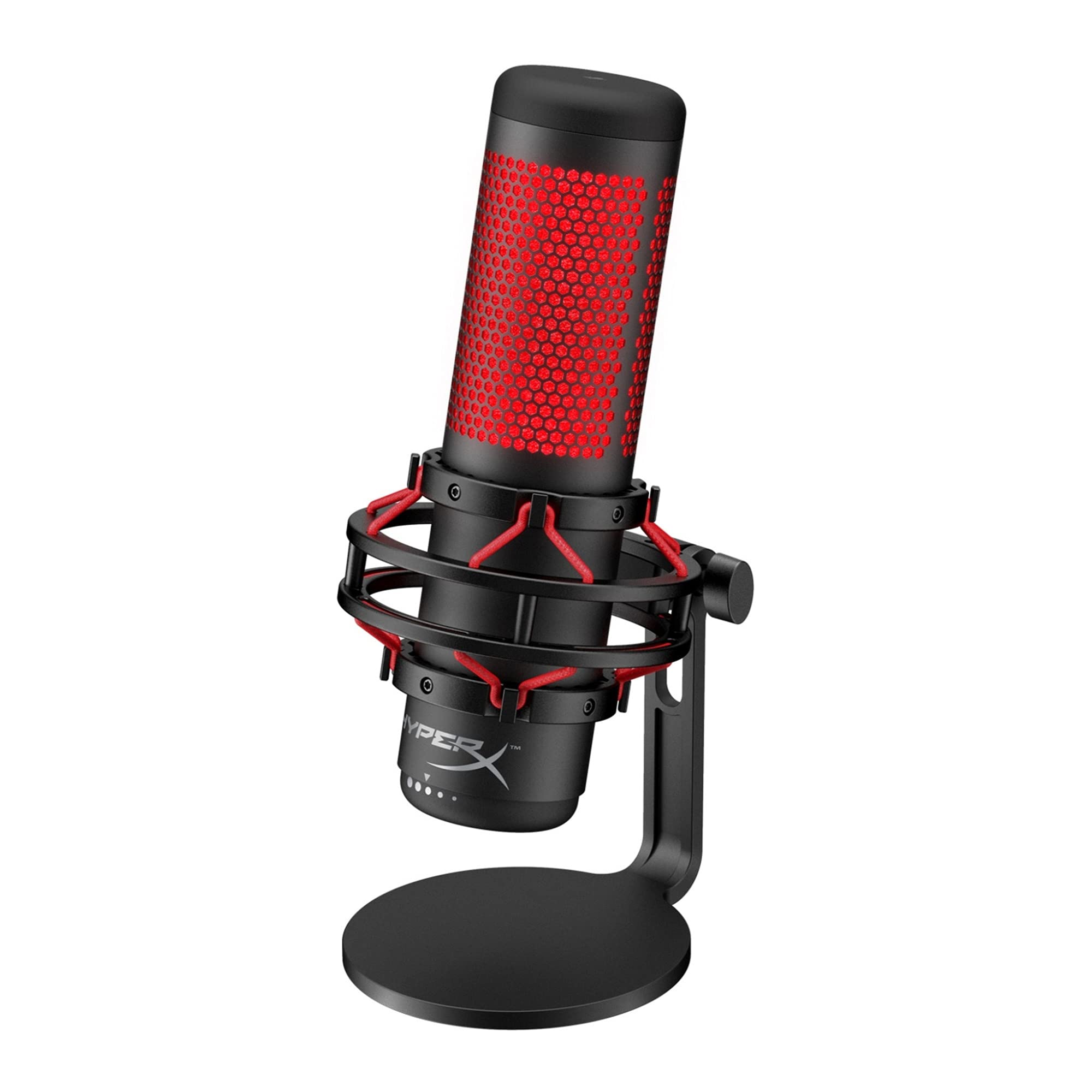
For a gamer who wants the QuadCast’s pattern flexibility without paying new-mic money, this renewed version is the sensible entry point. It carries four selectable polar patterns, so you get the same cardioid for solo play and the same room modes for group recordings. An anti-vibration shock mount reduces noise so a desk bump doesn’t reach your audience. The tap-to-mute sensor sits on top with an LED indicator, so you can see at a glance whether you’re live or silenced.
It stays put when you bump the stand, because the 2 pounds of alloy steel enclosure at 12.35 x 6.4 x 9.3 inches is the heaviest and largest desk footprint in this guide. That weight is a feature if you want a mic that doesn’t drift. A built-in headphone jack gives real-time audio monitoring, gain control is on the body, and a mount adapter is in the box along with a 3 meter Mini USB to USB cable. An internal pop filter softens percussive blasts before they reach the capsule. It covers PC, PS5, PS4, and Mac, with red lighting as the vanity detail.
Two honest notes. It’s a renewed unit, so it may not arrive with that factory-fresh feel — that’s the trade for the lower tier. And a minority of owners have had issue with compatibility and with the mute button, so test both in the first week while return options are open. What it does well, it does well: sound quality is what carries it. This is the value play for a gamer who wants pattern versatility and doesn’t mind a big, heavy, secondhand-but-solid mic.
The renewed math: you get the four-pattern layout, internal pop filter, and ready-to-use monitoring without paying premium-tier money.
The first-week checklist: confirm the mute button and your platform compatibility right away, since a few buyers have hit snags.
Worth it for: budget-minded gamers who want pattern choice and a real shock mount.
Skip if: you need a factory-sealed unit or a small, light mic on a shared desk.
7. Razer Seiren V3 Chroma RGB USB Microphone

A mic that lights up with your stream events, then tells you when your audio peaks.
If your stream is as much about the visual as the audio, this is the one built for you. The Chroma lighting responds to game events and to stream alerts and emotes, so your mic becomes part of the on-camera set. It also works as a warning system — the dynamic lighting cues you when audio levels peak, which is a clever use of the same LEDs. Under the glow, a supercardioid condenser capsule tightens the pickup pattern to suppress room noise like typing and mouse clicks, with high sensitivity for voice detail.
The tap-to-mute sensor on top is multi-function: double and triple taps map to lighting changes and toggling the digital gain limiter. That limiter prevents you from sounding too loud or distorted, backed by a built-in shock absorber that dampens knocks. Plug-and-play over USB means no drivers and immediate compatibility with Discord, OBS Studio, and XSplit. Razer Synapse software then opens up studio-level sample and bit rates, lighting control, and stream volume mixing from one platform. The metal enclosure gives it a solid feel, and at 3.55 x 3.55 x 8.39 inches it’s a tidy desk footprint for the feature set.
The honest caveat is reliability, which is the one mixed signal on this mic — a small number of buyers report a unit that stopped working after about a month. That’s unusual, not the norm, but it’s worth knowing before you commit. The good news is that quality and sound clarity are what owners praise most, and the value-for-money read is strong. If a reactive light show and a clean voice on the same device is your priority, it’s a compelling pick — just register the warranty and test it early.
Why streamers gravitate to it
- Chroma lighting reacts to game events and stream alerts, not just static colors.
- Lighting doubles as a live cue when audio levels peak.
- Supercardioid pattern suppresses typing and mouse noise.
- Plug-and-play with Discord, OBS Studio, and XSplit straight away.
The one thing to watch
- A small number of units have stopped working after around a month, so test yours early.
A fit for show-and-sound streams: creators who want the mic to be part of the visual brand.
Look past it if: you need bulletproof long-term reliability above all and won’t register a warranty.
8. Logitech for Creators Blue Yeti Nano USB Microphone

The tiny Yeti that stays out of your camera’s way and still sounds like the big one.
Small desks and on-camera setups are where the Yeti Nano makes its case. Two custom mic capsules give your voice the presence and detail you’d expect from the full-size version, and the compact footprint fits where a full Yeti won’t. It plugs into a Mac or PC and records instantly — the included USB cable, a base with cable management, and a 1/4-inch to 5/8-inch adapter cover just about any mounting setup you’d try. Cardioid and omni patterns are there for solo recording and for capturing a room, which covers streaming, Twitch gaming, podcasting, voice-over work, and Zoom meetings.
Blue VO!CE software layers broadcast-style vocal treatment and effects onto your sound. No-latency monitoring through the onboard headphone output and volume control lets you hear yourself in real time, and the whole point of this mic is that it’s ready without a learning curve. Quality and sound quality are what buyers rave about, followed by how easy it is to set up. It climbs easily to 20 kHz on frequency response and keeps a clean signal for the size. For a webcam-first streamer who wants premium sound in a small package, it does exactly that.
Where it falls short of the full Yeti is pattern range and physical presence — two patterns versus four, and it won’t fill a big desk frame the way the bigger body does. A pocket of owners have flagged durability and connectivity as the weak spots over long use, so treat the USB cable and the base with reasonable care. The taller Yeti above beats it on flexibility; this one wins on being small enough to leave on your desk permanently. That’s the trade, and for compact setups it’s the right one.
What you gain: legendary Blue broadcast sound from two capsules in a body small enough to live on any desktop, with zero-latency monitoring onboard.
What you give up: two patterns instead of four, and a small chunk of owners mention long-term connectivity and durability niggles.
Made for cramped desks: webcam streamers and podcasters who need premium sound without a bulky mic stand.
Go with the full Yeti instead if: you need four patterns and don’t mind the extra desk space.
9. Audio-Technica AT2020USB-X Cardioid Condenser USB Microphone

A studio pedigree capsule with the one mute button you can hit without a sound.
For pure voice quality, this is the top of the pile. A high-resolution AD converter runs at 24-bit/96 kHz, the same detail level the HyperX QuadCast 2 leads with, and it reproduces both the smooth low end and the open top of your voice. The cardioid pattern is directional to minimize background noise, so your voice stays center stage. Its stainless steel body is the sturdiest construction on this list after the Yeti, and at 20 Hz to 20 kHz the frequency range covers the entire audible spectrum. It’s built for podcasting, home studio recording, field recording, and voiceover work.
The touch controls are where it shines for streamers. A soft-touch capacitive mute button lets you silence yourself instantly and silently — no click, no thump for your audience to hear. A two-state LED ring glows blue when powered and red when muted, so you always know your status without looking at software. A built-in headphone jack lets you monitor directly from the mic, and the custom desk stand plus a USB-C to USB-A cable with a USB-A to USB-C adapter cover modern and older PCs alike. It sets up quickly, and compatibility with Mac computers is one of its strong points.
Where it narrows: it’s a solo voice mic and nothing else. One cardioid pattern means no omni for interviews, no stereo for room recording, and no bidirectional mode. If you record a co-host, you’ll want a second mic or a pattern-flexible model like the FIFINE A8 Plus. And a few owners note noise-level sensitivity, so a treated room suits it better than a shared one. What it does brilliantly, it does without competition — this is the pick for a voice-first creator.
Why it leads on sound: a high-resolution 24-bit/96 kHz converter and directional cardioid capsule deliver a natural, detailed voice with a silent capacitive mute.
The honest narrowing: one pickup pattern only, and the mic is happiest in a quiet room rather than a busy one.
Best for: voice-first creators, podcasters, and streamers who want the cleanest possible vocal capture.
Not for: anyone who records two people or needs multiple pickup patterns from one mic.
Know the Specs
Pickup Patterns (Cardioid, Supercardioid, Omni, Bidirectional)
A pickup pattern is the shape of space a mic listens to. Cardioid hears mostly what’s in front and rejects the back, which suits solo gaming. Supercardioid narrows that front cone further and turns away even more of the sides, so mechanical keyboard clatter stays out. Omni-directional hears equally in every direction, which is useful for a group around a table. Bidirectional favors two opposite sides, so it fits a face-to-face interview. One-pattern mics are simpler; four-pattern mics cover every scenario but cost you a tap to switch.
Sampling Rate and Frequency Response
Sampling rate is the detail level of the capture — 96 kHz captures more of the shape of your voice than a lower rate, and 24-bit is the depth of that detail. Frequency response is the range of pitches the mic can hear. A 20 Hz to 20 kHz figure covers everything the human ear can detect, from deep chest rumble to sharp “s” sounds. When you compare a mic that reaches 96 KHz against one that stops at 20 KHz, the first simply records more detail, which is why it matters for the higher pick.
Gain, Limiting, and Monitoring
The gain control sets how sensitive the mic is to your voice. A digital limiter watches the incoming level and automatically pulls it back before it clips, so a shout doesn’t distort the stream. Monitoring is the 3.5mm headphone jack that lets you hear yourself while you speak. Zero-latency monitoring means you hear your own voice the instant you say it, not a heartbeat later, so you can adjust how loud you’re speaking on the fly.
Shock Mounts, Pop Filters, and Mute
A shock mount is a vibration-isolating cradle that stops desk bumps and keystrokes from reaching the capsule. A pop filter sits in front of the microphone and softens the hard plosive bursts of “p” and “b” sounds that would otherwise sound like thumps. A mute button lets you silence the mic instantly — a simple button is fine, but a soft-touch capacitive pad (a touch-sensitive surface with no moving parts) mutes silently with no click for your audience to hear, and an LED indicator shows your status at a glance.
Common Questions
Will a USB condenser mic pick up my mechanical keyboard?
Do I need an audio interface or drivers for a USB gaming mic?
What is the difference between cardioid and supercardioid?
Is a USB condenser mic good enough for Twitch and streaming?
Can I mount one of these mics on a boom arm?
Why does my mic need a pop filter and a shock mount?
Does 24-bit 96 kHz actually matter for voice chat?
Which mixing pattern do I use for a two-person podcast?
Will these mics work with PS5, Switch, or a phone?
How far should a USB condenser mic sit from my mouth?
The Bottom Line
For most gamers, the usb condenser microphone for gaming worth buying is the HyperX QuadCast 2 because it records at 24-bit/96 kHz across a 20 Hz to 20 kHz range and puts a responsive tap-to-mute on top — studio detail with no software homework. If keyboard clatter is the thing ruining your callouts, the Razer Seiren V2 X answers with its supercardioid pattern and digital limiter. And when you need one mic to flip between solo play, interviews, and group recordings, the FIFINE A8 Plus gives you four patterns from a single tap. Start with the QuadCast 2: 4.5+ stars across 900+ ratings, and its 24-bit/96 kHz capture is what earns them.
How we choose
We do not accept paid placement. Every pick is matched to a real buyer and a real use-case; we do not hands-on test units.
Sources
Specifications: manufacturer listings and product documentation. Review insights: verified customer reviews, as of November 2026. Pricing: not shown on this page (it changes often); check the current price via the retailer link.
As an Amazon Associate, Tactical Gear Guy earns from qualifying purchases. This does not affect which products we feature.