Specs are compiled from manufacturer listings and verified buyer reviews and can change over time — please confirm the key details on the product page before buying.
Here is the short answer: buy the CUPEISI 7-inch Android tablet if you want a kid-proof case, a 3000mAh battery rated for up to 6 hours, and 32GB of storage that grows to 1TB. Every tablet on this list lives in the same affordable band, so the real choice is not about spending more. It is about matching the case, battery hours, and parental controls to your child’s age and daily screen-time limit.
This guide is built by comparing the manufacturers’ published specifications and the patterns across verified customer reviews, so you get each pick’s real strengths and trade-offs instead of marketing spin.
Most of these tablets share a 1024×600 display (a screen resolution of 1024 by 600 pixels) and a quad-core chip (a processor with four cores), which is plenty for cartoons and learning apps. What really matters is battery hours, case style, and how strict the parental controls get — so the right pick in this roundup of tablets under $80 depends on your child’s age and patience.
Top Picks

How To Choose The Best Tablets Under $80
A tablet in this bracket is a first device, not a laptop replacement. That single fact rules out laptop-grade expectations before you compare a single spec. You want a screen small enough for small hands, a case that survives a drop onto a kitchen floor, and a battery that outlasts the journey you bought it for.
Screen size and resolution
Almost every pick here uses a 7-inch display at 1024×600 pixels. That is a modest grid of dots, but on a 7-inch panel it keeps text legible and cartoons sharp for a child sitting a foot away. A few models add Widevine L1, which is the licence tier that lets streaming apps serve high-definition video instead of a blurry feed.
Battery hours versus battery size
Do not read milliamp-hours alone. A 3500mAh cell and a 3000mAh cell can both last a full afternoon if the processor sips power rather than drains it. Look at the stated usage hours first, then treat the milliamp-hour figure as the fuel tank behind that number.
RAM, storage, and the expansion myth
Listing pages advertise “8GB RAM” or “4GB RAM” and bury the detail that only part of it is physical. The rest is virtual memory borrowed from storage. Real built-in storage here lands at 32GB, and a microSD card slot extends it — some to 1TB, some to 512GB, one to 128GB. Check that ceiling before you promise your child a movie library.
The case is half the product
For a toddler, the case type — EVA foam or silicone bumper — decides whether the tablet survives its first drop. You will see EVA foam, silicone bumper, and shockproof shell designs across this list. EVA is the denser foam type, and silicone is the softer rubbery wrap. Both absorb knocks; EVA gives a firmer frame, silicone a grippier surface, and the built-in stand varies by model.
Side-by-Side Comparison
| Model | Best For | Battery Hours | RAM / Storage | Screen | Amazon |
|---|---|---|---|---|---|
| CUPEISI 7 inch Android Tablet★ Best Overall | Best all-round first tablet | Up to 6 hours | 4GB / 32GB, to 1TB | 7″ 1024×600 IPS | Amazon |
| Vyrolina Kids Tablet 7 InchGrippiest Case | Grippy case for small hands | — | 4GB / 32GB, to 1TB | 7″ 1024×600 LCD, 60Hz | Amazon |
| BYANDBY Tablet for KidsAndroid 12 Pick | Longest stated runtime | Up to 6 hours | 4GB / 32GB, to 1TB | 7″ 1024×600 IPS | Amazon |
| PRITOM 7 inch Kids Tablet | Big pre-loaded app library | Up to 3 hours | 32GB, microSD | 7″ LCD | Amazon |
| Aheadlink Android 14 Tablet | Newest Android build | Up to 6 hours | 8GB / 32GB, to 1TB | 7″ 1024×600 IPS | Amazon |
| IWEGGO Android 14 Tablet | Wi-Fi 6 on a budget slate | Up to 6 hours | 8GB / 32GB, to 1TB | 7″ 1024×600 LCD | Amazon |
| HDTABLET Kids Tablet 7 inch | All-day battery claim | Up to 8 hours | 4GB / 32GB, to 1TB | 7″ 1024×600 IPS | Amazon |
| Zcobro Kids Tablet 7 inch | Offline learning content | Up to 10 hours | 2GB / 32GB, to 512GB | 7″ 1024×600 IPS | Amazon |
| Contixo 7″ Kids Tablet | Screen protector included | Up to 6 hours | 32GB, to 128GB | 7″ shatter-safe HD | Amazon |
Detailed Reviews
1. CUPEISI Android Tablet 7 inch with Case
A seven-inch slate that ships with the armour already bolted on.
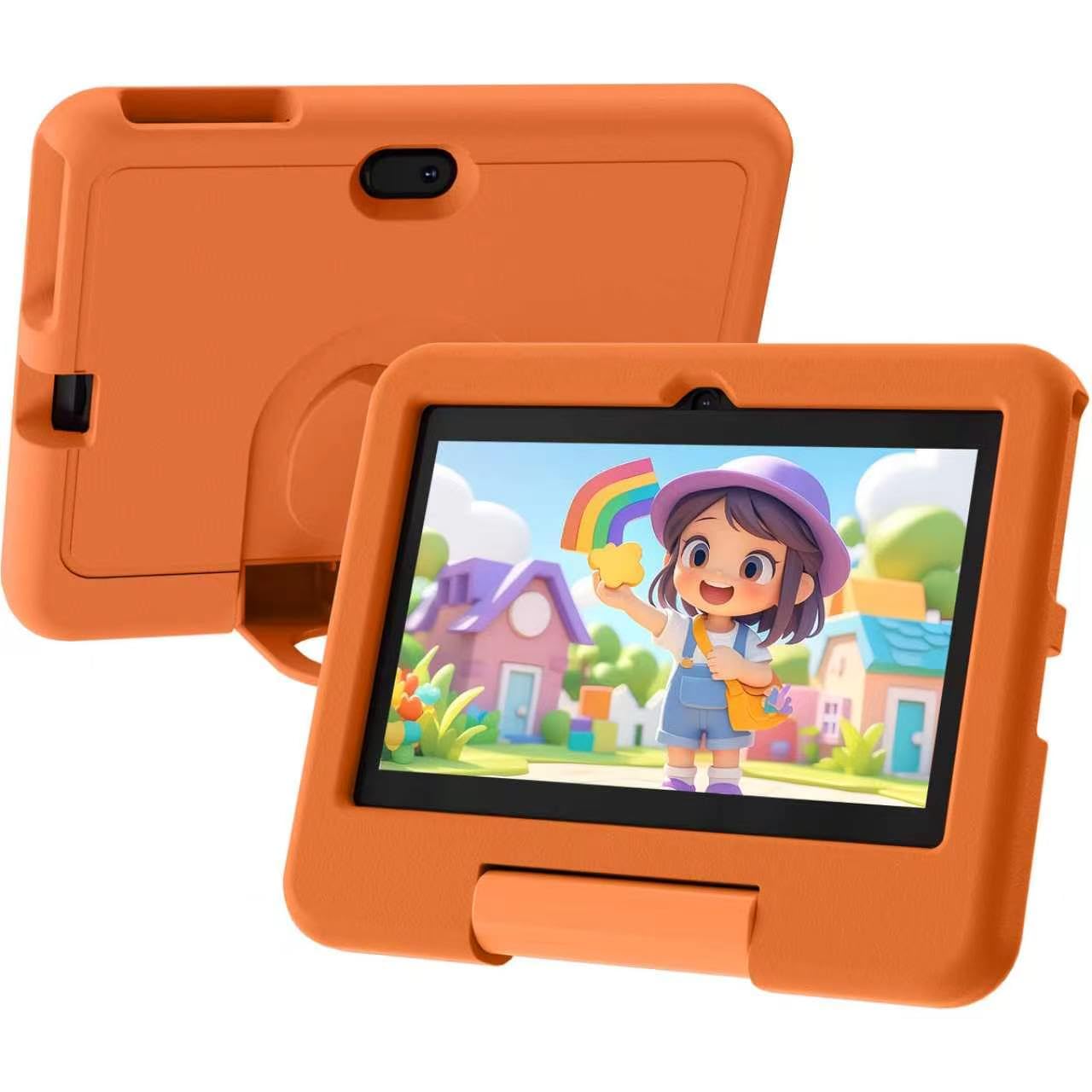
The CUPEISI is the pick that takes the top spot because it does the three things a first tablet must do without asking you to add anything at checkout. You get a 7-inch 1024×600 IPS display, a quad-core processor for everyday multitasking, and a free leather protective case in the box.
The 3000mAh battery is rated for up to 6 hours of use, and the Type-C port means the same charging cable as most modern phones. The 1024×600 IPS panel (IPS is the panel type that keeps colours from washing out when you tilt the screen) also carries Widevine L1. In plain terms, that is the licence level streaming services check before they send you a high-definition picture, so cartoons arrive sharp rather than soft.
You get 32GB of storage and 4GB of RAM (memory that keeps apps running smoothly), of which 2GB is physical and 2GB is expansion. The microSD slot (a memory card slot) stretches to 1TB for a downloaded film library. There is 5MP rear and 2MP front camera hardware for video calls with grandparents. Buyers keep coming back to the device-quality side — well over thirty mentions deep — and ease of use follows close behind for parents setting it up the first time.
What earns it the crown
- Case included at no extra step — nothing to buy after the tablet arrives
- Widevine L1 support so streaming apps serve a proper HD picture
- 1TB microSD ceiling for a serious offline cartoon library
- Type-C charging shares a cable with most modern phones
Where it asks patience
- Reliability is the split point — several owners had units stop working suddenly
- Only 2GB of the 4GB RAM is physical, so heavy multitasking slows it
Buy it for: the household that wants one box, one setup, and a case already fitted for a child aged around four and up.
Look past it if: you need a tablet that will run several apps at once — the physical RAM is 2GB, not the headline 4GB.
2. Vyrolina Kids Tablet 7 Inch
Built for the toddler who treats a tablet like a frisbee.
The Vyrolina leads with its shell. A lightweight shockproof case wraps the 7-inch body, and the shape is made for small hands to grip rather than for an adult palm. If your child is in the 3-7 range and drops things as a matter of routine, that ergonomics detail is the whole pitch.
Inside sits 4GB of RAM (2GB physical plus 2GB expansion) and 32GB of storage, with a TF card slot that reaches 1TB. The display runs at 60Hz. Refresh rate is simply how many times per second the screen redraws, and 60Hz is the standard smoothness for video and simple games. There is a 1024×600 LCD panel, front and rear cameras for video calls, and Bluetooth on board. Wi-Fi keeps streaming apps flowing.
The parental control mode is the practical core: you set screen-time limits, filter sites, and choose kid-friendly content with one tap. Note the default kids-mode password is 0000, so change it the day it arrives. Families with four-year-olds find it lands well, and setup is straightforward. As with its stablemate above, some buyers feel the performance does not justify the outlay — that is a fair signal if you expect laptop-like speed.
The case-first read: a shockproof shell and a 60Hz 1024×600 screen do the job for cartoons and learning apps, and the adjustable parental controls grow with the child.
The expectation to set: this is a first-device tablet. The mixed word on performance and value is the reminder that a quad-core slate with virtual RAM is not built for heavy multitasking.
Best matched to: a 3-7 year old who needs a tablet that survives being carried around the house and outdoors.
Think twice if: you want a grown-up device too — this one is tuned for kids, not productivity.
3. BYANDBY Tablet for Kids 7 inch
Six hours of runtime with a stand that frees both toddler hands.
The number worth starting with is 6. The BYANDBY runs Android 12 on a quad-core processor with a 3000mAh cell rated for up to 6 hours per charge. Set that beside the PRITOM further down, which is rated for 3 hours.
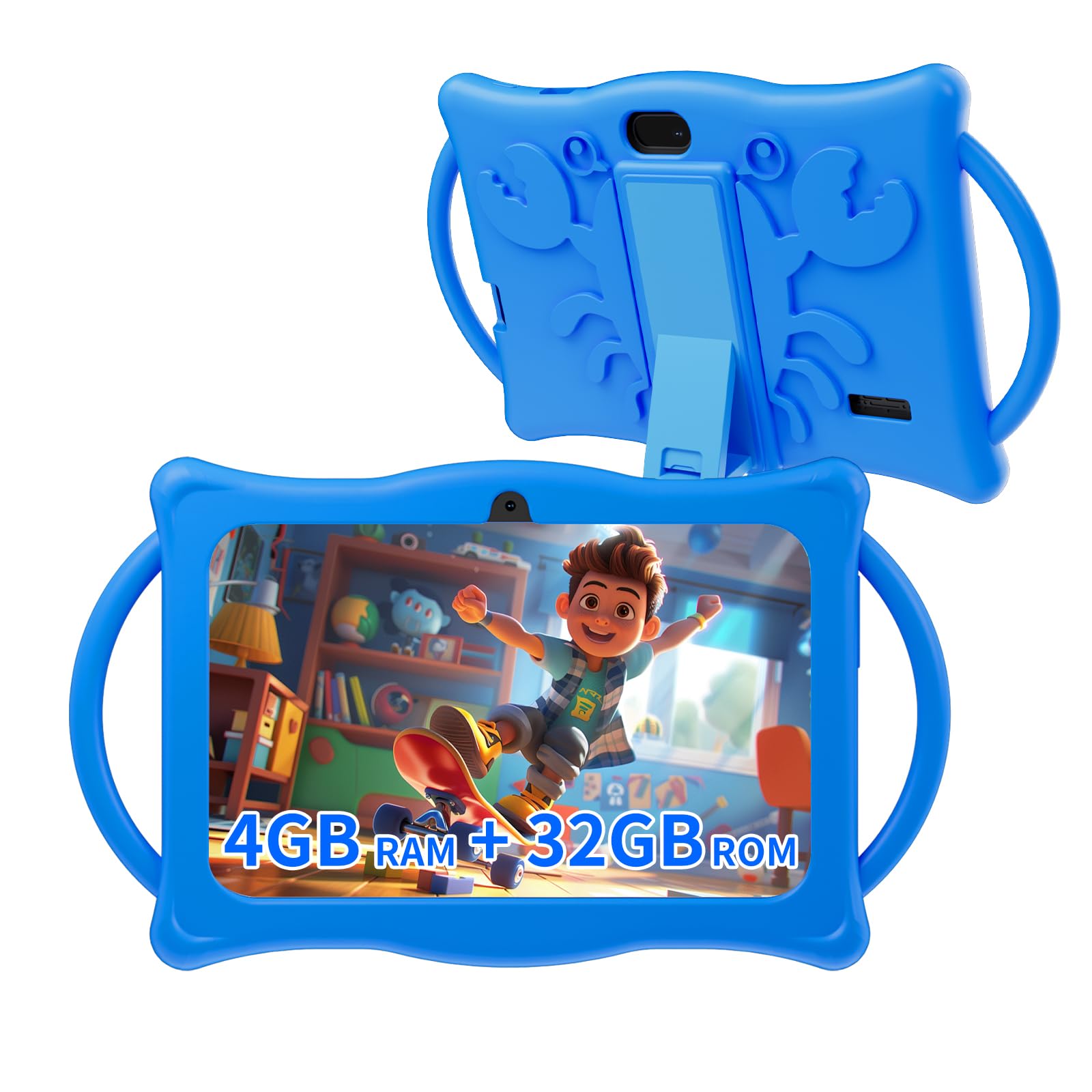
The silicone case is built to absorb falls and collisions, and the adjustable stand on the back props the screen up for video or video chatting without a hand holding it. Port cut-outs are precise, so nothing gets blocked. The 4GB RAM (2GB physical plus 2GB expansion) and 32GB ROM pair with a 1024×600 IPS display, dual cameras, Wi-Fi, and Bluetooth. Storage stretches to 1TB through a microSD card. The iWaWa app comes pre-installed for picking content and capping screen time, aimed at children over 3 years old.
Parents of three-year-olds tend to find the child-friendly design lands exactly where it should. The trade-off is the ceiling: this is an entry-level quad-core slate, so keep expectations to streaming, drawing, and learning apps rather than anything demanding.
Why it earns a slot
- 6-hour rating versus the PRITOM’s 3-hour rating
- Adjustable kickstand built into the silicone case
- Android 12 with the iWaWa parental app ready from the start
What to weigh first
- 2GB of the 4GB RAM is expansion, so app switching is modest
- Suited to children over 3 — a poor fit for a younger toddler
Reach for this if: long car rides and hands-free video calls are the main jobs.
Pass if: you have a child under three — the maker targets this one at over-3s.
4. PRITOM 7 inch Kids Tablet

The one that opens straight into a nursery of pre-loaded learning games.
The PRITOM K7Pro arrives with iWaWa Kid’s software and a set of free kids’ apps already installed, so the first thing your child sees is a playground rather than a home screen. Learning animals, fruit, drawing — that mix is aimed at ages 3 to 12, and the Google Play store sits underneath for anything else you want to add.
Hardware is the humbler side of this pick. A 3100mAh lithium-ion cell is rated for 3 hours, and that is the honest limit here — it is the shortest runtime on this list. A 32GB body with a microSD slot handles storage. The soft silicone case is impact-resistant and doubles as a stand, so the tablet props up during viewing. A USB Type-C port charges faster than older connectors.
Where it shines is the parental dashboard — app and network filters, content classification, child locks, spending limits, and game-time caps all live in one place. Entertainment value for toddlers is the consistent note, and suitability for small children is why people land here. Quality and durability are the contested ground; some units have been flawless and others have not lasted. Know that going in.
Content on day one: pre-installed learning apps on a silicone-clad 7-inch slate give you a working kids’ device with zero setup.
The short leash: at 3 hours rated runtime, this is a tabletop or short-trip tablet, not an all-day one.
A good fit for: parents who want educational apps ready the moment the box opens.
The catch to accept: 3 hours of rated battery means a charger travels with you on long days.
5. Aheadlink Android 14 Tablet 7 inch
The freshest Android build on the list, with the RAM figure you need to read twice.
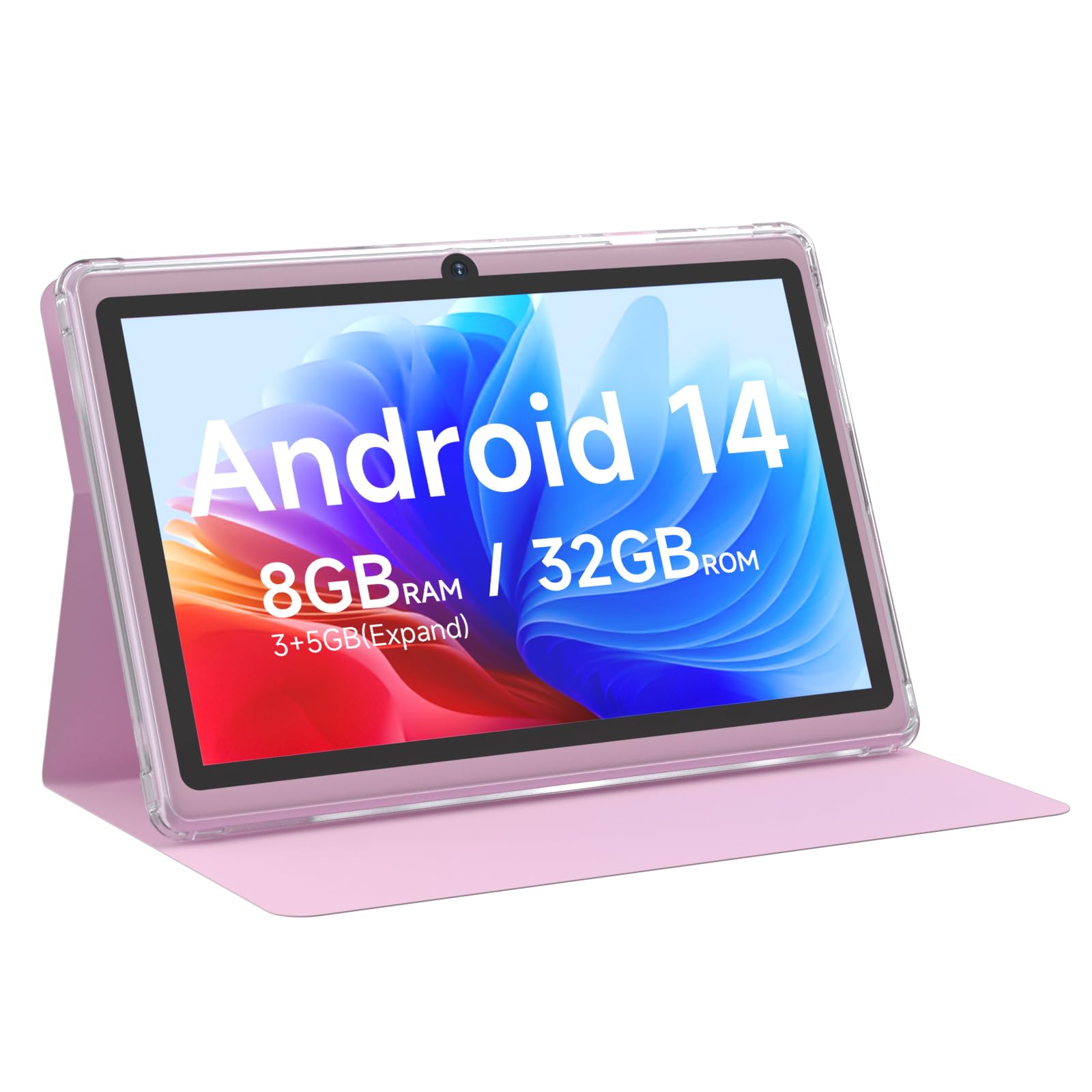
Android 14 is the headline here — a newer system build than the Android 12 on the BYANDBY, which means longer support for newer apps. The rest of the sheet is familiar: a quad-core processor at up to 1.8GHz, a 3000mAh battery rated for 6 hours, Type-C charging, and a free leather case in the box.
On memory, the listing says 8GB of RAM and then breaks it down as 3GB physical plus 5GB expansion. That distinction matters: physical RAM is what holds open apps, and 3GB is the real working figure. Built-in storage is 32GB with a microSD slot to 1TB, and the 1024×600 IPS panel carries Widevine L1 for HD streaming. Dual cameras and Bluetooth round it out.
Owners are split on quality and value — some call it a decent buy, others find it low quality, and functionality reports split the same way, working well for some children and stopping for others. Treat it as a value tablet with a current system, not a ruggedised workhorse.
Where the value sits
- Android 14 — the newest system version across these nine picks
- 6-hour battery rating with Type-C fast charging
- Widevine L1 for HD streaming on the 1024×600 IPS panel
The honest caveats
- Only 3GB of the advertised 8GB RAM is physical
- Reported reliability is uneven — a few units stop working
- Pink finish may not suit every buyer
Worth it for: buyers who want the newest Android version and HD streaming at the entry tier.
Not for: anyone expecting true 8GB of physical memory — the real working figure is 3GB.
6. IWEGGO Android 14 Tablet 7 inch

Dual speakers, Wi-Fi 6, and a reading mode for bedtime stories.
Wi-Fi 6 is the newest wireless standard in this group, and it is the differentiator worth naming. It is the router protocol built to hold a steady connection when several devices share the air. For a tablet used on a busy home network for classes or streaming, a more stable link is a genuine convenience, not a spec-sheet flourish.
The build pairs 8GB of RAM with a breakdown of 3GB physical plus 5GB virtual, and 32GB of ROM with an SD slot reaching 1TB. The 7-inch LCD runs 1024×600. A 5MP rear and 2MP front camera sit on a dual-speaker body with a 3.5mm headphone jack — a rarity here and handy for a quiet car. Reading Mode dials down blue light for evening use, and a 3000mAh battery is rated for 6 hours.
What to hold in view is the split verdict on reliability and speed, which runs against this device more firmly than the others. The 1.6GHz quad-core chip is modest, and some parents find the interface frustrating to work with. It is a current-system slate with modern connectivity — not a fast one.
Standout hardware: Wi-Fi 6, a headphone jack, and dual speakers on a 7-inch Android 14 body make this the most connected of the group.
The honest limit: reliability and speed draw the strongest negative feedback of any pick here, so treat it as a light-duty slate.
Picture it doing: online classes on a crowded home network and quiet listening through real headphones.
Better to look past if: you need a snappy app-switcher — the 1.6GHz quad-core chip is not it.
7. HDTABLET Kids Tablet 7 inch
Eight rated hours — the longest runtime of the trio that reaches this mark.
On paper, 8 hours is the standout figure on the HDTABLET. That is 8 hours of rated battery life on a 7-inch kid-proof slate, a longer claim than the 6-hour ceiling shared by the CUPEISI, the BYANDBY, and the Aheadlink. If a morning of activities needs to survive on one charge, this is the number to remember.
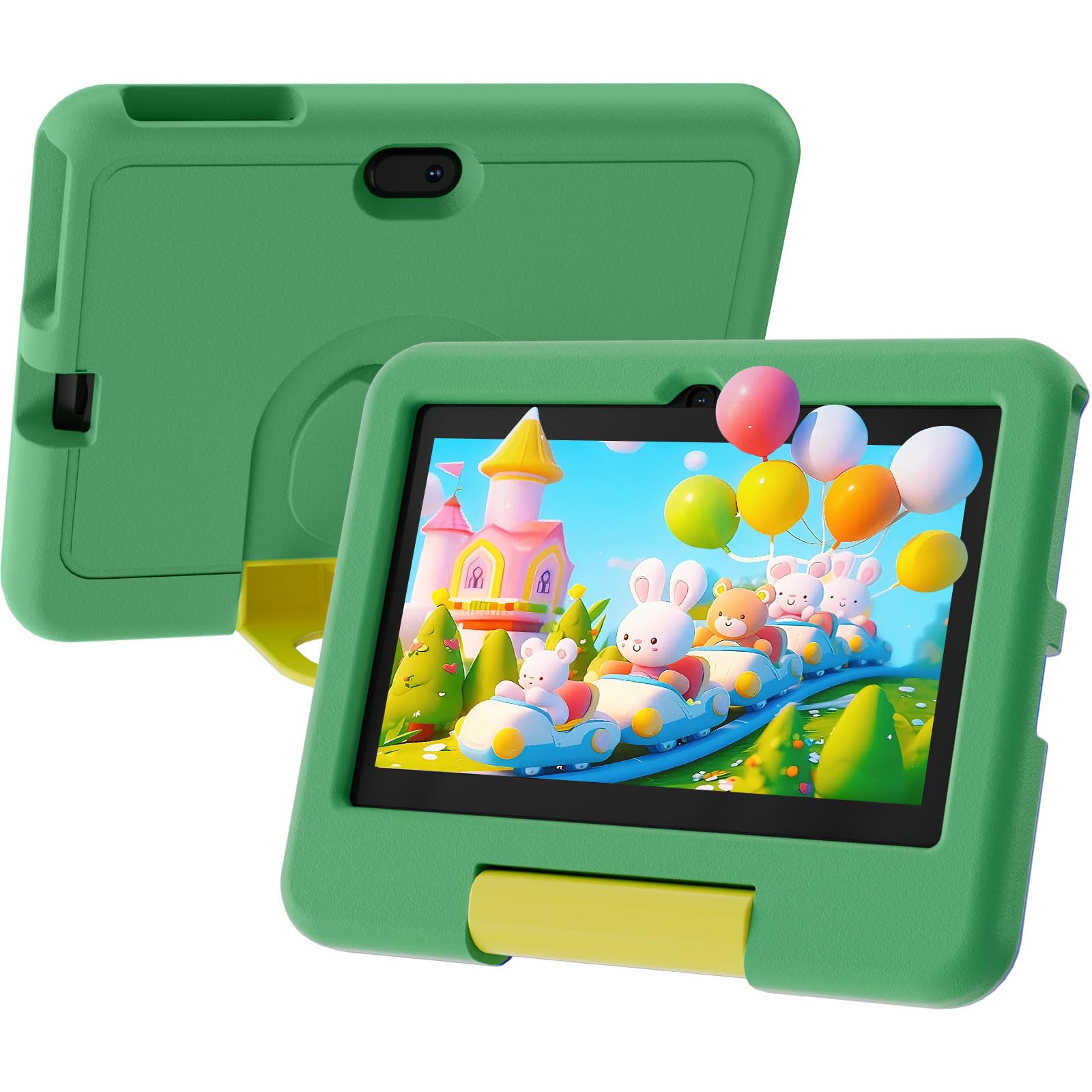
The case is EVA foam, the denser type, moulded to absorb drops and everyday wear. The screen is a 1024×600 IPS panel with a low-blue-light mode, good for long study sessions, and Widevine L1 support means streaming services deliver their HD feed. Storage sits at 32GB with 1TB expandable, backed by 4GB of RAM, Wi-Fi, and Bluetooth.
Parental controls let you build profiles, cap daily use, filter content, and surface the child-friendly apps you approve. The honest note: some parents find the quality and value mixed, so treat the battery claim as the strongest edge and the rest as capable-but-ordinary.
Strongest arguments
- 8 hours rated battery — the longest of the 6-hour group
- EVA foam case for genuine drop absorption
- Low-blue-light mode for extended study
What to keep in mind
- Mixed word on quality and value against the higher-rated picks
- Single front camera only — no rear shooter for photos
Built for: full days away from a socket, with a foam case that takes knocks.
Consider elsewhere if: a rear camera for photos matters — this one has a front camera only.
8. Zcobro Kids Tablet 7 inch
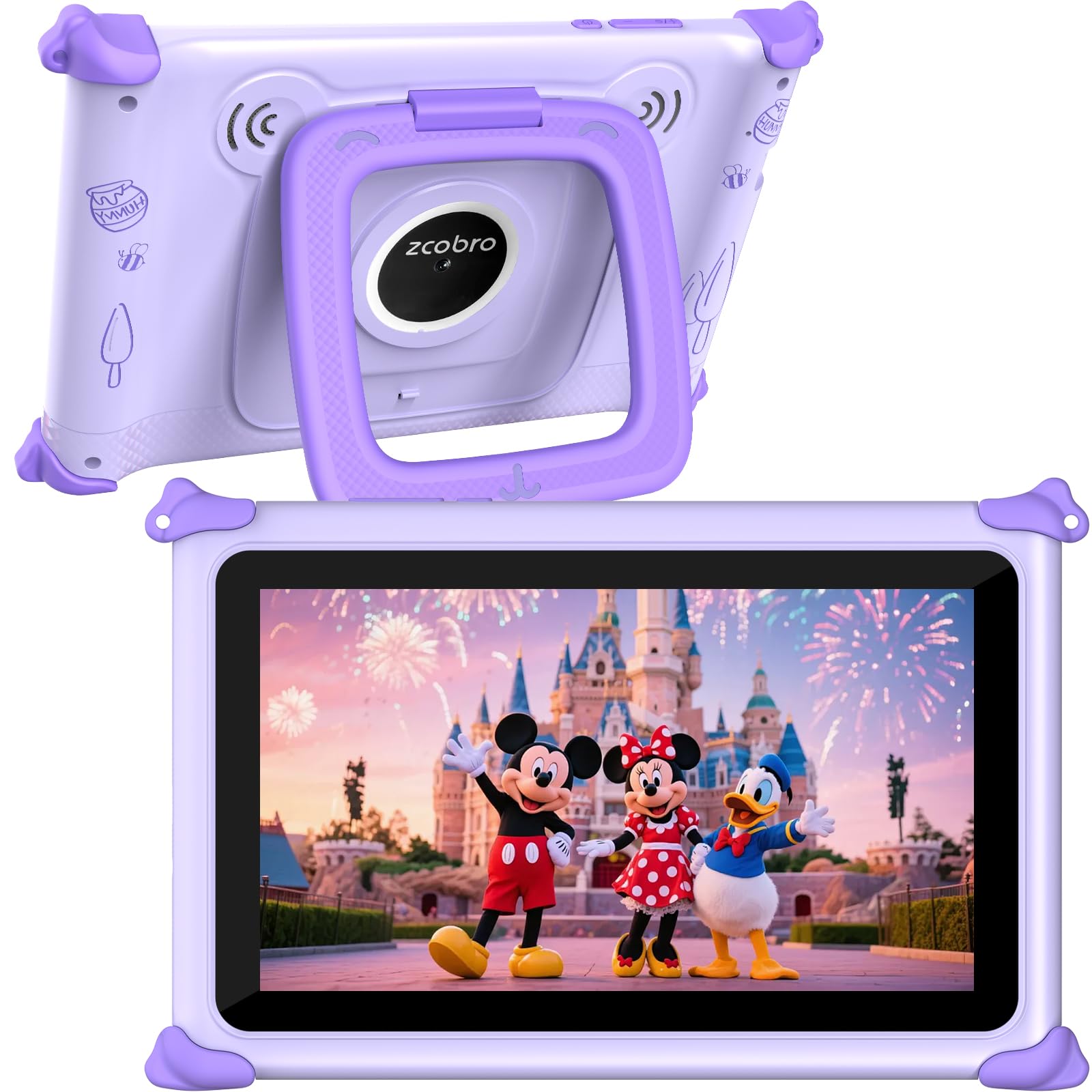
Ten rated hours and a learning app that works without a signal.
Where the PRITOM leans on a big app shelf, the Zcobro leans on offline. It ships with Yubabe preloaded — an educational app with language learning, animal coloring, simple crafts, story listening, and puzzles — so the device entertains without needing a connection. That is the difference between a screen that keeps a child occupied in a car with no data and one that goes dark.
Battery is the other strong card, with up to 10 hours claimed for games, books, and shows. The 3500mAh cell is a larger tank than the 3100mAh in the PRITOM and the 3000mAh in the CUPEISI. RAM is 2GB with 32GB of storage that tops out at 512GB — a lower ceiling than the 1TB crowd. The 1024×600 IPS display has automatic brightness and low-blue-light technology, and the dual stereo speakers give a fuller sound than a single driver.
Parental controls let you filter by age, juggle multiple child accounts, set educational goals, and block or allow apps like YouTube and Netflix. The default kids-mode password is 0000. The body is a slim silicone bumper with an adjustable stand and a 2-year warranty. Fun-to-learning balance is the note that carries it; quality and value draw a split response.
The car-trip case: preloaded offline content plus a 10-hour rating on a 3500mAh cell is a combination built for journeys without Wi-Fi.
Set the expectation: 2GB of RAM and a 512GB storage ceiling sit below the 1TB options, so this is a content-first tablet, not a spec leader.
Hand it to: a family whose tablets live in the car, where an offline app and 10 hours matter more than storage.
Choose another if: you plan to load a huge downloaded library — 512GB is the cap on the microSD.
9. Contixo 7″ Kids Tablet
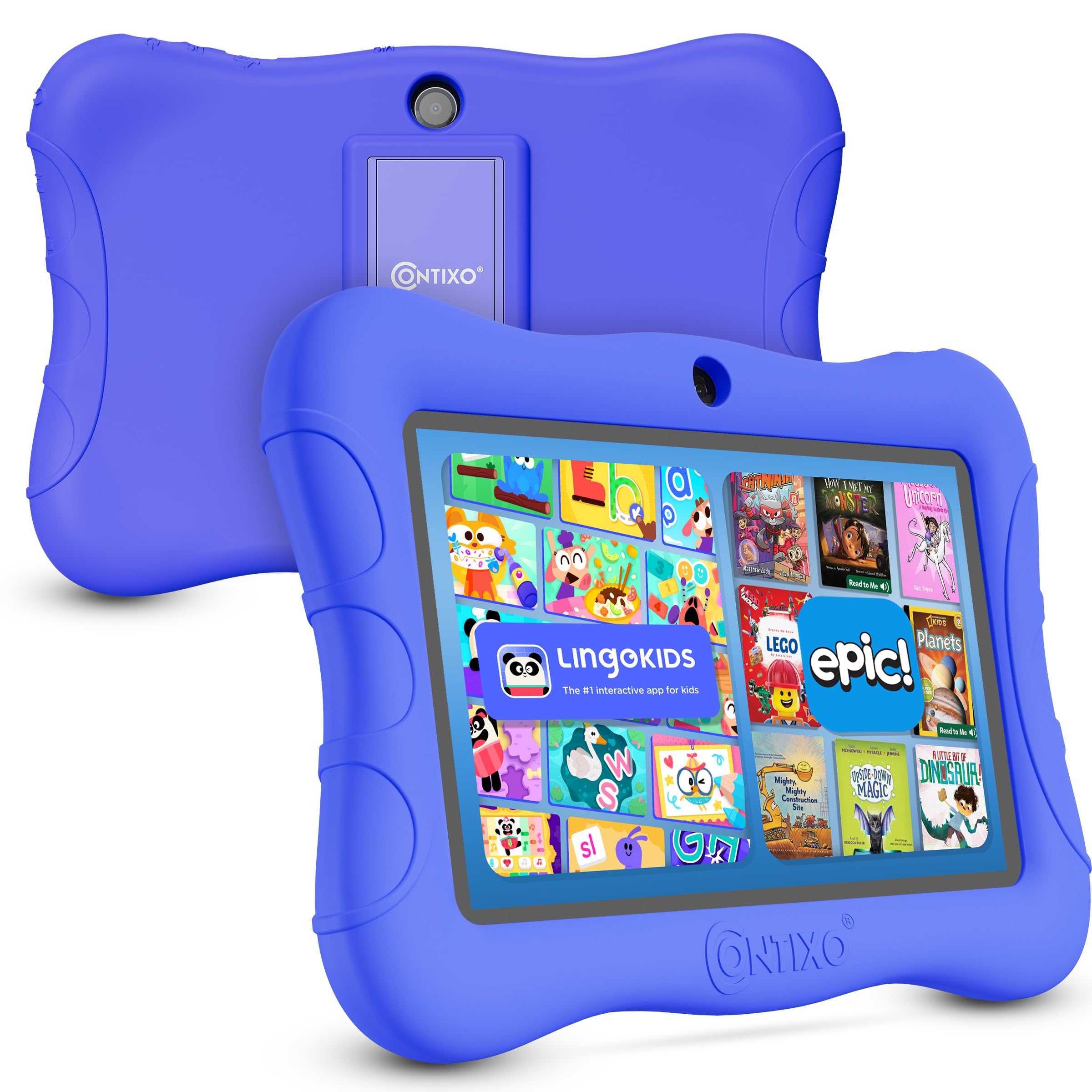
The one that protects the screen itself, not just the casing.
Most picks here guard the frame; the Contixo guards the glass. A 3-layer screen protector sits over a 7-inch shatter-safe HD touch display, and the bundled case with kickstand shields the rest. For a toddler who pushes hard on a screen, that is the layer the others leave you to buy separately.
Android 13 runs on a 1.6GHz quad-core processor with 32GB of storage, expandable by up to 128GB via microSD — the tightest ceiling in this group. A 3000mAh battery is rated for up to 6 hours of mixed use, the same window the CUPEISI and BYANDBY claim. Epic and Lingokids come pre-installed with trials, so books and playful learning activities are live the moment it powers on, and the display supports 189 language settings including Spanish.
Parental controls cover custom profiles, hand-picked content, screen-time limits, and blocking unsafe sites. A 1 Year Manufacturer Defect Warranty backs the device. The age-appropriate fit for toddlers is the consistent bright spot; quality and value draw the usual split verdict.
What it protects and provides
- 3-layer screen protector plus a kickstand case in the box
- Epic and Lingokids preinstalled with trial periods
- 189 language settings, including Spanish
What to plan around
- 128GB microSD cap — the smallest expansion headroom here
- Quality and value get a split verdict
The clear match: a toddler whose tablet history includes cracked screens.
Look elsewhere if: you want room for a big downloaded library — 128GB is the expansion limit.
Know the Specs
1024×600 IPS display
That figure is the pixel grid — 1024 columns across, 600 rows down. IPS is the panel type that keeps colour and contrast steady when a child tilts the tablet or two of them lean in. On a 7-inch screen, it keeps text readable and cartoons clean at arm’s length.
RAM and virtual RAM
RAM is the short-term workspace for open apps. When a listing says 4GB or 8GB and then notes “2GB + 2GB” or “3GB + 5GB expansion”, the second figure is virtual memory borrowed from storage. Read the physical number — that is what holds apps open — and treat the rest as a buffer.
Battery hours versus mAh
The milliamp-hour (mAh) rating is the fuel tank; the usage-hours figure is what the maker expects that tank to deliver. A 3500mAh cell rated at 10 hours and a 3000mAh cell rated at 6 hours show that a more efficient processor stretches the same charge further. For planning a day out, trust the hours; for comparing hardware, use the mAh.
Widevine L1 explained
Widevine is the copy-protection tier streaming services check before they serve video. L1 is the highest level, and it means HD playback rather than a downgraded picture. On a kids’ tablet it is the difference between a sharp cartoon and a soft one on the same screen.
Shockproof cases: EVA versus silicone
EVA (a dense closed-cell foam that rebounds from a drop) gives a firmer frame; silicone (a softer rubbery wrap that spreads impact) gives a grippier surface. Both protect a tablet from bumps. Which you prefer depends on if you want a firmer frame or a grippier surface in a child’s hands.
MicroSD expansion ceilings
The microSD slot is where downloaded content lives. Ceilings across these picks run from 128GB to 1TB, so check the cap against the size of the library you intend to load. A 1TB ceiling suits a movie hoarder; 128GB suits a child who streams more than they store.
Common Questions
Will a microSD card from a phone work in these kids tablets?
Is 2GB of RAM enough for a child’s tablet?
What does Widevine L1 actually do on a kids tablet?
How do I change the default kids-mode password?
Should I buy an EVA foam case or a silicone bumper case?
How many hours of battery do I need for a road trip?
Can these tablets run YouTube and Netflix for kids?
What is the difference between 1024×600 IPS and a LCD screen?
Do these tablets have a headphone jack for quiet time?
How much storage do I really need for a child’s tablet?
The Bottom Line
For most families, the best tablet under $80 is the CUPEISI 7 inch Android Tablet — it pairs a 6-hour battery, a 3000mAh cell (the battery’s capacity), and Widevine L1 (a streaming quality standard) with a protective case that arrives in the box, so there is nothing left to buy. If you want the longest runtime without a socket, reach for the Zcobro and its 3500mAh, 10-hour claim plus offline learning content. And for a toddler who has cracked a screen before, the Contixo puts a 3-layer protector between your child and the glass. Whichever you pick, change the kids-mode password from 0000 on day one — otherwise your child can open up the parental settings.
How we choose
We do not accept paid placement. Every pick is matched to a real buyer and a real use-case; we do not hands-on test units.
Sources
Specifications: manufacturer listings and product documentation. Review insights: verified customer reviews, as of November 2026. Pricing: not shown on this page (it changes often); check the current price via the retailer link.
As an Amazon Associate, Tactical Gear Guy earns from qualifying purchases. This does not affect which products we feature.