Specs are compiled from manufacturer listings and verified buyer reviews and can change over time — please confirm the key details on the product page before buying.
A cracked Samsung screen does not have to mean a new phone. The catch most buyers hit first is simple: not every panel is the same type, and buying one before you check your exact model number is how people end up with a screen that does not fit. This guide sorts that out for you, panel by panel, so you know exactly which one to put in your cart.
This guide is built by comparing the manufacturers’ published specifications and the patterns across verified customer reviews, so you get each pick’s real strengths and trade-offs instead of marketing spin.
A budget panel gets your phone working again; a premium OLED panel comes close to the original. You will see that difference clearly, and you will know which fits your model, your skill level, and your expectations before you spend a cent on a Samsung Phone Screen Replacement.
Top Picks

How To Choose The Best Samsung Phone Screen Replacement
Your first job is not comparing panels — it is confirming your model. A Samsung Galaxy S21 Ultra screen is not a Galaxy S22 Ultra screen, and a US-version phone can take a different assembly than an EU-version one. Open Settings, find the model number, and write it down before you look at anything else. Every listing that matters will name the exact codes it fits, and that line is the one you check first.
OLED, TFT, and Incell are not the same thing
OLED panels light each pixel on their own, so you get deep blacks and rich colour — this is the closest match to the screen that came on your phone. TFT and Incell panels use a backlight behind a liquid-crystal layer, which makes them thicker and less punchy. An Incell panel also tends to have no curved edges and a smaller lit area than the original. That is not a defect — it is what the entry tier buys, so choose it knowingly.
Buy a screen with the frame attached when you can
A “screen with frame” arrives already bonded to the metal bezel (the metal rim around the glass). That matters because separating an old display from its frame is among the most damaging steps in a phone repair — prying there cracks glass and bends the chassis (the phone’s internal body). When the new assembly comes pre-assembled, you lift your internals across instead. For a first repair, choosing a pre-bonded frame matters more than any other spec here.
Assume you will reuse a few small parts
Many assemblies ship as the display only. The earpiece mesh, camera surround, and similar tiny pieces have to be transferred from your old screen. Read the box contents before you buy so you are not mid-repair and missing a piece you cannot get separately. A kit that includes adhesive and a tool set saves you a second order.
Side-by-Side Comparison
| Model | Best For | Panel Type | Screen Size | Frame Included | Amazon |
|---|---|---|---|---|---|
| Soft LTPO AMOLED Screen w/Frame S25 Ultra★ Best Overall | Newest flagships, closest-to-original feel | LTPO AMOLED | 6.9 inches | Yes | Amazon |
| AMOLED Samsung Galaxy S21 Ultra 5G ScreenBest Value | Balanced mid-range S21 Ultra repair | AMOLED | — | Yes | Amazon |
| OLED Samsung Galaxy S21 Ultra 5G Fingerprint | Keeping the in-display fingerprint reader | OLED | 6.78-inch | Yes | Amazon |
| OLED Samsung Galaxy S22 Ultra Fingerprint | Full-feature S22 Ultra restoration | OLED | — | Yes | Amazon |
| for Samsung S22 5G Screen Replacement LCD Display with Frame | Affordable S22 fix, no fingerprint needed | Incell LCD | — | Yes | Amazon |
| TFT Galaxy S9 Screen Replacement for Samsung Galaxy S9 | Reviving an older Galaxy S9 | TFT LCD | 5.8 inch | Yes | Amazon |
Detailed Reviews
1. Soft LTPO AMOLED Screen w/Frame S25 Ultra
Our pick — 4.5+★ from 20+ verified ratings; the strongest balance of quality and price.
The one panel here that keeps pace with a current flagship, refresh rate and all.
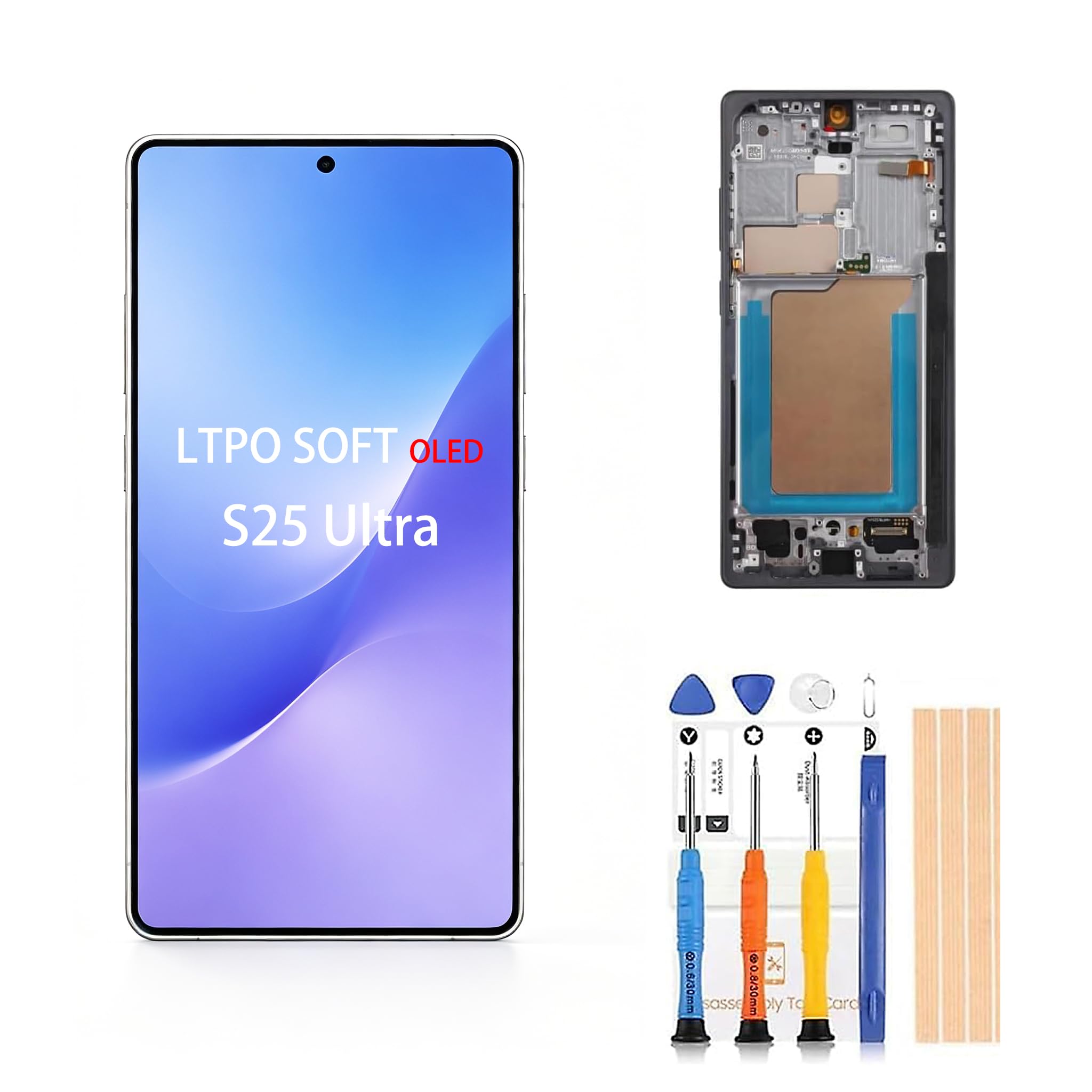
If your Galaxy S25 Ultra glass has spiderwebbed, this is the assembly that keeps the phone feeling like it did on day one. The screen size is 6.9 inches (the diagonal measurement of the lit area), which matches the large canvas you are used to. It carries a 120Hz refresh rate — that is the screen redrawing 120 times a second — so scrolling and swiping stay fluid instead of smearing. On a phone this expensive, that smoothness is the whole reason you bought it.
It arrives with the frame already attached, which is the sensible way in. Instead of cutting an old display off a bezel, you lift your board, camera, and battery across into a fresh assembly. The kit ships as screen plus tool. What it does not include is the fiddly stuff: the camera, earpiece filter, and other small parts have to be moved over from your broken display. Budget an evening, not twenty minutes.
This is not a beginner’s first soldering-free repair, and the maker tells you as much by suggesting an experienced repairer. The 120Hz refresh rate is the standout in this lineup — none of the older-model panels listed below carry it, and the 6.9-inch span is the largest here against the 5.8-inch Galaxy S9 panel. Treat the panel gently during fitting and you get even colour, no dead pixels, and a touch layer that responds instantly.
What you gain
- 120Hz refresh rate keeps scrolling and gaming smooth
- Frame pre-attached, so no risky bezel separation
- 6.9-inch LTPO AMOLED panel sized for the S25 Ultra
- Each unit is inspected before shipping, per the maker
- Covered by a one-year manufacturer warranty
What to plan around
- Camera, earpiece filter and small parts must be transferred from the old screen
- Not a first-timer’s job — an experienced repairer is the safer call
Buy this if: you own an S25 Ultra and want the closest thing to the factory display, refresh rate included.
Think twice if: you have never opened a phone — the loose small parts and frame work are unforgiving.
2. AMOLED Samsung Galaxy S21 Ultra 5G Screen
A middle-path AMOLED for the S21 Ultra crowd who want colour without the top-tier tab.
This assembly fits the Galaxy S21 Ultra 5G across the G998u, G998a, and G998w codes. It is an AMOLED panel, which means the pixels light themselves, so the blacks stay deep and the colour stays vivid. It ships with the front frame attached, matched with a screen protector, and a full repair tool kit in the box. Owners consistently find the install side straightforward and the value fair.
Where the feedback splits is display quality. Plenty of buyers are happy with what they see; some find the visual quality short of what they expected from an AMOLED. The honest read: a good AMOLED panel, not a perfect one, with no fingerprint sensor in this listing. If a sharp, flawless render matters more to you than budget, step up to the OLED S21 Ultra unit below — it is the one that brings the fingerprint reader back.
At 6 ounces it is among the lighter assemblies here, close to the S22 Ultra panel at 7.4 ounces. The package measures 7.83 x 6.77 x 0.83 inches, so it stacks neatly on a workbench. The maker recommends following a YouTube S21 Ultra tutorial during the swap, which is sound advice for anyone doing this for the first time.
Install and tools: The front frame comes pre-attached and the kit includes a full tool set plus a screen protector, so you are not chasing parts mid-repair.
Fits you well if: you want AMOLED colour on an S21 Ultra without stretching to the OLED tier.
Know the limit: no fingerprint sensor in this listing, and the display quality draws mixed reactions.
3. OLED Samsung Galaxy S21 Ultra 5G Fingerprint

Loses none of the phone’s best feature — the in-display fingerprint reader stays.
For anyone who open up with a thumbprint fifty times a day, this is the S21 Ultra panel to get. It is a 6.78-inch OLED display with a working fingerprint sensor built in, fitting the SM-G998U, G998A, G998B/DS, and G988W codes. That 6.78-inch span is noticeably larger than the 5.8-inch Galaxy S9 panel further down the list, so you are restoring the full S21 Ultra canvas. The maker says the panel quality, while not factory-original, matches what you would expect from the Samsung S21 Ultra.
Owners generally find it easy to fit and rate the quality well, though functionality is a split picture — the power button turns up as a sticking point for a few. That is the kind of issue that usually traces back to a tiny connector seating, not the panel itself. Fit it carefully and you have a screen that looks and open up like the original.
The package runs 7.87 x 4.96 x 1.38 inches and weighs 7.7 ounces, making it the safest to handle of the S21 assemblies because it comes with a frame. Tool and adhesive are in the box. Follow an “S21 Ultra Screen Replacement” tutorial on YouTube and the swap is within reach for a patient first-timer.
Why owners keep it
- OLED with a built-in fingerprint sensor restores the open up feature
- 6.78-inch display matches the S21 Ultra footprint
- Frame, tool and adhesive included
- Easy to install by most accounts
Where it wobbles
- Functionality draws mixed notes, with power-button seating flagged
- Not a factory-original panel
Reach for it when: the fingerprint reader is non-negotiable and your phone is an S21 Ultra.
Look elsewhere if: you cannot verify your model is a G998 variant — it will not fit the S21 or S21 Plus.
4. OLED Samsung Galaxy S22 Ultra Fingerprint

For the S22 Ultra faithful: OLED colour, a working fingerprint pad, and a frame that arrives ready.
Check your code first, because this one is fussy. It fits the SM-S908U, S908A, and S908W, but not the S908B EU version. Get that right and you get an OLED panel that swaps a cracked, lined, or colour-shifted display for a crisp, saturated one. The fingerprint sensor is included, so the under-screen open up comes back with the glass. High sensitivity touch is called out as a special feature, and the fitter will feel that in how quickly the panel registers a swipe.
The frame and bezel come pre-assembled — the maker notes how hard it is to separate an old display from its frame without wrecking it. Back-cover adhesive and battery adhesive ship in the assembly, and a full professional tool set is included. Per the listing, every unit is QC-checked before shipping for scratches, dead zones, dot pixels, and lines. Owners do find the install easy; the honesty comes in the mixed notes on long-term reliability, with a handful seeing a screen quit after a short while.
It weighs 7.4 ounces and measures 6.4 x 2.9 x 0.5 inches, smaller in the box than the S21 Ultra OLED at 7.87 x 4.96 x 1.38 inches. Handle it gently and screen the connectors before sealing the phone back up.
The install story: Pre-bonded frame, adhesive, and tools in one kit make this one of the tidier S22 Ultra options to fit.
The honest caveat: A few units fade after the first week, so check for dead pixels and touch response before you screw the chassis back together.
Best match for: S22 Ultra owners on a US or W code who want OLED and the fingerprint reader back.
Skip the fit if: yours is the S908B EU version — this panel is not built for it.
5. for Samsung S22 5G Screen Replacement LCD Display with Frame
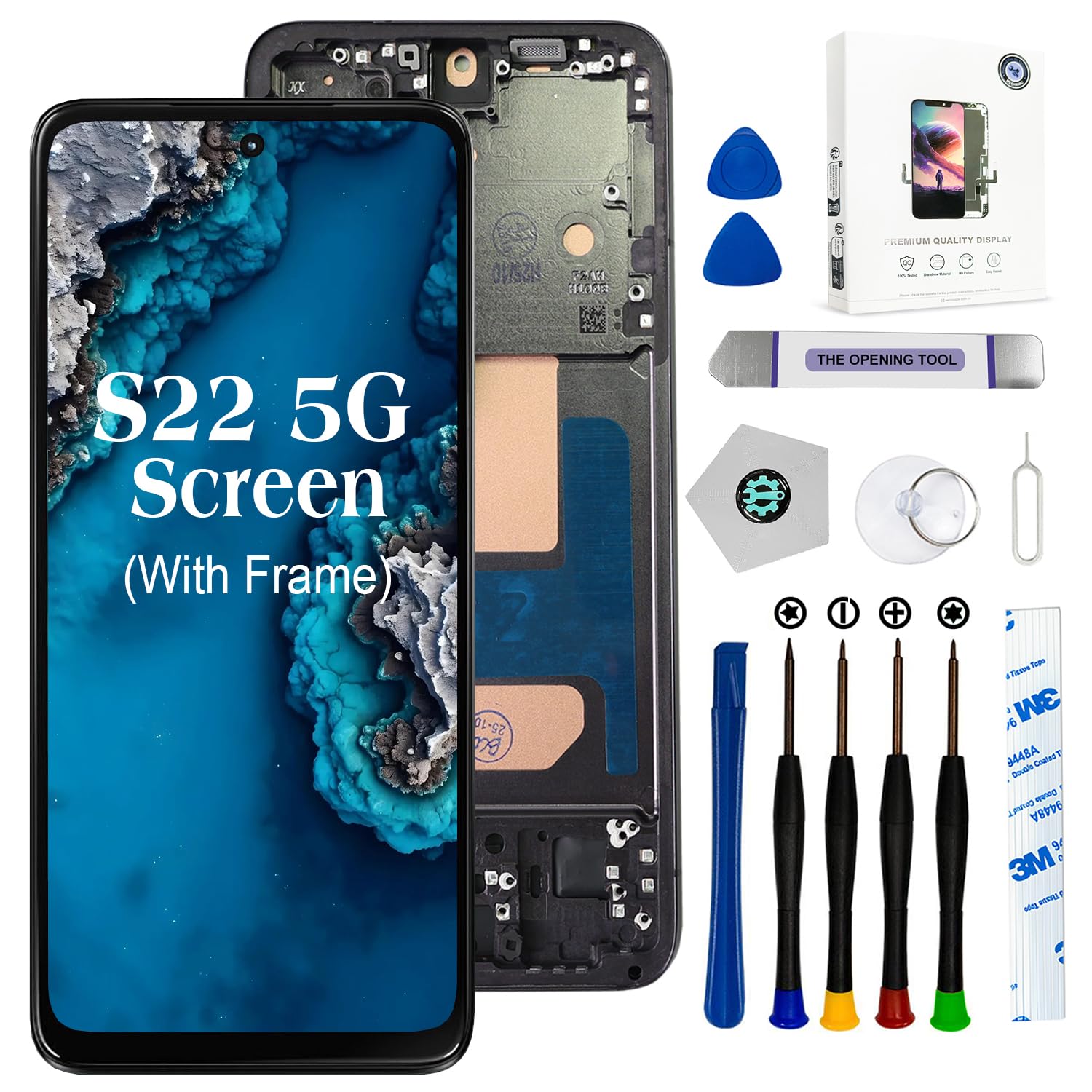
The get-it-working-again pick for an S22 — cheap, framed, and honest about what it is not.
This is an Incell LCD panel for the Samsung S22 US version, codes SM-S901B and SM-S901U. Incell means the touch layer sits inside a sheet-iron-backed liquid-crystal display, which makes it thicker than a factory panel and flatter, since it has no curved edges. The lit area is smaller than the original, there is no fingerprint sensor, and the display does not reach OLED quality. The maker is upfront about all of it and asks you not to buy if those three points matter to you.
What you do get is a screen with the frame already in place, a full tool kit, and an install most owners find easy and well-instructed. The functionality side is the split, with proximity and light sensors showing up as trouble spots for some. Seat the sensor connections carefully and that risk drops. At 5.6 ounces it is the lightest panel here, and notably under the 8.1-ounce Galaxy S9 assembly by a wide margin.
The box measures 6.93 x 5.24 x 0.64 inches, slimmer than the S21 Ultra OLED’s 7.87 x 4.96 x 1.38 inches, so it packs flat. This is the sensible move when you need a dead S22 working and you do not need the fingerprint reader or curved glass.
Good reasons to pick it
- Frame and full tool kit included
- Easy, well-documented install by most accounts
- Lightest assembly here at 5.6 ounces
- Maker is honest about the panel’s limits
Trade-offs to accept
- No fingerprint sensor and no curved edges
- Incell display thinner in colour than OLED
- Proximity and light sensors can misbehave if poorly seated
Grab it if: you want an S22 working again on a tight budget and can live without the fingerprint reader.
Pass if: you need curved glass and OLED colour — go for the S22 Ultra OLED above instead.
6. TFT Galaxy S9 Screen Replacement for Samsung Galaxy S9

A low-cost way to pull a cracked Galaxy S9 back into service — with one clear compromise.
This is a 5.8-inch TFT LCD replacement for the Galaxy S9, fitting the SM-G960U, G960F, G960A, and G960P, and not the S9 Plus G965. TFT is an advanced liquid-crystal panel, not the OLED the phone came with, and the maker says plainly that it is not original, not an edge screen, and that its frame is slightly thicker than the factory one. Accept those limits and you get a working, responsive S9 display for very little money.
The frame and bezel arrive pre-assembled with the new display, and the kit adds a full tool set plus original back-cover adhesive and battery adhesive, ready to fit. That pre-bonding dodges the single most damaging step in a repair, which is prying the old display off its bezel. Owners find the install manageable, and the maker points first-timers to a YouTube tutorial.
It weighs 8.1 ounces, the heaviest here, against the 5.6-ounce S22 panel — heavier in the box, but a phone you already own. Handle the LCD gently, as the maker warns, and screen it before you close the phone. The rating sits lower than the premium picks here, so go in with matched expectations rather than OLED ones.
The practical read: A cheap, framed, tool-included revival kit for an older phone you still rely on.
Made for you if: you want a cracked Galaxy S9 usable again without paying for an original-grade panel.
Not for you if: you expect edge-screen curve and OLED blacks — the TFT panel is thicker and not original.
Know the Specs
Panel type (OLED, AMOLED, LTPO, TFT, Incell)
These are the technologies inside the screen. OLED and AMOLED panels light each pixel on its own, so blacks stay deep and colour looks rich — the closest to a factory display. LTPO is a step further and lets the refresh rate vary. TFT and Incell panels use a backlight behind liquid crystal, which makes them thicker and less vivid, and an Incell panel usually drops the curved edges. Match the panel type to what your phone shipped with if colour fidelity matters to you.
Screen size and refresh rate
Screen size is the diagonal measure of the lit area in inches. Get it wrong and the panel will not seat in your chassis — an S25 Ultra needs its 6.9 inches, an S9 its 5.8. Refresh rate is how many times per second the screen redraws, so 120Hz feels fluid while a lower rate can smear. Both numbers should match your exact model.
With frame vs display only
A “screen with frame” arrives bonded to the metal bezel, so you lift your internals across instead of separating an old display from its frame. That separation step is where glass cracks and chassis bend, so a framed assembly is the safer buy for a beginner. Display-only panels cost less but put the riskiest work on you.
Fingerprint sensor and small parts
Some OLED and AMOLED panels include the in-display fingerprint reader; many Incell and TFT panels do not. If you open up with a thumbprint, confirm it is listed before buying. Also read the box contents: many assemblies ship as the display only, and the camera, earpiece filter, and similar small parts must be moved over from your broken screen.
Common Questions
How do I know which Samsung screen replacement fits my phone?
What is the difference between OLED and TFT screen replacements?
Will a replacement screen keep my fingerprint sensor working?
Do I need a screen with the frame attached?
Can I install a replacement screen myself or should I use a repair shop?
Which small parts do I reuse from my old screen?
Why is my Incell replacement screen thicker than the original?
What do I do if the replacement screen stops working after installation?
Does a replacement screen bring back the 120Hz refresh rate?
The Bottom Line
For most people, the winner in this samsung phone screen replacement lineup is the Soft LTPO AMOLED Screen for the S25 Ultra. It is the only panel here that keeps the 120Hz refresh rate (the screen redraws 120 times a second, so scrolling looks smooth) and matches a current flagship’s 6.9-inch canvas. If you need the fingerprint reader back on an S21 Ultra, grab the OLED S21 Ultra with its 6.78-inch display and built-in sensor. And for an older Galaxy S9 sitting cracked in a drawer, the TFT Galaxy S9 assembly is the one to reach for — cheap, framed, and ready to fit, provided you accept its thicker TFT panel (a basic LCD-type screen that is not as crisp as OLED).
How we choose
We do not accept paid placement. Every pick is matched to a real buyer and a real use-case; we do not hands-on test units.
Sources
Specifications: manufacturer listings and product documentation. Review insights: verified customer reviews, as of November 2026. Pricing: not shown on this page (it changes often); check the current price via the retailer link.
As an Amazon Associate, Tactical Gear Guy earns from qualifying purchases. This does not affect which products we feature.