Specs are compiled from manufacturer listings and verified buyer reviews and can change over time — please confirm the key details on the product page before buying.
Buying a sublimation setup is mostly a decision about paper and ink volume, not the printer box. A kit that ships with a full ink set and a real stack of transfer sheets keeps you printing on day one. A bare printer forces a second order before your first mug. The five kits below differ in what ships in the box — how much ink, paper, and blank stock you actually get, and how wide the printer can print.
This guide is built by comparing the manufacturers’ published specifications and the patterns across verified customer reviews, so you get each pick’s real strengths and trade-offs instead of marketing spin.
You’ll see which bundles include a complete dye-sub ink set, how many transfer sheets come in the box, and what print width each machine handles. That matters because a kit with a full ink set and a real stack of transfer sheets keeps you pressing instead of reordering.
Top Picks

How To Choose The Best Sublimation Printing Kit
Sublimation works differently from ordinary printing. The ink turns to gas under heat and bonds into polyester fabric or a coated blank, so the colour lives inside the material instead of sitting on top of it. That single fact drives every choice below: dye-sub ink, transfer paper, and a coated or polyester blank.
Count the ink and paper before you count the features
Your first real cost after the printer is consumables. A kit that includes a full CMYK set (cyan, magenta, yellow, black) and a stack of transfer sheets saves you a separate shopping trip. The Brother SP-1 Deluxe Bundle is the clearest example here — it ships with 310 transfer sheets and 50 blanks alongside the ink. Compare that to a printer-only box and the difference in week-one output is obvious.
Match the maximum media size to what you sell
Most desktop sublimation printers top out at 8.5 x 11 inches or 8.5 x 14 inches. That covers shirt fronts, mugs, coasters, and tote bags comfortably. If you need full-width apparel panels or roll-fed production, you step up to a 24-inch machine like the Epson SureColor F570. Decide the media size first, because it is the one spec you cannot upgrade later.
Plan for the heat press
None of these kits press anything by themselves. A heat press is a separate purchase, and Brother states that plainly for its SP-1. Budget for it alongside the printer, because a sublimation kit with no press is a stack of very colourful paper.
Side-by-Side Comparison
| Model | Best For | Max Media Size | Included Ink | Paper / Blanks in Box | Amazon |
|---|---|---|---|---|---|
| Epson SureColor F170★ Best Overall | Hobbyists and small shops wanting a closed paper tray | 8.5″ x 11″ | Full OEM Epson sublimation set | 150-sheet auto-feed tray | Amazon |
| Brother Sublimation Printer + Ink SetBest for App Designers | App-first crafters using Artspira designs | — | 4-colour set plus extra cartridge set | — | Amazon |
| Brother SP-1 Deluxe Bundle | Starting a small business with blanks included | Legal (8.5 x 14 inches) | CMYK 47ml each | 310 sheets + 50 blanks + tape | Amazon |
| Sawgrass SG500 Bundle | Colour-critical shop work with design software | 8.5 x 14 inch (bypass to 8.5″ x 51″) | SubliJet UHD CMYK | Paper bundle included | Amazon |
| Epson SureColor F570 | Production work up to 24 inches wide | 24″ rolls and sheets | Two full ink sets | Sublimation paper + blank starter kit | Amazon |
Detailed Reviews
1. Epson SureColor F170 Dye-Sublimation Printer
Our pick — 4.5+★ from 600+ verified ratings; the strongest balance of quality and price.
A sealed paper tray and genuine Epson ink make this the least fussy way into dye-sub.
The F170 is the pick here because it keeps your transfer paper clean and flat. It holds sheets in a dust-resistant closed tray that takes 150 sheets, so you load once and print for a while. Anyone who has watched dust specks land on an open paper stack knows why that matters — a single fleck transfers straight onto the finished mug.
Inside sits Epson’s PrecisionCore printhead with Precision Droplet Control, which is the mechanism that keeps fine detail sharp in the transfer. The bundle arrives with a full set of OEM Epson sublimation inks, and those inks carry ECO PASSPORT by OEKO-TEX certification. That certification is a textile-safety standard, which is why the kit is aimed squarely at apparel, mugs, and mousepads. Ink bottles use auto-stop technology, so refills cut off cleanly instead of overflowing onto your desk.
Quality is the thing that wins people over across the review pages, with functionality close behind. The recurring trade-off is colour and value: sublimation profiles vary by blank and a few users chase true colour longer than they expect. Connectivity is the weaker corner too — this printer works over USB and Ethernet to a PC, and Epson states outright that mobile device connection is not supported. Desktop footprint is modest at 13.7 by 14.8 inches, and it weighs 16 pounds, so one person can lift it onto a shelf.
What earns it top spot
- Closed 150-sheet tray keeps paper dust-free for cleaner transfers
- Genuine Epson ink set included, certified ECO PASSPORT by OEKO-TEX
- PrecisionCore printhead with Precision Droplet Control for fine detail
- Auto-stop ink bottles cut refills off before they spill
Where it asks patience
- No mobile device connection — PC via USB or Ethernet only
- Colour matching takes trial and error on new blanks
- Paper is capped at 8.5 x 11 inches, so no oversized panels
Made for: crafters and micro-shops printing shirts, mugs, and mousepads who want a tidy desktop footprint.
Think twice if: you design on a tablet, because mobile printing is off the table here.
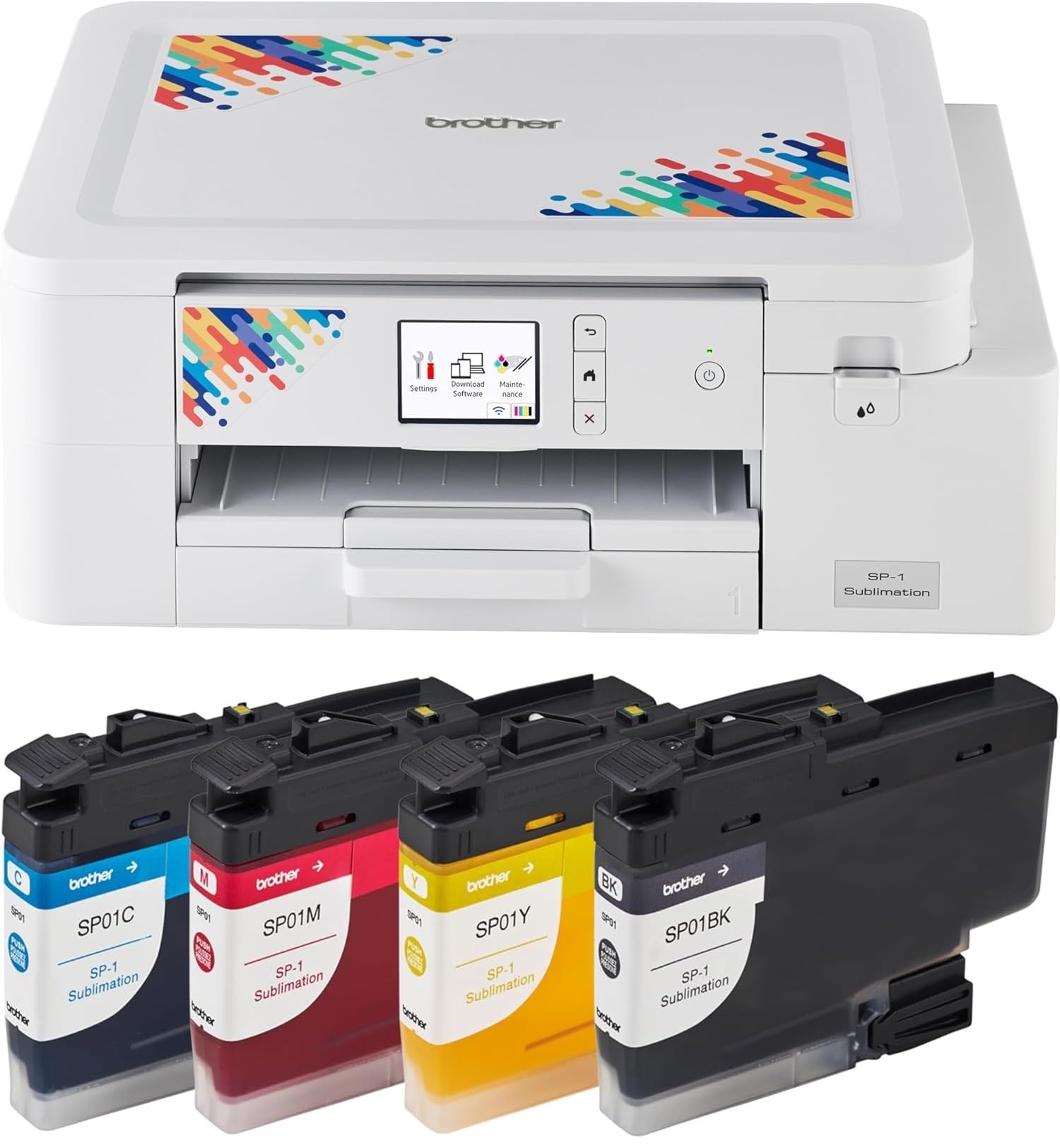
2. Brother Sublimation Printer
Design on the Artspira app, send it over, press it — Brother built the whole loop.
Brother ties this machine to its free Artspira app. You download it first, then pull from over 100 sublimation designs or convert your own image into a poster-style drawing. That library is the reason to pick this one over a bare printer: you get artwork to work with before you have made anything yourself. The workflow runs design, transfer, print, heat press, finish — and Brother notes that a heat press needs buying separately.
Speed is the other headline. It prints up to 45 seconds per sheet in full colour, which keeps a batch of shirts moving without long sits between presses. The bundle throws in an extra set of four standard-yield colour sublimation ink cartridges on top of the installed set, so you get a spare round of cyan, magenta, yellow, and black. At 13.5 by 17.1 by 6.3 inches, it takes up a corner of a workbench rather than a whole table.
Where buyers get cautious is colour. Reports on print and colour quality split — some find the results pretty good, others find the colours less bright than expected. Treat bright, saturated output as something you tune per blank rather than assume. What does land cleanly is ease of setup and everyday use, which is why beginners gravitate here. On the same page, the Sawgrass SG500 is rated at 31 mL inks against this bundle’s full extra cartridge set, so if ink volume is your priority, weigh both before deciding.
The app is the product: Artspira carries over 100 ready designs and lets you import your own images, which shortens the gap between unboxing and your first finished shirt.
Colour expectations: the honest read is that vividness varies by substrate, so test on scrap blanks before committing a full run.
Reach for this if: you want a design library on your phone and quick 45-second sheets.
Look elsewhere if: you need guaranteed punchy saturation straight from the start.
3. Brother SP-1 Sublimation Printer Deluxe Bundle
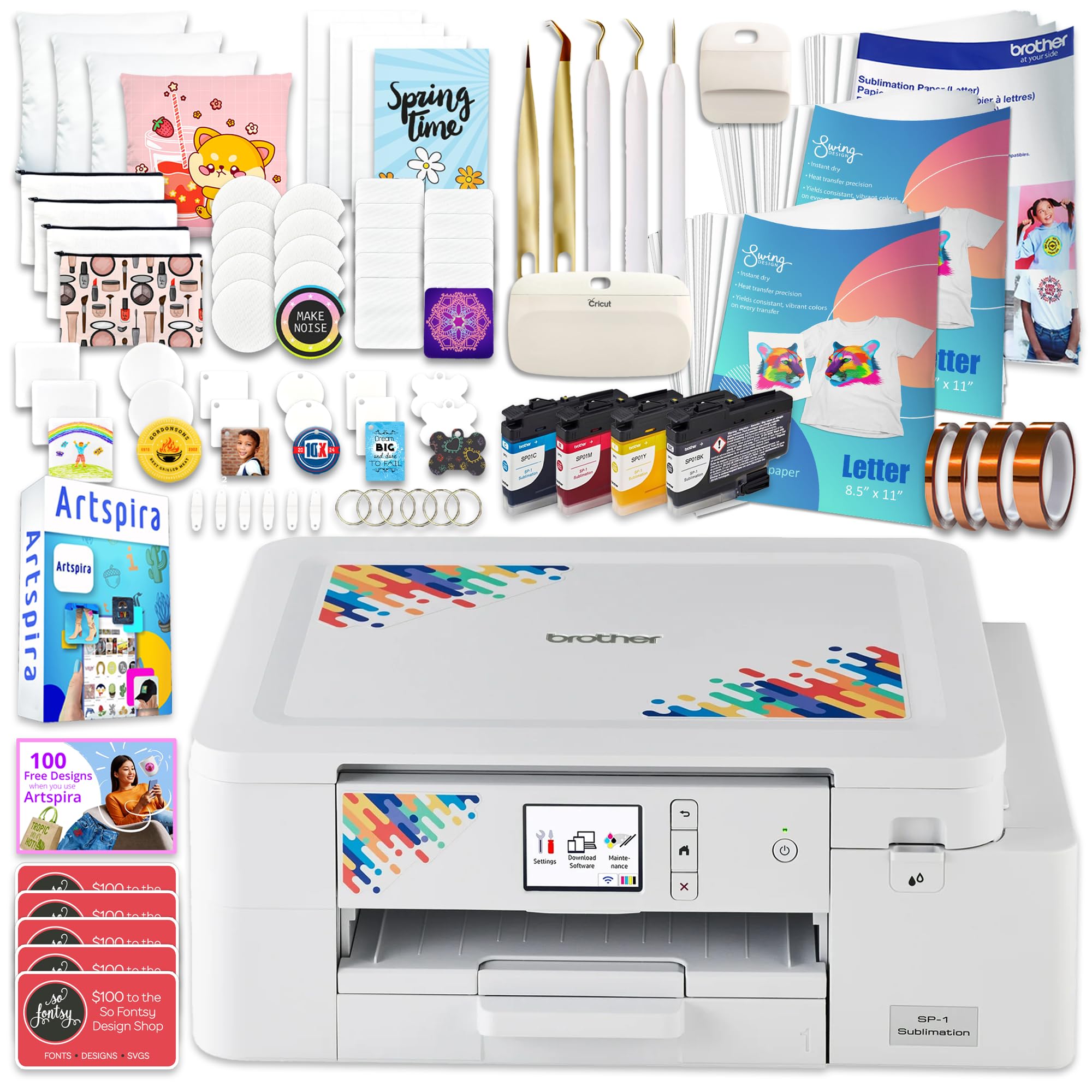
310 transfer sheets and 50 blanks in one box — this is the starter shop, not a starter printer.
Here is where the math of a kit gets interesting. The SP-1 prints at 10 black-and-white pages per minute, while the Sawgrass SG500 is listed at 25 on the same specification line. Read that as a paper-moving difference on text-weight jobs rather than a verdict on transfer quality. Where the SP-1 pulls ahead decisively is what sits in the crate: 300 sheets of ProSub 8.5 x 11 transfer paper plus 10 sheets of Brother’s own, 50 sublimation blanks, four rolls of heat-resistant tape in.125in,.25in,.50in, and 1in widths, and a 7-piece tool set.
The ink set is full CMYK at 47ml each, and the software side brings 500 design cards for SoFontsy with monograms and SVGs cleared for commercial use. That commercial-use detail is the reason this bundle suits someone selling rather than gifting. Media tops out at legal size, 8.5 x 14 inches, which is enough for shirt fronts and most drinkware wraps but not for a full back panel. Duplex is simplex, so one side per sheet.
What buyers respond to is the overall quality of the package, with ease of use right behind it. The fair caution is that all those blanks and tape still need a heat press you supply yourself, and the toner-to-fabric learning curve is real. Still, if your goal is to open one box and start producing sellable items, the consumable count here beats every other kit on this list.
Volume play: 310 sheets, 50 blanks, and four tape widths mean you are stocked for a real run of orders before you reorder anything.
Speed reality check: 10 pages per minute against the Sawgrass SG500’s 25 — fine for transfer batches, slower on dense text jobs.
Suits: makers launching a small sublimation business who want ink, paper, blanks, and tape in one purchase.
Worth knowing: the SP-1 still needs a separately bought heat press to finish anything.
4. Sawgrass SG500 Sublimation Printer
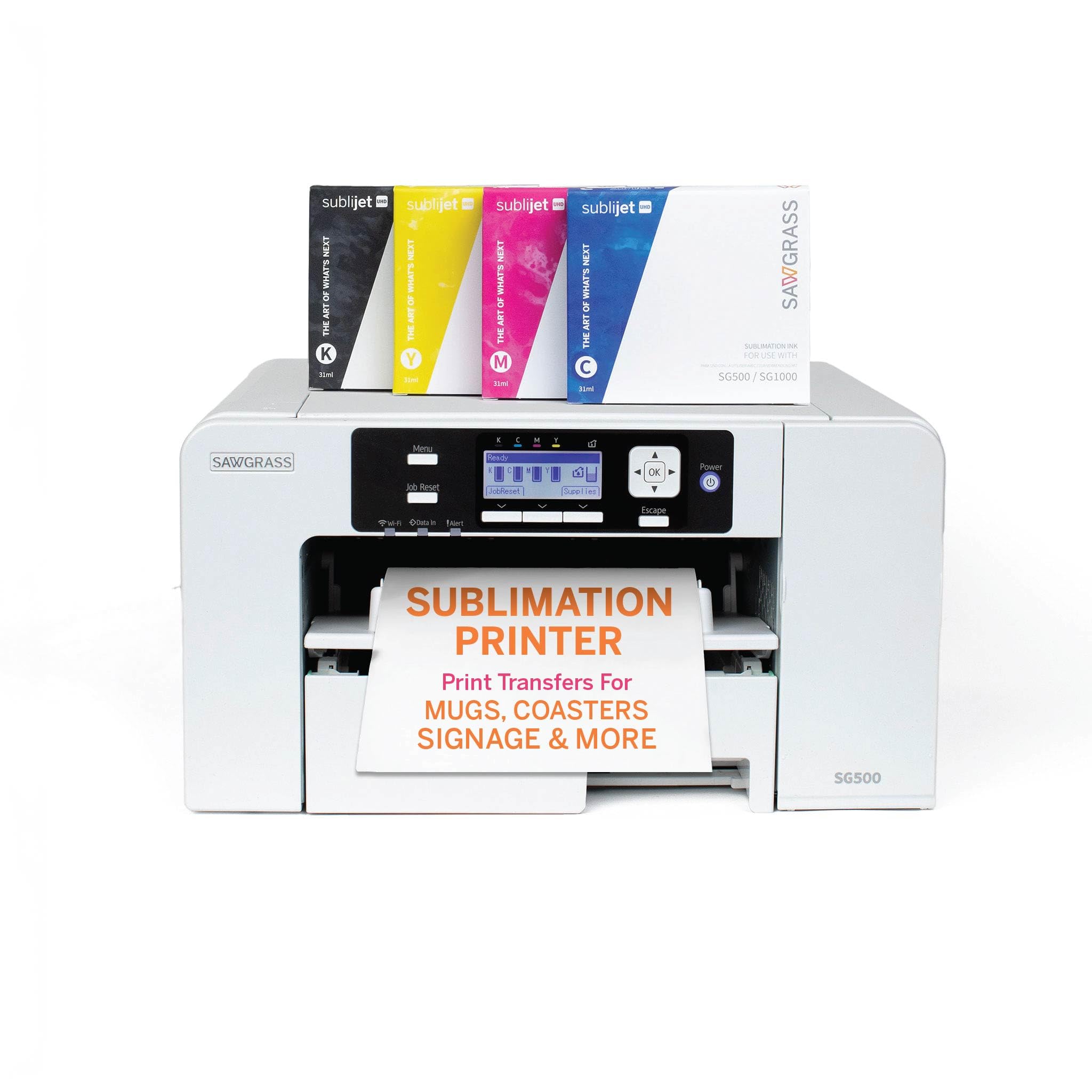
SubliJet UHD inks and the MySawgrass design platform are the draw for colour-critical work.
Sawgrass approaches the category from the software end. The MySawgrass platform is an online design tool packed with templates, and the Sawgrass Print Utility adds Smart presets for colour accuracy. If you would rather start from a template than a blank canvas, that pairing is the argument for this printer over the Epson F170.
The inks are SubliJet UHD in cyan, magenta, yellow, and black, mixed in small batches and formulated to hold colour on both hard substrates like ceramic and soft ones like polyester. Standard printing runs to 8.5 x 14 inches, and the bypass tray pushes individual prints out to 8.5 x 51 inches when you need a long banner or wrap. That bypass figure is the one spec that genuinely separates it from the 8.5 x 11 ceiling on the Epson F170. Duplex is simplex and the connection is USB. Note the electrical requirement Sawgrass states: standard 110/120V US and North American outlets.
Two things to plan around. First, this listing supplies the ink and paper bundle, but the design work lives inside Sawgrass’s own software environment, so you are adopting a platform, not just a printer. Second, the SG500 is priced in premium territory and rated lower than the F170 on this list — it earns its place on colour tools and the long-print bypass tray, not on being the crowd favourite. If you print wide or obsess over repeatable colour, the bypass tray and SubliJet UHD inks justify the premium.
Reasons shops choose it
- Bypass tray reaches 8.5 x 51 inches for long prints
- SubliJet UHD CMYK inks batched for consistent colour
- MySawgrass templates plus Print Utility Smart presets
What to plan around
- Design work is tied to Sawgrass’s own software platform
- USB connection only, no Ethernet listed
- Sits in premium pricing while rated below the F170 here
Built for: small businesses that want template-driven design and long-format prints up to 51 inches.
Not the fit if: you want the highest-rated kit on this page rather than the widest-printing desktop one.
5. Epson SureColor F570 24″ Desktop Sublimation Printer

The only kit here that prints 24 inches wide, with a cutter and two ink sets.
Size is the entire story. This machine takes rolls and sheets up to 24 inches wide, which is the jump from shirt-front work to full garment panels and production runs. For scale, its footprint measures 32 by 38 by 10 inches, against 13.5 by 17.1 by 6.3 inches for the Brother Sublimation Printer and Ink Cartridge Set. Plan for a dedicated table and a helper when it arrives — the listing notes LTL freight shipping and a phone number needed to schedule delivery.
Inside is Epson’s PrecisionCore MicroTFP printhead with Precision Droplet Control, plus Nozzle Verification Technology that checks the head and keeps reliability up across long runs. A 50-sheet auto-feed tray and built-in cutter handle the finishing steps without scissors. The software is Epson Edge Print Pro with Adobe PostScript 3 and Adobe PDF Print Engine, covering job layout, nesting, pattern repeats, and advanced colour controls. Two full ink sets and a sublimation blank starter kit ship alongside the T49M inks, which are built for polyester fabrics, coated ceramics, and similar media.
This is a production tool and priced like one, so the honest question is whether your output justifies it. If you sell full-wrap shirts or roll-fed signage, 24-inch width means fewer seams and faster runs. If you make mugs and coasters, the Epson F170 covers that work with a much smaller footprint. The installation support and remote setup are included, which softens the setup curve on a machine this size.
Width first: rolls and sheets to 24 inches turn full garment panels into a single pass, something the 8.5 x 11 and 8.5 x 14 machines can’t touch.
Space and delivery: freight delivery and a 32 by 38 inch footprint mean you need a plan before the pallet lands.
Pick it for: roll-fed production work where 24-inch width and a built-in cutter replace manual trimming.
Overkill if: your product line is drinkware, where a compact 8.5 x 11 printer does the same job.
Know the Specs
Maximum media size
This is the widest sheet or roll the printer accepts. It sets a hard ceiling on what you can transfer. At 8.5 x 11 inches you cover shirt fronts, mugs, and mousepads. Legal at 8.5 x 14 inches gives more room for wraps and banners. A 24-inch machine handles full apparel panels and roll-fed runs. Choose the width before anything else, because it cannot be changed after purchase.
Dye-sublimation ink sets
Sublimation ink is a dedicated formulation, usually supplied as a CMYK set of cyan, magenta, yellow, and black. It turns to gas under heat and bonds into polyester or coated blanks. Bundles here range from a full OEM set to a full set plus a spare cartridge round. Ink volume in millilitres tells you how long the first fill lasts, so check it against how many transfers you plan per week.
Transfer sheets and blanks
Transfer paper is what carries your design into the press, and blank stock is the item you decorate. A bundle with 310 sheets and 50 blanks removes your first reorder. A printer-only box means buying paper separately before you can finish a single project. If you are selling, count the 50 blanks and four tape widths as real value, not filler.
Print speed and printhead
Pages-per-minute figures on these listings tend to be 1 to 10 for colour work, with the Sawgrass SG500 listed at 25 black-and-white. Printhead technology matters more for detail than the speed number does. PrecisionCore with Precision Droplet Control governs how fine the transferred line work looks. Nozzle Verification Technology adds a head check that helps on long production runs.
Common Questions
Can I use regular inkjet ink in a sublimation printer?
Do these sublimation printing kits include a heat press?
What materials can I sublimate onto?
Can I print from my phone or tablet with these printers?
How wide a design can I print for a full shirt back?
Is the Sawgrass SG500 better than the Epson F170?
How much transfer paper comes in each bundle?
Why do my sublimation colours look dull or off?
What does a duplex spec of simplex mean on a sublimation printer?
The Bottom Line
The sublimation printing kit worth starting with is the Epson SureColor F170, because the closed 150-sheet tray, genuine OEM ink set, and PrecisionCore printhead give you clean, sharp transfers without juggling loose paper. If you want a stocked box with 310 sheets and 50 blanks on day one, grab the Brother SP-1 Deluxe Bundle. And for 24-inch roll-fed production, the Epson SureColor F570 is the machine to reach for — the one kit here that prints full garment panels instead of shirt fronts.
How we choose
We do not accept paid placement. Every pick is matched to a real buyer and a real use-case; we do not hands-on test units.
Sources
Specifications: manufacturer listings and product documentation. Review insights: verified customer reviews, as of November 2026. Pricing: not shown on this page (it changes often); check the current price via the retailer link.
As an Amazon Associate, Tactical Gear Guy earns from qualifying purchases. This does not affect which products we feature.