Specs are compiled from manufacturer listings and verified buyer reviews and can change over time — please confirm the key details on the product page before buying.
If your laptop spends a full minute grinding away before the desktop appears, the drive inside it is the bottleneck — and a 2.5-inch SATA SSD swaps that spinning platter for flash memory that has no moving parts to wait on. The short answer: the Samsung 860 EVO 500GB is the drive to buy for most people. It carries 4.5+ stars across 76,000+ ratings, and its 550MB/s sequential read speed (how fast it pulls a large file off the drive in one straight line) is the number that makes the difference you feel every morning.
This guide is built by comparing the manufacturers’ published specifications and the patterns across verified customer reviews, so you get each pick’s real strengths and trade-offs instead of marketing spin.
Below you get eight drives sorted by what they actually do well — boot speed, capacity, laptop fit — plus the one spec that decides whether a drive fits your machine at all. The fastest way to fix a slow machine is a serial ata 2.5-inch ssd.
Top Picks


How To Choose The Best Serial ATA 2.5-Inch SSD
Three things decide whether a drive is right for you: does it physically fit, does your machine speak its language, and is the capacity big enough for what you store. Everything else is a tiebreaker.
Check the height before anything else
Most 2.5-inch drives are 7mm tall, which is the thin profile that slides into slim laptops and Ultrabooks. If you are replacing a drive in a desktop tower or an older thick notebook, height is rarely a problem. If you are opening a thin machine, measure the old drive first — a thicker replacement will not seat properly.
Confirm the SATA generation your machine supports
A SATA III drive (also written 6Gb/s) is the current standard, and it is backward compatible with older SATA II and SATA 1.5Gb/s ports. That means a new drive will work in an older machine, it just runs at the older port’s ceiling. Buy SATA III either way — the drive is not more expensive for it and it moves with you to a newer machine later.
Read speed in MB/s, not marketing words
Sequential read speed is how fast the drive streams a big block of data, measured in megabytes per second (MB/s). Higher is better for loading games and large video files. Write speed matters when you save big projects. Neither number tells you how the drive behaves once it is nearly full — that is where SLC cache and drive quality show up.
Side-by-Side Comparison
| Model | Best For | Capacity | Read Speed | Form Factor | Amazon |
|---|---|---|---|---|---|
| Samsung 860 EVO 500GB★ Best Overall | Everyday system drive | 500 GB | Up to 550MB/s | 2.5-inch, 7mm | Amazon |
| PNY CS900 500GBBest Value | Budget laptop refresh | 500 GB | Up to 550MB/s | 2.5-inch | Amazon |
| Crucial BX500 240GBCompact Pick | Low-power small system drive | 240 GB | Up to 540MB/s | 2.5-inch, 7mm | Amazon |
| Silicon Power A55 512GB | Ultrabook fit | 512 GB | Up to 500MB/s | 2.5-inch, 7mm | Amazon |
| Kingston A400 480GB | Reviving older systems | 480 GB | Up to 500MB/s | 2.5-inch, 7mm | Amazon |
| TEAMGROUP AX2 1TB | Storage per dollar | 1 TB | Up to 540MB/s | 2.5-inch | Amazon |
| TEAMGROUP T-Force Vulcan Z 1TB | Gaming and big files | 1 TB | Up to 550MB/s | 2.5-inch, 7mm | Amazon |
| Samsung 870 EVO 500GB | Heavy sustained workloads | 500 GB | Up to 560MB/s | 2.5-inch | Amazon |
Detailed Reviews
1. Samsung 860 EVO 500GB
Our pick — 4.5+★ from 76,500+ verified ratings; the strongest balance of quality and price.
The 500GB SATA drive that cuts a two-minute cold start to about thirty seconds.
The number that matters here is 550MB/s sequential read, paired with 520MB/s write. Read speed is how fast the drive streams data in a straight line, and it is what shaves the wait off a boot sequence. Buyers rate it highest for raw performance, and the everyday proof is a laptop that reaches a usable desktop in well under a minute instead of grinding through two. It is built on Samsung’s V-NAND (the brand’s stacked flash memory design), which is the reason the 500GB capacity holds its speed as the drive fills rather than sagging.
Fitting it is the easy part — it is a 7mm-tall 2.5-inch drive with a SATA 3 (6Gb/s) connector, so it drops into the standard bay your old hard drive came out of. Data protection is real, not a label: AES 256-bit hardware-based encryption, compliant with TCG Opal and IEEE 1670, means the drive itself scrambles what is stored on it. You also get a 5-year limited warranty and a 1.5 million hour MTBF figure (mean time between failures — the manufacturer’s reliability estimate).
The honest catch is that 500GB fills faster than you expect if you keep a game library and a photo archive on the same drive. The 870 EVO below it reads faster on paper, at 560MB/s versus 550MB/s, but this model is the one to buy on balance of speed, encryption, and long warranty together. If you are only ever storing a system and a few apps, the capacity is not a limit at all.
proven SATA workhorse
- 550MB/s sequential read and 520MB/s write keep boot and load times short.
- AES 256-bit hardware encryption compliant with TCG Opal and IEEE 1670 protects what is stored.
- 5-year limited warranty backed by a 1.5 million hour MTBF rating.
- 7mm 2.5-inch body and SATA 3 (6Gb/s) connector fit the standard drive bay.
pricier per gigabyte
- 500GB goes quickly if games and media share the drive.
- The 870 EVO edges it on read speed — 560MB/s against 550MB/s.
reliable daily drive: anyone replacing a boot drive in a desktop or laptop that takes a 7mm 2.5-inch SATA drive and wants encryption plus a long warranty.
budget buyers look: if you need a terabyte of room for a game library.
2. PNY CS900 500GB 2.5″ SATA III Internal SSD
Half a terabyte with a read speed that matches the top pick, for a lot less.
Put the PNY CS900 next to the 860 EVO and the spec sheets look close: 550MB/s sequential read on both. The 860 EVO writes at 520MB/s while the CS900 writes at 500MB/s, so the PNY trails on the save side of the ledger. For a laptop that spends its life opening browsers rather than exporting video, that gap is not something you will notice in daily use.
Build quality is what buyers praise most, and the practical version of that is a Windows 10 install that finishes in under five minutes. It is also backward compatible with SATA II (3Gb/s) ports, which means it will wake up an older machine that predates SATA III without you swapping the motherboard. Ultra-low power draw is another quiet win for laptop battery life.
cheap bulk storage: 500GB at 550MB/s read, an easy install, and backward compatibility down to SATA II make this the sensible default for a mid-range laptop refresh.
slower sustained writes: write speed sits at 500MB/s rather than the 520MB/s of the 860 EVO, so large saves take slightly longer. That is the whole of the compromise.
spare drive pick: you want top-tier read speed and 500GB without stretching the budget.
heavy workloads skip: you specifically want hardware encryption and a 5-year warranty.
3. Crucial BX500 240GB 3D NAND SATA 2.5-Inch Internal SSD
The smallest drive here, and the one that sips the least power doing it.
Crucial pitches this drive on two numbers: 300% faster than a typical hard drive, and 45x more energy efficient than one. That second figure is the interesting one for a laptop that lives off a battery — the drive is not a heavy power draw, so it is not quietly costing you runtime. Read speeds reach up to 541 MB/s in real use, which is enough to open files and boot the system promptly.
It earns its place in a plain desktop or laptop upgrade by running reliably, with performance and general functionality the two things buyers rate highest. It is compatible with any machine that accepts a 2.5-inch 7mm SATA drive, and it is built on Micron 3D NAND. The 240GB capacity is the smallest in this group, so think of it as a system-and-apps drive rather than a store-everything drive. The 3-year limited warranty is shorter than Samsung’s 5-year.
One thing to plan for: boot compatibility is the mixed spot in this drive’s reputation, so confirm your specific machine’s boot settings before you install rather than after. Once it is running, durability holds up well and failures are rare.
minimal builds only: a light laptop or a compact desktop build that only needs a system drive.
game libraries avoid: 240GB is too tight for your files, or your machine has fussy boot settings.
4. Silicon Power 512GB SSD A55
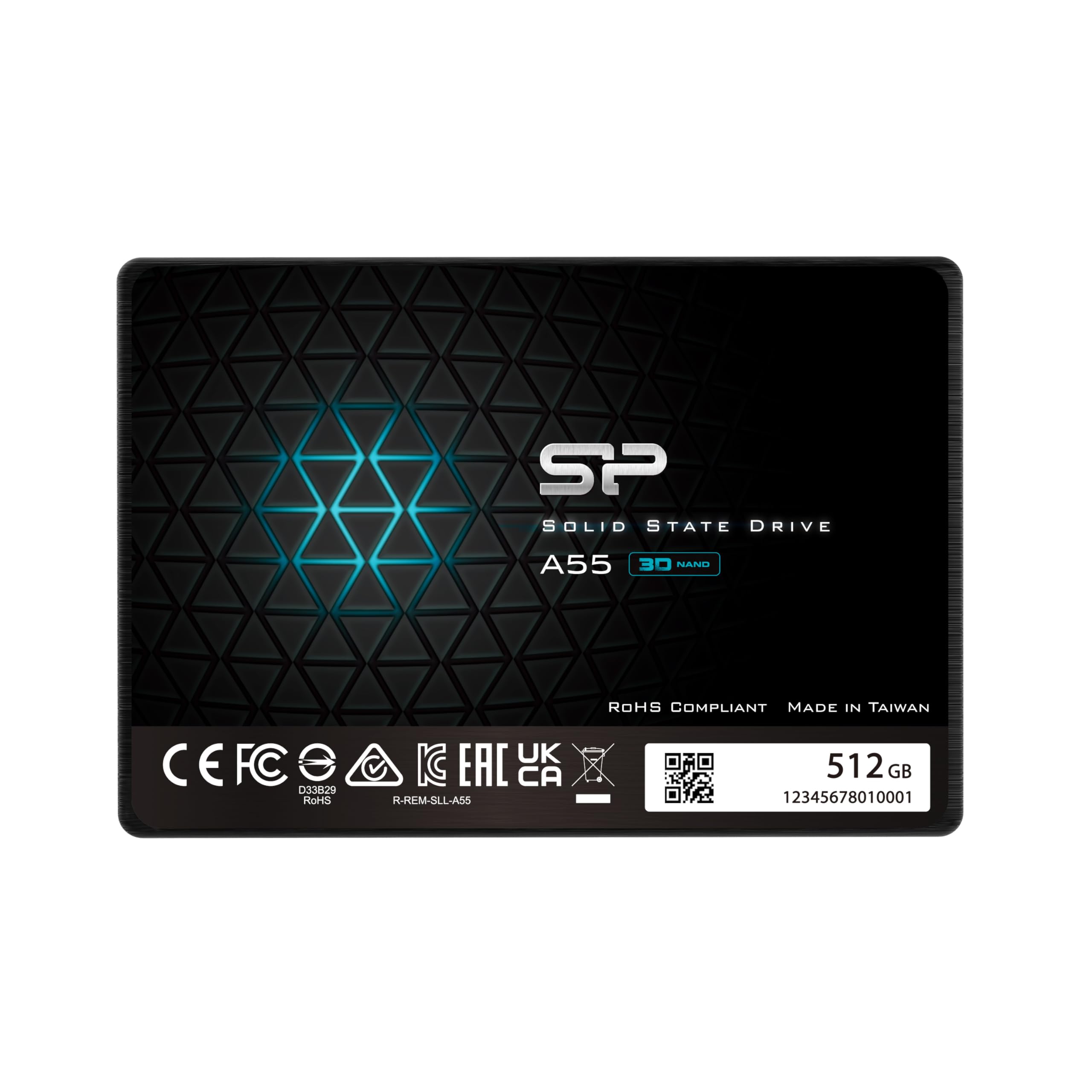
Fifty-six gigabytes more room than the 500GB drives, in the same thin body.
The 512GB capacity is the headline — the Crucial BX500 it sits above holds 240GB, so this carries roughly double the storage in the same 2.5-inch footprint. Read speed lands at 500MB/s, which is a step back from the 550MB/s of the PNY above, so it trades a little top speed for a little more room. For an Ultrabook or an ultra-slim notebook, the 7mm design is the part that actually gets it through the door.
SLC cache is the mechanism that matters for how the drive feels over time. It is a fast-write staging area the drive uses to hold its speed during bursts of activity, and combined with the 3D NAND flash it helps the drive keep pace and last longer. As a system drive it works without fuss, boots quickly, and keeps running smoothly, with build quality the trait buyers rate highest. It is also shock resistant, which is worth knowing if the machine travels.
balanced mid capacity: 512GB of capacity, a 7mm slim body for Ultrabooks, and SLC cache for steadier writes.
no DRAM cache: 500MB/s read is the lower end of this group, and the 3-year warranty needs registering on Silicon Power’s site to be fully active.
general upgrade pick: slim-laptop owners who need capacity more than the last few MB/s of read speed.
write-heavy tasks pass: you want the fastest read figure on the shelf.
5. Kingston 480GB A400 SATA 3 2.5″ Internal SSD (SA400S37/480G)

The revival kit for a laptop that has no business still being this slow.
Kingston rates this drive at 480GB, with up to 500MB/s read and 450MB/s write across a SATA Rev. 3.0 (6Gb/s) interface that is backward compatible with SATA Rev. 2.0. That write figure is the lowest of this group, so a big file export will not move as briskly as on the Samsung drives. Where it earns its keep is bringing older hardware back to life — a machine that felt finished suddenly boots and loads in seconds.
The 7mm form factor is the fit story: it slides into slimmer notebooks and into systems with limited bay space, which covers a lot of older laptops. There are no moving parts to bump, and the drive is shock and vibration resistant for machines that get carried around. Operating temperature is rated at 0°C-70°C, which is a normal range for indoor use.
Buyers report around 400MB/s writes in real-world use and boot times near two seconds. Installation is straightforward and Windows 10 goes on quickly. Nothing here is exotic; it is a reliable swap-in that does the one job it was made for.
basic office machines: older laptops and desktops where the goal is a fast, cheap rescue rather than maximum speed.
performance chasers move: the highest read and write numbers — 500MB/s and 450MB/s sit behind the leaders here.
6. TEAMGROUP AX2 1TB

A full terabyte, and enough room to stop deleting games to make space.
A terabyte is the point of this drive. It runs on the SATA III 6Gb/s interface with read/write speeds up to 540/490 MB/s, so it keeps pace with the mid-range drives here while carrying roughly twice the 500GB models’ storage. TEAMGROUP positions it as a replacement for a traditional hard drive and rates it four times faster than one — the difference shows up in boot time, shutdown time, and how fast applications respond.
The housekeeping features are what keep a big drive honest as it fills: garbage collection, wear-leveling (spreading writes evenly across the flash so no one area wears out first), ECC error correction, S.M.A.R.T. health monitoring, and TRIM. Together they maintain performance on a compatible operating system and extend the drive’s working life. It also runs quiet and draws little power, which a desktop or laptop both appreciate.
The warranty runs three years or a TBW (terabytes written — a total-data-written cap) limit, and any claim needs the drive registered where TEAMGROUP asks. For a game library that never stops growing, this is the capacity pick — just go in understanding the guarantee is tied to how much you write to it.
storage-first builds: storage-first builds where a terabyte of games and media beats a slightly faster smaller drive.
speed seekers avoid: the warranty has a total-data-written limit, so heavy writers should read the TBW terms.
7. TEAMGROUP T-Force Vulcan Z 1TB

A terabyte with gaming drive written all over the spec sheet.
Where the AX2 above saves you money, the Vulcan Z spends it on speed: read/write up to 550/500 MB/s against the AX2’s 540/490 MB/s, with a built-in SLC cache holding those figures steady during heavy writes. A terabyte at that speed is aimed squarely at game installs and 4K video editing, where long file transfers are the daily reality. The 7mm 2.5-inch body fits most laptops and desktops, and it plugs into a SATA III port with no adapter needed.
The value angle is genuine — what satisfies owners most is the price-to-performance balance, followed by reliability. It works right from the start and holds up in console use too, with PS3 among the systems buyers put it in. With no moving parts it runs silent and is shock and vibration resistant, so a knock against the case is not a data-loss event.
The one wrinkle to plan for: some systems run into compatibility snags with Windows 10, and durability has drawn a mixed reception — treat the drive as a consumer part rather than an enterprise one and keep backups, as you would with any single drive.
desktop show builds: you want 1TB and 550MB/s read for games and video work without paying flagship prices.
laptop installs skip: your machine runs Windows 10 and you have had drive-recognition issues before.
8. SAMSUNG 870 EVO 500GB

The fastest drive in this lineup, with an endurance rating to match.
Read the numbers against the 860 EVO and the hierarchy is clean: 560MB/s read and 530MB/s write here, versus 550MB/s and 520MB/s there. The 870 EVO also carries a write endurance rating of up to 600 TBW (terabytes written before the drive’s rated limit) under a 5-year limited warranty. For IT professionals and creators pushing large files all day, that headroom is the reason to pick it over its older sibling.
A larger variable buffer is what keeps its speed consistent over long sessions, and a 512MB low-power DDR4 SDRAM cache helps the drive track where its data lives instead of hunting for it. Samsung’s Magician software lets you monitor drive health and apply updates from one place. It is compatibility tested across major host systems, chipsets, motherboards, NAS boxes, and video recording devices.
Owners mention Windows 11 posting in about ten seconds and a 56GB game installed in under six minutes.
long-term keeper: you write heavily and want the highest read figure here, at 560MB/s.
tight budgets wait: ordinary browsing and documents are all the drive will ever see.
Know the Specs
Sequential read and write speed (MB/s)
This is how fast the drive streams data in a straight line, measured in megabytes per second. It is the figure that governs boot times, game loads, and large file copies. Higher read speed means faster loading; higher write speed means faster saving. Compare only sequential-to-sequential figures — a read number never tells you how a drive writes.
SATA III (6Gb/s) interface
SATA is the connector type and the data language your drive and motherboard use. SATA III carries up to 6Gb/s (gigabits per second) and is backward compatible with older SATA II and SATA 1.5Gb/s ports, so a new drive runs in an older machine at the older port’s ceiling. The 2.5-inch form factor is the physical size of the drive — check the 7mm height for slim laptops.
TBW and SLC cache
TBW means terabytes written — a total-data-written cap that sets the drive’s rated endurance under warranty. SLC cache is a fast staging area the drive uses to hold write speed up during bursts of activity, so the drive does not slow down the moment you start a big task. Both figures matter for heavy writers more than for casual users.
3D NAND and DRAM cache
3D NAND is flash memory stacked in layers to pack more storage into a small chip. DRAM cache is a small chunk of fast memory inside the drive that lets it find data quickly instead of searching for it. A drive with a larger buffer tends to hold its speed more consistently as it fills up.
Common Questions
Will a 2.5-inch SATA SSD fit my laptop?
Is SATA III backward compatible with an older SATA II machine?
How much faster is a 2.5-inch SSD than a hard drive?
Does an SSD use less laptop battery than a hard drive?
What does TBW mean on a drive warranty?
Is a 1TB drive worth it over 500GB?
Do I need to reinstall Windows after swapping the drive?
What is SLC cache and why does it matter?
Should I worry about a drive failing?
Does a 2.5-inch SSD work in a desktop PC?
The Bottom Line
For most people, the best serial ata 2.5-inch ssd is the Samsung 860 EVO 500GB. It pairs 550MB/s read speed with AES 256-bit hardware encryption and a 5-year warranty, and it holds the strongest reputation in this group. If you want the fastest read figure here, the Samsung 870 EVO 500GB edges it at 560MB/s with up to 600 TBW. And if gaming and big files are the plan, the TEAMGROUP T-Force Vulcan Z 1TB gives you a terabyte at 550/500 MB/s.
The one honest nudge: pick by the spec that actually limits you today — read speed for a slow machine, capacity for a full one, and 7mm height for a thin laptop. Match those three specs and any drive here will make the machine feel new.
How we choose
We do not accept paid placement. Every pick is matched to a real buyer and a real use-case; we do not hands-on test units.
Sources
Specifications: manufacturer listings and product documentation. Review insights: verified customer reviews, as of November 2026. Pricing: not shown on this page (it changes often); check the current price via the retailer link.
As an Amazon Associate, Tactical Gear Guy earns from qualifying purchases. This does not affect which products we feature.