Specs are compiled from manufacturer listings and verified buyer reviews and can change over time — please confirm the key details on the product page before buying.
You bought a laptop with a USB4 port and a drive that cannot keep up. That is the trap with external storage right now. Most “fast” portable SSDs still run on the older USB 3.2 standard, so they top out far below what your machine can actually push. A true USB4 drive uses that port’s full bandwidth, cutting a multi-gigabyte transfer from minutes to seconds. This list covers seven drives that genuinely support USB4, from a slim 500GB pocket unit to a 4TB magnetic slab that records 4K ProRes straight off an iPhone.
This guide is built by comparing the manufacturers’ published specifications and the patterns across verified customer reviews, so you get each pick’s real strengths and trade-offs instead of marketing spin.
Box speed rarely survives daily use, so every pick here is judged on its interface, its sustained transfer rate, and how it sheds heat. The short answer: the OWC Express 1M2 80G is the fastest drive on this page, and it is the standout pick among the best USB 4 external SSD options for anyone editing video.
Top Picks

How To Choose The Best USB 4 External SSD
The biggest mistake is buying on the speed number alone. A drive rated at 4,000MB/s (megabytes per second) will only reach that figure when it is plugged into a port that can feed it. Plug the same drive into an older USB-C port and it falls back to a slower standard automatically — the drive is fine, the port is the limit.
Check the port before the drive
USB4 and Thunderbolt 3, 4 and 5 all share the same small oval USB-C connector, so you cannot tell them apart by looking. Check your laptop’s spec sheet for the words “USB4” or “Thunderbolt” next to the port. If it only says USB 3.2, the fastest drives here will run below their rating on that machine.
Read speed versus write speed
Read speed is how fast you pull files off the drive. Write speed is how fast you push them on. Cameras and recorders care about write speed because they are dumping footage constantly. Most spec sheets lead with read speed because it is the bigger number, so look for the write figure too.
How the drive sheds heat
A portable SSD running a long transfer gets warm, and heat is what makes a fast drive slow down mid-job. Some units use an aluminum body as a heatsink, some add a small fan, and some use a graphene layer. Whatever the method, a drive that stays cool holds its speed for the whole file, not just the first minute.
Capacity and what it costs you
Video eats storage fast. A 4TB drive holds four times what a 1TB drive does, which matters if you shoot ProRes or 8K and do not want to offload mid-shoot. Match capacity to your workflow, not to the biggest number on the shelf.
Side-by-Side Comparison
| Model | Best For | Rated Read Speed | Capacity | Interface | Amazon |
|---|---|---|---|---|---|
| OWC Express 1M2 80G★ Best Overall | Fastest sustained transfers | Over 6000MB/s | 1 TB | USB4 80Gb/s | Amazon |
| Fikwot FP110Budget Champion | Budget entry to USB4 | Up to 3700MB/s | 500 GB | USB4 Type-C | Amazon |
| Addlink P30 | Phone-first video shoots | 4000 MB/s | 2 TB | USB Type-C 4.0 (40Gbps) | Amazon |
| Oyen Digital U34 Bolt | Rugged field work | Up to 2800 MB/s | 2 TB | USB4 40Gbps | Amazon |
| DATO ARES Q4 | Largest capacity on the list | Up to 4000MB/s | 4 TB | Native USB4.0 | Amazon |
| Samsung P7 | Balanced read and write | Up to 4,000 MB/s | 2 TB | USB4 | Amazon |
| Corsair EX400U | Magnetic phone mounting | Up to 4,000MB/s | 2 TB | USB4 / Thunderbolt 4 | Amazon |
Detailed Reviews
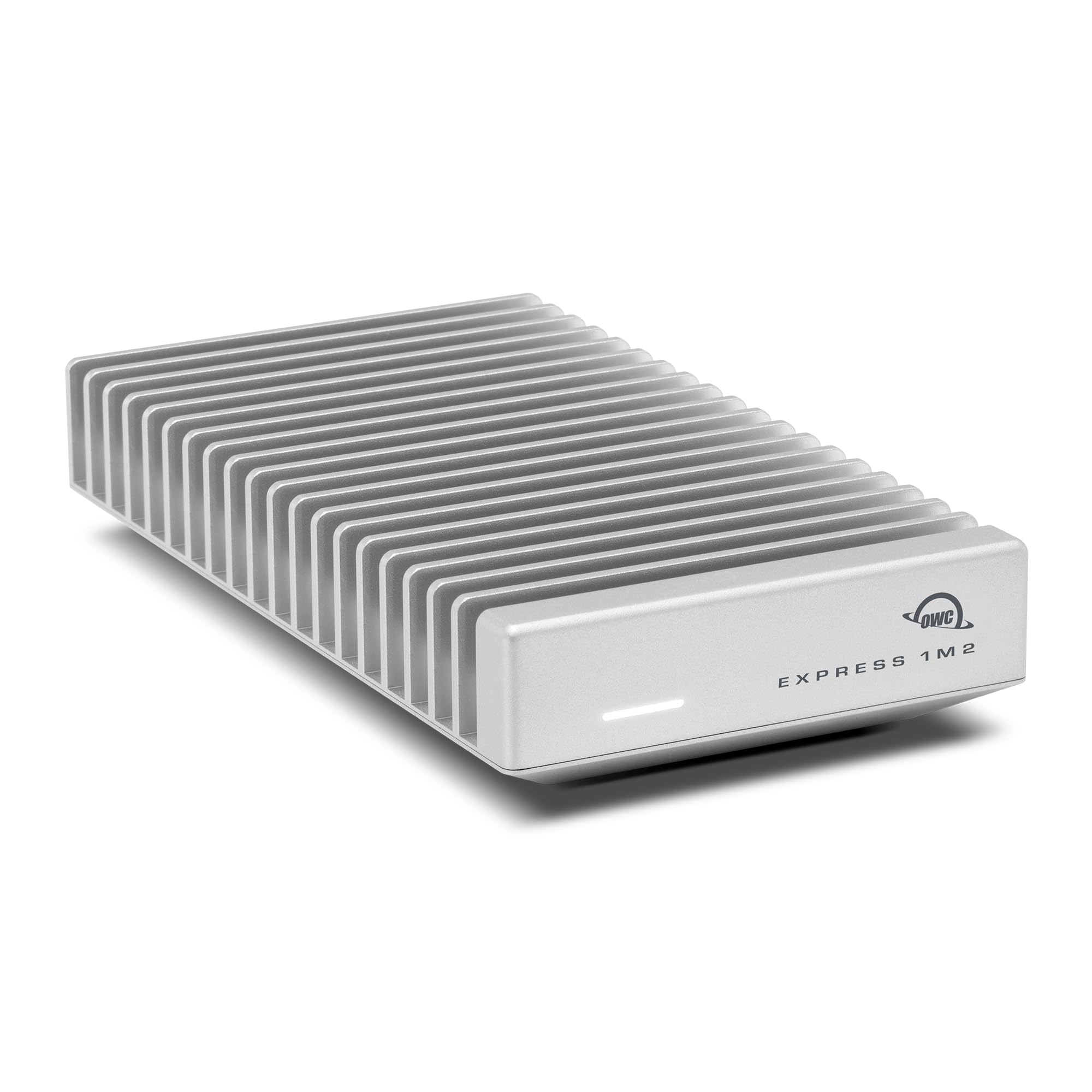
1. OWC Express 1M2 80G 1TB USB4 Portable NVMe SSD
Our pick — 4.5+★ from 150+ verified ratings; the strongest balance of quality and price.
The only drive here rated above 6000MB/s, with a swappable NVMe stick to push it further.
Most portable drives are sealed boxes. The Express 1M2 is not. You open it, drop in a bare NVMe M.2 stick (the small gum-stick-shaped memory card that does the actual storing), and close it up. It supports PCIe Gen 3.0, 4.0 and 5.0 drives, so when faster memory arrives you swap the stick instead of buying a whole new enclosure. That upgrade path is why it tops this list.
The speed is the headline and it is real: over 6000MB/s peak. Put that next to the Fikwot FP110 at up to 3700MB/s and the gap shows up as minutes saved on multi-gigabyte camera cards. The enclosure runs bus-powered off the included USB4 cable, so there is no power brick in your bag, and it works across Macs, PCs, iPad Pros, Chromebooks and Surface devices.
What wins people over is sustained performance: it holds speed across a whole project, not just a benchmark run. The patented heat-dissipating shell quietly does the work of keeping the drive cool, and that is what keeps a long export from stalling. One catch worth knowing: if you plan to fit a PCIe Gen 5 stick, OWC recommends picking one that draws 11 watts or less under sustained load, because host ports and hubs have bus-power limits. Buyers here are a happy group — 4.5+ stars across 190+ ratings, the crowd favorite on this page.
What earns the top spot
- Over 6000MB/s peak — the fastest rated drive on this list
- Build-your-own design takes 2242 or 2280 NVMe sticks for future upgrades
- Patented heat-dissipating shell keeps speed steady through long transfers
- Bus-powered over the included USB4 cable, no separate power supply
Where it asks more of you
- DIY route means you source and fit the NVMe stick yourself
- PCIe Gen 5 sticks need careful picking to stay inside host bus-power limits
- Premium-tier spend puts it well above the entry-level options
Worth it if: you edit video on a Mac Studio or a USB4 laptop and want the fastest sustained transfers on this page, with the option to upgrade the memory later.
Think twice if: you want a sealed drive you never open — the Fikwot FP110 or Samsung P7 asks nothing of you beyond plugging in.
2. Fikwot FP110 500GB USB4 40Gbps Portable SSD
Credit-card sized, three-point-four ounces, and it still carries a cooling fan.
Here is the entry point to USB4 without the premium-tier spend. The FP110 reads at up to 3,700MB/s — fast enough that buyers report transferring a 250GB photo file in about three minutes. For a photographer dumping a card at the end of a shoot, that is the difference between packing up and waiting around.
The cooling story is unusual at this tier. Fikwot pairs a turbo cooling fan with an aluminum alloy shell, and the graphene layer underneath helps spread heat. Two cooling methods in a body this small is a genuine design choice, aimed at holding transfer speed steady through long creative sessions rather than fading halfway.
The name on the listing says 500GB and that is what you get — modest capacity, so this suits a working set of files rather than an entire archive. Setup is plug-and-play with no software to install, and it runs in Thunderbolt 3/4 mode or plain USB-C mode, so older machines still work. Speed is what customers talk about most, and the drive holds 4.5+ stars across a small pool of 30+ ratings. It also ships with both a Type-C to A cable and a USB4 40Gbps Type-C cable, so you are not hunting for the right one.
Where the value lands: you get real USB4 speed, a fan-cooled aluminum body, AES-256 encryption and TRIM support for far less than the mid-range picks — the smart first purchase if this is your first USB4 drive.
The honest limit: 500GB fills quickly with 4K footage, so plan on offloading regularly or step up to a 2TB pick.
Reach for this if: you want to feel what USB4 does without committing to a premium-tier purchase.
Look elsewhere if: your shoots generate hundreds of gigabytes at a time — the DATO ARES Q4 holds far more.
3. Addlink P30 2TB USB4 External SSD
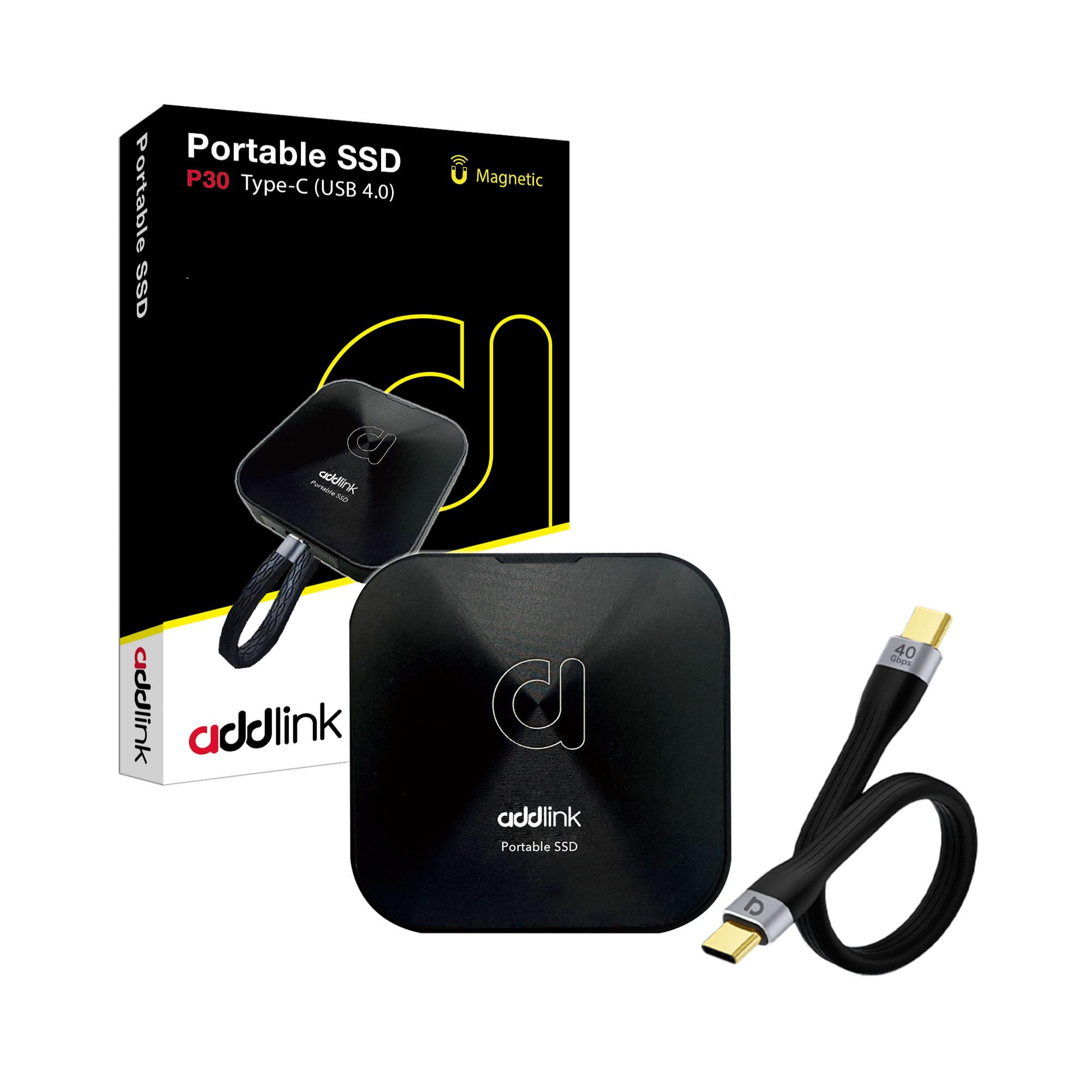
A 45-gram aluminum slab that clips to the back of your phone and records straight to disk.
If you shoot ProRes video on an iPhone 15 or 16, this drive was built around your workflow. It includes a magnetic MagSafe ring, so the P30 sticks to the back of the phone and travels with it while you film. Record 4K ProRes without stopping to offload — the footage lands on the drive as you shoot.
The numbers hold up: 4,000 MB/s read and 3,600 MB/s write, which the maker positions as seven times faster than USB 3.0. At 64mm across and 45 grams, it slips into a pocket or a small pouch when the shoot is done.
Where does it fit against the rest? The DATO ARES Q4 holds 4TB to this drive’s 2TB, but the 45-gram aluminum body and the lower capacity make this the easier one to carry on a commute or a day of street shooting. The listing comes with a magnetic MagSafe ring and a USB Type-C to Type-C 40Gbps cable in the box. Addlink backs it with a three-year warranty.
The reason it made the list: phone-first video work — the magnetic mount plus ProRes support is a pairing nothing else here offers in the same way.
What to know before you buy: iPhone 14 and earlier models do not support recording to a portable SSD, so check your phone generation first.
Built for: iPhone filmmakers who want the drive riding on the back of the phone, not dangling from a cable.
Not the fit if: you need the largest archive in one place — 2TB is the ceiling here.
4. Oyen Digital U34 Bolt 2TB USB4 Portable SSD
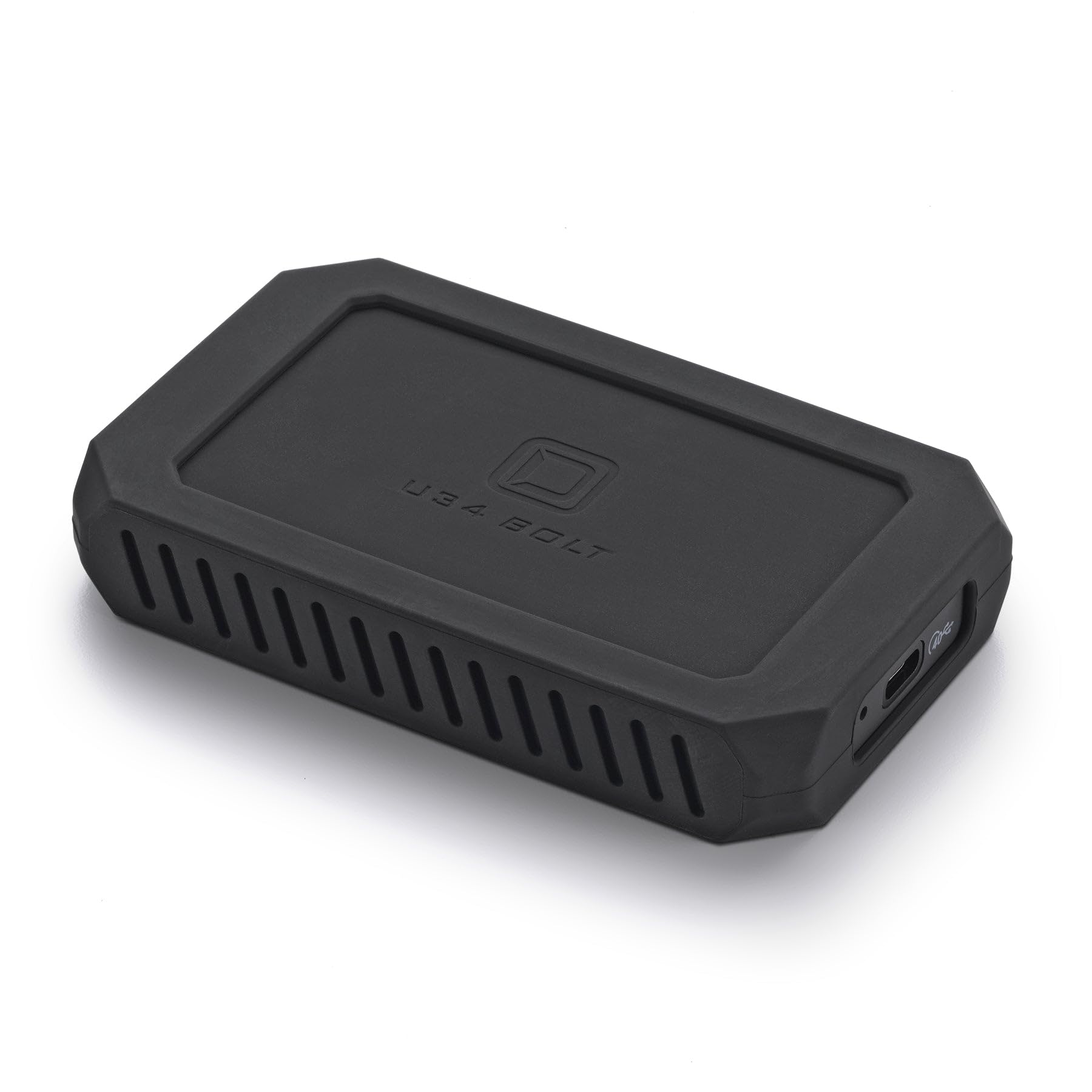
The drive you can drop, knock around and still trust with a day’s footage.
Every other drive here lives in a bag. This one is built to survive the field. Oyen Digital rates the U34 Bolt to MIL-Standard 810, a military durability standard covering shock and vibration, so it takes the knocks that come with shooting on location. The aluminum core pulls double duty as a heatsink, holding internal temperature steady when you push a long transfer through it.
Sustained transfer rates reach up to 2800 MB/s. That is lower than the 4,000MB/s-class drives, and it is the trade you make for the armor. Inside sits the ASMedia ASM2464PD controller, which carries both USB-IF and Thunderbolt 4 certification — independent bodies tested it, rather than the maker alone claiming it.
It ships formatted for Mac OS and connects to any USB-C or Thunderbolt 3, 4 or 5 host. What wins people over is how it holds up: the reliability and build quality are what the reviews keep returning to, with the drive described as built like a tank and trusted for editing 8K video. Backed by a three-year warranty and USA support staff.
Standout strengths
- MIL-Standard 810 durability rating for shock and vibration
- ASMedia ASM2464PD controller with USB-IF and Thunderbolt 4 certification
- Aluminum core keeps temperature steady during heavy workloads
- Three-year warranty with USA support
What you give up
- Rated 2800 MB/s, below the 4,000MB/s-class drives on this page
- Arrives formatted for Mac OS, so Windows users reformat first
The one to grab: if your drive rides in a camera bag and gets set down on rough ground, the durability rating earns the space it takes.
Skip the armor: if you work at a desk and only ever need maximum throughput.
5. DATO ARES Q4 4TB Magnetic USB4 External SSD

Four terabytes in forty grams — the biggest pocket archive on this page.
Capacity is the number that tells the story here. The ARES Q4 holds 4TB, versus the 1TB OWC Express 1M2. If you shoot ProRes HDR and do not want to offload halfway through a weekend of filming, that gap decides it before speed is even considered.
The drive is a native USB4.0 unit at 40Gbps, with read speeds up to 4,000MB/s and write up to 3,600MB/s, and no bridge chip between the port and the memory. That matters on a magnetic mount: a stable connection to an iPhone 15 Pro or newer means you film with the drive on the back of the phone and the recording lands on disk, not on the phone.
It weighs just 40g and sits in a shock-resistant aluminum shell, so it handles being carried all day. Compatibility reaches Windows, macOS, Linux, smartphones, tablets, PlayStation 5 and handheld consoles like the Steam Deck and ROG Ally. The catch is worth naming: iPhone 14 and older do not support a portable SSD, and the maker notes that peak speeds depend on the host device and conditions, so a lesser port will read slower. A five-year warranty is the longest backing on this list.
Where it wins outright: 4TB in a 40g magnetic body — the combination of capacity and MagSafe convenience that no other pick here matches.
The real catch: if your phone is older than the 15 Pro line, the magnetic mount does nothing for you.
Best for: creators who record 4K ProRes HDR on a modern iPhone and want the archive to live on the drive, not in the cloud.
Not needed if: you mostly move files between laptops — the 2TB Samsung P7 covers that finer.
6. Samsung Portable SSD P7 2TB
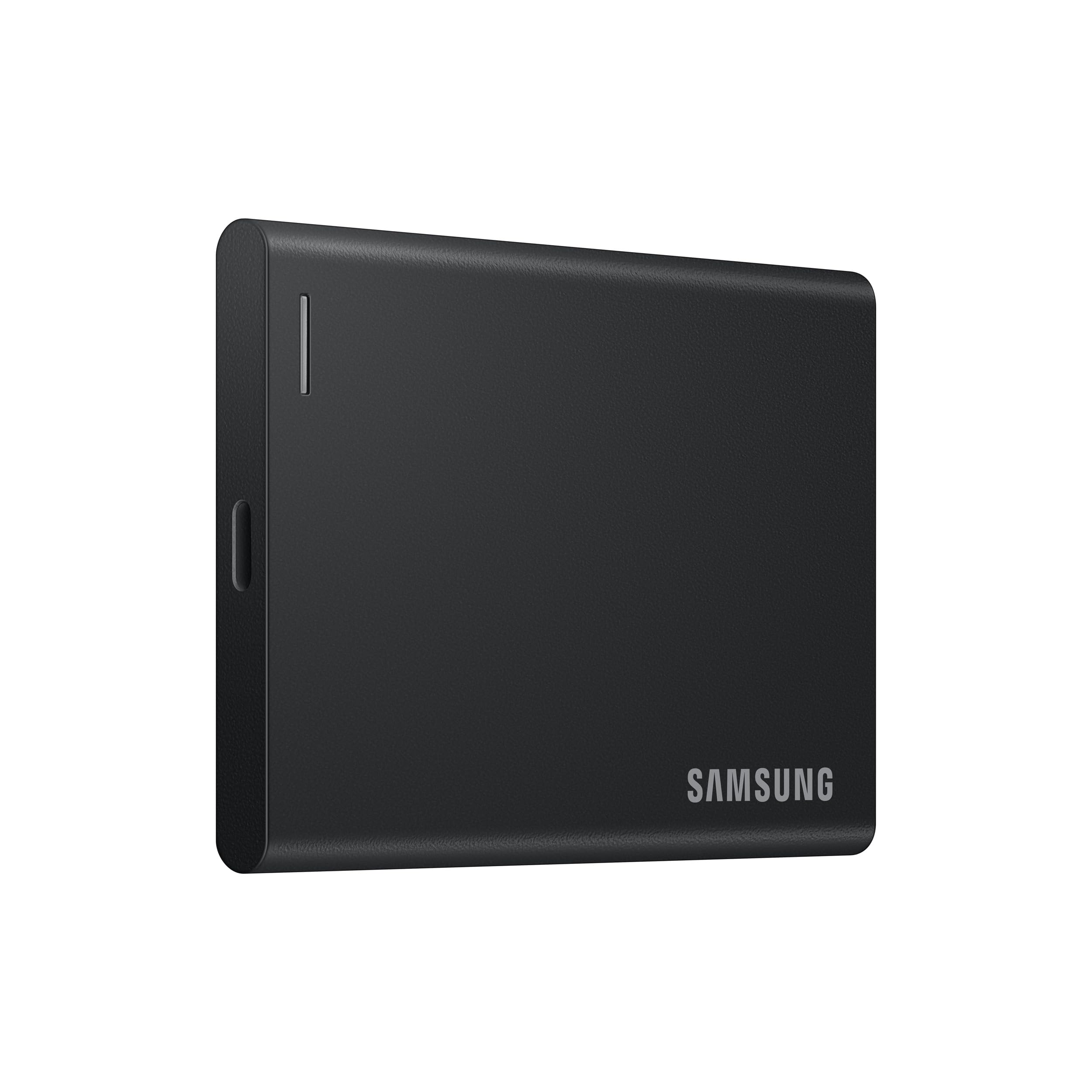
Read at 4,000 and write at 3,800 — the tightest gap between the two on this list.
Most drives here lead with a headline read speed and leave the write figure vague. The P7 publishes both: up to 4,000MB/s read and 3,800MB/s write. That near-even pairing is what makes it strong for AI model files, large datasets and heavy project folders, where you are constantly pushing data on and pulling it back off.
Durability is rated for drops up to 6.5 feet, plus everyday bumps and vibrations, so it tolerates the knockabout life of a drive that travels. Capacity runs from 1TB to 8TB, and 2TB here is a sensible middle. Samsung Magician software (the maker’s own tool for checking drive health and running optimization) keeps an eye on the drive over time.
Device support is wide — Windows PCs, smartphones, tablets, cameras, TVs and gaming consoles, including the ROG Ally, Legion Go and Xbox Series X and S. At 0.1 kg it disappears into a jacket pocket. Where it falls short of the OWC above is the peak number: 4,000MB/s against over 6000MB/s, a real gap on a monster export, but you feel it only on the largest jobs.
Why it earns a slot: balanced read and write speeds plus a 6.5-foot drop rating make it the safest all-rounder for mixed work and travel.
One thing to weigh: it sits in premium-tier territory, so you pay for the balance and the brand’s software support.
Land on this: if you need a drive that writes nearly as fast as it reads, backed by drop protection and health-monitoring software.
Move on if: raw peak speed is the whole goal — the OWC Express 1M2 reaches higher.
7. Corsair EX400U 2TB USB4 Portable SSD

The magnetic, plug-and-play drive with the longest track record of buyer feedback here.
Corsair’s EX400U leans on convenience. It snaps to a MagSafe mount, connects over USB Type-C or Thunderbolt 4 and higher, and runs on a single cable for both power and data on PC or Mac. Rated speeds are up to 4,000MB/sec sequential read and 3,600MB/sec sequential write, and the compact gray body disappears into a laptop sleeve.
What owners actually see is more nuanced. The drive delivers great speed, but the reported figures run below the box — most describe getting roughly 90% of the claimed write speed and 70% of the claimed read speed. That is not unusual for any portable SSD pushing against host and thermal limits, and it is worth knowing so your expectations match reality. On an M4 Max Studio Mac the drive has worked flawlessly for owners.
The 0.3m / 1ft USB4 cable in the box carries 60W and is short on purpose — this is a drive that sits beside the machine, not across the desk. With 4.0+ stars across 400+ ratings, it has the largest feedback pool on this page. Reliability is the one area that draws mixed reactions — a few describe it as unreliable, which is the most common note in a mostly positive set.
Reasons it stays on the list
- Magnetic MagSafe mounting and single-cable setup
- 4,000MB/sec read and 3,600MB/sec write ratings
- Includes a 60W USB4 Type-C to Type-C cable
- The largest feedback pool of any drive here
Worth flagging
- Real-world speeds land below the rating — roughly 90% write and 70% read
- Reliability draws mixed reactions in a mostly positive set
- The 1ft cable limits placement distance from the host
Right for you: if you want a magnetic drive that swaps between a phone and a Mac with one cable and no setup fiddling.
Look past it if: you need every megabyte per second the rating promises — the OWC Express 1M2 delivers closer to its peak.
Know the Specs
USB4 and Thunderbolt 4
Both plug into the same USB-C shape and both move data fast, but they are not identical. USB4 is the newer common standard, and Thunderbolt 4 is Intel’s closely related version. A drive that lists USB4 support will still work with a Thunderbolt 3, 4 or 5 port at the drive’s rated speed, and a Thunderbolt drive will work on a USB4 port. What trips people up is an older USB-C port that only lists USB 3.2 — the drive drops to that slower standard automatically.
Read speed vs write speed
The read number is how fast files come off the drive. The write number is how fast they go on. A photographer dumping a card cares about write, because the camera is pushing footage in real time. An editor pulling a finished clip into a timeline cares about read. When a listing gives only one figure, treat it as the best-case number and plan for less in daily use.
Cooling and sustained speed
A portable SSD that gets hot slows itself down to protect the memory inside. That is why the fastest drive can feel slow halfway through a big transfer. Aluminum shells spread heat, fans push air through, graphene layers even it out. A well-cooled drive holds its rated speed longer, which is why cooling design matters as much as the number on the box.
Capacity and M.2 form factor
Capacity is how much the drive holds, from 500GB up to 4TB here. Form factor describes the memory inside. An NVMe M.2 stick is the small card-shaped drive that mounts inside an enclosure, and a 2280 or 2242 stamp tells you the physical length, which matters only if you are swapping the stick out yourself, as with the OWC Express 1M2 80G.
Common Questions
Will a USB4 external SSD work with my older USB-C laptop?
Do I need a Thunderbolt cable or does the USB4 cable in the box work?
Can I record ProRes video from an iPhone straight to one of these drives?
Why does my SSD slow down partway through a big file transfer?
Is it worth building my own enclosure instead of buying a sealed drive?
How much capacity do I need for 4K or 8K video work?
Are these drives durable enough to carry in a camera bag?
Does a magnetic SSD interfere with my phone or MagSafe case?
What does the Samsung Magician software actually do?
Will a USB4 SSD work with a PlayStation 5 or Steam Deck?
The Bottom Line
For most people, the usb 4 external ssd winner is the OWC Express 1M2 80G. It carries the fastest rated read speed here at over 6000MB/s, and the build-your-own design means you can swap in faster NVMe memory down the line instead of replacing the whole enclosure. If you want speed without the premium-tier price, the Fikwot FP110 brings real USB4 transfer with a fan-cooled body. And for shoots where phone footage needs to archive itself straight to disk, the DATO ARES Q4 gives you 4TB on a magnetic mount.
One last nudge worth acting on: this is a spec-driven purchase, and the port on your laptop decides more than the drive on the shelf. Confirm your machine has USB4 or Thunderbolt before you buy, and the pick you choose will deliver what its rating promises.
How we choose
We do not accept paid placement. Every pick is matched to a real buyer and a real use-case; we do not hands-on test units.
Sources
Specifications: manufacturer listings and product documentation. Review insights: verified customer reviews, as of November 2026. Pricing: not shown on this page (it changes often); check the current price via the retailer link.
As an Amazon Associate, Tactical Gear Guy earns from qualifying purchases. This does not affect which products we feature.