Specs are compiled from manufacturer listings and verified buyer reviews and can change over time — please confirm the key details on the product page before buying.
Your Pixel Tablet already feels like a sketchbook and a notepad — but only if the pen you pair with it actually talks to Chrome OS. The short answer: you need an active USI stylus, not a cheap rubber-tip pen, because the Pixel Tablet only responds to pens built on the USI protocol (a shared pen language Google devices understand). Get that part right and the rest is comfort, battery, and how the tip feels on glass.
This guide is built by comparing the manufacturers’ published specifications and the patterns across verified customer reviews, so you get each pick’s real strengths and trade-offs instead of marketing spin.
Below you get six Pixel-compatible pens sorted by what they actually do best, plus the plain-English spec notes that keep you from buying a pen that refuses to connect. Every pick here is a stylus for pixel that leans on USI 2.0, with the exact numbers spelled out so you can compare before you click.
Top Picks

How To Choose The Best Stylus for Pixel
The Pixel Tablet does not care how nice a pen looks. It cares whether the pen speaks USI — the Universal Stylus Initiative protocol, a shared standard that lets one pen work across many Chrome OS tablets. A pen that skips USI simply will not register your strokes.
Start with the protocol, not the brand
Look for USI 2.0 on the listing. That is the newer version with tilt and a finer pressure read, and it is what most current Pixel-era pens ship with. A pen that only lists MPP or AES without USI will not work on your Pixel Tablet.
Pens that blend several protocols — like MPP plus USI — can serve a Surface and a Pixel with one barrel. That convenience is worth knowing about if you juggle devices, but check the compatibility list line by line.
Think about pressure levels and tilt
4096 pressure levels means the pen senses how hard you press across 4,096 steps, so a light hairline and a dark bold line come from the same tip. Without that range, handwriting looks flat and sketches lose shading.
Tilt support adds a second trick: lay the pen at an angle and the line widens, imitating a pencil edge. Artists use it for shading. Note-takers mostly do not.
Weigh the battery routine
Rechargeable pens top up over USB-C, usually in under an hour. Pens that run on a single AAAA battery last for months but leave you hunting for a battery when it dies on deadline. Pick based on which chore you tolerate better.
Standby figures matter too. A pen rated for months of standby survives a drawer without a surprise recharge; a pen rated in hours of active use needs a habit of topping up.
Do not ignore palm rejection
Palm rejection lets you rest your hand on the glass while writing. Without it, your wrist leaves stray marks and your notes look smudged. Every pen on this list claims palm rejection — verify it in the app you actually use.
Side-by-Side Comparison
| Model | Best For | Pressure Levels | Battery Setup | Weight | Amazon |
|---|---|---|---|---|---|
| USI 2.0 Stylus for Lenovo Duet 3 (EVACH)★ Best Overall | Multi-device Chromebook and Pixel owners | 4096 | Rechargeable, 50-min charge | — | Amazon |
| Fire Max 11 Stylus Pen (USI 2.0)Tilt Shading Pick | Drawing and notes with tilt shading | 4096, ±45° tilt | Rechargeable, 180-day standby | 60 g | Amazon |
| U1 USI Pen 2 | Light, pen-like writing feel | 4096 | AAAA battery (included) | — | Amazon |
| RENAISSER Raphael H520C | Surface plus Pixel in one barrel | 4096 | Rechargeable, 1-hour charge | 10.6 g | Amazon |
| Penoval USI 2.0 Lite | Pixel Tablet owners wanting zero pairing | 4096 | AAAA battery, 600-hour life | 15 g | Amazon |
| M2 4-in-1 Protocol Stylus | Multi-device users across Windows and Chrome | 4096 | AAAA battery (included) | 30 g | Amazon |
Detailed Reviews
1. USI 2.0 Stylus for Lenovo Duet 3 Chromebook
Our pick — 4.0+★ from 200+ verified ratings; the strongest balance of quality and price.
The made-for-everything pen that covers Pixel Tablet, a Chromebook, and the Fire Max 11 with one aluminum barrel.
The EVACH USI stylus earns the top spot because it does the one thing a Pixel buyer needs most: it names Google Pixel Tablet on its own compatibility list, right alongside a long run of Chromebooks and the Fire Max 11. It draws at 4096 pressure levels, so a light touch gives a hairline and pressure gives a bold stroke. The tip is wear-resistant and replaceable — a spare nib and a Type-C cable come in the box.
Battery life is the quiet win. A 50-minute charge fills it, and standby stretches to 180 days, which means it survives a month in a bag without waking up dead. Aluminum enclosure, a 5-millimeter diameter, and palm rejection round it out for long note sessions.
Here is the honest part: functionality is the most-discussed theme in the reviews, and it is genuinely mixed — plenty of pens work exactly as expected, and a slice of buyers find some functions do not behave on their specific device. Compatibility gripes show up too, which is the standard risk of a pen built for a dozen models. Your move is simple: match your exact tablet to the compatibility image before checkout, and this pen delivers. It holds 4.0+ stars across 200+ ratings, a fair score for a USI pen that spans three ecosystems.
What earns it first place
- Explicitly lists Google Pixel Tablet, so you are not guessing on protocol.
- 4096 pressure levels for real line variation in notes and sketches.
- 50-minute charge with 180-day standby keeps it ready in a bag.
- Spare nib, Type-C cable, and tip tool all included.
Where it asks you to be careful
- Functionality is a mixed picture across devices — verify your model first.
- Magnetic attachment does not work on every Chromebook it lists.
Reach for this if: you want one pen that covers a Pixel Tablet and a Chromebook without juggling two barrels.
Double-check first if: your tablet is a model not printed on the compatibility image — that is the one step that decides whether it works.
2. Fire Max 11 Stylus Pen, USI 2.0 Stylus Pencil
A sketching pen that shades like a pencil and sleeps when you forget it.
For drawing rather than note-taking, the tilt support is the reason to pick this one. Angle the pen and the line widens up to ±45 degrees, so shading a sketch feels closer to graphite than to a plastic nib. Pressure runs to 4096 levels on top of that, and no pairing is needed — click and write.
The weight is the number to plan around: 60 grams, which is heavier than most of the pens here. Some of that heft buys a solid, ergonomic feel in the hand, and the rechargeable USB-C battery holds charge for a long stretch, with 180 days of standby and a Sleep Mode that protects it between sessions. That is far heavier than the RENAISSER below at 10.6 grams, so if you write for hours at a time, feel the weight in your hand before committing.
Functionality is what wins people over here — it is the strongest single theme in the feedback, with build quality close behind. The one recurring snag is compatibility: it is built around Fire Max tablets, and some buyers find it does not play with Boox tablets, so treat the Pixel Tablet as the target and confirm the rest of your devices. At 4.0+ stars across 200+ ratings, it is a solid performer rather than a perfect one.
Why artists lean in: the ±45-degree tilt plus 4096 pressure levels gives you real shading control with no pairing step, and 180-day standby means the pen is awake when you are.
The trade-off to hold in mind: 60 grams is the heaviest barrel in this group, and compatibility is mixed beyond Fire Max tablets.
The pen for sketch shading: pick it if tilt and pencil-like shading are your priority.
The one catch: that 60-gram weight is a real adjustment if you write long sessions.
3. U1 USI Pen 2 for Lenovo Chromebook Duet 3/5/9

The fountain-pen feel that trades a battery cable for a single AAAA cell.
This one is about hand feel. The U1 USI Pen 2 is balanced and weighted like a real fountain pen, so writing for hours does not tire the wrist the way a top-heavy barrel can. It carries 4096 pressure levels and palm rejection, the two features that make handwriting feel natural on glass.
Battery maintenance is the design choice worth weighing. It runs on one AAAA battery, which is included, so there is no charging routine and no cable to lose — just a swap when the cell runs down. It is built on a plastic enclosure that keeps it light, and it is a slim 0.39 inches on each side.
Honesty matters here: it is the lowest-rated pen in this group at 2.5+ stars, and it has no written customer reviews, so there is less to go on than the others. Its compatibility list is narrow — Lenovo Chromebook Duet 3, 5, and 9 — and the Pixel Tablet connection is not stated as plainly as the alternatives. If you need certainty on a Pixel Tablet, the EVACH above spells it out word for word.
What it gets right: fountain-pen balance, 4096 pressure levels, and a battery you replace rather than charge.
What gives me pause: a 2.5+ star score with no written reviews is thin evidence, and its compatibility list names only Lenovo models.
Pick it if: a light, pen-like balance matters more to you than a rechargeable battery.
Look elsewhere if: you need a pen whose Pixel Tablet fit is spelled out clearly.
4. RENAISSER Surface Pen, Raphael H520C Hybrid Stylus
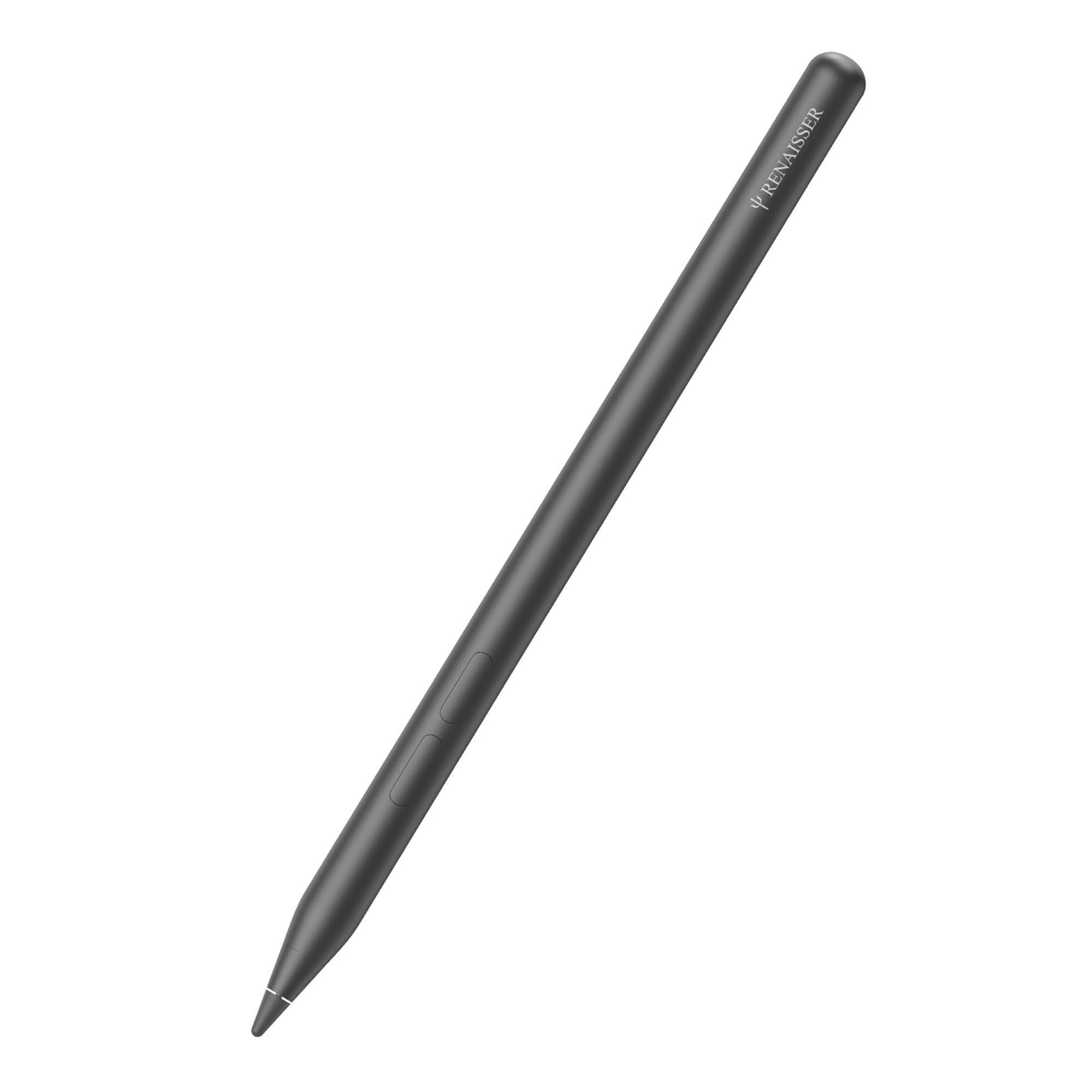
One barrel that switches between a Surface and a Pixel Tablet without a fuss.
Two protocols live in the RENAISSER Raphael H520C: MPP 2.0 for Surface hardware and USI 2.0 for the Fire Max 11 and Pixel Tablet. If your desk holds both a Surface and a Google tablet, this is the pen that stops you swapping barrels. It draws 4096 pressure levels and adds tilt sensitivity for pencil-style shading.
Charging is the standout number. Twenty minutes of charge buys 50 hours of use, and a full hour stretches past 110 hours — with smart power management that shuts the pen off after 10 minutes idle. At 10.6 grams, it is far lighter than the 60-gram Fire Max pen above, so long writing sessions feel less like a workout.
Two side buttons handle right-click and erasing, and the barrel is a slim 0.9 centimeters across. The limit to respect: there is no magnetic attachment, so it lives loose in your bag rather than snapping to the tablet. It carries 3.5+ stars, and no cable ships in the box, so you supply your own USB-C or Type-C cable.
Where it shines
- MPP 2.0 and USI 2.0 in one barrel for Surface plus Pixel Tablet.
- 20-minute charge for 50 hours, or 110+ hours on a full charge.
- 10.6 grams keeps long note sessions light.
- Right-click and eraser buttons for faster editing.
What to accept
- No magnetic attachment, so it will not snap to the tablet.
- No cable in the box — bring your own USB-C.
Best fit for: a two-device desk where a Surface and a Pixel Tablet both need a pen.
Think twice if: you rely on magnetic snapping to keep track of your stylus.
5. Penoval USI 2.0 Lite Stylus Pen

The certified one — made for Google, so the Pixel Tablet match is not a guess.
If the Pixel Tablet is your only target, this is the pen that takes the worry out of compatibility. Penoval calls it the only stylus certified by Made for Google, which means the Pixel Tablet fit is backed by Google’s own program rather than a listing footnote. It carries 4096 pressure points and palm rejection, and it wakes from sleep when you pick it up — no on/off button and no Bluetooth pairing.
Battery life is its strongest spec. One included AAAA cell is rated for 600 hours, so you swap a battery instead of hunting for a charging cable. At 15 grams it stays light, and the box includes a replacement nib, the AAAA cell, and a nib clip.
The thing to plan around is device fit: USI 2.0 is not universal, and the reliability of that connection is the most-discussed theme in the feedback, with results split across specific models. Compatibility is mixed for the same reason — it works cleanly on the models it was built for and refuses others. Always confirm your exact Pixel Tablet model against the compatibility list before you buy.
The case for it: Made for Google certification, 600 hours on one AAAA battery, and pick-up-to-wake with no pairing.
The honest caveat: USI 2.0 support varies by model, and device fit is the most-discussed point in the feedback.
Straight answer: pick it for a Pixel Tablet if you want the certified match and a battery you never think about.
One check before you buy: confirm your exact model sits on the compatibility list.
6. M2 Stylus Pen, 4-in-1 Protocol Digital Pencil
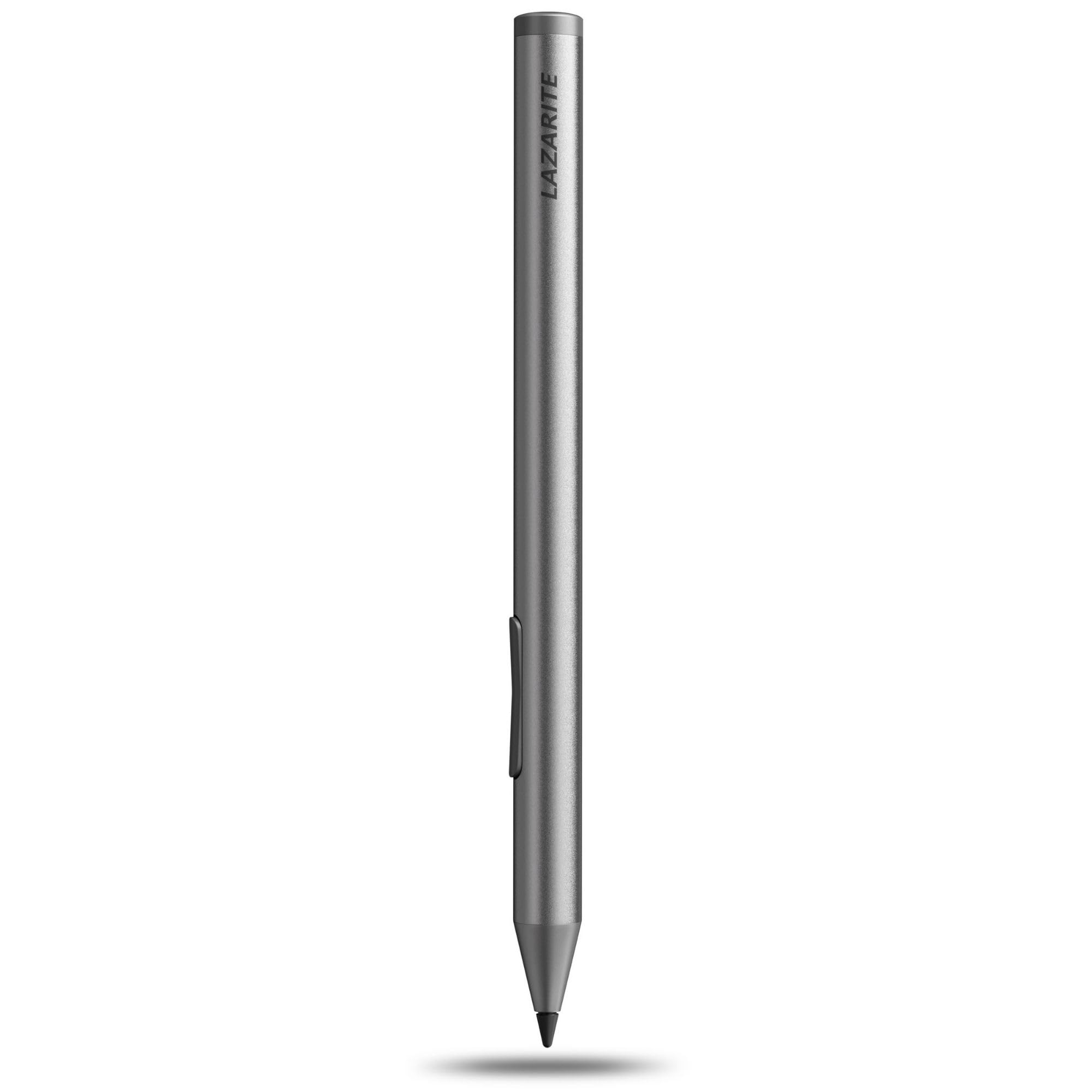
Four pen languages in one barrel — built for the desk with a Chromebook, a Surface, and a Pixel.
The M2 packs four protocols — MPP2.6, AES2.0, WGP, and USI — so it can speak to Dell, HP, Lenovo, Surface, and Chromebook hardware from one barrel. For a multi-device user that means one pen, no Bluetooth pairing, and no app to install. It draws 4096 pressure levels and adds tilt support for shading sketches like a graphite pencil.
Palm rejection is global here, and the tip is tuned for low-latency response so strokes land without lag or jitter. It runs on one AAAA battery, which is included, and the aluminum body weighs 30 grams — noticeable next to the 10.6-gram RENAISSER above, but solid in the hand for drawing. An eraser and right-click switch sit on the side of the barrel.
Here is what to weigh: it is rated 3.5+ stars, the lowest score among the pens here with real review volume, and the listing itself is blunt that Apple and Samsung devices are not supported. The honest read is that four protocols is a lot to ask of one chip, so confirm your exact laptop or tablet against the compatibility list before you commit.
What it gets right: MPP2.6, AES2.0, WGP, and USI in one aluminum pen, with 4096 pressure and tilt support.
What to weigh: 30 grams is heavy in the hand, and a 3.5+ star score means you should verify your device first.
Built for: the multi-device desk that jumps between Windows and Chrome OS hardware.
Skip the guesswork: check the compatibility list first, because Apple and Samsung are explicitly off the table.
Know the Specs
USI 2.0 Protocol
USI stands for Universal Stylus Initiative — a shared pen language that lets one stylus work across many tablets running Chrome OS. On a Pixel Tablet, an active USI 2.0 pen connects and draws without a pairing step. A passive rubber-tip pen has no protocol and will not register pressure or palm rejection, so it is the wrong tool for anything beyond tapping.
Pressure Levels and Tilt
Pressure levels count how many distinct stroke weights the pen senses as you press. 4096 levels means a hairline and a bold line come from the same tip, and artists use that range for shading. Tilt support adds a second dimension: angle the pen and the stroke widens, like the edge of a pencil. Tilt only works in apps that support it, so check your drawing app.
Rechargeable vs AAAA Battery
Rechargeable pens like the EVACH top up over USB-C, often in under an hour, so there is a cable routine but no battery shopping. AAAA-powered pens like the Penoval swap a cell for months of writing with no cable. Neither is better — one trades a charging habit for a battery-replacement habit.
Palm Rejection and Attachment
Palm rejection tells the tablet to ignore your resting hand so only the pen tip draws. Without it, your wrist leaves stray marks beside your notes. Magnetic attachment is separate: it lets the pen snap to the side of the tablet for storage. Not every Chromebook or Pixel accessory supports the magnet, so confirm before you rely on it.
Common Questions
Will a USI 2.0 stylus work with my Google Pixel Tablet?
What is the difference between USI and a regular rubber-tip pen?
Do I need to pair the pen over Bluetooth?
How long does the battery last on a Pixel-ready stylus?
What do 4096 pressure levels actually change for me?
Can I draw and shade on the Pixel Tablet with a stylus?
Which pen works with both a Surface and a Pixel Tablet?
Does the pen attach magnetically to my tablet?
Is a heavier or lighter stylus better for long writing?
What if my stylus will not draw on my tablet?
The Bottom Line
For most people shopping for a stylus for pixel, the winner is the EVACH USI 2.0 Stylus — it names the Pixel Tablet on its list, draws 4096 pressure levels, and recharges in 50 minutes with 180 days of standby. If you draw more than you write, the Fire Max 11 Stylus Pen adds ±45 degrees of tilt for pencil-style shading. And if you want the certified Pixel Tablet match with a battery you never think about, the Penoval USI 2.0 Lite is the pen to reach for.
How we choose
We do not accept paid placement. Every pick is matched to a real buyer and a real use-case; we do not hands-on test units.
Sources
Specifications: manufacturer listings and product documentation. Review insights: verified customer reviews, as of November 2026. Pricing: not shown on this page (it changes often); check the current price via the retailer link.
As an Amazon Associate, Tactical Gear Guy earns from qualifying purchases. This does not affect which products we feature.