Specs are compiled from manufacturer listings and verified buyer reviews and can change over time — please confirm the key details on the product page before buying.
You want the springy, satisfying press of a mechanical keyboard without your desk neighbor hearing every word you type. That is exactly what a quiet mechanical keyboard solves — silent or low-noise switches, plus internal damping layers that soak up the hollow echo. Below are nine picks that keep the typing feel and kill the clatter, sorted by what each one does best.
This guide is built by comparing the manufacturers’ published specifications and the patterns across verified customer reviews, so you get each pick’s real strengths and trade-offs instead of marketing spin.
Before you scroll, know the two numbers that actually decide office noise: the switch type and the damping layers inside the case. The picks below make choosing the best quiet mechanical keyboard for office work a matter of matching those two specs to your desk.
Top Picks

How To Choose The Best Quiet Mechanical Keyboard for Office
Office quiet is not one thing. It is the switch under your finger, the plate the switch sits on, and the empty space inside the case that either swallows sound or amplifies it. Miss any one of those and a “silent” keyboard can still clatter across an open-plan room.
Start with the switch, not the brand
A silent linear switch (a smooth press with no bump and no click) is the safest bet for shared space. A silent tactile switch (a light bump you feel mid-press, but no audible click) gives your fingers feedback without the noise. Either can work. A clicky switch cannot — it is built to be heard.
Low operating force matters too. The Keychron Silent K Pro Red, for example, needs a light 45±10 gf (grams of force, roughly the weight of a few coins) to press — that lightness is what keeps your hands fresh after a long document.
Then look at how the case is built
A gasket mount (the plate floats on soft strips instead of being screwed down hard) takes the harshness out of each bottom-out. Inside, foam and silicone layers absorb the hollow ping a bare case would throw back at you. Five layers of this is a different experience from one.
Decide on layout and connection
A full-size 104-key or 108-key board keeps the number pad — worth it if you live in spreadsheets. A compact layout saves desk space but drops keys you may miss. For connection, tri-mode (Bluetooth, 2.4GHz wireless, and USB-C wired) lets you hop between a work laptop and a home PC without unplugging anything.
Side-by-Side Comparison
| Model | Best For | Layout / Keys | Switch Type | Connection | Amazon |
|---|---|---|---|---|---|
| AULA F99 Pro Silent★ Best Overall | All-round office quiet | 96% / — | Pre-lubed linear, silent | BT5.0 / 2.4GHz / USB-C | Amazon |
| AUSDOM 98ProBest Value | Budget-conscious desk upgrade | 97 keys | Silent tactile, pre-lubed | 2.4GHz / Bluetooth / USB-C | Amazon |
| Keychron K10 QMKMac-Ready Pick | Mac and Windows switchers | Full size / 104 keys | Silent K Pro Red, linear | Bluetooth / USB-C | Amazon |
| EPOMAKER TH108 | Longest battery between charges | Full size / 108 keys | Sea Salt Silent, pre-lubed | 2.4GHz / Bluetooth / USB-C | Amazon |
| Cherry KC 200 MX | Plug-in-and-stay reliability | Full size / 108 keys | MX2A Silent Red, linear | USB-A wired | Amazon |
| Logitech MX Mechanical | Multi-device low-profile comfort | Full size / 104 keys | Tactile Quiet | Bluetooth / Logi Bolt | Amazon |
| be quiet! Dark Mount | Modular numpad placement | Full size + detachable numpad | Silent tactile black | USB-C | Amazon |
| be quiet! Light Mount | Top-tier silent typing | Full size | Silent linear orange | USB-C | Amazon |
Detailed Reviews
1. AULA F99 Pro Wireless Mechanical Keyboard Silent Version
Our pick — 4.5+★ from 400+ verified ratings; the strongest balance of quality and price.
The under- board that quietly out-muscles boards costing more.
What makes this one the crowd favorite is the combination of pre-lubed silent linear switches and five layers of filling silencer inside the case. Those layers sit between the PCB, the positioning plate, and the switches — physically blocking the hollow cavity noise that makes a mechanical board sound cheap. The result is a soft, elastic press with almost no clatter. It holds 4.5+ stars across 400+ ratings, one of the highest scores in this lineup.
The 96% layout keeps the arrow keys and number area you need for spreadsheets while shaving the edge keys off a full-size deck. There is a multifunction knob that toggles between backlight control and a multimedia mode — rotate it to dim the lights or adjust volume, then long-press for about five seconds to swap modes. Connecting is flexible: BT5.0, 2.4GHz wireless, and USB wired, with up to five devices saved and switched with FN key combinations or a side button. The 8000mAh battery is the workhorse here, and the PBT keycaps are side-printed so they resist fading and sweat.
What wins owners over most is the typing feel and the silent operation — the phrase “creamy and fluid” comes up again and again in owner write-ups. The honest limit: at 96% it is not quite a full-size board, so ultra-wide-finger typists who live on the outer edge keys may want a 104-key instead. But for the vast majority who want a board that disappears into the desk noise, this is the one.
What lands it the top spot
- Five layers of internal damping silence the case echo
- 8000mAh battery outlasts most silent boards in this lineup
- Tri-mode (BT5.0, 2.4GHz, USB-C) with five saved devices
- PBT keycaps stay legible and non-greasy over long shifts
Worth knowing before you buy
- 96% layout drops the far-right edge keys of a true full-size board
- Battery life depends on charging per the manual’s instructions
Best for: Anyone who wants the highest-rated, quietest typing feel on the list with a number pad intact.
Look elsewhere if: You need a true 104-key full-size footprint and can’t live with a 96% layout.
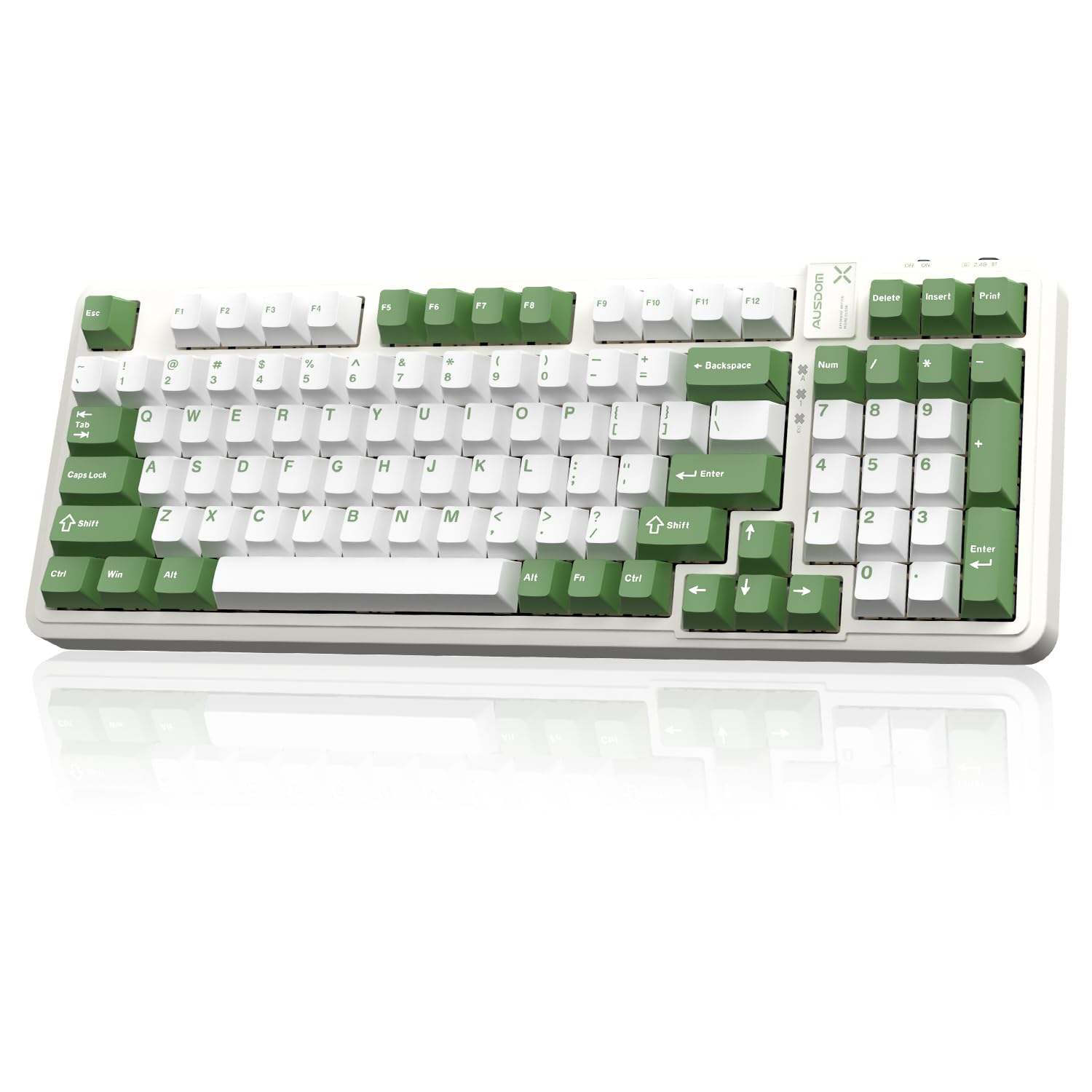
2. AUSDOM 98Pro Silent Mechanical Keyboard
The quietest bang for your buck — a 97-key silent tactile board that won’t wake the house.
The 98Pro’s party piece is its silent tactile switches — AUSDOM’s own design, with a clear press feel and a genuinely hushed sound. A gasket structure with internal sound-absorbing and shock-absorbing layers cuts both the keystroke noise and the resonance that bounces off the desk. It is a 97-key compact layout: you keep the arrow keys and the number pad but lose a sliver of the outer function cluster.
What wins people over is quality first — the board earns repeated praise for its solidity — and quiet operation close behind, with quiet praised nearly as often. The domestic reality is strong here: the typing sound sits low enough that it barely carries. It connects via Bluetooth, 2.4GHz, or USB-C, remembers up to five devices, and the two-stage feet let you angle it to a comfortable typing height. The PBT keycaps are two-color molded and sweat-proof, and the dual Mac/Windows layout switches with an FN key combination.
Where it stays honest: the backlight is single-color white, not RGB, so this is not the board for a gaming-desk light show. And the customization software works only in Windows and only over wired or 2.4GHz modes. If you want a Mac-ready, silent, tactile keyboard without stepping up a tier, this is a solid pick.
Reach for this if: You want silent tactile feedback and Mac/Windows switching on a tight budget.
Think twice if: You need RGB lighting or Mac-side software customization — the white backlight and Windows-only software rule it out.
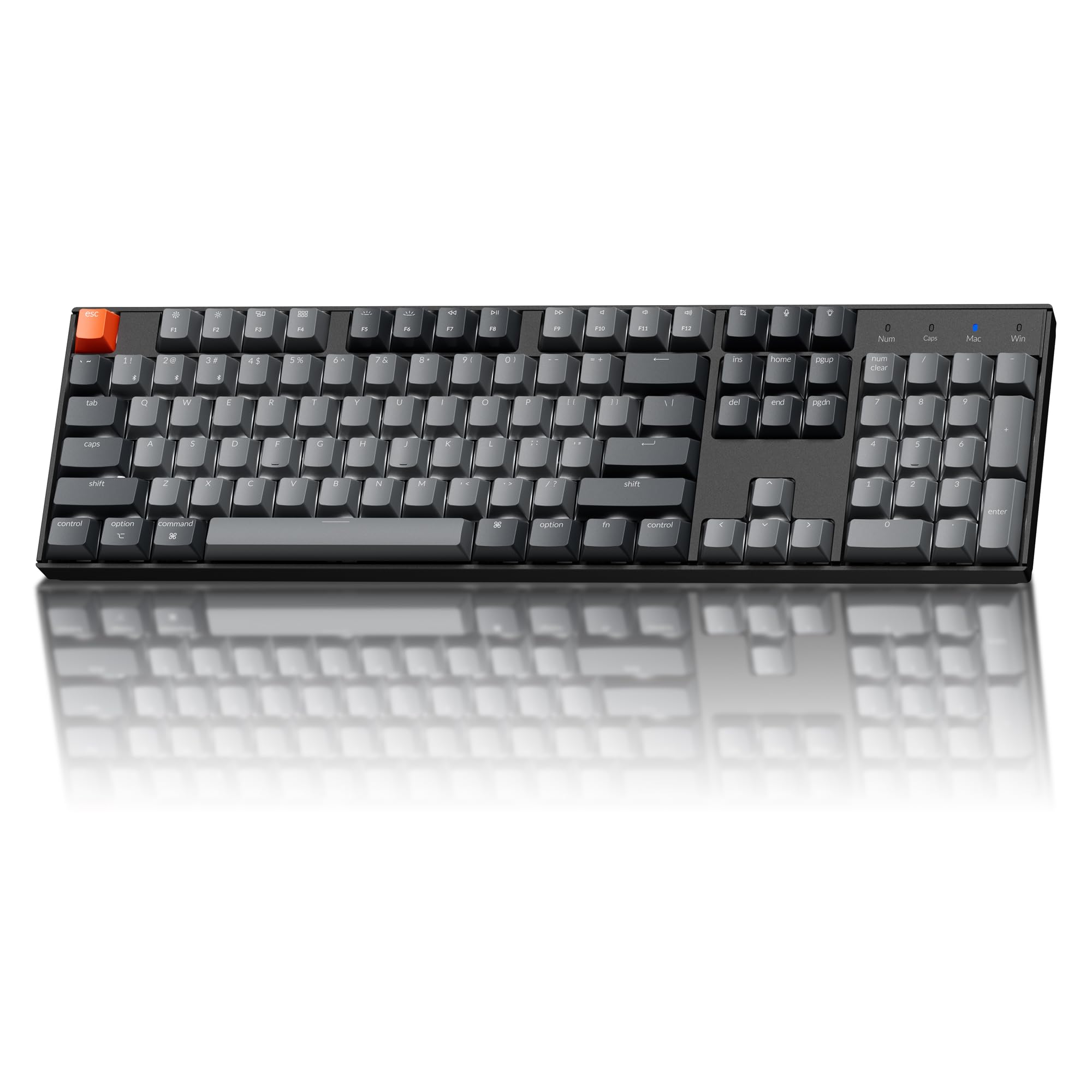
3. Keychron K10 QMK Wireless Mechanical Keyboard
A full 104-key board for Mac and Windows that programs down to the keystroke.
This is the pick for the Mac user in an open office who still wants a full-size number pad and a keyboard they can remap to their own layout. The Silent K Pro Red linear switches are factory pre-lubed and use sound-dampening materials, with a light 45±10 gf operating force. That lightness plus the damped rebound is what keeps the board quiet without making it mushy.
The 104-key layout keeps the number pad, function row, and navigation cluster — good news if you live in spreadsheets. QMK support means you can remap keys, build macros, and adjust the backlight through Keychron Launcher in Chrome, Edge, or Opera, on macOS, Windows, or Linux. It pairs with up to three Bluetooth devices, or you can run Type-C wired with a 1000 Hz polling rate (1,000 reports a second, which keeps every keypress instant). The 4000mAh battery runs up to 240 hours with the backlight off. Owners rate the quality and the typing sensation highest, with the quiet operation right behind.
The honest catch is Bluetooth reliability — the connection gets mixed feedback, so if you want zero dropouts, plan to use the Type-C cable for your most important tasks. And this version has a single-color white LED, not RGB, so it is not a gaming light-show board. Value for money is a split opinion, partly because the feature set is narrower than the price suggests.
Why it earns a spot: QMK remapping on a full-size 104-key board is rare at this tier — it lets you turn a standard office keyboard into a custom tool without buying new hardware.
The line to hold: Bluetooth is the weak link. Use wired Type-C when reliability matters and save wireless for lighter use.
The right call for: Mac-first workers who want a full-size, programmable board and can tolerate Bluetooth quirks.
Pass on it if: You need rock-solid wireless or RGB — wired Type-C or a different board will serve you better.
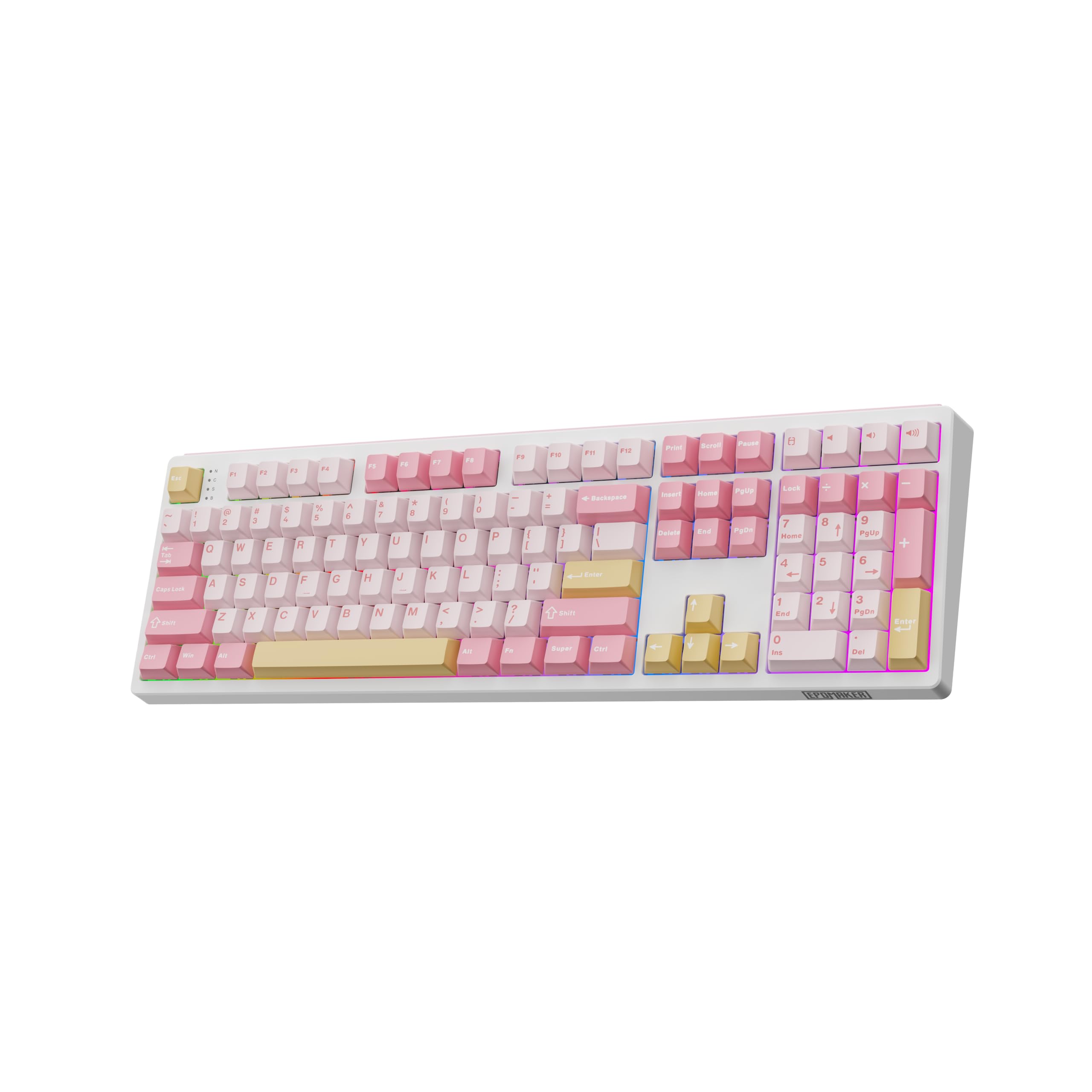
4. EPOMAKER TH108 Full Size Mechanical Keyboard
Ten thousand milliamp-hours — the board that outlasts the workweek and then some.
The headline number here is a 10000mAh battery, versus the 4000mAh in the Keychron K10 above. That translates to up to 160 hours of wire-free use, so a mid-week recharge never enters the picture. The TH108 also brings 108 double-shot PBT keycaps and a thick plastic body that weighs over 1.2kg, which keeps the board planted on your desk instead of skating around.
Its acoustic story is a 5-layer padded gasket mount — sandwich foam, IXPE switch pad, sound-enhancement PET, PORON switch-socket foam, and bottom silicone. The result is what owners describe as a soft, “thacky” sound rather than a sharp clack, and the cushioned bottom-out keeps your fingertips from jolting on long typing days. Sea Salt Silent switches come factory-lubed for quiet from the start. It is hot-swappable for 5-pin switches, pairs with up to five devices over 2.4GHz and Bluetooth or USB-C, and runs 2ms ultra-low latency in cable mode.
The honest trade-off is reliability — while most say it works well, some units reportedly stop working entirely after a few months of use. That is the exception, not the rule, but a wired backup for mission-critical days is not a bad idea. As for the build: 108 keys versus the AUSDOM’s 97 gives you the full-size number pad and the outer function cluster back.
Where it pulls ahead
- 10000mAh battery outlasts the Keychron K10’s 4000mAh by a wide margin
- 108 keys is the full-size layout with the complete function row
- Five-layer damping produces a soft, cushioned, quiet press
- Over 1.2kg body holds steady on the desk
What to weigh up
- A small share of units stop working after a few months — keep a backup for critical days
- 108 keys and a thick body take real desk space
Who it fits: High-volume typists who hate charging and want a full-size board with a soft, quiet feel.
Who should look on: Buyers who need documented long-term reliability more than a massive battery.
5. Cherry KC 200 MX Wired Mechanical Office Keyboard

The plugged-in, no-nonsense board for the typist who never wants to think about charging.
A wired keyboard is not a step backward in an office — it is a guarantee. No Bluetooth dropout, no dead battery mid-sentence, no pairing dance. The KC 200 MX leans on Cherry MX2A Silent Red switches, rated for more than 50 million actuations per key, with a linear press that has no click. The result is a quiet office keyboard that feels solid press after press. It scored 4.5+ stars.
The chassis is an anodized metal plate (a hardened aluminum surface that adds rigidity), which keeps the case from rattling and gives the board a planted, premium feel. The full 108-key layout includes molded keycaps and 4 extra keys for quick access to the calculator app and volume control. Full N-key rollover means every key you press is read simultaneously, so fast typing and gaming combos never drop inputs. Two sturdy fold-out feet angle the board to suit your typing height, and the laser-etched lettering resists wear even after years of daily use.
What earns repeated praise is the quality of the build, with noise level as the next most-mentioned strength. The recurring caution is reliability — a small number of units develop a key that stops registering. That is a known outlier with a board this well-reviewed, but if an unregistered keystroke at the wrong moment is unacceptable for your work, keep a cheap backup nearby.
My read on it: The plugged-in reliability and MX2A Silent Red feel are the case here — a keyboard you buy and forget about, in the best way.
The natural pick if: You sit at a fixed desk and want a wired board that never asks for a charge.
Keep scrolling if: You switch between devices or need cordless freedom — this one is USB-A only.
6. AULA F108 Pro Wireless Mechanical Keyboard
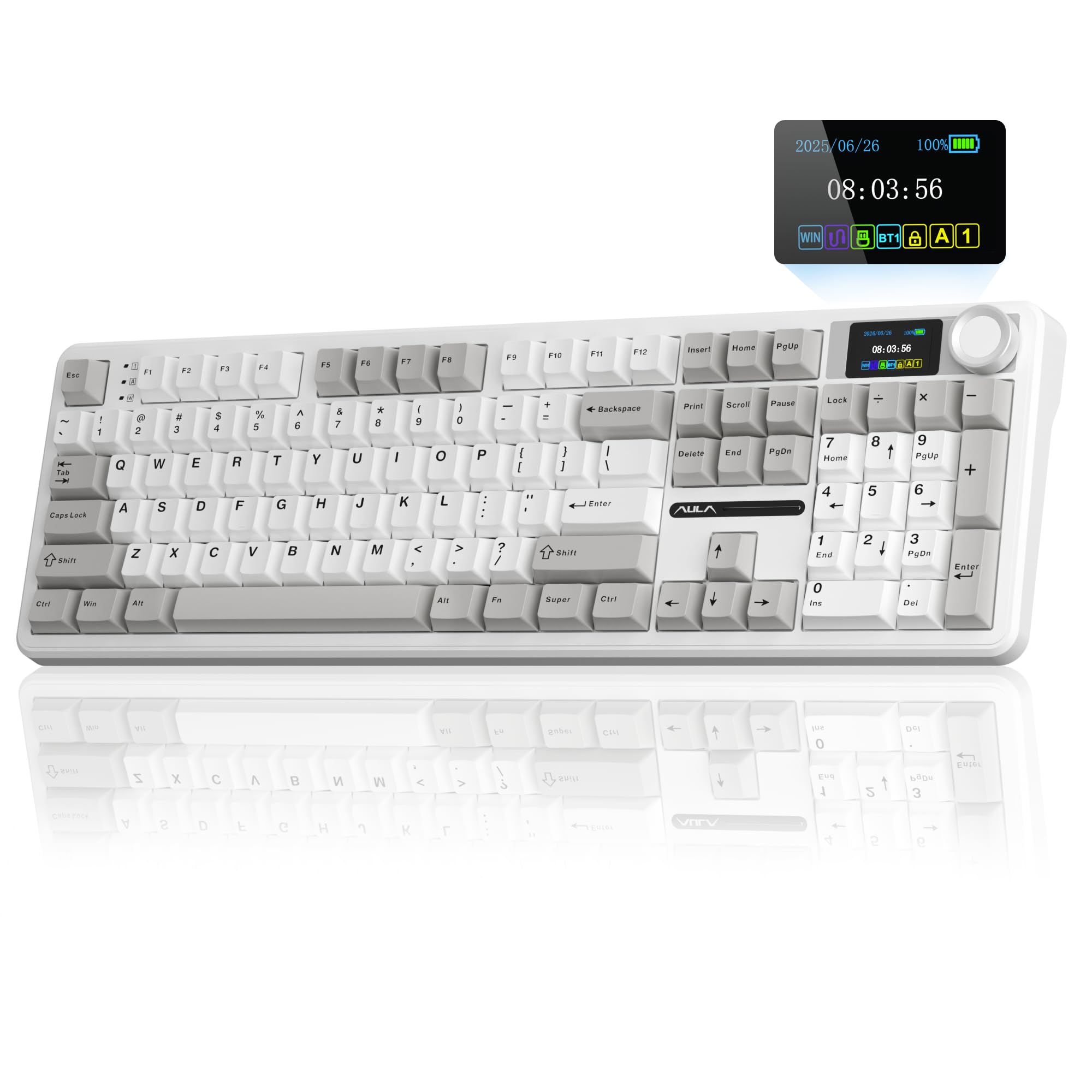
The office board with a 1.14-inch screen — silent typing you can see and control.
The F108 Pro is the one for typists who like hardware they can tweak. A 1.14-inch smart TFT display pairs with an all-in-one multifunction knob — rotate it to adjust volume, RGB effects, connection mode, battery level, or language, then long-press for about five seconds to calibrate the screen time and date. It scored 4.5+ stars, the highest rating in the lineup, from a smaller pool than the top pick.
Silence comes from custom silent linear switches plus a five-layer sound-absorbing gasket structure. That puts it in the same quiet-typing class as the AULA F99 above, but this one is a true full-size 100% layout with a dedicated numeric keypad. The hot-swappable PCB accepts 3-pin and 5-pin switches without soldering, so you can change the feel without tools. Connectivity is tri-mode BT5.0, 2.4GHz, or USB-C, with up to five devices stored and switchable by the knob or FN key combinations.
The honest trade-off: this is the newer, smaller-reviewed model — 8000mAh battery is decent but not the 10000mAh the EPOMAKER TH108 carries. The RGB is 16.8 million colors and the 8000mAh battery is generous for a backlit board, but you will pay for that screen and knob vs. a plainer silent board. The keyboard quality and quietness win the most praise.
The fit is clear: Tinkerers who want a full-size silent board with a screen, a knob, and macro programming.
Skip if: You want the absolute longest battery per charge — the EPOMAKER TH108 holds that edge.
7. Logitech MX Mechanical Wireless Keyboard

Low-profile keys and tactile feedback — the board that doesn’t clack but still tells your fingers when to stop.
This is a renewed unit, which means it has been refurbished by Logitech. That is the big caveat on an otherwise strong office keyboard. The MX Mechanical uses Tactile Quiet switches — a light bump you feel mid-press, with noticeably less noise than a clicky switch — in a low-profile form factor. The lower key height keeps your wrists flatter across an eight-hour day, which is the ergonomic case for it over a chunky gasket board.
The smart illumination is the subtle standout: backlit keys light up the moment your hands approach the cordless keyboard and adjust automatically to changing lighting conditions, so you are not hunting for a brightness key. Multi-device pairing covers up to 3 devices via Bluetooth Low Energy or the included Logi Bolt receiver. The battery holds up to 15 days on a full charge, or up to 10 months with the backlight off — the backlight is the difference between those two figures. The metal enclosure adds heft so it stays planted.
What earns owners’ praise is the tactile feel, the ease of Bluetooth pairing, and a sound that stays in the background. The value-for-money feedback is split — some find it well worth it, others bring up the price — and this is a renewed unit, so check the listing condition carefully. The layout is 104 keys, full-size with the number pad.
Reasons it stands out
- Low-profile keys keep wrists flatter over long typing days
- Smart illumination auto-adjusts to the room lighting
- Up to 15 days on a charge or 10 months with backlight off
- Pairs with 3 devices over Bluetooth or Logi Bolt
The honest trade-offs
- Renewed unit — check the listing condition before you buy
- Value-for-money opinions are split; a plain wired board costs less
Best matched to: Multi-device workers who value wrist comfort and hands-free backlight over raw battery size.
Look for something else if: You want a brand-new sealed unit — this listing is renewed.
8. be quiet! Dark Mount Tactile Gaming Keyboard
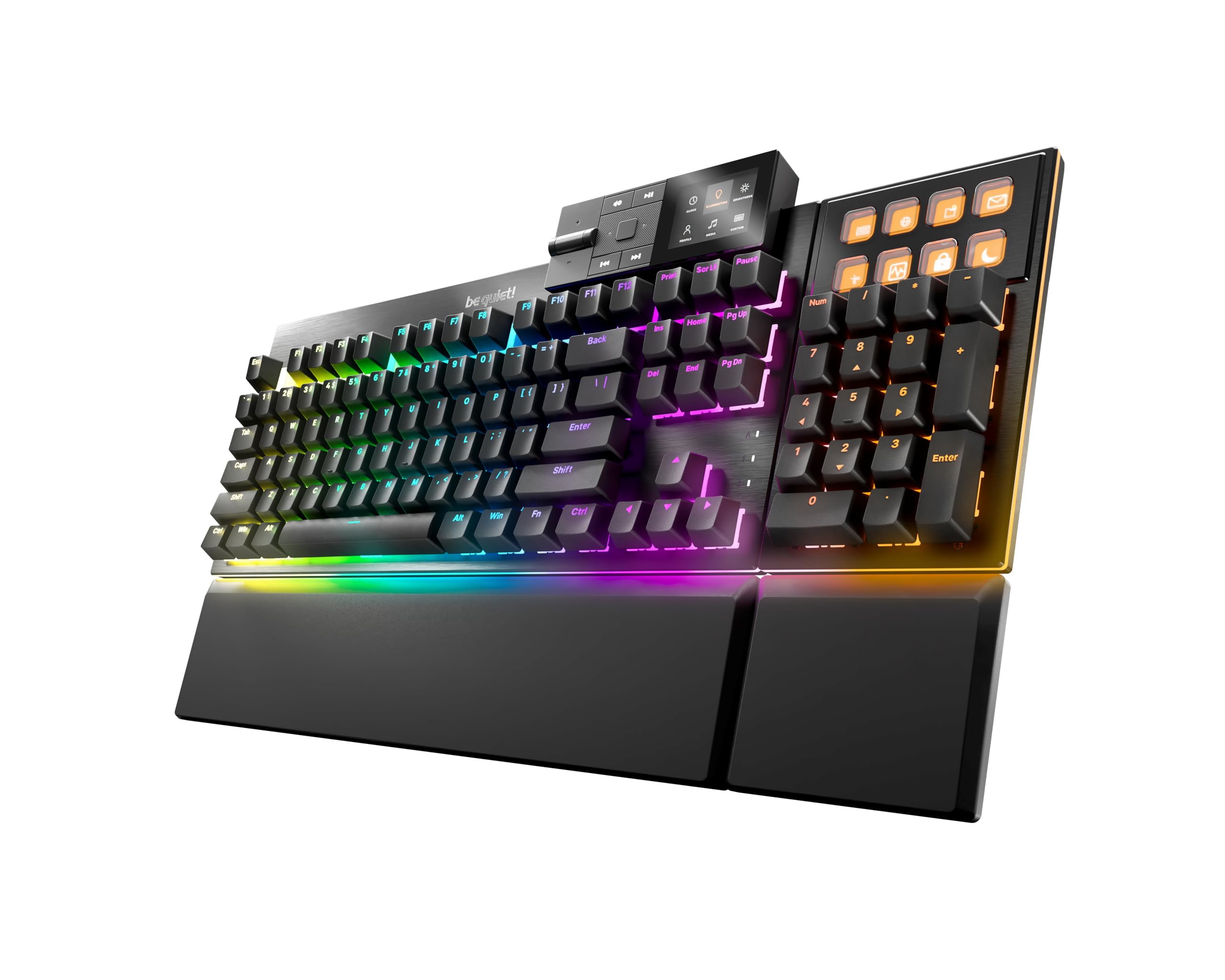
Silence you can rearrange — the numpad clips on or off, left or right, to fit your desk.
The Dark Mount’s defining feature is its modular design. The numpad can be clipped onto the left or right side of the keyboard — or left off entirely when space is tight. A Media Dock with dedicated media keys and a display mounts in two positions, and even the palm rest is split so the segment under the numpad moves with it. For a desk that has to do double duty, that flexibility is unusual.
The quiet story is built in layers: silent tactile black switches, pre-lubricated to cut friction and noise, inside a PA66 nylon housing for a muted sound profile and a POM stem for smooth, snappy tactility. A total of 3 sound-absorbing layers — foam between the switches and PCB, foam under the PCB, and silicone filling the bottom — mute any echo, and the space bar gets a bonus layer of foam inside the keycap body. The black brushed aluminum plate adds durability, and the PBT double-shot keycaps resist wear.
What gets praised most is the build quality, then the noise level and responsiveness, with tactile feedback that has no high-pitched click. The mixed feedback is around reliability — some units reportedly develop failing switches. The stackable magnetic feet offer 3°, 6°, or 9° tilt, and the 2m USB-A-to-C cable detaches for travel. This is the USB-C wired one, so there is no wireless pairing here.
The real draw: The modular numpad is not a gimmick for spreadsheet workers — it lets you run a compact board for typing and snap on the number pad for data entry days.
What to watch: Failing switches are the recurring complaint on a small share of units, so the warranty path matters.
For the desk-shifter: Spreadsheet users who want to reconfigure their board to match each workday.
Not for the cord-cutter: There is no wireless mode — this is a USB-C wired keyboard.
9. be quiet! Light Mount Keyboard

The whisper-quiet flagship — every large key has been treated so nothing rattles.
Light Mount is the most thorough effort on this list at eliminating noise. Its silent linear orange switches are factory-lubricated to cut friction, and be quiet! also lubricated the stabilizers under the Space and Enter keys — the rattling culprits that most silent boards leave untreated. A total of 3 sound-absorbing layers then blunt any echo: foam between the switches and PCB, foam under the PCB, and a third filling the bottom housing.
The switches are hot-swappable with other 5-pin MX-style switches, so you are not locked in. The black brushed aluminum plate adds durability, PBT double-shot keycaps resist wear, and the folding feet support 3 angles with a magnetic cushioned palm rest. A programmable aluminum 3D Media Wheel handles volume by default, presses to mute, and 5 mechanical macro keys cover the rest of your media or game actions. Per-key ARGB lighting glows through the translucent keycap legends and side LED strips add an underglow.
The honest catch is that this is the most expensive board here and it is USB-C wired only. It also scored 4.0+ stars from a solid pool — lower than the other be quiet! unit, likely because the value-for-money read does not favor its top-tier tier price. No customer-review text is available for this model yet, so judge it on the switch treatment and build, not owner consensus. It is a premium wired keyboard for buyers who prioritize silence above all else.
Top pick for the sound-obsessed: Anyone who counts on a whisper-quiet board and will trade wireless convenience for it.
Not the value play: You are paying a premium for lubricated stabilizers and macro hardware you may not use.
Know the Specs
Switch Type and Operating Force
Silent linear switches have a smooth press with no bump or click — the safest choice for shared desks. Silent tactile switches add a light bump you feel through your finger without sound. The operating force (measured in grams of force, gf) is how heavy the press feels: the Keychron K10’s Silent K Pro Red needs a light 45±10 gf, which is easy on your hands across a long day.
Damping and Gasket Structure
Damping layers — foam, silicone, and sound-absorbing pads — sit inside the case to swallow the hollow echo a bare mechanical board throws back. A gasket mount floats the plate on soft strips instead of screwing it down, so a hard bottom-out becomes a cushioned one. Five layers of filling (as on the AULA F99 Pro) blocks significantly more cavity noise than a plain case.
Battery Capacity and Backlight Drain
Battery is measured in mAh (milliamp-hours, a measure of stored charge). The EPOMAKER TH108’s 10000mAh and the AULA F99 Pro’s 8000mAh set the high end of this lineup, while the Keychron K10’s 4000mAh manages up to 240 hours with the backlight off. Backlighting is the biggest battery drain: the Logitech MX Mechanical holds up to 15 days on a charge with the backlighting on, or up to 10 months with it turned off.
Layout and Connection Mode
A full-size 104- or 108-key board keeps the number pad, function row, and navigation keys — useful for spreadsheets. A 96% or 97-key layout is more compact but still keeps the arrows and numbers. Tri-mode connection (Bluetooth, 2.4GHz wireless, USB-C wired) lets one board pair with a work laptop, a home PC, and a tablet, switching between five saved devices without unplugging.
Common Questions
Will a silent mechanical keyboard still make noise in an open office?
Is a silent linear or silent tactile switch better for typing all day?
What does a gasket mount actually do for noise?
Can I put different switches in a hot-swappable keyboard?
How long will a wireless quiet mechanical keyboard last on a charge?
Is a full-size keyboard harder to use quietly than a compact one?
Do I need Bluetooth and 2.4GHz wireless, or is wired enough?
Can I use a Windows mechanical keyboard on a Mac?
Does RGB backlighting drain the battery faster?
What does the polling rate mean on a mechanical keyboard?
The Bottom Line
For most desks, the quiet mechanical keyboard that gets out of the way is the AULA F99 Pro — five layers of internal damping, a genuinely soft typing feel, and a top-rated reputation. If you want a full-size board with a screen and knob, the AULA F108 Pro gives you the full-size number pad and the highest rating in this lineup. And for the buyer who never wants to charge, the Cherry KC 200 MX plugs in and stays quiet for the long haul. If the best-rated keyboard belongs on your desk, start at the top and work down — the F99 Pro earns its place.
How we choose
We do not accept paid placement. Every pick is matched to a real buyer and a real use-case; we do not hands-on test units.
Sources
Specifications: manufacturer listings and product documentation. Review insights: verified customer reviews, as of November 2026. Pricing: not shown on this page (it changes often); check the current price via the retailer link.
As an Amazon Associate, Tactical Gear Guy earns from qualifying purchases. This does not affect which products we feature.