Specs are compiled from manufacturer listings and verified buyer reviews and can change over time — please confirm the key details on the product page before buying.
A t-shirt transfer printer is the difference between a design that cracks off after three washes and one that stays bright for the life of the shirt. The trick is knowing which printing method you actually need before you spend money. Dye-sublimation only bonds to polyester and light-colored fabric blends. DTF (direct-to-film) prints work on cotton, denim, canvas, and dark colors — and skip the pretreatment step entirely. That fabric compatibility gap decides more purchases in this category than print speed or resolution.
This guide is built by comparing the manufacturers’ published specifications and the patterns across verified customer reviews, so you get each pick’s real strengths and trade-offs instead of marketing spin.
Below you’ll find everything from an entry-level sublimation unit to a 13-inch DTF workhorse with an oven. Each pick is matched to a real workflow, and the specs guide explains what actually matters before you commit. Here is the honest breakdown of the best T-Shirt Transfer Printer for your setup and budget.
Top Picks


How To Choose The Best T-Shirt Transfer Printer
Start with the fabric you actually print on, because that choice eliminates half the field immediately. A sublimation printer bonds dye into polyester at high heat — so it works on light poly shirts, mugs, and mousepads, but the color washes out on dark cotton. A DTF printer lays ink onto a film, dusts it with adhesive powder, and heat-presses the film onto the garment. That means cotton, denim, canvas, and black shirts all work, with no garment pretreatment. If “any shirt, any color” is the goal, DTF is the path. If you print light polyester blanks and drinkware, sublimation is cleaner and cheaper to run.
Check the print width against your largest design
A 13-inch A3 print area covers a full chest graphic or a back print on most adult shirts. The narrower 8.5 x 11 inch models handle front-left-chest logos, youth sizes, and mug wraps. Print width is a hard physical limit — you can’t squeeze a 12-inch design through an 8.5-inch printer without splitting it into tiles. Measure the biggest design you realistically sell before you pick a model.
White ink is the whole ballgame on dark shirts
Dark fabric prints live or die on the white underbase — a layer of white ink laid down before the color so the design stays opaque. White ink settles in the lines like sediment, so every DTF printer in this list ships some form of circulation system. Look for automatic white ink circulation that runs on a schedule, not one you have to remember. A printer with a white ink circulation system on a timer stays ready between jobs.
Idle time kills printheads — auto-cleaning is not a luxury
Printheads clog fastest when they sit unused. The machines here that hold up best in a part-time shop are the ones with automatic cleaning on a schedule — sometimes called vacation mode or holiday mode. That cycle pushes ink through the nozzles on a timer so you can walk away for a week and come back to a working machine. If you print in bursts rather than every day, weight this feature heavily.
Factor in the consumables, not just the machine
Every DTF printer burns through film, powder, and ink, and every sublimation printer burns through paper and ink. Bundles that include full ink sets, powder, transfer sheets, and blanks save you a return trip to buy the rest of the setup before your first job. Add up what the bundle actually contains before you decide one machine is the better purchase.
Side-by-Side Comparison
| Model | Best For | Print Width | Pages Per Minute (Color) | Method | Amazon |
|---|---|---|---|---|---|
| Epson SureColor F170★ Best Overall | Hobbyist sublimation on polyester and drinkware | 8.5 x 11 in | 1 | Dye-sublimation | Amazon |
| PC Universal Super-Tank BundleStarter Bundle | Bundled all-in-one starter with press included | — | 15 | Sublimation | Amazon |
| Brother SP-1 Deluxe Bundle | All-in bundle with blanks and paper for beginners | 8.5 x 14 in | 10 | Dye-sublimation | Amazon |
| Sawgrass SG500 Bundle | Small-business sublimation with design software | 8.5 x 14 in | 10 | Dye-sublimation | Amazon |
| Procolored K13 Lite | Multi-fabric DTF on cotton and dark shirts | 13 in (A3) | 1 | DTF | Amazon |
| InkSonic C13B R1390 | Dark-fabric DTF with oven in the box | 13 in (A3+) | 1.2 | DTF | Amazon |
| Lancelot M1630 Pro | High-volume DTF with auto film cutting | A3 / A4 | 12 | DTF | Amazon |
Detailed Reviews
1. Epson SureColor F170 Dye-Sublimation Printer
Our pick — 4.5+★ from 550+ verified ratings; the strongest balance of quality and price.
The compact sublimation workhorse that turns out sharp polyester prints from a tray that stays dust-free.
The F170 earns its place at the top by doing the fiddly part of sublimation well. Its PrecisionCore printhead uses Precision Droplet Control to lay down finer ink droplets, which translates to crisper edges on text and line art when the design transfers to fabric. It ships with a full set of genuine Epson sublimation inks, certified ECO PASSPORT by OEKO-TEX for textile use, so you’re printing on day one. White closed 150-sheet tray keeps paper dust out of the feeder and cuts down on prep time between jobs.
Where the crowd genuinely rallies around the machine is straight quality — the print output is what owners talk about more than anything else, and the consistency of that output is why the rating holds at 4.5+ stars across 600+ reviews. Sharp detail and reliable function get the next-strongest nods, and the setup process is short enough that hobbyists get to their first transfer without a fight. Sharp output plus a sealed tray is exactly why it’s the top pick here. Anyone buying this printer is really buying a clean, repeatable polyester transfer — not raw page speed.
Here’s the honest catch: on the speed column, the Epson is a slow machine. Epson lists 1 page per minute for both black-and-white and color, while the PC Universal Super-Tank bundle prints 33 black-and-white pages per minute and 15 color pages per minute. If you need batch throughput, the Epson is the wrong tool — and its mobile connection is unsupported, so it prints from MacOS and Windows only. Note too that this is a sublimation printer: it needs polyester or poly-blend fabric and light colors to show the dye. It won’t put a print on a dark cotton tee.
What wins people over: outstanding image clarity on polyester and drinkware from a sealed tray setup, plus the reliability track record that backs the 4.5+ star showing.
What the spec sheet hides: that 1 page per minute figure is real — this machine makes beautiful prints slowly, and it has no mobile printing at all.
The right match: hobbyists and crafters printing light polyester shirts, mugs, and mousepads who care about edge sharpness more than volume.
The hard limit: dark cotton tees need a DTF printer, not this one — sublimation ink needs polyester to bond.
2. PC Universal Super-Tank Wireless Sublimation Printer Bundle
The bundle that hands you the printer and the heat press in one box — no second purchase needed.
Most sublimation setups cost you two purchases: the printer, then the press. This bundle skips that step by including a flat board press machine and all accessories alongside the printer. The ink system covers cyan, magenta, yellow, and black across a 24 bpp color depth, and it supports wireless printing from computers and mobile devices through an app. There’s an auto feeder for batch work and an up-to-10,000-page yield figure tied to the bundle. It also carries a rated EPEAT Silver environmental score.
On raw output speed, this is the pace-setter of the sublimation group. It prints 33 black-and-white pages per minute and 15 color pages per minute — versus the 1 page per minute from the Epson SureColor F170 listed above. For a school fundraiser printing dozens of shirts in an afternoon, that gap matters. The trade-off is that fewer buyers have taken the plunge on this one yet, so the durability record is thinner than the established names in this list.
The spec sheet is also a little thin in places: dimensions and weight aren’t published, so you can’t plan your desk space in advance. It’s a print-only setup that works from PC and smartphone, controlled through an app rather than a panel. Treat the bundled press as your entry point into heat transfer and plan the workflow around it.
Reasons it earns a spot
- Press machine and accessories ship in the same box, so you can run your first job sooner.
- 33 black-and-white / 15 color pages per minute outpaces the slower sublimation picks here.
- Wireless printing from phones and computers through the companion app.
What to weigh first
- Thinner track record than the established brands in this list.
- No published dimensions or weight to plan around.
Buy this if: you want one order to cover printer, press, and accessories for a household or school project.
Hold off if: you need a proven multi-year service record before committing.
3. Brother SP-1 Sublimation Printer Deluxe Bundle
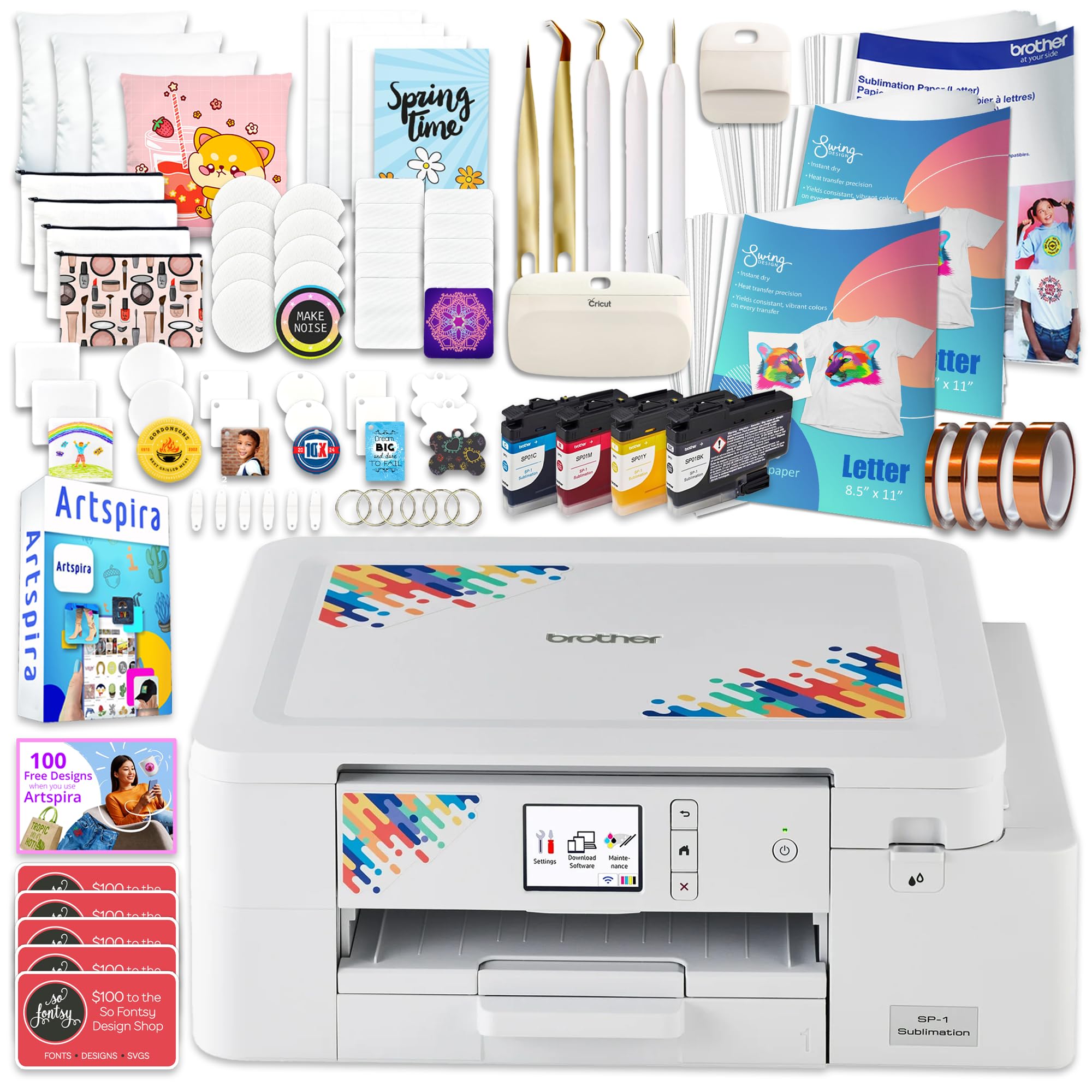
A starter box so complete you could open it and be pressing shirts the same afternoon.
The Brother bundle is the most packed-in kit in this group. You get the SP-1 sublimation printer, a full CMYK ink set at 47ml per bottle, 300 sheets of ProSub 8.5 x 11 sublimation paper, 10 sheets of Brother-branded paper, 50 sublimation blanks, four rolls of heat-resistant tape at.125in,.25in,.50in, and 1in, a 7-piece tool set, and 500 design card files for monograms, SVGs, and commercial use. For a beginner, that is the entire starter shelf in one delivery. Quality and ease of use dominate the feedback, and the 4.5+ star average holds across 40+ ratings.
The speed picture is honest but modest: 10 pages per minute for both black-and-white and color, which sits between the Epson’s 1 page per minute and the Sawgrass SG500’s 25 black-and-white pages per minute. Media handling tops out at legal size — 8.5 x 14 inches — so a big back print fits, but an oversized poster graphic does not. It’s a print-only unit with simplex output, off-white in color, from a brand with a long history in home printers. The blanks give you mug, tumbler, and coaster projects from the start alongside t-shirts.
Why the bundle logic works: the 310 sheets and four tape widths mean your first ten projects never stall waiting on a supplies order.
What to be honest about: a 8.5 x 14 inch ceiling caps your design footprint, and the page speed is mid-pack.
Reach for this if: you’re building a craft setup from scratch and want blanks, tape, and paper settled up front.
Look elsewhere if: your projects need prints wider than legal size.
4. Sawgrass SG500 Sublimation Printer
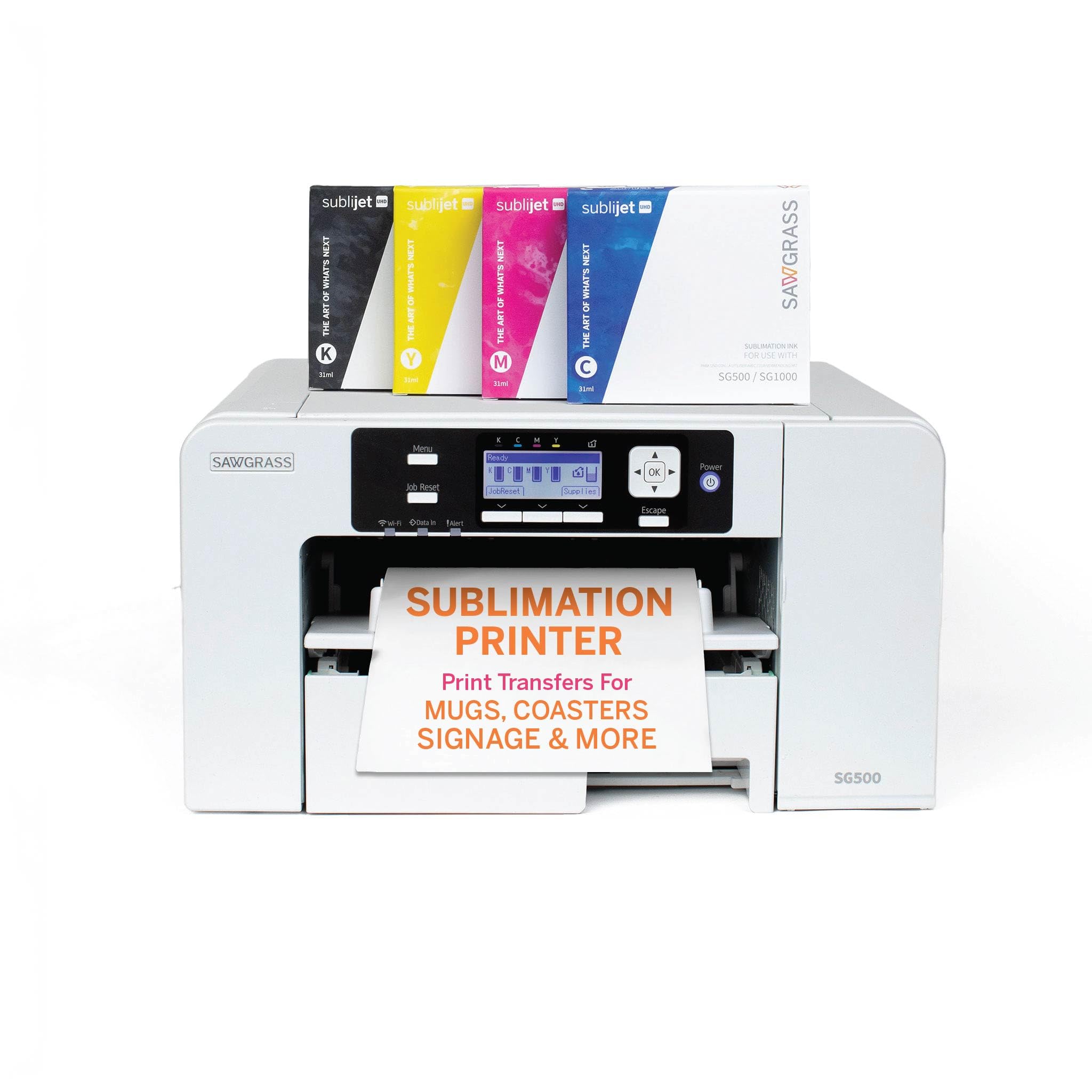
The small-business sublimation printer that ships with a design studio, not just a driver disc.
What separates the SG500 from the other sublimation units here is the software half of the package. The MySawgrass platform is an online design tool with templates built in, and the Sawgrass Print Utility adds Smart presets and process control for more precise color. The hardware side holds up too: a full set of SubliJet UHD inks in cyan, magenta, yellow, and black, formulated in small batches for consistency across hard and soft substrates. Wi-Fi is built in, and print head auto-maintenance handles upkeep on its own schedule. The 4.0+ star showing across 60+ ratings reflects a machine people trust for production work.
Media capacity runs to 8.5 x 14 inches on the standard path, and the bypass tray extends the feed to 8.5 x 51 inches for longer specialty prints. That long-feed capability is genuinely unusual in this price bracket and it’s the reason signage and banner work fits on this machine at all. Desk footprint comes in at 17.25 inches deep, 15.75 inches wide, and 8.5 inches tall — versus the Procolored K13 Lite’s 12.6 inches deep, 29.1 inches wide, and 9.1 inches tall. The Sawgrass is the deeper, narrower machine of the pair, which suits a side desk better than a wide bench. It runs on standard 110/120V US outlets.
The 25 black-and-white pages per minute and 10 color pages per minute put it comfortably ahead of the Epson’s single page per minute on both counts. Do set expectations on size: a 8.5 inch width limits full-chest graphics that need the full 13-inch A3 area a DTF unit offers. This is a small-to-medium-project machine, and it’s positioned honestly as such.
Why it suits a growing shop
- MySawgrass design platform plus the Print Utility gives you templates and color presets you don’t have to build.
- Bypass tray extends prints to 8.5 x 51 inches for banners and long-format pieces.
- 25 black-and-white / 10 color pages per minute beats the slower sublimation pick above.
Where it asks more of you
- 8.5-inch media width caps full-chest designs.
- The premium tier puts it among the pricier sublimation options in this group.
Pick it when: templates and guided color settings save you more time than raw print width would.
Pass if: you need a true 13-inch print area for oversized apparel graphics.
5. Procolored K13 Lite DTF Printer
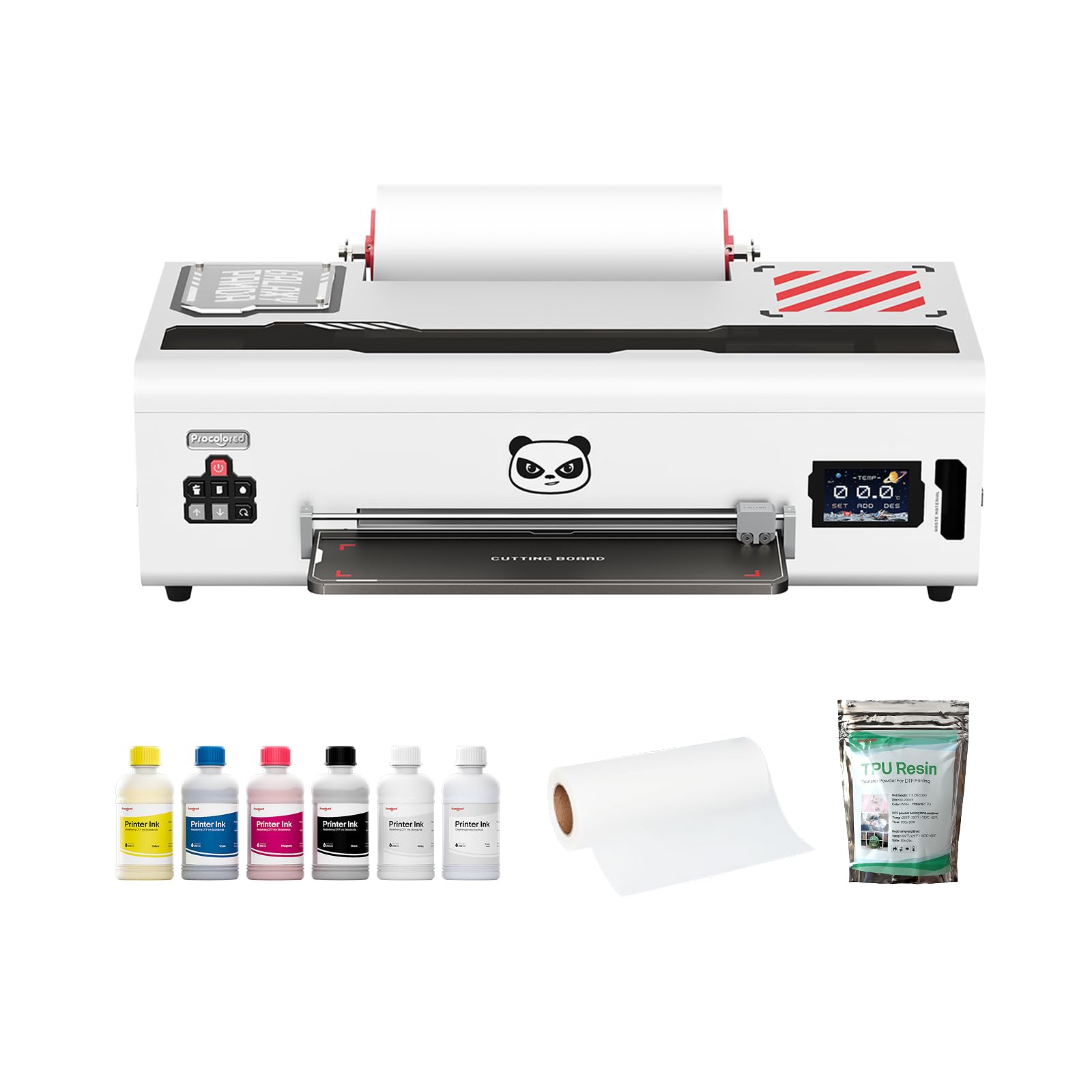
A 13-inch DTF machine that watches its own printhead and prints on cotton, denim, and canvas.
The K13 Lite answers the question every cotton-shirt printer asks: how do I print on dark fabric without pretreatment? As a DTF printer, it lays ink on film, and the 13-inch A3 area handles a full back print or chest graphic in one pass. It covers cotton, polyester, denim, canvas, and other fabrics, so your project list isn’t limited to polyester blanks. The Infrared Printhead SafeGuard System monitors the print area live and catches film warping and foreign particles as small as 2 mm before they damage the head. That 2 mm figure is the kind of protection most DTF machines at this level don’t advertise.
The maintenance side is fully automated. Automatic cleaning cuts clogging and ink drying, the white ink circulation system runs regularly to stop white pigment settling, and one-touch ink pumping clears lines without a manual purge. Three customizable pixel-style themes on the touchscreen handle the interface — a small thing, but it makes a machine that looks intimidating feel navigable. Color accuracy is G7-certified with Procolored Studio Lite applying calibrated color profiles, and the system auto-detects RGB versus CMYK files so your design doesn’t arrive on fabric looking washed out. The vendor throws in a 250ml x 5 DTF ink set including white, 500g of DTF powder, and a 330mm x 100m PET film roll. In short: everything needed for the first production run ships in the box.
Here’s the honest picture on reliability: the machine draws praise for output quality, but the feedback on long-term reliability is genuinely split — some units run perfectly from the start, others have needed work. And at 1 page per minute in both black-and-white and color, it’s a slow machine that trades speed for transfer quality. If volume and throughput are what you need, look at the Lancelot below before deciding.
Where it shines: G7-certified color plus the 2 mm infrared guard — a safety net that protects your most expensive part.
What you’re accepting: mixed reliability reports and a pace of 1 page per minute mean this is a quality-first machine, not a volume machine.
Best suited to: creators printing dark cotton tees, denim jackets, and canvas totes who want automated head care.
Think twice if: you need high daily throughput rather than careful, less frequent production runs.
6. InkSonic C13B R1390 DTF Printer with Oven
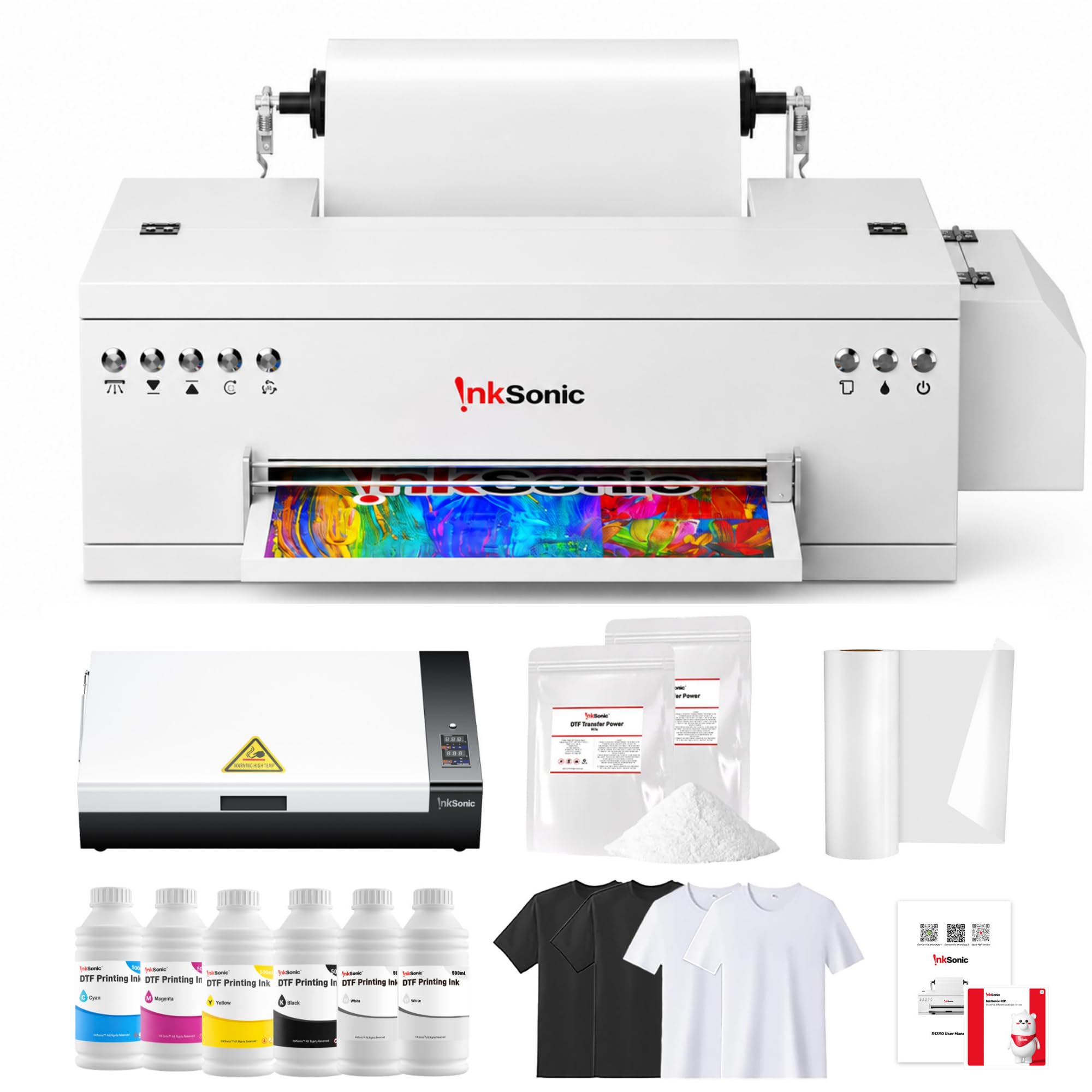
A 4.5+ star DTF setup with an oven built in — which removes the step that usually stalls a first-timer.
Look at the rating column first: 4.5+ stars across 40+ ratings is the highest score in this entire group. The reason is likely the completeness of the package. You get the R1390 DTF printer, a 13-inch A3+ print width, an A3+ smokeless oven, a 6-bottle CMYKWW ink set at 500ml, an A3 DTF film roll at 11.8 inches by 328 feet, two 500g packs of DTF powder, a nozzle cleaning and protection solution set, extra ink dampers, a setup USB with drivers and video guides, plus two light and two dark test t-shirts to prove your first print. Print resolution runs to 2880 x 1440 dpi for both black-and-white and color, which gives you photo-quality detail on the transfer film. Beyond the box, InkSonic keeps 24/7 specialists on phone or online through setup and your first successful print.
For a garage shop or an occasional seller, the vacation mode is the quietly valuable feature. It runs an automatic cleaning cycle every 12 hours, so a machine that sits idle doesn’t gum up — the claim is it cuts printhead clogs by over 80%. A dedicated one-touch white ink circulation control primes the white underbase before each print, so color pops on dark shirts. G7-certified color performance keeps artwork true to the original once it transfers. It runs on L1800 printhead architecture, and the max 13-inch media width covers full apparel graphics.
The visible limit is machine footprint: 31.5 inches deep, 9.4 inches wide, and 13 inches tall is the deepest body in this list, so plan a full counter rather than a corner. The 1.2 pages per minute print rate is honest but slow — fine for quality-first transfers, not for churning out hundreds a day. The oven does a real job here: it cures powder to film so the transfer sticks, and that’s a step you’d otherwise handle with hot air or a dedicated oven box.
The strong case for this one
- Oven included, so the powder-curing step is handled by shipped hardware.
- Vacation mode auto-cleans every 12 hours, protecting against idle clogging.
- 2880 x 1440 dpi resolution brings photo-level detail to film.
Where it costs you elsewhere
- Deepest chassis here — 31.5 inches of counter depth required.
- Print speed of 1.2 pages per minute sets a slow ceiling.
Worth grabbing for: part-time sellers and one-person apparel setups who need the oven and the cleaning pipeline included.
Look at another model if: your workspace is a shelf rather than a full counter.
7. Lancelot M1630 Pro DTF Printer Bundle

A DTF workhorse built for throughput — 15 black-and-white pages a minute and it cuts film on its own.
The Lancelot’s pitch is speed and automation, and its numbers back the claim. It prints 15 black-and-white pages per minute and 12 color pages per minute — compared with the Sawgrass SG500’s 25 black-and-white and 10 color pages per minute, it’s a different class of machine altogether. First-page output takes 5 seconds. Lancelot claims double the speed of L1800/R1390 models, and the auto-film-cutting system trims both sheet and roll media without hand snipping. That last feature alone changes the rhythm of a print run: cut, cure, press, repeat, without stopping to snip film.
It’s the most autonomous unit in the group on maintenance too. A patented Holiday Mode auto-cleans the head during downtime so a week away doesn’t mean a clogged machine. White ink circulation runs to keep the underbase strong for dark fabrics. Lancelot also claims white ink circulation extends printhead lifespan 40% over standard DTG machines and waste ink alerts save 30% on consumables — vendor figures, not independent tests. In design quality terms, the machine’s feedback is glowing: crisp, vibrant prints at speed, with one customer noting it cuts print times in half. Quality leads the feedback and ease of use is second, and the 4.5+ star score over 80+ ratings holds.
What seals the deal for a serious buyer is the preloaded laptop: drivers and software are pre-installed and ready, and setup runs on Windows 7, 10, or 11 — not Mac. You need a Windows machine to manage it, and you’ll want to provide a WhatsApp number for remote support because the company runs its technical help that way. Footprint is 35 inches deep, 29.6 inches wide, and 14 inches tall, so this needs dedicated space, not a countertop corner.
The throughput story: 15 black-and-white / 12 color pages per minute with 5-second first-page output, paired with auto film cutting — this is the production machine in the group.
The commitment it asks: a 35-inch by 29.6-inch footprint, Windows-only operation, and vendor claims on lifespan and savings that come from the manufacturer rather than independent testing.
Lock this in if: you’re running real volume — apparel shops, team orders, print-on-demand — and want the machine to cut and clean itself.
Stay out if any of these apply: you’re on a Mac, or you only have a small counter to spare.
Know the Specs
DTF vs Dye-Sublimation — the first fork in the road
Dye-sublimation turns a design into gas that bonds into polyester fibers at heat — so it works on light poly shirts, mugs, and mousepads, and it washes out of cotton. DTF prints onto a film, cures the ink with powder, and heat-presses the film onto any fabric — cotton, denim, canvas, and dark colors. If your customers want black tees with bright graphics, DTF is the route. If your product line is white polyester and drinkware, sublimation gives sharper photo detail with less consumable fuss.
Print width and its hard cap
An 8.5 x 11 inch printer handles a front-left logo or a mug wrap. A 13-inch A3 unit prints a full chest graphic or a back print for most adult shirts in one pass. The size is a physical ceiling — there’s no scaling up. Measure the biggest design you sell before you buy, because splitting a design into panels to fit a narrow printer looks amateur on a finished shirt.
White ink circulation and clogs
White ink is thick and settles in the printhead when it sits. DTF printers run a white ink circulation system to keep white pigment moving through the lines, so your underbase prints evenly and your colors stay bright on dark fabric. Without circulation, white clogs and the machine needs a manual flush. Look for automatic circulation on a schedule rather than one you trigger manually.
Print speeds and what they actually tell you
The pages-per-minute figures vary wildly through this list — from 1 page per minute to 33 black-and-white pages per minute — because these machines are doing different jobs. A DTF printer that runs at 1 page per minute produces a fully-colored, powder-ready transfer film. A sublimation printer that runs at 25 black-and-white pages per minute is printing sheets, not transfers. Compare the print types before comparing the numbers.
Common Questions
Can a sublimation printer print on a 100% cotton t-shirt?
Do I have to treat a shirt before pressing DTF transfers?
What print width do I need for a full chest graphic?
Why does a printhead clog when the printer sits idle for a week?
How long do DTF transfers last on a shirt?
Is DTF better than DTG for a small t-shirt business?
What do I need besides the printer to finish a DTF transfer?
Can a transfer printer print from a phone?
Do DTF printers work with a Mac?
What is G7-certified color accuracy on a transfer printer?
The Bottom Line
The winner for most buyers is the t-shirt transfer printer at the top of this list — the Epson SureColor F170 — because it pairs PrecisionCore edge sharpness with a sealed 150-sheet tray and back-to-back consistency for polyester and drinkware projects. The crowd has noticed: 4.5+ stars across 600+ ratings. If cotton shirts and dark fabrics are your real work, the InkSonic C13B R1390 solves the problem with an A3+ print width, a smokeless oven, and vacation-mode cleaning on a 12-hour cycle. And for volume production with auto film cutting, the Lancelot M1630 Pro is the one to reach for. The single honest nudge: the Procolored K13 Lite and InkSonic C13B carry a similar quality reputation, but the InkSonic’s 4.5+ star showing across 40+ ratings makes it the stronger bet in the DTF tier. Pick by fabric, not by machine speed — the wrong method limits every shirt you print.
How we choose
We do not accept paid placement. Every pick is matched to a real buyer and a real use-case; we do not hands-on test units.
Sources
Specifications: manufacturer listings and product documentation. Review insights: verified customer reviews, as of November 2026. Pricing: not shown on this page (it changes often); check the current price via the retailer link.
As an Amazon Associate, Tactical Gear Guy earns from qualifying purchases. This does not affect which products we feature.