Specs are compiled from manufacturer listings and verified buyer reviews and can change over time — please confirm the key details on the product page before buying.
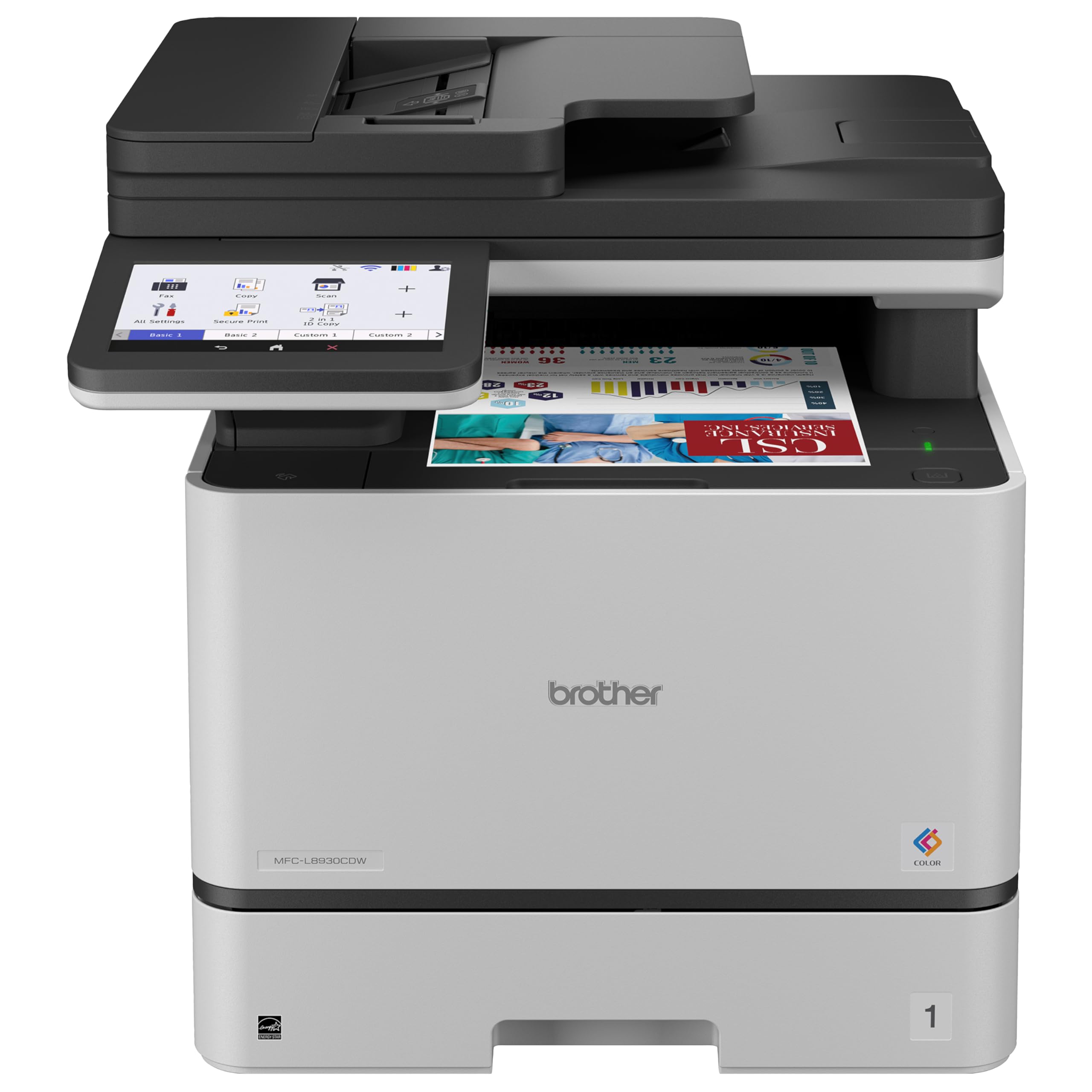
If invoices, shipping labels, or client documents fill your day, the machine that matters is the Brother MFC-L8930CDW. It is a color laser all-in-one (one unit that prints, copies, scans, and faxes) that prints at up to 33 pages per minute and scans two-sided at up to 104 images per minute. That speed means a 30-page contract scans in well under a minute. Buy it for an office. For blueprints, buy a wide-format plotter. For photo and apparel work, buy a dye-sublimation or DTF machine (DTF means direct-to-film, a method that prints onto a film you heat-press onto fabric).
This guide is built by comparing the manufacturers’ published specifications and the patterns across verified customer reviews, so you get each pick’s real strengths and trade-offs instead of marketing spin.
A professional digital printer is not one machine type but four, so you need to match the output to the job before you compare anything else. This breakdown of the best professional digital printer keeps every spec and every real trade-off in plain view.
Top Picks


How To Choose The Best Professional Digital Printer
The first decision is not brand or budget — it is what comes out of the tray. An office laser produces letter-size documents on plain paper. A plotter produces architectural drawings on wide rolls. A dye-sublimation printer produces glossy photo prints. A DTF machine produces heat-transfer film for T-shirts. Pick the wrong output type and no spec sheet will save you: a 50 ppm laser still cannot print a poster.
Start with pages per minute, then look at toner yield
Print speed — measured in pages per minute (ppm), meaning how many sheets the machine pushes through in 60 seconds — sets your ceiling for a busy day. A 50 ppm monochrome laser like the Brother MFC-L5915DW clears a stack of contracts fast. But the number that decides your monthly cost is toner yield, quoted in pages. The same Brother ships with a 3,000-page cartridge and takes an 18,000-page replacement, so you swap toner far less often.
Scan speed in ipm is a separate number from print speed
Scan speed is measured in images per minute (ipm), meaning how many sides the document feeder captures in 60 seconds. These figures are always higher than ppm because the feeder reads both sides in one pass. If you digitize contracts or client files, a 104 ipm two-sided scanner with an 80-page feeder will save you more time than a faster print engine.
For photo and apparel work, resolution and printhead decide quality
A dye-sublimation printer quotes resolution in dots per inch (dpi) and speed in seconds per print. A DTF machine quotes printhead model, print width, and daily output. Those are the specs that actually change what your customer sees, so compare them within their own category rather than against an office laser.
Side-by-Side Comparison
| Model | Best For | Print Speed | Functions | Duplex | Amazon |
|---|---|---|---|---|---|
| Brother MFC-L8930CDW★ Best Overall | Busy color offices needing fast two-sided scans | 33 ppm | Print, scan, copy | Automatic | Amazon |
| Canon Color imageCLASS MF753Cdw IIFastest First Page | Color documents with fast first page out | 35 ppm | Print, scan, copy, fax | Automatic | Amazon |
| Brother MFC-L3780CDWSmall-Team Workhorse | Small teams wanting a low-fuss color laser | 31 ppm | Print, scan, copy, fax | Automatic | Amazon |
| Canon imagePROGRAF TC-21M | Posters and enlargements up to 24 inches | 16 ppm | Print, copy | Simplex | Amazon |
| DNP DS820A | Event and portrait photo printing | 29.3 seconds per 8×10 | Print only | Simplex | Amazon |
| InkSonic C13B R1390 DTF | Starting a DTF apparel business | 1.2 ppm | Print only | Simplex | Amazon |
| DXZ A4 DTF with Roll Feeder | On-demand shirt printing with less waste | 1 ppm | Print only | Simplex | Amazon |
| HP DesignJet T650 | Architects and engineers printing line drawings | 2.4 ppm | Print only | Not duplex | Amazon |
| DXZ U14 14″ A3 DTF | Large-size apparel runs on one machine | Not stated | Print only | Not stated | Amazon |
| Procolored F13 Pro A3+ | High-volume commercial apparel output | 4 ppm | Print only | Simplex | Amazon |
Detailed Reviews
1. Brother MFC-L8930CDW Business Color Laser All-in-One Printer
Our pick — 4.0+★ from 200+ verified ratings; the strongest balance of quality and price.
The color laser that swallows a stack of paper and gives it back as a scanned file before you refill your coffee.
For a busy front office, the number that changes your day is the scan speed: this machine captures two-sided pages at up to 104 images per minute (ipm) through an 80-page auto document feeder. In plain terms, that is the machine photographing both sides of every sheet in a single pass, so a 160-page contract goes into the feeder once instead of twice. Compared with the 56 ipm on the Brother MFC-L5915DW below, this is the faster scanner in the two-machine matchup, and the 80-page feeder also holds 10 more sheets than that model’s 70-page tray.
Print quality and easy setup are what win people over across the review pages, and the color output holds up on client-facing documents. Print and copy run at up to 33 pages per minute (ppm — sheets per minute), and a 7-inch color touchscreen gives you scan preview plus up to 64 custom shortcuts for the jobs you repeat every morning. Connectivity covers dual-band wireless (2.4GHz and 5GHz — the 5GHz band is the less crowded one) and Gigabit Ethernet, which is the wired link you want in an office where everyone shares one printer.
The honest catch is a familiar one for color lasers: the TN635XXL cartridges cost more per page than monochrome toner. Brother bundles 3,000-page black and 1,800-page color starter toner, and the TN635XXL replacement cartridges stretch to 7,500 pages black and 6,500 pages color. A few owners do hit connectivity bumps after setup, so plan on a wired connection if your Wi-Fi is crowded. At 71.2 pounds and with a footprint of 20.7″D x 16.1″W x 21.6″H, measure the desk before it ships — this is not a shelf printer.
What earns its spot
- Two-sided scanning at up to 104 ipm through an 80-page feeder
- 7-inch touchscreen with up to 64 saved shortcuts
- Dual-band wireless plus Gigabit Ethernet for shared offices
- Bundled 3,000-page black and 1,800-page color toner
What to budget for
- Color toner is the long-run cost — check XXL yields first
- Nearly 72 pounds needs a real desk, not a shelf
- Some setups need a wired connection for stable networking
Made for: any office where scanning paperwork takes longer than printing it.
Measure twice: the footprint and the toner bill both grow faster than you expect.
2. Canon Color imageCLASS MF753Cdw II
Seven seconds from cold start to first printed page — the spec that matters when a client is standing at the counter.
Canon’s initial page print time of 7 seconds is the headline here, because it is the wait between hitting print and hearing the engine spool up. That matters in a reception area or a print-corner where nobody wants to hover. Both black and color run at 35 pages per minute, so a mixed-color proposal prints just as fast as a plain invoice — a rarity in this tier, where color usually trails black.
It is a true four-function machine: print, scan, copy, and fax, with automatic duplex (two-sided printing without you flipping the sheet). Pages come out at 24 bits per pixel color depth, which is the standard color depth for photographic output. The review pages are loudest on overall quality as a positive, with print speed close behind, and owners describe images close to what a photo-dedicated inkjet puts out.
Setup and network reliability are the mixed notes: the workflow can feel confusing to first-timers, and constant Wi-Fi disconnections show up in the reviews. The fix is the same one the rest of this list keeps pointing to — wire it in with Ethernet and treat wireless as a convenience. A starter black cartridge yields 2,100 pages and starter color 1,100 pages each, so expect your first toner order sooner than you would on a monochrome machine. If you print color documents all day and hate waiting on a first page, this is your machine; if you mostly print plain black text, the Brother MFC-L5915DW further down costs you less to feed.
Where it wins: the 7-second first page and matching 35 ppm black and color speeds mean no dead-air moments in a customer-facing office.
Pick this if: color documents are your daily output and setup patience is on your side.
Skip the fax cable confusion: do a wired network first, then add Wi-Fi once printing is stable.
3. Brother MFC-L3780CDW
Ten minutes to install and connect to Wi-Fi, according to the buyers who timed it — then it just prints color.
One machine covers the whole small-business workload here. Print, copy, scan, and fax all live in this unit, at 31 pages per minute in both black and color. A single-pass duplex scan (it reads both sides of a sheet in one trip through the feeder) means a stack of double-sided forms does not need flipping by hand. Buyers report getting it onto the network is quick: review pages describe a setup that takes just 10 minutes to install and connect to WiFi, and ease of setup is the second most-praised strength on the page.
Scanning runs at up to 29 images per minute in black and 22 in color. Connection options cover dual-band wireless (2.4GHz and 5GHz), Gigabit Ethernet, Wi-Fi Direct, and a USB interface for a single local computer. Toner takes the TN229 family in standard, high-yield, and super high-yield versions, so you can ramp yield as volume grows.
Here is the honest trade-off: this machine sits at a lower overall score than the two color lasers above it, and print quality is genuinely divisive — some buyers get excellent color, others get mediocre results. The pattern suggests that variance is setup-related rather than a design fault, but if you are printing client-facing color at volume, the MFC-L8930CDW at the top of this list is the safer bet. If you want a compact four-function color laser for a five-person office, this one does the job and gets you printing within the hour.
Why small teams like it
- Single-pass duplex scan covers both sides in one pass
- Dual-band wireless, Gigabit Ethernet, and Wi-Fi Direct all built in
- TN229 toner in three yields so you can scale cost to volume
- Fast to get from the start and onto the network
Where it can bite
- Color output quality reads as hit-or-miss across reviews
- Connectivity complaints appear alongside the easy setups
- Not the sharpest color for client-facing print runs
Best fit: a small office that wants one machine for every everyday job.
Look higher up the list: if crisp client color is non-negotiable.
4. Canon imagePROGRAF TC-21M
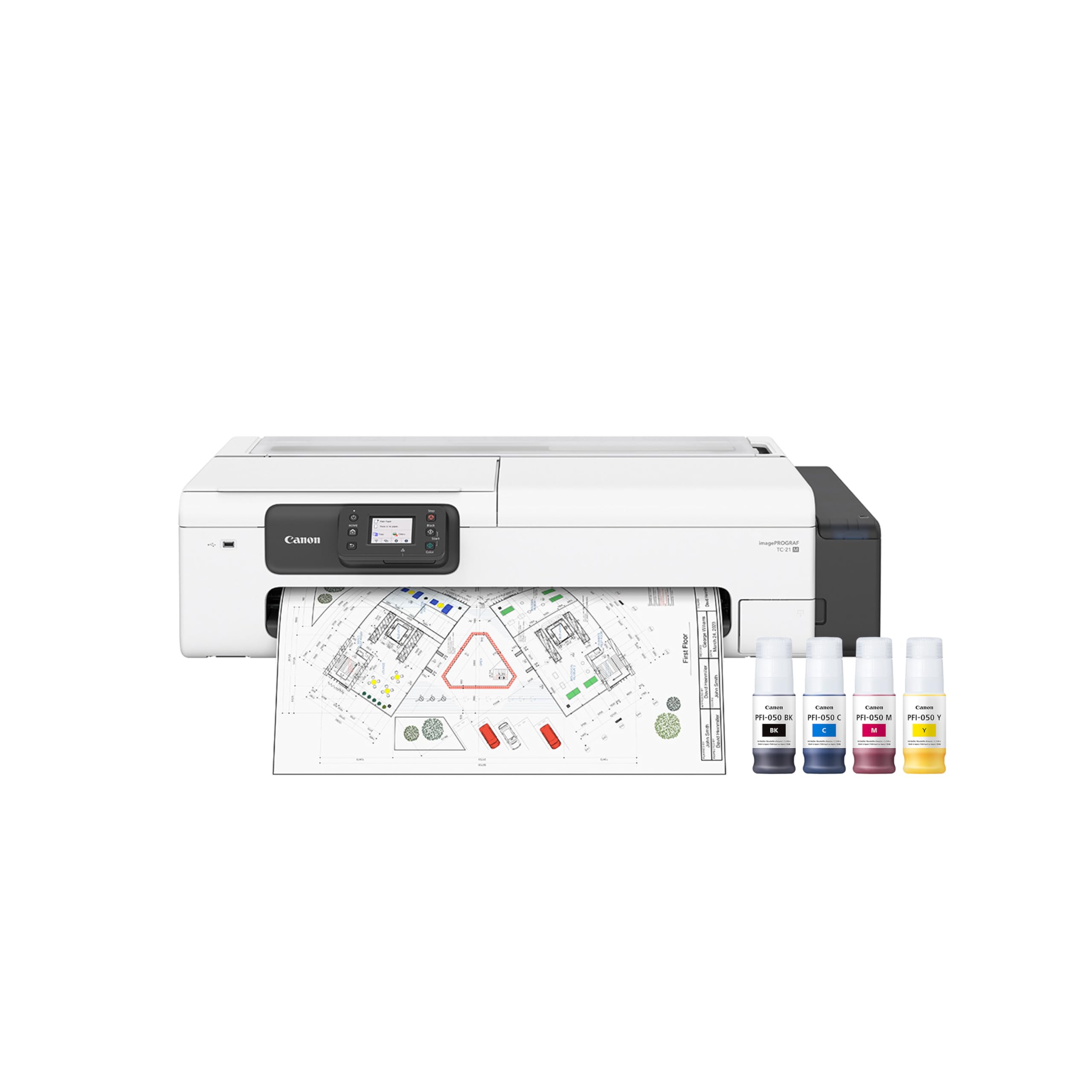
A 24-inch roll printer that can also copy a letter page into a poster at 2400 dpi.
The defining number is the 24-inch format: this is a roll-and-sheet printer that outputs posters, plans, and enlargements wider than a standard office laser can touch. Black copy resolution runs up to 2400 dpi (dots per inch — how finely the print head places ink), which is what keeps text sharp on a large poster. Speed is 16 pages per minute black and 8 pages per minute color, so plan a wide-format printer for finished output, not for daily text volume.
The copy function is the underrated capability: you can place a letter page on the flatbed and scale it up to poster size directly from the printer without a computer in the loop. A USB flash drive port lets you print by inserting a stick, and there is a tiltable 2.7-inch touchscreen for on-machine control. Cloud printing and scanning are built in. The auto sheet feeder handles up to 100 sheets of letter paper or up to 50 sheets of 11 x 17 paper, which covers most mixed-size office runs.
Set the footprint expectations first: at 21″D x 38″W x 10″H, this printer needs a wide bench, not a corner desk. It also prints single-sided only (simplex), so double-sided posters require manual flipping. And 16 ppm means it is not an office laser replacement — it is the second machine you add when you need posters, site plans, or display graphics at 24 inches wide.
Strengths worth the bench space
- 24-inch roll printing for posters and plans
- Enlargement copies up to 2400 dpi from the flatbed
- Auto sheet feeder takes up to 100 letter or 50 tabloid sheets
- Cloud printing plus a USB flash drive port
Set your expectations
- Single-sided output only — no automatic duplex
- 16 ppm black makes it a poor daily text machine
- 38-inch width demands a dedicated bench
For: offices that need poster-size output but not a full drafting plotter.
Plan around: the 38-inch width and the one-sided output.
5. DNP DS820A 8″ Professional Dye-Sublimation Printer
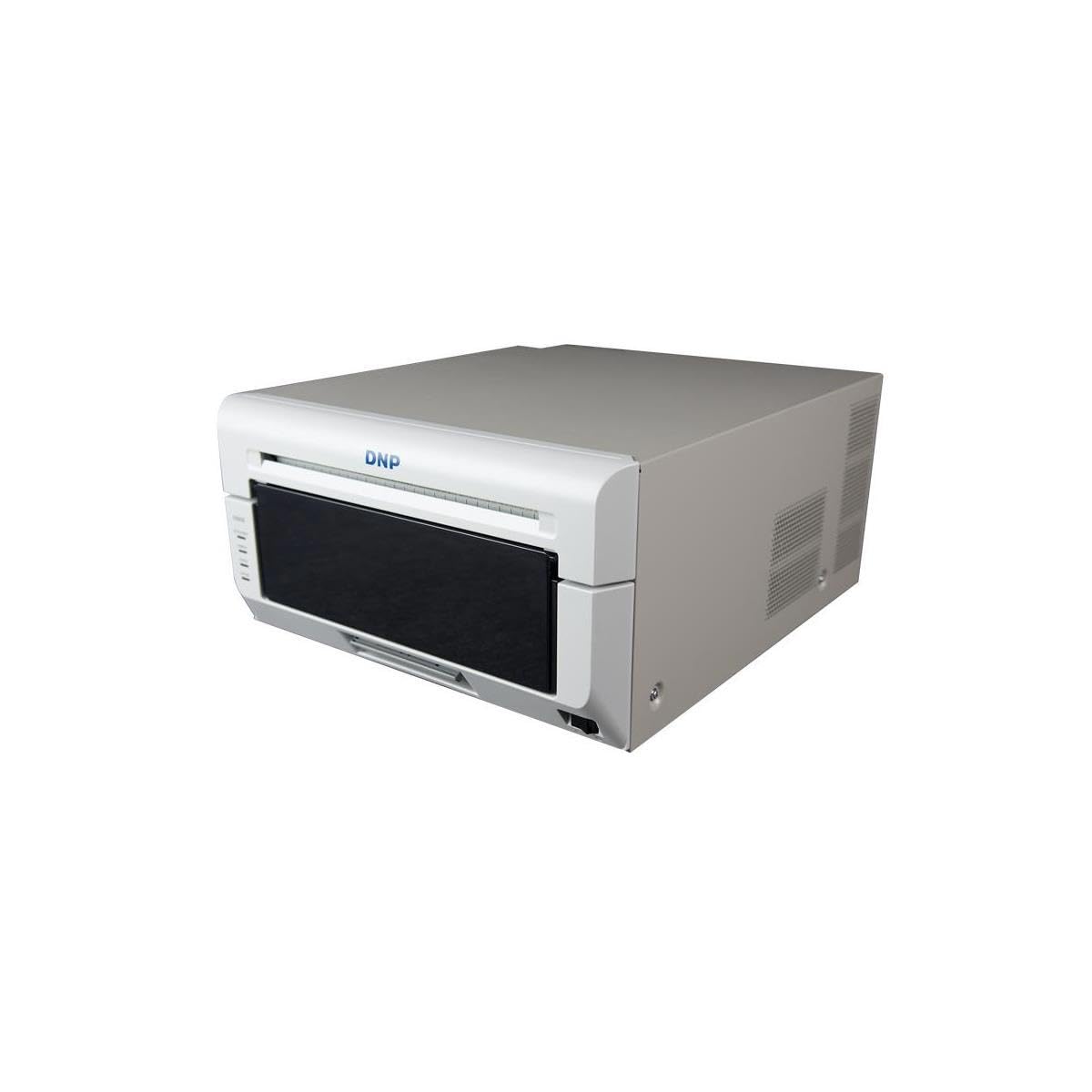
A 29.3-second 8×10 photo printer built for events, where the line is long and the queue matters.
Dye-sublimation is a different animal from a laser or inkjet. Instead of laying ink on paper, it heats a ribbon that vaporizes dye into specially coated paper, which is why the output feels like a lab print and will not smudge. Resolution here is 300 x 600 dpi, and prints come out on sizes from 4×8″ all the way up to 8×32″ — the panoramic formats are what event photographers reach for. Surface options include Glossy, Luster, Matte, and Fine Matte, so you can match a client’s finish request on the spot.
The 8×10 print takes about 29.3 seconds. That is not fast in pages per minute terms, but a photo booth or event stand cares about queue time per customer, and under 30 seconds keeps a short line moving. Only 36.1 pounds, so it can travel to a job. Roll feed, USB 2.0 connectivity, and support for both Windows and macOS round it out.
The obvious limit: it prints photos only, no scanning, no copying, no plain paper. If your business is invoices and contracts, this is not the machine — that is what the MFC-L8930CDW is for. But for a photographer with a wall of client orders or an event stand turning over prints in minutes, this is the specialist pick on the list.
Where it excels: dye-sublimation gives you a finished, dry, smudge-resistant photo in 29.3 seconds for an 8×10, in any of four surface finishes.
Perfect for: event photographers, portrait studios, and print stands selling on-site.
Not a fit: for an office that needs document printing — it does photos and nothing else.
6. InkSonic C13B R1390 DTF Printer with Oven, A3 Format
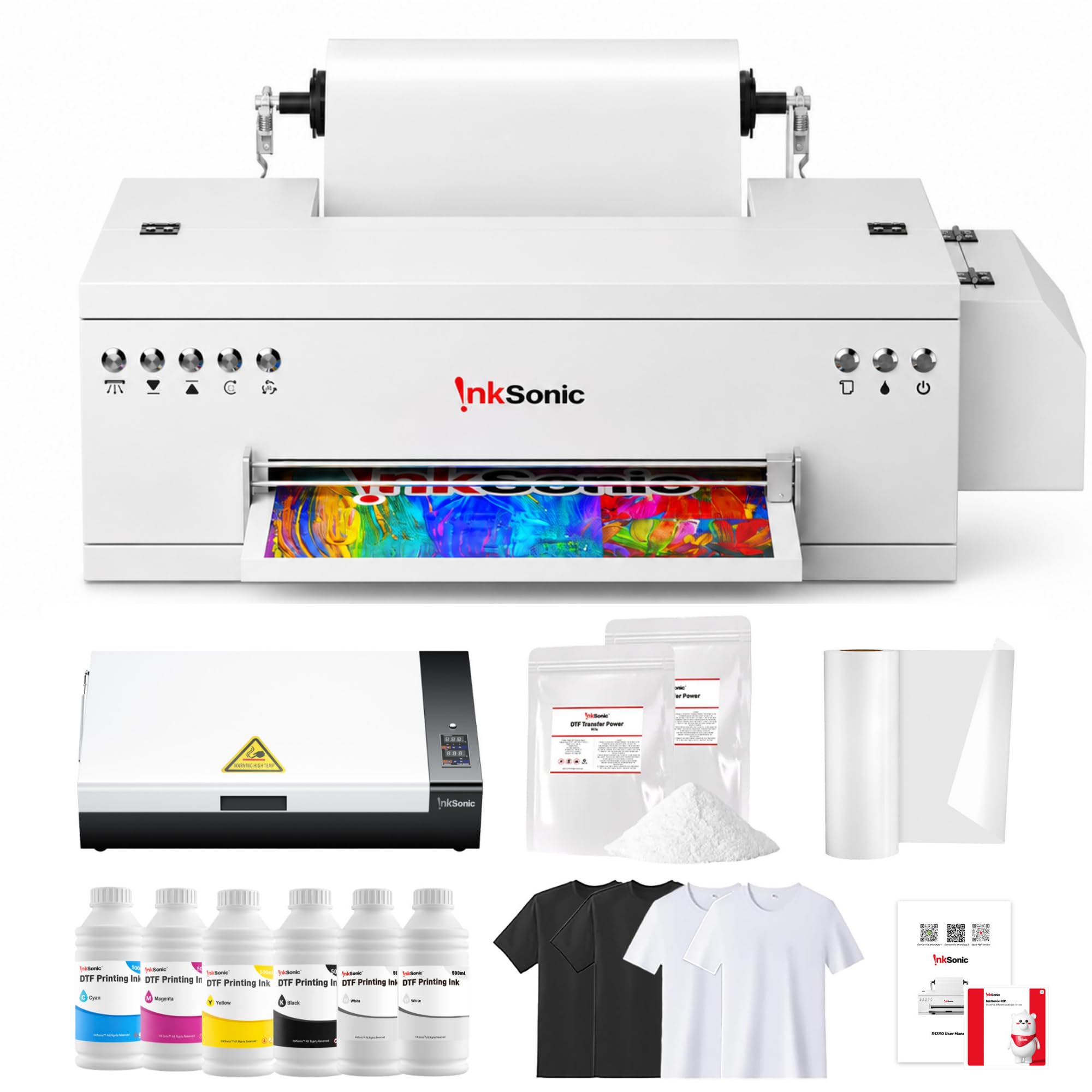
A 13-inch DTF setup that ships with the oven, the powder, and the film — and someone to call on your first print.
DTF stands for direct-to-film: the printer lays a design onto film, you dust it with powder and cure it in an oven, then heat-press the transfer onto fabric. This machine handles a 13-inch print width with 2880 x 1440 dpi resolution, and the L1800 printhead is what produces the photo-quality detail on the film. No garment pretreatment is required, which removes one step and one bottle of chemistry from your workflow.
The bundle is what makes this entry-level setup practical from the start. You get the printer, an A3+ smokeless oven (it cures the printed film without fumes), a 6-bottle 500ml ink set (CMYKWW — cyan, magenta, yellow, black, plus two whites), an A3 DTF film roll at 11.8″ x 328ft, 500g x 2 of powder, test shirts in light and dark, a USB hub, dampers, and setup media with drivers and video guides. Vacation Mode runs an automatic cleaning cycle every 12 hours, which the maker says cuts printhead clogs by over 80% — useful if your production runs are seasonal. A one-touch white ink circulation button primes your white underbase (the white layer under the color), which is what makes colors pop on dark fabric.
The spec that needs a plain honest note: 1.2 pages per minute is the rated output, so this is not a high-volume machine — it is a first machine, or a backup beside a bigger one. The 2880 x 1440 dpi ceiling is also lower than the 2880×1440 on the DXZ U14 below in real terms, but the G7-certified color pipeline and the 24/7 one-on-one setup help are what this machine actually sells on. For a maker moving from a heat press and outsourcing to doing transfers in-house, it is a sensible first step.
What’s included in the box
- Printer, smokeless A3+ oven, and 6-bottle 500ml ink set
- A3 film roll plus 1kg total powder and test shirts
- Vacation Mode self-cleans every 12 hours
- 24/7 one-on-one setup help through first print
Where it caps out
- 1.2 ppm rated output suits a starter shop, not a factory
- Needs a Windows PC — no Mac support listed
- Ongoing maintenance still required for white ink
Suits: a maker or side business printing DTF transfers in-house for the first time.
The ceiling to know: buy this for the bundle and low maintenance, not for throughput.
7. DXZ A4 DTF Printer with Roll Feeder and XP600 Printhead

An 8.27-inch roll-fed DTF printer with a built-in cutter, so every transfer is trimmed as it prints.
Speed is the reason to pick this one: the maker claims the XP600 six-color printhead (the part that lays down the ink) prints twice as fast as the L1800 and L805 printheads. That is a meaningful step up if you have used those heads on a smaller rig. Output runs at 2800 x 1400 dpi (dots per inch — how many ink dots land in one linear inch), which keeps letters and fine linework crisp on the transfer film. Print width is up to 8.27″ on rolls or sheets, so the format is A4, not A3.
The roll feeder and built-in cutter solve the practical drag on DTF work: film handling. The feeder reduces misfeeds and jams, and the cutter trims the film at the end of each run, so you are not wasting half a sheet on a small design. A white ink mixing system plus a semi-automatic cleaning system keeps the white channel moving, which is the part of DTF printing that clogs first if you skip maintenance. The bundle includes the printer, an A4 DTF oven, a heat press, the ink, film, and powder, plus a maintenance and cleaning kit. The maker also throws in a two-year ink supply: five 250ml bottles plus 500g of powder, replenished every two months for the cost of shipping.
The honest note on this one: review pages are dominated by praise for print quality, but the ink dispensing system splits opinion. Some setups are running within minutes, while others have reported ink not dispensing properly at first. That points to a careful unboxing and priming session rather than a design flaw. If you want A4 format with the cutter and the roller feeder, this is the low-waste pick. If you need A3 width, look at the InkSonic above or the DXZ U14 below.
Why it stands out: the XP600 head paired with a built-in cutter and roller feeder makes A4 DTF production a trim-and-go process, not a manual film management chore.
Go for it if: A4 shirts and craft runs are your bread and butter and film waste annoys you.
Prime it slowly: follow the ink setup steps to the letter before your first production print.
8. HP DesignJet T650 36-inch Large Format Plotter Printer

A 36-inch plotter that shoots an A1 drawing out in 25 seconds — the machine architects and engineers actually spec.
For technical drawings, line quality is the entire job. This plotter handles rolls up to 36 inches wide and sheets up to 13 by 19 inches through the included automatic sheet feeder, so site plans and detail sheets both fit. Speed is 25 seconds per A1/D-size page, or 82 A1/D prints per hour, and there is 1GB of memory on board. Linework and crisp text are the stated strengths, which matches the audience the machine targets: architects, engineers, and construction professionals.
HP Click is the software advantage. It checks PDFs for errors before you commit paper, auto-nests jobs to fill the roll, and accepts PDF, JPEG, TIFF, DWF, HP-GL/2, and PNG by drag and drop. It also prints straight from CAD applications. Automatic sheet-to-roll switching, a media bin, and an automatic horizontal cutter mean the machine switches stock without you touching it. Ink is HP 712 in black, cyan, magenta, and yellow with the HP 713 printhead, and HP claims routine maintenance on the T650 uses 95% less ink than competing plotters.
The 2.4 ppm rating in the table is not comparable to an office laser — it is a plotter doing large pages. Multiply the page size and the actual throughput comes from the 25-second A1 figure. Gigabit Ethernet, Hi-Speed USB 2.0, and Wi-Fi 802.11 cover connectivity, and the HP Smart app allows 1-click printing from a phone, tablet, or desktop.
What makes it the drafting pick
- 25 seconds per A1/D page and 82 A1/D prints per hour
- 36-inch rolls plus a 13×19 sheet feeder
- HP Click checks PDFs, auto-nests, and prints from CAD
- 2-year onsite HP Care Pack included
Know before you buy
- It prints only — no scanning or copying
- Requires HP 712/713 genuine ink to maintain quality
- Big machine, big footprint in a studio
Built for: architects, engineers, and construction teams printing plans daily.
Wrong tool: for anyone who needs scanning, copying, or plain document output.
9. DXZ U14 14″ A3 DTF Printer with F1080 Printhead
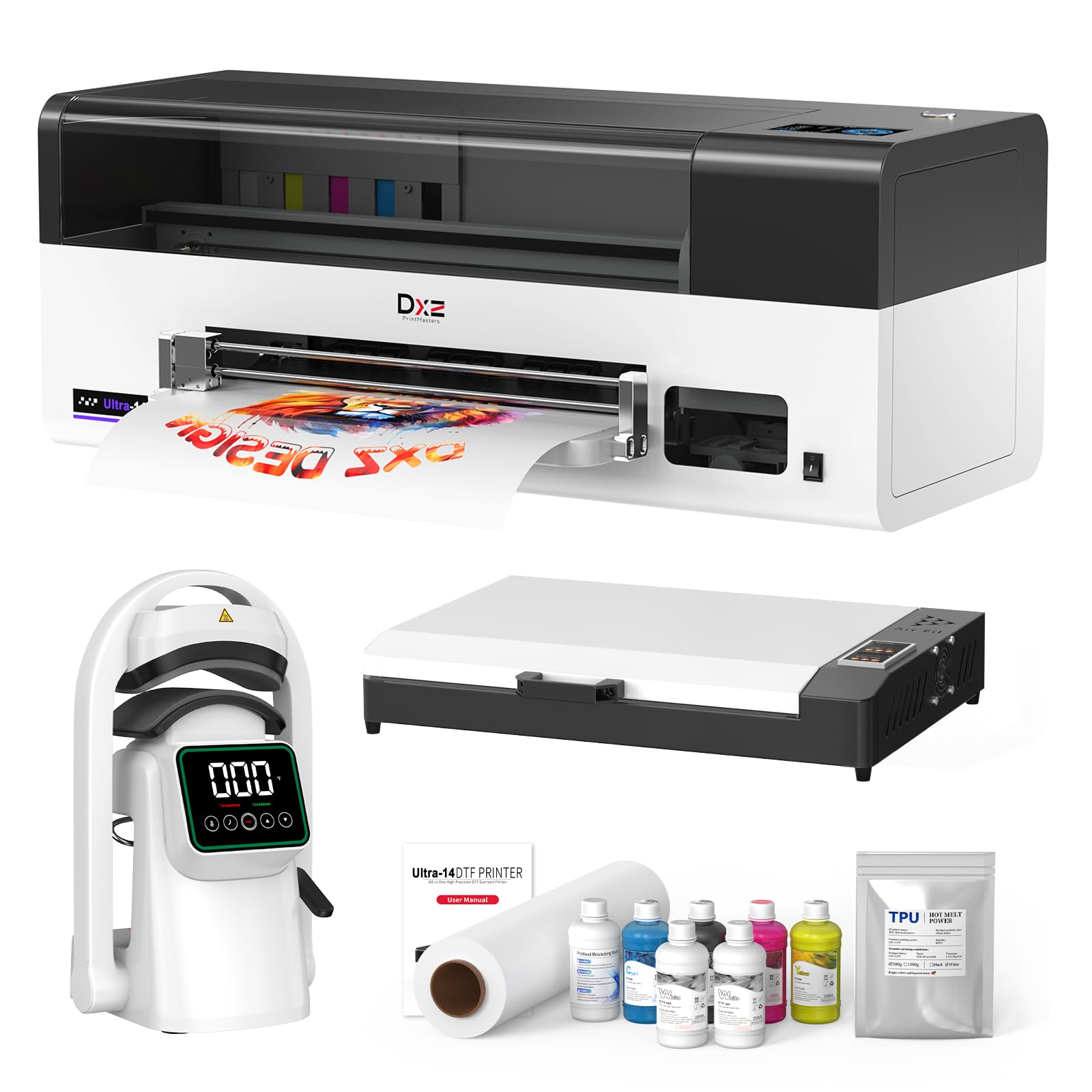
A true 14-inch print width so an XXXXXL hoodie fits on one transfer, no splicing required.
Most DTF machines stop at 13 inches, and that extra inch matters if you sell plus sizes. The genuine 14-inch (35.56 cm) width means you can run XS through XXXXXL on one machine without piecing transfers together or outsourcing the big jobs. Inside sits the F1080 printhead at 2880×1440 DPI, printing at speeds up to 500 mm/s — the same resolution class as the InkSonic, but on a wider bed and in this machine’s own color pipeline.
Maintenance is the engineered feature here. Holiday Mode handles printhead moisturizing, nozzle cleaning, and white ink circulation on a schedule while the printer sits idle, so a week away does not cost you a clogged head. One-Click Print-to-Bake ties the print and the cure together, cutting the manual steps between film and finished transfer. Fabric support covers cotton, polyester, blends, and more, so you are not locked to one shirt material. The bundle ships with an oven and a hat press machine included.
One caveat: it is a serious, heavy machine at 151 pounds, and the table above lists no rated print speed in pages per minute, because DTF output is measured in transfers per hour, not sheets per minute. Support is 1 year on non-consumable parts and 6 months on the printhead, with 24-hour engineering response. For a shop scaling into full-size apparel without buying a commercial flatbed, this is the widest-width choice on the list.
What you get: the only 14-inch DTF machine here — big sizes in one pass, plus automated maintenance that keeps the head alive between jobs.
Choose this if: plus-size and full-garment work are core to your business.
Plan for the weight: 151 pounds needs a dedicated floor spot and two people to move it.
10. Procolored F13 Pro A3+ DTF Printer

Two printheads firing white and color at the same time — an A3 transfer every 3-4 minutes, all day.
When your bottleneck is throughput, dual XP600 printheads let this machine lay white and color simultaneously, and the maker quotes an A3 transfer in 3-4 minutes versus standard heads at roughly twice that. Rated daily capacity is 100+ items, which is the difference between a side hustle and a shop that can take a bulk order on a short deadline. Color configuration runs CCMMYK+6W across 12 channels at 2800 x 1400 dpi, so black depth and gradient saturation hold up on dark fabric.
The Siphon Gen-2 system is the durability story: the maker claims it can run a continuous 50-meter film roll without an interruption, by removing mechanical stress on the ink lines. That is what a high-volume shop needs — fewer stops, fewer failed prints. The rolling film design and a cutter with a tray cut where you print, so film waste drops on a high-volume run.
Read the warranty before you commit, because it is split: 6 months on one printhead and related components, 1 year on other accessories. Support runs 24/6. This is a commercial machine, so it wants a dedicated space and a daily maintenance routine. If you are still building volume, the DXZ U14 above is a better match for a shop not yet at 100 items a day. If you are already there, the F13 Pro is the machine built to keep up.
Built for volume
- Dual XP600 heads print white and color together
- A3 transfer in 3-4 minutes, rated at 100+ items per day
- Siphon Gen-2 runs a continuous 50-meter roll
- Rolling film plus cutter with tray to cut film waste
Terms to read
- 6-month printhead warranty versus 1 year on accessories
- Commercial-grade machine — needs dedicated space
- Daily maintenance is part of owning this machine
Step up to it: once bulk orders and short deadlines are normal for your shop.
Look elsewhere: if you are not yet pushing enough daily output to justify a commercial printer.
Know the Specs
PPM vs IPM — plain meaning
PPM means pages per minute and describes printing speed: how many sheets the machine pushes out in a minute. IPM means images per minute and describes scanning speed: how many sides the document feeder captures in a minute. On a duplex scanner, both sides get read in a single pass, so ipm counts sides. That is why the MFC-L8930CDW shows 33 ppm on print and 104 ipm on scan — the scanner is doing both sides of every sheet.
DPI — dots per inch, and whyit matters
DPI means dots per inch — how many tiny ink or toner dots the machine lays down in one linear inch. Higher dpi generally means finer text edges and smoother gradients on photos, so small print stays readable. The Canon imagePROGRAF TC-21M quotes 2400 dpi for copy output, the InkSonic and DXZ DTF machines quote 2800 x 1400 or 2880 x 1440 dpi for transfers, and the DNP DS820A quotes 300 x 600 dpi for dye-sub photos (dye-sublimation turns dye into gas to fuse it into the material). Compare dpi only within the same print technology — a 300 x 600 dpi dye-sub photo can look sharper than a 2400 dpi laser document, because the media and process are different.
Duplex — automatic vs simplex
Duplex means the machine prints on both sides without you touching the paper. Automatic duplex means it does the flip itself; simplex means single-sided only, so double-sided posters or documents require manual flipping. On this list, the Canon MF753Cdw II and the Brother color lasers all run automatic duplex, the HP DesignJet T650 and Canon TC-21M are simplex, and the DTF and dye-sub machines are single-sided by design.
Toner yield — the number that sets your running cost
Toner cartridges are rated in pages, so the number tells you how many sheets you get before a swap. A 3,000-page cartridge is your starter; an 18,000-page ultra high-yield cartridge is what you graduate to once volume climbs. The higher the yield, the fewer swaps and the lower your cost per printed page tends to be — but the upfront cartridge cost is higher. Match the yield to your real monthly output rather than buying the biggest cartridge on day one.
Print width and media size
For wide-format and apparel machines, print width is the deciding spec. A 14-inch DTF machine handles larger garments than a 13-inch or 8.27-inch model. A 24-inch plotter handles posters a 36-inch plotter cannot. Measure your widest job first, then buy one size up so you are not splicing transfers or tiling posters later.
Common Questions
Can a DTF printer also print regular office documents?
What is the difference between ppm and ipm on a professional printer?
How long does a toner cartridge last on a laser printer?
Do I need a wired connection or is Wi-Fi enough for a busy office printer?
What does simplex and duplex mean on a printer?
Is a 36-inch plotter worth it over a 24-inch plotter?
What resolution do I need for photo-quality prints on a dye-sublimation printer?
Can I print on both sides of a wide-format plotter?
Do DTF printers need daily maintenance?
What is the difference between A3 and A4 DTF printers?
The Bottom Line
For most offices, the professional digital printer winner is the Brother MFC-L8930CDW. It pairs 33 ppm color printing with 104 ipm two-sided scanning and an 80-page feeder — the scan speed is what separates it from the rest of the laser field. If black-text throughput is your priority, grab the Brother MFC-L5915DW at 50 ppm and 18,000-page toner. For poster-size output, the HP DesignJet T650 is the one to reach for at 25 seconds per A1/D page. If apparel is your business, decide between the InkSonic C13B for an easy first DTF setup and the Procolored F13 Pro for 100+ items a day. The crowd favorite is the MFC-L8930CDW at 4.0+ stars across 200+ ratings, and it earns that on the 104 ipm scanner, not the marketing.
How we choose
We do not accept paid placement. Every pick is matched to a real buyer and a real use-case; we do not hands-on test units.
Sources
Specifications: manufacturer listings and product documentation. Review insights: verified customer reviews, as of November 2026. Pricing: not shown on this page (it changes often); check the current price via the retailer link.
As an Amazon Associate, Tactical Gear Guy earns from qualifying purchases. This does not affect which products we feature.