Specs are compiled from manufacturer listings and verified buyer reviews and can change over time — please confirm the key details on the product page before buying.
If you ship for a living — even a small side hustle — the wrong label printer turns every order into a wrestling match. A jammed roll, a smudged barcode, a driver who has to re-scan your box twice. This guide cuts straight to the machines that actually feed a 4×6 shipping label cleanly, day after day, without you buying ink ever again. Every pick here is a direct thermal printer, which means heat burns the image onto the label instead of ink or toner — no cartridges, no ribbon, no monthly supply bill.
This guide is built by comparing the manufacturers’ published specifications and the patterns across verified customer reviews, so you get each pick’s real strengths and trade-offs instead of marketing spin.
Some printers here print over Bluetooth from your phone, some need a USB cable, and one is built for a warehouse that runs three shifts. I ranked them by how reliably they spit out a scannable label, how fast they do it, and how much desk space they eat. The result is a shortlist you can buy from with confidence, matched to your shipping volume.
Top Picks


How To Choose The Best Package Label Printer
Before you pick a model, get honest about how many labels leave your desk on a busy Monday. That single number — not the brand name — sets your whole shortlist. A printer that handles twenty labels a week can choke during a holiday rush, and a commercial workhorse is overkill if you ship once a day.
Resolution decides whether the barcode scans
A 203 DPI printer lays down 203 dots per inch, which is plenty for a standard 4×6 shipping label with a clean barcode. A 300 DPI machine packs in more dots per inch, so fine print, small logos, and dense QR codes stay sharper. If your labels carry detailed product images or tiny SKU codes, the higher dot count is worth having. If you mostly print address blocks and barcodes, 203 DPI gets the job done without paying for extra sharpness you never see.
Print speed, translated into real shipping volume
Manufacturers quote speed in millimeters per second, which means little on its own. A 150 mm/s printer spits out a 4×6 label in roughly a second — plenty for most home sellers. A 180 mm/s machine finishes noticeably quicker, and that gap only matters when you are packing dozens of orders in one sitting. One spec listed here quotes a daily output figure in thousands of labels, which tells you it is built for a busy operation rather than a kitchen table.
How you connect matters more than you think
USB is the simplest connection: you plug into your laptop or desktop and the printer behaves like any other wired peripheral. Bluetooth frees you to print from a phone or tablet, which suits sellers who work from a cart or a warehouse floor. Ethernet and dual-band Wi-Fi let several people share one printer without swapping cables, so a small team can print at the same time. Pick the connection that matches your packing bench, not the longest feature list.
The ink question, answered
Every pick here uses direct thermal technology, meaning the print head applies heat straight to a thermally treated label. There is no cartridge to buy, no toner to shake, and no ribbon to thread. Your ongoing cost becomes the labels themselves, which is why the higher upfront price pays for itself over a busy selling year. The trade-off is that labels can fade over time under heat or direct sun, so store printed stock somewhere cool.
Label width and roll handling
Check the maximum print width before you buy. A machine that tops out around 4.1 inches still handles standard 4×6 shipping labels, while one rated to 4.3 inches or more gives you a little extra room for oversized or custom label stock. A built-in label holder or paper bin matters too if desktop space is tight — it keeps the roll tidy instead of dangling off the back of the printer.
Side-by-Side Comparison
| Model | Best For | Resolution | Print Speed | Connection | Amazon |
|---|---|---|---|---|---|
| Rollo USB Shipping Label Printer★ Best Overall | Dependable everyday shipping | 203 DPI | 150 mm/s | USB | Amazon |
| Phomemo D530Pro Ethernet Thermal Label PrinterSharpest Detail | High-detail labels on a budget | 300 DPI | 150 mm/s | Ethernet, USB, Bluetooth | Amazon |
| MUNBYN 941BP Bluetooth Thermal Label PrinterFastest Feeder | Phone-first sellers | 300 dpi | 180 mm/s | Bluetooth, USB | Amazon |
| JADENS Dual-Band Wi-Fi Shipping Label Printer | Shared team printing | 203 dpi | 150 mm/s | 2.4G/5G Wi-Fi, LAN, USB | Amazon |
| Westinghouse Thermal Shipping Label Printer | Plug-in desktop workhorse | 203 DPI | 6 in/sec | USB, Ethernet | Amazon |
| Brother QL-1100c Wide Format Label Printer | Wide-format and barcode jobs | 300 dpi | 69 labels/min | USB | Amazon |
| ZEBRA GK420d Direct Thermal Printer | Budget-friendly warehouse work | 203 DPI | — | USB, Serial, Parallel | Amazon |
| Zebra ZD421 Thermal Shipping Label Printer | Scaling a growing operation | 203 DPI | 6 ips | Ethernet, USB, Wi-Fi | Amazon |
| DYMO LabelWriter 4XL | High-volume ecommerce shipping | 300dpi | 129 labels/min | USB 2.0 | Amazon |
Detailed Reviews
1. Rollo USB Shipping Label Printer
Our pick — 4.5+★ from 16,000+ verified ratings; the strongest balance of quality and price.
The workhorse that prints one 4×6 label per second and never asks for ink.
Here is the pitch in one line: the Rollo spits out a shipping label in about a second. That is the 150 mm/s print speed doing the work, and it is the reason this machine tops the list. It handles 4×6 shipping labels, warehouse labels, barcode labels, and sticker labels, so one printer covers everything a small seller needs on a busy packing day.
Setup is deliberately boring, which is exactly what you want. You connect to a Windows PC (XP and newer) or a Mac (10.9 and newer) over USB, download the drivers, and you are printing. The quality aspect is what wins people over most — roughly 2,600 mentions of it in the review pool — and the consensus is that labels come out clear enough to scan on the first pass. That matters when a courier is standing at your door waiting for a barcode to beep.
What you get for the money is a direct thermal workhorse with a 203 DPI print head. It accepts custom labels from 1.57″ to 4.1″ wide, so you can print product labels, thank-you stickers, and QR codes from the same machine. Rollo also throws in a complimentary shipping app that connects to major ecommerce platforms and gives you shipping rates without needing another platform. The print quality side draws mixed notes from a handful of owners, so if your labels carry fine photographic detail this is not the sharpest tool. For plain shipping labels and barcodes, it is squarely in its lane.
Why the crowd keeps this at the top
- 150 mm/s speed puts out one 4×6 label per second, so a stack of orders clears fast.
- 203 DPI print head keeps barcodes clean enough for first-try scanning.
- Works with FedEx, UPS, USPS, ShipStation, ShippingEasy, Shippo, Shopify, Etsy, and eBay.
- No ink or toner to buy — the direct thermal print head is the whole cost of running it.
The fine print worth reading
- USB only — no Bluetooth, so you print from a laptop or desktop, not your phone.
- Max label width of 4.1″ is a touch narrower than some rivals.
- Fine photographic detail is not its strong suit at 203 DPI.
Your match if: you want one wired printer that clears a day of orders without a fuss.
Keep looking if: you need to print straight from your phone at a market stall.
2. Phomemo 300DPI Ethernet Thermal Label Printer
A built-in paper bin and 300 DPI output in a body that keeps your desk clear.
This Phomemo prints at 300 DPI, so the print clarity lands noticeably sharper than a 203 DPI machine. It runs at 150 mm/s too, and the manufacturer puts that at about 72 4×6 labels per minute. That combination of sharp output and quick feeding is what earned print quality the most praise in the feedback — around 50 mentions — with setup trailing close behind.
The smart physical detail here is the built-in paper slot. It swallows a roll of up to 500 4×6 labels and includes the holder, so you skip buying a separate roll holder and keep the printer footprint tidy. On a small packing bench that is a real difference: the roll lives inside the machine instead of dangling off the back. It also offers a return-to-paper function that helps you avoid wasting labels at the end of a run.
Connections are generous. You get Bluetooth for iOS and Android phones, plus Ethernet and USB for a computer running Windows, macOS, Linux, or ChromeOS. It plays nicely with USPS, UPS, FedEx, DHL, Amazon, eBay, Shopify, Etsy, PayPal, and Poshmark. Do read the reviews with clear eyes, though: some buyers report the printer simply stops working, and the reliability notes sit in the mixed pile. This is the pick to make when you want sharp 300 DPI output and a built-in bin on a budget, and can live with buying from a smaller brand.
What stands out: 300 DPI resolution on a machine that also holds 500 labels inside its own body — a lot of capability in one desktop footprint.
The catch to weigh: long-term reliability is the recurring question in the feedback, so factor in a plan for downtime if you ship every single day.
Reach for this if: label detail matters and you want the roll holder built in.
Think twice if: you cannot afford a hiccup mid-rush and need rock-solid uptime.
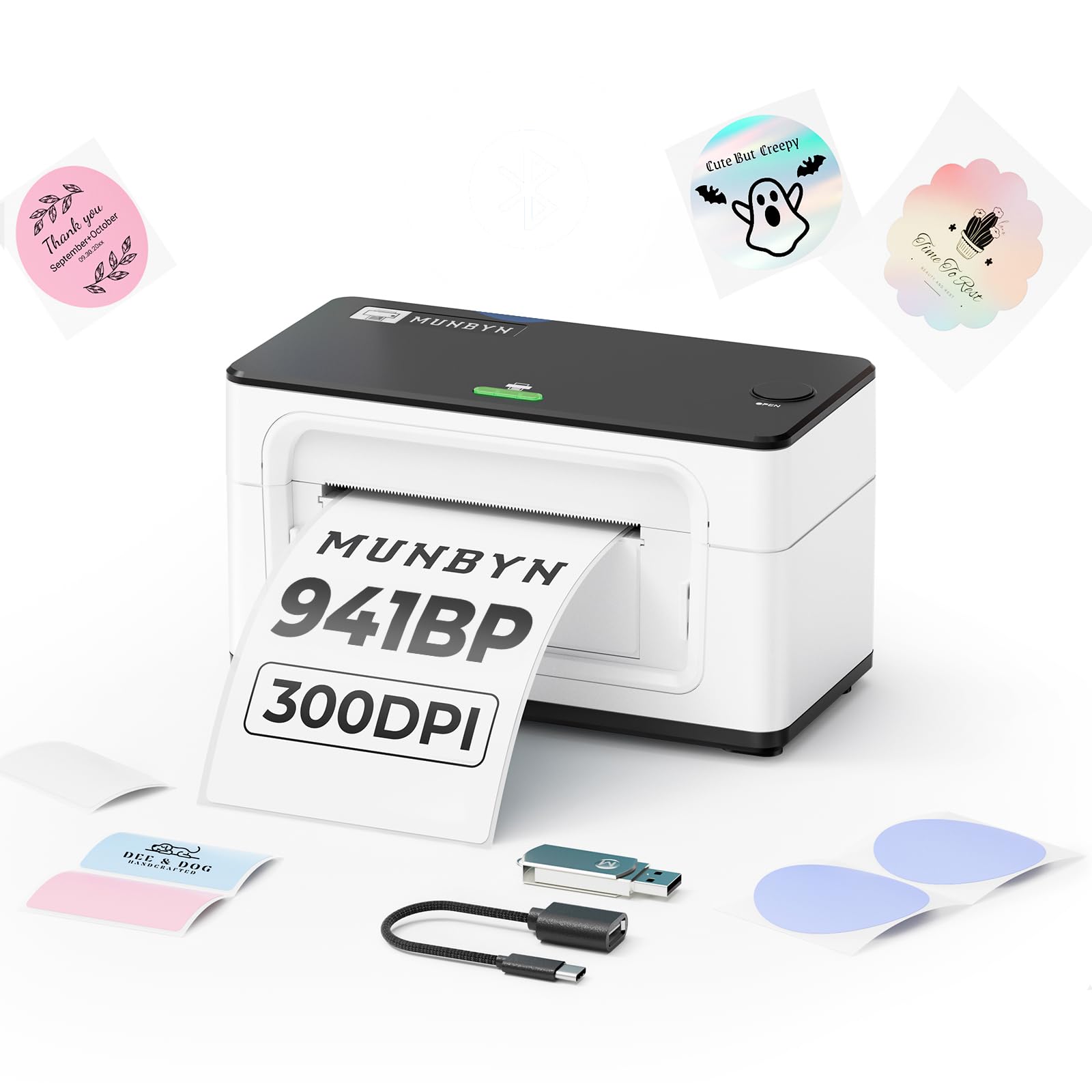
3. MUNBYN 941BP Bluetooth Thermal Label Printer
Print from your phone at 180 mm/s, then stow it flat in a drawer.
This is the MUNBYN that beats the Rollo on raw output. Its 180 mm/s print speed edges the Rollo’s 150 mm/s, and its 300 dpi resolution doubles the Rollo’s 203 DPI for sharper small text. It handles label widths from 1.57″ to 4.3″ (40–104mm), which is a hair wider than the Rollo’s 4.1″ ceiling.
The Bluetooth is the headline feature. Download the MUNBYN Print app on iOS or Android and you print without a laptop in the room. If you prefer a cable, it connects to macOS or Windows with a Type-C cord. Performance is the quality that gets singled out most in the reviews — around 120 mentions — and the theme is that it simply works when you ask it to. Ease of use comes second, with the app-side setup getting credit for being quick.
It also pitches itself as an ink-zero printer with an auto-return function that boost each label, and the platform compatibility covers all the major shipping services. The honest caveat: reliability and print quality both sit in mixed territory in the feedback, and some owners hit snags. It is also the tallest-and-narrowest footprint in the mid-group at 3.8″D x 7.8″W x 4.3″H — noticeably more compact than the Phomemo’s 8.62″D x 6.89″W x 6.18″H. Compact desk presence, faster output, and app printing: that is the trade you are making.
The physical win: a footprint of 3.8″D x 7.8″W x 4.3″H slides into a shallow shelf where the Phomemo’s 8.62″D x 6.89″W x 6.18″H body cannot.
Where it wobbles: print quality and reliability are both mixed in the owner record, so expect the occasional setup headache.
Made for: phone-first sellers who want speed and a small footprint.
Not the one for: a buyer who needs day-one flawless printing with zero fiddling.
4. JADENS Dual-Band Wi-Fi Shipping Label Printer
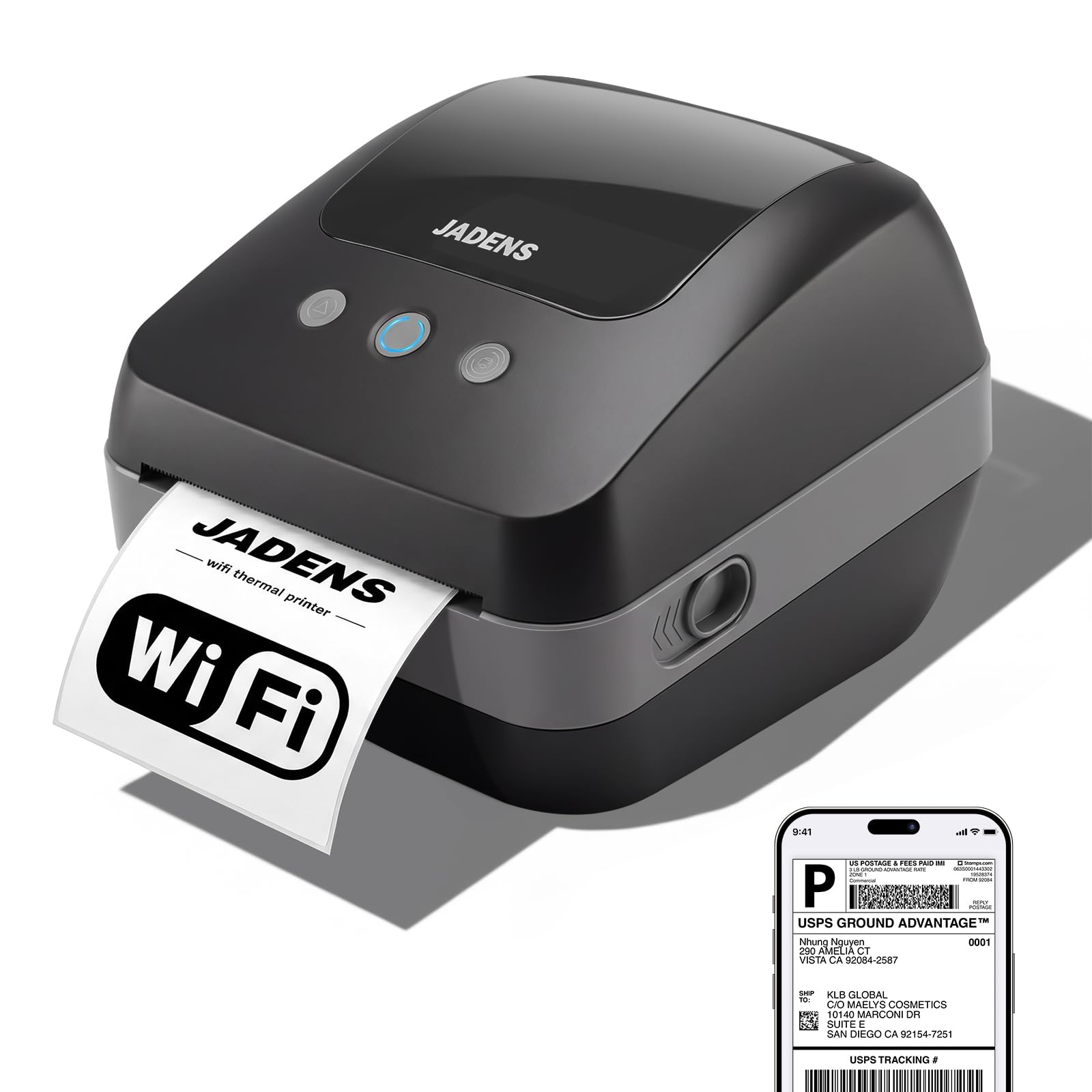
One printer, several people, no cable swapping — the shared-bench answer.
When two or three people pack orders at the same time, a USB printer becomes a bottleneck fast. The JADENS solves that with 2.4G/5G dual-band Wi-Fi and wired LAN, plus a built-in smart queueing feature that manages concurrent print jobs so team members can print at once without dropping orders. No more unplugging the cable from one laptop and passing it to the next.
Output is solid: a 203 DPI industrial-grade print head at 150 mm/s, which the maker equates to about one 4×6 shipping label per second. Print quality is the strongest signal in the feedback — around 9 mentions and glowing — with text described as razor sharp. Setup earns the same praise, and the theme is that printing thermal labels from a phone feels as simple as it should be. Wi-Fi connectivity itself also gets positive notes, which is telling for a shared-bench machine.
The physical details show thought. The patented internal paper holder has dual-side reversible adapters to fit both large and small roll cores (under 20mm and over 20mm), and the built-in paper compartment keeps labels dust-free. It works with any standard 4-inch thermal labels, including 4×6 shipping, SKU barcodes, circular stickers, and mailing labels. At 203 DPI it is not aiming at the sharpest tiny print — that is the Phomemo and MUNBYN territory — so keep it for shipping labels and barcodes at volume, not detailed graphic work.
Where this earns its keep
- Dual-band Wi-Fi plus LAN lets several devices print from one machine at once.
- Smart queueing keeps orders from dropping when the team prints together.
- Reversible paper-holder adapters fit both small and large roll cores.
- Built-in compartment keeps the roll tidy and dust-free.
Set your expectations here
- 203 DPI is fine for labels and barcodes but softer than 300 DPI rivals for tiny print.
- Network setup takes a bit more configuring than a plain USB plug.
Right pick when: more than one person packs orders in the same room.
Look elsewhere when: you are a solo seller and a cabled printer is all you need.
5. Westinghouse Thermal Shipping Label Printer

Prints a 4×6 label at 6 inches a second and feeds your own fanfold or rolls.
The Westinghouse leans on speed and feed flexibility. It prints at 6 inches per second with a 203 DPI print head, and it accepts media widths from 0.78″ to 4.6″ with a max print width of 4.25″. That is a wider ceiling than the Rollo’s 4.1″ and the Phomemo’s 4.6″ — a real gap if you ever buy oversized stock. It handles fanfold labels or rolls, with label material from 0.06mm to 0.25mm thick, a roll outer diameter of 4.75″, and core diameters from 1″ to 3″.
The feedback threads the needle the way a commercial-grade machine should: great quality, easy setup, and reliable operation, with the clear-and-crisp output getting credit for shipping labels specifically. The consensus read is that it prints as well as pricier-brand rivals, which is the sort of thing you feel most on a Monday when the queue is piling up.
You get a solid starter kit in the box — printer, starter labels, internal label holder, USB flash drive, USB cable, power cord, and power adapter. It plays with Windows, macOS, and Linux, and can run with ZPL software. One thing to be clear about: it is not Bluetooth-capable, and the Ethernet cable plus USB-C cable/adapter are sold separately. If you want phone printing, look at the MUNBYN or Phomemo instead. If you want a sturdy wired workhorse with wide media flexibility, this is the one.
The trade in plain terms: 6 inches per second output and a 4.25″ max print width against a lack of Bluetooth — this is a cabled machine, and that is the only real wall.
Fits squarely: the wired desktop setup where speed and wide feed matter.
Pass it over if: you need to print wirelessly.
6. Brother QL-1100c Label Printer

Wide-format labels up to 4 inches, plus an auto cutter that frees banners up to 3 ft.
The Brother goes where narrow printers cannot. It handles wide-format labels up to 4″ wide and prints shipping postage labels for packages, at 300 dpi for sharp text. There is also an automatic crop function for online sellers who work from A4/Letter-size label sheet templates (Windows only), which is a genuine convenience if you build your own product and barcode layouts.
Speed lands at up to 69 standard address labels per minute with black text. The auto cutter is the standout physical tool — it lets you produce banners and signs up to 3 ft. long, which is beyond what a standard 4×6 machine can do. Brother’s own DK rolls are pre-sized and easy-peel, and it runs direct thermal, so there is no ink or toner to buy. For Windows users the “Plug & Label” feature prints labels straight from Word, Excel, and Outlook with no software installation.
Print quality is the strongest signal in the feedback — around 13 mentions, described as readable at 300 dpi. Reliability is more complicated, sitting in mixed territory, so factor that into your buying plan. Setup also splits: some owners find it simple, others find it needlessly hard. This is the pick to make when you need wide format and cutting, not the pick to make when you want the simplest phone-first workflow.
The reason to pick it: the 300 dpi wide-format output and 3 ft. auto-cutter capability are features most shipping printers simply leave out.
The honest catch: setup and reliability both land mixed in the owner record, so budget a little time to get the drivers right on day one.
Your match if: your work needs wide banners, signs, or A4-template barcode sheets.
Keep searching if: you want a one-minute phone-to-printer setup.
7. ZEBRA GK420d Thermal Printer
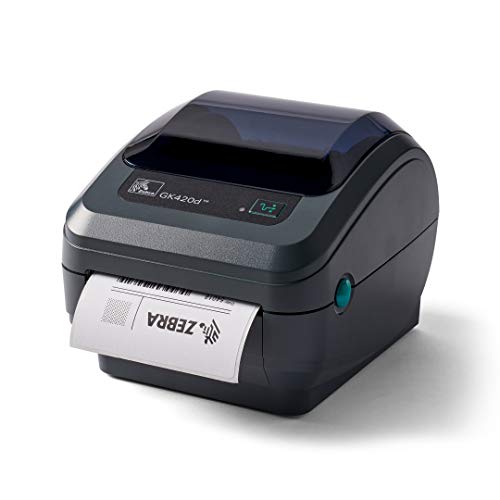
An industrial-brand label printer that earns praise for quality and reliability first.
For buyers who want a proven name without paying flagship prices, the GK420d is the entry point into Zebra. Quality is what the owner record singles out — around 70 mentions — and reliability is right behind it. The consistent story is that it works right away without drama, and it plays with both Mac and PC. It also prints at 4 inches wide with USB, serial, and parallel port options, which is old-school industrial connectivity in a desktop body.
The physical spec sheet is lean, but one number tells you the trade: it lists around 10 pages per minute, which is far slower than the speed-first crowd. It also runs a 4-inch print width. If your volume is steady rather than frantic, that pace is fine; if you are clearing holiday orders, it will test your patience. Value for money earns positive notes in the feedback, which fits a machine priced at the budget-friendly end of the professional tier.
The item worth knowing before you click buy: label printing gets negative notes in the owner record, with reports that it only prints on the top 1″ of labels and does not print correctly. That is a real fit issue, not a universal complaint — plenty of owners are happy — but it means you should test the machine immediately after setup. This is a good pick if you want a reliable, quality-first brand and can test right away; it is not the pick if you need guaranteed-friendly every-label output from day one.
Who this suits well
- Quality is the most-cited strength, with reliability close behind.
- Works with both Mac and PC over its ports.
- 4-inch print width handles standard label stock.
Where it asks patience
- Slow output compared to speed-focused rivals.
- Label-printing notes include reports of only printing on the top portion of labels.
Go for it if: you want a quality-first brand name and steady, not frantic, volume.
Hold off if: you cannot spend time troubleshooting label output after setup.
8. Zebra ZD421 Thermal Label Printer
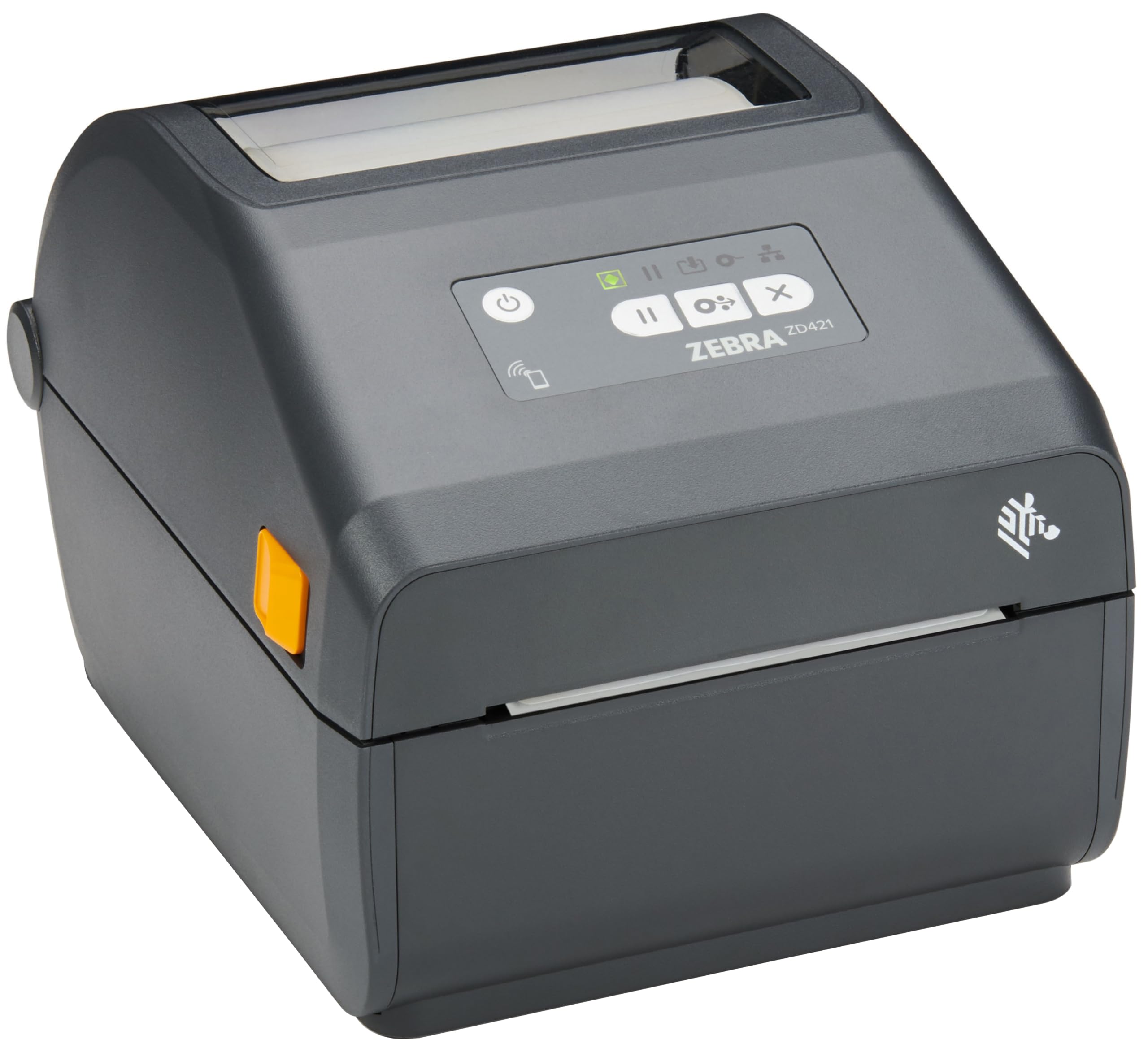
A future-proof workhorse built to grow with a business rather than get replaced.
The ZD421 is the machine you buy when you expect your shipping volume to grow. It prints at 203 DPI and 6 ips with no ink, and it is ENERGY STAR qualified. Connectivity is flexible: wired or wireless networks, or directly to any PC, and it can print from Windows, Android, or iOS devices. The included Print Touch tag lets you tap-to-pair and print over NFC, which is a small convenience that saves a minute when you are on your feet all day.
What makes this the scalable choice is the software layer. It runs on Zebra’s Link-OS operating system and the Zebra DNA suite of tools, which is built to get the printer running quickly and securely. It supports EPL and ZPL printer languages, and can emulate languages used by other printer brands, so you can keep your existing label formats instead of rebuilding them. Field-upgradeable media handling and wireless kits mean the hardware can evolve as your needs change.
You get a front panel built for quick checks: three buttons and five LED icons (small indicator lights) show at a glance if you need to refill media or fix a problem. Reliability feedback is mixed, so this is not a risk-free buy. Still, if you run a small operation and want a printer you can keep for years and expand, the ZD421’s upgrade path is the reason to pay the premium tier.
The long game: a 3-button, 5-LED interface and Link-OS software make day-to-day operation simple while field-upgradeable kits keep it current.
What you accept: reliability carries mixed notes, so weigh the upgrade path against the risk of downtime.
Built for: a growing operation that will add volume and devices over time.
Overkill for: a casual seller shipping a handful of orders a week.
9. DYMO LabelWriter 4XL Shipping Label Printer

Bulk-printing muscle for ecommerce sellers who push a lot of boxes out the door.
The DYMO 4XL is built around throughput. It prints up to 129 high-capacity 4-line address labels per minute, or 53 standard ones, and it does 4×6 shipping labels plus warehouse, barcode, identification, and bulk mailing labels. It prints at 300dpi, so text, logos, and barcodes come out sharp. There is no external label holder needed, which cuts down on clutter at a busy bench.
The quality is what people come back for — roughly 1,600 mentions of it in the owner record — with ease of use close behind. Sellers describe it as making eBay and Poshmark life easier, which is exactly the audience this machine targets. It plugs into Amazon, eBay, Etsy, Poshmark, ShippingEasy, Shopify, ShipStation and more, and it is a direct thermal printer, so there is no ink or toner to buy. DYMO’s free software gives you over 60 professional label templates to customize.
Two honest notes belong here. First, reliability is the most serious concern in the owner record, with reports of it failing after a few months; that is the trade-off you accept for the speed. Second, label wastage shows up in the feedback — reports of blank labels coming out on normal runs. If you want the sharpest output and max throughput for a high-volume store, the DYMO delivers; if reliability is your top priority, look at the Rollo instead.
Why high-volume sellers pick it: 300dpi output and up to 129 address labels a minute make it one of the fastest machines on this list.
What to brace for: the owner record carries real reliability concerns, so buy it knowing you may need a backup plan.
Fits best: a busy ecommerce store that prioritizes throughput and sharp 300dpi output.
Look elsewhere if: long-term uptime matters more to you than raw speed.
Know the Specs
Print Resolution (DPI)
DPI stands for dots per inch — how many tiny ink dots the print head lays down in a single inch. More dots means sharper small text, denser barcodes, and cleaner logos. A 203 DPI printer handles standard shipping labels fine. A 300 DPI machine keeps fine print and QR codes crisp, which matters if your labels carry detailed product info or tiny SKU codes.
Print Speed (mm/s or ips)
Printers quote speed in millimeters per second or inches per second. A faster speed clears your pile of orders quicker, but it only pays off if you ship a lot. Around 150 mm/s is the common range here, with one machine at 180 mm/s. Inches per second is a different measure of the same thing, so compare like with like when you weigh machines.
Connection Type
USB is the simplest, plug-and-print connection. Bluetooth lets you print from a phone, which suits a market stall or warehouse floor. Ethernet and Wi-Fi let several devices share one printer at once, which is what you want when a team packs orders together. Pick the connection type that matches your packing bench, not the longest feature list.
Max Label Width
This is the widest label the print head can cover. Standard shipping labels are 4×6 inches, so anything rated around 4.1 inches or above handles them. A slightly wider ceiling gives you room for oversized or custom stock. Check it before you buy if your labels run larger than standard.
Direct Thermal vs Ink
Every printer here uses direct thermal technology: the print head applies heat straight to a treated label. No ink cartridge, no toner, no ribbon. Your only recurring cost is the label stock itself. The trade-off is that printed labels can fade over time under heat or direct sun, so store them somewhere cool.
Reliability & Support
A label printer lives or dies by uptime when a rush is on. Read the owner record carefully, and prefer a machine with clear support channels — video tutorials, phone help, or a remote-assist option — because the moment a jam or a driver issue hits, you want help fast. A printer that survives years of daily shipping is worth more than a faster one that quits.
Common Questions
Will a package label printer work with my phone or tablet?
How many 4×6 labels can these printers print in a minute?
Do I need to buy ink or toner for these printers?
Can several people print from one label printer at the same time?
What label width does the standard 4×6 shipping label need?
Is 203 DPI good enough for scannable barcodes?
Will these printers handle labels for USPS, UPS, and FedEx?
How do I avoid wasting blank labels?
Can I print custom sizes like barcodes, stickers, or circular labels?
Do these printers need driver software before they work?
The Bottom Line
For most sellers, the package label printer winner is the Rollo USB Shipping Label Printer because it prints one 4×6 label per second, keeps barcodes scannable at 203 DPI, and never asks for ink again. It is the crowd favorite, rated 4.5+ stars across 16,000+ owners. If you want phone printing and a sharper 300 DPI output, grab the MUNBYN 941BP. And for a shared bench where several people print at once, the JADENS is the one to reach for.
How we choose
We do not accept paid placement. Every pick is matched to a real buyer and a real use-case; we do not hands-on test units.
Sources
Specifications: manufacturer listings and product documentation. Review insights: verified customer reviews, as of November 2026. Pricing: not shown on this page (it changes often); check the current price via the retailer link.
As an Amazon Associate, Tactical Gear Guy earns from qualifying purchases. This does not affect which products we feature.