Specs are compiled from manufacturer listings and verified buyer reviews and can change over time — please confirm the key details on the product page before buying.
You want one remote to run the whole movie night. That is the entire promise of HDMI CEC (Consumer Electronics Control — a handshake that lets your TV and soundbar share power, volume, and input commands over the HDMI cable). If a bar claims CEC support but still makes you grab a second remote to switch inputs, it has failed the one job you bought it for. Every pick below states CEC support on its own spec sheet, so you are not guessing.
This guide is built by comparing the manufacturers’ published specifications and the patterns across verified customer reviews, so you get each pick’s real strengths and trade-offs instead of marketing spin.
Two of these bars fire height channels at your ceiling for overhead rain and helicopters, one keeps it simple with five built-in speakers and no rear units to wire, and all four hand the volume keys back to your TV remote. Below you will find four CEC-ready bars compared on channel count, peak wattage, and subwoofer size so you can match the room you actually have — the short version of the soundbar with hdmi cec.
Top Picks
How To Choose The Best Soundbar with HDMI CEC
Start with the handshake, not the wattage. A bar that supports CEC lets your TV turn it on, set its volume, and switch its input automatically when you power up the set. Without that, you are juggling remotes every single night. Confirm the listing names CEC explicitly — HDMI ARC on its own is a different thing.
CEC versus ARC versus eARC — three different jobs
ARC (Audio Return Channel) is the pipe that sends TV audio back down the HDMI cable to the bar. eARC is the wider version of that pipe, and it is what carries lossless Dolby Atmos. CEC is the control layer riding alongside both. A bar can have eARC and still leave CEC switched off in a menu, so check for the word “CEC” or “CEC synchronization” in the spec block before you commit.
Decide whether sound should come from above
Dolby Atmos is the object-based format that places effects in a three-dimensional space instead of fixed channels. On a bar, that usually means up-firing drivers that bounce sound off your ceiling. If you want rain overhead and helicopters circling, you need the “.2” or “.4” in the channel count. If you mainly watch news and sitcoms, a straight 5.1 bar covers it and costs less wiring.
Subwoofer size sets the bass floor
The subwoofer is the box that handles the low rumble. A bigger driver generally moves more air and reaches deeper. Wired subs need a cable run to the bar; wireless subs only need a power outlet. Match this to your room: a small apartment rarely needs a huge box, and a dedicated theater room will feel the difference.
Side-by-Side Comparison
Detailed Reviews
1. ULTIMEA Skywave X70
Our pick — 4.5+★ from 200+ verified ratings; the strongest balance of quality and price.
Twelve channels of sound with zero speaker wires to the rears.
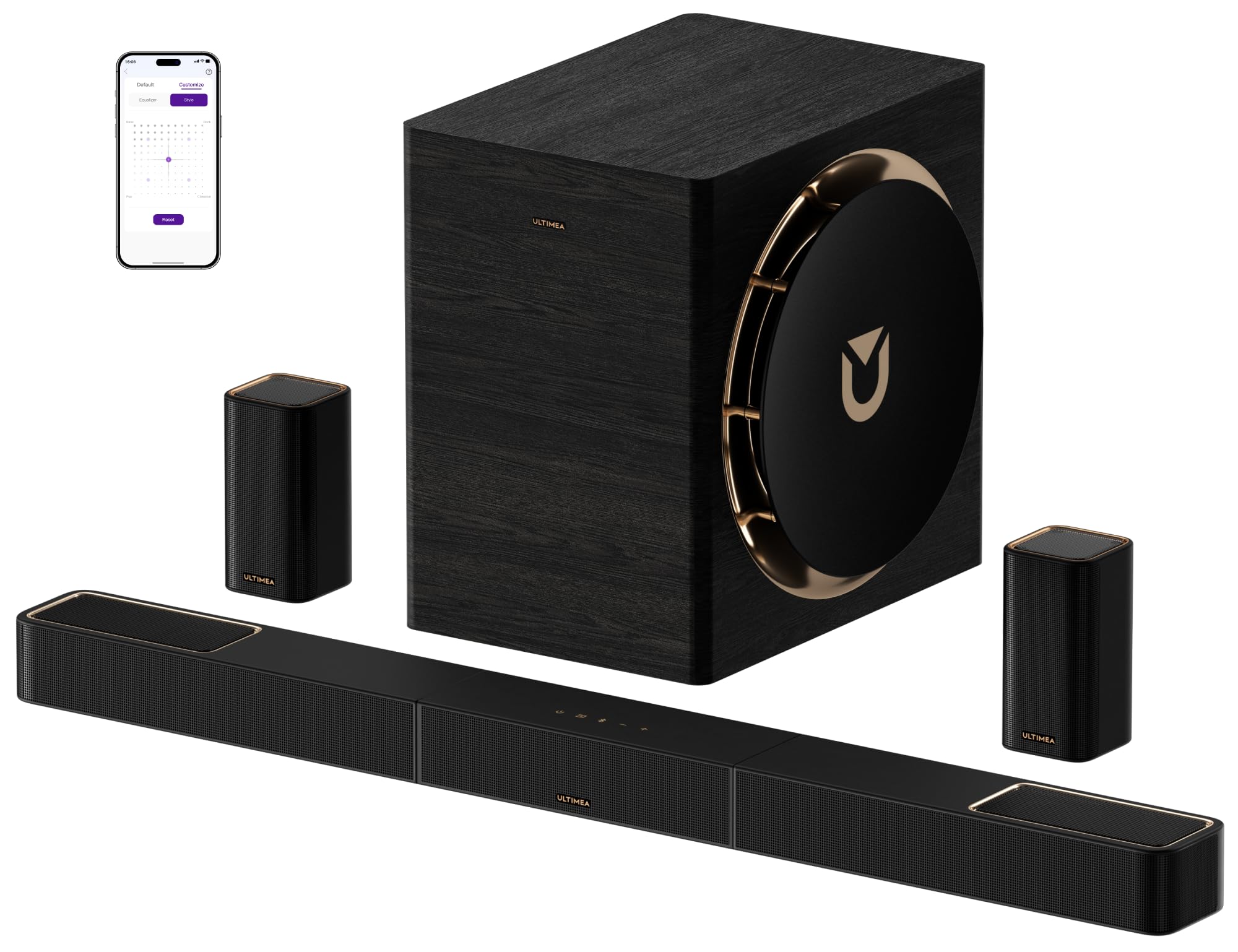
This is the pick for someone who wants a theater room rebuilt around a single bar and four small boxes. The Skywave X70 runs a 7.1.4-channel layout — seven ear-level channels, one bass channel, and four height channels firing at your ceiling — so thunder rolls overhead instead of straight ahead. It moves that air with a 980 W peak output and a 10-inch driver in the subwoofer.
That 980 W is where this bar leaves its own stablemate behind. The Skywave X70 lists a 980 W peak output next to the Poseidon M60’s 300 W, and a 10-inch subwoofer driver next to the 5.25-inch unit on the cheaper 5.1.2ch bar. In practice that means the low end stays clean and undistorted at volume rather than thinning out. The 10-inch driver is rated down to 20 Hz, deep enough that you feel the rumble as much as hear it.
Owners praise the sound first and the build quality a close second, and owners repeatedly say it holds its own against setups costing far more. Setup earns steady praise too, helped by the three-part bar assembly and the included HDMI and optical cables. The catch is adjustability: the app’s tuning controls draw a mixed reaction, so plan to spend an evening dialing in the 10-band EQ and the 121 sound presets rather than trusting the factory defaults. The rears transmit over dual 5GHz wireless, which keeps them cable-free but still means a power outlet behind the couch.
Where it earns its spot
- 7.1.4 channels with four height drivers put effects above your head, not just around you
- 980 W peak output and a 10-inch subwoofer rated to 20 Hz deliver bass you feel in the floor
- Dual 5GHz wireless transmission powers the surround speakers without signal runs across the room
- CEC sync lets your TV remote handle power, volume, and input for the whole stack
- 4K HDR pass-through means your source video keeps its full quality on the way to the screen
What to plan around
- The wireless rear speakers still need a power outlet each
- The app’s adjustability settings get a mixed read — expect to tune by ear
- Seven-plus speakers is a lot of gear to place in a small living room
Reach for this one if: you have a dedicated room and want overhead Atmos without drilling speaker cable through the walls.
Size up first: the 10-inch subwoofer and four surround boxes need breathing room — a tight apartment will feel crowded by the hardware.
2. ULTIMEA Poseidon M60

No rear speakers, no cable runs, no second remote — just press play.
Here is the bar for the person who wants surround sound but refuses to put speakers behind the couch. The Poseidon M60 builds its 5.1 channels entirely into the bar itself, including two side-firing drivers that push sound out to the walls and bounce it back. That geometry is what gives you a wide stage from a single box. Setup is rated at under a minute.
Dialogue is the real design goal here. VoiceMX is a processing routine that lifts spoken frequencies above background music and effects, so you can follow quiet conversations during loud action scenes. That matters if you keep subtitles on half the time. The 300 W peak output drives five full-range drivers plus a wired wooden subwoofer, and the rated frequency response runs 45 Hz to 18 kHz with a maximum SPL (sound pressure level, the loudness ceiling) of 99 dB. That is loud enough to fill a normal living room without strain.
The audio runs into the bar over HDMI eARC, which carries up to 37 Mbps — enough bandwidth for lossless Dolby Atmos. CEC integration is called out by name in the spec block, so the TV and bar behave as one unit for power and volume. Bluetooth 5.4 handles phone streaming more stably than 5.3 and pairs quickly. Buyers single out the value most often, with quick setup and simple connectivity close behind. The honest caveat: the subwoofer is wired, so you need a cable path from the bar to wherever the box sits, and this is the least powerful system of the four.
Where it beats the bigger bar: it sidesteps the rear-speaker placement problem entirely — you get wide 5.1 surround from one box and a sub, which keeps a rental-friendly footprint.
The trade-off in plain terms: a wired subwoofer means a physical cable run, and the 300 W peak output is a modest ceiling next to the 980 W on the Skywave X70 — fine for a living room, thinner in a big open-plan space.
Best fit: apartments and living rooms where rear speakers would be furniture clutter and cable runs would be a fight.
Think twice if: your room is large and open, or you want height effects overhead rather than a wide forward stage.
3. ULTIMEA 5.1.2ch Sound Bar
The cheapest way to get rain falling from your ceiling.
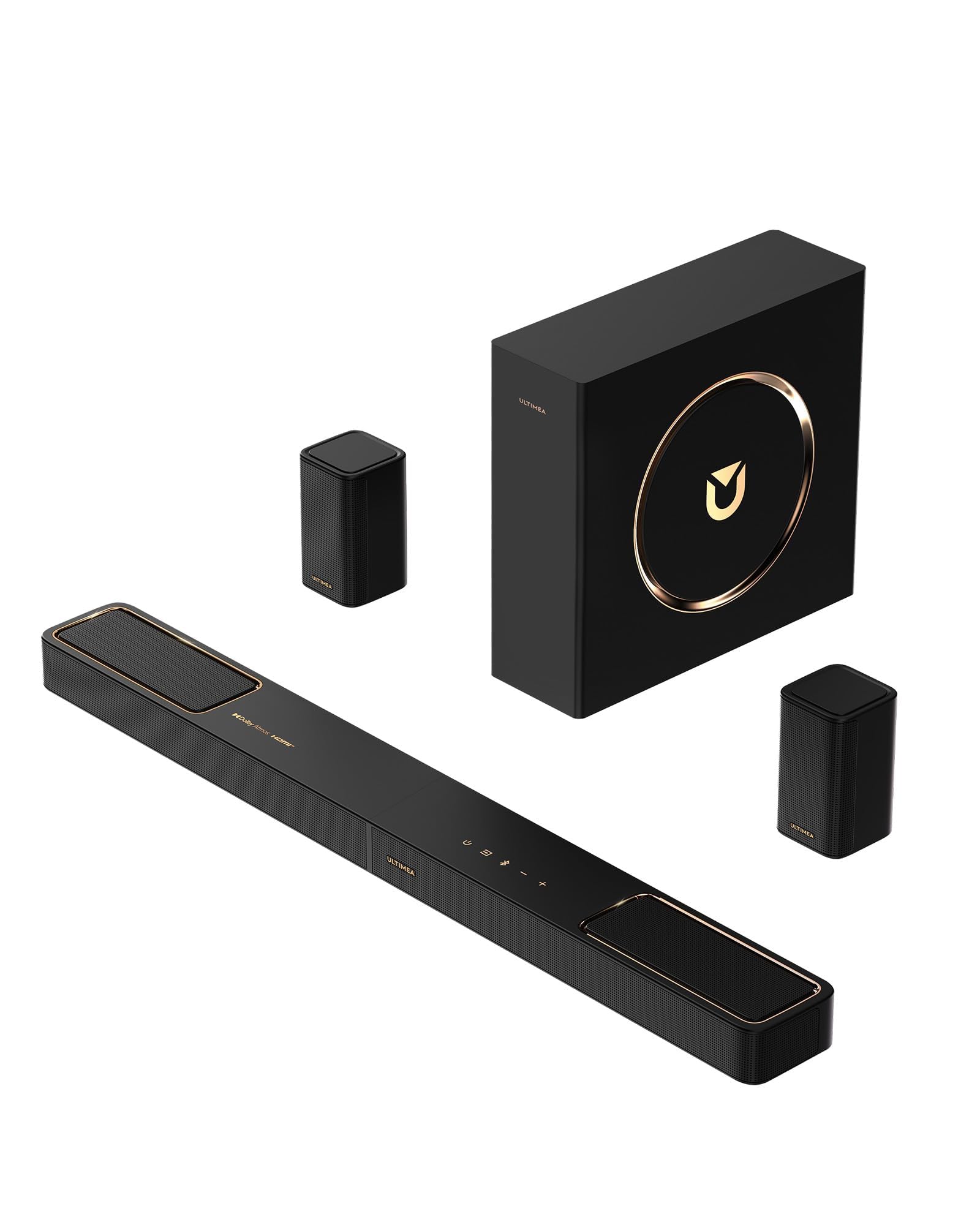
Those final two numbers in 5.1.2 tell you the story. The “.2” is two up-firing drivers aimed at the ceiling, and when they reflect sound down you get the height layer of Dolby Atmos — the helicopter-overhead effect that a flat 5.1 bar cannot produce. ULTIMEA builds those channels around neodymium magnets and 18-core voice coils, which is aimed at sharper high-frequency detail and a stronger vertical throw.
SurroundX pairs those up-firers with two separate rear surround speakers to build a full 360° field. The rears are wired over the included 6m cable, which keeps the signal rock-solid but does mean a visible run to the back of the room. On the source side, HDMI eARC carries up to 37 Mbps for lossless 5.1.2 audio, and CEC synchronizes power, volume, and input so your TV remote runs the show.
The bass comes from a 5.25-inch wired subwoofer with BassMX enhancement, and this is the honest weak point. A fair number of owners find the subwoofer small for the size of the soundstage — it fills a normal room, but a big open space will want more. Set against that, the system is compact and easy to set up, and the gold trim gives it a look that reads as more expensive than it is. Praise for the sound and build quality far outweighs the complaints. Tuning happens in the Ultimea app through a 10-band EQ, 121 presets, and a 13-step surround level from -6 to +6. One hard limit to know: this system does not support DTS.
What the extra channel buys you: real height drivers for overhead effects, plus dedicated rear speakers — a three-dimensional field the two rear-free bars simply cannot make.
The honest catch: smaller 5.25-inch subwoofer, a wired run to the rear speakers, and no DTS decoding if your disc collection leans that way.
Pick it for: movie nights where you want sound genuinely above you and behind you, without stepping up to four-figure theater gear.
Look elsewhere if: you cannot run a cable to the back wall or your library is heavy on DTS-encoded discs.
Know the Specs
Channel Count (5.1 versus 5.1.2 versus 7.1.4)
The first number is ear-level channels, the middle is the subwoofer, and any trailing number is height drivers aimed upward. A 5.1 bar gives you sound in front and around you; a 5.1.2 or 7.1.4 adds a ceiling layer so effects arrive from above. If you mainly watch dialogue-driven TV, the height channels add little. If you want the full Atmos overhead effect, look for that trailing figure.
Peak Output in Watts
Peak output is the maximum power the amplifier can deliver in short bursts, and it sets how loud the system can go before it strains. More watts generally means cleaner sound at high volume and headroom for big action scenes. It is not a quality score on its own — room size matters just as much. A modest output fills a bedroom; a large open room wants more.
Subwoofer Driver Size and Wiring
The subwoofer handles bass, and its driver size (10-inch, 6.5-inch, 5.25-inch) indicates how much air it can move and how deep it reaches. Wired subs need a cable to the bar; wireless subs just need a power outlet. Larger drivers tend to dig deeper, but a smaller sub in a compact room often sounds tighter than a big one crammed into a corner.
HDMI eARC and CEC Together
eARC is the high-bandwidth audio return path that carries lossless Dolby Atmos from your TV to the bar. CEC is the control link that lets one remote manage power, volume, and input across both devices. You want both named in the spec sheet — eARC for sound quality, CEC for the single-remote convenience. A bar listing only ARC without CEC will still leave you reaching for a second remote.
Common Questions
Will my TV remote control the soundbar volume without any setup?
Is HDMI CEC the same thing as HDMI ARC?
Do I need rear speakers to get Dolby Atmos overhead effects?
How much power do I need for a medium living room?
Will a CEC soundbar turn on automatically when I power up the TV?
What is the difference between a wired and a wireless subwoofer?
Does the 5.1.2ch ULTIMEA support DTS audio?
Can I use the app instead of the remote to adjust the sound?
Do the wireless rear speakers still need power outlets?
Can a soundbar with CEC pass 4K HDR video through to my TV?
The Bottom Line
For most rooms, the soundbar with hdmi cec that gets the job done is the ULTIMEA Skywave X70 — 7.1.4 channels, a 980 W peak, and a 10-inch subwoofer that reaches 20 Hz, all while handing the remote back to your TV. It is the most complete system here, and its 4.5+ star showing across 200+ ratings backs that up. If you want the simplest surround with no rear speakers to place, the Poseidon M60 delivers 5.1 with VoiceMX dialogue clarity and no cable runs. And if overhead Atmos on a tighter budget is the goal, the 5.1.2ch ULTIMEA adds genuine height drivers plus rear speakers, provided the DTS limitation does not bite. Whichever you choose, confirm CEC is switched on in both menus on day one — that one setting is what turns four remotes into one.
How we choose
We do not accept paid placement. Every pick is matched to a real buyer and a real use-case; we do not hands-on test units.
Sources
Specifications: manufacturer listings and product documentation. Review insights: verified customer reviews, as of November 2026. Pricing: not shown on this page (it changes often); check the current price via the retailer link.
As an Amazon Associate, Tactical Gear Guy earns from qualifying purchases. This does not affect which products we feature.