Specs are compiled from manufacturer listings and verified buyer reviews and can change over time — please confirm the key details on the product page before buying.
If your laptop now ships with USB-C ports only, a mouse that still needs a rectangular USB-A dongle is a daily annoyance. The fix is a USB-C wireless mouse — one that either plugs its receiver into the small oval port on your machine or recharges from a USB-C cable, so nothing gets left behind. The picks below all clear that bar, and the strongest of the group is the Satechi Slim EX, a 4.5+ star favorite across 500+ owners that switches between two Bluetooth channels and a 2.4GHz USB-C receiver without re-pairing.
This guide is built by comparing the manufacturers’ published specifications and the patterns across verified customer reviews, so you get each pick’s real strengths and trade-offs instead of marketing spin.
You will see where each mouse wins and what it asks you to give up. From DPI switching to silent-click switches, this breakdown covers what actually changes your day with a usb-c wireless mouse.
Top Picks

How To Choose The Best USB-C Wireless Mouse
Start with the port question, because it decides everything else. Some mice here include a USB-C receiver you plug straight into a modern laptop; others rely on Bluetooth and only use USB-C for charging. Both count as USB-C mice, but they solve different problems — a USB-C receiver ties up the port it plugs into, while Bluetooth leaves every port free.
Receiver, Bluetooth, or both
A 2.4GHz receiver (a tiny plug that talks to the mouse on its own wireless channel) gives you a rock-steady link with no pairing menus. Bluetooth needs no plug at all, which suits tablets and thin laptops. Mice that carry both, like the Satechi Slim EX and the Arteck MD172, let you keep one machine on the dongle and another on Bluetooth.
DPI and polling rate in plain terms
DPI (dots per inch) sets how far the cursor travels for a given hand movement. Lower figures feel deliberate for spreadsheet work; higher figures cross a large monitor with a flick. A 1000Hz polling rate means the mouse reports its position to the computer 1000 times a second, which keeps fast cursor moves from feeling jumpy.
Battery, charging, and clicks
Rechargeable mice trade battery swaps for a cable. Look at the claimed runtime and the charging connector — every pick here charges over USB-C, so one cable covers your laptop and your mouse. Silent-click switches matter if you share a room, and button count matters if you want shortcuts without reaching for the keyboard.
Side-by-Side Comparison
| Model | Best For | Connection | Battery (claimed) | Buttons | Amazon |
|---|---|---|---|---|---|
| Satechi Slim EX★ Best Overall | Switching between Mac and PC | 2.4GHz USB-C receiver + 2x Bluetooth 5.3 | Rechargeable, USB-C cable included | 2 | Amazon |
| Lenovo 400 USB-CBattery Champion | Long battery life on a budget | 2.4GHz USB-C dongle | Up to 12 months | 4 | Amazon |
| CHHI Bluetooth MouseMost Buttons | Three devices on one desk | 2.4GHz USB-A USB-C receiver, Bluetooth | Over 60 days | 8 | Amazon |
| B18Pro Tri-Mode | Seeing DPI and battery on the mouse | Wired, 2.4GHz wireless, dual Bluetooth | 600mAh, up to 1 month | 6 | Amazon |
| Arteck MD172 | Medium-to-large hands, long sessions | 2.4GHz USB-A USB-C receivers, Bluetooth | Up to 4 months | 6 | Amazon |
| Logitech MX Anywhere 3S | Travel and any-surface tracking | Bluetooth (Logi Bolt receiver not included) | Up to 70 days | 6 | Amazon |
| Lenovo Go Multi-Device | Qi charging on a desk pad | 2.4GHz USB-C receiver, Bluetooth | Up to 3 months | 5 | Amazon |
| HP 690 | Programmable shortcuts and a tilt wheel | Bluetooth 5.3, Swift Pair | Up to 4 months | 6 programmable | Amazon |
| Logitech MX Master 4 for Mac | Heavy Mac productivity work | Bluetooth, USB-C charging | Rechargeable, USB-C | 7 | Amazon |
Detailed Reviews
1. Satechi Slim EX Wireless Mouse
Our pick — 4.5+★ from 550+ verified ratings; the strongest balance of quality and price.
Three connections, one mouse, and no re-pairing ritual every time you swap machines.
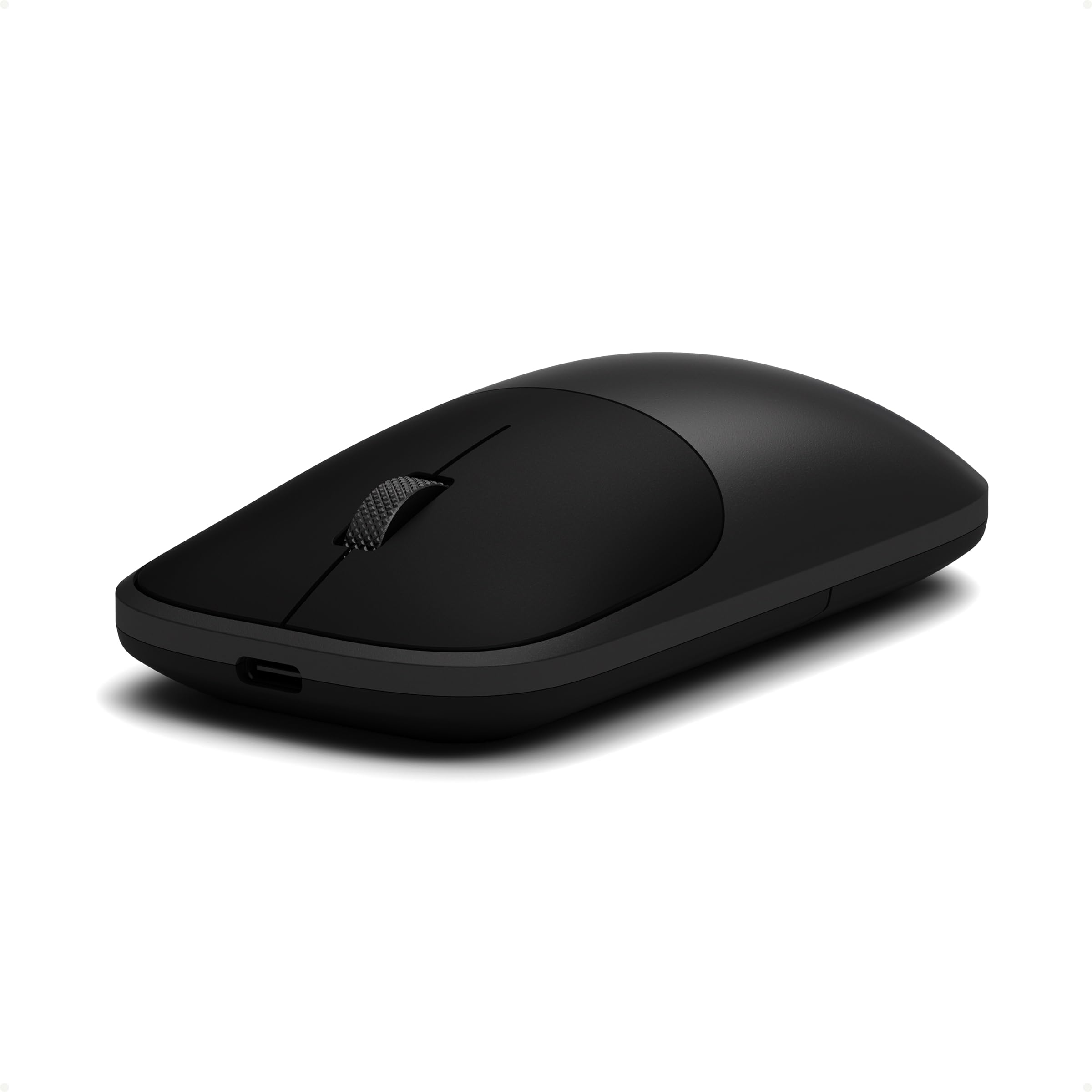
The Satechi Slim EX is the pick for anyone who moves between a Mac, a Windows laptop, and a tablet in the same afternoon. It holds two Bluetooth 5.3 channels plus a 2.4GHz USB-C receiver — the small plug that talks to your computer on its own wireless channel — so three devices stay paired at once. Switching is a tap, not a trip into system settings.
What wins people over is the build. Machined-feeling quality is the thing owners talk about first, and the plastid body carries a precision-machined scroll wheel that turns with calm, accurate steps. Quiet click switches keep the sound low in a shared office. At 90 g it is light enough to forget in a bag, and the 4.09″L x 2.28″W footprint suits adult and child hands alike.
Battery life holds up over long stretches between charges, and the box includes a USB-C to USB-C charging cable, so the same cord that tops up your laptop tops up the mouse. The honest catch is the button count: two buttons means no side keys, so if you live in shortcuts and macros you will feel the missing thumb buttons. Satechi backs it with a 2-year limited warranty against defects in materials and workmanship.
Where it wins you over
- Two Bluetooth 5.3 channels plus a 2.4GHz USB-C receiver, all paired at once
- Precision-machined wheel and quiet click switches for calm, accurate control
- 90 g body with a 4.09″L x 2.28″W footprint that suits most hand sizes
- USB-C to USB-C charging cable in the box, plus a 2-year limited warranty
Where it asks you to compromise
- Just two buttons — no side keys for shortcuts
- Plastic enclosure, so it will not feel like a metal-bodied premium mouse
Reach for this if: you juggle a Mac and a PC daily and want one mouse that stays paired to both.
Think again if: you need programmable side buttons for design or spreadsheet macros.
2. Lenovo 400 USB-C Compact Wireless Mouse, Black
Twelve months on one battery is the number that makes this the forget-about-it choice.
Here is the gap in plain terms: the Lenovo 400 runs up to 12 months on a single battery, while the B18Pro manages about 1 month per charge. That is a 12.0x difference in how often you think about power. If you want a mouse you can forget about until the battery finally dies a year later, this is the one.
It earns its keep on the desk. Functionality is what people talk about most, and the red optical sensor tracks accurately whether you are on a laptop screen or a large monitor. The on-the-fly DPI switch steps through 800, 1600, and 2400 — low for fine spreadsheet work, high for crossing a big display. The asymmetrical dongle is shaped to sit beside other plugs instead of blocking them, which matters on a laptop with only a couple of ports.
Two things to weigh honestly. The body is compact at 3.78″L x 2.2″W and 1.94 ounces, and size is the most-debated point — some hands find it ideal for travel, larger hands may want more to hold. The scroll click is rated for up to 1,000,000 presses and the left and right buttons for up to 3,000,000 each, so the long haul is built in. It also pairs up to 8 input devices through a Lenovo USB-C Unified Pairing Receiver.
The value read: a year of battery life, a red optical sensor, and three DPI steps for a budget-tier outlay — hard to argue with for a work laptop.
Know before you buy: the compact shell suits smaller and medium hands best, and it is a dongle-only mouse with no Bluetooth fallback.
Best for: the road warrior who wants a dongle-and-go mouse that ignores charging cables for a year.
Look elsewhere if: you have large hands or need Bluetooth for a tablet.
3. CHHI Wireless Bluetooth Mouse
Eight buttons, two receivers, three devices — the busiest desk in the building gets one mouse.
Count the buttons and the gap shows: this CHHI mouse carries 8 buttons where the Satechi Slim EX carries 2. That is a 4.0x spread, and it is the reason this one suits shortcut-heavy work. Side keys plus a thumb rest mean you can fire commands without lifting your hand off the shell.
The connectivity is the other half of the story. You get a 2.4GHz USB-A receiver, a USB-C receiver, and Bluetooth, so a MacBook with only USB-C ports and an older desktop with USB-A both get a slot. The right-handed shell has rubber and textured sides for grip, and the matte finish hides fingerprints. Cursor speed steps through 1000, 1600, 2400, and 3200 DPI, which covers slow precision work and quick monitor sweeps.
Silent switches let you work in a library or a shared office without announcing every click. The built-in rechargeable lithium battery is claimed to last more than 60 days at 2 hours of use per day. The catch worth knowing: it is a right-hand-only shape, so left-handed users should not expect the same comfort.
Why it earns a spot: the sheer port coverage — USB-A, USB-C, and Bluetooth in one mouse — makes it the most adaptable connector set here.
The trade-off: a right-handed ergonomic shell and 8 buttons mean a busier surface than a slim travel mouse.
Pick this one: if your desk mixes an older USB-A machine with a newer USB-C laptop and you want shortcuts at your thumb.
Pass if: you are left-handed or want the smallest possible bag footprint.
4. B18Pro Tri-Mode Wireless Bluetooth Mouse with LED Display
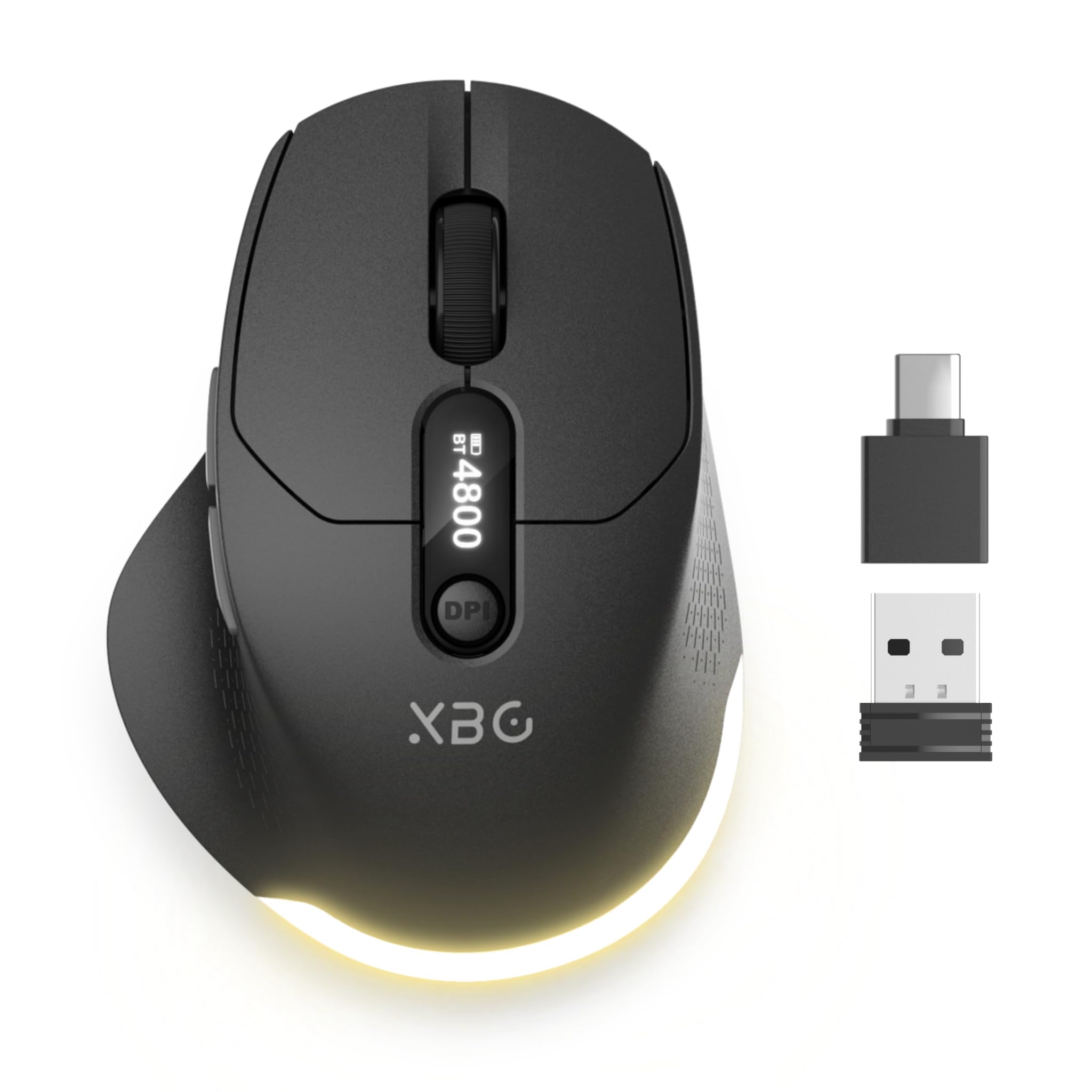
A tiny screen on the mouse tells you the DPI, the connection, and how much battery is left.
Most mice make you guess. This one has a built-in LED display that shows DPI level, connection status, and battery life in real time, plus a rear light for feedback. If you have ever had a mouse die mid-meeting with no warning, a live battery readout on the shell is the whole pitch.
The tracking side is serious for the outlay. Six DPI levels run from 800 to 4800, so the same mouse handles slow document work and fast browsing. A 1000Hz polling rate keeps cursor movement responsive — the mouse reports its position 1000 times a second. Silent left and right clicks and anti-slip side grips round out the daily feel.
It switches between wired, 2.4G wireless, and dual Bluetooth with no drivers, so a laptop, tablet, and desktop can share it. The 600mAh rechargeable battery is claimed to last up to a month, and a Type-C cable plus adapter are in the box. The catch is size: at 4.41″L x 3.13″W it is a wide mouse, noticeably roomier than the CHHI at 1.6″W, so small hands may find it a stretch.
What stands out on the desk
- LED display shows DPI, connection status, and battery in real time
- Six DPI levels from 800 to 4800 with a 1000Hz polling rate
- Wired, 2.4G wireless, and dual Bluetooth with no drivers needed
What to plan around
- Wide 3.13″ shell suits larger hands more than small ones
- Battery is claimed at about a month per charge, so it wants regular top-ups
Go here for: on-mouse feedback — you always know your DPI and charge level at a glance.
Not ideal for: petite hands or anyone who wants to charge once a season.
5. Arteck MD172 Multi-Device Wireless Bluetooth Mouse

Built for medium-to-large hands, and honest about it — this shell is not for small palms.
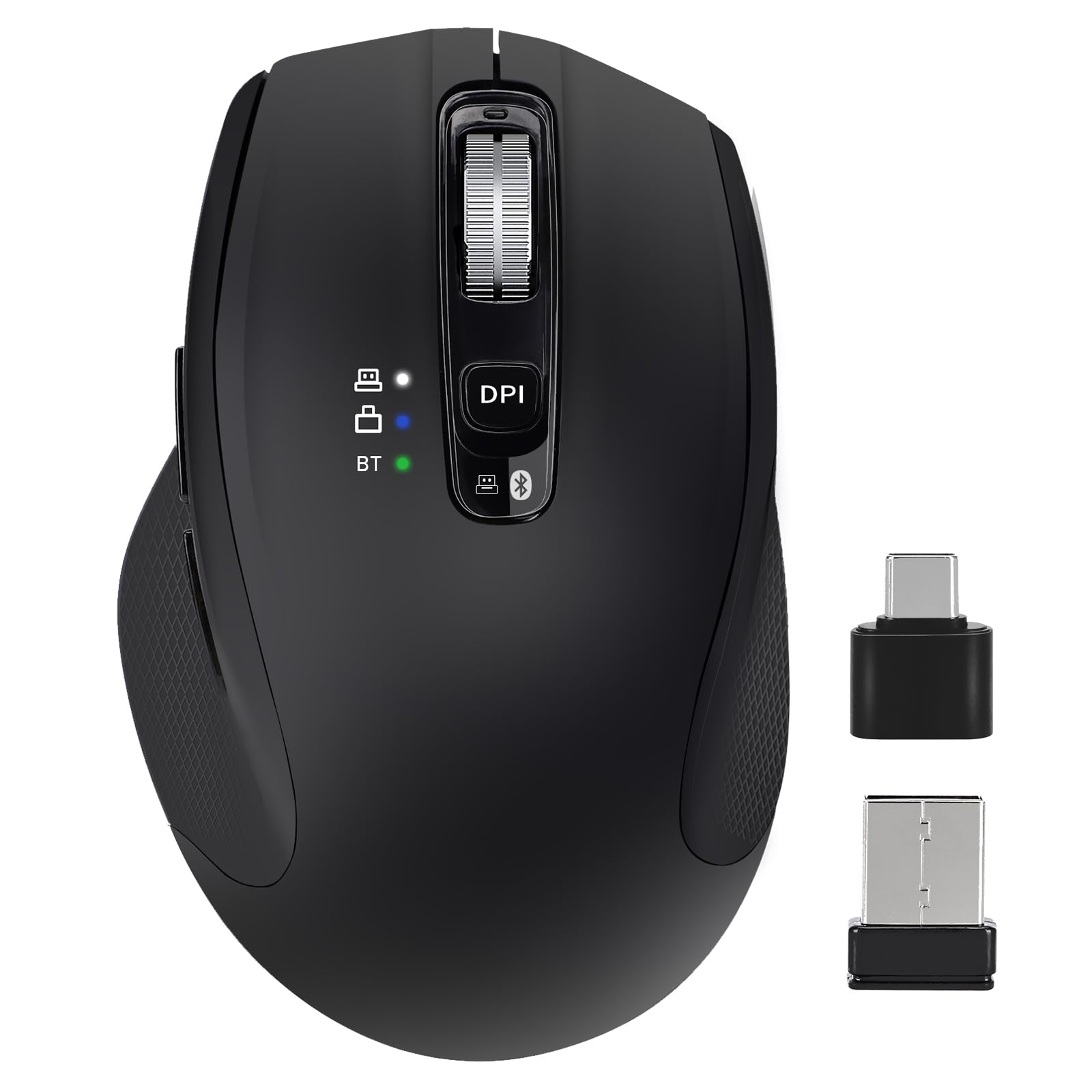
Arteck states the fit plainly: this mouse suits medium-large hands and is not suitable for small hands. That is refreshing in a category where most listings never state which hand sizes a shell actually fits. The soft, easy-to-grip thumb rest puts your wrist in a more natural position, and long sessions are where that pays off.
What keeps people coming back is the build. Quality is the foremost thing buyers single out, followed closely by reliability — the kind of praise that shows up when a mouse keeps working months in. Three devices connect at once over 2.4G USB-A wireless, 2.4G USB-C wireless, and Bluetooth, and a single button click flips between them. Both nano receivers store in the back of the mouse, so nothing gets lost in a bag.
Runtime is the standout: a rechargeable lithium battery claimed to last 4 months at 2 hours of use per day. That beats the B18Pro’s roughly one month by a wide margin. Silent clicking keeps shared spaces calm. One honest note — button placement draws mixed feedback, so give yourself a few days to retrain your thumb before judging the layout.
Where the value lands: three devices, two stored nano receivers, and a 4-month battery in one right-handed ergonomic shell.
Fit check first: small hands will not sit comfortably here, and the button layout takes adjustment.
Right choice when: your hands are medium to large and you want to charge roughly four times a year.
Keep looking if: you have small hands or prefer a slim, low-profile shape.
6. Logitech MX Anywhere 3S Compact Wireless Mouse (Renewed)
Tracks on glass, scrolls 1000 lines a second, and slips into a jacket pocket.
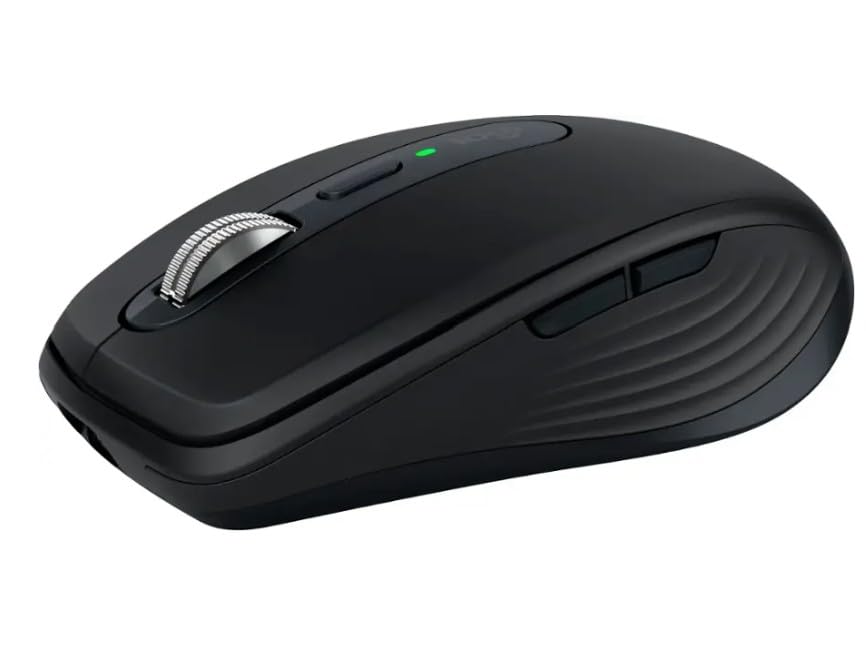
For the airport-and-café crowd, the sensor is the sell. The 8K DPI sensor (8000 dots per inch) reads on any surface including glass, so a hotel table with no mousepad is not a problem. Cover more ground with subtle hand movement and stop re-aiming when you hit the edge of the desk.
Performance is the headline in owner feedback, and the compact size is right up there with it — this is a 3.96″L x 2.56″W shell that disappears in a bag. The MagSpeed wheel scrolls an immense 1000 lines per second, and Quiet Clicks cut the click noise compared with the earlier MX Anywhere 3. Connect up to three devices over Bluetooth on Windows, macOS, Chrome OS, or Linux.
Two caveats to size properly. This is a Renewed unit and the Logi Bolt USB receiver is not included, so budget for one if you want a dongle rather than Bluetooth. Battery life runs up to 70 days, and the 7.04-ounce body gives it a planted feel on the desk rather than a featherweight one.
Standout spec: the 8K DPI sensor plus 1000-lines-per-second MagSpeed scrolling makes this the fastest-gliding compact mouse in the group.
What you’re taking on: Renewed condition and no receiver in the box — Bluetooth is your default link.
The travel pick: for anyone who works on borrowed desks and needs a cursor that tracks on glass.
Pause if: you want a sealed box with a receiver included, or prefer a dongle-first setup.
7. Lenovo Go Multi-Device Wireless Mouse, Grey

Drop it on a Qi pad and walk away — no cable hunting between meetings.
Two charging routes make this the desk-friendly premium pick. You can top it up over wired USB-C with the cable in the box, or drop it on a Qi wireless charging pad. A 1.5-hour charge is claimed to give up to 3 months of use, so the cable becomes a rare event.
The versatility runs deeper than power. Up to 3 devices pair over USB-C and Swift Pair-supported Bluetooth, and a quick-switch button flips between them. A Lenovo unified pairing receiver also lets one dongle cover other devices. The blue optical sensor holds precision on almost every surface, with adjustable DPI at 800, 1600, and 2400 for matching the cursor to the task.
Silent clicks keep shared rooms quiet, and the ambidextrous compact shape travels well. The programmable utility button ships with shortcuts configured for Microsoft Teams meetings by default, which suits meeting-heavy days. Worth noting: five buttons puts it between the two-button Satechi and the eight-button CHHI, so shortcut lovers get a middle option rather than the busiest one. The Qi pad itself is not included.
The compelling bits
- Charges by wired USB-C or Qi wireless pad, up to 3 months on a 1.5-hour charge
- Three devices over USB-C and Swift Pair Bluetooth with a quick-switch button
- Blue optical sensor with adjustable 800/1600/2400 DPI on almost any surface
Fine print
- Qi charging pad sold separately
- Five buttons is a middle ground, not a shortcut powerhouse
Built for: desk setups that already have a Qi pad and want one less cable on the surface.
Weigh this: without a charging pad, the wireless charging perk goes unused.
8. HP 690 Rechargeable Wireless Mouse

Six programmable buttons and a tilt wheel that scrolls sideways as well as up and down.
Customization is the reason to look here. Six buttons program to your workflow, and a 4D tilt wheel adds sideways scrolling to the usual up and down — a small thing that saves a hand trip to the scrollbar in wide spreadsheets. High sensitivity at 4000 DPI lets the cursor cross a big display quickly, and the sensor tracks on virtually any surface.
Charging follows the same two-route thinking as the Lenovo Go: fast wireless Qi charging or a USB-C cable. Battery life is claimed at up to 4 months from one charge. Low-energy Bluetooth 5.3 with Microsoft Swift Pair connects in seconds with no dongle, and up to 3 devices stay linked over Bluetooth so you can move between machines.
The build leans sleek rather than chunky. At 89 g with rubber side grips it is light over a long day, and the metallic silver finish looks more premium than the price tier suggests. HP also states 65% recycled materials and recyclable packaging. The honest limit: it is Bluetooth-only for connectivity, so anyone who wants a plug-and-play dongle should look at the dongle-equipped picks instead.
Why short-cutters like it: six programmable buttons, a 4D tilt wheel, and 4000 DPI put real customization on a Bluetooth connection.
What it does not do: no receiver pairing at all — Swift Pair Bluetooth is the only link.
Choose it when: you map buttons to your workflow and want a light, metal-look mouse with tilt scrolling.
Skip if: you need a physical dongle for a locked-down work machine.
9. Logitech MX Master 4 for Mac
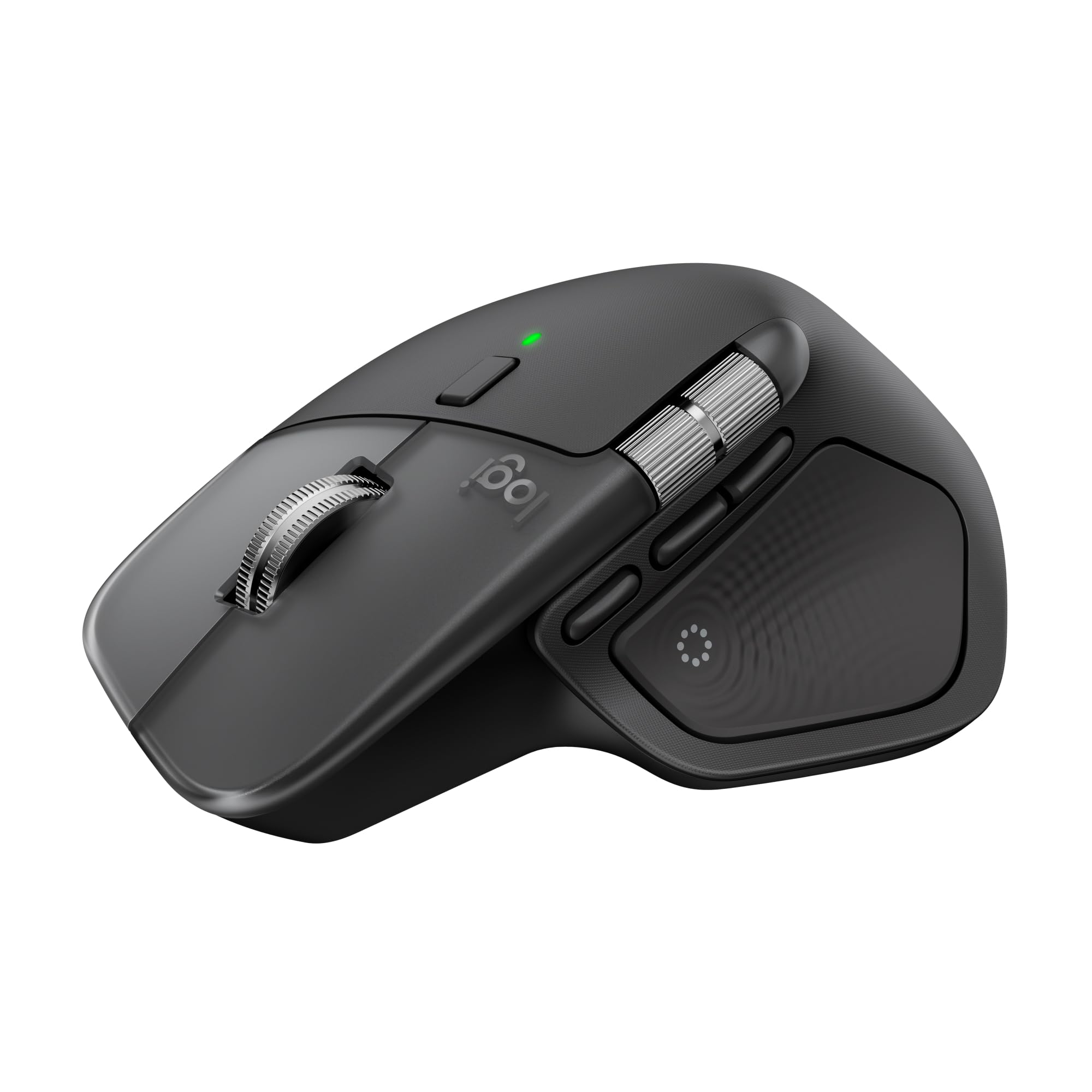
The workspace centerpiece — haptic feedback, an Actions Ring overlay, and a pixel-stop scroll wheel.
For Mac-heavy work, this is the top of the ladder. The Haptic Sense Panel gives customizable haptic feedback — a small physical pulse — on specific actions, shortcuts, and notifications, so you feel confirmation without looking away. The Actions Ring puts a customizable overlay of your most used filters, adjustments, and shortcuts right at the cursor.
Scrolling is where it leads. The MagSpeed wheel covers 1000 lines per second and stops on a pixel, which is what you want when you are trimming a timeline or scrolling a long document. Quiet Clicks cut noise by what Logitech states as 90% less click noise than the previous generation. Seven buttons plus a thumb scroll wheel carry the shortcuts.
The ergonomic shape is a natural tilt with intuitive button placement, and the Space Black finish matches Apple hardware. It charges over USB-C while you work, though the cable is not included. Two things to plan for: the battery life is described by Logitech in terms of charging rather than a day count, and the 6.5″L x 5.6″W footprint is a large one — this is a desk mouse, not a bag mouse. A one-month Adobe Creative Cloud subscription comes with it.
Where the money goes
- Haptic Sense Panel with customizable feedback on actions and notifications
- MagSpeed wheel at 1000 lines per second with pixel-stop precision
- Actions Ring overlay puts per-app shortcuts at your cursor
- Seven buttons plus a thumb scroll wheel, finished to match Apple setups
Honest counterpoints
- USB-C charging cable not included
- Large 6.5″L x 5.6″W body is desk-bound, not portable
The productivity flagship: for Mac users who spend the day in creative apps and want shortcuts under the cursor.
Second thoughts if: you need a mouse that travels or want a cable in the box.
Know the Specs
DPI and Polling Rate
DPI (dots per inch) controls how far the cursor moves per inch of hand travel. A 1000 DPI setting feels steady for editing; 3200 or 4000 crosses a wide monitor with a flick. Polling rate is how often the mouse reports its position — 1000Hz means 1000 updates a second, which keeps fast movements smooth rather than stepping. Match a higher DPI to a bigger screen, and drop it for pixel-level work.
USB-C Receiver vs Bluetooth vs USB-C Charging
Three separate things get called USB-C on a mouse. A USB-C receiver is a small plug that goes into the oval port and creates a stable 2.4GHz link with no pairing. Bluetooth needs no plug and pairs to the machine itself, which is what lets one mouse serve a laptop and a tablet. USB-C charging just means the recharge cable is the same one your laptop uses. Many picks here offer two of the three; the best offer all of them.
Common Questions
Will a USB-C receiver work in a Thunderbolt port on my laptop?
Is Bluetooth or a 2.4GHz receiver better for a wireless mouse?
How long does a USB-C wireless mouse battery actually last?
Can one wireless mouse control my MacBook and my Windows desktop at the same time?
Do I need a mousepad if I buy the Logitech MX Anywhere 3S?
What does the LED display on the B18Pro actually show?
Can I use a USB-C wireless mouse with an iPad?
Is a Renewed Logitech MX Anywhere 3S a safe buy?
How many programmable buttons do I get on the premium mice?
The Bottom Line
For most people, the usb-c wireless mouse to buy is the Satechi Slim EX, because two Bluetooth 5.3 channels plus a 2.4GHz USB-C receiver keep a Mac and a PC paired with zero re-pairing. It holds the highest score in the group at 4.5+ stars from 500+ owners, and that combination of quiet clicks and a 2-year limited warranty is why it takes the top slot.
If battery life is your priority, the Lenovo 400 claims up to 12 months on one battery and steps through 800, 1600, and 2400 DPI on demand. And if your desk mixes an older USB-A machine with a USB-C laptop, the CHHI 3-Device Mouse covers both ports plus Bluetooth with 8 buttons to spare.
For Mac-first creative work, the Logitech MX Master 4 for Mac pairs its haptic panel and Actions Ring with a 1000-lines-per-second MagSpeed wheel. Whichever route you take, check that the mouse lists USB-C in its connection or charging specs before you buy — that one check spares you a dongle search at the worst possible moment.
How we choose
We do not accept paid placement. Every pick is matched to a real buyer and a real use-case; we do not hands-on test units.
Sources
Specifications: manufacturer listings and product documentation. Review insights: verified customer reviews, as of November 2026. Pricing: not shown on this page (it changes often); check the current price via the retailer link.
As an Amazon Associate, Tactical Gear Guy earns from qualifying purchases. This does not affect which products we feature.