Specs are compiled from manufacturer listings and verified buyer reviews and can change over time — please confirm the key details on the product page before buying.
An ultrawide monitor earns its desk space by killing the seam between two screens — but only if the panel behind that wide glass is actually good. The wrong pick gives you a washed-out VA panel and a curve radius that fights your viewing distance. The right one puts two full documents side by side with no bezel in the middle and text that stays sharp to the edges. This guide sorts the genuinely top rated ultrawide monitors by what matters on a real desk: panel type, refresh rate, response time, resolution, and how each curve feels in daily use.
This guide is built by comparing the manufacturers’ published specifications and the patterns across verified customer reviews, so you get each pick’s real strengths and trade-offs instead of marketing spin.
You will see where a budget-friendly 34-inch beats a premium OLED on pure sharpness, and where the big 49-inch and 57-inch panels genuinely pay off. Below is the shortlist of top rated ultrawide monitors worth putting on your desk, sorted by panel, curve, and the work you actually do.
Top Picks


How To Choose The Best Top Rated Ultrawide Monitors
The first decision is not brand — it is panel technology, because it decides how the picture looks and how fast it moves. IPS panels (in-plane switching) give you wide viewing angles and even color, which suits design and spreadsheets. VA panels (vertical alignment) push deeper blacks and higher contrast, which suits dark-room gaming and movies. OLED panels light each pixel on its own, so blacks go truly black and motion stays crisp, at a higher cost.
Match the curve to your viewing distance
A curve radius is the size of the circle the screen would form if you wrapped it around your head. A 1500R curve (the number is the radius in millimeters) bends gently and sits comfortably at normal desk depth. An 800R curve is far steeper and pulls the edges toward you, which is rich up close but can feel aggressive if you sit far back. A 1000R or 1800R sits between those extremes.
Decide 21:9 or 32:9 before anything else
A 21:9 screen is wider than standard 16:9 and gives you roughly a screen and a third of horizontal room — enough for two documents. A 32:9 screen doubles that again, effectively two monitors fused with no bezel. The wider the ratio, the more desk depth and graphics-card muscle you need to drive all those pixels.
Check the ports and power delivery
If you plug in a laptop, a USB-C port with power delivery lets one cable carry video, data, and charging at once. Look for the wattage it supplies, because a low-wattage port will not keep a demanding laptop topped up. DisplayPort and HDMI handle the high refresh rates; check which version your graphics card supports.
Side-by-Side Comparison
| Model | Best For | Resolution | Refresh Rate | Panel | Amazon |
|---|---|---|---|---|---|
| Alienware AW3425DWM★ Best Overall | All-round gaming and work | 3440 x 1440 | 180Hz | LED (VA) | Amazon |
| Samsung ViewFinity S50GCBudget Champion | Office multitasking on a budget | 3440 x 1440 | 100Hz | LCD | Amazon |
| Dell S3425DWOne-Cable Desk Pick | USB-C desk setups | 3440 x 1440 | 120Hz | VA | Amazon |
| INNOCN 40C1U | 5K detail on a single screen | 5120 x 2160 | 100Hz | IPS | Amazon |
| INNOCN 49C1R | Ultra-wide multitasking | 5120 x 1440 | 120Hz | VA | Amazon |
| Z-Edge 49″ DQHD | Fast 32:9 gaming and KVM | 5120 x 1440 | 165Hz | VA | Amazon |
| LG 34GS95QE | Deep-black OLED gaming | 3440 x 1440 | 240Hz | OLED | Amazon |
| Alienware AW3425DW | QD-OLED color accuracy | 3440 x 1440 | 240Hz | QD-OLED | Amazon |
| LG 45GX900A-B | Big-screen OLED immersion | 3440 x 1440 | 240Hz | OLED | Amazon |
| Samsung Odyssey Neo G9 | Maximum screen real estate | 7680 x 2160 | 240Hz | VA (Mini LED) | Amazon |
| Dell UltraSharp U4025QW | Color work and KVM desks | 5120 x 2160 | 120Hz | LED | Amazon |
Detailed Reviews
1. Alienware 34 Curved Gaming Monitor – AW3425DWM
Our pick — 4.5+★ from 750+ verified ratings; the strongest balance of quality and price.
The 34-inch panel that does fast gaming and two-document work without charging OLED money for it.
Start with the number that decides how fast the picture moves: a 180Hz refresh rate (the screen redraws 180 times a second). Pair it with a 1ms gray-to-gray response time (how quickly a pixel changes shade) and fast pans stay clean instead of ghosting.
The 3440 x 1440 resolution spells real room: two browser windows, a spreadsheet, and a chat pane all fit with nothing hidden. The 1500R curve is the gentle kind — the number is the radius in millimeters — so the panel bends softly toward you without warping straight lines at normal desk distance. Coverage runs to DCI-P3 95% (a wide color standard used in film and games) with VESA DisplayHDR 400 certification, so highlights carry some punch rather than washing flat. AMD FreeSync Premium and VESA AdaptiveSync keep the refresh rate locked to your graphics card to cut tearing.
What wins people over here is build quality — the stand, the panel, the whole assembly feels sorted, and the same buyers happily run Teams in one window and email in another on it. The 34-inch footprint is the other quiet win: it fits a normal desk where a 49-inch would swallow the room. The honest catch is the brightness figure of 400, which is fine for a dim room but not a sunlit one, and the curve divides opinion among people who sit far back.
What earns the top spot
- 180Hz refresh rate — 80% above the Samsung S50GC’s 100Hz, so motion stays smooth
- 1ms gray-to-gray response keeps fast pans clean
- 3440 x 1440 fits two full windows with no scrolling
- DCI-P3 95% coverage plus DisplayHDR 400 for richer color
- 1500R curve is gentle enough for straight-line work
Where it asks you to compromise
- 400 brightness is modest — a bright room will dim the picture
- The 1500R curve is a taste call if you sit well back from the desk
Reach for this if: you want one monitor that games fast and works all day, at a mid-range price.
Think twice if: your desk sits in direct sunlight — the 400 brightness will struggle there.
2. Samsung 34″ ViewFinity S50GC Series Ultrawide QHD Monitor
A flat 34-inch workhorse that skips the curve and puts the money into screen area instead.
The S50GC is the cheapest route to genuine ultrawide width here. Its 3440 x 1440 resolution spreads two documents side by side with room to spare, and the panel is flat rather than curved — a detail buyers specifically call out, and one that suits anyone who dislikes an image that bends at the corners. It is the entry-level ticket into a real 21:9 workspace.
The core trade-off shows in motion: the 100Hz refresh rate (100 redraws a second) sits well under the Alienware AW3425DWM’s 180Hz, so animated content and fast cursor moves are noticeably less fluid. The 5ms response time is slower still, and against the Dell S3425DW’s 0.03ms it is a 166.7x gap on paper. For spreadsheets, writing, and browsing that gap does not matter — for competitive shooters it does.
What makes it livable day to day is the care for your eyes: an ambient light sensor reads your room and adjusts brightness on its own, Eye Saver Mode trims blue light, and Flicker Free settles the backlight. HDR10 carries over a billion colors versus 16.7 million on typical SDR, so dark scenes hold depth. PBP shows two sources at once at native resolution and PIP resizes a second feed, which turns one panel into a mini control room. The recurring gripe is color punch — it is a mixed area, so expect solid rather than vivid.
Best value read: you are buying flat 34-inch width and eye-care smarts at the lowest entry point on this list, not speed.
Fit note: if you game competitively, spend up for the refresh rate; if you write, code, or run two apps, this does the job.
Suits the desk-worker: anyone who wants a second screen’s worth of room without a curve.
Look elsewhere for: twitchy shooter play, where the 100Hz and 5ms trail the faster picks.
3. Dell 34 Monitor S3425DW
A single USB-C cable runs video, data, and laptop charging — the tidy-desk ultrawide.
If your desk is a nest of cables, the S3425DW fixes that first. Its USB-C port delivers up to 65W, enough to power a laptop while it carries the picture, so one cord replaces three. Add a pop-down pair of USB-A and USB-C ports on the monitor itself and you stop crawling under the desk to plug in a drive. Setup lands as easy because there is less to connect.
The speed story is real for a VA panel: a 0.03ms response time and AMD FreeSync Premium at up to 120Hz (a 120-per-second redraw) keep motion clean without the ghosting VA is known for. Contrast is 3000:1, and against the INNOCN 40C1U’s 1200:1 that is 2.5x the ratio — deep blacks in dark scenes rather than grey murk. Color holds 99% sRGB and 95% DCI-P3, so photos and design work stay believable.
ComfortView Plus caps harmful blue light at ≤35% without wrecking color fidelity, which matters on long days. The 3440 x 1440 panel is wide enough to run two windows side by side, and the industrial white design is easy on the eyes across an office. The honest limit: 300 brightness is on the dimmer side, so a very bright room will soften the image.
Pick this if: you plug a laptop in daily and want one cable to do it all.
Weigh instead: a brighter panel if your workspace floods with daylight.
4. INNOCN 40 Inch 5K 5120 x 2160p Ultrawide Monitor – 40C1U

This is the resolution jump: 5120 x 2160 pixels across 40 inches, for people who read detail all day.
The headliner is pure pixel count. At 5120 x 2160 it carries a 49% higher resolution than the Samsung S50GC’s 3440 x 1440, and you see it in crisp small text, sharp photo detail, and drawings you can view at full size. The IPS panel keeps color even across the whole width, so the edges of a wide spreadsheet look as accurate as the center.
Factory calibration lands at delta-E under 2, meaning the color error is small enough that most eyes cannot spot it, with 135% sRGB and 106% DCI-P3 on tap. Brightness sits at 350 nits (a measure of screen luminance) and contrast at 1200:1 — the depth figure that trails the Dell S3425DW’s 3000:1, so blacks read as dark grey rather than inky. The 100Hz refresh with FreeSync keeps motion decent for a productivity-first panel.
Connectivity is where it earns its keep for laptop users: two HDMI 2.1 ports, one DisplayPort 1.4, a 65W USB-C that charges as it mirrors, plus USB-A and USB-B for peripherals. Designers, video editors, and researchers get the workflow boost of a 21:9 canvas. The catch is the panel weight — 19.30 lbs without the stand — so plan your arm or desk for a heavy lift.
The productivity angle: you buy this for sharp 5K detail and wide color, not for black-level drama.
Heads up: 19.30 lbs of panel means a sturdy VESA arm, not a flimsy one.
Made for: detail-heavy work where every pixel of a document or design must read clean.
Not the pick for: dark-room movie buffs chasing deep blacks — that is OLED and high-contrast territory.
5. INNOCN 49C1R Curved Monitor

Two QHD screens fused into one 49-inch sweep — for people who have run out of monitor arms.
The aspect ratio is the whole point. At 32:9 this screen is 52% wider than the Alienware AW3425DWM’s 21:9, and the 5120 x 1440 resolution amounts to a pair of QHD monitors sitting bezel-to-bezel. Three windows, a timeline, and a reference panel all fit at once. The 1800R curve wraps content toward you so the far edges stay in sight, and buyers routinely call it elegant.
A VA panel drives that resolution up to 120Hz over DisplayPort 1.4, with a 3000:1 contrast ratio and HDR400 plus FreeSync smoothing motion. Ports are generous: DisplayPort 1.4, a 65W USB-C, HDMI 2.1, two USB-A, USB-B, an RJ45 network jack, and a 3.5mm audio output. PIP and PBP let you feed two sources at once, so a work laptop and a console can share the glass.
Where it asks for faith: panel performance is a mixed bag in reviews, with some units showing sections of the screen that stop working. Adjustability and connectivity also split opinion. The value and picture quality earn steady praise, so the majority are happy — but buy with an eye on the return window and test every corner on arrival.
Why the wide crowd loves it
- 32:9 ratio is 52% wider than 21:9 — effectively two QHD screens in one
- 5120 x 1440 at 120Hz over DisplayPort 1.4
- 3000:1 contrast with HDR400 for punchy scenes
- 65W USB-C, RJ45, and dual USB-A cover a whole desk
- PIP and PBP share one screen between two sources
What to check before you commit
- Panel reliability is mixed — a few units report dead screen sections
- Color and adjustability split opinion among owners
Best for: trading desks and multi-window workflows that need maximum width.
Buy with care if: you want zero risk — inspect the whole panel the day it lands.
6. Z-Edge 49 inch Ultrawide Curved Monitor
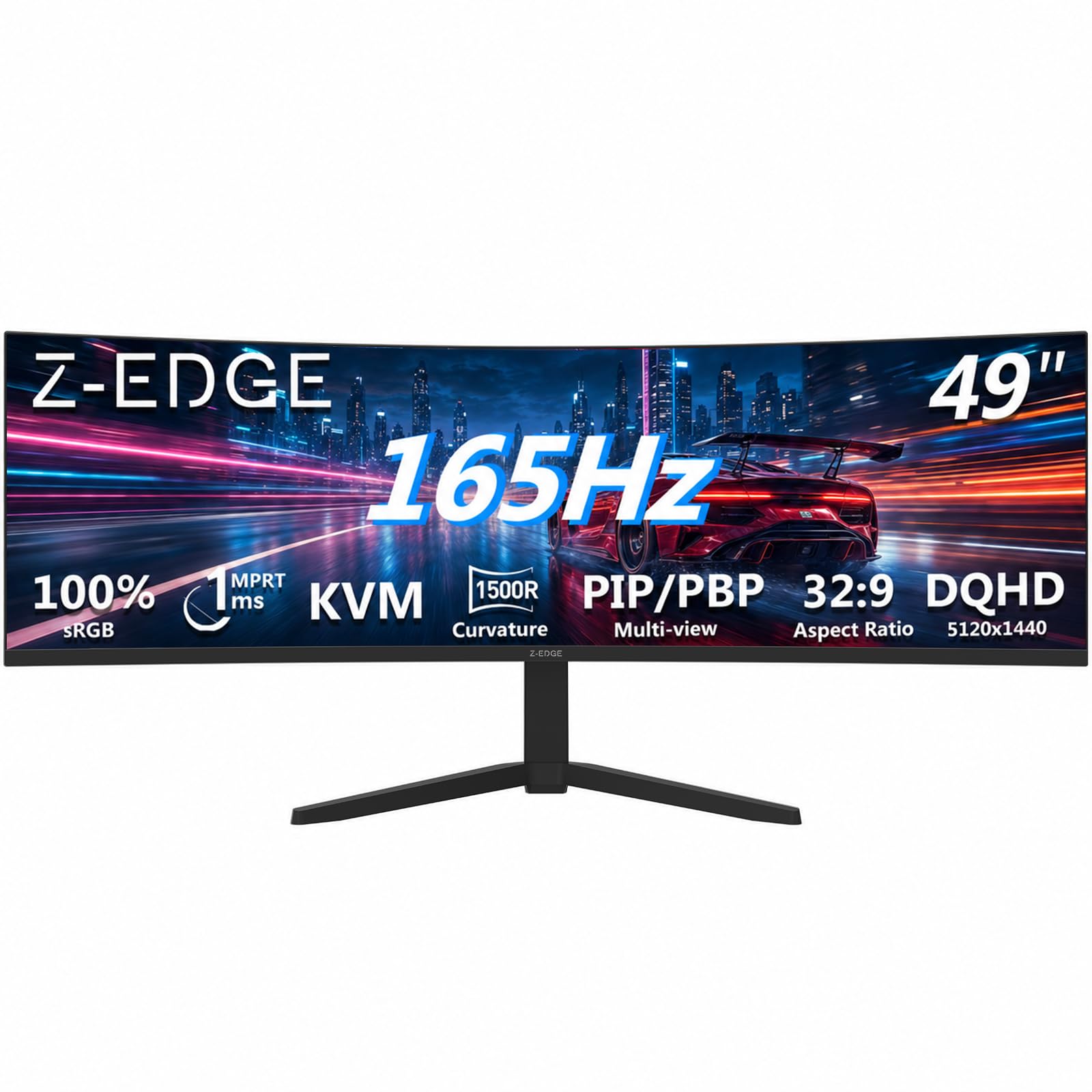
A 49-inch curve built for speed first — 165Hz and 1ms for the competitive crowd.
The refresh rate is the headline: 165Hz over HDMI 2.1 or DisplayPort 1.4, paired with a 1ms MPRT response time (how fast a pixel fully switches). That combination means fast horizontal pans in shooters stay readable rather than smearing, and FreeSync trims tearing so the frames line up. The 1500R curve wraps the 32:9, 5120 x 1440 panel around your view for a cinematic spread.
You can run two systems on one screen with PBP and PIP (picture-by-picture and picture-in-picture modes that split the display). A built-in KVM switch (a box that lets one keyboard and mouse control two computers) means a work laptop and a gaming rig share the desk without a second set of peripherals. Gaming assist tools like a crosshair overlay, shadow balance for dark corners, and an on-screen timer round out the package. Dual speakers handle everyday audio without extra boxes.
Picture quality gets steady praise, and value is a strong point too. The honest risk sits with long-term reliability and color, both mixed areas — a few buyers report a unit that stopped working or yellow lines down the right side, while most are delighted. Durability is the one weak spot to weigh, so treat it well and keep the receipt.
The gamer’s case: 165Hz and 1ms on a 49-inch curve is a lot of speed and width for the tier.
The fair caveat: reliability is uneven in a minority of units — check yours thoroughly on day one.
Reach for it if: you want one giant fast screen to game and run two systems on.
Hesitate if: you need bulletproof long-term reliability above all else.
7. LG 34GS95QE 34-inch Ultragear OLED Curved Gaming Monitor

An OLED panel that drops blacks to true black and runs at 240Hz — cinematic and quick at once.
OLED is the reason to buy this one. Each pixel switches off for true black, and the 1.5M:1 contrast ratio makes dark scenes read with depth a VA panel cannot match. Contrast and color are what owners talk about most, and it shows in a picture that feels alive. Add a 240Hz refresh (240 redraws a second) and a 0.03ms gray-to-gray response, and fast play looks glassy and smooth.
The 21:9, 3440 x 1440 panel curves at 800R — a deep, steep bend that pulls the edges toward you for immersion. That steep curve is the most-debated trait: some love how it wraps the action, others find it too strong. The anti-glare screen cuts reflections, and it is certified for both NVIDIA G-SYNC Compatible and AMD FreeSync Premium Pro, so either graphics card syncs cleanly.
Brightness sits at 275 cd, the high point being its blacks rather than its peak white, so this is a dim-room performer. Gamers report games holding high frame rates on it with ease. The catch: the aggressive 800R curve is a taste call, and OLED rewards careful use over years.
Made for: dark-room gaming and movie nights where inky blacks matter more than raw brightness.
Try before you buy if: a steep 800R wave in a flat-lit room might be too much curve for you.
8. Alienware 34 240Hz QD-OLED Curved Gaming Monitor – AW3425DW

The color specialist: QD-OLED pixels at 99.3% DCI-P3, tuned to a Delta E under 2.
Where this earns its keep is color. Quantum-dot OLED layers vivid pigment over self-lit pixels, and 99.3% DCI-P3 coverage with Delta E under 2 means the shade on screen is the shade you intended — a real advantage for photo and video work. Pair that with VESA DisplayHDR TrueBlack 400, 1000 nits peak HDR brightness, and an infinite contrast ratio, and dark highlights pop while shadows stay genuinely black.
Speed is elite too: 240Hz with a 0.03ms response, backed by NVIDIA G-SYNC Compatible, AMD FreeSync Premium Pro, and VESA AdaptiveSync. The 1800R curve on a 34-inch 3440 x 1440 panel is a gentler bend than the LG 34GS95QE’s 800R, which suits curved-screen skeptics. It is a softer swoop than the deep LG arc.
The visual quality draws the praise — crisp resolution, deep pure blacks, and games that look better in shadow detail. The honest watch-points are brightness perception and durability, both mixed in the feedback, so plan for a darker room and treat OLED pixels kindly.
Why creators pick it: 99.3% DCI-P3 with tight Delta E, on a panel that also games at 240Hz.
The honest note: brightness and long-term durability are the areas to keep an eye on.
Choose it if: accurate color and deep blacks outrank everything on your list.
Pass if: you need a sunlit-room panel at its brightest all day.
9. LG 45GX900A-B 45-Inch Ultragear OLED Curved Gaming Monitor
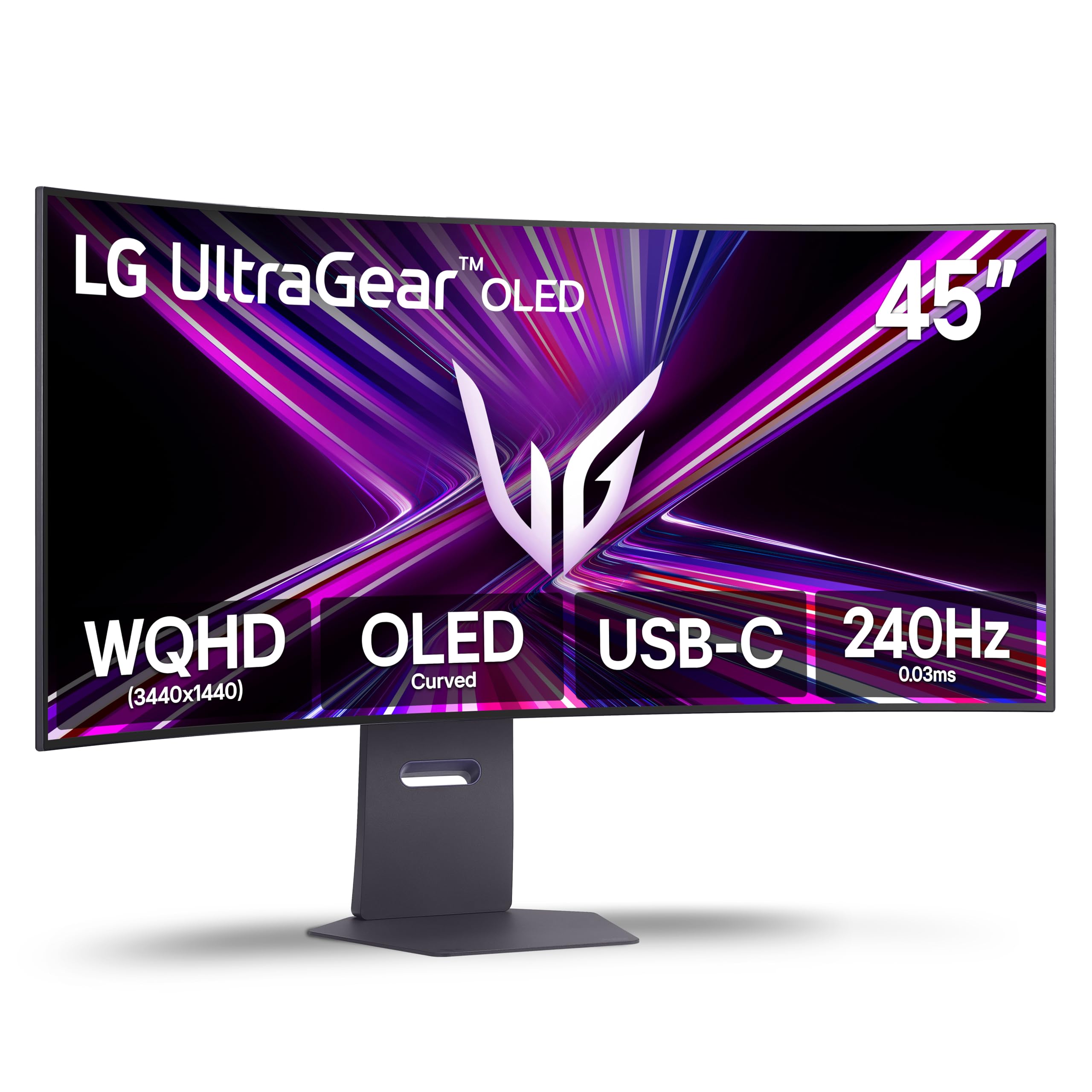
A 45-inch OLED with an 800R curve that pulls you into the action, at 240Hz.
Screen size is the move here. A 45-inch 3440 x 1440 OLED panel sits bigger than the 34-inch LG 34GS95QE, and the steep 800R curve wraps that extra width around you for a surround-style feel. The 240Hz refresh with a 0.03ms response keeps play fast and free of ghosting, and the OLED blacks run deep against the 1.5M:1 contrast ratio and DisplayHDR True Black 400.
Brightness reaches up to 1300 nits at APL 1.5% for punchy HDR highlights, with 98.5% DCI-P3 color and UL-verified flicker-free, low-glare, low-blue-light credentials for long sessions. Serious gamers get Dynamic Action Sync to cut input lag, Black Stabilizer to lift shadows, an FPS counter, and a crosshair. Connectivity covers HDMI 2.1, DisplayPort 1.4, and a 65W USB-C that charges a laptop while carrying the picture.
What lands well is monitor quality and color — true blacks and a big canvas for multitasking. Picture sharpness splits opinion, with some finding it less crisp than expected, and reliability is mixed, so the 2-year limited warranty and OLED Care pixel tools are worth leaning on.
Great fit for: gamers who want a huge rich OLED without going full 32:9.
Look elsewhere if: razor-sharp text sharpness is your top priority on a work desk.
10. Samsung Odyssey Neo G9 G95NC Gaming Monitor

The widest thing here: a 57-inch Dual UHD monitor that puts two 4K screens on one curve.
Resolve decides this category, and the Neo G9 sits at the top with a 7680 x 2160 Dual UHD panel — as wide as two UHD monitors with no seam. The 1000R curve wraps that spread around you, and the quantum mini-LED backlight uses 2,392 local dimming zones to shape brightness and contrast far more precisely than edge lighting can. VESA DisplayHDR 1000 with 1,000 nits peak brightness and a 1,000,000:1 contrast ratio give highlights real punch.
Speed matches the size: 240Hz with a 1ms gray-to-gray response, and DisplayPort 2.1 supports the full resolution at variable refresh so nothing dumbs down. AMD FreeSync Premium Pro keeps fast scenes smooth, while CoreSync projects on-screen color into the room and Core Lighting adds ambient glow. The ergonomic stand swivels, tilts, and adjusts height, and PBP shows two sources at native resolution with PIP on up to 25% of the screen.
The trade-off is real: picture quality and value both split opinion, and reliability is a mixed area, so not everyone finds the finish perfect for the price. What is not in doubt is the sheer canvas — buyers praise its size and versatility for gaming and multitasking alike.
The wide-angle verdict: nothing else here matches 7680 x 2160 for pure desk real estate.
The catch: you need a large desk, a strong GPU, and tolerance for a premium price tier.
Built for: power users who want two 4K monitors fused with no gap.
Skip unless: your graphics card can drive all those pixels at high refresh.
11. Dell UltraSharp U4025QW Curved Screen Monitor
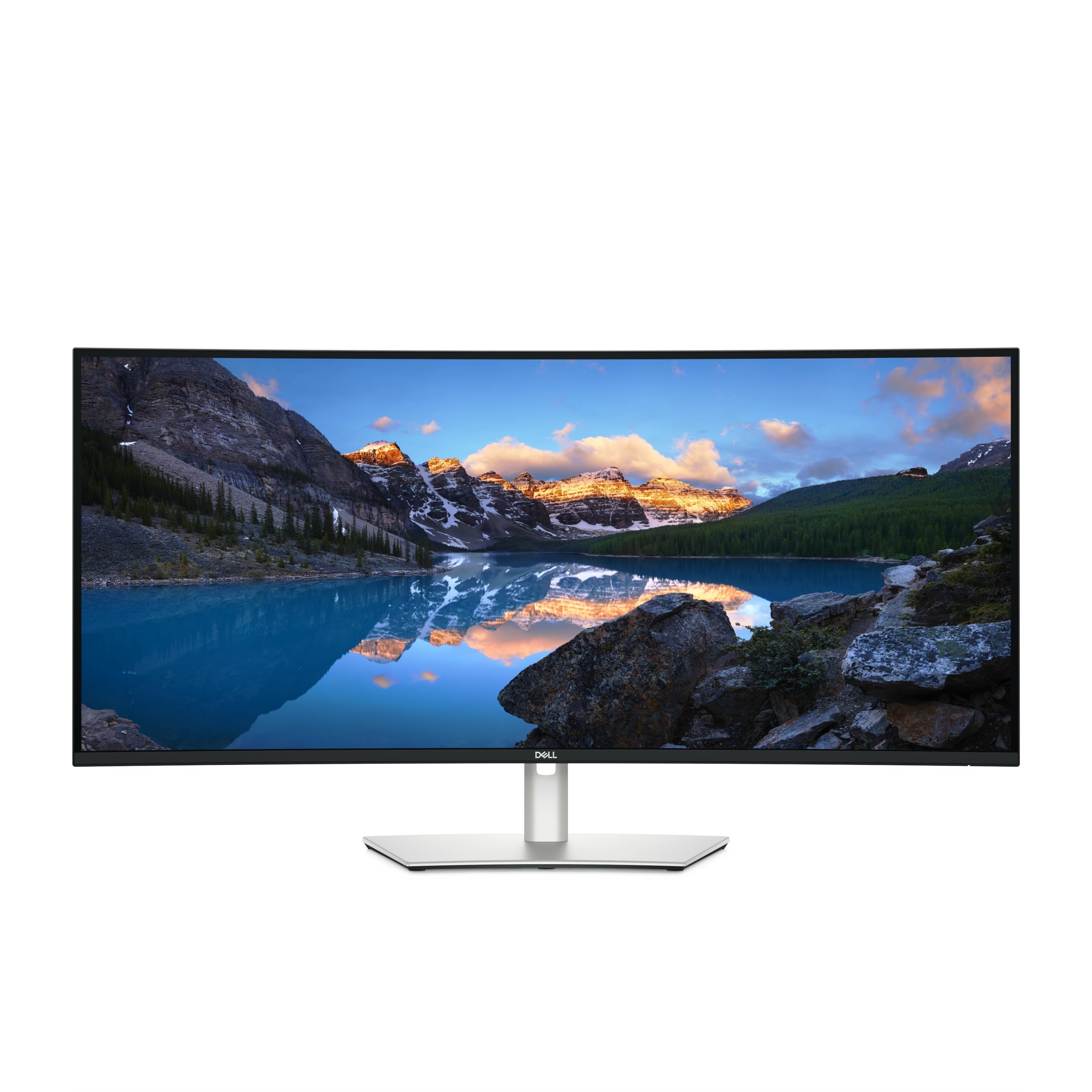
A color-accurate 5K2K curved panel with a built-in KVM — the professional’s daily driver.
Detail and color drive this one. The 39.7-inch viewable screen runs 5120 x 2160 pixels in 21:9, so drawings open at full size and two document windows sit side by side without crowding. Color lands at 99% coverage with a 2,000:1 contrast ratio, and 600-nit brightness keeps the image clear in a well-lit office — brighter than the INNOCN 40C1U’s 350 nits.
The built-in KVM is the workflow win: one keyboard and mouse control two machines, switching cleanly. USB-C carries data and video, and a USB hub plus Ethernet and Thunderbolt-capable connectivity turn the monitor into a dock. The 5ms response is fine for work and casual play; FreeSync smooths games at the 120Hz it supports.
Image quality is the strength — perfect contrast and crisp 5K2K at 120Hz are exactly what creative work wants. The honest note is value, which splits opinion, since this is the premium tier of the list. If color accuracy and a one-cable dock are the job, it delivers.
What professionals gain
- 5120 x 2160 at 120Hz with 99% color coverage
- Built-in KVM lets one keyboard and mouse run two machines
- 600-nit brightness holds up in a lit office
- USB-C hub, Ethernet, and Thunderbolt-capable ports act as a dock
What you accept
- Premium price tier — value splits opinion among owners
- 5ms response is not built for competitive twitch play
Best for: designers and editors who want color accuracy and a KVM dock in one panel.
Not aimed at: competitive gamers chasing the fastest response times.
Know the Specs
Refresh Rate and Response Time
Refresh rate is how many times per second the panel redraws, in hertz — so 100Hz means 100 redraws a second and 240Hz means 240. Higher is smoother, which you feel in fast pans and cursor motion. Response time is how fast a single pixel changes shade, in milliseconds (ms) — lower means less ghosting. A high refresh rate with a slow response still smears, so check both.
Resolution and Aspect Ratio
Resolution is the pixel count, like 3440 x 1440 or 5120 x 2160, and more pixels means sharper text and detail. Aspect ratio is the shape — 21:9 is a third wider than standard 16:9, and 32:9 doubles that into two screens’ worth of width. Wider panels need more desk depth and more graphics power to drive.
Panel Type: IPS, VA, OLED
IPS gives even color across wide angles, good for design. VA pushes deeper blacks and higher contrast, good for dark-room play. OLED lights each pixel individually for true black and fast motion, at a higher price. Each trades a strength against a weakness.
Curve Radius and Ports
Curve radius, like 1500R or 800R, is the circle size in millimeters — a smaller number means a sharper bend. A gentler curve suits a far viewing distance; a steep one suits close immersion. On ports, a USB-C with power delivery (measured in watts) lets one cable carry video and charge a laptop.
Common Questions
Is a curved ultrawide monitor better than a flat one?
Can my graphics card run a 32:9 or Dual UHD monitor at high refresh?
How much desk depth do I need for a 49-inch or 57-inch ultrawide?
Does a USB-C port on the monitor really charge my laptop?
What is the difference between 21:9 and 32:9 ultrawide?
How long do OLED ultrawide monitors last before burn-in?
Is a 100Hz ultrawide fast enough for gaming?
Do I need a VESA mount for a heavy ultrawide monitor?
What does the KVM switch on an ultrawide monitor do?
Can I run two computers on one ultrawide screen at once?
Do ultrawide monitors include built-in speakers?
The Bottom Line
For most desks, the safest all-round buy among these top rated ultrawide monitors is the Alienware AW3425DWM. Its 180Hz refresh beats the Samsung S50GC’s 100Hz by a wide margin, the 1ms response keeps motion clean, and 3440 x 1440 fits two full windows without a curve that fights straight lines. If accurate color and true black matter more than refresh, the Alienware AW3425DW adds QD-OLED at 99.3% DCI-P3. For sheer width, the Samsung Odyssey Neo G9 puts two 4K panels on one 1000R curve, and the Dell UltraSharp U4025QW is the color-accurate dock for creative work. Start with the Alienware — its balance of speed, sharpness, and price tier is the hardest to beat here.
How we choose
We do not accept paid placement. Every pick is matched to a real buyer and a real use-case; we do not hands-on test units.
Sources
Specifications: manufacturer listings and product documentation. Review insights: verified customer reviews, as of November 2026. Pricing: not shown on this page (it changes often); check the current price via the retailer link.
As an Amazon Associate, Tactical Gear Guy earns from qualifying purchases. This does not affect which products we feature.