Specs are compiled from manufacturer listings and verified buyer reviews and can change over time — please confirm the key details on the product page before buying.
Here is the short answer. The Logitech G502 HERO is the safest buy for most people. The Razer Viper V4 Pro is the one to get if you play competitive shooters. The SteelSeries Prime is the cheapest way into a genuinely quick esports mouse. The rest of this list sorts the nine strongest options by what they actually do well — sensor accuracy, button count, weight, and how they feel in a real hand — so you can stop reading spec sheets and start playing.
This guide is built by comparing the manufacturers’ published specifications and the patterns across verified customer reviews, so you get each pick’s real strengths and trade-offs instead of marketing spin.
Weight, sensor resolution and button layout decide far more than brand names do, and the picks below cover every hand size and play style. These are the nine I would shortlist when you are shopping for the best top ten gaming mouse.
Top Picks

How To Choose The Best Top Ten Gaming Mouse
The mouse you buy should match your grip first and your spec sheet second. A sensor with a huge DPI number on a shape your hand hates is a worse purchase than a modest sensor that sits perfectly under your palm. Work through these four things in order and you will land on the right one quickly.
Start with grip style, then measure your hand
Palm grip means your whole hand rests on the shell — that needs a longer body, which is why the CORSAIR IRONCLAW WIRELESS SE runs 5.12 inches front to back. Claw and fingertip players want something shorter and lighter, and the SteelSeries Prime’s 2.67-inch body suits that. If you have large hands, a compact shell will force your wrist into a cramped angle, so check body length before anything else.
Understand the DPI and IPS numbers
DPI (dots per inch) is how far the cursor travels for every inch you move the mouse. Anything past a few thousand is already faster than most players can control, so a 26K or 35K sensor is more about headroom than everyday use. IPS (inches per second) describes how fast you can swipe before tracking breaks down, and a higher figure means fast flicks stay accurate.
Weigh grams against the buttons you actually use
Lighter is quicker to flick, but lighter usually means fewer buttons — the 55g GLORIOUS Model O Eternal carries 6, while the heavier Razer Basilisk V3 35K packs 13. If you play MMOs or use push-to-talk, count your keybinds first. If you play shooters, weight and sensor stability matter more than a thumb cluster you will never reach.
Decide whether the cable matters
A wired mouse never needs charging and never drops a signal, which is why several picks here stay corded. Wireless adds freedom and, on the CORSAIR IRONCLAW WIRELESS SE, a battery rated up to 285 hours over 2.4GHz. The trade-off is a charging routine and, in the odd case, a connection that needs re-pairing.
Side-by-Side Comparison
| Model | Best For | Max DPI | Buttons | Weight | Amazon |
|---|---|---|---|---|---|
| Logitech G502 HERO★ Best Overall | All-round wired pick | 25,600 | 11 | — | Amazon |
| SteelSeries PrimeBudget Champion | Budget esports FPS | 18,000 CPI | 5 | 69g | Amazon |
| GLORIOUS Model O EternalUltralight Pick | Ultralight on a budget | — | 6 | 55g | Amazon |
| Razer Basilisk V3 35K | Most buttons wired | 35,000 | 13 | 0.18 kg | Amazon |
| CORSAIR IRONCLAW WIRELESS SE | Large hands, long battery | 26,000 | 10 | — | Amazon |
| SteelSeries Aerox 5 | Light with an IP54 shell | — | 9 | 59g | Amazon |
| CORSAIR SCIMITAR ELITE WIRELESS SE | MMO keybinds | 33,000 | 16 | 0.11 kg | Amazon |
| Razer Viper V4 Pro | Competitive esports | 50,000 | 6 | 49g | Amazon |
| Logitech G PRO X2 SUPERSTRIKE | Quiet, precise FPS | 44,000 | 5 | — | Amazon |
Detailed Reviews
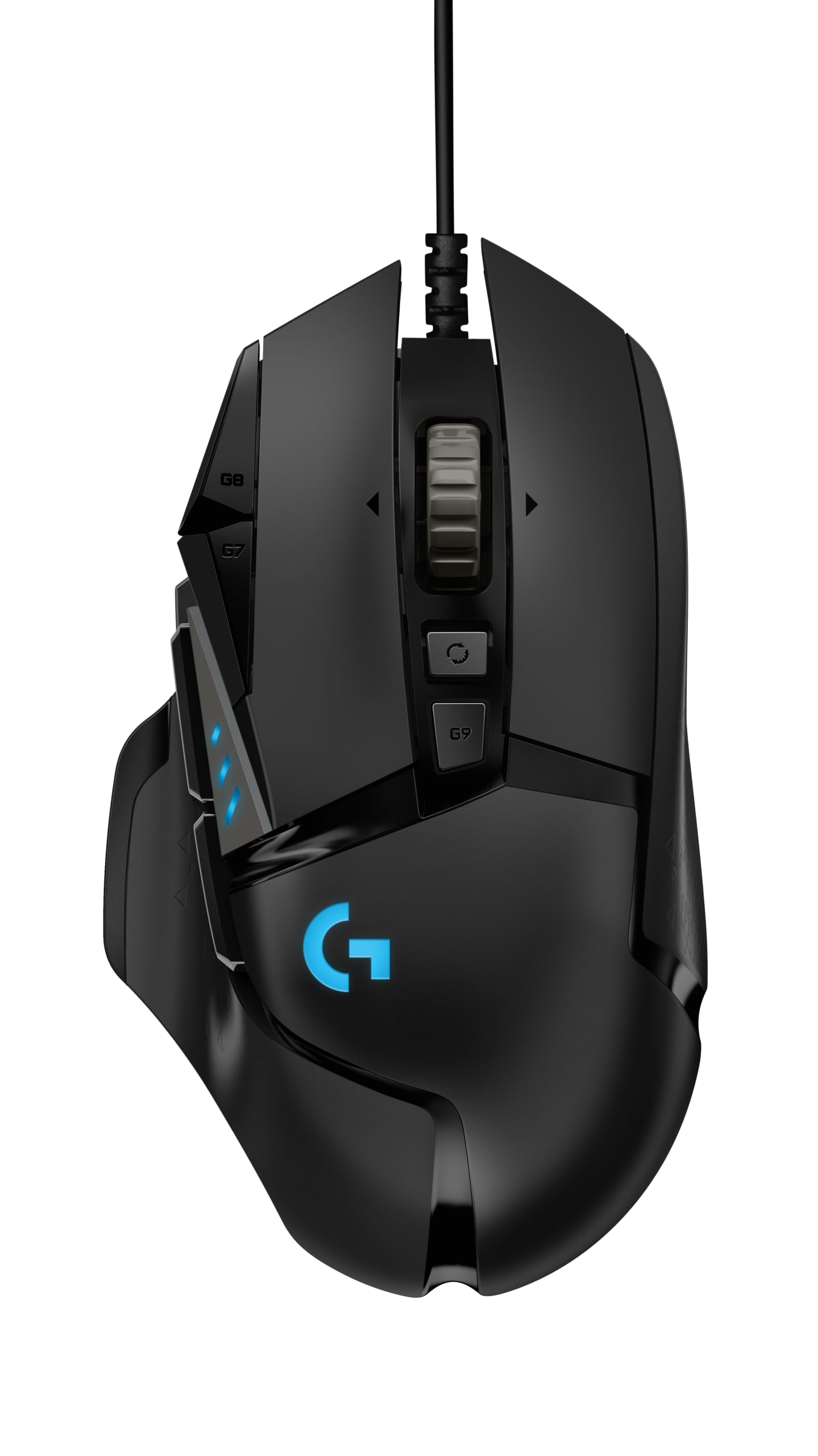
1. Logitech G502 HERO Wired Gaming Mouse
Our pick — 4.5+★ from 58,500+ verified ratings; the strongest balance of quality and price.
Eleven programmable buttons, adjustable weights and a 25,600 DPI HERO sensor in one wired shell.
You tune the balance until the mouse stops feeling like it is fighting your hand — that is the detail that makes this the crowd favorite. Five small weights go into this shell, each one 3.6 g, so you shape the feel in small reliable steps rather than picking between two extremes. The HERO sensor tracks to 25,600 DPI (dots per inch — how far the pointer flies per inch of your movement) with zero smoothing, filtering or acceleration. In plain terms, your hand movement and your on-screen aim stay locked together.
For everyday use, the 11 programmable buttons and the dual-mode hyper-fast scroll wheel push it ahead. You get a wheel that clicks through weapons, plus a free-spin mode that races down a long inventory list. The mechanical switch tensioning uses metal pivot hinges under the left and right buttons, so each press resets crisp and quick. It is a wired mouse, so there is no charging routine and no signal to lose mid-match.
It is a long-bodied mouse at 2.95 inches by 1.57 inches and shaped for a right hand, so palm players with medium-to-large hands settle in well — claw and fingertip players often find it bulky. Reliability shows up as the honest caveat: the bulk of owner feedback is positive on build quality, but a recurring thread mentions units that stopped working properly, and ergonomics split opinion along exactly those hand-size lines. Compared with the SteelSeries Prime’s 69g body, the G502 is the heavier, more feature-loaded choice — and for most people that trade is worth it.
What earns its keep
- Adjustable weights (five at 3.6 g each) let you dial in balance
- 11 programmable buttons cover shooters, MMOs and work macros
- 25,600 DPI HERO sensor with no smoothing or acceleration
- Dual-mode scroll wheel switches between clicky and free-spin
Where it asks you to compromise
- Heavier and longer-bodied than the ultralight picks here
- Wired only — no battery-free cable-free option
- Some buyers report units that stopped working properly
Reach for this if: you want one wired mouse that handles shooters, MMOs and desk work without a second purchase.
Think twice if: your hand is small or you play strictly fingertip, where the 2.95-inch body can feel like a lot of mouse.
2. SteelSeries Esports FPS Gaming Mouse – Prime Edition
A 69g right-handed shell with optical magnetic switches rated for 100 million clicks.
Start with the switch life, because it is the number that tells you how long this mouse stays crisp: the optical magnetic switches are rated for 100 million clicks. That beats the Razer Basilisk V3 35K’s 90 million figure, and it is the sort of durability that matters if you click hard and often. The TrueMove Pro sensor tracks at 18K CPI, 450 IPS (inches per second — how fast you can swipe before tracking gives out) and 50G of acceleration, so fast flicks in shooters hold their line.
At 69g it is light enough to whip around, and the shape was engineered for right-handed play across finger, palm and claw grips. Owners consistently describe the sensor as accurate and the build as solid for the money, and it stays as light as the spec claims.
The catch is button count. Five buttons is the minimum for shooters, so if you rely on a thumb cluster for abilities or push-to-talk, you will run out of room fast — the Razer Basilisk V3 35K gives you 13 by comparison. This is a specialized esports tool, not an all-rounder, and it is the cheapest legitimate route into that category on this list.
Sharpest value here: a pro-shaped 69g shell with a 100-million-click switch rating for entry-level money is a genuinely rare combination.
The honest limit: five buttons means no thumb cluster, so MMO and macro-heavy players should look at the multi-button picks instead.
Who it beats: anyone on a tight budget who wants pure FPS performance and does not need a dozen keybinds.
Who should look on: players who map abilities to a thumb grid, since five buttons will feel cramped.
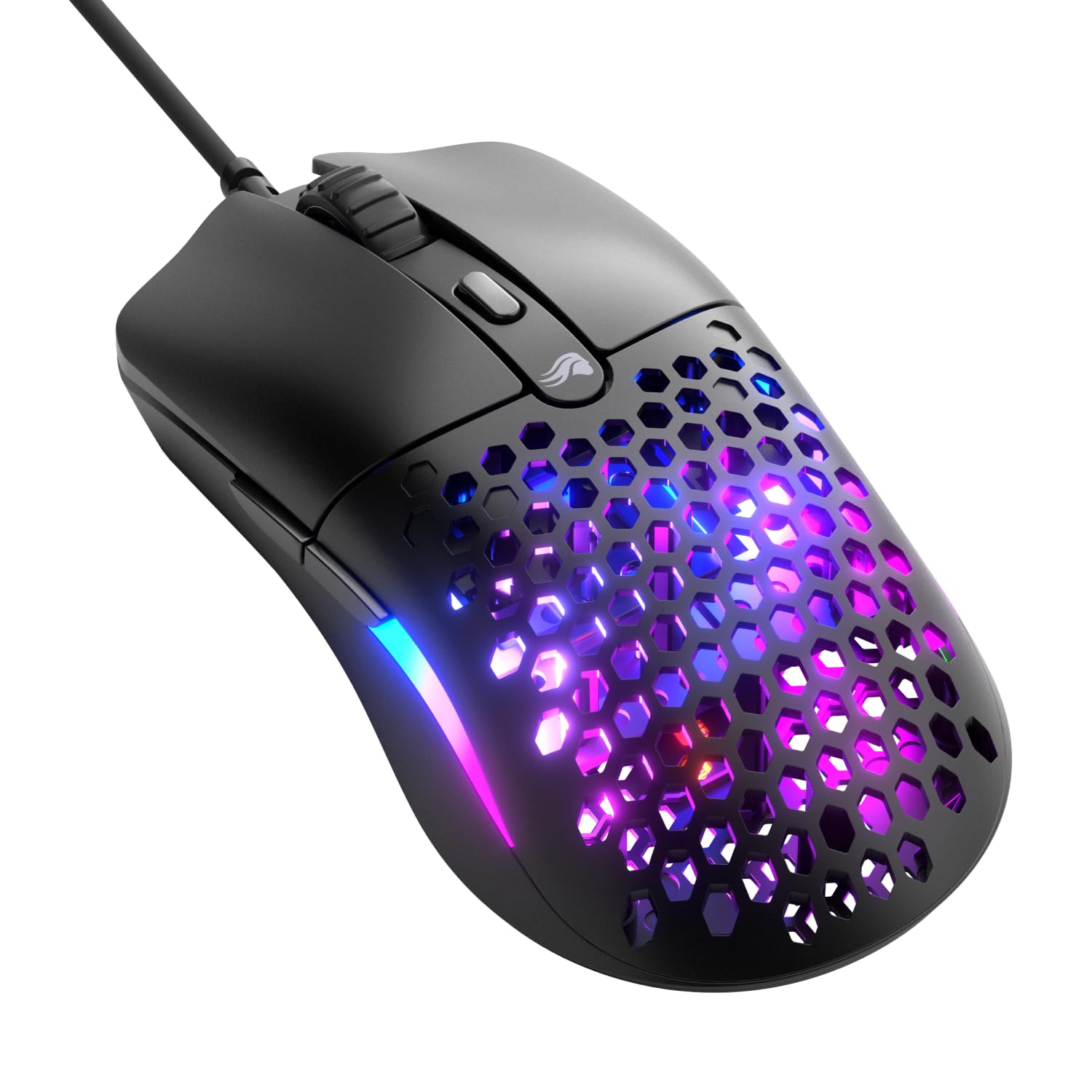
3. GLORIOUS Model O Eternal Gaming Mouse (Black)
A 55g honeycomb shell with a symmetrical shape and 80-million-click mechanical switches.
The honeycomb shell is the whole idea here: it cuts the weight to 55g, which the maker puts at up to 35% lighter than competitors. Lighter means faster swipes and quicker stops, and in a fast game that difference shows up in how often you overshoot a target. The mechanical switches are rated to 80 million clicks, which is well below the SteelSeries Prime’s 100 million rating, so this is the pick for feel and speed rather than maximum switch lifespan.
A symmetrical shape is an unusual choice on right-handed gaming mice, and it pays off — the shell settles naturally whether you palm it for work or claw it for a match. Six buttons remap through Glorious CORE software, and dual-zone RGB floods the flared side panels with colour you can adjust by shortcut or in software. Owners rate the build quality as the standout strength here, with the feel of the shell and the value it delivers drawing the most consistent goodwill.
The trade-off is long-term confidence. Functionality and durability sit in mixed territory — some units reportedly stop working correctly, and a few buyers mention drag-clicking not behaving. Those are minority notes against a strong overall picture, but if you want the most proven switch lifespan in this list, the SteelSeries Prime is the safer long-haul bet.
What wins people over: build quality is the thing owners talk about most, and the 55g honeycomb shell feels sturdier than its weight suggests.
Fit note: if you drag-click or lean on rapid repeated clicks, the switches are the area to keep an eye on.
Best for: players who want a genuinely light shell and a symmetrical shape that doubles as a work mouse.
Look elsewhere if: maximum switch lifespan is your priority — 80 million clicks trails the Prime’s rating.
4. Razer Basilisk V3 35K Wired Ergonomic Gaming Mouse

Thirteen controls and a 35K optical sensor that tracks on glass.
Thirteen customizable controls is the headline — the same count that dwarfs the SteelSeries Prime’s five buttons. It includes a multi-function trigger you can wire to push-to-talk, a ping, or a chat macro, so your left hand stays on the keys where it belongs. The Focus Pro 35K optical sensor tracks on a wider variety of surfaces including glass, and it adjusts in 1-DPI steps, which suits players who like to fine-tune aim in tiny increments.
The hyperscroll tilt wheel is where the money goes. You pick between tactile cycling, smooth free-spin, or Smart-Reel mode that switches automatically based on how fast you scroll — which means one wheel handles weapon swaps and inventory trawls without a settings change. The Gen-3 optical switches are rated for a 90-million click lifecycle with a 0.2 ms actuation time, and the 11-zone Chroma lighting reacts across more than 200 supported games.
What owners praise most is raw performance, with the ergonomics close behind — the shell takes large hands without strain. The scroll wheel is the divided point: it is the feature people buy this for, and it is also where some report it not behaving as expected. Wired only, at 0.18 kg, so it is a desk mouse rather than a travel one.
Worth the desk space
- 13 customizable controls including a multi-function trigger
- 35K DPI optical sensor that tracks on glass
- Hyperscroll wheel with tactile, free-spin and Smart-Reel modes
- 90-million-click switches with 0.2 ms actuation
Keep in mind
- The scroll wheel is the recurring gripe point for a minority
- Wired connection only
- On the heavier side at 0.18 kg
Pick this one: if you want maximum keybinds on a corded mouse and a wheel that can free-spin through long lists.
Pass on it: if you want a featherweight or a mouse you can throw in a bag.
5. CORSAIR IRONCLAW WIRELESS SE Gaming Mouse
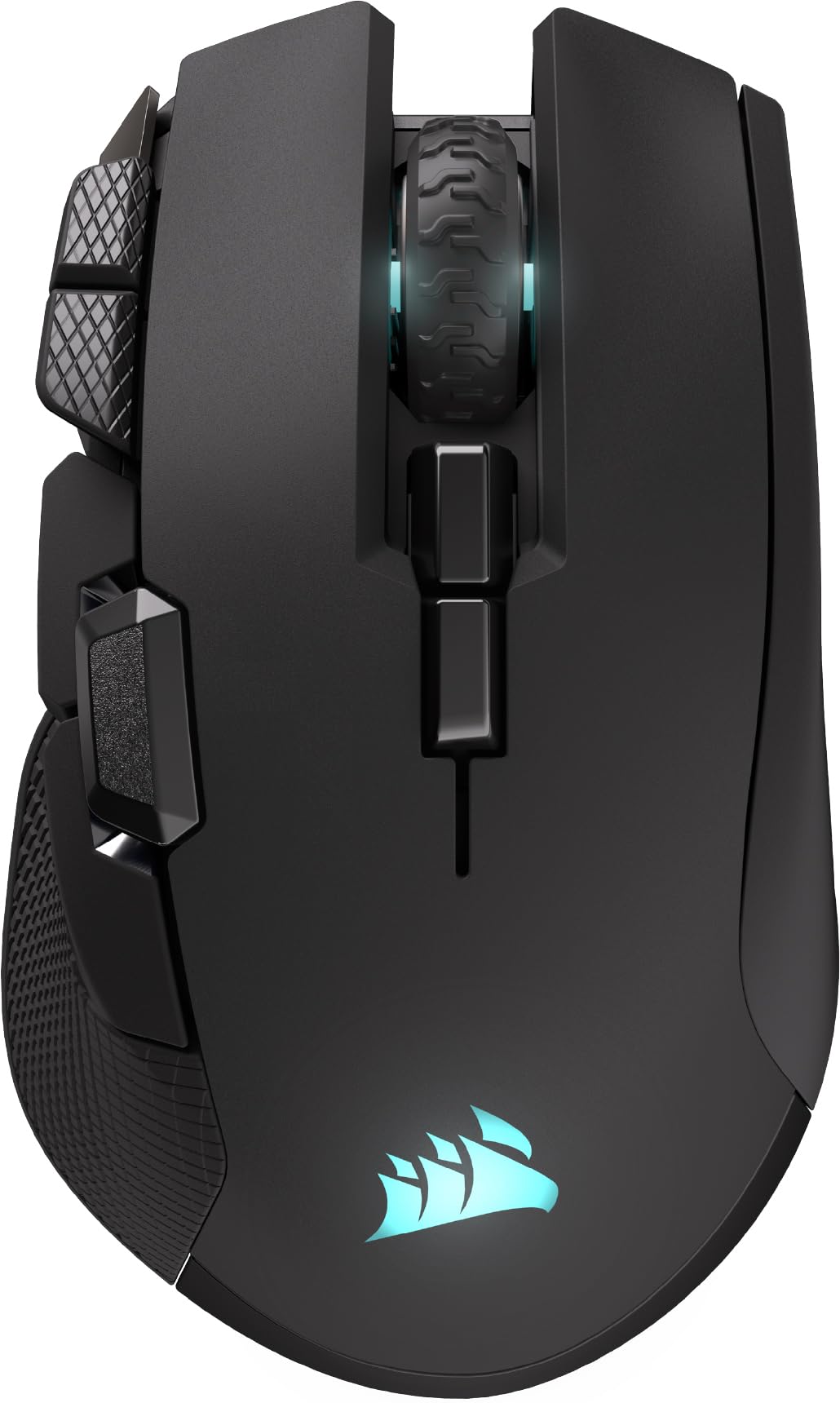
A 5.12-inch right-handed body built for large palms, with up to 285 hours over 2.4GHz.
Length is the reason this mouse exists. At 5.12 inches front to back it runs a long way past the SteelSeries Prime’s 2.67 inches. For a large right hand in a palm grip, that extra shell is the difference between resting your hand and curling it. The shape is asymmetric and purpose-built for that grip, so you are not forcing your wrist into a smaller mouse.
The battery numbers are the other reason to consider it: up to 285 hours over 2.4GHz and up to 532 hours on Bluetooth. A recharge is a monthly chore rather than a nightly one. The MARKSMAN sensor reaches 26,000 DPI with surface calibration so it adapts to your desk, and 10 programmable buttons cover macros through iCUE software. Owners describe the battery as running forever on a charge and the grip as genuinely comfortable.
Wireless is the honest caveat. Performance and connectivity both split feedback, and a thread of reports mentions the scroll wheel losing function or the link needing attention — the kind of thing that shows up on a 4.0+ star mouse rather than a flawless one. It also suits palm players specifically; claw fans should not buy a long shell expecting it to shrink.
Where it shines: the battery life and the large palm-grip shape are exactly what heavy-handed, long-session players keep coming back for.
The trade-off: wireless adds a charging routine and a rare connectivity wobble that wired picks never have.
Right for you if: your hand is large, you palm your mouse, and you want weeks between charges.
Not your mouse if: you play claw grip or want the simplicity of a cable.
6. SteelSeries Aerox 5 Gaming Mouse – Black

A 59g holey shell with an IP54 AquaBarrier and nine programmable buttons.
Most lightweight mice are open shells with exposed internals, and that is the weakness this one fixes. The AquaBarrier shields the interior from water splashes, dust and dirt, and the whole shell is rated IP54 (a rating for dust and splash resistance, not for dunking it). The Golden Micro switches carry the same IP54 rating, so the holes in the shell do not turn into a dust trap.
The shell drops to 59g, which sits just above the GLORIOUS Model O Eternal’s 55g. Nine programmable buttons include a side panel and an up/down flick switch, so you get a thumb cluster that most lightweight mice skip. The TrueMove Air optical sensor was co-developed with PixArt, and three RGB zones light in 16.8 million configurable colours. Owners describe it as genuinely light with an ergonomic feel that keeps a hand from getting sweaty during long sessions.
The scroll wheel is the one thing to check before you buy. Feedback there runs the other way — large scroll movements producing very slow on-screen movement is the repeated complaint, so if you scroll heavily in your game, know that going in. The gold-standard sensor and the lighter body still make this the pick for players who sweat the details of weight and durability.
The standout spec: an IP54 shell with matching IP54 switches is unusual on a holey 59g mouse, and it means the weight savings do not come with a dust problem.
Check before buying: the scroll wheel is the one area where buyer experience is not consistent.
Fits you if: you want 59g speed, a thumb panel, and a shell you will not baby around a desk.
Keep looking if: precise, fast scrolling is central to how you play.
7. CORSAIR SCIMITAR ELITE WIRELESS SE MMO MOBA Gaming Mouse

Sixteen programmable buttons with Stream Deck integration and a 33K DPI MARKSMAN S sensor.
Sixteen programmable buttons is the reason to own this one, and it beats the Razer Basilisk V3 35K’s 13 controls. That many keys means a slot for every ability, potion and attack, which is the whole point of an MMO mouse. The MARKSMAN S sensor reaches 33,000 DPI with improved tracking and lower power draw than the previous version, so it holds up in fast combat as well as a hotbar fight.
The Stream Deck integration is the unusual part. You can map Stream Deck functions straight onto the SCIMITAR’s buttons from the Stream Deck app, which turns a gaming mouse into a control surface for streaming and productivity too. SLIPSTREAM wireless runs at 1,000Hz polling with low latency on PC or Mac, and you can switch to Bluetooth or plug in USB-C to charge while you play. The battery is rated at 150 hours, and the thumb ergonomics are the thing owners mention with the most warmth.
This is the pick with the most honest split in the list, and it is worth being direct about it: build quality and reliability are the most-discussed areas and they run mixed, with connectivity drawing the roughest feedback. The ergonomic shape and tactile click earn real praise — that much is clear — but this is a specialized tool for players who value 16 buttons over everything else, not the safest all-rounder.
Why MMO players pick it
- 16 programmable buttons cover a full ability bar
- Stream Deck integration maps macros straight to the mouse
- 33K DPI MARKSMAN S sensor for precise aim
- 150-hour battery with wired charging while you play
What to weigh up
- Build quality and reliability feedback is mixed
- Connectivity is the roughest area reported
- Specialized for MMO and MOBA play rather than shooters
Choose it when: your game lives on a hotbar and 16 buttons saves you reaching for the keyboard mid-fight.
Skip it when: you want the most proven reliability in the list — the wired picks are steadier bets.
8. Razer Viper V4 Pro Wireless Esports Gaming Mouse
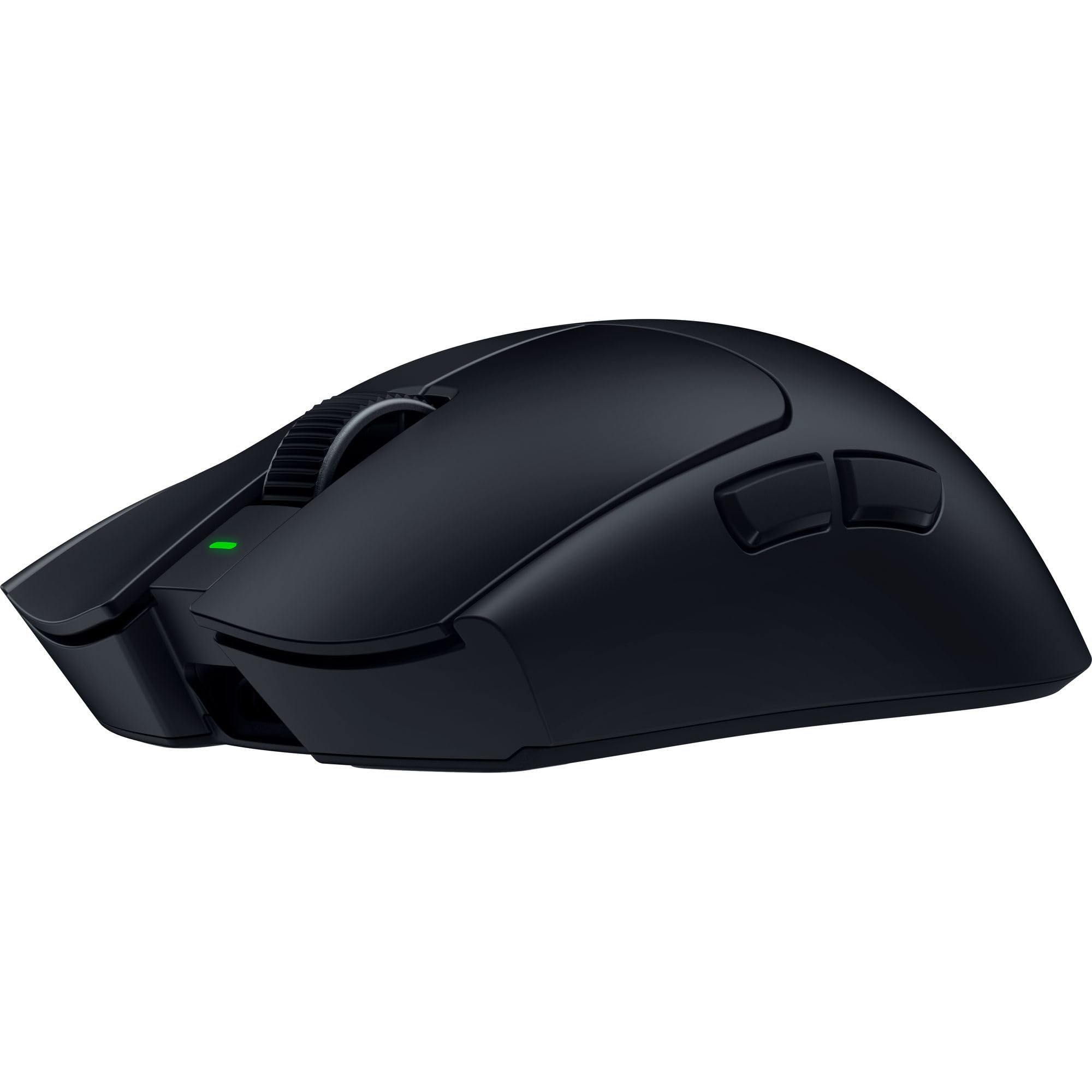
A 49g wireless shell with 8,000 Hz polling and a 50K DPI Focus Pro sensor.
At 49g, this is the lightest proper esports build here — it sits below the GLORIOUS Model O Eternal’s 55g and the SteelSeries Prime’s 69g. What makes that weight usable is the polling rate: HyperSpeed Wireless Gen-2 runs at a true 8,000 Hz, meaning the mouse reports its position to your PC 8,000 times a second, so fast movements do not smear across the screen. The Focus Pro 50K DPI sensor tracks up to 930 IPS and 90G of acceleration, with Frame Sync aligning sensor data to the PC.
Battery is handled with a choice: up to 180 hours at 1,000Hz or up to 45 hours at 8,000Hz. You pick between marathon life and the tightest response, which is the right way to give a competitive player both. Owners praise the performance above all else, with the balanced weight and responsiveness close behind. Even the switches are optical, including the scroll wheel, so the wheel actuates optically for consistent tracking rather than a mechanical click.
The honest note is reliability. A portion of owners mention a mouse that stops functioning after a few months, and value-for-money feedback is mixed given what a premium esports mouse asks you to pay. At this level you are buying the 49g shell, the 50K sensor and the 8,000 Hz link — and if that is what you are after, few mice get closer.
The pro-grade core: 49g, a 50K DPI sensor, 8,000 Hz wireless and a 100-million-click optical switch rating is a genuinely top-tier combination.
The real question: at this price the reliability reports are the thing to weigh, since a wired pick sidesteps that entirely.
For the competitor: you play shooters at a high level and the 49g shell plus 8,000 Hz polling is the edge you are buying.
For the casual player: the wired picks deliver plenty of accuracy with fewer moving parts to worry about.
9. Logitech G PRO X2 SUPERSTRIKE Wireless Gaming Mouse
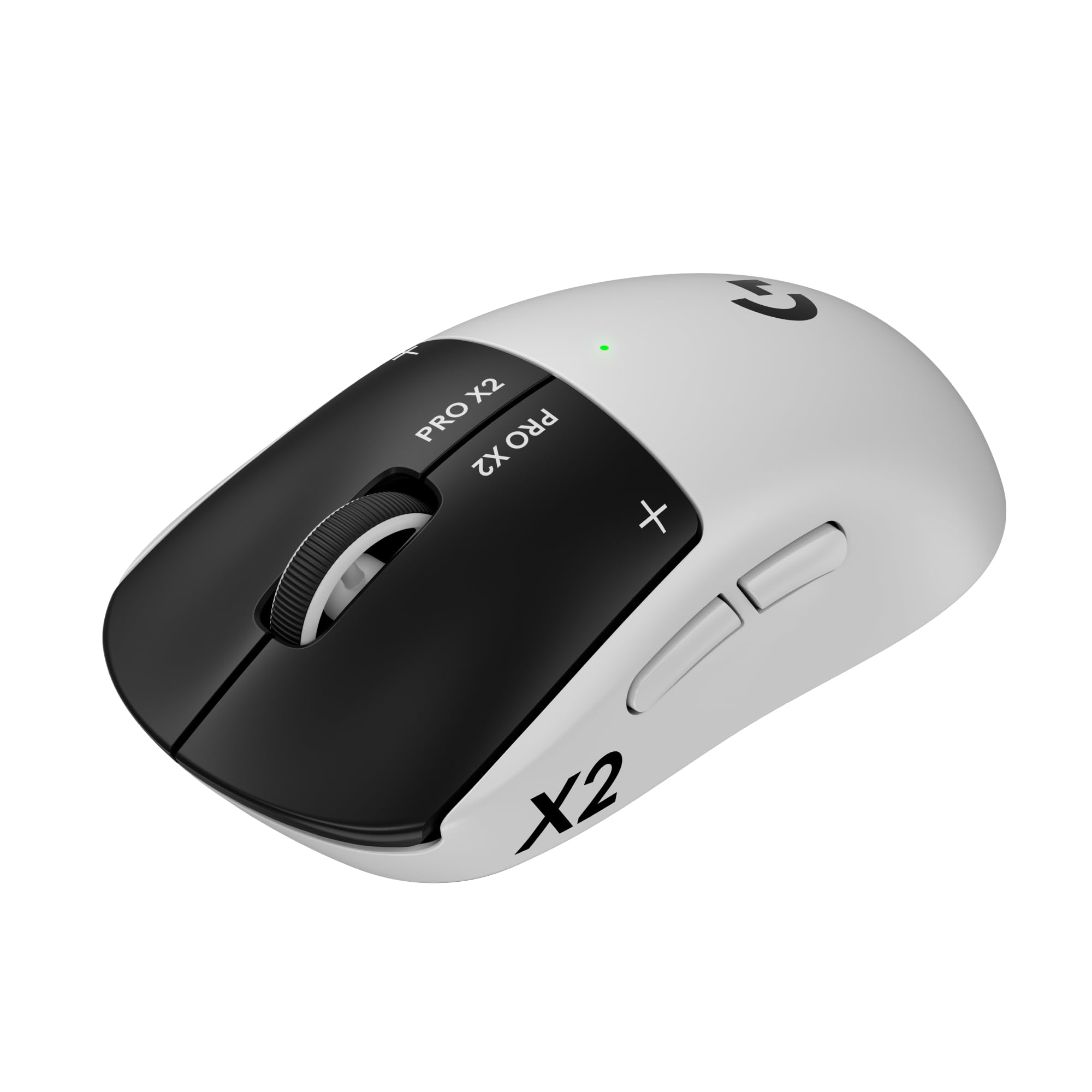
Adjustable click feel and a sensor that tracks faster than most hands can move.
The HERO 2 sensor inside this one is the fastest tracker on the list on paper: it reads more than 888 IPS, 88 g-force and up to 44,000 DPI. In real terms, even a hard, fast flick never outruns the sensor. what separates it from the Razer Viper V4 Pro is the click itself — the actuation points are adjustable and the click haptics are customizable, so you can tune how deep the press travels before it registers. Owners talk about exactly that, describing quicker reactions in FPS games.
LIGHTSPEED wireless delivers 8 kHz polling with no lag, and the battery is rated at 60-90 hours on a charge with the included USB-A to USB-C cable for top-ups. The 0.7 mm thin-wall case and the extra-large UHMWPE feet (a slick plastic glide material) keep the mouse moving with little friction. Clicks run quiet, which matters if you share a room, and customers note around two weeks of battery between charges.
The trade is price against buttons: five buttons is shooter-minimal, so MMO players should look elsewhere, and value-for-money feedback on this one is mixed because it asks premium money for that lean layout. It is also POWERPLAY 2 enabled for wireless charging, though that pad is sold separately. Compare it with the G502 HERO and you see the split cleanly: 11 buttons and a cable on one side, 44,000 DPI and a wireless link on the other.
What you are paying for
- 44,000 DPI HERO 2 sensor with 888 IPS tracking
- Adjustable actuation and customizable click haptics
- LIGHTSPEED wireless at 8 kHz polling
- 60-90 hour battery with quiet clicks
What you give up
- Only five buttons — no thumb cluster
- Premium position with mixed value feedback
- Wireless charging pad sold separately
The deciding factor: if you want to tune exactly how a click feels and track faster than your hand can move, this is the one.
Look to the G502 instead: if a dozen buttons and a cord-free charging worry matter more than click tuning.
Know the Specs
DPI and IPS: speed versus control
DPI (dots per inch) is how far the cursor travels per inch you move the mouse. A 26,000 DPI sensor is far beyond what most players use, so treat that number as headroom rather than a target. IPS (inches per second) is the ceiling on how fast you can swipe before the sensor loses track — higher figures mean fast flicks stay accurate. Buy for control, and let the high numbers be insurance.
Weight in grams and switch lifecycle
Weight drives how fast you can turn. A 49g or 55g shell flicks quicker than a 69g one, but lighter often means fewer buttons. The click lifecycle rating — the millions of presses before switches wear — tells you how long the mouse keeps its crisp feel. A 100-million-click rating outlasts a 90-million one, and that gap matters if you click hard and often.
Polling rate and wireless latency
Polling rate is how many times per second the mouse reports its position to your PC. A true 8,000 Hz rate reports 8,000 times a second, so fast hand movements translate with less delay than a lower rate. The catch is battery: an 8,000 Hz link drains far faster than a 1,000 Hz one, which is why the better wireless mice let you switch between the two.
Buttons, grips and hand size
Button count should match your keybinds, not the marketing sheet. A 16-button MMO mouse is wasted on a shooter player, and a five-button esports mouse cramps an MMO player. Grip follows hand size: palm players want a longer body, claw and fingertip players want something shorter. Measure your hand and match the shell length before anything else.
Common Questions
Does a higher DPI number actually make my aim better?
How light should a gaming mouse be for shooters?
Is a wired mouse better than wireless for competitive play?
Do I need 16 buttons for MMO gaming?
How long does a gaming mouse actually last?
What does IP54 mean on a mouse with holes in the shell?
Will the Logitech G502 HERO fit a small hand?
Do adjustable weights really change how a gaming mouse feels?
Why would I want Stream Deck integration on a mouse?
Should I pick 8,000 Hz polling or longer battery life?
The Bottom Line
For most people the top ten gaming mouse answer is the Logitech G502 HERO, because 11 programmable buttons, adjustable weights and a 25,600 DPI sensor cover shooters, MMOs and desk work in one wired shell that never needs charging. If competitive shooters are the point, the Razer Viper V4 Pro pairs a 49g body with 8,000 Hz polling for the quickest response here. And if you are buying on a budget, the SteelSeries Prime gives you 69g and a 100-million-click switch rating for entry-level money. Pick by your grip and your button count first, and the right one will be obvious.
How we choose
We do not accept paid placement. Every pick is matched to a real buyer and a real use-case; we do not hands-on test units.
Sources
Specifications: manufacturer listings and product documentation. Review insights: verified customer reviews, as of November 2026. Pricing: not shown on this page (it changes often); check the current price via the retailer link.
As an Amazon Associate, Tactical Gear Guy earns from qualifying purchases. This does not affect which products we feature.