Specs are compiled from manufacturer listings and verified buyer reviews and can change over time — please confirm the key details on the product page before buying.
You want one small box that turns your TV, air conditioner and set-top box on with your voice — and actually connects without a fight. That is the whole job here. The problem is that a universal IR hub lives or dies on three boring things: whether it talks to your Wi-Fi, whether its code library knows your appliance, and whether it can see what it is firing at. This guide sorts the nine serious options on exactly those points, with the honest trade-offs spelled out.
This guide is built by comparing the manufacturers’ published specifications and the patterns across verified customer reviews, so you get each pick’s real strengths and trade-offs instead of marketing spin.
Most hubs fail for one reason only — a 2.4 GHz-only radio meeting a 5 GHz router. That is why every pick below states its Wi-Fi band up front. Here is the honest read on the universal ir remote with wi-fi and alexa.
Top Picks


How To Choose The Best Universal IR Remote with Wi-Fi and Alexa
Buying one of these is really four separate decisions, and getting any one wrong leaves you with a hub that sits on the shelf. Here is the order that matters.
The 2.4 GHz trap that catches most buyers
Nearly every hub in this category runs on a 2.4 GHz Wi-Fi band only — the slower, longer-reach band your router broadcasts alongside its faster 5 GHz one. If you own a single combined router, that is fine. If your phone auto-joins the 5 GHz network during setup, the hub often never appears. Set your phone on the 2.4 GHz network before you open the app, and the setup usually goes through first time.
Line of sight is not a suggestion
An IR blaster is an infrared emitter — it fires an invisible beam at your appliance the same way a TV remote does. Walls, cabinet doors and even a soundbar sitting in front of the TV will block it. Place the hub where it can see the front panel of the devices you want to control, or pick a model that ships with an extension cable for devices tucked into a closed cabinet.
Fixed-code RF versus rolling code
Some hubs add RF control on top of IR, which lets them reach motorized curtains and ceiling fans that IR cannot touch. But that RF support only covers fixed-code devices — the kind that send the same signal every time. A rolling-code remote, which changes its code on every press, is usually the type that needs pairing on first use, and hubs in this category do not handle it. Check before you buy if your blinds or projector screen matter to you.
How big a code library you actually need
A library of thousands of brand codes sounds enormous and usually is overkill for a TV and an air conditioner. What matters more is whether the app lets you learn commands manually when your specific appliance is missing. Every pick here except the entry-level hub in the smallest size offers some form of manual learning, which is the real safety net for older or uncommon gear.
Side-by-Side Comparison
| Model | Best For | Wi-Fi Band | Device Support | Voice Assistants | Amazon |
|---|---|---|---|---|---|
| Broadlink RM4 Mini + HTS2★ Best Overall | Overall balance of cost and reach | 2.4 GHz | 15 devices | Alexa | Amazon |
| SwitchBot Hub MiniMost Compact | Small footprint, huge brand library | 2.4 GHz | 10 devices | Alexa, Google, IFTTT | Amazon |
| RM4 Mini with HTS2 CableBiggest Code Library | Biggest IR code library here | 2.4 GHz | 50,000 devices | Alexa, Google | Amazon |
| Tapo H110 | Matter home with an alarm built in | 2.4 GHz | 8,000+ brands | Alexa, Google, Siri | Amazon |
| MoesGo WiFi RF IR | Curtains and ceiling fans on RF | 2.4 GHz | 12 devices | Alexa, Google | Amazon |
| Broadlink RM4 Pro | RF fixed-code gear plus big IR list | 2.4 GHz | 18 devices | Alexa, Google, IFTTT | Amazon |
| SofaBaton X1S | Handheld remote plus hub combo | 2.4 GHz | 60 devices | Alexa, Google | Amazon |
| SofaBaton X2 | Whole-home touchscreen control | 2.4 GHz | 49 devices | Alexa, Home Assistant | Amazon |
Detailed Reviews
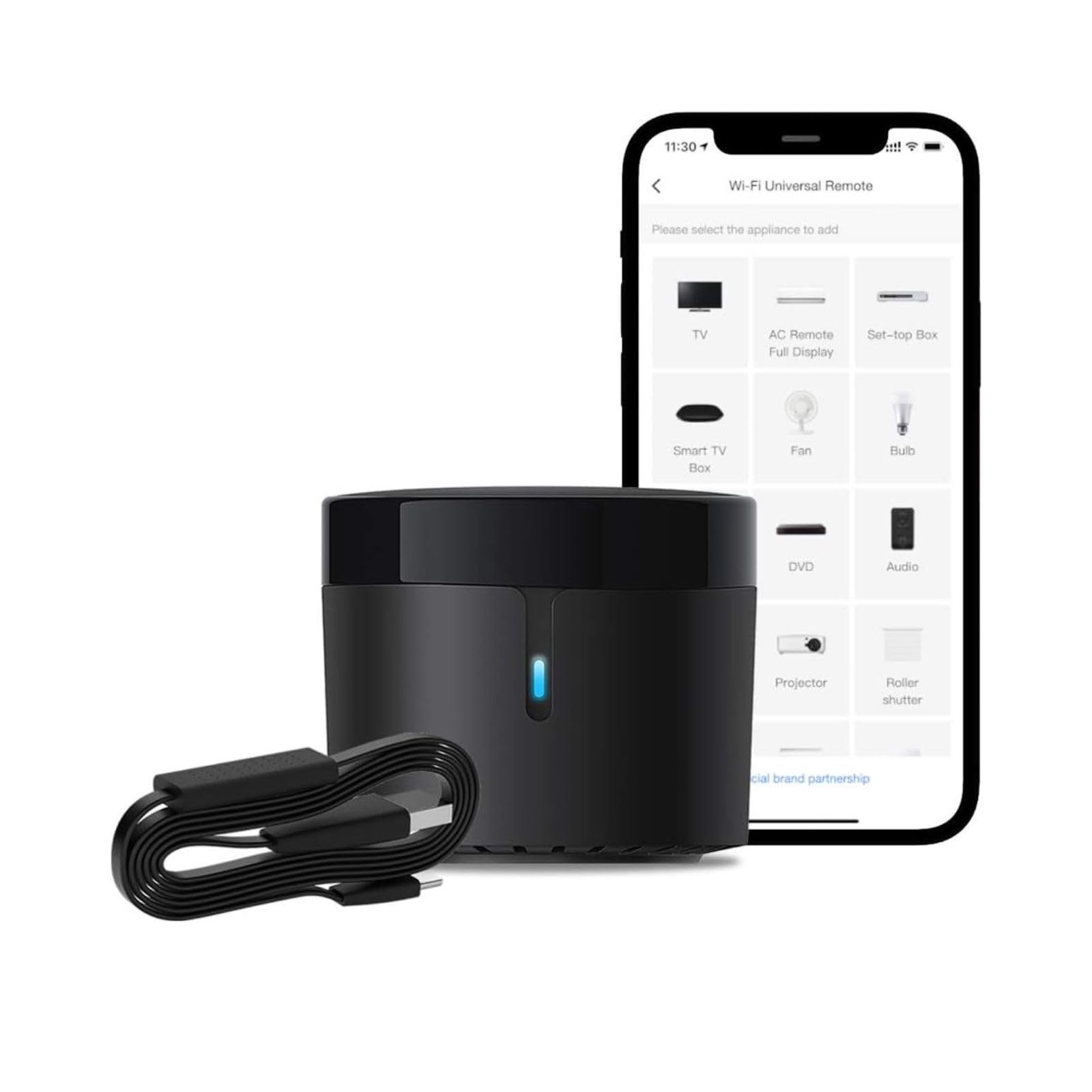
1. Broadlink RM4 Mini IR + HTS2 Temperature Humidity Sensor
Our pick — 4.0+★ from 100+ verified ratings; the strongest balance of quality and price.
A 15-device IR hub with a wired temperature and humidity sensor in the box
The Broadlink RM4 Mini earns the top spot because it does the two things most people buy one of these for. It controls 15 appliances over a 2.4 GHz Wi-Fi connection, and it ships with the HTS2 cable — a small wired temperature and humidity sensor that reports your room’s conditions back through the BroadLink app. You get climate awareness and remote control in the same box.
Its cloud library covers 50,000+ IR-controlled devices across TVs, set-top boxes, DVD players, air conditioners and fans — and the maker says that library covers roughly 98% of IR remote functions and keeps growing. “Support 50,000+ IR controlled devices” is the headline, but the part that saves you is manual learning. If your appliance is not in the cloud, you point your old remote at the hub and teach it the buttons you need.
The HTS2 sensor changes how you use an air conditioner. Instead of guessing, you open the app and see the actual temperature and humidity in the room. Then you build a timer or a scene — say, cool the bedroom before you get home — and let the hub fire the IR command at the AC. Four physical buttons on the puck handle the basics without opening your phone.
What earns it first place
- Temperature and humidity sensor cable included, so climate readings land in the same app as your appliances
- 50,000+ device cloud library with a manual-learning fallback for anything missing
- 15 devices under one app, with timers and multi-device scenes
- Alexa voice control for TVs, set-top boxes, AC units and fans
Where it asks a little of you
- 2.4 GHz Wi-Fi only — a 5 GHz network will not let it connect
- IR beam needs clear sight of the appliance; a cabinet door stops it
- Default commands are learned, not magic — expect to spend time teaching odd models
Buy this one if: you want the climate sensor and the remote control in a single hub without stretching your budget.
Think about it if: something taller and more appliance-hungry is on your shelf — this one holds 15 devices, not 50.
2. SwitchBot Hub Mini Smart Remote
A 2.56-inch USB-powered hub that copies your old remote’s buttons in its learning mode
At 84.7 g and roughly 2.56 inches square, the SwitchBot Hub Mini is the smallest thing on this list — small enough to sit on a shelf edge without you noticing it. It is USB-powered, so it goes anywhere there is a spare port. Setup runs through the SwitchBot app, and the “Smart learning” mode copies commands from your existing remote.
The voice support is the widest here: Alexa, Google Home and IFTTT all work. Where this one wins big is breadth of code coverage through the SwitchBot ecosystem — that is also how it reaches 10 supported appliances while staying tiny. Its dimensions matter less than its placement, though: construction materials and metal between the hub and the router, or between the hub and your TV, will interrupt the connection. Keep it in clear line of sight of the infrared device.
The trade-off is connection reliability. Setup is easy and people like the compact size, but the connection feedback is genuinely mixed — some setups run perfectly, and some never find the network, usually because the phone joined a 5 GHz band during setup. This hub does not support 5G Wi-Fi at all, and the manual is blunt about it: connect to the 2.4G network first.
What wins people over: it disappears into your setup. The form factor and the five-second learning mode mean you are not rearranging furniture to make room for a plastic box.
Watch for: the mixed connectivity reports are a real pattern in the reviews, so budget a few minutes for network troubleshooting on day one.
The right fit: a bedroom or small living room where you want a discreet hub behind the TV.
Not the right fit: a large home where you need the beam to reach a far cabinet — 10 devices and no extension cable here.
3. RM4 Mini IR Universal Remote Control with HTS2 Cable
A 50,000-device IR code library with manual learning for anything it misses
This is the RM4 Mini in its most generous form. Its maximum supported device count is 50,000, which is the extent of its cloud library of IR 38kHz controlled devices — TVs, set-top boxes, air conditioners, fans, VCRs and DVD players. Compare that with the SwitchBot Hub Mini at 10 devices and the gap is absurdly wide.
It is also the heaviest of the Broadlink trio at 140 g, a sturdy little brick with a single physical button. Bluetooth and RF devices are not supported, so if your blinds run on RF you need a different model. For plain 2.4 GHz Wi-Fi setup, the workflow is the BroadLink app — and it is fussy about the band. Disable every other Wi-Fi connection except 2.4 GHz while you configure it, or the hub simply will not appear.
Voice control splits by appliance. Alexa handles your TV, set-top box, air conditioner and fans. Google Home handles voice for the air conditioner. The HTS2 temperature and humidity cable plugs into the USB port and feeds room readings to the app, and FastCon means any new compatible device you power on gets discovered automatically without extra setup.
Sharpest pairing: the 50,000-device library plus manual button programming covers old, cheap and unusual gear that other hubs miss.
Honest snag: only 1 button and no Bluetooth, so this is an IR and Wi-Fi hub and nothing more — no RF curtains, no Bluetooth speakers.
Reach for this if: you own an older or uncommon appliance and need a deep library with a learn-it-yourself backup.
Look elsewhere if: your smart home runs on Bluetooth or RF accessories rather than infrared.
4. Tapo Smart IR & IoT Hub with Chime (H110)
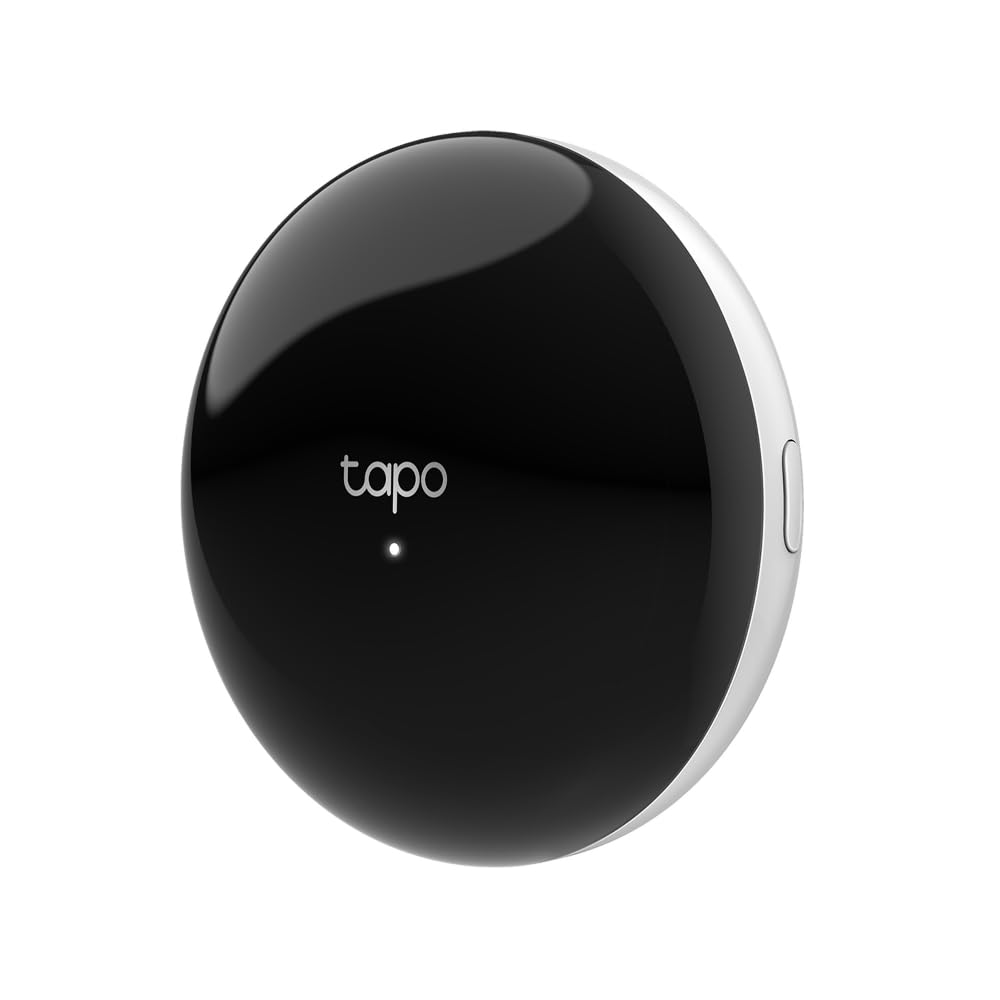
An 8,000-brand IR hub with a 93 dB alarm and a Matter-certified bridge
Most IR hubs are one-trick. The Tapo H110 adds two extra roles — a built-in alarm that rings at 93 db, and a Matter-certified bridge that lets you control the whole thing through Alexa, Google Assistant or Siri. It reaches 8,000+ infrared brands across 18 appliance types, from TVs and air conditioners to robot vacuums, projectors and electric curtains.
The alarm is the differentiator. Connect Tapo sensors and the hub fires real-time alerts on motion or a door opening, with customizable tones. The 3M adhesive in the box means you can stick it to a wall rather than find shelf space. It is the lightest full hub here at 2.4 ounces, and the USB-C cable keeps power simple.
What the wider owner feedback makes clear is that quality and connectivity are what buyers value most here, with setup rated easy by many. The remote-control side is more mixed — usually because of the learning step for older gear, which pairs by scanning or mapping remote buttons in the app. It takes a few attempts on some appliances, but once mapped the commands stick.
Why it punches above its size
- Matter-certified, so it bridges into Alexa, Google Assistant and Siri without extra hardware
- 18 appliance types covered on a 2.4 GHz Wi-Fi connection
- Built-in 93 db alarm with chime and selectable tones for sensor alerts
- iOS and Android app with full remote access, schedules and location-based control
- 1-year manufacturer warranty
What to set expectations on
- Remote-control consistency is the mixed part — mapping older remotes takes patience
- The useful sensor alerts need Tapo sensors, sold separately
- Stick-on mounting depends on the surface holding the adhesive long term
Good match for: a home already leaning on Matter and a security setup under one app.
Less of a match for: straightforward TV-only control — you would be paying for an alarm you never trigger.
5. MoesGo WiFi RF IR Universal Remote Controller

A 12-device hub with 38KHz IR for the TV and 433/315MHz RF for the blinds
The MoesGo hub is the one that reaches past IR. It handles IR at 38KHz from a 5,000+ code library and also talks to RF devices at 433/315MHz, which covers the appliances IR cannot touch — motorized curtains, ceiling fans and similar. If your problem has always been “IR points at the room, RF reaches through the wall,” this is the pick that solves it. The listing is blunt about the difference: IR works best in one room because walls block it, while RF gives multi-room coverage.
There are 12 supported appliances and a 10-meter range. Control runs through the Smart Life / Tuya app, which works on iOS and Android, and you can share control with family members. Voice goes to Alexa and Google Home for air conditioners, TVs, fans and RF devices like blinds. There is a DIY copy function too, letting you learn commands from an original remote — though the note is important: DIY-controlled devices only work through the smartphone and are not compatible with Alexa or Google Home.
The reality check is consistency. This is a 3.5+ star product 300+ reviews, and the feedback pattern is not gentle. The biggest themes are functionality and compatibility, both landing mixed, with some setups working well and others not at all, and a chunk of reviews describing an app that splits opinion. It can be a bargain for the IR-and-RF combo, but it is a gamble compared to the cleaner options higher up.
The case for it: RF 433/315MHz support at a mid-range outlay, with Tuya integration for voice and app control.
The risk: compatibility is the most-flagged issue, and it only holds 12 devices — buy from a seller with an easy return path.
Consider it: if RF devices like curtains and fans are the non-negotiable part of your setup.
Skip it: if you only need IR, where the top picks have far better odds of a clean setup.
6. Broadlink RM4 Pro IR RF 433/315MHz

An 18-device hub with 50,000+ IR codes plus 433/315MHz fixed-code RF
If you need both radios and a big appliance count, the RM4 Pro is the middle ground between the RM4 Mini and the MoesGo. It supports RF 433/315MHz fixed-code devices like curtain and shade motors, plus 50,000+ IR 38KHz devices including TVs, set-top boxes, air conditioners and fans.
The RF caveat is the whole ballgame here. It only handles fixed-code devices, not rolling-code. The listing is direct: a rolling-code remote is generally the one that needs pairing before first use, and you should check its brand and model before you order. That is the difference between this hub controlling your blinds and it simply not. Bluetooth is not supported at all.
With 267 reviews landing at 4.0+ stars, the feedback splits on compatibility — some setups work like a charm, some report it does not work with an Xfinity DVR or on Android 12. A 5V 1A adapter and 2.4 GHz Wi-Fi are non-negotiable for setup, and it adds an optional external temperature and humidity sensor cable, sold separately. iControl goes through the BroadLink app with IFTTT support alongside Alexa and Google Home.
What it does well
- 18 supported devices — the highest count among the smaller hubs here besides the 60-device SofaBaton
- RF 433/315MHz fixed-code control alongside the 50,000+ IR library
- 21 buttons plus IFTTT for custom automation chains
- Optional temperature and humidity sensor cable for room readings
What it cannot do
- No rolling-code RF — confirm your blinds or screen remote is fixed-code first
- No Bluetooth, so Bluetooth-based soundbars are out
- Compatibility splits in the reviews — some Android and DVR setups do not cooperate
Who it suits: an IR-and-RF house with fixed-code blinds, where 18 devices gives breathing room.
Who it challenges: anyone unsure about their RF remote type — verify it before ordering, not after.
7. SofaBaton X1S Smart Universal Remote with Hub

A 60-device hub paired with a scroll-wheel remote and a 40-foot IR range
The X1S is the first pick that puts a proper remote back in your hand — a physical one with a scroll wheel, a wake-on-pickup screen and backlit keys for dim rooms. The hub underneath fires two IR blasters across a 40-foot range, enough to control a projector from the back of a big room. It is also the highest device count here at 60, and the most generous library, supporting over 6,000 brands and 500,000 devices.
The scene logic is the selling point. Press “Watch Movie” and the hub turns on the TV, the AV receiver and the Blu-ray player, then switches inputs to the right positions on each. Voice works through Alexa or Google Assistant — say “Alexa, watch a movie” and the whole chain runs. Type-C charging means no battery swap ritual, and the app’s “Find my remote” feature saves you from the classic couch-cushion search.
You pay a premium price, and the 30+ review pool at 4.0+ stars is smaller than the mid-range hubs. What you get for that money is a physical remote plus a hub that controls 60 devices in one package. That beats a phone app that wakes with a lag when you just want the TV on.
Why it is here: a 60-foot-class… rather, a 60-device hub plus a handheld you can actually wield, backed by 500,000 device codes.
The catch: you pay a premium price for a product with 30+ reviews, so it has less crowd validation than the mid-range hubs. The form factor still stands out.
Worth the upgrade if: your living room has a projector and a stack of separate boxes that need one-button orchestration.
Overkill if: a single TV and an air conditioner are all you control — the mid-range picks handle that for far less.
8. SofaBaton X2 Universal Remote with Hub and Charging Dock

Seven IR emitters, a 2.4-inch touchscreen and a dock that keeps it ready
The X2 sits at the top of the SofaBaton range and at the top of this list’s price tier. It carries 49 supported devices across IR, Bluetooth, RF and 2.4 GHz Wi-Fi, with a cloud library of 500,000+ devices from 6,000+ brands. Seven high-power IR emitters inside the hub give 360-degree coverage up to 40 feet, so a hidden projector behind a cabinet still gets the command.
The screen is the difference from the X1S. A 2.4-inch HD touchscreen gives you a quick-access number pad and one-tap macros, and the swipe gesture launches a saved activity like powering on the TV, sound system and lights together. Type-C charging dock means it always has power, and the button remapping saves preferences to the cloud so a replacement remote remembers them.
For smart homes beyond the TV, the X2 is the only pick with direct Home Assistant integration over MQTT, plus direct IP control for virtual devices. That is real leverage if you run lights, curtains and AV gear through one platform. An optional repeater, sold separately, sends IR into other rooms and around walls. The trade-off is the several-hundred-dollar tier for a product with 40+ reviews at 4.0+ stars — the smallest signal on the list, so the leap is bigger.
What makes it the big spend
- Seven IR emitters with 360-degree coverage and 40-foot range
- 2.4-inch HD touchscreen plus Type-C charging dock
- Home Assistant over MQTT and direct IP control for deeper automation
- Works with 500,000+ devices across 6,000+ brands
The honest counterpoints
- Top-tier spend for a small 40+ review record
- Whole-home coverage across walls needs an optional repeater, sold separately
- 49 devices is fewer than the X1S’s 60, so multi-room setups may feel the ceiling
For the automation-first home: Home Assistant users who want the remote and the hub to be one thing.
Not yet: a pick to buy before the platform, not after — without Home Assistant the extra spend is harder to justify.
Know the Specs
Wi-Fi Band
Almost every hub here runs on 2.4 GHz only, which is the slower, longer-reach band. It is not a limitation you can work around with a newer router — the hub simply does not see 5 GHz. During setup, force your phone onto the 2.4 GHz network, or many hubs will fail to appear. Mesh routers and long passwords over 32 characters also trip some models.
IR Range and Line of Sight
An IR blaster fires an invisible beam at your appliance, so range means the distance and angle it can reach. Two things matter: how far the beam travels (models here list 8 to 40 feet) and whether anything blocks it. Position the hub where it sees the front panel, and add an extension cable if your TV hides in a cabinet.
Code Library Size
This is the catalogue of appliance brands the hub recognises. Numbers here range from a few thousand codes to 50,000 devices and 500,000. A big library helps with obscure gear, but the real insurance is manual learning — the ability to copy commands directly from your old remote when the library misses.
Fixed-Code RF vs Rolling Code
Hubs with RF support handle fixed-code devices that send the same signal each time — most blinds and ceiling fans. Rolling-code remotes change their code on every press and need pairing; they generally do not work with these hubs. Check the remote type before buying an RF-capable model, or the feature is wasted.
Common Questions
Will the hub connect to my 5 GHz Wi-Fi network?
Does it need a smart speaker to work at all?
What is the difference between an IR blaster and a normal remote?
Will a hub control my air conditioner as well as a TV?
Can a hub learn buttons from my existing remote?
What happens if a hub cannot find my TV in the code library?
Does an IR hub work through walls or closed cabinet doors?
Will an RF hub control my motorized curtains or projection screen?
Is a touchscreen remote or a phone app better for daily use?
The Bottom Line
The RM4 Mini with the HTS2 cable takes the win for the widest code library and the climate sensor in one box. The Broadlink RM4 Mini + HTS2 is the better balance if you want the same setup with a cleaner device count. For RF curtains and blinds, the RM4 Pro is the one to reach for — provided your remote is fixed-code. And if you want a physical remote back in your hand, the SofaBaton X1S is the pick that does it all in one.
The honest nudge: start with the hub that matches the number of appliances you actually own, not the biggest library on the page. A 10-device hub covers a living room just as well as a 50,000-device one — and the setup goes a lot faster when you are not fighting the library for devices you will never use.
How we choose
We do not accept paid placement. Every pick is matched to a real buyer and a real use-case; we do not hands-on test units.
Sources
Specifications: manufacturer listings and product documentation. Review insights: verified customer reviews, as of November 2026. Pricing: not shown on this page (it changes often); check the current price via the retailer link.
As an Amazon Associate, Tactical Gear Guy earns from qualifying purchases. This does not affect which products we feature.